You are not shopping for white label platform customization services because this sounds fun. You are here because the obvious alternatives all have a catch.
Building from scratch takes too long. Standard SaaS often makes you live inside somebody else’s process. And the usual white label promise—swap the logo, change the colors, call it yours—falls apart the minute real customers start using the product.
That tension is the whole decision. You need speed, but not the fake kind of speed that turns into rework, patchwork, and awkward explanations to clients a quarter later. You want a platform that looks like your business, works like your business, and still leaves room to add the workflows, integrations, and features that actually make it valuable.
Most pages in this market glide past that difference. They use “customization” to describe everything from a branded login screen to a bespoke module tied into payments, CRM, and reporting. Those are not small variations of the same job. They are different scopes, different risks, and different futures.
This guide is for the moment when you are choosing now. Not casually researching. Choosing. We will sort out what white label platform customization services really include, where common offers stay shallow, what tends to break the upgrade path, and how to tell whether a provider can help you scale fast without boxing you into a brittle setup.
What white label platform customization services actually mean
In plain English, these services take an existing platform and make it operate like your product rather than a generic vendor product. Sometimes that is mostly branding. Sometimes it includes UI changes, user flows, permissions, reporting, integrations, and new feature layers. The phrase is broad. That is exactly why buyers get burned by it.
The useful question is not, “Can this platform be white labeled?” Almost anything can be branded at the surface. The real question is much tougher and much more important: how far can the platform be changed before cost, speed, maintenance, and upgrade safety stop making sense?
That is where practical teams either gain control or lose it. One company buys expecting rebrand + feature extension services and finds out the provider really meant logos, colors, and a domain. Another gets the opposite problem: a vendor agrees to every custom request, hacks too close to the core, and leaves behind an expensive fork that resists every future update.
The version that scales fast sits in the middle. You keep the stable parts stable. You configure what the platform already supports. Then you spend custom effort where your business model actually needs it—where the change improves delivery, retention, monetization, or internal efficiency instead of just making the demo prettier.
The 5 layers of customization — from branding to bespoke modules
If you want to compare vendors without getting lost in marketing language, stop treating customization as one blob. Break it into layers. Once you do that, timelines get clearer, cost drivers become easier to explain internally, and shallow offers become much easier to spot.
Customization layer
Typical examples
Speed
Main risk
Branding and domain
Logo, colors, fonts, domain, email templates
Fast
Looks custom but changes little
UI/UX adjustments
Navigation, dashboards, page layouts, forms
Fast to medium
Front-end drift from platform updates
Workflow and permissions
User roles, approval flows, onboarding paths, notifications
Medium
Hidden edge cases and admin complexity
Custom integrations
CRM, payments, analytics, SSO, support tools, messaging
Medium
API limits, sync failures, data-mapping problems
Bespoke modules
Marketplace logic, monetization rules, advanced reporting, unique user tools
Slower
Upgrade blockage and rising maintenance load
This is more than a neat framework. It changes how you scope the project. “We need to look credible by next month” belongs in a different bucket from “we need workflows that can support this revenue model for the next two years.” A strong white label customization company should help you separate those conversations early instead of bundling everything into one oversized promise.
What usually stays configurable
Some work fits white label economics very well because the base platform already expects it. That is where speed is real, not theatrical.
Brand identity changes are the obvious example: logo, color palette, fonts, domain, client-facing copy, email templates. Basic portal structure often sits in the same category too—navigation, dashboards, standard forms, notifications, and role settings that already exist within the platform’s logic. Sometimes there is room for simple admin views or reporting tweaks if the underlying data model supports them cleanly.
If your business can operate mostly within those boundaries, white label is often the right answer. You launch faster, spend less than a full custom build, and preserve a cleaner upgrade path because more of the product still lives inside supported configuration rather than one-off code.
What usually requires code, middleware, or platform extension
The picture changes when your platform has to coordinate real operations instead of just presenting information. Once data needs to move between systems, user actions need to trigger follow-up events, or service delivery depends on role-aware workflows, you are in deeper water.
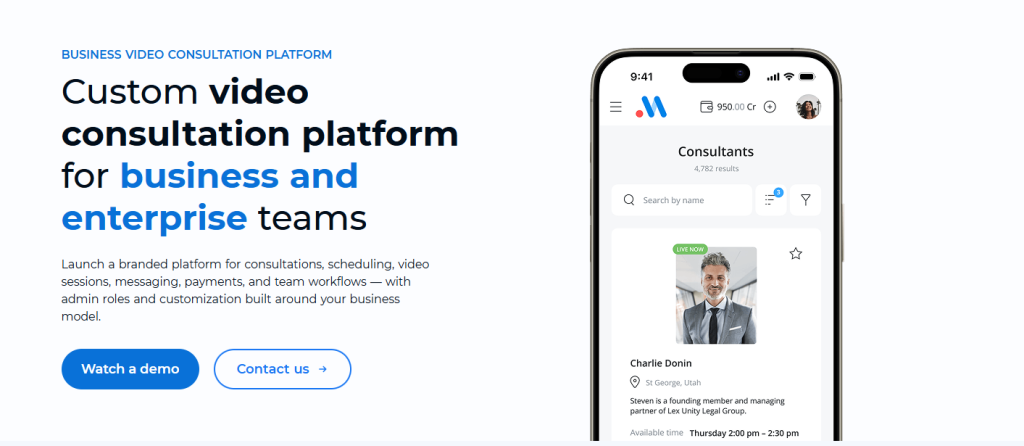
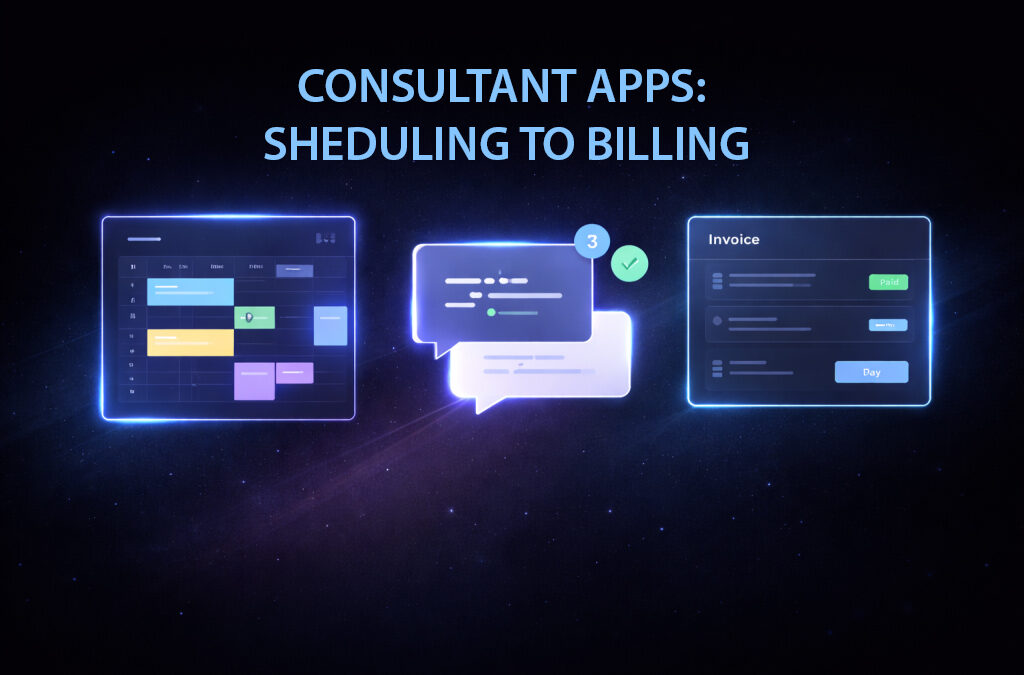
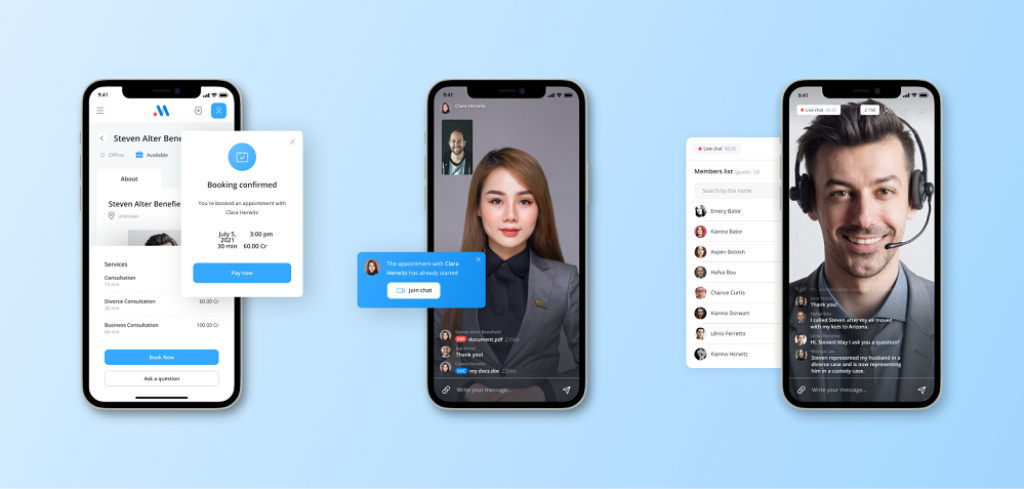
Take a consulting portal. A client books a session, gets reminders, joins a call, receives notes, triggers an invoice, and appears in the CRM under the correct status. That may sound like one user journey. Technically, it is a chain of moving parts. If the provider only changes the skin and leaves the underlying flow disconnected, your team ends up carrying the gap manually.
The same thing happens in monetization products. If partners need commission logic, payout states, account-type rules, and custom reporting, you are beyond visual rebranding. You are into bespoke modules for monetization platforms. The white label base can still be useful, but now the provider needs architectural judgment, not just a design team and a sales deck.
This is where “fast” gets misused in the market. A platform only scales fast when the custom work is targeted and upgrade-safe. A pile of rushed extensions is not scale. It is deferred pain.
Where common white label offers break down
The biggest problem in this space is not that white label platforms never work. It is that many buyers and vendors are quietly talking about different things.
The first disappointment is superficial white labeling. The vendor rebrands the interface, maybe adjusts a few screens, and calls the platform customized. In a demo, it looks fine. Then real clients arrive, and your team discovers the workflows still belong to the original product. Staff start fixing things by email, spreadsheets, side tools, and manual reminders. The software looks branded, but the business is still improvising around it.
The second failure pattern is the custom fork. This one feels better at the beginning because the provider says yes to almost everything. Need a special flow? Yes. Need a different rule engine? Yes. Need a new user state? Sure. But if those changes are made too close to the core platform, every future update turns into a problem. Security fixes get messy. New vendor releases become risky. “Flexible” slowly becomes “fragile.”
Then there is the integration trap. A provider says they can connect anything, but never gets specific about API access, auth methods, webhook behavior, rate limits, field mapping, monitoring, or failure handling. The integration exists on paper. In practice, someone on your team is checking whether records synced properly, chasing missing events, or fixing broken statuses by hand.
That cost shows up fast. Delayed launch. Reporting nobody fully trusts. More recurring patch work than expected. Internal frustration. Client-facing awkwardness. And the worst part: the sinking feeling that your “own” platform is not really under your control.
White label customization vs off-the-shelf SaaS vs full custom build
This choice gets confusing when people compare the wrong things. White label is not just a cheaper custom build. Standard SaaS is not just a faster white label product. They solve different problems.
Option
Best for
Main advantage
Main compromise
Off-the-shelf SaaS
Standard processes, low differentiation
Fastest start, low setup friction
Limited branding, workflow, and integration control
White label platform + customization
Branded launch with selective extension
Balance of speed and tailored capability
Still dependent on platform boundaries and vendor quality
Full custom build
Unique product logic or deep operational control
Maximum flexibility and architecture ownership
Higher cost, longer time, more delivery risk
For many SMBs, agencies, SaaS operators, and service businesses, white label sits in the productive middle. You do not need to reinvent core account management, standard dashboards, or common admin functions. You do need enough control to shape the product around your service model and your customers. That is the sweet spot.
When white label is the smartest choice
White label is usually the right foundation when your edge comes from packaging, experience, process, integrations, or selective features—not from inventing a completely new engine.
Think about an agency that wants to offer a branded client portal. It does not need to build user accounts, file access, or standard reporting infrastructure from zero. It does need its own brand, account-specific dashboards, cleaner onboarding, CRM sync, and role-based access that matches how the agency works. In that situation, rebrand + feature extension services can be a strong business decision.
The same logic applies to MSPs, niche SaaS launches, coaching and education products, support portals, and internal operations systems that need to become client-facing. Speed matters, but so does credibility. White label gives you a usable base. Customization makes it feel like a product instead of a rented interface.
When white label becomes the wrong foundation
Sometimes the honest answer is no. If your product depends on unusual data structures, highly specific operational rules, a novel marketplace engine, or compliance requirements the base platform cannot support cleanly, white label can become a costly detour.
That does not make white label weak. It just means it has limits, and pretending otherwise is expensive. Mature buyers do not force a white label platform to carry their whole strategy. They use it for the standardized layers and reserve deeper custom development for the parts that actually define the business.
Scenarios that show what “scale fast” really looks like
“Scale fast” is easy to say and hard to budget. In practice, it means reusing what is already proven while putting custom effort into the places that remove friction in sales, delivery, support, and retention.
A SaaS company launching a branded client portal is a good example. The base platform can handle accounts, authentication, and standard navigation. Custom work then focuses on onboarding milestones, customer reporting, subscription logic, and CRM events. They launch earlier because they are not rebuilding solved components. Yet the result still feels like their product, not a generic backend in disguise.
Now look at a marketplace or revenue-sharing product. The base may support users and transactions, but the business needs partner workflows, payment states, affiliate logic, approval rules, and analytics by account type. That is where bespoke modules for monetization platforms become commercially important. Speed comes from not wasting months on common building blocks, then spending development effort where the business actually wins or loses.
Another common case is a service portal for consulting, education, support, or telehealth. On paper, the requirement sounds small: add video. In real usage, it is rarely small. Calls need to connect with scheduling, user roles, notifications, notes, permissions, and sometimes billing. Once you see that clearly, custom integrations for white label products stop looking like optional extras. They become part of the service itself.
How to evaluate a white label customization company before you sign
By decision stage, generic claims are noise. The question is whether the provider can explain what is configurable, what needs code, what affects updates, and what should be avoided entirely. If they cannot do that clearly before the contract, they will not become clearer after it.
Start with depth. Can they distinguish branding work from workflow changes, from integrations, from bespoke extensions? If everything is described as “fully customizable,” that is not reassuring. It usually means the boundaries are fuzzy.
Then push on the upgrade path. Ask what happens when the underlying platform changes. Which customizations are insulated? Which ones need review? Which requests would force work too close to the core? Serious providers have a point of view here. Weak ones pivot back to branding screenshots.
Integration maturity matters just as much. If your roadmap includes payments, CRM, analytics, SSO, support tools, messaging, or embedded communication, the provider should be comfortable talking about auth, field mapping, event timing, error handling, monitoring, and rollback plans in plain business language.
And do not treat ownership as a legal footnote. Data ownership, admin access, hosting roles, third-party accounts, export options, support response times, change-request handling, and exit terms all shape how much control you really have after launch. Cheap projects often become expensive right here.
Questions that reveal whether a provider can really extend the platform
A short due-diligence conversation can tell you a lot if the questions are sharp enough. Ask what is configuration-only and what requires custom development. Ask what tends to break during platform updates. Ask how integrations are tested and monitored after go-live. Ask what migration includes and what it does not. Ask who controls domains, cloud accounts, analytics properties, payment accounts, and communication providers when the project is over.
Notice what happens next. Good providers simplify the answer without hiding the trade-offs. Weak providers stay broad, optimistic, and slippery. That is usually your signal.
Contract and ownership points that matter later
Many teams rush through this because they are trying to get moving. That is understandable. It is also how they end up trapped.
Code ownership may depend on the contract. Data ownership should be explicit. Access to hosting, domains, APIs, analytics, payment tools, and support systems should not be left vague. If your business needs independence, the accounts that run the product cannot quietly live under the vendor’s full control.
One more practical point: ask how changes are handled after launch. If every adjustment becomes a fresh sales cycle, the platform will start slowing down exactly when user feedback should be making it better.
What implementation looks like in the real world
Healthy white label platform customization services are not delivered by piling every request into phase one. They launch faster because the scope is disciplined.
Usually, the process starts with discovery that splits must-haves from nice-to-haves. This sounds basic, but it is where commercial clarity is won. Branding, must-have workflows, critical integrations, and non-negotiable permissions go first. Ideas that are useful but not launch-critical get pushed to later phases.
Then comes the boundary review. What is configurable? What needs custom code? What should be rejected early because it would create upgrade pain or force the platform into something it is not? Skipping this step is how teams drift into expensive ambiguity.
After that, design and implementation can move with far less friction: brand application, UI adjustments, workflow logic, integration work, migration where needed, then QA and user acceptance testing. The launch itself is only one part of the project. Handoff, support, documentation, and the first post-launch iteration matter just as much if you want the platform to remain usable under pressure.
Timeline promises should get more cautious as complexity rises. Light branding and interface adjustments can move quickly. Workflow changes and common integrations take longer. Bespoke modules, payment logic, sync-heavy operations, tenant-sensitive permissions, and regulated use cases should not be rushed to satisfy a sales promise. A provider worth trusting will help you find the earliest sensible launch point, not the most attractive fantasy date.
The biggest risks in white label platform customization — and how to reduce them
Most buyers know there is risk. What they need is a cleaner map of which risks actually hurt later.
Risk
What it looks like in practice
How to reduce it
Upgrade blockage
Platform updates become painful because custom work touched the core too heavily
Keep customizations upgrade-aware and ask for a clear update policy
Vendor lock-in
You cannot move easily because accounts, access, or knowledge sit with the provider
Define ownership, admin rights, exports, and exit terms early
Verify API maturity, webhook behavior, monitoring, and fallback handling
Hidden recurring cost
Cheap setup becomes expensive through support fees, patching, and change requests
Separate one-time implementation from ongoing support and maintenance
Poor operational handoff
Your team cannot manage the platform confidently after launch
Require documentation, role mapping, support paths, and admin clarity
None of these risks automatically kills the white label option. They do, however, change who is safe to work with. “Flexible” is not enough. Plenty of painful projects started with a very flexible vendor.
A practical fit check: do you need branding only, extension work, or deeper custom development?
Before another vendor call, pause and sort your own scope. This is one of the fastest ways to make proposals less confusing and more comparable.
If the base platform already matches your business process and you mainly need a credible client-facing identity, you are probably in branding-focused customization territory. That is the fastest, least risky path, and it suits teams that need to get live quickly without changing the product model itself.
If the business model is clear but the platform needs better workflows, role logic, reporting, or integrations to become commercially usable, you are in extension territory. This is where many strong white label projects live. The platform base remains useful, but targeted development makes it fit the business properly.
If your differentiation lives in the engine—unusual rules, data structures, transaction flows, marketplace logic, or operational demands the platform cannot support cleanly—you are likely looking at deeper custom development. Forcing that into a white label frame just because it sounds faster usually backfires.
This fit check gives you leverage. Instead of asking vendors to tell you what kind of project you have, you walk in with a clearer point of view. That tends to improve estimates, expose overpromising earlier, and shorten the path to a realistic shortlist.
When custom integrations become the real product advantage
Many white label platforms look complete when they are sitting quietly in a demo. Real usage tells the truth. Users need actions to trigger other actions. Bookings need to lead somewhere. Data needs to sync. Notifications need context. Revenue events need records. Without that connective tissue, the platform may look polished while still creating hidden operational drag every day.
That is why custom integrations for white label products often matter more than another round of cosmetic cleanup. A generic connector can move data from A to B and still fail the business. It may ignore user roles, timing, exceptions, duplicate handling, or the reporting structure your team depends on. What looks integrated from a distance can still feel broken in use.
Example: adding secure video calls to a branded portal
A lot of branded platforms seem finished until users need real-time interaction. Consultations, support escalation, onboarding, training, telehealth sessions, account reviews—this is often the moment a “complete” portal suddenly feels incomplete.
The quick fix is usually a generic video widget or an external meeting tool. Sometimes that is enough. Often it is not. Users jump out of the branded flow. Permissions do not line up with account roles. Session records sit in the wrong place or nowhere useful. Analytics become partial. Staff have to bridge the gaps manually. The experience starts to feel stitched together.
Custom integration matters when video is tied to the rest of the product, not bolted onto it. If calls need to connect with booking, notifications, user identities, records, support flows, or payment steps, then this is not just a communication feature. It is workflow infrastructure.
That is why this is one of the feature extensions worth planning properly. If your portal depends on consultations, onboarding, training, or support, review how to Integrate Video Call Into Website in a way that fits the platform instead of interrupting it.
If that capability is already on your roadmap, treat it as part of the customization scope now—not as a plugin decision for later. It is a cleaner conversation when handled upfront, and it usually leads to a stronger product.
Red flags that should stop your vendor shortlist
Some signs are not minor concerns. They are stop signs.
If a provider says the platform is “fully custom” but cannot explain where the boundaries are, be careful. If they promise a fixed timeline before reviewing requirements, be careful. If they have no clear answer on update policy, API discovery, data portability, or post-launch ownership, be very careful.
The same goes for smooth talk around integrations without any discussion of auth methods, source systems, event timing, sync reliability, or failure handling. That usually means they are selling possibility, not delivery discipline.
The next move: choose the right scope before you choose the vendor
At this stage, the smartest move is not asking who can “do white label platform customization services.” Plenty of companies will say yes. The useful question is narrower: what level of customization gives you enough speed now without damaging your upgrade path, your operating control, or your ability to grow the product later?
Once that is clear, comparison gets easier. You can tell whether you need branding, a white label customization company that can handle extensions safely, or a broader custom development discussion. You can ask better questions about ownership, migration, SLA, code vs configuration, support, and integration maturity. In other words, you stop buying a black box.
That shift matters. You are not just trying to launch something under your own name. You are trying to build an asset you can operate, improve, and sell with confidence. A platform that gives you more control over your service model, your customer experience, and your next round of features is worth far more than a fast launch that traps you.
If real-time communication is part of that next layer, do not treat it like decoration. Review the path for integrating video calls into your website and evaluate it as a platform decision, alongside workflows, permissions, and data flow.
Then do the next sensible thing: tighten your scope, cut the vague requests, shortlist providers who can explain trade-offs clearly, and move the conversation from “Can you customize this?” to “Can you customize it without creating the next problem?” If video-enabled delivery is part of the answer, the clearest next step is to see how to Integrate Video Call Into Website without breaking the product flow you are trying to strengthen. That is where faster scaling starts to become real.
Frequently asked questions
What is white label platform customization, beyond changing the logo?
Real customization spans five layers: branding, configuration (settings without code), UI extensions (custom screens or workflows), backend modules (new business logic), and integrations (your data systems and third-party services). A vendor that only offers the first two is selling a re-skin, not a customization service — that is fine for some cases, but it will not scale a product.
How is this different from off-the-shelf SaaS or full custom build?
Off-the-shelf SaaS gives speed but constrains your business to the vendor's process. Full custom gives total control but costs 5–10x more and takes 9–18 months longer to market. White label customization sits in the middle: you inherit a working core and customize the parts that differentiate you, usually shipping in 2–4 months.
How do we evaluate a white label customization company?
Ask for three things: a live customer running customizations comparable to yours, the source-code arrangement (yours, theirs, escrowed), and an explicit list of what they will NOT touch. Vendors that say 'we can do anything' usually mean 'we will quote anything'. The good ones are clear about their limits and where custom work begins.
What are the biggest risks in this model?
Vendor lock-in (your customizations live in their stack), upgrade conflicts (their next release breaks your custom code), and ambiguous IP ownership. Mitigate with a written upgrade policy, a documented customization layer, and a clause that lets you take the code if you need to switch hosts. Treat the contract as the real product.
When does custom development inside a white-label fit make sense?
When the customization is your competitive advantage — a unique payment flow, a regulated workflow, a proprietary algorithm — and it must live on top of, not inside, the platform. White label saves the 'commodity' parts (auth, billing, admin); custom handles 'differentiator' parts. Trying to make the platform itself unique usually wastes the savings white label gave you.
What are the red flags that should stop a vendor shortlist?
No live reference customers in your scale range. Vague answers about upgrade policy. Per-seat pricing on a platform you are supposed to white-label to your own customers. Pressure to sign before you see the actual customization layer. And — most underestimated — no clear separation between 'config' and 'custom code' in their documentation.
Polina Yan is a Technical Writer and Product Marketing Manager, specializing in helping creators launch personalized content monetization platforms. With over five years of experience writing and promoting content, Polina covers topics such as content monetization, social media strategies, digital marketing, and online business in adult industry. Her work empowers online entrepreneurs and creators to navigate the digital world with confidence and achieve their goals.
Start with a clear niche. A telemedicine app for “everyone” usually ends up working for no one. Build around the basics first: video calls, scheduling, and payments. Everything else can wait. Handle compliance early. Fixing HIPAA or GDPR issues later is expensive and messy. Plan your budget and timeline realistically. MVP doesn’t mean cheap, it means focused. Pick the right approach: custom build, SaaS, or a white-label development solution depending on your goals.
Telemedicine stopped being an experiment a while ago. It’s now a working business model with real money behind it. Clinics use it to extend capacity. Independent doctors use it to build private practices without renting space. Startups use it to launch niche services that run entirely online. The barrier to entry is lower than it looks, but the details decide whether it becomes a revenue stream or just another unused app.
If you’re figuring out how to develop a telemedicine app, the goal isn’t to recreate a hospital in digital form. It’s to build a system that connects patients and providers in a way that’s fast, reliable, and easy to pay for. That’s where most projects either click or fall apart.
This guide breaks the process down into clear steps. No theory dumps. You’ll see what features matter, what it costs, how long it takes, and where people usually overspend or overcomplicate things.
Why Telemedicine Still Grows in 2026
The demand didn’t fade after the pandemic. It just changed shape. Patients now expect quick access to care without waiting rooms, and providers have realized they can handle a large part of consultations remotely. Mental health services are one of the strongest drivers here. Sessions don’t require physical exams, which makes video consultations a natural fit. Private clinics are also leaning into telemedicine to expand reach without opening new locations.
Market numbers back this up. Global telemedicine is already well past the $100 billion mark and continues to grow at a double-digit rate year over year. Some projections push it toward $250–300 billion within the next few years. That kind of growth doesn’t happen without steady demand.
Another shift is the move to hybrid care. Patients don’t choose between online and offline anymore. They expect both. A first consultation might happen online, with follow-ups in person, or the other way around. That creates space for flexible digital services built around real workflows.
From a business perspective, this is where things get interesting. You’re not just building a video app. You’re building a service layer on top of healthcare. Understanding how to develop a telemedicine app means understanding where convenience meets revenue.
Step-by-Step Roadmap to Develop a Telemedicine App
If you break it down, the process follows a clear sequence. Skipping steps usually leads to delays, rework, or unnecessary costs.
Define your niche and use case Decide who you’re building for and what problem you solve. A mental health app, for example, needs different workflows than a chronic care platform. This step defines everything that follows.
Set your MVP scope Focus only on core functionality: video consultations, scheduling, payments, and basic user profiles. Avoid adding advanced features before real users interact with the product.
Design user flows and UX Map how patients book sessions, how doctors manage availability, and how payments are processed. A clean flow reduces friction and increases completed consultations.
Build core functionality first Develop booking logic, session handling, and user roles. Use external services for video and payments instead of building them from scratch to save time and reduce risk.
Test critical components Check video stability, payment processing, data handling, and access control. Even small bugs at this stage can break trust and hurt retention.
Launch with a limited audience Start with a small group of users, collect feedback, and adjust quickly. Most successful telemedicine products evolve after launch, not before it.
Start With the Business Model, Not the Code
Most projects go wrong at the same point: they start with features instead of revenue. Before thinking about tech, define who this product is actually for. A solo doctor needs a simple system to book and run consultations. A private clinic cares about workflows and staff coordination. A startup usually targets a niche, like mental health or dermatology, and builds around that use case.
Then comes monetization. You don’t need ten options. You need one that works from day one:
pay-per-session (simple and predictable for users)
subscription plans (monthly access, popular for ongoing care)
B2B packages (selling access to companies for employee healthcare)
Here’s how the numbers look in practice. Let’s say a doctor handles 20 sessions a day at $40 per consultation. That’s $800 daily. Over 20 working days, you’re already at around $16,000 per month. Add a second specialist or extend hours, and the revenue scales almost linearly. This is why telemedicine businesses grow fast when the model is clear.
When people ask how to develop a telemedicine app, they often expect a technical answer. In reality, the core decision is financial. If the business model is solid, the product has direction. Without it, even a perfectly built app struggles to make money.
Core Features That Actually Matter
Feature lists tend to grow fast on paper. In reality, only a handful of elements decide whether users stay and pay. The goal isn’t to impress with functionality. It’s to remove friction between booking, consultation, and payment.
Video consultations sit at the center of the product, but quality matters more than presence. The connection has to be stable, quick to start, and work across devices without setup headaches, otherwise users drop off before the session even begins.
Scheduling and calendar logic is what turns interest into actual revenue. Patients should be able to see real availability, book in a few clicks, and receive confirmation instantly. Any delay or confusion here directly reduces completed sessions.
Payments integration is where many apps quietly lose money. It needs to be seamless, support different methods, and ideally handle prepayments to reduce no-shows. If users hesitate at checkout, conversions drop fast.
Patient profiles and history help providers deliver better care without repeating the same questions. Over time, this becomes a retention driver because patients feel the service “remembers” them.
Beyond the essentials, a few additions strengthen engagement. Messaging allows quick follow-ups without booking a full session. Reminders reduce missed appointments. Follow-up prompts bring patients back after the first visit.
When thinking about how to develop a telemedicine app, this is the layer that directly affects usage. If these pieces work smoothly, growth comes naturally.
Feature Structure by User Role
Category
Key Features
Why It Matters
Patient side
registration, profile, appointment booking, video consultations, payments, notifications
defines user experience and directly impacts conversion and retention
Doctor side
schedule management, session handling, patient notes, consultation history, availability control
ensures providers can operate efficiently without friction
Admin panel
user management, payments tracking, analytics, moderation, system configuration
keeps the platform scalable and manageable as it grows
Advanced features
EHR/EMR integration, e-prescriptions, AI triage, insurance integration, analytics dashboards
adds long-term value and competitive advantage but not required for MVP
Security and Compliance: What You Can’t Ignore
This is the part many founders try to “figure out later.” That approach usually backfires. Healthcare data isn’t just another dataset. It’s sensitive, regulated, and closely monitored. If you’re operating in the US, HIPAA defines how patient data must be handled. In Europe, GDPR sets strict rules for storage, access, and user consent. These aren’t optional checkboxes. They shape how your product is built from the ground up.
The risks are very real. A data leak doesn’t just mean bad press. It can lead to fines, loss of trust, and in some cases, being forced to shut down operations. Even smaller issues, like insecure video tools or weak authentication, can block partnerships with clinics or insurers. In practice, compliance is what separates a side project from a real healthcare business.
At a minimum, you need strong encryption for data in transit and at rest, clear access control so only authorized users see patient information, and secure storage that meets regional standards. Logging and audit trails also matter, especially when disputes or incidents occur.
“The Security Rule requires implementation of appropriate administrative, physical, and technical safeguards to ensure the confidentiality, integrity, and availability of electronic protected health information.”
Treat compliance as part of the product, not a legal afterthought.
Technology Choices and Development Approach
At some point, every project hits the same fork in the road: what to build, and what to plug in. There’s no universal “best stack” here. The right choice depends on how fast you want to launch and how much control you need later.
Start with platforms. Web apps are faster to deploy and easier to maintain, especially for early versions. Patients can join from a browser without installing anything, which reduces friction. Mobile apps feel more natural for frequent use and help with retention through notifications, but they increase cost and development time. A hybrid approach lets you reuse code and cover both cases, though it comes with some performance trade-offs.
Then comes the build vs integrate decision. This is where timelines can double if handled poorly. Real-time video, payments, and notifications are complex systems on their own. Rebuilding them from scratch rarely gives an advantage early on.
build core logic that defines your product, like scheduling flows, patient-provider interaction, and pricing models, because that’s where your differentiation lives
integrate video SDKs instead of developing streaming infrastructure, since stability and latency are already solved by specialized providers
use existing payment gateways to handle transactions, refunds, and compliance instead of reinventing financial logic
rely on authentication and security frameworks that already meet industry standards instead of creating custom solutions from zero
The biggest mistake here is trying to make everything “perfect” from day one. A focused system that works reliably will outperform an overloaded product that never reaches users.
Budget and Timeline: Real Numbers
Let’s get straight to it. When people ask how much does it cost to develop a telemedicine app, they usually expect a single number. That doesn’t exist. The range depends on scope, features, and how much you build from scratch. Still, you can estimate early and avoid surprises.
A focused MVP with core features typically lands somewhere between $30K and $80K. A more advanced product with full workflows, integrations, and compliance layers can easily cross $100K. The main cost drivers are real-time video, backend logic, and security requirements.
Cost breakdown
Component
Estimated Cost
Notes
Video infrastructure
$5K–$20K
depends on scale
Backend
$10K–$40K
logic, storage
Frontend
$8K–$30K
apps/web
Compliance
$5K–$15K
legal + implementation
Timelines follow a similar pattern. An MVP usually takes around 3 to 5 months if the scope is controlled. A full product with advanced features and integrations can take 6 to 12 months.
If you’re figuring out how to develop a telemedicine app, this is where planning matters most. Overbuilding early inflates both time and cost without improving your chances of success.
Getting Your First Users
Launching the product is one thing. Getting real people to use it is where most telemedicine projects slow down. The mistake is thinking users will show up once the app is live. In reality, early traction comes from relationships, not features.
Start with a narrow niche. A general “online doctor” app struggles to stand out. A focused offer like mental health sessions for remote workers or dermatology consultations for a specific audience gives you a clear entry point. Clinics are often the fastest way to get initial volume. They already have patients, and telemedicine becomes an extension of their existing service. Instead of chasing individuals one by one, you plug into an existing flow.
Partnerships work the same way. Fitness platforms, insurance providers, or corporate wellness programs already serve audiences that need healthcare access. If your product fits into their ecosystem, you skip months of direct user acquisition.
Here’s what usually works in practice:
partner with 1–2 clinics or specialists first, even on a revenue-share basis, so you have real consultations happening from day one instead of waiting for organic traffic
focus your messaging on a specific problem and audience, because broad positioning makes it harder for users to understand why they should try your service
run small, controlled ad campaigns to test demand and pricing, rather than spending heavily upfront without knowing what converts
collect feedback aggressively from early users and adjust flows quickly, especially around booking, payments, and session experience
The key idea is simple. Don’t build in isolation. Demand should shape the product from the first users onward.
Launch a Custom Telemedicine Service with Scrile Meet
At this point, the trade-offs are clear. Building everything from scratch gives full control, but it takes time, budget, and a solid technical team. For many teams, that means months before the first real consultation happens. SaaS tools go in the opposite direction. You can launch quickly, but you’re locked into someone else’s structure, branding limits, and feature roadmap.
This is where Scrile Meet comes in. It’s built as a custom white-label development solution, which means you’re not adapting your business to the tool. The product is shaped around how you want to operate.
What you actually get in practice:
fully branded telemedicine service under your own domain, so users interact with your business, not a third-party platform
built-in video consultations that are ready to use without setting up complex infrastructure or external tools
integrated scheduling and calendar logic that keeps availability, bookings, and sessions aligned automatically
payment handling inside the system, allowing you to charge per session or run subscription-based services without extra integrations
messaging and follow-up flows that help maintain patient relationships beyond a single consultation
customizable workflows that adapt to solo doctors, clinics, or more complex multi-provider setups
The result is simple. You launch faster because the core is already built, but you keep ownership and flexibility as your service grows.
What’s the Right Way to Build?
Approach
Time to Launch
Cost
Flexibility
Best For
Build from scratch
Long
High
Full
Funded startups
SaaS tools
Fast
Low
Limited
Testing ideas
White-label solution
Medium
Moderate
High
Real business
The choice comes down to your current stage, not your ambitions. If you have funding, a technical team, and a long-term roadmap, building from scratch gives full control, but it demands patience and ongoing investment. SaaS tools make sense when you’re validating an idea quickly or testing a niche without committing resources upfront.
If the goal is to launch a real service, start generating revenue, and still keep control over branding and workflows, a white-label approach sits in the middle. It removes months of development while avoiding the limitations of generic tools. Most teams that plan to grow beyond a simple MVP end up moving in this direction anyway, just later and at a higher cost.
Conclusion
Telemedicine isn’t a side feature anymore. It’s infrastructure for modern healthcare services, and the opportunity is only growing. But results don’t come from ideas alone. Execution, clarity, and the right product decisions are what actually turn this into a working business.
If you’re serious about how to develop a telemedicine app, the key is choosing the right path from the start. It affects how fast you launch, how much you invest, and how flexible your product will be as it grows.
If you want to move from idea to real service without getting stuck in long development cycles, it makes sense to start with a solution built for that purpose. Explore Scrile Meet and see how you can launch a fully branded telemedicine platform under your own name.
FAQ
How long does it take to develop a telemedicine app?
A focused MVP usually takes 3 to 5 months. That covers video consultations, scheduling, payments, user profiles, and basic admin tools. A larger product with mobile apps, complex workflows, EHR integrations, and advanced security can take 6 to 12 months.
How much does a telemedicine app cost in 2026?
A practical MVP usually starts around $30,000–$80,000. A full custom product can reach $100,000–$150,000+ depending on features, compliance needs, integrations, and design complexity. Video infrastructure, backend logic, and security are usually the biggest cost drivers.
What features should a telemedicine app include first?
Start with video consultations, appointment scheduling, payments, patient profiles, provider accounts, notifications, and basic admin controls. Messaging and follow-ups are also useful early. Advanced analytics, AI triage, and integrations can wait until the service has real users.
Does a telemedicine app need HIPAA or GDPR compliance?
Yes, if it handles protected health data in regulated markets. HIPAA applies in the US, while GDPR applies to users in the EU. Compliance affects storage, access control, encryption, consent, audit logs, and vendor selection. It should be planned before development starts.
Can a small business launch a telemedicine service?
Yes. A small clinic, solo provider, or niche health startup can launch with a focused feature set. The key is to avoid building a huge product first. Start with one audience, one monetization model, and one clear workflow that users can understand immediately.
How do telemedicine apps make money?
Common models include pay-per-session, monthly subscriptions, clinic packages, corporate wellness plans, and paid follow-ups. Some services combine several models later. The simplest starting point is usually paid consultations, because revenue is tied directly to completed appointments.
Is it better to build from scratch or use a white-label solution?
Building from scratch gives full control, but it takes longer and costs more. SaaS tools are faster, but often limit branding and workflows. A custom white-label solution works well for businesses that want ownership, faster launch, and flexibility without starting from zero.
What is the biggest mistake when developing a telemedicine app?
The biggest mistake is building too much before proving demand. Many teams spend months on features users never request. A better approach is to validate the niche early, launch core functionality, collect feedback, and improve around real consultations.
Polina Yan is a Technical Writer and Product Marketing Manager, specializing in helping creators launch personalized content monetization platforms. With over five years of experience writing and promoting content, Polina covers topics such as content monetization, social media strategies, digital marketing, and online business in adult industry. Her work empowers online entrepreneurs and creators to navigate the digital world with confidence and achieve their goals.
VR fashion is the use of immersive environments to design, present, and sell digital or physical clothing through VR and AR interfaces. It’s already used in virtual stores, product design pipelines, and interactive fashion shows. It matters because it improves conversion rates, reduces returns, and keeps users engaged longer. In 2026, the shift is driven by AI styling, wearable tech, and fashion entering gaming ecosystems.
Fashion used to live on flat screens. Scroll, click, buy. That model is starting to feel outdated. Today, people step inside digital spaces, try outfits on avatars, and walk through virtual stores that react in real time. This is where VR fashion stops being a concept and becomes infrastructure.
Brands are already using it across product design, retail, and marketing. Designers build collections in 3D before a single fabric sample exists. Stores test virtual reality clothing experiences to reduce returns. Marketing teams launch immersive campaigns instead of static lookbooks.
This article focuses on what actually works in 2026. No recycled “metaverse” promises. Only real use cases, real tools, and where the money comes from. If you’re thinking about entering this space, you’ll see where the opportunities are and where most people still get it wrong.
What VR Fashion Actually Means in 2026
VR fashion is not about fantasy outfits floating in some abstract metaverse. It’s practical. It means clothing and fashion experiences built, shown, or sold inside immersive environments where users can actually interact with them.
There are three main formats:
digital-only clothing worn by avatars in games or platforms
immersive shopping spaces where you walk through a store in VR
virtual fashion shows where collections are presented in 3D environments
Each solves a different problem. Design, sales, or attention.
From Runways to Headsets: What Changed
Traditional fashion shows are expensive, limited, and short-lived. A VR show can run 24/7, reach global audiences, and track every interaction.
Brands like Balenciaga and Gucci have already experimented with digital collections inside games and virtual spaces. The shift is simple: lower production costs, wider reach, and real user data instead of guesswork.
Where Users Actually Interact With It
Users move inside the experience instead of scrolling through it.
VR stores where you browse items in space
avatar styling systems where you test looks instantly
interactive showrooms built around virtual reality clothing
Using AR try-on and AI-driven body measurement, it’s fast becoming a core part of ecommerce infrastructure rather than a novelty.
This is where virtual reality in fashion becomes useful, not just interesting.
The Tech Stack Behind Fashion VR
Think of this stack like a production line. Each part handles one step, and if one breaks, the whole thing slows down.
VR is used when the goal is immersion. Users walk inside showrooms, attend digital events, or explore collections in space. This is where brands experiment with full experiences.
AR is what most people already use without thinking about it. Open a camera, point it at yourself, and try on sneakers or glasses. A typical augmented reality clothing app works exactly like that. Fast, simple, no headset required.
3D is where everything starts. Designers build garments as digital objects first. These files are reused across design, marketing, and retail. It saves time and removes the need for early physical samples.
Behind the scenes, real-time engines render clothing instantly. Body tracking adjusts how items sit and move. Cloud delivery makes sure everything loads without heavy downloads.
Practical example. A designer creates a jacket in 3D. The file goes through optimization, gets uploaded, and appears in a VR showroom. Users can view it, try it on, or interact with it as virtual reality clothing.
To understand why these trends are scaling, it helps to see what the user experiences versus what actually runs under the hood.
Technology
What the User Sees
What Happens Behind the Scenes
Why It Matters in VR Fashion
VR
Walks inside a digital store or event
Real-time 3D rendering + environment simulation
Creates immersive experiences and new formats for shows
AR
Tries clothes or accessories through a phone camera
Body tracking + overlay rendering
Makes virtual try-on accessible to a wider audience
3D
Sees realistic garments that behave like real fabric
Digital garment modeling + physics simulation
Replaces physical samples and speeds up design cycles
That’s how fashion virtual technology operates in practice.
How Brands Are Using VR Fashion Right Now
Major brands are rolling out features that people actually use, not just testing concepts.
Zara moved into AI-powered virtual try-on in 2025–2026, letting users upload images and generate animated outfit previews based on their body shape. The experience is built around speed and repeat interaction, not just visual эффект. Early signals show that users spend more time exploring collections when they can see outfits in motion.
Nike and Gucci are focusing on accessibility rather than full immersion. Instead of pushing users into headsets, they integrate try-on directly into mobile flows. With Nike, you can preview sneakers on your feet in seconds. Gucci applies the same logic to accessories. These tools are simple, but they scale because they remove friction.
Gaming platforms are where VR fashion starts behaving like a distribution channel. Gucci and Givenchy have launched branded spaces inside Roblox, where users interact with digital items as part of gameplay. According to , these environments are no longer treated as one-off campaigns but as ongoing digital spaces where brands test engagement and product demand.
On the production side, brands are shifting to 3D-first workflows. Instead of waiting for physical samples, teams create digital garments, review them, and iterate quickly. This reduces development time and makes it easier to update collections mid-cycle. As noted in industry coverage, 3D design pipelines are now used not just for visualization but as part of the actual production process.
Many of these tools are driven by personalization, not just visuals. Systems adapt to user behavior and preferences.
“26% of industry executives have already focused on personalization through AI capabilities, while another 35% expect to introduce personalized AI recommendations for customers.”
brands moving toward hybrid models combining VR and AR instead of relying on one format
The Most Important VR Fashion Trends for 2026
In 2026, VR fashion is no longer defined by experiments. The shift is visible in how often these tools are used and where they actually deliver results.
Virtual fitting rooms are becoming expected, not optional The change here — expectation. Over 70% of shoppers now expect interactive digital experiences, and brands using advanced try-on report up to a 25% drop in returns. The implication is simple: try-on is moving from innovation to baseline ecommerce infrastructure.
Digital twins are replacing early-stage production workflows What changed is not the technology, but adoption speed. Brands now design, test, and approve garments digitally before producing samples. This reduces iteration cycles from weeks to days and allows faster collection updates.
Gaming platforms are becoming fashion distribution channels This is no longer just marketing. Digital fashion is being sold directly inside platforms with millions of active users. Gucci, Burberry, and others use these environments to release items that users actually wear on avatars. The implication: fashion now scales without manufacturing limits.
Wearables are turning interfaces into fashion objects In 2026, tech is no longer hidden. Devices are designed to be seen, styled, and worn. This pushes VR fashion closer to daily behavior instead of occasional use.
AI is shifting styling from choice to recommendation The key change is automation. Instead of browsing collections, users increasingly receive generated outfits based on behavior, body data, and context. This reduces friction and changes how people interact with fashion entirely.
How VR Fashion Makes Money
If you strip away all the hype, fashion VR earns money in a few very specific ways. Most of them look familiar, just adapted to digital environments.
Digital clothing is the easiest entry point. Brands release outfits for avatars or platforms and sell them like limited drops. No factories, no shipping delays. That’s why margins are often higher than in physical retail.
Events are another layer. Some brands charge for access to virtual shows or bundle entry with exclusive items. It turns a one-time show into something that keeps generating revenue after launch.
Collaborations inside platforms are everywhere now. A brand partners with a game, drops a collection, and reaches millions of users in days. It works both as direct sales and as a marketing channel.
Subscriptions are slowly gaining traction. Users pay for styling suggestions, early access, or personalized outfit generation. It’s closer to Netflix than traditional retail.
And then there’s ecommerce. Virtual try-on doesn’t just look cool, it changes the numbers.
Simple ROI Example
Let’s say a store has 10,000 buyers per month. Return rate: 30% → reduced to 20% after implementing VR try-on That’s 1,000 fewer returns.
If one return costs $12, the store saves: $12,000 per month → $144,000 per year
Is VR Fashion Still Expensive or Already Mainstream?
The short answer: it depends on how deep you go into virtual reality fashion. Entry is no longer locked behind huge budgets, but scaling still costs money.
Here’s how the pricing typically looks:
Simple VR demo ($3K–$9K). Basic environments or product showcases. Good for testing ideas or pitching concepts without building a full system.
Mid-level try-on or showroom ($10K–$30K). This includes working product logic, user interaction, and decent UX. Most ecommerce experiments sit in this range.
Advanced platforms ($50K+). Full ecosystems with user accounts, real-time rendering, personalization, and integrations. Built for long-term products, not campaigns.
What drives these costs is pretty straightforward. You pay for 3D asset quality, how smooth the experience feels, and the backend that supports it.
Hardware is still a factor, but it’s less of a blocker than before. Many brands lean on mobile AR instead of full VR headsets. That’s why hybrid formats are becoming the default. Users try products on their phones and only step into immersive spaces when it adds value.
So yes, VR fashion is becoming more accessible. Just not equally across all use cases.
How to Approach VR Fashion If You’re Starting Now
Goal
Best Entry Point
Budget Range
Risk Level
Time to Launch
Small creator
Sell digital outfits on platforms (Roblox, marketplaces)
VR fashion becomes valuable when it is not just a visual experiment, but a real part of the customer journey. A virtual showroom, AR try-on tool, AI stylist, or 3D product configurator should help users explore products faster, make better choices, and feel more connected to your brand.
Scrile develops custom digital platforms for brands, startups, and entrepreneurs that want to turn immersive technology into a working business product. Instead of forcing your idea into a generic tool, we can help you build a solution around your catalog, audience, sales flow, and long-term growth plans.
With Scrile, you can create a fashion tech platform with:
AR try-on for clothing, shoes, accessories, or beauty products
VR showrooms and immersive brand spaces
3D product previews and interactive catalogs
AI-powered styling recommendations
avatar-based shopping experiences
virtual fashion shows and digital collection launches
ecommerce integrations for product pages, carts, and payments
user accounts, saved looks, wishlists, and personalized experiences
admin tools for managing products, users, content, and analytics
custom design, branding, and platform logic
This approach works especially well when simple plugins are no longer enough. If you want a quick test, a ready-made tool may be fine. But if VR fashion is part of your product strategy, brand experience, or ecommerce growth plan, you need a system that can be adapted to your business.
Scrile helps you move from “we want to try VR fashion” to a practical product roadmap: what to build first, how to connect it with your existing business, and how to scale the platform when users start engaging with it.
Use simple tools to test the idea. Use Scrile when you are ready to build a custom VR fashion experience that can become part of your real sales and marketing infrastructure.
The next phase of VR fashion is shaped by convergence, not new standalone tools. VR is increasingly combined with AI systems that generate outfits, adjust fit, and react to user behavior in real time. Virtual advisers and stylists are becoming part of the experience. They suggest outfits, combine pieces, and learn preferences over time.
Wearable devices are also changing how people access these environments. Lightweight glasses and similar interfaces reduce reliance on phones and make interaction more continuous.
Another shift is happening around identity. Digital appearance is becoming persistent across platforms, and clothing plays a role in how users present themselves. VR fashion moves closer to everyday behavior rather than isolated experiments.
FAQ
What is VR in fashion?
VR in fashion refers to immersive digital spaces where users can explore collections, attend virtual shows, or interact with garments in 3D. Most real-world use combines VR with AR, AI, and 3D tools rather than relying only on headsets.
How much does VR design cost?
Costs vary by complexity. Simple demos start around $3,000–$9,000. Functional try-on tools or showrooms range from $10,000–$30,000. Advanced platforms with custom features and integrations often exceed $50,000.
Is VR still expensive?
Entry costs have dropped, especially for mobile-based experiences. Full VR setups still require hardware, but many brands now use hybrid solutions that balance cost and accessibility.
How do virtual fitting rooms work in online stores?
They use AR, AI, and 3D models to simulate fit and appearance. Users can upload photos, use live camera views, or interact with avatars to preview clothing before buying.
Can small brands use VR fashion without big budgets?
Yes. Starting with simple tools like 3D product previews or basic try-on features is enough to test demand. Costs increase mainly with custom development and asset quality.
What platforms are best for launching virtual fashion products?
It depends on the goal. Ecommerce brands use store integrations, designers rely on 3D tools, and brands focused on reach often use gaming platforms or digital marketplaces.
What is the difference between AR and VR in fashion?
AR overlays clothing onto the real world through a phone or camera, while VR creates a fully immersive environment. AR is more common in ecommerce, while VR is used more often for showrooms, presentations, and interactive brand experiences.
Where is VR fashion most widely used today?
The strongest adoption is in virtual try-on tools, 3D design workflows, immersive retail, and gaming platforms where users buy and wear digital clothing on avatars.
Polina Yan is a Technical Writer and Product Marketing Manager, specializing in helping creators launch personalized content monetization platforms. With over five years of experience writing and promoting content, Polina covers topics such as content monetization, social media strategies, digital marketing, and online business in adult industry. Her work empowers online entrepreneurs and creators to navigate the digital world with confidence and achieve their goals.
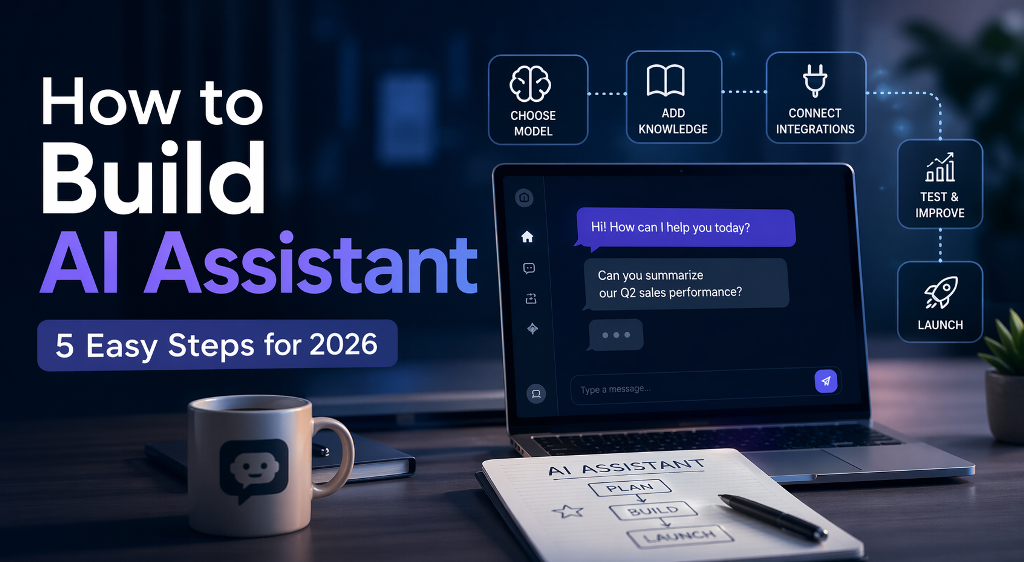
To build AI assistant solutions today, you don’t start with code, you start with clarity. Define exactly what the assistant should do, pick a model that fits the task, connect it to real data, and give it the ability to act, not just respond. A basic version can be up and running in a few days using APIs and existing tools. A scalable product takes longer, because you’ll need iteration, testing, and real user feedback.
If you want to build AI assistant solutions in 2026, you’re no longer dealing with simple chatbots that answer a few scripted questions. An AI assistant today is closer to a working digital operator. It can read data, remember context, trigger actions, and plug into real business tools. That shift changes everything. You’re not just building a feature, you’re creating something that can actually take work off your plate.
This guide is for founders testing new ideas, product teams adding automation, and solo builders looking to launch something profitable. AI assistants now power customer support, qualify leads, manage internal workflows, and even run paid subscription services.
The goal here is simple. No theory overload. No vague advice. You’ll get a clear, practical breakdown of how to go from idea to working assistant using a structured five-step approach that reflects how real products are built today.
Why Businesses Are Investing in AI Assistants
Companies didn’t suddenly decide to experiment with AI for fun. The shift is happening because the numbers finally make sense.
Take Klarna. The company rolled out an AI assistant for customer support and reported that it now handles the majority of incoming chats. That’s not a small improvement. It directly reduces operational load and response time at scale.
“The AI assistant is now doing the work of 700 full-time agents.”
Then there’s Duolingo, which took a different angle. Instead of cutting costs, they turned AI into a paid feature. Their conversational assistant became part of a premium subscription, giving users a more interactive way to practice language skills.
Across different industries, the pattern is consistent:
support teams handle higher volumes without expanding headcount
products gain new paid features powered by AI
internal workflows move faster with less manual input
That’s why building an AI assistant has shifted from experimentation to execution. Companies use it to cut costs, increase output, or unlock new income streams, depending on where the pressure is in their business model.
What Kind of AI Assistant Are You Actually Building?
Before you move into development, it helps to be clear about the format. The way your assistant communicates defines the tools you’ll need, the cost of building it, and how users interact with it. This is where many teams lose time. They start building first and only later realize they chose the wrong format for their use case.
Chat assistants These are the most common starting point when you build virtual assistant products. They live inside websites, apps, or internal dashboards and focus on text-based interaction. A good chat assistant can handle customer support, guide users through onboarding, or even act as a lightweight internal tool for searching documents and answering team questions. They are faster to launch and easier to iterate, which is why most MVPs start here.
Voice assistants If you’re figuring out how to make an AI voice assistant, you’re entering a more complex setup. Voice requires speech recognition, response timing, and natural-sounding output. These assistants are used in call centers, booking systems, and smart devices. The payoff is higher engagement, especially in scenarios where typing is inconvenient, but development and testing take more effort.
Multimodal assistants These combine text, voice, and sometimes images or video. You’ll see them in advanced products like AI tutors, fitness coaches, or creative tools. They can analyze inputs across different formats and respond in a more dynamic way. This is where assistants start to feel less like tools and more like interactive systems, but the complexity and cost increase quickly.
The difference isn’t just technical. It directly affects how fast you can launch and how you make money.
Chat assistants are the fastest way to validate an idea. Voice assistants take more effort but open service-based use cases. Multimodal products sit closer to full businesses and usually require a longer runway.
The 5-Step Framework to Build AI Assistant
If you’re figuring out how to build an AI assistant, the tricky part isn’t getting it to respond. It’s getting it to behave in a predictable way once real users start interacting with it. You can build AI assistant features quickly now, but stability comes from how you structure the system behind it.
Step 1 — Define the Job
Start with a clear role. Not “help users,” but something you could explain in one sentence.
For example, “answer refund-related questions and escalate edge cases” is something you can build around. It has boundaries. It has a purpose. Once you define that, everything else becomes easier to design, from prompts to integrations.
Step 2 — Choose Model and Logic
Most projects rely on APIs from providers like OpenAI. The choice of model matters, but not as much as how you structure its behavior.
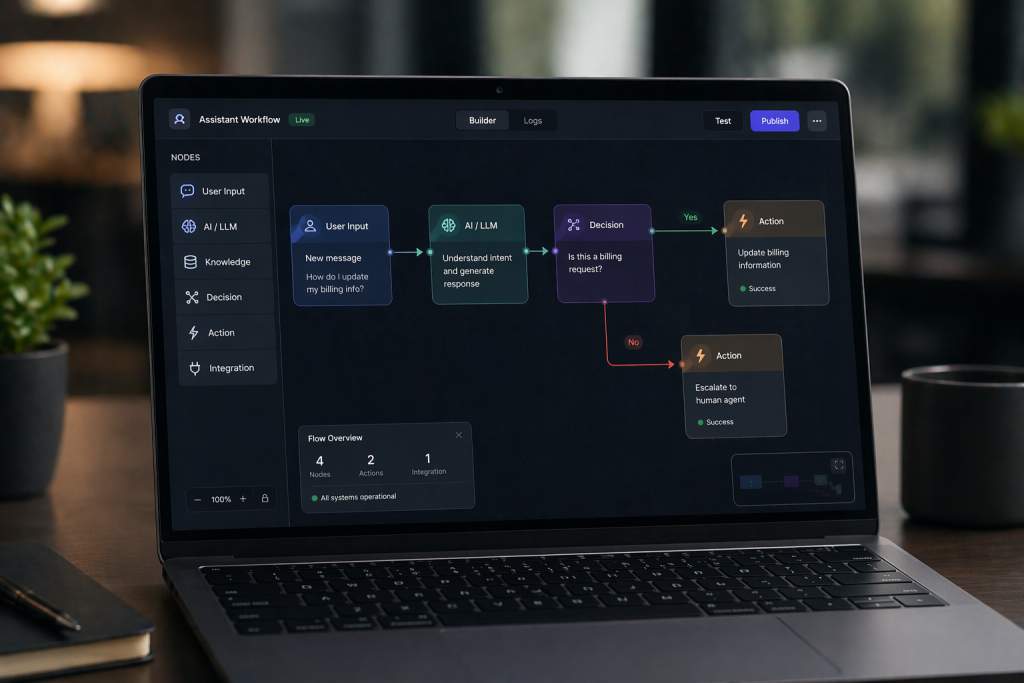
A simple assistant can run on a single prompt. That works for basic tasks. As soon as you expect it to complete actions or follow a sequence, you need a workflow. The assistant starts making decisions step by step instead of just replying.
Step 3 — Add Knowledge (RAG)
This is where many assistants break.
If your assistant only relies on a fixed prompt, it quickly runs into outdated or missing information. Connecting it to a live knowledge source changes that. Instead of guessing, it retrieves relevant data when needed.
A common setup looks like this:
documents are stored and indexed
the assistant searches them at runtime
responses are generated based on retrieved content
That shift alone improves accuracy and makes the system usable in real scenarios.
Step 4 — Connect Tools
At this stage, the assistant stops being just conversational.
It starts doing things. Booking a call, updating a CRM record, triggering a payment. That’s when it becomes part of the workflow instead of sitting next to it.
This step is usually where teams begin to see actual business impact, because tasks are no longer just discussed — they’re completed.
Step 5 — Test and Launch
This part always takes longer than expected.
The assistant works fine in clean scenarios. Then users show up and start asking things in ways you didn’t predict. That’s where issues appear.
You need to actively look for those situations. Push the assistant with messy inputs, unclear questions, and incomplete data. Adjust how it responds and where it stops.
Launching doesn’t mean the system is finished. It means you now have real data to improve it.
Real Business Cases That Actually Generate Revenue
Once you look beyond demos, the value of AI assistants becomes easier to measure. Companies are already using them in very specific ways, and the results show up either in revenue or cost structure.
Intercom focuses on frontline support. Their AI handles repetitive questions before a human ever gets involved. That reduces ticket volume and lets support teams focus on complex issues instead of answering the same requests all day.
Shopify approaches it from a different angle. Their AI tools help merchants write product descriptions, respond to customers, and launch stores faster. That has a direct effect on conversion rates and time to market. When products go live faster, revenue starts earlier.
Salesforce integrates AI into daily workflows. Their assistants summarize deals, generate emails, and guide sales reps during conversations. It reduces time spent on routine tasks and keeps pipelines moving without delays.
Replika shows the monetization side more clearly. The assistant itself is the product. Users pay a subscription for deeper interaction and personalization, which turns engagement directly into recurring revenue.
Mini ROI Example (Support Automation)
Incoming tickets: 18,000/month Avg handling time: 6 min
At some point, standard tools stop being enough. If you want to launch a real product, not just test an idea, you need control over how the assistant works, how users interact with it, and how it generates revenue.
Scrile AI provides a white-label foundation for teams that want to build AI assistant solutions as full-scale products. According to its official product materials, the system is designed to launch AI-driven platforms with built-in monetization, user management, and customizable assistant logic.
Here’s what the platform actually includes:
Custom assistant logic and AI characters You can define how assistants behave, create characters with specific personalities, and manage interactions through an admin dashboard.
Built-in monetization system Subscriptions, token-based access, and paid content are supported out of the box, allowing products to generate revenue from the start.
AI-generated content and interaction The platform supports chat-based interaction and AI image generation, which increases engagement and retention.
User roles and platform structure You can manage users, access levels, and content inside a single system, which is essential for launching a scalable product.
Privacy, compliance, and scalability Features like GDPR-compliant data handling, content controls, and scalable infrastructure are built into the platform.
This approach works best when you’re building something you plan to grow and monetize over time. Instead of adapting your idea to a third-party tool, you control the product, the data, and the revenue model from the start.
Which Approach Actually Fits You?
Situation
Best Approach
Ownership
Customization Depth
Vendor Lock-in Risk
Compliance & Data Control
When It Breaks
Testing idea
No-code tools
None
Very limited
Very high
Minimal control
When you need custom logic or integrations
MVP launch
API-based assistant
Partial
Moderate
Medium
Depends on setup
When workflows become complex
Monetized product
Custom development
Full
High
Low
Full control (GDPR, data, access)
When architecture isn’t designed for scale
Internal tool
Lightweight assistant
Internal
Moderate
Low
Internal-only control
When usage expands beyond internal scope
Conclusion
The tools to build AI assistant solutions are already accessible. You can get something working quickly. The real difference shows up in execution — how well the assistant fits your use case, how reliably it works, and how easily it scales.
If you’re serious about launching a product, not just testing an idea, you need a setup that supports growth, monetization, and full control over the logic. Contact the Scrile AI team today and start building your own AI assistant with a custom solution designed for your business.
FAQ
How to build an AI assistant without coding?
You can use no-code platforms or automation tools that connect to AI APIs. They allow you to launch simple assistants without writing backend logic.
How much does it cost to build AI assistant?
A basic version can cost $50–$300 per month using APIs and hosting. More advanced assistants with integrations and monetization require higher budgets.
What tools are needed to build AI assistant?
You need a language model API, a user interface, backend logic, and a data source. Additional tools depend on features like payments or integrations.
How to make an AI voice assistant?
You combine speech-to-text, a language model, and text-to-speech into one pipeline. The key challenge is keeping response time fast and natural.
Can I monetize an AI assistant?
Yes, through subscriptions, paid features, token systems, or usage-based pricing. The model depends on your product and audience.
What industries benefit most from AI assistants?
Customer support, ecommerce, SaaS, education, and finance benefit the most. Any workflow with repetitive communication is a good fit.
How long does it take to build an AI assistant?
A simple version can be ready in days or weeks. A production-ready system with scaling and integrations takes longer.
What’s the difference between chatbot and assistant?
A chatbot handles basic conversations. An AI assistant can access data, remember context, and perform real actions.
Polina Yan is a Technical Writer and Product Marketing Manager, specializing in helping creators launch personalized content monetization platforms. With over five years of experience writing and promoting content, Polina covers topics such as content monetization, social media strategies, digital marketing, and online business in adult industry. Her work empowers online entrepreneurs and creators to navigate the digital world with confidence and achieve their goals.
An FAQ chatbot is a tool that answers common user questions automatically through chat. You’ll find it in online stores, SaaS apps, and education platforms. It cuts support workload by handling repetitive requests at scale. Below, you’ll see real examples, learn how these bots are structured, and understand how to build one that actually works.
You open a website, ask a simple question like “Where is my order?” or “Why can’t I log in?” and within seconds, you get a clear answer. No waiting, no tickets, no awkward back-and-forth with support. That’s the quiet power behind most modern FAQ bots. What used to be a static help page has turned into a live assistant that can handle thousands of repetitive questions at once. Businesses rely on it to reduce support load, while users just want fast answers without friction. In this article, we’ll break down real FAQ chatbot examples, look at how they’re actually built, and unpack the patterns that make them useful instead of annoying. If you’re thinking about building your own, this will save you a lot of trial and error.
What FAQ Chatbots Actually Do in Practice
A typical FAQ chatbot doesn’t just list answers like a help page. It reacts to what the user actually asks. A static FAQ page expects you to scan, scroll, and guess which section might help. A chatbot FAQ flips that around. You type a question, and it gives a direct response or guides you to the right option.
Most interactions are predictable. People ask about order status, pricing tiers, password resets, or subscription limits. The difference lies in how answers are delivered. Basic bots rely on structured replies tied to keywords. More advanced ones use conversational AI to understand intent and adjust the response.
This shift matters because users don’t always phrase questions cleanly. A good chatbot for FAQ handles variations without breaking the flow.
Where FAQ Bots Sit in a Product
You’ll usually see them in three places:
Website widgets for quick support access
In-app assistants guiding users through features
Support automation layers connected to help desks
They act as the first line of interaction, filtering and resolving most routine questions.
Real FAQ Chatbot Examples Across Industries
Let’s move from theory to real use. These FAQ chatbot examples show how different industries handle the same thing: fast, repetitive questions that don’t need a human every time.
eCommerce — Order Tracking & Returns
Picture a mid-sized Shopify store. A customer types, “Where is my order?” The bot asks for an order number or pulls it automatically from the user account. Within seconds, it returns delivery status, expected arrival date, and a link to tracking details. This is how real systems work in practice. For example, KLM’s BlueBot handles booking confirmations and flight status requests directly in Messenger and WhatsApp, returning updates instantly without sending users to a help center.
From there, the flow continues naturally:
“Need to return this item?”
“Request a refund”
“Exchange for another size”
This is a classic chatbot FAQ example built around transactional logic. The bot connects to backend systems through APIs. It doesn’t guess. It fetches real data and acts on it.
What makes it effective is speed and precision. No vague answers. No redirects to long pages. Each step moves the user closer to resolution without friction.
SaaS — Pricing, Onboarding, Feature Help
In SaaS products, questions tend to repeat across users. Pricing tiers, feature limits, integrations. Tools like Intercom power FAQ assistants inside SaaS products, where users get instant answers to pricing or onboarding questions without leaving the app.
A typical interaction might look like this:
“What’s included in the Pro plan?”
“How do I invite team members?”
“Does this integrate with Slack?”
The bot responds with short answers and offers quick actions:
View pricing page
Open onboarding checklist
Jump to feature documentation
Instead of long explanations, the system delivers structured chatbot questions and answers tied to real user intent.
The pattern here is simple. The bot acts as a smart entry point into the product. It reduces confusion during onboarding and helps users move forward without digging through documentation.This approach is widely used in modern SaaS FAQ chatbot examples, where reducing time-to-first-action during onboarding directly impacts conversion and retention.
Education — Course Info & Enrollment
Education platforms deal with decision-heavy questions. Users want clarity before committing. A student might ask about course availability, deadlines, or payment options. Platforms like Duolingo use in-app assistants to answer questions about subscriptions, progress, and features without redirecting users to external help pages, keeping the experience inside the product.
A well-designed FAQ bot in this space handles:
Course schedules and enrollment dates
Tuition fees and installment plans
Certification details
Then it goes one step further. It helps the user decide.
Instead of just answering, the bot might ask:
“What topic are you interested in?”
“Beginner or advanced level?”
Based on responses, it suggests relevant courses.
This blends FAQ logic with decision support. The bot doesn’t just answer questions. It guides choices. That’s what separates average FAQ chatbot examples from ones that actually drive conversions.
Patterns Behind High-Performing FAQ Bots
When you go through real FAQ chatbot examples, you start noticing something interesting. The best ones don’t feel like “systems” at all. They just feel… easy. You ask, you get what you need, you leave. No friction, no overthinking.
Pattern 1: Intent Recognition with Short Paths
Some bots feel slow even when they’re technically correct. They ask follow-up questions, try to clarify, or push you into a flow you didn’t ask for. Good ones skip that. If the question is obvious, the answer comes right away. Someone asks about delivery time, they get delivery time. No detours.
It’s less about intelligence and more about restraint. The bot doesn’t try to be clever. It just gets out of the way.
Pattern 2: Guided Choices Instead of Free Typing
Free text looks flexible, but in reality, people hesitate. They type, delete, rephrase. That tiny friction adds up. When the bot offers a few clear directions, everything moves faster. Not because the system is smarter, but because the user doesn’t have to think about what to say next.
You’ve probably seen this yourself. Buttons like “Track order” or “Pricing” get clicked far more often than open-ended questions get typed.
Pattern 3: Hybrid Answers That Stay Lightweight
There’s a moment when an answer becomes too much. One or two sentences feel helpful. Five sentences feel like a wall. The better bots seem to know where that line is.
They give just enough to solve the problem right now, then leave the rest as an option. If you want details, you can go deeper. If not, you’re done in seconds. That small decision makes the whole interaction feel lighter.
Pattern 4: Natural Escalation to a Human
At some point, things stop being simple. A refund didn’t go through. An account got locked. Something doesn’t match the script.
Bad bots keep trying anyway. They repeat themselves, rephrase the same answer, and hope it works the second time. Good ones don’t push it. They recognize the moment and step aside. The handoff to a human doesn’t feel like failure. It feels like the next step.
How Much Time and Money FAQ Bots Actually Save
The value of an FAQ bot becomes obvious when you look at support costs. A single human-handled ticket usually costs between $3 and $6, depending on complexity and team size. Now scale that across a growing product.
“Our data shows that chatbots speed up response times by an average of 3X.”
— Intercom, The support leader’s guide to scaling smarter with self-serve support
According to industry estimates, chatbots can handle up to 60–80% of routine customer queries, significantly reducing support workload (IBM).
To see how this plays out in practice, here’s a simple scenario:
10,000 total requests × 70% automated = 7,000 requests handled by the bot × $3 per ticket = $21,000 saved per month
This is the baseline scenario. With higher support costs or better automation rates, the number climbs fast.
And this doesn’t even include indirect gains. Faster answers reduce frustration, lower churn risk, and keep your support team focused on real problems.
Most strong FAQ chatbot examples are built with this logic in mind. At scale, manual support simply stops making sense.
AI vs Rule-Based FAQ Bots — What to Choose
At some point, every team hits the same question. Do you keep things simple with predefined logic, or move toward something smarter and more flexible?
Rule-based bots follow scripts. You define triggers, map them to answers, and control every step. This works well when questions are predictable. Order status, refund policies, pricing tiers. The bot stays accurate because it operates within strict boundaries. The downside shows up when users phrase things differently. The system doesn’t adapt, so gaps start to appear.
AI-based bots handle language more naturally. A user can ask the same thing in five different ways and still get a useful answer. This flexibility makes them better suited for growing products, where questions evolve over time. The trade-off is setup complexity. You need data, testing, and ongoing tuning.
Here’s a clearer breakdown:
Criteria
Rule-Based Bot
AI FAQ Bot
Setup time
Fast
Medium
Flexibility
Low
High
Accuracy
High (simple cases)
High (complex queries)
Maintenance
Manual
Data-driven
Best for
Small sites
Growing platforms
Maintaining and Scaling FAQ Content
Most FAQ bots look fine right after launch. The answers are fresh, the flows make sense, everything feels under control. A few weeks later, things start drifting. New features appear, pricing changes, users ask slightly different questions. The bot doesn’t break, but it slowly becomes less useful.
What actually keeps it working isn’t the initial setup. It’s how often you go back and adjust it based on real usage.
Unanswered questions are the easiest signal to spot. When people ask something and the bot doesn’t respond properly, that’s not just a failure, it’s a ready-made content idea. Those gaps should turn into new answers almost immediately.
Drop-offs are more subtle. The user starts a conversation, clicks around, then disappears. Usually it means the answer didn’t help or the path felt confusing. You don’t always see the problem directly, but the pattern shows up in behavior.
Escalation tells a different story. If too many conversations end with “talk to support,” the bot is missing something important. Either the answers are too shallow, or the system can’t handle slightly messy questions.
FAQ Bot Design That Doesn’t Annoy Users
A good FAQ chatbot feels invisible. You ask something, get a clear answer, and move on. No friction, no unnecessary steps. That’s the bar.
Short answers work better than long explanations. Most users are not looking for a full guide, they want a quick resolution. If more detail is needed, it should come as an optional follow-up, not forced upfront. Suggested questions also help a lot. They reduce hesitation and guide the conversation without making the user guess what to type.
The biggest frustration usually comes from loops. The classic “I didn’t understand that” repeated three times is enough to make someone leave. A smarter approach is to limit retries. After two failed attempts, the bot should change strategy. It can offer clear options, rephrase the question, or suggest common topics. If that still doesn’t help, handing the conversation to a human or opening a support request keeps the experience from breaking completely.
Create Your Own Custom AI FAQ Bot with Scrile AI
If you’re thinking beyond simple automation, building your own FAQ bot starts to look less like a plugin and more like a product. This is where custom development makes a difference. With Scrile AI, the focus is on creating a system that fits your logic, not adapting your business to a template.
Instead of a basic chatbot layer, you get a foundation for something bigger. A scalable architecture means the bot can grow with your platform, whether that’s a marketplace, SaaS tool, or content-driven product. You also have full control over how conversations work, from tone and flows to how data is processed.
Here’s what that typically includes:
Custom FAQ bot logic built around your use cases
Monetization options such as subscriptions or paid access
Flexible UX flows designed for your audience
Integration with your backend and data sources
Tailored development instead of off-the-shelf limits
This approach makes sense when you’re building something you plan to scale, not just experiment with.
What Type of FAQ Bot You Actually Need
Scenario
What You Actually Need
Why It Works
Small website or early-stage store
Rule-based FAQ bot
Fast to launch, handles predictable questions without extra setup
Growing SaaS product
Hybrid AI FAQ bot
Combines structured answers with flexibility as user queries expand
Online marketplace or platform
AI FAQ bot with integrations
Connects to orders, accounts, and data for real-time responses
Content or subscription platform
Custom AI FAQ system (e.g. built with Scrile AI)
Allows monetization, user segmentation, and full control over flows
Long-term scalable business
Fully customized AI FAQ architecture
Adapts over time, supports growth, and avoids limits of template tools
Conclusion
We’ve gone from real examples to the patterns behind them, and finally to choosing the right approach for your case. The takeaway is simple. A solid FAQ bot is not a set of scripted replies. It’s a structured system that connects logic, content, and user intent into one flow.
If you’re planning to build something that goes beyond basic automation, it’s worth doing it right from the start. Reach out to the Scrile AI team to discuss a solution tailored to your product.
FAQ
What is an FAQ chatbot?
An FAQ chatbot is a conversational tool that answers common user questions automatically through a chat interface. It is usually connected to predefined answers, a knowledge base, or an AI model.
How does a chatbot FAQ system work?
It detects the intent behind a question and matches it to the most relevant answer, flow, or source document. Some systems rely on fixed rules, while others use AI to understand more natural phrasing.
Are AI FAQ bots better than rule-based ones?
AI bots work better when questions vary a lot and users phrase them in unpredictable ways. Rule-based bots are still useful for simple, repetitive cases where accuracy matters more than flexibility.
How much does an FAQ chatbot cost?
The cost depends on complexity, integrations, and whether you use a template tool or custom development. A basic bot can be cheap to launch, while a tailored AI system costs more but offers better long-term flexibility.
Can FAQ bots replace customer support?
They can reduce a large share of routine support work, but they should not fully replace human agents. The best setup uses bots for repetitive questions and humans for edge cases or sensitive issues.
What industries benefit most from FAQ chatbots?
eCommerce, SaaS, and education are strong use cases because they receive a high volume of repeated questions. Healthcare, travel, and finance also benefit when quick answers and guided flows matter.
How do you train a chatbot for FAQ?
You train it using real support conversations, help center content, product documentation, and common user queries. Then you improve it by tracking unanswered questions, drop-offs, and escalation patterns.
What are the best FAQ chatbot examples?
Good examples usually come from online stores handling returns, SaaS products answering pricing and onboarding questions, and education platforms guiding users through enrollment. The best bots combine short answers, smart routing, and smooth handoff when automation reaches its limit.
Polina Yan is a Technical Writer and Product Marketing Manager, specializing in helping creators launch personalized content monetization platforms. With over five years of experience writing and promoting content, Polina covers topics such as content monetization, social media strategies, digital marketing, and online business in adult industry. Her work empowers online entrepreneurs and creators to navigate the digital world with confidence and achieve their goals.
Social media app development starts with choosing a clear niche and defining one core user action. From there, you build a focused MVP with built-in monetization like subscriptions or paid content. Typical costs range from $20K to $300K+ depending on complexity. Faster launches use white-label solutions, while custom builds offer more control. The right approach depends on how quickly you want to launch, your budget, and how much flexibility you need long term.
Social media app development today looks very different from what it did even five years ago. It’s no longer about building a generic platform and hoping users show up. The strongest apps are built around one clear behavior and one clear way to make money.
The audience is still massive. Over 5.6 billion people worldwide use social media every month, which means demand is not the problem. What changed is how new apps compete. Smaller, focused products now outperform broad networks in revenue per user because they solve one specific need well.
That shift affects every decision you make, from features to architecture. In this guide, we’ll walk through how to approach social media app development in 2026, including product logic, monetization models, and the real cost behind building something that actually works.
Why Launch a Social Network in 2026
Social media app development still makes sense in 2026, just not in the “let’s build the next Facebook” way. That door is closed. The interesting part is what’s happening around it.
The money is still huge. Social platforms generated roughly $230 billion in revenue in 2024, and that number keeps climbing. What’s changing is where that money flows. A big chunk is shifting away from pure advertising toward subscriptions, paid access, and direct transactions. The creator economy alone is already past $100 billion, and it keeps pulling users into more focused platforms.
Where new apps actually win now:
Private communities. People are tired of noisy feeds. Smaller spaces feel more useful, and users are more willing to pay to stay in them.
Creator-led platforms. When someone builds an audience, they want control over how they earn, not just views.
Transactional apps. Booking, paying, unlocking content — all inside the app, no extra steps.
So the opportunity isn’t scale first. It’s picking one behavior and building a product around it that makes money early.
Types of Social Media Apps That Actually Scale
Not all social apps play the same game. Some chase scale, others build tighter systems that earn faster. The difference is in how they’re structured from day one.
Mass-market platforms
These are the classic “everyone is welcome” networks. The logic is simple: keep users scrolling, show ads, grow the audience as wide as possible. Think endless feeds, suggested content, and constant notifications.
The upside is obvious. Huge reach, massive data, and strong ad revenue once scale is there. But getting to that point is brutal. You’re competing with giants, and monetization takes time because ads only work when the audience is already large.
High-efficiency formats
Creator platforms focus on direct payments. Users subscribe, tip, or unlock content, which turns attention into revenue immediately.
Community apps prioritize interaction inside smaller groups. Engagement stays high because people actually care about the topic.
Dating apps are built around repeated actions like matching and messaging, which creates strong engagement loops and high revenue per user.
Content apps rely on discovery algorithms to keep users watching or scrolling longer.
Adult social platforms use subscriptions and premium content, often combining several monetization layers at once.
“Small, engaged groups may not make headlines with viral reach, but they consistently outperform larger, disconnected audiences in engagement, conversion, and long-term loyalty.”
— Social Media Enthusiasts, The Rise of Micro-Communities: Why Small Groups Outperform Big Audiences on Social Media
This is where most social media app development projects land today — in formats that convert early, not just grow.
Step 1: Define the Core Action (Not the Audience)
Most founders start with “who is this for.” That sounds logical, but it rarely leads to a strong product. What actually matters is what people do inside the app, over and over again. That repeated action becomes the backbone of everything else.
Look at how different apps are built around one clear behavior. Dating apps revolve around swiping and matching. Creator platforms center on posting content and earning from it. Community apps focus on replying, discussing, and staying in conversations. Content-driven apps rely on scrolling and discovering something new every few seconds.
You need to define three things early. First, the primary action users will take without thinking. Second, how often they repeat it during a session. Third, what they get in return, whether it’s attention, money, or connection.
A common mistake is trying to combine several behaviors at launch. Feed, chat, marketplace, video, everything at once. It spreads attention thin and weakens engagement. Strong apps feel simple because one action drives everything.
Step 2: Competitive Analysis Through Monetization Gaps
Before you start building, spend some time being a slightly obsessive user. Download a few competing apps. Scroll, click, try to pay for something, read the reviews. This is where a lot of social media app development ideas actually come from.
Look at three things:
how the app makes money
what people complain about (App Store reviews are gold)
what feels like it should exist but doesn’t
You’ll notice something pretty fast. Many apps are great at keeping you busy, but awkward when it comes to spending money. Or they monetize well, but the experience feels forced.
The interesting spots are where users are already trying to pay but can’t do it easily. Closed communities without paid access. Creators pushing people to external links. Messy checkout flows. That friction is your entry point.
Social App Models vs Monetization Efficiency
Model
Example
Revenue Logic
Weak Point
Ad-based
Facebook
scale
low per-user revenue
Subscription
Tinder
recurring income
churn
Hybrid
OnlyFans
direct monetization
content dependency
Freemium
Discord
retention
weak ARPU
Step 3: What Features You Actually Need at Launch
It’s tempting to stack features early. Feed, chat, video, marketplace, everything in one place. That’s how projects slow down and lose focus. At launch, you only need what supports one clear interaction and one way to earn.
Interaction layer
Feed or matching system. Pick one. A content feed works for discovery, while matching fits apps built around connections. Running both at the start splits attention and makes the product feel messy.
Messaging or comments. Users need a way to respond, but it should match the core action. Messaging fits private interactions, comments fit content-driven flows.
Notifications should be minimal — just enough to pull users back when something actually matters.
Revenue layer
Subscriptions. Gives users ongoing access inside the app.
Tips or microtransactions. Lets users support others directly during interaction.
Paid content. Controls access to specific posts or messages.
Wallet and payouts. Handles how money moves between users.
Good social media app development separates engagement from monetization early, but connects them in the same flow. When monetization is delayed, apps grow usage without building revenue.
Step 4: Real Social App Case Studies
Big platforms aren’t useful as direct templates. You’re not building the next TikTok from scratch. What matters is understanding the one mechanic that made each of them work, and applying that idea in a smaller, focused product. That’s where social media app development actually becomes practical.
OnlyFans — Direct Monetization Model
OnlyFans didn’t invent social media. It focused on one thing: turning interaction into income. Subscriptions, tips, and paid content are all built into the core flow. Creators keep around 80%, which keeps them active.
The heavy cost comes from payments and moderation, not features.
What to take from it: Build monetization into the product from day one, not as an add-on.
Tinder — Interaction as a Product
Tinder reduced everything to one simple action: swipe. That’s it. The entire experience revolves around that loop, and monetization comes from increasing visibility.
The expensive part is real-time matching and scaling user activity.
What to take from it: One strong interaction can drive the entire product.
TikTok — Distribution First
TikTok works because of how content is delivered, not just what users post. The algorithm keeps users watching longer without effort.
Revenue comes later through ads and creator tools.
What to take from it: Control how content is discovered, not just how it’s created.
Discord — Retention Over Growth
Discord isn’t built around feeds. It’s built around staying. Private servers keep users engaged over time, not just scrolling.
Monetization is secondary and tied to long-term usage.
What to take from it: Retention creates more value than constant growth spikes.
Step 5: Monetization Models That Work
Most apps don’t fail because of bad features. They fail because the money logic doesn’t match user behavior. You can have subscriptions, tips, and paid content in place, but if they don’t fit how people use the app, they stay unused. That’s where social media app development often breaks down.
Subscriptions work when users come back regularly and expect ongoing value. Typical conversion sits around 2–5%, and pricing usually lands between $5 and $20 per month depending on the niche.
Tips perform better in apps where there’s a strong personal connection. Think creators, experts, or personalities. Without that emotional layer, tips barely move.
Paid content works when access feels limited. If everything is available for free elsewhere, users won’t pay.
Premium access fits tools or communities where users get a clear advantage.
Here’s how it plays out:
2,000 users
4% convert
$12/month
→ $960/month → with tips: ~$1,250
If build cost is $60K, break-even can stretch to ~48 months with slow growth. With scaling, that usually drops to 6–18 months.
Step 6: Technology Stack
The stack itself isn’t the hard part. The decisions behind it are. Most social apps today run on a fairly predictable setup, but what matters is how early you think about scale.
On the backend, Node.js or Python is typically used to handle user data, feeds, and API logic. On the frontend, React for web or Flutter for mobile keeps development flexible. Real-time features like chat or live updates rely on WebSockets, while video-based apps use WebRTC, which adds serious load and complexity.
Infrastructure usually sits on AWS or Google Cloud, but the real question is how you structure it. Poor decisions here lead to slow feeds, broken messaging, or rising server costs.
Scaling isn’t something you fix later. If the architecture isn’t designed for growth from the start, the app will feel it long before it becomes popular.
Step 7: Moderation, Compliance, Risk
The moment your app allows user-generated content, you’re responsible for what happens inside it. That includes spam, abuse, illegal content, and how user data is handled. App stores check this before approval, and regulators look at it after launch.
You’ll need reporting and blocking built into the product from day one, plus a way to review issues quickly. Without that, problems pile up fast as activity grows.
Privacy rules depend on where your users are. In Europe, GDPR requires clear consent and control over personal data. In the US, laws like CCPA and CPRA give users the right to know, delete, and opt out of data collection. If minors can access your app, COPPA applies. Platforms with adult or sensitive content also need age verification systems.
How Much Does Social Media App Development Cost in 2026?
The range looks wide for a reason. Cost depends on how complex the app is and where your team is located.
MVP: $20K–$80K
Mid-level app: $80K–$150K
Full-scale platform: $150K–$300K+
Dating or video-heavy apps usually add another 20–40% because of real-time systems and moderation
A big part of that difference comes down to hourly rates. In 2025–2026, developers can cost anywhere from $25 to $200+ per hour, depending on region and experience.
North America: $70–$200/hour
Western Europe: $60–$150/hour
Eastern Europe: $25–$80/hour
Asia: $20–$50/hour
Now the part most people underestimate — time.
A simple MVP usually takes around 400–800 hours to build. A mid-level product can reach 1,000–2,000 hours, and more complex platforms easily go beyond that.
Where the budget goes:
Backend: $20K–$70K
Frontend: $15K–$50K
Real-time features (chat/video): $10K–$80K
Payments: $5K–$20K
Moderation systems: $5K–$30K
Choosing the Right Development Approach
At some point, every founder runs into the same problem: the product in their head doesn’t quite match what the tools allow them to build. That gap is where most decisions get made.
No-code can get you through the first version, but it starts to feel tight as soon as users actually do something inside the app. Custom development is the opposite. You can shape everything exactly the way you want, but you’re also responsible for building every piece that makes the platform work.
So most teams land somewhere in between. They don’t want to assemble payments, user systems, and real-time features from scratch, but they also don’t want to give up control over how the product behaves. That’s why working with a social media app development company often means starting from a ready foundation and then bending it around your own idea, instead of adjusting the idea to fit the tool.
What matters here is ownership. Your domain, your payments, your rules. The closer your setup is to that model, the easier it becomes to build something that can grow without being restricted later.
In practice, the choice depends on a few concrete factors. If your product relies on subscriptions, payments, or gated content from day one, you need a setup that supports monetization natively. If your idea requires custom user flows or integrations, flexibility becomes critical. Simpler concepts with minimal monetization can start with lighter tools, but anything beyond that quickly demands a more structured foundation.
Create Your Own Social Media App Using Scrile Connect
Scrile Connectis not a typical SaaS builder and not a blank custom project either. It’s a white-label foundation designed for launching monetized platforms where you fully control how everything works. This is where social media app development services shift from writing code to shaping a product that already has the core logic in place.
The platform is used to build:
creator platforms with subscriptions and paid content
dating apps with private access and monetization
community platforms with gated content and memberships
What you actually get:
built-in monetization tools like subscriptions, tips, pay-per-view, and live interactions
direct payments to your own accounts with no platform cut
support for multiple payment systems including cards and crypto
full control over pricing, access rules, and content structure
real-time features like messaging, live streams, and private sessions
white-label setup with your domain, branding, and platform identity
It gives you a working product you can adapt, extend, and run as your own business without limitations.
Best Approach by Product Type and Business Goals
Product Type
Core Action
Monetization Model
Budget Range
Best Approach
Why
MVP / idea validation
Simple interaction
None or basic
<$30K
No-code
Fast testing without heavy investment
Creator platform / niche social app
Content + interaction
Subscriptions, tips, paid content
$30K–$120K
White-label (Scrile Connect)
Built-in monetization + full control
Dating / community app
Matching or discussions
Premium access, subscriptions
$80K–$200K
White-label or hybrid
Real-time + monetization ready
Large-scale social platform
Feed / discovery
Ads + ecosystem
$150K+
Custom development
Full flexibility and scalability
Conclusion
Strong social media app development comes down to a few decisions made early. Define one clear user behavior, connect it to a working monetization model, and build on an architecture that won’t limit you later. Broad ideas rarely hold. Focused products grow faster and earn earlier.
Pick a niche where users already interact and are willing to pay. Launch with monetization in place, not as a future update. Keep the structure flexible so the product can evolve without breaking.
How do you validate a social media app idea before development?
Start with a simple prototype or landing page that shows the core interaction and measure user interest. Early validation through real behavior is more reliable than surveys or assumptions.
What is the best way to monetize a social media app from the start?
The most effective approach is to integrate monetization directly into the core user action, such as subscriptions or paid access. Delaying monetization often leads to high usage with no revenue.
How do social media apps handle payments and payouts to users?
Most platforms use integrated payment systems that manage subscriptions, tips, and payouts automatically. The key is controlling transaction flow and minimizing friction between earning and withdrawing money.
What makes users pay inside a social media app?
Users pay when there is clear value tied to access, interaction, or exclusivity. Strong monetization comes from combining emotional engagement with limited or premium content.
How to choose between custom development and ready-made solutions?
The decision depends on how much control you need over monetization, user flows, and integrations. More complex products usually require flexible foundations rather than rigid tools.
What are the biggest mistakes in social media app development?
The most common issues include trying to build too many features at once, delaying monetization, and targeting too broad an audience. Successful apps focus on one core action and scale from there.
How do you scale a social media app after launch?
Scaling starts with improving retention and monetization before adding new features. Growth comes from refining the core loop, not expanding the product too early.
How long does it take to reach break-even for a social media app?
It depends on user growth and monetization efficiency, but many apps reach break-even within 6 to 18 months if revenue is built into the product from the start. Without early monetization, timelines increase significantly.
Polina Yan is a Technical Writer and Product Marketing Manager, specializing in helping creators launch personalized content monetization platforms. With over five years of experience writing and promoting content, Polina covers topics such as content monetization, social media strategies, digital marketing, and online business in adult industry. Her work empowers online entrepreneurs and creators to navigate the digital world with confidence and achieve their goals.
How to create a social media app? Define a specific audience and use case. Choose the right app model (content, community, or interaction-based). Build a focused MVP with one strong core loop. Validate retention before adding features. Select the right development approach (no-code, template, or custom). Launch, measure behavior, and iterate.
Social apps didn’t disappear. They just stopped looking the same.
A few years ago, launching another “network” sounded pointless. Everything was already taken — users, attention, habits. But then smaller products started breaking through. Private communities, creator-led platforms, niche apps where people actually know why they’re there. That’s where growth moved.
At the same time, expectations got sharper. People don’t tolerate empty feeds, confusing onboarding, or features that feel half-baked. If the first few minutes don’t make sense, they leave.
So the real question is no longer whether you can launch something. It’s how to create a social media app that people don’t abandon after day one.
This guide stays grounded. No fantasy features, no “build the next Facebook” talk. Just the decisions that matter: who the app is for, what happens inside it, how it makes money, what it costs, and when a custom approach actually makes sense.
Why Social Media Apps Still Make Money in 2026
The market is crowded, but it is still huge. DataReportal reported 5.24 billion social media user identities worldwide at the start of 2025, up 4.1% year over year. That means the audience is still growing in absolute numbers, even if the era of easy broad-platform launches is over. On the revenue side, one 2026 market report values the global social media market at $234.34 billion in 2026, with further growth projected through 2030.
That is why founders still keep entering this space. The logic just changed. Broad networks are brutally hard to launch because they compete with habits people already have. Niche products have a better starting point. They can offer a clear reason to join, a clear identity, and a much stronger retention loop from the first week.
The money is usually not in “another platform for everyone.” It shows up in tighter products:
creator communities with paid access
private interest groups
professional niche networks
local or brand-owned communities
A simple example makes the economics clearer. If an app has 10,000 active users and 4% of them pay $12 per month, that is $4,800 in monthly recurring revenue before ads, upsells, or community partnerships. A smaller, more committed audience can be worth far more than a large passive one.
This is the real answer to how to create a social media app that has a chance to work. Don’t start with scale. Start with relevance.
“But there is lots of opportunity to focus on one user niche or one specific form factor.” — The Founder’s Dilemma: To Compete or Unbundle, Andreessen Horowitz (major Silicon Valley venture capital firm)
Start With the Right Audience, Not the Right Feature
Most mistakes happen before development even begins. The idea sounds reasonable, the features look familiar, but the audience is vague. When that happens, the product has no center. People don’t know why they’re there, so they don’t stay.
What actually matters is defining a group with a shared reason to interact. Not “users,” but a specific context where people need each other. That context shapes everything: what gets posted, how people respond, and what keeps them coming back.
A simple way to pressure-test the idea is to ask a few direct questions. Who is this built for, in one clear sentence? Why would they choose this instead of existing platforms? What brings them back the next day? And what is the first thing they actually do after signing up?
The difference becomes obvious when you compare directions. “An app where people post content” leads nowhere.
A private space for local fitness coaches and clients already suggests clear behavior. A paid creator community implies ongoing interaction. A small regional hobby network has built-in conversation. A brand-owned app for existing customers gives people a reason to return.
That shift — from abstract idea to specific audience — is where how to create a new social media app actually starts working. In practice, this decision naturally leads to the next step: choosing the product format that fits this audience.
Types of Social Media Apps That Actually Work
Once the audience is clear, the next question is not what features to build, but what type of social product structure to use.
Social Network Platforms (Broad + Hybrid)
Examples: Facebook, LinkedIn, X
These products are built around connections between people. The more relationships exist inside the system, the more useful it becomes. Early growth is difficult because value depends on network density, not just features. This model requires long-term scaling strategy and strong user acquisition.
Content and Media Platforms
Examples: Instagram, TikTok, YouTube
Users don’t need connections to get value. They open the app and immediately see content. Growth is driven by distribution and discovery rather than social graphs. The product lives or dies based on how well it surfaces relevant content early.
Messaging and Interaction Apps
Examples: WhatsApp, Telegram, Discord
These apps revolve around direct communication. Users return because conversations continue. They often become part of daily routine faster than other formats, especially when tied to real relationships or active groups.
Community and Forum-Based Apps
Examples: Reddit, niche forums, Amino
The focus here is discussion around shared interests. People participate because of the topic, not because of personal connections. Activity depends on how alive and responsive the community feels.
Creator Monetization Platforms
Examples: OnlyFans, Patreon
These products are structured around access to creators. Users pay for content, interaction, or exclusivity. The relationship is more direct, and monetization is built into the core experience from the beginning.
Most founders start by thinking about how to create a social media app like Facebook, but large-scale networks require massive user density. In practice, choosing one clear model and building around it leads to a much stronger product.
Comparison: Choosing the Right Social Media App Model
App Type
Core User Behavior
Revenue Timing
Growth Pattern
Product Risk Level
Best Use Case
Social network
Connect → post → interact
Slow (ads later)
Network-driven
Very high
Large-scale platforms
Content platforms
Consume → engage → share
Medium → High
Algorithm-driven
High
Media-focused apps
Messaging apps
Chat → reply → repeat
Delayed
Relationship-driven
Medium
Daily-use communication
Community apps
Discuss → respond → return
Medium
Topic-driven
Medium
Niche audiences
Creator monetization
Pay → consume → repeat
Fast
Audience-driven
Low → Medium
Creator ecosystems
What Features Your MVP Really Needs
At this stage, the question is simple: what do you actually build first so the product works, not just exists? Most early mistakes come from overbuilding. Founders try to launch with everything, instead of focusing on what people will actually use in the first few sessions.
The Core Stack Most Social Apps Start With
There’s a baseline that shows up in almost every working MVP. Not because it’s trendy, but because it supports the basic interaction loop:
registration and login
user profiles
content publishing
a feed or timeline
likes, comments, or reactions
search or simple discovery
basic moderation tools
notifications
This is enough to create movement inside the app. People join, see something, respond, and come back. That loop matters more than how many features you include.
What to Delay Until Version Two
A lot of features sound essential but usually slow things down early on. They add complexity without improving the first experience:
advanced recommendation engines
live streaming and real-time video
creator payouts and complex monetization logic
voice rooms or audio layers
AI moderation systems
marketplace features
heavy gamification systems
These can work later — once there is real activity to support them.
The key point is simple. Users don’t leave because the MVP is too minimal. They leave when nothing meaningful happens after they join. That’s why how to create a social media app is less about feature count and more about whether the core interaction makes sense.
A small example makes it clearer. A coaching community can work with just profiles, private posts, comments, group chat, and paid access. No reels, no stories, no overloaded interface. Just a space where people actually interact.
In practice, MVP scope should be prioritized like this:
Must-have: features required for the core interaction loop to work
Nice-to-have: features that improve engagement but are not critical
Delay: anything that does not directly impact first-session or second-session retention
Feed, Profiles, Chats: How the Core Experience Should Work
Features don’t create engagement on their own — the way they connect does. Feed, profiles, and chat form the core experience in most social apps, but each one needs to work with a clear purpose from the start.
Feed
The feed is where users decide whether the app is worth their time. A chronological feed is easier to launch and predictable — users see what’s new. An algorithmic feed can improve relevance, but only if there is enough activity to support it.
Early on, the biggest problem is not ranking — it’s emptiness. An empty feed kills activation instantly. That’s why onboarding needs content seeding — either from initial users, curated posts, or pre-filled activity. People should never land in a blank space.
Profiles
Profiles define identity and trust. In some products, real identity matters — in others, anonymity works better. The key is consistency. If users don’t understand who they are interacting with, engagement drops.
Profile structure also depends on the niche. A professional network may require detailed fields — experience, skills, location. A hobby-based app might only need a name and interest tags. Too much friction early on slows everything down.
Chats
Chat adds a different layer — direct interaction. Messages and group conversations increase retention because they create ongoing context. People return not just for content, but for responses.
At the same time, chat introduces complexity — moderation becomes harder, conversations can drift, and real-time behavior needs control. It’s powerful, but it needs structure.
A simple example shows the difference. A hobby network can work with just feed and profiles. A paid expert community often needs chat from day one — because conversation is the product.
“We often say that a small group of customers who love you is better than a large group who kind of like you.”
Looking at competitors is necessary, but copying them is where most ideas break. The goal is not to list features. It’s to understand what actually works — and why.
Start with how the product behaves in the first few minutes. Open the app and go through onboarding, not as a developer, but as a user. What happens in the first session? Is there something to do immediately, or do you hit an empty screen? That first experience often explains retention better than any feature list.
Then look deeper:
how posting works and how easy it feels
what brings users back — notifications, replies, content loops
how monetization is introduced and at what stage
how moderation and reporting are handled
what people complain about in app store reviews
The key shift is simple. Don’t ask, “What features does Instagram have?” That leads to copying. Ask, “What behavior keeps users coming back in this specific product?” That gives you direction.
A practical way to do this is to review 5–7 apps in your niche and write down four things for each: who they target, what users do first, where friction appears, and what negative reviews mention repeatedly.
This is where how to make a social media app becomes clearer. Not by copying interfaces, but by understanding what actually keeps people inside the product.
Monetization: How Social Apps Actually Earn
Monetization is not something you “add later.” It shapes how the product works from the start. If the revenue model doesn’t match user behavior, growth stalls even with good engagement.
The Main Monetization Models
Subscriptions — users pay monthly or yearly for access to content, features, or communities. This works well when there is clear ongoing value, such as expert content, private groups, or tools people use regularly.
Advertising — revenue comes from impressions and clicks. It requires scale to work properly. With a small audience, ad income is usually too low to matter, which is why early-stage apps struggle with this model.
Freemium upgrades — the core product is free, but certain features are locked behind a paywall. This works when there is a natural upgrade path — for example, advanced tools, visibility boosts, or customization.
Digital goods — users buy virtual items, content access, or perks. This is common in communities and creator platforms where users want to support or enhance their experience.
Paid communities — access itself is the product. Users pay to join a space with specific value — knowledge, networking, or exclusive interaction.
Commissions on creator earnings — the platform takes a percentage from transactions between creators and their audience. This model scales well when creators actively earn inside the system.
Brand partnerships — revenue comes from collaborations, sponsored content, or integrations. This usually appears after the platform builds a stable audience.
Choose the Model That Matches the Product
Monetization should follow the way people use the app — not the other way around. If the product is built around passive scrolling, ads can work later, once there is enough volume. If interaction is tighter — small groups, direct communication, or creator-led spaces — users are more likely to pay for access or additional value.
A simple example:
25,000 monthly active users
3% convert to premium
$9/month subscription
revenue = $6,750/month
Compare that with ads on the same audience — the return is often significantly lower at this stage.
This is where many early decisions go wrong. Founders often default to ads because that’s what large platforms use. But those platforms operate at a completely different scale. Without millions of active users, ads tend to add friction without producing meaningful revenue.
A better approach is to map the monetization model to the core behavior:
content-driven apps → ads or creator tools once distribution works
community-based products → memberships or paid access
creator platforms → subscriptions, tips, or commissions
utility or niche tools → freemium upgrades tied to real usage
When thinking about how to create a social media app, the key is to decide early how value is exchanged. That decision shapes onboarding, features, and even what users expect from the product.
If monetization is unclear at the start, it usually leads to awkward changes later — adding paywalls, pushing ads, or introducing features that don’t fit the original experience.
At early stages, direct monetization models like subscriptions or paid access are usually easier to validate than advertising.
Ads typically require scale, while smaller communities can generate revenue earlier through focused value.
Retention Is the Real Business Model
Getting installs is not the hard part anymore. Keeping people is. A download does not mean a user. And a user who never returns is not part of a product.
Most social apps lose people between the first and second session. The first visit may feel interesting, but if nothing meaningful happens next, there is no reason to come back. That is why retention starts with early experience. Onboarding should lead to action, not just setup. People need to see activity, connect with someone, or get a response quickly.
What keeps users is not one feature, but a combination of signals. Relevant notifications bring them back. Ongoing conversations give them context. New content creates movement. Most importantly, there must be a reason to participate, not just observe.
A simple comparison shows the difference. A private network with 2,000 active users who return regularly can be more valuable than an app with 50,000 installs and weak engagement.
When planning how to create a social media app, retention should be designed from the start. It is not something to fix later.
How Much Does It Cost to Create a Social Media App in 2026
Cost depends on what you are actually building. Two apps can look similar on the surface but require very different budgets under the hood. That is why the question “how much does it cost to create a social media app” never has one fixed answer. It depends on scope, complexity, and how the product is expected to scale.
Typical Cost Ranges
A lean MVP with basic functionality usually falls into the $30,000–$60,000 range. This covers essential features such as profiles, posting, a simple feed, and basic interaction.
A stronger custom product with more polished design, better performance, and additional features like chat or payments typically lands between $70,000–$150,000. At this stage, the app is usable for real audiences and can support early growth.
A more complex, scalable social platform can easily reach $150,000–$300,000+. This includes infrastructure for high traffic, advanced feed logic, moderation systems, and deeper integrations.
What Changes the Final Cost
Several decisions push the budget up or down. Platform choice matters. Building for iOS only is cheaper than launching on both iOS and Android at the same time. Real-time features like chat or live updates increase backend complexity. Feed logic also plays a role. A simple chronological feed is much easier to build than a system driven by recommendations.
Moderation systems, integrations with external tools, and payment functionality all add development time. Custom design and a well-built admin panel also increase the total cost, but they make the product easier to manage later.
When thinking about how to create a social media app, these trade-offs define both the timeline and the budget.
Practical Cost Scenario
A niche community app with profiles, a post feed, comments, private chat, subscriptions, and an admin panel can realistically fall in the $60,000–$90,000 range.
Once you move toward content-heavy platforms with live features, advanced discovery, and scaling infrastructure, the cost rises quickly.
In practice, cost is driven less by the idea itself and more by product structure.
A content-driven app, a chat-heavy community, and a creator monetization platform can have similar audiences but very different development costs due to infrastructure and feature complexity.
Build From Scratch, Use a Builder, or Hire a Development Team?
At some point, the question becomes practical. How do you actually build it? There are three common paths, and the difference between them shows up quickly once real users arrive.
No-code and low-code tools are the fastest way to test an idea. You can launch something basic in a few weeks with a budget as low as $5,000–$15,000. The trade-off is control. Custom logic, monetization, and scaling options are limited, which becomes a problem once the product grows.
Template-based builds sit in the middle. They reduce development time and cost, often landing in the $15,000–$40,000 range. They work for simple communities or content apps, but adapting them later can be difficult. You inherit someone else’s structure.
Custom development is the most flexible route. It takes longer and typically starts from $60,000 and goes well beyond $150,000 depending on complexity. In return, you get full control over features, monetization, and infrastructure. This matters once you need to scale or introduce specific business logic.
In practice, early testing can start simple. But once the product needs to grow, limitations appear quickly. The decision is less about tools and more about how far you plan to take the product.
Create a Social Media App for Your Brand with Scrile Connect
At some point, standard tools stop fitting the idea. Templates and builders are fine for testing, but they come with limits. Features are fixed, monetization options are restricted, and scaling often requires workarounds. This is where custom development becomes relevant.
Scrile Connect is not a plug-and-play platform. It is a development service that builds social and community products around a specific business model. The goal is not to adapt your idea to a tool, but to build the product around how it should actually work.
This approach makes sense in many scenarios. A creator launching a paid content platform similar to OnlyFans needs full control over subscriptions and payouts. A brand building a social layer around its audience wants to keep users inside its own ecosystem. A team working on a content-driven app like Instagram requires flexibility in feed logic and discovery. The same applies to dating platforms, professional networks, or niche communities where interaction rules matter.
With custom development, the product is shaped by real requirements:
custom social media app features built around specific user behavior
flexible monetization models including subscriptions, tips, or commissions
white-label ownership with full control over branding
scalable infrastructure that grows with user activity
control over UX, moderation, and data handling
architecture designed around niche goals, not generic templates
This is often the turning point in how to create a social media app that can actually scale. When the idea depends on control, not just launch speed, custom development becomes the more reliable path.
What’s Right for You?
Path
Speed
Cost
Flexibility
Best for
Lean MVP (no-code / simple build)
Fast (2–6 weeks)
$5K–$30K
Low
Testing niche ideas
Subscription-first product
Medium (1–3 months)
$20K–$60K
Medium
Creator communities
Custom community app
Medium–Slow (2–5 months)
$50K–$120K
High
Brands building owned platforms
Scalable custom platform
Slow (4–9+ months)
$120K–$300K+
Very high
Startups aiming for scale
Conclusion
Social platforms still generate strong revenue, but only when the positioning is clear from the start. The audience defines the product. Features follow, not the other way around. Retention and monetization need to be part of the initial plan, not something added later. Cost depends on scope, product logic, and long-term goals, not just development hours.
Understanding how to create a social media app comes down to making the right structural decisions early. If the goal is a branded, scalable, monetizable product, the custom route is the stronger option — explore Scrile Connect solutions to build a platform that fully matches your business model.
FAQ
How long does it take to build a social media app?
The timeline depends on scope. A basic MVP with profiles, posting, comments, and a simple feed can take around two to four months. A stronger custom product with chat, subscriptions, moderation tools, and admin controls usually takes longer. More complex apps with live features, advanced discovery, and scaling requirements can take six months or more.
How much does it cost to create a social media app?
The answer depends on what you are building. A lean MVP often starts around $30,000–$60,000. A stronger custom product can land in the $70,000–$150,000 range. A larger social platform with advanced feed logic, real-time communication, moderation layers, and scalable infrastructure can cost much more. The biggest cost drivers are scope, complexity, and custom workflows.
What features should a social media MVP include?
Most MVPs need only the core loop: registration, profiles, content publishing, a feed or timeline, comments or reactions, notifications, and basic moderation. That is usually enough to test whether people actually want to return. Things like live streaming, creator payouts, complex discovery logic, and AI moderation are often better left for later.
Can one person create a social media app?
One person can absolutely start the process, define the concept, validate demand, and even launch a very small version with simple tools. But building a serious product that supports growth, monetization, and retention usually requires a team. Social apps are not hard only because of code. They are hard because they combine community logic, content flow, moderation, and product design.
How do social media apps make money?
Different products use different models. The most common are subscriptions, paid communities, freemium upgrades, advertising, creator commissions, and brand partnerships. The right model depends on how users behave inside the app. A creator platform may earn through subscriptions and tips, while a broad content product may lean toward ads later.
What is the hardest part of building a social media app?
The hardest part is not building the feature list. It is getting people to return. Many apps launch with working feeds and profiles, but the core loop is weak. If users do not find relevant content, interaction, or value early, retention drops fast. That is why product logic matters more than copying big platforms.
Do I need a niche to launch a new social app?
In most cases, yes. Broad social networks are expensive and difficult to grow because they compete with platforms people already use every day. A niche app has a stronger reason to exist. It can speak to a specific group, solve a specific problem, and build stronger engagement from the start.
Should I use no-code or custom development?
That depends on the goal. No-code or template tools are useful for testing an idea quickly and cheaply. They work well at the validation stage. But once the product needs custom monetization, more control over UX, or room to scale, custom development becomes the stronger route. The decision is less about trends and more about how serious the product needs to become.
How do you validate a social media app idea before building?
Start with behavior, not assumptions. Launch a small closed group, test the core interaction manually if needed, and track whether users return after the first session. If people don’t come back, the idea needs adjustment before any serious development.
What is the cheapest way to launch a social media MVP?
Focus on a narrow use case and build only the core interaction. Use no-code tools or lightweight development, skip advanced features, and validate engagement first. A simple version with profiles, posting, and basic interaction is usually enough to test demand without large upfront costs.
Polina Yan is a Technical Writer and Product Marketing Manager, specializing in helping creators launch personalized content monetization platforms. With over five years of experience writing and promoting content, Polina covers topics such as content monetization, social media strategies, digital marketing, and online business in adult industry. Her work empowers online entrepreneurs and creators to navigate the digital world with confidence and achieve their goals.
AR in fashion means using Augmented Reality to preview clothing, accessories, and fashion experiences through smartphones or apps. Brands use AR for virtual fitting rooms, interactive retail campaigns, immersive runway shows, and product visualization before purchase. Companies like Gucci, Nike, and Burberry already experiment with Augmented Reality clothing tools to improve online shopping and storytelling.
Fashion rarely ignores new technology for long. Augmented reality has quickly moved beyond experimental marketing and into practical retail tools. Designers and retailers now use AR to change how people discover clothing, evaluate products, and interact with fashion content.
The rise of AR in fashion accelerated once smartphones gained stronger cameras and reliable AR frameworks. At first, brands experimented with playful filters on social media. Today the same technology supports real shopping experiences. A customer can point a phone at their feet and see virtual sneakers appear instantly. A luxury handbag can be placed on a table through the camera view to preview its size and style.
Fashion shows have also begun mixing physical collections with digital elements visible through mobile devices.
Retailers noticed another advantage quickly. AR reduces uncertainty during online shopping. Instead of relying only on product photos, customers can visualize how items might look before placing an order.
These experiments are shaping a new category of Augmented Reality for fashion experiences that connect marketing, product discovery, and digital commerce.
From Runway to Smartphone: How AR Is Transforming Fashion
The influence of AR in fashion reaches far beyond marketing experiments. It now affects several layers of the industry, from product discovery to how brands present collections and interact with customers.
New shopping behavior
One of the biggest shifts appears in shopping behavior. Online buyers increasingly want to visualize clothing before committing to a purchase. Static product photos are no longer enough. Augmented reality gives shoppers a way to see items in a real environment through their phone camera.
Common examples include:
shoes visualized directly on the user’s feet
sunglasses placed on the face through camera tracking
handbags displayed on a table or next to the body for size comparison
This shift explains why AR fashion tools now appear inside brand apps, social media platforms, and even e-commerce websites. Customers expect interactive previews rather than simple images.
From marketing experiment to retail tool
Not long ago AR was used mostly for short promotional campaigns. Brands released playful filters or limited digital experiences designed to attract attention.
Today the technology supports real retail processes. Many companies treat AR as part of their shopping infrastructure.
Some common implementations include:
virtual fitting rooms inside shopping apps
interactive store mirrors that suggest outfit combinations
mobile AR catalogs where customers explore collections in 3D
Research referenced by Netguru shows that AR fitting technology can increase purchase confidence while reducing return rates in apparel e-commerce.
As adoption expands, Augmented Reality apparel experiences are becoming part of the standard shopping journey rather than a separate marketing feature.
Best AR Fashion Ideas Used by Top Brands
People interact with AR in fashion more often than they realize. It appears inside shopping apps, social media filters, and even physical stores. Sometimes the technology is obvious, like a digital fitting room. In other cases it sits quietly behind a camera icon that lets the customer preview a product.
Instead of imagining how something might look, shoppers can place items into their real surroundings. A phone becomes a kind of lens where clothing and accessories appear digitally on top of the physical world.
Virtual try-ons
Digital try-ons remain the most recognizable form of Augmented Reality for clothing. A camera tracks the body, face, or feet, and software positions a digital item over the live image.
The effect is simple but powerful. Instead of looking at product photos, the user interacts with the item.
Typical AR try-on scenarios include:
glasses aligned with the face through head tracking
sneakers visualized on the floor and aligned with the user’s feet
handbags positioned near the body to understand size and proportions
Many people now expect this type of preview before buying accessories online. It reduces guesswork and makes shopping feel more interactive.
Another advantage is speed. Trying a digital version of several items takes seconds, while physical fitting requires time, space, and inventory.
AR inside physical stores
Retail spaces are also experimenting with AR clothing tools. These systems often appear as mirrors or mobile scanning experiences rather than full headsets.
Some stores install smart mirrors that display outfit suggestions after a product is scanned. Others allow visitors to scan clothing tags with a phone and see styling ideas or animations showing how the garment moves.
You might see things like:
mirrors suggesting alternative color versions of the same item
scanning points that unlock digital styling tips
interactive displays showing how pieces work together in an outfit
These features turn browsing into a small discovery process rather than a passive walk through the store.
Social filters and shareable fashion
Another huge driver of AR in fashion comes from social platforms. Camera filters allow people to try digital accessories or clothing elements and share the result instantly.
A short video recorded with a filter can show a virtual jacket, futuristic sunglasses, or a stylized bag that appears in the scene. The person becomes part of the campaign without even realizing it.
This approach blends marketing with entertainment. Instead of watching ads, users play with products.
That combination of try-ons, store experiences, and social filters shows how Augmented Reality apparel has moved into everyday shopping behavior. The technology no longer sits in research labs. It already lives inside the apps people open every day.
Real Brand Experiments That Defined AR Fashion
Several global brands tested different approaches during the past few years. Some focused on digital fitting. Others used AR for storytelling or product visualization. Each experiment explored a different way to connect digital interaction with physical fashion.
Google AI Virtual Try-On
One of the most influential recent developments in AR in fashion comes from Google Shopping. Instead of building a separate fashion app, Google integrated a virtual try-on system directly into its search and shopping experience.
The feature allows users to preview clothing on their own body by uploading a photo. After selecting a product listing, shoppers can tap a “try it on” option and generate an image of themselves wearing the garment. The system uses generative AI to understand body proportions and simulate how fabrics fold, stretch, and drape on different body shapes.
Unlike early AR overlays that simply placed clothing images on top of a body, Google’s approach analyzes the uploaded photo and combines it with product images to generate a realistic visualization of the outfit.
The technology is connected to Google’s massive Shopping Graph, which includes billions of product listings. This means users can experiment with a wide range of apparel without leaving the search interface.
For fashion brands, this marks an important shift. AR experiences are no longer limited to brand apps or marketing campaigns. They are becoming part of the core infrastructure of online shopping.
Gucci virtual sneakers
Gucci experimented with AR inside its mobile shopping app in a way that felt surprisingly practical. Instead of browsing shoes through photos, users could activate the camera and see a digital version of the sneaker appear on their feet. The phone tracked movement and perspective, so the shoe stayed aligned as the person shifted position or changed the viewing angle.
This was not just a visual trick. The feature connected directly to product pages, so the user could move from preview to purchase in the same interface. That small detail changed the role of AR. It stopped being a campaign feature and became part of the buying process. Seeing how a pair of sneakers looked on your own feet removed some of the hesitation that usually appears in online footwear shopping.
Nike Fit
Nike approached AR from a different direction. Instead of visualizing products, the company used smartphone scanning to address a more practical problem: sizing. The Nike Fit tool analyzes the foot using the phone camera and creates a digital measurement model. The app asks the user to stand on the floor, then captures several points that describe the length, width, and shape of the foot.
Those measurements are compared with the dimensions of specific shoe models. The system then recommends the correct size. For a category where returns often happen because of poor fit, this kind of AR clothing technology solves a real retail problem rather than acting as a visual feature.
Burberry product visualization
Burberry tested AR in a quieter but useful way. Instead of focusing on wearables like shoes or glasses, the brand allowed customers to place certain products directly into their surroundings through a phone camera. A handbag could appear on a table, a chair, or next to the person holding the phone.
This small interaction helped answer a simple question: how large is the product in real life? Luxury accessories often look different when seen outside a studio photo. With Augmented Reality apparel previews, customers could check scale and proportions in their own environment before buying.
Zara in-store AR experiment
Zara’s experiment took place inside physical stores. Some locations introduced AR displays that worked through the brand’s mobile app. Customers pointed their phone at specific points in the store and saw digital runway scenes appear on the screen. Models walked across the display wearing pieces from the current collection.
It was a strange experience at first. The store itself looked normal, but the phone revealed an additional layer of movement and styling. Visitors often stood there watching several loops of the animation before browsing the nearby racks.
The goal was not to replace the store environment. Instead, the brand added a storytelling layer that connected the physical collection with a moving digital presentation.
Snapchat collaborations with luxury brands
Snapchat turned out to be one of the most important channels for spreading AR in fashion. Luxury labels began using Snapchat lenses that let users try on accessories directly inside the camera interface. A person could open the app, activate a branded lens, and see sunglasses or jewelry appear instantly on their face.
Because these lenses were shareable, they traveled quickly across social feeds. A user might record a short video wearing the digital item and send it to friends. The interaction functioned both as product preview and informal advertising.
Vogue Business noted that younger shoppers increasingly expect this kind of digital interaction before making fashion purchases.
“A new study created by Vogue Business in collaboration with Snap Inc reveals that 72 per cent of luxury fashion consumers in the UK say it’s important that brands provide AR solutions as part of their shopping experiences…” What luxury fashion consumers want from augmented reality, Vogue Business
Seen together, these experiments reveal something important. AR in fashion did not evolve through one single format. Some brands focused on fitting, others on sizing, others on storytelling or social sharing. Each project explored a different point where digital interaction could improve the experience of discovering clothing.
Why Brands Invest in AR Fashion
Fashion companies are exploring AR in fashion for several practical reasons. The technology does not only attract attention. It changes how customers interact with products and how brands present collections.
Several benefits explain why more retailers are experimenting with Augmented Reality:
Stronger customer engagement. AR experiences invite people to interact with products instead of simply looking at photos. When users try items virtually or explore a digital showroom, they spend more time inside the brand’s app or campaign environment.
Improved product visualization. One of the biggest challenges in online fashion retail is helping customers imagine how an item will look in real life. AR allows shoppers to see garments, accessories, or footwear in context, which often makes the decision process easier.
Lower return rates. When customers understand size, proportions, and style before ordering, the chances of disappointment decrease. Virtual previews reduce the number of products returned because buyers feel more confident about what they are purchasing.
Organic marketing through shareable content. AR filters and digital try-ons often spread through social media. Users share photos or short videos of themselves wearing virtual fashion items, which turns customers into participants in the campaign.
Research referenced by Rock Paper Reality emphasizes how visualization affects decision making in fashion retail.
“By creating more informed customer decisions and lower return rates, AR can help stores cut down on return-related expenses.” Augmented Reality in Fashion, Rock Paper Reality
Another important element is storytelling. Brands can transform clothing into part of an interactive narrative where users explore collections rather than simply viewing them. This mix of retail utility and digital entertainment explains the growing investment in AR in fashion strategies.
Economics Example: How AR Can Reduce Returns
Return rates remain one of the most expensive problems in online fashion retail. In many apparel stores, around 30% of orders eventually come back because customers are unsure about fit, size, or proportions.
Consider a simple scenario. An online clothing store processes 10,000 orders every month, with an average product price of $80. If the typical return rate reaches 30%, that means about 3,000 items are sent back.
Handling those returns is not free. Packaging, inspection, and restocking can easily cost around $8 per returned item.
3,000 returns × $8 handling cost = $24,000 per month
Now imagine the store introduces virtual fitting tools based on AR in fashion technology. If these previews reduce returns by just 20%, the number of returned items drops to 2,400.
2,400 × $8 = $19,200 monthly return costs
That difference creates $4,800 in monthly savings.
For retailers operating at large scale, the financial impact becomes significant. This explains why AR is increasingly viewed as a practical retail tool rather than only a marketing feature.
Launch Your Own AR Fashion Experience With Scrile AI
Most fashion brands meet AR through social platforms first. A filter appears, people try it, the campaign runs for a few weeks, then it disappears. The brand gains attention, but the technology itself remains outside its control. Data, design limitations, and feature updates all depend on the platform that hosts the experience.
Some companies eventually realize that this model works well for promotion but not for long-term digital products. That is where custom development becomes relevant.
Scrile AI works with brands that want to build their own AR fashion environments instead of borrowing someone else’s tools. The idea is simple: the technology adapts to the brand, not the other way around.
With a custom solution from Scrile AI, a fashion company can launch features such as:
AR fitting apps that allow customers to preview garments or accessories through a phone camera while browsing the catalog. These tools can connect directly to an online store so users move from preview to purchase without leaving the experience.
Digital showrooms where collections appear in interactive environments rather than static product pages. Visitors can explore items in 3D and see how pieces look together in different settings.
AI stylists that guide customers through a conversation and display Augmented Reality clothing previews while suggesting outfits or combinations.
Interactive fashion presentations where avatars, animation, and product visualization create a digital runway or branded experience.
As AR in fashion grows, more companies start looking beyond short promotional filters. A dedicated platform makes it possible to experiment with new formats, control the customer experience, and build something that belongs entirely to the brand.
Decision Guide: Which AR Fashion Format Works Best?
AR Use Case
Best For
Implementation Effort
Business Impact
Limitations
Virtual try-on (mobile camera)
Footwear, eyewear, accessories, cosmetics
Medium – requires body tracking and product models
Improves purchase confidence and can reduce return rates
Works best for rigid products; fabric simulation remains complex
AR product visualization
Bags, luxury accessories, fashion items where scale matters
Low to medium
Helps customers understand size and design before buying
Does not fully simulate how garments fit on the body
AR store mirrors
Physical retail environments and flagship stores
High – requires hardware installation and software integration
Increases in-store engagement and encourages outfit exploration
Expensive to deploy across large retail networks
Social media AR filters
Fashion marketing campaigns and product launches
Low
Creates viral promotion and user-generated content
Usually short-term campaigns with limited commerce integration
AR fashion shows / digital runway
Luxury brands, fashion events, digital collections
Medium
Builds brand storytelling and media attention
Less direct impact on sales conversion
Custom AR fashion apps
Brands building long-term digital retail experiences
High – requires product modeling, AR development, and platform integration
Full control over customer experience and monetization
Higher development cost and longer implementation timeline
For many companies exploring AR in fashion, the process starts with simple social filters or product previews. As brands gain experience, they often move toward more advanced solutions such as AR fitting tools or dedicated fashion apps that integrate directly with e-commerce platforms.
Conclusion
Interest in AR in fashion keeps growing because it solves real challenges for both shoppers and retailers. Customers can preview items before buying, which reduces uncertainty in online purchases. Brands gain new ways to present collections and create memorable interactions around their products.
From virtual try-ons to immersive retail experiences, AR is already changing how fashion is discovered and marketed. The next stage will likely combine AR with AI stylists, digital avatars, and personalized fashion recommendations.
Brands that want full creative control usually move beyond third-party tools and build their own experiences. Custom development makes it possible to design unique AR fashion environments that match a company’s identity and retail strategy.
If you want to launch your own AR fashion platform, contact the Scrile AI team and discuss how a custom AR and AI solution can be built specifically for your brand.
FAQ
How is AR used in the fashion industry?
AR in fashion allows customers to interact with clothing and accessories through smartphone cameras or AR-enabled apps. Brands use it for virtual fitting rooms, product visualization, and interactive store displays that help shoppers see how items might look before buying them.
What clothing brands are using augmented reality?
Several global fashion brands experiment with AR technology. Examples include Gucci with sneaker try-ons, Burberry with product visualization, and Zara with AR virtual model experiences in stores. Luxury brands also collaborate with Snapchat to create digital accessory try-ons.
How is AI impacting the fashion industry?
AI helps fashion companies analyze trends, personalize shopping experiences, and recommend outfits. It can also assist designers by simulating how garments behave. Combined with AR, AI enables digital stylists and interactive fashion previews.
What is AR clothing and how does it work?
AR clothing refers to digital garments or accessories that appear on a person through augmented reality technology. Smartphone cameras track the user’s body while software overlays the digital fashion item onto the live video image.
Can augmented reality reduce fashion product returns?
Yes. AR visualization helps shoppers understand size, style, and proportions before ordering. This reduces uncertainty and can lower return rates in categories such as footwear, eyewear, and accessories.
How do fashion brands use AR in marketing campaigns?
Brands use AR to create interactive campaigns such as social media filters, digital runway shows, and virtual try-ons. These experiences encourage users to engage with products and share the content with others.
What technology is required to build AR fashion apps?
AR fashion apps rely on smartphone cameras, computer vision technology, and development frameworks such as ARKit or ARCore. These tools allow applications to track movement and place digital clothing accurately in the user’s environment.
Can brands create their own AR fashion platforms?
Yes. Brands can build their own AR fashion platforms instead of relying on third-party filters. Custom solutions developed by companies like Scrile AI allow businesses to launch AR fitting tools, AI stylists, and interactive digital showrooms.
Polina Yan is a Technical Writer and Product Marketing Manager, specializing in helping creators launch personalized content monetization platforms. With over five years of experience writing and promoting content, Polina covers topics such as content monetization, social media strategies, digital marketing, and online business in adult industry. Her work empowers online entrepreneurs and creators to navigate the digital world with confidence and achieve their goals.
How much does it cost to create an app? Most projects fall into three practical ranges. Basic MVP apps usually cost $5,000–$50,000. Business apps with accounts, integrations, and dashboards often land between $40,000 and $200,000. Complex platforms such as social networks, fintech tools, or video streaming apps can require $200,000–$500,000+. The final budget depends on feature complexity, integrations, design depth, and developer rates in different regions.
Someone with an app idea usually asks the same question early in the process: how much does it cost to create an app? The short answer sits somewhere between a few thousand dollars and several hundred thousand. The wide gap surprises many first-time founders. A simple utility app built by a small team may cost $5,000–$50,000. A typical business product with user accounts, backend logic, and integrations often lands between $40,000 and $200,000. Products that handle video streaming, large social feeds, payments, or AI recommendations can move past $300,000–$500,000, and large platforms sometimes cross the $1 million mark.
The difference comes from practical factors. Feature sets drive most of the work. A social media feed, a real-time chat system, or a video platform demands far more engineering hours than a simple tool. Design quality adds time. Security requirements add time. Integration with services such as Stripe, Google Maps, or streaming infrastructure also expands the scope.
Developer location affects the final number as well. Teams in the United States often charge $120–$200 per hour. Many European studios work in the $50–$120 range. Some Asian teams operate closer to $25–$60 per hour.
This guide walks through real budgets, typical development stages, and examples across categories such as social media apps, video platforms, e-commerce tools, and fintech products.
Why App Development Prices Vary So Much
People keep asking the same question, how much does it cost to create an app, and the answers rarely match. One startup hears $20,000. Another receives an estimate closer to $400,000. Both numbers can be correct because the scope behind the word “app” changes dramatically.
Many early estimates look confusing because they hide the structure of the work. Development teams break a project into dozens of tasks. Each feature requires design, backend logic, testing, and ongoing maintenance. A login screen takes a few hours. A real-time video chat system may take weeks of engineering and infrastructure setup.
Industry research often summarizes this with a wide range.
“The cost to build a mobile app varies widely, but averages between about $5,000 and $250,000 depending on complexity, features, and development choices.” Speednet mobile app development cost research by Adam Rasiewicz
That range reflects the amount of engineering work involved rather than random pricing. A small app might require a few hundred development hours. A full-scale platform with messaging, payment flows, moderation tools, and analytics dashboards can easily reach 2000–3000 hours of work.
Two factors shape most budgets: the number of features inside the product and the location of the development team.
Feature Complexity
The type of features inside the product determines how many hours engineers need. A basic utility app may contain only a few simple elements.
Typical basic features include:
user registration and login
personal profiles
push notifications
a simple dashboard or settings page
These components rely on well-known frameworks. Developers can implement them quickly because many libraries already exist.
More advanced apps require deeper engineering work. Examples include:
real-time chat systems
live video streaming or video calling
AI-based recommendation engines
payment processing and subscriptions
GPS tracking and map navigation
Each of these features adds multiple layers. Video apps need media servers and bandwidth management. Payment systems require security checks and compliance. AI features involve data models and infrastructure for training or inference.
Approximate feature development costs from industry estimates illustrate the difference:
authentication systems: $5,000–$15,000
payment integrations: $8,000–$25,000
AI-powered features: $15,000–$50,000+
When several complex features combine in a single product, the development time grows quickly. A social media platform with messaging, video, and recommendation feeds may require thousands of hours of engineering.
Team Location and Hourly Rates
The location of the development team also shapes the final price. Software engineers in different regions charge very different hourly rates.
Typical market ranges look like this:
United States / Western Europe: $100–$250 per hour
Eastern Europe: $40–$120 per hour
Asia: $20–$60 per hour
The difference becomes obvious when looking at a typical project workload.
Example calculation:
medium complexity app: 1000 development hours
Possible budgets depending on location:
US team at $150/hour → $150,000
Eastern Europe team at $70/hour → $70,000
Asian team at $35/hour → $35,000
The work itself stays similar. The hourly rate changes the outcome. This single factor can shift the final project cost by three to four times.
For that reason, founders often compare development teams across regions before deciding on a partner.
Main Cost Components of Building an App
When founders ask how much does it cost to create an app, many imagine a developer sitting down and writing code for a few months. Real projects follow a longer chain of work. Teams move through several stages before a product reaches the app store. Each stage adds hours, specialists, and tools to the budget.
A typical mobile product includes planning, interface design, backend engineering, testing, and deployment. Ignoring any of these steps often creates problems later. Poor planning leads to feature changes mid-development. Weak testing causes bugs after release. Rushed design can reduce user retention. Looking at development as a sequence of stages helps explain where the money goes.
Discovery and Product Planning
The first stage focuses on shaping the idea into something engineers can actually build. Teams study the market, define the core functionality, and map the architecture of the product.
Common tasks include:
market research and competitor analysis
defining features and user flows
preparing a product roadmap
selecting the technology stack
This phase usually costs $5,000–$20,000 depending on the depth of research and the complexity of the project. Many founders skip it in order to save money. That decision often backfires. Without clear requirements, developers start building features that later need to be rewritten. Changes during development are expensive because they affect design, backend logic, and testing simultaneously.
Design and UX
Design determines how people experience the product. A good interface reduces friction, guides users through actions, and increases retention.
Design work usually includes:
wireframes and user flows
interface layouts
visual identity and style guides
prototype testing
Two common pricing ranges appear in most projects:
template-based UI design: $5,000–$15,000
fully custom UX and visual design: $15,000–$50,000+
Template interfaces rely on existing design systems and standard layouts. Custom design requires more time from product designers and UX specialists. They test navigation patterns, build prototypes, and refine interactions.
Design directly affects how long users stay in the app. Products with confusing navigation often lose users after the first session. Strong UX helps people understand the product quickly and return regularly.
Development and Integrations
Development usually consumes the largest share of the budget. This stage covers both backend infrastructure and the mobile interface.
Backend work handles databases, authentication systems, APIs, and integrations with external services. The frontend focuses on the mobile interface, user interactions, and performance optimization.
Typical development workloads look like this:
simple applications: 300–600 hours
medium complexity products: 800–1200 hours
complex platforms: 2000+ hours
A simple budgeting example shows how quickly development costs accumulate. Imagine a mid-size project requiring 1000 hours of engineering work. If the development team charges $70 per hour, the development budget alone reaches $70,000.
Integrations often add additional hours. Payment systems, map services, analytics tools, and messaging infrastructure each require separate development and testing.
Testing and Quality Assurance
Testing ensures the product works correctly on real devices and under real usage conditions. Quality assurance teams check the app before release and during updates.
Typical QA budgets fall between $15,000 and $50,000, depending on product complexity.
Several types of testing appear in most projects:
performance testing to measure speed and stability
security testing to detect vulnerabilities
compatibility testing across devices and operating systems
Mobile ecosystems include hundreds of device combinations. Screen sizes, operating systems, and hardware capabilities vary widely. Testing helps ensure the product behaves consistently across these environments.
Quality assurance also protects the brand. A buggy release can damage user trust and lead to negative reviews in app stores. Careful testing reduces the risk of those problems.
Average Budget by App Type
People often ask how much does it cost to make an app, expecting a single number. In practice, the category of the product changes everything. A small utility tool, a dating platform, and a video streaming service may all live in the same app store, yet the engineering effort behind them differs dramatically.
The main difference comes from the backend. A simple productivity tool might store only a few user settings. A social network needs feeds, messaging systems, moderation tools, and notification logic. Streaming platforms must process video in real time and distribute it through content delivery networks. Financial apps deal with compliance checks and secure transactions.
Industry studies show that these technical demands push development budgets into very different ranges. The table below gives a realistic snapshot of typical budgets and timelines for several common categories:
App Type
Typical Budget
Example Apps
Timeline
Simple MVP
$5K – $50K
small utility apps
2–3 months
Dating / Social apps
$40K – $200K
Tinder, Bumble
4–6 months
E-commerce apps
$50K – $150K
Shopify mobile apps
4–7 months
Video streaming apps
$80K – $350K+
Twitch-style platforms
6–9 months
Fintech apps
$80K – $300K+
Revolut-style apps
6–9 months
AI apps
$100K – $500K+
recommendation engines
6–12 months
Why some apps cost far more than others
Social and dating apps often start around $40,000–$100,000 for a first release. Developers must build profile systems, recommendation logic, and messaging infrastructure. Add video chat or advanced matchmaking algorithms and the price rises quickly.
E-commerce apps typically fall between $50,000 and $150,000. They connect with payment gateways, manage product catalogs, and synchronize orders with backend systems. Inventory and payment reliability become critical here, which increases development time.
Video streaming apps demand heavier infrastructure. Live streaming requires media processing servers, video encoding, and large-scale bandwidth delivery. Even a mid-size streaming product can require months of backend engineering before the first broadcast works smoothly.
Fintech platforms also sit in the upper range. Identity verification, encryption layers, and regulatory compliance increase development effort. Research often places fintech budgets between $80,000 and $300,000.
Artificial intelligence applications often push budgets even higher. Training models, managing datasets, and running inference services require additional infrastructure. For that reason, many AI-based platforms move past the $100,000–$500,000 range.
Looking at these categories gives a clearer answer to another common question, how much does it cost to build an app that people will use at scale. The type of product sets the baseline long before development begins.
Hidden Costs Most Founders Forget
When people ask how much does it cost to create an app, they usually focus on development. The real budget continues after the product launches. Infrastructure, updates, and compliance create ongoing expenses that many early founders underestimate.
Infrastructure and Hosting
Every app needs servers to store data and handle traffic. Even a small product requires backend infrastructure.
Typical hosting costs look like this:
small apps: $200–$500 per month
medium apps: $500–$2,000 per month
Costs rise as the user base grows. Video streaming apps, social platforms, and real-time chat systems often require cloud scaling, content delivery networks, and database replication. Traffic spikes can increase infrastructure spending quickly.
Maintenance and Updates
Mobile apps require continuous updates after launch. Operating systems change, security vulnerabilities appear, and new devices enter the market.
Maintenance usually costs 15–25% of the original development budget each year.
Example:
initial development: $100,000
annual maintenance: $15,000–$25,000
Maintenance includes bug fixes, performance improvements, and compatibility updates for new iOS and Android releases.
App Store and Compliance Costs
Publishing an app also involves smaller but necessary fees.
Typical examples include:
Apple App Store developer account: $99 per year
Google Play developer account: $25 one-time fee
Certain industries add further requirements. Fintech, healthcare, and payment applications often need security audits or regulatory compliance checks, which can cost $10,000–$50,000 depending on the product.
Template Apps vs Custom Development
Two paths appear when a founder starts researching development options. One relies on ready-made builders and templates. The other involves writing the software from scratch. The difference between them becomes clear when teams begin estimating budgets and asking how much does it cost to create an app that can actually grow with the business.
Template and no-code tools attract many early founders because the barrier to entry looks small. Platforms like Bubble, Glide, or Appgyver allow someone to assemble an interface using prebuilt blocks. A simple marketplace, booking system, or community app can appear within a few weeks. Subscription pricing also keeps the first expenses low. Many services charge somewhere between $0 and $500 per month, depending on features and integrations.
At the idea stage, this approach works well. A founder can validate demand, collect feedback, and launch a small MVP without hiring a development team. Some startups use templates to test niche products such as local service directories, event apps, or internal company tools.
The problems begin once real traffic arrives. Template platforms control the infrastructure and the codebase behind the scenes. That limits how far a product can evolve. Custom features often become difficult to implement because the platform allows only predefined modules. Performance issues also appear when user numbers grow.
Common drawbacks include:
limited control over backend architecture
restrictions on integrations and advanced functionality
difficulty adding complex features such as real-time messaging or streaming
dependence on the platform provider for updates and pricing
problems migrating data or exporting the code later
These limitations explain why many founders eventually revisit the original budgeting question. At some point the conversation changes from “launch quickly” to how much does it cost to create an app that can handle real scale, unique functionality, and long-term ownership.
Custom Development
Custom development takes a slower route at the beginning but opens far more possibilities later. Engineers build the architecture specifically for the product rather than fitting the idea into a predefined template.
A development team designs the backend infrastructure, database structure, and APIs around the expected user behavior. This allows the app to support features that template builders rarely handle well. Examples include real-time video streaming, complex recommendation systems, or fintech payment flows.
Advantages of custom development usually appear in three areas:
full control over the user experience and interface logic
infrastructure designed to scale with traffic and data growth
complete ownership of the source code and product roadmap
Ownership matters more than many founders realize. When a company controls its codebase, it can integrate new services, optimize performance, or launch additional products without relying on a third-party platform.
This is also where the practical side of budgeting becomes clearer. The question how much does it cost to make an app often shifts toward long-term economics. Building a custom product may require a larger upfront investment, yet it avoids platform fees, feature restrictions, and infrastructure limits later. For companies planning to scale, that flexibility often becomes the deciding factor.
Building a Custom App with Scrile Development Services
Many founders begin with template builders because they seem quick and inexpensive. After a while the limits start showing. A template app works for a prototype, yet problems appear when a product needs custom logic, heavy traffic handling, or advanced monetization. That moment usually brings founders back to the same practical question, how much does it cost to create an app that fits the real business idea instead of forcing the idea to fit the software.
Custom development solves that mismatch. The product architecture grows around the business model instead of adapting to preset modules. Scrile works exactly in this way. It is not a platform with fixed templates. It is a development service that builds apps according to the specific product logic.
Projects usually start with discovery. During this phase the team studies the idea, outlines the core features, and builds a technical roadmap. Designers then shape the user interface and interaction logic. Engineers implement the backend systems, mobile applications, and integrations. After launch the infrastructure can expand as the user base grows.
Scrile focuses on several core development stages:
discovery and product architecture planning
UX design and interface structure
engineering of backend and mobile applications
scaling infrastructure when the platform grows
This approach gives businesses more freedom compared with template builders. Some advantages become clear once the product begins to scale:
architecture built specifically for the business model
infrastructure designed to support growth in traffic and data
freedom to integrate payment systems, analytics, or AI services
full ownership of the codebase and product roadmap
Founders who want to understand realistic budgets usually benefit from discussing the idea with engineers first. Get a personalized cost estimate with Scrile Services to see how your product could be built and what investment it would require.
Quick decision guide: what fits your case
Your situation
Best approach
Typical budget range
Why it fits
You need to validate demand fast and you can live with standard features
Template / no-code MVP
$0–$500/month
Good for testing an idea, quick launch, minimal upfront spend
You already know the core use case and need a stable first release
Custom MVP
$10,000–$50,000
Clean architecture from day one, room for upgrades, better UX control
You need payments, subscriptions, or a marketplace flow that must match your business logic
Custom build
$50,000–$200,000
Monetization and checkout logic rarely fit templates, fewer compromises
You’re building social features, real-time chat, or video
Custom platform
$200,000–$500,000+
Real-time systems require serious backend work and scalable infrastructure
You operate in fintech/healthcare or need strong security and compliance
Custom platform + security work
$150,000–$500,000+
Compliance, audits, and secure data flows increase scope and cost
You want long-term ownership, integrations, and flexibility
Custom development
varies
Full code ownership, scalable roadmap, fewer vendor limits
Conclusion
The question how much does it cost to create an app rarely has a single fixed answer. Development budgets vary because every product solves a different problem and requires a different technical foundation. A small utility tool may launch with a modest investment, while a platform with messaging, video, payments, or AI systems requires a much larger engineering effort.
Several factors shape the final price. Complexity sits at the center of the calculation. Integrations with external services add development work. The experience level and location of the development team influence hourly rates. Long-term goals also matter. An app designed for rapid scaling needs stronger infrastructure from the beginning.
For that reason, focusing only on the lowest possible price often leads to technical limits later. A well-planned product architecture saves time, reduces future rebuilds, and supports growth.
If you are evaluating a new app idea and want realistic numbers, the best step is to discuss the project with experienced engineers. Get a personalized cost estimate with Scrile Services to see how your product could be built and what investment it would require.
FAQ
How much does it cost to create an app for a startup?
Startup products usually begin with a minimum viable product instead of a full platform. A basic MVP typically costs $10,000–$50,000 depending on features and design depth. Applications that include messaging, payments, or advanced integrations may require $50,000–$150,000 for a stable first release.
Can you build an app for $10,000?
Yes, although the scope must remain small. A $10,000 budget usually supports a lightweight MVP with basic interface components, simple user accounts, and limited backend logic. More advanced functionality such as social feeds, payments, or video infrastructure will increase development costs quickly.
How long does it take to develop a mobile app?
Development timelines vary by complexity. A simple application may launch within 2–3 months. Mid-complexity products with several integrations often require 4–6 months. Larger platforms with custom backend systems, analytics tools, and optimization typically take 6–12 months or longer.
What is the most expensive part of app development?
Engineering usually takes the largest share of the budget. Backend architecture, database systems, and third-party integrations require significant development hours. Features such as video streaming, real-time messaging, and AI recommendation engines increase technical complexity and project cost.
Should startups start with an MVP or a full product?
Most new digital products launch as MVPs. A smaller release allows teams to test demand, collect user feedback, and refine the product before committing to full development. Once traction appears, additional features and infrastructure can expand the platform safely.
Polina Yan is a Technical Writer and Product Marketing Manager, specializing in helping creators launch personalized content monetization platforms. With over five years of experience writing and promoting content, Polina covers topics such as content monetization, social media strategies, digital marketing, and online business in adult industry. Her work empowers online entrepreneurs and creators to navigate the digital world with confidence and achieve their goals.
By mid-afternoon, many consultants are no longer thinking about their clients’ problems. They’re thinking about logistics. A calendar that doesn’t sync. A Zoom link buried in email. An invoice that should have gone out yesterday. None of this work generates value, but it quietly eats hours every week. That’s why consultant apps have become part of how modern consulting actually functions. Not as shiny extras, but as practical infrastructure. When scheduling, video calls, payments, and client notes live in one system, work feels lighter and clients notice the difference.
This article breaks down which tools matter most, how real consultants use them, and why custom-built platforms are increasingly replacing stacks of disconnected apps.
Why Consultants Need Their Own App Ecosystem
Most consultants don’t notice the problem right away. It creeps in slowly. One tool for bookings, another for video calls, invoices somewhere else, client notes scattered between email threads and documents. Each tool works on its own, but together they create friction. Time leaks out through small gaps: rescheduling mistakes, missed follow-ups, duplicated data.
This is why many consultants are moving away from email-and-spreadsheet setups toward dedicated workflows. As client volume grows, ad-hoc systems stop holding up. A consulting business is no longer just advice delivered over calls. It’s scheduling, payments, records, and communication running in parallel. That shift explains why consultant apps are becoming less optional and more foundational.
The pressure usually comes from a few very practical drivers:
Managing bookings, client profiles, and payments across disconnected tools takes far more time than expected. Every update has to be repeated, and mistakes compound quietly.
Clients now expect smooth scheduling, automatic reminders, secure meeting links, and straightforward billing. Anything clunky feels unprofessional, even if the advice itself is solid.
Fragmented data increases stress. Important details live in too many places, which leads to missed context and avoidable errors that experienced consultants learn to avoid.
You see this play out in real work. A business coach books two clients into the same slot because calendars weren’t synced. A freelance designer finishes a session but spends weeks chasing payment because the invoice was buried in an old email thread.
A dedicated consulting app ecosystem brings structure back. It reduces cognitive load, improves client experience, and gives consultants room to focus on what they’re actually paid to do.
Core Features Every Consultant App Should Have
Once the basics are in place, the question stops being whether to use tools and becomes which ones actually help. Good consultant apps remove friction from daily work. The difference shows up quickly: fewer emails, fewer missed sessions, and fewer “sorry, can you resend that?” moments. The features below matter because they touch the parts of consulting that repeat every day.
Scheduling and Calendar Sync
Scheduling is where most consulting workflows either hold together or fall apart. A proper booking system does more than show open slots. It reflects real availability, respects buffer times between sessions, and handles time zones without forcing either side to double-check details.
Effective scheduling tools usually cover several quiet but important points:
online booking that updates availability in real time, so double bookings don’t happen
automatic buffer times that protect focus and prevent back-to-back burnout
calendar sync with Google or Outlook, keeping personal and work schedules aligned
confirmations and reminders sent automatically, which significantly reduce no-shows
For many apps for consultants, this means fewer emails, fewer mistakes, and hours saved every week.
Communication Tools
Communication works best when it stays close to the session itself. Integrated chat allows clients to ask short questions, share files, or clarify details without opening a new email thread. Asynchronous messaging keeps conversations moving without demanding immediate replies.
Built-in video is just as important. Secure, native video removes the need to manage external links or jump between platforms. When chat, video, and session history live in one place, trust grows naturally. Clients feel looked after, and consultants spend less time managing tools and more time delivering value.
From Scheduling to Billing — Apps That Cover the Full Cycle
As consulting work becomes more repeatable, the real challenge shifts from choosing tools to maintaining continuity. Information needs to flow smoothly from the first booking to the final payment. When that chain breaks, consultants lose time, context, and sometimes revenue. This is why consultant apps that cover multiple stages of the workflow have gained traction. They don’t just save clicks. They reduce handoffs and mental load.
Scheduling & Client Management Solutions
Calendly, Acuity Scheduling, and Setmore are widely used because they remove friction at the very start of the client relationship. Calendly is valued for its routing logic and clean availability controls, which work well for consultants offering multiple session types. Acuity is often chosen when intake forms and structured pre-session data matter, especially in coaching or advisory work. Setmore fits consultants working with assistants or shared calendars, though deeper customization can be limited depending on the plan.
Beyond booking, client profiles play a bigger role than many expect. Notes, tags, and session history help consultants avoid repeating questions and losing context. Industry data shows that over 70% of clients prefer booking consultations online rather than coordinating by email, which explains why scheduling tools are now standard in many consulting practices.
Video & Meetings
Video tools sit at the center of remote consulting. Zoom, Microsoft Teams, and Google Meet dominate because they’re familiar and reliable. They handle call quality well and scale easily across devices. Their weakness appears after the call ends. Session ownership, access rules, and payments are handled elsewhere, which fragments the workflow.
For consultants running paid sessions, this separation creates extra steps. Links need to be shared manually. Attendance must be verified. Follow-ups depend on memory instead of structure. As a result, many professionals start looking for consultant apps where video is part of a larger system rather than a standalone feature.
Contracts, Invoices, and CRM
Operational tools like Dubsado, HoneyBook, and Bonsai address the business side of consulting. They combine contracts, invoicing, and client records in one place. This reduces payment delays and cuts down on follow-up emails. Clear invoices and payment links also set expectations early, which improves retention.
Over time, these tools function as lightweight consultant management software, helping track repeat clients, active agreements, and ongoing engagements. When billing and records are integrated, consultants spend less time managing transactions and more time delivering work that actually drives their business forward.
Real Consultant Case Examples
The impact of consulting apps becomes clearer when you look at how real consultants work before and after adopting structured tools. Below are three short, practical cases.
Solo Business Coach Before switching tools, this coach relied on Calendly for bookings, PayPal links sent manually, and follow-ups scattered across email and chat apps. Missed reminders led to frequent no-shows. After moving to an integrated setup with scheduling, automatic reminders, and built-in billing, sessions became more predictable. No-show rates dropped noticeably, and paid bookings increased because clients completed payment at the time of scheduling.
Wellness Expert This consultant ran most sessions over video and dealt with constant rescheduling. Links were reused, notes were kept separately, and client history was easy to lose. With an online consulting platform that combined video, session notes, and secure access, follow-ups became faster and more personal. Clients stayed longer because they felt continuity between sessions, not repetition.
Design Freelancer Late payments were the main issue. Invoices were sent after sessions, often buried in email threads. By adopting an online consulting software setup with CRM-style client records and automated invoices, payment delays were reduced significantly. Clear contracts and payment links upfront set expectations and improved cash flow.
Build a Turnkey Consulting Service With Scrile Connect and Scrile Meet
Up to this point, the conversation has been about choosing the right tools. At a certain scale, that approach hits a ceiling. Too many logins, inconsistent branding, payment logic that doesn’t quite fit, and features locked behind someone else’s roadmap. This is where many consultants realize the issue isn’t the lack of apps. It’s the lack of ownership.
Instead of stitching together tools, some businesses move toward building a system tailored to how they actually work. Scrile Connect and Scrile Meet support that shift. They are not off-the-shelf SaaS products. They are custom development services designed to create fully branded standalone consultant apps and web apps for online consulting that reflect specific workflows, pricing models, and client expectations.
For consulting businesses, this approach changes what’s possible in practice:
Scheduling, video, and client profiles live in one environment, so sessions, notes, and history stay connected instead of scattered across tools. This reduces context switching and makes follow-ups more personal.
Payments are built directly into the consulting flow, whether charged at booking, after a session, or on a recurring basis. Consultants control how and when revenue is collected.
Contracts and agreements are part of the product, not separate documents emailed back and forth. This simplifies onboarding and reduces friction before the first session.
Analytics focus on consulting metrics, such as retention, session frequency, and revenue per client, instead of generic traffic numbers. This helps consultants make informed decisions.
White-label branding keeps the consultant front and center, reinforcing trust and professionalism instead of advertising third-party platforms to clients.
This model suits consultants who see their practice as a product, not just a calendar of calls.
Conclusion
Modern consulting runs on systems, not scattered tools. Dedicated consultant apps matter because they reduce friction, protect context, and make the client experience consistent from the first booking to the final invoice. The strongest setups follow the consultant’s workflow instead of forcing it into someone else’s template. For teams ready to move beyond patchwork solutions, Scrile Connect and Scrile Meet offer a way to build a fully branded consulting ecosystem that covers scheduling, sessions, and billing in one product. Explore both services, reach out to Scrile’s team, and discuss building a custom consulting system designed around your business.
What are consultant apps, and what should they cover end-to-end?
Consultant apps are tools (or platforms) that help you run the full consulting workflow without the usual chaos: booking, session delivery, client communication, payments, and follow-ups. The goal is simple — fewer manual steps and fewer “where did I put that link?” moments.
The best setups connect scheduling, video, billing, and client notes, so every session has context. When those pieces live in one place, the work feels lighter and clients experience you as more organized and professional.
Which scheduling tools are most popular for consultants in 2026?
Scheduling tools are the foundation, because the booking experience is the first “product moment” a client sees. In your guide, Calendly, Acuity Scheduling, and Setmore are highlighted as common options that reduce friction at the start of the relationship.
The right choice depends on what you sell. If you run multiple session types and need clean availability controls, you’ll value routing and logic. If you need structured intake data before calls, you’ll want stronger forms. If you share calendars with assistants, you’ll care more about team scheduling and permissions.
How do consultant apps reduce no-shows and rescheduling headaches?
No-shows usually happen when the flow is too “manual”: confirmations get lost, time zones are unclear, or reminders don’t happen consistently. A proper consultant scheduling setup handles confirmations and reminders automatically, and it keeps availability accurate so you don’t get double-booked.
Rescheduling becomes easier when the client can move the session inside the same system and you keep the full history. That way you don’t lose context, and you don’t spend your day doing admin work that your software should handle.
Which video meeting apps do consultants use most, and what’s the downside?
For video sessions, the common default is Zoom, Microsoft Teams, and Google Meet because they’re familiar and reliable. That’s why they dominate remote consulting workflows.
The downside isn’t call quality — it’s fragmentation. Video lives in one place, payments live somewhere else, and client notes live in a third tool. That separation creates extra steps: sharing links manually, verifying attendance, and doing follow-ups from memory instead of a structured system.
Do I really need built-in chat and file sharing for consulting?
If your clients send materials, ask questions between sessions, or need quick clarifications, built-in chat is a quiet productivity upgrade. It prevents “one more email thread” from becoming the default communication layer for everything.
The real benefit is continuity. When messages, files, and session history stay connected to the client record, you stop losing context. Clients also feel more supported because communication doesn’t reset every time.
Which apps handle contracts, invoices, and CRM for consultants?
When consulting becomes a real business (not a side hustle), operations matter: contracts, invoicing, and client records need to be consistent. Your article calls out Dubsado, HoneyBook, and Bonsai as tools that combine these “business-side” functions in one place.
This kind of setup reduces payment delays and cuts down on follow-up emails. It also helps retention because expectations are clear: clients understand what they’re paying for, when they’re paying, and what happens next.
When should consultants charge at booking vs after the session?
Charging at booking usually increases reliability. Clients treat the session as “real” because it’s already committed. It also reduces chasing invoices after the fact, which is one of the most common time drains in consulting.
Charging after the session can work for long-term relationships, enterprise clients, or situations where billing depends on scope. The key is to make the billing rule consistent and visible so payments don’t become awkward or delayed.
What should a client profile include inside a consulting platform?
A client profile is where you keep the context that makes sessions better: notes, history, key goals, and past decisions. Without that, consultants repeat questions, forget details, and lose the “continuity” feeling that clients pay for.
The most useful profiles keep everything close to the work: bookings, messages, documents, and session outcomes. When it’s organized, follow-ups become faster and more personal — and that directly improves retention.
Is it better to use a stack of apps, or one all-in-one consulting system?
Stacks work early because they’re flexible. You can mix a scheduling tool, a video tool, and an invoicing tool, and you’re “operational” fast. The problem shows up later: more logins, fragmented branding, duplicate data, and workflows that break under volume.
All-in-one systems win when you care about continuity. When scheduling, sessions, notes, and billing live in one environment, fewer things fall through cracks and the client experience feels smoother from start to finish.
When does it make sense to build a branded consulting platform with Scrile Connect and Scrile Meet?
It makes sense when ownership becomes the priority: you want one branded system instead of stitching together tools that weren’t designed to work as a product. Your article describes Scrile Connect and Scrile Meet as a custom development path to create fully branded consultant apps and web apps tailored to your workflow.
The value is control: scheduling, video, client profiles, payments, contracts, and analytics can be built into one consulting flow, under your brand, with your monetization logic and business rules — not someone else’s roadmap.
Polina Yan is a Technical Writer and Product Marketing Manager, specializing in helping creators launch personalized content monetization platforms. With over five years of experience writing and promoting content, Polina covers topics such as content monetization, social media strategies, digital marketing, and online business in adult industry. Her work empowers online entrepreneurs and creators to navigate the digital world with confidence and achieve their goals.