
An FAQ chatbot is a tool that answers common user questions automatically through chat. You’ll find it in online stores, SaaS apps, and education platforms. It cuts support workload by handling repetitive requests at scale. Below, you’ll see real examples, learn how these bots are structured, and understand how to build one that actually works.
You open a website, ask a simple question like “Where is my order?” or “Why can’t I log in?” and within seconds, you get a clear answer. No waiting, no tickets, no awkward back-and-forth with support. That’s the quiet power behind most modern FAQ bots. What used to be a static help page has turned into a live assistant that can handle thousands of repetitive questions at once. Businesses rely on it to reduce support load, while users just want fast answers without friction. In this article, we’ll break down real FAQ chatbot examples, look at how they’re actually built, and unpack the patterns that make them useful instead of annoying. If you’re thinking about building your own, this will save you a lot of trial and error.
What FAQ Chatbots Actually Do in Practice
A typical FAQ chatbot doesn’t just list answers like a help page. It reacts to what the user actually asks. A static FAQ page expects you to scan, scroll, and guess which section might help. A chatbot FAQ flips that around. You type a question, and it gives a direct response or guides you to the right option.
Most interactions are predictable. People ask about order status, pricing tiers, password resets, or subscription limits. The difference lies in how answers are delivered. Basic bots rely on structured replies tied to keywords. More advanced ones use conversational AI to understand intent and adjust the response.
This shift matters because users don’t always phrase questions cleanly. A good chatbot for FAQ handles variations without breaking the flow.
Where FAQ Bots Sit in a Product
You’ll usually see them in three places:
- Website widgets for quick support access
- In-app assistants guiding users through features
- Support automation layers connected to help desks
They act as the first line of interaction, filtering and resolving most routine questions.
Real FAQ Chatbot Examples Across Industries
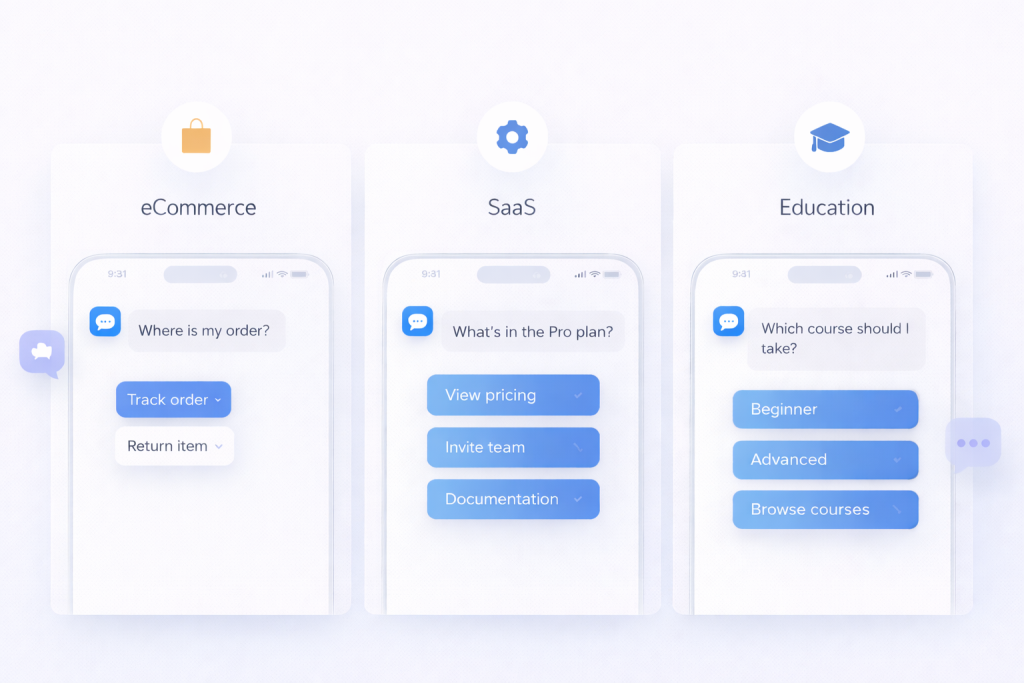
Let’s move from theory to real use. These FAQ chatbot examples show how different industries handle the same thing: fast, repetitive questions that don’t need a human every time.
eCommerce — Order Tracking & Returns
Picture a mid-sized Shopify store. A customer types, “Where is my order?” The bot asks for an order number or pulls it automatically from the user account. Within seconds, it returns delivery status, expected arrival date, and a link to tracking details. This is how real systems work in practice. For example, KLM’s BlueBot handles booking confirmations and flight status requests directly in Messenger and WhatsApp, returning updates instantly without sending users to a help center.
From there, the flow continues naturally:
- “Need to return this item?”
- “Request a refund”
- “Exchange for another size”
This is a classic chatbot FAQ example built around transactional logic. The bot connects to backend systems through APIs. It doesn’t guess. It fetches real data and acts on it.
What makes it effective is speed and precision. No vague answers. No redirects to long pages. Each step moves the user closer to resolution without friction.
SaaS — Pricing, Onboarding, Feature Help
In SaaS products, questions tend to repeat across users. Pricing tiers, feature limits, integrations. Tools like Intercom power FAQ assistants inside SaaS products, where users get instant answers to pricing or onboarding questions without leaving the app.
A typical interaction might look like this:
- “What’s included in the Pro plan?”
- “How do I invite team members?”
- “Does this integrate with Slack?”
The bot responds with short answers and offers quick actions:
- View pricing page
- Open onboarding checklist
- Jump to feature documentation
Instead of long explanations, the system delivers structured chatbot questions and answers tied to real user intent.
The pattern here is simple. The bot acts as a smart entry point into the product. It reduces confusion during onboarding and helps users move forward without digging through documentation.This approach is widely used in modern SaaS FAQ chatbot examples, where reducing time-to-first-action during onboarding directly impacts conversion and retention.
Education — Course Info & Enrollment
Education platforms deal with decision-heavy questions. Users want clarity before committing. A student might ask about course availability, deadlines, or payment options. Platforms like Duolingo use in-app assistants to answer questions about subscriptions, progress, and features without redirecting users to external help pages, keeping the experience inside the product.
A well-designed FAQ bot in this space handles:
- Course schedules and enrollment dates
- Tuition fees and installment plans
- Certification details
Then it goes one step further. It helps the user decide.
Instead of just answering, the bot might ask:
- “What topic are you interested in?”
- “Beginner or advanced level?”
Based on responses, it suggests relevant courses.
This blends FAQ logic with decision support. The bot doesn’t just answer questions. It guides choices. That’s what separates average FAQ chatbot examples from ones that actually drive conversions.
Patterns Behind High-Performing FAQ Bots
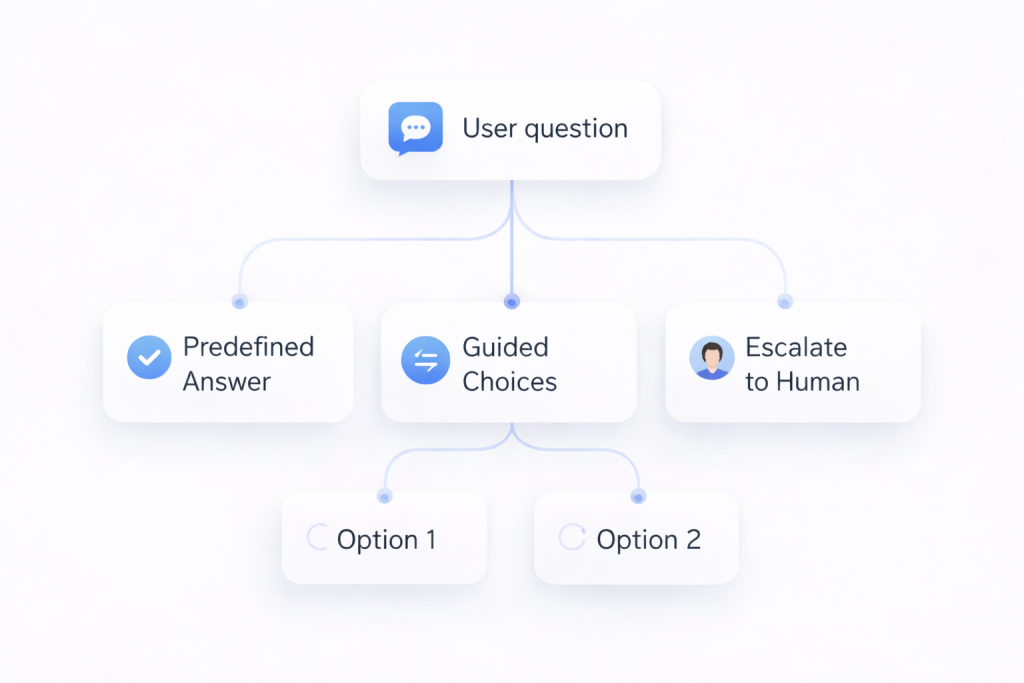
When you go through real FAQ chatbot examples, you start noticing something interesting. The best ones don’t feel like “systems” at all. They just feel… easy. You ask, you get what you need, you leave. No friction, no overthinking.
Pattern 1: Intent Recognition with Short Paths
Some bots feel slow even when they’re technically correct. They ask follow-up questions, try to clarify, or push you into a flow you didn’t ask for. Good ones skip that. If the question is obvious, the answer comes right away. Someone asks about delivery time, they get delivery time. No detours.
It’s less about intelligence and more about restraint. The bot doesn’t try to be clever. It just gets out of the way.
Pattern 2: Guided Choices Instead of Free Typing
Free text looks flexible, but in reality, people hesitate. They type, delete, rephrase. That tiny friction adds up. When the bot offers a few clear directions, everything moves faster. Not because the system is smarter, but because the user doesn’t have to think about what to say next.
You’ve probably seen this yourself. Buttons like “Track order” or “Pricing” get clicked far more often than open-ended questions get typed.
Pattern 3: Hybrid Answers That Stay Lightweight
There’s a moment when an answer becomes too much. One or two sentences feel helpful. Five sentences feel like a wall. The better bots seem to know where that line is.
They give just enough to solve the problem right now, then leave the rest as an option. If you want details, you can go deeper. If not, you’re done in seconds. That small decision makes the whole interaction feel lighter.
Pattern 4: Natural Escalation to a Human
At some point, things stop being simple. A refund didn’t go through. An account got locked. Something doesn’t match the script.
Bad bots keep trying anyway. They repeat themselves, rephrase the same answer, and hope it works the second time. Good ones don’t push it. They recognize the moment and step aside. The handoff to a human doesn’t feel like failure. It feels like the next step.
How Much Time and Money FAQ Bots Actually Save

The value of an FAQ bot becomes obvious when you look at support costs. A single human-handled ticket usually costs between $3 and $6, depending on complexity and team size. Now scale that across a growing product.
“Our data shows that chatbots speed up response times by an average of 3X.”
— Intercom, The support leader’s guide to scaling smarter with self-serve support
According to industry estimates, chatbots can handle up to 60–80% of routine customer queries, significantly reducing support workload (IBM).
To see how this plays out in practice, here’s a simple scenario:
10,000 total requests
× 70% automated = 7,000 requests handled by the bot
× $3 per ticket = $21,000 saved per month
This is the baseline scenario. With higher support costs or better automation rates, the number climbs fast.
And this doesn’t even include indirect gains. Faster answers reduce frustration, lower churn risk, and keep your support team focused on real problems.
Most strong FAQ chatbot examples are built with this logic in mind. At scale, manual support simply stops making sense.
AI vs Rule-Based FAQ Bots — What to Choose

At some point, every team hits the same question. Do you keep things simple with predefined logic, or move toward something smarter and more flexible?
Rule-based bots follow scripts. You define triggers, map them to answers, and control every step. This works well when questions are predictable. Order status, refund policies, pricing tiers. The bot stays accurate because it operates within strict boundaries. The downside shows up when users phrase things differently. The system doesn’t adapt, so gaps start to appear.
AI-based bots handle language more naturally. A user can ask the same thing in five different ways and still get a useful answer. This flexibility makes them better suited for growing products, where questions evolve over time. The trade-off is setup complexity. You need data, testing, and ongoing tuning.
Here’s a clearer breakdown:
| Criteria | Rule-Based Bot | AI FAQ Bot |
| Setup time | Fast | Medium |
| Flexibility | Low | High |
| Accuracy | High (simple cases) | High (complex queries) |
| Maintenance | Manual | Data-driven |
| Best for | Small sites | Growing platforms |
Maintaining and Scaling FAQ Content
Most FAQ bots look fine right after launch. The answers are fresh, the flows make sense, everything feels under control. A few weeks later, things start drifting. New features appear, pricing changes, users ask slightly different questions. The bot doesn’t break, but it slowly becomes less useful.
What actually keeps it working isn’t the initial setup. It’s how often you go back and adjust it based on real usage.
- Unanswered questions are the easiest signal to spot. When people ask something and the bot doesn’t respond properly, that’s not just a failure, it’s a ready-made content idea. Those gaps should turn into new answers almost immediately.
- Drop-offs are more subtle. The user starts a conversation, clicks around, then disappears. Usually it means the answer didn’t help or the path felt confusing. You don’t always see the problem directly, but the pattern shows up in behavior.
- Escalation tells a different story. If too many conversations end with “talk to support,” the bot is missing something important. Either the answers are too shallow, or the system can’t handle slightly messy questions.
FAQ Bot Design That Doesn’t Annoy Users
A good FAQ chatbot feels invisible. You ask something, get a clear answer, and move on. No friction, no unnecessary steps. That’s the bar.
Short answers work better than long explanations. Most users are not looking for a full guide, they want a quick resolution. If more detail is needed, it should come as an optional follow-up, not forced upfront. Suggested questions also help a lot. They reduce hesitation and guide the conversation without making the user guess what to type.
The biggest frustration usually comes from loops. The classic “I didn’t understand that” repeated three times is enough to make someone leave. A smarter approach is to limit retries. After two failed attempts, the bot should change strategy. It can offer clear options, rephrase the question, or suggest common topics. If that still doesn’t help, handing the conversation to a human or opening a support request keeps the experience from breaking completely.
Create Your Own Custom AI FAQ Bot with Scrile AI
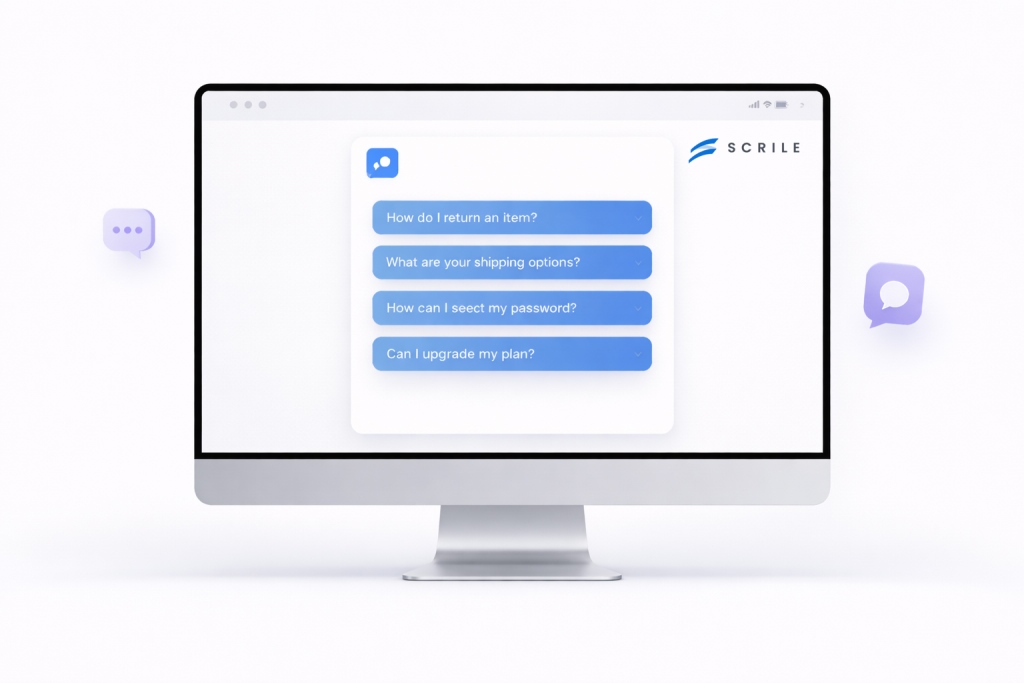
If you’re thinking beyond simple automation, building your own FAQ bot starts to look less like a plugin and more like a product. This is where custom development makes a difference. With Scrile AI, the focus is on creating a system that fits your logic, not adapting your business to a template.
Instead of a basic chatbot layer, you get a foundation for something bigger. A scalable architecture means the bot can grow with your platform, whether that’s a marketplace, SaaS tool, or content-driven product. You also have full control over how conversations work, from tone and flows to how data is processed.
Here’s what that typically includes:
- Custom FAQ bot logic built around your use cases
- Monetization options such as subscriptions or paid access
- Flexible UX flows designed for your audience
- Integration with your backend and data sources
- Tailored development instead of off-the-shelf limits
This approach makes sense when you’re building something you plan to scale, not just experiment with.
What Type of FAQ Bot You Actually Need
| Scenario | What You Actually Need | Why It Works |
| Small website or early-stage store | Rule-based FAQ bot | Fast to launch, handles predictable questions without extra setup |
| Growing SaaS product | Hybrid AI FAQ bot | Combines structured answers with flexibility as user queries expand |
| Online marketplace or platform | AI FAQ bot with integrations | Connects to orders, accounts, and data for real-time responses |
| Content or subscription platform | Custom AI FAQ system (e.g. built with Scrile AI) | Allows monetization, user segmentation, and full control over flows |
| Long-term scalable business | Fully customized AI FAQ architecture | Adapts over time, supports growth, and avoids limits of template tools |
Conclusion
We’ve gone from real examples to the patterns behind them, and finally to choosing the right approach for your case. The takeaway is simple. A solid FAQ bot is not a set of scripted replies. It’s a structured system that connects logic, content, and user intent into one flow.
If you’re planning to build something that goes beyond basic automation, it’s worth doing it right from the start. Reach out to the Scrile AI team to discuss a solution tailored to your product.
FAQ
What is an FAQ chatbot?
An FAQ chatbot is a conversational tool that answers common user questions automatically through a chat interface. It is usually connected to predefined answers, a knowledge base, or an AI model.
How does a chatbot FAQ system work?
It detects the intent behind a question and matches it to the most relevant answer, flow, or source document. Some systems rely on fixed rules, while others use AI to understand more natural phrasing.
Are AI FAQ bots better than rule-based ones?
AI bots work better when questions vary a lot and users phrase them in unpredictable ways. Rule-based bots are still useful for simple, repetitive cases where accuracy matters more than flexibility.
How much does an FAQ chatbot cost?
The cost depends on complexity, integrations, and whether you use a template tool or custom development. A basic bot can be cheap to launch, while a tailored AI system costs more but offers better long-term flexibility.
Can FAQ bots replace customer support?
They can reduce a large share of routine support work, but they should not fully replace human agents. The best setup uses bots for repetitive questions and humans for edge cases or sensitive issues.
What industries benefit most from FAQ chatbots?
eCommerce, SaaS, and education are strong use cases because they receive a high volume of repeated questions. Healthcare, travel, and finance also benefit when quick answers and guided flows matter.
How do you train a chatbot for FAQ?
You train it using real support conversations, help center content, product documentation, and common user queries. Then you improve it by tracking unanswered questions, drop-offs, and escalation patterns.
What are the best FAQ chatbot examples?
Good examples usually come from online stores handling returns, SaaS products answering pricing and onboarding questions, and education platforms guiding users through enrollment. The best bots combine short answers, smart routing, and smooth handoff when automation reaches its limit.

Polina Yan is a Technical Writer and Product Marketing Manager, specializing in helping creators launch personalized content monetization platforms. With over five years of experience writing and promoting content, Polina covers topics such as content monetization, social media strategies, digital marketing, and online business in adult industry. Her work empowers online entrepreneurs and creators to navigate the digital world with confidence and achieve their goals.