

Quick answer
If your booking tool only reserves time, it is too weak for most financial services teams. The better fit controls intake, routes each client to the right specialist, keeps consent visible, and leaves a trace when a booking changes. Use this page to decide when open self-booking is safe, when it creates rework, and which setup fits an advisor practice, a branch network, or a larger institution. If you only need a plain meeting link, you do not need this level of software.
What financial services scheduling software actually has to do
Most teams do not lose time on the calendar itself. They lose time in the handoff before the slot and in the cleanup after it. A client books “a consultation,” but the team still does not know whether the meeting is about a portfolio review, a loan application, an insurance renewal, a retirement planning call, or a branch visit. By the time the advisor opens the meeting, someone has to reconstruct the case from emails, notes, and memory.
That is where the cost hides. One wrong booking can waste 15-30 minutes of staff time, and a bad routing rule can affect every branch or advisor queue that uses it. For regulated teams, that is more than inconvenience. It is a process problem that leaks into client trust. The software needs to do more than place a meeting on a calendar; it needs to shape the meeting before it happens.
That is why this category sits closer to a controlled client workflow than to a consumer scheduler. The useful tools keep the front end of the meeting organized, and they do it without turning the client experience into a maze. That balance is the difference between a link that gets used and a system the team can actually run.
Client booking that starts with the right context
In financial services, the first question is rarely “what time works?” It is usually “what does the client need?” A generic open slot can work for a quick branch follow-up, but it fails when the team needs to know the service type, the product line, the geography, or whether the client is already in an advisory process. The booking flow has to collect enough context to prevent a wrong handoff.
That is why controlled intake belongs before confirmation, not after. If the client can book before the platform asks the qualifying questions, the ops team ends up filling the gap later. In practice, that can add a day or two of delay on a simple service request and much more when a compliance review is involved.
For teams comparing workflow depth across the cluster, the customer meetings guide shows how the intake stage changes when the appointment is advisory rather than purely administrative.
Routing and matching that prevent the wrong specialist from taking the call
Routing sounds routine until it breaks. A mortgage inquiry lands with a general advisor. An insurance renewal goes to a branch queue that cannot handle it. A retirement planning meeting gets assigned to someone who is not licensed for that product line. The client sees sloppiness, even if the root cause is just a weak rule.
The fix is not more manual triage. It is routing by meeting type, geography, team, or specialist tier before the slot is confirmed. If the platform cannot do that, staff will do it by hand, and the hidden work will show up later as duplicate messages, reschedules, and longer response times.
For businesses that manage multiple service points, the logic is similar to the routing discussed in app reservations management: availability matters, but the real gain comes from matching demand to the right owner.
Reminders and follow-up that are useful only when they are traceable
Reminder automation matters in financial services because no-shows are expensive. A reminder sent by email or SMS can save a meeting, but only if the message goes to the right person at the right time and the team can later see what was sent. The scheduling stack should not turn reminders into another mystery.
That matters during disputes and during client service recovery. If a client says they never received the reminder, the team should be able to check the record instead of guessing. A good system makes follow-up consistent, visible, and tied to the booking, not to one staff member’s inbox.

Why this matters more in finance than in generic booking
A consumer-style scheduler can be enough for an ordinary meeting link. Financial services usually need a stricter standard because the meeting is often tied to a product, a document set, or a regulated relationship. If the meeting starts with the wrong context, the team pays for it twice: once in rescheduling and again in correction work.
That is also why branded presentation matters. A client-facing booking page should look like part of the institution, not like a detached third-party tool. The brand signals who owns the conversation and reduces the sense that the client has been sent somewhere outside the service path.
Security, privacy, and consent controls
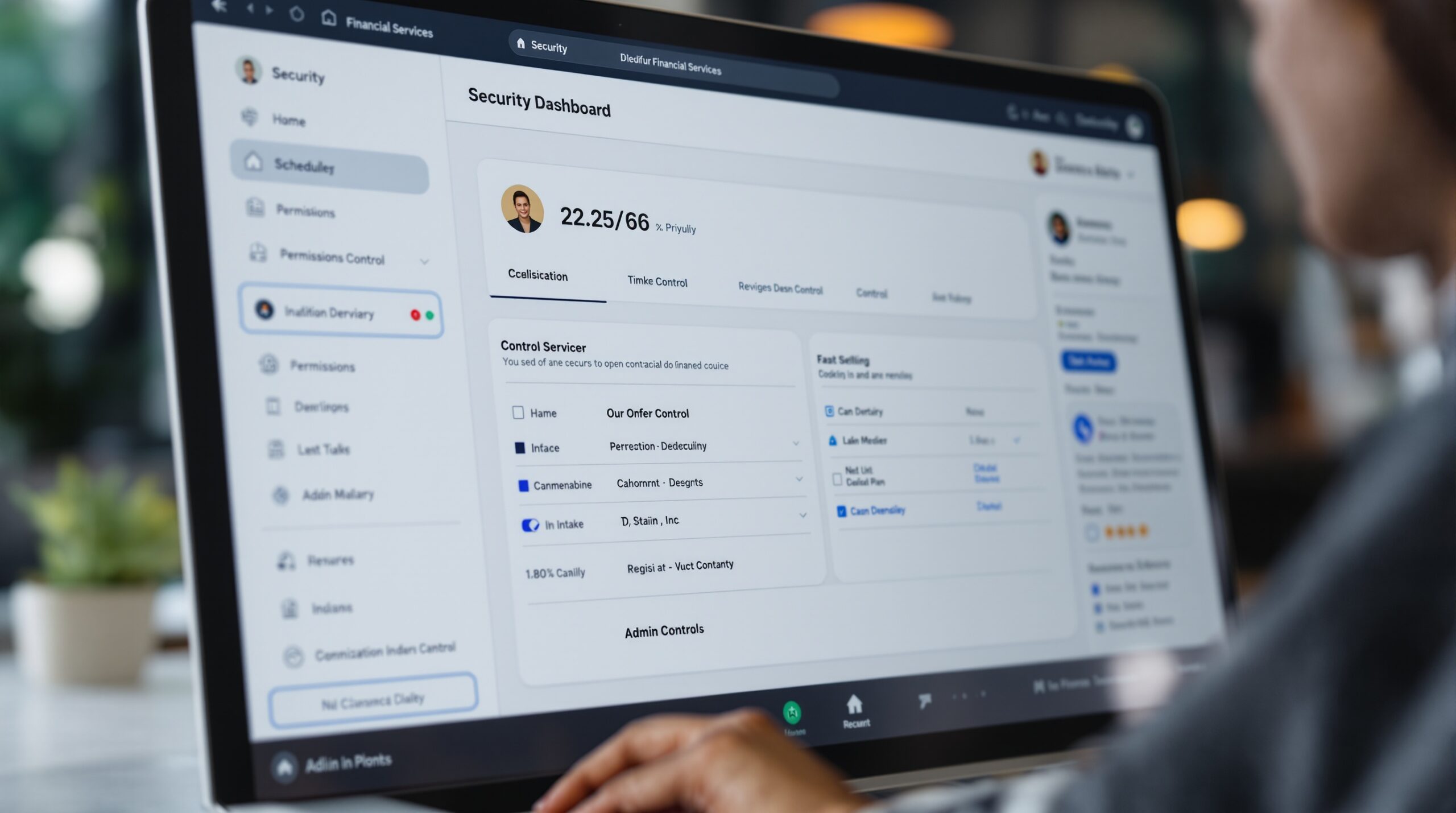
Security in this category is not only a certificate list. It is the difference between a system that keeps the booking traceable and one that leaves staff guessing who changed what. For finance teams, that means thinking about access, communication permissions, and the trail around every booking edit, reminder, and follow-up.
The relevant question is not “does the platform sound secure?” It is “can it keep the appointment record intact when people reschedule, messages go out, and multiple staff members touch the same client?” That is the practical test. A system that cannot answer it cleanly is too thin for a controlled client workflow.
Calendly’s financial services page is a useful benchmark because it combines security language with operational controls such as SSO, domain control, activity logs, and communication archiving, while also pointing to standards like FINRA, GLBA, ISO/IEC 27001, SOC 2 Type 2, PCI, and GDPR on its Financial services solution page. The checklist matters, but the workflow behind the checklist matters more.
Audit trail that shows more than the booked slot
Many tools log the event itself and stop there. That is not enough for a financial team that needs to know when the meeting was created, who changed it, what was rescheduled, and which reminders were sent. If the record ends at the calendar invite, internal reviews turn into a scavenger hunt across inboxes and notes.
A useful audit trail should show booking creation, edits, cancellations, reschedules, and the communication history tied to the appointment. It does not need to be noisy, but it does need to be searchable. When the client asks why they received a different reminder, the team should not have to reconstruct the week from memory.
That traceability is especially important in branch setups, where one location may hand off a client to another and the handoff has to remain visible.
Permissions and access by role, branch, or team
Role-based access becomes non-negotiable as soon as more than one advisor, manager, or branch is involved. A branch manager should not need to edit every client note. An advisor should not see data that has nothing to do with their appointments. An admin may need the full trail, but the rest of the team does not.
If the platform cannot separate those views cleanly, people build shadow processes around it. That is where errors live. It also makes audits slower because the team has to ask three people for one answer. In a small practice, that is annoying. In a larger institution, it becomes a control issue.
Consent and communication permissions that stay visible
Scheduling is also a communication system. Email and SMS reminders are useful, but they are still messages sent to a client. The platform should make the consent state visible at the point of booking and keep the communication route consistent afterward.
If that step is skipped, the team may discover the problem only after a client objects to a follow-up message they did not expect. That is not a minor service issue. It can become a permission problem, especially when reminder templates, follow-ups, and reschedule notices all live in different tools.
For teams that want booking, messages, and payment logic in one place, the workflow consolidation described in Scrile Meet is relevant because it keeps the appointment path and the communication path inside the same system instead of splitting them across tools.
When self-scheduling works and when it does not
Open self-booking is useful in financial services, but it is not the right answer for every meeting type. It works when the meeting is known, the intake is short, and the advisor pool is fairly standard. It fails when the meeting needs qualification, document review, or approval steps before the slot should be confirmed.
That distinction matters because self-scheduling can save 10-20 minutes of back-and-forth per appointment when the workflow is simple. The same feature can create extra work when the client should have been screened first. The right question is not whether the booking link is convenient. It is whether the link protects the rest of the process.
Open booking fit cases
Routine branch visits, standard account reviews, and simple follow-up calls are usually safe candidates for open booking. The client already knows the meeting type, the service pool is limited, and the team can use a short intake form to collect the minimum context needed for routing.
In those cases, the platform should still ask enough to avoid a wrong assignment. A blank form is not control. A short form that captures the reason for the meeting, the branch or specialty needed, and any basic context that changes ownership is the stronger choice.
For teams that use one system for the slot and another for deeper CRM context, the cleanest setup is the one that keeps the booking flow short while still protecting routing accuracy. That is where simple self-booking still makes sense.
High-control cases
Once the meeting involves onboarding, investment advice, documentation review, or any approval gate, open booking becomes weaker. Those situations need structured intake, review steps, and in some cases a payment or deposit step before the appointment is final. The meeting is no longer just a slot; it is a controlled client action.
The same is true for larger branch networks. A client may book “a consultation,” but the system still needs to know which policy, product line, or licensed staff member should handle it. If the software cannot enforce that logic, the calendar may look efficient while the operation stays messy.
That is the point where teams often move from a generic scheduler to a branded consultation workflow. The value is not only in showing times. It is in keeping the intake, the booking, and the follow-up aligned so the team does not have to patch the gap later.
Common failure modes
The most common mistake is making the booking link too open. The second is making the intake form so long that clients abandon it. The third is routing only by branch availability, which works until one specialist pool becomes overloaded and another sits idle.
Each failure needs a different fix. Shorten the intake to the fields that change routing. Add a qualified branch or specialty rule. Keep the client-facing page branded so the form feels like part of the service, not like a generic external tool.
That is the balance financial teams need: enough friction to protect the workflow, but not so much friction that a client gives up before booking.

Choosing between basic scheduling and a regulated client workflow
Team size changes the buying decision. A solo advisor wants speed and less admin. A branch network needs rules and visibility. A larger institution needs permissions, reporting, and a way to keep client booking tied to the right owner without creating manual assignment work.
In practice, teams outgrow basic scheduling when reschedules become invisible, when different staff members answer the same client differently, or when one branch cannot see what another branch promised. At that point, the software is no longer a calendar tool. It is part of the operating model.
Advisor practice
A small advisory practice usually needs branded booking, reminder automation, and a short intake flow. The person doing the work also owns the admin, so the software should cut steps rather than add them.
The main risk is overbuying. If a platform needs heavy setup just to define routing, it is too large for a solo or small-team practice. If it cannot collect enough context to prepare the advisor, the meeting still starts cold.
Branch network
Branch scheduling is about availability and local expertise. One location may have a loan officer available while another does not. A client should see only the options that make sense for that branch, not the entire internal org chart.
Good branch scheduling reduces walk-in friction and keeps the queue visible. Bad scheduling creates duplicate bookings, wrong-site arrivals, and more front-desk work. In a network with 10-50 locations, that overhead compounds quickly.
For a broader look at location-based scheduling logic, the app reservations management guide shows how availability rules change once a business owns multiple service points and has to route demand carefully.
Larger institution
Larger firms care about permissions, archiving, and oversight. They need to know who can edit schedules, who can see client data, and which reminders were sent. The calendar becomes a record, not just a convenience layer.
That is where lightweight tools start to break. The team begins using workarounds: one person fixes the booking, another changes the note, and a third sends the reminder manually. Nobody owns the whole trail, and that usually shows up later as inconsistent reporting or avoidable client confusion.
| Scheduling capability | Advisor practice | Branch network | Larger institution |
|---|---|---|---|
| Branded client booking | Useful if it replaces back-and-forth email | Needed for public branch pages | Needed to keep client experience consistent |
| Controlled intake | Short form with 3-5 fields | Routing by branch, service type, or specialty | Required before handoff to the right team |
| Roles and permissions | Optional, but helpful as the team grows | Needed for branch managers and specialists | Critical for audit and access control |
| Reminders and follow-up | Email first, SMS if the client expects it | Needed to reduce no-shows across locations | Should be logged and reviewable |
| Audit trail | Useful, but rarely the first buying trigger | Important when staff changes are frequent | Non-negotiable for traceability |
| Payments or deposits | Use when the consult is paid or scarce | Useful for premium services | Needs to align with finance and compliance rules |
Use this table as a buying filter. If your team scores low on controlled intake and auditability, a basic scheduler is the wrong category. If those controls already exist elsewhere in your stack, then a lighter booking layer may be enough. The mistake is not choosing the light tool; the mistake is choosing the light tool for a workflow that was never light in the first place.
What to check in a platform before adoption
Most buyer mistakes happen because the evaluation is too shallow. They test whether the software can book a time. They do not test whether it can keep the workflow intact when a client reschedules, a branch changes staff, or a specialist needs access to the record. That is where the real cost hides.
At minimum, the platform should answer five questions: can clients book in the brand you control, can you route by meeting type, can you show permissions by role, can you keep reminders and changes visible, and can you collect the right context before the meeting starts? If any one of those is missing, the setup leaks work.
Branding and embedded booking
Clients trust a financial service when the booking page looks like the service they expect. Embedded scheduling on advisor pages, branch pages, or service pages reduces friction and keeps the interaction inside one branded experience. That matters because a detached third-party page can make the handoff feel less controlled.
For financial teams, branding is not decoration. It is part of the control surface. If the client has to leave the institution’s site too early, the booking step can feel disconnected from the rest of the relationship.
Permissions and roles
Role-based access keeps the booking system usable once more than one team member is involved. Advisors should not need access to everything. Branch managers should not edit every client note. Admins should be able to see the whole trail.
If the platform cannot separate those views cleanly, the team will create shadow processes. Shadow processes are where errors live, and they also make audits slower. In other words, the software may still book the meeting while the staff quietly build their own workaround around it.
Reminders and follow-up
Reminder automation is useful only when it is tied to the right client record and the right communication rule. Email and SMS reminders should be easy to send, but also easy to trace later.
For practical scheduling teams, the follow-up is where no-shows are won back. A reminder that lands at the wrong time or with the wrong message does nothing. A reminder that is logged and consistent saves staff from manual chasing.
Auditability and archives
Auditability is more than a log file. It should show booking creation, edits, reschedules, and the messages attached to the appointment. If the workflow is sensitive, that record should be searchable by client, advisor, and time.
Most teams do not need every event forever. They do need enough traceability to answer who changed what and why. That is the threshold that separates a business tool from a consumer calendar.
Intake and routing
Controlled intake should be short, specific, and tied to routing logic. Ask only for the information that changes the owner of the meeting. The wrong form is almost as bad as no form.
For teams using a more controlled consultation stack, the browser-based model in Scrile Meet is relevant because scheduling does not sit apart from the rest of the service journey. Consolidation matters when the team wants one booking path, one communication record, and one place to manage the appointment.
Before you adopt anything, compare the platform against one real client scenario instead of a generic demo. Use a loan consult, an advisor review, or a branch appointment and check whether the tool can keep the route, the message trail, and the ownership visible. If it can do that once, it is promising. If it cannot, it is only pretending to be a workflow system.
Why teams settle on Scrile Meet for this
For financial services teams, the question is not whether booking works. It is whether the booking flow stays controlled once the client moves from interest to appointment to follow-up. Scrile Meet fits that tighter definition because it combines scheduling with video sessions, messaging, and payments in one branded system. That matters when the appointment is not just a slot on a calendar but part of a client service path that needs context, reminders, and a visible owner.
The practical difference is consolidation. A team that uses separate tools for booking, calls, messages, and payments usually spends time reconciling the handoff between them. Scrile Meet reduces that switching cost by keeping the interaction in one browser-based flow, with admin roles and team oversight built in. For a branch lead or advisory ops manager, that means fewer places where a client record can drift away from the appointment itself.
It is a better fit when your team needs brand control, one-to-one or group sessions, and room for custom service logic. It is a weaker fit if all you want is a lightweight meeting link with no workflow design at all. The first few weeks usually show cleaner routing, less manual follow-up, and fewer “who owns this client?” moments because the booking path and the service path are no longer split across multiple tools.
If that is the gap you are trying to close, the next step is to review the platform in context rather than in isolation. Start with a short product walkthrough, test the booking and intake flow against one real client scenario, and see whether the admin side gives you enough control before you commit to a wider rollout.
How to move from a booking link to a workable client flow
Waiting usually turns into rework. A small pilot now is cheaper than a cleanup after the branch team has already built habits around the wrong flow. The point is not to launch everything at once. The point is to remove the worst manual steps first and see whether the system actually reduces them.
- Map your last 20 booked meetings by type and owner. You will usually find 2-4 repeat meeting patterns that should have different intake rules.
- Pick one client-facing page and attach a branded booking flow to it. Within a week, you should know whether self-booking reduces email back-and-forth or simply moves the work elsewhere.
- Audit your reminder and reschedule process for the last 10 appointments. If staff are rewriting the same message more than twice, the workflow needs automation and a better audit trail.
- Run a 30-day pilot with one advisor team or one branch. Measure routing errors, no-shows, and manual handoffs before you decide whether the setup should expand.
A healthy state is easy to spot: the client reaches the right person, the meeting is prepared before it starts, the reminder path is visible, and the team does not have to reconstruct the last change from memory. That is the standard worth aiming for.
Ready to build the setup behind this?
If this is the operating problem you need to solve, use the product page as the next step. It shows where build your setup fits and what the platform covers beyond a single payment widget.
Frequently asked questions
Is open self-booking safe for every financial services meeting?
No. It works for routine reviews and standard branch visits, but it is risky for meetings that need qualification, document review, or specialist routing before the slot is confirmed.
Do financial meetings need intake before the booking is confirmed?
Usually yes. If the meeting type, product line, or advisor specialty changes the owner of the appointment, the platform should collect that context before it finalizes the slot.
What scheduling controls matter most in regulated teams?
The most important controls are routing, role-based access, consent visibility, traceable changes, and reminder history. If any of those is missing, the team will create manual work around the tool.
When does a basic scheduler stop being enough?
The tipping point is usually when one tool cannot handle branding, routing, permissions, and traceability at the same time. Once staff start fixing those gaps manually, the scheduler has already become the weak link.
Can payment or deposits belong in the booking flow?
Yes, when the consult is paid, limited, or high-touch. In those cases, the payment step should sit inside the same workflow so the booking, the client record, and the charge stay connected.
What is the biggest mistake teams make when choosing financial services scheduling software?
They buy for the calendar and forget the workflow. The real test is whether the platform can keep intake, consent, routing, reminders, and audit history aligned after the first change.

Builds SaaS platforms for content creators, agencies, and entrepreneurs. Writes about the business mechanics behind creator-economy products and how custom software actually ships.