In 2026, Telegram bot development is one of the easiest “first steps” into Telegram app development: you can launch a working bot in minutes, then grow it into payments, automations, or AI.
This guide is written for the queries people actually search today: how to create a Telegram bot step by step (2026), how to create a Telegram bot with BotFather, what changed in the Telegram Bot API in 2026, how pricing works (including paid broadcasts), and how to handle Bot API rate limits and flood control without breaking your bot.
That’s why so many people now want to create Telegram bot of their own. Some do it to automate work, like handling FAQ messages so they don’t answer the same thing a hundred times a day. Others use bots to share exclusive content with subscribers, manage payments, or even build niche communities where the bot acts as host and organizer.
And the demand keeps rising. Telegram has passed 900 million active users worldwide, and millions of them touch a bot every single day without even thinking about it. Bots deliver reminders, process orders, send files, or connect users with AI tools.
That momentum isn’t just something marketers talk about — Telegram’s own numbers show how big the platform has become. Recent coverage of Pavel Durov’s announcement underlines just how massive the audience already is.
“Telegram now has significantly over 1 billion monthly active users, becoming the second most popular messaging app in the world (excluding the China-specific WeChat).” — Pavel Durov, via NDTV Profit
Put that next to the 900+ million figure you see in many stats and it’s obvious why bots are exploding: even a tiny slice of that user base can sustain a serious product or side business. When you create a Telegram bot in 2026, you’re building on top of one of the largest real-time communication platforms in the world.
This guide walks through the journey — from the simple “hello world” bot to advanced setups powered by AI. By the end, you’ll see exactly how bots work, why they matter, and how you can launch one yourself.
Why Build a Telegram Bot in 2026?
Scroll through Telegram today and you’ll notice something: half the time you’re not talking to people at all. It’s bots sending updates, answering questions, or nudging you to buy something. They’ve gone from novelty to necessity. If you run a business, a community, or even a personal project, learning how to create bot Telegram is like giving yourself an extra pair of hands that never sleep.
The beauty of bots is how wide the use cases run. A restaurant can take lunch orders in chat. A shop can process payments without a website. Creators set up subscriber channels that drip out content every morning. I’ve seen fan groups use bots to manage polls and events, while one adult creator runs an OnlyFans Telegram bot that handles paid updates without lifting a finger.
Here’s what bots do best:
Push promotions, newsletters, or personal updates straight into a user’s chat.
Act as the first line of customer support, answering repetitive questions instantly.
Collect payments, donations, or subscription fees with a few taps.
Deliver content — from breaking news to private lessons — automatically.
Moderate and organize communities so humans don’t burn out.
And the kicker? They’re cheap to run compared to human teams. A small shop can avoid hiring extra staff just by letting a bot handle bookings and questions. Big companies save millions on support calls. Communities keep members engaged without burning through volunteer time.
Telegram already has the audience — close to a billion people using it every month. Bots are the glue that keeps them connected to the services, creators, and businesses they care about. If you’ve got an idea, odds are a bot can make it easier to deliver.
How to Create a Telegram Bot Step by Step in 2026 (BotFather)
Open Telegram and search for @BotFather (verified). Every bot still starts here in 2026.
Step-by-step: 1) Send /newbot 2) Set a display name (what users see) 3) Set a username ending in “bot” 4) Copy the API token (treat it like a password)
Next, decide how your bot will receive updates: – Webhook (recommended for production: your server receives updates instantly) – Long polling (easy for first prototypes, but you still need to handle timeouts and retries)
Your code doesn’t “talk to Telegram the app”. It talks to the Telegram Bot API — an HTTP interface described in the official documentation.
First Steps With BotFather
With the token in hand, it’s time to connect code. Beginners usually reach for Python or Node.js, since both have strong libraries ready to go. Using python-Telegram-bot, you can write a few lines, run the script, and watch your new bot reply “Hello, world.” It’s basic, but seeing that first message pop up in Telegram feels like magic.
From there, most people add features step by step. Common upgrades include:
Quick commands that return weather updates or daily tips.
A small database to remember user info.
Predefined responses to FAQs.
Each feature works like stacking blocks. Start with one, test it, then move to the next. The best bots are built gradually, not in a single marathon coding session.
One last thing: guard that token. Don’t paste it into public code or screenshots, and rotate it if you think it’s leaked. It’s the key to your bot, and without it, everything stops.
Creating a Telegram bot is less about memorizing every command and more about understanding the flow: BotFather issues the token, your code listens for messages, and the bot responds. Once you’ve grasped that cycle, you’re already past the hardest part.
Under the hood, that whole flow is powered by the same public interface, no matter which language or framework you choose. Telegram itself describes this layer in very simple terms in its official developer documentation.
“The Bot API is an HTTP-based interface created for developers keen on building bots for Telegram.” — Telegram Bot API documentation
Every time your code sends or receives a message, it’s talking to this API — python-telegram-bot, Telethon, or aiogram are just friendly wrappers around it. Once you understand that, scaling from a “hello world” bot to production-ready automation feels much less mysterious.
Telegram Bot API Updates in 2026: What Changed and Where to Follow the News
Telegram ships Bot API updates regularly. The fastest way to stay current is: – the “Recent changes” section in the official Bot API documentation – the official @BotNews channel (updates) and @BotTalk (discussion)
For example, Bot API 9.4 (Feb 9, 2026) added several changes around private-chat topics, custom emoji usage, button styling, profile photo methods, and more. If you build bots for communities or customer support, these “small” changes can affect UX and permissions — so it’s worth checking updates before every major release.
Telegram Bot API Rate Limits in 2026: Flood Control and 429 Errors
Sooner or later every bot hits flood control — usually during broadcasts, file sending, or heavy inline usage. When that happens, Telegram can return a response with a retry_after value.
Rule #1: never “spam retry”. Respect retry_after, wait, then repeat the request. Rule #2: queue outgoing messages and smooth bursts (especially for groups and mass sends). Rule #3: treat rate limits as a product constraint, not a bug — design your bot flows around them.
Telegram Bot API Pricing in 2026: What’s Free vs Paid
Using the Telegram Bot API itself is free — there are no per-request fees by default.
However, Telegram introduced paid broadcasting limits: by default, bots can broadcast up to 30 messages per second. If you need more (up to 1000 msg/s), you can enable Paid Broadcasts and pay per message using Telegram Stars.
This matters if you build bots for large communities, newsletters, flash sales, or alerts — because your architecture (queues, batching, priorities) should match the free limit unless you deliberately budget for paid broadcasts.
From Simple Scripts to AI-Powered Bots
Every Telegram bot starts out plain. You write a script that spits back an answer when someone types a keyword. Ask it “/hello” and it replies “Hi there.” Useful? Barely. But it’s the first brick.
The fun begins when you connect that little script to something real. Hook it to a weather API and suddenly the bot gives tomorrow’s forecast. Point it at a news feed and you’ve got headlines on demand. Tie it to a crypto exchange and your group gets live price alerts without opening a browser.
That’s when you stop seeing bots as toys and start seeing them as tools.
Specialist app developers looking at Telegram from the outside see the same thing: bots are no longer side projects, they’re core infrastructure. One mobile studio that breaks down Telegram-style apps for clients sums it up like this.
“Telegram’s bot platform allows developers to create automated accounts to perform various tasks.” — Nimble AppGenie
That’s exactly what you’re tapping into when you connect your bot to payments, AI, or external APIs. You’re not just adding a gimmick — you’re wiring automation directly into the same chat interface your users already open dozens of times a day.
And then comes the bigger step: adding brains. An AI bot Telegram project doesn’t just follow a script — it talks back like a person. Link it to a GPT-style model or your own ML engine and the conversations change. Users can ask open questions, and the bot doesn’t fall apart after the second reply. That’s what people mean when they talk about Telegram AI chatbot — it’s the difference between an answering machine and an assistant.
Scaling Into Advanced Features
Once you’ve got a smart bot running, the list of upgrades is endless. A few of the ones developers actually use in 2026:
Multi-language chat so one bot serves global audiences.
Voice recognition that lets people speak instead of type, with instant speech-to-text.
Built-in payments for subscriptions, donations, or selling digital goods right inside Telegram.
Stack these features together and the bot stops being an experiment. It becomes part of a business. Shops use them to sell directly in chat. Teachers run tutoring sessions. Creators run entire subscription models.
It’s a slow build — script, then integrations, then AI. But that’s the path from “hello world” to a bot people actually rely on every day.
Best Tools and Frameworks for 2026
Once you’ve got the basics down, the next question is: what’s the best way to actually build? Developers in 2026 have a toolbox full of choices, from hardcore coding libraries to drag-and-drop bot builders. The right pick depends on how deep you want to go.
On the coding side, three names stand out. python-telegram-bot is the most beginner-friendly, with clear docs and a big community. Telethon digs deeper, giving you full access to Telegram’s API and letting you do advanced stuff like managing channels and accounts. aiogram sits in between — asynchronous, flexible, and perfect if you’re aiming for speed and scalability.
Not everyone wants to touch code, though. That’s where no-code and low-code platforms come in. FlowXO offers pre-built blocks, so you can drag together a working bot without typing more than a few lines. Manybot lets creators spin up bots directly inside Telegram with simple commands. Tars is aimed at businesses, helping them design conversational flows for customer support or sales.
Each tool has its trade-offs. Libraries give you maximum control but require coding chops. No-code platforms get you running fast, but you’ll hit limits if you want advanced AI features or complex integrations.
Here’s a quick look at the landscape:
Tool / Framework
Code/No-Code
AI Support
Pricing
Best For
python-Telegram-bot
Code
Yes
Free
Beginners, simple bots
Telethon
Code
Yes
Free
Advanced devs, full API access
aiogram
Code
Yes
Free
Scalable, async projects
FlowXO
No-Code
Limited
Freemium + Paid
Quick prototypes, small teams
Manybot
No-Code
Limited
Free
Creators, hobby projects
Tars
Low-Code
Yes
Subscription
Businesses, customer support
For classic Bot API development, most teams choose python-telegram-bot, aiogram (Python) or grammY/Telegraf (Node.js). These libraries wrap the official Bot API methods and handle updates cleanly.
If you specifically need MTProto features (user accounts, deeper client-side behavior), that’s a different track — and it’s not the “BotFather → Bot API token” flow described above.
Real-World Examples of Telegram AI Bots
It’s one thing to talk about bots in theory, but the real proof is seeing them in action. Across industries, Telegram AI bots are now taking on jobs that used to eat up time, money, and human energy.
E-commerce support: Consider an online shop with hundreds of daily queries on sizes, shipping, or returns. Instead of a small team handling all, a Telegram AI bot responds instantly. It solves mundane issues, guides clients through orders, and hands over only the problematic cases to human agents. The result: faster resolution and lower costs.
Healthcare assistants: Clinics and hospitals are using an AI Telegram bot to let patients book appointments, check clinic hours, or get answers to simple medical FAQs. It doesn’t replace doctors, but it removes a mountain of admin work, cutting wait times for everyone.
Education helpers: Schools and private tutors run Telegram AI bots that deliver quizzes, reminders, or practice tests. Some even translate lessons into multiple languages, helping teachers reach students across borders without extra prep time.
Adult content delivery: Creators are leaning on automation too. An OnlyFans Telegram bot manages subscriptions, sends exclusive updates, and keeps track of renewals. It means less manual admin and more focus on creating content that actually sells.
The lesson here is simple: when you create Telegram bot powered by AI, you stop treating it as a novelty. It becomes part of the daily workflow, handling the repetitive jobs that burn people out. From shops to clinics, schools to creators, the applications are growing — and the bots are already proving their value.
Building a Custom Bot With Scrile
By now, you’ve seen the power of bots — from simple helpers to full AI-driven assistants. But there’s a catch. Most off-the-shelf builders lock you into their design, their limits, and their revenue cut. If you want real freedom, the answer isn’t another template app. It’s to create Telegram bot with a team that builds it around your idea from the ground up. That’s what Scrile does.
Scrile isn’t a pre-packaged bot service. It’s a full software development team that creates custom solutions — tailored for businesses, communities, or creators who want control over how their bot looks, works, and earns. Instead of squeezing your idea into someone else’s box, you get the box built for you.
Some of the key features include:
0% commission monetization: keep everything you earn, from subscriptions to in-chat sales.
White-label design: your name, your colors, your identity. Users see your brand, not a third party’s.
Secure payments: integrated checkout flows with trusted gateways to protect both you and your customers.
AI integration: connect to advanced models so your bot goes beyond scripted replies and actually converses.
Why Choose Scrile Service
Because every idea is different. A retail brand might need e-commerce integrations. A clinic may want patient booking and privacy compliance. A creator could be looking for a bot that delivers paid content automatically. Scrile takes those requirements and turns them into reality.
You’re not just getting code. You’re getting a system that scales, adapts, and grows with your business. Professional support is part of the package, so you’re never left wondering how to fix a broken feature or roll out an update.
Conclusion
Learning to create Telegram bot in 2026 is easier than ever. You can start with BotFather and a few lines of code, add integrations for news or payments, and grow into advanced AI features that handle real conversations. Bots aren’t side projects anymore — they’re powering online shops, healthcare systems, classrooms, and even creators’ subscription models.
If you’ve got an idea that deserves more than a template solution, don’t wait. Contact Scrile team todayto launch a custom Telegram bot built around your brand, your community, and your goals.
FAQ
How long does it take to create Telegram bot?
It will also depend on what exactly you want your bot for. A basic model that simply follows commands can be up and running within a few hours with the help of BotFather and a minimalist script. Bots with AI capabilities, online wallets, or custom design take longer — at least several weeks of active development and debugging.
Are AI Telegram bots expensive to run?
Not necessarily. The costs mainly come from hosting and any AI model you connect. A small AI Telegram bot that handles simple conversations can run cheaply on cloud servers. If you’re adding complex machine learning features or processing heavy data, you’ll need stronger infrastructure, which raises costs. Still, most businesses find it cheaper than hiring full support teams.
Can I monetize my Telegram bot?
Yes. Many creators and companies already do this. You can sell subscriptions, run paid content channels, process one-time purchases, or accept donations directly inside Telegram. If you plan to create Telegram bot as a business tool, Scrile software development services can even help you set up secure payments and custom monetization models with 0% commission.
FAQ – How to Create a Telegram Bot (BotFather, Bot API, AI, Monetization)
Answers to the questions people ask after they launch their first bot: setup, hosting, rate limits, payments, and adding AI.
How do I create a Telegram bot with BotFather? ▾
Open Telegram, find @BotFather, and use /newbot. You’ll set a display name, pick a username ending in “bot,” and receive an API token.
Treat the token like a password. Store it in environment variables (not in public repos), rotate it if it leaks, and never paste it into screenshots or tutorials.
Webhook vs long polling: which one should I choose? ▾
Webhook is the production-friendly option: Telegram pushes updates to your server instantly, which improves responsiveness and reduces wasted requests.
Long polling is great for prototypes because it’s simple, but you still need to handle retries, timeouts, and process restarts. If you’re building something serious, plan to move to webhooks.
What stack is best for Telegram bots in 2026? ▾
For most teams, Python or Node.js wins because libraries are mature and deployment is straightforward. In Python, aiogram (async) and python-telegram-bot are popular. In Node.js, many teams use Telegraf or grammY.
Choose based on your product, not hype: async support, webhook handling, middleware, and how easily you can integrate databases, payments, and analytics.
Where do I track Telegram Bot API updates? ▾
The safest habit is to check the official Bot API documentation’s “Recent changes” section before big releases or feature launches.
If you want updates in real time, follow Telegram’s bot-focused channels (news + discussion) so you catch UX-breaking changes early, not after your users report bugs.
How do I handle rate limits, flood control, and 429 errors? ▾
Don’t brute-force retries. When Telegram returns flood control, it often includes a retry_after value. Respect it, wait, then retry.
In production, you’ll want an outgoing message queue that smooths bursts (especially broadcasts). Treat rate limits as a product constraint: design flows that don’t spam users or hammer the API.
Is the Telegram Bot API free, and what are “paid broadcasts”? ▾
The Bot API itself is free to use, but broadcasting has practical limits. For large newsletter-style sends, Telegram introduced Paid Broadcasts, which can raise throughput when you pay per message using Telegram Stars.
This matters for architecture: if your business depends on mass sends, budget for it (or design batching/segmentation that fits the free limits).
Can I monetize a Telegram bot? ▾
Yes—Telegram bots are often monetized through subscriptions, paid access to channels, one-time purchases, lead-gen funnels, and donations. The bot becomes the “checkout + delivery” layer right inside the chat.
The important part is consistency: access rules, renewals, user states, and support flows must be automated. A monetized bot fails when payments work, but delivery and permissions are managed manually.
How do I add AI (ChatGPT-like) features to a Telegram bot? ▾
AI bots are usually a combination of Telegram messaging + your AI backend. Your bot receives updates, sends user text to an LLM endpoint, then streams back a clean answer (often with typing indicators and short chunks).
To make it feel “human,” keep context per user, add safe fallbacks, and control costs with message limits, caching, and smart prompt design. AI isn’t just the model—it’s the whole product loop.
How do I keep my Telegram bot secure? ▾
Start with basics: protect the token, validate webhook requests, and avoid logging sensitive user content. If you store user data, keep it minimal and encrypt secrets.
Security is also operational: monitor for spikes, lock down admin commands, and separate “public bot logic” from internal tools. The fastest way to lose trust is a bot that leaks tokens or mishandles payments.
When should I build a custom bot instead of using a no-code builder? ▾
No-code is perfect for testing an idea. Custom development becomes worth it when the bot is core to your business: you need full branding, deeper integrations, higher performance, custom monetization, or strict control over data and UX.
If your bot needs to scale beyond “a helpful helper” into a product, a custom architecture (queues, analytics, payments, admin tools) saves you from platform limits later.
Polina Yan is a Technical Writer and Product Marketing Manager, specializing in helping creators launch personalized content monetization platforms. With over five years of experience writing and promoting content, Polina covers topics such as content monetization, social media strategies, digital marketing, and online business in adult industry. Her work empowers online entrepreneurs and creators to navigate the digital world with confidence and achieve their goals.
Imagine transforming your selfie into an engaging, creative digital persona instantly. Thanks to powerful advancements in AI, it’s now simpler than ever to create avatar from photo. AI avatar makers are not just quicker—they’re also affordable and easily customizable. People from all walks of life, including influencers, gamers, and business owners, now use personalized avatars to stand out online. Instead of settling for ordinary profile images, individuals can showcase their creativity by using digital representations. This shift highlights how technology helps users express identity and enhance branding.
Ready to explore the best solutions to effortlessly create an AI avatar? In this article, we’ll guide you through the top five AI-powered tools available in 2026. From free AI avatar makers ideal for beginners, to customized solutions perfect for creators, we’ve covered all you need to know. Let’s dive in and discover how you can turn simple selfies into stunning, professional-quality avatars today.
What is an AI Avatar Maker?
An AI avatar maker is software that transforms ordinary photos into creative and personalized digital avatars using artificial intelligence. These smart tools analyze uploaded images, identifying facial details and expressions with machine learning algorithms and neural networks. After analyzing the original photo, AI then recreates the image as an entirely new avatar, offering various visual styles. Users can effortlessly create AI avatar from photo with realistic, cartoonish, or artistic appearances.
Regular users often use these avatars for social media profiles, gaming accounts, and unique personal branding. Businesses find value by creating a custom AI avatar to represent their brands, enhance marketing, or add personalized interaction on websites. AI avatar makers simplify complex digital design processes, providing high-quality avatars without professional graphic skills. This technology makes creative avatar generation accessible to anyone, from individuals to businesses, regardless of their budget or technical background. It’s an engaging, practical tool for building a standout online identity.
🔎 Best Tools to Create Avatar from Photo in 2026
Tool
Strengths
Limitations
Best For
Lensa AI
Realistic, polished portraits; viral on socials
Mostly style packs, limited customization
Influencers & social media users
Fotor
Free, beginner-friendly, quick results
Basic output, fewer pro features
Bloggers & small businesses
StarryAI
Artistic & abstract styles; creative variety
Not suited for realistic avatars
Artists & digital creators
Picsart
Avatars + strong editing tools, background tweaks
Subscription needed for full features
Marketers & content campaigns
ArtGuru
Stylish options (sketch, watercolor, portraits)
Focused on aesthetics, less pro/business
Creators & hobbyists
Scrile AI
Fully custom avatar software, monetization, brand control
Requires tailored setup, not free
Businesses, influencers, niche platforms
Benefits of Using an AI Avatar Creator
AI avatar makers offer great branding opportunities with the ability to create attractive, memorable online personas. Businesses and users can differentiate themselves in overcrowded platforms with ease through unique avatars. Users can avoid incurring significant design costs through the use of graphic designers, as users can easily create professional-level avatars in no time themselves. AI avatar makers also offer several different creative directions—realistic, cartoon-like, artistic, or abstract.
For instance, influencers frequently adopt custom AI avatars to enhance their personal brands and boost engagement. An influencer who previously struggled with visibility online could instantly improve follower interaction by switching to distinctive, visually appealing avatars. Within days, follower engagement significantly increased, demonstrating the real-world impact of visually appealing avatars.
Moreover, such tools are not used for professional purposes alone. Free AI avatar makers benefit non-professionals in seeking social media or gaming accounts, quickly creating their customized avatars. By using easy interfaces, AI avatar makers simplify design for everyone to enhance their online identity.
Top 5 Tools to Create Avatar from Photo in 2026
Following are five top tools for designing personalized avatars in 2026. Ranging from realistic to stylized, these easy-to-use tools provide the solution for personal branding, social media, or business communication. Learn the features, advantages, and how each tool can simplify the process to create avatar from photo to enhance your online presence and convey your message to people effectively.
Lensa AI
Lensa AI became popular overnight with its realistic and beautiful avatars. Lensa is for social media users and turns plain selfies into classy avatars in just a few seconds. Lensa uses powerful neural networks to capture the look and demeanor of your original image. Influencer accounts, for one, saw over 35% engagement with followers when profiles were updated with Lensa avatars.
Fotor Avatar Maker
Fotor Avatar Maker is an excellent free AI avatar maker, perfect for newbies. The website boasts easy-to-use features, which turn photographs into personalized avatars in a matter of seconds, no design skills required. A selection of various looks, such as cartoon-like, realistic, and artwork styles, is provided. The ease of Fotor made it the go-to tool for bloggers, social media users, and small business owners requiring beautiful branding with or without professional designers.
StarryAI
StarryAI is the perfect option for creators seeking something distinctive. It is known for its extensive range of artwork, creating avatars ranging from abstract painting to highly intricate digital artwork. The user just uploads a photograph, selects the type of artwork desired, and leaves the rest to StarryAI. StarryAI avatars are typically used by artists and digital artists for fan interactions, creating distinctive visual identities, or enhancing portfolios. It is great at creating a powerful look for competitive spaces such as Instagram and TikTok.
Picsart
Picsart combines AI precision with powerful editing features to allow users to create avatar AI from photo in various design concepts with ease. It is both for professionals and hobbyists, and it provides avatars for social media, business branding, or web campaigns. The user can quickly design avatars, edit details, incorporate backgrounds, and customize visual elements. Avatars created by Picsart are used by marketers to fine-tune images in campaigns, which enhances click-through.
ArtGuru
ArtGuru can professionally convert ordinary selfies into unique digital artwork with the simplest efforts. ArtGuru is a beloved choice among artists and influencers and offers fashionable styles including watercolor, cartoon, realistic portrait, and hand-drawn sketch. Its user-friendly interface allows for rapid production of avatars, which can be experimented with speedily until the desired look is obtained. Artists and creators use ArtGuru avatars extensively on social media websites like Instagram or TikTok, which tends to increase the engagement of viewers to a significant extent. The website offers different kinds of avatars suitable for different online groups.
Why Choose Scrile AI for Custom Avatar Generation
Scrile AI isn’t just another generic free AI avatar maker. Instead, it’s a specialized software developement service creating custom solutions for avatar generation. This flexibility makes Scrile AI perfect for businesses, influencers, and digital creators aiming to create avatar from photo tailored precisely to their audience.
The main strength of Scrile AI is its adaptability. Influencers looking to boost audience interaction can effortlessly create an AI avatar tailored specifically to their image. Businesses can build branded avatar tools to attract customers and strengthen loyalty. Even niche markets like adult websites or specialized creators can leverage Scrile’s custom technology to drive engagement.
For instance, imagine a content creator who used Scrile’s tools to design avatars from fan-submitted selfies. This unique feature significantly increased fan interaction, growing subscriptions and revenue by over 40%. With Scrile’s intuitive solutions, creators don’t need technical skills to deliver these experiences effectively.
Scrile AI stands apart through its flexibility, customization, and ease of integration. Users can quickly launch their avatar creation solutions without extensive technical expertise. If you’re exploring how to create an AI avatar, Scrile AI offers the perfect solution—simple, personalized, and designed precisely for your business needs.
Conclusion
AI-based avatar creation turns ordinary images into interactive, customized digital avatars while Scrile AI excels in offering end-to-end personalized services for the easy generation of avatar from photo. Make your online existence brighter with Scrile AI technology by designing innovative, customized avatars exclusively for your use.
FAQ – Create Avatar from Photo (AI Avatar Makers in 2026)
What does “create avatar from photo” mean, and what kind of avatar will I get?
It usually means you upload a selfie (or a set of selfies) and the tool generates a new image that looks like you, but in a chosen style. Depending on the app, the output can be a realistic “portrait,” a cartoon-like profile picture, or an artistic illustration.
The key detail is style control. Some tools focus on polished realism, while others are built for creative looks like watercolor, sketch, or abstract art. Pick the tool based on where you’ll use the avatar: social profile, brand page, or a campaign.
What’s the best AI avatar maker for realistic, “camera-ready” portraits?
If you want a realistic avatar that still looks like a believable photo, choose a tool known for polished portraits and stable facial proportions. Realism is where lighting, skin texture, and eye placement matter the most.
A practical test: generate 20–40 results and see how many look consistently like you, not like “a random person in a similar style.” If resemblance drops fast, reduce style variation and use clearer input photos.
What’s the best free AI avatar maker to create an avatar from a photo?
Free tools are perfect for quick “good enough” avatars: social profile updates, casual branding, or first tests before you commit to a paid plan. Usually the workflow is faster and simpler, with fewer advanced controls.
The tradeoff is output limits: fewer styles, lower resolution, watermarks, or fewer attempts per day. If you need consistent brand visuals or high-resolution exports, paid plans tend to be worth it.
Which tools are best for artistic avatars (sketch, watercolor, abstract, anime)?
If your goal is “style first,” pick tools designed for creative variation. These are great for creators, streamers, and brands that want a recognizable visual vibe rather than strict realism.
The main trick is to stay consistent: choose one aesthetic direction and generate in batches. Mixing too many styles can make your identity drift, so your avatar stops looking like the same person across posts.
How many photos do I need to upload to get a good avatar?
Most apps perform best with 10–20 photos. Use a mix of angles (front, 3/4, side), good lighting, and sharp focus. This helps the model learn consistent facial structure instead of guessing.
Avoid heavy filters, extreme makeup edits, sunglasses, and low-light party photos. If the avatar looks “off,” the fix is usually better input photos, not more style changes.
How do I make the avatar look more like me (and less like a generic face)?
Start with consistent photos: same hairstyle range, minimal accessories, and clean lighting. If the tool supports “similarity” or “reference strength,” increase it when you want identity consistency more than style experimentation.
Also limit extreme style packs. Strong stylization can overwrite face features, which is why some results look cool but stop looking like you. Pick one style direction and refine there.
Can I use an avatar created from my photo commercially (ads, brand pages, products)?
Often yes, but it depends on the app’s terms. Some tools allow commercial use only on paid plans, and some styles/assets may have restrictions. If the avatar becomes part of a real business asset, always check licensing.
For serious campaigns, prioritize predictable rights and consistent outputs. “Fun avatar apps” are great for experiments, but business branding benefits from clarity and stability.
Is it safe to upload my selfie to an AI avatar generator?
Treat it like any third-party platform. Before uploading, check whether the service stores images, how long it keeps them, and whether you can delete your data. If policies are vague, avoid uploading sensitive photos.
For extra privacy, use a separate email and avoid images with personal identifiers (IDs, uniforms, family photos, or anything that reveals location details). Your input photos are the “source material,” so handle them carefully.
What’s the difference between using an app and building a custom avatar tool for my brand?
Apps are fast: upload, pick a style, export. That’s perfect when you only need avatars for yourself. But apps usually limit brand control, customization depth, and how you can integrate avatar generation into your own product.
A custom tool makes sense when avatars are part of your business workflow: fan-submitted selfies, branded templates, paywalls, analytics, or a “create your avatar” feature inside your own platform.
How can creators or businesses monetize “create avatar from photo” features?
The simplest monetization is access: subscription-only avatar creation, paid “style packs,” or pay-per-generation credits. This works well when the avatar output feels like a collectible or a “premium perk.”
More advanced models include branded campaigns (avatars for launches), fan engagement mechanics (submit selfie → get avatar), and upsells like merch, prints, or profile bundles. The better the workflow and consistency, the easier it is to charge for it.
Polina Yan is a Technical Writer and Product Marketing Manager, specializing in helping creators launch personalized content monetization platforms. With over five years of experience writing and promoting content, Polina covers topics such as content monetization, social media strategies, digital marketing, and online business in adult industry. Her work empowers online entrepreneurs and creators to navigate the digital world with confidence and achieve their goals.
Call centre appointment booking systems now sit at the heart of how many call centres run their day-to-day work. Scheduling used to be something agents squeezed in between calls. That reality has shifted as more companies rely on remote consultations, hybrid teams, and omni-channel customer service.
In 2026, most centres handle more appointments with leaner staffing and stricter SLAs. The pressure is visible in the numbers. No-show rates commonly land between 8 and 20 percent. Automated reminders typically reduce those missed appointments by 20 to 30 percent. Smart booking automation can cut manual scheduling tasks by roughly the same amount. When booking processes are clumsy or disorganized, agents lose time, operating costs rise, and customers feel the friction immediately.
How Call Centres Use Online Scheduling
In busy call centres, scheduling rarely looks like a neat process on paper. It feels more like a constant stream of micro-decisions, and call centre appointment booking has to fit naturally into that flow. Modern teams don’t treat booking as a separate task. It happens inside the conversation, in real time, while the customer is still on the line. Good systems fade into the background instead of interrupting the call.
From Call to Calendar
When an agent identifies the right moment to book, they open a shared calendar that everyone in the team can see. This live visibility prevents double-booking and removes the need for back-and-forth messages in Slack or email. The agent picks a slot that matches both the customer’s availability and internal capacity, then confirms it instantly. The customer receives a message or email with the details without the agent having to chase approvals or send manual follow-ups.
Behind the scenes, call center appointment scheduling software usually syncs with internal tools so nothing exists in isolation. A new booking can automatically create or update a record in the CRM, attach notes from the call, and notify the relevant specialist. This reduces repetitive data entry and keeps information consistent across systems.
Routing, SLAs, and Availability
Scheduling at scale is rarely about one agent and one calendar. It is about matching the right person to the right customer at the right time. Most mature call centres structure this around a few practical rules:
skill-based routing that directs complex cases to specialists instead of general agents
protected time windows for VIP or urgent customers so they can be seen faster
built-in time-zone logic that adjusts availability for global clients automatically
When these elements work together, booking stops being a bottleneck and becomes a smooth extension of customer service rather than an administrative burden.
Key Features That Actually Matter
Call centre appointment booking works best when the system feels invisible to agents and obvious to customers. The point is not to pile on tools, but to connect the few that truly shape outcomes. Below is a compact set of core capabilities, written as a single, coherent block of longer bullets rather than short, fragmented lists.
Two-way CRM synchronization keeps every appointment tied to a real customer record, so when an agent books a slot, the case is created or updated automatically and all call notes travel with it instead of living in scattered tabs. This reduces mistakes, shortens after-call work, and makes handoffs between agents far smoother when cases change hands mid-process.
Smart availability logic mirrors real operational constraints, meaning priority customers automatically see faster slots while specialists only receive bookings that match their expertise. Agents spend less mental energy checking exceptions, because the system quietly enforces rules in the background.
Automated SMS and email reminders are sent at carefully chosen moments before the appointment, not just once but in a cadence that actually reduces forgetfulness. Well-timed reminders consistently cut missed appointments and prevent last-minute chaos inside the centre.
One-click rescheduling links let customers change plans without calling back, which protects agent time and keeps calendars cleaner. Instead of reactive firefighting, teams gain predictable schedules that are easier to manage.
Shared team calendars give every agent real-time visibility of capacity, preventing double-booking and awkward internal conflicts. This transparency makes it possible to balance workloads without constant manual coordination.
Built-in analytics track no-shows, cancellations, and booking patterns so managers can adjust slot lengths, reminder timing, and routing rules based on real behavior rather than guesswork.
Best Practices for Call-Centre Booking in 2026
Most centres make booking harder than it needs to be. The best teams do the opposite. They cut steps, trim questions, and keep the path from “yes” to “confirmed” short enough that the customer never loses momentum.
Time slots should feel intentional, not overwhelming. Offering a small, well-chosen set of windows usually works better than showing an entire calendar. It keeps things clear for customers and easier to manage for agents.
Slot length has to match reality. Routine requests can be tight. Technical cases, escalations, or high-value clients need more space so conversations don’t feel rushed and rushed work doesn’t create follow-ups.
Automation should handle the boring parts. Reminders, calendar syncing, and routing rules can run quietly in the background. Agents still need room to adjust when a case doesn’t fit the standard script. That balance keeps things efficient without making interactions feel mechanical.
Successful teams watch four numbers closely. Booking conversion rate shows whether the flow actually works. No-show rate reflects reminder quality and timing. Average handle time reveals how much scheduling slows agents down. First available slot shows how accessible the service really is. When these improve together, call centre appointment booking becomes a dependable part of operations rather than a constant headache.
Best Solutions 2026 — What Real Teams Use
Teams rarely pick tools because of glossy marketing. They choose systems that are already working inside real call centres, have transparent pricing, and stay reliable when volumes spike. The platforms below are common in day-to-day operations, not vendor slides. Each one solves a slightly different problem, so the “best” choice depends on workflow, scale, and how tightly booking needs to connect to the rest of the stack. Call centre appointment booking looks different in every environment, and these tools reflect that reality.
Acuity Scheduling
Acuity is popular because it gets out of the way. Setup is fast, the interface is clean, and integrations with calendars and basic CRMs are solid. Agents can book slots with minimal friction, which matters in high-volume environments. The trade-off shows up when routing becomes complex. Deep skill-based matching or multi-team logic often requires external workarounds.
Setmore
Setmore appeals to centres that care about branding and flexible booking pages. Visual customization is stronger than many competitors, and basic workflows are easy to adapt. It handles everyday scheduling well for small to mid-size teams. Reporting depth can feel uneven for larger operations that rely heavily on analytics.
Square Appointments
Square Appointments fits hybrid teams that mix in-office and field work. Mobile booking and built-in payments make it practical for agents on the move. It works smoothly for mixed service models that combine calls with in-person visits. Very large, multi-department call centres may outgrow its structure.
SimplyBook.me
SimplyBook.me is built for distributed operations. Multi-language and multi-currency support make it suitable for global customers. It covers a wide range of use cases in one system. The interface can feel heavier than simpler tools, which sometimes slows agents down.
YouCanBookMe
YouCanBookMe keeps things minimal. It is quick to deploy and inexpensive, which makes it attractive for smaller centres or pilot projects. It handles straightforward booking reliably. It is not designed for complex routing, SLA logic, or enterprise-scale call-centre workflows.
Process Automation That Saves Real Time
In mature operations, a call centre appointment booking system proves its value through quiet automation rather than extra features. The goal is simple: fewer clicks for agents and fewer handoffs between tools.
When a case is created or updated in the CRM, available slots should appear automatically without manual calendar searches. Urgent tickets need faster windows, while routine requests follow standard availability rules. Reminders should run in scheduled batches instead of being typed one by one. Every step that removes admin work gives agents more time for real conversations.
What actually delivers those gains in practice:
slots auto-generated from CRM events so booking follows the workflow, not the other way around
clear priority rules that separate urgent and standard cases in real time
bulk SMS and email reminders sent on a fixed cadence
calendars that update themselves instead of requiring agent intervention
When this is in place, scheduling stops competing with customer work and starts supporting it.
Build Your Own Consultant Booking System with Scrile Meet & Scrile Connect
At scale, call centre appointment booking system begins to outgrow generic tools. Workflows become more specific, SLAs tighten, and branding starts to influence trust as much as speed. This is usually the point where centres stop shopping for apps and start thinking about building something that fits their reality. Scrile sits here because Scrile is not a platform. Scrile provides custom development services, and every system is shaped around your workflow instead of pre-set templates.
Scrile Meetprovides the front-end experience your customers and consultants actually use:
Branded video consultations that sit under your own identity.
Native appointment booking embedded directly into your flow.
Calendar synchronization, virtual waiting rooms, and stable real-time sessions.
Client dashboards with clear session analytics that reduce support noise.
Scrile Connect provides the backend and logic that most off-the-shelf tools lock down:
Custom user roles and permissions for agents, managers, and specialists.
Flexible payments and monetization flows that follow your business model.
Deep CRM integrations with secure, long-term data ownership.
An API layer that supports routing rules, SLA logic, and automation.
Together, Scrile Meet and Connect make it possible to run a fully branded booking experience on your own domain, apply routing and SLA rules that match real priorities, and handle reminders and no-shows in a way that fits your communication style. The architecture scales as your centre grows instead of forcing you to rebuild around someone else’s constraints.
Conclusion
Appointment systems are no longer a support tool tucked behind the scenes. They are core infrastructure that shapes reliability, customer trust, and how confidently a call centre can scale. When scheduling logic, payments, and data sit in your control, operations feel steadier and growth becomes easier to manage. If you want a system built around your workflow instead of someone else’s limits, contact the Scrile team and start designing a custom booking setup that grows with you.
FAQ
What is the best appointment scheduling system?
Acuity Scheduling works well for ease of use. Setmore suits teams that want more customization. Square Appointments is strong for mobile-first and POS-based operations. SimplyBook.me fits international teams with multi-language needs. YouCanBookMe is a simple, low-cost option for basic booking.
How to book an appointment with a client?
Introduce yourself clearly, explain why you are contacting them, and check their interest. Describe what you need, ask any necessary questions, and confirm the date and time before ending the conversation.
Which is correct: call center or call centre?
“Call center” is American English. “Call centre” is British English. Both terms describe the same type of operation.
FAQ – Call Centre Appointment Booking Systems (Routing, SLAs, CRM, No-Shows)
Helpful answers for teams that book appointments while the customer is still on the line: fewer no-shows, faster scheduling, cleaner CRM data, and calmer agent workflows.
What is a call centre appointment booking system? ▾
It’s scheduling infrastructure designed for high-volume customer conversations. Instead of treating booking as a “separate step,” it lets agents confirm a time slot inside the call, then automatically sends confirmation messages and updates internal systems.
The best systems feel invisible to agents (fast booking) and obvious to customers (clear confirmation, reminders, easy rescheduling).
How do call centres reduce no-shows with booking automation? ▾
No-shows usually drop when reminders are timed like a cadence, not a single “one-off” notification. SMS/email reminders sent at the right moments (and paired with a simple reschedule link) reduce missed appointments and prevent last-minute calendar chaos.
A strong system also keeps confirmations clean: the customer knows the time, timezone, join link or location, and what to prepare—so fewer people forget or show up confused.
Why does CRM sync matter so much in call-centre booking? ▾
Because “booking” is really customer data + case context. Two-way CRM sync ties every appointment to a real customer record, attaches call notes, and reduces after-call admin work.
If bookings live outside the CRM, agents waste time retyping details, cases get duplicated, and handoffs become messy. Sync keeps the operation consistent across shifts and teams.
What are routing, SLAs, and “smart availability” in scheduling? ▾
At scale, scheduling isn’t “pick a time.” It’s matching the right customer to the right specialist, while protecting SLA targets. Smart availability logic can reserve priority windows for urgent/VIP cases and route complex issues to specialists instead of general agents.
The goal is to remove exceptions from the agent’s brain. The system enforces rules quietly, so agents can focus on the conversation.
How do shared team calendars prevent double bookings and overload? ▾
Shared calendars give agents real-time visibility into team capacity, which prevents double booking and avoids “internal fights” over slots. It also makes workload balancing possible without endless Slack pings.
For managers, it turns scheduling into an operational dashboard: you can see where the bottlenecks are and adjust staffing or slot rules accordingly.
What’s the best way to offer time slots without overwhelming customers? ▾
Don’t show “the whole calendar.” The best teams offer a small, intentional set of time windows. It keeps the customer moving forward and keeps calendars easier to manage.
Also match slot length to reality. Routine calls can be tight; escalations and high-value cases need more space so you don’t create follow-ups by rushing the first appointment.
What KPIs should call centres track for appointment booking? ▾
The four numbers that show whether booking is healthy are: booking conversion rate (does the flow work), no-show rate (reminder quality), average handle time (does scheduling slow agents down), and first available slot (how accessible the service is).
If these improve together, booking stops being a daily headache and becomes dependable infrastructure.
Which booking tools are best for call centres in 2026? ▾
It depends on complexity. For fast setup and a clean interface, Acuity is often chosen. For more booking-page customization, Setmore is a common pick. For teams that need payments and mobile-first workflows, Square Appointments is practical. For international operations, SimplyBook.me works well with multi-language/multi-currency needs. For smaller teams and pilots, YouCanBookMe is a lightweight option.
The key is matching the tool to routing complexity. Basic booking is easy. Skill-based routing and SLA logic are where many tools hit limits.
What automations save the most time for agents and managers? ▾
The biggest wins come from “quiet automation”: slots generated from CRM events, priority rules that separate urgent and standard cases, reminders sent in batches on a fixed cadence, and calendars that update themselves without manual intervention.
If your agents are still copy-pasting confirmations or manually searching calendars, you’re paying for admin time instead of customer conversations.
When does it make sense to build a custom booking system (vs using SaaS tools)? ▾
Custom becomes worth it when workflows get specific: tighter SLAs, more role types, complex routing rules, deeper CRM integration, and branding that impacts customer trust. That’s usually the point where “generic scheduling apps” start forcing workarounds.
A custom path (like Scrile Meet for the client-facing booking + video experience and Scrile Connect for roles, permissions, routing logic, and API automation) lets you own the workflow and scale without rebuilding around someone else’s limits.
Polina Yan is a Technical Writer and Product Marketing Manager, specializing in helping creators launch personalized content monetization platforms. With over five years of experience writing and promoting content, Polina covers topics such as content monetization, social media strategies, digital marketing, and online business in adult industry. Her work empowers online entrepreneurs and creators to navigate the digital world with confidence and achieve their goals.
Booksy made online scheduling easy for barbershops, salons, and wellness studios. For a while, that was enough. You got a booking page, a customer app, and a few basic tools to run things. But as more businesses built loyal client bases and expanded, the cracks showed up. The software didn’t scale with them. Owners started looking for Booksy alternatives that fit better. Maybe they needed tighter control over fees. Maybe they wanted to remove third-party branding. Some just got tired of working around limitations instead of having software that worked how they do.
This guide breaks down why people leave Booksy, what really matters when choosing a new tool, and which five options actually get it right in 2026. It also explains when it’s time to move beyond premade apps and build something custom.
If you’re in the market for Booksy alternatives, this list doesn’t just throw names at you. It gives you a clear picture of where each one fits, what you’re signing up for, and what to expect once you switch.
What Users Really Want from Booking Software
People who start looking for Booksy alternatives usually don’t do it out of curiosity. They’re reacting to small frictions that add up over time—confusing fees, lack of control, or limits on how they present their business.
One of the top complaints is pricing. Many service providers don’t want to deal with layers of commissions, boosts, or sliding fees. They want a flat cost, something they can plan around without surprises. It’s not about being cheap. It’s about knowing exactly what they’re paying for.
Then comes branding. A lot of salon owners don’t want their business name sitting next to dozens of others in a shared marketplace. They want a direct link, their logo, their look, their booking flow.
From hundreds of user reviews and software comparisons, these five priorities come up again and again:
Transparent pricing with no hidden extras
Full control over branding and booking pages
Clean mobile experience for clients
Rescheduling that doesn’t take extra steps
Data access without third-party limits
Many Booksy competitors now focus on these areas, because they’ve seen where users get stuck. Tools that lock client data or force visibility into crowded directories tend to wear out their welcome.
For salon owners and independent professionals, the right software feels invisible. It works in the background, lets them stay on brand, and doesn’t interfere with how they run things. That’s the bar now. And anything less feels outdated.
Top 5 Booksy Alternatives for 2026
When salons look beyond Booksy, different paths emerge. Some tools keep costs predictable. Others bundle payments and scheduling in one place. A few focus on simplicity. Here are five strong options worth considering in 2026.
Fresha
Best for: Salons and spas on a tight budget or early stage.
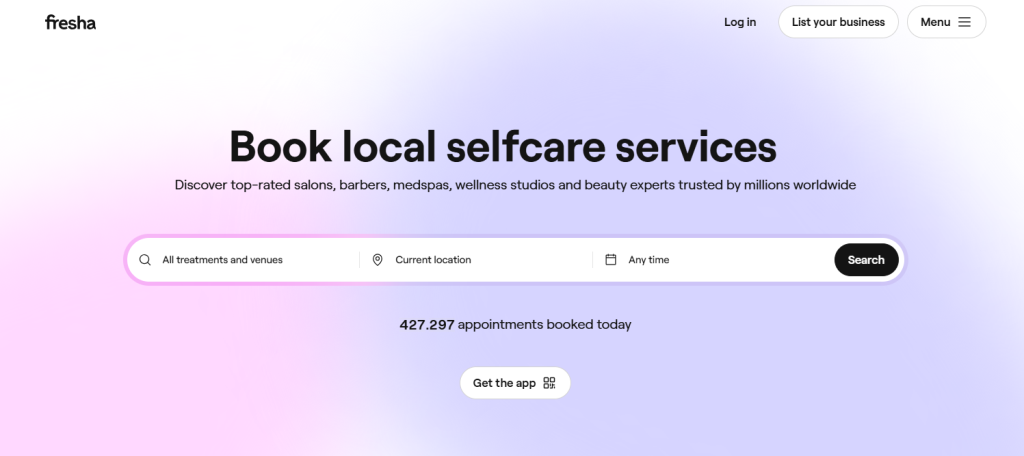
Fresha attracts attention because it doesn’t charge a monthly fee. Many small businesses use it to keep overhead low while still offering online bookings, appointment reminders, and point-of-sale tools. Its dashboard shows appointments, sales, and daily tasks all in one place. Fresha also handles client notifications and payment links without needing a separate system.
Pros:
No subscription cost for core features.
Clients can book online without jumping through extra steps.
Built-in inventory and POS tools help upsell retail products.
Cons:
Its free model includes transaction fees that can add up.
Advanced branding options are limited.
If you want deeper marketing tools or custom branding, you might hit a ceiling.
Pricing: Free subscription tier for solo stylists; Plus plan starting at $9.95 monthly per bookable team member.
Square Appointments
Best for: Teams that want booking and payments under one roof.
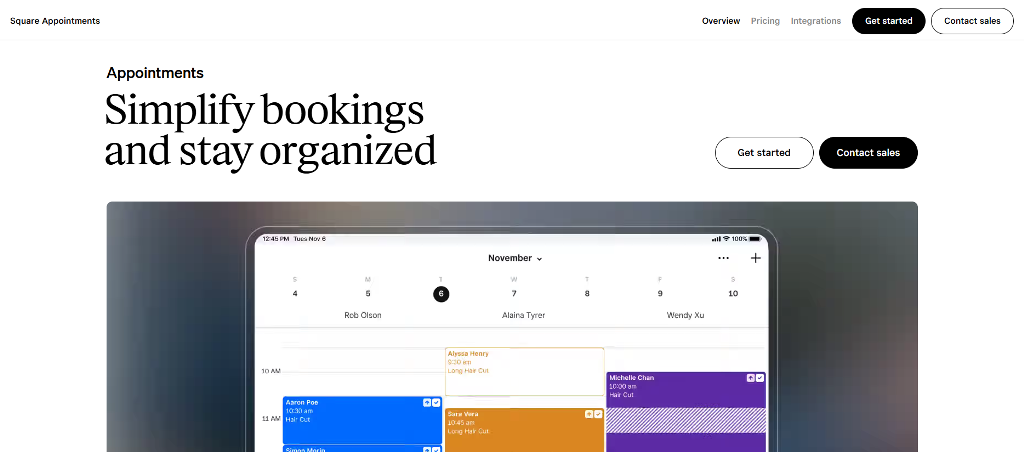
Square Appointments fits businesses that want tight links between schedules and payments. It handles online booking, client reminders, calendar management, and payments all in one interface. Salons that already use Square for retail or in-person checkout find this especially convenient.
Pros:
Unified system for bookings and payments.
Works smoothly with Square POS hardware if you need it.
Flexible plans for individual stylists up to multi-location shops.
Cons:
Processing fees apply to every transaction.
Some advanced features are gated behind higher plans.
True power comes when you lean into the broader Square ecosystem.
Pricing: Free core plan available; Plus plans start from $49/month.
GlossGenius
Best for: Solo stylists and small teams who want simple, stylish tools.
GlossGenius focuses on ease of use. The interface looks modern and is built around mobile devices first, so clients can book without fuss. It also includes built‑in payment processing and basic marketing tools. Many users say it feels friendlier than most legacy salon software.
Pros:
Simple setup with strong mobile booking experience.
Payments and tips handled in the same app.
Automatic reminders and no‑show protection built in.
Cons:
Customization options are limited compared to larger suites.
Monthly price can feel high for very small shops.
Some advanced reporting tools aren’t as rich as competitors.
Pricing: Plans typically start around $24 per month for basic tools, with payment processing fees around 2.9% + $0.30 per transaction on card payments. Tip and booking fees vary by region.
StyleSeat
Best for: Independent stylists and freelance beauty pros focused on discovery.
StyleSeat combines appointment booking with a built‑in marketplace where clients browse and choose providers. Many professionals compare Booksy vs StyleSeat when deciding how much visibility they want versus how much control they’re willing to give up. StyleSeat leans heavily toward discovery, which works well for stylists who rely on new client traffic rather than repeat bookings alone.
Pros:
Built‑in client discovery helps new customers find you.
Integrated reviews and profile pages make marketing easier.
Simple client reminders and calendar sync.
Cons:
Marketplace models often take a percentage per booking.
Custom branding is limited within marketplace listings.
Some users find the fee structure harder to predict.
Pricing: StyleSeat’s pricing is a $35/month subscription. Fees vary, but many pros report fees around 20–30% per appointment depending on features used.
Vagaro
Best for: Growing salons and multi‑location studios.
As one of the Booksy alternatives, Vagaro aims to be a full salon and spa management suite. It includes scheduling, client history, email marketing, and robust reporting. Many larger businesses use it because it scales from solo use to complex setups with many employees.
Pros:
Feature‑rich with advanced scheduling and client management.
Built‑in marketing tools and reporting dashboards.
Works for salons, spas, massage clinics, and fitness studios.
Cons:
Can feel overwhelming if you only need basic booking.
Some features are add‑ons that increase total cost.
Learning curve is steeper than the simplest tools.
Pricing: Vagaro plans generally start around $24 per month per user, with additional costs for added marketing tools or payroll/management modules. Payment processing is typically an extra fee similar to industry standards (~2.7% + per transaction).
Table: Quick Comparison of Top Alternatives
Platform
Pricing Model
Best For
Key Limitation
Booksy
$29.99 a month, with each additional team member costing an additional $20 a month
Marketplace exposure
Commission cuts on Boost
Fresha
Commission-based + Pro plan from $9.95 monthly per bookable team member
Budget salons
Limited custom branding
Square Appointments
Free + Plus plans start from $49/month.
Solo professionals
Best in Square ecosystem
GlossGenius
Monthly subscription from $24 per month
Luxury solo salons
No team scheduling
StyleSeat
Commission + subscription $35 per month
Discovery via marketplace
High fees, few customization options
Vagaro
Tiered pricing starting from $24 per month
Growing small salons
Feature overload
This chart gives a quick glance, but the real answer lies in how you work and what you’re building long-term. Some will benefit from plug-and-play tools. Others may need something custom.
Why a White-Label App Might Be the Real Upgrade
Most salons start with a booking tool that’s easy and cheap. That’s fine in the beginning. But over time, marketplace apps start to feel crowded. You end up competing on the same platform that’s supposed to support you.
That’s why more businesses are looking for Booksy alternatives that give them real ownership. A white-label app puts your brand front and center. Your name, your colors, your features. You’re not renting space—you’re building it.
Unlike apps like Booksy, white-label systems don’t promote competitors or charge you to get noticed. Clients book directly through your app or website without distractions.
Who Should Consider White-Label?
White-label works best when your brand already has momentum. It’s built for:
Independent stylists tired of marketplace rules
Chains with multiple locations that want full control
Professionals searching for StyleSeat alternatives that aren’t tied to commission-based pricing
If client loyalty matters more than discovery, white-label is the natural next step.
Build Your Own Booking System with Scrile Connect
If you’re tired of boxed-in templates and commissions that eat into your earnings, it’s time to consider building your own tool. Scrile Connect isn’t another off-the-shelf product. It’s a custom development service that helps you create a branded, white-label booking system from the ground up.
You decide how it looks, how it works, and how it fits into your business. No more bending to someone else’s logic. Whether you’re running a multi-location salon or offering one-on-one sessions as an independent provider, this is the foundation you actually own.
Here’s what you can build with Scrile Connect:
A client experience that starts with your brand, including custom sign-up flows, loyalty tiers, or exclusive content gates
A booking engine tailored to your service logic: split sessions, prep time buffers, or specialist-specific rules
A payment system that fits how you operate—whether you prefer Stripe, crypto, or bank transfers, with no platform cuts
A mobile-first interface that feels native to your clients, with styling and UX that match your brand
Admin tools that give you full oversight: analytics, appointment data, payout flows, and role-based access
If you’re serious about long-term control, Scrile Connect gives you a Booksy alternative that doesn’t ask you to compromise. It’s not a workaround. It’s your system, built your way.
Conclusion
Looking for Booksy alternatives usually starts with wanting something better—fewer commissions, more control, simpler tools. But the real upgrade doesn’t always come from picking a new app off a list. It comes from deciding you want full control over how your booking system looks, feels, and functions.
Pre-built software locks you into fixed designs, unclear fees, and crowded marketplaces where your brand fades into the background. Even if you switch tools, you’re still playing by someone else’s rules. But what if you didn’t have to?
When you build your own system, your branding stays front and center. Your payment logic, calendar flow, user experience—every part can reflect how your business actually works. That’s the core advantage of going custom.
Scrile Connect is a white-label development service, not a plug-and-play app. It gives you the tools to design your booking system from backend to interface—fully owned, commission-free, and made for your audience.
As one of Booksy alternatives, Fresha appeals to professionals looking for a free-to-use platform with built-in marketplace exposure. It doesn’t charge monthly fees but takes a commission on new client bookings. Booksy, on the other hand, charges a monthly subscription but gives providers more control through its optional “Boost” feature. This lets you pay for visibility when you need it—without giving up a cut of every new client. The better option depends on whether you value upfront savings or flexible control over marketing.
Is StyleSeat or Booksy better?
Many solo professionals prefer Booksy over StyleSeat, especially those frustrated by StyleSeat’s commission-heavy structure. Booksy offers flat-rate pricing with optional promotional tools, which can be easier to predict and manage. However, both platforms limit your control over branding and workflow, which becomes a problem as businesses grow.
Is there a free version of Booksy?
The Booksy app for clients is completely free to use. Clients can browse, book, and review appointments at no cost. For providers, however, Booksy charges a monthly subscription. Additional features like Boost or marketing automation may add to the total cost, especially if you rely on them to grow your client base.
Why do salons and barbers look for Booksy alternatives?
Most people don’t leave Booksy because they hate booking software. They leave because small frictions stack up: pricing feels unpredictable, branding control is limited, or the experience starts to feel like “renting space” inside someone else’s ecosystem.
When you’ve built loyal clients, the goal shifts from discovery to ownership. That’s when people prioritize direct booking links, clean client UX, and access to their own data without platform limitations.
What should I compare when choosing a Booksy competitor?
Compare the parts that affect your day-to-day operations: how fast clients can book, how rescheduling works, how reminders reduce no-shows, and how easily your team can manage calendars without extra steps.
Then check the “business layer”: branding control (logo/domain/booking page), data access, and whether the pricing model stays predictable as you add staff, services, and locations.
Is there a free Booksy alternative for salons?
Yes, some alternatives offer a “free to start” model. The catch is usually that the cost moves into transaction fees, add-ons, or paid upgrades once you want more branding control or advanced features.
A good rule: free is great for early-stage testing, but if you’re booking consistently every week, choose the model that keeps your costs predictable as volume grows.
Which Booksy alternative is best if I want booking + payments together?
If you want one system for scheduling and payments, prioritize platforms built around an “all-in-one” flow: booking, deposits, payment links, and receipts working together without messy workarounds.
This setup is especially useful if you sell retail, take deposits, or want clean reconciliation. It reduces admin time and usually improves the client experience because everything happens in one place.
What’s the best Booksy alternative for solo stylists who want a premium look?
Solo pros usually care about two things: the booking flow must feel modern on mobile, and the “front of house” (your booking page and messages) should look like your brand, not a generic directory listing.
If you’re positioning as premium, choose the option that supports clean booking pages, strong reminders, and no-show protection—because reliability is part of the brand.
Is StyleSeat better than Booksy for getting new clients?
StyleSeat is often used as a discovery channel, which can help if you rely heavily on new client traffic. The tradeoff is that marketplace-style platforms usually reduce branding control and make your business feel “one of many.”
If your growth comes mostly from repeat clients and referrals, you may prefer a tool that pushes clients to book directly with you and keeps the experience fully on-brand.
Which Booksy alternatives scale best for growing teams or multi-location salons?
Scaling changes what “best” means. You’ll want staff scheduling, permissions, service menus that don’t break when you add providers, client histories, and reporting that helps you run operations—not just fill the calendar.
Look for tools that handle complexity without becoming painful: location rules, buffers, recurring services, and consistent reminders across the team. If setup feels chaotic in week one, it gets worse at scale.
What’s the “white-label” upgrade, and when does it beat booking apps?
White-label means the booking system is presented as your own product: your domain, your UI, your flows, and your policy. You’re not just picking features—you’re owning the experience.
It starts to beat premade apps when your brand already has momentum and you want direct relationships, predictable economics, and the freedom to build “your way” instead of working around template limits.
Can I build my own Booksy alternative with custom rules and payments?
Yes. If your business needs booking rules that premade apps don’t handle well (prep buffers, split sessions, staff-specific logic, loyalty access, member-only booking), custom development lets you design the system around your operations.
A custom build also gives you flexibility on payments and monetization—so your platform can match your business model, not the other way around.
Which five Booksy alternatives does this guide recommend for 2026?
This guide focuses on five practical directions: budget-friendly booking tools, booking + payments ecosystems, premium solo-stylist experiences, marketplace-style discovery platforms, and full management suites for growth.
In the article’s shortlist, those map to Fresha, Square Appointments, GlossGenius, StyleSeat, and Vagaro—plus a “go white-label” option when you want full ownership.
Polina Yan is a Technical Writer and Product Marketing Manager, specializing in helping creators launch personalized content monetization platforms. With over five years of experience writing and promoting content, Polina covers topics such as content monetization, social media strategies, digital marketing, and online business in adult industry. Her work empowers online entrepreneurs and creators to navigate the digital world with confidence and achieve their goals.
Social media isn’t just a marketing instrument these days but a necessity for brands, agencies, and businesses looking to stay relevant and competitive. Yet, maintaining active, compelling presence on various platforms requires skill, time, and constant adaptation to algorithm adjustments and trending trends. For most businesses, it’s an operational burden, leading to missed opportunities and fragmented branding.
Having in-house social media managing personnel costs, as professional planners, creators, and analyzers must be hired. On the other hand, managing multiple client accounts as an agency has the effect of diluting the available staff. That is why businesses and agencies are finding more and more that they are searching for outsourced solutions that provide full-service social media management without the need to build everything from scratch.
White Label Social Media Management in 2026: Platform vs Software vs Services
Instead of struggling to keep up with daily posting, engagement tracking, and advertising optimization, companies are now adopting turnkey solutions that allow them to scale without the growing pains. Businesses want to expand their service offerings, while agencies want to increase revenue without adding operational complexity.
That’s where white label social media management services come in—providing an efficient, cost-effective way to offer high-quality social media services under your own brand. Whether you’re an agency looking to resell social media solutions or a business seeking automation and optimization, these services allow for seamless scalability.
In this article, we’ll explore the best platforms, posting software, and automation solutions that make managing social media easier. We’ll also discuss custom development options for businesses that want to create their own white label social media platform instead of relying on third-party tools.
What Are White Label Social Media Management Services?
White label social media management can mean either software or a done-for-you service.
A white label social media management platform/software gives you a branded dashboard (your logo, domain, client portal, reports) to run scheduling, approvals, analytics, and inbox workflows for many clients.
A white label social media service goes further: the provider also creates content, publishes, and manages engagement — but everything is delivered under your agency brand.
White label social media management services allow businesses and agencies to offer social media marketing solutions under their own brand without having to build the infrastructure or hire a dedicated team. They are offered by third-party platforms that perform all the work, from the planning and dispatch of the messages through engagement monitoring and analysis to the management of the ads, but the reseller markets it as their own service.
White label solutions offer the simple solution for businesses, influencers, and marketing agencies to expand without the high cost associated with in-house development. Companies need not spend months building a custom social media software solution on their own. They may easily implement a proven solution created and focus on building their client base.
Key Benefits of White Label Social Media Services
One of the biggest advantages of using white label social media software is that it eliminates the technical and operational burden of managing multiple client accounts. Businesses can offer professional social media services without worrying about software development, platform maintenance, or hiring additional staff.
No In-House Development Needed. No need to make any investments in automating software, software programmers, or social media planners. The provider does all the work.
Scales Quicker and Client Acquisition. Agencies are able to include services in their portfolio immediately, boosting their revenue without the added work.
Branded Experience End to End. The clients are provided with the fully branded experience, thus making the agency look as though it designed the platform internally.
Who Benefits from White Label Social Media Management Software?
These services are ideal for:
Digital marketing agencies looking to offer social media solutions without hiring additional staff.
Freelancers and consultants who want to provide fully managed social media services to their clients.
Influencers and content creators seeking a way to monetize their expertise by offering social media management as a service.
Large businesses and enterprises that want to outsource their social media marketing while maintaining full branding control.
With the right white label social media platform, businesses can deliver high-quality social media services, improve client retention, and grow their revenue—all without the hassle of running an in-house team.
Key Features to Look for in White Label Social Media Management Software
Choosing the right white label social media management software is critical for agencies and businesses looking to provide a seamless, branded social media experience for their clients. The best platforms go beyond just scheduling posts—they offer automation, collaboration, analytics, and security features that make managing multiple accounts efficient and scalable.
Social Media Scheduling & Automation
A strong scheduling and automation system is at the heart of any white label social media platform. Bulk posting, automated scheduling, and AI-driven optimization ensure content is published at the best times for engagement without manual intervention. Advanced tools allow agencies to plan weeks or months’ worth of content in advance, streamlining workflows.
Content Curation & Creation Tools
Social media success relies on high-quality, engaging content. Many platforms include pre-built design templates, AI-generated captions, and customizable graphics to help teams create posts quickly. An integrated library ensures consistency in branding with less human time spent creating the content.
Collaboration & Approval Workflows
Where agencies work with more than one client, collaboration across several users is a requirement. White label social media platform must therefore incorporate multi-user permission, approval workflows, and role-based permission to aid in maintaining the brand consistency. Clients should be able to review and approve content before it goes live, making communication more efficient.
Analytics & Reporting
Data-informed decision-making paves the path to social media triumph. A top-notch platform provides white-label branded reports, which facilitate agencies in offering bespoke performance metrics with their own branding. Engagement rates, audience growth, click-through rates, and measurement via ROI enable businesses to optimize their strategies and demonstrate concrete results to clients.
Client Dashboard & Branding Options
The best white label social media software allows for full dashboard customization to reflect an agency’s branding. This means custom logos, domain integration, and personalized interfaces, ensuring a seamless client experience that strengthens brand authority.
Security & Compliance
Having several clients’ accounts requires stringent security controls. Complying with GDPR, role-based access, and encrypted storage ensures that sensitive data is kept safely but in line with industry standards.
Selecting the right white label social media management platform ensures that agencies can scale efficiently, provide high-value services, and maintain full brand control without the need for in-house development.
Top White Label Social Media Management Services & Posting Tools
The right white label social media management services make all the difference for businesses and agencies that need to streamline content creation, creation, planning, and analysis under their own brand. From the many different white label social media software, the optimum selection would be one that has scalability, automation, brand-ability, and affordability as its criteria. Below are the reviews of some of the major platforms that offer white label social media posting and management solutions.
SocialPilot – Scalable Scheduling and Automation
SocialPilot is a comprehensive white label social media platform designed for agencies and businesses managing multiple client accounts. It offers bulk scheduling, AI-driven automation, and custom reporting, making it an efficient tool for handling high-volume posting.
Key Features:
Multi-account management for social media teams.
Automated scheduling to optimize post timing.
Custom-branded reports for client analytics.
Best for: Agencies that need affordable, scalable automation for posting and client reporting.
Its white label solution is built for agencies that want a client-facing branded dashboard and reports under their own brand.
Sendible – White Label Dashboards & Team Collaboration
Sendible provides a fully branded white label social media app for agencies wanting a professional, customizable dashboard. The platform allows teams to collaborate on content creation, assign roles, and manage approval workflows before publishing.
Key Features:
Custom domain support for a branded experience.
Client approval workflows to streamline content publishing.
Advanced engagement tracking with built-in analytics.
Best for: Agencies looking for a client-friendly white label social media management platform with strong collaboration tools.
Sendible is a white label social media management software for agencies that need a fully branded client dashboard. You can brand the experience with your logo and a custom domain, so clients interact with your agency — not a third-party tool. White label pricing is offered as a dedicated tier (starting from a published baseline price, scaling with users).
PromoRepublic stands out with its AI-powered content creation tools, helping agencies generate branded visuals, AI-generated captions, and industry-specific content suggestions.
Key Features:
Pre-made design templates for social media posts.
AI-driven content recommendations based on engagement trends.
Social media calendar management for better planning.
Best for: Agencies that want content creation tools alongside scheduling.
Cloud Campaign – Ideal for Agencies with Automated Workflows
Cloud Campaign offers fully automated social media management, allowing agencies to run entire client accounts with minimal manual work. It’s built for resellers looking to scale efficiently.
Key Features:
Evergreen content recycling for continuous posting.
Client-ready dashboards with full branding customization.
AI-powered scheduling and automation.
Best for: Agencies focused on automation and large-scale client management.
Vendasta – Full-Service Social Media Automation for Resellers
Vendasta is a white label social media software built for agencies, resellers, and digital marketers looking for an all-in-one marketing automation platform.
Key Features:
Pre-built white label solutions for social media, SEO, and PPC.
Integrated social media posting tools with analytics.
Scalable automation features for resellers handling multiple clients.
Best for: Businesses looking for comprehensive digital marketing solutions, not just social media management.
The best white label social media services depend on business goals, budget, and client needs. For agencies looking for AI-powered automation, Cloud Campaign and PromoRepublic are excellent choices. If branding and client collaboration are priorities, Sendible and SocialPilot offer strong white label social media posting tools. Meanwhile, for resellers seeking full-service automation, Vendasta provides an all-in-one solution.
Using a white label social media management platform allows agencies and businesses to expand their offerings, improve efficiency, and maintain full brand control, ensuring a seamless experience for clients while scaling operations effectively.
Vendasta also offers fulfillment-style social media management services (experts delivering work under your brand), which fits agencies selling a true white label social media service, not just software.
White Label Social Media Platforms vs. Custom Development
When choosing between white label social media management software that is pre-built and developing your own platform, a business must consider its ability to scale, brand control, and long-term flexibility for clients. While “turnkey” sized solutions can provide a fast and cost efficient way to begin, they come with limitations upon growth and customization.
White label social media management software is meant for agencies who want an off-the-shelf software that is ready to use, and has features of scheduled posts, report analytics, and dashboard for clients. Platforms like these allow a business to use their own business name on the service, providing the same item for their clients without having to build it from the ground up. The big benefit is speed—only a few days are required for implementation, and hence it is well-suited for those agencies that must add services in a hurry. The drawback is that the solutions usually have limitations in the form of fewer features, and businesses are restricted to the capabilities of the software vendor.
Alternatively, custom solutions offer complete flexibility. Rather than having to conform to off-the-shelf software, businesses are able to build a fully branded, scalable solution that perfectly suits their business needs. Such solutions offer custom UI/UX to target audiences, enabling more interactive and personalized user experiences. It also provides complete control over monetization models, enabling businesses to offer subscriptions, content paywalls, or premium memberships without restriction.
For organizations needing full ownership and unlimited growth potential, bespoke development is the better choice. Although it requires greater initial investment, it allows for long-term scalability and total control over branding, functionality, and user data, making it a future-proof solution compared to off-the-shelf software.
⚖️ White Label Social Media Software vs Building a White Label Social Network Platform
If you only need a white label social media management platform, a third-party tool may be enough. But if your goal is a white label social network platform (your own product with accounts, feeds, messaging, paid features, and full data ownership), you’re no longer “reselling software” — you’re building a platform.
Feature
Standard White Label Tools (e.g., SocialPilot, Sendible, PromoRepublic, Cloud Campaign, Vendasta)
Scrile Connect (Custom Build)
Branding
Limited white-labeling (logos, custom domains)
100% custom UI/UX, designed for your niche
Monetization
Restricted to subscriptions, reselling licenses
Full freedom: subscriptions, PPV, tips, memberships, live-stream monetization
Scalability
Good for small/medium agency use, limited under heavy load
Cloud-based, built to scale from hundreds to millions of users
Features
Scheduling, analytics, client dashboards
Engagement tools, private messaging, monetization modules, live streaming
Future-proof — tailored to your goals and expandable via custom dev
Scrile Connect: The Best Custom Development Solution
For businesses looking to launch their own branded social media platform, Scrile Connect provides a fully customizable development solution that goes beyond generic white label social media management services. Unlike off-the-shelf social media software, which often imposes branding restrictions, limited monetization options, and dependency on third-party APIs, Scrile Connect offers a tailored approach to social media management that ensures complete control, scalability, and flexibility.
Scrile Connect is designed for businesses that want to own and operate their own social media platform without relying on external software providers and delivers a fully customizable social media management experience:
Advanced UI & UX Customization. Unlike standard white-label solutions, Scrile Connect allows businesses to fully design their interface, adapting it to their brand identity, user preferences, and specific niche market needs.
Automated Content Scheduling & Publishing. The platform includes built-in social media posting tools, allowing users to schedule, automate, and manage posts across multiple channels without third-party integrations.
User Engagement & Interactive Features. Scrile Connect supports real-time interactions, content monetization, and private messaging, creating an engaging social experience for users.
Comprehensive Monetization Options. Businesses can implement subscription models, pay-per-view (PPV) content, premium memberships, tipping systems, and live-stream monetization, ensuring full revenue control without third-party restrictions.
Scalable Infrastructure. Whether serving hundreds or millions of users, Scrile Connect’s cloud-based architecture ensures fast performance, high security, and seamless scalability.
End-to-End Security & Compliance. The platform provides GDPR compliance, encrypted transactions, multi-factor authentication, and AI-driven fraud prevention, ensuring a secure and trustworthy user experience.
Data Ownership & API Independence. Unlike traditional white label social media software, Scrile Connect allows businesses to retain full ownership of their user data and operate without relying on external API providers.
Why Scrile Connect Stands Out from Traditional White Label Social Media Apps
Many similar applications place constraints on use of branding, monetization decisions, and growth for business owners so they can operate only within those constraints. However, when you discover Scrile Connect, you have:
Full Customization. Business owners will be able to customize every thing about their own platform so that it is a distinct experience and can customize based upon audience influence.
Full Control over All Revenue. Business Owners will never pay a percentage of their revenue for a subscription to an app to utilize their own; therefore there would never be a rollback of revenue or take a sense of ownership from the process.
Seamless Integration & Expansion. With our API, Business Owners can administer their customized integrations with other application applications and do so without increasing any operational costs to their business while they effectively add functionality to their service.
For entrepreneurs, small businesses, and agencies looking for a fully customizable and scalable social media engagement platform, Scrile Connect is your development partner.
Conclusion
While there are currently many white label social management services, businesses can find scalable management platforms of social engagement without having to try to internally build their own. The right path should be driven by the business plan in place and if in fact it needed a takeaway model, some custom development or niche development. Scrile Connect presents the best fully customizable platform to own their brand appropriately with better social engagement and sustainable monetization model.
If you are looking for a scalable social media platform; if you would like custom premium features; individualized data ownership; and ability to deeply customize, give Scrile Connect a try today!
FAQ – White Label Social Media Management Services (Software, Dashboards & Fulfillment)
What are white label social media management services?
White label social media management means you deliver social media services under your own brand, while a third party provides the platform, the work, or both. Your client sees your logo, your portal, and your reporting — not the vendor’s brand.
It’s a shortcut to scale: you can sell “agency-grade” social media management without building software from scratch or hiring a full in-house content + analytics team.
What’s the difference between white label software and a white label done-for-you service?
White label software gives you a branded dashboard to run scheduling, approvals, analytics, and inbox workflows across multiple clients. You still do the strategy and content (or manage freelancers), but the platform makes operations scalable.
A white label service goes further: the provider also creates content, publishes posts, and sometimes handles engagement — but it’s delivered as if your agency did the work.
Who benefits most from white label social media management?
It’s ideal for agencies that manage many client accounts and need repeatable workflows. It’s also popular with freelancers/consultants who want to “look like an agency” with a client portal and branded reports.
Brands can use it too when they want outsourced execution but still want their stakeholders to see a clean dashboard, approvals, and performance reporting under one consistent system.
What features should a white label social media platform include?
The basics are scheduling, multi-account management, collaboration, approvals, analytics, and a client-facing portal. The “real” features that save time are bulk scheduling, content calendars, reusable templates, and automated reporting.
If you’re reselling it to clients, branding options matter too: custom logo, custom domain, and white-labeled reports that look like they were built inside your agency.
Do white label tools support client approvals and team permissions?
Good platforms support multi-user roles, approval workflows, and permission levels — so your team can draft content while clients review and approve before anything goes live.
This is one of the biggest “agency scaling” levers, because approvals stop living in email threads and become part of a predictable pipeline.
How does scheduling and automation work for multiple clients?
Most platforms focus on bulk scheduling, queue-based posting, and calendar planning so you can prepare weeks of content at once. Some also offer “evergreen” recycling and time-optimization features to reduce manual posting decisions.
The practical goal is simple: your team should spend less time clicking “publish” and more time improving creative, offers, and engagement patterns.
How do white label analytics and reporting work?
White label reporting means performance dashboards and exports (PDF/links) carry your branding. Instead of sending raw screenshots from third-party tools, you deliver a consistent “agency report” clients can understand.
Useful reports connect metrics to decisions: engagement rate, audience growth, click-throughs, and what content types are driving results — not just charts for the sake of charts.
Which white label social media tools are popular in 2026?
Popular categories include scheduling + reporting platforms, collaboration-first dashboards, and content-creation-assisted tools. In your article, examples include SocialPilot, Sendible, PromoRepublic, Cloud Campaign, and Vendasta. :contentReference[oaicite:7]{index=7}
A good selection rule: if branding + approvals matter most, pick a client-portal-first tool. If speed and volume matter most, pick an automation-first tool. If you want “all-in-one reseller automation,” choose a broader suite.
How do agencies price white label social media management and keep margin?
Most agencies separate software cost from service value. The platform is your operational layer; the client pays for outcomes: strategy, content quality, consistency, and performance improvements.
Margins stay healthy when you productize delivery: defined packages (posting frequency + channels + reporting cadence), standardized approval workflows, and repeatable content systems that reduce manual effort per client.
When should you build a custom white label platform instead of using third-party tools?
If you only need management (scheduling, approvals, reports), third-party tools are usually enough. But if you’re building an actual product — your own social network with accounts, feeds, messaging, paid features, and full data ownership — that’s a different game.
Custom development makes sense when you need full UI/UX control, monetization freedom, and API independence — so your roadmap isn’t limited by a vendor’s features or platform policies.
Polina Yan is a Technical Writer and Product Marketing Manager, specializing in helping creators launch personalized content monetization platforms. With over five years of experience writing and promoting content, Polina covers topics such as content monetization, social media strategies, digital marketing, and online business in adult industry. Her work empowers online entrepreneurs and creators to navigate the digital world with confidence and achieve their goals.
Someone is trying to book help on a website. They’re typing questions into a chat box, toggling to email, copying links into a video app, switching windows back and forth. It feels disjointed and slightly ridiculous — all anyone wants is to just look at each other and talk. A real conversation is faster than a thread of messages, clearer than a support article, and more personal than an FAQ page.
Businesses feel this shift. People aren’t only looking for answers; they’re looking for presence. They want to see who they’re dealing with, know they’re heard, and feel like they’re in the right hands. Which is why so many companies choose to integrate video call into website directly instead of sending users off to external platforms.
This isn’t about adding “another feature.” It’s about making the moment of contact simple, human, and direct — and building trust the second the camera turns on.
Why Businesses Are Embedding Video Calls
When someone reaches out for help, guidance, or information, they aren’t just asking for data — they’re reaching for clarity. Talking face-to-face speeds that up. A real conversation builds trust faster than chat threads, email chains, or form submissions. That’s why companies of all sizes have started to integrate video conferencing directly into their sites. It reduces friction. It turns hesitation into action.
Some fields feel the impact immediately:
Telehealth and therapy, where tone and presence matter.
Coaching and education, where guidance happens in the moment.
Real estate tours, where a camera can walk someone through a space miles away.
Product demos and sales, where understanding comes through demonstration.
Customer support, where empathy is part of the solution.
The benefits are practical and visible:
No switching between platforms
A private space that aligns with the brand’s tone
Higher conversation-to-purchase conversion
Clients feel like they’re being taken seriously
It also changes the emotional dynamic. When someone sees your face, hears your voice, and has your attention, they relax. The whole interaction softens.
Picture this: a counselor meets a new client. Instead of a generic meeting link, the client opens a secure page on the counselor’s own site. One click. They’re there. No passcodes. No confusion. Just the two of them, present.
This is the core value of choosing to integrate video call into website: the conversation happens inside your space. Not rented from a third-party app. Not shared with random participants in a waiting room.
It feels grounded. It feels intentional. And it shows the person on the other side that you’re willing to meet them directly.
Approaches to Adding Video Calling
There isn’t just one way to place video inside a website. The right method depends on how much control you want over the experience, how fast you need to launch, and how personal the interaction should feel. Some businesses just need a simple, click-to-join call window. Others want something shaped around their workflow — scheduled sessions, login permissions, private rooms, recorded consultations, and clear identity handling.
So the choice usually comes down to two paths: something fast and lightweight, or something more customizable and long-term.
Simple Embeds (If You Need Something Fast)
The quickest way to put video inside your website is to embed video conferencing using an iframe, widget, or pre-built room link. It’s essentially the same as embedding a YouTube video — except this one is interactive.
This works well if you’re testing an idea, launching quickly, or running small sessions. You paste a short code snippet into your site, and the call window appears wherever you want it.
Pros:
Very fast to launch
Minimal setup
Works even if you have limited technical skills
Cons:
You don’t control the exact layout or styling
The call experience may not fully match your brand
Feature set is whatever the provider supports — no deep customization
It’s a solid way to start, especially if your priority is getting conversations happening today. But once your calls become part of your core service, you’ll likely want tighter control.
Using an API or SDK for Custom Control
APIs and SDKs allow you to build something that feels like your own.
An API provides the underlying functions — start call, end call, manage participants, handle permissions. You connect these to your server and user system.
An SDK gives you building blocks: interface components, device controls, screensharing buttons, chat panels — pieces you can arrange the way your workflow needs.
This approach fits businesses that care about:
The flow of how a call begins and ends
How users log in or authenticate
Consistent brand look across every screen
Stability under many simultaneous sessions
It also gives room to work with video quality tuning, WebRTC performance, and mobile responsiveness — so the call doesn’t freeze the moment someone switches to 4G.
You can embed video conference elements inside custom pages, or use an embed video conferencing API to connect sessions directly to your user accounts. Teams that want recurring sessions or classroom-style layouts often choose to integrate video conference SDK solutions. And when scaling across many users, video conferencing API integration keeps performance stable while giving you control.
This route asks for more thought, but the experience becomes fully yours — and that’s where things start to feel polished and intentional.
Use Cases & Industries That Benefit Most
Video calling makes the most difference in moments where tone, timing, and presence matter. Not broad categories — real, human situations.
A therapist checks in with a client who’s been having a rough week. The call opens directly inside the therapist’s site — no codes, no lobby screens. The client sees a familiar face and relaxes. This is why some professionals choose to add video conferencing to your website instead of sending people off to third-party apps. The container of the session becomes part of the care.
A language tutor has weekly lessons with students from different cities. They meet in the same branded call room every time. The whiteboard is always there. The notes remain. The environment feels stable — like a classroom that happens to live online. That consistency is what makes progress feel real.
A fitness coach leads a client through slow breathing and shoulder positioning. The client mirrors movements in real time. If the coach had to explain that through chat messages or recorded clips, it wouldn’t land the same way.
A support specialist helps someone troubleshoot something technical. They can see the person’s expression shift from frustration to relief. That emotional shift is the actual service.
If you’ve ever wondered how to add video calling to your website, the answer starts here: think of the moments where being present changes the outcome. That’s where the work feels meaningful — and where embedding video becomes more than just a feature.
Practical Considerations: UX, Privacy, Stability
Once you integrate video call into website, the way the call feels becomes as important as the call itself. A session can technically “work,” but if the user is staring at confusing pop-ups, tiny buttons, or shaky video, the atmosphere breaks. The goal is to make the call start smoothly and stay grounded.
One of the first points is the camera + microphone permission step. If the browser throws a generic permission box with no context, people hesitate. A short line like: “We’ll use your camera for the session — you can disable it anytime” removes uncertainty instantly.
Connection quality and layout shape emotional tone. The interface should stay calm, uncluttered, and steady even when bandwidth shifts. Smooth fallback (resolution adjusts instead of freezing) keeps the conversation intact.
Some features genuinely help when used with intention:
Chat: for sending links, spelling names, clarifying short points
Screen sharing: when explaining steps or showing visual materials
Session notes: for tutors, therapists, or coaches who track progress
Mobile support matters too. A person holding a phone upright shouldn’t struggle to see the other person’s face. Keep controls reachable by thumb. Keep gestures simple.
Privacy needs to be visible, not assumed. People trust environments where the rules are clear:
Calls are encrypted
No recording happens without consent
Data stays within the host’s system
Whether you use an SDK, a custom integration, or simply embed video call into a page, the core aim is the same: make the interaction feel natural enough that the technology disappears in the background.
Implement Turnkey Video Calling with Scrile Stream
At some point, the video calls become part of the core service — not just an add-on. When that happens, you need something that feels like it belongs to your business. Scrile Stream is built for that. It’s not a template-based meeting room or a generic conferencing app. It’s a custom development service that shapes the video experience around how you work.
You aren’t forced into someone else’s layout or workflow. You choose:
Scheduling & waiting rooms — structured or flexible
Authentication rules — private communities, client lists, team access
Everything stays inside one branded environment. No jumping to external meeting links, no “download this app first.”, no platform logos overshadowing your own identity. Your clients feel like they are entering your space, not someone else’s.
This matters most when the connection itself is part of the business — therapists, coaches, tutors, advisors, support teams, consultative sales. The video call becomes the room where trust builds.
And when you integrate video call into website using Scrile Stream, you keep ownership over your data, your users, and your revenue. The platform grows as you grow — from one-to-one sessions to group calls, private communities, or structured programs.
If the goal is to make the call feel natural, intentional, and seamlessly part of your world — Scrile Stream gives you the foundation to build exactly that.
Conclusion
Video isn’t just a function. It’s the moment two people see each other and understand what they mean. When you integrate video call into website, you keep that moment inside your own environment — not scattered across links, downloads, and third-party interfaces. The relationship lives where your brand lives.
The advantage shows up quickly: conversations feel smoother, trust builds faster, and decisions happen with less confusion. People feel taken care of when the call experience matches the tone of the service behind it.
If you want help shaping a video space that feels personal, steady, and connected to how your business actually works, talk to Scrile Stream. They build the environment to fit you — not the other way around.
FAQ – Integrate Video Call Into Website (Embed vs SDK/API, UX, Privacy)
Quick answers for teams adding video calls to a website: the fastest options, what “custom” really means, and how to keep the experience calm and reliable.
What’s the fastest way to integrate a video call into a website? ▾
The fastest approach is a simple embed: an iframe, widget, or a pre-built room component you paste into your page. It’s “video inside your site” with minimal engineering.
This is ideal for testing demand, launching quickly, or running small sessions. The tradeoff is control: the UI and features are mostly defined by the provider, not by your product logic.
Embed vs API/SDK: what’s the real difference? ▾
Embed is plug-and-play. You get a working call window fast, but you don’t fully control layout, permissions flow, or how the experience matches your brand.
API/SDK means your product controls the experience: how calls start/end, who can join, how authentication works, and which UI blocks (chat, screenshare, waiting room) appear. It takes more effort, but the call feels like it truly belongs to your website.
Do I need WebRTC to add video calling to my website? ▾
Not directly. Many embeds and SDKs already use WebRTC under the hood, so you don’t have to implement “raw WebRTC” yourself.
You only go deep into WebRTC when you need advanced control (performance tuning, custom layouts, special routing/recording rules, or large-scale concurrency). For most businesses, an SDK/API gets you 80–90% of the control without reinventing the stack.
How do I create private rooms and restrict who can join? ▾
The cleanest approach is tying calls to your user system: authenticated sessions, role-based access (host/client/guest), and server-generated room tokens (or one-time links) that expire.
This is where API/SDK integrations shine: you can enforce “only booked users,” protect links from being forwarded, and show different controls depending on role (host can screenshare; guests can’t).
How do I reduce friction with camera and microphone permissions? ▾
People hesitate when the browser shows a generic permission popup with no context. Add a short pre-permission message like: “We’ll use your camera for the session — you can disable it anytime.”
Also give obvious fallbacks: join with mic only, switch camera, test devices, and clear “what to do if it doesn’t work” guidance. A calm onboarding moment makes the whole call feel more trustworthy.
What features should I add beyond “just video”? ▾
The highest-impact extras are small and practical: chat (links, names, quick clarifications), screen sharing (walkthroughs, demos), and session notes (coaching, tutoring, consulting).
Don’t overload the UI. Video calls feel better when controls are obvious, minimal, and consistent across desktop and mobile. Add features that support the conversation—not features that distract from it.
How do I keep calls stable on mobile and weak connections? ▾
Mobile stability is about graceful fallback: adaptive video quality (resolution adjusts instead of freezing), strong reconnection logic, and an interface that stays usable when bandwidth drops.
Design for thumbs and small screens: big tap targets, simple layouts, and controls that don’t hide the other person’s face. The goal is to keep the interaction steady even when the network isn’t.
What privacy and security expectations should I communicate? ▾
Privacy should be visible, not assumed. Clearly state: calls are encrypted, recordings don’t happen without consent, and how data is handled (what you store, for how long, and why).
If you’re in sensitive industries (health, therapy, legal), this is non-negotiable UX. People trust sessions when the rules are explicit and the interface feels intentional.
Can I monetize video calls directly on my website? ▾
Yes. Common models are paid 1:1 sessions, packages, subscriptions/memberships, and paid group calls. Monetization works best when payments, access rules, and session entry are one connected flow (not “pay somewhere else, then get a link”).
If video is central to your service, plan for scheduling, waiting rooms, roles, and clean authentication. That’s the difference between “a call that works” and “a system you can run as a business.”
When should I choose a turnkey/custom solution instead of a generic conferencing tool? ▾
Choose turnkey/custom when video calls are part of your product identity: you need your own branded space, consistent UX, user roles, private access rules, and monetization that fits your model.
This approach also helps when you’re scaling beyond occasional calls into a real platform (coaching programs, telehealth, tutoring, consultative sales, support). You get a foundation that grows with your workflow instead of forcing you into someone else’s layout and limits.
Polina Yan is a Technical Writer and Product Marketing Manager, specializing in helping creators launch personalized content monetization platforms. With over five years of experience writing and promoting content, Polina covers topics such as content monetization, social media strategies, digital marketing, and online business in adult industry. Her work empowers online entrepreneurs and creators to navigate the digital world with confidence and achieve their goals.
Over the past several years, Kajabi has become one of the better-known tools for launching online courses, coaching programs, and membership-based businesses. It’s often praised for being an all-in-one platform—offering website creation, email marketing, course hosting, and payment processing in one dashboard. For many professionals, it felt like a dream setup when the market was still figuring itself out. But now? Things have changed.
In 2026, the digital landscape is more diverse—and so are the needs of those using platforms like Kajabi. What once felt convenient now feels restrictive for a growing number of users. The most common frustration isn’t that Kajabi doesn’t work—it’s that it doesn’t work the way people actually want it to. That gap has given rise to a growing interest in Kajabi alternatives.
A large portion of its user base includes real-world professionals building meaningful businesses online. We’re talking about teachers who want to build interactive e-learning spaces without being boxed into rigid templates. Tutors running paid video sessions. Business and life coaches who need reliable client scheduling tools and seamless video consultations. And wellness or nutrition consultants who want a home for their premium content and community—but on their terms.
The issue many of these users face with Kajabi comes down to three things: pricing, design control, and platform flexibility. Monthly plans can add up quickly, especially for those just starting. Design options feel cookie-cutter and overly brand-centered. And the platform isn’t always built to handle real-time sessions, one-on-one client work, or more dynamic business models that blend content, services, and personalization.
That’s why this article exists. If you’re one of the many professionals looking for a smarter, more adaptable tool to power your online business, we’ve pulled together a fresh look at the best Kajabi alternatives available in 2026. Whether you’re aiming to build a robust e-learning site, offer paid consultations, or launch a hybrid service model, you’ll find something here that actually fits how you work.
Custom development (one-time or scalable project-based)
*Pricing as of 2026 — may vary by plan and usage.
What to Look for in Kajabi Alternatives
Choosing the right platform to build your online business isn’t just about picking the trendiest name or following what others use. It’s about matching tools to your specific workflow, your audience, and how you actually deliver value. That’s where many professionals run into trouble with Kajabi—it tries to do everything for everyone but can fall short when your needs are a little more specific.
Customization Is Key
When looking at alternatives to Kajabi, the first thing most people care about is control. That means customizable design—being able to make your site feel like your own. For teachers, tutors, or wellness consultants, it’s not just about logos and colors. It’s about structuring landing pages around your method, not someone else’s template. Some platforms offer drag-and-drop builders; others let you start from scratch. The right choice depends on how much freedom you need and how comfortable you are working behind the scenes.
Video Tools Matter More Than You Think
Another big factor is how the platform handles video. If you’re running a coaching program, private tutoring, or live webinars, you need smooth video hosting—or even better, built-in video chat. Some platforms rely on third-party tools like Zoom, while others bake video directly into the user experience. If real-time sessions or video courses are central to your work, this one’s non-negotiable.
Payments, Scheduling, and Automation
You’ll also want to pay attention to payments and scheduling. Platforms that support Stripe or PayPal are helpful, but even better are those that automate billing, renewals, and allow you to set different pricing tiers. Coaches, consultants, and educators offering one-on-one sessions will benefit from a tool that combines client calendars, payments, and CRM features in one spot—without duct-taping together half a dozen apps.
Flexible Course and Content Management
Then there’s how you manage your content. Whether you run weekly classes, drip content over months, or sell one-off resources, you need course and membership tools that don’t lock you into one specific format. Some platforms are rigid. Others are modular, letting you build however you like.
Scalability and Pricing
Lastly, pricing and scalability always come into play. Some prefer low-cost platforms with minimal setup. Others want a tool that can evolve with their business. Neither is wrong—but it’s worth thinking about what kind of growth you want over the next few years, and whether the platform you choose will keep up.
Top 5 Kajabi Alternatives in 2026
If Kajabi doesn’t quite fit your workflow or budget anymore, you’re not alone. Many educators, consultants, and service providers are actively looking for the best websites like Kajabi—tools that let them stay flexible, grow with their business, and avoid getting locked into rigid templates or pricing tiers. Whether you’re managing a tutoring platform, a coaching business, or a virtual wellness practice, there are better options out there in 2026.
Below are five standout platforms, each serving a slightly different audience. You’ll find tools for structured online learning, flexible content delivery, live sessions, and more personal one-on-one consulting—each with its own strengths and quirks.
Thinkific
Best for: Educators, institutions, and training organizations that offer structured online learning.
Thinkific continues to stand out as a strong kajabi alternative, particularly for those whose core offering is a formal course rather than real-time coaching. It’s ideal for anyone building a self-paced curriculum—like online teachers, professional certification providers, or trainers offering bundled video lessons.
Its course builder is intuitive, with modules that support video, audio, downloadable PDFs, and interactive quizzes. You can create learning paths with locked lessons, drip-scheduled content, or tiered access for different pricing plans. Students can also earn certificates upon completion, a feature many other platforms bury behind third-party tools.
Strengths:
Built-in course creation tools with no need for extra plugins
Drip content scheduling, completion tracking, and assessments
Seamless Stripe and PayPal integration for paid courses
Clean student dashboards with branding options
Free plan available for smaller projects or trial phases
Limitations:
Design flexibility is fairly limited—especially if branding and layout control matter to you
Community features and coaching tools are minimal
No native video chat or real-time interaction tools
If you’re focused on professional online education and need a platform that “just works” out of the box, Thinkific delivers. But if your business involves live calls, consulting, or customized client workflows, you’ll likely need to look elsewhere.
Teachable
Best for: Independent coaches, consultants, and tutors offering digital products and personalized services.
Teachable is a widely used Kajabi competitor that makes it easy to launch, sell, and manage courses or coaching offers with almost no technical overhead. If you’re an individual or small business with a few core services—say, a life coach selling a 6-week program or a tutor running weekly Zoom sessions—it gives you just enough to get started and stay organized.
Its key advantage is simplicity. You can build a landing page, host a video course, and start charging clients all in a single afternoon. The checkout system is fast, mobile-friendly, and integrates with Stripe or PayPal for smooth transactions. Coaching features allow for direct scheduling, progress tracking, and basic intake forms—all built into the backend.
Strengths:
Perfect for selling courses and coaching services side-by-side
Minimal learning curve, with drag-and-drop editors and preset themes
Integrated payment tools and client management
Built-in upsell and coupon functionality for basic marketing
Solid mobile experience for both admins and users
Limitations:
Limited site customization, especially compared to more flexible platforms
Some of the better tools (like bulk email and advanced analytics) are locked behind higher-tier pricing
Lack of live streaming or native video call support
Teachable is excellent for professionals who want to focus more on their work than on managing software. But if your business relies on personalization, recurring sessions, or more interaction-heavy services, you’ll eventually feel boxed in.
Podia
Best for: Wellness professionals, life coaches, and creators looking for an all-in-one toolkit with minimal setup.
Podia markets itself as a no-fuss, all-in-one platform for selling digital products, memberships, webinars, and coaching sessions. And it largely delivers on that promise—especially for solo practitioners and small businesses that value ease over deep customization.
What sets Podia apart from other Kajabi competitors is how accessible it feels. You can start selling without configuring complex menus or digging through settings. Whether you’re offering a digital download, a paid webinar, or a monthly membership with exclusive content, Podia makes it feel like a single ecosystem.
For wellness coaches, fitness instructors, or nutrition consultants who host live sessions and share regular content with clients, Podia’s built-in webinar integration and email marketing tools offer real convenience. You won’t need third-party platforms to stay in touch or promote your offers—it’s already baked in.
Strengths:
Native support for webinars, online courses, and digital downloads
Built-in email marketing, including automation and newsletters
Simple, modern interface that’s easy to navigate
No transaction fees on most plans
Allows you to sell directly without requiring third-party checkout pages
Limitations:
Limited design flexibility—you’ll be working within preset templates
Fewer advanced course features compared to Thinkific or LearnWorlds
Lacks community-building tools like forums or member feeds
Podia is best for professionals who want everything under one roof without having to manage complex integrations. If your business model is straightforward and content-focused, it’s a great alternative to Kajabi. But if you’re building a more layered experience with coaching, group sessions, and deep user interaction, it might not scale as well.
LearnWorlds
Best for: Business coaches, training providers, and educators focused on interactive learning experiences.
LearnWorlds is one of the most powerful kajabi alternatives if your main priority is creating a rich, interactive educational experience. While other platforms offer video hosting and quizzes, LearnWorlds adds deeper layers—like interactive video overlays, built-in assessments, and certification tools designed for continuing education and professional development.
This platform excels in corporate training and knowledge businesses that want more than just static video lessons. It supports SCORM and HTML5, giving you freedom to add external learning tools. The learning analytics tools are robust, letting you track student engagement, completion rates, and even drop-off points within videos.
Its clean design is also geared toward multi-user experiences. Businesses with multiple instructors, departments, or learning tracks will find a lot of built-in flexibility. That’s why LearnWorlds is frequently used by business coaches, educational institutions, and e-learning providers with complex requirements.
Strengths:
Advanced learning features like interactive video and dynamic assessments
Built-in certification and compliance tracking
Flexible course structures and modular design
Strong analytics for student behavior and course performance
Suitable for both solo educators and teams
Limitations:
More expensive than some competitors at higher tiers
Steeper learning curve during initial setup
Not ideal for coaching-focused or consulting-heavy businesses
LearnWorlds is overkill for simple course delivery, but a dream tool for those building full-on learning environments. If you’re a coach or consultant aiming to productize your expertise into an accredited training program, this platform gives you the tools to do it professionally.
Scrile Meet
Best for: Professionals who rely on real-time client interaction—consultants, coaches, tutors, and wellness practitioners delivering live sessions.
When it comes to kajabi competitors, most alternatives lean heavily on static course content or pre-recorded lessons. That’s where Scrile Meet breaks away. It’s not a course builder repackaged as a business tool—it’s a purpose-built platform for running a full consultation-based business online.
Unlike the other tools listed here, Scrile Meet is not a plug-and-play product with fixed templates. Instead, it’s a fully customizable development solution designed to help you launch your own branded platform for live video sessions, bookings, and paid consultations. Think of it as your own Kajabi-style business, but tailored around real-time services, not just content delivery.
Where most kajabi alternatives focus on selling digital goods, Scrile Meet is optimized for professionals who work face-to-face—or screen-to-screen. That includes scheduling, session management, messaging, and secure payments, all in one workflow. It’s especially appealing for coaches and consultants who’ve outgrown patched-together systems and want a unified experience under their own brand.
Strengths:
Flexible infrastructure to fit different business models
Real-time video, chat, and scheduling at the core
Fully brandable with complete UI/UX control
No forced templates or restrictive features
Limitations:
Requires a more hands-on approach than out-of-the-box tools
Best suited for those who want a truly custom build, not a generic toolkit
Scrile Meet isn’t trying to be a Kajabi clone. Instead, it’s for those who’ve already tried boxed platforms and are now ready to build something better.
How to Choose the Right Platform for Your Needs
No matter how polished a platform looks on the surface, what really matters is whether it fits your business model—and how easily it grows with you. The right setup for a solo wellness coach won’t necessarily work for a tutoring agency, just like a pre-recorded course system might not support live client sessions.
If your work is rooted in structured teaching—like educational courses or certification programs—your top priority is probably a solid content management system. Look for tools that support lesson plans, quizzes, certifications, and progress tracking. These features help you deliver a seamless student experience without the need for constant hands-on involvement.
Consultants, coaches, and service-based professionals often need more than just video hosting. Real-time scheduling, secure payments, and client messaging are all essential when your business revolves around live interactions. A platform that integrates those elements without external tools will save you time—and give your clients a smoother experience.
If you’re still testing the waters or operating with a tight budget, start by exploring free Kajabi alternatives. These can give you a feel for different interfaces and business workflows before you commit to a full build or monthly plan. Just be sure to check which features are included and what’s locked behind a paywall—you don’t want to start building only to hit a wall mid-way.
Lastly, think about where your business will be in 6 or 12 months. The best tool isn’t always the cheapest or most popular—it’s the one that supports how you work now, while leaving room to expand when you’re ready. Matching your tool to your growth plan is what sets up long-term success.
Why Scrile Meet Is the Best Custom Solution for Coaches, Tutors, and Video-Based Professionals
While many of the tools we’ve covered are excellent Kajabi alternatives for course creation, Scrile Meet was built for something different. It’s a software development service—not a monthly app subscription—and that distinction makes a big difference for professionals whose businesses revolve around real-time sessions, direct client relationships, and personalized digital spaces.
Scrile Meet helps you build a fully branded online consultation platform, tailored exactly to how you work. This isn’t about fitting your model into a prebuilt interface. You get complete control over the platform’s design, features, and flow—whether you run a video coaching business, manage a network of tutors, or host client sessions in wellness or business consulting.
What makes Scrile Meet stand out from other Kajabi competitors isn’t just that it offers video, booking, and payment tools—it’s that all of those features are developed specifically for your business. The platform can include:
Real-time video chat and one-click booking
Client dashboards with session history and messaging
Secure payment systems, fully integrated (Stripe, PayPal, crypto if needed)
Admin tools to manage availability, scheduling, earnings, and analytics
Unlike most Kajabi alternative platforms, there are no restrictions on how you scale. You can start solo and grow into a platform that supports dozens (or hundreds) of experts, with role-based access, branded interfaces, and even affiliate modules if needed.
Because Scrile Meet is delivered as a development partnership, you’re not just handed a login and left to figure it out. Their team works with you to plan, launch, and iterate—so the final product is aligned with your brand, your clients, and your workflow.
For professionals who’ve tried Kajabi and hit its limits—or who never wanted to be boxed into a course-first platform in the first place—Scrile Meet offers a more future-proof approach. You own your platform, your audience, and your monetization.
Looking to build something that feels like yours from day one? This is where you do it.
Final Thoughts: Choosing Smarter in 2026
The market for online business tools has expanded far beyond what Kajabi offers. You’re no longer limited to a single template or pricing model—and you don’t need to compromise your workflow just to fit someone else’s platform.
Whether you’re a tutor building out a hybrid learning environment, a coach running paid video sessions, or a consultant offering subscription-based access to your expertise, there are solutions out there that can match how you actually work. The best platforms are the ones that give you control over your brand, your customer experience, and your revenue—all without boxing you into a rigid system.
That’s why more professionals are turning to kajabi alternatives that offer flexibility and a better fit. With the right setup, your business can run smoother, scale faster, and reflect your unique style of working with clients.
If you’re ready to go beyond just selling courses and want to build something that works the way you do, explore what Scrile Meet has to offer. It’s not just a tool—it’s a development partner that helps you create a platform that’s yours from the ground up.
Now’s the time to stop settling—and start building smarter.
Clear answers for educators, coaches, tutors, and consultants choosing a Kajabi competitor in 2026 — including when it’s better to go custom.
Why are people looking for Kajabi alternatives in 2026? ▾
Most people don’t leave Kajabi because it’s “bad.” They leave because it stops fitting their workflow. The common pain points are pricing, limited design control, and platform rigidity when your business is more than “sell a course.”
If you do live coaching, tutoring, paid consultations, or hybrid models (content + sessions + personalization), you quickly want more flexibility than a course-first platform typically offers.
Which Kajabi alternative is best for structured online courses? ▾
If your core product is a structured course (modules, quizzes, drip lessons, completion tracking), Thinkific is often the cleanest “course-first” alternative. It’s strong for educators and training programs that need a professional learning flow.
The main limitation is flexibility outside the course format: design and community features can feel restricted if your business relies on deeper interaction or a highly branded experience.
What’s the best platform for selling courses + 1:1 coaching together? ▾
Teachable is a strong fit when you want a simple setup for mixed offers: a course library plus coaching packages. It’s popular with solo coaches and tutors because you can launch quickly and manage payments without heavy technical work.
The tradeoff is customization depth. As your business grows (more personalization, more automation, more unique UX), you may feel boxed in unless you add external tools and upgrades.
Is Podia a good Kajabi alternative for creators and wellness coaches? ▾
Yes — Podia is great when you want “all-in-one simplicity” for digital products, memberships, emails, and basic webinars without a complex setup. It’s ideal for straightforward content businesses that value speed and clarity.
Where Podia can struggle is advanced community depth and heavy customization. If your future roadmap includes complex workflows or a unique client portal, you may outgrow it.
What makes LearnWorlds different from other Kajabi competitors? ▾
LearnWorlds is built for “interactive learning,” not just hosting videos. If you need richer course experiences (interactive video, stronger analytics, certifications, professional training flows), it’s one of the most powerful options.
The cost and learning curve can be higher than beginner-friendly platforms. It’s usually worth it when your course experience itself is the differentiator.
Why is Scrile Meet positioned as the “best custom solution” in this list? ▾
Because Scrile Meet isn’t a template SaaS you “log into.” It’s a build-to-your-workflow consultation platform: real-time video sessions, booking, payments, client dashboards, and full branding under your own domain.
It’s especially useful for video-first businesses (coaches, tutors, consultants) that want everything in one system — without duct-taping Zoom + Calendly + payments + client management together.
Are there any free Kajabi alternatives? ▾
Some platforms offer free plans or trials, which can be useful for testing your offer and learning the interface before you commit. Treat “free” as a sandbox, not a long-term business plan.
Always check what’s locked: branding removal, email marketing, analytics, or transaction rules. The biggest risk is building half your system and then hitting a paywall mid-launch.
What should I compare when choosing a Kajabi alternative? ▾
Compare by workflow, not brand names: course builder depth, membership options, email automation, checkout quality, and how easily you can run your pricing model (subscriptions, bundles, tiers).
If you do live work, add a “video + scheduling” checklist. If your brand matters, evaluate design control and white-label options. The best tool is the one that matches how you actually deliver value.
How hard is it to migrate from Kajabi to another platform? ▾
Migration is very doable, but you need a plan. The hard part is not pages — it’s products, members, access rules, emails, and keeping a clean customer experience during the switch.
A smart approach is phased: move content first, then payments/memberships, then automate onboarding and email sequences. If SEO matters, protect URLs and redirects so you don’t lose your traffic.
SaaS platform vs custom build: when does custom win? ▾
SaaS wins when you need speed and your business model is standard. Custom wins when the platform is the business asset: unique UX, deeper monetization, video-first workflows, multi-expert marketplaces, or strict control over branding and data.
If you’re constantly patching limitations with extra tools and still feel constrained, that’s usually the signal that a custom consultation platform (like Scrile Meet) will be cheaper long-term than “workarounds forever.”
Polina Yan is a Technical Writer and Product Marketing Manager, specializing in helping creators launch personalized content monetization platforms. With over five years of experience writing and promoting content, Polina covers topics such as content monetization, social media strategies, digital marketing, and online business in adult industry. Her work empowers online entrepreneurs and creators to navigate the digital world with confidence and achieve their goals.
Telemedicine app development is no longer a niche investment. In 2026, it sits at the center of healthcare strategy for startups, private clinics, and hospital networks. Remote consultations are not an experiment anymore. They are part of how care is delivered.
The global telehealth market was estimated at roughly $175–$190 billion in 2025, depending on methodology. Most projections point to a compound annual growth rate above 20%, which places the market well above $350–$400 billion by 2030. That growth is not driven by hype. It is driven by operational necessity.
During the pandemic, telemedicine surged as an emergency substitute. In 2026, it operates as a permanent channel. Patients expect to book video visits the same way they order a taxi. Clinics expect digital scheduling, online intake forms, and secure document exchange. Insurers continue expanding coverage for remote care, especially for mental health, chronic disease management, and follow-up visits.
Healthcare providers are digitizing internal workflows as well. Appointment management, prescription handling, billing, and patient records are increasingly integrated into digital systems. Video consultations are just one layer of a broader transformation.
Most importantly, patient behavior has shifted. Convenience is no longer optional. People compare wait times, pricing transparency, and digital access before choosing providers. That expectation shapes product decisions and defines why telemedicine is now infrastructure rather than an add-on.
What a Telemedicine App Actually Includes
When people talk about telemedicine, they usually imagine a video consultation. A doctor on one side, a patient on the other. In practice, that’s only part of the picture.
If you’re planning serious telemedicine mobile app development, think in terms of workflow. A patient books, joins, talks, pays, receives instructions, maybe comes back next week. That whole loop has to work without friction.The consultation itself may last fifteen minutes. Everything around it determines whether the system actually works.
Core Features
A real telemedicine product typically includes:
Video consultations built on WebRTC, because browser-based real-time communication reduces friction. It adapts quality to connection speed and avoids forcing users to install heavy plugins. Latency and stability matter more than visual polish.
Secure messaging, not just during the call but before and after. Patients often send photos, lab results, or follow-up questions. Doctors respond later. That async layer reduces unnecessary appointments.
Scheduling with logic, not just a static calendar. You need time slot management, automatic reminders, cancellation rules, and sometimes buffer time between appointments. Otherwise providers burn out fast.
Payment handling, especially for private clinics and startups. Stripe-like integrations, subscription models, invoice exports. In some regions, insurance workflows complicate this further.
Provider-facing dashboards, where doctors can see upcoming visits, patient notes, uploaded files, and history in one view. If they need three tabs to operate, they won’t use it.
Notifications, because missed appointments kill revenue. SMS reminders and push alerts dramatically reduce no-show rates.
That’s the base. Without it, the product feels unfinished.
Monitoring and Integrations
Where things get interesting is beyond the call itself. Telemedicine app development solutions today often include remote patient monitoring. Blood pressure readings. Glucose logs. Pulse oximeter data. Sometimes manual input, sometimes connected devices.
EHR integration becomes critical once you deal with established clinics. Doctors don’t want duplicate documentation. Integration reduces administrative load and lowers compliance risk.
Analytics also matter. Appointment duration, retention rate, revenue per provider. Founders ignore this at first. They shouldn’t.
Role-based access control is another layer that sounds boring until it isn’t. Receptionists shouldn’t see full medical records. Nurses need partial access. Providers need everything. Permissions are not optional in healthcare.
A telemedicine product is infrastructure. Video is just one piece of it.
Real-World Telemedicine Platforms
Looking at existing products gives a more realistic picture of what serious telemedicine app development looks like in practice. These companies didn’t just build video tools. They built structured healthcare delivery systems with clear revenue logic.
Teladoc Health
Teladoc operates at enterprise scale. Its primary customers are employers, insurers, and health systems rather than individual patients browsing an app store. The company earns revenue through large contracts that give employees access to virtual care, mental health services, and chronic disease management programs. Technically, Teladoc integrates video consultations, care coordination workflows, and long-term monitoring tools into a single infrastructure. The platform is designed for volume and reliability. It handles appointment routing, provider matching, and secure data storage while maintaining compliance across multiple jurisdictions.
Amwell
Amwell also focuses on institutional partnerships. Hospitals and insurers use its infrastructure to offer virtual visits under their own branding. That means Amwell’s technical stack supports white-label deployments, EHR integrations, and secure clinician dashboards. Monetization typically comes from enterprise agreements and transaction-based fees. The system is built to plug into existing clinical operations rather than replace them.
MDLIVE
MDLIVE targets insured patients who want quick access to urgent care, dermatology, or behavioral health services. Its strength lies in reducing friction. Fast account creation, short intake forms, and clear pricing improve conversion. Revenue comes from a mix of insurance billing and per-visit payments. From a technical perspective, stability and mobile responsiveness are critical, since many consultations happen on smartphones.
Included Health / Doctor On Demand
Included Health, which absorbed Doctor On Demand, combines telehealth with care navigation. It works closely with employers to provide coordinated care experiences. The platform integrates scheduling, provider search, and video consultations while maintaining compliance standards required by large organizations.
PlushCare
PlushCare follows a direct-to-consumer subscription model. Patients pay monthly for ongoing access to primary care providers. The product emphasizes simplicity. Clean UI, recurring appointment logic, and integrated prescription workflows drive retention. Technically, the platform focuses on ease of use rather than enterprise complexity.
These examples show that successful telemedicine platforms align product architecture with business goals first. The technology supports that strategy, not the other way around.
Why Telemedicine Actually Helps — For Patients and Doctors
When telemedicine works, the impact shows up in everyday routines. Not in marketing slogans. In small, practical shifts that make care easier to access and deliver.
Less Friction for Patients
For patients, the biggest shift is time. There’s no commute to plan, no waiting room to sit through, and no need to block half a workday for a 15-minute follow-up. They simply open the app, join the session, and talk to their doctor.
This matters most for repeat visits. Mental health therapy, medication adjustments, chronic disease check-ins — these require consistency. The easier it is to attend, the more likely patients stick to their care plan. Convenience directly affects adherence.
Smarter Time Allocation for Doctors
For doctors, telemedicine changes how the day is structured. Not every appointment requires physical examination. Short follow-ups, result discussions, medication reviews — these can be handled remotely without blocking clinic rooms.
It also reduces idle gaps in scheduling. Digital calendars and automated reminders cut down on no-shows. Over time, providers gain more control over how their time is used.
Better Continuity of Care
Digital consultations create centralized records. Notes, prescriptions, previous discussions — all accessible inside the same system.
Patients don’t need to repeat their history every visit. Doctors can review prior context before the call begins. That continuity makes consultations more focused and decisions more informed.
Telemedicine doesn’t replace traditional care. It removes unnecessary barriers around it — and that changes how both sides experience healthcare.
Telemedicine App Development Process
Most teams underestimate how complex telemedicine app development becomes once real patients and licensed doctors are involved. On paper, it sounds manageable: build video calls, add scheduling, integrate payments. In practice, every one of those pieces is shaped by regulation, medical responsibility, and operational detail. If those constraints aren’t defined early, the product ends up being rebuilt midstream.
Step 1: Planning and Compliance Mapping
Before design begins, clarify where the platform will operate. Jurisdiction determines almost everything — licensing rules, prescription rights, reimbursement models, and even how data can be stored. A clinic launching in one U.S. state has very different requirements than a startup targeting multiple EU countries.
HIPAA in the United States governs how protected health information is stored and accessed. GDPR in Europe regulates personal data handling and imposes strict consent and deletion requirements. The technical implications of these frameworks differ. Logging, encryption standards, breach response policies, and even how long data may be retained can change depending on location. These frameworks will be unpacked in detail later, but at this stage they directly affect architecture.
Licensing also needs attention. If you allow multiple providers on the platform, credential verification becomes part of onboarding logic. You can’t bolt that on later. Risk level matters as well. A platform offering mental health consultations or prescription services carries more legal exposure than a general wellness check app. That difference affects audit logs, access control design, and documentation workflows.
An experienced telemedicine app development company usually starts by mapping these regulatory and operational boundaries before discussing technology choices.
Step 2: MVP Architecture
Once the regulatory frame is clear, define what the first release must accomplish. An MVP is not a demo. It must support a complete care loop — patient registration, appointment booking, video consultation, documentation, and payment or billing logic.
At the technical level, WebRTC remains the standard for browser-based real-time communication. It allows low-latency video without forcing patients to install additional software. The backend handles authentication, encrypted data storage, scheduling algorithms, and role-based permissions. Whether you choose a web-first approach or native mobile applications depends on your target audience, but either way the system must be stable under variable internet conditions.
Scalability planning begins here. Even a modest launch can produce uneven traffic spikes. Basic load balancing, database optimization, and session management cannot be postponed. Choosing the right telemedicine app development solution often determines how quickly an MVP moves from prototype to reliable service.
Step 3: Development and Testing
Development should proceed in iterations, not in one long build cycle. Start with the consultation flow and expand outward. Security testing is not optional. Penetration testing, encryption validation, and access-control verification should happen before launch. Every access to sensitive data must be traceable.
Video testing requires equal attention. Latency above a second disrupts conversation rhythm. Test under different bandwidth conditions, including mobile networks. Observe how the system behaves when a call drops and reconnects — because it will.
Before a full release, run a controlled beta with selected providers and patients. Track appointment completion rates, technical issues, and user confusion points. Adjust workflows before scaling marketing efforts.
A structured process may feel slower at first, but in healthcare, rebuilding after launch is far more expensive than building carefully once.
Compliance and Security
Security in healthcare is not a marketing checkbox. It is operational survival. One data leak can destroy trust, trigger regulatory fines, and shut down partnerships with insurers or clinics. In telemedicine app development, compliance decisions shape architecture from the start — not after launch.
If your product handles medical consultations, you are dealing with sensitive health data. That means encryption, logging, identity verification, and structured data access are mandatory, not optional features.
HIPAA Essentials
In the United States, HIPAA governs how protected health information (PHI) is stored, accessed, and transmitted. For telemedicine platforms, this has very practical consequences.
At a minimum, systems must implement:
Encryption in transit and at rest. All video sessions, chat messages, uploaded files, and database entries containing PHI must be encrypted. TLS for transport is standard. Database encryption and secure cloud storage policies must also be in place.
Access logs and audit trails. Every access to patient data must be recorded. Who viewed it, when, from which device. These logs are critical during audits and incident investigations.
Role-based access control. A receptionist should not see full medical histories. A nurse may need limited access. Physicians require broader permissions. Access must match responsibility.
Business Associate Agreements (BAAs). If you use third-party services such as cloud hosting or payment providers, those vendors must sign BAAs acknowledging their compliance responsibilities.
Secure PHI handling policies. Data backups, password policies, session timeouts, and multi-factor authentication are not optional extras.
GDPR Considerations
If your telemedicine platform operates in the EU or serves EU residents, GDPR applies. It focuses on personal data protection and user rights.
Key implementation areas include:
Explicit consent management. Patients must clearly agree to data processing. Consent should be recorded and retrievable.
Data minimization. Only collect information necessary for care delivery. Avoid storing excessive personal data.
Data storage location transparency. Users have the right to know where their data is stored and processed.
Right to access and deletion. Patients can request copies of their data or demand deletion when legally permissible.
Breach notification procedures. Organizations must report qualifying breaches within strict timeframes.
In practice, GDPR compliance requires building flexible data management tools inside your system. It is not just a legal statement on a website footer.
Compliance is often seen as a barrier to entry. In reality, it is a trust-building mechanism. Patients and clinics will not adopt a telemedicine solution if they question how their data is protected.
Telemedicine App Development Cost Breakdown
Let’s talk numbers without pretending they’re universal. Telemedicine app development cost depends on what you’re actually building — not what the pitch deck says.
Here’s a grounded view of current ranges:
Scope
Cost Range
Timeline
MVP
$40k–$90k
2–3 months
Mid
$90k–$180k
3–5 months
Enterprise
$200k+
6+ months
Where the Money Actually Goes
An MVP in the $40k–$90k range usually means one core workflow done properly: patient registration, appointment booking, secure video (WebRTC), payment logic, encrypted storage, and basic provider dashboard. Nothing fancy. No deep hospital integrations. No advanced analytics. Just a clean consultation loop that works.
Move into the $90k–$180k zone and complexity increases. You’re adding structured role management, insurance billing flows, audit logging, better infrastructure for traffic spikes, and stronger compliance documentation. This is where security reviews stop being theoretical and start affecting architecture decisions. Database design changes. Hosting strategy changes. Monitoring tools become mandatory.
Enterprise builds cross $200k because you’re no longer building an app — you’re building healthcare infrastructure. Multi-region deployment, failover systems, advanced EHR integrations, AI-based symptom intake, large provider networks. Legal reviews alone can stretch timelines.
Now the part founders underestimate: operating costs.
Video bandwidth is not cheap at scale. Cloud infrastructure bills rise with every additional consultation. Secure storage, monitoring tools, log retention, and regular penetration testing create ongoing expenses. A realistic maintenance budget runs 15–25% of the original build annually. That’s not pessimism. That’s math.
Scaling adds another layer. As user numbers grow, you’ll need better load balancing, more powerful database instances, and possibly dedicated DevOps support.
The honest way to approach telemedicine app development cost is to separate launch investment from long-term operating commitment. One gets you to market. The other keeps you there.
Technical Infrastructure That Affects Performance
When video freezes during a medical consultation, nobody blames infrastructure. They blame the platform. In telemedicine, performance is credibility. A two-second delay changes the tone of a psychiatric session. A dropped connection during prescription review can mean lost revenue and frustrated patients.
WebRTC is usually the core engine for real-time video. It’s fast because it connects users directly. But in practice, many patients sit behind strict firewalls, hospital networks, or unstable mobile connections. That’s where STUN and TURN servers become critical. STUN helps devices figure out how they appear on the internet. TURN steps in when direct connection fails and relays the traffic instead. Without reliable TURN deployment, a portion of users simply won’t connect — especially in corporate or public networks.
Cloud configuration makes the difference between stable and shaky performance. A telemedicine app doesn’t experience smooth growth. Traffic comes in waves: mornings before work, lunch breaks, late evenings. Infrastructure must scale automatically. That means auto-scaling instances, separate services for video signaling and API logic, and properly configured regional availability zones.
Load balancing spreads traffic across servers so one overloaded node doesn’t affect everything else. It sounds basic, but many early products ignore it until complaints appear.
Then there are integrations. Payment providers, EHR systems, SMS notifications — every external API call adds milliseconds. Multiply that across thousands of users and delays become noticeable.
Performance depends on several moving parts working together:
Proper WebRTC bitrate tuning so video adapts to weaker networks
Geographically distributed TURN servers to reduce failed connections
Cloud auto-scaling that reacts in seconds, not hours
Database indexing that prevents scheduling slowdowns
Real-time monitoring dashboards to detect latency spikes early
Infrastructure isn’t visible in marketing screenshots. But it’s what keeps consultations smooth when usage doubles overnight.
Monetization Models
Building the product is one part of the equation. Deciding how money flows through it is just as important. In telemedicine, revenue logic affects UX, compliance setup, and even infrastructure decisions. A pay-per-visit app behaves differently from a subscription-based care model. Insurance billing adds another layer entirely. Before development goes too far, the monetization structure needs to be defined clearly.
Here are the main models used in practice:
Pay-per-visit. Patients pay a fixed fee for each consultation. This model works well for urgent care, dermatology, or one-time medical questions. Pricing is transparent and simple to communicate. The platform must support instant payments, refunds, and invoice generation. The challenge is volume — revenue depends on continuous patient acquisition. Marketing costs are often higher in this model because repeat visits are not guaranteed.
Subscription model. Patients pay a monthly or annual fee for ongoing access to providers. This is common in primary care or mental health services. It creates predictable recurring revenue and encourages retention. Technically, the platform must handle recurring billing, plan management, and access control. Churn becomes a key metric. The product must deliver consistent value to justify the subscription.
Employer contracts. Companies pay to provide telemedicine access to employees. Revenue comes from B2B agreements rather than individual payments. This model requires administrative dashboards, usage analytics, and reporting features for corporate clients. It also demands higher reliability and compliance standards because the scale is larger.
Insurance integration. Consultations are reimbursed through insurers. This involves eligibility checks, claim submission workflows, and coding logic. Technically and legally, this is the most complex option. However, it increases patient accessibility and expands market reach.
Choosing the right model shapes everything from onboarding to backend architecture. Monetization should not be an afterthought. It defines how the platform operates long term.
Common Pitfalls
A lot of telemedicine products fail quietly, not because the idea was wrong, but because execution drifted in predictable ways.
Overbuilding the MVP is usually the first problem. Teams fall in love with features. Remote monitoring dashboards, AI symptom checkers, insurance auto-coding, multilingual support — all before the first real consultation has even happened. Meanwhile, the core flow isn’t fully stable. If booking, video, and payment don’t work flawlessly, nothing else matters. Healthcare users don’t tolerate half-working systems.
Provider UX gets overlooked more often than founders admit. Doctors are not “users” in the startup sense. They are professionals working under time pressure. If the dashboard hides patient history behind three clicks, if writing notes feels awkward, if switching between appointments is slow — they won’t complain loudly. They’ll just stop using it. That quiet disengagement hurts growth more than a bad app store review.
Compliance is another blind spot. Encryption is implemented, and everyone relaxes. But real compliance means structured audit logs, role-based access, documented consent records, and clear breach response procedures. Regulators don’t care that your UI looks clean.
Onboarding also breaks momentum. Patients abandon signup when identity verification feels confusing. Providers get stuck in credential review loops that take weeks.
And then there’s video stability. Testing on office Wi-Fi proves nothing. Real users connect from mobile networks, rural broadband, hospital systems with strict firewalls. If calls freeze or reconnect too often, trust erodes quickly. In healthcare, instability isn’t an inconvenience — it’s a liability.
Scrile Meet: Custom Telemedicine Platform Development
Most telemedicine platforms you hear about are fixed products with rigid templates. They let you “plug in” your logo, maybe choose colors, and hope that’s enough. Real healthcare products need more than a theme switch — they require workflows that match the way clinics and practitioners actually work. That’s where Scrile Meet is different.
Scrile Meet is not a SaaS app you subscribe to and shoehorn your process into. It is a development service that builds fully customized consultation platforms around a business’s exact requirements. Instead of adapting your healthcare service to someone else’s rules, you define how appointments, payments, and interactions work. This matters in telemedicine because consultation logic — scheduling, follow-ups, records, and payouts — varies hugely between practices.
At its core, Scrile Meet gives you the building blocks to create your own branded telemedicine experience with professional polish and operational control. Clinics and startups can both benefit — from a single-specialty practice launching online booking to a multi-provider network offering coordinated patient care.
Key Benefits and Features
Tailored consultation systems — The structure and flow of visits, provider roles, and patient workflows are built to fit your model, not shoehorned into a generic dashboard.
Appointment scheduling + payments — Patients book at convenient times while integrated payments handle direct billing or session fees without third-party revenue splits.
White-label customization — Branding, domain, and visual identity match your organization, not a generic template.
HIPAA-ready infrastructure — The platform can be configured to meet data protection rules required in medical contexts, including encrypted sessions and secure storage.
Built for startups and clinics — Whether you’re launching your first telehealth prototype or replacing legacy systems in a large practice, the architecture scales with your needs.
Admin dashboards and analytics — Manage users, providers, bookings, and revenue in one centralized panel instead of relying on disjointed tools.
What makes this approach practical is flexibility. Instead of adjusting your care model to fit someone else’s product limitations, the system is built around how you actually deliver consultations, manage providers, and structure payments. That level of control matters in telemedicine, where workflows differ between private clinics, therapy practices, and multi-specialty networks. Scrile Meet allows teams to launch a telehealth platform that reflects their operational logic, branding, and long-term growth plans — without being locked into a rigid template.
Conclusion
Telemedicine isn’t an “innovation” anymore. It’s part of how healthcare runs. Clinics book remote follow-ups as routinely as in-person visits. Patients expect to see a doctor on their phone without rearranging their entire day. For many specialties — therapy, dermatology, chronic care management — virtual care is simply another lane of the same road.
Shortcuts rarely hold up in this space. Treat compliance as a checkbox instead of system architecture, and issues show up later — usually at the worst possible moment. Unstable video quality drives patients away after a single appointment. Clumsy provider dashboards push doctors to look for alternatives without much hesitation. Solid fundamentals from day one prevent costly rebuilds and painful migrations down the line.
Budget depends on ambition. A focused MVP built around one specialty is manageable. A multi-region platform integrated with insurers and EHR systems is a different level of complexity. Neither is “better.” It just depends on what you’re trying to operate.
If you’re serious about launching or upgrading a telemedicine product, have a technical conversation before writing a single line of code. The Scrile Meet team can review your business model, regulatory constraints, and growth plans, then outline what a realistic build would require. Talk to the Scrile Meet team and get a clear roadmap before development begins.
Polina Yan is a Technical Writer and Product Marketing Manager, specializing in helping creators launch personalized content monetization platforms. With over five years of experience writing and promoting content, Polina covers topics such as content monetization, social media strategies, digital marketing, and online business in adult industry. Her work empowers online entrepreneurs and creators to navigate the digital world with confidence and achieve their goals.
Driver tracking in 2026 is not just “GPS on a map”. The best driver tracking software combines real-time location, dispatch communication, driver performance monitoring (speeding, harsh braking, idling), and drive time tracking for compliance and payroll.
This guide covers what people actually search: driver tracking app vs driver tracking software, the best software for real-time driver tracking, platforms that monitor driver performance, truck driver tracking (HOS/ELD), and delivery tools that can share a live tracking link via text message (SMS).
A driver tracking app is an application for tracking drivers’ locations in real-time through GPS and mobile internet connectivity. Apps allow tracking of route progress, delivery times, and taking most efficient routes for drivers, enabling them to manage and monitor them through one platform. Apart from tracking routes, most tracking software for drivers includes other features such as performance reports, behavior tracking (e.g., idling and excessive acceleration and braking), and communications tools for dispatchers and drivers.
With increased demand for delivery, long haul logistics, and electronic commerce, small and larger companies have embraced driver tracking software in a search for optimized operational effectiveness. In this article, we introduce 10 best tracking software for drivers in 2026, including key value propositions and features for companies to select an app best suited for them. No matter your fleet, a driver tracking app can make a big impact in your practice of managing your business.
What Is a Driver Tracking App?
A driver tracking app is a software solution designed to monitor the location and movement of drivers in real-time. By using GPS technology and internet connectivity, these apps provide businesses with live updates on their fleet’s routes and activities. Through a central platform, managers can view driver locations on a map, assess route progress, and make adjustments as needed to optimize operations.
The driver tracking app carries out its function through GPS information captured via drivers’ smartphones or in-car tracking and uploaded to a cloud-managed platform. The platform aggregates information for several drivers, and companies can view an entire fleet in a single view. Real-time warnings inform managers about delays, deviation from routes, and potential security concerns, and allow them to respond in a timely manner.
Application of driver tracking solutions extends beyond tracking location. Apps drive business productivity through route planning, idling, and analysis of drivers’ performance. Apps promote safer driving behavior through tracking such driving habits as excessive acceleration and braking and over-speeding. Communication capabilities become even stronger with additional dispatchers’ tools, allowing them to contact drivers and coordinate operations with ease, resolving concerns in a timely manner.
For industries such as delivery, logistics, and field service, driver tracking software is a useful tool for exercising control over fleet operations and delivering uniform, reliable service.
What “Real-Time Driver Tracking” Means in 2026
“Real-time” is about update frequency and reliability. Some platforms refresh location every few seconds on higher plans, while others update every 30–60 seconds to save costs. For dispatch, that difference is huge: it changes whether you can reroute instantly or only “review what happened”.
When you compare tools, check: live map refresh rate, ETA accuracy, geofences/alerts, and whether the driver app can receive tasks and message dispatch in-app.
Tracking Delivery Driver Locations via Text (SMS Tracking Links)
If your question is “can I track a delivery driver via text?”, the usual pattern is not “texting GPS coordinates”. Instead, the platform sends the customer an SMS with a live tracking link and delivery updates (ETA, status, proof of delivery).
Delivery-first platforms typically support: – automated SMS notifications with tracking links – a customer tracking page showing driver location in real time – optional customer-to-driver communication (SMS/call), depending on your policy
Overview of the 10 Best Driver Tracking Apps in 2026
Here are 10 top driver tracking apps that are set to lead the fleet management industry in 2026, offering advanced features to enhance real-time tracking, driver performance, and overall operational efficiency.
STL Traffic by Scrile
STL Traffic is designed specifically for large-scale logistics operations, enabling businesses to track truck drivers and couriers across vast regions. The app provides real-time GPS updates, allowing administrators to monitor every vehicle’s location on a live map. Additionally, it offers robust communication tools and administrative dashboards, helping fleet managers optimize routes and coordinate with drivers. The platform’s scalability and customization options make it ideal for businesses that require tailored tracking solutions.
Best for: Large fleets and logistics companies.
Timeero
Timeero is a user-friendly driver tracking app that combines geofencing with route optimization to track delivery drivers efficiently. It also includes features for mileage tracking and payroll integration, helping businesses automate key operational tasks. Timeero is particularly well-suited for small and medium-sized businesses that need to monitor driver locations and ensure timely deliveries without investing in complex enterprise solutions.
Best for: Small to mid-sized businesses with delivery operations.
Geotab Drive
Geotab Drive offers a comprehensive driver management solution with real-time GPS updates and compliance monitoring features, such as Hours of Service (HOS) tracking. This platform supports the running of analytics in detail, monitoring driver behavior, vehicle diagnostics, and observance of rules and regulations. This application comes in handy and is one that every large business fleet needs because of its unique data tracking feature and safety specifications to meet up to the regulatory requirements.
Best for: Large enterprise fleets for compliance and safety.
Verizon Connect
Verizon Connect boasts a multi-featured on-road telematics system, with great features such as route planning, driver performance, and real-time alerts. The fleet manager is notified on unsafe driving practices, vehicle diagnostics, and deviations from routes. Being strong in complex logistics, it is suitable for business entities with a large fleet and at the same time very involved in operations.
Best for: Businesses with complex logistics operations.
GPS Insight
GPS Insight focuses heavily on safety and efficiency by providing robust analytics for monitoring driver behavior. It tracks critical metrics such as speeding, idling, and harsh braking, while also offering fuel efficiency reports. Businesses can use these insights to improve safety practices and reduce operational costs. GPS Insight is particularly beneficial for companies aiming to enhance driver accountability and fleet performance.
Best for: Safety-focused businesses aiming to reduce costs.
Samsara
Samsara is a cloud-based platform that offers real-time GPS tracking along with AI-powered dash cams and driver coaching tools. Its all-in-one solution gives fleet managers visibility into both driver performance and vehicle conditions. Samsara’s AI tools analyze driving behavior to provide instant feedback, helping businesses improve safety and operational efficiency.
Best for: Companies focused on fleet visibility and driver safety.
Azuga Fleet
Azuga Fleet focuses on risk management through driver behavior tracking, accident alerts, and scheduling preventative maintenance. The platform offers even rewards programs to encourage safe driving. This will be an excellent app for those businesses that give importance to safety as well as compliance regarding the operations of their fleet.
Best for: Businesses that want to cut down risk and focus on compliance.
Motive (formerly KeepTruckin)
Motive is among the most widely used driver tracker apps because it offers electronic logging device compliance that helps a business stay within the limits of driver work hours. The platform includes real-time GPS tracking, performance metrics, and automated compliance reporting. It is very popular among trucking companies where following regulations is key.
Best for: Trucking and logistics companies requiring ELD compliance.
WorkWave Route Manager
WorkWave Route Manager: This is a complete route optimization and dispatch scheduling solution. In addition, it offers real-time GPS tracking whereby the fleet managers can easily keep track of any delivery or appointment for service. Its robust routing tools will make your business achieve minimal travel time and improve your on-time performances, hence the best for field service operations.
Best for: Delivery services, field service businesses.
Fleetio
Fleetio is much more than just a driver-tracking platform; it’s a fleet management platform. In addition to real-time GPS tracking, the app allows users to track vehicle maintenance, fuel, and inventory on one screen. With data as the backbone, Fleetio provides the functionality to manage a whole fleet on a single platform, streamlining both driver and vehicle operations.
Best for: Companies operating large-scale fleets with highly intensive maintenance requirements.
These driver tracking apps range in functionalities, suiting the various needs of every business, from a small-scale delivery service to highly scaled logistical operations. It enhances safety and cost reduction for a firm in fleet management because of real-time data, performance monitoring, and route optimization provided by these applications.
Drive Time Tracking and Truck Driver Tracking (HOS/ELD)
If you manage trucks or regulated fleets, “drive time tracking” usually means Hours of Service (HOS) and ELD workflows — not just GPS history. You want the driver app to show remaining driving time, log duty status automatically, and reduce violations.
For this use case, look for platforms where the driver app is built around HOS and compliance workflows, not only dispatch and map tracking.
Why Scrile’s STL Traffic Is the Best Driver Tracking App Solution
STL Traffic is a driver tracking app from Scrile, highly customizable for large-scale logistics operations. It is designed to track truck drivers and couriers’ movement and location with real-time GPS updates that show the administrator where the drivers are over the big area on a live map for better coordination and quicker response time for both routine and unexpected situations.
Advanced tracking features include live mapping, route optimization, and direct communication tools within the platform. These capabilities allow managers to achieve optimal fleet operations: assign efficient routes and maintain constant contact with drivers. The app provides driver behavior monitoring that allows businesses to drive improvement in both safety and performance by data-driven decisions.
A success example of STL Traffic’s implementation can be seen in a large logistics operation in Russia, where the platform supports a vast network of truck drivers. The solution provides real-time tracking and administrative oversight, significantly enhancing fleet efficiency and operational control.
Besides that, Scrile offers custom development for the adaptation of STL Traffic in different industries. Its scalability ensures that organizations can scale it down to particular business needs and requirements, thus making it a perfect fit for enterprise needs where driver tracking has to be accurate and long-lasting.
How to Choose the Best Driver Tracking App for Your Business
Selecting the right driver tracking app starts with identifying your business’s unique needs. Consider factors such as your fleet size, driver locations, and the level of tracking required. For smaller fleets, simple location tracking may suffice, while larger operations might need advanced features like route optimization and real-time performance monitoring.
Next, evaluate features that align with your goals. Essential features include real-time GPS updates, driver performance reports, and automated route suggestions to optimize delivery schedules and reduce costs. Apps offering these capabilities can greatly enhance productivity and efficiency.
Scalability and integration are also crucial. A good driver management app should be capable of growing with your business and integrating with other systems, such as payroll or vehicle maintenance software. This ensures long-term functionality without disruptions.
Lastly, prioritize user experience and support. An intuitive interface reduces training time, while reliable customer support ensures issues are resolved quickly, keeping your fleet operations running smoothly.
By carefully assessing these factors, businesses can choose driver tracking apps that meet both immediate and future operational needs.
Conclusion
Investing in the right driver tracking app is essential for improving fleet performance, safety, and operational efficiency. With features like real-time GPS tracking, route optimization, and driver performance monitoring, these apps streamline logistics and reduce costs.
Amongst such solutions, STL Traffic from Scrile holds top priority. The scalability it assures, coupled with advanced tracking and control over administration, positions this as the number one choice among big-time players. The result is enterprise capabilities that let organizations optimize their operations.
Contact Scrile now for more about how STL Traffic custom driver tracker app can solve your problems.
Practical answers about tracking drivers in 2026: what “real-time” really means, how SMS tracking links work, and what features matter for safety, compliance, and payroll.
What is a driver tracking app, and how does it work? ▾
A driver tracking app is a system that shows where drivers are and what’s happening on routes in near real time. It typically uses GPS data from a driver’s phone or an in-vehicle device, then sends updates to a cloud dashboard.
Managers see locations on a live map, route history, stop times, and alerts (late delivery, route deviation, geofence entry/exit). Drivers often get tasks, messaging, and status buttons in the same app.
Driver tracking app vs driver tracking software: what’s the difference? ▾
People use both terms, but usually “app” refers to the driver-side mobile tool, while “software” is the full system: admin dashboard, analytics, dispatch tools, integrations, and sometimes hardware.
If you’re evaluating solutions, focus on the whole workflow: driver experience + dispatcher tools + reporting + integrations. A great driver app without a solid back office is still a bottleneck.
What does “real-time driver tracking” actually mean in 2026? ▾
“Real-time” is mostly about update frequency and reliability. Some platforms refresh location every few seconds, while others update closer to once per minute to save battery and costs.
For dispatch, this changes everything: fast updates enable live rerouting; slower updates are still fine for reporting and proof-of-service. When you compare tools, check refresh rate, ETA accuracy, and how well the app behaves with weak signal.
Can I track a delivery driver via text message (SMS)? ▾
Usually it’s not “texting coordinates.” The common approach is an SMS with a live tracking link that opens a customer-facing tracking page (location, ETA, delivery status).
The best setups automate these messages: “out for delivery,” “arriving soon,” and “delivered,” optionally with proof of delivery. Make sure you define your policy on customer-to-driver contact (SMS/call) so it doesn’t turn into chaos.
Phone-based tracking vs vehicle devices: which one is better? ▾
Phone-based tracking is faster to launch and cheaper to start. It works well for couriers and field service teams, especially when the driver app also handles tasks, photos, signatures, and messaging.
Vehicle devices can be more consistent for long-haul fleets: better uptime, access to vehicle diagnostics, and fewer “my phone died” issues. Many serious fleets use both: phone app for workflow + device data for telemetry.
What is driver behavior monitoring, and what can it detect? ▾
Driver behavior monitoring turns raw movement data into safety signals: speeding, harsh braking, harsh acceleration, sharp cornering, and excessive idling. Some systems also add dash cam events and coaching workflows.
Use it to improve safety and reduce costs, not to “spy.” The best implementations focus on coaching, clear thresholds, and fair reporting (context matters: city traffic vs highway).
What is drive time tracking (HOS/ELD), and who needs it? ▾
Drive time tracking is more than route history. For regulated fleets, it often means HOS/ELD workflows: duty status logs, remaining driving time, and compliance reporting.
If you manage trucks or any fleet under strict labor/compliance rules, choose a solution where the driver app is designed around compliance (not only map tracking). It will reduce violations and simplify audits.
Which features matter most when choosing a driver tracking app? ▾
Start with the basics you’ll actually use: live map, route history, stop detection, geofences/alerts, accurate ETAs, and simple dispatcher-to-driver communication.
Then add business levers: route optimization, automated customer notifications, proof of delivery, and reporting that your team will read (late deliveries, idle time, safety events, utilization).
How do I integrate driver tracking with payroll, CRM, or maintenance systems? ▾
Integrations are where tracking becomes operational leverage. Payroll needs clean drive time, mileage, and job completion records. Maintenance needs vehicle usage and service triggers. CRM needs delivery status and proof-of-service data.
When evaluating platforms, ask what’s native and what requires custom work: API access, webhooks, export formats, and how “job IDs” are mapped across systems. Integration quality is often the real difference between tools.
Build vs buy: when should I develop a custom driver tracking solution? ▾
Buy a ready-made platform when your workflow is standard and you need speed. Build custom when tracking is core to your competitive advantage: unique dispatch logic, custom client portals, special compliance rules, or deep integrations that off-the-shelf tools can’t support cleanly.
Custom also makes sense when you want full control over branding, data ownership, and roadmap. If you’re tired of feature gaps and vendor lock-in, a tailored system can be cheaper long-term than patching limitations forever.
Polina Yan is a Technical Writer and Product Marketing Manager, specializing in helping creators launch personalized content monetization platforms. With over five years of experience writing and promoting content, Polina covers topics such as content monetization, social media strategies, digital marketing, and online business in adult industry. Her work empowers online entrepreneurs and creators to navigate the digital world with confidence and achieve their goals.
Ever found yourself staring blankly at a message, struggling to find the right words? Whether it’s drafting a quick reply for a dating app, crafting a thoughtful response on a creator’s platform, or managing endless social media comments, sometimes you just need a little help. That’s where an AI answer generator steps in—offering quick, smart, and contextually relevant replies at the tap of a button.
In 2026, AI answer generators are more than just fancy text tools; they are becoming essential for creators, social media managers, and businesses looking to maintain engagement without losing a personal touch. In this article, we’ll dive into the best AI answer generators available today, showcasing tools that not only save time but also enhance the quality of interactions. Let’s explore how these AI tools can elevate your communication strategy, making every interaction more efficient, engaging, and stress-free in 2026!
What is an AI Answer Generator?
An AI answer generator is a smart tool designed to transform raw queries into well-structured, relevant answers. It acts as a virtual assistant, interpreting questions and crafting responses that feel natural and on-point. These tools are particularly valuable for streamlining communication on creator websites, dating platforms, social media, and even adult websites, where maintaining engagement and providing quick replies are crucial.
At its core, an AI answer generator relies on technologies like Natural Language Processing (NLP) and machine learning. These technologies analyze the input, understand context and intent, and generate answers that match the tone and style of the platform. Whether it’s an AI question answer generator or a discussion post reply generator, the goal is to deliver responses that enhance user interactions and save time. And with options like free AI answer generators, even small platforms can leverage this technology to boost their efficiency and maintain a vibrant online presence.
Benefits of Using AI Answer Generators
AI answer generators offer a powerful set of advantages, making life easier for creators, influencers, social media managers, and digital businesses:
Time Efficiency: With an answer generator, hours of typing and overthinking can be reduced to mere seconds.
Consistency and Accuracy: Instead of manually crafting each response, an AI generator answers with the same tone and precision, reducing the chance of errors and keeping communication on-brand.
Real-World Impact: A dating platform, for instance, integrated an AI answer generator to manage repetitive user queries. The result? A 40% boost in response speed and happier users who received instant, accurate answers.
Versatility Across Use Cases: For creators, an AI question answer generator can help engage audiences by generating thoughtful replies to comments. Social media managers can use AI generated answers to handle large volumes of messages without losing the human touch.
Top 5 AI Answer Generator Tools in 2026
When it comes to finding the best AI answer generator in 2026, there are plenty of options on the market, each offering unique features and benefits:
ChatGPT
ChatGPT by OpenAI continues to lead the pack as a versatile and powerful AI answer generator. Built on the advanced GPT-4 architecture, ChatGPT excels at generating smart and contextually accurate responses for everything from discussion posts to chat interactions and customer support queries.
One of the standout features of ChatGPT is its ability to maintain a consistent voice while adapting to different communication styles. For example, a content creator managing a vibrant online community can use ChatGPT to generate thoughtful replies to fan comments, keeping engagement high without feeling repetitive or automated. The tool’s flexibility also makes it perfect as an AI discussion post generator in real-time, whether through a social media chat or a Q&A forum on a creator’s website.
Jasper AI
If you’re looking for a polished and professional answer generator, Jasper AI is a top choice, particularly for marketing and content-driven platforms. Jasper is designed to create well-structured and articulate responses, making it an ideal fit for scenarios where maintaining a specific tone or brand voice is crucial.
A practical example of Jasper’s use is on a creator’s website where maintaining engagement with fans is essential. Jasper can help generate thoughtful replies to fan inquiries, ensuring responses are not only quick but also meaningful and brand-consistent. Whether it’s responding to questions on a blog, managing comments on a video platform, or creating tailored replies for email interactions, Jasper’s AI capabilities can significantly enhance communication efficiency.
Writesonic
Writesonic is known for delivering quick and creative answers, making it an excellent tool for social media managers and content creators. This AI answer generator free option shines in generating witty and engaging responses, particularly useful in fast-paced environments like social media where maintaining a brand’s voice consistently is key.
A real-world scenario where Writesonic excels is in handling high volumes of social media comments. Whether it’s responding to followers on Instagram or managing conversations on a dating app, Writesonic generates replies that feel genuine and on-brand.
Claude AI
Claude AI, developed by Anthropic, is a relatively new player in the AI answer generator market but has quickly gained traction for its conversational and context-aware responses. Unlike many AI tools, Claude focuses on generating answers that feel human and maintain a natural flow of conversation.
A notable feature of Claude AI is its ability to understand nuanced queries and provide detailed, thoughtful answers. This makes it an ideal choice for platforms that prioritize engagement and authenticity, such as dating apps, creator websites, and social media forums.
Tidio AI
For small businesses and startups, Tidio AI offers a practical and cost-effective solution. Tidio specializes in automating responses for customer support and basic interaction management, making it a smart choice for e-commerce sites and small digital communities.
Tidio’s easy integration with platforms like Shopify and WordPress makes it particularly useful for businesses that need a straightforward and affordable answer generator without compromising on quality or functionality.
Why Scrile Connect’s Answer Generator is the Best Choice
Scrile Connectoffers a unique approach to AI-generated answers, especially for niche markets like creator websites, dating platforms, social media, and adult content sites. Instead of offering a one-size-fits-all solution, Scrile Connect provides fully customizable tools that adapt to specific communication needs.
Its standout feature is contextual understanding, analyzing past interactions to deliver personalized responses. This is ideal for platforms where audience connection is key—such as generating thoughtful replies on adult fan sites or managing engaging chats on dating apps.
Scrile Connect also supports dynamic conversation phrases, allowing seamless transitions from casual chats to targeted sales interactions or more intimate exchanges. This adaptability helps maintain engagement and authenticity across all types of interactions.
For creators looking to monetize their AI tools, Scrile Connect offers the flexibility to build bespoke platforms, enabling direct sales of AI-generated answers, art, or other digital assets. This approach ensures full control over branding and revenue while fostering a dedicated community around your unique offerings.
Conclusion
Scrile’s AI answer generator offers a dynamic and customizable solution for enhancing communication strategies. If you’re ready to boost engagement and streamline responses with intelligent, human-like answers, explorehow Scrile’s bespoke AI tools can elevate your platform’s communication game today!
FAQ – AI Answer Generator Tools (Best Options in 2026 + How to Use Them)
Quick answers about AI-generated replies: how these tools work, which one to pick, how to stay accurate, and how to integrate an answer generator into your platform.
What is an AI answer generator? ▾
An AI answer generator is a tool that turns a question or message into a clear, well-structured reply. Instead of “suggesting words,” it generates a complete response you can send or edit.
In practice, it’s used for comment replies, DMs, support messages, discussion posts, and fast Q&A — especially when you need speed without losing a human tone.
AI answer generator vs chatbot: what’s the difference? ▾
An AI answer generator helps a human reply faster (drafts you approve). A chatbot is usually designed to respond automatically to users without a human in the loop.
If you care about brand safety and quality control, answer generators are a strong first step. Full automation makes sense later — after you’ve defined escalation rules and tested real conversations.
Which AI answer generator is best overall in 2026? ▾
There’s no single “best” for everyone. Your best choice depends on your use case: long answers vs short replies, strict brand voice vs casual tone, and whether you need web integrations.
A practical approach: test 2–3 tools on your real messages for one week. The winner is the one that saves time without creating awkward replies or factual mistakes.
Which tools are best for different reply styles (casual, professional, support)? ▾
For flexible “do everything” answers, many people start with ChatGPT. For polished, brand-consistent writing, Jasper is often used. For quick and creative short replies, Writesonic is popular. For more natural, human-feeling conversation, Claude is a common pick. For customer support automation, Tidio is often chosen because it’s built around support workflows.
Don’t decide by name alone. Decide by how the drafts feel in your niche: tone, clarity, and how often you need to rewrite.
Are there free AI answer generator tools? ▾
Many tools have free tiers or trials, but “free” usually means limits: fewer messages, weaker models, fewer integrations, or no team features.
Treat free versions as a test environment. If AI replies become part of your daily workflow (or revenue), a paid plan is often safer and more consistent.
How do I stop AI from making up facts in answers? ▾
Use a “grounding” rule: for pricing, policies, refunds, timelines, and technical specs, the AI should only answer using your approved source (FAQ, policy page, docs, CRM fields). If it can’t find the answer, it should ask a clarifying question or escalate.
This one constraint prevents most risky replies. Accuracy is usually a process problem, not a model problem.
Is it safe to paste private chats into an AI answer generator? ▾
It can be, but treat it like any online tool: avoid sharing secrets, passwords, full payment details, or anything that would create damage if leaked.
If you run a business, define internal rules: what agents can paste, what must be redacted, who has access, and how long chat logs are retained. Privacy is a workflow, not a checkbox.
Can AI answer generators be used for social media, creator platforms, and niche communities? ▾
Yes — that’s one of the best use cases. AI helps keep engagement high when message volume is high. The important part is tone control: replies should feel authentic, not copy-pasted.
If your community has strict rules (content policy, brand boundaries, sensitive topics), add guardrails: banned topics, “ask before answering” rules, and human handoff for edge cases.
How do I integrate an AI answer generator into my website or app? ▾
The simplest path is an embed widget or a plugin (fast launch). The more advanced path is API integration (full control): your backend sends context to the AI and returns a reply inside your UI.
If you need personalization, analytics, and monetization, API-based integration is usually the long-term win because the assistant becomes part of your product, not just a tool you “added.”
Why is Scrile Connect positioned as a strong “answer generator” option? ▾
Because it’s not a one-size-fits-all text tool. Scrile Connect is presented as a customizable platform approach: contextual replies based on past interactions, dynamic conversation phrases, and the ability to build a branded experience around AI answers.
That matters when AI messaging is part of your business model — for example, creators monetizing interactions or platforms selling AI-powered engagement as a feature.
Polina Yan is a Technical Writer and Product Marketing Manager, specializing in helping creators launch personalized content monetization platforms. With over five years of experience writing and promoting content, Polina covers topics such as content monetization, social media strategies, digital marketing, and online business in adult industry. Her work empowers online entrepreneurs and creators to navigate the digital world with confidence and achieve their goals.