An AI personal assistant app in 2026 is no longer just a smarter to-do list. The best AI assistant apps can auto-plan your day, protect focus time, coordinate meetings, and reduce the constant back-and-forth that usually forces people to hire a human assistant.
In this guide, we review five practical picks across the most searched use cases: personal assistant app for planning, personal assistant AI app for calendar + tasks, AI executive assistant app / AI secretary app for scheduling and coordination, and AI assistant software for teams. We’ll also explain when it makes sense to use a best AI assistant service (done-for-you automation) vs building your own AI personal assistant software.
There’s a limit to how many tabs we can juggle, how many tasks we can track in our heads, and how many calendar invites we can answer before something drops. Between back-to-back meetings, inbox chaos, and constant notifications, many people — from solo entrepreneurs to mid-sized teams — are burning time just trying to stay organized. It’s no surprise that interest in the AI personal assistant app category has exploded. These aren’t just smart to-do lists anymore. The best tools in 2026 actually think ahead — auto-scheduling your day, handling email threads, flagging potential conflicts, and learning from your habits over time.
While the tech itself is impressive, what makes these assistants so compelling is how specific they’ve become. There are AI tools built just for freelancers managing client work, apps designed for overwhelmed team leads, and others crafted for creators who want to streamline production without losing their voice.
And with large language models becoming more accessible, these assistants are no longer locked behind enterprise software. Anyone with a browser and a need for structure can try one — or build one.
In this article, we’ll walk through five of the most effective AI personal assistants available in 2026. We’ll cover what they do best, how they handle real-world tasks, and how you can use them to free up your time and focus on the work that actually matters.
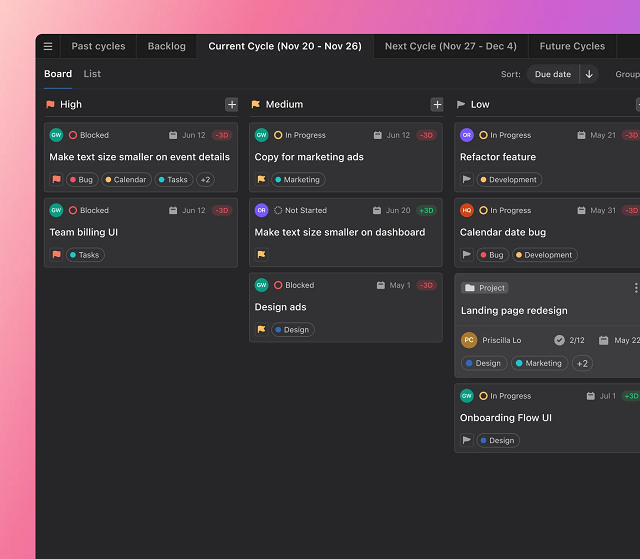
AI outlines/mind maps, templates, multi-user editing, NL commands
Less specialized in scheduling/email
Creative teams, remote squads
Why AI Personal Assistants Are Evolving So Fast
Five years ago, most digital assistants were glorified reminder apps — they could ping you at 9 AM, maybe reschedule a meeting, and that was about it. Fast forward to 2026, and we’re looking at a completely different category of tools. Today’s AI personal assistants aren’t just reactive. They’re proactive, adaptive, and increasingly personalized.
This leap comes from a few major shifts in the tech behind the scenes. First, the rise of powerful large language models like GPT-4, Claude, and others has allowed assistants to hold natural conversations, understand nuance, and summarize complex threads of information. The best ones don’t just listen — they learn. They start to understand your priorities, your work rhythms, and even how you write.
Second, modern AI task assistant systems are built on smarter automation stacks. They connect with your calendar, Slack, project tools, email, and files — and then take action based on real-time data. It’s not just about scheduling anymore. It’s about doing things for you.
And finally, privacy and personalization have improved. The most advanced AI personal assistant app can now run in secure environments, giving users more control over what’s stored, shared, or deleted.
If you’re wondering how to use AI as a personal assistant, the answer is increasingly: however you want. The tools are catching up to your needs — and in many cases, anticipating them.
AI Assistant App vs Personal Assistant Software vs Best AI Assistant Service
People search “ai assistant app” and “ai assistant software” as if they’re the same thing — but they’re not.
AI assistant app = you use it yourself (calendar, tasks, planning). Personal assistant software = your team uses it (shared visibility, workflows, templates, collaboration). Best AI assistant service = the assistant “acts” for you (automation + inbox/calendar actions, sometimes with human oversight).
If you only need daily planning, an app is enough. If you sell or operate operations for many users/clients, you’re looking at software. If you want outcomes (meetings booked, email handled), you’re looking at a service layer.
5 Best AI Personal Assistant Apps in 2026
There’s no shortage of tools claiming to make your life easier, but not all of them actually do anything for you. The apps below aren’t just organized interfaces — they function like real assistants. They schedule your meetings, sort your day, and anticipate your next move. Whether you’re running a solo business or managing a remote team, these five picks represent the strongest options on the market right now.
Motion — Real-Time Planning That Adjusts Around You
If your calendar is a mess, your tasks are scattered across apps, and you’re constantly re-planning your day, Motion steps in like a calm, invisible assistant. This tool blends calendar management, task planning, and prioritization — then uses AI to automate the rest.
What sets Motion apart is that it doesn’t just remind you what to do. It actively reschedules tasks based on shifting deadlines, meeting changes, and how long you actually need to finish something.
Key features include:
AI-powered daily auto-scheduling
Integration with Google and Outlook calendars
Real-time updates when meetings shift or cancel
Prioritization based on deadlines and task weight
Smart focus time blocks for deep work
It’s built for people who need to defend their schedule without constantly managing it — remote workers, team leads, or solo professionals with unpredictable days.
Instead of building a routine around a tool, Motion builds your routine around you. It keeps things moving without the mental load.
For anyone looking to gain back hours without hiring a human assistant, Motion is easily one of the best AI personal assistant app options available in 2026.
Clara — Email Scheduling Without the Awkward Ping-Pong
Clara is an AI personal assistant app built for one thing: handling meeting coordination over email, so you never have to go back and forth again. But what sets it apart is its human touch. Instead of sending generic booking links, Clara actually reads the conversation, interprets tone, and replies like a real assistant.
It integrates directly with your calendar and jumps in when you CC it on an email. From there, it handles the rest — confirming time zones, checking availability, following up, and even rescheduling if needed. The emails are clean, professional, and surprisingly human.
Key features include:
Email-based meeting scheduling with natural language
Full calendar integration with Google and Outlook
Support for multi-participant and recurring meetings
Customizable tone and communication style
Hands-free rescheduling and reminders
Clara is ideal for executives, client-facing professionals, or anyone who wants to skip the hassle of manual coordination — without sacrificing personal touch.
It may not be the flashiest tool, but as far as personal assistant software goes, it’s one of the smoothest experiences on the market in 2026.
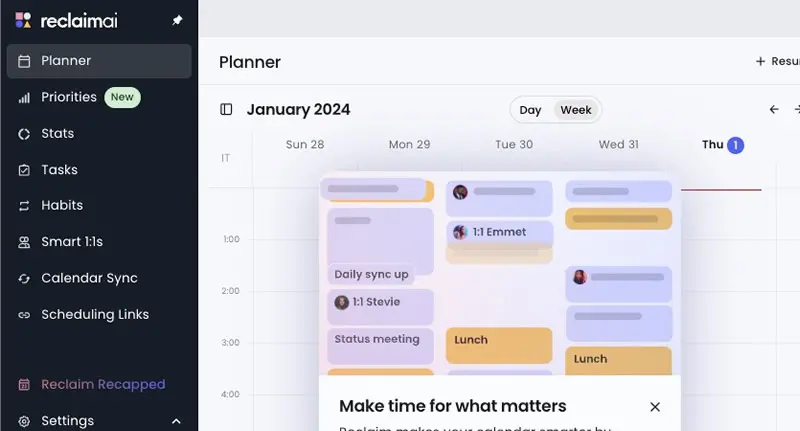
Reclaim.ai — Protect Your Focus Without Losing Flexibility
If you constantly feel like your calendar is working against you, Reclaim.ai might be the smartest fix. This tool acts like an invisible layer over your schedule — automatically blocking time for deep work, habits, and recurring tasks, while still adjusting when meetings come up. It’s designed for people who want more control over their day without micro-managing every hour.
The real value of Reclaim lies in how well it protects your priorities. You set goals for how often you want to work out, catch up on email, or prep for meetings — and Reclaim makes it happen by finding space for it in your calendar. When new meetings appear, it shifts things intelligently so you don’t lose momentum.
Key features include:
AI time blocking for habits, tasks, and routines
Automatic calendar syncing across platforms
Real-time adjustments based on new events or conflicts
Priority settings that align with personal and team goals
Shared calendar visibility for teams
Reclaim.ai is one of the best AI assistants for work because it doesn’t just help you get things done — it helps you make space for what matters most. Especially valuable for remote workers, creatives, or anyone balancing project work and meetings.
Trevor AI — Calendar Meets To-Do List With Zero Clutter
Trevor is a hidden gem that marries a robust to-do list to scheduling in real-time, and it’s an excellent choice for someone who wants complete control of their day — but no unnecessary burden. Where more weighty productivity systems are heavy, Trevor is light and simple: it puts your items directly onto your calendar and uses artificial intelligence to inform you of when you should be doing what.
Where it shines is simplicity. You create your task list, choose some of the options, and Trevor provides you time blocks that actually work. No distractions, no unnecessary menus. It’s the kind of assistant that helps you create habits rather than reacting to chaos.
Key features include:
Task-to-calendar syncing with drag-and-drop ease
AI suggestions based on priority and availability
Simple interface designed for solo users
Integrates with Google Calendar
Real-time time-blocking that updates as you go
Trevor AI is perfect for freelancers, consultants, and solo creators who want to manage time better without overloading on features. It’s clean, fast, and surprisingly good at keeping you on track.
Among the more focused tools on the names of AI assistants lists in 2026, Trevor earns its place for doing exactly what it promises — and doing it well.
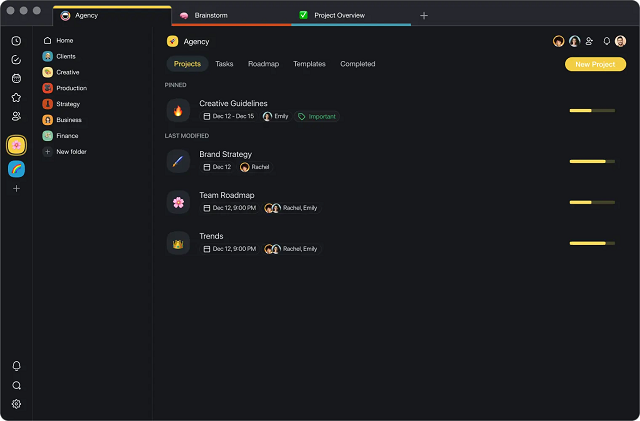
Taskade AI — A Creative Workspace Powered by Collaboration
Taskade stands out in the manner in which it achieves the balance of productivity and creativity. It is not a helper that lets you do, but lets you think, co-create, and collaborate in projects in real-time. Designed specifically for remote teams, virtual creatives, and solo operators who don many hats, Taskade uses AI to automatically outline, structure ideas, and task manage in a single versatile workspace.
Unlike traditional assistants that focus only on scheduling or email, Taskade leans into structure and brainstorming. Whether you’re writing a content plan, mapping out a product launch, or just managing your weekly goals, it gives you smart suggestions and automates your repetitive workflows.
Key features include:
AI-generated task lists, outlines, and mind maps
Collaborative editing across devices
Templates for marketing, content, and planning
Natural language commands for creating or reformatting tasks
Real-time sync with team members
If you want an assistant that feels more like a creative partner than a scheduler, Taskade AI delivers. It’s versatile, visual, and surprisingly intuitive.
As more tools flood the list of AI assistants in 2026, Taskade keeps its edge by balancing functionality with a playful, flexible interface — and that’s what makes it stick.
“Pick-By-Use-Case” Decision Guide
Your Situation
Pick This
Why
Day changes hourly; need automatic replans
Motion
Rebuilds your day around shifting meetings/deadlines
Endless back-and-forth to book meetings
Clara
Handles email threads like a human assistant
Need to protect habits & deep work
Reclaim.ai
Locks important routines without sacrificing flexibility
Want the lightest task→time workflow
Trevor AI
Zero-clutter time-blocking that actually sticks
Creative planning with real-time collaboration
Taskade AI
AI outlines + shared workspaces keep teams moving
Scrile AI: Building a Custom AI Assistant for Your Business
Even the smartest tools on the market come with limits. Off-the-shelf solutions often force you to adapt your workflow to their features — not the other way around. You’re stuck with pre-set templates, limited branding options, and feature caps that eventually slow you down. If you’ve ever tried scaling a service around an app you don’t control, you know how frustrating that can be.
Scrile AIoffers an alternative: a way to build your own AI assistant from the ground up. Not another tool — a fully customized platform tailored to your business, your users, and your growth strategy. Whether you need a productivity-focused AI, a chatbot with personality, or something completely unique, Scrile AI gives you full control over how it works and how it looks.
What Scrile AI can deliver:
Custom-branded UI/UX to match your voice and audience
Admin dashboard with analytics, CRM, and user controls
Use cases include:
Adult creators launching AI companions (Candy AI-style)
Influencers building interactive AI personas
Businesses needing scheduling, customer support, or sales automation agents
The result isn’t just an app — it’s a business. One that doesn’t rely on third-party rules, algorithms, or app store restrictions. If you’re serious about building the best personal AI assistant for your brand or audience, Scrile AI helps you own every part of it — from backend logic to user experience.
Off-the-Shelf Assistants vs. a Custom One (Scrile AI)
Build exactly what you need: scheduling, inbox, CRM hooks, voice/NSFW modes, etc.
Built-in: subscriptions, tips, PPV
Full control (deployment & retention)
Brands/creators/companies needing a owned, scalable assistant
SoftService x Scrile AI: we can help you design, build, and launch a custom AI assistant that matches your stack (calendar, email, project tools), your brand voice, and your revenue model—without vendor lock-in.
Conclusion
AI personal assistants in 2026aren’t just helpful — they’re becoming essential. Whether you’re managing a packed schedule, coordinating a remote team, or building your own AI product, the right tool can save hours and reduce stress. Off-the-shelf apps are a great starting point, but if you need full control, customization, and revenue potential, building your own assistant makes more sense.
Curious what that could look like? Get in touch with the Scrile AI team to explore how you can launch your own custom AI personal assistant app — exactly how you want it.
FAQ – AI Personal Assistant Apps (Scheduling, Email, Teams, Custom Assistants)
The practical questions people ask after trying tools like Motion, Clara, Reclaim.ai, Trevor AI, and Taskade — plus when it’s smarter to build your own assistant.
What is an AI personal assistant app (and what does it do beyond a to-do list)? ▾
An AI personal assistant app is a productivity tool that can plan and execute work, not just remind you about it. Modern assistants connect to your calendar, tasks, and sometimes email, then help schedule focus time, move tasks around when priorities shift, and reduce the “constant replanning” problem.
In 2026, the best assistants feel proactive: they protect deep-work blocks, suggest the next best action, and keep your day realistic when meetings change.
Which AI personal assistant app is best for automatic scheduling and shifting priorities? ▾
If your day changes hourly, pick a calendar-first assistant that actively re-plans around deadlines and meeting changes. These tools are strongest when they can rebuild your schedule automatically instead of forcing you to drag blocks all day.
To choose quickly, test one messy week: import tasks, add deadlines, then watch how the assistant reacts to real meeting chaos. The winner is the one that keeps your plan usable without constant babysitting.
Which app is best for scheduling meetings through email (no booking-link ping-pong)? ▾
Email-first assistants are built for one job: reading email context, proposing times, handling time zones, and confirming meetings without you chasing threads. They’re ideal for executives and client-facing roles where “professional tone” matters.
If most of your scheduling happens inside email conversations, pick a tool that integrates directly with your inbox and calendar instead of one that only generates suggestions in a separate UI.
What integrations should I look for in a personal assistant software? ▾
Start with the core stack: Google Calendar or Outlook, then tasks (your to-do source), and only then “nice-to-haves” like Slack, project tools, and docs. If the assistant can’t reliably read and write your calendar, everything else is cosmetic.
For teams, check shared calendar visibility, permission control, and how conflicts are handled. A great assistant reduces coordination load — it doesn’t create a new workflow nobody follows.
How do AI assistants protect focus time and routines without breaking flexibility? ▾
Focus-oriented assistants use time blocking plus priority rules. You define what matters (deep work, habits, prep time), and the tool automatically finds space on the calendar — then intelligently shifts blocks when meetings appear.
The key is “rules you control.” Look for priority levels, buffer time, and conflict resolution settings so the assistant doesn’t reschedule your life into nonsense.
Are AI personal assistant apps safe and private to use? ▾
They can be, but privacy depends on the exact permissions you grant and what the vendor stores. The risk usually comes from connecting email and calendars: those integrations expose sensitive content even if the app feels “just productivity.”
Before adopting any assistant, check: data retention, admin access controls, export/delete options, and whether you can limit what the tool can read. For regulated workflows, consider custom deployment where you control storage and policies.
Can an AI assistant help a team, or is it only for solo users? ▾
Teams benefit most when the assistant improves coordination: shared visibility, fewer scheduling conflicts, and clearer priorities. Collaboration-first tools also help by turning ideas into structured plans and keeping documentation organized.
If you’re rolling this out to a team, start with a small pilot group and measure outcomes: fewer meetings, faster turnaround, and less “calendar chaos.” Adoption is the real feature.
How much do AI personal assistant apps cost, and how are they priced? ▾
Most assistants use subscriptions. Some are solo-friendly monthly plans, while others are per-seat pricing for teams. You may also see usage-based components for advanced AI features or heavier automation.
When comparing pricing, don’t look only at the monthly number. Ask what you’re buying: time saved, fewer missed deadlines, less coordination overhead, and whether the tool becomes a “system” your team can actually stick to.
When does it make sense to build a custom AI assistant instead of using off-the-shelf apps? ▾
Build a custom assistant when the assistant is part of your product or revenue model — not just an internal tool. Off-the-shelf apps are great for standard workflows, but they can’t give you full branding, unique assistant behavior, deep integrations, or full control over data and user experience.
Custom assistants also make sense when you need specific modes (business support, scheduling, sales automation, creator engagement, safe-for-work or NSFW logic), and you don’t want your roadmap to depend on a vendor.
Can I monetize my own AI assistant app (subscriptions, tips, PPV)? ▾
Yes. If you’re building a custom assistant as a product, monetization can be native: subscriptions, pay-per-feature access, tipping, and premium content/workflows. The assistant becomes a business asset you control instead of a tool you rent.
This is where a custom platform approach (like Scrile AI + SoftService implementation) is useful: you can ship branded UI/UX, define assistant behavior, add analytics/admin tools, and connect the assistant to your own billing and growth loops.
Polina Yan is a Technical Writer and Product Marketing Manager, specializing in helping creators launch personalized content monetization platforms. With over five years of experience writing and promoting content, Polina covers topics such as content monetization, social media strategies, digital marketing, and online business in adult industry. Her work empowers online entrepreneurs and creators to navigate the digital world with confidence and achieve their goals.
If your platform only copies subscriptions and chat, it will fail where users feel the product most: access control, payouts, and moderation.
This page is for founders and product teams who need a buildable scope for Onlyfans Clone App Development. Not a generic creator-economy overview.
Use it to decide which modules are mandatory, which features can wait, and which build approach fits your launch plan.
You will also see why content gating is not the same as a paywall, where the money flow usually breaks, and what raises scope before cost becomes the real question.
If you need a simple answer: an OnlyFans-like app is a system of linked services, and the product fails when one of them is treated like a detail.
What an OnlyFans clone app actually has to do
A serious clone app is not a content gallery with a payment button. It has to let creators publish, price, and earn; let fans pay and access content without friction; and let admins manage moderation, disputes, and payouts without opening five spreadsheets. That is why the real work sits in workflow design, not in the home page.
Teams usually discover the gap after launch. The demo looks fine, but the first payment dispute, failed renewal, or content report exposes missing ownership. When that happens, support becomes the product and finance becomes the bottleneck.
So the right question is not “What features does an OnlyFans clone have?” It is “Which systems must cooperate so recurring monetization works every day?” That shift matters whether you build from scratch, buy a white-label stack, or start with a clone script.
For a broader budget lens, the sister guide on how much it costs to make an OnlyFans app breaks down the scope drivers that usually move the number up or down.
Vendor evaluation checklist for an OnlyFans clone app
Most buyers start by asking for features. That is too late. A creator platform fails when the vendor cannot explain who owns each system, what happens when a payment fails, and how moderation keeps up once content volume rises.
Use this checklist to separate a buildable product plan from a slick demo. The goal is not to collect more promises; it is to expose missing decisions before development starts.
Question
What good looks like
Red flag
Who owns creator onboarding?
One clear flow from signup to verified profile to first payout setup.
Onboarding is split across product, support, and finance with no single owner.
How are subscriptions and PPV separated?
Access rules are different for recurring plans, one-time unlocks, and paid messages.
Everything is handled by one generic paywall.
What is the payout cadence?
Defined payout windows, holds, refund handling, and fee logic.
“We can configure it later” with no settlement policy.
How does moderation work at scale?
Queue, review, appeal, takedown, and audit trail are already planned.
Moderation is treated as a manual admin task.
What happens when content leaks?
Watermarking, delivery controls, reporting path, and account-level response are defined.
The team assumes “security” will cover it.
Which payments are supported?
Cards, gateways, and any non-card method are mapped to the payout flow.
Payment acceptance is discussed without settlement logic.
Can the admin team act without developers?
Admins can manage users, payouts, content, and disputes from one panel.
Every operational change needs a code release.
What can be launched in MVP?
The vendor can split must-have, phase-2, and optional items.
Everything is described as “core.”
How is compliance handled?
Age checks, policy rules, data handling, and hosting obligations are documented.
Compliance is reduced to a generic “secure platform” line.
How will the system scale after launch?
Architecture, storage, and moderation load are discussed together.
Scale is promised with no operational plan.
What integrations are required at launch?
Analytics, payment, messaging, verification, and support tools are named early.
Integrations are postponed until after launch.
That checklist matters because the platform is not one product. It is a set of linked services. If one breaks, the whole creator business feels unstable. Scrile Connect fits this conversation as a white-label stack when the buyer wants to keep branding, payouts, and rules under one roof instead of stitching them together later.
Core platform architecture: the modules that have to work together
The quickest way to scope the project is to split it by actor and subsystem. A creator sees publishing, pricing, and earnings. A fan sees discovery, access, and messages. An admin sees disputes, moderation, and payouts. That division sounds obvious, but teams often design the UI first and discover the ownership model too late.
When sales, support, and finance each describe the platform differently, implementation slips by 2-4 weeks before the first serious bug appears. The fix is to draw the system around the money flow and the content controls, not around the homepage.
Creator side
Creators need a profile, content upload, pricing controls, private interaction tools, and earnings visibility. In practice, the creator side is where launch speed is won or lost. If a creator cannot set a subscription, schedule content, and see pending payouts without help, support tickets rise fast.
On smaller platforms, this often shows up as 20-30% of creator questions being basic account setup issues. That is not a product problem alone. It is a missing workflow.
Fan side
The fan flow has to be simple enough that payment feels immediate and access feels predictable. Fans need search, creator pages, plan selection, pay-per-view unlocks, message history, and a clean library of purchased content. Confusion here costs conversions.
Even a 1-2 step delay between payment and access can cut first-purchase completion by a noticeable margin. The fan does not compare you to another SaaS dashboard. They compare you to the smoothest subscription checkout they have used.
Admin side
Admin work is where clone projects often pretend complexity does not exist. The admin panel has to handle user review, content review, payout holds, disputes, refunds, bans, and analytics. If the panel is thin, the team ends up doing all of that in spreadsheets and support chat.
Once moderation volume reaches a few hundred items a day, manual handling becomes a bottleneck. Teams then spend 2-3 extra hours per day reconstructing what happened instead of making decisions.
Payments and payouts
Money flow is the sharpest part of the architecture. The platform collects subscription revenue, PPV revenue, tips, and any premium interaction fees, then it has to settle creator earnings on a defined cadence. That means fees, holds, refunds, chargebacks, and failed transfers all need explicit rules.
Without those rules, creators do not trust the dashboard. They start asking support what “available balance” really means. That is usually the first sign the payout model is too vague.
Content delivery and gating
Content gating is not just a paywall. It is the set of rules that decides who can see which media, for how long, and under what purchase state. Good gating supports recurring access, one-time unlocks, expired subscriptions, and creator-controlled exceptions.
This is where teams often need a technical decision early: cached media, protected streams, watermarking, and access tokens each affect performance and risk. The more public the media path, the higher the leak risk.
Moderation and reporting
A subscription creator platform without moderation becomes expensive very quickly. Reports, takedowns, appeals, flag queues, age checks, and policy enforcement need to live in one workflow. A generic “admin can delete content” button is not moderation.
Platforms that wait until after launch to design this usually hit the wall after the first policy dispute. The backlog grows, creators get nervous, and the support team starts acting as the moderation engine.
When these modules are not connected, the product looks active but behaves unpredictably. That is the kind of failure that does not show up in a pitch deck and does show up in churn, support load, and refund rates.
Module
Owns it
Failure mode
Mitigation
Creator onboarding
Product + ops
Creators never finish profile or payout setup
One guided setup flow with progress states
Fan purchase flow
Product + payments
Checkout succeeds but access does not unlock
Purchase-event callback and access log
Admin moderation
Trust & safety
Reports pile up and content stays live too long
Queue, SLA, escalation, and appeal path
Payout settlement
Finance + payments
Creators cannot predict available balance
Clear payout rules and holds
Access gating
Engineering
Unpaid users reach locked media
Signed URLs, tokens, and expiry logic
Must-have features for an OnlyFans clone app MVP
MVP scope should be ruthless. If a feature does not help a creator earn, a fan pay, or an admin keep the system safe, it can wait. The trap is obvious: teams build too many nice-to-have features and still do not have a reliable launch.
For an early release, a platform can usually survive with 8-10 core functions. It cannot survive without payments, access control, creator profiles, content upload, admin review, and payout tracking. Everything else is phase-2 unless your niche has a very specific reason.
Feature priority table
Priority
Feature
Why it matters at launch
Can wait?
Must-have
Creator profiles
Creators need a public identity and pricing surface.
No
Must-have
Subscriptions
Recurring revenue is the base business model.
No
Must-have
PPV content
Single-item monetization often drives early income.
No
Must-have
Admin panel
Someone has to manage users, content, and payouts.
No
Must-have
Payment processing
Without it, the platform is only a content site.
No
Must-have
Content gating
It enforces who gets what after payment.
No
Should-have
Tips and paid messages
They raise average revenue per fan.
Sometimes
Should-have
Analytics
Creators need to see what converts.
Sometimes
Should-have
Reporting and moderation
Necessary once user volume starts climbing.
Sometimes
Optional
Live streams and video calls
Useful, but they raise technical and moderation load.
Yes
Optional
Multi-currency
Important only if you launch cross-border early.
Yes
Optional
Advanced referrals
Useful for growth, not for proving the model.
Yes
That ranking matters because feature lists often hide the real launch cost. A single new monetization path can change the billing logic, the admin panel, and the payout flow at the same time. If you need to keep the first release lean, defer anything that does not improve the first pay loop.
Scrile Connect belongs in the “launch without rebuilding the base” category because it already bundles the commercial parts teams usually assemble separately: branded site, subscriptions, tips, PPV, payout management, and a dashboard. That matters most when the business wants the owned-platform model without spending months wiring the plumbing first.
If you are still deciding whether to launch a creator platform at all, the sister guide on what affects the build budget is the next step because it shows which features are the real cost multipliers.
OnlyFans clone app development approaches: custom, white-label, or clone script
Most decision mistakes happen here. A custom build gives full control but stretches time and budget. A clone script gets you to market faster, but the team has to accept the product shape that comes with it. White-label sits between those two, which is why it often wins for founders who need branding control without starting from zero.
The right choice is not philosophical. It depends on whether the real bottleneck is time, flexibility, or internal engineering capacity. In many launches, the hidden cost is not development alone. It is the 6-12 weeks lost while the team tries to reconstruct basic monetization workflows from scratch.
Approach
When it fits
When it breaks
Scope signal
Custom build
Very specific product rules, unusual workflows, large budget
Longer time to launch, higher maintenance load
Heavy engineering and product ownership
Clone script
Need to validate the model fast with known patterns
Limited flexibility if the niche needs deep changes
Fast launch over deep differentiation
White-label platform
Need your own brand, domain, payouts, and quick setup
Very custom workflows may still need extensions
Launch under one brand with less build time
For most founders in this category, white-label is the practical middle ground. It gives them enough control to own the audience and enough speed to avoid a long pre-revenue build. That is why platforms like Scrile Connect are usually evaluated when the real question is not “can we build it,” but “how fast can we ship a branded product that already knows the monetization model.”
The choice also depends on your niche. A tight community with stable rules can start on a clone script and move fast. A creator business that needs its own payout logic, roles, or moderation policy often benefits more from white-label infrastructure or a deeper custom build. The wrong pick usually shows up as rework, not as a feature gap.
How an OnlyFans clone app works end to end
Once the architecture is clear, the workflow is easier to see. A creator joins, sets up a profile, chooses a monetization model, publishes content, and gets paid through the platform. A fan discovers the creator, pays for access, and receives content according to the access rules.
The hard part is not the sequence. It is the state changes. A subscription may be active, expired, refunded, held, or disputed. Content may be public, locked, archived, flagged, or removed. When those states are not modeled cleanly, support ends up improvising.
Onboarding
The creator creates an account, fills out a profile, links payment details, and sets the first pricing rules. A good onboarding path makes this feel like setup, not paperwork. If it takes more than 10-15 minutes to get to first publish, drop-off rises.
Subscription purchase
The fan picks a plan, pays, and gets access to the creator’s gated content. If the purchase is tied to a PPV item, the same account still needs to know what was bought, when access expires, and whether that item can be re-opened later.
A common support issue is the “paid but not unlocked” complaint. Teams that do not log the payment event and access event separately spend hours proving whether the bug sits in checkout or gating.
Access control
Access control decides who sees what. That can be a subscription, a one-off unlock, a bundle, or a premium message thread. The logic needs to be strict enough to block unpaid access and flexible enough to support creator-specific pricing.
Leak risk rises when access is handled only on the front end. Signed URLs, expiry logic, and account-level checks matter because the browser is not the trust boundary.
Revenue settlement
Revenue settlement moves money from the platform layer to creator balances and then to payouts. That process has to account for platform fees, refunds, chargebacks, payout minimums, and any temporary holds.
When settlement is unclear, creators start treating the platform as unreliable, even if revenue is strong. A platform can lose trust faster than it loses users.
Step
Trigger
Owner
Output
Onboarding
Creator signs up
Product / ops
Verified creator profile
Purchase
Fan pays
Payments
Transaction recorded
Access grant
Payment confirmed
Engineering
Locked content becomes visible
Settlement
Hold period ends
Finance
Creator balance updated
Payout
Minimum balance reached
Finance / payments
Money transferred to creator account
In real use, this is where the product either feels reliable or starts to feel improvised. If the fan has to ask twice whether access was granted, or the creator has to ask when earnings are available, the workflow is already too vague.
Where onlyfans clone app development breaks in practice
The weakest launches are usually not underbuilt on features. They are underbuilt on operations. A team can ship subscriptions, messages, and content upload, then discover they did not plan for policy review, payout disputes, or repeated takedown requests.
That is where the project starts to feel heavier than the demo suggested. The founder is not angry about missing features. The founder is angry because the team is now spending each morning reconstructing yesterday’s disputes.
Moderation backlog
Content and reports arrive faster than people can review them. If the moderation queue has no SLA, it becomes hidden debt. On a busy launch, a 24-hour backlog can quickly become a 3-day backlog, which is long enough to upset creators and users.
Good moderation needs queue priority, escalation rules, and an appeal path. Without those, the team is only deleting things, not governing the platform.
Payout and dispute complexity
Payout issues are the fastest way to lose creator trust. Refunds, chargebacks, failed transfers, and reserve logic all affect what the creator thinks they earned. A platform that does not explain this clearly will get support tickets before it gets scale.
In many launches, 5-10% of payout-related tickets are really policy confusion. The creator does not know why money is pending. The dashboard has to explain it better than support can.
Leak prevention limits
No platform fully eliminates leaks. Watermarking, access tokens, and protected delivery reduce them, but they do not erase the risk. The real goal is to make unauthorized sharing harder and easier to trace.
Teams that overpromise here sound naïve. Teams that underbuild it invite copy-paste abuse. The middle ground is honest protection with clear limits.
Compliance and policy dependency
Adult or restricted-content launches need policy rules, age verification, data handling discipline, and hosting choices that match the business. Even SFW creator platforms still have to think about privacy and payment risk. Compliance is not a single checkbox.
For a neutral benchmark on identity and access control, the NIST Digital Identity Guidelines are useful when your launch includes account verification, risk checks, or sensitive content handling. For payment and card-risk context, Reuters business coverage is often a better reality check than marketing copy because it shows how fast policy, payments, and platform rules can change.
Teams usually discover the dependency chain late: policy shapes moderation, moderation shapes payout holds, payout holds shape support load, and support load shapes retention. That chain is why the operational design matters as much as the front end.
If your niche mixes creator revenue with stricter identity or data rules, the launch should be designed around the compliance burden first and the feature list second. That is the point where a generic clone becomes too shallow.
What changes the scope before you ask for cost
Cost is downstream of scope. Two projects can both claim to be OnlyFans clone app development and still differ wildly in effort. The difference is usually not “more features” in the abstract. It is how many systems must agree with each other.
If the product is simple, scope stays inside a manageable band. Once the project adds custom roles, unusual payment methods, compliance steps, or deep moderation rules, the build stops being a clone and becomes a platform program.
Feature breadth
Every added monetization path changes the testing surface. Subscriptions are one thing. PPV, tips, premium messages, live streams, and video calls each add edge cases around billing, access, and payouts.
That is why even a “small” extra feature can add 15-25% to implementation time if it changes money flow.
Customization level
White-label configuration is not the same as custom behavior. Branding, domain, colors, and pricing rules are usually faster to adjust than workflow logic or role permissions. If your niche requires unusual creator hierarchies, the work gets heavier.
Scrile Connect is strongest when the buyer wants ownership of the brand and monetization model without redesigning the platform logic from scratch.
Security and infrastructure
Security is not just login. It includes media delivery, encryption, protected URLs, audit trails, and backup strategy. The more sensitive the content, the more this layer shapes the launch plan.
A stronger security layer raises time and engineering cost, but it also reduces the kind of leak or account takeover that can kill a young platform in one week.
Roles and integrations
More roles mean more rules. A creator, a fan, an agency manager, an admin, and a support agent should not all see the same controls. Add payments, analytics, moderation tools, and verification services, and the integration map gets dense fast.
If a vendor cannot describe those integrations cleanly, expect surprises after kickoff. The clean answer is not “we can plug everything in.” The clean answer is which integrations are required on day one and which can wait until the product proves traction.
Scope driver
Raises effort when…
Operational effect
Subscription tiers
Creators need custom bundles or discounts
More billing states to test
Payment methods
You add gateways or non-card methods
More settlement paths and error cases
Moderation rules
Policy differs by content type or region
More review queues and appeal logic
Media protection
You need stronger leak control
More work on delivery and watermarking
Integrations
Analytics, verification, or CRM tools are required
More dependency management
That list is the bridge to budget. If the next step is financing the build, the sister article on how much it costs to make an OnlyFans app goes deeper on how those scope drivers usually show up in the estimate.
Minimum MVP in a month
For a small team, the goal is not feature completeness. It is one clean loop: creator signs up, sets a price, posts content, fan pays, content unlocks, admin can review, and payout is traceable. That is enough to test whether the market will pay for the model.
A 30-day launch window is realistic only if the scope is disciplined. If the team tries to add live calls, deep referrals, and complex moderation in the same build, the launch plan starts to slip. The smarter move is to ship the core loop first, then expand once the first creators are active.
In practice, a healthy MVP feels small but complete. A weak MVP feels broad but unfinished. The difference is not how many tabs the app has; it is whether the money and access flow works without manual intervention.
Confirm the creator monetization model before design starts.
Freeze must-have MVP features and move the rest to phase-2.
Write payout and moderation rules before development, not after.
Choose the build approach that matches your speed and control target.
Teams that keep the first release narrow usually get to real feedback faster, which is the only way to know whether the platform can grow beyond the first niche. That is the upside of a disciplined launch: less rework, faster learning, and a cleaner path to scale.
Scrile Connect: the practical pick for branded creator platforms
An OnlyFans-like platform is not hard because of the content layer. It is hard because the product has to hold together pricing, access, payouts, moderation, and ownership at the same time. That is where Scrile Connect fits: it gives teams a white-label base for subscriptions, tips, pay-per-view, private messages, live streams, and video calls without forcing them to build the monetization plumbing from zero.
The main advantage is control. You launch under your own domain, keep your brand visible, route payments to your own account, and manage users, earnings, and analytics in one dashboard. For a team that wants to test the market quickly, that removes a lot of setup work and operational guesswork. It is also easier to explain to creators when the monetization model, payout flow, and admin rules all live in one place instead of across separate tools.
That said, the fit is strongest when the business wants a branded platform with known subscription mechanics, not a deeply unusual product architecture. Agencies, creator businesses, paid communities, and niche expertise platforms usually see the most value because they need ownership and speed more than custom system invention. If the platform is meant to handle multiple creator profiles, custom payment flows, or compliance-heavy publishing, the white-label route still works well, but the scope should be checked carefully against the rules you need on day one.
If your goal is to validate the business model first and postpone the engineering burden, this is the kind of platform that makes sense to review before you commit to a ground-up build. The natural next step is to estimate the budget around your own feature list and launch constraints, then decide whether the faster route or the fully custom route gives you the better first release.
A clone script stops being enough when your workflow depends on unusual creator roles, custom payout logic, or a moderation model that does not fit standard subscription platforms. In those cases, the product begins to behave like a custom platform, even if the front end still looks simple.
What happens if moderation is handled manually after launch?
Manual moderation works only for a very small volume. Once reports and uploads grow, the queue turns into a backlog, response times slip past 24 hours, and creators start questioning whether the platform is stable enough to trust.
How do I know the payout model is too vague?
If creators keep asking what counts as available balance, when funds are released, or why a transfer is still pending, the payout model is too vague. Good systems show the status of each settlement stage without making support translate finance rules.
What if my platform needs both adult and SFW content?
That is possible, but it raises the policy burden immediately. You need clearer moderation rules, more explicit age and access controls, and a support team that can separate allowed content from restricted content without guessing.
How much customization should I allow before launch?
Enough to support the business model, not enough to delay the first release. Branding, pricing, and access rules are usually safe early customizations; deep workflow changes, complex role trees, and advanced media protection should be added only when the core loop is proven.
What risk shows up first when the platform starts growing?
The first risk is usually not traffic. It is operational drift: moderation delays, payout confusion, and support load growing faster than the team. That is the point where the platform stops feeling like a product and starts feeling like an emergency queue.
Polina Yan is a Technical Writer and Product Marketing Manager, specializing in helping creators launch personalized content monetization platforms. With over five years of experience writing and promoting content, Polina covers topics such as content monetization, social media strategies, digital marketing, and online business in adult industry. Her work empowers online entrepreneurs and creators to navigate the digital world with confidence and achieve their goals.
If you are pricing an OnlyFans-like platform, do not start with design. The budget usually moves on payment risk, moderation, media delivery, and admin workflows long before it moves on visuals.
That matters because the first invoice is only part of the story. A lean launch can still turn expensive once you pay for storage growth, payout handling, support, and compliance checks after users start posting every day.
This page helps you separate the launch budget from the monthly burn, compare scratch build vs clone script vs hybrid starter, and decide which features belong in an MVP. If you only need a rough “can I afford this?” answer, this is the right page. If you need legal advice or a full product spec, it is not.
For a subscription platform, the real question is not just How much does it cost to make an onlyfansBut which costs are one-time and which ones keep charging after launch.
What leaders leave out of OnlyFans app pricing
Most pricing articles stop at feature lists and a friendly entry number. That misses the parts that actually move the budget: payout logic, moderation queues, storage growth, chargeback handling, and the admin panel that has to support all of it. A platform that looks cheap on paper can become expensive once the team has to review content, fix failed payouts, and answer support tickets every day.
The better way to budget is not “basic vs advanced.” It is “what must be live on day one, and what will keep costing money every month after launch?” Teams that skip that split usually underprice the first release, then stall when the operating cost starts.
That is also why a useful estimate needs to separate module cost from operating cost. A product can ship fast and still be a poor deal if it depends on expensive moderation, heavy video delivery, or payout rules that need manual review. According to NIST cybersecurity guidance. Authentication, access control, and logging are not optional when financial flows and personal data sit in the same system. For a creator platform, that is a budget item, not a side note.
The budget buckets that matter
For this category, the budget usually falls into five buckets: product design, core platform build, payments and payouts, content delivery and storage, and operations. Each bucket behaves differently. Design is mostly a one-time cost. Moderation, infrastructure, and payment fees are recurring and scale with activity.
In practice, teams handling this usually need a system that consolidates the launch surface instead of stitching three tools together. Every extra handoff adds setup time, support time, and another place for billing to fail.
Budget bucket
What it covers
Cost behavior
Typical mistake
Product scope
MVP features, creator flows, user flows, admin logic
An MVP for this category should prove demand, payment flow, and creator workflow. It does not need every premium interaction on day one. Live streaming, private video calls, custom analytics, advanced recommendation logic, and deep automations can wait unless they are the business model itself.
That cut sounds obvious, but it is where budgets usually inflate. One team adds livestreaming because it looks competitive, another asks for multi-currency payouts, then someone requests a moderation dashboard with escalation states. Suddenly the “simple” launch has the footprint of a full product.
If you want the cheapest useful version, keep the launch surface small and cut anything that does not help you confirm payments, retention, or creator activity in the first month. That logic is covered in more detail in our OnlyFans clone app development guide, where the architecture choice is broken down from the product side rather than the budget side.
Where cheap builds become expensive
A cheap clone script can still be costly if it does not handle payment edge cases, moderation, or exportable data cleanly. The hidden work then moves into custom fixes, which is where the budget often doubles. If the platform must support regulated payments or age-gated content, “cheap” can become the most expensive option in month two.
Security and payment flow are the two places where shortcuts age badly. An admin panel that only looks functional during demo week can become a support sink once failed charges, chargebacks, and creator payout questions start landing in the same inbox.
That is why the low starting price of a script should be read as a launch shortcut, not a total budget. If the script cannot handle moderation or payout logic cleanly, the saved weeks disappear into patching. For a broader platform view, the subscription model described on OnlyFans shows why monetization complexity is built into the category from day one.
OnlyFans startup cost by build option and scope
The fastest way to estimate cost is to decide which build path you are actually buying. A scratch build gives you the most control. A clone script lowers the first invoice but usually limits architecture, integrations, and long-term flexibility. A hybrid starter sits between them and is often the least risky option for a founder who wants to launch, learn, and extend later.
For a subscription-content product, the right route depends less on taste and more on how much custom logic sits behind payouts, moderation, and media delivery. If those three are simple, a lighter base can work. If any one of them is unusual, the savings from a script shrink fast.
Scratch build
A scratch build fits founders who need unique workflows, custom moderation rules, or a platform that will grow into something broader than an OnlyFans-style site. The strength is flexibility. The weakness is time and cost: the first release is usually the slowest to ship and the most expensive to correct if requirements change halfway through.
That route makes sense when the business model is not settled yet, or when compliance and payout architecture are core differentiators. It is usually too much for a validation stage unless the product is meant to become infrastructure, not just a launch vehicle.
Clone script
A clone script is the cheapest way to get close to market behavior quickly. It is useful when the goal is to test demand, prove pricing, or launch a narrow creator niche. The weakness is that script-based systems tend to expose their seams once teams ask for custom payout rules, advanced admin controls, or nonstandard content workflows.
That is why the low starting price should be read as a launch shortcut, not a total budget. If the script cannot handle your moderation or payment model cleanly, the saved weeks disappear into patching instead of product work.
Hybrid starter
A hybrid starter uses a ready base for the common parts and custom work for the bits that matter commercially. It is often the practical choice when the business wants to launch under its own brand, keep control of payouts, and avoid six months of scratch work. The tradeoff is that you still need clear boundaries around what stays standard and what becomes custom.
This is the category where platforms like Scrile Connect tend to sit, because the value is in getting a branded monetization site live without starting from zero. The limitation is the same one any hybrid approach has: if your model depends on unusually deep product logic, you still need scope discipline.
Public cost articles often quote a low launch figure for basic builds and a much wider range for advanced ones, but the real signal is not the range itself. It is which modules are inside the number. A platform that includes live media, moderation, and payment safety will never behave like a simple content site.
For a neutral overview of how the category works, the official subscription-platform overview on Wikipedia is useful as background, but it does not replace a product scope estimate. The budget answer still depends on what your version must do on day one.
One-time build cost vs monthly operating cost
This is the part most founders miss until the first invoice arrives. Launch cost is not the same thing as ownership cost. A platform with low build spend can still carry high monthly burn if media traffic grows, support expands, or the payment stack starts triggering manual review.
Teams usually feel this after launch, when the product starts working exactly as intended. A creator uploads more video, storage rises, support tickets pile up, and finance starts asking why the “cheap” build is now the most active line item in the budget.
Build budget
The build budget covers design, front-end, back-end, core integrations, QA, and launch setup. In this category, the most expensive mistakes are overbuilding and reworking scope after development starts. A clean MVP can stay lean if it avoids phase-2 features disguised as “must-haves.”
One practical way to control the number is to freeze the money-sensitive modules first: payment flow, moderation workflow, and media handling. Once those are stable, the rest of the product is much easier to price.
Monthly burn
Monthly burn usually includes hosting, storage, CDN use, support, maintenance, payment processing fees, fraud handling, and moderation labor. Those costs scale with activity, not with your original estimate. A platform serving 50 creators and one serving 500 do not share the same operating shape.
The safest budget model is to forecast launch spend and then add a recurring operations line from day one. Otherwise, the platform looks profitable only because the maintenance bill has not arrived yet.
Security standards matter here too. The Web Authentication specification from W3C is a reminder that login and account protection are product features, not technical decorations. For creator platforms, they also reduce support tickets and account-takeover risk.
How to estimate the budget without under-scoping it
Do the cheapest useful thing first, but price it in layers. Start with the launch surface, tag every item as one-time or recurring, and then ask which modules create extra risk if they fail. That simple method keeps the estimate honest and stops the budget from being built on “standard features” that are not actually standard in this category.
A good estimate usually starts with five questions: what is the minimum payment path, what moderation is required, how much video or image traffic will you store, what creator tools are mandatory, and who will operate the platform after launch. If you cannot answer those five, you do not have a budget problem yet; you have a scope problem.
Use this sequence before you call a vendor or compare a clone script to a custom build: first define the MVP boundary, then mark the recurring-cost items, then decide whether your payment and moderation logic is simple enough for a starter base. That is the cleanest way to avoid paying twice for the same feature set.
If you are still deciding whether the project belongs in a single channel, a hybrid base, or a full custom build, the deeper breakdown in OnlyFans app layout is a useful next step because screen structure often reveals scope creep before code does.
5 checks before launch
Confirm the minimum feature set in writing, then remove anything that does not affect payment or retention in the first 30 days.
Map payment flow end to end, including refunds, failed charges, and creator payouts.
Define moderation ownership before launch, not after the first complaint.
Set an operating budget for storage and support, even if it is small.
Pick a build path that matches your time horizon, not just your first invoice.
One useful cross-check is the launch packaging style in OnlyFans clone platform and OnlyFans clone script, because the way a product is packaged often shows whether the budget is being saved or simply pushed into later rework.
That is the healthy state to aim for: a launch budget that covers the real build, plus a monthly number that does not surprise you when traffic, moderation, and payouts start moving in the same week.
If your goal is not only to launch but to own the brand, control payouts, and keep the business independent from a third-party platform, the decision usually points toward a base that handles the monetization layer without forcing a scratch build. At that point the real question becomes less about “can we code it?” and more about “what do we want to own after month one?”
Scrile Connect: a practical starting point for a branded launch
For teams comparing the real cost of an OnlyFans-like platform, the main issue is not whether the first version can be built cheaply. It is whether the launch stack can cover subscriptions, tips, pay-per-view, paid messages, live streams, and payout control without turning the budget into a maintenance project. Scrile Connect fits the version of this market where the founder wants a branded monetization site live quickly, without starting from zero and without giving up ownership of the domain, rules, or payment flow.
The practical difference is that the platform is shaped around the parts that usually consume hidden budget: user management, payouts, analytics, and a payment setup that can work with cards, crypto, and gateways. That matters because the cheapest build is not the one with the lowest first invoice; it is the one that avoids custom patching when moderation, age checks, or creator earnings logic becomes real.
That makes it a strong fit for founders, agencies, and niche businesses that need a subscription-content platform rather than a demo. It also fits teams that want to validate a monetization model first and only then decide how much custom engineering the next stage deserves.
If your plan is to own the product, own the payouts, and avoid a long build cycle, this is the kind of starting point that keeps the budget from leaking into infrastructure work before the market has spoken.
Frequently asked questions
When does an OnlyFans-like MVP stop being cheap?
Usually the moment you add nontrivial payout rules, moderation workflow, or live media at launch. Those three items create most of the hidden work and can push a small build into a mid-range budget very quickly.
What if I start with a clone script and need custom payments later?
Then the apparent savings can disappear into patching. If your payment logic is likely to change, a script only helps when it can absorb that change without breaking moderation, reporting, or creator payouts.
How do I know whether I need a scratch build instead of a hybrid starter?
Use scratch only if the platform logic itself is the product. If the model is standard but the brand, content rules, or payout flow need control, a hybrid starter is usually the cleaner budget choice.
What hidden cost shows up first after launch?
Support and moderation usually show up first, followed by storage growth. Once creators and users are active, the platform becomes an operating system, not just a website.
When is it too early to include live streaming or video calls?
When the platform has not yet proven that users will pay for the core subscription flow. Live features raise both build cost and monthly cost, so they should earn their place only if they are central to retention or revenue.
What is the easiest mistake to make when budgeting this project?
Treating launch cost as total cost. A platform that looks affordable on paper can become expensive if you do not budget for compliance, recurring infrastructure, and payout operations from the start.
Polina Yan is a Technical Writer and Product Marketing Manager, specializing in helping creators launch personalized content monetization platforms. With over five years of experience writing and promoting content, Polina covers topics such as content monetization, social media strategies, digital marketing, and online business in adult industry. Her work empowers online entrepreneurs and creators to navigate the digital world with confidence and achieve their goals.
You can get an AI companion demo running in a hurry. Add a prompt, a chat interface, one model API, maybe voice, and for a moment it feels convincing.
Then people start using it for real. The app forgets what mattered last week, slips out of character halfway through a conversation, crosses lines nobody defined, and racks up session costs your retention cannot support. At that point, the question changes. You are no longer choosing a chatbot vendor. You are choosing a company that can build memory, persona, policy, and business logic into one product.
If you are looking for an Ai companion app development companyThat distinction is everything. The right partner helps you cut scope, design memory that feels personal without pretending to be magic, set moderation and consent rules, and connect the experience to billing and analytics. The wrong one gives you a slick prototype followed by a rewrite you did not budget for.
What an AI companion app actually has to do in the real world
An AI companion app is not just a chatbot with better copy. A support bot answers questions. An assistant helps complete tasks. A companion has to carry continuity from one session to the next. Because of that, users expect a stable voice, remembered preferences, clear boundaries, and responses that still make sense a week later.
That sounds manageable until you map the whole system. Conversation quality matters, of course. However, the product also needs persona rules, short-term context, long-term memory choices, moderation, deletion controls, payments, analytics, and often voice or avatar flows. Miss one layer and the experience starts cracking under normal use.
Picture a simple case. A user spends five evenings with your app, shares favorite music, asks for encouragement before work, and settles into a flirtier tone. Then they come back after a week. They expect continuity. If the app remembers nothing, the illusion collapses. If it remembers too much, or recalls things that never happened, trust collapses instead.
That is where almost everyone loses.
Teams treat memory like a storage problem. In reality, it is a policy problem first. You have to decide what should be remembered, how long it should stay, what confidence level is required, who can edit or delete it, and what should never be carried forward at all. In practical terms, that often means combining session state with retrieval logic and a long-term store such as a Vector databaseWhile still keeping memory rules narrow enough that the app does not invent continuity you never approved.
Sometimes the smartest move is to pause and ask whether you need a companion product in the first place. If your team is still sorting that out, Best AI Assistant Is a useful benchmark because it shows what mainstream assistants already handle well and where they fall short. That comparison saves money. If a general assistant already covers your use case, custom development may be wasteful. If you need persona continuity, branded behavior, tighter safety rules, or your own monetization model, generic tools usually will not hold.
The first mistake: choosing a vendor who can demo AI but not ship a companion product
Many firms can wire up Llm integration for companion apps Well enough to impress in a pitch. Far fewer can explain how the model, memory layer, moderation system, analytics, and app behavior work together once users start doing messy human things. That is the real filter.
A polished deck can hide a weak build plan. You hear words like “emotional AI,” “multimodal,” or “hyper-personalization.” Fine. Then ask how memory is written, when it is retrieved, how unsafe roleplay is handled, how persona drift is measured, how deletion requests flow through the system, or how cost spikes are controlled. Weak vendors go foggy fast.
The cost of a bad choice is not only budget. It is delay, app store friction, trust problems, moderation debt, false recall complaints, and product metrics that never recover because the first user experience was broken. Rebuilding a companion app after launch is like tearing open walls in a finished house. You pay twice.
A pattern shows up again and again. The first team ships something lively in six weeks. By week ten, everyone is stacking rules on top of prompts, patching edge cases by hand, and cleaning up moderation issues one conversation at a time. Then a second vendor has to replace the core instead of improving it. That can be avoided. You just have to evaluate for production thinking from day one.
What a capable AI companion app development company should know how to build
You are not hiring a prompt writer. You are hiring a team that can turn a fragile interaction into a product people return to. Therefore, a serious AI companion app development company should be able to move from discovery into architecture, implementation, testing, and post-launch iteration without treating each phase like a separate project.
At minimum, they should know how to scope companion-specific use cases, define persona rules, build a Persona memory system implementationAdd moderation and age-gating where needed, connect mobile and backend systems, and instrument analytics, billing, and admin tools. They should also be able to explain how those pieces fail and what happens next. That answer often tells you more than the feature list.
Be careful with vendors who lead with model access and little else. Great models do not save weak product design. They just fail in more impressive ways.
Persona design is not just tone
Many teams reduce persona to a system prompt plus a style guide. That is the shallow version. Real persona design defines what the companion wants to help with, what it will refuse, how quickly it becomes familiar, how it handles uncertainty, what kind of intimacy is allowed, and how it stays recognizable across long sessions.
Without that work, the product becomes unpredictable. A companion can sound charming in one moment and then become clingy, explicit, manipulative, or oddly flat in the next. That is not a prompt glitch. It is a design failure.
Ask the company how persona rules are encoded, tested, and updated after launch. In particular, ask how they stop drift when prompts change, models change, or users push for edge behavior. If they cannot answer that, they are building theater.
This matters even more if you are exploring Nsfw ai chatbot development services Or anything close to that category. In those products, consent, age-gating, escalation paths, content boundaries, and record handling belong in the architecture from the start. Otherwise, risk moves from “possible” to “scheduled.”
Memory has to be designed, not improvised
Good memory usually works in layers. First, session memory keeps the current conversation coherent. Next, longer-term memory stores selected facts, preferences, and patterns that should improve future sessions. Then retrieval rules decide what comes back, when, and with what confidence. Finally, user controls decide what can be reviewed, edited, or deleted.
A strong vendor should be able to walk you through the trade-offs in plain language. For example, short-term memory is easier to control, while longer-term memory improves continuity but raises privacy and recall risks. Automatic memory writing feels more personal, yet it also increases bad or low-value recall. Deep recall can make the product feel richer, although it can cross comfort lines faster than teams expect. Cheaper storage lowers cost, but irrelevant retrieval hurts trust.
No memory stack is perfect. The goal is a memory policy that fits the product you are actually building. A roleplay companion, a branded lifestyle companion, and a reflective wellness-adjacent experience should not remember the same things in the same way.
If you want a useful technical bridge before you go deeper into custom scoping, How to make your own AI assistant Helps clarify what can be assembled quickly and what becomes real engineering once identity, memory, and long-term user relationships enter the picture.
Safety and moderation are product features, not legal afterthoughts
This is one of the fastest ways to spot a weak vendor. If moderation is described only as “we use the model provider’s filters,” keep moving. Companion products need layers. That usually means prompt constraints, model policy, retrieval filters, UI warnings, reporting flows, age checks, admin review tools, and clear behavior for crisis or self-harm language.
You do not need therapy claims. You do need boundaries.
Imagine a roleplay-heavy companion with a paid plan. A user starts pushing toward exclusivity, manipulative dependence, or explicit content that crosses your policy line. If the company has not planned moderation states and fallback responses, the app will improvise in the worst possible place. That is how products become unsafe, embarrassing, or impossible to scale. For age-sensitive products especially, a partner should be comfortable discussing child online privacy and data handling standards such as the FTC guidance on the Children’s Online Privacy Protection ActEven if your product is clearly intended for adults.
Anything else will not hold.
A practical MVP scope for an AI companion app
The best early teams cut harder than they want to. Because of that, their first release teaches them something. Your MVP should prove that users come back, trust the interaction, and will pay for a stable core experience. It should not try to prove every feature you might someday want.
For most teams, that means one strong persona or a small set, text chat, limited but useful memory, clean onboarding, safety rules, and basic analytics. Voice, avatars, gifts, advanced roleplay states, and elaborate progression systems can wait unless the whole concept depends on them.
Stage
What to include
What to delay
Main risk
MVP
Chat, one strong persona, limited memory, onboarding, moderation baseline, payments
Advanced avatars, broad persona library, deep voice features
Cost controls, observability, moderation workflows, segmentation, A/B testing, model routing
Anything users are not adopting
Margin erosion and policy failures
When comparing vendors, use a simple decision framework: Retention first, safety second, delight third. It is less glamorous than chasing flashy Multimodal ai companion app development From day one. Still, this order is what keeps the business standing. If a feature does not help users return, stay inside your safety line, or add enough value to justify the cost, it probably belongs later.
Consider two launch paths. Team A ships chat, one paid plan, memory summaries, and strict persona rules. Team B ships animated avatars, voice, gifts, multiple personas, and emotional progression loops. Team B gets more social buzz. Meanwhile, Team A usually gets cleaner data, lower support pressure, fewer moderation incidents, and a real shot at learning what users will actually pay for.
That is the path worth backing. Once the core is stable, new layers become assets instead of liabilities. A well-built companion product can grow into creator-led personas, voice packs, multilingual rollout, branded partnerships, or premium personalization that users actually value. That is not just a shipped feature set. It is a business asset with room to scale.
The contrarian truth: the “most human” companion is not always the best product
The market still rewards demos that feel intensely human. Long pauses. Warm phrasing. Heavy recall. Emotional intensity. It looks good in a clip. However, those same traits can create expectation problems, moderation risk, and trust damage once people use the app every day.
Users do not stay because the app performs a clever illusion for thirty seconds. They stay because it is consistent, useful in its lane, and clear about what kind of relationship it offers. In contrast, a product that keeps reaching for more emotional realism can become unstable fast.
Often, the better product is the one with controlled warmth and strong boundaries. It may feel slightly less magical at first. Yet it is easier to trust, easier to scale, and easier to monetize without making users feel handled. For a real business, dependable beats dramatic.
How to evaluate vendors: the questions that reveal whether they can actually build this
By this point, vendor selection should get very practical. You are not asking who “does AI.” You are asking who can ship a companion app that survives users, app stores, cost pressure, and policy reviews.
Questions about architecture
Listen for sequencing, not buzzwords. A strong company can explain how conversation flow, memory retrieval, moderation, analytics, and billing fit into one runtime. For example, they should be able to say what happens before generation, during generation, and after a response is produced.
How do you separate session context from long-term memory?
What rules decide when memory is written, updated, ignored, or deleted?
How do you limit persona drift across long chats, retries, or model changes?
What moderation layers sit before and after the model response?
How do you handle privacy requests, retention limits, and audit trails?
A good answer sounds specific. You should hear about confidence thresholds, review logic, fallback states, observability, and testing. A weak answer usually hides behind “the model handles that” or “we can solve it later with fine-tuning.”
Questions about product and growth
Companion apps are product businesses before they are AI showcases. Therefore, your vendor should think about return behavior, trust, monetization fit, and cost per active user from the beginning.
Ask what success looks like in the first ninety days. Ask which signals matter more than downloads. Ask how they would test whether memory improves retention or simply raises compute costs. Also ask how premium features should be introduced without making the relationship feel manipulative.
If your team is still comparing build paths against existing tools, broader benchmarks help here too. Reviewing Best AI Assistant Can sharpen your judgment about what mainstream assistants already do well and what a custom companion build must genuinely outperform. That kind of comparison keeps teams from paying for custom software when they really need a lighter assistant layer with brand controls and workflow logic.
It can save months.
Red flags that should narrow your shortlist fast
Some warning signs are obvious once you know where to look. A company shows chatbot demos but cannot explain companion-specific memory rules. They promise long-term memory without discussing false recall or user controls. They talk about safety as if it belongs on a policy page instead of inside runtime logic. They push a fully multimodal build on day one without a retention case. Or they have no post-launch plan for evaluation, cost control, or iteration.
When two vendors feel close, choose the one that explains failure modes more clearly. Usually, that is the team that has already hit them in the wild and learned how to build around them.
Monetization should follow trust, not fight it
Companion apps can monetize well. However, the order matters. If the emotional contract with the user is still shaky, aggressive monetization makes the weakness louder. This is especially true in products that sit somewhere between entertainment, intimacy, and habit.
Early on, a simple subscription is usually the safest pattern because the value is easy to explain. More conversations, richer memory, voice access, premium personas, or extra customization all make sense if the core experience already works. By contrast, credits, gifts, and emotional upsells can feel extractive if users are still paying for basic continuity.
Think in trade-offs. Subscriptions create steadier revenue, yet they also raise reliability expectations. Credits may lift short-term spend, although they can make the relationship feel transactional. Premium personas can increase retention if they are truly distinct; meanwhile, they also increase moderation and content management work. None of that makes these models bad. It just means trust sets the ceiling. Any vendor advising on this should also understand baseline app privacy expectations, including transparent consent and data minimization principles reflected in resources like the FTC mobile privacy disclosures guidance.
When broader AI assistant benchmarks are useful before you commit
Some teams come in convinced they need a custom companion app and then realize they are still comparing categories. That is not wasted effort. It is a useful checkpoint. Before you lock architecture, make sure you understand what current assistants already provide in conversation quality, voice, scheduling, productivity help, and ecosystem integration.
That is where Best AI Assistant Earns its place. It is not a substitute for custom development. Instead, it gives you a reality check. If your concept only extends what existing assistants already do, your differentiation may be too thin. If the product depends on branded persona behavior, proprietary memory rules, tighter safety controls, or a monetization model generic tools cannot support, the case for custom development gets much stronger.
Use that comparison to sharpen your brief before vendor calls. The clearer your answer to “what must this product do that generic tools cannot,” the easier it becomes to spot the right build partner.
What a serious 90-day launch plan should look like
Once you are talking to a shortlist, ask for a plan that turns the concept into testable decisions. You do not need a giant roadmap yet. You need a sequence that reduces risk early.
Weeks 1–2: Define the use case, target audience, persona boundaries, memory policy, moderation rules, and success metrics.
Weeks 3–6: Build the core chat flow, onboarding, basic memory logic, analytics events, and admin controls.
Weeks 7–9: Test conversation quality, retention signals, safety incidents, and cost per active user; then tighten prompts, retrieval rules, and fallback behavior.
Weeks 10–12: Prepare billing, support flows, launch controls, and criteria for a limited release.
The exact timeline will vary. The principle does not. Prove the core loop first, then earn complexity.
If a vendor cannot turn your idea into a phased plan like this, they are not giving you control. They are selling motion and calling it progress. A serious Ai companion app development company Should make the product narrower, clearer, and stronger every time you talk.
So make the next move concrete. Shortlist two or three companies. Ask how they handle persona memory, moderation, privacy, and monetization as one system. Then compare their answers against the product you actually need, not the demo that impressed the room.
If you want to pressure-test scope, architecture, and launch risk with a team that builds AI products, Discuss an AI development project. And if you are still deciding whether you need a full custom companion experience or a lighter assistant path, review Best AI Assistant First, then bring that sharper brief into the conversation. The right partner will help you build something you can own, improve, and scale. Anything less is expensive noise.
Frequently asked questions
How do I choose an AI companion app development company that can actually build persona memory, moderation, and monetization into one product?
Look for a team that can explain the full system, not just the model choice. They should be able to describe how persona rules, memory storage, retrieval, safety controls, billing, and analytics work together in production.
Ask for examples of how they handle prompt drift, unsafe content, deletion requests, and cost control. A strong partner will talk in terms of product behavior and failure modes, not only in terms of AI features.
What features should be in an AI companion app MVP, and what should wait until version 2?
An MVP should focus on the core companion experience: chat, a defined persona, limited memory, basic moderation, and simple analytics so you can see how people use it. If voice or avatars are essential to the product idea, include only one of them at a lightweight level.
Version 2 is usually the right time for more advanced personalization, richer memory logic, deeper admin tools, and complex monetization flows. That keeps the first release manageable while still testing whether users return for the experience itself.
How much does it cost to build an AI companion app with chat, memory, voice, and avatars?
The cost depends heavily on scope, because chat alone is much cheaper than a product with persistent memory, voice, avatars, moderation, and billing. The biggest variables are how custom the persona system is, how much memory you store, and whether you need mobile apps, admin tools, and safety workflows.
A realistic estimate usually comes after discovery, when the vendor maps architecture and user flows. If you want a better budget range, start with the minimum feature set and expand only after the product logic is clear.
When does it make sense to build an AI companion app versus a standard chatbot or AI assistant?
Build a companion app when continuity, persona, and emotional or relational interaction are central to the product. If users mainly need task completion, Q&A, or basic automation, a standard chatbot or assistant is usually the better fit.
Companion apps also make more sense when you need branded behavior, custom safety rules, or your own monetization model. If those needs are not clear, a simpler assistant can save time and reduce risk.
How should an AI companion app development company design memory so it feels personal without storing too much or getting recall wrong?
Memory should be layered, with short-term context for the current conversation and carefully selected long-term facts for future sessions. The company should also define what can be remembered, what must never be stored, how users can edit or delete memory, and when the app should avoid recalling uncertain details.
Good memory design is less about keeping everything and more about retrieving the right thing at the right time. If retrieval is too broad, the app can feel creepy or inaccurate; if it is too narrow, it feels forgetful and generic.
What should I ask before signing with an AI companion app development company?
Ask how they will handle moderation, persona drift, memory deletion, and cost spikes once real users start interacting with the app. You should also ask who owns the architecture, how launch issues will be monitored, and what happens if the first version needs to be reworked.
If they can answer those questions clearly, they are probably thinking like product builders rather than prototype vendors. That is especially important for companion apps, where small design mistakes can quickly become trust or safety problems.
Polina Yan is a Technical Writer and Product Marketing Manager, specializing in helping creators launch personalized content monetization platforms. With over five years of experience writing and promoting content, Polina covers topics such as content monetization, social media strategies, digital marketing, and online business in adult industry. Her work empowers online entrepreneurs and creators to navigate the digital world with confidence and achieve their goals.
You need an assistant that can answer recurring questions without guessing, pull the right info from the right place, and handle a few useful actions without making the workflow worse. That is a different job from opening a model playground, writing a clever prompt, and calling it a product.
Most teams feel the pain before they can name it. Support keeps retyping the same replies. Ops keeps chasing status across three tools. Internal knowledge lives in files nobody fully trusts. Then someone says, “Let’s build an AI assistant,” and the first version sounds impressive for six minutes. After that, it starts inventing answers, ignoring permissions, or freezing the moment a real workflow shows up.
This is where almost everyone loses.
If you want to know how to make your own AI assistant that actually works, the path is less glamorous than the hype and far more reliable. Start with the job. Choose the smallest architecture that can do it safely. Connect only the data that deserves to be there. Add guardrails before you let the assistant act. Anything else will not hold.
What “your own AI assistant” actually means in practice
The phrase sounds bigger than the product usually is. In practice, most teams are building one of four things: a prompt-based assistant, a knowledge assistant, a workflow assistant, or an agent that can use tools and take actions.
Those categories overlap, but they are not interchangeable. A prompt-based assistant mostly follows instructions and general model knowledge. A knowledge assistant retrieves from your docs, FAQs, SOPs, tickets, or database content. A workflow assistant helps someone move through a process. An agent can do things such as create tickets, update records, schedule meetings, or send messages through connected systems.
Mix them too early and the whole build gets fuzzy.
Take a small service business that wants faster support. On paper, one assistant that answers customer questions, searches policy documents, summarizes calls, updates the CRM, and schedules follow-ups sounds efficient. However, that bundle hides three different jobs with three different risk levels. Support answers need tone and retrieval. Internal policy lookup needs permissions. CRM updates need hard rules and an audit trail.
Because of that, one catch-all assistant often performs worse than two or three scoped ones. You might have one assistant for public support content, one for internal team knowledge, and one tightly controlled tool flow for actions. That split is less flashy. It works.
If you are still deciding what shape fits, it helps to compare existing options before you commit to a custom route. A broader guide like Best AI Assistant Can show what mainstream tools already cover for scheduling, productivity, and business use, and where they stop being enough.
Start with the job, not the model
The first serious decision is not which model to use. It is what exact job the assistant should do, for whom, and in what environment.
Teams skip this all the time because model choice feels concrete. It gives the illusion of progress. Meanwhile, the real product question stays unanswered.
First, define the user. Is this for customers, support reps, sales reps, ops managers, or internal staff? Next, define the allowed behavior. Should the assistant answer, retrieve, draft, recommend, route, or act? Then pin down the source of truth. Finally, decide what success looks like after 30 days.
That last part matters more than people expect.
Imagine two founders who both say, “We need an AI assistant.” One wants an internal assistant that helps employees find HR policy, onboarding steps, and reimbursement rules. The other wants a customer-facing support assistant for shipping updates, returns, and simple troubleshooting. Same phrase, different product. As a result, the architecture, guardrails, testing, and deployment change from day one.
An internal assistant must respect permissions and document freshness. A public-facing support assistant must handle ambiguity, tone, escalation, and failure cleanly. Since those needs diverge so quickly, the MVP should stay tight.
A good first frame is simple: choose one user group, one narrow repeated job, one trusted source set, and one metric tied to saved work or fewer mistakes. That small frame gives you momentum. More importantly, it protects you from the expensive trap of building a demo for everyone and value for nobody.
Which architecture fits your use case?
Here is where most articles go vague. “Build an AI assistant” can mean very different systems, and each one has a distinct purpose, cost profile, and failure pattern.
Quick comparison table, choose the simplest architecture that can safely do the job
Costly to maintain and poor for changing knowledge
High
Hybrid
Assistants that must answer and perform limited actions
Flexible and production-friendly
More system design work
Medium to high
If the assistant must answer from changing documents, retrieval matters more than fine-tuning. That rule alone will save many teams months of wasted effort. Yet people still reach for “train it on our data” because it sounds powerful. Usually, it is the wrong move.
Prompt-only assistants Are fine when the job is mostly format, tone, and guided conversation. For example, they can handle intake flows, drafting, or low-risk internal help. However, they break down when users expect current company knowledge or exact answers tied to live records.
RAGOr Retrieval-augmented generationIs the right fit when the assistant must answer from changing files, policy docs, knowledge base articles, or indexed records. Instead of pretending to know everything in advance, it looks up relevant context at runtime and answers from that material. For many business assistants, this is the center of gravity.
Tool-using assistants Sit closer to workflow automation. They can create support tickets, check order status, update CRM fields, or book time. The upside here is real because the assistant can move work forward instead of only talking about it. When this layer is built well, the assistant stops being a nice feature and starts acting like part of your operating system.
Fine-tuning Is narrower than the market often suggests. It can help with output style, domain phrasing, or repeated structured tasks. It is not the default answer for “make it know our business.” If your knowledge changes every week, fine-tuning is usually the wrong hammer.
Hybrid setups Are common in serious projects. You use retrieval for knowledge, prompt control for behavior, and a small action layer for approved tasks. Although that sounds more complex, it often gives you the best balance of usefulness and control.
What data your assistant needs before it becomes useful
Data is where the fantasy hits the wall.
Many teams say they already have the knowledge the assistant needs. In reality, they have a pile of files, outdated PDFs, duplicate SOPs, half-finished docs in shared drives, and tribal knowledge sitting in a few people’s heads. An assistant built on top of that will sound confident while giving contradictory answers. That is worse than silence.
To become trustworthy, your assistant needs more than documents. It needs a knowledge layer with clear ownership, current versions, real permission boundaries, retrieval-friendly structure, and some update logic so new information appears fast enough to matter.
Consider a simple support case. A team wants an assistant for return policies, shipping times, and warranty rules. The source material sits across an old help center, recent policy updates in Google Docs, a Shopify backend, and a Slack thread where edge cases are discussed. If you dump all of that into one index and hope for the best, the assistant will mix old and new rules. Then customers get the wrong answer in a polished tone.
The tone is not the problem.
The hidden cost of “we have data somewhere”
This assumption kills projects quietly. The files exist, so the team thinks the hard part is over. It is not.
Stale content leads to bad answers. Conflicting versions destroy trust. Missing ownership means nobody updates the source when the process changes. Broken access control creates privacy risk. Weak metadata makes retrieval noisy. By the time the assistant starts producing unreliable results, the model gets blamed. In fact, the real failure started in the knowledge layer.
A better approach is to treat source content like product infrastructure. Name the authoritative source for each topic. Archive or exclude old material. Separate public knowledge from internal knowledge. Assign owners for updates. Then test retrieval against real user questions, because perfect sample prompts tell you very little.
If your build depends on access controls, remember that permissions are not a vague best practice. They are part of your security model. The basics from the CISA Secure by Design guidance map well here: reduce default exposure, limit privileges, and design for safe failure instead of assuming users or prompts will always behave.
Sometimes the product itself also changes category. A support copilot, an internal work assistant, and a companion-style experience are not the same thing, even if all three use conversational AI. If your project leans toward relationship-driven interaction rather than task execution, a more specialized path such as AI companion app development company may be closer to what you are actually building.
Turn knowledge into tasks the assistant can safely handle
An assistant becomes far more useful when it can do something with the knowledge it retrieves. However, there is a hard line between helpful action and reckless automation.
The real question is not whether the assistant can call tools. The real question is which actions are safe to automate, which need approval, and which should stay human.
Picture a lead-handling assistant for a small B2B company. A visitor asks about pricing, implementation time, and CRM integration. A strong first version can answer from approved sales material, collect qualification details, summarize the lead, and create a draft CRM record. It can even suggest a meeting slot. On the other hand, letting it promise discounts, alter contract language, or trigger onboarding automatically belongs in a different risk category.
The same pattern shows up in operations. An internal scheduling assistant can gather availability, suggest time slots, check technician regions, and draft updates for customers. It should not silently reschedule work that affects billing, staffing, or SLAs without a human checkpoint. One bad autonomous action can burn more trust than fifty correct answers will rebuild.
So design the action layer in bands. First comes answer-only behavior. Next comes drafting and recommendation. Then comes action with approval. Only after that should you consider limited autonomous actions inside strict rules.
For most teams, bands one through three are enough for a while. That is not fear. It is good product judgment.
The contrarian view: don’t start with an agent if a simpler assistant will do
The market loves the word “agent” because it sounds ambitious. It suggests initiative, autonomy, and scale. Meanwhile, the production reality is less romantic.
Most teams should not start there.
A retrieval-based assistant with a narrow action layer is often the smarter build than a free-ranging agent that can plan, decide, and call tools across systems. Every extra degree of freedom creates another place to fail: wrong tool choice, action loops, latency spikes, permission leaks, brittle integrations, and hard-to-debug errors.
The first version should earn complexity.
If the assistant needs to answer policy questions, summarize tickets, or route requests, a grounded knowledge assistant will usually beat an agentic architecture on reliability, speed, and maintenance. Later, if demand is proven and the sources are tighter, you can expand the action layer. Starting with a roaming agent is like giving a teenager the keys to a truck before teaching them the map. It feels bold right up until the first collision.
The fashionable choice is rarely the durable one. Build the restrained assistant first. Anything else is usually theater.
If you are comparing mainstream tools against a custom build, this is also the point where a practical review can save time. The Best AI Assistant Guide is useful here because it shows where ready-made assistants are already good enough and where private data, custom tool logic, or process-specific behavior changes the equation.
Guardrails that make an assistant trustworthy in real use
Guardrails are not decoration. They are the product.
If the assistant cannot stay inside data boundaries, refuse risky requests, and escalate when confidence is weak, you do not have a usable system. You have a polished liability.
In practice, guardrails show up as permission-aware retrieval, action limits by role and context, defenses against prompt injection, fallback behavior when retrieval or tools fail, and logging that lets you trace mistakes later. Without those pieces, the assistant may look smart while quietly becoming dangerous.
Think of guardrails as brakes on a fast vehicle. Nobody complains that brakes reduce the thrill. They make the speed usable.
A common failure pattern is prompt injection: a malicious or simply messy input tries to override the system’s intended instructions so the assistant reveals hidden data or takes the wrong action. OWASP’s Top 10 for Large Language Model Applications Is a practical public reference for the risks serious teams should account for before launch.
Another common failure pattern is permission confusion. An internal assistant can retrieve from HR docs, customer records, engineering notes, and finance procedures. If the access logic is loose, the assistant may summarize the wrong document for the wrong person even when the underlying systems are technically secure. As a result, the risk is not only data leakage. Trust inside the company starts to rot.
Where human handoff belongs
Handoff should be designed into the flow from the start.
In support, handoff belongs at unclear intent, policy exceptions, emotional complaints, payment disputes, and any moment when the assistant lacks grounded evidence. In operations, handoff belongs before schedule changes, contract-impacting actions, and unusual cases outside standard policy. In sales, handoff belongs before commercial commitments or custom scope discussions.
A good assistant knows where it stops. Users can feel that difference immediately.
If you are also comparing simple chat interfaces with richer productized assistants, it helps to look at adjacent formats while you plan. For example, a build aimed at ongoing relationship-driven interaction may have more in common with companion app development than with a standard FAQ bot.
How to test whether it actually works
A clean demo proves almost nothing.
To find out whether your assistant works, test it against real questions, messy wording, edge cases, missing context, outdated source collisions, and action failures. The evaluation set should come from actual support transcripts, internal requests, sales chats, or workflow logs. If the build team writes ideal prompts for testing, confidence will be fake.
You should check answer quality, groundedness, task completion, failure behavior, latency, and cost. Specifically, ask whether the answer is correct and useful, whether it relies on approved sources when it should, whether the task finishes correctly, whether the assistant refuses or escalates well, and whether the whole thing stays practical under real usage.
Here is a simple decision framework for launch readiness.
Reliable enough to launch: The assistant handles common cases well, uses the right sources, fails safely, and routes hard cases cleanly.
Not ready: It sounds good but misses core retrieval, invents policy, exposes the wrong data, or fails silently when an action breaks.
That line matters. Users forgive caution. They do not forgive false confidence.
One familiar pattern makes this clear. A team built an internal assistant that looked excellent in workshops. It summarized policy docs, answered onboarding questions, and navigated a document index. Then pilot users asked the questions they actually cared about: exceptions, old reimbursement rules, and team-specific process differences. The assistant kept surfacing outdated docs because file ownership had never been cleaned up. At first, the model was blamed. The real fix was better data governance, retrieval tuning, and a clear official-source tag across documents. After that, trust recovered.
Where to deploy it first
Where the assistant lives changes adoption, security, latency expectations, and even what “good” means.
A website widget is public-facing and high pressure. Therefore, it needs crisp retrieval, safe fallback replies, and obvious escalation. An internal Slack or Teams assistant may get faster adoption because it sits where people already work. However, it also inherits the chaos of internal knowledge and permissions. A CRM or helpdesk copilot can create more value than a standalone chatbot because it supports real work in context. An API-based assistant gives you flexibility, although it asks more from your engineering team.
Choose the first deployment based on workflow gravity, not novelty. Put the assistant where the repeated pain already lives.
If support teams keep re-answering the same questions, start in the helpdesk or website support surface. If employees waste time searching SOPs and policy docs, start inside Slack, Teams, or an internal portal. If the biggest gain is faster lead qualification or record updates, embed the assistant inside CRM workflows instead of pushing people into a separate chat window.
Build vs buy: when custom development makes more sense
Off-the-shelf assistants are getting better fast. For broad drafting, personal organization, generic productivity, and some simple support use cases, they may be enough. That is the honest answer.
Custom development starts to make sense when you need controlled access to private data, deep integrations with your tools, behavior that fits a specific process, better analytics, or a deployment pattern that becomes part of your product or operating model. In those cases, a generic tool often gets you to a decent demo but not to a dependable system.
The trade-off is straightforward. Buying is faster at the start. Building gives you tighter workflow fit, more control, and a stronger long-term asset when the assistant matters to how your company actually runs.
A practical bridge: compare mainstream options before you commit
There is no prize for custom-building something a standard tool already handles well. Before you spend engineering time, compare the strongest ready-made options against your real requirements: retrieval quality, integrations, action limits, privacy posture, and deployment fit.
That is where Best AI Assistant Fits naturally. It is a useful comparison step for teams trying to separate “we need any assistant” from “we need our own assistant.” Once you see what mainstream tools already do well, the remaining gaps become easier to name. Those gaps are where custom architecture starts to earn its cost.
If those gaps involve private data, process-specific workflows, or a productized assistant experience, the next sensible move is to Discuss an AI development project. At that point, the conversation is no longer abstract. You are deciding how to scope data, retrieval, tools, and guardrails into one working system.
A realistic MVP path for the first version
The best MVP for an AI assistant is rarely the broadest one. It is the one with enough shape to prove value and enough restraint to survive contact with real users.
In practice, a strong first version usually means one user group, one repeated job, one trusted source bundle, one or two bounded actions, one escalation path, and one metric that shows saved work or fewer mistakes. That sounds modest. It is actually how useful systems get built.
Consider an internal knowledge assistant for operations staff. Version one answers questions from approved SOPs, policy docs, and service rules. It cites the source, shows the last updated date, and can draft a ticket summary for a human to review. It does not modify records directly. Success is measured by fewer internal questions and faster resolution of common process issues.
Now consider a customer support assistant for ecommerce. Version one answers shipping, returns, and warranty questions from the live help center and approved policy docs, then hands off account-specific cases to a human agent. It can check order status only after customer verification and within strict limits. Success is measured by fewer repetitive tickets without a spike in escalations caused by wrong answers.
That kind of MVP is not small because the ambition is low. It is small because precision wins.
And there is real upside here. A well-scoped assistant can become a durable layer across support, operations, sales, and internal knowledge. It can shorten training time, cut repeated work, and give your team a consistent interface to process. Built correctly, it compounds.
Common failure modes that show up after launch
Week one can look great. Week six tells the truth.
After launch, the same problems show up again and again: knowledge drift when documents change but the index lags, permission cracks when new content enters without proper tagging, brittle tools when APIs change or fail, cost spikes from bloated context and unnecessary model calls, low adoption when the assistant solves the wrong problem, and weak ownership when nobody is responsible for prompts, data quality, analytics, or updates.
The real cost is not only technical debt. It is loss of trust. Once users decide the assistant is “sometimes wrong in weird ways,” they stop checking whether it improved. They route around it instead.
So launch is not the finish line. You need monitoring, logs, feedback loops, source ownership, and regular review of failure cases. A production assistant is a living system, not a one-time feature drop.
What to do next if the idea now feels worth building
By this point, the path should feel narrower in a good way.
You do not need the biggest assistant. You need the first one that deserves to exist: the one job worth solving, the lightest architecture that can solve it safely, the data that can support it, and the boundary where the assistant stops and asks for help.
Start this week with a short working brief. Who is the user? What repeated job hurts enough to matter? Which sources are truly authoritative? Should the assistant answer, retrieve, draft, or act? What must stay behind approval? Which metric will tell you it is working in the first month?
Then make the next move on purpose. Compare ready-made options if the use case is still generic. If the job depends on your workflows, your permissions, your data, and your customer experience, move into implementation planning. That is the point where it makes sense to Discuss an AI development project And turn the idea into a scoped assistant with real guardrails and a real path to production.
Do not wait until the workflow gets messier and the cost of delay gets higher. Build the right first version now, and you create something your team can trust, extend, and own.
Frequently asked questions
What’s the best way to decide between a prompt-only assistant, a RAG assistant, and a tool-using agent for my use case?
Start with the job the assistant must do, not the model type. If it mainly drafts, guides, or handles low-risk Q&A, a prompt-only assistant may be enough. If it must answer from changing documents or internal knowledge, RAG is usually the better fit. If it needs to take actions in other systems, such as creating tickets or updating records, a tool-using agent is the right next step.
How much data do I actually need to build a useful AI assistant, and what should I clean or structure first?
You usually need less raw data than teams expect, but it has to be current, trustworthy, and organized. Clean up duplicate documents, stale policies, conflicting versions, and anything without an owner before you connect it. Then add clear titles, dates, permissions, and source-of-truth labels so retrieval can find the right answer reliably.
Can I build an AI assistant without fine-tuning a model, or is fine-tuning worth it for my scenario?
Yes, many useful assistants are built without fine-tuning. For most business use cases, good prompting, retrieval, and controlled tool use are enough and are easier to maintain. Fine-tuning is only worth considering when you need very consistent style, repeated structured outputs, or a narrow task that does not depend on frequently changing knowledge.
How do I keep my assistant from leaking private data, ignoring permissions, or being tricked by prompt injection?
Put permissions and access checks outside the model, not inside the prompt. Limit the assistant to approved sources, restrict what it can retrieve or act on, and log its actions for review. You should also treat user-provided text and retrieved content as untrusted, because prompt injection often hides inside documents or messages the assistant reads.
What will it cost to build and run a custom AI assistant, including model usage, retrieval, tools, and ongoing maintenance?
The cost depends mostly on scope, usage volume, and how many systems the assistant touches. Prompt-only assistants are usually the cheapest to run, while RAG and tool-using setups add costs for indexing, retrieval, integrations, testing, and monitoring. Ongoing maintenance is often the hidden expense, because documents change, tools break, and guardrails need regular tuning.
What should I build first if I want a practical MVP?
Choose one user group, one repeated job, one trusted source set, and one success metric. That keeps the scope small enough to test whether the assistant is actually saving time or reducing mistakes. Once that works, you can add more sources, actions, or workflows without turning the first release into a brittle demo.
Polina Yan is a Technical Writer and Product Marketing Manager, specializing in helping creators launch personalized content monetization platforms. With over five years of experience writing and promoting content, Polina covers topics such as content monetization, social media strategies, digital marketing, and online business in adult industry. Her work empowers online entrepreneurs and creators to navigate the digital world with confidence and achieve their goals.
The cost of outsourcing software development rarely explodes because of one huge mistake. More often, it leaks. A quote covers coding but leaves out QA. A fixed bid looks safe until every change becomes a paid exception. A low hourly rate hides slow delivery, weak ownership, and avoidable rework. Buyers usually do not lose money because they outsourced. They lose money because they bought an incomplete estimate.
If you are comparing vendors now, that difference matters. A startup MVP, a SaaS v1, an internal tool, and a legacy modernization effort can all be called “outsourced development,” yet they do not behave like the same purchase. The real bill usually includes planning, design, testing, release setup, coordination, post-launch support, and sometimes the expensive cleanup from a weak start.
This is where most articles go thin.
Quick answer: what the cost of outsourcing software development really includes
In 2026, the Cost of outsourcing software development Can range from a manageable monthly spend for a small MVP team to a six-figure budget for a larger product build or modernization project. The honest answer is a range, not a single number, because project shape changes everything.
For planning purposes, many buyers start somewhere around these bands:
Lean MVP: Often around $30,000 to $80,000+
SaaS v1 or customer-facing platform: Often around $80,000 to $250,000+
Internal business platform: Often around $60,000 to $180,000+
Legacy modernization or migration: Often around $120,000 to $400,000+
Those are not promises. Instead, treat them as budget ranges shaped by scope, team mix, seniority, region, pricing model, integration load, compliance needs, and how much uncertainty is still in the project when work begins.
Most outsourcing software development costs include some mix of discovery, architecture, UX/UI design, development, QA, project management, and release setup. However, several items are often left out unless the proposal names them clearly: cloud spend, paid tools and APIs, deeper compliance work, larger change requests, support after launch, and handover work if you later switch teams.
So when two quotes show the same total, do not assume they mean the same thing. They often do not.
Why two software outsourcing quotes can look similar at first,and end up far apart later
One vendor sends a proposal for $65,000. Another comes back at $84,000. On the surface, the first one looks like the obvious choice.
That is where almost everyone loses.
The lower quote may cover little more than developer hours against a rough feature list. Meanwhile, the higher one may include discovery workshops, architecture, QA, project management, release setup, and a short support period after launch. If you compare those two offers as if they were the same product, you are not comparing cost. You are comparing packaging.
This is why projects go sideways after kickoff. Questions appear. Assumptions break. Integrations turn out messier than expected. Stakeholders ask for changes that were never really optional. As a result, every missing piece comes back as an extra cost, a delay, or both.
Software is not bought like office furniture. It is bought under uncertainty. Therefore, any estimate that fails to show who owns that uncertainty is incomplete by default.
The full cost framework: every budget component buyers should expect
If you want a believable estimate, break the budget into parts. A single total number hides too much.
Cost component
What it covers
Often included?
When it appears
Budget impact
Discovery / business analysis
Requirements, scope definition, priorities, user flows
Sometimes
Before build or first sprint
Helps prevent major rework later
Solution architecture
Technical approach, system design, integrations, data model
Sometimes
Early planning
Strong effect on speed and stability
UX/UI design
Wireframes, prototypes, interface design
Varies
Early and ongoing
Can reduce waste when handled well
Development
Frontend, backend, mobile, integrations
Usually
Main build phase
Main visible cost, but never the whole cost
QA and testing
Manual QA, test cases, automation, bug verification
Documentation, handover, transition to internal team or new vendor
Often ignored
At transition points
Key for avoiding lock-in
Read that table like a buyer, not a browser. Which items are included? Which are assumptions? Which are quietly waiting to become change requests later?
Two baseline standards are worth keeping in mind here. Modern delivery usually depends on repeatable deployment and environment control, which is why proposals that mention CI/CD should at least be technically credible against the MDN overview of CI/CD. And if a project handles personal data, security and privacy work are not decorative extras; they are part of the real budget, especially for teams operating under frameworks such as the General Data Protection Regulation overview.
What actually drives outsourcing software development costs
Project type and scope shape
A simple internal dashboard with a few integrations costs one thing. A customer-facing platform with payments, roles, notifications, analytics, and admin controls costs something else entirely. Feature count matters, but interaction between features matters more.
Scope also breaks budgets in two different ways. A large but clear backlog creates volume. A vague backlog creates uncertainty, debate, and rework. Since uncertainty spreads through every phase, it is often the more expensive problem.
Team composition and seniority
When people ask, “How much does it cost to outsource software development?” they often picture a developer rate multiplied by hours. That is too narrow. Reliable delivery may require a tech lead, one or two developers, a QA engineer, a designer, and a project manager. Some of those roles may be part-time. They are still real costs.
A junior-heavy team can look cheaper on paper. Later, it needs senior rescue, more fixes, and more supervision. That is not savings. That is deferred pain.
Good staffing does not mean paying top rate for every task. Rather, it means putting judgment where mistakes are costly: architecture, integrations, release planning, and scope calls.
Timeline pressure and urgency
If launch timing is tied to funding, contracts, or a market window, budget pressure rises. Faster delivery often means parallel work, tighter coordination, quicker decisions, and more senior input. Of course that can be worth paying for. However, urgency is never free.
Integration, compliance, and technical complexity
Projects get expensive fast when they touch payment systems, ERPs, healthcare records, internal legacy databases, or several outside APIs. The coding itself may not be the hardest part. Instead, the cost often sits at the edges: authentication, data mapping, permissions, migration logic, audit trails, and failure handling.
This is where many estimates go soft. A quote that treats hard integrations like a footnote is asking for trouble.
Client-side involvement and decision speed
Your own operating model affects the bill. If approvals take two weeks, priorities shift every sprint, or no one on your side can make a final call, delivery slows. Time and materials projects feel that immediately. Fixed-price work suffers too, although the pain shows up as delays, disputes, and rushed testing near the end.
Software budgets are partly technical. They are also managerial.
Pricing models compared: fixed price vs time and materials vs dedicated team
The pricing model changes how risk gets priced. Because of that, it has a direct effect on the Cost of outsourcing software development You actually live with, not just the one you sign.
MVPs, evolving scope, product learning during build
Medium
High
High
Weak control if priorities and tracking are loose
Dedicated team
Ongoing roadmap, product growth, long-term work
Medium monthly
High
High
Can drift if roadmap discipline is weak
Hybrid
Discovery first, then phased build
Balanced
Medium to high
Moderate to high
Needs a clean transition between phases
Fixed price attracts many non-technical buyers because it feels safer. Sometimes it is the right fit, especially when scope is mature and change is limited. Even then, somebody still has to price the risk. Vendors usually do that through contingency, stricter change control, or narrow reading of the scope.
Time and materials, usually shortened to T&M, means you pay for the work actually done. For an MVP or any product still being shaped, that often makes more sense because you can learn, cut, reorder, and adjust without turning each change into a contract fight.
A dedicated team works best when you already know this is not a one-release project. In that setup, you are buying continuity, shared context, and steady delivery capacity month after month.
For many buyers, the strongest path is hybrid: first a short discovery phase to shape scope and expose the real work, then a build phase under T&M or another model that fits the remaining uncertainty. That sequence often produces a more honest budget because it stops pretending unknowns are already solved.
The lowest hourly rate is often the wrong number to optimize
The market keeps dragging buyers back to one lazy question: what is the cheapest rate I can get? In many cases, that question damages the budget it is trying to protect.
A lower hourly rate can still lead to a higher total cost if the team moves slower, creates more bugs, misses edge cases, communicates poorly, or needs repeated rework. For example, a cheaper team that takes 40% more time and hands off weak QA is not cheaper in any useful sense.
Think of it this way: chasing the lowest rate for a complex software project is like buying the cheapest parachute because fabric is expensive. The savings disappear at the exact moment quality starts to matter.
Low rates can make sense for clear, low-risk tasks with strong specs and close oversight. On the other hand, they become dangerous when the project includes unknowns, messy integrations, product learning, or high release pressure. In those cases, discovery quality, senior guidance, QA, and delivery management change the final bill more than the headline rate does.
Here is the practical rule: when uncertainty is high, optimize for capability and clarity first. Rate comes second.
Regional rates in 2026: useful, but only as one layer of the decision
Regional pricing still matters, and readers expect to see it. Fair enough. Still, regional rate tables are context, not a decision by themselves.
Region
Typical hourly range
Strongest fit
Main risks
Time-zone overlap
North America
$100–$220+
High-collaboration work, local presence, complex stakeholder alignment
Highest direct spend
Best for US/Canada buyers
Western Europe
$80–$180+
Strong engineering maturity, product work, EU alignment
Higher rates, availability constraints
Good within Europe
Eastern Europe
$35–$90+
Cost-capability balance for many custom builds
Vendor maturity varies
Good for Europe, workable for many US teams
Latin America
$35–$85+
North American time-zone overlap, collaborative product work
Bench depth varies by vendor and niche
Strong for North America
South / Southeast Asia
$20–$60+
Cost-sensitive work with clear specs
Quality variance, more management overhead if setup is weak
Can be difficult for US/EU real-time collaboration
These are broad planning ranges only. Because vendor maturity, communication quality, stack depth, and team continuity vary widely, the country line in a spreadsheet should never be the whole buying logic.
Sample budget scenarios: what different outsourced projects can realistically look like
Abstract ranges help. Still, decisions usually get made around real project shapes, not abstract averages.
Scenario 1: Startup MVP. A founder needs a web product with user accounts, one core workflow, an admin panel, and basic analytics. A small team might include part-time product or PM support, a designer, one or two developers, and QA. The timeline often lands around 10 to 16 weeks, with discovery first and a T&M build after that. Budget range: often around $30,000 to $80,000+. The biggest cost drivers are feature discipline, integration count, and decision speed.
Scenario 2: SaaS platform v1. A small company wants a stronger first commercial release with onboarding, role-based access, billing, dashboards, notifications, and reporting. Team shape often expands to a tech lead, two to four developers, QA, design, and PM. A project like that may run four to eight months under T&M or a hybrid setup. Budget range: often around $80,000 to $250,000+. Main drivers include workflow complexity, security needs, performance expectations, and polish level.
Scenario 3: SMB internal operations platform. An operations team wants to replace spreadsheets and disconnected tools with one system for approvals, reporting, and software integrations. The timeline may fall between three and six months. Budget range: often around $60,000 to $180,000+. In this kind of work, process complexity, permissions, reporting logic, and integration surprises shape cost more than flashy UI.
Scenario 4: Legacy modernization or migration. A company needs to replace an aging system without breaking daily operations. Team shape may look similar to the SaaS example, but risk is higher and discovery usually runs deeper. Timeline often stretches from six to twelve months or more. Budget range: often around $120,000 to $400,000+. Main drivers include data migration, unknown technical debt, phased rollout, and business continuity.
If you need a broader budgeting view beyond outsourcing setup alone, this related guide on How much it costs to build a platform Is the next useful step.
One team came in comparing “cheap” and “expensive” proposals,but the real difference was what each vendor had silently removed
A product team came in with two proposals. One looked lean, simple, and easy to defend. The other felt heavier and harder to explain inside the company. At first, they were ready to push the second vendor down on price.
Then they put both documents side by side.
The lower quote had developer hours, a rough feature list, and broad assumptions. QA was barely defined. Project management was implied but not priced. Release setup was missing. Post-launch support sat in two vague lines that could mean almost anything. The higher quote was not better because it cost more. It was better because it admitted what delivery actually requires.
That changed the conversation. Instead of asking one vendor, “Why are you more expensive?” the team started asking both vendors, “Who owns testing, deployment, release risk, and the first month after launch?” That is a much stronger place to buy from.
Hidden costs that usually appear after kickoff
Hidden costs are rarely mysterious. Usually, they show up in predictable places. Because of that, you can catch many of them before signing if you ask the right questions early enough.
Hidden cost area
When it usually appears
Why it gets missed
How to control it
Cloud and environments
During setup and after launch
Buyers focus on build cost, not runtime cost
Ask what hosting, staging, storage, monitoring, and backups are included
Third-party tools and APIs
During build and scaling
Licensing sits outside the dev quote
List all paid services, usage assumptions, and who pays for them
Extra discovery
Early sprints
Scope looked clearer than it was
Run a real discovery phase and document open questions
Integration surprises
Mid-project
Legacy systems and poor docs were assumed to be simple
Flag risky integrations upfront and estimate them separately where needed
Change requests
Any time scope moves
Fixed-price scope was too narrow or too vague
Define change handling before work starts
Support and handover
After launch or during transition
Everyone focused on release day only
Ask for warranty terms, support options, documentation, and exit terms
Here is a common example. An SMB commissions an internal platform and assumes the existing ERP will be easy to connect. Midway through the project, the team finds an outdated, inconsistent API with weak documentation. Suddenly the budget needs extra architecture, testing, fallback logic, and more time. The integration did not appear out of nowhere. It was there from day one. It just was not priced honestly.
Another one hits startups hard. A founder asks for a fixed-price MVP because it feels easier to defend to investors or internal stakeholders. Then user feedback arrives, priorities shift, and each useful adjustment turns into a formal change request. In that setup, they are paying for the illusion of certainty instead of paying for learning.
This is the point where cheap proposals become expensive habits.
How to compare two outsourcing proposals apples-to-apples
You do not need deep technical skills to compare proposals well. You need a consistent lens.
Start with assumptions. What scope, timeline, integrations, and responsibilities does each vendor assume? Then check the team shape: are PM, QA, design, architecture, and DevOps included, or are you really looking at developer-only pricing wrapped in project language?
Next, read the exclusions. Specifically, look for cloud costs, support after launch, security review, data migration, third-party licenses, and handover work. If those items are missing, ask whether they are included, excluded, or simply unestimated.
After that, focus on change handling. This matters most in fixed-price work, although it affects every model. How are changes approved, priced, and scheduled? A proposal without a clear answer here can become a billing machine the moment reality shifts.
Finally, check what happens after release. Is there a warranty period? Who fixes bugs found in the first weeks? What documentation will you receive? Can the project be transitioned later without drama?
Use this quick review before you compare totals:
Are discovery and assumptions clearly stated?
Are PM, QA, design, architecture, and DevOps included?
Are exclusions listed in plain language?
Is change control explained?
Is post-launch support defined?
Are code ownership and handover terms clear?
If one vendor cannot answer those points cleanly, the proposal is not cheaper. It is blurrier.
Which outsourcing setup makes sense for your situation?
If you need an MVP and expect the scope to move once you see real feedback, start with discovery and then use T&M. That setup gives you room to learn without pretending uncertainty does not exist.
If you already have clear specs, a contained feature set, and limited change expectation, fixed price can work. However, clarity has to be real. Optimism dressed up as clarity is how fixed bids turn hostile.
For ongoing roadmap work, feature releases, and product growth, a dedicated team often makes more sense than rebidding one project after another. You get continuity, faster onboarding into the next phase, and stronger context over time.
Modernization work needs more care. If you are replacing a legacy or internal system, use a setup that leaves room for investigation, phased release, and course correction. Otherwise, the project will force that flexibility later at a worse price.
When compliance or integrations are heavy, insist on explicit architecture, QA, and release planning in the estimate. That is not overhead. That is structural support. Anything else will crack.
If your software handles health information, payments, or other sensitive records, budget assumptions should reflect the compliance environment from the start. For US healthcare projects, for example, the U.S. Department of Health and Human Services HIPAA guidance Makes it clear that privacy and security obligations are operational requirements, not post-build add-ons.
One client team needed cost clarity before they could justify moving forward internally
An anonymized client team came in with a problem many buyers know well. They were not simply choosing a vendor. They were trying to defend the spend inside the company. A single total estimate was not enough for finance, leadership, or operations.
Once the work was split into discovery, core build, QA, and launch support, the discussion changed fast. Finance could see what was foundational. Leadership could see what belonged in phase one and what could wait. Operations could see how launch risk would be handled.
That breakdown did something a headline number never can: it made the budget usable. Because the work was shaped in phases, the team could compare options more rationally and decide what to build now, what to postpone, and what to drop entirely.
That is how projects get approved without trapping the people who have to deliver them later.
When outsourcing is cheaper,and when it only looks cheaper
Outsourcing can be a smart financial move when it helps you avoid long hiring cycles, reach skills your team does not have, and launch faster than an early in-house setup could manage. It can also disappoint badly when internal ownership is weak, vendor fit is poor, or the estimate was sold too cheaply to be delivered well.
Building in-house has costs that many teams undercount: hiring time, recruiting fees, onboarding, management load, payroll overhead, tooling, and the risk of hiring ahead of product proof. Outsourcing brings a different set of costs, such as vendor margin, communication overhead, transition planning, and dependence on an outside delivery partner.
So the right question is not “Is outsourcing cheaper?” Rather, ask this: which setup gives us the best cost relative to speed, control, and product risk for this phase of the business?
Ask that question and the conversation gets smarter fast.
If your goal is an MVP or early product build, cost accuracy depends on scoping the right version—not just finding a lower rate
This is especially true for startups and early product teams. Many budgets break because the first version was framed badly, not because development was outsourced. Too many features get pulled in. Edge cases are treated like launch requirements. Nice-to-have logic gets funded before the core value is even proven.
A generic vendor can quote that bigger version all day. It looks impressive. It feels complete. Meanwhile, it burns runway, delays learning, and pushes real market feedback further away.
The smarter move is usually smaller and sharper. A disciplined MVP can shorten the path to proof, reduce waste, and create a stronger base for later development. When it works, it does more than save money. It gives you a product asset you can build on instead of a bloated first release you spend months untangling.
That changes what a good proposal looks like. You want a partner who can separate core value from extra weight, suggest the right team for that narrower version, and explain what belongs now versus later. Anything less is just feature financing.
Why a structured MVP/custom development discussion becomes the logical next step
Once you understand how the Cost of outsourcing software development Really works, rate cards stop being enough. You need scope logic, phase-by-phase cost clarity, and a delivery setup that matches the real job. Otherwise, you are still comparing confidence, not fit.
For founders and product teams shaping a first release, the next useful step is often a structured MVP conversation rather than another round of generic vendor shopping. If the real problem is “What should we build first so the budget stays defensible?” then the answer is not another low-cost quote. It is a tighter product frame.
That is why MVP development for startups becomes relevant at this stage. The value is not the label. The value is the discipline: cutting a large, blurry product into a first version that can be built, tested, priced, and learned from without carrying the full weight of the long-term roadmap on day one.
Generic low-cost proposals often miss that step. They quote broad feature sets, flatten uncertainty into a number, and leave you to discover the real bill later. A better process does the opposite. It exposes assumptions early, shows trade-offs clearly, and gives you options on what to phase now, later, or never.
If you are already comparing vendors, you are close to the point where vague estimates become expensive. The sensible next move is to bring your idea, backlog, or existing proposal into a real scoping discussion. A solid custom software conversation should show cost by phase, by role, and by delivery model. It should also show what is excluded, how changes are handled, and what happens after launch.
Next questions to answer before you sign any software outsourcing agreement
Before you choose a vendor, answer five things in plain language: what version are we building first, which pricing model fits our current scope clarity, what costs are excluded, what happens after launch, and whether each proposal uses the same assumptions.
That is the line that matters. Once you can answer those questions, you stop shopping by headline number and start buying with control.
Move to that level before you sign. Anything less costs more later.
Frequently asked questions
What is actually included when an outsourcing vendor quotes a price?
It varies — and that variance is the main reason quotes differ. A complete quote should cover discovery, UX/UI, dev, QA, devops, PM, code reviews, and at least a short post-launch warranty. A 'cheap' quote often quietly removes QA, devops, or PM. Always ask the vendor to map their quote to a written scope checklist, item by item.
Which pricing model — fixed, T&M, or dedicated team — is right?
Fixed price fits when scope is unambiguous and changes are unlikely (a marketing site, a clearly bounded integration). T&M fits when discovery and product evolution will continue during build — most modern SaaS, AI, and platform projects. A dedicated team fits when you need continuity over 6+ months and want to manage backlog yourself, paying for capacity rather than deliverables.
Is choosing the lowest hourly rate a mistake?
Usually, yes. Lower rates often mean slower delivery, weaker ownership, and more rework — total cost ends up higher even though the line item looks cheaper. Compare blended cost per delivered story, not hourly rates. A senior engineer at $80/hr who ships in two weeks is cheaper than two juniors at $30/hr who ship in eight.
How do regional rates compare in 2026?
Roughly: US/Canada $90–180/hr, Western Europe $70–140, Eastern Europe $40–80, LATAM $35–70, India/Southeast Asia $25–55. Rates alone do not predict outcomes — communication overhead, time-zone overlap, and quality of senior engineers matter more on most projects. Use regional rates to set expectations, not to make the final pick.
How do we compare two outsourcing proposals apples-to-apples?
Build a normalized scope document with line items for every deliverable, then ask each vendor to map their quote to it and call out what they exclude. Compare team composition (juniors vs seniors, dedicated vs shared), warranty period, and IP/source-code arrangements. The proposal that looks more expensive but covers more items is usually the real apples-to-apples win.
When is outsourcing cheaper, and when does it only look cheaper?
Cheaper: bounded projects, clear specs, mature design, regional rate arbitrage with strong PM on your side. Only-looks-cheaper: vague scope that becomes a flood of paid change requests, vendors that win on price and then bill aggressively for clarifications, or remote teams without time-zone overlap that slow decisions by days. The deciding variable is your ability to define what 'done' means.
Polina Yan is a Technical Writer and Product Marketing Manager, specializing in helping creators launch personalized content monetization platforms. With over five years of experience writing and promoting content, Polina covers topics such as content monetization, social media strategies, digital marketing, and online business in adult industry. Her work empowers online entrepreneurs and creators to navigate the digital world with confidence and achieve their goals.
Short answer: If you mean a real web platform with user accounts, role-based flows, an admin panel, and at least one meaningful integration, a realistic budget often starts around $25,000–$45,000 for a lean MVPClimbs to $45,000–$120,000 for a stronger V1And can go beyond $120,000 For a custom platform with heavier logic, multiple integrations, stricter security needs, or bigger scale expectations.
That spread is not evasive. It reflects reality. “Platform” can mean a marketplace, a SaaS product, a booking engine, a learning portal, or an internal workflow system. Those are different products with different economics, and they should not share one lazy price tag.
If you are trying to figure out How much does it cost to build a platform That actually pays off, the real question is sharper: What scope, phase, and build path will give you a product people can use, your team can operate, and your budget can defend?
Quick answer: what does it cost to build a platform?
For most decision-stage buyers, the useful answer is a range tied to assumptions.
A lean platform MVP usually fits the lower band when the product is web-first, has a narrow feature set, limited roles, and only a small number of integrations. A stronger V1 lands in the middle when you need more durable workflows, better admin tools, cleaner analytics, and fewer rough edges. A more custom platform reaches the upper end when the product has layered permissions, non-trivial business rules, deeper reporting, or operational complexity that off-the-shelf tools will not handle well.
Marketplace-style products often sit above “website” budgets for a simple reason: they are rarely just websites. They involve two-sided flows, transaction states, moderation, exceptions, support tooling, and admin decisions that have to work when real users show up. That is where the budget goes.
Cheap numbers can feel reassuring at first. Later, they tend to send the invoice twice.
First, define the kind of platform you are actually building
A platform is not a website with extra pages. It is a system with logic. Different users do different things, under different rules, and each action can trigger approvals, notifications, transactions, edge cases, or admin work. Because of that, the cost of building a marketplace website is not the same as the cost of building a simple content site.
A marketplace usually includes buyer and seller flows, listings, payments or payouts, moderation, and admin oversight. Meanwhile, a SaaS platform may look cleaner on the surface, yet recurring billing, permissions, dashboards, and data structure can make the backend heavier. A booking platform adds availability, reminders, conflicts, cancellations, and time-based rules. A learning or community platform brings in access control, content structure, progress, and member management. An internal operations platform may never face the public, but it can still get expensive because workflow logic and integrations are the whole point.
Use those as planning ranges, not promises. They assume a web-first product with real discovery, UX/UI work, development, QA, and launch support. Add native apps, multi-region logic, or heavy compliance, and the price climbs.
What really drives platform cost
Most buyers first look at pages and screens. However, that is rarely the best cost lens. Two products can both have sign-in, profiles, dashboards, and an admin area, while one costs far more because the underlying logic is harder.
User roles matter because each extra role brings more permissions, states, and test cases. Core workflows matter because onboarding, approvals, booking, payments, payouts, cancellations, and disputes all create branching paths. Integrations matter because each outside system adds setup work, failure handling, and testing. Admin complexity matters because someone still has to manage users, fix problems, issue refunds, override rules, and see what is happening inside the system.
Then there is the part many early budgets skip: custom business rules. A commission model, regional restrictions, approval chains, eligibility logic, or support escalation path may sound like a minor note in a brief. In practice, those notes are often where the backend gets expensive.
Security and compliance can raise the floor too. If the platform handles payments, private user data, or sensitive records, the build has to account for that from the start. Otherwise, you are borrowing risk. For example, if you process card payments, it is smart to understand the Payment Card Industry Data Security Standard Before assuming a “simple” checkout is simple.
This is where almost everyone loses. They budget for visible features and ignore the decisions behind them. The button is cheap; the logic under the button is the iceberg.
Cost by phase: where the budget actually goes
If a proposal gives you one total number with no breakdown, treat it carefully. You do not have a pricing model then. You have a guess with a logo on it.
Project phase
What it includes
Typical range
What happens if underfunded
Discovery & scoping
Workshops, requirements, user roles, workflow mapping, priorities
$2,000–$10,000+
Rework, vague estimates, scope drift
UX/UI design
Wireframes, user flows, interface design, clickable prototypes
$4,000–$20,000+
Costly changes during development
Frontend development
Web app interface, states, responsiveness, interactions
$8,000–$35,000+
Inconsistent quality, rebuilds
Backend development
Database, business logic, permissions, APIs, admin logic
Bug fixes, updates, minor enhancements, monitoring
$500–$5,000+/month
Product decay, unresolved issues, security risk
The exact split changes by product. Still, the pattern is consistent: thin discovery and rushed UX/UI rarely save money on a multi-role platform. Instead, they move uncertainty into engineering, where every change costs more.
Discovery and scope: the cheapest place to fix expensive mistakes
Founders often want to jump straight into development because planning can feel slow. That urge makes sense. However, it is one of the fastest ways to waste budget.
Discovery is where you define who the users are, what each role can do, which workflows matter in phase one, and which assumptions are still guesses. If your platform has approvals, refunds, commissions, provider onboarding, moderation, or support exceptions, those rules need to be mapped early. Otherwise, the team starts building around assumptions that later turn into rewrites.
A short discovery phase gives the project a boundary. Without one, every meeting quietly becomes a scope meeting.
UX/UI design: why better product design usually lowers build cost
For platform products, UX/UI is not cosmetic work. It is where product logic becomes visible enough to test, cut, and price properly.
Wireframes and clickable flows force the hard questions into the open: how sign-up works, when a user can switch roles, what appears on a dashboard first, what happens in empty states, how payment errors appear, when an admin can step in, and how notifications behave. Because those questions are handled before development, the estimate gets firmer and the build gets cleaner.
That matters. Engineers should solve implementation problems, not invent product behavior halfway through a sprint. Once development becomes the place where business rules are debated, money starts leaking through the floorboards. Anything else won’t hold.
Consider a marketplace MVP. A founder wants buyer and seller dashboards, search, checkout, payouts, and admin tools. The team starts coding without wireframes. A few weeks later, one question stalls progress: can sellers edit listings after approval, or does every change trigger review? That single choice affects permissions, moderation queues, notifications, database states, and test coverage. In design, it is a discussion. In code, it is a bill.
Now take an internal operations platform. An SMB wants to replace spreadsheets with a custom tool for intake, approvals, and task assignment. The first estimate looks reasonable because the vendor assumes a simple form and dashboard. Later, real users ask for delegation rules, audit history, exception handling, and approval chains. Suddenly the low quote was not low. It was incomplete.
That is the pattern. The earlier the product becomes concrete, the more control you keep.
Backend, integrations, and QA: where “simple” platforms get expensive
This is the part many glossy estimates blur. Integrations are never just plug-ins. A payment gateway brings transaction states, webhooks, failed-payment handling, refunds, and reconciliation. A calendar sync introduces conflicts, time zones, cancellations, and reminder logic. Email and SMS tools add templates, triggers, retries, and monitoring. Because of that, integration cost is rarely a one-line add-on.
QA grows the same way. It is not driven only by the number of screens. Instead, it grows with roles, paths, edge cases, and combinations: buyer versus seller, approved versus pending, paid versus failed, desktop versus mobile, fresh user versus returning one. That matrix expands quickly.
Even the basics matter here. If your platform depends on user sessions, secure authentication, or browser behavior, your team should be working against standards and reliable documentation rather than improvising. References like MDN Web Docs Are a useful baseline for frontend and web-platform behavior.
Once you see the moving parts, quotes stop looking random.
MVP vs pilot vs V1 vs full custom platform
These labels get mixed up all the time, and that confusion leads straight to bad budgeting. First, decide what kind of release you are funding.
Stage
Main goal
Scope posture
Cost posture
Best use case
Pilot
Test a narrow workflow with a small group
Very limited
Lowest practical spend
Internal validation or controlled rollout
MVP
Test demand with core value intact
Lean but usable
Controlled build
Startups and new product bets
V1
Launch a stronger market-ready product
Broader and more durable
Mid-range to high
Products beyond basic validation
Full custom platform
Support scale, differentiation, complex logic
Deeply tailored
Highest
Clear business model and serious operational needs
A pilot is often the narrowest option. It proves one workflow with a small group and limited risk. An MVP is broader because it has to deliver the core value in a usable form. A V1 is stronger again, with better admin support, tighter analytics, and fewer obvious gaps. Full custom usually makes sense only when the product direction is clearer and the workflow complexity genuinely justifies it.
The wrong move is easy to make from both sides. Some teams build a full custom platform around an unproven idea. Others validate with a throwaway setup that cannot grow into anything useful. The right answer usually sits in between: enough structure to learn, enough ownership to build on later.
Platform examples: what different products usually cost
Examples are useful when they stay honest. These are budgeting anchors, not fixed quotes, and each one assumes a web-first build with core discovery, design, development, QA, and launch support.
A marketplace platform with buyer, seller, and admin roles, plus listings, payments, order flow, and moderation, often starts around $35,000–$60,000 For a lean MVP. A stronger version with richer admin tools, more states, and better reporting can move into the $70,000–$140,000+ Range.
A SaaS platform with subscriptions, dashboards, permissions, and analytics may start around $30,000–$55,000 For a focused first release. As reporting, onboarding logic, billing behavior, and account structure deepen, budgets can push toward $60,000–$130,000+.
A booking or on-demand platform with provider accounts, schedules, availability, reminders, and payments often begins around $30,000–$50,000. However, calendar behavior, notifications, and exception handling can raise that quickly.
A learning or community platform with gated content, member access, progress, live session links, and admin tools may fit around $25,000–$45,000 For a focused scope. Add stronger engagement features or deeper reporting, and the total climbs.
An internal workflow platform for forms, approvals, permissions, status tracking, and system integrations often lands around $25,000–$60,000Depending on rule complexity and the systems it has to connect to.
If you are searching for how much it costs to build a marketplace website, be careful with the term. A marketplace may look like a website from the outside, yet the cost sits in the platform logic underneath. That distinction matters.
Why the cheapest way to launch a platform is often the most expensive way to own one
Low upfront cost only counts as savings if it leaves you with something you can operate, improve, and trust.
No-code and low-code can be smart for narrow validation. They are fast, and sometimes speed matters more than elegance. Yet once your product needs layered permissions, custom workflows, deeper reporting, or awkward integrations, those tools can become a patchwork of workarounds. Then you pay twice: first to force the idea into the tool, then to climb back out.
Freelancers can also be the right path when scope is tight and someone on your side can coordinate the work well. On the other hand, many platform projects need product thinking, design, frontend, backend, QA, deployment, and continuity. If those pieces are split across people with no shared process, the project may look cheaper while becoming harder to control.
This is where real money burns. Not in the first invoice. In the rebuild. In the missing handoff. In the admin flow nobody mapped. In the feature that works in a demo and folds under real use.
Build path comparison: no-code, freelancers, agency, in-house, or hybrid?
There is no perfect default here. Your best option depends on scope, urgency, internal ownership, and how much coordination risk you can carry.
Build path
Best for
Main advantage
Main limit
When to avoid
No-code / low-code
Very early validation
Speed, lower initial spend
Workflow and scale limits
Complex roles, heavy integrations, custom logic
Freelancers
Tight scope, strong founder oversight
Flexible cost
Coordination and continuity risk
Multi-role platforms with many moving parts
Agency
Structured delivery and broader capability
Integrated process
Higher upfront spend
If you only need one very small build task
In-house team
Ongoing product roadmap
Deep internal ownership
Highest fixed cost
Early-stage validation without clear traction
Hybrid
Founders needing balance
Control plus outside expertise
Needs clear roles
If no one owns decisions internally
A founder validating a narrow idea may do well with no-code or a hybrid setup. By contrast, a marketplace with payments, multiple roles, admin tooling, and a roadmap behind it usually needs more structure. That does not automatically mean the most expensive route. It means someone has to hold the product together from scope through delivery.
Hidden costs after launch most budgets miss
Launch is not the end of the spend. It is the point where operating cost begins to matter.
Infrastructure covers hosting, storage, backups, monitoring, and logs. Transaction tools bring payment fees plus email and SMS usage. Third-party services can include analytics, support chat, fraud tools, maps, calendars, or CRM connectors. Support and maintenance still need budget for bug fixes, dependency updates, and regression testing. Then comes iteration: once real users touch the platform, you will want better analytics, sharper UX, and changes based on what they actually do.
Because of that, one-time build cost and ongoing ownership cost should never be treated as the same line item. They solve different problems. If your product collects personal data, ongoing ownership also includes security hygiene and privacy obligations; the FTC privacy and security guidance for businesses Is a practical reminder that compliance is not a launch-only concern.
There is upside here too. A well-scoped platform becomes a business asset, not just a shipped feature. It is easier to extend, easier to measure, and easier to improve. With the right base, you can add features in phases, test pricing, tighten operations, and support bigger deals without tearing the product apart every quarter.
That is the build worth paying for.
When a platform budget starts to break down
Budget trouble usually shows up before the project starts, if you know where to look.
Be wary when requirements stay vague, integrations are named only as placeholders, admin scope gets a passing mention, design is reduced to a token line item, or QA looks suspiciously small. Likewise, watch what happens when you ask how change requests are handled or what assumptions sit behind the estimate. If the answer is fuzzy, the number is probably softer than it looks.
Another common failure point is feature hunger before validation. Messaging, ratings, advanced search, mobile apps, referral logic, dashboards for everyone, analytics for everything. Some of those may matter later. Very few belong in phase one by default. When every feature is urgent, the budget stops meaning anything.
A simple budget estimator you can use before asking for quotes
You do not need to be technical to get a better early estimate. First, count the user roles. Next, list the core workflows. Then name the integrations you truly need. After that, spell out admin needs such as moderation, refunds, overrides, or reporting. Finally, decide whether you are funding a pilot, an MVP, a stronger V1, or something built for more scale from day one.
That quick exercise changes the conversation fast. If you have three user roles, four key workflows, payments, an admin panel, and two outside integrations, you are not pricing a simple website project. You are creating a platform, and that means the cost model has to match the product reality.
Useful prep before vendor discussions includes your user roles, your core workflows, your phase-one cut line, your required integrations, and your operational needs such as moderation, approvals, reporting, support, and admin control.
Bring that into quote discussions and the numbers get more comparable. Otherwise, every vendor will fill in the blanks differently.
How to compare agency quotes without getting misled by the lowest number
Ask what is included and what is not. Ask whether discovery, UX/UI, development, integrations, QA, launch support, and admin tooling are broken out by phase. Ask which user roles the estimate assumes, which workflows are in scope, and how changes are handled once the build starts.
Also ask what has been left for later. That one question can save a lot of pain. A low quote may simply mean someone priced only the obvious screens and left the harder logic unspoken.
The lowest number is often low because uncertainty was never priced. That uncertainty does not vanish. It comes back later as delay, conflict, rework, or a weaker product. If the scope is narrow and explicit, a low quote can be fair. If the scope is blurry, the bargain is usually fake.
Why UX/UI planning is often the best first investment before you build
If you are choosing now, this is usually the smartest next move. Platform cost becomes credible only when user flows, permissions, dashboard structure, and feature boundaries are visible enough to review.
Without that step, you are comparing guesses dressed up as proposals. One team assumes lightweight admin. Another assumes moderation workflows. One expects simple onboarding. Another expects approval logic. One includes edge cases. Another quietly leaves them for later. So the prices differ because the products differ, even if the documents use the same headline.
That is why generic approaches keep failing here. Templates do not resolve role logic. Vague briefs do not settle dashboard behavior. A feature list does not tell a developer what happens when a payment fails, when a booking conflicts, when a seller edits an approved listing, or when support needs override rights. Those are product decisions, and they need to be made before code hardens around the wrong answer.
Good UX/UI planning fixes that. It forces prioritization. It turns “we need to create a platform” into mapped journeys, wireframes, screen priorities, and a cleaner split between MVP and later phases. Because of that, development estimates get tighter, handoff gets better, and QA has real flows to test instead of loose assumptions.
Just as important, a well-planned platform has more upside. It is easier to launch with confidence, easier to explain to investors or partners, and easier to grow into a product people actually rely on. The aim is not only to ship something. The aim is to build something you can own.
If you need a buildable product plan rather than another rough estimate, the next step is clear: Plan UX/UI design for your product. That work helps turn budget anxiety into scoped decisions you can actually act on.
Next step: turn the idea into a scoped product plan
Start with the basics. Define the users. Pick the release level. Cut phase-one features harder than feels comfortable. Name the integrations. Treat admin and operations as part of the product, because they are. Then map the flows before you commit to full development numbers.
Once that is done, you can compare options properly, defend the budget internally, and see whether your platform should begin as a pilot, an MVP, or a stronger V1. That is the shift that matters: moving from “how much does it cost to build a platform?” to “what exactly are we funding, and why?”
Move while the idea is still flexible. That is when the smartest decisions are cheapest.
Frequently asked questions
What does it really cost to build a platform in 2026?
A lean MVP with user accounts, role-based flows, an admin panel, and one core integration typically runs $25,000–$45,000. A stronger V1 with multiple integrations and polish costs $45,000–$120,000. Anything above that range — heavier logic, stricter security, scale planning — is custom platform territory and usually pushes $120,000+.
Why do estimates for the 'same' platform vary by 3–5x?
Two estimates rarely cover the same scope. One quotes the visible features; another quotes the full system including QA, security review, devops, post-launch support, and a real onboarding flow. Always normalize quotes against a shared scope document — comparing surface estimates is comparing different products.
Where does most of a platform's budget actually go?
Roughly: 35–45% on backend logic and integrations, 20–30% on UX/UI and frontend, 10–15% on QA and security, 10–15% on devops and infrastructure, and the rest on PM, discovery, and post-launch. Teams that skip QA or devops to 'save money' on the build usually pay it back at 2–3x during the first 6 months of production.
Is no-code or low-code a real alternative for a platform MVP?
Yes, for the validation stage — when you need to prove the workflow with real users and real data, not full ownership of the codebase. No-code MVPs typically cost $5,000–$20,000 to build and 1–3 months to launch. Plan for a rebuild once you have product-market fit; the no-code stack rarely scales to V1 without rewriting.
Freelancers, agency, in-house, or hybrid — which path?
Freelancers fit small focused builds and short timelines. Agency fits projects where you need PM, design, dev, and QA from day one. In-house fits long-term products with continuous development. Hybrid — small in-house core plus an agency for surge — is the sweet spot for most growing platforms, balancing speed with ownership.
What hidden post-launch costs catch budgets off-guard?
Hosting and third-party API fees as you scale, security audits and certifications (especially in finance, health, edtech), customer support tooling, and the steady drip of feature work driven by real-user feedback. Plan 15–25% of the build cost annually as a running platform budget — and double it if you operate in a regulated industry.
Polina Yan is a Technical Writer and Product Marketing Manager, specializing in helping creators launch personalized content monetization platforms. With over five years of experience writing and promoting content, Polina covers topics such as content monetization, social media strategies, digital marketing, and online business in adult industry. Her work empowers online entrepreneurs and creators to navigate the digital world with confidence and achieve their goals.
Customers do not show up thinking about your support stack. They show up with a question, a problem, a deadline, or a buying impulse. They open chat in the language that feels natural to them. In that moment, your business either feels close and trustworthy or slightly foreign and risky.
That is the bar for multilingual customer support chat. Not “50+ languages supported.” Not a translate button. Not a bot that can technically respond in Spanish, German, or Arabic. The real test is harder: does the exchange feel local enough that the customer keeps going?
For a small or midsize company, this is where the tension starts. You want wider coverage, but you do not want to build a support team for every market. You also cannot afford clumsy wording around billing, a dropped lead because handoff failed, or a reply that looks fine at first glance and then lands wrong in all the ways that matter. One awkward chat can make the whole company feel makeshift.
So multilingual live chat cannot be treated like a feature switch. It has to work as an operating model. If you want it to feel truly local, you need control over terms, tone, routing, fallback, and review. Get those right, and the decision becomes much clearer: what can be automated, what needs a human, and what kind of setup will actually help you grow without creating support chaos.
What “truly local” multilingual support chat actually means
A translated message is not the same thing as multilingual support. Translation changes words. Multilingual support changes the experience.
That distinction matters most in live chat because chat is fast, messy, and emotional. Customers write half-sentences. They switch languages mid-thread. They paste invoice text, model names, addresses, screenshots. Sometimes they are frustrated. Sometimes they are ready to buy right now. Static localization has time to polish. Live chat does not.
What makes multilingual customer care feel local is not polish for its own sake. It is whether the conversation holds together under pressure. The wording sounds familiar instead of machine-literal. Product names, policies, and next steps stay consistent. The system knows when to answer, when to ask one more question, and when to hand off. Tone fits the moment: calm for complaints, clear for billing, direct for scheduling. And if no native agent is available, the customer still gets a usable path instead of a dead end.
When those pieces are missing, a multilingual chat widget can create a very non-local experience. A prospect asks about availability and gets the wrong product term. A tenant asks about a fee and receives a polite but inaccurate answer. A buyer starts in Spanish, switches to English, and still gets routed into the wrong queue. Nothing collapses dramatically. Trust just drains out of the conversation.
That is the real cost of weak multi language support. You may technically “cover” the language, yet the customer still feels they are dealing with a company that is improvising.
Why multilingual chat breaks in daily operations, even when the tool says it supports many languages
The most common mistake is treating language count as the main buying signal. It is not. “Supports many languages” tells you almost nothing about whether the chat will work when the conversation gets real.
In practice, multilingual live chat usually breaks in a few predictable places.
First, terminology drifts. Product names, package names, contract phrases, neighborhood labels, service tiers, and billing terms start getting translated three different ways. The bot says one thing. A saved macro says another. The help center says something else again. Customers rarely stop to complain about terminology. They hesitate, ask again, or quietly leave.
Then routing disappoints you. A system may detect the language but still fail to route by language, intent, and urgency together. A refund request lands in a generic queue. A high-value prospect gets the same treatment as a casual browser. An after-hours inquiry gets answered but not captured in a format the team can actually use the next morning.
Another problem is false confidence. AI-generated replies often sound more certain than they should. That becomes dangerous around billing, policy, contracts, personal data, disputes, or anything else where a slightly wrong answer is still a real mistake. Customers do not care whether the failure came from translation, retrieval, or automation. They only know your company told them something unreliable.
And then there is measurement. Teams watch aggregate chat volume or overall response time and miss the part that is decaying. English may look healthy while Portuguese or French is suffering from high abandonment, low CSAT, or a terrible transfer rate. If you do not break performance out by language, the damage stays hidden until customers tell you with their behavior.
A familiar example: a SaaS company expands into two new regions and adds multilingual customer support chat using AI translation for an English-speaking team. For basic product questions, it works. But when customers ask about billing changes or plan limits, the translated replies become vague. Recontact volume rises. The team assumes they need more staff. In reality, the design is weak: no controlled terminology, no clear escalation for risky intents, no language-specific QA.
The same pattern shows up in service businesses. A real estate agency gets after-hours inquiries from overseas buyers. The chat can greet people in their language, but it does not collect budget, preferred area, move timeline, or financing status in a structured way. Agents wake up to transcripts they cannot use quickly. The lead did not disappear because the bot lacked language support. It disappeared because the workflow was sloppy.
The 4 ways to deliver multilingual customer support chat
Most teams end up choosing from four practical models. None is perfect. Each one trades cost, control, speed, and risk differently.
Growing companies balancing cost, quality, and speed
Good coverage with protected escalation points
More workflow design required upfront
Medium
Native-language agents are still the cleanest option when the conversation is emotionally loaded, commercially important, or sensitive enough that nuance matters. But this model gets romanticized. It is excellent in one or two core languages and painful in seven. Hiring, scheduling, training, and maintaining consistency across time zones becomes its own operation.
AI translation with a smaller support team is where many smaller companies can win. One English-speaking or mainly English-speaking team really can handle multiple languages if the work is mostly Tier 1 support, onboarding, order updates, lead qualification, scheduling, and routine troubleshooting. The catch is discipline. Without glossary rules and escalation logic, this model looks cheaper than it really is.
Bot-first multilingual live chat is appealing because it scales fast and covers after-hours traffic well. It can be excellent for FAQs, first response, intake, and straightforward qualification. But a bot cannot rescue weak source content. If your help content is inconsistent, your rules are fuzzy, or your handoff is slow, the bot simply accelerates those problems.
Hybrid AI + human handoff is usually the strongest fit for this audience. Not because it sounds advanced, but because it is honest. AI handles language detection, opening replies, intake, translation, suggested answers, and summaries. Humans handle judgment, exceptions, and the moments where trust can be won or lost. For many SMBs, this is the model that gives enough coverage without pretending automation is magic.
How to choose the right model for your business stage and chat type
The fastest way to get unstuck is to stop asking, “Which tool is best?” and ask a better question: “What kind of conversation are we actually trying to support?”
If the chat is mostly pre-sales and inquiry traffic, automation can do a lot. Greeting visitors in their own language, answering basic availability questions, collecting lead details, and moving people into a next step are all realistic uses for multilingual live chat. If the chat is mostly account support, multilingual customer service tickets, refund requests, or policy disputes, the safe answer shifts toward stronger human review.
Scheduling and booking flows often sit in the sweet spot. They benefit from automation because the conversation is structured: time, location, product or property type, budget, contact details, next action. A good system can gather that quickly and cleanly in the customer’s language. The minute the chat starts affecting money, legal meaning, or personal data obligations, you need tighter control.
That is really what “good enough” means in multilingual support. It is not a universal threshold. For a property viewing request or a product demo booking, the goal is to capture intent without friction. For a refund dispute, “mostly correct” is not good enough. It is a liability.
The sharper decision framework is this: use more automation where the conversation is structured and low risk; use less where the consequences of being slightly wrong are expensive.
Translation quality controls that make chat feel local instead of awkward
This is the part teams underestimate because it sounds like administrative work. It is not. Glossary control is often the difference between a multilingual system that feels dependable and one that slowly undermines confidence.
Your system needs to know what should never be translated, what must always be translated the same way, and what tone fits which situation. That means a real termbase. Not wishful thinking. Product names, service tiers, contract terms, neighborhood labels, approved phrases, prohibited translations, politeness rules, and special handling for risky topics should all be explicit.
If you have ever looked at a translated support message and thought, “Technically fine, but this doesn’t sound like us,” that is usually not a model problem. It is a glossary and style-guide problem.
Machine translation is usually acceptable for opening questions, lead capture, simple product or availability requests, account status checks, appointment setup, and basic troubleshooting. In those cases, speed and clarity matter more than elegance. Customers want momentum.
It is much less acceptable when the reply changes financial expectations, legal meaning, privacy commitments, dispute outcomes, or contract interpretation. Those conversations need protected wording, higher confidence thresholds, or direct human review. Some should never receive a fully automated final answer at all.
The trade-off is blunt. The more sensitive the intent, the less freedom the system should have to improvise. You gain coverage by automating language. You protect trust by narrowing where automation gets to decide.
As a starting point, a workable glossary for multilingual customer support chat should include brand and product names, pricing terms, plan names, policy language, location names, forbidden translations, and short examples of preferred tone. That small layer of control does more for “local” feel than most teams expect.
Routing design is what makes multilingual live chat actually work
Even excellent translation will fail inside bad routing. Customers do not experience language and workflow as separate systems. They experience one conversation. If the message sounds fluent but goes to the wrong place, support still feels broken.
The safest entry pattern is usually a mix of auto-detection and confirmation. Auto-detection reduces friction, especially when the customer writes a full sentence in a clear language. But short messages like “pricing?” or “help” are easy to misread, and browser language is a weak guess at actual preference. Self-selection adds one more step, but it gives the customer control. In practice, using both is often the best compromise.
A strong routing flow looks simple on the surface, but it makes several smart decisions underneath.
Detect the likely language from the first message or profile data.
Confirm the preferred language or let the customer switch.
Classify the intent: sales, support, billing, booking, complaint, urgent issue.
Check business rules such as customer tier, business hours, time zone, and agent availability.
Route to AI handling, a translation-assisted agent, a native-language agent, or a callback path.
Store the transcript and create a summary for the next human step.
Notice what this is not. It is not blind trust in a language model. The system is not just producing text. It is deciding where the conversation should go and how much risk is acceptable along the way.
The mixed-language problem matters here too. Real conversations are messy. A customer may open in Spanish, paste an English invoice line, then ask a follow-up in a different wording entirely. Your routing and transcript handling should tolerate that without resetting the experience or dropping context. Many tools struggle here. It is worth testing directly rather than assuming “multilingual” means robust mixed-language handling.
What if no native agent is available? This is where lean teams either overpromise or go silent. Neither works. A translation-assisted human reply can still be a good experience if expectations are clear: acknowledge the issue in the customer’s language, collect the needed details, explain when a specialist will respond, and pass along a usable summary. Silence feels worse than a transparent temporary path.
If you use a platform such as Zendesk, a zendesk guide multi language setup can help with localized articles and macros. That matters. But it does not solve routing logic by itself. Help-center localization is useful; it is not the same thing as multilingual support operations.
QA and governance for multilingual customer service tickets and chat
Launch is the easy part. Drift is the real problem.
A month after rollout, products change, pricing changes, agents edit macros, and the bot keeps answering from stale assumptions. If nobody owns glossary updates, transcript review, and escalation rules, the system does not stop working. It just gets less trustworthy while still sounding confident.
Multilingual customer service tickets and chat need clear ownership. Someone has to approve terminology changes. Someone has to review sampled conversations by language. Someone has to decide which intents are safe for automation and which must be escalated. Without that, quality becomes accidental.
The good news is you do not need in-house native speakers for every language to run useful QA. That fear blocks a lot of teams unnecessarily. You can audit quality with bilingual spot checks, sampled transcript reviews, back-translation for critical flows, issue tagging for misunderstood cases, and language-specific CSAT comments. The goal is not perfect linguistic oversight. It is a repeatable way to catch the failures that actually hurt customers.
Keep the QA checklist short enough that people will use it.
Did the conversation keep approved terminology and avoid prohibited terms?
Was the tone right for the customer’s situation and the topic?
Did routing, fallback, and handoff happen correctly?
Was any sensitive answer given without the required review step?
Could the next agent act on the summary without rereading the entire transcript?
That last question matters more than it seems. Multilingual support often fails at transition, not at first response. If the summary is vague, the next agent wastes time reconstructing the case and the customer feels forced to repeat themselves. A chat that began smoothly can still end as a poor support experience.
The metrics that show whether multilingual support is helping or hurting
If you do not measure by language, you are managing by average. And averages are generous liars.
You need to know whether one language experience is slower, weaker, or more confusing than the rest. That means looking beyond total chat volume and generic resolution time.
Metric
Why it matters
Warning sign
What to check
First response time by language
Shows whether coverage is actually available
One language lags far behind others
Staffing windows, routing rules, bot opening flow
Transfer rate by language
Reveals where AI or first-line support is failing
Frequent handoffs in one locale
Glossary gaps, weak intent classification
Recontact due to misunderstanding
Exposes false resolution
Customers reopen or ask the same thing again
Translation quality, clarity of summaries, risky automation
CSAT by language or locale
Shows perceived trust and ease
One language has persistently lower scores
Tone, latency, local phrasing, handoff quality
Abandonment after language mismatch
Measures friction at the first step
Users leave soon after greeting or selection
Detection errors, too many entry choices, poor welcome copy
Those numbers force better decisions. If one language has low containment but high lead value, that may justify stronger human review. If first response time is healthy but recontact is rising, your issue is probably not speed. It is understanding. If transfer rate is high in one locale, the problem may be weak source content rather than weak staff.
Measure the system where it breaks, not where it looks impressive.
Which languages and flows should you launch first?
Do not start by asking how many languages you can switch on. Start by asking which conversations are valuable enough, common enough, and safe enough to support well.
For most teams, the right first move is narrow: one to three high-intent languages, one or two chat flows, and a very clear fallback path for everything else. Broad, weak coverage feels ambitious inside the dashboard and disappointing to actual customers.
A smart launch order usually begins with the languages already generating meaningful traffic, leads, or support demand. Then come the flows where structured intake creates immediate value: inquiry chat, scheduling, basic support triage, simple status questions. Riskier flows such as refunds, disputes, and contract-related questions should come later, with tighter human involvement.
If your source content is only strong in English, be honest about that early. Poor retrieval in the source language gets worse in translation. It is often smarter to localize your highest-value macros, articles, and scripted flows before promising full multilingual support everywhere.
This is also where many teams overbuild too soon. They try to support every page, every language, every support category, all at once. The result is not scale. It is maintenance debt.
A practical 90-day rollout plan
You do not need a giant transformation project. You need a disciplined pilot that teaches you where the real friction is.
In the first two weeks, choose your launch languages, pick the first chat intents, and mark the no-go zones where automation should not give final answers. Build the initial glossary. Decide how customers will enter the multilingual flow and how language preference will be confirmed.
In the next two weeks, build the routing rules, fallback paths, handoff summaries, and source content the system will rely on. This is the part that turns a demo into an operating model. Without it, even a good tool stays superficial.
From days 31 to 60, run a limited pilot. Review transcripts manually. Watch for hesitation points: where customers switch language, where they ask the same question twice, where summaries fail, where the bot answers too boldly. Fix those before increasing volume.
From days 61 to 90, expand one variable at a time: one new language, one extra use case, or one more time window. Lock in ownership for glossary updates and review. By then you are no longer testing whether multilingual customer support chat is possible. You are building a repeatable system that can grow without getting sloppy.
Where this gets especially valuable: after-hours inquiries, booking, and lead capture
Now take a very common situation. A prospect lands on your site after local business hours. They are not browsing for fun. They want to know whether a property is still available, whether your service covers their area, what price range is realistic, or when a demo can be booked. They ask in their own language because that is the language people reach for when the question actually matters.
A generic multilingual chat can handle the greeting. A better-designed one moves the conversation forward. It qualifies intent, captures the key details in a structured way, schedules the next step when possible, and hands the team a translated summary they can act on immediately the next morning.
This is especially relevant in real estate, SaaS onboarding, and service businesses where sales and support blend together. A multilingual inquiry may begin as a simple question and turn quickly into a viewing request, a pricing discussion, a qualification step, or a time-sensitive lead. In these flows, what feels “local” is not just the language output. It is the sense that the business understands the customer and knows what should happen next.
If your multilingual chat also needs to qualify leads, collect budget or location details, schedule viewings or calls, and pass translated summaries to staff, then a generic plugin comparison will only take you so far. That is where a more tailored workflow starts making sense. SoftService’s real estate bot page is relevant in exactly that scenario, because the problem is no longer just chat in more languages. It is turning multilingual conversations into usable next steps.
For the broader use case, Real Estate Bots: Lead to Closing shows how automation can carry a conversation from first inquiry to handoff without flattening the human part that closes trust.
When off-the-shelf multilingual chat is enough, and when custom workflow is the smarter move
Off-the-shelf tools are often enough when your needs are modest: a few common languages, basic FAQs, light after-hours coverage, and standard handoff into a shared inbox. If the flow is simple and the stakes are low, there is no prize for overbuilding.
But the line gets crossed quickly. Once the conversation needs qualification logic, CRM updates, booking, staff summaries, customer-tier rules, language-specific analytics, or protected handling for sensitive intents, a generic tool starts fighting your process instead of supporting it. It may be easy to buy and strangely hard to trust.
That is the decision point many teams miss. Multilingual support chat stops being just a chat feature when language, operations, and conversion are tied together. At that point, the question is not whether custom development sounds nice. It is whether you need enough control to prevent the workflow from leaking value.
Build for trust, not just language coverage
The companies that do this well usually land on the same conclusion: multilingual support is not a badge. It is a promise. You are telling customers, “Ask in your language and we will handle this properly.” That promise stands or falls on glossary control, routing, fallback, QA, and metrics far more than on the number of languages listed on a product page.
If your current setup feels vague, that is actually useful. It means the next step is visible. Choose one language segment that matters. Pick one flow with clear business value. Decide what can be automated safely, what must be reviewed, and how handoff will work when the conversation becomes important.
Then test it hard. Review the transcripts. Look at performance by language. Tighten the terminology. Fix the routing. Make the next human step cleaner. That is how multilingual customer support chat starts to feel truly local—not all at once, but by turning one fragile flow into a dependable one and then expanding from there.
Do not chase wider coverage first. Build one multilingual experience you would trust with a real customer, a real complaint, or a real lead. Once that works, expansion stops feeling like a gamble and starts looking like leverage. And if that one flow already touches qualification, scheduling, or lead handoff, follow it into the next build step with Real Estate Bots: Lead to Closing or explore the more specific real estate bot workflow path that turns multilingual interest into something your team can actually close.
Frequently asked questions
What does 'truly local' multilingual support chat mean in practice?
It means the customer feels like they are talking to someone who actually works in their market — not getting a literal translation of an English script. That requires localized phrasing, currency, business hours, and an escalation path to humans who know the language. A '50+ languages' badge usually does not deliver this; specific languages done well almost always do.
Should I use AI translation, native agents, or a hybrid model?
For low-volume markets, AI translation with quality controls is usually enough to start, especially for FAQ-style questions. For high-stakes conversations — payments, complaints, sales — you need at least one native speaker per language to review or take over. Most growing companies end up with a hybrid: AI on tier-1, humans on tier-2 and revenue-critical flows.
Which languages should we launch first?
Pick by revenue contribution, not by total speakers globally. If 40% of your traffic is from Brazil and 5% from China, Portuguese launches before Chinese even though more people speak Chinese. Within each language, prioritize the channels where customers already write — the inbox and chat data will tell you which queries to translate first.
How do we measure whether multilingual support is actually working?
Watch language-specific CSAT, first-response and resolution times, and escalation rate per language. If escalation rates are spiking in one language, the AI or the routing for that language is failing even if average numbers look fine. Conversion rate from chat to checkout in that language is the clearest business signal.
What is the most common failure mode for multilingual chat tools?
The bot answers correctly in tier-1, then the conversation switches to a tier-2 agent who does not speak the customer's language and falls back to broken machine translation. The customer feels the seam, trust drops, and the conversation ends without resolution. Routing must keep the language stable end-to-end, not just at the entry point.
When does off-the-shelf multilingual chat stop being enough?
When your routing depends on customer attributes the vendor does not model (region, plan tier, account manager), when QA must run across languages with custom rubrics, or when compliance requires control over translation memory and data residency. At that point the integration work on top of off-the-shelf usually approaches the cost of a tailored workflow — and the tailored one performs better.
Polina Yan is a Technical Writer and Product Marketing Manager, specializing in helping creators launch personalized content monetization platforms. With over five years of experience writing and promoting content, Polina covers topics such as content monetization, social media strategies, digital marketing, and online business in adult industry. Her work empowers online entrepreneurs and creators to navigate the digital world with confidence and achieve their goals.
A buyer lands on one of your listing pages at 8:47 p.m. They want three simple answers: is it still available, what’s the HOA, and can they see it tomorrow? At almost the same moment, a seller submits a valuation request and hints they may list this summer. You are in traffic, in a showing, at dinner, or done for the day. By morning, the buyer has already spoken to someone else. The seller still has no clear next step.
That’s the real problem behind the search for a real estate bot. Not “we need more AI.” Not “our site should feel modern.” The problem is that interest shows up when your team is busy, offline, or inconsistent. And in real estate, delay is expensive. It doesn’t just cost you speed. It costs trust.
A well-designed bot can do a lot before you ever call. It can answer the first wave of questions, capture lead details, qualify intent, offer a showing time, send reminders, collect checklist items, and route the conversation to the right person. Done right, that feels helpful. Done badly, it feels like a fake assistant blocking the door.
That distinction matters because many teams already know the pain. They miss leads after hours. Agents repeat the same answers all week. Follow-up quality depends too much on who happened to see the message first. The temptation is to install the first chat widget that promises automation and hope for the best. That’s usually where the trouble starts. Fast, sloppy automation can hurt more than a slow human process.
The real problem a real estate bot solves
Most teams don’t have a lead-generation problem first. They have a response-gap problem. Leads come in from listing pages, paid ads, social campaigns, referrals, sign riders, and old CRM records. Some are serious and ready now. Some are comparing options. Some want a tour. Some just need a quick answer before they decide whether you’re worth talking to.
What breaks conversion is rarely one dramatic failure. It’s the pileup of small misses. One agent responds in five minutes, another in three hours. One asks the right buyer questions, another just grabs a name and hopes for the best. One confirms the showing and sends a reminder. Another forgets. Soon the business is running on hustle instead of a system. That can limp along for a while. Then marketing starts working, lead volume rises, and the cracks stop being small.
Think about two ordinary situations. A paid ad sends traffic to a listing page. The lead clicked because they are curious now, not because they want to wait until tomorrow afternoon. If nobody answers the obvious questions in the moment, your ad budget keeps spending while your sales process stalls. You are paying to create demand you do not reliably catch.
Or take the day after an open house. Ten people asked for follow-up. By the next afternoon, a few still haven’t heard back, one has already booked another showing elsewhere, and the strongest buyer went quiet because nobody made the next step clear. That isn’t a persuasion issue. It’s an operations issue.
A good AI chatbot for real estate won’t replace judgment, empathy, or negotiation. What it can do is protect those human strengths by handling the repeatable work quickly and cleanly. Instead of handing your agents a mess of half-finished conversations, it hands them warmer, better-shaped opportunities.
What a real estate bot can actually handle before you ever call
Here’s the short version: more than most teams think, and less than many vendors imply.
Before a human picks up the phone, a capable real estate bot can usually greet a lead based on the page or campaign they came from, answer common property questions from approved data, collect contact details, ask a few useful qualification questions, offer a showing or consult slot, confirm the appointment, send reminders, and route the lead by urgency, language, location, or type.
It can also support seller intake, rental questions, financing checklists, post-tour follow-up, transaction updates, and old lead reactivation. At that point, you’re no longer talking about “website chat” in the narrow sense. You’re talking about a workflow layer that keeps momentum alive until human judgment matters most.
Just as important: there are things it should not be trusted to do. It should not invent listing details. It should not bluff when it’s unsure. It should not answer legal questions as if it were counsel, or mortgage questions as if it were a licensed advisor. And it should never trap a serious lead in a robotic loop when the obvious next move is a real conversation.
Not all real estate bots are the same
A lot of disappointment starts with a simple mistake: treating every “chatbot” as if it solves the same problem. It doesn’t. Some tools are predictable but rigid. Some feel more natural but need stronger controls. Some work best on-site. Others are stronger in SMS, WhatsApp, or voice flows. Some live neatly inside a CRM. Others need more custom wiring to be useful.
Bot type
Best for
Strength
Weak point
Where it breaks
Rule-based website bot
FAQs, intake forms, simple routing
Predictable answers and easier control
Feels rigid in open-ended conversations
When leads ask questions outside the script
AI chatbot
Natural conversation, broader Q&A
More flexible and less robotic
Can hallucinate or overstate confidence
When listing data is stale or source rules are weak
SMS or WhatsApp bot
Follow-up, reminders, reactivation
Strong reach in text-first behavior
Needs consent handling and careful pacing
When messages feel generic or spammy
Voice bot
Routing, reminders, confirmations
Useful for quick actions and missed calls
Less suited for complex qualification
When nuance or trust-heavy discussion is needed
CRM-native assistant
Teams already deep in one CRM
Convenient data access and reporting
Often limited by the CRM’s workflow model
When you need custom channel or handoff logic
The practical read on this table is straightforward. If your process is simple and highly repetitive, a rule-based setup may be enough. If your conversations vary more and you want less robotic exchange, AI can help, but only if it is fenced in with solid sources and clear escalation rules. If your audience actually replies by text, a website widget by itself is not a strategy. It’s a partial answer.
And one point is worth saying plainly: ReadyChat, Twilio-based messaging flows, CRM assistants, and custom bots are not interchangeable things. Twilio, for example, is usually the communications infrastructure behind SMS, WhatsApp, and voice workflows. It is not, by itself, a turnkey real estate brain. If a vendor blurs those lines, slow down.
Where bots fit across the real estate journey, from lead to closing
The most common mistake is thinking only about top-of-funnel chat. Lead capture matters, but the real value often shows up in the steps right after the first inquiry: qualification, booking, reminders, feedback, transaction nudges, reactivation. Real estate has a lot of fragile moments where nobody means to drop the ball, but somebody does.
Stage
What the bot can handle
What data it needs
When a human should step in
Lead capture
Greeting, source-aware intake, contact collection, first questions
Page or ad source, property context, contact fields
Lead asks for a person immediately or expresses urgency
Restart conversations with context, new options, or timing prompts
CRM history, prior preferences, segmentation
Lead re-engages with strong intent or frustration
Notice the pattern. The bot’s job is not to “close.” It is to reduce friction between interest and the next useful action. That sounds modest. It isn’t. A lot of deals don’t die in dramatic moments. They die because nobody answered fast enough, nobody clarified the next step, nobody confirmed the appointment, or nobody followed up in a way that felt specific.
The highest-value use cases for a real estate bot
Some automations look flashy in a demo and add very little in real life. Others look almost boring and quietly save deals. In real estate, the highest-value bot workflows are usually tied to speed, scheduling, qualification quality, and follow-through.
Lead capture from listings, ads, and referral pages
This is the obvious first win because the pain is visible. A lead clicks from an ad, a portal, or a referral page and wants to act now. A bot can ask for the basics without turning the moment into paperwork: name, phone or email, preferred area, budget range, moving timeline, financing status, and preferred next step.
That last part matters. Some leads want a text. Some want a call. Some just want to lock in a showing while the interest is hot. A good bot doesn’t just collect data for your CRM. It keeps the conversation moving in the direction the lead actually wants.
The trade-off is friction. Ask too much and people leave. Ask too little and your agents still have to do all the early discovery manually. Better to ask five useful questions than fifteen forgettable ones. The best intake feels like progress, not an application form.
Property questions and listing FAQs
This is one of the easiest ways to lighten agent workload, but it’s also one of the fastest ways to lose trust if the setup is sloppy.
A bot can handle repetitive questions about price, beds, baths, rental deposits, pet policy, open-house times, basic amenities, and whether a property appears available. That’s valuable because many inquiries begin with simple filters. People are often trying to decide whether the listing is worth a call at all.
But here’s the hard truth: if your data is stale, this use case turns against you. In real estate, outdated inventory isn’t a minor technical issue. It makes you look careless. If the bot confidently answers from old information, the lead arrives irritated before any human has a chance to build rapport. AI does not fix bad source data. It can make bad source data sound smoother, which is worse.
Tour and showing scheduling
Scheduling is where automation starts paying real operational rent. A bot can offer available times, sync with calendars, confirm the booking, send reminders, handle reschedules, and attempt no-show recovery.
Picture the real-life version. A buyer asks about a condo during their lunch break. They can’t talk right now, but they’re free Saturday after 2. Instead of losing momentum to voicemail or email ping-pong, the bot offers valid time slots, confirms by text, and follows up with a reminder. If they reply, “I’m running late,” the workflow can react instead of forcing everyone back into manual cleanup.
That sounds small. It isn’t. Deals leak through small cracks.
The weak spot is exceptions. Occupied properties, lockbox rules, agent territories, approval windows, and last-minute access changes can make a shallow booking flow fall apart fast. If your scheduling reality is messy, a simple calendar widget won’t carry the load for long.
Buyer qualification without making the lead feel interrogated
Qualification should narrow the path, not kill the mood. You want enough detail to route the lead well, but not so much friction that they bail before the conversation starts.
Useful questions are usually simple: when are you planning to move, have you started financing, what areas matter most, what features are non-negotiable, do you need to sell first? Asked in the right order, these don’t feel invasive. They feel like someone is trying to help.
Bad qualification feels like a digital clipboard shoved in the lead’s face. Good qualification feels like momentum. There’s a difference.
For a solo agent, this may simply tell you who needs an immediate call. For a team, it can decide whether the lead goes to a buyer specialist, a rental agent, a listing expert, an inside sales rep, or a lender partner. That’s when a real estate bot stops being a convenience and starts protecting your team’s time.
Seller intake and valuation request routing
Seller leads often get weaker automation than buyer leads, which is a mistake. They’re high-value, and they often need quick, confident follow-up.
A bot can collect the property address, timeline, occupancy status, home type, basic condition, reason for selling, and whether the owner wants a quick estimate or a serious consultation. That alone changes the quality of the next conversation. The agent isn’t walking in blind. They know whether they’re speaking with someone downsizing, relocating, testing the market, handling an inherited property, or trying to move fast.
If seller intake is vague, the follow-up becomes vague too. Then every lead gets the same lukewarm treatment, and the strongest opportunities disappear into “we should follow up later.” That’s pipeline clutter masquerading as opportunity.
Rental and leasing workflows
Rental inquiries are repetitive, time-sensitive, and often high-volume. That makes them a strong fit for automation. A bot can answer availability questions, explain the basic application process, note deposit and pet policies, outline what documents are usually needed, and schedule viewings.
For property managers or teams handling lots of inbound traffic, this can cut a surprising amount of back-and-forth. It also helps set expectations early, which saves human time later.
Still, this is not the place for careless automation. The bot can explain process and collect information, but it should not drift into risky screening logic or anything that could create unfair or opaque decision-making. Especially in housing-related workflows, convenience is not a free pass.
Mortgage and pre-approval step support
Buyers often stall here, not because they’ve lost interest, but because the path suddenly feels fuzzy. A bot can help by explaining what pre-approval generally involves, asking whether the buyer has already spoken to a lender, sharing a checklist of common documents, and routing them to a licensed professional.
That’s useful. What’s not safe is pretending the bot can act like a mortgage advisor. No personalized loan recommendations. No rate promises. No breezy answers that cross into regulated financial advice. The right role here is support, not substitution.
Post-tour follow-up and reactivation
This is where many teams waste perfectly good interest. A lead tours a property and then hears nothing that actually helps them decide what to do next. Or they go cold in the CRM and get revived months later with a lifeless “just checking in” message that feels copied and pasted.
A bot can do better than that. It can ask what they liked, what ruled the property out, whether they want similar homes with a lower HOA or larger yard, whether financing is the blocker, or whether they want another showing. It can also bring old leads back into the funnel with context instead of generic nudges.
The rule is simple: if reactivation ignores the lead’s history, it feels like spam. If it remembers what they cared about, it feels useful.
What should stay human: the handoff rules that protect trust
This is where many setups fail. Not because the technology is weak, but because the team automates past the point of good judgment.
A bot should move the process forward. It should not sit between a serious lead and the human help they clearly want. The fastest way to make automation feel cheap is to trap high-intent people in a script when they’re ready for a real answer.
Do not automate these conversations: negotiation, offer strategy, and pricing disputes; complex financing or legal-sensitive questions; emotional seller situations such as divorce, estate, or distress; angry, confused, or repeated “I need to talk to someone” moments; and high-intent requests like same-day showings or urgent relocation needs.
If your bot tries to contain those moments instead of escalating them, it is optimizing for fewer interruptions, not better conversion. That sounds efficient right up until your best leads start leaving.
Simple handoff triggers that make bots work better
You don’t need a complex theory here. Use a practical rule: automate when the next step is obvious and repeatable; hand off when interpretation, reassurance, or judgment changes the outcome.
That usually means the bot can safely handle status checks, first-pass qualification, reminders, checklist delivery, and scheduling. It should escalate when confidence is low, when the lead asks for a human, when the question touches legal or financing nuance, when urgency spikes, or when the same lead shows signs of frustration.
More handoff points create more work for humans. Fewer handoff points create more friction for serious leads. The right balance is not theoretical. You’ll feel it in response quality and drop-off.
Which channel makes sense: website chat, SMS, WhatsApp, or voice?
Channel choice changes behavior. It’s not cosmetic.
Website chat works well when a lead is already browsing and wants a quick answer in context. SMS is often stronger for follow-up, reminders, and short decision-making exchanges. WhatsApp can matter a lot with multilingual teams or audiences that already use it daily. Voice can help with missed-call recovery, routing, confirmations, and basic reminder flows.
Messaging with international or text-first audiences
Familiar for many users and useful for ongoing threads
Not every audience prefers it
Multilingual teams, global buyers, mobile-first communication
Voice
Routing, confirmations, missed-call recovery
Direct and fast for simple actions
Poor fit for nuanced qualification
Call-heavy teams, reminders, urgent routing
The big mistake is assuming the website widget is the whole system. For many teams, the site starts the conversation, but text keeps it alive. That’s why the communications layer matters. If your next step involves SMS, WhatsApp, voice reminders, call routing, or automated follow-up tied to CRM and calendar logic, a useful next read is Twilio Integrations: Easy Setup Guide for 2025. It helps clarify how the messaging and voice plumbing works once you move beyond a basic chat bubble.
The real estate bot stack behind the scenes
What makes a real estate bot useful is rarely the chat interface alone. It’s the system behind it.
In plain English, you need a place where leads arrive, logic that knows what to ask and what to do next, a CRM that stores context, a calendar that reflects reality, a messaging or voice layer that can continue the conversation, and a reliable source for listing or status data. Then you need reporting good enough to tell you whether any of this is helping or just making more noise.
The stack often looks something like this: website or landing page, bot layer, CRM, calendar, messaging and voice services, email, listing data source, and analytics. When one part is weak, the bot gets blamed for problems it didn’t create. Messy CRM data causes bad routing. Stale listing feeds create wrong answers. Weak calendar sync makes scheduling feel broken. None of that is solved by making the bot sound friendlier.
Where generic widgets usually break
Generic tools often look polished in a demo because the demo is narrow and controlled. Real-life traffic is not. It comes from ads, referrals, repeat visitors, duplicates in the CRM, multilingual inquiries, changing availability, agent territories, opt-outs, and last-minute scheduling changes.
The breakpoints are predictable. Listing data is not refreshed often enough, so the bot sounds current while being wrong. Calendar sync is shallow, so time slots appear open when they are not. Handoff rules are weak, so warm leads sit unassigned. SMS workflows ignore consent and opt-out details until someone complains. Costs look fine upfront and then expand once message volume, integration work, or custom logic enters the picture.
That is the real trade-off between easy setup and long-term control. Plug-and-play can be enough for a simple workflow. But if your business depends on accurate routing, reliable scheduling, multi-channel follow-up, or cleaner handoffs between marketing and agents, a generic widget can become an expensive shortcut.
Build vs buy: what kind of setup fits your team?
You do not always need custom software. But you do need honesty about the shape of your business.
Approach
Setup speed
Flexibility
Integration depth
Maintenance burden
Best for
CRM-native assistant
Fast
Low to medium
Strong inside that CRM, weaker outside it
Low
Solo agents or teams already standardized on one CRM
No-code chatbot platform
Fast to moderate
Medium
Varies widely
Medium
Teams wanting a quick launch with moderate customization
Custom workflow stack
Moderate to slow
High
High
Medium to high
Growing teams with multi-step routing, scheduling, and handoff needs
Twilio-based communications layer with custom logic
Moderate
High for messaging and voice flows
High when connected properly
Medium
Teams needing SMS, WhatsApp, voice, routing, and follow-up control
A solo agent with one market, one website, and a simple intake flow may do perfectly well with a CRM-native assistant or a basic no-code bot. A growing team handling buyers, sellers, rentals, multilingual traffic, ad campaigns, and territory-based routing will hit those limits much faster.
This is also where chat-only thinking starts to feel cramped. Once a lead is qualified and ready, the next conversion step is often not another automated reply. It’s a live conversation. For out-of-area buyers, quick consultations, lender coordination, or remote property discussions, that handoff matters more than one more chatbot feature.
When your workflow reaches that point, it’s sensible to evaluate a more tailored bridge from bot to live interaction. That can include embedded consults, direct call routing, or on-site video conversations. A practical example is integrating video call into a website. This isn’t about adding something flashy. It’s about removing friction when a qualified lead is ready to move from chat into a higher-trust conversation without switching tools, repeating details, or waiting for a separate scheduling loop.
That shift matters. You stop shopping for “chatbot features” and start shaping a better customer path: inquiry, qualification, booking, live consult, follow-through. That’s a stronger asset than a chat bubble.
How to choose a real estate bot without buying the wrong kind of automation
If you are comparing tools now, don’t start with the vendor’s homepage. Start with your workflow. Which conversations repeat every week? Which channels actually get replies from your market? What does an agent need to know before making the call? Where should the system stop and a human take over immediately?
That sounds basic, but it protects you from a very common mistake: buying broad automation for a vague goal. Vague automation creates vague results. The tool feels busy. The business does not feel better.
Start narrower. Pick one lead type first: buyer inquiry, seller valuation, rental inquiry, or open-house follow-up. Choose the channel mix that matches behavior. Define the minimum useful data the bot must capture. Set explicit handoff rules for urgency, uncertainty, legal sensitivity, and direct requests for a person. Then confirm the actual plumbing: CRM, calendar, messaging, listing data, reporting.
If a platform looks good but can’t support those basics cleanly, keep moving.
Questions to ask any vendor or implementation partner
Ask how listing data is refreshed. Ask what happens when the bot is unsure. Ask how opt-outs work in SMS or WhatsApp flows. Ask whether routing can depend on source, language, territory, urgency, and lead type. Ask what reporting ties conversations to appointments, show rates, and pipeline movement instead of just chat counts.
Also ask who maintains the logic once real life starts poking holes in the script. Because it will.
If the answers stay fuzzy, the deployment probably will too.
Risks, compliance, and limitations you should plan for early
This is not legal advice, and local rules matter. But from an operational standpoint, a few risk areas should be handled early instead of patched later.
Consent matters in text messaging. Opt-out handling needs to be clear and reliable. Privacy matters because these workflows collect personal information, timing, and sometimes financing-related context. Voice workflows may raise disclosure issues depending on how calls are handled or recorded. Fair housing concerns also matter, especially if recommendation or screening logic could create biased or uneven treatment.
Then there is the less glamorous but very real business risk: overconfidence. If your bot sounds certain when the data underneath is weak, your brand pays for it. In real estate, “helpful but controlled” is far better than “impressive but loose.”
That may make the system look less magical in a demo. Good. Magic is overrated in workflows that affect trust.
Three sample playbooks a small real estate team could launch first
The smartest launch is usually narrow. Not because your ambition should be small, but because early wins are easier to measure when the workflow is clear and the next step is obvious.
Buyer listing inquiry to showing booked. A lead lands on a property page, asks if it’s available, and wants to see it this week. The bot captures budget, preferred area, timeline, financing status, and preferred day. It offers valid showing slots, confirms by text, and sends a reminder. If the buyer asks for a same-day showing or starts talking about offers, the conversation moves to an agent immediately.
Seller intake to valuation consult. A homeowner requests a valuation. The bot collects address, timeline, occupancy, property type, condition, and reason for selling. It routes the lead by area and urgency, then offers a consultation window. If the seller raises distress, relocation pressure, inheritance issues, or direct pricing concerns, the handoff happens fast.
Open-house follow-up to re-engagement. A visitor leaves contact details at an open house. The bot sends a same-day follow-up, asks whether the property is still of interest, surfaces objections, and offers similar homes or a lender introduction if financing is slowing them down. If the lead wants another viewing or sounds ready to move, a human steps in.
These are good first plays because they are concrete. You can see whether they improve response time, appointment volume, follow-up consistency, and handoff quality. That is a better starting point than trying to automate your entire business in one shot.
What to measure in the first 30, 60, and 90 days
Do not judge the setup by chatter. Judge it by movement.
Time frame
What to measure
Why it matters
First 30 days
Response time, lead capture completion, appointment booking rate
Shows whether the bot is catching interest and moving it forward
By 60 days
Show rate, handoff speed, routing accuracy, opt-out rate
Reveals whether the workflow works in real operations, not just in chat
By 90 days
Reactivation rate, qualified lead rate, close influence, drop-off patterns
Helps you judge business impact instead of surface-level engagement
If conversations rise but booked appointments, show quality, or routed lead quality do not improve, the bot may be active without being useful. That is not a reason to quit. It is a sign that the flow, channel mix, or handoff rules need tightening.
When chat should turn into a live conversation
The biggest misunderstanding about a real estate bot is that success means keeping the lead in automation longer. Usually the opposite is true. The point is not to trap someone in chat. The point is to get them to the right live interaction with less delay and better context.
Once the basics are covered, strong leads usually want one of three things: a real answer, a real schedule, or a real person. If your workflow can spot that moment and shift cleanly into text, call, or video, the bot stops being a novelty and becomes part of a better sales process.
That is why the next sensible step is not “pick a chatbot vendor and hope.” It is to map the journey. Which conversations are truly repeatable? Which channels keep momentum in your market? Where does trust require a human voice or face? What must sync with your CRM, calendar, and messaging stack so the handoff doesn’t break?
Answer those questions first, and your options narrow in a good way. Some teams will realize a simple bot is enough. Others will see they need stronger messaging flows, call routing, or WhatsApp support behind the scenes. If that’s your situation, Twilio Integrations: Easy Setup Guide for 2025 is the right next read, because it helps you think through the communications layer instead of just the front-end widget.
And if your bigger friction point is what happens when a qualified lead needs to move from chat into a live, trust-building conversation without dropping context, that’s where a more tailored path such as video call integration starts to make practical sense.
Don’t settle for a bot that only says hello faster. Build the part that keeps real intent from cooling off.
Frequently asked questions
What can a real estate bot actually do well today?
Bots handle 24/7 lead qualification, instant answers about listings (availability, price, HOA, school district), tour scheduling that syncs to agent calendars, valuation lead capture for sellers, and basic follow-up nudges. The strongest ROI almost always comes from after-hours coverage of buyer inquiries that would otherwise reach a competitor first.
Where should a bot stop and hand off to a human?
Hand off when the buyer is ready to make an offer, when there is a contract, financing, or disclosure question, or when emotion enters the conversation (frustration, urgency, complaint). The bot's job is to qualify, capture context, and route — not to negotiate or interpret legal status.
Which channel makes sense first — website chat, SMS, WhatsApp, or voice?
Start where your audience already messages you. For most US markets, SMS plus website chat covers 80% of inbound. WhatsApp matters in LATAM, EU, and parts of Asia. Voice bots are useful for inbound rerouting after hours, but they almost never replace the first conversation a buyer wants.
Build or buy a real estate bot?
Buy when your needs are standard (lead capture, tour booking, MLS lookup) and your team is small enough that integrations should 'just work'. Build when your operation has non-standard routing — multiple agents per market, specific compliance rules, or a custom CRM. Hybrid (buy the bot, build the integrations on top) is usually the right answer for mid-size brokerages.
How do we keep the bot from feeling robotic or pushy?
Constrain it to short, useful turns and clear escalation. Avoid 'is there anything else I can help with' loops. Pre-script the top 15 questions from real inbox data and let the bot answer those concretely; for everything else, capture context and confirm a human will follow up at a stated time.
What should we measure in the first 30, 60, and 90 days?
Day 30: contact rate (% of visits that engage), capture rate (% that leave contact details), and handoff quality. Day 60: tour conversion and time-to-first-reply. Day 90: closed-deal attribution to bot-originated leads versus baseline. If contact rate is fine but capture rate is poor, the bot is over-talking; if capture is fine but tours do not happen, the handoff is broken.
Polina Yan is a Technical Writer and Product Marketing Manager, specializing in helping creators launch personalized content monetization platforms. With over five years of experience writing and promoting content, Polina covers topics such as content monetization, social media strategies, digital marketing, and online business in adult industry. Her work empowers online entrepreneurs and creators to navigate the digital world with confidence and achieve their goals.
Twilio integrations rarely start as a big strategic project. They sneak in because something is already broken.
A sales team is tired of waiting too long to follow up on new leads. Support wants customers to text instead of sitting on hold. Operations wants reminders to go out automatically, not from someone’s personal phone before the workday even starts. On the surface, the fix looks simple: connect Twilio, send messages, done.
That illusion does not last long.
The first few messages go out. Then replies land in the wrong place. A lead answers by SMS, but the CRM never reflects it. A customer texts support, and no ticket appears. Someone builds a quick no-code automation, everyone feels productive for two weeks, and then one field mismatch creates duplicate sends or drops the handoff completely. At that point, the question is no longer whether Twilio can send a message. Of course it can. The real question is whether messaging is now part of a workflow your team can trust.
If you are evaluating twilio integrations for HubSpot, Zendesk, or a support setup that may need to grow beyond a few simple automations, that is the decision that matters. Not “what connects fastest,” but what gives us enough speed now without creating cleanup, blind spots, and ownership problems later?
This guide is built around that decision. It is not a directory of random app pairings, and it is not API documentation. It is a practical way to choose between native integrations, no-code tools, Twilio’s own workflow options, and custom builds based on the kind of messaging or support process you are actually trying to run.
Why Twilio integrations feel simple at first — and messy once messaging touches real workflows
Twilio is usually not the hard part. The hard part is everything that happens around the message.
A one-way alert is easy. A customer-facing workflow is not. The moment SMS, voice, or WhatsApp becomes part of sales follow-up or support operations, the hidden questions arrive all at once. Where should replies live? Which system becomes the source of truth? Who sees the conversation first? What happens after hours? What if a message fails, gets filtered, or triggers twice? Who owns the fix when something goes wrong?
This is where teams get trapped. They think they are adding communication. In reality, they are changing process ownership.
And when ownership is fuzzy, “working” starts to mean very little. A connector can be technically active while the workflow itself is quietly failing.
Take a common SMB scenario. Marketing connects a website form to Twilio so every new lead gets an immediate text. Response rates look better. Great start. Then a lead replies at 8:40 p.m., no routing rule catches it, sales sees the response the next morning, and HubSpot logs only part of the exchange. Another contact gets two texts because the record updated twice. A third gets marked unresponsive even though they answered. Nobody sees a dramatic red error banner, but the damage is already done: the team stops trusting the system.
That loss of trust is expensive. Once people start checking everything manually “just in case,” the integration no longer streamlines anything. It adds one more layer of work.
What “Twilio integrations” actually means in practice
The phrase sounds tidy. It is not.
When people talk about twilio integrations, they may be talking about very different projects:
Twilio area
What it usually supports
Typical business use
What changes in setup
Messaging
SMS, MMS, and often WhatsApp-related communication
Lead follow-up, reminders, notifications, support replies
Consent, opt-out handling, logging, and reply routing matter quickly
Voice
Calling, callbacks, and routing
Sales outreach, support callbacks, escalation paths
Call routing, ownership, queue handling, and reporting become more important
Conversations and workflow logic
Multi-step or two-way communication flows
Escalations, handoffs, context-aware messaging
State management, history, retries, and edge cases start to matter
Heavier implementation, deeper routing design, and more governance
That distinction matters because the right path for a reminder message is not the right path for a support team handling inbound conversations all day.
Someone searching for twilio connect may just want a basic app-to-app automation. Someone researching hubspot twilio integration is often trying to connect lead follow-up to CRM records and keep replies visible. Someone comparing zendesk vs twilio flex is further along and dealing with a different question entirely: should we extend our help desk, or are we moving into contact-center territory?
Those are not versions of the same problem. They have different setup demands, different risks, and different owners inside the business. Mixing them together is how teams buy the wrong level of complexity.
The 4 main ways to approach Twilio integrations
Most articles stop at “Twilio connects to many apps.” That is not enough. The real decision is how you want Twilio to connect, and what trade-offs you are willing to carry after launch.
Integration path
Best for
Main strength
Main limitation
Breaks down when
Native integration
Basic messaging tied to one system
Fastest start
Narrow logic, limited customization
You need deeper routing, custom branching, or dependable two-way sync
No-code / iPaaS
Quick cross-tool automations
Good speed-to-value early on
Can become fragile and hard to debug
Volume grows, failures hurt more, or workflows span several teams
Twilio Studio / Flex
Structured communication flows and support operations
More control inside Twilio’s ecosystem
Heavier setup and governance burden
You want something lightweight or lack capacity to own a more involved setup
You build too much before proving the workflow or still do not know your process clearly
Native integrations: fast when your workflow is simple
Native integrations earn their place because they reduce friction. If your use case is tight and predictable, they can be enough. A message when a contact changes stage. A basic activity log inside a CRM. A simple notification tied to one event. That is a perfectly reasonable way to start.
The problem is that native integrations tend to look better in demos than in messy real operations. The moment you need branching logic, custom ownership rules, conversation history across teams, or nuanced reply handling, the edges show up fast. You can trigger a message, sure. But can you decide what happens when the customer replies from an unknown number, or when the same person already exists in another pipeline, or when support needs the message thread in context? Often, that is where native stops being enough.
Use native when the workflow is simple on purpose, not because you have not thought through the next step yet.
No-code platforms: useful for quick wins, fragile for process-heavy teams
This is where many SMB teams start, and for good reason. No-code tools can connect Twilio to forms, CRMs, spreadsheets, calendars, and support systems quickly. They are excellent for proving a workflow without waiting on a custom build.
They also have a way of hiding future pain behind a very pleasant setup screen.
No-code works best when the process is narrow, low-risk, and still changing. It struggles when reliability matters more than convenience. That is not because no-code is bad. It is because the workflow usually depends on a stack of assumptions staying true: field names never change, retries do not create duplicates, delays are acceptable, task volume stays manageable, and everyone agrees where the real source of truth lives.
When those assumptions crack, the failures are often subtle. Not dramatic outages. Just enough inconsistency to create mistrust: duplicate sends, missing logs, delayed updates, partial conversation history, broken suppression rules, or automations that only one person on the team truly understands. Those are the kinds of problems that waste more time than they save.
So yes, no-code can be the right answer. But if messaging is becoming operationally important, treat “easy” with suspicion.
Twilio Studio and Twilio Flex: stronger workflow control, higher setup weight
Once communication stops being a side action and starts becoming the workflow itself, Twilio’s own tooling deserves a closer look.
Twilio Studio is relevant when you need more structured flow logic. Twilio Flex enters the conversation when support is no longer just a ticket queue plus a few messages, but something closer to a real contact-center operation with routing rules, agent context, queue behavior, and channel orchestration.
The upside is control. Real control, not just an extra connector. The downside is weight.
Flex especially should not be treated like a casual upgrade. It is not “Zendesk, but stronger.” It makes sense when your support model truly needs a more dedicated communication layer. If you have multiple channels, more advanced routing needs, screen-pop requirements, custom agent workflows, or a growing need to shape how work enters and moves through support, Flex can be a better fit than stretching a help desk too far.
But smaller teams do choose it too early. They buy complexity they are not ready to own, then spend months configuring around problems they did not actually have. That is avoidable. Flex is powerful. It is also not lightweight.
Custom API integration: slower start, stronger ownership
Custom work is often framed as the expensive option. That misses the real trade-off.
Custom is the ownership option.
When communication starts touching core business logic, embedded product experiences, branded workflows, or multi-tenant operations, custom integration gives you the ability to decide where truth lives, how retries behave, what gets logged, how routing works, and how the experience looks to customers and staff. That matters when the workflow has real business consequences and “mostly works” is no longer acceptable.
This is especially relevant for multi-step lead handling, deeper two-way sync, platform products, white-label use cases, or support logic that spans several systems. In those cases, patching together more automations can feel cheaper right up until the team is spending hours every week compensating for the system’s limits. At that point, the “cheap” path has become the expensive one.
Custom is not better by default. It becomes sensible when workaround cost overtakes build cost.
A decision matrix: which Twilio integration path makes sense for your team?
If you need a cleaner way to decide, compare by operational fit instead of by popularity.
Criteria
Native
No-code / iPaaS
Twilio Studio / Flex
Custom API
Setup speed
Fastest
Fast
Moderate to slow
Slowest upfront
Technical effort
Low
Low to moderate
Moderate
Highest
Customization depth
Low
Moderate
Moderate to high
Highest
Reliability control
Limited
Variable
Stronger
Strongest if implemented well
Compliance and policy control
Limited
Moderate
Stronger
Highest
Observability and debugging
Limited
Often weak once workflows grow
Better
Can be designed to match business needs
Maintenance burden
Low at first
Can creep up quietly
Higher
Higher upfront, often cleaner long-term
Best-fit team
Teams with one simple use case
Ops-led teams proving fast workflows
Teams with structured support or routing needs
Businesses where communication is part of the product or operating model
Usually breaks when
The workflow needs context
The process gets messy or high-stakes
The business wanted something much lighter
The business skipped validation and overbuilt
There is a simpler way to read that table.
If failure is cheap, context is light, and the workflow belongs to one team, stay lighter. If failure is expensive, conversations need to be visible across systems, and several teams depend on the same workflow, the heavier options start to make more sense whether you want them to or not.
This is where many teams lose months. They keep stacking patches onto a lightweight setup because they do not want to make a clearer architecture decision. That delay has a cost: more manual checks, more customer confusion, more internal friction, and eventually a rebuild anyway.
What you need before setup
A surprising amount of Twilio integration pain starts before the first connection is even made.
The team has not agreed on the workflow. Nobody has defined the system of record. Consent rules are vague. There is no owner for failures. Then launch day comes, things get messy, and the tool gets blamed for decisions nobody made.
Before you wire anything together, make sure these basics are clear:
The exact workflow goal. Not “improve communication,” but something concrete like faster lead response, inbound SMS ticketing, or fewer appointment no-shows.
The source of truth. Decide where contacts, tickets, and conversation history should live.
The Twilio setup requirements. That may include the right account access, a suitable phone number or messaging configuration, and channel-specific approvals where relevant.
App permissions and ownership. Know who can edit workflows, manage credentials, and approve changes inside HubSpot, Zendesk, or other connected tools.
Workflow rules. Define consent, opt-out handling, quiet hours, fallback behavior, escalation, and duplicate prevention before launch.
One thing not on that list: choosing the cheapest path first.
Cheap setup often creates expensive behavior later.
It also helps to choose one success metric before you build. First-response time. Percentage of replies logged back to the CRM. Ticket creation speed from inbound SMS. No-show reduction. Pick one. Without a metric, teams tend to argue about tools because they never agreed on the outcome.
HubSpot + Twilio: where CRM messaging works well — and where it starts to strain
HubSpot Twilio integration is usually driven by a simple business pressure: respond faster, keep context cleaner, and stop letting leads disappear between systems.
For many SMB teams, this is one of the best places to start because the gains show up quickly. A lead fills out a form and gets a timely text. A contact reaches a new lifecycle stage and receives the next message without someone remembering to send it. A lead score changes and the right rep gets pulled in. Replies, ideally, connect back to the contact record so the next person does not have to reconstruct the conversation from scratch.
Best-fit HubSpot workflows for SMB teams
The strongest HubSpot + Twilio workflows are usually tied to moments where speed matters and the action is clear.
A home services company gets a new website inquiry. Instead of waiting for someone to notice the lead, the system sends a short SMS right away: “Thanks, we received your request. Are mornings or afternoons better for a call?” If the prospect replies, the answer becomes visible on the contact record and the assigned rep gets notified. That one small flow can shrink response lag enough to save deals that would otherwise drift away.
A B2B team may use HubSpot stages to trigger follow-up after a demo. If the prospect has not booked the next step within a set window, the system sends a brief message asking if they want scheduling options. That works especially well when the rep can see the reply in context rather than hunting through separate tools.
Service businesses use the same pattern for confirmations, reminders, and light-touch follow-up. Not glamorous. Very effective.
Done well, twilio hubspot integration can tighten the gap between interest and action. It can reduce manual chasing. It can also give sales and RevOps a cleaner view of what happened and when. But once the workflow needs richer branching, deeper two-way sync, or more nuanced booking logic, the strain starts to show.
Common HubSpot + Twilio setup mistakes
The common failure mode is not total collapse. It is fragmentation.
Replies exist in Twilio but are only partly visible in HubSpot. Two automations watch the same trigger and both fire. A contact books, but the workflow still sends a reminder because suppression logic was never added. Opt-out handling is inconsistent. Sales assumes marketing owns the messages. Marketing assumes RevOps owns the data. Nobody owns the whole thing.
That is when a hubspot twilio integration starts creating just enough confusion to undermine the whole point of it.
CRM messaging works best when the business treats it as a workflow with rules, timing, and accountability. Treat it like a simple outbound tool and it gets messy fast.
Zendesk + Twilio: turning inbound messages into support workflows agents can actually use
If HubSpot use cases are about speed and follow-up, Zendesk use cases are about support discipline.
The real value of a Twilio integration here is not that customers can text you. Plenty of tools can receive a message. The value is that the message enters a system with ownership, history, escalation, and agent accountability.
Support teams do not need one more place where conversations can disappear. They need inbound communication to land inside the process they already use to manage work.
A strong Zendesk + Twilio setup can help turn inbound SMS into tickets, keep message history visible, let agents reply from the help desk, and route unresolved issues into a real support flow instead of leaving them trapped in a disconnected inbox.
Imagine a regional service company dealing with appointment problems. Customers text when a technician is late, when the address is wrong, or when they need to reschedule. If those messages live outside the support desk, people start forwarding screenshots, calling each other, and losing time in every handoff. If the same messages become tickets with customer context attached, the entire support process gets tighter immediately. There is an owner. There is a status. There is a trail.
That is why simple messaging automation often starts to feel thin once support volume rises. Support work is not just about sending a response. It is about managing queues, handoffs, timing expectations, and exceptions.
Where Zendesk is a better fit than a basic messaging automation
Zendesk-first is usually the better move when your support operation already revolves around tickets, agent accountability, and service reporting. If your team needs one place to work and one queueing model to follow, extending the help desk is often more sensible than building a side-channel message flow that nobody fully owns.
The trade-off is flexibility. A help-desk-centered setup is strong for structured support operations, but it may feel limiting if you need deeper communication logic, more unusual routing, or product-level embedding. That is the line to watch. If your messaging needs are still primarily service operations, Zendesk can be the right center of gravity. If they are becoming something broader, you may be heading toward a different architecture.
Zendesk vs Twilio Flex: which support setup fits your operation?
This comparison matters because both paths can handle customer communication, but they solve different kinds of operational pressure.
If your team already runs support inside a help desk, channel complexity is manageable, and you mainly need texting or calling to fit into the existing service process, Zendesk is often the lower-friction choice. You are extending a model your team already understands.
If support is turning into a true routing problem—multiple channels, custom queue logic, role-specific agent workflows, screen pops, blended communications—then Twilio Flex starts to make more sense. Not because it is fashionable, but because the operation itself has changed.
Here is the cleanest way to think about zendesk vs twilio flex:
Question
Zendesk-first fit
Twilio Flex-first fit
What is the center of gravity?
Ticketing and help-desk process
Routing and agent workflow orchestration
Channel complexity
Moderate
Higher or growing fast
Agent workflow needs
Mostly standard support flows
More customized, role-based, or channel-specific
Implementation weight
Lower
Higher
Best for
Teams extending an existing support operation
Teams building or evolving into a more dedicated contact-center model
Usually goes wrong when
The help desk is stretched beyond its routing limits
The business chose a heavier platform than it could realistically own
Choose Zendesk-first when ticketing is still the main operating model and your team wants messaging added without redesigning support from scratch.
Choose Flex-first when support complexity is increasingly about routing, queue behavior, agent desktop design, and omnichannel coordination rather than just handling more tickets.
This is where sharper judgment helps. Smaller teams sometimes choose Flex too early because it sounds like the “serious” option. Then they discover they did not need a contact-center layer; they needed cleaner ownership and a better integration into the tools they already had.
The reverse mistake is just as common. A growing support team keeps stretching a help desk plus automation stack well past its comfort zone because nobody wants to admit the operating model has changed. Agents lose context. Reporting gets fuzzy. Escalations become manual. Supervisors start managing around the system instead of through it.
The trade-off is simple, even if the implementation is not: lighter tools preserve speed; heavier tools preserve control. Pick based on which loss is hurting you now.
Twilio integrations that work especially well for reminders, scheduling, and follow-up
Some of the most effective Twilio workflows are not dramatic. They are practical, repetitive, and time-sensitive.
Appointment reminders. Booking confirmations. Failed payment nudges. Service updates. Internal alerts. These are often the fastest wins because they replace manual follow-up with something timely and consistent.
They also expose complexity faster than teams expect.
A reminder sounds simple until customers start replying with “Can we move this to tomorrow?” Availability suddenly matters. Quiet hours matter. Existing status matters. Timing rules matter. The workflow is no longer just about sending a message. It is about coordinating a real-world schedule.
That is the moment many teams make the wrong move: they keep stacking more messaging branches onto a process whose real bottleneck is now booking logic, timing, and capacity management.
If your Twilio setup is increasingly being used to handle confirmations, reschedules, lead-response timing, or service-booking coordination, it may be smarter to evaluate whether you need a scheduling layer instead of just another SMS rule. In that case, this free AI scheduler is a sensible next path to review. Not because Twilio stops being useful, but because messaging often reveals that the actual problem is scheduling logic, not message delivery.
That is especially true for teams that started with reminders and slowly backed into a larger coordination problem. Once timing and availability become central, a structured scheduling workflow can remove more friction than adding one more automation branch ever will.
How to set up Twilio integrations without creating future cleanup work
“Easy setup” only means something if the workflow still behaves under pressure.
The best implementations are simple in sequence, but not simplistic in thinking. You want to launch fast enough to learn and slow enough to avoid avoidable damage.
Define one workflow and one success metric. Keep it narrow. Reduce lead response time. Turn inbound SMS into tickets faster. Cut no-shows. Pick one target first.
Choose the right integration model. Native for simple use cases, no-code for fast cross-tool automation, Twilio workflow tools for more structured communication, custom when ownership and fit matter more.
Map the trigger, the message, the destination, and the record update. Be explicit about what starts the workflow, where replies go, and which system must reflect the outcome.
Add consent, opt-out, timing, and suppression rules before launch. Not later. Before launch.
Design fallback logic. Decide what should happen if delivery fails, no agent is available, a number is invalid, or a reply is not captured correctly.
Test ugly edge cases, not just the happy path. Duplicate contact. Existing open ticket. After-hours reply. Missing owner. Opted-out user. Bad field mapping.
Assign ownership. Someone must own monitoring, changes, failures, and reporting after go-live.
Teams often get impatient here because they want to jump straight into templates and connection screens. That is how fragile systems get built. The quality of these decisions matters far more than how easy the connector UI looks.
A simple workflow example: lead inquiry to SMS follow-up to CRM logging
A new website lead enters HubSpot. The workflow checks whether the contact has valid messaging consent and is not already in an active follow-up sequence. It sends a short acknowledgment message. If the person replies, the response is linked back to the contact record and the owner is notified. If there is no reply within a defined window, the system creates a task or sends a second message only if the deal is still open and no disqualifying event has occurred.
What makes this useful is not the message itself. It is the discipline around duplication, logging, timing, and next action.
A support workflow example: inbound SMS to ticket to agent response
A customer texts a support number. The system attempts to identify the customer, creates or updates the right ticket, routes the message to the proper queue, and lets an agent respond inside the support environment rather than through a disconnected inbox. If the queue is overloaded or unavailable, fallback logic triggers another path such as callback handling or escalation.
Again, the message is only the visible layer. The workflow is the thing you are really building.
The hidden costs and risks most Twilio integration guides skip
This is where the clean-looking setup guides usually get quiet.
Once a Twilio workflow goes live, the risks are rarely theoretical. Consent requirements can be unclear by channel or region. Deliverability can vary. Some number types or countries may behave differently than your team assumed. Webhook retries can create duplicates if your logic is not prepared for them. No-code task usage can creep up. Conversation history can fragment across CRM, help desk, and Twilio. Reporting gets political because each team sees a different version of the customer timeline.
None of that means you should avoid Twilio. It means you should stop pretending these are edge cases.
Risk or cost factor
What it looks like in real life
Why it hurts
What to plan for
Consent and policy gaps
Messages are sent without a clearly documented opt-in path
Operational and compliance risk
Define channel rules, opt-out handling, and review requirements early
Deliverability and filtering
Messages show as sent but customers never really engage
False confidence, missed follow-up
Monitor outcomes, not just sends, and validate message quality and routing
Duplicate sends
Two triggers fire on the same contact or ticket
Customer frustration, lost trust
Use suppression logic, idempotent design, and edge-case testing
Sync gaps
Replies exist in one system but not another
Broken context, poor handoffs
Choose a source of truth and test two-way data handling carefully
Weak observability
No one knows why a workflow failed or who should fix it
Long troubleshooting cycles
Assign ownership and create practical monitoring
Automation-platform cost creep
Message volume and task usage quietly expand
Higher ongoing cost without better control
Review cost drivers before scale, not after surprise bills
Regional or number restrictions
A workflow that works in one market behaves differently in another
Interrupted rollout plans
Check channel and regional constraints during planning
Vendor lock-in through workflow sprawl
Critical logic is scattered across too many tools
Harder changes, harder migration later
Keep architecture decisions intentional and document what lives where
The good news is that the best mitigation is not flashy. It is disciplined. Clear ownership. Explicit logging. Duplicate prevention. Fallback logic. Realistic growth planning. If your current setup already causes manual rework, adding more automation without fixing those basics usually multiplies the mess instead of removing it.
When to stay with off-the-shelf integrations — and when to move toward custom development
Off-the-shelf integrations are still the right answer surprisingly often.
If the workflow is narrow, low-risk, and not central to your product or support model, stay light. Launch quickly. Learn. Avoid overbuilding. That is a smart move, not a compromise.
But there is a clear line where the economics change.
Move toward custom development when you need reliable two-way sync, embedded or branded communication, stronger monitoring, multi-team ownership, custom routing, or multi-tenant behavior. Move when staff are spending too much time compensating for what the automation cannot safely do. Move when messaging is no longer an add-on and has become part of service delivery itself.
This is also where broader platform thinking starts to matter. If you are not just connecting tools but shaping a customer-facing system with branded communication, tenant-specific workflows, or embedded messaging logic, the next useful read is White Label Platform Customization Services Explained. Not because every Twilio project needs that level of build, but because a lot of growing teams hit the same wall: the workaround stack becomes the product unless someone makes a cleaner architecture decision.
The shift is important. You stop asking, “How do we connect Twilio?” and start asking, “Which parts of communication do we need to own?” That is the better question. It leads to better systems, better handoffs, and fewer expensive surprises disguised as quick wins.
What to evaluate before you commit to a build path
Do not end this process with a vague vendor-comparison meeting and another month of indecision.
Make the next discussion sharper. What exact workflow are you fixing first? Where must conversation history live? Who owns failures after launch? Which edge cases would make the setup unacceptable six months from now? Is the real bottleneck messaging, or is it scheduling, routing, and visibility around the message?
Those questions usually narrow the path faster than another round of feature browsing.
Once you have the answers, the next sensible move is not abstract. Shortlist the integration model. Map one live workflow. Test the ugly edge cases first. Then decide whether you are dealing with a lightweight automation your team can safely own, or the beginning of a system that deserves a more deliberate build.
And if you can already feel the point where generic connectors stop helping, follow that instinct. Review White Label Platform Customization Services Explained if the real next step is ownership and platform fit, or look at the free AI scheduler if your messaging problem is really a scheduling problem in disguise. Either way, the win is the same: make the next build choice on purpose, before the workaround becomes the system.
Frequently asked questions
What is the most common reason Twilio integrations turn messy after launch?
The integration is built around the messaging API but not around the underlying business workflow. Outbound works, inbound replies land in nobody's inbox, and ownership of follow-up is ambiguous. The fix is to model the conversation as a workflow first — who replies, where, in what time — and then wire Twilio into it, not the other way around.
HubSpot, Zendesk, or Twilio Flex — which fits best?
HubSpot fits sales-led teams that want messaging inside the CRM and contact timeline. Zendesk fits support-led teams that need tickets, SLAs, and macros. Flex fits operations with non-standard routing, multi-channel queues, or unusual business logic that no off-the-shelf plug-in captures cleanly. The wrong choice usually shows up as duplicate work or shadow tools, not as a missing feature.
Is Twilio expensive at scale?
Per message it is competitive, but the spend that surprises teams is not the message price — it is carrier fees, MMS, voice minutes, and 10DLC registration in the US. Plan for ~20–30% on top of the headline price in the first year. Once volume is predictable, Twilio's elastic pricing actually rewards scale better than fixed-bundle competitors.
What do we need ready before starting a Twilio integration?
A clean phone number plan (toll-free vs long code vs short code), an A2P 10DLC brand registration in the US if relevant, documented opt-in and opt-out flows for compliance, and a defined source of truth for contacts. Without these, the integration ships and then immediately hits regulatory or data-sync friction.
When should we use a Twilio plug-in instead of custom code?
Use the plug-in when the integration is a thin connector between a CRM and a phone number, and the conversation logic is simple. Move to custom code when you need conditional routing, business-hour escalation, multi-language switching, or stateful flows that span more than one channel. Custom does not mean rebuilding Twilio — it means orchestrating Twilio properly.
How do we avoid creating future cleanup work?
Treat phone numbers, message templates, and routing rules as configuration that lives in version control or in a single admin panel, not as scattered settings inside multiple tools. Document the conversation flow with one diagram per channel. Audit unused numbers and templates quarterly — Twilio bills idle inventory and templates rot fast.
Polina Yan is a Technical Writer and Product Marketing Manager, specializing in helping creators launch personalized content monetization platforms. With over five years of experience writing and promoting content, Polina covers topics such as content monetization, social media strategies, digital marketing, and online business in adult industry. Her work empowers online entrepreneurs and creators to navigate the digital world with confidence and achieve their goals.