

Quick answer
If your schedule looks full but the shop still stalls, the issue is usually capacity logic, not demand. Automotive scheduling software should control bay limits, technician skill matching, advisor handoffs, and customer wait time, not just accept bookings. Use this guide to spot where false availability starts, how dealership needs differ from independent shops, and which setup mistakes turn a “booked” day into a slow one. If you only need a simple form, this is probably more software than you want.
Auto shops do not lose time because people forget to book. They lose time when the calendar says a slot is open and the floor says the bay is already spoken for.
The difference matters the moment a customer walks in with a small job that collides with a longer repair. An oil change, a diagnostic, and a warranty job do not consume the same time, the same people, or the same bay logic. If your software cannot tell those apart, it will keep creating clean-looking calendars that produce messy mornings.
Used well, automotive scheduling software turns the front desk from a call log into a control point. It helps the advisor book the right job, at the right duration, with the right technician, and with enough context for the team to start work without a second round of questions. Used badly, it just moves the same mistakes into a prettier interface.
What automotive scheduling software actually controls in a service operation
A useful system does more than show free times. It decides what counts as free, what counts as a valid slot, and what information must travel with the appointment. That is why the best systems for auto service departments are built around service lanes, technician hours, and job duration rules instead of a generic meeting calendar.
In a busy shop, the calendar is only the surface. Underneath it sit service bays, job types, technician skill levels, and the handoff from advisor to technician. If those layers are not connected, the schedule can look healthy even while the floor is losing time. The result is familiar: two cars booked into one gap, a wait line at write-up, and a manager who hears about the problem only after the customer complains.
The useful question is not “Can people book online?” It is “Can the software protect the flow from booking to repair order?” That question exposes which tools are built for automotive work and which ones only borrow the word “auto” for the landing page.
Bay capacity is the first rule, not the last detail
Bay capacity is the simplest place to get the math wrong. A calendar can show four openings while one bay is tied up on a diagnostic that will spill into the next block and another technician is still finishing a warranty job. In practice, that means the shop sells a slot it cannot really deliver.
Good scheduling software should let you set durations by service type, block out long jobs, and keep the public booking view from exposing slots that are only open on paper. That is the operational difference between a real schedule and a hope-filled calendar. Xtime’s public materials make this point directly by centering capacity management; it is a stronger buying signal than any slogan about “24/7 convenience.”
Technician specialization changes the schedule, not just the staffing chart
Not every technician should receive every job. Diagnostics, brakes, warranty work, EV service, and quick maintenance move at different speeds and require different skill sets. If the software ignores that, the shop gets false utilization: everyone looks busy, but work keeps bouncing between hands.
This is one of the easiest failures to miss during a demo. The vendor shows a calendar, the team sees names and colors, and everyone assumes the problem is solved. Then the first overloaded day arrives, and the front desk starts reassigning jobs manually. That hidden rework costs more than the software ever saves.
Advisor handoffs are where context usually disappears
The advisor books the visit, the service manager reviews the lane, and the technician needs the complaint in plain language. If those three people rely on separate notes, the same customer story gets rewritten three times. By the time the car reaches the bay, somebody is still asking for the symptom, the promised time, or the approval threshold.
A schedule that carries the right context reduces that churn. Photos, notes, and service requests should move with the appointment so the team can start from the same facts. That is why workflow-heavy systems are more useful than plain booking widgets for shops that care about the full visit, not just the booking event. For another example of tools that connect schedule and handoff in a single path, see Scrile Meet as a contrasting appointment model.
Wait-time control is the hidden cost of “full” schedules
A day can be fully booked and still be poorly scheduled. If ten customers arrive at nearly the same time, the write-up desk gets flooded, bays start late, and the waiting room becomes the place where the schedule breaks. In the real world, the worst delays are often caused by stacked arrivals, not by missing demand.
That is why staggered check-ins, buffers between arrival and repair start, and service-length rules matter. They keep one late drop-off from freezing three appointments behind it. A strong system should let you tune those rules, not force the shop to solve them with phone calls and apologies.

Which workflow problems it solves best — and where generic booking fails
Automotive scheduling software earns its place when the visit has more than one stage. A customer does not just “book a car.” The shop has to qualify the job, line up the right resources, capture the issue, and keep the repair moving after the appointment is confirmed. Generic booking software can store the time; it usually cannot manage the chain.
That is why dealer service departments and independent repair shops evaluate the same software differently. The dealer is dealing with recall logic, warranty rules, and often transport coordination. The independent shop is usually trying to stop double-booking, reduce missed notes, and keep the day from drifting into improvisation. Same category, different failure points.
Independent shops fail on informal booking
Independent shops often start with a system that is good at taking appointments but weak at protecting them. It lets a customer self-book, sends a reminder, and then assumes the rest will sort itself out. On a calm day that looks fine. On a busy Tuesday, the owner is back to retyping notes and reshuffling jobs by hand.
The telltale sign is a calendar that looks organized while the team keeps asking the same questions at the counter. If duration rules are loose, if technician assignment happens late, or if intake notes are optional in practice, the software is not really controlling the schedule. It is just recording the result of chaos.
Dealership service departments fail on rule complexity
Dealerships have a different problem: more constraints, more handoffs, and more reasons for the schedule to drift. Recall checks, warranty status, service menus, transportation, and approval thresholds can all affect whether an appointment is valid and how long it should run. If those rules live outside the booking flow, the dealership ends up doing qualification after the customer has already arrived.
Xtime is stronger here because its scheduling page treats capacity, recalls, warranty, and estimate conversion as part of the same workflow. That is a very different value proposition from a simple booking page. For a dealership, “can book online” is not enough; the software has to understand what kind of appointment is being booked and what should happen next.
Estimate-to-booking conversion closes the warm-lead gap
One of the easiest places to lose revenue is the handoff from quote to visit. The customer asks for an estimate, the service team sends a price, and the thread dies because the quote is not tied to a slot. That is not a marketing problem. It is a scheduling problem.
When a system can convert an estimate directly into an appointment, the shop avoids re-entering the vehicle story and reduces the chance that a warm lead goes cold. This matters for repair work that needs a follow-up visit, for dealer approvals, and for any job where the customer has already said “maybe” but needs a clear next step. It is also one of the few scheduling features that affects both throughput and close rate at the same time.
Recall and warranty-aware booking is a dealer-specific requirement
Dealership service teams need the schedule to surface coverage issues early. If a recall or warranty condition changes the job type, the appointment flow should show that before the customer locks a time. Otherwise staff spend the first minutes of the visit checking a rule that should have been known at booking.
That early check saves more than awkward explanations. It prevents the wrong service menu from being attached to the wrong visit and keeps the lane from discovering exceptions after the car is already on site. Generic booking tools usually stop before that point; dealer-focused tools should not.
Transport and shuttle coordination changes how long a slot really is
Any shop that promises a ride home, a shuttle, or a courtesy trip is not just scheduling a car. It is scheduling customer time. A lane can be technically available while the customer is still waiting for transport to arrive, which means the actual appointment length is longer than the visible slot.
That is why rideshare or shuttle integration is more than a convenience feature. It changes the shape of the visit and helps the shop promise a realistic wait. Xtime’s Lyft integration is a concrete example, and it is useful precisely because it ties scheduling to the customer’s time off-site, not just to the bay.
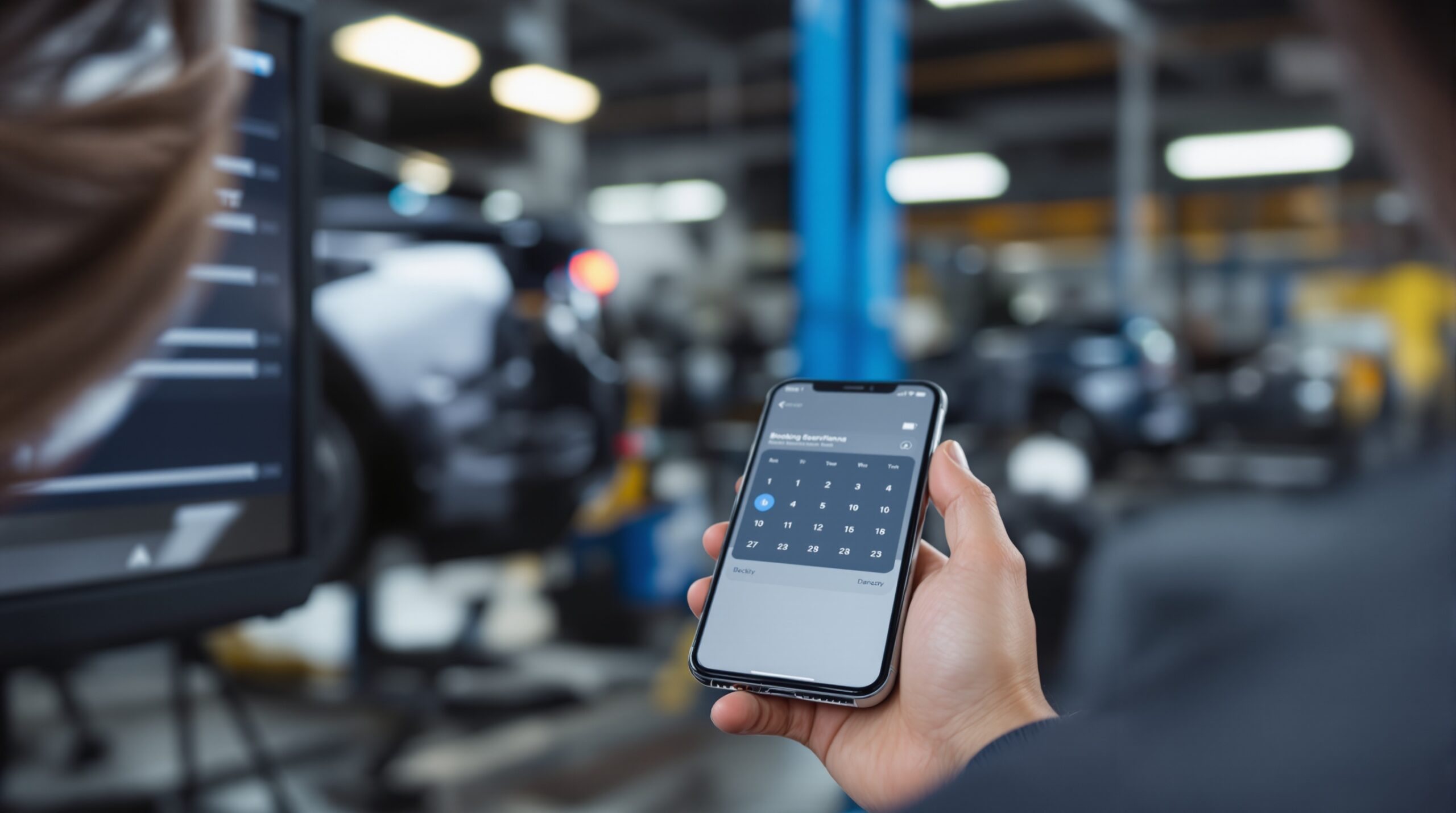
Which features matter in automotive scheduling software
Most vendor pages list features in a flat stack: booking page, reminders, calendar sync, payments, mobile app, reports. That is not enough for a service operation. The better way to read features is by asking which ones reduce rework, protect the bay, or shorten the handoff between stages.
That filter keeps the feature list honest. A reminder helps after the appointment exists. A capacity rule prevents a bad appointment from existing in the first place. A photo upload helps the technician prepare. A payment link helps at pickup. They are not equal, and they should not be treated as equal.
Booking page and self-scheduling
A public booking page is useful when it does not create false confidence. Customers should see real availability, but the system should still protect the rules behind the scenes. That means service types, durations, and technician assignment need to be controlled before a slot appears open.
Setmore is strongest in this zone: it makes it easy to expose a booking page, connect calendars, and let customers self-schedule. That is helpful for shops that need a cleaner front door. It is less helpful if the real bottleneck is deeper in the service lane, where capacity and job type matter more than the booking surface.
Reminders and confirmations
Automated reminders do reduce missed visits. They also reduce the number of manual calls a front desk has to make on a busy day. But reminders are not a cure for bad scheduling logic. They can confirm a slot that should never have been accepted.
That is why reminder-heavy systems should be judged by what happens before the reminder goes out. If the software cannot prevent overbooking, reminders only make the mistake feel better organized. They still matter, but they are the second line of control, not the first.
Capacity rules and service duration settings
Capacity rules are the difference between a scheduling tool and a calendar widget. They let the shop define how many jobs can run at once, how long each job should block the schedule, and which service types need more room. Without those controls, “availability” becomes a guess.
This is the feature that is easiest to underbuy and hardest to add later. Once the team is already working around bad slot logic, the software has become part of the problem. That is why capacity rules should be checked early in the demo, not after the sales call.
Estimate, repair request, and approval handling
Scheduling is more useful when it carries the rest of the job with it. If a quote becomes an appointment, the service team should not have to rebuild the customer story from scratch. The same is true for approvals: the appointment should know which jobs are pending, which are approved, and what the next step is.
This is where dealership workflows and hybrid shops tend to outgrow basic booking tools. The deeper the handoff, the more value there is in a single record that follows the appointment from first contact to repair order.
Intake data, photos, and notes
Early intake data changes the quality of the day. A symptom note, a dash-light photo, or a short description of the issue tells the advisor and technician what to expect before the car rolls in. That lowers the amount of “What’s happening?” work that happens at the counter.
Xtime’s photo and video upload feature is useful because it shortens diagnosis prep, not because it looks modern. The value is practical: fewer unknowns at arrival, fewer stalls at write-up, and less time spent chasing missing context. Shops that skip pre-arrival data usually end up paying for it in the first ten minutes of every visit.
Recalls, warranty, and service menus
For dealerships, the feature set should include rule surfaces that are specific to the brand and the visit type. Open recalls, warranty status, and service menu choices can change the appointment before anyone has touched the car. If the software does not show those rules during booking, the dealership is forced to handle them manually.
That is a serious cost. Manual qualification slows the lane, creates inconsistency across advisors, and makes it harder to trust the schedule. A system that surfaces dealer rules early is not just more convenient; it is safer for operations.
Payments, reporting, and mobile access
Payments matter when deposits, approvals, or pickup speed are part of the workflow. Reporting matters when a manager needs to see utilization, appointment volume, or where the day is leaking time. Mobile access matters when the team is not tied to one desk.
Setmore’s payments and mobile apps are useful for shops that want a lighter tool. Xtime’s reporting is stronger for fixed-ops teams that need to watch utilization and revenue per repair order. Those are different needs, so the right feature stack depends on whether your biggest problem is front-door booking or service-lane performance.
Dealership vs independent repair shop: different scheduling requirements
Many software pages blur every automotive business into one bucket. That is a mistake. A small repair shop, a dealership service department, a body shop, and a mobile mechanic do not need the same scheduling logic. If you buy for the wrong operating model, the team will spend weeks compensating for the mismatch.
This is where selection gets easier, not harder. Once the workflow is named clearly, half the vendor list falls away. A tool that fits a five-bay independent shop may be too light for a dealership; a dealer platform may be too heavy for a simple maintenance shop. The goal is fit, not feature count.
Independent shops need speed, clarity, and low admin load
Independent shops usually care about four things: simple booking, accurate time blocks, reminder control, and enough structure to stop double-booking. They do not want to configure a complicated rules engine just to schedule a brake job.
For these shops, the best test is whether the software helps the owner stop doing admin twice. If the system forces manual re-entry, too many confirmation steps, or a complicated setup for basic services, it is solving the wrong problem. A lighter tool with clean duration rules is often the better choice.
Dealer service departments need capacity, qualification, and reporting
Dealerships need a tighter chain. Capacity management, recall and warranty checks, estimate-to-appointment conversion, transportation, and reporting all matter because the schedule is tied to fixed-ops performance. A dealer can have a full calendar and still miss its revenue target if the lane is not balanced.
This is why Xtime reads as a closer fit for dealer workflows than a standard booking app. It treats the service department as a throughput system. That is the right mental model when utilization, labor mix, and repair-order value all matter at once.
Hybrid shops need a bridge between booking and approval
Some businesses sit in the middle. They are not a pure dealer platform, but they do more than simple booking. They quote work, wait for approval, manage pickups, and need better context than a calendar can hold.
These shops usually outgrow generic scheduling when the service desk starts chasing the next step more than the first step. If the team is booking by phone, then copying notes into another system, then following up by text, the workflow has become too fragmented. The software should bridge those steps instead of making them more visible.
Mobile mechanics need route logic, not bay logic
Mobile mechanics are a separate case. Their problem is not bay utilization; it is travel time, stop sequencing, and realistic arrival windows. A calendar that ignores the road creates fake availability very quickly.
For this model, the right software is the one that respects location and timing. It should still send reminders and keep the schedule visible, but the real test is whether it can keep the route honest. A mobile setup can be ruined by overpromising just as easily as a shop can.

When scheduling software fails
Failure is rarely dramatic. More often it appears as a week of small corrections: one rescheduled bay, one missing note, one customer waiting too long, one advisor retyping a complaint. By itself each problem looks manageable. Together they mean the schedule is not carrying the operation.
That is why the best buying criteria are negative ones. Ask where the software breaks under pressure. Ask what it does when a job runs long, when a technician is unavailable, or when a booking should be blocked but is not. Those are the moments that reveal whether the tool is actually built for auto service.
When capacity is treated like a calendar
A calendar records time. Capacity is a rule set. If a platform only shows time blocks without knowing how many jobs can be active, it is not really managing the shop. It is just documenting what already went wrong.
This failure shows up first on busy days. The front desk sees open space, the shop sees a queue, and management sees the cost after the fact. The fix is to enforce duration, bay limits, and job-type logic before the slot becomes bookable.
When reminders replace rules
Reminders are helpful, but they are not control. A text message can reduce no-shows, but it cannot stop a wrong appointment from entering the calendar. If the software is selling reminders as the main value, it is probably weak on the harder part of the job.
That is why a reminder-first tool can still leave the service lane crowded. The appointment will arrive on time and still be wrong for the shop. The better sequence is capacity first, reminder second.
When intake data arrives too late
If the advisor learns about the issue only when the customer arrives, the first part of the visit is already wasted. The team has to ask for the same facts, the technician has to wait, and the repair estimate starts later than it should. A few minutes lost at intake can spread through the rest of the day.
Photos, notes, and pre-check-in questions are what keep that from happening. They are not decorative fields. They are the minimum information needed to prepare the bay before the car arrives.
When no transport plan exists
Customers who need a ride do not care that the bay is technically free. If there is no shuttle, no rideshare option, or no timing plan for transport, the customer experience becomes a waiting problem instead of a repair problem. That wait can be longer than the service itself.
This matters most in dealership settings and higher-volume shops. If the transportation piece is missing, the schedule is lying about how long the customer will really be without a car.
When a shop is “full” but not moving
Some calendars look excellent right up until the day starts. Then the shop discovers that all the jobs were accepted in the right hour and the wrong order. The result is a lane that appears busy while the bays move slowly.
The healthy version looks different. Jobs are staggered, long repairs are buffered, intake is complete before arrival, and the advisor can see what happens next without rebuilding the file. That is the state you want the schedule to create.
How to evaluate software for your auto business
Do not buy automotive scheduling software because the demo looks smooth. Buy it because the workflow survives pressure. A useful evaluation should check how the system behaves with real jobs, real durations, and real handoffs — not just how it looks with test data.
A practical evaluation also exposes hidden costs. Some tools are cheap to start and expensive to operate because they need manual fixes, extra admin time, or a second system for the pieces they do not cover. The lowest sticker price is often not the lowest workflow cost.
Must-have criteria
Start with the non-negotiables: capacity rules, service-duration settings, technician or bay assignment, reminders, and a way to carry notes through the booking. For dealerships, add recall, warranty, and estimate-to-appointment support. For shops that promise transport, add a way to account for ride or shuttle timing.
These are the criteria that protect the operation. If a platform cannot do them, the team will do them manually, and manual work is exactly what scheduling software is supposed to remove.
Nice-to-have criteria
After the basics, look at mobile access, payments, reporting, and website or social booking links. Those are helpful because they reduce friction, but they do not fix a bad scheduling model. Treat them as bonuses unless your workflow genuinely needs them.
Setmore is strongest in the lighter-weight convenience layer. Xtime is stronger on fixed-ops depth. A good buyer does not ask which product is “better” in the abstract; they ask which layer of the workflow is actually hurting them.
Red flags that should stop the purchase
If the vendor talks about “real-time availability” but never explains how capacity is controlled, stop and ask more questions. If the software treats reminders as the main value, stop again. If the appointment cannot carry notes, photos, or approval status forward, the tool is probably too shallow for automotive service.
Another red flag is a setup that requires too many workarounds just to support normal jobs. If the team needs to re-enter data, manually move appointments across systems, or manage technician logic outside the product, the software is not reducing work. It is simply hiding it.
A pilot should prove fewer corrections, not just happier staff
Use a narrow pilot first. Pick one lane, one service type, or one advisor queue and run the software against actual bookings for two weeks. Then compare no-shows, late starts, retyped notes, and average wait time.
If the pilot does its job, you should see at least two of those numbers improve quickly. That is the strongest sign that the tool is carrying part of the workflow instead of just making the calendar look modern. If you are comparing software options by category, pair this review with the broader appointment-scheduling shortlist and then test the finalists against bay rules, not marketing copy.
Use the pilot to test the schedule under real pressure
Most teams know within a week whether the new system is helping or creating new work. Watch the front desk during the busiest hour, then check whether the software prevented double-booking, kept the advisor from rewriting the same notes, and protected the customer from surprise waits. A good tool should make the day feel narrower, not noisier.
Why teams choose a workflow-first setup like Scrile Meet
For appointment-based businesses that want one path from booking to conversation to payment, Scrile Meet is relevant because it keeps the appointment record and the client interaction in one branded flow. That matters when the business is tired of stitching together separate tools for scheduling, messaging, and collection.
The practical benefit is fewer handoffs. Teams spend less time moving information between systems and less time losing context after the first booking. That makes the platform useful for businesses that need admin oversight, branded client paths, and a cleaner flow than a loose bundle of links can provide.
It is not the lightest option for a shop that only wants a basic booking page. But when the goal is to keep the schedule, communication, and payment path connected, the fit is stronger than a calendar-only tool.
Ready to build the setup behind this?
If this is the operating problem you need to solve, use the product page as the next step. It shows where build your setup fits and what the platform covers beyond a single payment widget.
Frequently asked questions
What is the difference between a booking app and automotive scheduling software?
A booking app mostly accepts time requests. Automotive scheduling software also protects bay capacity, technician assignment, and the handoff into the service workflow. That difference is why the automotive version matters once the shop has real throughput pressure.
Why do reminders not solve most scheduling problems?
Because reminders act after the appointment is already in the calendar. They can reduce no-shows, but they do not prevent false availability, bad duration settings, or missing intake data. If the schedule is wrong, the reminder only confirms the mistake.
When does a dealership need something deeper than a basic booking page?
When recall checks, warranty status, estimate conversion, and transportation start affecting the visit. At that point, the software needs to qualify the appointment, not just reserve a time slot. Dealer workflows are different enough that the extra logic pays for itself quickly.
What should an independent shop prioritize first?
Independent shops should start with accurate service durations, simple self-booking, reminders, and technician assignment. If the tool does those things cleanly, it can save a lot of admin time. Anything more complex should only be added if the shop truly needs it.
How do you know the software is causing hidden rework?
Look for repeated note re-entry, manual rescheduling, and front-desk calls that should not exist. If the team keeps fixing the schedule by hand, the product is not carrying enough of the workflow. That is a strong sign the tool is too shallow for your operation.
What is the clearest sign that a shop has outgrown generic scheduling?
When the calendar says the day is fine but the floor says otherwise. If bay conflicts, advisor handoffs, or customer wait time keep forcing corrections, the shop needs software that understands the service operation instead of just recording appointments.

Account management at Scrile. Writes about B2B sales cycles, vendor-client communication, and the unglamorous middle of enterprise deals.