

Quick answer
App reservations management is not just a calendar with reminders. It is the control layer that decides what can be booked, what must be blocked, how cancellations reopen inventory, and when deposits or waitlists make sense. If you manage scarce slots, shared resources, or mixed walk-ins and reservations, the difference shows up fast: fewer double-bookings, less manual cleanup, and a schedule staff can actually trust.
What app reservations management means in practice
Most teams do not search for app reservations management until the same thing keeps happening in different ways: a customer arrives for a slot that was already given away, a cancellation lands after the cutoff, or someone in operations is trying to reconcile email, calls, and a spreadsheet at the same time. At that point, the calendar is not the real problem. The rule set is.
That is why the category should be read as an operations tool, not as a prettier booking form. A reservation app has to protect capacity, apply rules consistently, and keep the record clean enough that staff can rely on it during a busy hour. If the system cannot do that, it is only storing appointments, not managing reservations.
The clue is usually visible in the workload. A front-desk lead may spend 2-4 hours a week checking what is actually bookable. A coordinator may manually patch holds that should have expired. In mixed-mode teams, that number rises because reservations, walk-ins, and phone calls all compete for the same space. The software becomes useful when it stops that drift.
This is also why the category spans more than restaurants. It includes consultation slots, fitness classes, rooms, equipment units, and other limited resources. The shared problem is scarcity. One business needs table turns, another needs seat caps, and a third needs to make sure a machine is never double-booked at 3:00 p.m. And 3:15 p.m.
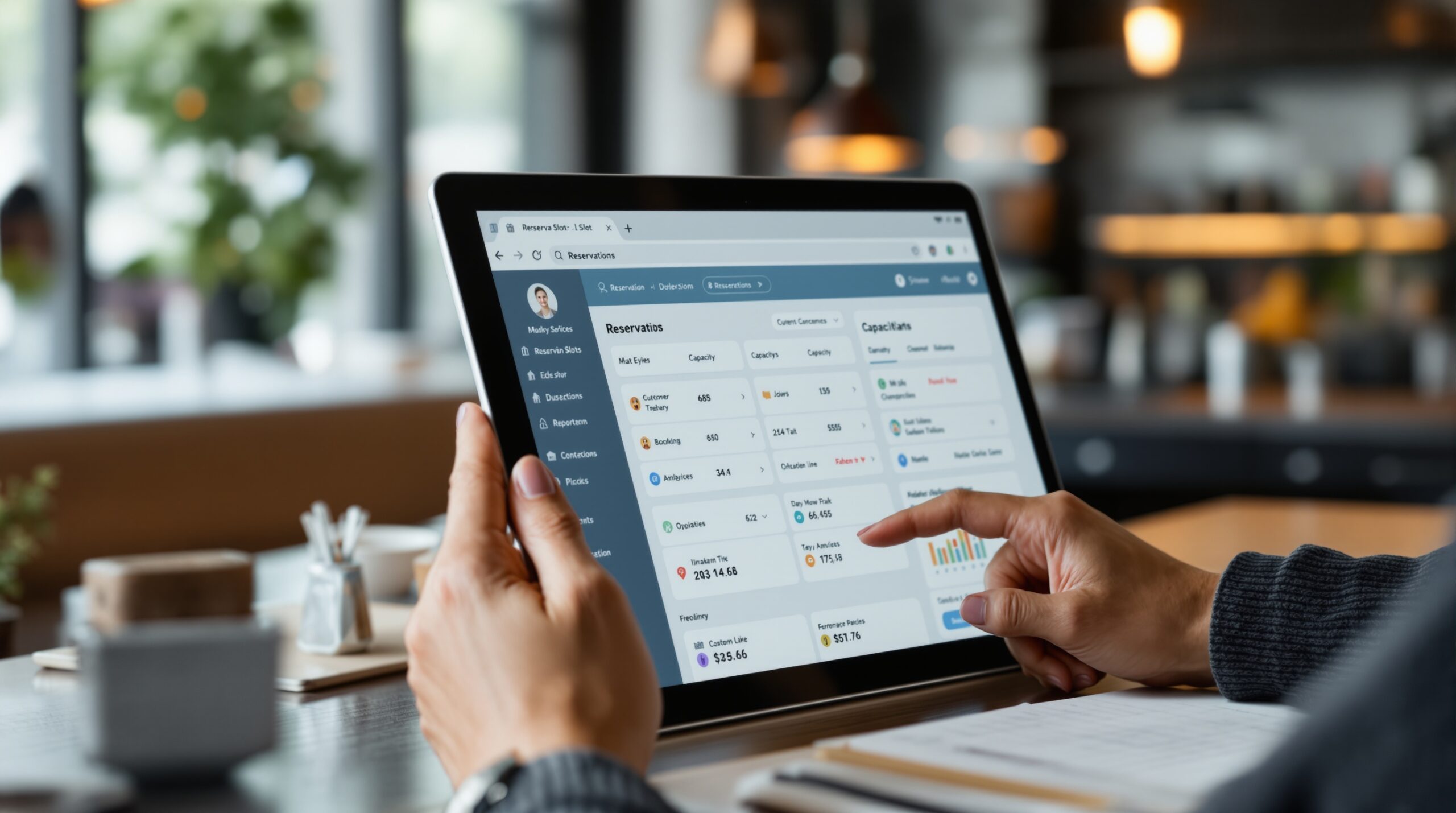
Reservation management vs appointment scheduling vs resource booking
Appointment scheduling matches one person to one time. Reservation management controls access to a limited service, space, or experience. Resource booking goes one step further because it tracks a scarce object such as a room, vehicle, device, or class seat and prevents conflicting claims. Teams that blur those categories usually buy the wrong product first.
A counseling practice may only need appointment rules plus payment capture. A spa may need both staff availability and room inventory. A municipality, school, or university often needs resource booking with approval gates. The labels overlap, but the control problem changes. That is why a single “best app” answer rarely holds.
One useful check is to ask what must never happen. If the answer is “double-book the room,” you need resource booking. If the answer is “let the wrong party size into a table block,” you need reservation logic with capacity rules. If the answer is only “let two people pick the same meeting time,” a lighter scheduler may be enough. That distinction keeps the search honest.
The booking rules engine that keeps capacity honest
The rules engine is where app reservations management becomes real. It decides whether a booking can be accepted, held, moved, or blocked. Good systems let operators set lead-time minimums, buffer time, capacity caps, and service-specific rules without editing a spreadsheet every time the business changes.
Skip that layer and the pain shows up later as a series of small fixes. A slot that looked available turns out to be blocked for setup. A “confirmed” booking should have required a deposit. A reschedule creates a hidden gap that nobody fills. None of those failures looks dramatic alone, but together they can turn a busy day into a manual cleanup shift.
The rules engine is also where leaders should test exceptions. Can the app block last-minute bookings when staffing is tight? Can it allow a VIP override without breaking capacity? Can a premium slot require payment while standard slots stay friction-light? Those questions matter more than a long feature list, because they show whether the system can handle real operations, not just happy-path demos.
| Use case | Primary control | Break point | Metric to watch |
|---|---|---|---|
| Restaurant seating | Table assignment, turn time, walk-ins | Peak-hour overbooking | Fill rate and table turn time |
| Fitness classes | Seat cap, waitlist, late cancellation | Class hits capacity before the waitlist moves | Capacity utilization |
| Consultations | Staff availability, buffer time, payment rule | Reschedules pile up and slot gaps grow | No-show rate and reschedule rate |
| Rooms and equipment | Inventory lock, resource ownership | Two teams claim the same asset | Double-booking count |
When deposits, buffers, and cancellation windows matter
Deposits matter when the cost of a no-show is higher than the friction of asking for commitment at booking. Buffers matter when setup or clean-up is real, not theoretical. Cancellation windows matter when a late cancel leaves no time to refill the slot. These are not premium add-ons; they are policy tools that keep revenue from leaking.
In practice, the right mix depends on the business model. A fitness studio often cares most about late cancellation and waitlist timing. A consulting team may care more about buffer time and payment rules. A shared-resource operation may need inventory lock and approval gates above everything else. The point is not to install every control. The point is to install the right ones.
There is also a hard tradeoff. Tight rules reduce no-shows and protect capacity, but they can slow booking if the policy is too strict for the audience. Loose rules make it easier to book, but they increase empty slots and manual follow-up. A reservation app is only useful when the policy matches the reality of demand.
For a deeper look at how policy choice changes the booking flow, the logic in the event booking app guide is a useful sister read, especially when the reservation must handle a fixed capacity and a public time window.
What the rules should actually decide
Start with five variables: lead time, cancellation window, buffer time, deposit, and capacity cap. Those five decide most of the operational damage before it happens. If the app does not expose them cleanly, the team will end up hiding the logic in notes and staff memory.
Next, check who gets an override. A system with no exception owner usually becomes a system with many exception owners, which means every person applies the rules a little differently. That is how teams create invisible inconsistency even when the booking page looks tidy.
How reservations, walk-ins, and waitlists share the same queue
Walk-ins are not the opposite of reservations. They are the pressure test. If the app cannot hold a booked slot while still absorbing unscheduled demand, the front desk ends up running the queue by instinct. That works until the busy hour, when staff is already tired and the customer line is visible.
A better setup shows three things at once: what is protected, what is open, and what can be promoted from waitlist to confirmed. That keeps the team from guessing under pressure. It also makes it easier to protect booked capacity without turning away profitable walk-ins.
In restaurant operations, this is exactly where a tool like Eat App is often evaluated: not just for bookings, but for managing reservations, walk-ins, and table control in one place. The point is not the brand name. The point is whether the queue is governed or improvised.
Mixed-mode operations can get messy quickly. A call comes in, someone books online, another customer walks in, and a manager overrides the rule for a priority case. Without a shared queue, each move creates a tiny inconsistency. Multiply that by a week and the schedule is no longer trustworthy.
What a reservation app must control day to day
Daily control is where the software proves its value. If it cannot stop a double-booking, confirm a change cleanly, and show the team what is actually full, it is only a prettier inbox. Operators need to know what is booked, what is tentative, what was canceled, and what still has to be staffed.
The busiest teams are usually the ones with mixed flows. A booking arrives online, another by phone, another through a walk-in, and someone in management overrides the rule for a priority customer. Each move is small. The damage comes from the accumulation: a slot gets duplicated, a buffer gets lost, a reminder is missed, and the front desk spends the afternoon repairing the record.
Capacity, inventory, and slot control
Capacity control means the system knows the hard ceiling. Inventory control means it knows the bookable unit, whether that unit is a seat, room, room-equipment pair, or provider time block. Slot control means the app decides how those units are released. The three have to work together.
A useful reservation app shows the difference between “we have time” and “we have a usable slot.” That distinction stops teams from overpromising. It also keeps the booking record honest when demand gets uneven, which is where most manual systems start to fail.
For some businesses, that distinction is even sharper. A class may have open time but no equipment left. A clinic may have a provider available but no exam room. A rental operation may have a vehicle returned but not yet checked in. That is why a plain calendar cannot replace reservation management.
Cancellation and modification workflows
Cancellations are not edge cases. They are normal flow. The app should show who canceled, when the slot reopened, whether a fee applies, and whether the slot should go back to a waitlist or to open inventory. Modifications need the same clarity, because rescheduling can create silent gaps that are hard to fill later.
This is where the operational cost becomes visible. Teams often lose 1-2 hours a day to cleanup when changes are handled by email or chat. That is not just admin waste; it is the time staff should be using to seat guests, serve clients, or keep the day moving. The more the business depends on shared staff and limited capacity, the more expensive that cleanup gets.
Mixed-mode operations
Mixed-mode operations are common: reservations, walk-ins, phone calls, and manual holds all happen in the same day. A fitness chain may book classes online but hold a few spots for in-person sign-up. A services team may reserve a handful of appointment blocks for urgent cases. The app has to support that mix without forcing staff to invent workarounds.
Teams that handle mixed-mode flows well usually have one rule: every slot has a source, an owner, and a status. That simple discipline keeps the system readable. It also makes reporting useful, because the team can see which channel actually fills the schedule and which one creates friction.
Reporting metrics that matter
Reservation reporting should not stop at raw booking count. The useful metrics are no-show rate, fill rate, cancellation rate, utilization, peak-load timing, and waitlist conversion. If a tool cannot surface those in a way an ops lead can act on, the dashboard is decorative.
These numbers change the conversation. Instead of arguing about whether the app “feels busy,” the team can see whether the business is underbooked, overbooked, or unevenly booked. That is the difference between a reaction log and a management system.
For more context on booking behavior across longer service journeys, the sister guide on scheduling app for small business shows when simple time booking is enough and when reservations need tighter policy control. If the use case shifts toward venue flow and attendance management, the event booking app article gives a stronger comparison point. For businesses that need a more branded client journey, the room reservation app guide helps separate room inventory from general scheduling logic.
How reservation apps differ from plain calendar software
Calendar software assumes time is the only scarce thing. Reservation management assumes time, inventory, and policy all matter at once. That difference sounds small until a service team realizes it has sold six slots against four chairs, or a class system has filled by time but ignored equipment limits. Then the calendar looks neat and the operation looks broken.
That is the central mistake in this category: the app shows availability, but the business still has to decide whether that availability is real. Lead times, cancellation windows, buffers, deposits, and exception rules are what keep the slot honest. Without them, “available” is just a visual.
On the vendor side, the strongest products are the ones that support the whole operating picture instead of only the booking page. In hospitality, that may mean guest history, table management, deposits, and a clean handoff between channels. A broader platform such as Eat App also shows how reservations become part of a guest record instead of a one-off time stamp. That is useful when repeat service and revenue tracking matter.
If a team is looking only for a basic meeting link or a one-to-one calendar sync, that is not a reservation problem. It is a communication problem. Buying a heavy system for that use case adds setup overhead without a real operational gain.
What gets copied too easily from leader pages
Some vendor pages make reservation management sound like a set of generic perks: centralize bookings, send reminders, reduce no-shows, and manage everything in one place. Those claims are true, but they are not enough to choose a system. The real question is whether the software can enforce the rule set your operation actually needs.
That is why the page does not try to rank “best apps.” Rankings age too quickly and hide the operating differences that matter. A restaurant, a service practice, and a shared-resource team may all need reservation software, but they do not need the same controls. A flat feature list would blur that distinction.
How to choose the right app by business model
Start with the resource you are protecting. If the resource is a seat, table, or class spot, you need a system that understands capacity and turn time. If the resource is a room, device, or vehicle, you need inventory lock and conflict prevention. If the resource is staff time, you need availability, buffers, and a clean reschedule path.
Next, decide how much friction the business can tolerate at booking. Premium or high-loss slots often justify deposits and stronger reminders. Lower-stakes bookings may need lighter rules so customers can move fast. The right app is not the one with the most features. It is the one that fits the economics of the slot.
Then test the channel mix. Some businesses book from website, social media, and phone. Others rely on front-desk staff. A few need both. If the app cannot keep the same record across channels, it will create duplicate work no matter how clean the interface looks.
Finally, ask what happens after the booking. A useful reservation app does not stop at confirmation. It should help with change handling, reminders, reporting, and follow-up. If the tool ends at “booked,” the team still has to manage the rest by hand.
Selection criteria by scenario
Use this shortcut. For hospitality, prioritize table assignment, walk-ins, deposits, and guest history. For fitness or classes, prioritize seat caps, waitlists, and late cancellation rules. For consulting or services, prioritize staff availability, buffer time, and payments. For rooms or equipment, prioritize inventory control and approval logic.
That matrix is more useful than a generic feature page because it tells you what not to buy. A product can be excellent and still be wrong for your business model. The fastest way to waste money is to choose by interface polish instead of by the type of scarcity you actually manage.
When a reservation app is the wrong tool
Some teams are not looking for reservation management. They are looking for a lighter scheduler, or they need a full workflow platform and do not know it yet. The bad-fit signal is usually simple: if the business has almost no scarcity rules, no shared inventory, and no meaningful cancellation cost, a reservation app will be heavier than needed.
Another warning sign is when the team only wants an internal meeting link or a basic calendar sync. That is a communication problem, not a reservation problem. Buying an advanced system for that use case adds setup overhead without a real operational gain.
If the team keeps routing fixes through side channels, the system is losing trust. If reporting is ignored because it does not reflect reality, the schedule is not governed. If cancellations still require a person to reconcile several tools, the app is not actually managing reservations.
There is also a deeper failure mode: the software may be fine, but the policy may be wrong. Tight rules can block demand that should be accepted; loose rules can create empty slots and late firefighting. When that happens, the answer is usually not to add more software. It is to reset the booking policy.
Failure signals
Watch for staff saying “just fix it” outside the system. Watch for customers receiving conflicting confirmation messages. Watch for dashboards that do not match what the front desk sees. Those are not small annoyances; they are signs that the reservation record is no longer trustworthy.
The other warning is hidden labor. If one person spends part of every day cleaning up reservations, the app is not eliminating work. It is redistributing it into less visible places. That usually gets expensive before it gets obvious.
Bad-fit scenarios by business model
A small team that only schedules internal calls does not need reservation rules, inventory locks, or waitlists. A business with fixed one-to-one appointments and no capacity pressure may do fine with a simpler scheduling product. A venue, class-based operator, or service business with deposits and service limits needs real reservation logic.
That is also why a branded client-journey platform like Scrile Meet makes sense only when the booking has to carry identity, messaging, video, payments, and admin control in one flow. If you are not managing a controlled client journey, do not buy a heavier system just because the demo looks complete.
What to do instead
If the issue is only scheduling, choose a basic scheduler and stop there. If the issue is capacity, policy, and payments, look for a reservation app with rule control. If the issue is scheduling plus calls, messaging, and payments in one branded flow, you are in a different category entirely.
That dividing line matters because it keeps the business from overbuying. Teams that know their scarcity model can choose faster and spend less time untangling tool overlap later. Teams that skip the distinction usually pay for it in both software cost and process friction.
What to validate in a pilot
Do not pilot the shiny part. Pilot the failure points. A reservation system passes only when the team can run a busy day without improvising the rules. That means checking the tricky cases first, not last.
Start with five concrete tests. First, book and cancel the same slot twice to see whether the record stays clean. Second, test a walk-in against a nearly full schedule. Third, force a reschedule inside the cutoff window. Fourth, verify whether the waitlist moves automatically. Fifth, confirm that reporting shows the same numbers the front desk sees. If any one of those breaks, the rollout is not ready.
Also test the handoff between staff roles. A front desk person, a manager, and an operations lead should all see the same core truth, even if they act on it differently. If the pilot only works when one expert is watching it, the system is too fragile to scale.
For a wider comparison of booking models and when a reservation flow turns into a full event flow, the event booking app guide is the best next step. It shows where capacity logic becomes attendee logic and why that changes the software choice.
Where Scrile Meet fits this picture
For teams whose reservation is really a branded appointment service, Scrile Meet fits the part of the problem that plain calendars miss: one controlled workflow for scheduling, video sessions, chat, payments, and admin oversight. That matters when the booking has to become a client journey, not just a time slot.
It is a stronger match for telehealth, coaching, counseling, interviews, support, and advisory services than for a simple room-booking use case. In other words, it belongs where the reservation has to carry identity, payment, and team coordination, not only a start time.
Ready to build the setup behind this?
If this is the operating problem you need to solve, use the product page as the next step. It shows where build your setup fits and what the platform covers beyond a single payment widget.
Frequently asked questions
When is app reservations management too much for the business?
It is too much when you do not manage scarce inventory, deposits, or cancellation rules. If the business only books simple one-to-one meetings, a lighter scheduler is usually enough.
What happens if walk-ins and reservations are both active?
Without a shared queue, the front desk ends up guessing. A good app keeps booked slots protected while still showing what can be released to walk-ins or waitlisted guests.
How do I know the app is not handling cancellations well?
You will see manual follow-up, stale availability, and staff double-checking the same slot in different places. If cancellations still need cleanup outside the system, the workflow is broken.
What is the biggest risk if we skip deposit rules?
No-show losses usually grow first, then staff starts overbooking to protect revenue. That solves the short-term gap and creates a bigger capacity problem later.
When should a reservation app be replaced by a fuller platform?
When the booking must also handle payments, messaging, video, and admin control in one branded experience. That is the point where a stitched toolset becomes expensive to maintain.
What should I watch in the first month after launch?
Watch double-bookings, fill rate, cancellation rate, and how many exceptions still need manual handling. If those numbers do not improve, the rules or the rollout are wrong.

Project lead at Scrile. Helps clients pick what actually moves growth and bridges them with the engineering team. Writes about the operational side of software delivery — scoping, requirement translation, and vendor-team alignment.