Voice recognition is no longer a future technology but now a mainstream tool in everything from healthcare and customer service to smart assistants and accessibility and automation systems. It is becoming part of everything from apps and messaging to virtual personal assistants and smart devices in the home.
One of the prime movers towards accomplishing this revolution is the swift evolution in artificial intelligence (AI) and natural language processing (NLP). Speech recognition Python-based solutions fueled by AI have evolved immensely in precision to enable real-time transcriptions, voice command recognition, and multilingual recognition.These technologies are making interactions faster and more efficient, whether it’s for virtual assistants like Siri and Alexa, medical transcription services, or automated customer support systems.
Why Python Speech Recognition?
Among the many programming languages used for voice recognition, Python speech recognition stands out as the top choice for developers. Python’s ecosystem offers several powerful libraries that allow developers to integrate speech-to-text functionalities into applications with minimal effort. Its extensive open-source community and machine learning frameworks make it the go-to language for AI-driven projects.
Here’s why Python is widely used for speech recognition:
Rich library support – Python offers multiple dedicated speech recognition libraries, such as SpeechRecognition, DeepSpeech, and Vosk, that simplify the integration process.
Ease and usability – Its programming syntax readability allows one to develop complex voice-based AI systems with much ease and flexibility in use
Robust machine learning and AI features – Python has direct integration with machine learning and deep learning platforms like TensorFlow and PyTorch to enable organizations to construct highly precise, custom-built speech recognition models.
Cross-platform compatibility – Such systems work across multiple operating systems, ensuring scalability for web, mobile, and embedded applications.
How Speech Recognition Works in Python
Speech recognition enables machines to understand and process spoken language, converting it into readable text or commands. The tech can also provide voice assistants, in-home devices, automated transcription tools, and voice-free systems. Such systems can be developed in a less complicated way through developments in Python speech recognition and with the aid of sophisticated AI-based tools.
Human speech recognition includes both linguistic processing and machine learning models being used correctly in a very complicated process.
At its core, speech recognition isn’t magic — it’s about turning complex sound patterns into understandable language using advanced models. Modern systems often rely on neural networks and deep learning to improve accuracy far beyond simple dictionary matching.
“Whisper is a machine learning model for speech recognition… capable of transcribing speech in English and several other languages, and… improved recognition of accents, background noise and jargon compared to previous approaches.” — OpenAI on Whisper (speech recognition system), Wikipedia
That’s why libraries like Whisper, DeepSpeech, and Vosk form the backbone of Python speech projects — they leverage modern machine learning architectures to decode human speech in ways older systems could not.
Key Components of Speech Recognition Python Applications
Acoustic Modeling. Speech consists of phonemes, which are the fundamental units of sound. The AI systems identify these sounds and match them to their corresponding letters or syllables. Acoustic models enable the recognition of words that sound alike and handle the variations in pronunciation.
Language modeling. The system then has to organize words and sentences in a coherent order after sensing phonemes. Prediction models enhance recognition by predicting words that most likely follow in a sentence in largely the same manner that autocorrect or predictive input works in cell phones.
Noise Filtering & Audio Processing. Recognition of speech is not only about recognizing words—participating words must be filtered from ambient noise and sound. Most speech recognition Python libraries come with noise cancellation to enhance the performance in real scenarios, i.e., in the office, in a crowd, or in the context of in-car free hand conditions.
Neural Network Processing. They have the latest speech recognition systems using AI and deep models to improve accuracy levels. Advanced deep models and AI assist the systems in identifying patterns in enormous amounts of spoken data to adapt to accents and dialects and patterns changing with time.
Top Python Speech Recognition Libraries in 2026
Python offers a variety of powerful speech recognition libraries, each suited for different use cases. Whether you need a lightweight API-based tool, an offline speech recognition system, or an advanced deep learning model, there’s a solution available. Below is a comparison of the five best speech recognition Python tools in 2026, covering their strengths, weaknesses, and ideal use cases.
Comparison of Top Python Speech Recognition Libraries
Library
Type
Strengths
Weaknesses
Best For
SpeechRecognition
Wrapper for multiple APIs
Easy to use, lightweight, flexible, supports Google/IBM/Microsoft
Internet dependent, weak offline support
Quick integration, basic transcription
Mozilla DeepSpeech
Offline, open-source, TensorFlow-based
High accuracy, customizable, privacy-friendly
Needs GPU/high CPU, large models
Privacy-sensitive apps, custom AI
Vosk
Offline, lightweight
Low latency, multilingual, works on embedded devices
Limited pre-trained models, requires tuning
IoT, Raspberry Pi, smart devices
Google Speech-to-Text API
Cloud-based
Very accurate, real-time streaming, auto-punctuation
Subscription costs, needs internet, latency risk
Enterprises, live transcription, call centers
OpenAI Whisper
AI-powered, multilingual
Extremely high accuracy, understands accents & noise, context-aware
Heavy resource use, slower on low hardware
Journalism, podcasts, multilingual assistants
SpeechRecognition
SpeechRecognition is one of the most widely used Python libraries for speech-to-text conversion. It acts as a wrapper for multiple speech recognition engines, making it easy to integrate with cloud-based and offline services. The library supports APIs like Google Web Speech, CMU Sphinx, IBM Speech to Text, Wit.ai, and Microsoft Azure Speech.
Strengths:
Easy to implement – Requires minimal setup and works with a simple API call.
Lightweight – Does not require extensive computational power.
Flexible – Supports multiple speech engines, allowing developers to choose the best fit.
Weaknesses:
Internet dependency – Most of its features rely on cloud APIs, requiring an internet connection.
Limited offline capabilities – The CMU Sphinx engine is available for offline use but lacks accuracy compared to deep learning-based alternatives.
Best Use Cases:
Quick speech recognition integration into Python applications.
Developers looking for a simple API to access Google or IBM speech services.
Basic transcription needs where internet access is available.
Mozilla DeepSpeech
Mozilla DeepSpeech is a deep learning-based, open-source speech recognition system built on TensorFlow. It is trained on thousands of hours of voice data and offers high accuracy, even in challenging conditions. Unlike cloud-based solutions, DeepSpeech runs entirely offline, making it suitable for privacy-sensitive applications.
Strengths:
Fully offline processing – No internet connection required.
High accuracy with proper training – Can be fine-tuned with custom voice data.
Open-source flexibility – Developers can modify and improve models based on their needs.
Weaknesses:
Requires high computational power – Best suited for systems with GPUs or high-end CPUs.
Large model size – Can be resource-intensive compared to lightweight libraries like SpeechRecognition.
Best Use Cases:
Privacy-focused applications that require offline speech recognition.
AI-driven applications needing accurate speech-to-text conversion.
Developers looking to fine-tune a speech model for a specific use case.
Vosk
Vosk is a lightweight, offline speech recognition Python library designed for low-power devices like Raspberry Pi and embedded systems. It supports multiple languages and provides real-time speech processing with minimal resource consumption.
Strengths:
No internet dependency – Works completely offline.
Low latency – Optimized for real-time applications.
Multilingual support – Recognizes speech in over 20 languages.
Weaknesses:
Fewer pre-trained models compared to cloud-based APIs.
Requires additional tuning to improve accuracy for niche applications.
Best Use Cases:
Embedded systems (Raspberry Pi, IoT applications, smart home devices).
Developers needing offline speech recognition with minimal hardware requirements.
Multilingual speech processing for global applications.
Google Speech-to-Text API
Google Speech-to-Text API is a cloud-based speech recognition service that provides highly accurate transcription using Google’s deep learning models. It supports real-time and batch processing, making it suitable for applications requiring fast and scalable speech recognition.
Strengths:
High accuracy across multiple languages.
Supports real-time streaming for live applications.
Includes auto-punctuation and noise cancellation features.
Weaknesses:
Requires a Google Cloud subscription, which can be expensive for high-volume applications.
Latency issues may arise in environments with poor internet connectivity.
Live streaming applications requiring real-time speech-to-text conversion.
OpenAI Whisper
OpenAI Whisper is an AI-powered speech recognition Python model trained on a massive dataset of multilingual speech. It is designed for high-accuracy transcription, multi-language support, and natural conversation understanding.
Strengths:
Extremely high accuracy, even with accents and noisy backgrounds.
Supports multiple languages, making it ideal for global applications.
AI-driven transcription with improved contextual understanding.
Weaknesses:
Requires significant processing power for real-time applications.
Can be resource-intensive compared to lightweight libraries.
Best Use Cases:
High-accuracy transcription services for podcasts, interviews, and journalism.
AI-driven voice assistants with multilingual capabilities.
Python continues to be a leading choice for developing speech recognition applications due to its extensive library support. Whether you need a simple API-based tool like SpeechRecognition, an offline solution like Vosk, or an advanced AI-powered model like OpenAI Whisper, there is a Python speech recognition library suited for your project.
Choosing between open‑source libraries and cloud‑based speech APIs isn’t just a technical decision — it’s a strategic one. The tradeoffs often come down to control versus convenience.
“Open-source solutions… offer the flexibility to modify the code to meet specific requirements. However, open-source solutions… must be provided and managed by you… Additionally, the accuracy of open-source tools is often inferior to that of cloud-based alternatives…” — AssemblyAI, “Python Speech Recognition in 2025”
This highlights why many developers start with an API like Google Speech or AssemblyAI for accuracy and then graduate to local, customized systems when they need more control, privacy, or offline capability.
How to Implement Python Speech Recognition in Your Project
Python speech recognition systems have made changing the way that companies automate processes, communicate with users, and process voice data a reality. From virtual assistant-based systems powered by artificial intelligence to voice command and real-time transcription and voice-controlled smart devices, application utilization of speech recognition must be weighed and optimized.
To successfully implement Python speech recognition technology, firms have to select the right library, calibrate processing to realworld specifications and integrate the tool into the process. High accuracy cloud-based APIs are required in some applications while independent and offline models work in others
The secret to an effective speech recognition Python project is finding the ideal balance between accuracy and speed and being in a position to connect well with other systems.
Setting Up a Python Speech Recognition System
Before diving into implementation, it’s important to define what the speech recognition system will be used for. A real-time transcription service requires high-speed processing, whereas an AI chatbot might need natural language understanding in addition to voice-to-text conversion.
Once the use case is clear, the next step is setting up the development environment. This involves installing the necessary Python libraries and configuring the system for optimal performance.
Cloud-Based vs. Offline Speech Recognition
One of the first decisions businesses face when implementing Python speech recognition is whether to use cloud-based or offline speech processing.
Cloud-based services, such as Google Speech-to-Text or OpenAI Whisper, provide high accuracy and continuous improvements because they leverage deep learning models trained on massive datasets. These services are ideal for applications that require real-time, multilingual speech recognition. However, they depend on an internet connection and often come with ongoing usage costs.
Offline models, like DeepSpeech and Vosk, process voice data directly on the device, making them a great choice for privacy-sensitive applications where data security is a concern. These solutions allow businesses to avoid external API costs, but they may require fine-tuning and additional computational resources for training and optimization.
For businesses operating in high-security industries, such as healthcare, finance, and legal services, offline models provide greater control over voice data without relying on third-party providers.
Optimizing Speech Recognition for Accuracy and Performance
The speech recognition model is as good as the quality input it gets. Even the most advanced AI-based systems fail to handle poor quality audio, high levels of background noise, or heavy accents. To have a better recognition percentage, companies need to work on sound optimization and model adjustment from the AI end
Major factors affecting accuracy in speech recognition:
Audio Quality – High-quality microphones and noise elimination methods enhance speech audibility and produce better transcription accuracy.
Background noise management – Using sound filtration and noise cancellation techniques enables speech models to tune in to the voice of the speaker
Speaker Adaptation – Training models to recognize multiple accents and speaking patterns ensures higher accuracy to multiple clusters of users
Word Choice Within Domain – Training models to a domain-specific lexicon increases awareness to business-specific usage
For multiple language applications, multiple language support will be required. There exist Python speech recognition libraries that natively support multiple languages and those that allow multiple language support through changing between multiple models trained in different languages. Business organizations that have international scope should prefer solutions with robust language processing
Integrating Speech Recognition into Business Applications
Speech recognition technology is now being widely adopted across various industries, providing businesses with new opportunities for automation and customer interaction. The implementation of this technology depends on the specific use case and industry requirements. depends on the specific use case and industry requirements.
Real-World Business Applications of Python Speech Recognition:
AI-powered Customer Service – Virtual and AI-powered chatbots utilize speech recognition to comprehend the inquiries of the customers and respond automatically.
Medical Transcription Services – Physicians would not be depending on speech-to-text systems to auto-document along with note-taking.
Financial & Legal Transcription – It reduces paperwork in financial reports and legal cases and client conversations
Hand-Free devices for Smart devices – Devices with IoT such as voice assistant smart home devices and voice command in vehicles use voice recognition to offer hand-free services.
Live Captioning & Subtitling – Automatic transcription tool helps organizations produce live captions in real-time online conferences, webinars, and live streams.
Each of these use cases requires different levels of accuracy, latency, and language processing capabilities, making it essential to choose the right speech recognition Python solution for the job.
Ensuring Scalability and Security in Speech Recognition Applications
Scalability is a paramount concern for businesses handling vast volumes of voice data. A speech recognition system must be capable of handling thousands of interactions simultaneously without compromising speed or accuracy.
Security is also an important concern, particularly when dealing with sensitive user data. Some industries, such as finance, healthcare, and government, must comply with strict data privacy regulations like GDPR and CCPA.
To ensure compliance, businesses should consider:
On-premises speech recognition solutions for greater control over data.
End-to-end encryption for protecting voice interactions.
AI bias mitigation to prevent inaccuracies based on speaker demographics.
Balancing performance, security, and cost-efficiency is essential for businesses that rely on AI-powered speech recognition for mission-critical applications.
Challenges and Limitations of Speech Recognition
While Python speech recognition has advanced significantly, real-world implementation comes with several challenges that affect accuracy, speed, and user experience. Companies implementing speech-to-text solutions need to overcome technical constraints to support fluent and seamless functioning.
Background noise is one of the biggest issues. In noisy environments like offices, public spaces, and call centers, speech recognition models struggle to distinguish the speaker’s voice from background noises, simultaneous conversations, or echoing acoustics.This leads to continuous misinterpretations, which makes the system less reliable.
Another challenge is dialect and accent recognition. While many speech recognition Python models are trained on standardized datasets, they often fail to accurately process regional accents, fast speech, or non-native pronunciations. This can result in incorrect transcriptions or repeated errors, making the system frustrating for diverse user groups.
Latency is another concern, particularly for real-time speech recognition applications. Systems requiring real-time voice-to-text transformation, such as AI chatbots or live transcription software, need to maintain processing latency as low as possible. High latency can make interactions respond slowly or become unresponsive, affecting user experience in a negative manner.
To overcome these limitations, businesses optimize their speech recognition models using noise reduction filters, AI-powered learning, and continuous model fine-tuning. By adapting speech recognition Python solutions to real-world conditions, companies can significantly improve accuracy and performance.
Scrile AI: The Best Custom Development Service for Python Speech Recognition
Businesses looking to implement speech recognition Python solutions need more than just an off-the-shelf API—they need a customized, scalable, and efficient system that seamlessly integrates with their existing workflows. Scrile AI offers a tailored approach to speech recognition development, ensuring that businesses get precisely the features, accuracy, and performance they need.
Contrary to typical cloud-based applications limiting personalization and control, Scrile AI provides fully customized speech recognition models, designed for industry-specific use. Customer service automation, medical transcription, legal documentation, or voice-based smart apps, Scrile AI provides cutting-edge AI solutions on the basis of proprietary business requirements.
Why Choose Scrile AI Over Off-the-Shelf Solutions
Option
Ownership
Customization
Security
Scalability
Integration
Weak Points
Off-the-Shelf APIs (Google, IBM, etc.)
Belongs to provider
Limited, generic models
Provider-dependent compliance
Scales with cost
Easy to plug & play
Vendor lock-in, recurring fees
Open-Source Models (Vosk, DeepSpeech, Whisper)
Open community
High, but requires expertise
Depends on implementation
Flexible, but resource heavy
Needs dev effort
Requires AI/ML specialists
Scrile AI (Custom Python Development)
Full client ownership
Tailored to industry (medical, legal, finance, support)
GDPR/CCPA compliant, business-grade
Enterprise-level, low-latency, live-ready
Seamless integration into existing apps
None — handled as turnkey by Scrile
What Scrile AI Offers
Scrile AI specializes in custom-built AI solutions, allowing businesses to leverage advanced Python speech recognition technology while maintaining complete ownership and flexibility over their systems.
Custom speech recognition models – Tailored for specific industries to give higher accuracy in specialized vocabulary and use cases.
Seamless integration – Integrates with existing apps, software environments, and backends without problems of compatibility.
Scalable infrastructure – Designed to process live voice handling with high-speed transcription and low latency.
Multilingual speech recognition – Supports multiple languages and dialects, making it ideal for global businesses.
Why Choose Scrile AI Over Off-the-Shelf Solutions?
The majority of companies begin with third-party APIs but later discover that pre-existing solutions are significantly limiting. Scrile AI escapes vendor lock-in and platform limitations and offers:
End-to-end bespoke AI models – No reliance on third-party, and thus companies will fully own their technology.
Business-class security – GDPR, CCPA, and other data privacy law compliant, hence secure and safe voice data processing.
Support and scalability – Engineered for businesses who need long-term stability, upkeep, and nurturing for mass scale operations.
For businesses serious about building powerful, AI-driven voice solutions, Scrile AI provides the best Python speech recognition development service available. Explore Scrile AI’s custom AI solutions today and bring advanced speech recognition capabilities to your business.
Conclusion
The landscape of Python speech recognition is evolving rapidly, with numerous libraries that offer advanced features for real-time transcriptions, AI assistants, and voice automation. The choice of the appropriate tool depends on your needs, levels of accuracy, and scalability objectives.
For businesses that require custom solutions, relying on pre-built APIs may not be enough. Scrile AI provides tailored AI development, ensuring full control, security, and seamless integration into any application.
Take the next step—explore Scrile AI today and build a custom AI-powered speech recognition Python system.
FAQ – How to Create a Telegram Bot (BotFather, Bot API, AI, Monetization)
Answers to the questions people ask after they launch their first bot: setup, hosting, rate limits, payments, and adding AI.
How do I create a Telegram bot with BotFather? ▾
Open Telegram, find @BotFather, and use /newbot. You’ll set a display name, pick a username ending in “bot,” and receive an API token.
Treat the token like a password. Store it in environment variables (not in public repos), rotate it if it leaks, and never paste it into screenshots or tutorials.
Webhook vs long polling: which one should I choose? ▾
Webhook is the production-friendly option: Telegram pushes updates to your server instantly, which improves responsiveness and reduces wasted requests.
Long polling is great for prototypes because it’s simple, but you still need to handle retries, timeouts, and process restarts. If you’re building something serious, plan to move to webhooks.
What stack is best for Telegram bots in 2026? ▾
For most teams, Python or Node.js wins because libraries are mature and deployment is straightforward. In Python, aiogram (async) and python-telegram-bot are popular. In Node.js, many teams use Telegraf or grammY.
Choose based on your product, not hype: async support, webhook handling, middleware, and how easily you can integrate databases, payments, and analytics.
Where do I track Telegram Bot API updates? ▾
The safest habit is to check the official Bot API documentation’s “Recent changes” section before big releases or feature launches.
If you want updates in real time, follow Telegram’s bot-focused channels (news + discussion) so you catch UX-breaking changes early, not after your users report bugs.
How do I handle rate limits, flood control, and 429 errors? ▾
Don’t brute-force retries. When Telegram returns flood control, it often includes a retry_after value. Respect it, wait, then retry.
In production, you’ll want an outgoing message queue that smooths bursts (especially broadcasts). Treat rate limits as a product constraint: design flows that don’t spam users or hammer the API.
Is the Telegram Bot API free, and what are “paid broadcasts”? ▾
The Bot API itself is free to use, but broadcasting has practical limits. For large newsletter-style sends, Telegram introduced Paid Broadcasts, which can raise throughput when you pay per message using Telegram Stars.
This matters for architecture: if your business depends on mass sends, budget for it (or design batching/segmentation that fits the free limits).
Can I monetize a Telegram bot? ▾
Yes—Telegram bots are often monetized through subscriptions, paid access to channels, one-time purchases, lead-gen funnels, and donations. The bot becomes the “checkout + delivery” layer right inside the chat.
The important part is consistency: access rules, renewals, user states, and support flows must be automated. A monetized bot fails when payments work, but delivery and permissions are managed manually.
How do I add AI (ChatGPT-like) features to a Telegram bot? ▾
AI bots are usually a combination of Telegram messaging + your AI backend. Your bot receives updates, sends user text to an LLM endpoint, then streams back a clean answer (often with typing indicators and short chunks).
To make it feel “human,” keep context per user, add safe fallbacks, and control costs with message limits, caching, and smart prompt design. AI isn’t just the model—it’s the whole product loop.
How do I keep my Telegram bot secure? ▾
Start with basics: protect the token, validate webhook requests, and avoid logging sensitive user content. If you store user data, keep it minimal and encrypt secrets.
Security is also operational: monitor for spikes, lock down admin commands, and separate “public bot logic” from internal tools. The fastest way to lose trust is a bot that leaks tokens or mishandles payments.
When should I build a custom bot instead of using a no-code builder? ▾
No-code is perfect for testing an idea. Custom development becomes worth it when the bot is core to your business: you need full branding, deeper integrations, higher performance, custom monetization, or strict control over data and UX.
If your bot needs to scale beyond “a helpful helper” into a product, a custom architecture (queues, analytics, payments, admin tools) saves you from platform limits later.
Polina Yan is a Technical Writer and Product Marketing Manager, specializing in helping creators launch personalized content monetization platforms. With over five years of experience writing and promoting content, Polina covers topics such as content monetization, social media strategies, digital marketing, and online business in adult industry. Her work empowers online entrepreneurs and creators to navigate the digital world with confidence and achieve their goals.
AI avatars have moved far beyond cartoon filters and novelty apps. In 2026, they’re redefining how we present ourselves online — from personalized content on social media to branded spokespeople in marketing videos. Whether you’re an individual creator or part of a business team, a high-quality AI-generated avatar can act as your always-ready digital twin.
AI avatars in 2026 are no longer just “fun filters”. Today, the best AI avatar generator can create realistic photo avatars for profile pictures, stylized characters for social media, and even talking video presenters for business content.
This guide focuses on what people actually search: best AI avatar generator (2026), top-rated AI avatar creator tools, and AI platforms with top photo avatar features. We’ll compare the most practical options across three outputs: (1) photo-to-avatar portraits, (2) talking video avatars, and (3) 3D avatars for apps and games—so you can pick the right avatar maker AI for your use case.
An AI avatar generator uses artificial intelligence to create lifelike representations of people — animated, still, or even interactive — based on photos, prompts, or style presets. And the quality? Better than ever. Advances in AI and visual processing have made it easier to generate avatars that feel expressive, realistic, and customizable.
The shift from simple filters to full-fledged digital selves isn’t just a visual upgrade. Analysts who study online identity point out that AI avatars are quickly becoming part of how people actually exist in virtual spaces.
“AI avatars are not just futuristic novelties—they are quickly becoming foundational elements of online identity in the metaverse and beyond.” — Evelyne Hoffman, WINSS Solutions
This aligns with what we see in 2026: when you choose an AI avatar generator, you’re not just picking a fun effect. You’re choosing the engine behind your digital presence across social media, games, virtual meetings, and future metaverse platforms.
In this guide, we’ll help you find the best AI avatar generator for your needs — whether you’re looking for free tools, mobile apps, or advanced solutions that create avatars from scratch. Let’s dive into the tools shaping digital identity in 2026.
If you want review-backed ‘top-rated’ options, check verified review aggregators like G2’s AI Avatar Generators category.
How We Chose These Generators
Selecting the best AI avatar generators is less about exceptionally high-quality graphics. From numerous dozen tools released annually, we focused on those aspects of highest value to users — whether you’re developing content to post to Instagram, making character assets to integrate into your game, or building a virtual representative of your business.
First and foremost, realism was at issue — just how realistic the avatars look and move. An advanced digital character needs to be immersive and never off-putting nor robotic. Other than that, diversity mattered. We wanted to have software where users can create avatars with different styles, body types, and moods.
Usability was paramount as well. Some websites don’t require any design experience at all, and others need you to have some level of technical know-how. We considered both options.
We balanced free versus paid features — not just what’s free, but whether or not paid tiers are worth it.
Finally, we looked at output quality. Does the generator produce still images, animated avatars, or video-ready content? Can the files be used across social media, YouTube, game engines, or enterprise platforms?
From creators to marketers to indie game devs — these tools have use far beyond novelty. So we picked solutions that truly deliver.
Detailed Reviews: Top AI Avatar Software (2026)
Not all AI avatar tools are built the same. Some focus on hyper-realistic video avatars for business, others on stylized portraits for social media. Whether you want to make an AI avatar for your Twitch profile, marketing campaign, or personal brand, there’s a tool out there tailored to your needs.
We’ve tested and compared dozens of popular platforms and narrowed it down to seven that really stand out in 2026 — based on realism, features, ease of use, and the kind of content you can create. From polished video presenters to artsy cartoon styles, here’s our take on the best of the best.
Synthesia
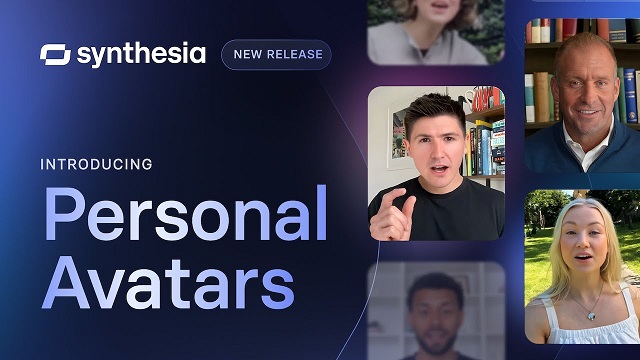
If your goal is to create video avatars that actually talk — not just static profile pics — Synthesia is a strong contender. Originally built for corporate training and explainer videos, it’s now used by marketers, educators, and small business owners who want to replace on-camera filming with smart, polished AI presenters.
The process is simple: choose an avatar, type your script, and let the system turn it into a video with realistic lip-syncing. You can also clone your own voice and use your own avatar if you’re on a higher plan.
That straightforward workflow is exactly why tools like Synthesia became popular with training and marketing teams. Even the company’s own product messaging emphasizes how far AI avatars have come as a replacement for traditional video production.
“Produce studio-quality videos with AI avatars and voiceovers in 140+ languages. It’s as easy as making a slide deck.” — Synthesia
This quote reinforces the use case you describe: Synthesia isn’t about fun profile pics — it’s about scalable, multilingual, business-ready video. In your review, it underlines why you put Synthesia at the “professional video avatar” end of the spectrum, compared to more casual selfie-style generators later in the article.
Strengths
High-quality avatars with natural motion and expression
Multilingual voice support
Ideal for explainer videos, training content, and branded video messaging
Limitations
Not great for casual users or creative expression — very business-focused
Requires a paid plan for most features
Limited customization of avatar appearance in lower tiers
Synthesia isn’t the best AI avatar app for selfies or fun — but it’s excellent if you need professional, video-ready avatars at scale. Think: onboarding videos, product walkthroughs, or educational content where you want a consistent, polished look.
MagicShot AI
MagicShot AI is built for people who want to create multiple versions of themselves — not just one perfect selfie. It’s especially popular with social media users, digital creators, and professionals looking to generate a wide range of stylized portraits for content and branding.
Upload a few photos, choose your styles, and the platform spits out dozens of unique AI-generated avatars: cartoon, cyberpunk, watercolor, anime, fashion editorial — you name it. It’s easy to use, and most results look polished enough to use as profile pictures, thumbnails, or promo visuals.
Strengths
Huge variety of artistic styles
Simple interface with no learning curve
Great for creating eye-catching content fast
Limitations
Mostly image-based — no video or animation support
Not suited for professional business use (e.g., training videos)
Best results require high-quality photo input
If you’re looking for the best AI avatar creator to experiment with different aesthetics or update your personal brand visuals, MagicShot AI is a fun, flexible option.
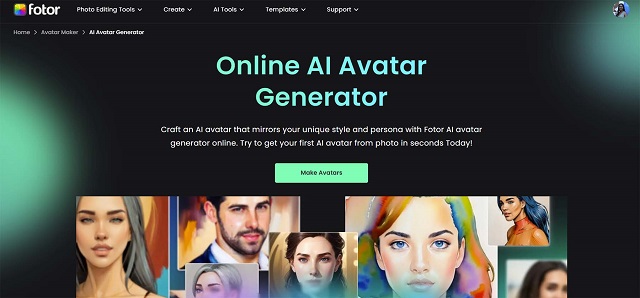
Fotor AI Avatar Generator
Fotor has been around as a photo editor for years, but its AI avatar generator has become a standout feature in 2026. It’s a great choice for anyone who wants quick, creative avatars without diving into complex tools or pricey subscriptions.
The Fotor AI Avatar Generator lets you generate dozens of avatars by uploading a few selfies — similar to Lensa or MagicShot — but with smoother output and better color harmony. It leans toward polished, semi-realistic styles with just enough flair to make your avatars pop on social media or websites.
Strengths
Accessible to beginners
Reliable output even with average-quality photos
Includes editing tools to tweak results
Limitations
Mostly focused on headshots
Limited to static images
Some features hidden behind a paywall
If you’re searching for the fotor AI avatar generator that balances speed, quality, and ease of use, this is an easy one to recommend — especially for influencers, coaches, and creators.
Picsart AI Avatar
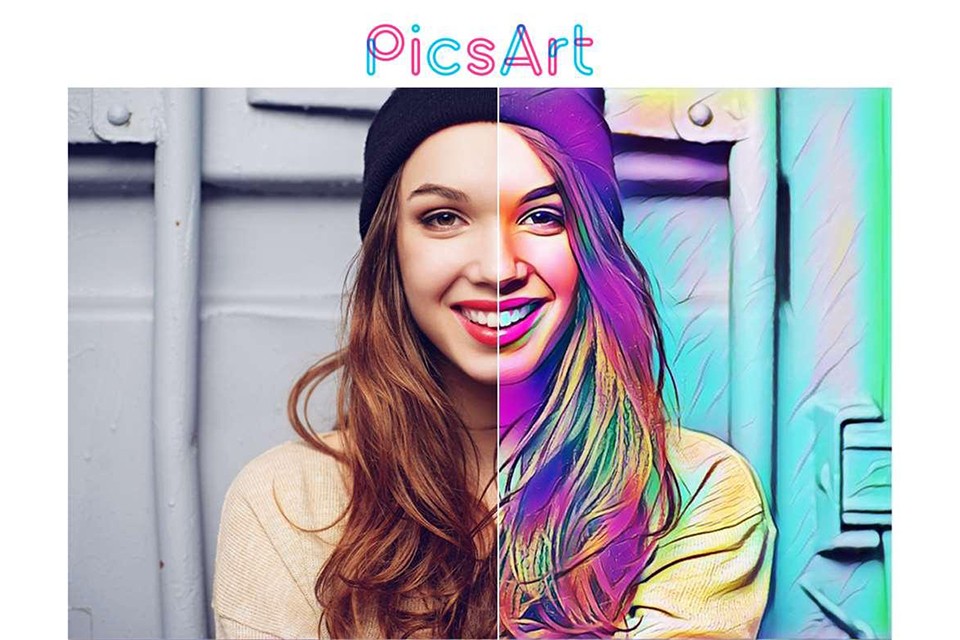
If you’re already familiar with Picsart as a creative editing app, you’ll be glad to know its AI avatar generator online tool is just as intuitive. It’s geared toward casual creators, Gen Z users, and anyone who wants a personalized digital look for their socials without spending hours tweaking settings.
Upload a handful of selfies, and you’ll get back stylized avatar sets in various aesthetics — futuristic, dreamy, gritty, cartoonish. The avatars are clearly AI-generated, but that’s part of the appeal: they’re bold, vibrant, and perfect for platforms like TikTok, Instagram, or Discord.
Strengths
Mobile-first, quick, and fun to use
Great for personal branding and content creation
Integrated with Picsart’s broader editing tools
Limitations
Limited realism — not great for business use
Subscription needed for full access
May repeat certain looks if you don’t upload diverse photos
As an AI avatar generator online, Picsart hits the sweet spot for users who value speed, color, and content-ready visuals over ultra-precise realism.
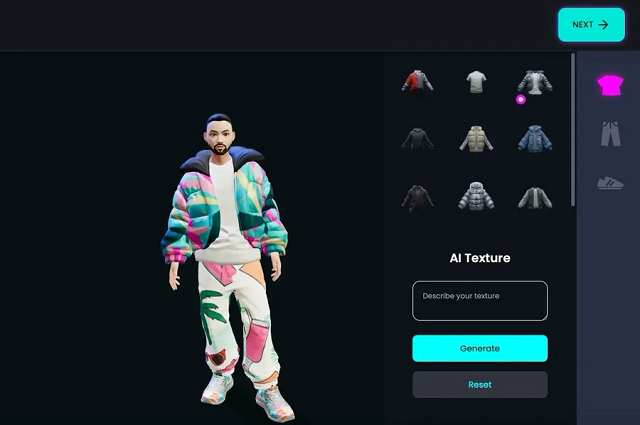
Ready Player Me
Ready Player Me takes avatars into the world of 3D. If you’re building a virtual world, VR experience, or game — or just want a fully rigged 3D version of yourself — this is hands-down the best avatar generator in that space.
It’s especially popular among developers and game designers because of its wide compatibility with Unity, Unreal Engine, and WebXR. You start by uploading a selfie, and the platform creates a full-body avatar you can customize in style, outfit, and movement. It’s also used in virtual meetings, social VR platforms, and metaverse-style apps.
Strengths
Generates ready-to-use 3D avatars
Integrates well with development pipelines
Ideal for gaming, VR, and interactive platforms
Limitations
More technical than image-based avatar apps
Requires understanding of game engines for full use
Limited options if you’re looking for stylized 2D content
If you’re building for Web3, gaming, or immersive tech, this may be the best avatar generator for bringing your virtual self to life in real-time environments.
Reface App
Reface made a name for itself with real-time face-swapping and viral deepfake content, but its newer avatar tools have given it a fresh edge in 2026. If you’re after quick, animated, personality-filled avatars for memes, messages, or fun promos, this might be the best free AI avatar generator for you.
The app lets you create animated avatars that lip-sync, emote, and mimic expressions. It’s not meant for polished professional output — but that’s exactly why it works so well on platforms like TikTok, Snapchat, and Reels. It’s fast, weirdly accurate, and way more engaging than a still image.
Strengths
Totally mobile, built for viral content
Includes animated avatars and motion-based templates
Many features are free or low-cost
Limitations
Not business-oriented
Output isn’t high-res enough for large-scale media use
Data/privacy concerns with some users
If you’re focused on fun, humor, or storytelling, this is one of the best ways to experiment without spending a dime. For sheer personality, it’s a standout among the best free AI avatar generator options.
Lensa AI (by Prisma Labs)
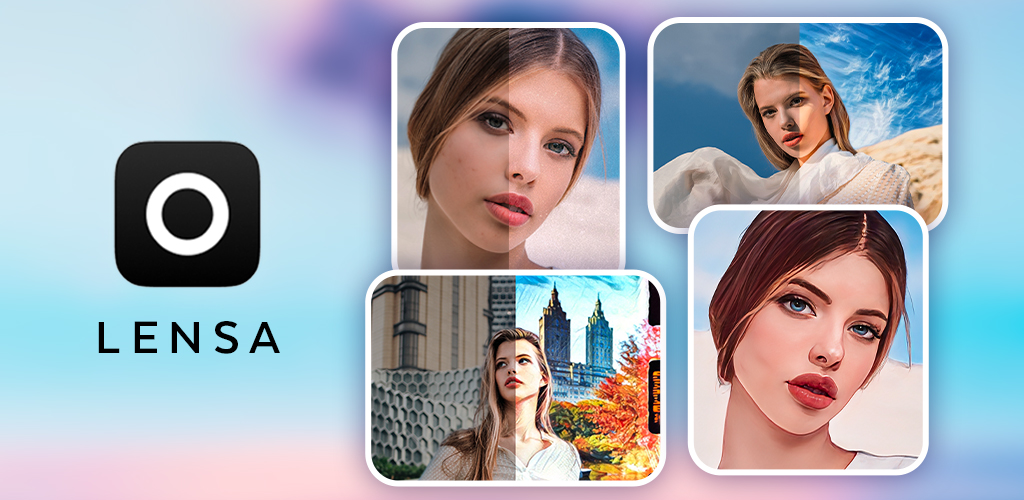
Lensa exploded in popularity for its dreamy, highly stylized portraits — and its best AI avatar maker features in 2026 continue to deliver. It’s designed for people who want something more aesthetic than realistic: think painterly effects, fantasy themes, and Instagram-worthy images.
Upload 10–20 photos, choose a style pack, and get back dozens of variations. Some look cinematic, some lean into anime or fantasy, and others have that bold digital art vibe that works great for personal branding or content aesthetics.
Strengths
High-quality, artistic results
Super easy to use with a sleek mobile interface
Beautiful filters and visual themes
Limitations
No animation or video options
Style packs can get expensive
Output sometimes over-processes faces
As a best AI avatar maker, Lensa isn’t built for corporate needs — but it’s perfect if you want avatars that feel more like art than identity. Creators, freelancers, and influencers will find a lot to love here.
AI Platforms With Top Photo Avatar Features
If your main goal is a photo avatar (PFP, headshot, profile branding), the winning features are: photo similarity control, style variety, face consistency across packs, and clean outputs that don’t “melt” details.
Best picks for photo avatars: – Lensa AI — strongest for artistic style packs and “Instagram-ready” portraits. – Fotor — quick conversion from selfies with multiple styles (good for speed). – Picsart — flexible avatar maker from photo or even video input, plus editing tools.
Custom-Built AI Avatar Generators: Scrile AI as Your Development Partner
Choosing the best AI avatar generator is great if you’re creating content for fun or personal branding. But what if your goal is bigger — launching your own product, offering avatar features in your app, or building something truly custom that no one else has? That’s where Scrile AI becomes more than just a name — it becomes your technical partner.
Scrile AI is not a tool, template, or marketplace. It’s a custom software development service that helps startups, businesses, and creators build their own AI avatar generator from scratch — fully tailored to their goals, user experience, and branding. You bring the idea. Scrile brings the engineering, AI models, and product infrastructure to make it real.
Custom-built avatar systems make the most sense when you zoom out and look at the business potential. Virtual influencers and human-like digital personas are no longer a niche experiment — they’re a fast-growing global market.
“The global virtual influencer market size was estimated at USD 6.06 billion in 2024 and is projected to reach USD 45.88 billion by 2030.” — Grand View Research
For founders and teams who want to launch their own avatar-based product, numbers like this validate the idea of investing in a custom AI avatar generator. Scrile AI fits into that picture as the technical partner that turns those market opportunities into an owned platform instead of just another account on someone else’s SaaS.
Their team can build advanced functionality, including:
AI-powered face generation and photo-to-avatar transformation
Model training for custom styles, voice, animation, and emotional expression
Support for real-time video avatars, screen recording, and voiceovers
Workflow integration with messaging, content publishing, and user accounts
Custom dashboards for managing avatars, user data, and moderation
Most tools on the market force you into their limitations. With Scrile AI, you build your own product — not rent space in someone else’s. That means full ownership of your technology, your data, and your brand. No subscription traps. No API rate limits. No licensing headaches.
Want your avatars to look, sound, and move the way you envision? Want to sell avatar-based content directly to your users? Scrile builds that for you — tailored to your market and tech stack.
If you’re ready to move from user to creator, and from idea to product — get in touch with Scrile AI. Your custom avatar solution starts with one smart conversation.
Off-the-Shelf Avatar Tools vs. Scrile AI (Custom Build)
Option
Ownership & Branding
Capabilities
Monetization
Best Fit
Pre-Built Generators (Synthesia, Lensa, etc.)
Limited control
Fixed styles & features
None
Individual users & creators
Scrile AI (Custom Solution)
Full ownership & branding
Custom avatars, animation, voice, integration
Subscriptions, tipping, content sales
Businesses & platforms
Conclusion
AI avatar generators have come a long way — from novelty filters to powerful tools used across marketing, gaming, education, and content creation. The options available in 2026 are more diverse, realistic, and customizable than ever. Whether you’re looking to boost your personal brand, add some personality to your social presence, or automate your company’s video content, there’s a best AI avatar generator out there for you.
If your goals go beyond using what already exists — if you want to build your own solution, control the user experience, and scale on your terms — Scrile AI is the partner you need. Their team helps businesses and creators develop custom avatar software with full ownership and flexibility baked in from the start.
Ready to take that next step? Reach out to Scrile and turn your vision into a tailored AI avatar platform that stands out from the crowd.
FAQ – Best AI avatar generators (2026)
What is an AI avatar generator and what can it create in 2026?
An AI avatar generator is a tool that creates a digital version of a person from photos, prompts, or preset styles. In 2026, “avatar” can mean three very different outputs: (1) photo-style portraits for profile pictures, (2) talking video avatars for marketing or training, and (3) 3D avatars you can use in apps, games, or VR.
The best tool depends on your target output. A great selfie-to-portrait app may be useless for video presenters, and a strong 3D pipeline may not produce the clean headshots you want for a personal brand.
What’s the best AI avatar generator for realistic profile photos and headshots?
For realistic headshots, prioritize face similarity and “clean detail” (eyes, teeth, hairline, glasses). The best results usually come from tools that let you keep identity stable instead of pushing heavy stylization packs.
A quick test: generate 20–40 images and check whether you still look like you in at least half of them. If the outputs drift, switch to a tool with stronger similarity controls, or reduce style variation and keep one consistent look.
What’s the best free AI avatar generator, and what are the real limits?
Free tiers are great for trying the workflow, but they usually limit output quality or control. Common restrictions include fewer generations per day, watermarks, lower resolution exports, or fewer options to lock face similarity.
If you only need a fun avatar for a profile picture, free can be enough. If the avatar becomes part of a brand asset (ads, courses, product UI), paying is often worth it for higher resolution, better consistency, and clearer licensing.
Which AI avatar tools are best for talking video avatars (AI presenters)?
Talking video avatars are a separate category from portrait generators. Here you want stable lip-sync, natural facial motion, decent voice options, and an export workflow that fits real use (training, onboarding, product explainers, sales videos).
For business content, look for script-first tools with multilingual support and consistent output across many videos. The goal is a reliable presenter you can reuse—without your avatar changing face shape or “mood” every time you export.
What’s best for 3D avatars for games/VR and app integration?
For games and VR, you need a real 3D pipeline: a full-body mesh, good rigging, and export formats that work in your engine (Unity/Unreal/WebXR). A beautiful 2D portrait doesn’t help if the avatar can’t move naturally.
Compare tools by rig quality, customization depth (outfits/body types), animation readiness, and how much manual cleanup is required. The “best” option is often the one that integrates cleanly into your build, not the one with the prettiest promo images.
How many photos should I upload to get a good AI avatar?
Most tools perform best with 10–20 photos. Use good lighting, sharp focus, and a mix of angles (front, 3/4, side). Include a few expressions, but avoid extreme facial distortions.
Skip filtered images, heavy beauty edits, sunglasses, and low-light party photos. If your avatars look “off,” the fastest fix is usually better input photos—not more prompt tweaking.
How do I keep my face consistent across multiple avatar generations?
Consistency comes from strong training images plus tighter variation settings. If the tool offers “face similarity,” “identity lock,” or “reference strength,” raise it when you need a stable persona (for branding or repeated content).
Also reduce style chaos. Jumping between many aesthetics (anime → hyper-real → fantasy) increases identity drift. Pick one direction, generate in batches, and refine within that look.
Is it safe to upload my photos to AI avatar apps?
Safety depends on the platform and your own privacy habits. Before you upload personal photos, check whether images are stored, how long they’re retained, and whether you can delete your data. If those details are missing or vague, treat it as a red flag.
Use a separate email, avoid uploading sensitive/identifiable images (IDs, uniforms, family photos), and don’t reuse your “most personal” photo set across multiple unknown apps.
Can I use AI-generated avatars commercially (branding, ads, courses)?
Often yes, but you must check the tool’s license. Some services allow commercial use only on paid plans, or restrict certain templates/styles. Look for clear terms around commercial usage, resale, and marketing.
If the avatar will be part of a serious business asset, choose a provider with transparent licensing and a support channel. Ambiguous terms are fine for a fun profile picture, but risky for paid campaigns or product UI.
When should a business build a custom AI avatar generator instead of using a tool?
Custom development makes sense when avatars are a core product feature—like a creator platform, a virtual influencer studio, a game/app with identity, or a business tool with branded video presenters and controlled outputs.
A custom build can give you full control over the UI, moderation rules, monetization, and data ownership—plus it reduces platform risk when your roadmap depends on features that SaaS providers can change or remove.
Polina Yan is a Technical Writer and Product Marketing Manager, specializing in helping creators launch personalized content monetization platforms. With over five years of experience writing and promoting content, Polina covers topics such as content monetization, social media strategies, digital marketing, and online business in adult industry. Her work empowers online entrepreneurs and creators to navigate the digital world with confidence and achieve their goals.
If you want to build your own AI art generator, start with the model choice, the control layer, and the cost rules, not the prompt box. The fastest path is usually an API or hosted model wrapped in your own UI, while custom training only makes sense when style control or brand consistency is worth the extra GPU, licensing, and QA load. This page shows the minimum architecture, the build paths that actually work, and the mistakes that turn a usable prototype into an expensive demo.
Why the first AI art-generator plan breaks in practice
A lot of teams begin with a simple idea: add a prompt field, a Generate button, and a style picker. The first usable demo looks fine, but the product breaks as soon as real users ask for repeatability, faster reruns, commercial safety, or a way to compare variations without losing the original prompt.
That gap matters because a generator is not judged by one good image. It is judged by whether users can get a second good image on purpose. In practice, the difference between a toy and a product is often a few controls: seed, aspect ratio, variation, upscaling, and history. Remove those and the app feels random, even when the model is strong.
There is also a hard operational cost. Every retry adds another inference pass. Every unsafe prompt needs moderation. Every unclear license claim can block commercial buyers. Teams that skip those questions often rebuild the same workflow later around A model API they should have scoped from day one.
What makes an art generator different from generic image editing
An editor changes an image you already have. An art generator starts from text, a reference image, or both, then invents the visual structure itself. That is why prompt parsing, style control, and reruns matter more than layers or brushes.
Adobe Firefly’s public workflow shows the user loop clearly: prompt, style, regenerate, adjust, repeat. The product lesson is simple, people want a short path from intent to variation, not a full creative suite on first launch. You can see the same pattern in the Adobe Firefly AI art workflow.
If you are building for creators, the app has to explain why two close prompts gave different outputs. If you are building for businesses, it has to explain what is commercially safe and what is not. That distinction is where most AI art pages stay shallow.
The minimum architecture you actually need
At minimum, the stack needs four layers: input, generation engine, control layer, and output/refinement. Input handles prompt text, reference images, and optional negative prompts. The engine runs the model. The control layer holds style, seed, aspect ratio, and safety rules. Output/refinement stores the result, serves previews, and lets the user regenerate or upscale.
Layer
Owns
Failure mode
Mitigation
Input
Prompt, image reference, negative prompt
Ambiguous requests produce unusable output
Prompt hints, examples, character limits, validation
Generation engine
Model inference, sampling, rendering
Slow jobs and inconsistent quality
Queueing, cached presets, model fallback
Control layer
Style, seed, aspect ratio, safety
Users cannot reproduce good results
Locked presets, visible parameters, seed reuse
Output/refinement
Preview, variation, upscale, edit history
One-shot results with no iteration path
Versioning, rerun buttons, prompt history
This architecture is small enough to ship, but it is not small enough to fake. A prototype can hide missing parts for a week. A product cannot. If the generator will feed avatars, virtual scenes, or interactive assets, the same structure becomes the front end of a bigger pipeline, which is why the sister page on AR/VR development matters once image output has to move into a broader product flow.
Build paths for a custom AI art generator
There are three real ways to build this product. The best path depends on control, latency, budget, and how much of the model you want to own.
API-based build
This is the fastest route. You call a hosted image model through an API, wrap it in your own UI, and ship a narrow product around it. For many teams, that is the right first move because it keeps the model layer out of scope while you test demand.
The tradeoff is clear: less control, more dependence on the provider, and less room to tune cost per image. For early validation, though, that is often the correct trade. A live product with a thin margin teaches you more than a “fully custom” system nobody uses.
Hosted open-model build
This sits in the middle. You run an open model on your own infrastructure or through a managed host, then add your own orchestration and moderation. The upside is clearer control over parameters and less lock-in than a pure API stack.
The cost shows up in infrastructure work and inference tuning. GPU usage does not scale politely. A team that moves from 50 test users to 5,000 active users can see monthly compute jump by 3-10x if caching, queue design, and preview quality are weak.
Custom training or fine-tuning
This is the deepest path, and the most expensive one. It makes sense when your output needs a very specific style, domain vocabulary, or brand look that generic models cannot hold consistently. Think product imagery for a narrow catalog, not general “make cool art” traffic.
Teams often overestimate how much training they need. In reality, many products only need fine-tuning, prompt conditioning, or better control UX. Custom training is not a shortcut around product design. It is a commitment to model operations.
When not to build custom
If you do not have enough traffic to amortize GPU, moderation, and storage, custom is a trap. If users mainly want quick image creation with a few style controls, an API build usually ships faster and learns faster.
The rule is simple: use the least custom path that still gives you the control the market will pay for. Anything beyond that becomes invisible technical debt. This is especially true for teams that think the hard part is the image model when the real risk sits in reliability, rights, and repeatability.
AI art generator UX that users expect on day one
Most users will not forgive a strong backend if the controls feel random. The product has to make iteration visible.
Prompt history and seed control
Prompt history is the memory of the product. Without it, users cannot compare what changed. Seed control matters for the same reason: it lets a user rerun a useful composition instead of guessing whether the model drifted or the prompt was the real issue.
Once users can reproduce a result, trust goes up fast. Support tickets go down too. Teams that expose seed and history usually cut “why did it change?” tickets by 20-30% because the output becomes explainable.
Style presets, aspect ratio, and format controls
Style presets help users escape blank-page failure. Aspect ratio matters because an image that works for a poster may fail for a thumbnail or mobile story. Format controls should come before advanced settings because they shape the outcome more than most users expect.
The common mistake is building a dozen style labels before the basic controls are stable. That feels rich in a demo and thin in production. A small, well-chosen preset set is better than a large style menu no one trusts.
Regenerate, upscale, and edit flow
A single image is not enough. Users want a variation path. Regenerate gives breadth. Upscale gives resolution. Edit lets them correct the one part that missed the brief without starting over.
That flow is where retention lives. A generator that helps someone get from “close” to “usable” is worth far more than one that only delivers lucky first drafts. If the product is meant for creators, this is the section they will use every day.
Firefly’s public examples make this visible: prompt in, style change, refine, rerun. Whether you build on an API or your own model, that loop should be obvious in the interface. Users should never have to guess which control changed the image.
Production constraints that decide whether the product survives
The product usually fails after launch for one of three reasons: it is too slow, too expensive, or too risky to ship commercially. Good visuals do not erase that.
Latency and GPU cost
Latency is not just a UX issue. It is a cost issue. A user waiting 25 seconds will often rerun or churn. A queue of reruns multiplies inference load. The result is a double hit: worse experience and higher bill.
Teams that keep the product healthy usually separate fast preview generation from full-quality rendering. That gives users a first signal in a few seconds and a better final asset later. It also keeps the compute bill from ballooning when demand spikes.
Data rights and commercial-use risk
If you are building for agencies, marketers, or client work, licensing is not optional. Many buyers care less about “AI art” and more about whether the output can be used without a rights headache. That is why Adobe leans hard on licensed-content language in its Firefly materials.
Authorities such as NIST’s AI Risk Management Framework are useful here because they push you to think in terms of risk, not hype. For image products, the practical question is simple: do you know what data the model saw, and can you explain what users are allowed to do with the result?
Moderation, safety, and failure modes
Image generators need output filtering, prompt moderation, and fallback behavior. Without them, one bad prompt can create a support, policy, or reputation problem. That is why safe defaults matter even in creative tools.
Failure modes are predictable. Ambiguous prompts return muddy visuals. Overly strict filters block legitimate requests. Weak safety settings let harmful output through. The product has to choose a middle path, then make that path visible to the user.
OpenAI’s public documentation on image generation and safety shows the basic pattern: define guardrails, make them operational, and do not pretend the model will self-police. The same logic applies whether you use OpenAI image docs or another provider.
Build-path comparison: control, cost, and risk
Use this table as a planning tool, not a sales slide. It helps you see when the project is a prototype, when it is a platform, and when it becomes an infrastructure commitment.
Approach
Best when
Weak spot
Cost signal
Typical control level
API-based build
You need to validate demand fast
Vendor dependence and less tuning
Low upfront, usage-based monthly cost
Medium
Hosted open-model build
You need stronger parameter control
Ops work and inference management
Moderate infrastructure and GPU spend
Medium-high
Custom training / fine-tuning
Your brand or domain needs a narrow visual style
Dataset, training, and QA cost
High upfront, higher maintenance
High
Ready-made generator integration
You want content, not infrastructure
Limited product differentiation
Lowest build cost
Low
Read the table through a business lens. If you only need one to three templates and a few style knobs, the lightest path wins. If your users need reproducible brand output, the control level matters more than the first-month cost. That is where teams stop arguing about “fully custom” and start measuring whether the product really needs it.
What to define before you write model code
The fastest way to waste six weeks is to build the full stack before deciding what the product must prove. Keep the first version small enough to learn from, but real enough to expose the hard parts.
Minimum MVP scope
Start with one input mode, one generation provider, three to five style presets, seed reuse, variation, and a basic history page. That is enough to learn whether users care about control or just output.
Ship no more than one primary flow at first. If the use case is consumer art, focus on fast exploration. If the use case is business content, focus on safe, repeatable output. A tiny scope is not a weakness here. It is the only way to see the actual product shape.
Validation checklist
Before writing custom model code, answer three questions. Will users pay for speed, control, or commercial safety? Can you produce acceptable output without training a new model? Can your cost per image stay low enough at 10x today’s traffic?
If you cannot answer those, the project is not ready for model work. It is ready for discovery work. That distinction saves teams from spending the whole quarter on a generator nobody has priced.
That is why the right angle for this article is not “how to make AI art.” It is “what must exist before a generator can be trusted as a product.” Once you think that way, the build stops being a novelty and starts looking like a system you can defend.
How this fits AR/VR product development
For this site’s cluster, the useful link is not between image generation and abstract AI trends. It is between generated visuals and downstream product systems. In AR/VR, image generation often becomes a source of concept art, avatar assets, environment textures, or marketing visuals that later need to survive in a 3D workflow.
That is where the adjacent content starts to matter. If your generated image is only a finished picture, the scope ends at the render. If it feeds avatars, worlds, or interactive interfaces, the scope shifts into content pipeline design, which is where AI Avatar Generators becomes relevant as a sister guide, because it compares output formats instead of treating all visual generation as the same task.
Teams usually feel the difference only after the first handoff. A designer asks for a quick concept, then a PM asks for a reusable asset, then engineering asks for a format that can be displayed inside a headset or a 3D scene. At that point, the question is no longer “can the model draw it?” It is “can the product deliver the right asset, in the right format, with the right control level?”
If the answer is yes, the generator is not a toy; it is part of a larger product chain. If the answer is no, the team usually discovers the gap after several days of rework and a lot of avoidable asset cleanup.
Why teams move from a standalone generator to AR/VR development
Once image output has to feed avatars, virtual scenes, or interactive assets, the product stops being a simple generator and becomes part of a wider system. That is where planning changes, because the team now has to think about formats, pipeline handoffs, and how generated visuals will behave after the first export. In that stage, {{cta_text}} is the more relevant next step than another prompt guide.
Softservice fits that stage when the real problem is not just “make an image,” but “make an image that can live inside a larger AR/VR workflow.” The useful question is whether the output will stay as a picture, or whether it needs to become a texture, a character asset, a concept reference, or a branded visual element that other systems will reuse. That difference decides the work more than the model name does.
If the use case is still exploratory, a narrow generator may be enough. If the use case is moving toward avatars, spatial content, or interactive product design, then the architecture needs to expand early so the team does not rebuild the same pipeline twice. That is why the handoff from image generation to AR/VR development belongs here, not in a generic CTA footer.
If this is the operating problem you need to solve, use the product page as the next step. It shows where build your setup fits and what the platform covers beyond a single payment widget.
When does a simple AI art generator stop being enough?
It stops being enough when users need repeatable outputs, not just one-off images. If they care about seed reuse, brand control, or commercial safety, the product needs more than a prompt box.
What breaks first if you skip licensing review?
Commercial trust breaks first, then support costs rise. A generator that cannot explain rights and usage terms becomes hard to sell beyond hobby use.
How do you know custom training is worth the cost?
Only when generic models cannot hold the style or domain you need. If fine-tuning plus prompt design gets you close enough, custom training is probably too expensive for the current stage.
What happens if the generator is slow but the images look good?
Users rerun less often at first, then churn. Slow generation also inflates GPU cost because each retry adds another expensive inference pass.
Which failure mode is hardest to fix after launch?
Weak control UX is usually the hardest to fix because it affects every user path. Moderation and cost can be improved later, but confusing controls make the product feel unreliable from day one.
You’re juggling five chats, a dozen emails, and three notifications that say “Just following up :)” — all before noon. That’s the chaos most people live in, and it’s exactly why AI respond to text tools have exploded in 2026. People don’t just want help writing. They want smart replies that feel like them, sent in seconds.
Fast isn’t enough anymore. The tone has to be right. The reply has to make sense. And it better not sound like a robot or a broken copy-paste.
That’s where AI comes in — not to flood inboxes with generic messages, but to help you respond like a human, faster than humanly possible.
In this article, we’re looking at five of the best tools on the market. They’re not just clever — they’re useful. They help you reply faster, better, and with less mental load. And if you’re building something bigger? We’ve got something for that, too.
AI Respond to Text — 2026 Quick Comparison
Tool
Core Use Case
Biggest Strengths
Key Limitations
Integrations / Workflow
Pricing Snapshot*
Best For
Typli.ai
Fast, polished replies for email/DMs
Tone presets; quick edits; good for paste-in → reply
No live chat threads; no native messaging/scheduling
Copy/paste into inboxes; pairs with long-form writing
Freemium; paid unlocks unlimited & advanced
Solo founders, marketers, creators juggling many convos
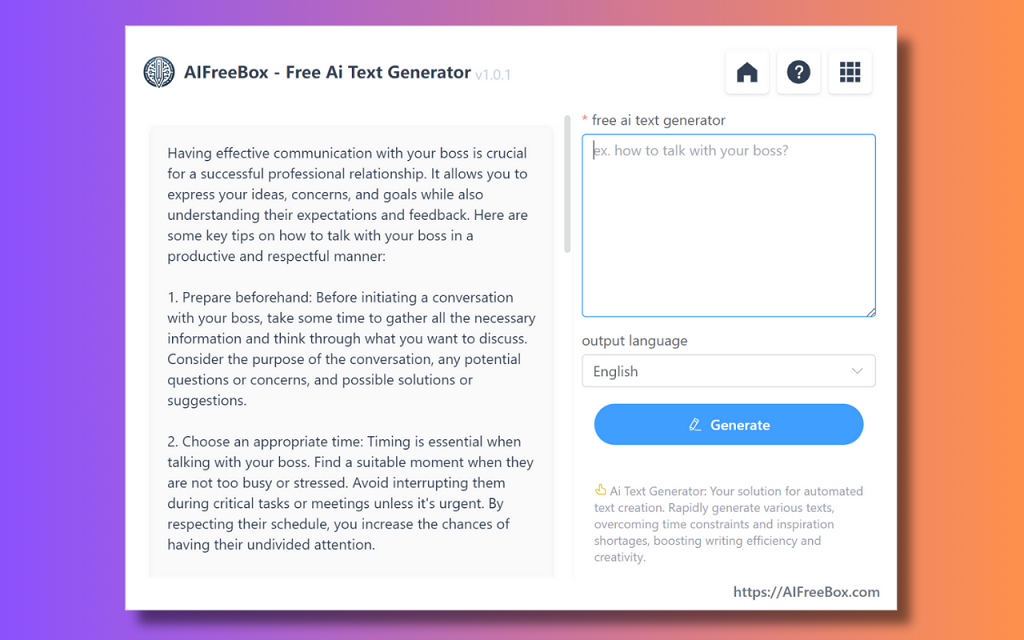
AIFreeBox
One-off, no-login reply generation
100% free; instant browser use; multiple tones
No memory/history; no integrations; not for ongoing chats
Ad-hoc web usage only
Free
Casual users, micro-biz owners testing styles
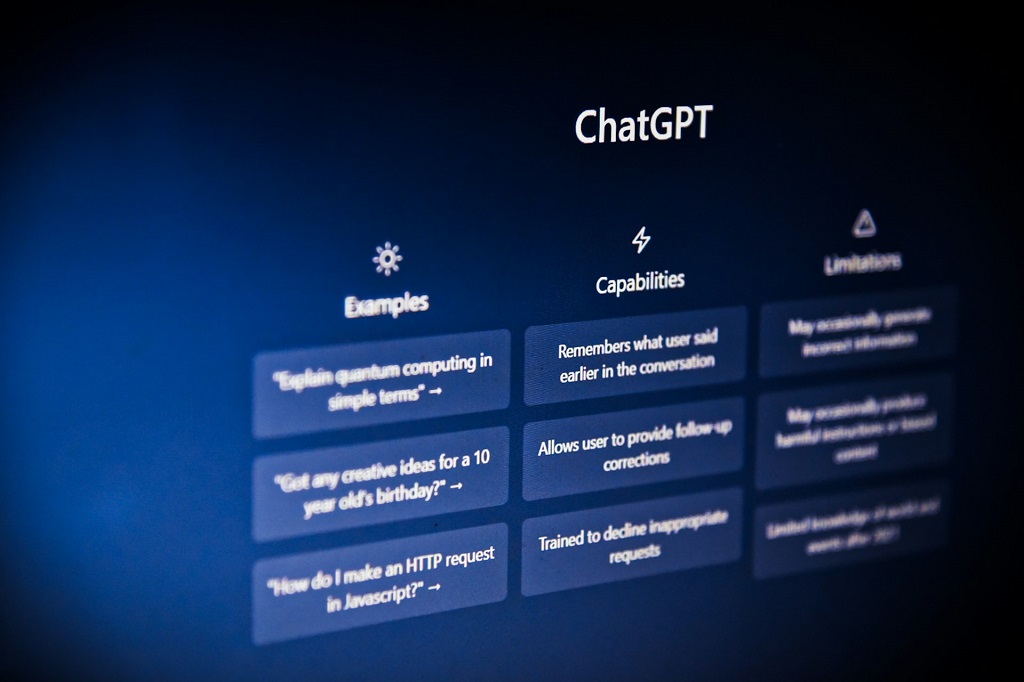
ChatGPT (custom GPT)
Build a tailored reply assistant
Highly customizable tone & rules; can learn your FAQs
Setup takes time; no native inbox integrations; not realtime by default
Embed via apps/zaps; use inside email/chat as helper
Nobody wants to spend their day typing the same sentence twenty different ways. “Thanks for your message!” turns into a full-time job when you’re managing clients, fans, or customers across platforms. That’s the whole point of using AI message reply tools — they shave hours off your week and take the edge off decision fatigue.
People aren’t just tired of typing; they’re also under pressure from rising expectations. Modern messaging benchmarks are brutal: people expect a response almost immediately, even if your team is offline. As Infobip notes in their guide on automated SMS replies:
“Customers expect near-instant replies. Automated responses meet that demand and show you’re available, outside business hours.” — Infobip
That’s exactly where AI respond-to-text tools shine. They let you acknowledge every message, keep conversations warm, and protect your sanity — without forcing you to be glued to your screen 24/7.
But it’s not just about speed. It’s about how you sound. The way you reply defines your tone, your brand, even your income if you’re working in a chat-based business. A rushed answer can sound cold. An overlong one looks fake. AI tools can adjust that — they know when to be warm, when to be short, when to add a wink or keep it formal.
For adult content creators, NSFW chat hosts, and online coaches, this isn’t optional — it’s survival. You’re expected to respond like you’re always present. AI that responds to texts fills the gap, handling common replies or smoothing out the awkward pauses without breaking the illusion of live interaction. It’s also becoming a quiet backbone of customer support, especially for solo founders or indie operators running lean.
What you’re doing in those DMs, inboxes, or fan chats is very close to what big brands do with AI support agents. Salesforce describes these AI helpers in a way that maps perfectly to the tools you’re reviewing here:
“AI customer service agents are software programs that use artificial intelligence to interact with customers, providing automated responses to common queries,” — Salesforce
In other words, whether you’re running fan chats, premium DMs, or lean customer support, you’re building your own version of an AI service agent. The only real difference is how much tone, logic, and monetization control you demand from your tools.
The real shift? You’re not just automating messages — you’re automating tone, energy, and attention. AI doesn’t just send a reply. It protects your bandwidth so you can focus where it counts.
That’s why people are leaning hard into this tech — not just to save time, but to stay sharp, stay personal, and stay scalable. If you’re looking for an AI reply to messages, a smarter AI response to text messages, or even a playful AI text reply tool to match your style, you’re not alone. The demand’s massive — and in the next section, you’ll see the tools leading the charge.
5 Best AI Reply Tools in 2026
Whether you’re managing fans, clients, or customers, the ability to respond quickly — without sounding robotic — is now a competitive edge. The best AI respond to text tools in 2026 don’t just spit out phrases. They get your tone, context, and intent. Let’s break down five top contenders, each with their own strengths and blind spots.
Typli.ai — Speed Meets Smart Tone
Typli.ai is more than a writing assistant — it’s built for fast, polished replies across email, social DMs, and text-based communication. Just paste an incoming message, choose a style, and Typli generates a ready-to-send reply in seconds.
Best for: Marketers, creators, and solo founders who juggle dozens of conversations daily.
Pros:
Tone presets from formal to casual to bold
Edits replies for clarity and impact
Works for emails, chats, and social posts
Seamless long-form writing integration
Cons:
Not ideal for live chat or conversational threads
No built-in messaging integrations
Lacks automation or scheduling features
Pricing: Freemium with paid tiers for unlimited generations and advanced options.
AIFreeBox — Free-Use Tools with No Login Hassle
AIFreeBox offers lightweight AI responders you can use instantly — no setup, no subscription. It’s perfect when you just want to generate a quick, thoughtful reply without opening a full app.
Best for: Casual users, small business owners, or creators testing tone and style variations.
Pros:
100% free and browser-based
Multiple tone options for replies
No sign-up or installation required
Useful for short replies and email copy
Cons:
No memory or chat history
Can’t integrate into real workflows
Not suitable for ongoing customer conversations
Pricing: Completely free.
ChatGPT — Personalized AI Reply Bots on Demand
If you’re already using ChatGPT, building a custom GPT for replies is a powerful option. OpenAI now allows users to create GPT-powered bots that can be trained on specific tone, style, or even customer service flows. This makes it a favorite among tech-savvy creators, startup founders, and anyone who needs an AI reply to messages that actually reflects their voice.
You can design a reply assistant that understands your tone, your context, and your audience — whether you’re chatting with clients or managing a community. Custom instructions let you train it on FAQs, preferred phrases, and even rules for what not to say.
Best for: Creators, consultants, and developers who want to fully tailor how their replies sound and behave.
Pros:
Fully customizable AI behavior and tone
Can be trained on your data and rules
Works across email, chat, or internal platforms
Option to build NSFW or niche support bots
Cons:
Requires some technical skill or patience to set up
No native messaging integrations (you’ll need to embed it elsewhere)
Doesn’t handle real-time conversations out of the box
Pricing: Included with ChatGPT Plus ($20/mo) for GPT builder access.
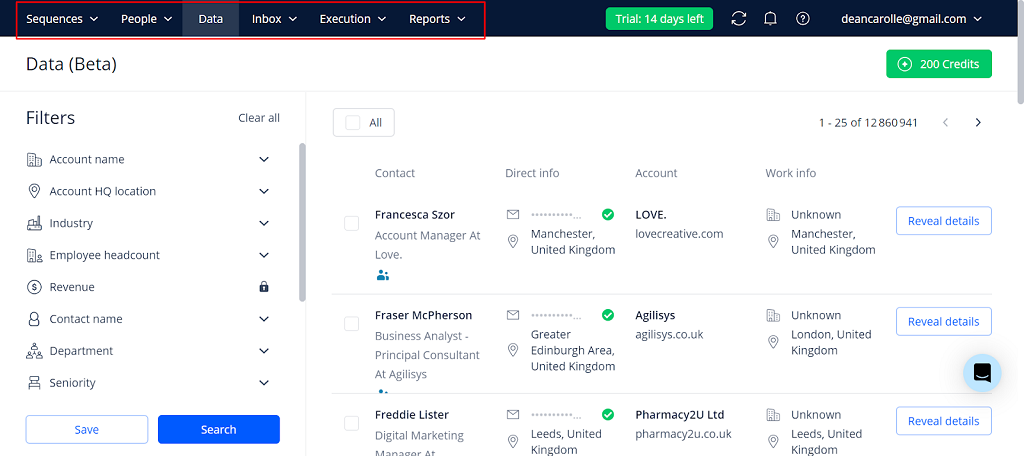
Reply.io — AI Outreach and Smart Replies for Sales Teams
Reply.io isn’t built for fans or DMs — it’s built for outreach. But its smart reply handling is one of the most effective use cases for AI in B2B. Sales teams use it to automate and personalize responses to inbound messages, especially when scaling cold outreach or follow-ups. It uses AI to scan incoming replies and then suggest context-aware responses based on the conversation stage.
It’s not a one-message-at-a-time tool. It’s a system for ai response to text messages at scale — great for founders, SDRs, and sales-focused businesses who want to manage replies without losing the human touch.
Best for: Sales and lead-gen teams managing dozens or hundreds of conversations at once.
Pros:
Detects lead intent and prioritizes hot replies
Suggests smart responses based on context
Supports outreach campaigns and workflows
Integrates with CRMs like HubSpot and Salesforce
Cons:
Overkill for individual creators or casual use
UX is designed for teams, not solo operators
Not built for NSFW or fan-based chat use
Pricing: Paid tiers only, geared toward business users and sales orgs.
Jasper AI Chat — Brand-Consistent Replies for Busy Creators
Jasper started as a content creation tool, but its AI chat module has quietly become one of the smartest options for personalized message replies — especially for businesses that care about tone and brand voice. You can train Jasper to match your writing style, use custom knowledge, and respond with a tone that feels like you — whether you’re sending a client update or replying to a fan.
Its strength lies in consistency. If you’re running a content-heavy operation or managing multiple channels, Jasper helps keep your tone aligned without sounding repetitive or forced. It’s not just an ai text reply generator — it’s a brand-safe assistant that keeps your communication sharp.
Best for: Creators, marketers, and brand managers who want replies that align with their voice, tone, and messaging.
Pros:
Customizable voice presets and memory
Pulls from your brand style or previous content
Great for long-form responses or thoughtful replies
Includes workflows for campaigns, emails, and chats
Cons:
Less useful for live, short-form chat or NSFW
No direct message integrations — you’ll copy/paste replies
Premium pricing may be too much for casual use
Pricing: Premium only, with plans tailored toward marketers and business creators.
Create Your Own AI That Responds to Text with Scrile AI
Sometimes, none of the existing tools are enough. You don’t just want quick replies — you want control. You want a chat app that speaks in your voice, reacts on your terms, and earns money while it does. That’s where Scrile AI comes in. It’s not a SaaS tool. It’s a white-label development partner that builds custom AI chat solutions tailored to your brand, your model, and your audience.
Unlike off-the-shelf reply tools, Scrile AI lets you define how your AI respond to text engine works. Want emotional tone shifts? You got it. Want NSFW filters and pay-per-reply logic? Done. You’re not stuck in someone else’s interface — you’re building your own.
OnlyFans-style businesses with custom tip-to-unlock responses
Therapy and mental health startups building AI journaling companions
Customer support teams who need branded bots that follow strict tone guidelines
Creators and influencers monetizing private conversations or content unlocks
You decide how messages are generated, what tone they carry, and what rules they follow. Want to integrate your own payment gateway? Use your own dataset? Add custom onboarding logic or tiered response behavior? Scrile AI doesn’t just allow that — it’s built for it.
Your community, your business, your flow — powered by AI that responds to text, your way. When you’re done testing generic tools, Scrile helps you build the real thing.
Conclusion – Better Replies, Built Smarter
AI tools that reply for you aren’t just novelties anymore — they’re part of how business gets done. From inboxes to DMs, people expect speed, clarity, and a response that sounds like a real human. The right AI respond to text tool can save time, keep your tone consistent, and scale your communication without burning you out.
That’s not just a feeling — it’s backed by adoption numbers. A recent guide on customer service auto-replies cites data from Heymarket showing how widespread automated responses already are in business messaging.
When almost nine out of ten businesses rely on auto-replies, the real differentiator isn’t whether you automate — it’s how smart and on-brand those replies feel. That’s where the tools in this list — and especially a custom Scrile AI setup — turn basic automation into a real competitive edge.
But automation only goes so far when you’re boxed into someone else’s design. What happens when you need replies that reflect your brand, your tone, or even your industry rules? That’s where control matters more than convenience.
Scrile AI gives you that control. You don’t get a basic chatbot. You get your own branded reply system — custom logic, tone presets, monetization tools, and even NSFW capability if that’s your space. No limits. No cookie-cutter templates. Just an engine that responds exactly how you want it to.
So if you’re done testing generic tools and ready to build something that’s truly yours, contact the Scrile AI team today and start building your AI respond to text solution from the ground up.
FAQ – AI Respond to Text (Reply Tools, Auto Replies & Custom Bots)
What does “AI respond to text” actually mean in 2026?
“AI respond to text” usually means tools that generate a ready-to-send reply from an incoming message. You paste a text/email/DM, pick a tone (friendly, formal, flirty, direct), and the AI drafts a response that matches your intent.
The big upgrade in 2026 is tone + context. People don’t just want speed — they want replies that sound human, match the conversation, and don’t feel like obvious automation.
What’s the difference between an AI reply tool and an auto-reply template?
Templates are fixed text. They’re fast, but they can’t adapt to the message you received, and they often feel cold or repetitive when used too often.
AI reply tools generate a response based on the actual content and your chosen tone. That means you can stay consistent while still sounding personal, even when you’re replying to dozens of similar messages per day.
Which AI reply tool is “best” for most people?
“Best” depends on your workflow. If you want quick, polished replies with minimal setup, lightweight reply generators are usually enough. If you want a reply assistant that follows your rules, voice, and FAQs, a customizable assistant is a better fit.
A simple test: paste three real messages (short, emotional, and complicated), then check which tool keeps the meaning while matching your tone. The winner is the one that needs the fewest edits before you hit send.
Can AI respond to SMS, WhatsApp, Instagram DMs, or Telegram messages automatically?
Some tools work only in “copy/paste” mode (you generate a reply and send it yourself). Full automation usually requires integrations — for example, connecting your inbox or chat platform through APIs, bots, or automation tools.
If your goal is true auto-replies in real time, you’ll want a setup that can read incoming messages, classify intent, and send approved responses — with guardrails so the AI doesn’t go off-script.
How do I make AI replies sound like me (and not like a robot)?
Give the AI a short “voice guide”: how you greet people, how formal you are, how long replies should be, and what you never say. Add 3–5 examples of real replies you wrote and ask the tool to follow that pattern.
Then lock a consistent structure: one-line acknowledgement + one helpful point + a clear next step. This makes replies feel human, even when they’re generated quickly.
Is it safe to paste private messages into AI reply tools?
Treat it like any third-party service. Before using a tool for sensitive chats, check whether it stores messages, how long it retains them, and whether you can delete your data. If those details are unclear, don’t paste confidential content.
A safer habit is to remove personal identifiers, use placeholders, and keep your “business rules” (prices, policies, FAQs) in a separate reference doc instead of sharing full conversations.
What are the biggest limitations of AI response tools?
The most common issues are missing context, tone mismatch, and “confident but wrong” replies. AI can also over-explain simple situations or sound too enthusiastic in serious conversations.
That’s why the best workflows keep a human in the loop for high-stakes messages, and reserve automation for repeated scenarios (common questions, scheduling, status updates, first responses, and follow-ups).
Can AI reply tools help with sales and lead qualification?
Yes — when replies are stage-aware. Good tools can generate short responses that ask the right question, confirm details, and move the lead forward without sounding pushy.
The key is consistency: define what qualifies a lead, what info you need (budget, timeline, goal), and what your “next step” should be (call link, demo request, or a short intake form).
When does it make sense to build your own AI that responds to texts?
Build your own system when messaging is part of your product or revenue model — for example, a branded chat experience, paid replies, tiered access, or strict rules around tone and content.
A custom build also matters when you need integrations (CRM, payments, user accounts, analytics) and want control over data, moderation, and how the assistant behaves across different user segments.
Polina Yan is a Technical Writer and Product Marketing Manager, specializing in helping creators launch personalized content monetization platforms. With over five years of experience writing and promoting content, Polina covers topics such as content monetization, social media strategies, digital marketing, and online business in adult industry. Her work empowers online entrepreneurs and creators to navigate the digital world with confidence and achieve their goals.
If you’re here for long narrative roleplay, deep characters, and stories that don’t forget what happened 20 messages ago — you’re not alone. In 2026, “creative writing AI” isn’t just about drafting paragraphs. It’s about continuity: consistent character voice, remembered relationships, stable lore, and scene-to-scene logic.
This guide is updated for the queries people actually search: the best AI chatbot for creative writing, the best AI for interactive stories with continuity, and the best AI roleplay apps for long narrative story writing with good memory (2026). We’ll cover fiction-first writing tools, roleplay-focused chat apps, and power-user setups (lorebooks / story bibles) — plus what to choose if your top priority is tone matching and in-context rewriting.
Quick tip: if your main use case is emotional prose and “human” dialogue, jump to Claude. If your priority is memory-driven roleplay continuity, go to the roleplay section.
The creative process isn’t disappearing — it’s just getting an upgrade. In 2026, writers aren’t fighting against AI; they’re collaborating with it. From novelists and screenwriters to indie creators and poets, more people are using intelligent tools to get unstuck, find their voice, or spin ideas into something usable.
What used to take hours — refining tone, rewriting awkward dialogue, brainstorming an opening line — now takes minutes. The best AI for creative writing doesn’t replace your voice. It supports it. It can suggest a line that sounds more like your character, help you experiment with mood, or reshape a meandering scene into something that actually flows.
Some apps are built for structured storytelling. Others shine when you need loose, wild ideation. And a few are surprisingly good at understanding nuance — emotional subtext, pacing, rhythm. The question isn’t “Should I use AI to write?” It’s “Which tool is worth it?”
This article breaks down the top creative writing AI apps in 2026 — who they’re for, what they’re good at, and where they might fall short. And if you’re a founder, ghostwriter, or fiction entrepreneur looking to build something custom? We’ll also show how Scrile AI can help you create your own writing assistant from scratch — trained on your tone, built for your audience, and ready to scale.
Monetized AI character, writing, roleplay, or creator platforms
Requires custom implementation, not a self-serve writing app
What Makes an AI Tool Creative?
Not all writing AIs are built the same. Some are glorified autocomplete engines — great for product descriptions or blog intros, but hopeless when it comes to writing a scene that actually feels like something. Creative writing is a different animal entirely. It’s about style, rhythm, character, emotional flow — not just spitting out grammatically correct sentences.
The best AI for creative writing in 2026 doesn’t just write quickly. It writes with voice. That means adjusting tone, mimicking a character’s perspective, or reworking a paragraph so it feels right, even if it breaks the rules of formal grammar.
Modern tools like Claude have gotten significantly better at this. Thanks to bigger context windows (they can now “remember” more of what you’ve written), they can track plot arcs, personalities, and pacing. Some even let you lock in a character’s tone so it stays consistent across a whole conversation or story.
There’s also training. Tools like Sudowrite are fine-tuned on fiction. That means they know how to finish a short story, or rewrite a flat sentence into something with texture. For example, say you’ve written a line of dialogue that sounds like it came from a tax attorney. You can ask the AI to rewrite it so it sounds like a stoned bartender in a beach town — and it’ll probably nail it.
These aren’t generic chatbots anymore. They’re semi-coherent, style-aware co-writers. Some can shift tone between paragraphs. Others specialize in world-building or emotional dialogue. And the best ones give you just enough structure to avoid chaos — while still leaving room for the weird, human part of storytelling to shine.
That’s what makes them creative. Not perfection. Possibility.
Best AI Creative Writing Tools by Workflow
There’s no shortage of AI tools out there — but when it comes to actual creativity, only a few are worth your time. Below, we’ve rounded up eight of the best AI for creative writing apps in 2026. Each one brings something different to the table, whether you’re drafting fiction, brainstorming ideas, or rewriting a scene that just isn’t landing.
For fiction drafting and prose improvement
Sudowrite, Claude, Lex, Rytr
For creative + marketing hybrid workflows
Jasper, Copy.ai, Notion AI, Writesonic
For roleplay, fanfiction, and interactive story continuity
NovelAI, Kindroid, SillyTavern, Novelcrafter
For building a monetized creative writing AI platform
Scrile AI
Sudowrite – The Fiction Writer’s Secret Weapon
Who it’s for: Novelists, short story writers, fanfiction authors, or anyone writing narrative fiction
Sudowrite was built from the ground up for fiction writers. Unlike more generalized tools, it doesn’t just spit out ad copy or SEO blurbs — it actually knows how to build scenes, mimic character voices, and help you write prose that doesn’t sound robotic.
Its standout feature is “Story Engine,” a tool that lets you build characters, plan arcs, and write chapters while the AI keeps track of everything. You can feed it a paragraph and ask for sensory details, alternative dialogue, or even emotional tweaks. Stuck on a scene? It’ll help finish it in your tone. Want to rewrite a flat sentence? It’ll offer five options — including one that’s “more poetic” and one that’s “weirder.”
It also remembers long chunks of story, thanks to its larger context window. That means your character doesn’t suddenly change tone halfway through a scene.
Strengths: – Designed specifically for fiction – Flexible tone rewriting – Excellent “Show, don’t tell” assistant – Unique brainstorming tools like “wormhole” and “twist”
Flaws: – Slight learning curve if you’re new to AI writing – Sometimes outputs cliché or overly safe phrasing
Why it stands out: Sudowrite feels like it was built by fiction writers for fiction writers. It doesn’t try to take over your story — it gives you better options when you’re stuck and lets you stay in control of your voice.
Jasper AI – Blending Creativity with Content Strategy
Who it’s for: Writers who juggle creative content and business writing, or need flexible tone-shifting
Jasper AI has long been a go-to for marketers and content teams, but it’s also surprisingly useful for creatives — especially those working across genres or formats. Its tone control tools are solid, and its built-in templates offer everything from story hooks to social-friendly blurbs.
It shines in hybrid creative workflows. If you’re writing a novel and need to build a back-cover description, Jasper can help. Need a scene rephrased in a sarcastic or romantic tone? Jasper handles that too. And if you’re writing for clients — say, ghostwriting steamy fiction while also managing their email list — this tool adapts fast.
The interface is clean and quick to navigate. Plus, Jasper’s “brand voice” settings let you train it on your style, which makes it much more useful for serialized or long-form writing.
Strengths: – Tone flexibility across formats – Solid at story starters and hooks – Brand voice customization works well
Flaws: – Not fiction-specific; less helpful for scene continuation – Gets stiff or formal if you don’t guide it well
Why it stands out: Jasper hits a rare middle ground: creative, but grounded. It’s one of the best AI for creative writing if your work blends storytelling, marketing, and the occasional splash of poetry.
Claude – Emotionally Fluent and Surprisingly Human
Who it’s for: Writers who care about nuance, emotional tone, and narrative flow
Anthropic’s Claude has emerged as a favorite among writers who need more than just competent text — they want their AI to actually “get” human emotion. And Claude does. Compared to more assertive, high-energy tools, Claude’s responses feel calm, deliberate, and often startlingly insightful.
This makes it especially good for creative writing. Claude is strong at continuing a narrative in the same voice, rewriting paragraphs with a softer or more dramatic tone, and understanding subtext in dialogue. It’s ideal for writers crafting sensitive character moments, emotionally complex scenes, or internal monologues.
Claude’s longer context window also helps — it can “remember” much more of your work as you write, allowing it to stay consistent over several pages. You can feed it an entire chapter and ask for notes, edits, or alternate takes on key scenes.
Strengths: – Natural, emotionally intelligent language – Excellent for tone matching and dialogue – Long-form consistency
Flaws: – Doesn’t come with a built-in UI — best used through third-party tools or dev setups – Occasionally too passive or cautious in suggestions
Why it stands out: Claude is less flashy than other tools, but it’s one of the best AI for creative writing if your work leans on subtlety, sensitivity, and strong voice control. It feels more like a writing partner than a machine.
Copy.ai – Fast, Flexible, and Idea-Driven
Who it’s for: Creators juggling copy and creativity — social writers, short story dabblers, content marketers with a narrative streak
Copy.ai is known for fast content generation, but that doesn’t mean it can’t be creative. If you’re looking for a tool that can help spark story ideas, reframe a scene in a punchier way, or turn a vague prompt into something usable, this one’s surprisingly versatile.
Its real strength lies in short-form ideation. Writers use Copy.ai to brainstorm story titles, pitch concepts, rewrite blurbs, or turn journal entries into structured scenes. While it isn’t purpose-built for fiction, it works well as a drafting assistant — especially in early-stage idea development or voice experimentation.
The interface is clean and fast, and it lets you shift tone easily. You can also train it slightly by feeding previous writing samples or using its prompt enhancer feature.
Strengths: – Great for brainstorming and quick rewrites – Easy to use for multi-format writing – Good tone-shifting tools
Flaws: – Not ideal for long-form or full-scene continuity – Lacks the depth fiction writers may want for arcs or dialogue
Why it stands out: Copy.ai is one of the best AI for creative writing if you’re early in your process or looking to keep your writing fresh. It won’t finish your novel — but it might help you finally start it.
Notion AI – From Notes to Drafts in One Click
Who it’s for: Creative thinkers who work in outlines, notes, or scattered ideas
Notion AI isn’t a traditional writing app — and that’s what makes it useful. Built into the broader Notion workspace, it’s perfect for writers who brainstorm in chunks: notes, bullet points, scene fragments, character boards. It helps bridge the gap between scattered ideas and something resembling a real draft.
You can highlight a messy block of text and ask Notion AI to rework it into paragraphs. Or give it a prompt like “turn this list into a poetic description” — and it often surprises you. It’s especially useful for those who plot stories in Notion already, or use it as a second brain for creative projects.
That said, Notion AI is still limited. It’s not optimized for story arcs or tone consistency across scenes. But for what it does — fast, flexible synthesis of messy notes — it’s genuinely helpful.
Strengths: – Perfect for idea-to-draft conversion – Feels natural for Notion users already organizing their writing – Handles tone changes well within a short form
Flaws: – Not built for deep narrative or long-form fiction – Limited memory and continuity between prompts
Why it stands out: If your creative process lives inside Notion, this is a no-brainer. Notion AI is one of the best AI for creative writing if you’re constantly jumping between outlines, dialogue sketches, and half-formed ideas.
Rytr – Budget-Friendly and Surprisingly Capable
Who it’s for: Writers on a tight budget who still want creative support
Rytr doesn’t make headlines, but it punches above its weight for the price. For under $10/month, you get a clean interface, tone customization, and a solid variety of use cases — including storytelling, poetry, and creative descriptions.
It’s especially good for early drafts. You give it a short prompt or a few bullet points, and Rytr spins it into something usable. It won’t nail complex arcs or subtle character beats, but it’s great at rewording, summarizing, or throwing out ideas when you’re blocked.
The tone controls are easy to use — and surprisingly specific. You can request “humorous,” “convincing,” or “narrative” tones and watch your writing shift accordingly. It’s ideal for short stories, content blurbs, or even RPG world-building prompts.
Strengths: – Very affordable – Great for short creative tasks – Clean and simple interface
Flaws: – Struggles with long-form or layered scenes – Occasionally generic without strong prompts
Why it stands out: Rytr is one of the best AI for creative writing if you’re on a budget and want help generating or reshaping content. It’s not fancy — but it gets the job done better than you’d expect.
Writesonic (Chatsonic) – Experimental and Versatile
Who it’s for: Writers who like to test tone, remix style, or push genre boundaries
Writesonic’s Chatsonic feature is one of the more flexible AI tools out there. It’s a conversational interface like ChatGPT, but with real-time web access (optional), built-in personas, and plenty of voice-shifting options. If you’re the kind of writer who likes to say “give me a weird version of this paragraph” or “rewrite this as if it’s narrated by a washed-up detective,” Chatsonic will actually try.
It supports long-form writing reasonably well — not at the level of Sudowrite or Claude, but better than most generic bots. And it’s fun to experiment with. Whether you’re drafting strange genre crossovers, writing fiction for newsletters, or testing tone for character dialogue, it gives you options that feel fresh.
Its free tier is limited, and the interface can be busy. But if you’re a flexible, idea-driven writer who thrives on prompts, this tool can unlock unexpected directions.
Strengths: – Highly experimental – Great at voice play and tone shifts – Option for web-connected generation
Flaws: – UX can be overwhelming – Requires strong prompting for best results
Why it stands out: Chatsonic is one of the best AI for creative writing if you want to push boundaries or just see what happens when you let the AI get weird. It’s not polished — but that’s kind of the point.
Lex.page – Minimalist Writing, Maximum Focus
Who it’s for: Writers who hate clutter and just want to write
Lex isn’t trying to be everything. It’s a distraction-free writing space with built-in AI features that actually feel helpful. The interface is bare bones — like Google Docs stripped down to its essentials — and that’s exactly what makes it work for creatives.
The AI works in-context. You can ask it to finish your sentence, generate alternative phrasings, or even pitch better transitions. It’s not trying to manage your story arc or world-building. It’s just there to help you move forward when you stall.
Lex shines in the early and mid stages of writing — when you’re putting down messy ideas and want help sharpening them up. It’s not for outlining or planning. It’s for writing.
Strengths: – Minimal UI, fast workflow – Great for polishing drafts without overcomplicating them – In-line suggestions feel natural
Flaws: – Lacks structure or creative templates – Not suitable for complex fiction building
Why it stands out: Lex is one of the best AI for creative writing if you just want a clean, focused place to write — with a little AI support when you need it, and silence when you don’t.
Why Some Writers Still Build Their Own Tools
Even with all the polished AI tools on the market, not every writer finds what they need out of the box. That’s especially true for creators working in niche genres, serialized fiction, interactive storytelling, or erotica — where tone, format, and audience expectations often push the limits of what standard AI writing tools are built for.
Sometimes it’s less about what a tool can do, and more about what it doesn’t let you control. Want your AI to write in your exact tone? That’s tough without training a model on your own writing. Want a chatbot that responds like your character would? Good luck customizing that deeply with most commercial tools. What if you need a place to host fan-written stories behind a paywall, or build an AI editor that gives scene-level feedback based on your specific narrative style?
That’s where custom AI comes in — and more writers are realizing they don’t have to wait for someone else to build it.
Indie creators, ghostwriters, digital publishers, and even roleplay game writers are quietly hiring developers to build tools that match their vision. Some want an AI writing assistant trained on their past work. Others want full platforms — complete with subscription monetization, user-generated content tools, or AI character bots. Some even want “closed-loop” systems: tools that write, edit, publish, and track engagement, all under one roof.
It’s not about ditching the creative process. It’s about designing tools that fit into your workflow, your market, and your voice — instead of forcing yourself to adapt to a tool made for someone else’s goals.
And if you’re serious about that route, building from scratch isn’t as wild (or expensive) as it used to be. That’s where Scrile AI comes in. Let’s talk about that.
Memory, Continuity, and Why Stories Break
When people search for “best AI for interactive stories (continuity)” they usually mean one thing: the story stops behaving like a story. Names change. Relationships reset. A character forgets a defining event.
In practice, there are three different “memory” layers: 1) Context window (what the model can see right now) 2) Long-term memory (saved facts recalled later) 3) Lorebooks / story bibles (structured canon injected when relevant)
If your priority is deep roleplay with long narrative arcs, choose tools that give you long-term memory or lorebook-style controls — not just a generic text generator.
NovelAI — Built for Interactive Stories and Continuity
Who it’s for: Writers who want interactive storytelling, branching scenes, and better continuity across long narrative sessions
NovelAI is one of the most “story-native” options when your goal is not a polished marketing paragraph, but a living narrative that keeps its own logic. The big advantage is how it treats memory: you can keep important story facts consistently visible to the model, so characters don’t randomly change motivation mid-arc.
If you write fanfiction, RPG-style adventures, or serialized chapters, NovelAI’s workflow feels closer to “writing inside a story engine” than chatting with a generic bot. It’s especially useful when you want the AI to keep returning to the same canon details, relationships, and world rules without re-explaining everything each time.
Strengths: – Great for interactive stories and long narrative flow – Memory-style controls help reduce continuity drift – Strong for genre fiction, fanfiction, and RPG writing
Flaws: – Not the best choice for “brand voice” marketing workflows – Requires a bit of setup to get the most from memory/lore
Why it stands out: NovelAI is one of the best AI tools for interactive stories in 2026 if continuity matters more than corporate polish.
Kindroid — Roleplay Chat with Long-Term Memory for Deep Characters
Who it’s for: Roleplay writers who want deep characters, evolving relationships, and long narrative continuity
If your core query is “best AI roleplay apps for long narrative story writing (good memory)”, this is the type of tool you’re actually looking for. Kindroid is built around layered memory systems designed to preserve important details over time, so your character can stay consistent across weeks of story progression.
This makes it a strong pick for ongoing roleplay, character-driven interactive fiction, and romance/relationship arcs where small details matter. Instead of constantly re-feeding context, you build a stable base (backstory, key memories, journal-style entries) and let the conversation evolve.
Strengths: – Designed for ongoing character continuity – Long-term memory approach helps maintain “who the character is” – Great for relationship arcs and long-running stories
Flaws: – Less ideal for structured “novel drafting” workflows – Best results often depend on how well you set up the memory inputs
Why it stands out: Kindroid fits the 2026 “memory-first” roleplay use case better than most general writing apps.
SillyTavern — Power-User Roleplay Setup with Lorebooks (World Info)
Who it’s for: Advanced roleplay writers who want maximum control over lore, character rules, and continuity
SillyTavern isn’t “one AI model”. It’s a roleplay-focused interface that lets you build story structure around your chats. The key feature for long narrative continuity is World Info (also called lorebooks/memory books): you store canon facts, character rules, locations, and recurring details, and the system injects them when relevant — so the AI doesn’t drift as easily.
This is the kind of setup people use when they’re serious about deep characters, consistent worldbuilding, and long-form interactive storytelling — especially if they’ve outgrown simple chat apps.
Strengths: – Lorebook/World Info system improves continuity – Highly customizable roleplay workflow – Great for long-running stories with stable canon
Flaws: – Setup time (it’s not a “one-click app”) – More moving parts than a typical chatbot
Why it stands out: If continuity is your #1 pain, a lorebook-based workflow is often the most reliable fix.
Novelcrafter — A Story Bible (Codex) That Keeps Your World Consistent
Who it’s for: Novelists and fanfiction writers who need a story bible to prevent continuity errors
Novelcrafter is less about “generate a paragraph” and more about building a durable writing system. Its Codex works like an intelligent story bible: characters, locations, plot threads, and progressions stay organized so you can keep a series consistent across chapters.
For long-form fiction (especially series and fanfiction), this is a big deal: continuity breaks happen when your world knowledge is scattered. A story bible workflow reduces that friction — and makes it easier to feed consistent context into your writing process.
Strengths: – Strong story bible / worldbuilding organization – Great for long projects and series continuity – Helps reduce character/lore drift over time
Flaws: – Learning curve compared to simple tools – More “system” than “instant chatbot”
Why it stands out: If your creative writing pain is continuity, a dedicated story bible tool beats generic note apps.
Build a Custom Creative Writing AI App with Scrile AI
Most off-the-shelf writing tools are designed to be one-size-fits-all. That’s great for convenience — until you realize that convenience comes at the cost of flexibility, control, and long-term growth. If you’re serious about building a creative writing product that does more than generate text, you need something that’s yours from the ground up.
That’s where Scrile AI comes in. It’s not a plug-and-play app. It’s a full-scale custom development partner for founders, publishers, and creators who want to launch unique AI-powered platforms tailored to their voice, workflow, and audience.
Let’s say you’re a fiction writer with a massive back catalog and want to turn your style into an AI co-writer. Or you’re a digital publisher looking to build a platform for serialized fiction, complete with reader interaction, content controls, and pay-per-story monetization. Scrile can build that — and much more.
Here’s what Scrile AI can help you create:
AI writing assistants with memory, tone control, and plot-awareness
Character development tools trained on your world and lore
Interactive storytelling apps with reader input or chatbot-style narration
Monetized platforms for creators, featuring subscriptions, tips, or affiliate links
NSFW-friendly tools for erotica writers, adult publishers, or fantasy roleplay
Teacher or tutor tools for creative writing courses with AI feedback built in
Data-private — you control the training data and who sees it
Legally yours — no terms of service conflicts when it comes to AI-generated content
Flexible for growth — built to scale, integrate, and monetize however you want
Whether you’re a solo author building a writing assistant, or a startup launching the next Wattpad-style platform, Scrile AI brings the backend muscle and frontend polish to help you launch fast — and scale with confidence.
And yes, that includes romance, smut, fanfiction, or whatever other genre mainstream tools tend to shy away from.
If you’ve ever thought, “I wish there was a tool that did this,” Scrile can help you build it.
Conclusion
Creative writing isn’t going anywhere — it’s just evolving alongside the tools we use. The rise of AI hasn’t made writers obsolete. If anything, it’s given them new ways to work, experiment, and push past creative blocks. Whether you’re crafting novels, building fanfiction communities, or scripting interactive stories, the right AI can enhance your process without taking it over.
Tools like Claude, Jasper, and Sudowrite are already helping thousands of writers draft faster and rewrite smarter. But if you’re dreaming bigger — building your own platform, shaping AI in your voice, or monetizing a writing app that doesn’t exist yet — it might be time to go custom.
That’s where Scrile AI comes in. It’s not just another writing tool. It’s your development team for building something original. Explore what Scrile AI can help you create — and turn your creative vision into a working, scalable product.
FAQ – Best AI for Creative Writing (2026)
What is the best AI for creative writing in 2026?
“Best” depends on what you mean by creative writing. If you want voice control and emotionally consistent scenes, tools that behave like a writing partner tend to win. If you want fast drafting and clean rewrites for mixed creative + marketing work, “structured” writing tools often feel smoother.
A simple way to choose is to test the same scene in 2–3 tools: one dialogue-heavy, one descriptive, and one with a tricky tonal shift. The best option is the one that keeps your intent without flattening your style.
What’s the difference between an AI writing app and a roleplay/story engine?
Writing apps are usually designed for producing text outputs: drafts, rewrites, outlines, summaries, and edits. They’re great when you’re “authoring” something and want control over structure and clarity.
Story engines and roleplay-style chat apps are built for ongoing narrative flow. They often feel more like interactive fiction: you steer the scene in real time, and the tool tries to maintain character behavior, relationships, and continuity across many messages.
Which AI is best for long interactive stories with continuity?
For long, interactive storytelling, continuity matters more than “pretty paragraphs.” Look for tools that support memory features, lorebooks, or a story-bible workflow—anything that prevents the AI from forgetting names, timelines, and relationship dynamics.
If you’re writing serialized chapters, RPG campaigns, or fanfiction arcs, pick a tool that lets you keep canon facts “always visible” to the model. That single feature often beats raw model quality in real-world long sessions.
How does “memory” work in creative writing AI tools?
Most “memory” is really three layers: the current context (what the model can see right now), saved long-term facts (character notes, preferences, relationships), and structured canon (lorebooks/story bibles injected when relevant).
When stories break, it’s usually because the canon lives only in your head or scattered notes. A memory-friendly workflow keeps key facts in one place and re-feeds them consistently, so the AI doesn’t drift or reset the scene logic mid-arc.
How do I make the AI match my character voice and tone?
Give the AI a short “voice sheet”: a paragraph describing the character’s worldview, a few signature phrases, what they never say, and a tiny sample of dialogue in your preferred style. Voice control improves fast when the rules are specific.
Also feed it the last 1–2 turns of your best writing and ask for continuation “in the same cadence.” If the tool keeps sounding generic, tighten constraints: fewer adjectives, shorter sentences, or a fixed point-of-view rule.
Can AI help with worldbuilding without contradicting my canon?
Yes—if you treat canon like a database. Keep a compact “world rules” doc: geography, factions, magic/tech limits, timeline anchors, and character relationships. Then instruct the AI to propose ideas that must obey those rules.
A good pattern is: ask for 10 options, then force the AI to “self-check” each one against your rules and flag contradictions. This produces fewer flashy surprises, but far fewer continuity disasters.
What’s the best workflow for fanfiction, roleplay, or RPG-style writing?
Fanfiction and RPG writing usually fail at the same spot: the AI forgets the “fixed” universe facts. The solution is a lorebook or story bible that stores canon details (character traits, relationships, locations, recurring items) and injects them when relevant.
Start small: 20–40 canon facts beats a 20-page encyclopedia. Then expand only when you see repeated drift (names, timeline, motivations). Your lore should grow from real failure points, not from perfectionism.
Is it safe to paste my unpublished manuscript into AI tools?
Treat it like any third-party platform: read the privacy policy, retention rules, and whether your data can be used to improve models. If you can’t clearly find those answers, don’t paste your most sensitive material.
A safer compromise is to share only what the AI needs: a scene excerpt instead of the whole chapter, placeholder names for sensitive details, and a separate “canon summary” you control and can reuse across tools.
Will AI-generated text cause plagiarism or copyright issues?
AI can accidentally produce familiar phrasing—especially if you ask it to imitate a specific author too closely. The practical rule is: use AI for drafts and exploration, then revise with your own voice and do a final originality check if you publish commercially.
If you’re building a business workflow, prefer tools and prompts that focus on your unique style guide (your characters, your lore, your tone constraints). That reduces “generic internet echo” and makes the output more reliably yours.
When does it make sense to build a custom creative writing AI app?
If writing is your product (not just your hobby), custom starts to make sense. That includes roleplay platforms, interactive fiction apps, fan communities, and tools that monetize premium stories, characters, or creator-owned worlds.
A custom build lets you control the UI, safety rules, monetization, and memory system—so your users aren’t stuck with a generic chatbot that forgets canon every 20 messages.
Polina Yan is a Technical Writer and Product Marketing Manager, specializing in helping creators launch personalized content monetization platforms. With over five years of experience writing and promoting content, Polina covers topics such as content monetization, social media strategies, digital marketing, and online business in adult industry. Her work empowers online entrepreneurs and creators to navigate the digital world with confidence and achieve their goals.
Customers do not show up thinking about your support stack. They show up with a question, a problem, a deadline, or a buying impulse. They open chat in the language that feels natural to them. In that moment, your business either feels close and trustworthy or slightly foreign and risky.
That is the bar for multilingual customer support chat. Not “50+ languages supported.” Not a translate button. Not a bot that can technically respond in Spanish, German, or Arabic. The real test is harder: does the exchange feel local enough that the customer keeps going?
For a small or midsize company, this is where the tension starts. You want wider coverage, but you do not want to build a support team for every market. You also cannot afford clumsy wording around billing, a dropped lead because handoff failed, or a reply that looks fine at first glance and then lands wrong in all the ways that matter. One awkward chat can make the whole company feel makeshift.
So multilingual live chat cannot be treated like a feature switch. It has to work as an operating model. If you want it to feel truly local, you need control over terms, tone, routing, fallback, and review. Get those right, and the decision becomes much clearer: what can be automated, what needs a human, and what kind of setup will actually help you grow without creating support chaos.
What “truly local” multilingual support chat actually means
A translated message is not the same thing as multilingual support. Translation changes words. Multilingual support changes the experience.
That distinction matters most in live chat because chat is fast, messy, and emotional. Customers write half-sentences. They switch languages mid-thread. They paste invoice text, model names, addresses, screenshots. Sometimes they are frustrated. Sometimes they are ready to buy right now. Static localization has time to polish. Live chat does not.
What makes multilingual customer care feel local is not polish for its own sake. It is whether the conversation holds together under pressure. The wording sounds familiar instead of machine-literal. Product names, policies, and next steps stay consistent. The system knows when to answer, when to ask one more question, and when to hand off. Tone fits the moment: calm for complaints, clear for billing, direct for scheduling. And if no native agent is available, the customer still gets a usable path instead of a dead end.
When those pieces are missing, a multilingual chat widget can create a very non-local experience. A prospect asks about availability and gets the wrong product term. A tenant asks about a fee and receives a polite but inaccurate answer. A buyer starts in Spanish, switches to English, and still gets routed into the wrong queue. Nothing collapses dramatically. Trust just drains out of the conversation.
That is the real cost of weak multi language support. You may technically “cover” the language, yet the customer still feels they are dealing with a company that is improvising.
Why multilingual chat breaks in daily operations, even when the tool says it supports many languages
The most common mistake is treating language count as the main buying signal. It is not. “Supports many languages” tells you almost nothing about whether the chat will work when the conversation gets real.
In practice, multilingual live chat usually breaks in a few predictable places.
First, terminology drifts. Product names, package names, contract phrases, neighborhood labels, service tiers, and billing terms start getting translated three different ways. The bot says one thing. A saved macro says another. The help center says something else again. Customers rarely stop to complain about terminology. They hesitate, ask again, or quietly leave.
Then routing disappoints you. A system may detect the language but still fail to route by language, intent, and urgency together. A refund request lands in a generic queue. A high-value prospect gets the same treatment as a casual browser. An after-hours inquiry gets answered but not captured in a format the team can actually use the next morning.
Another problem is false confidence. AI-generated replies often sound more certain than they should. That becomes dangerous around billing, policy, contracts, personal data, disputes, or anything else where a slightly wrong answer is still a real mistake. Customers do not care whether the failure came from translation, retrieval, or automation. They only know your company told them something unreliable.
And then there is measurement. Teams watch aggregate chat volume or overall response time and miss the part that is decaying. English may look healthy while Portuguese or French is suffering from high abandonment, low CSAT, or a terrible transfer rate. If you do not break performance out by language, the damage stays hidden until customers tell you with their behavior.
A familiar example: a SaaS company expands into two new regions and adds multilingual customer support chat using AI translation for an English-speaking team. For basic product questions, it works. But when customers ask about billing changes or plan limits, the translated replies become vague. Recontact volume rises. The team assumes they need more staff. In reality, the design is weak: no controlled terminology, no clear escalation for risky intents, no language-specific QA.
The same pattern shows up in service businesses. A real estate agency gets after-hours inquiries from overseas buyers. The chat can greet people in their language, but it does not collect budget, preferred area, move timeline, or financing status in a structured way. Agents wake up to transcripts they cannot use quickly. The lead did not disappear because the bot lacked language support. It disappeared because the workflow was sloppy.
The 4 ways to deliver multilingual customer support chat
Most teams end up choosing from four practical models. None is perfect. Each one trades cost, control, speed, and risk differently.
Growing companies balancing cost, quality, and speed
Good coverage with protected escalation points
More workflow design required upfront
Medium
Native-language agents are still the cleanest option when the conversation is emotionally loaded, commercially important, or sensitive enough that nuance matters. But this model gets romanticized. It is excellent in one or two core languages and painful in seven. Hiring, scheduling, training, and maintaining consistency across time zones becomes its own operation.
AI translation with a smaller support team is where many smaller companies can win. One English-speaking or mainly English-speaking team really can handle multiple languages if the work is mostly Tier 1 support, onboarding, order updates, lead qualification, scheduling, and routine troubleshooting. The catch is discipline. Without glossary rules and escalation logic, this model looks cheaper than it really is.
Bot-first multilingual live chat is appealing because it scales fast and covers after-hours traffic well. It can be excellent for FAQs, first response, intake, and straightforward qualification. But a bot cannot rescue weak source content. If your help content is inconsistent, your rules are fuzzy, or your handoff is slow, the bot simply accelerates those problems.
Hybrid AI + human handoff is usually the strongest fit for this audience. Not because it sounds advanced, but because it is honest. AI handles language detection, opening replies, intake, translation, suggested answers, and summaries. Humans handle judgment, exceptions, and the moments where trust can be won or lost. For many SMBs, this is the model that gives enough coverage without pretending automation is magic.
How to choose the right model for your business stage and chat type
The fastest way to get unstuck is to stop asking, “Which tool is best?” and ask a better question: “What kind of conversation are we actually trying to support?”
If the chat is mostly pre-sales and inquiry traffic, automation can do a lot. Greeting visitors in their own language, answering basic availability questions, collecting lead details, and moving people into a next step are all realistic uses for multilingual live chat. If the chat is mostly account support, multilingual customer service tickets, refund requests, or policy disputes, the safe answer shifts toward stronger human review.
Scheduling and booking flows often sit in the sweet spot. They benefit from automation because the conversation is structured: time, location, product or property type, budget, contact details, next action. A good system can gather that quickly and cleanly in the customer’s language. The minute the chat starts affecting money, legal meaning, or personal data obligations, you need tighter control.
That is really what “good enough” means in multilingual support. It is not a universal threshold. For a property viewing request or a product demo booking, the goal is to capture intent without friction. For a refund dispute, “mostly correct” is not good enough. It is a liability.
The sharper decision framework is this: use more automation where the conversation is structured and low risk; use less where the consequences of being slightly wrong are expensive.
Translation quality controls that make chat feel local instead of awkward
This is the part teams underestimate because it sounds like administrative work. It is not. Glossary control is often the difference between a multilingual system that feels dependable and one that slowly undermines confidence.
Your system needs to know what should never be translated, what must always be translated the same way, and what tone fits which situation. That means a real termbase. Not wishful thinking. Product names, service tiers, contract terms, neighborhood labels, approved phrases, prohibited translations, politeness rules, and special handling for risky topics should all be explicit.
If you have ever looked at a translated support message and thought, “Technically fine, but this doesn’t sound like us,” that is usually not a model problem. It is a glossary and style-guide problem.
Machine translation is usually acceptable for opening questions, lead capture, simple product or availability requests, account status checks, appointment setup, and basic troubleshooting. In those cases, speed and clarity matter more than elegance. Customers want momentum.
It is much less acceptable when the reply changes financial expectations, legal meaning, privacy commitments, dispute outcomes, or contract interpretation. Those conversations need protected wording, higher confidence thresholds, or direct human review. Some should never receive a fully automated final answer at all.
The trade-off is blunt. The more sensitive the intent, the less freedom the system should have to improvise. You gain coverage by automating language. You protect trust by narrowing where automation gets to decide.
As a starting point, a workable glossary for multilingual customer support chat should include brand and product names, pricing terms, plan names, policy language, location names, forbidden translations, and short examples of preferred tone. That small layer of control does more for “local” feel than most teams expect.
Routing design is what makes multilingual live chat actually work
Even excellent translation will fail inside bad routing. Customers do not experience language and workflow as separate systems. They experience one conversation. If the message sounds fluent but goes to the wrong place, support still feels broken.
The safest entry pattern is usually a mix of auto-detection and confirmation. Auto-detection reduces friction, especially when the customer writes a full sentence in a clear language. But short messages like “pricing?” or “help” are easy to misread, and browser language is a weak guess at actual preference. Self-selection adds one more step, but it gives the customer control. In practice, using both is often the best compromise.
A strong routing flow looks simple on the surface, but it makes several smart decisions underneath.
Detect the likely language from the first message or profile data.
Confirm the preferred language or let the customer switch.
Classify the intent: sales, support, billing, booking, complaint, urgent issue.
Check business rules such as customer tier, business hours, time zone, and agent availability.
Route to AI handling, a translation-assisted agent, a native-language agent, or a callback path.
Store the transcript and create a summary for the next human step.
Notice what this is not. It is not blind trust in a language model. The system is not just producing text. It is deciding where the conversation should go and how much risk is acceptable along the way.
The mixed-language problem matters here too. Real conversations are messy. A customer may open in Spanish, paste an English invoice line, then ask a follow-up in a different wording entirely. Your routing and transcript handling should tolerate that without resetting the experience or dropping context. Many tools struggle here. It is worth testing directly rather than assuming “multilingual” means robust mixed-language handling.
What if no native agent is available? This is where lean teams either overpromise or go silent. Neither works. A translation-assisted human reply can still be a good experience if expectations are clear: acknowledge the issue in the customer’s language, collect the needed details, explain when a specialist will respond, and pass along a usable summary. Silence feels worse than a transparent temporary path.
If you use a platform such as Zendesk, a zendesk guide multi language setup can help with localized articles and macros. That matters. But it does not solve routing logic by itself. Help-center localization is useful; it is not the same thing as multilingual support operations.
QA and governance for multilingual customer service tickets and chat
Launch is the easy part. Drift is the real problem.
A month after rollout, products change, pricing changes, agents edit macros, and the bot keeps answering from stale assumptions. If nobody owns glossary updates, transcript review, and escalation rules, the system does not stop working. It just gets less trustworthy while still sounding confident.
Multilingual customer service tickets and chat need clear ownership. Someone has to approve terminology changes. Someone has to review sampled conversations by language. Someone has to decide which intents are safe for automation and which must be escalated. Without that, quality becomes accidental.
The good news is you do not need in-house native speakers for every language to run useful QA. That fear blocks a lot of teams unnecessarily. You can audit quality with bilingual spot checks, sampled transcript reviews, back-translation for critical flows, issue tagging for misunderstood cases, and language-specific CSAT comments. The goal is not perfect linguistic oversight. It is a repeatable way to catch the failures that actually hurt customers.
Keep the QA checklist short enough that people will use it.
Did the conversation keep approved terminology and avoid prohibited terms?
Was the tone right for the customer’s situation and the topic?
Did routing, fallback, and handoff happen correctly?
Was any sensitive answer given without the required review step?
Could the next agent act on the summary without rereading the entire transcript?
That last question matters more than it seems. Multilingual support often fails at transition, not at first response. If the summary is vague, the next agent wastes time reconstructing the case and the customer feels forced to repeat themselves. A chat that began smoothly can still end as a poor support experience.
The metrics that show whether multilingual support is helping or hurting
If you do not measure by language, you are managing by average. And averages are generous liars.
You need to know whether one language experience is slower, weaker, or more confusing than the rest. That means looking beyond total chat volume and generic resolution time.
Metric
Why it matters
Warning sign
What to check
First response time by language
Shows whether coverage is actually available
One language lags far behind others
Staffing windows, routing rules, bot opening flow
Transfer rate by language
Reveals where AI or first-line support is failing
Frequent handoffs in one locale
Glossary gaps, weak intent classification
Recontact due to misunderstanding
Exposes false resolution
Customers reopen or ask the same thing again
Translation quality, clarity of summaries, risky automation
CSAT by language or locale
Shows perceived trust and ease
One language has persistently lower scores
Tone, latency, local phrasing, handoff quality
Abandonment after language mismatch
Measures friction at the first step
Users leave soon after greeting or selection
Detection errors, too many entry choices, poor welcome copy
Those numbers force better decisions. If one language has low containment but high lead value, that may justify stronger human review. If first response time is healthy but recontact is rising, your issue is probably not speed. It is understanding. If transfer rate is high in one locale, the problem may be weak source content rather than weak staff.
Measure the system where it breaks, not where it looks impressive.
Which languages and flows should you launch first?
Do not start by asking how many languages you can switch on. Start by asking which conversations are valuable enough, common enough, and safe enough to support well.
For most teams, the right first move is narrow: one to three high-intent languages, one or two chat flows, and a very clear fallback path for everything else. Broad, weak coverage feels ambitious inside the dashboard and disappointing to actual customers.
A smart launch order usually begins with the languages already generating meaningful traffic, leads, or support demand. Then come the flows where structured intake creates immediate value: inquiry chat, scheduling, basic support triage, simple status questions. Riskier flows such as refunds, disputes, and contract-related questions should come later, with tighter human involvement.
If your source content is only strong in English, be honest about that early. Poor retrieval in the source language gets worse in translation. It is often smarter to localize your highest-value macros, articles, and scripted flows before promising full multilingual support everywhere.
This is also where many teams overbuild too soon. They try to support every page, every language, every support category, all at once. The result is not scale. It is maintenance debt.
A practical 90-day rollout plan
You do not need a giant transformation project. You need a disciplined pilot that teaches you where the real friction is.
In the first two weeks, choose your launch languages, pick the first chat intents, and mark the no-go zones where automation should not give final answers. Build the initial glossary. Decide how customers will enter the multilingual flow and how language preference will be confirmed.
In the next two weeks, build the routing rules, fallback paths, handoff summaries, and source content the system will rely on. This is the part that turns a demo into an operating model. Without it, even a good tool stays superficial.
From days 31 to 60, run a limited pilot. Review transcripts manually. Watch for hesitation points: where customers switch language, where they ask the same question twice, where summaries fail, where the bot answers too boldly. Fix those before increasing volume.
From days 61 to 90, expand one variable at a time: one new language, one extra use case, or one more time window. Lock in ownership for glossary updates and review. By then you are no longer testing whether multilingual customer support chat is possible. You are building a repeatable system that can grow without getting sloppy.
Where this gets especially valuable: after-hours inquiries, booking, and lead capture
Now take a very common situation. A prospect lands on your site after local business hours. They are not browsing for fun. They want to know whether a property is still available, whether your service covers their area, what price range is realistic, or when a demo can be booked. They ask in their own language because that is the language people reach for when the question actually matters.
A generic multilingual chat can handle the greeting. A better-designed one moves the conversation forward. It qualifies intent, captures the key details in a structured way, schedules the next step when possible, and hands the team a translated summary they can act on immediately the next morning.
This is especially relevant in real estate, SaaS onboarding, and service businesses where sales and support blend together. A multilingual inquiry may begin as a simple question and turn quickly into a viewing request, a pricing discussion, a qualification step, or a time-sensitive lead. In these flows, what feels “local” is not just the language output. It is the sense that the business understands the customer and knows what should happen next.
If your multilingual chat also needs to qualify leads, collect budget or location details, schedule viewings or calls, and pass translated summaries to staff, then a generic plugin comparison will only take you so far. That is where a more tailored workflow starts making sense. SoftService’s real estate bot page is relevant in exactly that scenario, because the problem is no longer just chat in more languages. It is turning multilingual conversations into usable next steps.
For the broader use case, Real Estate Bots: Lead to Closing shows how automation can carry a conversation from first inquiry to handoff without flattening the human part that closes trust.
When off-the-shelf multilingual chat is enough, and when custom workflow is the smarter move
Off-the-shelf tools are often enough when your needs are modest: a few common languages, basic FAQs, light after-hours coverage, and standard handoff into a shared inbox. If the flow is simple and the stakes are low, there is no prize for overbuilding.
But the line gets crossed quickly. Once the conversation needs qualification logic, CRM updates, booking, staff summaries, customer-tier rules, language-specific analytics, or protected handling for sensitive intents, a generic tool starts fighting your process instead of supporting it. It may be easy to buy and strangely hard to trust.
That is the decision point many teams miss. Multilingual support chat stops being just a chat feature when language, operations, and conversion are tied together. At that point, the question is not whether custom development sounds nice. It is whether you need enough control to prevent the workflow from leaking value.
Build for trust, not just language coverage
The companies that do this well usually land on the same conclusion: multilingual support is not a badge. It is a promise. You are telling customers, “Ask in your language and we will handle this properly.” That promise stands or falls on glossary control, routing, fallback, QA, and metrics far more than on the number of languages listed on a product page.
If your current setup feels vague, that is actually useful. It means the next step is visible. Choose one language segment that matters. Pick one flow with clear business value. Decide what can be automated safely, what must be reviewed, and how handoff will work when the conversation becomes important.
Then test it hard. Review the transcripts. Look at performance by language. Tighten the terminology. Fix the routing. Make the next human step cleaner. That is how multilingual customer support chat starts to feel truly local—not all at once, but by turning one fragile flow into a dependable one and then expanding from there.
Do not chase wider coverage first. Build one multilingual experience you would trust with a real customer, a real complaint, or a real lead. Once that works, expansion stops feeling like a gamble and starts looking like leverage. And if that one flow already touches qualification, scheduling, or lead handoff, follow it into the next build step with Real Estate Bots: Lead to Closing or explore the more specific real estate bot workflow path that turns multilingual interest into something your team can actually close.
Frequently asked questions
What does ‘truly local’ multilingual support chat mean in practice?
It means the customer feels like they are talking to someone who actually works in their market — not getting a literal translation of an English script. That requires localized phrasing, currency, business hours, and an escalation path to humans who know the language. A ’50+ languages’ badge usually does not deliver this; specific languages done well almost always do.
Should I use AI translation, native agents, or a hybrid model?
For low-volume markets, AI translation with quality controls is usually enough to start, especially for FAQ-style questions. For high-stakes conversations — payments, complaints, sales — you need at least one native speaker per language to review or take over. Most growing companies end up with a hybrid: AI on tier-1, humans on tier-2 and revenue-critical flows.
Which languages should we launch first?
Pick by revenue contribution, not by total speakers globally. If 40% of your traffic is from Brazil and 5% from China, Portuguese launches before Chinese even though more people speak Chinese. Within each language, prioritize the channels where customers already write — the inbox and chat data will tell you which queries to translate first.
How do we measure whether multilingual support is actually working?
Watch language-specific CSAT, first-response and resolution times, and escalation rate per language. If escalation rates are spiking in one language, the AI or the routing for that language is failing even if average numbers look fine. Conversion rate from chat to checkout in that language is the clearest business signal.
What is the most common failure mode for multilingual chat tools?
The bot answers correctly in tier-1, then the conversation switches to a tier-2 agent who does not speak the customer’s language and falls back to broken machine translation. The customer feels the seam, trust drops, and the conversation ends without resolution. Routing must keep the language stable end-to-end, not just at the entry point.
When does off-the-shelf multilingual chat stop being enough?
When your routing depends on customer attributes the vendor does not model (region, plan tier, account manager), when QA must run across languages with custom rubrics, or when compliance requires control over translation memory and data residency. At that point the integration work on top of off-the-shelf usually approaches the cost of a tailored workflow — and the tailored one performs better.
Polina Yan is a Technical Writer and Product Marketing Manager, specializing in helping creators launch personalized content monetization platforms. With over five years of experience writing and promoting content, Polina covers topics such as content monetization, social media strategies, digital marketing, and online business in adult industry. Her work empowers online entrepreneurs and creators to navigate the digital world with confidence and achieve their goals.
VR fashion is the use of immersive environments to design, present, and sell digital or physical clothing through VR and AR interfaces. It’s already used in virtual stores, product design pipelines, and interactive fashion shows. It matters because it improves conversion rates, reduces returns, and keeps users engaged longer. In 2026, the shift is driven by AI styling, wearable tech, and fashion entering gaming ecosystems.
Fashion used to live on flat screens. Scroll, click, buy. That model is starting to feel outdated. Today, people step inside digital spaces, try outfits on avatars, and walk through virtual stores that react in real time. This is where VR fashion stops being a concept and becomes infrastructure.
Brands are already using it across product design, retail, and marketing. Designers build collections in 3D before a single fabric sample exists. Stores test virtual reality clothing experiences to reduce returns. Marketing teams launch immersive campaigns instead of static lookbooks.
This article focuses on what actually works in 2026. No recycled “metaverse” promises. Only real use cases, real tools, and where the money comes from. If you’re thinking about entering this space, you’ll see where the opportunities are and where most people still get it wrong.
What VR Fashion Actually Means in 2026
VR fashion is not about fantasy outfits floating in some abstract metaverse. It’s practical. It means clothing and fashion experiences built, shown, or sold inside immersive environments where users can actually interact with them.
There are three main formats:
digital-only clothing worn by avatars in games or platforms
immersive shopping spaces where you walk through a store in VR
virtual fashion shows where collections are presented in 3D environments
Each solves a different problem. Design, sales, or attention.
From Runways to Headsets: What Changed
Traditional fashion shows are expensive, limited, and short-lived. A VR show can run 24/7, reach global audiences, and track every interaction.
Brands like Balenciaga and Gucci have already experimented with digital collections inside games and virtual spaces. The shift is simple: lower production costs, wider reach, and real user data instead of guesswork.
Where Users Actually Interact With It
Users move inside the experience instead of scrolling through it.
VR stores where you browse items in space
avatar styling systems where you test looks instantly
interactive showrooms built around virtual reality clothing
Using AR try-on and AI-driven body measurement, it’s fast becoming a core part of ecommerce infrastructure rather than a novelty.
This is where virtual reality in fashion becomes useful, not just interesting.
The Tech Stack Behind Fashion VR
Think of this stack like a production line. Each part handles one step, and if one breaks, the whole thing slows down.
VR is used when the goal is immersion. Users walk inside showrooms, attend digital events, or explore collections in space. This is where brands experiment with full experiences.
AR is what most people already use without thinking about it. Open a camera, point it at yourself, and try on sneakers or glasses. A typical augmented reality clothing app works exactly like that. Fast, simple, no headset required.
3D is where everything starts. Designers build garments as digital objects first. These files are reused across design, marketing, and retail. It saves time and removes the need for early physical samples.
Behind the scenes, real-time engines render clothing instantly. Body tracking adjusts how items sit and move. Cloud delivery makes sure everything loads without heavy downloads.
Practical example. A designer creates a jacket in 3D. The file goes through optimization, gets uploaded, and appears in a VR showroom. Users can view it, try it on, or interact with it as virtual reality clothing.
To understand why these trends are scaling, it helps to see what the user experiences versus what actually runs under the hood.
Technology
What the User Sees
What Happens Behind the Scenes
Why It Matters in VR Fashion
VR
Walks inside a digital store or event
Real-time 3D rendering + environment simulation
Creates immersive experiences and new formats for shows
AR
Tries clothes or accessories through a phone camera
Body tracking + overlay rendering
Makes virtual try-on accessible to a wider audience
3D
Sees realistic garments that behave like real fabric
Digital garment modeling + physics simulation
Replaces physical samples and speeds up design cycles
That’s how fashion virtual technology operates in practice.
How Brands Are Using VR Fashion Right Now
Major brands are rolling out features that people actually use, not just testing concepts.
Zara moved into AI-powered virtual try-on in 2025–2026, letting users upload images and generate animated outfit previews based on their body shape. The experience is built around speed and repeat interaction, not just visual эффект. Early signals show that users spend more time exploring collections when they can see outfits in motion.
Nike and Gucci are focusing on accessibility rather than full immersion. Instead of pushing users into headsets, they integrate try-on directly into mobile flows. With Nike, you can preview sneakers on your feet in seconds. Gucci applies the same logic to accessories. These tools are simple, but they scale because they remove friction.
Gaming platforms are where VR fashion starts behaving like a distribution channel. Gucci and Givenchy have launched branded spaces inside Roblox, where users interact with digital items as part of gameplay. According to , these environments are no longer treated as one-off campaigns but as ongoing digital spaces where brands test engagement and product demand.
On the production side, brands are shifting to 3D-first workflows. Instead of waiting for physical samples, teams create digital garments, review them, and iterate quickly. This reduces development time and makes it easier to update collections mid-cycle. As noted in industry coverage, 3D design pipelines are now used not just for visualization but as part of the actual production process.
Many of these tools are driven by personalization, not just visuals. Systems adapt to user behavior and preferences.
“26% of industry executives have already focused on personalization through AI capabilities, while another 35% expect to introduce personalized AI recommendations for customers.”
brands moving toward hybrid models combining VR and AR instead of relying on one format
The Most Important VR Fashion Trends for 2026
In 2026, VR fashion is no longer defined by experiments. The shift is visible in how often these tools are used and where they actually deliver results.
Virtual fitting rooms are becoming expected, not optional The change here — expectation. Over 70% of shoppers now expect interactive digital experiences, and brands using advanced try-on report up to a 25% drop in returns. The implication is simple: try-on is moving from innovation to baseline ecommerce infrastructure.
Digital twins are replacing early-stage production workflows What changed is not the technology, but adoption speed. Brands now design, test, and approve garments digitally before producing samples. This reduces iteration cycles from weeks to days and allows faster collection updates.
Gaming platforms are becoming fashion distribution channels This is no longer just marketing. Digital fashion is being sold directly inside platforms with millions of active users. Gucci, Burberry, and others use these environments to release items that users actually wear on avatars. The implication: fashion now scales without manufacturing limits.
Wearables are turning interfaces into fashion objects In 2026, tech is no longer hidden. Devices are designed to be seen, styled, and worn. This pushes VR fashion closer to daily behavior instead of occasional use.
AI is shifting styling from choice to recommendation The key change is automation. Instead of browsing collections, users increasingly receive generated outfits based on behavior, body data, and context. This reduces friction and changes how people interact with fashion entirely.
How VR Fashion Makes Money
If you strip away all the hype, fashion VR earns money in a few very specific ways. Most of them look familiar, just adapted to digital environments.
Digital clothing is the easiest entry point. Brands release outfits for avatars or platforms and sell them like limited drops. No factories, no shipping delays. That’s why margins are often higher than in physical retail.
Events are another layer. Some brands charge for access to virtual shows or bundle entry with exclusive items. It turns a one-time show into something that keeps generating revenue after launch.
Collaborations inside platforms are everywhere now. A brand partners with a game, drops a collection, and reaches millions of users in days. It works both as direct sales and as a marketing channel.
Subscriptions are slowly gaining traction. Users pay for styling suggestions, early access, or personalized outfit generation. It’s closer to Netflix than traditional retail.
And then there’s ecommerce. Virtual try-on doesn’t just look cool, it changes the numbers.
Simple ROI Example
Let’s say a store has 10,000 buyers per month. Return rate: 30% → reduced to 20% after implementing VR try-on That’s 1,000 fewer returns.
If one return costs $12, the store saves: $12,000 per month → $144,000 per year
Is VR Fashion Still Expensive or Already Mainstream?
The short answer: it depends on how deep you go into virtual reality fashion. Entry is no longer locked behind huge budgets, but scaling still costs money.
Here’s how the pricing typically looks:
Simple VR demo ($3K–$9K). Basic environments or product showcases. Good for testing ideas or pitching concepts without building a full system.
Mid-level try-on or showroom ($10K–$30K). This includes working product logic, user interaction, and decent UX. Most ecommerce experiments sit in this range.
Advanced platforms ($50K+). Full ecosystems with user accounts, real-time rendering, personalization, and integrations. Built for long-term products, not campaigns.
What drives these costs is pretty straightforward. You pay for 3D asset quality, how smooth the experience feels, and the backend that supports it.
Hardware is still a factor, but it’s less of a blocker than before. Many brands lean on mobile AR instead of full VR headsets. That’s why hybrid formats are becoming the default. Users try products on their phones and only step into immersive spaces when it adds value.
So yes, VR fashion is becoming more accessible. Just not equally across all use cases.
How to Approach VR Fashion If You’re Starting Now
Goal
Best Entry Point
Budget Range
Risk Level
Time to Launch
Small creator
Sell digital outfits on platforms (Roblox, marketplaces)
VR fashion becomes valuable when it is not just a visual experiment, but a real part of the customer journey. A virtual showroom, AR try-on tool, AI stylist, or 3D product configurator should help users explore products faster, make better choices, and feel more connected to your brand.
Scrile develops custom digital platforms for brands, startups, and entrepreneurs that want to turn immersive technology into a working business product. Instead of forcing your idea into a generic tool, we can help you build a solution around your catalog, audience, sales flow, and long-term growth plans.
With Scrile, you can create a fashion tech platform with:
AR try-on for clothing, shoes, accessories, or beauty products
VR showrooms and immersive brand spaces
3D product previews and interactive catalogs
AI-powered styling recommendations
avatar-based shopping experiences
virtual fashion shows and digital collection launches
ecommerce integrations for product pages, carts, and payments
user accounts, saved looks, wishlists, and personalized experiences
admin tools for managing products, users, content, and analytics
custom design, branding, and platform logic
This approach works especially well when simple plugins are no longer enough. If you want a quick test, a ready-made tool may be fine. But if VR fashion is part of your product strategy, brand experience, or ecommerce growth plan, you need a system that can be adapted to your business.
Scrile helps you move from “we want to try VR fashion” to a practical product roadmap: what to build first, how to connect it with your existing business, and how to scale the platform when users start engaging with it.
Use simple tools to test the idea. Use Scrile when you are ready to build a custom VR fashion experience that can become part of your real sales and marketing infrastructure.
The next phase of VR fashion is shaped by convergence, not new standalone tools. VR is increasingly combined with AI systems that generate outfits, adjust fit, and react to user behavior in real time. Virtual advisers and stylists are becoming part of the experience. They suggest outfits, combine pieces, and learn preferences over time.
Wearable devices are also changing how people access these environments. Lightweight glasses and similar interfaces reduce reliance on phones and make interaction more continuous.
Another shift is happening around identity. Digital appearance is becoming persistent across platforms, and clothing plays a role in how users present themselves. VR fashion moves closer to everyday behavior rather than isolated experiments.
FAQ
What is VR in fashion?
VR in fashion refers to immersive digital spaces where users can explore collections, attend virtual shows, or interact with garments in 3D. Most real-world use combines VR with AR, AI, and 3D tools rather than relying only on headsets.
How much does VR design cost?
Costs vary by complexity. Simple demos start around $3,000–$9,000. Functional try-on tools or showrooms range from $10,000–$30,000. Advanced platforms with custom features and integrations often exceed $50,000.
Is VR still expensive?
Entry costs have dropped, especially for mobile-based experiences. Full VR setups still require hardware, but many brands now use hybrid solutions that balance cost and accessibility.
How do virtual fitting rooms work in online stores?
They use AR, AI, and 3D models to simulate fit and appearance. Users can upload photos, use live camera views, or interact with avatars to preview clothing before buying.
Can small brands use VR fashion without big budgets?
Yes. Starting with simple tools like 3D product previews or basic try-on features is enough to test demand. Costs increase mainly with custom development and asset quality.
What platforms are best for launching virtual fashion products?
It depends on the goal. Ecommerce brands use store integrations, designers rely on 3D tools, and brands focused on reach often use gaming platforms or digital marketplaces.
What is the difference between AR and VR in fashion?
AR overlays clothing onto the real world through a phone or camera, while VR creates a fully immersive environment. AR is more common in ecommerce, while VR is used more often for showrooms, presentations, and interactive brand experiences.
Where is VR fashion most widely used today?
The strongest adoption is in virtual try-on tools, 3D design workflows, immersive retail, and gaming platforms where users buy and wear digital clothing on avatars.
Polina Yan is a Technical Writer and Product Marketing Manager, specializing in helping creators launch personalized content monetization platforms. With over five years of experience writing and promoting content, Polina covers topics such as content monetization, social media strategies, digital marketing, and online business in adult industry. Her work empowers online entrepreneurs and creators to navigate the digital world with confidence and achieve their goals.
To build AI assistant solutions today, you don’t start with code, you start with clarity. Define exactly what the assistant should do, pick a model that fits the task, connect it to real data, and give it the ability to act, not just respond. A basic version can be up and running in a few days using APIs and existing tools. A scalable product takes longer, because you’ll need iteration, testing, and real user feedback.
If you want to build AI assistant solutions in 2026, you’re no longer dealing with simple chatbots that answer a few scripted questions. An AI assistant today is closer to a working digital operator. It can read data, remember context, trigger actions, and plug into real business tools. That shift changes everything. You’re not just building a feature, you’re creating something that can actually take work off your plate.
This guide is for founders testing new ideas, product teams adding automation, and solo builders looking to launch something profitable. AI assistants now power customer support, qualify leads, manage internal workflows, and even run paid subscription services.
The goal here is simple. No theory overload. No vague advice. You’ll get a clear, practical breakdown of how to go from idea to working assistant using a structured five-step approach that reflects how real products are built today.
Why Businesses Are Investing in AI Assistants
Companies didn’t suddenly decide to experiment with AI for fun. The shift is happening because the numbers finally make sense.
Take Klarna. The company rolled out an AI assistant for customer support and reported that it now handles the majority of incoming chats. That’s not a small improvement. It directly reduces operational load and response time at scale.
“The AI assistant is now doing the work of 700 full-time agents.”
Then there’s Duolingo, which took a different angle. Instead of cutting costs, they turned AI into a paid feature. Their conversational assistant became part of a premium subscription, giving users a more interactive way to practice language skills.
Across different industries, the pattern is consistent:
support teams handle higher volumes without expanding headcount
products gain new paid features powered by AI
internal workflows move faster with less manual input
That’s why building an AI assistant has shifted from experimentation to execution. Companies use it to cut costs, increase output, or unlock new income streams, depending on where the pressure is in their business model.
What Kind of AI Assistant Are You Actually Building?
Before you move into development, it helps to be clear about the format. The way your assistant communicates defines the tools you’ll need, the cost of building it, and how users interact with it. This is where many teams lose time. They start building first and only later realize they chose the wrong format for their use case.
Chat assistants These are the most common starting point when you build virtual assistant products. They live inside websites, apps, or internal dashboards and focus on text-based interaction. A good chat assistant can handle customer support, guide users through onboarding, or even act as a lightweight internal tool for searching documents and answering team questions. They are faster to launch and easier to iterate, which is why most MVPs start here.
Voice assistants If you’re figuring out how to make an AI voice assistant, you’re entering a more complex setup. Voice requires speech recognition, response timing, and natural-sounding output. These assistants are used in call centers, booking systems, and smart devices. The payoff is higher engagement, especially in scenarios where typing is inconvenient, but development and testing take more effort.
Multimodal assistants These combine text, voice, and sometimes images or video. You’ll see them in advanced products like AI tutors, fitness coaches, or creative tools. They can analyze inputs across different formats and respond in a more dynamic way. This is where assistants start to feel less like tools and more like interactive systems, but the complexity and cost increase quickly.
The difference isn’t just technical. It directly affects how fast you can launch and how you make money.
Chat assistants are the fastest way to validate an idea. Voice assistants take more effort but open service-based use cases. Multimodal products sit closer to full businesses and usually require a longer runway.
The 5-Step Framework to Build AI Assistant
If you’re figuring out how to build an AI assistant, the tricky part isn’t getting it to respond. It’s getting it to behave in a predictable way once real users start interacting with it. You can build AI assistant features quickly now, but stability comes from how you structure the system behind it.
Step 1 — Define the Job
Start with a clear role. Not “help users,” but something you could explain in one sentence.
For example, “answer refund-related questions and escalate edge cases” is something you can build around. It has boundaries. It has a purpose. Once you define that, everything else becomes easier to design, from prompts to integrations.
Step 2 — Choose Model and Logic
Most projects rely on APIs from providers like OpenAI. The choice of model matters, but not as much as how you structure its behavior.
A simple assistant can run on a single prompt. That works for basic tasks. As soon as you expect it to complete actions or follow a sequence, you need a workflow. The assistant starts making decisions step by step instead of just replying.
Step 3 — Add Knowledge (RAG)
This is where many assistants break.
If your assistant only relies on a fixed prompt, it quickly runs into outdated or missing information. Connecting it to a live knowledge source changes that. Instead of guessing, it retrieves relevant data when needed.
A common setup looks like this:
documents are stored and indexed
the assistant searches them at runtime
responses are generated based on retrieved content
That shift alone improves accuracy and makes the system usable in real scenarios.
Step 4 — Connect Tools
At this stage, the assistant stops being just conversational.
It starts doing things. Booking a call, updating a CRM record, triggering a payment. That’s when it becomes part of the workflow instead of sitting next to it.
This step is usually where teams begin to see actual business impact, because tasks are no longer just discussed — they’re completed.
Step 5 — Test and Launch
This part always takes longer than expected.
The assistant works fine in clean scenarios. Then users show up and start asking things in ways you didn’t predict. That’s where issues appear.
You need to actively look for those situations. Push the assistant with messy inputs, unclear questions, and incomplete data. Adjust how it responds and where it stops.
Launching doesn’t mean the system is finished. It means you now have real data to improve it.
Real Business Cases That Actually Generate Revenue
Once you look beyond demos, the value of AI assistants becomes easier to measure. Companies are already using them in very specific ways, and the results show up either in revenue or cost structure.
Intercom focuses on frontline support. Their AI handles repetitive questions before a human ever gets involved. That reduces ticket volume and lets support teams focus on complex issues instead of answering the same requests all day.
Shopify approaches it from a different angle. Their AI tools help merchants write product descriptions, respond to customers, and launch stores faster. That has a direct effect on conversion rates and time to market. When products go live faster, revenue starts earlier.
Salesforce integrates AI into daily workflows. Their assistants summarize deals, generate emails, and guide sales reps during conversations. It reduces time spent on routine tasks and keeps pipelines moving without delays.
Replika shows the monetization side more clearly. The assistant itself is the product. Users pay a subscription for deeper interaction and personalization, which turns engagement directly into recurring revenue.
Mini ROI Example (Support Automation)
Incoming tickets: 18,000/month Avg handling time: 6 min
At some point, standard tools stop being enough. If you want to launch a real product, not just test an idea, you need control over how the assistant works, how users interact with it, and how it generates revenue.
Scrile AI provides a white-label foundation for teams that want to build AI assistant solutions as full-scale products. According to its official product materials, the system is designed to launch AI-driven platforms with built-in monetization, user management, and customizable assistant logic.
Here’s what the platform actually includes:
Custom assistant logic and AI characters You can define how assistants behave, create characters with specific personalities, and manage interactions through an admin dashboard.
Built-in monetization system Subscriptions, token-based access, and paid content are supported out of the box, allowing products to generate revenue from the start.
AI-generated content and interaction The platform supports chat-based interaction and AI image generation, which increases engagement and retention.
User roles and platform structure You can manage users, access levels, and content inside a single system, which is essential for launching a scalable product.
Privacy, compliance, and scalability Features like GDPR-compliant data handling, content controls, and scalable infrastructure are built into the platform.
This approach works best when you’re building something you plan to grow and monetize over time. Instead of adapting your idea to a third-party tool, you control the product, the data, and the revenue model from the start.
Which Approach Actually Fits You?
Situation
Best Approach
Ownership
Customization Depth
Vendor Lock-in Risk
Compliance & Data Control
When It Breaks
Testing idea
No-code tools
None
Very limited
Very high
Minimal control
When you need custom logic or integrations
MVP launch
API-based assistant
Partial
Moderate
Medium
Depends on setup
When workflows become complex
Monetized product
Custom development
Full
High
Low
Full control (GDPR, data, access)
When architecture isn’t designed for scale
Internal tool
Lightweight assistant
Internal
Moderate
Low
Internal-only control
When usage expands beyond internal scope
Conclusion
The tools to build AI assistant solutions are already accessible. You can get something working quickly. The real difference shows up in execution — how well the assistant fits your use case, how reliably it works, and how easily it scales.
If you’re serious about launching a product, not just testing an idea, you need a setup that supports growth, monetization, and full control over the logic. Contact the Scrile AI team today and start building your own AI assistant with a custom solution designed for your business.
FAQ
How to build an AI assistant without coding?
You can use no-code platforms or automation tools that connect to AI APIs. They allow you to launch simple assistants without writing backend logic.
How much does it cost to build AI assistant?
A basic version can cost $50–$300 per month using APIs and hosting. More advanced assistants with integrations and monetization require higher budgets.
What tools are needed to build AI assistant?
You need a language model API, a user interface, backend logic, and a data source. Additional tools depend on features like payments or integrations.
How to make an AI voice assistant?
You combine speech-to-text, a language model, and text-to-speech into one pipeline. The key challenge is keeping response time fast and natural.
Can I monetize an AI assistant?
Yes, through subscriptions, paid features, token systems, or usage-based pricing. The model depends on your product and audience.
What industries benefit most from AI assistants?
Customer support, ecommerce, SaaS, education, and finance benefit the most. Any workflow with repetitive communication is a good fit.
How long does it take to build an AI assistant?
A simple version can be ready in days or weeks. A production-ready system with scaling and integrations takes longer.
What’s the difference between chatbot and assistant?
A chatbot handles basic conversations. An AI assistant can access data, remember context, and perform real actions.
Polina Yan is a Technical Writer and Product Marketing Manager, specializing in helping creators launch personalized content monetization platforms. With over five years of experience writing and promoting content, Polina covers topics such as content monetization, social media strategies, digital marketing, and online business in adult industry. Her work empowers online entrepreneurs and creators to navigate the digital world with confidence and achieve their goals.
AR in fashion means using Augmented Reality to preview clothing, accessories, and fashion experiences through smartphones or apps. Brands use AR for virtual fitting rooms, interactive retail campaigns, immersive runway shows, and product visualization before purchase. Companies like Gucci, Nike, and Burberry already experiment with Augmented Reality clothing tools to improve online shopping and storytelling.
Fashion rarely ignores new technology for long. Augmented reality has quickly moved beyond experimental marketing and into practical retail tools. Designers and retailers now use AR to change how people discover clothing, evaluate products, and interact with fashion content.
The rise of AR in fashion accelerated once smartphones gained stronger cameras and reliable AR frameworks. At first, brands experimented with playful filters on social media. Today the same technology supports real shopping experiences. A customer can point a phone at their feet and see virtual sneakers appear instantly. A luxury handbag can be placed on a table through the camera view to preview its size and style.
Fashion shows have also begun mixing physical collections with digital elements visible through mobile devices.
Retailers noticed another advantage quickly. AR reduces uncertainty during online shopping. Instead of relying only on product photos, customers can visualize how items might look before placing an order.
These experiments are shaping a new category of Augmented Reality for fashion experiences that connect marketing, product discovery, and digital commerce.
From Runway to Smartphone: How AR Is Transforming Fashion
The influence of AR in fashion reaches far beyond marketing experiments. It now affects several layers of the industry, from product discovery to how brands present collections and interact with customers.
New shopping behavior
One of the biggest shifts appears in shopping behavior. Online buyers increasingly want to visualize clothing before committing to a purchase. Static product photos are no longer enough. Augmented reality gives shoppers a way to see items in a real environment through their phone camera.
Common examples include:
shoes visualized directly on the user’s feet
sunglasses placed on the face through camera tracking
handbags displayed on a table or next to the body for size comparison
This shift explains why AR fashion tools now appear inside brand apps, social media platforms, and even e-commerce websites. Customers expect interactive previews rather than simple images.
From marketing experiment to retail tool
Not long ago AR was used mostly for short promotional campaigns. Brands released playful filters or limited digital experiences designed to attract attention.
Today the technology supports real retail processes. Many companies treat AR as part of their shopping infrastructure.
Some common implementations include:
virtual fitting rooms inside shopping apps
interactive store mirrors that suggest outfit combinations
mobile AR catalogs where customers explore collections in 3D
Research referenced by Netguru shows that AR fitting technology can increase purchase confidence while reducing return rates in apparel e-commerce.
As adoption expands, Augmented Reality apparel experiences are becoming part of the standard shopping journey rather than a separate marketing feature.
Best AR Fashion Ideas Used by Top Brands
People interact with AR in fashion more often than they realize. It appears inside shopping apps, social media filters, and even physical stores. Sometimes the technology is obvious, like a digital fitting room. In other cases it sits quietly behind a camera icon that lets the customer preview a product.
Instead of imagining how something might look, shoppers can place items into their real surroundings. A phone becomes a kind of lens where clothing and accessories appear digitally on top of the physical world.
Virtual try-ons
Digital try-ons remain the most recognizable form of Augmented Reality for clothing. A camera tracks the body, face, or feet, and software positions a digital item over the live image.
The effect is simple but powerful. Instead of looking at product photos, the user interacts with the item.
Typical AR try-on scenarios include:
glasses aligned with the face through head tracking
sneakers visualized on the floor and aligned with the user’s feet
handbags positioned near the body to understand size and proportions
Many people now expect this type of preview before buying accessories online. It reduces guesswork and makes shopping feel more interactive.
Another advantage is speed. Trying a digital version of several items takes seconds, while physical fitting requires time, space, and inventory.
AR inside physical stores
Retail spaces are also experimenting with AR clothing tools. These systems often appear as mirrors or mobile scanning experiences rather than full headsets.
Some stores install smart mirrors that display outfit suggestions after a product is scanned. Others allow visitors to scan clothing tags with a phone and see styling ideas or animations showing how the garment moves.
You might see things like:
mirrors suggesting alternative color versions of the same item
scanning points that unlock digital styling tips
interactive displays showing how pieces work together in an outfit
These features turn browsing into a small discovery process rather than a passive walk through the store.
Social filters and shareable fashion
Another huge driver of AR in fashion comes from social platforms. Camera filters allow people to try digital accessories or clothing elements and share the result instantly.
A short video recorded with a filter can show a virtual jacket, futuristic sunglasses, or a stylized bag that appears in the scene. The person becomes part of the campaign without even realizing it.
This approach blends marketing with entertainment. Instead of watching ads, users play with products.
That combination of try-ons, store experiences, and social filters shows how Augmented Reality apparel has moved into everyday shopping behavior. The technology no longer sits in research labs. It already lives inside the apps people open every day.
Real Brand Experiments That Defined AR Fashion
Several global brands tested different approaches during the past few years. Some focused on digital fitting. Others used AR for storytelling or product visualization. Each experiment explored a different way to connect digital interaction with physical fashion.
Google AI Virtual Try-On
One of the most influential recent developments in AR in fashion comes from Google Shopping. Instead of building a separate fashion app, Google integrated a virtual try-on system directly into its search and shopping experience.
The feature allows users to preview clothing on their own body by uploading a photo. After selecting a product listing, shoppers can tap a “try it on” option and generate an image of themselves wearing the garment. The system uses generative AI to understand body proportions and simulate how fabrics fold, stretch, and drape on different body shapes.
Unlike early AR overlays that simply placed clothing images on top of a body, Google’s approach analyzes the uploaded photo and combines it with product images to generate a realistic visualization of the outfit.
The technology is connected to Google’s massive Shopping Graph, which includes billions of product listings. This means users can experiment with a wide range of apparel without leaving the search interface.
For fashion brands, this marks an important shift. AR experiences are no longer limited to brand apps or marketing campaigns. They are becoming part of the core infrastructure of online shopping.
Gucci virtual sneakers
Gucci experimented with AR inside its mobile shopping app in a way that felt surprisingly practical. Instead of browsing shoes through photos, users could activate the camera and see a digital version of the sneaker appear on their feet. The phone tracked movement and perspective, so the shoe stayed aligned as the person shifted position or changed the viewing angle.
This was not just a visual trick. The feature connected directly to product pages, so the user could move from preview to purchase in the same interface. That small detail changed the role of AR. It stopped being a campaign feature and became part of the buying process. Seeing how a pair of sneakers looked on your own feet removed some of the hesitation that usually appears in online footwear shopping.
Nike Fit
Nike approached AR from a different direction. Instead of visualizing products, the company used smartphone scanning to address a more practical problem: sizing. The Nike Fit tool analyzes the foot using the phone camera and creates a digital measurement model. The app asks the user to stand on the floor, then captures several points that describe the length, width, and shape of the foot.
Those measurements are compared with the dimensions of specific shoe models. The system then recommends the correct size. For a category where returns often happen because of poor fit, this kind of AR clothing technology solves a real retail problem rather than acting as a visual feature.
Burberry product visualization
Burberry tested AR in a quieter but useful way. Instead of focusing on wearables like shoes or glasses, the brand allowed customers to place certain products directly into their surroundings through a phone camera. A handbag could appear on a table, a chair, or next to the person holding the phone.
This small interaction helped answer a simple question: how large is the product in real life? Luxury accessories often look different when seen outside a studio photo. With Augmented Reality apparel previews, customers could check scale and proportions in their own environment before buying.
Zara in-store AR experiment
Zara’s experiment took place inside physical stores. Some locations introduced AR displays that worked through the brand’s mobile app. Customers pointed their phone at specific points in the store and saw digital runway scenes appear on the screen. Models walked across the display wearing pieces from the current collection.
It was a strange experience at first. The store itself looked normal, but the phone revealed an additional layer of movement and styling. Visitors often stood there watching several loops of the animation before browsing the nearby racks.
The goal was not to replace the store environment. Instead, the brand added a storytelling layer that connected the physical collection with a moving digital presentation.
Snapchat collaborations with luxury brands
Snapchat turned out to be one of the most important channels for spreading AR in fashion. Luxury labels began using Snapchat lenses that let users try on accessories directly inside the camera interface. A person could open the app, activate a branded lens, and see sunglasses or jewelry appear instantly on their face.
Because these lenses were shareable, they traveled quickly across social feeds. A user might record a short video wearing the digital item and send it to friends. The interaction functioned both as product preview and informal advertising.
Vogue Business noted that younger shoppers increasingly expect this kind of digital interaction before making fashion purchases.
“A new study created by Vogue Business in collaboration with Snap Inc reveals that 72 per cent of luxury fashion consumers in the UK say it’s important that brands provide AR solutions as part of their shopping experiences…” What luxury fashion consumers want from augmented reality, Vogue Business
Seen together, these experiments reveal something important. AR in fashion did not evolve through one single format. Some brands focused on fitting, others on sizing, others on storytelling or social sharing. Each project explored a different point where digital interaction could improve the experience of discovering clothing.
Why Brands Invest in AR Fashion
Fashion companies are exploring AR in fashion for several practical reasons. The technology does not only attract attention. It changes how customers interact with products and how brands present collections.
Several benefits explain why more retailers are experimenting with Augmented Reality:
Stronger customer engagement. AR experiences invite people to interact with products instead of simply looking at photos. When users try items virtually or explore a digital showroom, they spend more time inside the brand’s app or campaign environment.
Improved product visualization. One of the biggest challenges in online fashion retail is helping customers imagine how an item will look in real life. AR allows shoppers to see garments, accessories, or footwear in context, which often makes the decision process easier.
Lower return rates. When customers understand size, proportions, and style before ordering, the chances of disappointment decrease. Virtual previews reduce the number of products returned because buyers feel more confident about what they are purchasing.
Organic marketing through shareable content. AR filters and digital try-ons often spread through social media. Users share photos or short videos of themselves wearing virtual fashion items, which turns customers into participants in the campaign.
Research referenced by Rock Paper Reality emphasizes how visualization affects decision making in fashion retail.
“By creating more informed customer decisions and lower return rates, AR can help stores cut down on return-related expenses.” Augmented Reality in Fashion, Rock Paper Reality
Another important element is storytelling. Brands can transform clothing into part of an interactive narrative where users explore collections rather than simply viewing them. This mix of retail utility and digital entertainment explains the growing investment in AR in fashion strategies.
Economics Example: How AR Can Reduce Returns
Return rates remain one of the most expensive problems in online fashion retail. In many apparel stores, around 30% of orders eventually come back because customers are unsure about fit, size, or proportions.
Consider a simple scenario. An online clothing store processes 10,000 orders every month, with an average product price of $80. If the typical return rate reaches 30%, that means about 3,000 items are sent back.
Handling those returns is not free. Packaging, inspection, and restocking can easily cost around $8 per returned item.
3,000 returns × $8 handling cost = $24,000 per month
Now imagine the store introduces virtual fitting tools based on AR in fashion technology. If these previews reduce returns by just 20%, the number of returned items drops to 2,400.
2,400 × $8 = $19,200 monthly return costs
That difference creates $4,800 in monthly savings.
For retailers operating at large scale, the financial impact becomes significant. This explains why AR is increasingly viewed as a practical retail tool rather than only a marketing feature.
Launch Your Own AR Fashion Experience With Scrile AI
Most fashion brands meet AR through social platforms first. A filter appears, people try it, the campaign runs for a few weeks, then it disappears. The brand gains attention, but the technology itself remains outside its control. Data, design limitations, and feature updates all depend on the platform that hosts the experience.
Some companies eventually realize that this model works well for promotion but not for long-term digital products. That is where custom development becomes relevant.
Scrile AI works with brands that want to build their own AR fashion environments instead of borrowing someone else’s tools. The idea is simple: the technology adapts to the brand, not the other way around.
With a custom solution from Scrile AI, a fashion company can launch features such as:
AR fitting apps that allow customers to preview garments or accessories through a phone camera while browsing the catalog. These tools can connect directly to an online store so users move from preview to purchase without leaving the experience.
Digital showrooms where collections appear in interactive environments rather than static product pages. Visitors can explore items in 3D and see how pieces look together in different settings.
AI stylists that guide customers through a conversation and display Augmented Reality clothing previews while suggesting outfits or combinations.
Interactive fashion presentations where avatars, animation, and product visualization create a digital runway or branded experience.
As AR in fashion grows, more companies start looking beyond short promotional filters. A dedicated platform makes it possible to experiment with new formats, control the customer experience, and build something that belongs entirely to the brand.
Decision Guide: Which AR Fashion Format Works Best?
AR Use Case
Best For
Implementation Effort
Business Impact
Limitations
Virtual try-on (mobile camera)
Footwear, eyewear, accessories, cosmetics
Medium – requires body tracking and product models
Improves purchase confidence and can reduce return rates
Works best for rigid products; fabric simulation remains complex
AR product visualization
Bags, luxury accessories, fashion items where scale matters
Low to medium
Helps customers understand size and design before buying
Does not fully simulate how garments fit on the body
AR store mirrors
Physical retail environments and flagship stores
High – requires hardware installation and software integration
Increases in-store engagement and encourages outfit exploration
Expensive to deploy across large retail networks
Social media AR filters
Fashion marketing campaigns and product launches
Low
Creates viral promotion and user-generated content
Usually short-term campaigns with limited commerce integration
AR fashion shows / digital runway
Luxury brands, fashion events, digital collections
Medium
Builds brand storytelling and media attention
Less direct impact on sales conversion
Custom AR fashion apps
Brands building long-term digital retail experiences
High – requires product modeling, AR development, and platform integration
Full control over customer experience and monetization
Higher development cost and longer implementation timeline
For many companies exploring AR in fashion, the process starts with simple social filters or product previews. As brands gain experience, they often move toward more advanced solutions such as AR fitting tools or dedicated fashion apps that integrate directly with e-commerce platforms.
Conclusion
Interest in AR in fashion keeps growing because it solves real challenges for both shoppers and retailers. Customers can preview items before buying, which reduces uncertainty in online purchases. Brands gain new ways to present collections and create memorable interactions around their products.
From virtual try-ons to immersive retail experiences, AR is already changing how fashion is discovered and marketed. The next stage will likely combine AR with AI stylists, digital avatars, and personalized fashion recommendations.
Brands that want full creative control usually move beyond third-party tools and build their own experiences. Custom development makes it possible to design unique AR fashion environments that match a company’s identity and retail strategy.
If you want to launch your own AR fashion platform, contact the Scrile AI team and discuss how a custom AR and AI solution can be built specifically for your brand.
FAQ
How is AR used in the fashion industry?
AR in fashion allows customers to interact with clothing and accessories through smartphone cameras or AR-enabled apps. Brands use it for virtual fitting rooms, product visualization, and interactive store displays that help shoppers see how items might look before buying them.
What clothing brands are using augmented reality?
Several global fashion brands experiment with AR technology. Examples include Gucci with sneaker try-ons, Burberry with product visualization, and Zara with AR virtual model experiences in stores. Luxury brands also collaborate with Snapchat to create digital accessory try-ons.
How is AI impacting the fashion industry?
AI helps fashion companies analyze trends, personalize shopping experiences, and recommend outfits. It can also assist designers by simulating how garments behave. Combined with AR, AI enables digital stylists and interactive fashion previews.
What is AR clothing and how does it work?
AR clothing refers to digital garments or accessories that appear on a person through augmented reality technology. Smartphone cameras track the user’s body while software overlays the digital fashion item onto the live video image.
Can augmented reality reduce fashion product returns?
Yes. AR visualization helps shoppers understand size, style, and proportions before ordering. This reduces uncertainty and can lower return rates in categories such as footwear, eyewear, and accessories.
How do fashion brands use AR in marketing campaigns?
Brands use AR to create interactive campaigns such as social media filters, digital runway shows, and virtual try-ons. These experiences encourage users to engage with products and share the content with others.
What technology is required to build AR fashion apps?
AR fashion apps rely on smartphone cameras, computer vision technology, and development frameworks such as ARKit or ARCore. These tools allow applications to track movement and place digital clothing accurately in the user’s environment.
Can brands create their own AR fashion platforms?
Yes. Brands can build their own AR fashion platforms instead of relying on third-party filters. Custom solutions developed by companies like Scrile AI allow businesses to launch AR fitting tools, AI stylists, and interactive digital showrooms.
Polina Yan is a Technical Writer and Product Marketing Manager, specializing in helping creators launch personalized content monetization platforms. With over five years of experience writing and promoting content, Polina covers topics such as content monetization, social media strategies, digital marketing, and online business in adult industry. Her work empowers online entrepreneurs and creators to navigate the digital world with confidence and achieve their goals.
Imagine transforming your selfie into an engaging, creative digital persona instantly. Thanks to powerful advancements in AI, it’s now simpler than ever to create avatar from photo. AI avatar makers are not just quicker—they’re also affordable and easily customizable. People from all walks of life, including influencers, gamers, and business owners, now use personalized avatars to stand out online. Instead of settling for ordinary profile images, individuals can showcase their creativity by using digital representations. This shift highlights how technology helps users express identity and enhance branding.
Ready to explore the best solutions to effortlessly create an AI avatar? In this article, we’ll guide you through the top five AI-powered tools available in 2026. From free AI avatar makers ideal for beginners, to customized solutions perfect for creators, we’ve covered all you need to know. Let’s dive in and discover how you can turn simple selfies into stunning, professional-quality avatars today.
What is an AI Avatar Maker?
An AI avatar maker is software that transforms ordinary photos into creative and personalized digital avatars using artificial intelligence. These smart tools analyze uploaded images, identifying facial details and expressions with machine learning algorithms and neural networks. After analyzing the original photo, AI then recreates the image as an entirely new avatar, offering various visual styles. Users can effortlessly create AI avatar from photo with realistic, cartoonish, or artistic appearances.
Regular users often use these avatars for social media profiles, gaming accounts, and unique personal branding. Businesses find value by creating a custom AI avatar to represent their brands, enhance marketing, or add personalized interaction on websites. AI avatar makers simplify complex digital design processes, providing high-quality avatars without professional graphic skills. This technology makes creative avatar generation accessible to anyone, from individuals to businesses, regardless of their budget or technical background. It’s an engaging, practical tool for building a standout online identity.
🔎 Best Tools to Create Avatar from Photo in 2026
Tool
Strengths
Limitations
Best For
Lensa AI
Realistic, polished portraits; viral on socials
Mostly style packs, limited customization
Influencers & social media users
Fotor
Free, beginner-friendly, quick results
Basic output, fewer pro features
Bloggers & small businesses
StarryAI
Artistic & abstract styles; creative variety
Not suited for realistic avatars
Artists & digital creators
Picsart
Avatars + strong editing tools, background tweaks
Subscription needed for full features
Marketers & content campaigns
ArtGuru
Stylish options (sketch, watercolor, portraits)
Focused on aesthetics, less pro/business
Creators & hobbyists
Scrile AI
Fully custom avatar software, monetization, brand control
Requires tailored setup, not free
Businesses, influencers, niche platforms
Benefits of Using an AI Avatar Creator
AI avatar makers offer great branding opportunities with the ability to create attractive, memorable online personas. Businesses and users can differentiate themselves in overcrowded platforms with ease through unique avatars. Users can avoid incurring significant design costs through the use of graphic designers, as users can easily create professional-level avatars in no time themselves. AI avatar makers also offer several different creative directions—realistic, cartoon-like, artistic, or abstract.
For instance, influencers frequently adopt custom AI avatars to enhance their personal brands and boost engagement. An influencer who previously struggled with visibility online could instantly improve follower interaction by switching to distinctive, visually appealing avatars. Within days, follower engagement significantly increased, demonstrating the real-world impact of visually appealing avatars.
Moreover, such tools are not used for professional purposes alone. Free AI avatar makers benefit non-professionals in seeking social media or gaming accounts, quickly creating their customized avatars. By using easy interfaces, AI avatar makers simplify design for everyone to enhance their online identity.
Top 5 Tools to Create Avatar from Photo in 2026
Following are five top tools for designing personalized avatars in 2026. Ranging from realistic to stylized, these easy-to-use tools provide the solution for personal branding, social media, or business communication. Learn the features, advantages, and how each tool can simplify the process to create avatar from photo to enhance your online presence and convey your message to people effectively.
Lensa AI
Lensa AI became popular overnight with its realistic and beautiful avatars. Lensa is for social media users and turns plain selfies into classy avatars in just a few seconds. Lensa uses powerful neural networks to capture the look and demeanor of your original image. Influencer accounts, for one, saw over 35% engagement with followers when profiles were updated with Lensa avatars.
Fotor Avatar Maker
Fotor Avatar Maker is an excellent free AI avatar maker, perfect for newbies. The website boasts easy-to-use features, which turn photographs into personalized avatars in a matter of seconds, no design skills required. A selection of various looks, such as cartoon-like, realistic, and artwork styles, is provided. The ease of Fotor made it the go-to tool for bloggers, social media users, and small business owners requiring beautiful branding with or without professional designers.
StarryAI
StarryAI is the perfect option for creators seeking something distinctive. It is known for its extensive range of artwork, creating avatars ranging from abstract painting to highly intricate digital artwork. The user just uploads a photograph, selects the type of artwork desired, and leaves the rest to StarryAI. StarryAI avatars are typically used by artists and digital artists for fan interactions, creating distinctive visual identities, or enhancing portfolios. It is great at creating a powerful look for competitive spaces such as Instagram and TikTok.
Picsart
Picsart combines AI precision with powerful editing features to allow users to create avatar AI from photo in various design concepts with ease. It is both for professionals and hobbyists, and it provides avatars for social media, business branding, or web campaigns. The user can quickly design avatars, edit details, incorporate backgrounds, and customize visual elements. Avatars created by Picsart are used by marketers to fine-tune images in campaigns, which enhances click-through.
ArtGuru
ArtGuru can professionally convert ordinary selfies into unique digital artwork with the simplest efforts. ArtGuru is a beloved choice among artists and influencers and offers fashionable styles including watercolor, cartoon, realistic portrait, and hand-drawn sketch. Its user-friendly interface allows for rapid production of avatars, which can be experimented with speedily until the desired look is obtained. Artists and creators use ArtGuru avatars extensively on social media websites like Instagram or TikTok, which tends to increase the engagement of viewers to a significant extent. The website offers different kinds of avatars suitable for different online groups.
Why Choose Scrile AI for Custom Avatar Generation
Scrile AI isn’t just another generic free AI avatar maker. Instead, it’s a specialized software developement service creating custom solutions for avatar generation. This flexibility makes Scrile AI perfect for businesses, influencers, and digital creators aiming to create avatar from photo tailored precisely to their audience.
The main strength of Scrile AI is its adaptability. Influencers looking to boost audience interaction can effortlessly create an AI avatar tailored specifically to their image. Businesses can build branded avatar tools to attract customers and strengthen loyalty. Even niche markets like adult websites or specialized creators can leverage Scrile’s custom technology to drive engagement.
For instance, imagine a content creator who used Scrile’s tools to design avatars from fan-submitted selfies. This unique feature significantly increased fan interaction, growing subscriptions and revenue by over 40%. With Scrile’s intuitive solutions, creators don’t need technical skills to deliver these experiences effectively.
Scrile AI stands apart through its flexibility, customization, and ease of integration. Users can quickly launch their avatar creation solutions without extensive technical expertise. If you’re exploring how to create an AI avatar, Scrile AI offers the perfect solution—simple, personalized, and designed precisely for your business needs.
Conclusion
AI-based avatar creation turns ordinary images into interactive, customized digital avatars while Scrile AI excels in offering end-to-end personalized services for the easy generation of avatar from photo. Make your online existence brighter with Scrile AI technology by designing innovative, customized avatars exclusively for your use.
FAQ – Create Avatar from Photo (AI Avatar Makers in 2026)
What does “create avatar from photo” mean, and what kind of avatar will I get?
It usually means you upload a selfie (or a set of selfies) and the tool generates a new image that looks like you, but in a chosen style. Depending on the app, the output can be a realistic “portrait,” a cartoon-like profile picture, or an artistic illustration.
The key detail is style control. Some tools focus on polished realism, while others are built for creative looks like watercolor, sketch, or abstract art. Pick the tool based on where you’ll use the avatar: social profile, brand page, or a campaign.
What’s the best AI avatar maker for realistic, “camera-ready” portraits?
If you want a realistic avatar that still looks like a believable photo, choose a tool known for polished portraits and stable facial proportions. Realism is where lighting, skin texture, and eye placement matter the most.
A practical test: generate 20–40 results and see how many look consistently like you, not like “a random person in a similar style.” If resemblance drops fast, reduce style variation and use clearer input photos.
What’s the best free AI avatar maker to create an avatar from a photo?
Free tools are perfect for quick “good enough” avatars: social profile updates, casual branding, or first tests before you commit to a paid plan. Usually the workflow is faster and simpler, with fewer advanced controls.
The tradeoff is output limits: fewer styles, lower resolution, watermarks, or fewer attempts per day. If you need consistent brand visuals or high-resolution exports, paid plans tend to be worth it.
Which tools are best for artistic avatars (sketch, watercolor, abstract, anime)?
If your goal is “style first,” pick tools designed for creative variation. These are great for creators, streamers, and brands that want a recognizable visual vibe rather than strict realism.
The main trick is to stay consistent: choose one aesthetic direction and generate in batches. Mixing too many styles can make your identity drift, so your avatar stops looking like the same person across posts.
How many photos do I need to upload to get a good avatar?
Most apps perform best with 10–20 photos. Use a mix of angles (front, 3/4, side), good lighting, and sharp focus. This helps the model learn consistent facial structure instead of guessing.
Avoid heavy filters, extreme makeup edits, sunglasses, and low-light party photos. If the avatar looks “off,” the fix is usually better input photos, not more style changes.
How do I make the avatar look more like me (and less like a generic face)?
Start with consistent photos: same hairstyle range, minimal accessories, and clean lighting. If the tool supports “similarity” or “reference strength,” increase it when you want identity consistency more than style experimentation.
Also limit extreme style packs. Strong stylization can overwrite face features, which is why some results look cool but stop looking like you. Pick one style direction and refine there.
Can I use an avatar created from my photo commercially (ads, brand pages, products)?
Often yes, but it depends on the app’s terms. Some tools allow commercial use only on paid plans, and some styles/assets may have restrictions. If the avatar becomes part of a real business asset, always check licensing.
For serious campaigns, prioritize predictable rights and consistent outputs. “Fun avatar apps” are great for experiments, but business branding benefits from clarity and stability.
Is it safe to upload my selfie to an AI avatar generator?
Treat it like any third-party platform. Before uploading, check whether the service stores images, how long it keeps them, and whether you can delete your data. If policies are vague, avoid uploading sensitive photos.
For extra privacy, use a separate email and avoid images with personal identifiers (IDs, uniforms, family photos, or anything that reveals location details). Your input photos are the “source material,” so handle them carefully.
What’s the difference between using an app and building a custom avatar tool for my brand?
Apps are fast: upload, pick a style, export. That’s perfect when you only need avatars for yourself. But apps usually limit brand control, customization depth, and how you can integrate avatar generation into your own product.
A custom tool makes sense when avatars are part of your business workflow: fan-submitted selfies, branded templates, paywalls, analytics, or a “create your avatar” feature inside your own platform.
How can creators or businesses monetize “create avatar from photo” features?
The simplest monetization is access: subscription-only avatar creation, paid “style packs,” or pay-per-generation credits. This works well when the avatar output feels like a collectible or a “premium perk.”
More advanced models include branded campaigns (avatars for launches), fan engagement mechanics (submit selfie → get avatar), and upsells like merch, prints, or profile bundles. The better the workflow and consistency, the easier it is to charge for it.
Polina Yan is a Technical Writer and Product Marketing Manager, specializing in helping creators launch personalized content monetization platforms. With over five years of experience writing and promoting content, Polina covers topics such as content monetization, social media strategies, digital marketing, and online business in adult industry. Her work empowers online entrepreneurs and creators to navigate the digital world with confidence and achieve their goals.