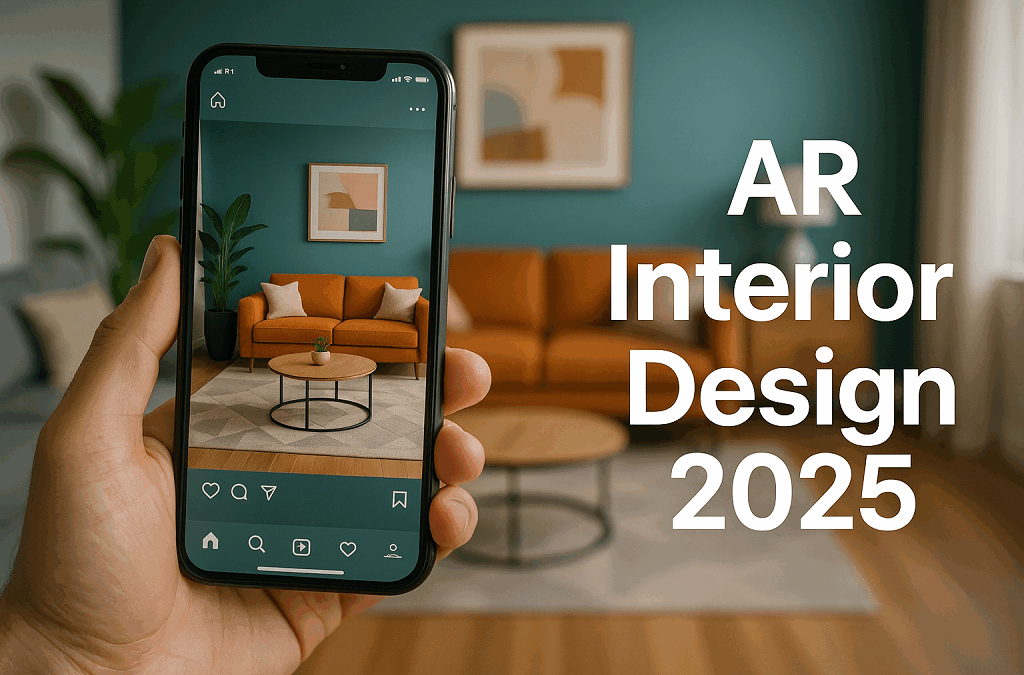
by Polina Yan
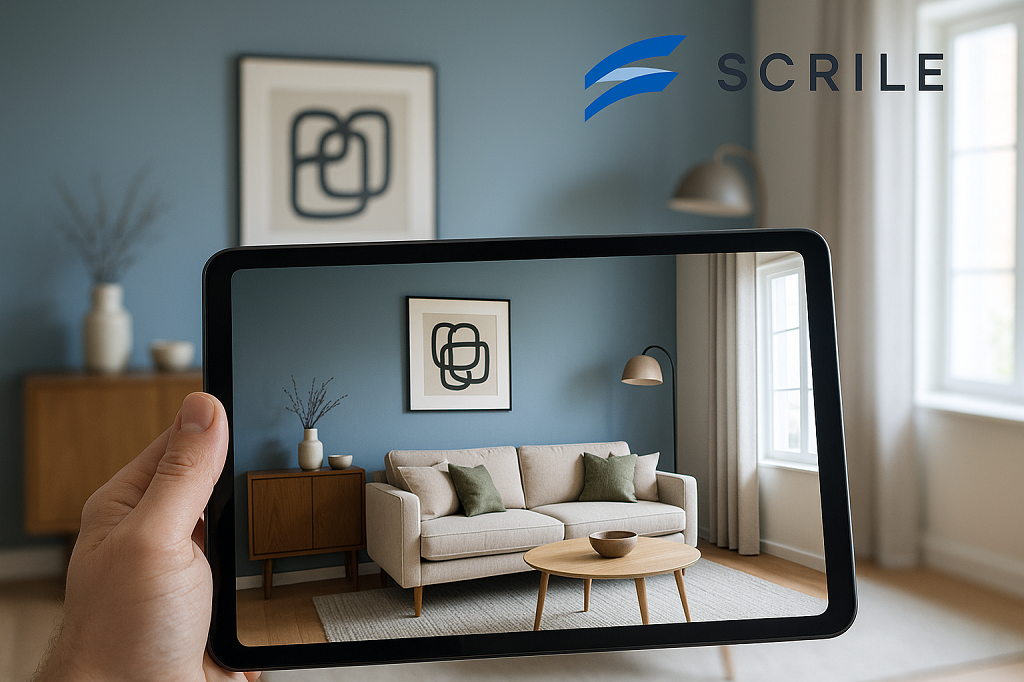
Designing a home used to mean imagination, sketches, and a lot of guesswork. Now, you can lift your phone, scan the room, and watch new furniture, lighting, and colors appear instantly. That’s the magic of AR interior design — a technology that turns empty rooms into interactive canvases.
By 2026, AR is no longer an experimental toy. Interior designers, furniture brands, and even DIY homeowners rely on it to plan spaces that actually work. Augmented visuals reveal proportions, color balance, and flow in real scale, helping people make confident decisions before a single purchase.
This guide explores how AR reshapes the design process — from AR room design tools that simplify client work to full-scale business apps that bring 3D creativity into everyday life. You’ll also learn how Scrile AI helps studios and startups build their own AR design solutions from the ground up.
Why AR Has Become the Standard in Interior Design
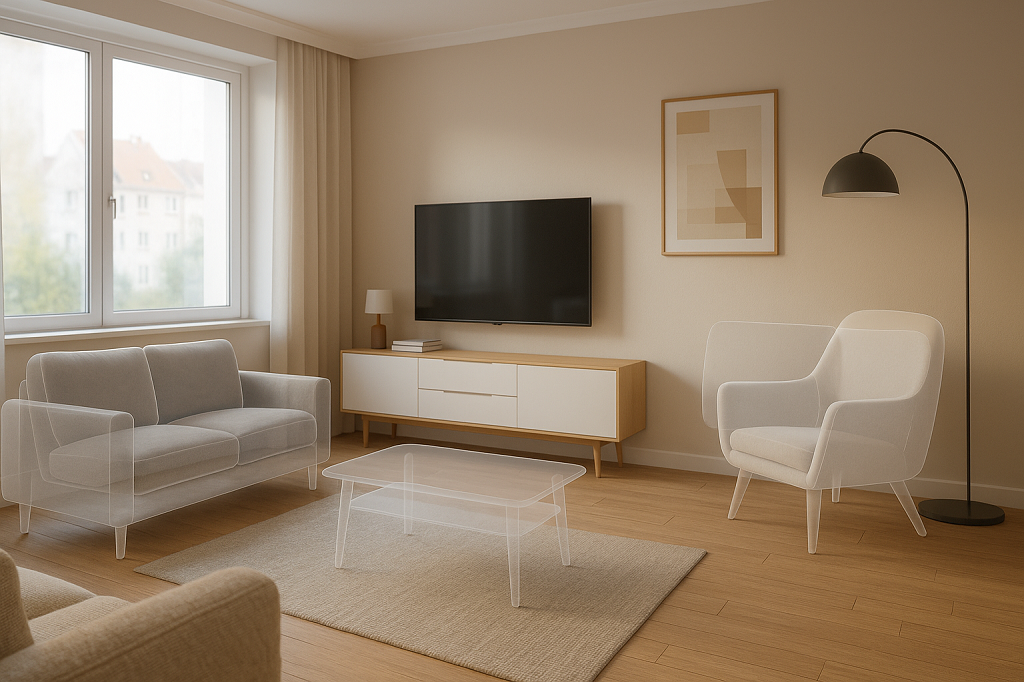
Interior design has always been about visualization. It began with pencil sketches, moved to computer-generated 3D renders, and now stands in the era of interactive overlays that merge the digital with the real. With AR home design, clients can finally see what a concept will look like in their actual rooms, not just on paper or screen.
The appeal is simple: less imagination, more accuracy. Designers don’t have to rely on mood boards or verbal explanations; they can show the transformation live. Clients walk into their living rooms and instantly view how a new sofa fits, how colors change the atmosphere, or how lighting shifts the mood. It’s practical, visual, and persuasive.
The augmented reality home design market is growing fast. Analysts predict that by 2030, the combined AR/VR design sector will be worth tens of billions. The reason is efficiency. AR cuts revision cycles, lowers material waste, and allows teams to finalize layouts in hours instead of days. It’s no longer a futuristic concept but an everyday design tool — used by professionals who value precision and by homeowners who just want to get things right before buying.
How AR Changes the Client Experience
AR changes how people understand space. Through an app, clients can walk around a room, rotate furniture, and swap color palettes in real time. They can even change flooring or wall textures while standing in the same physical spot.
Designers use AR room design tools to showcase multiple versions of a project without moving a single object. For larger projects, AR house design software allows real estate professionals to stage full properties virtually, helping buyers and renters imagine potential renovations.
One design studio, for example, uses AR projection to show clients how sunlight moves through a kitchen during the day. It’s a small demonstration that builds trust — and a big reason AR now defines how modern interior design gets done.
Core Technologies Powering AR Interior Design
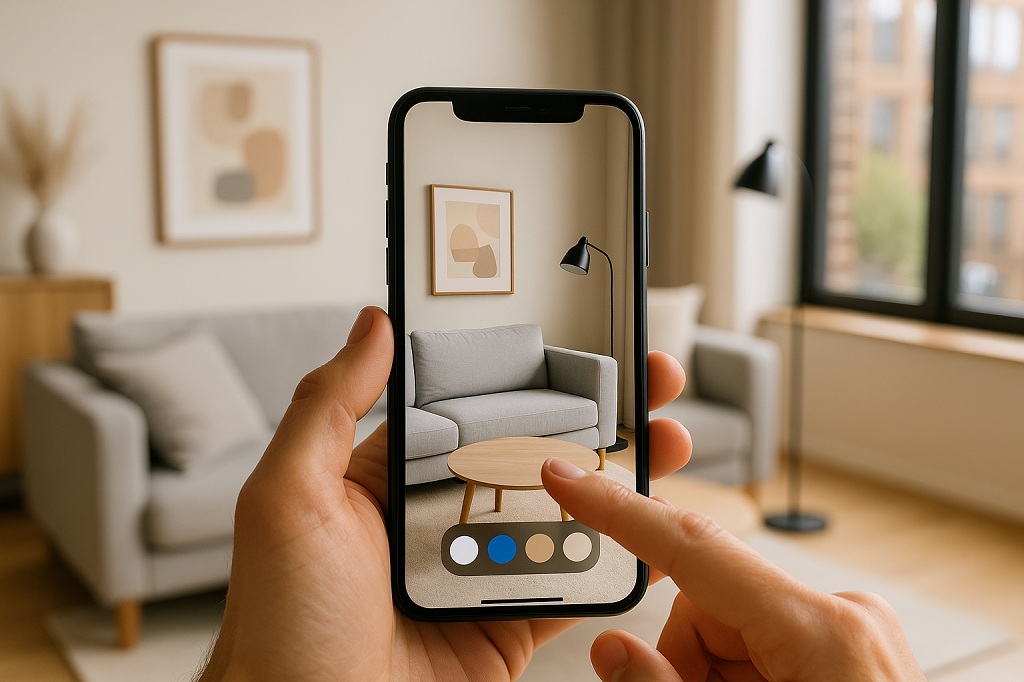
You don’t need fancy headsets or studio gear to use AR design anymore. Most of it now runs on phones and tablets. The same camera that takes your selfies can map walls, measure corners, and drop a virtual sofa right where it belongs.
There’s also a new wave of web-based AR. These versions run straight from a browser, no downloads required. For designers and retailers, it means fewer steps between showing and selling. A client can tap one link and see a full design appear inside their own living room.
Modern AR apps rely on a mix of sensors, frameworks, and rendering tools that make everything look believable.
- ARKit and ARCore – the base technology for iOS and Android tracking, handling surface detection and scaling.
- LiDAR sensors – send laser pulses to capture precise depth data, crucial for accurate placement and measurements.
- Depth mapping and photogrammetry – rebuild rooms as 3D models, including light and surface texture.
- echo3D and Unity – manage 3D rendering, spatial anchoring, and cloud-based visualization.
- Cloud anchors and shared maps – allow multiple people to see the same digital layout in one room.
- AI scene recognition – helps detect walls, furniture, and room types to keep proportions right.
- WebAR engines – power browser-based AR experiences without any app install.
Examples of Popular Solutions
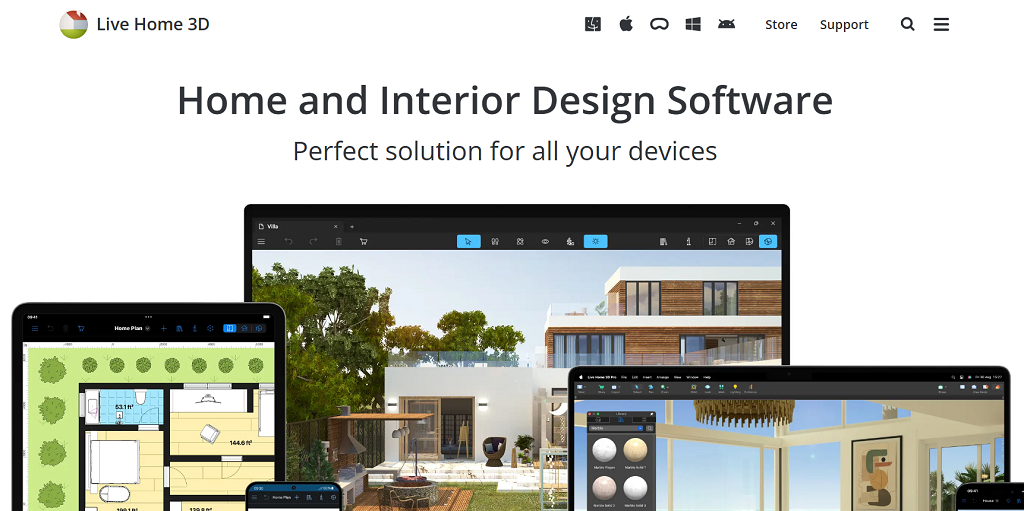
Once people got comfortable using AR for simple room previews, a wave of polished apps followed. Each one found its niche — from fast home makeovers to full architectural visualization. These are the tools shaping AR interior design in 2026.
- LiveHome3D — professional-grade software that blends floor planning, 3D modeling, and AR walkthroughs. It’s popular among studios that need to show layouts and lighting before construction begins.
- Houzz — part catalog, part AR viewer. It lets users browse furniture and instantly project it into their living rooms to compare materials and colors.
- IKEA Place — made for simplicity. Scan the space, pick an item, and view it in true scale — ideal for everyday buyers testing fit and style.
- Morpholio AR SketchWalk — used by designers to walk clients through projects. They can adjust walls or textures right inside the virtual room.
- echo3D — a backbone for many AR apps. It handles 3D rendering, syncing, and cloud storage so multiple users can view the same layout in real time.
- Spacely AI — one of the newest entries in augmented reality home design. It suggests furniture placement and color palettes automatically, using AI to make spaces feel balanced..
These tools make AR design easy to trust. They let people experiment with style, structure, and scale while seeing every change unfold inside their actual homes.
Monetization Opportunities for Studios
For many studios, AR interior design started as a way to impress clients. Then they realized it could earn money on its own. When people see results right in front of them — not as sketches but as full-scale visuals — they’re more likely to commit. AR isn’t just a design preview anymore. It’s a service model that builds trust before a project even starts.
Design firms now use AR to package new kinds of offers:
- Subscription-based access. Clients pay a monthly fee to use interactive 3D previews and experiment with layouts at home.
- Paid design templates. Digital catalogs of pre-modeled furniture, wall textures, or lighting setups can be sold as ready-to-use assets.
- Consultation upgrades. Instead of sending 2D renders, studios can charge extra for live AR sessions — clients walk through their future space while the designer explains every detail.
- Virtual staging services. Real-estate agents or homeowners pay to showcase a property using AR previews that make empty rooms look furnished.
For design firms ready to create their own branded AR experience, there are flexible ways to build it — customized interfaces, subscription models, and secure payment systems can all come together under one tailored solution.
Create an AR App for Interiors with Scrile AI
After exploring popular tools, it becomes clear that most ready-made apps only go so far. They work for basic previews but fall short when a studio wants to stand out — with its own branding, features, and revenue system. That’s where Scrile AI comes in.
Scrile AI isn’t a plug-and-play app builder. It’s a custom development service that helps studios and design businesses build full-scale digital products. Every part of the system — visuals, chat, payments, analytics — can be adapted to match the way a company works.
Unlike generic AR kits, Scrile AI focuses on personalization, privacy, and long-term ownership. You decide what data stays private, how your clients interact with the tool, and which features drive profit. Designers can request 3D room scanning, in-app chat for consultations, video previews, or integrated payment gateways. It’s built to match your workflow, not the other way around.
Scrile AI enables:
- Building a full AR interior design or visualization app from the ground up.
- Integrating chat, video, and community spaces for real-time client collaboration.
- Adding secure payments, subscriptions, and analytics dashboards.
- Maintaining complete control over code, data, and interface design.
For studios, this means scalability without compromise. You can start small — maybe with a simple AR preview app — and expand it later into a full ecosystem for clients and designers. Each feature grows with your business instead of locking you into someone else’s framework.
Scrile AI gives creative teams what they’ve been missing: freedom to shape technology around design, not the other way around. It’s a long-term foundation for studios that want to own their tools, their brand, and their future.
Conclusion
AR interior design is no longer a novelty — it’s a core part of how modern studios work and sell ideas. It blends creativity with precision, turning imagination into something clients can see and trust. Success now comes from realism, ease of use, and interactive detail.
For studios, the real growth starts with ownership. Scrile AI helps teams build their own AR tools — fully branded, scalable, and designed for long-term profit.
Contact the Scrile AI team and bring your AR design vision to life.
FAQ
What is AR in interior design?
AR interior design projects digital furniture, decor, and lighting into real rooms using a phone or tablet. It helps clients visualize layouts, test styles, and make confident choices before buying or renovating.
Is there a free AI for interior design?
Yes. Spacely AI lets users upload room photos and get instant design suggestions for free. It’s beginner-friendly and ideal for experimenting with furniture, lighting, and colors.
What is the VR app for interior design?
Live Home 3D creates detailed virtual home models for Apple, Windows, and Android devices. With VR headsets, users can explore rooms, test layouts, and refine designs before any real changes begin.
Polina Yan is a Technical Writer and Product Marketing Manager, specializing in helping creators launch personalized content monetization platforms. With over five years of experience writing and promoting content, Polina covers topics such as content monetization, social media strategies, digital marketing, and online business in adult industry. Her work empowers online entrepreneurs and creators to navigate the digital world with confidence and achieve their goals.

by Polina Yan
Digital identities are everywhere now — in gaming worlds, on social media, inside virtual classrooms, and even in adult streaming. They’re no longer side projects or novelties. For many people, these avatars are how they connect, entertain, and make money.
So, what is an AI avatar? Think of it as a computer-generated character designed to look and act human. It can speak in natural voices, mirror expressions, and hold conversations that feel real enough to build trust. Some are used in education, some in customer service, and plenty are already thriving in the adult industry where personalization and privacy matter most.
The appeal is obvious: avatars are cheaper than hiring live actors, always available, and easy to scale across platforms. In this article, we’ll explore the benefits, real use cases, and highlight five of the best AI avatar software tools worth knowing in 2026.
What Is an AI Avatar?
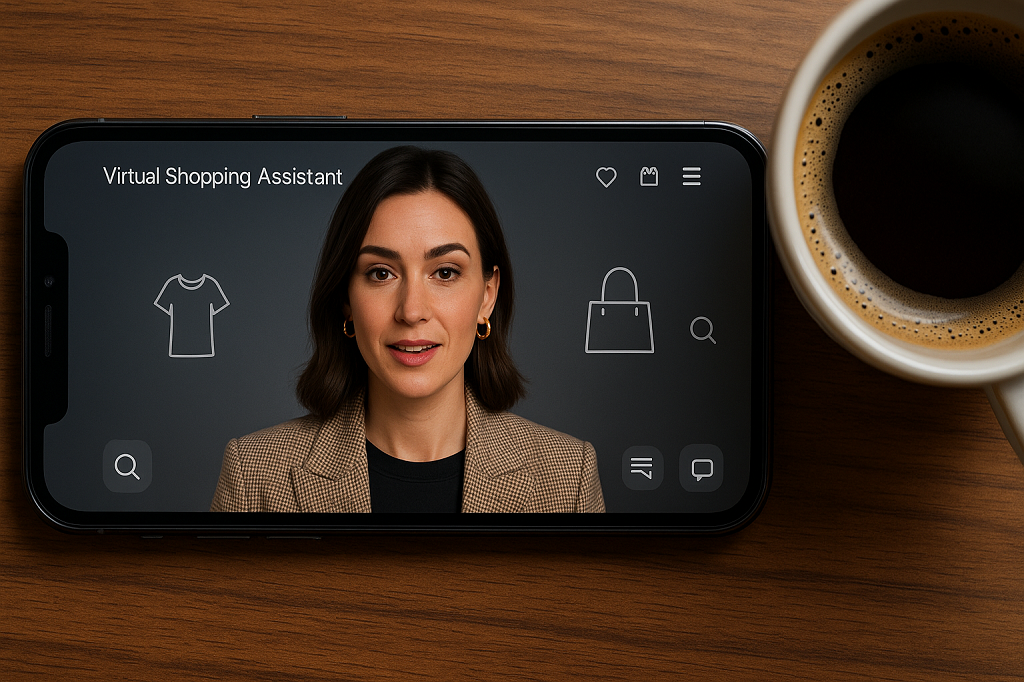
At its core, an AI avatar is a computer-generated human. Not a cartoon, not a static profile picture, but a figure that can move, talk, and even react in a way that feels natural. The realism comes from the tech behind it: speech models that create convincing voices, computer vision systems that animate facial expressions, and rendering engines that sync mouth movements with dialogue. Together, they produce the illusion of a lifelike digital character.
The machinery under the hood usually blends:
- Natural Language Processing (NLP): so the avatar can understand input and reply.
- Computer vision: for lip-sync, gestures, and expressions.
- Text-to-video synthesis: turning a script into a talking, moving persona.
That combination makes an avatar more than a skin on a chatbot. It creates presence. You’re not just reading a line of text back from an AI — you’re watching “someone” deliver it. This is why what is an AI avatar has become a real question for businesses, creators, and adult platforms alike. The technology has evolved enough that interacting with these digital humans feels less like software, and more like meeting a character built for you.
Benefits of AI Avatars

One of the biggest draws of AI avatars is how quickly they can mold themselves to whoever is watching. They don’t have a single script or fixed persona — the same avatar can crack a joke with one person, act professional with another, and switch into flirt mode in an adult chat without missing a beat. That level of personalization is something even real performers struggle to scale.
Another benefit is their stamina. No sleep, no breaks, no time zones. An avatar can be online around the clock, serving customers, entertaining fans, or running a pay-per-view show at three in the morning. For creators, this opens the door to global audiences instead of being tied to a personal schedule.
Money is another angle. Instead of hiring actors, streamers, or models, businesses can rely on avatars that work for a fraction of the cost while still creating engaging experiences. And in the adult space, they’ve already proven themselves as money-makers through subscription tiers, one-off tips, and premium requests.
To sum it up, the perks look like this:
- Personalized interaction that adapts to the user.
- Always on — no downtime or fatigue.
- Cheaper to run than real performers.
- Built-in monetization hooks from subs to pay-per-view.
These advantages explain why so many industries are taking avatars seriously.
Best Use Cases for AI Avatars
So, what is an AI avatar really good for? The short answer is: almost anything that involves people paying attention to a screen. The long answer is a growing list of use cases that’s expanding every year as the tech gets sharper.
- Entertainment and gaming: NPCs that feel alive, characters who remember your progress, storylines that adapt.
- Adult industry: porn avatars that perform custom scenes, chat-based companions that never log off, and NSFW roleplay that gives privacy without losing intimacy.
- Influencers: virtual doubles that post while the real person sleeps, avatars that can speak multiple languages for global reach, or digital clones that handle fan engagement at scale.
- Education and training: tutors who can demonstrate tasks on demand, corporate avatars that lead onboarding sessions, or language-learning partners who never get tired of your mistakes.
- Business and enterprise: customer service avatars for 24/7 support, branded mascots that replace generic chatbots, interactive guides inside apps or websites.
- Healthcare: therapy companions for mental health check-ins, virtual nurses reminding patients to take meds.
- Events: hosts for conferences or adult cam sites, moderators that keep digital spaces running smoothly.
The list keeps growing because avatars aren’t bound to a single role. Once the character is built, it can shift across industries without new training or added cost — one of the reasons adoption is spreading so fast.
Top 5 AI Avatar Software in 2026
Colossyan
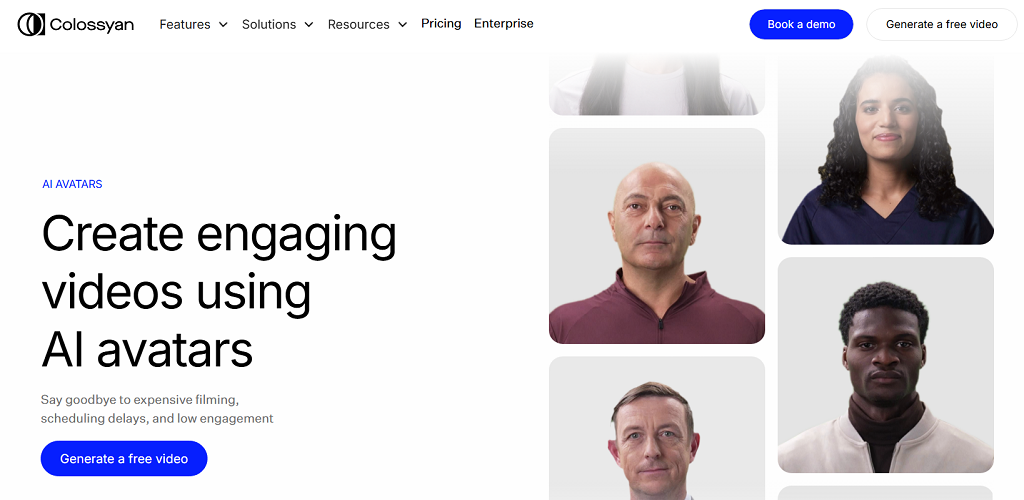
Colossyan built its reputation in the corporate world, but its technology is versatile enough to cross into other spaces. At its core, it’s a text-to-video tool: you write a script, pick an avatar, and the platform produces a professional-looking video with a digital presenter. For training departments, this removes the cost of hiring actors or booking video shoots. The avatars look realistic, and the lip sync is convincing enough that most viewers won’t question whether they’re watching a person or an AI-driven model.
Pros: realistic visuals, simple workflow, strong use for corporate learning and tutorials.
Cons: avatar variety is limited, and customization options can feel restrictive for creators outside the training niche.
Synthesia
Synthesia is one of the most well-known names in the AI avatar space. It’s become a go-to for marketers, educators, and even independent creators who want polished videos without needing production teams. The library of avatars is large, and you can even create custom avatars that look like you — a feature that appeals to influencers and businesses alike. The platform supports dozens of languages, making it useful for global brands or creators with international audiences.
Pros: wide avatar selection, strong customization, multilingual support.
Cons: pricing can be high for heavy users, and some avatars still look a little “uncanny” in emotional scenes.
HeyGen
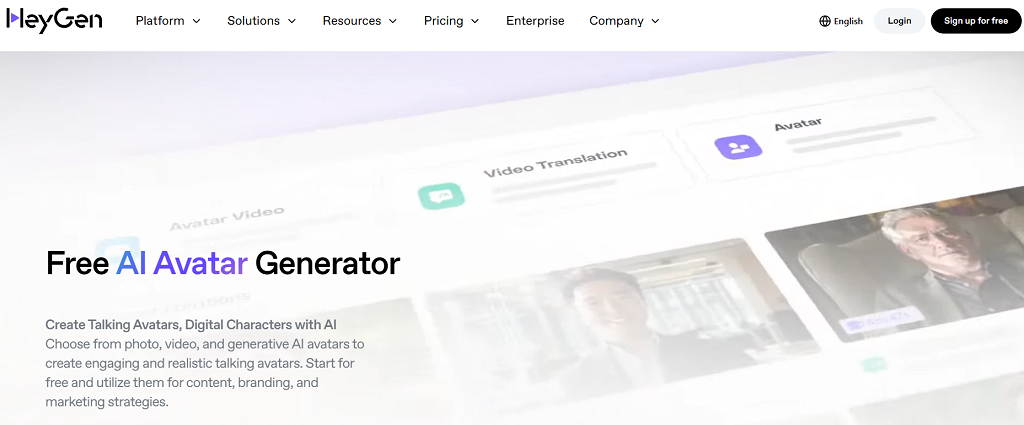
HeyGen feels less like a stiff corporate tool and more like a playground for creators. You can spin up avatars that sell products, narrate social videos, or even test adult-friendly concepts in a safe space. The software leans heavily on flexibility — you’re not stuck with one format. Marketing teams can drop an avatar into promo videos, while independent creators experiment with edgier or NSFW ideas without risking their own face on camera. The editing workflow is smoother than most: drag, drop, adjust, render.
Pros: creative freedom, good balance between pro use and casual creators, NSFW-friendly flexibility.
Cons: still maturing compared to giants like Synthesia, occasional quirks in lip sync.
Replika
Replika takes avatars in a different direction. Instead of polished corporate presenters, it focuses on companionship and conversation. You design an avatar, chat with it, and over time it learns your habits. For some, it’s a wellness tool; for others, it slides into emotional support or even intimate territory. It’s one of the few services where people form genuine attachments to their avatars, sometimes stronger than with real contacts. That mix of empathy and persistence is its unique edge.
Pros: strong conversational depth, personalized interactions, emotionally engaging.
Cons: limited to chat and light roleplay, not built for polished video production.
D-ID
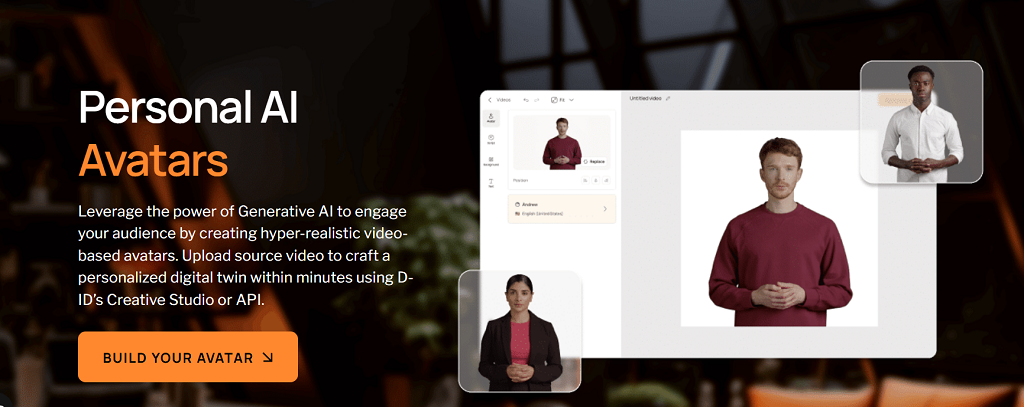
D-ID is best known for turning still images into moving, talking avatars. Upload a portrait, feed it text or audio, and suddenly the image starts speaking with realistic lip sync. For history projects, marketing campaigns, or even adult-themed photo-to-video experiments, it opens doors without needing a live performer. The tool is simple to use but surprisingly effective at creating a sense of presence from nothing more than a headshot.
Pros: quick results, unique “photo to video” capability, easy to learn.
Cons: mostly limited to head-and-shoulder avatars, output can look repetitive if pushed too far.
Why Scrile AI Stands Out
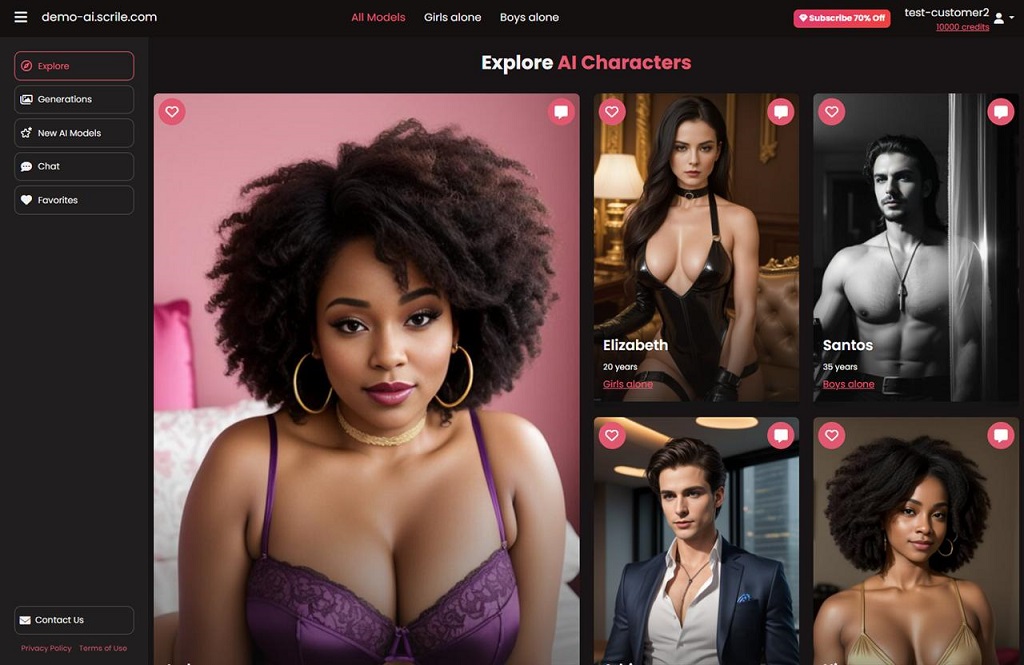
Most of the tools we’ve covered so far are ready-made platforms. They’re great for quick use but come with limits: you rent space, you follow someone else’s rules, and you give up a slice of revenue. Scrile AI goes in a different direction. It isn’t a platform — it’s a development service that lets you build an AI avatar business on your own terms.
The biggest difference is ownership. With Scrile AI, the product wears your brand, not theirs. You control the domain, the design, and the interface. That means your audience sees your name, your colors, and your style — not another company’s watermark.
What Scrile AI provides out of the box is impressive:
- Avatar builder that lets you create characters with unique looks and personalities.
- Integration with leading LLMs (GPT, Claude, Gemini), so your avatars can chat, roleplay, or run scripts.
- Adult-friendly features that make NSFW use cases not only possible but polished.
- Flexible monetization — subscriptions, pay-per-chat, tipping, and bundles.
For anyone asking what is an AI avatar in the context of business, Scrile AI is the answer that goes beyond experiments. Instead of being locked into a SaaS plan with fixed options, you get a system that adapts to your goals. That flexibility makes it valuable for startups chasing new niches, creators looking to launch adult-focused services, or enterprises that want to add avatars without handing over revenue to a third party.
Scrile AI doesn’t just hand you a tool. It hands you the keys to an entire ecosystem that’s yours to scale.
Conclusion
Avatars have moved from curiosity to everyday tools. They’re shaping how people learn, play, work, and even build intimacy online. The five software picks we looked at each serve a purpose — from text-to-video production to companionship apps — and they show just how wide the field has become. But none of them hand over full control.
That’s where Scrile AI changes the picture. Instead of renting space on someone else’s platform, you get the chance to build your own. Your brand, your design, your rules. For businesses and creators who want to turn avatars into a real venture, that kind of ownership is the edge that matters.
If you’re ready to explore what’s possible, reach out to the Scrile AI team. They’ll help you create something that isn’t just another tool, but a system designed around your goals.
Polina Yan is a Technical Writer and Product Marketing Manager, specializing in helping creators launch personalized content monetization platforms. With over five years of experience writing and promoting content, Polina covers topics such as content monetization, social media strategies, digital marketing, and online business in adult industry. Her work empowers online entrepreneurs and creators to navigate the digital world with confidence and achieve their goals.
by Polina Yan
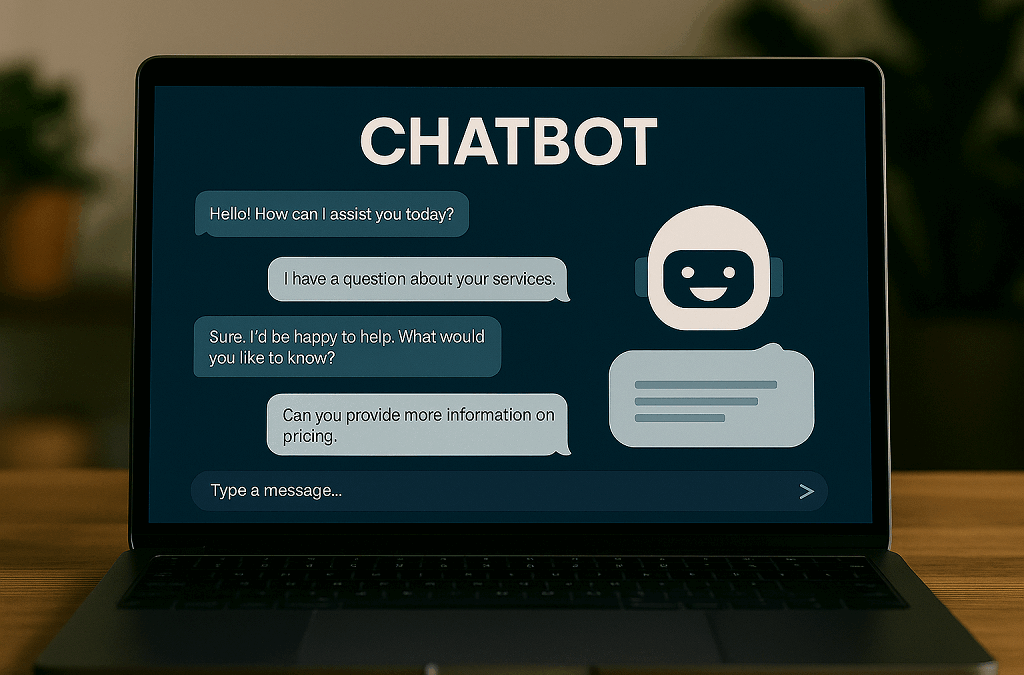
Chatbots aren’t a gimmick anymore. They’ve become the invisible workforce behind millions of daily conversations — answering customer questions, helping users place orders, even flirting with lonely fans in late-night chats. Businesses, creators, and solo entrepreneurs are all looking at the same thing: how to make your own chatbot that does the job exactly the way you need.
Some want a simple support bot that cuts down on emails. Others dream of an AI companion, a tutor, or even an NSFW chatbot that can generate income around the clock. The use cases are endless, but the building blocks are surprisingly similar.
This guide walks through seven clear steps anyone can follow, from sketching your idea to testing and scaling. And if you’re ready for a solution that’s branded, monetized, and fully under your control, Scrile AI can help you skip the limits of cookie-cutter tools and launch something truly yours.
Step 1 — Define Purpose and Use Case

Before you rush into tools, code, or fancy AI models, stop and answer the most important question: what do you actually want the bot to do? Without a clear purpose, you’ll end up with something that looks cool but fails to deliver. When you make your own chatbot, this clarity up front saves hours of development and avoids building features nobody needs.
Think about it in terms of roles. A chatbot can act as:
- Customer support agent — answering FAQs, guiding users through troubleshooting.
- Sales assistant — recommending products, upselling, tracking orders.
- Booking manager — handling appointments for a clinic, gym, or salon.
- AI companion — entertaining users, offering coaching, or even working as an adult chatbot for NSFW audiences.
- Productivity helper — organizing reminders, managing calendars, giving quick answers.
Each of these roles requires a different personality, knowledge base, and technical setup. An e-commerce FAQ bot has to integrate with product databases and answer shipping questions in seconds. A personal productivity bot needs access to calendars and natural dialogue skills. An NSFW chatbot must prioritize realism and privacy, while still giving the creator room to monetize it.
According to industry research, chatbots can handle around 70% of routine questions without human help. That statistic alone shows how much time and money you can save by defining your bot’s scope correctly.
So, before diving deeper, map out the use case. Write down your must-have features and your “nice-to-haves.” This first step transforms the vague idea of wanting to create own chatbot into a practical plan that can actually work.
Step 2 — Choose Your Approach: DIY or Development Service
After you’ve figured out what your bot should actually do, the next decision is pretty practical: do you want to build it yourself with a no-code tool, or have a team craft something that’s entirely yours? Both roads exist, but they lead to very different places.
The DIY chatbot route is what most people try first. Tools like Tidio or ChatBot.com give you a visual builder — drag, drop, connect a few blocks, and you’ve got a bot answering questions on your website within a day. It feels almost like playing with Lego. If you’re a small online shop or a freelancer just wanting a digital helper, this is often enough.
But the cracks appear once you start asking for more. Maybe you want the bot to push upsells, handle payments, or speak in a very specific tone. At that point, you realize you’re working inside someone else’s box. The platform decides what’s possible, not you.
That’s where a custom build comes in. A development service like Scrile AI doesn’t hand you a box — it helps you design your own. You’re not limited to a template; the team can connect the bot with your payment systems, add NSFW features if that’s your market, or give it a personality that feels like a real extension of your brand.
A small bakery might get by on a DIY chatbot that lists today’s specials. But if that bakery grows into a chain with delivery, loyalty programs, and custom upsell logic, a one-size-fits-all tool quickly feels like a toy. Sometimes speed is enough. Sometimes you need something that lasts.
Step 3 — Design the Conversation Flow
After you decide on the purpose and approach, the real work begins: shaping how your chatbot actually talks. If you want to make your own chatbot that doesn’t frustrate users, you need more than canned replies. A good bot has structure, but it also feels like a conversation.
At the core, every flow revolves around a few building blocks:
- Intents — the goals people bring into a chat. Someone might want to check delivery status, cancel a booking, or simply ask about pricing. Each of those needs its own path.
- Entities — the small details buried in the request. An order number, a date, or the name of a product all help the bot deliver a relevant answer instead of a generic one.
- Decision trees — the “choose your own adventure” backbone. Based on the user’s response, the bot knows which branch to follow next and where to end the conversation.
Designing these pieces is only half the job. The harder part is keeping the dialogue natural. People type in fragments, throw in emojis, or change their mind mid-sentence. If you’re serious about how to build a chatbot from scratch, your design has to account for that chaos. That means adding fallbacks (“Sorry, I didn’t catch that — do you mean tracking or returns?”) and giving the bot memory. If someone already entered their city, don’t ask for it again.
You can create flows visually in drag-and-drop builders like ChatBot.com, or go deeper with code using Node.js or Python. Either way, think of it like writing dialogue for a script: short lines, clear intent, and enough personality to keep people talking.
Step 4 — Select the Tech Stack and Integrations

Choosing the right engine for your chatbot is like picking the motor for a car. If you want to make your own chatbot that actually works under pressure, you have to match the tech to your goals. There are three common approaches:
- Rule-based bots follow scripts. They’re reliable for simple Q&A or yes/no trees but break down fast once users go off script.
- NLP-based bots (natural language processing) understand free text, handle slang, and feel more conversational. They’re ideal for support or companion chatbots.
- Hybrid bots combine both: rules for structure and NLP for flexibility. This is where most modern projects land.
But tech on its own isn’t enough. A useful bot plugs into the rest of your systems. Imagine connecting directly to:
- CRM tools like HubSpot or Salesforce, so the bot can pull customer history on the fly.
- Live chat systems, handing conversations to humans when things get too complex.
- Payment gateways such as Stripe or PayPal, letting customers buy products or renew subscriptions without leaving the chat window.
That’s also where Scrile AI stands out. As a development service, it doesn’t limit you to pre-set integrations. Their team can tie your bot into custom APIs, add monetization layers, or even enable NSFW features if that’s your niche. In other words, if you’ve been wondering how to create your own AI bot that doesn’t just chat but also earns, integrations are the piece that make it possible.
Step 5 — Train with Content and Data

Here’s the part where your chatbot starts to sound alive. Building the frame is one thing, but if you don’t feed it the right material, it ends up mumbling nonsense. Training is all about giving the bot access to the information it needs and shaping how it delivers that information.
Most people begin with the basics: an FAQ page, product descriptions, or existing support emails. That data becomes the first layer of knowledge. From there, you can pull in content scraped from your website, add documentation, or connect the bot to a live database so answers stay current.
Tone matters just as much as facts. If you want a friendly bot, write answers that feel conversational. If the brand is more formal, keep the language tight and professional. For an AI companion — or even an NSFW chatbot — tone is the entire product. Scripts, roleplay prompts, and carefully curated dialogue give it personality instead of leaving it flat.
Numbers prove why training pays off. Tidio’s research shows that its Lyro AI, once trained on FAQs, can handle about 70% of customer questions instantly. That’s fewer support tickets, less wasted time, and more satisfied users.
So when you’re thinking about how to create your own AI chatbot, don’t stop at building the shell. The content you put inside it — and the way you tune its voice — is what makes people come back to talk again.
Step 6 — Test, Refine, and Add Personality
You can’t just launch a bot and assume it works. If you want to make your own chatbot that people actually enjoy, you need to run it through real conversations, gather feedback, and polish the weak spots.
The easiest way is to recruit a handful of beta testers. Let them throw questions at the bot the same way a real customer or fan would. Don’t coach them, just watch how the dialogue plays out. Where do they get stuck? Which answers feel awkward? That’s where you focus your fixes.
Here’s a checklist that usually helps during refinement:
- Track failed conversations in detail: note when users type “talk to a human,” abandon the chat, or repeat the same question. These signals show where your bot isn’t clear enough.
- Expand intents with real wording: people rarely phrase things the way you expect. Add slang, shorthand, and typos to your training data so the bot understands natural input.
- Tighten answers with personality: avoid long robotic blocks of text. Instead, write short lines that sound like a person — even in corporate contexts.
- Test edge cases on purpose: ask the bot absurd or irrelevant things. See if it crashes or handles them gracefully with a polite fallback.
- Rotate testers over time: don’t rely on the same five people. Fresh users will always find new blind spots.
When you finally add personality — humor, empathy, or a brand-specific tone — the bot stops being a script and starts feeling like a real part of your business.
Step 7 — Launch, Monitor, and Scale
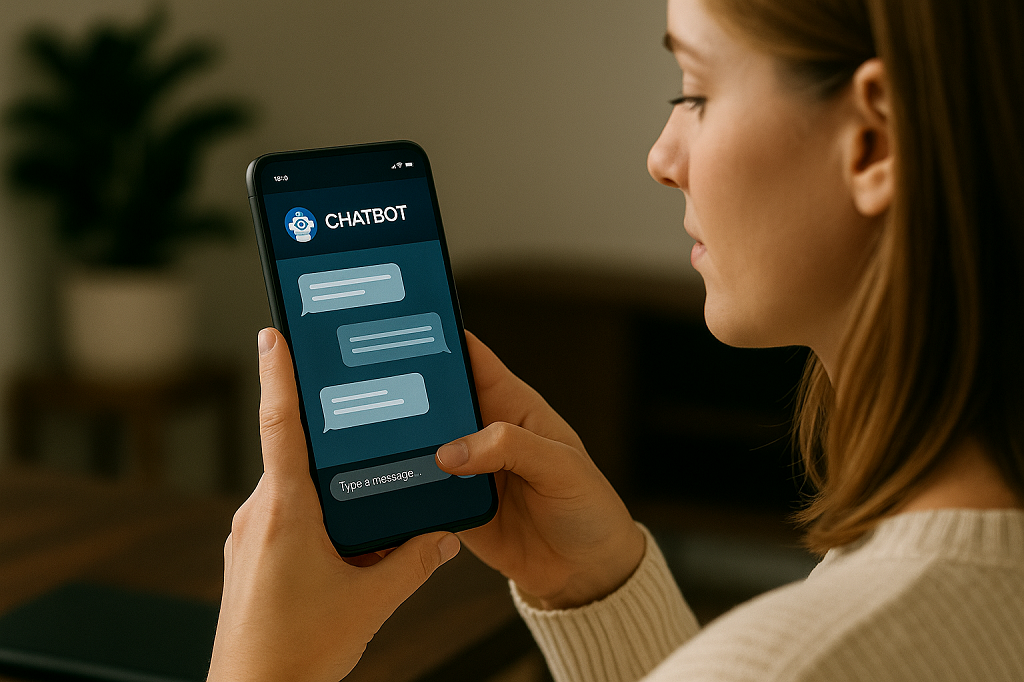
So, the bot is trained, polished, and has a voice. Now comes the part that feels both exciting and terrifying: pressing “go live.” When you make your own chatbot, the launch isn’t the end of the job — it’s just the beginning.
First, decide where it lives. A widget on your website is the classic choice, but plenty of projects start with Messenger, WhatsApp, or even a custom mobile app. Meet people where they already hang out.
After launch, don’t just let it run blind. Keep an eye on numbers that actually matter:
- Response time — how fast does it reply? Delays kill engagement.
- Satisfaction — are people leaving happy, or asking for a human right away?
- Conversions — does the bot actually help sell, book, or retain users?
Scaling is all about timing. Once the core works, add features slowly: voice input if your users like talking, image generation for creative bots, or multi-language support for global audiences.
The trick is simple — launch lean, learn from data, then grow. That’s how you keep the bot relevant long after the first wave of users shows up.
Why Scrile AI is the Best Way to Make Your Own Chatbot
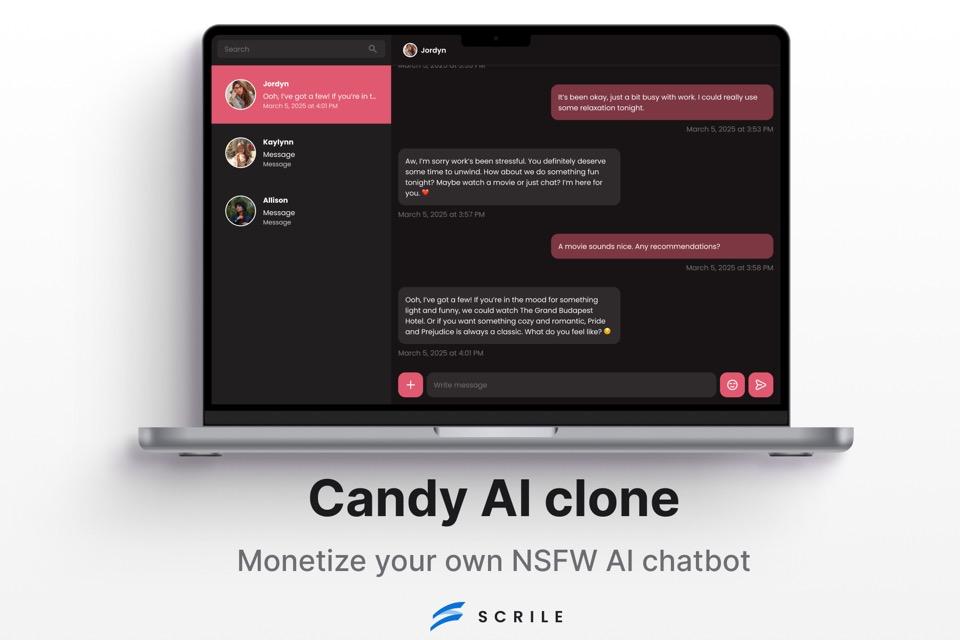
Each step in building a chatbot takes effort — shaping conversations, training data, testing, and scaling. Doing it alone with a DIY tool works for small projects, but if you want to make your own chatbot that feels polished, monetized, and truly yours, Scrile AI covers those bases in one package.
Here’s what sets it apart:
- White-label development — the chatbot lives under your brand with your domain and interface. No “powered by” tags or cookie-cutter layouts.
- Monetization built in — subscriptions, pay-per-chat, and token systems ready to deploy, so revenue streams are part of the design from day one.
- Support for NSFW and adult chatbots — something mainstream platforms avoid. Scrile AI enables projects in niches that others simply don’t allow.
- Zero commission model — unlike platforms that take a cut, Scrile AI leaves 100% of revenue and all customer data in your hands.
- Custom integrations — APIs, payment gateways, or unique workflows adapted to your business instead of forcing you to adapt to theirs.
Most chatbot builders stop at templates and drag-and-drop flows. Scrile AI acts more like a development partner, tailoring the solution to fit your vision. For creators, educators, startups, and even adult content entrepreneurs, it’s the difference between renting space on someone else’s system and owning the whole building.
With Scrile AI, you don’t just launch a chatbot — you launch a business asset that scales with you.
Conclusion
Making your own chatbot isn’t reserved for tech giants anymore — it’s something anyone can tackle by following a clear process. Seven steps are all it takes: define the purpose, pick your approach, design the flow, choose the tech, train with real content, test thoroughly, and scale with data. Each step builds on the last, and before long, you’ve got a bot that can answer questions, book appointments, or even entertain users.
DIY tools are a good launchpad, especially for small shops and side projects. But serious creators and businesses eventually need more control — branding, monetization, integrations, and features that free templates can’t offer.
That’s exactly where Scrile AI shines. Explore their service and contact the Scrile AI team to turn your idea into a chatbot that grows with your business, not against it.
Polina Yan is a Technical Writer and Product Marketing Manager, specializing in helping creators launch personalized content monetization platforms. With over five years of experience writing and promoting content, Polina covers topics such as content monetization, social media strategies, digital marketing, and online business in adult industry. Her work empowers online entrepreneurs and creators to navigate the digital world with confidence and achieve their goals.
by Polina Yan
Knowing how to make an AI chatbot in 2026 is less about coding and more about clarity — because AI bots aren’t just hype anymore. They’re running help desks, chatting up customers, selling subscriptions, and even simulating intimacy through NSFW chat experiences like Candy AI.
Whether you’re a solo founder building a niche app or a business owner automating support, chatbots have become essential tools. Some answer FAQs. Others act like personal assistants. A growing number? They’re designed for companionship, education, or paid fan interactions — and users expect them to sound human, remember things, and work across platforms.
You don’t need to be a developer to build one. But you do need to understand how they work, what options exist, and what makes a chatbot actually useful (and not just noisy). This guide breaks it all down — from quick-build tools to custom AI platforms with monetization built in.
Why Chatbots Still Work in 2026
If you’re wondering how to make an AI chatbot that people actually want to use, start with this: the market is thriving. According to Grand View Research In 2026, the global chatbot market is projected to exceed $27 billion, driven by demand across ecommerce, health, entertainment, and adult industries. Bots aren’t replacing humans — they’re augmenting them, doing the repetitive stuff faster and around the clock.
And they work. Studies show that AI-powered chat outperforms static FAQ pages and clunky help forms. Why scroll through a support database when you can just ask a bot?
Here’s where people are using them:
- Ecommerce brands use them as product recommenders and upsell engines.
- Mental health startups are building bots as virtual therapists or check-in partners.
- Hotels and clinics rely on chatbots for bookings and reminders.
- Fan sites and creators use chat to build loyalty through personalized interaction.
- And yes, NSFW AI bots — inspired by services like Candy AI — are becoming a mainstream monetization channel for adult content creators.
People are getting more comfortable chatting with bots, especially when the bot remembers things, responds with nuance, and sounds like an actual personality — not just a script.
If you’re considering creating an AI chatbot for your business or platform, the use cases are wider (and more profitable) than ever. It’s all about building something that feels human — without needing a human on the other end.
Pick Your Bot Type First
Before you even ask how to make an AI chatbot, you need to know what kind of chatbot you’re building — because not all bots are designed to do the same job.
Some bots are built to handle support tickets and help customers navigate FAQs. Others are made to capture leads, qualify prospects, or drive product sales. And increasingly, chatbots are being used for creative and highly personalized experiences — from writing assistants to NSFW AI bots and even fan roleplay companions.
Here are just a few types you might consider:
- Support bots for troubleshooting and onboarding
- Lead capture bots that gather emails and segment traffic
- Writing or knowledge bots to help brainstorm, draft, or summarize
- NSFW-style AI companions for entertainment or monetization
- Character bots or fiction-based personas for fandom interaction
- Booking bots for scheduling and reminders
Every chatbot solves a different problem. And if you’re creating an AI chatbot for a specific use case, getting clear on that problem first will shape every decision: the tone of voice, the backend logic, and the tools you’ll need.
No-Code and Low-Code Options

Not everyone building a chatbot in 2026 is a developer — and the rise of no-code and low-code tools proves that. Platforms like ChatBot.com, Tidio, and Landbot have made it possible for almost anyone to launch a functioning AI assistant in less than a day. These tools offer visual builders, simple logic flows, and pre-built conversation templates, so even someone without a tech background can piece together a working bot.
If you’re running a small business or need a basic virtual assistant, these platforms can do a lot. You might want a chatbot on your Shopify store to handle product questions, process simple returns, or guide customers to the right category. Or maybe you need something that helps book appointments, answers FAQs, or directs visitors to the right department. These tools are ideal for those kinds of jobs.
The biggest benefit of going the no-code route is speed. It’s fast to launch, affordable to test, and easy to manage without a dedicated dev team. You can tweak flows, add messages, and adjust triggers in a visual dashboard with little effort. But with that simplicity comes limitations. These tools aren’t built for deep customization. You can’t always control tone or personality, and memory is often limited to a single session — which can be a dealbreaker for more interactive or emotionally intelligent bots.
For many, though, that trade-off is fine. If your needs are straightforward and your brand doesn’t rely on advanced logic or tone-sensitive replies, these platforms offer a great entry point. Still, if you’re thinking long-term — or want your bot to actually sound human, remember context, or monetize — no-code tools might feel like a short-term fix.
Understanding how to create an AI chatbot is as much about knowing your options as it is about knowing your limits.
Building Your Own: Custom Chatbot Architecture
If you want total control over how your bot looks, talks, and behaves, then you’re probably thinking about going custom. Learning how to make an AI bot from scratch gives you flexibility that no template-based builder can match. This is where things get technical — but it’s also where they get powerful.
The Anatomy of a Custom AI Chatbot
A solid architecture starts with three essential components: the user interface (chat screen or voice interaction), the AI engine, and the logic layer that holds it all together. For the UI, you might use a web or mobile front-end designed in React, Vue, or Flutter. It’s the part the user sees and interacts with. Behind the scenes, the real work happens.
Most modern bots hook into powerful APIs like OpenAI (GPT-4), Claude, or Mistral for generating responses. These engines don’t “understand” in a human sense, but they’re excellent at language prediction, tone matching, and context generation — especially when guided by well-structured prompts.
That’s where prompt engineering comes in. A strong prompt is more than “talk like a pirate.” It’s a carefully crafted instruction set that sets tone, role, memory behavior, and guardrails. You can also integrate LangChain for building logic flows or multi-turn conversations, and tools like Pinecone or Weaviate to manage vector-based memory — so your bot can “remember” things users said days or weeks ago.
You’ll also need a backend — Firebase is a popular choice — to store user data, authentication, and interaction history. Combine this with analytics and optional payment integration, and you’ve got the bones of a real product.
Use cases are only growing. Some developers build bots that write poetry in the user’s tone. Others create Candy AI-style NSFW companions, trained on romantic or explicit fiction and designed for real-time, emotionally adaptive responses.
If you’re considering custom AI chatbot development, this is the route that lets you build exactly what you want. But it also means thinking like a product owner, not just a builder. That’s the trade — freedom for complexity.
What a Good AI Bot Needs in 2026
Building a chatbot is one thing. Building a good one — the kind users actually enjoy talking to — is something else entirely. Whether you’re creating an AI chatbot for a business, a creative project, or something more personal, the difference between “meh” and “wow” usually comes down to a few key features.
Memory is at the forefront. The very best 2026 bots don’t just react in the moment – they remember context. This may involve tracking a user’s name and tastes or reading a series of conversations over several months. Without memory, exchanges become shallow, mechanical, and unmemorable.
There’s also tone. Your bot may not have to feel, at least not in an emotional way, but it will need to respond in ways that will feel empathetic or energetic when required by circumstance. Insert some safety rails and moderation filters, particularly if your bot is dealing with sensitive subjects or NSFW material, and you’ve got something that will feel complete and credible.
Smart bots also connect to other tools. Want to process payments? Integrate with Stripe. Want to notify users or sync to groups? Plug into Telegram or Discord. APIs are your best friend here.
Privacy is another deal-breaker. If your chatbot handles personal or adult interactions, strong privacy controls and user filters are essential. Clear terms, encryption, and opt-in systems go a long way toward building user trust.
Finally, language flexibility is key. A growing number of bots are expected to handle multiple languages or offer seamless translation on the fly — especially when used in global communities.
These aren’t just features. They’re expectations. The bar is higher now, and the bots that stand out are the ones that feel less like widgets — and more like something real.
Scrile AI: Building Custom Chatbots that Work — and Sell
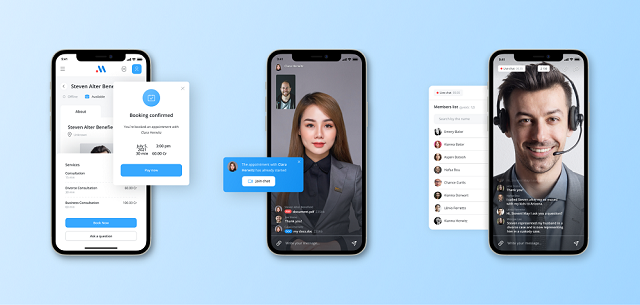
Once you’ve explored prebuilt tools and basic frameworks, one thing becomes clear: real success with chatbots doesn’t come from off-the-shelf options. If you want full creative control, long-term ownership, and real monetization potential, it’s time to think about how to make an ai chatbot with a custom approach.
That’s where Scrile AI stands out. It’s not a plug-and-play chatbot builder or a SaaS subscription with rigid limitations. Scrile AI is a custom development service — a technical team that helps founders, startups, and creators launch their own branded, scalable AI chatbot platforms from scratch.
The difference? You don’t just get a bot — you get an entire product.
Scrile AI specializes in custom chatbot solutions designed for business models where personalization and revenue matter. That includes NSFW platforms, fitness coaching, fan communities, subscription services, and interactive education tools. These aren’t bots bolted onto an existing website — they’re full ecosystems built around user interaction, automation, and monetization.
Some of the use cases Scrile AI delivers:
- Subscription-based customer service bots for SaaS platforms
- Adult AI chatbots like Candy AI — private, monetizable, with built-in pay-per-message models
- Fitness and wellness coaches using chat-based programs, journaling, or daily feedback
- Dating site bots that simulate human conversation with realistic pacing, tone, and memory
- Fan hubs and roleplay platforms where characters interact in real time
And it’s not just about chat. Scrile builds systems that include:
- Custom-designed UIs tailored to your brand
- Full payment integration: Stripe, crypto, PPV, or affiliate models
- Scalable backend infrastructure and long-term chat memory
- Admin dashboards with user analytics and content moderation
- NSFW-friendly setup with privacy layers and content filters
- Voice, avatar, or live cam modules (optional)
Why choose Scrile?
Because launching from scratch doesn’t mean reinventing the wheel — it means skipping generic and building what actually fits.
With Scrile, you get:
- Fast time to market with agile rollout plans
- No vendor lock-in — you own everything
- Customization at every level, from UX to AI personality
- Clear pathways to monetize without third-party rules
If you’re looking for custom chatbot solutions that actually serve your business, Scrile AI gives you the control, tools, and support to make it real — and profitable.
Conclusion
The chatbot space in 2026 is more powerful and more versatile than ever. Whether you’re building a friendly customer service assistant, a creative storytelling bot, or even a romantic AI companion inspired by platforms like Candy AI, the tech is there — and it’s surprisingly accessible.
You no longer need a massive dev team or a year-long roadmap to launch something functional. If you just want a simple bot that handles support or collects leads, no-code platforms can get you going fast. But if your goals include deeper personalization, real AI memory, monetization, or NSFW functionality, that’s where things shift. The question isn’t just how to make an AI chatbot, but how to make one that actually reflects your idea — your brand, your voice, your audience.
And that’s where custom development makes all the difference. You get total control, data ownership, and the freedom to build a product that grows with you — not within someone else’s limitations.
Scrile AI was built for that purpose. They’re not handing you a template. They’re helping you create something original, branded, and ready to launch — fast.
If you’re ready to stop renting chatbot tools and start owning your vision, talk to Scrile AI. They’ll help you build the chatbot you’ve been imagining — and make it something users will actually want to talk to.
Polina Yan is a Technical Writer and Product Marketing Manager, specializing in helping creators launch personalized content monetization platforms. With over five years of experience writing and promoting content, Polina covers topics such as content monetization, social media strategies, digital marketing, and online business in adult industry. Her work empowers online entrepreneurs and creators to navigate the digital world with confidence and achieve their goals.

