
I run Scrile: a set of platforms for creators and online businesses, a development team and the client support around it. Email, leads, support tickets, Jira, client sites and even our video production go through one console. AI agents do the work. I approve what leaves the company.
This is not a demo. Below is one real week of that console, 16 to 22 November 2026, counted from its own logs, with real screens. Client names and messages are blurred.
One person, 12 agents, 1,994 events a week
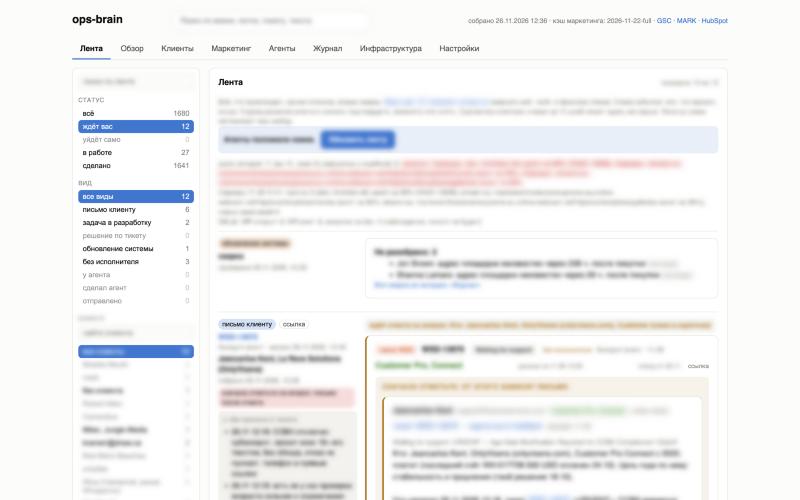
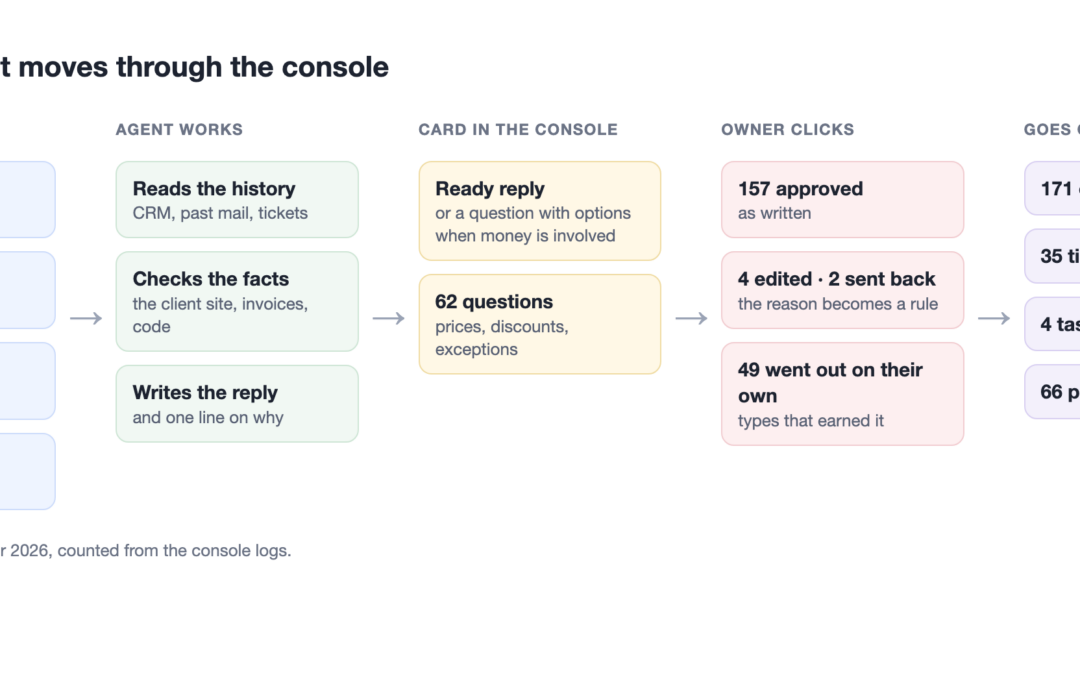
What came in that week:
- 288 emails
- 50 new leads
- 74 support ticket updates
- 227 Jira task updates
- 1,061 code events: merge requests and releases
Who does what
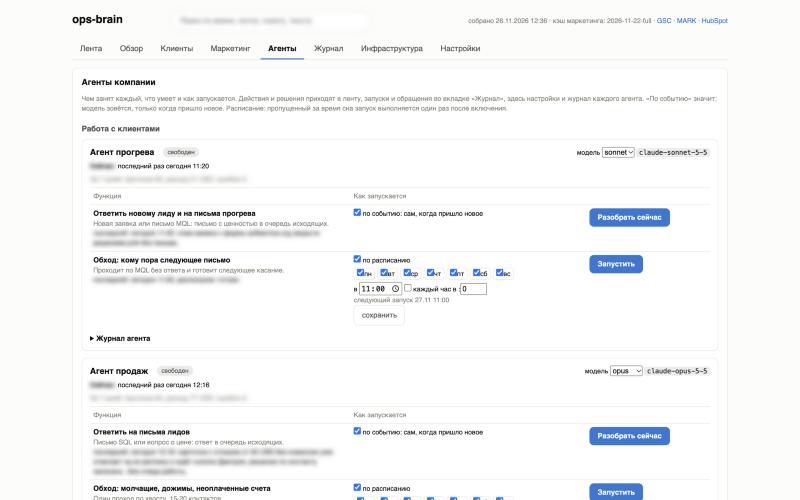
Each agent has one job, its own rules and its own log. Some wake up only when something new comes in, some run on a schedule.
- Leads. Read the request, check the person in the CRM and in past mail, write the first reply.
- Nurture. Follow up with people who went quiet, only with something new for them.
- Prospects. Find businesses that fit and prepare the first letter for approval.
- Customers. Answer support tickets, check the client site before saying “it works”, track promised dates.
- Delivery. Turn a client request into a task for the team and tell the client when it is ready.
- Developer. Pick up code tasks, prepare merge requests and test them on a staging site.
- Product. Review what was shipped and collect what clients keep asking for.
- Marketing. Weekly numbers from Search Console and analytics, tasks for the SEO specialist, article briefs.
- Billing. Match live sites against paid invoices and flag who is behind.
- Infrastructure. Check servers every hour, raise an alert when a site or certificate fails.
- Owner’s assistant. Turn my short answers into actions in the right systems.
- Ops. Watch the other agents: what got stuck, what was closed without a trace, which rules I keep correcting.
Under them run 32 scheduled jobs: mail intake, CRM sync, server checks, reports.
One card, from start to finish
A real example from this week. A client was applying to two card processors. The processors asked for a login so their reviewers could see the site the way a subscriber does. The client wrote: “I tried to add their email as a user, but I don’t think I did it correctly.”
- The support agent picked up the email, found the client’s plan, site and history in the CRM.
- It found the answer in our own product docs: where in the admin panel to add a user and which role to give.
- It wrote a short reply with the three steps and offered to create the logins for the client, so the review would not stall.
- It added one line for me: why this answer and what the client is really after. Here: pass the processor review and start selling.
- I read the card and clicked approve.
Where I decide
- Every message to a client. This week: 157 approved as written, 4 edited, 2 sent back, 11 closed as not needed.
- Money, discounts, prices. The agent does not guess. It asks a question with ready options and its own recommendation. 62 such questions this week.
- What goes out alone. A type of message goes out without my click only after it was approved many times in a row without edits. 49 this week.
How a correction becomes a rule
The agents are not one big prompt. When I edit a reply, the agent records why, and that reason goes into its rules. A few that came from real mistakes:
- An agent offered a free trial as “it costs you nothing”. I changed it: we sell what the client gets, not how easy it is to try. Now that is a rule for every letter.
- An agent told me a client’s payments were not connected, based on a week-old log. The client’s admin panel showed sales. Rule: before saying anything about a client’s site, check the live site or its database.
- A newsletter written for creators almost went to our whole list of business owners. Rule: the topic of a letter decides who gets it, not the size of the list.
This is why 96% of replies now go out without my edits: the same mistake does not come back.
What went wrong, and how we see it
It is not magic, and things break. What matters is that they are visible:
- Switching the agents to another model engine broke 31 events in one day. We switched back and pinned the models in the config.
- A batch job once closed 7 requests without any work behind them. The hourly reconciliation that compares “closed” with “actually answered” found them, and they went back into the queue.
- A test of the console itself started a real agent run by mistake. It did nothing harmful, the test is fixed, and that check now runs before every change.
The result of the week
210 messages sent: 171 emails, 35 ticket replies, 4 tasks for the team. 66 people wrote back. 96% of the replies I looked at went out without a single edit.
What it takes to set this up
Data comes from the systems a company already has: mail, CRM, Jira, Search Console, the billing system. The agents work inside them, not next to them. Each agent starts narrow, with one job and a human click on every result, and earns autonomy one message type at a time.
Want the same for your team? We set up AI agents inside the processes you already have: sales, support, task tracking, reporting. Talk to us.

Builds SaaS platforms for content creators, agencies, and entrepreneurs. Writes about the business mechanics behind creator-economy products and how custom software actually ships.