
Quick answer
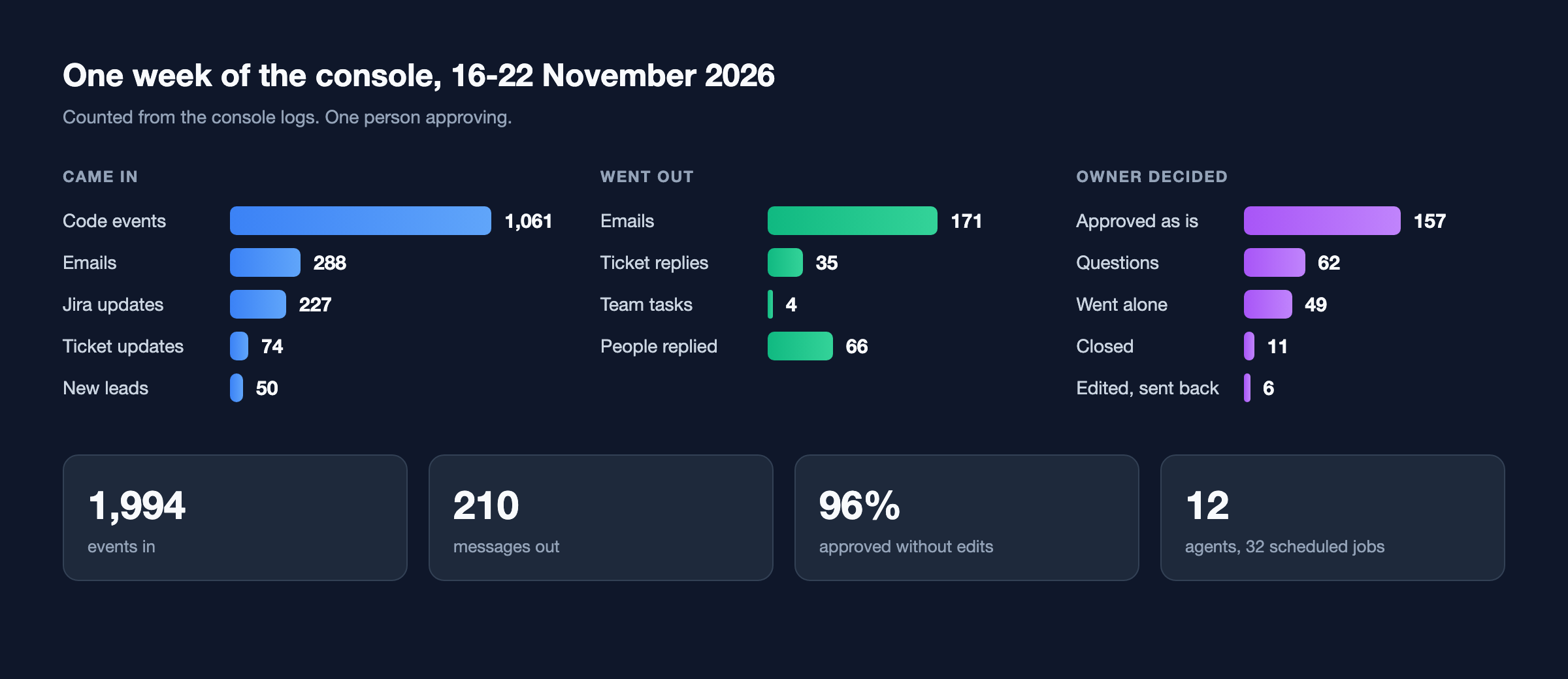
AI agents for business operations can prepare work across existing systems while an owner retains decisions. At Scrile, 12 agents handled 1,994 incoming events and sent 210 messages in 16–22 November 2026. I approved 96% of reviewed replies unchanged; 49 messages went out without a click. Start with one recurring request, review every result, then grant autonomy by established message type.
AI agents for business operations: our measured week
A customer email can take a moment to read and much longer to answer properly. The work is finding the history, checking what is true now and deciding what we can promise. I am Dmitry Alentev, CEO of Scrile. That preparation is what I have delegated; the promises still need an owner.
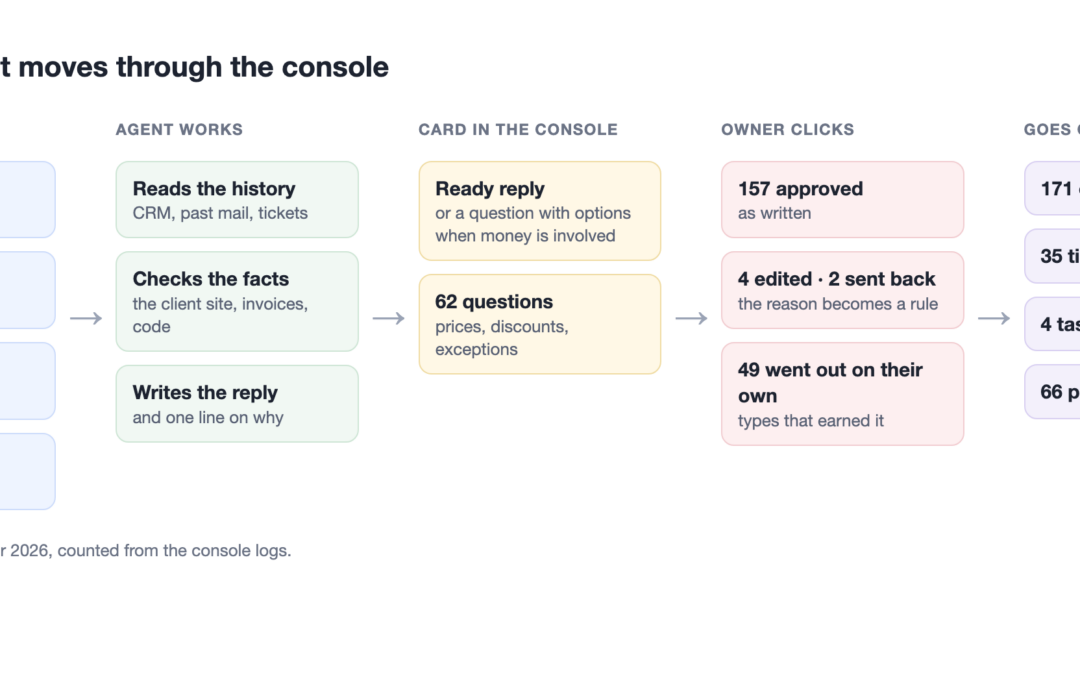
Since autumn 2026, our email, leads, support tickets, Jira, client sites and video production have gone through one console. The agents work across the systems we already use. I see prepared work and decide what leaves the company, with selective permission for established message types to go out alone. Here, an agent means a bounded job with its own rules and log, rather than authority over an entire department.
For 16–22 November 2026, the console recorded 1,994 incoming events and 210 sent messages: 171 emails, 35 ticket replies and 4 tasks for the team. Sixty-six people wrote back. On ready replies, I approved 157 as written, edited 4, sent 2 back and closed 11 as unnecessary. Separately, I received 62 questions with ready options about money, discounts, prices and exceptions. Another count was 49 messages sent without a click.
The unchanged-approval share is 157 divided by 163 approved, edited or returned replies, approximately 96.3%, reported as 96%. The unnecessary cards are excluded. This describes my decisions on prepared replies; it is not an independent accuracy test. Incoming events, sent messages, decisions and autonomous sends have different accounting boundaries. They do not form a conversion funnel, and I would not use them to predict another owner’s capacity.
Twelve agents, each with one job
Our division of work is useful as a map of possible delegations. Each agent has a reason to wake up, records to consult and a job to do. Some react to a new request; scheduled checks also bring unfinished or due work back into view.
| Agent | Its one job | What wakes it |
|---|---|---|
| Leads | Check CRM and past mail; prepare the first reply | New lead or lead email; daily 10:00 silent-lead and unpaid-invoice pass |
| Nurture | Follow quiet leads when there is something new | Lead or nurture email; daily 11:00 letters-due pass |
| Prospects | Find fitting businesses; prepare first letters for approval | Prospect reply; weekday 11:00 approved-letter sending and 19:00 summary |
| Customers | Answer support, check sites and track promised dates | Client email or ticket update; daily 09:00 client brief |
| Delivery | Turn client requests into team tasks and report readiness | Client request; weekday 09:30 promised-date review |
| Developer | Handle code tasks; test merge requests on a staging site | New code task |
| Product | Review shipped work and repeated client requests | Product questions; weekly shipped-work reviews |
| Marketing | Review Search Console and analytics; prepare SEO tasks and briefs | Marketing-task comment or assignment; weekly numbers report and check |
| Billing | Match live sites against paid invoices; flag arrears | Billing question; daily 08:30 matching |
| Infrastructure | Check servers; alert on site or certificate failures | Alert; hourly server checks and daily 08:00 system check |
| Owner’s assistant | Turn my short answers into actions in the right systems | Each answer from the owner |
| Ops | Find stuck work, unsupported closures and recurring corrections | System events; weekly agent review and weekly owner-edit review |
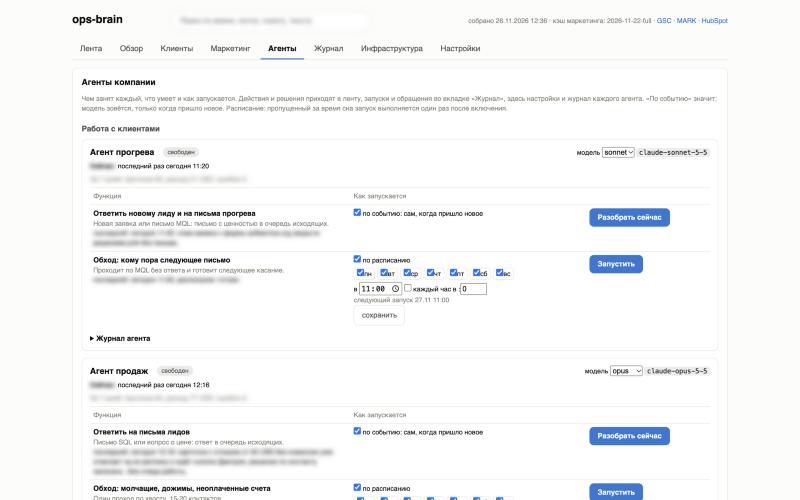
Underneath these agents are 32 scheduled jobs, including mail intake, CRM sync, server checks and reports. Mail intake and reconciliation run hourly; the outbox sweep runs daily at 07:00 and cleanup at 04:00. These jobs keep information and work moving. They are distinct from the agent’s responsibility for deciding how to handle a request within its rules. Each agent has a checkbox to switch it off, and its model is pinned.
For a first delegation, I would look at the Customers row. An incoming support request already has a recognizable destination: a supported answer to the person who asked. The customer records and product documentation give the agent something concrete to work from. You can inspect whether the context belongs to the right customer and whether the instructions answer the request. That is a more useful starting boundary than asking an agent to “handle operations.”
Delivery turns a request into a team task and tells the client when it is ready; Ops looks for stuck work and unsupported closures. A task in a queue and an answer to a customer are different results. Name the customer-facing result as well as the event that starts your first agent.
The card I approve—and the rules my edits create
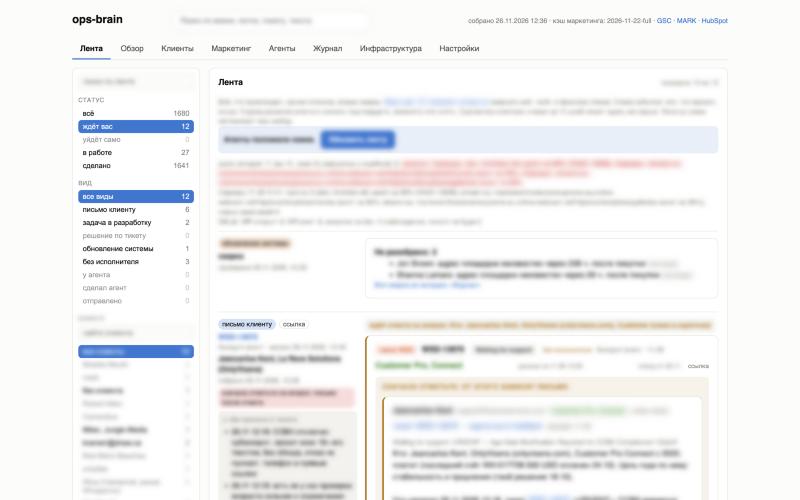
My console shows cards: the person, what they asked, the ready reply and a line explaining why the agent answers this way. I can approve, edit, send back or close. The useful part is having the customer’s context and a proposed response together when I make the decision.
One real request from the measured week shows the difference. A client applying to two card processors needed their reviewers to see her site as subscribers. She had tried adding their email as a user but was unsure it worked. Answering meant understanding her access needs and finding the relevant instructions.
The support agent picked up her email and found her plan, site and history in our customer relationship management system, or CRM. It then consulted our own product documentation for where to add a user in the admin panel and which role to use. The prepared reply gave the steps and offered to create the reviewer logins for her so the review would not stall. The card’s explanation identified her actual aim: pass the processor review and start selling.
I read the card and clicked approve. That is where this account ends. Approval of a reply does not establish that the offered logins were created or that either processor accepted the application. Keep an offer of help separate from evidence that the action happened.
I edit when I know the correction, send back when more investigation is needed, and close when no answer is necessary. If the records cannot support the answer, a polished paragraph is no reason to approve it. Send it back for evidence.
Every agent starts narrow, with a human click on every result. A message type earns permission to go out alone only after many approvals in a row without edits. The permission stays with that type of message. It does not give the whole agent freedom to settle every request it encounters. Money, prices, discounts and exceptions still come to me with options. My short answer can then become an action through the owner’s assistant.
My edits also become explicit operating rules. An agent offered a free trial as “it costs you nothing.” I changed the emphasis: explain what the client gets, rather than how easy it is to try. Another agent said a client’s payments were not connected, relying on a week-old log. The client’s admin panel showed sales. The rule became to check the live site or its database before making claims about that site.
A newsletter for creators nearly went to the whole list of business owners. The rule became: the topic decides the recipients. These corrections change the benefit we explain, the evidence we trust and the people we address. They are explicit rule changes, not automatic learning. Later cards show whether the same correction is still needed.
What broke, and where I would start
A convincing reply and a tidy queue do not prove that the operation is working. We have had failures in the agents and in the jobs around them. The important check is whether the work behind a completed item actually exists—and whether someone can recover it when it does not.
Switching to another model engine broke 31 events in one day. We switched back and pinned the models in configuration. Separately, a console test accidentally started a real agent run. Nothing harmful happened. We fixed the test, and the test suite now runs before every change.
A batch job once closed 7 requests without doing the work. Hourly reconciliation compares closed requests with actual answers; it found the unsupported closures and returned them to the queue. That made them visible as work again, not answered. The answer behind a closed label is the evidence I need.
To start in your company, take a recurring support request from the actual queue. Choose one whose answer can be grounded in usable customer records and your own documentation, and name the person who will approve it. If you cannot yet establish the correct customer context or supported instructions, keep the request with a person while you fix that gap. An agent cannot turn missing company knowledge into a dependable answer simply by writing fluently.
- Collect representative requests of that type and identify the records needed to answer them. Include current site evidence when the reply makes a claim about a client’s site.
- Name the intended result: an answered question, a prepared team task or an action with evidence of completion. Keep an offer of help separate from the action it offers.
- Have the agent prepare the reply and its reason for the named reviewer. Require approval on every result at the start, with a way to return uncertain work for investigation.
- Inspect edits, returns, waiting cards, unanswered requests and completion evidence. Record actual review time before claiming that the workflow has increased capacity.
If cards begin waiting for you, inspect which kinds are waiting. Repeated unchanged approvals may point to an established message type you can authorize to send alone. A pile of uncertain replies points elsewhere: improve the records and rules before expanding permission. Keep money and exceptions with the owner in either case. More agents can prepare more work, but they cannot supply the decision that a waiting card still needs.
Ask the implementation owner to make action history and stop control visible from the beginning. If closures lack answers or an agent’s operation cannot be trusted, switch it off while the cause is corrected and recover the unsupported work. Our seven returned requests show why a completed queue needs checking.
For designing the route back to a person, automation to human handoff is useful reading. Establish a clear owner and the context needed for a decision before allowing a message type to send without a click.
Bring one workflow to Softservice
A useful development discussion starts with the request you chose, the systems holding its context and the person accountable for the reply. Bring examples of acceptable answers and corrections, so the approval boundary is concrete.
Keep the scope tied to that request: the triggering email or ticket, the records needed to understand it, the intended reply or action, and the approval card. Include an action history and a stop control in the discussion. This gives you and a development partner a specific workflow to examine, with a visible distinction between preparing work, authorizing it and demonstrating completion.
Scope your first delegation
Softservice builds custom agents inside company mail, CRM, task tracking and support, with an approval console. Take your selected request, context sources and approval owner into a custom development discussion. Explore Softservice to discuss a scope covering the request, its approval card, action history and stop control.
Frequently asked questions
Do I need all 12 agents?
No. Begin with one recurring request whose context and supported answer you can inspect, and name its reviewer.
Do agents replace my existing systems?
In our case, they work inside existing mail, CRM, support and task systems, using the records already there.
Must I approve every reply?
Initially, yes. Later, an established message type can earn permission to send after repeated unchanged approvals.
Who decides prices and exceptions?
The owner. Our agents bring questions with ready options instead of extending routine-message permission to those decisions.
What if the records disagree?
Send the work back for investigation. Require current site or database evidence before approving a claim about a client’s site.
What if I become the bottleneck?
Inspect waiting message types, corrections and actual review time before adding agents or increasing autonomous sending.
Does 96% mean accuracy?
No. It is 157 unchanged approvals divided by 163 approved, edited or returned replies, rounded to a whole percentage.
What should I measure first?
Watch edits, returns, waiting cards, unanswered requests, evidence of completed work and the time spent reviewing.

Builds SaaS platforms for content creators, agencies, and entrepreneurs. Writes about the business mechanics behind creator-economy products and how custom software actually ships.