Over the past several years, Kajabi has become one of the better-known tools for launching online courses, coaching programs, and membership-based businesses. It’s often praised for being an all-in-one platform—offering website creation, email marketing, course hosting, and payment processing in one dashboard. For many professionals, it felt like a dream setup when the market was still figuring itself out. But now? Things have changed.
In 2026, the digital landscape is more diverse—and so are the needs of those using platforms like Kajabi. What once felt convenient now feels restrictive for a growing number of users. The most common frustration isn’t that Kajabi doesn’t work—it’s that it doesn’t work the way people actually want it to. That gap has given rise to a growing interest in Kajabi alternatives.
A large portion of its user base includes real-world professionals building meaningful businesses online. We’re talking about teachers who want to build interactive e-learning spaces without being boxed into rigid templates. Tutors running paid video sessions. Business and life coaches who need reliable client scheduling tools and seamless video consultations. And wellness or nutrition consultants who want a home for their premium content and community—but on their terms.
The issue many of these users face with Kajabi comes down to three things: pricing, design control, and platform flexibility. Monthly plans can add up quickly, especially for those just starting. Design options feel cookie-cutter and overly brand-centered. And the platform isn’t always built to handle real-time sessions, one-on-one client work, or more dynamic business models that blend content, services, and personalization.
That’s why this article exists. If you’re one of the many professionals looking for a smarter, more adaptable tool to power your online business, we’ve pulled together a fresh look at the best Kajabi alternatives available in 2026. Whether you’re aiming to build a robust e-learning site, offer paid consultations, or launch a hybrid service model, you’ll find something here that actually fits how you work.
Custom development (one-time or scalable project-based)
*Pricing as of 2026 — may vary by plan and usage.
What to Look for in Kajabi Alternatives
Choosing the right platform to build your online business isn’t just about picking the trendiest name or following what others use. It’s about matching tools to your specific workflow, your audience, and how you actually deliver value. That’s where many professionals run into trouble with Kajabi—it tries to do everything for everyone but can fall short when your needs are a little more specific.
Customization Is Key
When looking at alternatives to Kajabi, the first thing most people care about is control. That means customizable design—being able to make your site feel like your own. For teachers, tutors, or wellness consultants, it’s not just about logos and colors. It’s about structuring landing pages around your method, not someone else’s template. Some platforms offer drag-and-drop builders; others let you start from scratch. The right choice depends on how much freedom you need and how comfortable you are working behind the scenes.
Video Tools Matter More Than You Think
Another big factor is how the platform handles video. If you’re running a coaching program, private tutoring, or live webinars, you need smooth video hosting—or even better, built-in video chat. Some platforms rely on third-party tools like Zoom, while others bake video directly into the user experience. If real-time sessions or video courses are central to your work, this one’s non-negotiable.
Payments, Scheduling, and Automation
You’ll also want to pay attention to payments and scheduling. Platforms that support Stripe or PayPal are helpful, but even better are those that automate billing, renewals, and allow you to set different pricing tiers. Coaches, consultants, and educators offering one-on-one sessions will benefit from a tool that combines client calendars, payments, and CRM features in one spot—without duct-taping together half a dozen apps.
Flexible Course and Content Management
Then there’s how you manage your content. Whether you run weekly classes, drip content over months, or sell one-off resources, you need course and membership tools that don’t lock you into one specific format. Some platforms are rigid. Others are modular, letting you build however you like.
Scalability and Pricing
Lastly, pricing and scalability always come into play. Some prefer low-cost platforms with minimal setup. Others want a tool that can evolve with their business. Neither is wrong—but it’s worth thinking about what kind of growth you want over the next few years, and whether the platform you choose will keep up.
Top 5 Kajabi Alternatives in 2026
If Kajabi doesn’t quite fit your workflow or budget anymore, you’re not alone. Many educators, consultants, and service providers are actively looking for the best websites like Kajabi—tools that let them stay flexible, grow with their business, and avoid getting locked into rigid templates or pricing tiers. Whether you’re managing a tutoring platform, a coaching business, or a virtual wellness practice, there are better options out there in 2026.
Below are five standout platforms, each serving a slightly different audience. You’ll find tools for structured online learning, flexible content delivery, live sessions, and more personal one-on-one consulting—each with its own strengths and quirks.
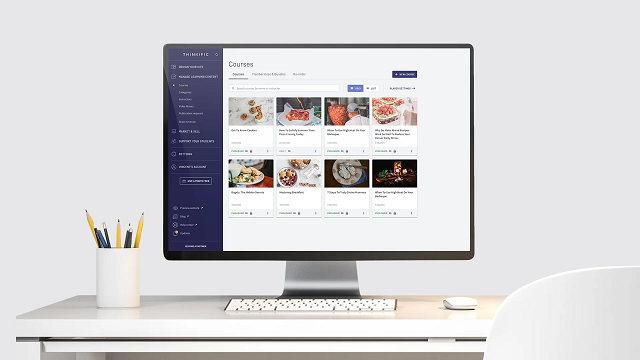
Thinkific
Best for: Educators, institutions, and training organizations that offer structured online learning.
Thinkific continues to stand out as a strong kajabi alternative, particularly for those whose core offering is a formal course rather than real-time coaching. It’s ideal for anyone building a self-paced curriculum—like online teachers, professional certification providers, or trainers offering bundled video lessons.
Its course builder is intuitive, with modules that support video, audio, downloadable PDFs, and interactive quizzes. You can create learning paths with locked lessons, drip-scheduled content, or tiered access for different pricing plans. Students can also earn certificates upon completion, a feature many other platforms bury behind third-party tools.
Strengths:
Built-in course creation tools with no need for extra plugins
Drip content scheduling, completion tracking, and assessments
Seamless Stripe and PayPal integration for paid courses
Clean student dashboards with branding options
Free plan available for smaller projects or trial phases
Limitations:
Design flexibility is fairly limited—especially if branding and layout control matter to you
Community features and coaching tools are minimal
No native video chat or real-time interaction tools
If you’re focused on professional online education and need a platform that “just works” out of the box, Thinkific delivers. But if your business involves live calls, consulting, or customized client workflows, you’ll likely need to look elsewhere.
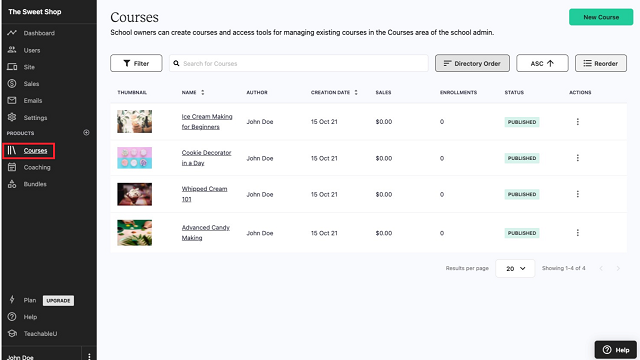
Teachable
Best for: Independent coaches, consultants, and tutors offering digital products and personalized services.
Teachable is a widely used Kajabi competitor that makes it easy to launch, sell, and manage courses or coaching offers with almost no technical overhead. If you’re an individual or small business with a few core services—say, a life coach selling a 6-week program or a tutor running weekly Zoom sessions—it gives you just enough to get started and stay organized.
Its key advantage is simplicity. You can build a landing page, host a video course, and start charging clients all in a single afternoon. The checkout system is fast, mobile-friendly, and integrates with Stripe or PayPal for smooth transactions. Coaching features allow for direct scheduling, progress tracking, and basic intake forms—all built into the backend.
Strengths:
Perfect for selling courses and coaching services side-by-side
Minimal learning curve, with drag-and-drop editors and preset themes
Integrated payment tools and client management
Built-in upsell and coupon functionality for basic marketing
Solid mobile experience for both admins and users
Limitations:
Limited site customization, especially compared to more flexible platforms
Some of the better tools (like bulk email and advanced analytics) are locked behind higher-tier pricing
Lack of live streaming or native video call support
Teachable is excellent for professionals who want to focus more on their work than on managing software. But if your business relies on personalization, recurring sessions, or more interaction-heavy services, you’ll eventually feel boxed in.
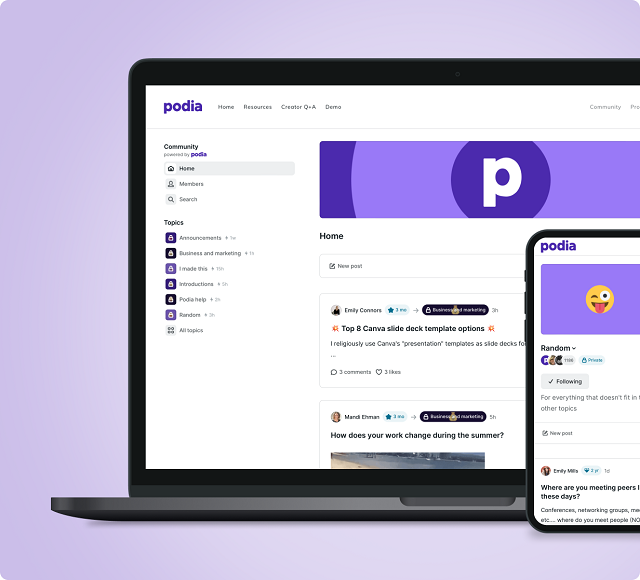
Podia
Best for: Wellness professionals, life coaches, and creators looking for an all-in-one toolkit with minimal setup.
Podia markets itself as a no-fuss, all-in-one platform for selling digital products, memberships, webinars, and coaching sessions. And it largely delivers on that promise—especially for solo practitioners and small businesses that value ease over deep customization.
What sets Podia apart from other Kajabi competitors is how accessible it feels. You can start selling without configuring complex menus or digging through settings. Whether you’re offering a digital download, a paid webinar, or a monthly membership with exclusive content, Podia makes it feel like a single ecosystem.
For wellness coaches, fitness instructors, or nutrition consultants who host live sessions and share regular content with clients, Podia’s built-in webinar integration and email marketing tools offer real convenience. You won’t need third-party platforms to stay in touch or promote your offers—it’s already baked in.
Strengths:
Native support for webinars, online courses, and digital downloads
Built-in email marketing, including automation and newsletters
Simple, modern interface that’s easy to navigate
No transaction fees on most plans
Allows you to sell directly without requiring third-party checkout pages
Limitations:
Limited design flexibility—you’ll be working within preset templates
Fewer advanced course features compared to Thinkific or LearnWorlds
Lacks community-building tools like forums or member feeds
Podia is best for professionals who want everything under one roof without having to manage complex integrations. If your business model is straightforward and content-focused, it’s a great alternative to Kajabi. But if you’re building a more layered experience with coaching, group sessions, and deep user interaction, it might not scale as well.
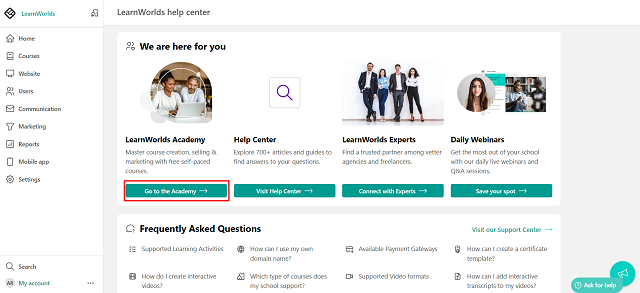
LearnWorlds
Best for: Business coaches, training providers, and educators focused on interactive learning experiences.
LearnWorlds is one of the most powerful kajabi alternatives if your main priority is creating a rich, interactive educational experience. While other platforms offer video hosting and quizzes, LearnWorlds adds deeper layers—like interactive video overlays, built-in assessments, and certification tools designed for continuing education and professional development.
This platform excels in corporate training and knowledge businesses that want more than just static video lessons. It supports SCORM and HTML5, giving you freedom to add external learning tools. The learning analytics tools are robust, letting you track student engagement, completion rates, and even drop-off points within videos.
Its clean design is also geared toward multi-user experiences. Businesses with multiple instructors, departments, or learning tracks will find a lot of built-in flexibility. That’s why LearnWorlds is frequently used by business coaches, educational institutions, and e-learning providers with complex requirements.
Strengths:
Advanced learning features like interactive video and dynamic assessments
Built-in certification and compliance tracking
Flexible course structures and modular design
Strong analytics for student behavior and course performance
Suitable for both solo educators and teams
Limitations:
More expensive than some competitors at higher tiers
Steeper learning curve during initial setup
Not ideal for coaching-focused or consulting-heavy businesses
LearnWorlds is overkill for simple course delivery, but a dream tool for those building full-on learning environments. If you’re a coach or consultant aiming to productize your expertise into an accredited training program, this platform gives you the tools to do it professionally.
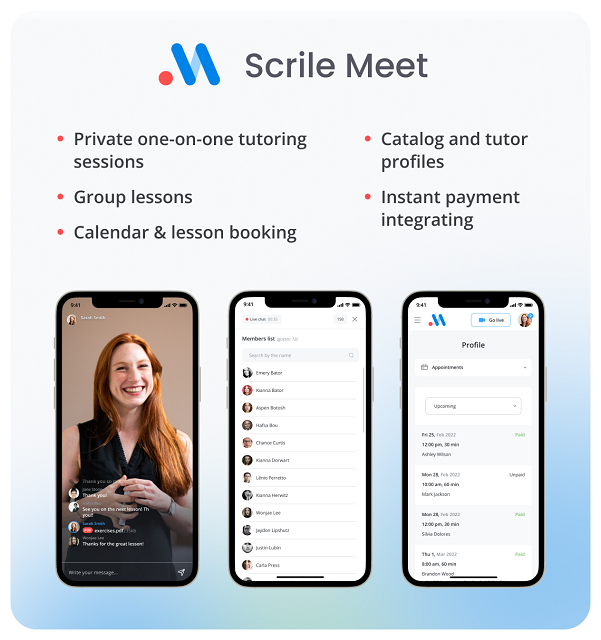
Scrile Meet
Best for: Professionals who rely on real-time client interaction—consultants, coaches, tutors, and wellness practitioners delivering live sessions.
When it comes to kajabi competitors, most alternatives lean heavily on static course content or pre-recorded lessons. That’s where Scrile Meet breaks away. It’s not a course builder repackaged as a business tool—it’s a purpose-built platform for running a full consultation-based business online.
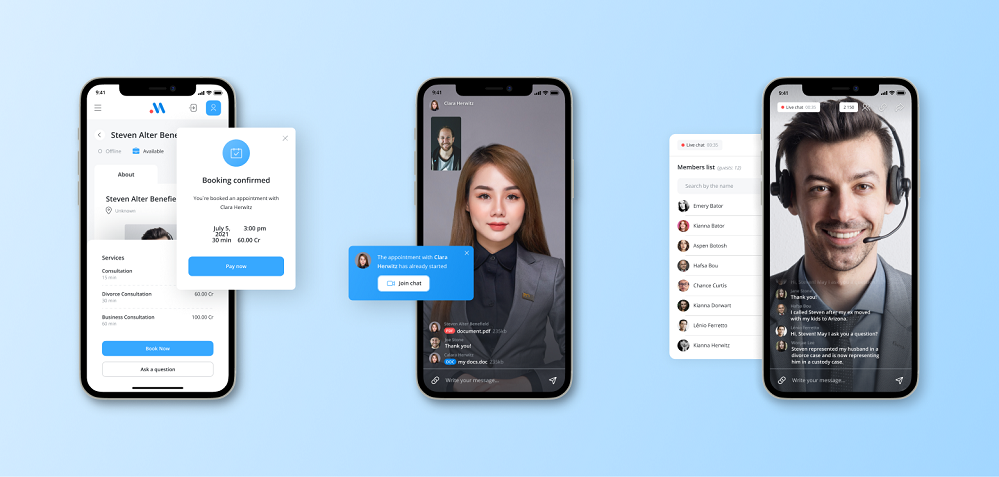
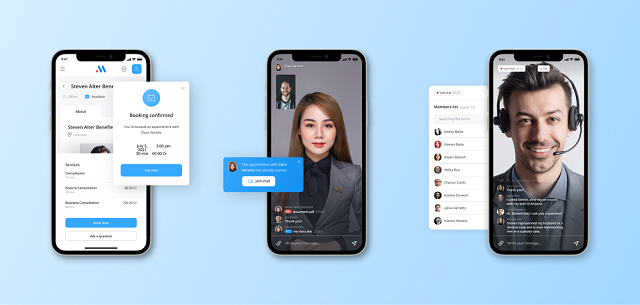
Unlike the other tools listed here, Scrile Meet is not a plug-and-play product with fixed templates. Instead, it’s a fully customizable development solution designed to help you launch your own branded platform for live video sessions, bookings, and paid consultations. Think of it as your own Kajabi-style business, but tailored around real-time services, not just content delivery.
Where most kajabi alternatives focus on selling digital goods, Scrile Meet is optimized for professionals who work face-to-face—or screen-to-screen. That includes scheduling, session management, messaging, and secure payments, all in one workflow. It’s especially appealing for coaches and consultants who’ve outgrown patched-together systems and want a unified experience under their own brand.
Strengths:
Flexible infrastructure to fit different business models
Real-time video, chat, and scheduling at the core
Fully brandable with complete UI/UX control
No forced templates or restrictive features
Limitations:
Requires a more hands-on approach than out-of-the-box tools
Best suited for those who want a truly custom build, not a generic toolkit
Scrile Meet isn’t trying to be a Kajabi clone. Instead, it’s for those who’ve already tried boxed platforms and are now ready to build something better.
How to Choose the Right Platform for Your Needs
No matter how polished a platform looks on the surface, what really matters is whether it fits your business model—and how easily it grows with you. The right setup for a solo wellness coach won’t necessarily work for a tutoring agency, just like a pre-recorded course system might not support live client sessions.
If your work is rooted in structured teaching—like educational courses or certification programs—your top priority is probably a solid content management system. Look for tools that support lesson plans, quizzes, certifications, and progress tracking. These features help you deliver a seamless student experience without the need for constant hands-on involvement.
Consultants, coaches, and service-based professionals often need more than just video hosting. Real-time scheduling, secure payments, and client messaging are all essential when your business revolves around live interactions. A platform that integrates those elements without external tools will save you time—and give your clients a smoother experience.
If you’re still testing the waters or operating with a tight budget, start by exploring free Kajabi alternatives. These can give you a feel for different interfaces and business workflows before you commit to a full build or monthly plan. Just be sure to check which features are included and what’s locked behind a paywall—you don’t want to start building only to hit a wall mid-way.
Lastly, think about where your business will be in 6 or 12 months. The best tool isn’t always the cheapest or most popular—it’s the one that supports how you work now, while leaving room to expand when you’re ready. Matching your tool to your growth plan is what sets up long-term success.
Why Scrile Meet Is the Best Custom Solution for Coaches, Tutors, and Video-Based Professionals
While many of the tools we’ve covered are excellent Kajabi alternatives for course creation, Scrile Meet was built for something different. It’s a software development service—not a monthly app subscription—and that distinction makes a big difference for professionals whose businesses revolve around real-time sessions, direct client relationships, and personalized digital spaces.
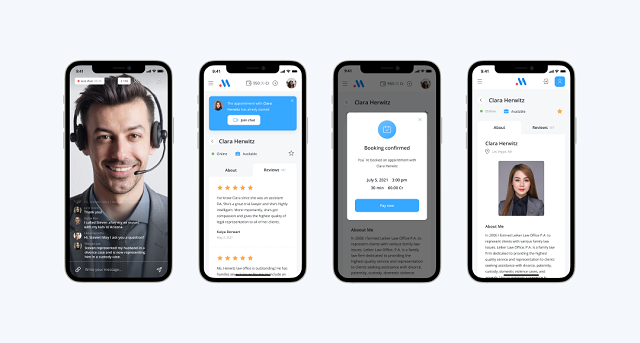
Scrile Meet helps you build a fully branded online consultation platform, tailored exactly to how you work. This isn’t about fitting your model into a prebuilt interface. You get complete control over the platform’s design, features, and flow—whether you run a video coaching business, manage a network of tutors, or host client sessions in wellness or business consulting.
What makes Scrile Meet stand out from other Kajabi competitors isn’t just that it offers video, booking, and payment tools—it’s that all of those features are developed specifically for your business. The platform can include:
Real-time video chat and one-click booking
Client dashboards with session history and messaging
Secure payment systems, fully integrated (Stripe, PayPal, crypto if needed)
Admin tools to manage availability, scheduling, earnings, and analytics
Unlike most Kajabi alternative platforms, there are no restrictions on how you scale. You can start solo and grow into a platform that supports dozens (or hundreds) of experts, with role-based access, branded interfaces, and even affiliate modules if needed.
Because Scrile Meet is delivered as a development partnership, you’re not just handed a login and left to figure it out. Their team works with you to plan, launch, and iterate—so the final product is aligned with your brand, your clients, and your workflow.
For professionals who’ve tried Kajabi and hit its limits—or who never wanted to be boxed into a course-first platform in the first place—Scrile Meet offers a more future-proof approach. You own your platform, your audience, and your monetization.
Looking to build something that feels like yours from day one? This is where you do it.
Final Thoughts: Choosing Smarter in 2026
The market for online business tools has expanded far beyond what Kajabi offers. You’re no longer limited to a single template or pricing model—and you don’t need to compromise your workflow just to fit someone else’s platform.
Whether you’re a tutor building out a hybrid learning environment, a coach running paid video sessions, or a consultant offering subscription-based access to your expertise, there are solutions out there that can match how you actually work. The best platforms are the ones that give you control over your brand, your customer experience, and your revenue—all without boxing you into a rigid system.
That’s why more professionals are turning to kajabi alternatives that offer flexibility and a better fit. With the right setup, your business can run smoother, scale faster, and reflect your unique style of working with clients.
If you’re ready to go beyond just selling courses and want to build something that works the way you do, explore what Scrile Meet has to offer. It’s not just a tool—it’s a development partner that helps you create a platform that’s yours from the ground up.
Now’s the time to stop settling—and start building smarter.
Clear answers for educators, coaches, tutors, and consultants choosing a Kajabi competitor in 2026 — including when it’s better to go custom.
Why are people looking for Kajabi alternatives in 2026? ▾
Most people don’t leave Kajabi because it’s “bad.” They leave because it stops fitting their workflow. The common pain points are pricing, limited design control, and platform rigidity when your business is more than “sell a course.”
If you do live coaching, tutoring, paid consultations, or hybrid models (content + sessions + personalization), you quickly want more flexibility than a course-first platform typically offers.
Which Kajabi alternative is best for structured online courses? ▾
If your core product is a structured course (modules, quizzes, drip lessons, completion tracking), Thinkific is often the cleanest “course-first” alternative. It’s strong for educators and training programs that need a professional learning flow.
The main limitation is flexibility outside the course format: design and community features can feel restricted if your business relies on deeper interaction or a highly branded experience.
What’s the best platform for selling courses + 1:1 coaching together? ▾
Teachable is a strong fit when you want a simple setup for mixed offers: a course library plus coaching packages. It’s popular with solo coaches and tutors because you can launch quickly and manage payments without heavy technical work.
The tradeoff is customization depth. As your business grows (more personalization, more automation, more unique UX), you may feel boxed in unless you add external tools and upgrades.
Is Podia a good Kajabi alternative for creators and wellness coaches? ▾
Yes — Podia is great when you want “all-in-one simplicity” for digital products, memberships, emails, and basic webinars without a complex setup. It’s ideal for straightforward content businesses that value speed and clarity.
Where Podia can struggle is advanced community depth and heavy customization. If your future roadmap includes complex workflows or a unique client portal, you may outgrow it.
What makes LearnWorlds different from other Kajabi competitors? ▾
LearnWorlds is built for “interactive learning,” not just hosting videos. If you need richer course experiences (interactive video, stronger analytics, certifications, professional training flows), it’s one of the most powerful options.
The cost and learning curve can be higher than beginner-friendly platforms. It’s usually worth it when your course experience itself is the differentiator.
Why is Scrile Meet positioned as the “best custom solution” in this list? ▾
Because Scrile Meet isn’t a template SaaS you “log into.” It’s a build-to-your-workflow consultation platform: real-time video sessions, booking, payments, client dashboards, and full branding under your own domain.
It’s especially useful for video-first businesses (coaches, tutors, consultants) that want everything in one system — without duct-taping Zoom + Calendly + payments + client management together.
Are there any free Kajabi alternatives? ▾
Some platforms offer free plans or trials, which can be useful for testing your offer and learning the interface before you commit. Treat “free” as a sandbox, not a long-term business plan.
Always check what’s locked: branding removal, email marketing, analytics, or transaction rules. The biggest risk is building half your system and then hitting a paywall mid-launch.
What should I compare when choosing a Kajabi alternative? ▾
Compare by workflow, not brand names: course builder depth, membership options, email automation, checkout quality, and how easily you can run your pricing model (subscriptions, bundles, tiers).
If you do live work, add a “video + scheduling” checklist. If your brand matters, evaluate design control and white-label options. The best tool is the one that matches how you actually deliver value.
How hard is it to migrate from Kajabi to another platform? ▾
Migration is very doable, but you need a plan. The hard part is not pages — it’s products, members, access rules, emails, and keeping a clean customer experience during the switch.
A smart approach is phased: move content first, then payments/memberships, then automate onboarding and email sequences. If SEO matters, protect URLs and redirects so you don’t lose your traffic.
SaaS platform vs custom build: when does custom win? ▾
SaaS wins when you need speed and your business model is standard. Custom wins when the platform is the business asset: unique UX, deeper monetization, video-first workflows, multi-expert marketplaces, or strict control over branding and data.
If you’re constantly patching limitations with extra tools and still feel constrained, that’s usually the signal that a custom consultation platform (like Scrile Meet) will be cheaper long-term than “workarounds forever.”
Polina Yan is a Technical Writer and Product Marketing Manager, specializing in helping creators launch personalized content monetization platforms. With over five years of experience writing and promoting content, Polina covers topics such as content monetization, social media strategies, digital marketing, and online business in adult industry. Her work empowers online entrepreneurs and creators to navigate the digital world with confidence and achieve their goals.
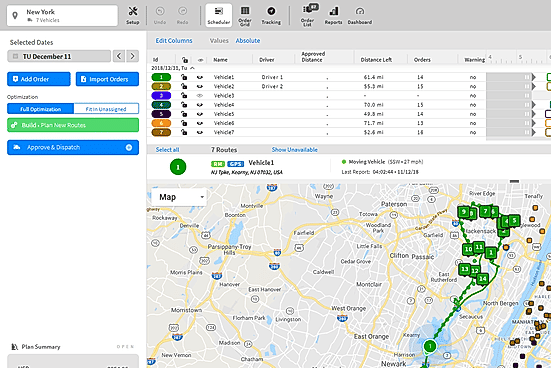
Driver tracking in 2026 is not just “GPS on a map”. The best driver tracking software combines real-time location, dispatch communication, driver performance monitoring (speeding, harsh braking, idling), and drive time tracking for compliance and payroll.
This guide covers what people actually search: driver tracking app vs driver tracking software, the best software for real-time driver tracking, platforms that monitor driver performance, truck driver tracking (HOS/ELD), and delivery tools that can share a live tracking link via text message (SMS).
A driver tracking app is an application for tracking drivers’ locations in real-time through GPS and mobile internet connectivity. Apps allow tracking of route progress, delivery times, and taking most efficient routes for drivers, enabling them to manage and monitor them through one platform. Apart from tracking routes, most tracking software for drivers includes other features such as performance reports, behavior tracking (e.g., idling and excessive acceleration and braking), and communications tools for dispatchers and drivers.
With increased demand for delivery, long haul logistics, and electronic commerce, small and larger companies have embraced driver tracking software in a search for optimized operational effectiveness. In this article, we introduce 10 best tracking software for drivers in 2026, including key value propositions and features for companies to select an app best suited for them. No matter your fleet, a driver tracking app can make a big impact in your practice of managing your business.
What Is a Driver Tracking App?
A driver tracking app is a software solution designed to monitor the location and movement of drivers in real-time. By using GPS technology and internet connectivity, these apps provide businesses with live updates on their fleet’s routes and activities. Through a central platform, managers can view driver locations on a map, assess route progress, and make adjustments as needed to optimize operations.
The driver tracking app carries out its function through GPS information captured via drivers’ smartphones or in-car tracking and uploaded to a cloud-managed platform. The platform aggregates information for several drivers, and companies can view an entire fleet in a single view. Real-time warnings inform managers about delays, deviation from routes, and potential security concerns, and allow them to respond in a timely manner.
Application of driver tracking solutions extends beyond tracking location. Apps drive business productivity through route planning, idling, and analysis of drivers’ performance. Apps promote safer driving behavior through tracking such driving habits as excessive acceleration and braking and over-speeding. Communication capabilities become even stronger with additional dispatchers’ tools, allowing them to contact drivers and coordinate operations with ease, resolving concerns in a timely manner.
For industries such as delivery, logistics, and field service, driver tracking software is a useful tool for exercising control over fleet operations and delivering uniform, reliable service.
What “Real-Time Driver Tracking” Means in 2026
“Real-time” is about update frequency and reliability. Some platforms refresh location every few seconds on higher plans, while others update every 30–60 seconds to save costs. For dispatch, that difference is huge: it changes whether you can reroute instantly or only “review what happened”.
When you compare tools, check: live map refresh rate, ETA accuracy, geofences/alerts, and whether the driver app can receive tasks and message dispatch in-app.
Tracking Delivery Driver Locations via Text (SMS Tracking Links)
If your question is “can I track a delivery driver via text?”, the usual pattern is not “texting GPS coordinates”. Instead, the platform sends the customer an SMS with a live tracking link and delivery updates (ETA, status, proof of delivery).
Delivery-first platforms typically support: – automated SMS notifications with tracking links – a customer tracking page showing driver location in real time – optional customer-to-driver communication (SMS/call), depending on your policy
Overview of the 10 Best Driver Tracking Apps in 2026
Here are 10 top driver tracking apps that are set to lead the fleet management industry in 2026, offering advanced features to enhance real-time tracking, driver performance, and overall operational efficiency.
STL Traffic by Scrile
STL Traffic is designed specifically for large-scale logistics operations, enabling businesses to track truck drivers and couriers across vast regions. The app provides real-time GPS updates, allowing administrators to monitor every vehicle’s location on a live map. Additionally, it offers robust communication tools and administrative dashboards, helping fleet managers optimize routes and coordinate with drivers. The platform’s scalability and customization options make it ideal for businesses that require tailored tracking solutions.
Best for: Large fleets and logistics companies.
Timeero
Timeero is a user-friendly driver tracking app that combines geofencing with route optimization to track delivery drivers efficiently. It also includes features for mileage tracking and payroll integration, helping businesses automate key operational tasks. Timeero is particularly well-suited for small and medium-sized businesses that need to monitor driver locations and ensure timely deliveries without investing in complex enterprise solutions.
Best for: Small to mid-sized businesses with delivery operations.
Geotab Drive
Geotab Drive offers a comprehensive driver management solution with real-time GPS updates and compliance monitoring features, such as Hours of Service (HOS) tracking. This platform supports the running of analytics in detail, monitoring driver behavior, vehicle diagnostics, and observance of rules and regulations. This application comes in handy and is one that every large business fleet needs because of its unique data tracking feature and safety specifications to meet up to the regulatory requirements.
Best for: Large enterprise fleets for compliance and safety.
Verizon Connect
Verizon Connect boasts a multi-featured on-road telematics system, with great features such as route planning, driver performance, and real-time alerts. The fleet manager is notified on unsafe driving practices, vehicle diagnostics, and deviations from routes. Being strong in complex logistics, it is suitable for business entities with a large fleet and at the same time very involved in operations.
Best for: Businesses with complex logistics operations.
GPS Insight
GPS Insight focuses heavily on safety and efficiency by providing robust analytics for monitoring driver behavior. It tracks critical metrics such as speeding, idling, and harsh braking, while also offering fuel efficiency reports. Businesses can use these insights to improve safety practices and reduce operational costs. GPS Insight is particularly beneficial for companies aiming to enhance driver accountability and fleet performance.
Best for: Safety-focused businesses aiming to reduce costs.
Samsara
Samsara is a cloud-based platform that offers real-time GPS tracking along with AI-powered dash cams and driver coaching tools. Its all-in-one solution gives fleet managers visibility into both driver performance and vehicle conditions. Samsara’s AI tools analyze driving behavior to provide instant feedback, helping businesses improve safety and operational efficiency.
Best for: Companies focused on fleet visibility and driver safety.
Azuga Fleet
Azuga Fleet focuses on risk management through driver behavior tracking, accident alerts, and scheduling preventative maintenance. The platform offers even rewards programs to encourage safe driving. This will be an excellent app for those businesses that give importance to safety as well as compliance regarding the operations of their fleet.
Best for: Businesses that want to cut down risk and focus on compliance.
Motive (formerly KeepTruckin)
Motive is among the most widely used driver tracker apps because it offers electronic logging device compliance that helps a business stay within the limits of driver work hours. The platform includes real-time GPS tracking, performance metrics, and automated compliance reporting. It is very popular among trucking companies where following regulations is key.
Best for: Trucking and logistics companies requiring ELD compliance.
WorkWave Route Manager
WorkWave Route Manager: This is a complete route optimization and dispatch scheduling solution. In addition, it offers real-time GPS tracking whereby the fleet managers can easily keep track of any delivery or appointment for service. Its robust routing tools will make your business achieve minimal travel time and improve your on-time performances, hence the best for field service operations.
Best for: Delivery services, field service businesses.
Fleetio
Fleetio is much more than just a driver-tracking platform; it’s a fleet management platform. In addition to real-time GPS tracking, the app allows users to track vehicle maintenance, fuel, and inventory on one screen. With data as the backbone, Fleetio provides the functionality to manage a whole fleet on a single platform, streamlining both driver and vehicle operations.
Best for: Companies operating large-scale fleets with highly intensive maintenance requirements.
These driver tracking apps range in functionalities, suiting the various needs of every business, from a small-scale delivery service to highly scaled logistical operations. It enhances safety and cost reduction for a firm in fleet management because of real-time data, performance monitoring, and route optimization provided by these applications.
Drive Time Tracking and Truck Driver Tracking (HOS/ELD)
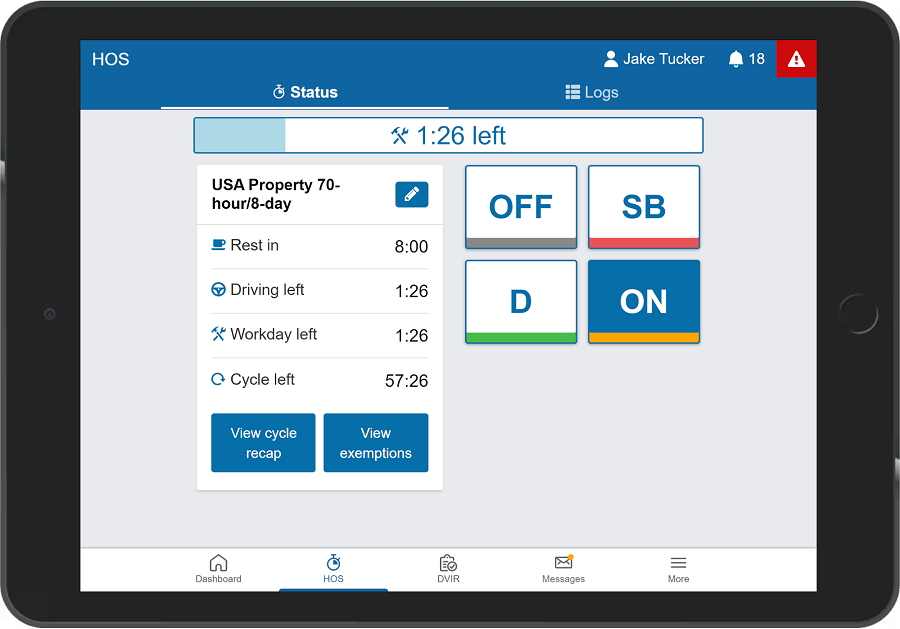
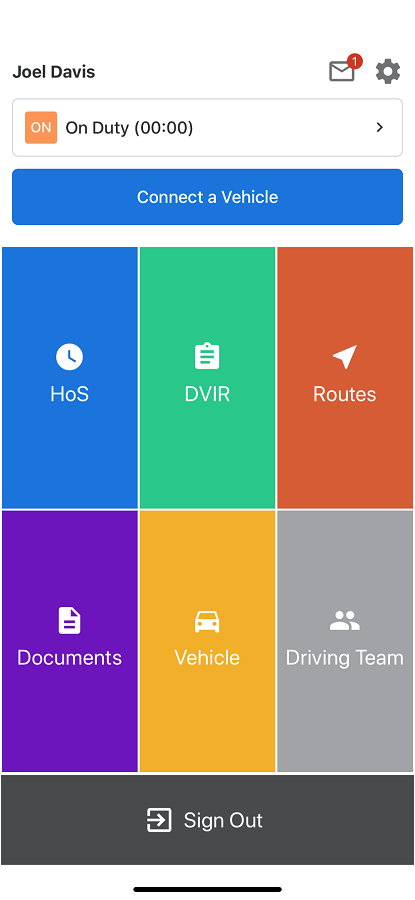
If you manage trucks or regulated fleets, “drive time tracking” usually means Hours of Service (HOS) and ELD workflows — not just GPS history. You want the driver app to show remaining driving time, log duty status automatically, and reduce violations.
For this use case, look for platforms where the driver app is built around HOS and compliance workflows, not only dispatch and map tracking.
Why Scrile’s STL Traffic Is the Best Driver Tracking App Solution
STL Traffic is a driver tracking app from Scrile, highly customizable for large-scale logistics operations. It is designed to track truck drivers and couriers’ movement and location with real-time GPS updates that show the administrator where the drivers are over the big area on a live map for better coordination and quicker response time for both routine and unexpected situations.
Advanced tracking features include live mapping, route optimization, and direct communication tools within the platform. These capabilities allow managers to achieve optimal fleet operations: assign efficient routes and maintain constant contact with drivers. The app provides driver behavior monitoring that allows businesses to drive improvement in both safety and performance by data-driven decisions.
A success example of STL Traffic’s implementation can be seen in a large logistics operation in Russia, where the platform supports a vast network of truck drivers. The solution provides real-time tracking and administrative oversight, significantly enhancing fleet efficiency and operational control.
Besides that, Scrile offers custom development for the adaptation of STL Traffic in different industries. Its scalability ensures that organizations can scale it down to particular business needs and requirements, thus making it a perfect fit for enterprise needs where driver tracking has to be accurate and long-lasting.
How to Choose the Best Driver Tracking App for Your Business
Selecting the right driver tracking app starts with identifying your business’s unique needs. Consider factors such as your fleet size, driver locations, and the level of tracking required. For smaller fleets, simple location tracking may suffice, while larger operations might need advanced features like route optimization and real-time performance monitoring.
Next, evaluate features that align with your goals. Essential features include real-time GPS updates, driver performance reports, and automated route suggestions to optimize delivery schedules and reduce costs. Apps offering these capabilities can greatly enhance productivity and efficiency.
Scalability and integration are also crucial. A good driver management app should be capable of growing with your business and integrating with other systems, such as payroll or vehicle maintenance software. This ensures long-term functionality without disruptions.
Lastly, prioritize user experience and support. An intuitive interface reduces training time, while reliable customer support ensures issues are resolved quickly, keeping your fleet operations running smoothly.
By carefully assessing these factors, businesses can choose driver tracking apps that meet both immediate and future operational needs.
Conclusion
Investing in the right driver tracking app is essential for improving fleet performance, safety, and operational efficiency. With features like real-time GPS tracking, route optimization, and driver performance monitoring, these apps streamline logistics and reduce costs.
Amongst such solutions, STL Traffic from Scrile holds top priority. The scalability it assures, coupled with advanced tracking and control over administration, positions this as the number one choice among big-time players. The result is enterprise capabilities that let organizations optimize their operations.
Contact Scrile now for more about how STL Traffic custom driver tracker app can solve your problems.
Practical answers about tracking drivers in 2026: what “real-time” really means, how SMS tracking links work, and what features matter for safety, compliance, and payroll.
What is a driver tracking app, and how does it work? ▾
A driver tracking app is a system that shows where drivers are and what’s happening on routes in near real time. It typically uses GPS data from a driver’s phone or an in-vehicle device, then sends updates to a cloud dashboard.
Managers see locations on a live map, route history, stop times, and alerts (late delivery, route deviation, geofence entry/exit). Drivers often get tasks, messaging, and status buttons in the same app.
Driver tracking app vs driver tracking software: what’s the difference? ▾
People use both terms, but usually “app” refers to the driver-side mobile tool, while “software” is the full system: admin dashboard, analytics, dispatch tools, integrations, and sometimes hardware.
If you’re evaluating solutions, focus on the whole workflow: driver experience + dispatcher tools + reporting + integrations. A great driver app without a solid back office is still a bottleneck.
What does “real-time driver tracking” actually mean in 2026? ▾
“Real-time” is mostly about update frequency and reliability. Some platforms refresh location every few seconds, while others update closer to once per minute to save battery and costs.
For dispatch, this changes everything: fast updates enable live rerouting; slower updates are still fine for reporting and proof-of-service. When you compare tools, check refresh rate, ETA accuracy, and how well the app behaves with weak signal.
Can I track a delivery driver via text message (SMS)? ▾
Usually it’s not “texting coordinates.” The common approach is an SMS with a live tracking link that opens a customer-facing tracking page (location, ETA, delivery status).
The best setups automate these messages: “out for delivery,” “arriving soon,” and “delivered,” optionally with proof of delivery. Make sure you define your policy on customer-to-driver contact (SMS/call) so it doesn’t turn into chaos.
Phone-based tracking vs vehicle devices: which one is better? ▾
Phone-based tracking is faster to launch and cheaper to start. It works well for couriers and field service teams, especially when the driver app also handles tasks, photos, signatures, and messaging.
Vehicle devices can be more consistent for long-haul fleets: better uptime, access to vehicle diagnostics, and fewer “my phone died” issues. Many serious fleets use both: phone app for workflow + device data for telemetry.
What is driver behavior monitoring, and what can it detect? ▾
Driver behavior monitoring turns raw movement data into safety signals: speeding, harsh braking, harsh acceleration, sharp cornering, and excessive idling. Some systems also add dash cam events and coaching workflows.
Use it to improve safety and reduce costs, not to “spy.” The best implementations focus on coaching, clear thresholds, and fair reporting (context matters: city traffic vs highway).
What is drive time tracking (HOS/ELD), and who needs it? ▾
Drive time tracking is more than route history. For regulated fleets, it often means HOS/ELD workflows: duty status logs, remaining driving time, and compliance reporting.
If you manage trucks or any fleet under strict labor/compliance rules, choose a solution where the driver app is designed around compliance (not only map tracking). It will reduce violations and simplify audits.
Which features matter most when choosing a driver tracking app? ▾
Start with the basics you’ll actually use: live map, route history, stop detection, geofences/alerts, accurate ETAs, and simple dispatcher-to-driver communication.
Then add business levers: route optimization, automated customer notifications, proof of delivery, and reporting that your team will read (late deliveries, idle time, safety events, utilization).
How do I integrate driver tracking with payroll, CRM, or maintenance systems? ▾
Integrations are where tracking becomes operational leverage. Payroll needs clean drive time, mileage, and job completion records. Maintenance needs vehicle usage and service triggers. CRM needs delivery status and proof-of-service data.
When evaluating platforms, ask what’s native and what requires custom work: API access, webhooks, export formats, and how “job IDs” are mapped across systems. Integration quality is often the real difference between tools.
Build vs buy: when should I develop a custom driver tracking solution? ▾
Buy a ready-made platform when your workflow is standard and you need speed. Build custom when tracking is core to your competitive advantage: unique dispatch logic, custom client portals, special compliance rules, or deep integrations that off-the-shelf tools can’t support cleanly.
Custom also makes sense when you want full control over branding, data ownership, and roadmap. If you’re tired of feature gaps and vendor lock-in, a tailored system can be cheaper long-term than patching limitations forever.
Polina Yan is a Technical Writer and Product Marketing Manager, specializing in helping creators launch personalized content monetization platforms. With over five years of experience writing and promoting content, Polina covers topics such as content monetization, social media strategies, digital marketing, and online business in adult industry. Her work empowers online entrepreneurs and creators to navigate the digital world with confidence and achieve their goals.
Ever found yourself staring blankly at a message, struggling to find the right words? Whether it’s drafting a quick reply for a dating app, crafting a thoughtful response on a creator’s platform, or managing endless social media comments, sometimes you just need a little help. That’s where an AI answer generator steps in—offering quick, smart, and contextually relevant replies at the tap of a button.
In 2026, AI answer generators are more than just fancy text tools; they are becoming essential for creators, social media managers, and businesses looking to maintain engagement without losing a personal touch. In this article, we’ll dive into the best AI answer generators available today, showcasing tools that not only save time but also enhance the quality of interactions. Let’s explore how these AI tools can elevate your communication strategy, making every interaction more efficient, engaging, and stress-free in 2026!
What is an AI Answer Generator?
An AI answer generator is a smart tool designed to transform raw queries into well-structured, relevant answers. It acts as a virtual assistant, interpreting questions and crafting responses that feel natural and on-point. These tools are particularly valuable for streamlining communication on creator websites, dating platforms, social media, and even adult websites, where maintaining engagement and providing quick replies are crucial.
At its core, an AI answer generator relies on technologies like Natural Language Processing (NLP) and machine learning. These technologies analyze the input, understand context and intent, and generate answers that match the tone and style of the platform. Whether it’s an AI question answer generator or a discussion post reply generator, the goal is to deliver responses that enhance user interactions and save time. And with options like free AI answer generators, even small platforms can leverage this technology to boost their efficiency and maintain a vibrant online presence.
Benefits of Using AI Answer Generators
AI answer generators offer a powerful set of advantages, making life easier for creators, influencers, social media managers, and digital businesses:
Time Efficiency: With an answer generator, hours of typing and overthinking can be reduced to mere seconds.
Consistency and Accuracy: Instead of manually crafting each response, an AI generator answers with the same tone and precision, reducing the chance of errors and keeping communication on-brand.
Real-World Impact: A dating platform, for instance, integrated an AI answer generator to manage repetitive user queries. The result? A 40% boost in response speed and happier users who received instant, accurate answers.
Versatility Across Use Cases: For creators, an AI question answer generator can help engage audiences by generating thoughtful replies to comments. Social media managers can use AI generated answers to handle large volumes of messages without losing the human touch.
Top 5 AI Answer Generator Tools in 2026
When it comes to finding the best AI answer generator in 2026, there are plenty of options on the market, each offering unique features and benefits:
ChatGPT
ChatGPT by OpenAI continues to lead the pack as a versatile and powerful AI answer generator. Built on the advanced GPT-4 architecture, ChatGPT excels at generating smart and contextually accurate responses for everything from discussion posts to chat interactions and customer support queries.
One of the standout features of ChatGPT is its ability to maintain a consistent voice while adapting to different communication styles. For example, a content creator managing a vibrant online community can use ChatGPT to generate thoughtful replies to fan comments, keeping engagement high without feeling repetitive or automated. The tool’s flexibility also makes it perfect as an AI discussion post generator in real-time, whether through a social media chat or a Q&A forum on a creator’s website.
Jasper AI
If you’re looking for a polished and professional answer generator, Jasper AI is a top choice, particularly for marketing and content-driven platforms. Jasper is designed to create well-structured and articulate responses, making it an ideal fit for scenarios where maintaining a specific tone or brand voice is crucial.
A practical example of Jasper’s use is on a creator’s website where maintaining engagement with fans is essential. Jasper can help generate thoughtful replies to fan inquiries, ensuring responses are not only quick but also meaningful and brand-consistent. Whether it’s responding to questions on a blog, managing comments on a video platform, or creating tailored replies for email interactions, Jasper’s AI capabilities can significantly enhance communication efficiency.
Writesonic
Writesonic is known for delivering quick and creative answers, making it an excellent tool for social media managers and content creators. This AI answer generator free option shines in generating witty and engaging responses, particularly useful in fast-paced environments like social media where maintaining a brand’s voice consistently is key.
A real-world scenario where Writesonic excels is in handling high volumes of social media comments. Whether it’s responding to followers on Instagram or managing conversations on a dating app, Writesonic generates replies that feel genuine and on-brand.
Claude AI
Claude AI, developed by Anthropic, is a relatively new player in the AI answer generator market but has quickly gained traction for its conversational and context-aware responses. Unlike many AI tools, Claude focuses on generating answers that feel human and maintain a natural flow of conversation.
A notable feature of Claude AI is its ability to understand nuanced queries and provide detailed, thoughtful answers. This makes it an ideal choice for platforms that prioritize engagement and authenticity, such as dating apps, creator websites, and social media forums.
Tidio AI
For small businesses and startups, Tidio AI offers a practical and cost-effective solution. Tidio specializes in automating responses for customer support and basic interaction management, making it a smart choice for e-commerce sites and small digital communities.
Tidio’s easy integration with platforms like Shopify and WordPress makes it particularly useful for businesses that need a straightforward and affordable answer generator without compromising on quality or functionality.
Why Scrile Connect’s Answer Generator is the Best Choice
Scrile Connectoffers a unique approach to AI-generated answers, especially for niche markets like creator websites, dating platforms, social media, and adult content sites. Instead of offering a one-size-fits-all solution, Scrile Connect provides fully customizable tools that adapt to specific communication needs.
Its standout feature is contextual understanding, analyzing past interactions to deliver personalized responses. This is ideal for platforms where audience connection is key—such as generating thoughtful replies on adult fan sites or managing engaging chats on dating apps.
Scrile Connect also supports dynamic conversation phrases, allowing seamless transitions from casual chats to targeted sales interactions or more intimate exchanges. This adaptability helps maintain engagement and authenticity across all types of interactions.
For creators looking to monetize their AI tools, Scrile Connect offers the flexibility to build bespoke platforms, enabling direct sales of AI-generated answers, art, or other digital assets. This approach ensures full control over branding and revenue while fostering a dedicated community around your unique offerings.
Conclusion
Scrile’s AI answer generator offers a dynamic and customizable solution for enhancing communication strategies. If you’re ready to boost engagement and streamline responses with intelligent, human-like answers, explorehow Scrile’s bespoke AI tools can elevate your platform’s communication game today!
FAQ – AI Answer Generator Tools (Best Options in 2026 + How to Use Them)
Quick answers about AI-generated replies: how these tools work, which one to pick, how to stay accurate, and how to integrate an answer generator into your platform.
What is an AI answer generator? ▾
An AI answer generator is a tool that turns a question or message into a clear, well-structured reply. Instead of “suggesting words,” it generates a complete response you can send or edit.
In practice, it’s used for comment replies, DMs, support messages, discussion posts, and fast Q&A — especially when you need speed without losing a human tone.
AI answer generator vs chatbot: what’s the difference? ▾
An AI answer generator helps a human reply faster (drafts you approve). A chatbot is usually designed to respond automatically to users without a human in the loop.
If you care about brand safety and quality control, answer generators are a strong first step. Full automation makes sense later — after you’ve defined escalation rules and tested real conversations.
Which AI answer generator is best overall in 2026? ▾
There’s no single “best” for everyone. Your best choice depends on your use case: long answers vs short replies, strict brand voice vs casual tone, and whether you need web integrations.
A practical approach: test 2–3 tools on your real messages for one week. The winner is the one that saves time without creating awkward replies or factual mistakes.
Which tools are best for different reply styles (casual, professional, support)? ▾
For flexible “do everything” answers, many people start with ChatGPT. For polished, brand-consistent writing, Jasper is often used. For quick and creative short replies, Writesonic is popular. For more natural, human-feeling conversation, Claude is a common pick. For customer support automation, Tidio is often chosen because it’s built around support workflows.
Don’t decide by name alone. Decide by how the drafts feel in your niche: tone, clarity, and how often you need to rewrite.
Are there free AI answer generator tools? ▾
Many tools have free tiers or trials, but “free” usually means limits: fewer messages, weaker models, fewer integrations, or no team features.
Treat free versions as a test environment. If AI replies become part of your daily workflow (or revenue), a paid plan is often safer and more consistent.
How do I stop AI from making up facts in answers? ▾
Use a “grounding” rule: for pricing, policies, refunds, timelines, and technical specs, the AI should only answer using your approved source (FAQ, policy page, docs, CRM fields). If it can’t find the answer, it should ask a clarifying question or escalate.
This one constraint prevents most risky replies. Accuracy is usually a process problem, not a model problem.
Is it safe to paste private chats into an AI answer generator? ▾
It can be, but treat it like any online tool: avoid sharing secrets, passwords, full payment details, or anything that would create damage if leaked.
If you run a business, define internal rules: what agents can paste, what must be redacted, who has access, and how long chat logs are retained. Privacy is a workflow, not a checkbox.
Can AI answer generators be used for social media, creator platforms, and niche communities? ▾
Yes — that’s one of the best use cases. AI helps keep engagement high when message volume is high. The important part is tone control: replies should feel authentic, not copy-pasted.
If your community has strict rules (content policy, brand boundaries, sensitive topics), add guardrails: banned topics, “ask before answering” rules, and human handoff for edge cases.
How do I integrate an AI answer generator into my website or app? ▾
The simplest path is an embed widget or a plugin (fast launch). The more advanced path is API integration (full control): your backend sends context to the AI and returns a reply inside your UI.
If you need personalization, analytics, and monetization, API-based integration is usually the long-term win because the assistant becomes part of your product, not just a tool you “added.”
Why is Scrile Connect positioned as a strong “answer generator” option? ▾
Because it’s not a one-size-fits-all text tool. Scrile Connect is presented as a customizable platform approach: contextual replies based on past interactions, dynamic conversation phrases, and the ability to build a branded experience around AI answers.
That matters when AI messaging is part of your business model — for example, creators monetizing interactions or platforms selling AI-powered engagement as a feature.
Polina Yan is a Technical Writer and Product Marketing Manager, specializing in helping creators launch personalized content monetization platforms. With over five years of experience writing and promoting content, Polina covers topics such as content monetization, social media strategies, digital marketing, and online business in adult industry. Her work empowers online entrepreneurs and creators to navigate the digital world with confidence and achieve their goals.
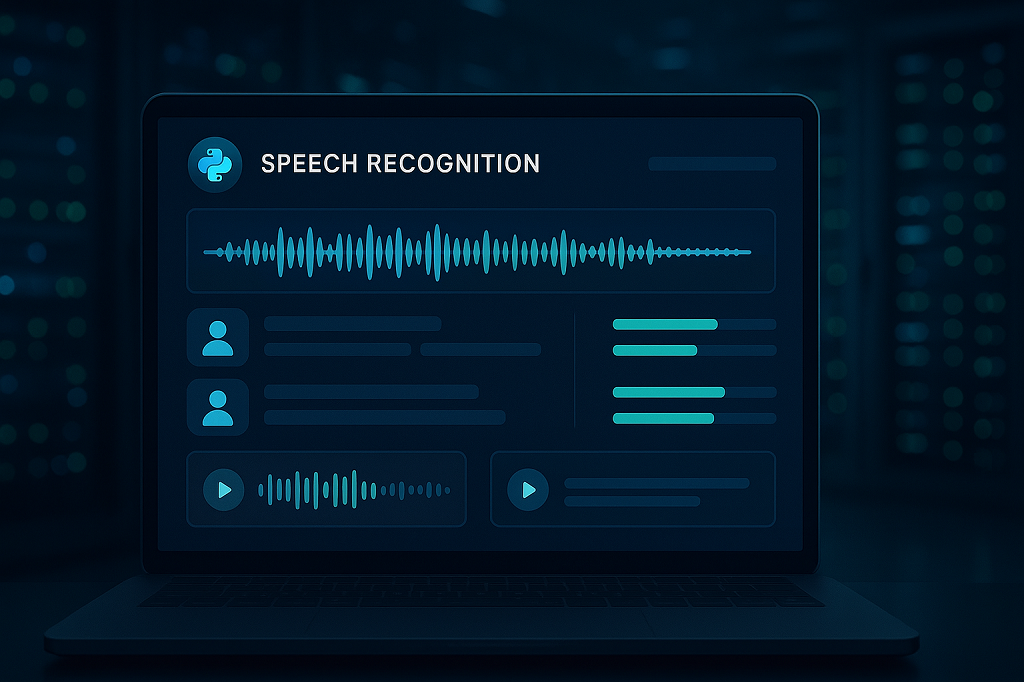
People talk to their devices every day — asking for directions, dictating notes, or letting an app transcribe a meeting. None of that feels unusual anymore. What makes it work under the hood is speech recognition, and in the developer world it often comes down to python speech to text. With a few open-source libraries and some smart models, spoken language can be turned into readable text in real time.
This article looks at the tools and methods that make it possible in 2026. We’ll cover the Python libraries most people start with, the role of deep learning in making recognition accurate, and the difference between running speech models offline or through cloud APIs. We’ll also look at real-world uses like streaming captions and business workflows, plus the option to build fully custom solutions when standard tools aren’t enough.
How Speech Recognition Works
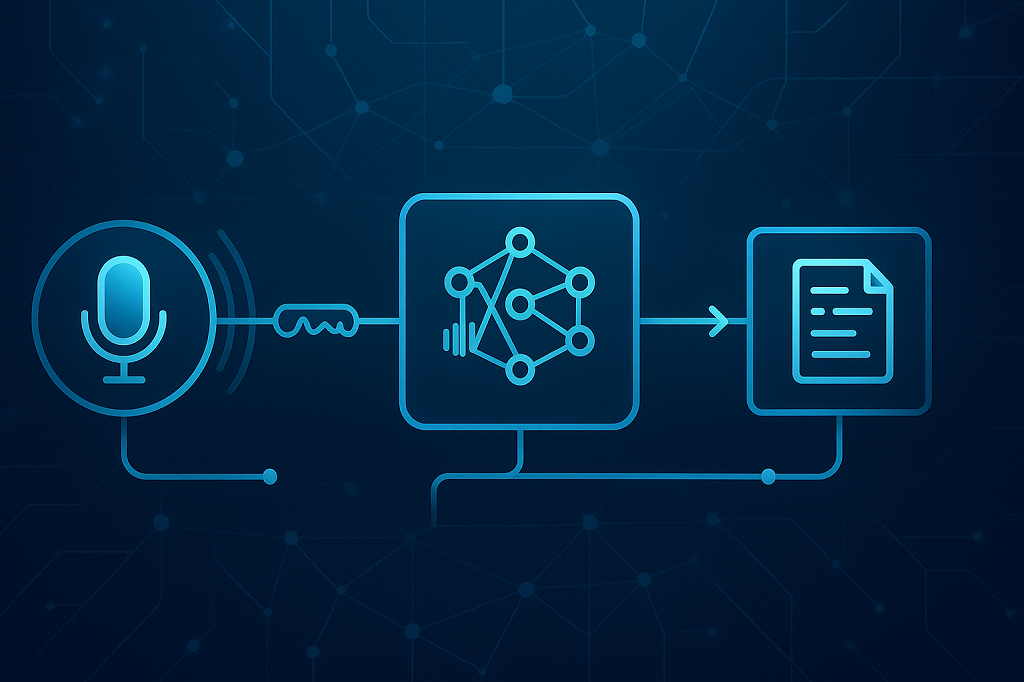
Take any sound you make — it starts as vibrations in the air. A microphone catches them and slices the noise into tiny frames of data. The software then paints those pieces into a spectrogram, basically a picture showing which frequencies were strong at each moment. From there, the system tries to catch phonemes, the small sound units that build words.
Two brains are working together here: the acoustic model figures out which sounds you actually made, while the language model guesses what you probably meant in context. That’s how “recognize speech” doesn’t come out as “wreck a nice beach.”
What changed the game was machine learning. Hand-crafted rules and early statistical tricks couldn’t handle messy audio or accents. But once deep learning came in, accuracy jumped from rough 70% to well above 90%. Suddenly, voice typing on your laptop or phone didn’t feel like a gimmick anymore.
In practice the flow is:
Record audio → slice it into frames
Turn it into a spectrogram
Match sound patterns with an acoustic model
Let the language model form words and sentences
That mix of math, context, and neural nets is what makes speech recognition feel almost effortless today.
Popular Python Speech to Text Libraries
When diving into python speech to text, the library you choose shapes everything — accuracy, speed, cost, and whether you can even run your code offline. Let’s break down the most popular ones developers rely on in 2026.
Library / Tool
Best For
Pros
Cons
Pricing / License
SpeechRecognition
Beginners, quick demos, class projects
Easy to use, works with multiple engines (Google, CMU Sphinx, etc.), minimal setup
Lower accuracy than deep learning models, limited customization
Open-source (MIT), free to use
Vosk
Offline apps, IoT devices, Raspberry Pi
Lightweight, runs on low-power devices, >20 languages supported
Models less accurate than Whisper, limited advanced features
Excellent accuracy, robust to accents/noisy input, dozens of languages
Heavy on resources, slower on CPU-only systems
Open-source (MIT), free; API pricing if using OpenAI’s hosted service
SpeechRecognition
This library is often the first stop for newcomers. It’s easy to install, easy to use, and works out of the box with just a few lines of Python code. SpeechRecognition connects to different engines, including Google Web Speech API and CMU Sphinx for offline tasks. While it won’t deliver the same precision as heavy deep learning models, it’s perfect for quick demos, class projects, or small apps where setup speed matters more than accuracy.
Vosk
If you want python speech to text without depending on the cloud, Vosk is a strong option. It’s lightweight, efficient, and supports more than 20 languages. Developers often use it in Raspberry Pi projects, IoT devices, and mobile apps that can’t send constant requests to online servers. Vosk models are smaller compared to neural giants like Whisper, but that makes them fast, memory-friendly, and practical for real-world applications.
DeepSpeech and Coqui STT
Mozilla’s DeepSpeech introduced the idea of open-source deep learning for speech recognition, and Coqui STT now carries the torch. Both libraries use recurrent neural networks under the hood and can be fine-tuned with domain-specific data. That means if you’re building a medical or legal transcription tool, you can train the models to handle industry jargon. These projects require GPU power and patience, but the payoff is flexible, customizable models that you fully control.
Whisper (OpenAI)
Whisper is the current heavyweight among python voice to text tools. It supports dozens of languages, handles noisy or low-quality audio better than most alternatives, and shines in tasks like podcast transcription or video subtitling. It’s GPU-friendly, so running it locally is possible if you’ve got the hardware. The tradeoff is resource usage — Whisper is not as light as Vosk, but the accuracy gain is often worth it.
Choosing the Right Tool
Each library fits a different purpose. SpeechRecognition is great for quick wins, Vosk for offline apps, DeepSpeech/Coqui for custom training, and Whisper for cutting-edge accuracy. Your choice depends on whether you value simplicity, independence, or raw performance.
Speech to Text with Deep Learning
Before neural networks entered the field, speech recognition felt clunky — good for dictation, not much else. The last decade changed everything. Models got smarter, faster, and now speech can be converted into text in real time with surprising accuracy. That leap came directly from advances in speech to text deep learning.
Why Deep Learning Changed Everything
Traditional systems split speech recognition into multiple stages — signal processing, acoustic modeling, and language modeling. Deep learning stitched these parts together with end-to-end neural networks. Instead of engineers hand-tuning features, the network learns directly from massive datasets of audio and transcripts.
That shift boosted accuracy to levels once thought impossible. Real-time transcription is no longer just a demo feature — it’s reliable enough for live captioning, online meetings, and multilingual customer support. The models can adapt to different accents and background noise, making them practical outside the lab.
Frameworks & Models
Deep learning owes much of its momentum to powerful frameworks. TensorFlow and PyTorch dominate, offering developers tools to train, fine-tune, and deploy models. On top of these, pre-trained architectures like OpenAI’s Whisper and Facebook’s Wav2Vec2 set the bar for performance. Both use transformers — the same technology powering modern large language models — to recognize speech across dozens of languages.
In business, this technology is already everywhere: call centers use it to monitor conversations and analyze sentiment, while hospitals deploy it for medical transcription, saving doctors hours of manual note-taking.
The bottom line? Deep learning didn’t just make speech recognition better — it made it practical, flexible, and ready for scale.
Real-Time Speech to Text in Python
Turning spoken words into text while someone is still speaking is a different challenge from batch transcription. The main obstacle is speed: every millisecond counts. If a system lags, captions fall behind or chatbots respond awkwardly. Developers working with Python constantly wrestle with the balance between accuracy and latency.
Some of the most common use cases for real-time systems include:
Live captioning for online events, classes, and conferences
Streaming platforms where creators need instant subtitles
Customer service bots that listen, process, and reply without noticeable delay
To make this work, Python libraries like Vosk and Whisper provide microphone input handling paired with WebSocket streaming. Audio chunks are captured, converted to features, and sent to a recognition model in near real time. The model then returns the text piece by piece, so the user never feels left behind.
Hardware matters just as much as code. GPU acceleration is key — it allows complex neural models to operate with only a fraction of a second of lag. That’s what transforms machine learning speech to text from a neat experiment into a dependable business tool.
When tuned correctly, these pipelines feel invisible. Users don’t think about the recognition layer at all; they just see accurate captions or get instant responses. That invisible layer is exactly what makes real-time transcription one of the most exciting areas of modern Python development.
Business Applications in 2026
Speech recognition is no longer a experimental functionality — it’s a business application in daily usage. Businesses of all types are employing speech recognition to reduce tedious work, facilitate communication, and deliver service to individuals.
Among its largest users are:
Healthcare: doctors dictate medical notes while systems instantly generate structured records.
Legal: courtrooms and law offices use dictation software for contracts and case transcripts.
Media: podcasters and broadcasters add subtitles and searchable transcripts in minutes.
Customer service: AI-powered call agents transcribe and analyze conversations to respond faster.
Transcription providers: platforms offering human + AI blended services scale faster with automation.
The figures bear out the trend. According to Speech Technology Magazine, the speech technology market is expanding by double-digit percentages and is on course to top $50 billion by 2030, with firms making it simpler to implement machine learning frameworks, especially with cloud infrastructure.
The effect on businesses is simple: they save time keystroking and provide more convenient user experience to those who prefer or need voice interaction and make quicker decisions in real-time analytics. Whatever took a couple of hours of human effort is all achieved within a minute.
Scrile AI: Custom Speech to Text Development
Most businesses start with ready-made APIs for transcription. They’re fast to set up but come with real limits: fixed branding, rising usage costs, and very little control over sensitive data. At some point, scaling organizations realize they need more than just another SaaS subscription.
This is where Scrile AI comes in. It’s not a platform you rent — it’s a development service that builds tailored solutions using speech to text machine learning at the core.
With Scrile AI, companies can shape the product to match their own needs:
Fully branded UI/UX that looks like part of your ecosystem.
Flexible deployment — on your own servers or in the cloud.
Integration with apps you already use, from CRMs to live streaming platforms.
Multilingual and even NSFW-ready options for industries with special requirements.
The difference becomes clear in real use cases. An edtech company can roll out a private lecture transcription tool, keeping all recordings and notes under its own security policies. A podcast network can embed auto-captioning inside its branded app without relying on an external provider.
Choosing this route means owning the technology, not just paying per request. For businesses thinking long-term, Scrile AI offers a scalable alternative that adapts as they grow, while keeping control of both data and costs.
Conclusion
Python speech-to-text in 2026 has grown into a core technology for businesses that want efficiency and accessibility. Open-source libraries and APIs show what’s possible, but they rarely give companies full control over data, branding, or future scaling. That’s where a tailored path makes sense — and exploring Scrile AI’s custom solutions can be the next step. By reaching out to the Scrile team, businesses can shape speech recognition systems around their exact needs, rather than adapting to someone else’s limits.
FAQ – Python Speech to Text (Libraries, Real-Time & Deployment in 2026)
What is Python speech-to-text, and how does speech recognition work?
Python speech-to-text is the process of converting audio into text using Python libraries and models. Under the hood, audio is sliced into tiny frames, turned into a spectrogram, and then decoded into words by combining an acoustic model (sounds) and a language model (context).
Deep learning made this practical at scale by improving accuracy in messy real-world conditions like accents, background noise, and low-quality recordings.
What’s the best Python speech-to-text library in 2026?
“Best” depends on your constraints: accuracy vs speed, offline vs cloud, and whether you need custom training. In many real projects, Whisper is chosen for accuracy, Vosk for offline/lightweight setups, and Coqui STT when you need domain-specific tuning.
A practical approach is to test 3–5 minutes of your real audio across two options and compare errors, latency, and hardware cost. The winner is the one that stays reliable under your actual conditions.
When should I use SpeechRecognition (Python) instead of deep-learning models?
SpeechRecognition is great for beginners, quick demos, and prototypes because it’s easy to set up and can connect to multiple engines. If you’re validating an idea or building a small internal tool, it can be the fastest path to “working.”
The tradeoff is accuracy and customization. If your product depends on transcription quality (captions, meeting notes, customer calls), deep-learning approaches usually outperform simple demo-first setups.
Which Python speech-to-text option works best offline (no cloud)?
For offline speech-to-text, Vosk is a common choice because it’s lightweight and designed to run without constant API calls. It’s often used in IoT and local apps where connectivity is limited or privacy is critical.
Offline setups are also helpful for predictable cost. You avoid per-minute API fees, but you take on responsibility for deployment, model updates, and performance tuning.
Is Whisper (OpenAI) the best choice for accuracy and noisy audio?
Whisper is widely used for high-accuracy transcription and tends to handle accents and noisy/low-quality audio well. It’s popular for tasks like podcast transcription and video subtitling because the output stays readable even when inputs aren’t perfect.
The tradeoff is compute. Whisper can be heavy on CPU-only machines, so performance improves significantly with GPU acceleration or careful model-size selection.
When does Coqui STT (DeepSpeech) make sense, and can I train it on my domain?
Coqui STT is a strong option when generic transcription fails on your jargon (medical terms, legal language, brand names). The main advantage is trainability: you can fine-tune models on domain-specific datasets for better results.
The cost is complexity: training and tuning typically require GPU resources, data preparation, and a pipeline that your team can maintain over time.
What is real-time speech-to-text in Python, and how do streaming pipelines work?
Real-time speech-to-text means you transcribe while the person is speaking, not after the recording ends. Audio is captured in chunks, processed continuously, and returned as partial text so captions and bots don’t lag behind.
In practice, streaming often uses chunked audio + WebSocket-style delivery, where the model returns text piece-by-piece. Latency becomes the main KPI, not just accuracy.
Do I need a GPU for speech-to-text, and what affects latency the most?
You can run speech-to-text on CPU, but GPUs matter when you want low-latency transcription or you’re processing lots of audio. GPU acceleration reduces lag and makes heavier neural models practical in real-time scenarios.
Latency is usually driven by model size, hardware, and audio chunking strategy. If your captions feel “behind,” the fix is often pipeline tuning—not just switching libraries.
Should I use cloud speech APIs or run models locally?
Cloud APIs are fast to integrate and can work well when you need a managed service with predictable setup. They’re a common starting point for MVPs and internal tools.
Local deployment makes sense when you need stronger control over privacy, branding, and long-term cost. If usage grows, per-minute API pricing can become expensive, and vendor constraints can limit customization.
When does it make sense to build a custom speech-to-text solution (Scrile AI)?
Custom development becomes practical when speech-to-text is a core workflow: live captions inside your product, call transcription for analytics, regulated data requirements, or deep integration with your existing apps.
A custom build lets you control UI/UX, deployment (your servers or cloud), integrations, and data governance—so you own the system instead of renting it per request.
Polina Yan is a Technical Writer and Product Marketing Manager, specializing in helping creators launch personalized content monetization platforms. With over five years of experience writing and promoting content, Polina covers topics such as content monetization, social media strategies, digital marketing, and online business in adult industry. Her work empowers online entrepreneurs and creators to navigate the digital world with confidence and achieve their goals.
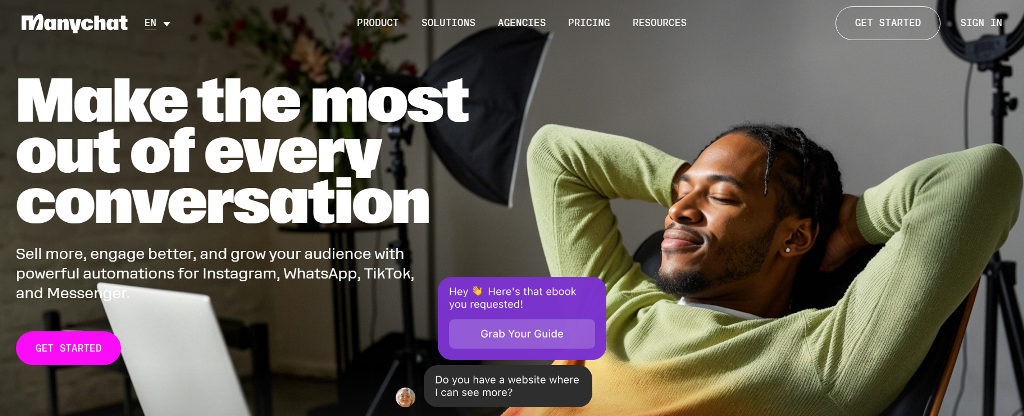
If you’ve ever tried to handle hundreds of customer messages at once, you’ve probably looked for a way out. That’s how tools like ManyChat became so popular — they promised to take the chaos of DMs and turn it into organized, automated conversations. For small shops and growing creators, it sounded like magic. But as more users started relying on chatbots for sales and customer service, the cracks began to show. Many businesses began searching for a ManyChat alternative that could do more than just reply on Facebook.
ManyChat built its name on simplicity — linking Instagram DMs, Facebook Messenger, and Shopify checkout flows without coding. It’s perfect for short-term automation: sending a coupon, collecting leads, confirming an order. But once a brand grows, these systems hit a wall. Custom logic? Limited. Full ownership of data? Not really.
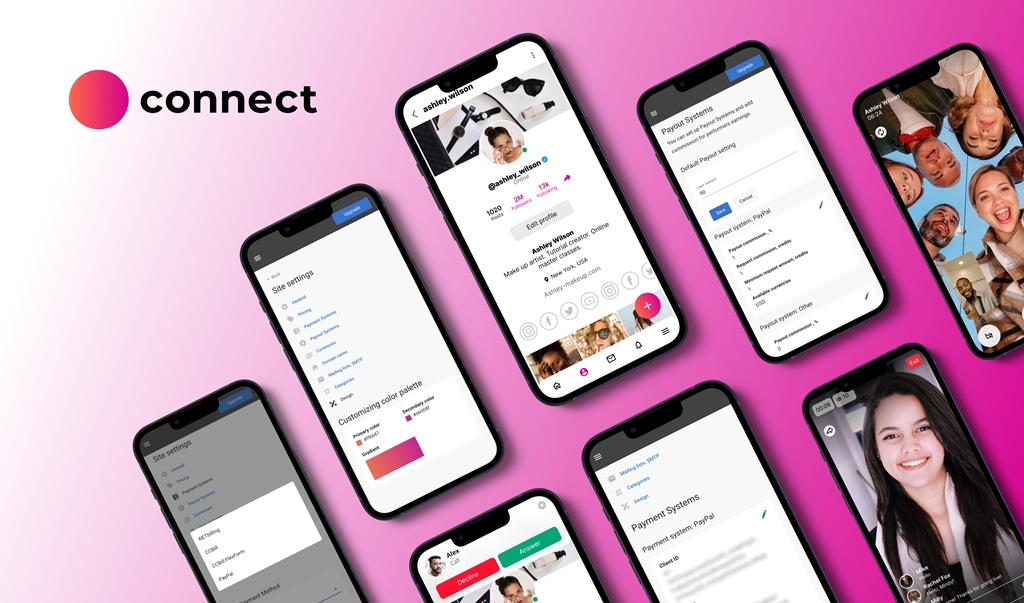
This article looks at what happens beyond that wall. You’ll see where ManyChat works well, where it struggles, and what to consider when choosing something more flexible. We’ll also touch on how tools like Scrile Connect help teams create chat systems that actually feel like their own — not just another borrowed inbox.
What Is ManyChat and How It Works
ManyChat started back in 2015 with one simple goal — help small businesses automate conversations on Facebook Messenger. It caught on fast. Within a few years, it expanded to WhatsApp, Instagram, and even SMS, making it one of the first tools that didn’t require a developer to build a chatbot.
Its main draw is how visual it feels. You don’t write lines of code — you drag, drop, and link blocks together like puzzle pieces. Templates handle most of the setup. Want to build a welcome message, a product quiz, or an abandoned cart reminder? There’s a prebuilt flow for that. Businesses can also use growth widgets — pop-ups, links, or QR codes that direct users straight into a conversation.
ManyChat runs on a freemium model. The Free plan gives limited messages and basic automation. The Pro plan, starting around $15 per month, scales based on the number of active subscribers — the more people you message, the more you pay. For a few hundred contacts, it’s affordable. But once your list grows into the thousands, the price climbs quickly.
Picture a small online clothing store. It uses ManyChat to send discount codes, cart reminders, and thank-you messages after purchases. It works beautifully — until the store wants more: custom branding, deeper analytics, or integration with its CRM. That’s where ManyChat stops feeling limitless and starts feeling small. It’s a great launchpad, but every brand that scales eventually needs more control.
Where ManyChat Falls Short
ManyChat is a great entry point into automation — quick, simple, and accessible to anyone. But once your business grows past a few hundred subscribers, the cracks start to appear. The same simplicity that made setup so easy begins to limit what you can actually build. The difference between ManyChat vs custom-built systems becomes obvious: one gives convenience, the other gives control.
Flexibility and Branding
Every ManyChat bot feels familiar — and not in a good way. The user interface looks the same across brands, and customization is minimal. Businesses that want to match their chatbot’s design with their website or app often hit a wall.
Here’s what users typically notice:
Generic design: fonts, colors, and chat bubbles can’t truly reflect your brand identity.
Limited integrations: you can connect basic CRMs or email tools, but not full custom databases.
Restricted logic: no room for complex user journeys or dynamic content.
ManyChat handles linear conversations well but struggles when workflows become unique — for example, when you need conditional logic, multi-language content, or real-time analytics.
Pricing and Scale
ManyChat starts cheap but scales fast. The Pro plan charges by active subscriber count, so as your audience grows, so does your bill.
1,000 subscribers ≈ around $25/month
10,000 subscribers ≈ $65 per month
30,000+ subscribers ≈ $165 per month
For a small business, that’s a heavy lift — especially when several features still stay locked behind higher tiers.
Data and Ownership
ManyChat runs through Meta’s ecosystem. That means you never truly own your user data. If your Facebook or Instagram page gets flagged or suspended, your chatbot and all your contacts go dark with it.
Brands have reported losing access to hundreds of leads overnight — not because they did anything wrong, but because the platform decided to change its policy.
For companies serious about scaling, these limits become dealbreakers. That’s why many start searching for a ManyChat alternative — a system that gives ownership, flexibility, and freedom to grow without hidden strings attached.
Top ManyChat Alternatives
The chatbot market is growing fast — valued at over $7 billion in 2024 and projected to double by 2030. That surge means businesses have more choices than ever before. Some want simplicity. Others want control. And for those seeking a solid ManyChat alternative, there’s no shortage of options that mix automation, personalization, and integration in smarter ways. Here are five tools worth exploring.
Chatfuel
Chatfuel is one of the oldest names in no-code chatbot builders, originally created for Facebook Messenger. It’s still one of the most beginner-friendly tools available. With prebuilt templates, visual flow creation, and strong Telegram support, it lets users automate sales, send updates, and manage customer queries with minimal setup.
The platform shines for small businesses — restaurants, online boutiques, or local service providers who want to automate responses without hiring developers. Pricing starts around $24 per month, making it affordable for small teams that just need quick, functional automation. Its main drawback? Limited flexibility once you need custom integrations or multi-channel automation.
Botpress
For those who like control, Botpress is a completely different breed. It’s open-source and developer-friendly, with advanced features like NLP (Natural Language Processing) and a flexible API system. You can host it on your own server, connect it to any database, and design conversation logic down to the smallest detail.
Unlike many no-code tools, Botpress works more like a development framework. It requires some technical know-how but pays off in scalability and ownership — ideal for companies with in-house teams or tech partners. It’s also free to start, with paid plans for enterprise hosting.
Tidio
Tidio sits between simplicity and sophistication. It combines chatbot automation with live chat, making it perfect for eCommerce. A single dashboard lets support teams handle real-time messages, abandoned cart reminders, and customer segmentation.
It integrates smoothly with Shopify, WordPress, and WooCommerce, letting you manage both automation and personal responses in one interface. Prices begin at around $29 per month. For online shops, this hybrid model helps cut response time and recover lost sales, making Tidio one of the most balanced ManyChat alternative options on the list.
Respond.io
Respond.io is a multichannel hub rather than a standalone chatbot tool. It connects WhatsApp, Line, Telegram, email, and web chat into one inbox — especially useful for businesses managing high message volumes.
Its focus is sales and support automation, helping teams assign leads, track conversions, and even sync with CRMs like HubSpot or Salesforce. Starting at $79 per month, it’s a solid ManyChat alternative for larger teams who need central control and analytics instead of separate chat tools.
LiveChatAI
The newest player on the list, LiveChatAI, takes a different approach — it builds AI-powered chatbots that can learn from your documents, FAQs, and website content. It’s built for businesses that want conversational depth rather than scripted flows.
You can embed your chatbot directly into your site or product dashboard, train it on your company data, and even connect it to APIs for dynamic responses. Starting at around $49 per month, it’s one of the most modern solutions for businesses aiming to deliver personalized automation.
When to Build Your Own Chatbot with Scrile Connect
There comes a point when drag-and-drop tools stop growing with you. What once felt quick and convenient turns into a box you can’t step out of. That’s where Scrile Connect steps in — not as another chatbot app, but as a full development service that helps you design a communication system built entirely for your business.
Companies ready to move past templates often share the same pain points: they’ve hit integration limits, can’t customize the interface, or want stronger control over data. A custom build changes all that. It gives room to scale, evolve, and truly own every part of the user experience.
Here’s what makes custom development stand out:
Total flexibility: every flow, message, and trigger works the way you need it to — not the way a preset allows.
Real branding freedom: colors, tone, layout, and behavior all match your brand, not someone else’s theme.
Scalability and integrations: connect your CRM, ERP, or payment gateway, and add features as your business expands.
Security and compliance: full control of storage, permissions, and data processing — perfect for GDPR or HIPAA-sensitive projects.
Revenue ownership: no platform cuts or unpredictable billing; what you earn stays yours.
Imagine a consultant network running its own portal through Scrile Connect — onboarding clients, scheduling sessions, hosting chats, and processing payments in one secure ecosystem. Or an e-learning brand automating lessons and private feedback within a branded app instead of juggling third-party widgets.
That’s the power of going custom. You move from relying on platform rules to building your own. For any company ready to outgrow no-code tools, Scrile Connect is the ManyChat alternative built for ownership — not just automation.
Conclusion
Quick tools like ManyChat work well in the beginning — they’re simple, fast, and good enough for small campaigns. But as your business grows, you’ll want something you can actually control. Real ownership means setting your own rules, keeping your data private, and shaping the user experience around your brand.
Every business reaches that point where convenience stops paying off. That’s when it’s time to move from borrowed automation to a system built entirely for you.
If you’re searching for a ManyChat alternative that gives you full control and long-term flexibility, reach out to the Scrile Connect team to design a chatbot that matches your workflow, your brand, and your vision — built to grow with your business.
FAQ – ManyChat Alternatives (Best Options in 2026)
What is ManyChat and what is it best used for?
ManyChat is a no-code chatbot builder designed to automate conversations. It’s commonly used for quick workflows like lead capture, coupon delivery, basic FAQs, order confirmations, and simple eCommerce flows.
It works especially well when you want something fast and template-driven. But once you need deeper logic, stronger branding, or more ownership over data and integrations, you’ll start comparing alternatives.
Why do businesses look for a ManyChat alternative?
Most businesses don’t leave because ManyChat is “bad.” They leave because it’s built for convenience, not total control. The most common pain points are limited branding, limited custom integrations, and restricted conversation logic when workflows become unique.
There’s also the ownership factor: if your automation depends on third-party platform rules, your entire funnel can be disrupted by policy changes or account issues. That risk grows as your message volume becomes business-critical.
How does ManyChat pricing scale, and what should I watch for?
ManyChat typically looks affordable at the start, then becomes more expensive as your subscriber list grows. The key is that pricing scales with active subscribers, so growth can raise costs even if the bot logic stays the same.
If your business model relies on high-volume messaging, compare tools by total monthly cost at your expected scale (not just the entry plan). “Cheap” tools can become expensive once you reach thousands of contacts.
Is Chatfuel a good ManyChat alternative for beginners?
Yes, if you want a simple no-code builder with templates and quick setup. Chatfuel is often chosen by small businesses that need functional automation without a developer.
The main limitation is similar to ManyChat: once you need deeper customization, multi-channel workflows, or complex logic, you can outgrow the “template builder” model.
Is Botpress better than ManyChat if I need full control and custom logic?
Botpress is a strong alternative when “control” matters more than “simplicity.” It’s developer-friendly, supports advanced logic, and can be hosted in a way that gives you better ownership and flexibility.
The tradeoff is setup complexity. Botpress fits best when you have technical resources (in-house devs or a tech partner) and you want a system that can grow into a serious product workflow.
Which ManyChat alternative is best for eCommerce support (bot + live chat)?
If your priority is eCommerce support, look for a tool that combines automation with a human team inbox. That hybrid model helps you handle FAQs and repetitive flows automatically, while still resolving edge cases with real agents.
This approach usually improves conversion too: faster replies reduce drop-offs, and abandoned cart reminders work better when they live in the same system as real customer conversations.
What is Respond.io best for compared to ManyChat?
Respond.io is best when you need a multichannel inbox and team workflow control. Instead of treating chatbots as separate “flows,” it focuses on centralized messaging for sales and support across channels.
If your team handles high volumes, assigns leads, tracks conversions, and needs CRM sync, an omnichannel hub can be a better fit than an Instagram/Messenger-first builder.
What is LiveChatAI and when is it better than flow-based builders?
LiveChatAI is useful when you want a chatbot that answers based on your content (documents, FAQs, website pages) rather than only scripted decision trees. This is especially helpful for support and knowledge-base style use cases.
It’s a better fit when the main challenge is “answer quality and depth,” not just “send the right coupon after the right trigger.”
What should I compare when choosing a ManyChat alternative?
Start with channels (Instagram, Messenger, WhatsApp, Telegram, web chat), then check automation depth (conditions, variables, routing) and integration flexibility (CRMs, databases, payments, APIs).
Then evaluate what really matters at scale: analytics, team permissions, compliance controls, and ownership. The “best” tool is the one that stays predictable and controllable when your messaging becomes a core revenue workflow.
When should I build my own chatbot instead of using SaaS tools?
Build custom when chat is no longer just “automation,” but part of your product or revenue engine. That’s typically when you need full UI/UX branding, deep integrations, custom business rules, data governance, and the ability to evolve features without template limits.
A custom system can also make costs more predictable at scale because you’re not paying per subscriber or per feature tier. You own the platform logic and can design it around your workflow, not a vendor’s roadmap.
Polina Yan is a Technical Writer and Product Marketing Manager, specializing in helping creators launch personalized content monetization platforms. With over five years of experience writing and promoting content, Polina covers topics such as content monetization, social media strategies, digital marketing, and online business in adult industry. Her work empowers online entrepreneurs and creators to navigate the digital world with confidence and achieve their goals.
An AI personal assistant app in 2026 is no longer just a smarter to-do list. The best AI assistant apps can auto-plan your day, protect focus time, coordinate meetings, and reduce the constant back-and-forth that usually forces people to hire a human assistant.
In this guide, we review five practical picks across the most searched use cases: personal assistant app for planning, personal assistant AI app for calendar + tasks, AI executive assistant app / AI secretary app for scheduling and coordination, and AI assistant software for teams. We’ll also explain when it makes sense to use a best AI assistant service (done-for-you automation) vs building your own AI personal assistant software.
There’s a limit to how many tabs we can juggle, how many tasks we can track in our heads, and how many calendar invites we can answer before something drops. Between back-to-back meetings, inbox chaos, and constant notifications, many people — from solo entrepreneurs to mid-sized teams — are burning time just trying to stay organized. It’s no surprise that interest in the AI personal assistant app category has exploded. These aren’t just smart to-do lists anymore. The best tools in 2026 actually think ahead — auto-scheduling your day, handling email threads, flagging potential conflicts, and learning from your habits over time.
While the tech itself is impressive, what makes these assistants so compelling is how specific they’ve become. There are AI tools built just for freelancers managing client work, apps designed for overwhelmed team leads, and others crafted for creators who want to streamline production without losing their voice.
And with large language models becoming more accessible, these assistants are no longer locked behind enterprise software. Anyone with a browser and a need for structure can try one — or build one.
In this article, we’ll walk through five of the most effective AI personal assistants available in 2026. We’ll cover what they do best, how they handle real-world tasks, and how you can use them to free up your time and focus on the work that actually matters.
AI outlines/mind maps, templates, multi-user editing, NL commands
Less specialized in scheduling/email
Creative teams, remote squads
Why AI Personal Assistants Are Evolving So Fast
Five years ago, most digital assistants were glorified reminder apps — they could ping you at 9 AM, maybe reschedule a meeting, and that was about it. Fast forward to 2026, and we’re looking at a completely different category of tools. Today’s AI personal assistants aren’t just reactive. They’re proactive, adaptive, and increasingly personalized.
This leap comes from a few major shifts in the tech behind the scenes. First, the rise of powerful large language models like GPT-4, Claude, and others has allowed assistants to hold natural conversations, understand nuance, and summarize complex threads of information. The best ones don’t just listen — they learn. They start to understand your priorities, your work rhythms, and even how you write.
Second, modern AI task assistant systems are built on smarter automation stacks. They connect with your calendar, Slack, project tools, email, and files — and then take action based on real-time data. It’s not just about scheduling anymore. It’s about doing things for you.
And finally, privacy and personalization have improved. The most advanced AI personal assistant app can now run in secure environments, giving users more control over what’s stored, shared, or deleted.
If you’re wondering how to use AI as a personal assistant, the answer is increasingly: however you want. The tools are catching up to your needs — and in many cases, anticipating them.
AI Assistant App vs Personal Assistant Software vs Best AI Assistant Service
People search “ai assistant app” and “ai assistant software” as if they’re the same thing — but they’re not.
AI assistant app = you use it yourself (calendar, tasks, planning). Personal assistant software = your team uses it (shared visibility, workflows, templates, collaboration). Best AI assistant service = the assistant “acts” for you (automation + inbox/calendar actions, sometimes with human oversight).
If you only need daily planning, an app is enough. If you sell or operate operations for many users/clients, you’re looking at software. If you want outcomes (meetings booked, email handled), you’re looking at a service layer.
5 Best AI Personal Assistant Apps in 2026
There’s no shortage of tools claiming to make your life easier, but not all of them actually do anything for you. The apps below aren’t just organized interfaces — they function like real assistants. They schedule your meetings, sort your day, and anticipate your next move. Whether you’re running a solo business or managing a remote team, these five picks represent the strongest options on the market right now.
Motion — Real-Time Planning That Adjusts Around You
If your calendar is a mess, your tasks are scattered across apps, and you’re constantly re-planning your day, Motion steps in like a calm, invisible assistant. This tool blends calendar management, task planning, and prioritization — then uses AI to automate the rest.
What sets Motion apart is that it doesn’t just remind you what to do. It actively reschedules tasks based on shifting deadlines, meeting changes, and how long you actually need to finish something.
Key features include:
AI-powered daily auto-scheduling
Integration with Google and Outlook calendars
Real-time updates when meetings shift or cancel
Prioritization based on deadlines and task weight
Smart focus time blocks for deep work
It’s built for people who need to defend their schedule without constantly managing it — remote workers, team leads, or solo professionals with unpredictable days.
Instead of building a routine around a tool, Motion builds your routine around you. It keeps things moving without the mental load.
For anyone looking to gain back hours without hiring a human assistant, Motion is easily one of the best AI personal assistant app options available in 2026.
Clara — Email Scheduling Without the Awkward Ping-Pong
Clara is an AI personal assistant app built for one thing: handling meeting coordination over email, so you never have to go back and forth again. But what sets it apart is its human touch. Instead of sending generic booking links, Clara actually reads the conversation, interprets tone, and replies like a real assistant.
It integrates directly with your calendar and jumps in when you CC it on an email. From there, it handles the rest — confirming time zones, checking availability, following up, and even rescheduling if needed. The emails are clean, professional, and surprisingly human.
Key features include:
Email-based meeting scheduling with natural language
Full calendar integration with Google and Outlook
Support for multi-participant and recurring meetings
Customizable tone and communication style
Hands-free rescheduling and reminders
Clara is ideal for executives, client-facing professionals, or anyone who wants to skip the hassle of manual coordination — without sacrificing personal touch.
It may not be the flashiest tool, but as far as personal assistant software goes, it’s one of the smoothest experiences on the market in 2026.
Reclaim.ai — Protect Your Focus Without Losing Flexibility
If you constantly feel like your calendar is working against you, Reclaim.ai might be the smartest fix. This tool acts like an invisible layer over your schedule — automatically blocking time for deep work, habits, and recurring tasks, while still adjusting when meetings come up. It’s designed for people who want more control over their day without micro-managing every hour.
The real value of Reclaim lies in how well it protects your priorities. You set goals for how often you want to work out, catch up on email, or prep for meetings — and Reclaim makes it happen by finding space for it in your calendar. When new meetings appear, it shifts things intelligently so you don’t lose momentum.
Key features include:
AI time blocking for habits, tasks, and routines
Automatic calendar syncing across platforms
Real-time adjustments based on new events or conflicts
Priority settings that align with personal and team goals
Shared calendar visibility for teams
Reclaim.ai is one of the best AI assistants for work because it doesn’t just help you get things done — it helps you make space for what matters most. Especially valuable for remote workers, creatives, or anyone balancing project work and meetings.
Trevor AI — Calendar Meets To-Do List With Zero Clutter
Trevor is a hidden gem that marries a robust to-do list to scheduling in real-time, and it’s an excellent choice for someone who wants complete control of their day — but no unnecessary burden. Where more weighty productivity systems are heavy, Trevor is light and simple: it puts your items directly onto your calendar and uses artificial intelligence to inform you of when you should be doing what.
Where it shines is simplicity. You create your task list, choose some of the options, and Trevor provides you time blocks that actually work. No distractions, no unnecessary menus. It’s the kind of assistant that helps you create habits rather than reacting to chaos.
Key features include:
Task-to-calendar syncing with drag-and-drop ease
AI suggestions based on priority and availability
Simple interface designed for solo users
Integrates with Google Calendar
Real-time time-blocking that updates as you go
Trevor AI is perfect for freelancers, consultants, and solo creators who want to manage time better without overloading on features. It’s clean, fast, and surprisingly good at keeping you on track.
Among the more focused tools on the names of AI assistants lists in 2026, Trevor earns its place for doing exactly what it promises — and doing it well.
Taskade AI — A Creative Workspace Powered by Collaboration
Taskade stands out in the manner in which it achieves the balance of productivity and creativity. It is not a helper that lets you do, but lets you think, co-create, and collaborate in projects in real-time. Designed specifically for remote teams, virtual creatives, and solo operators who don many hats, Taskade uses AI to automatically outline, structure ideas, and task manage in a single versatile workspace.
Unlike traditional assistants that focus only on scheduling or email, Taskade leans into structure and brainstorming. Whether you’re writing a content plan, mapping out a product launch, or just managing your weekly goals, it gives you smart suggestions and automates your repetitive workflows.
Key features include:
AI-generated task lists, outlines, and mind maps
Collaborative editing across devices
Templates for marketing, content, and planning
Natural language commands for creating or reformatting tasks
Real-time sync with team members
If you want an assistant that feels more like a creative partner than a scheduler, Taskade AI delivers. It’s versatile, visual, and surprisingly intuitive.
As more tools flood the list of AI assistants in 2026, Taskade keeps its edge by balancing functionality with a playful, flexible interface — and that’s what makes it stick.
“Pick-By-Use-Case” Decision Guide
Your Situation
Pick This
Why
Day changes hourly; need automatic replans
Motion
Rebuilds your day around shifting meetings/deadlines
Endless back-and-forth to book meetings
Clara
Handles email threads like a human assistant
Need to protect habits & deep work
Reclaim.ai
Locks important routines without sacrificing flexibility
Want the lightest task→time workflow
Trevor AI
Zero-clutter time-blocking that actually sticks
Creative planning with real-time collaboration
Taskade AI
AI outlines + shared workspaces keep teams moving
Scrile AI: Building a Custom AI Assistant for Your Business
Even the smartest tools on the market come with limits. Off-the-shelf solutions often force you to adapt your workflow to their features — not the other way around. You’re stuck with pre-set templates, limited branding options, and feature caps that eventually slow you down. If you’ve ever tried scaling a service around an app you don’t control, you know how frustrating that can be.
Scrile AIoffers an alternative: a way to build your own AI assistant from the ground up. Not another tool — a fully customized platform tailored to your business, your users, and your growth strategy. Whether you need a productivity-focused AI, a chatbot with personality, or something completely unique, Scrile AI gives you full control over how it works and how it looks.
What Scrile AI can deliver:
Custom-branded UI/UX to match your voice and audience
Admin dashboard with analytics, CRM, and user controls
Use cases include:
Adult creators launching AI companions (Candy AI-style)
Influencers building interactive AI personas
Businesses needing scheduling, customer support, or sales automation agents
The result isn’t just an app — it’s a business. One that doesn’t rely on third-party rules, algorithms, or app store restrictions. If you’re serious about building the best personal AI assistant for your brand or audience, Scrile AI helps you own every part of it — from backend logic to user experience.
Off-the-Shelf Assistants vs. a Custom One (Scrile AI)
Build exactly what you need: scheduling, inbox, CRM hooks, voice/NSFW modes, etc.
Built-in: subscriptions, tips, PPV
Full control (deployment & retention)
Brands/creators/companies needing a owned, scalable assistant
SoftService x Scrile AI: we can help you design, build, and launch a custom AI assistant that matches your stack (calendar, email, project tools), your brand voice, and your revenue model—without vendor lock-in.
Conclusion
AI personal assistants in 2026aren’t just helpful — they’re becoming essential. Whether you’re managing a packed schedule, coordinating a remote team, or building your own AI product, the right tool can save hours and reduce stress. Off-the-shelf apps are a great starting point, but if you need full control, customization, and revenue potential, building your own assistant makes more sense.
Curious what that could look like? Get in touch with the Scrile AI team to explore how you can launch your own custom AI personal assistant app — exactly how you want it.
FAQ – AI Personal Assistant Apps (Scheduling, Email, Teams, Custom Assistants)
The practical questions people ask after trying tools like Motion, Clara, Reclaim.ai, Trevor AI, and Taskade — plus when it’s smarter to build your own assistant.
What is an AI personal assistant app (and what does it do beyond a to-do list)? ▾
An AI personal assistant app is a productivity tool that can plan and execute work, not just remind you about it. Modern assistants connect to your calendar, tasks, and sometimes email, then help schedule focus time, move tasks around when priorities shift, and reduce the “constant replanning” problem.
In 2026, the best assistants feel proactive: they protect deep-work blocks, suggest the next best action, and keep your day realistic when meetings change.
Which AI personal assistant app is best for automatic scheduling and shifting priorities? ▾
If your day changes hourly, pick a calendar-first assistant that actively re-plans around deadlines and meeting changes. These tools are strongest when they can rebuild your schedule automatically instead of forcing you to drag blocks all day.
To choose quickly, test one messy week: import tasks, add deadlines, then watch how the assistant reacts to real meeting chaos. The winner is the one that keeps your plan usable without constant babysitting.
Which app is best for scheduling meetings through email (no booking-link ping-pong)? ▾
Email-first assistants are built for one job: reading email context, proposing times, handling time zones, and confirming meetings without you chasing threads. They’re ideal for executives and client-facing roles where “professional tone” matters.
If most of your scheduling happens inside email conversations, pick a tool that integrates directly with your inbox and calendar instead of one that only generates suggestions in a separate UI.
What integrations should I look for in a personal assistant software? ▾
Start with the core stack: Google Calendar or Outlook, then tasks (your to-do source), and only then “nice-to-haves” like Slack, project tools, and docs. If the assistant can’t reliably read and write your calendar, everything else is cosmetic.
For teams, check shared calendar visibility, permission control, and how conflicts are handled. A great assistant reduces coordination load — it doesn’t create a new workflow nobody follows.
How do AI assistants protect focus time and routines without breaking flexibility? ▾
Focus-oriented assistants use time blocking plus priority rules. You define what matters (deep work, habits, prep time), and the tool automatically finds space on the calendar — then intelligently shifts blocks when meetings appear.
The key is “rules you control.” Look for priority levels, buffer time, and conflict resolution settings so the assistant doesn’t reschedule your life into nonsense.
Are AI personal assistant apps safe and private to use? ▾
They can be, but privacy depends on the exact permissions you grant and what the vendor stores. The risk usually comes from connecting email and calendars: those integrations expose sensitive content even if the app feels “just productivity.”
Before adopting any assistant, check: data retention, admin access controls, export/delete options, and whether you can limit what the tool can read. For regulated workflows, consider custom deployment where you control storage and policies.
Can an AI assistant help a team, or is it only for solo users? ▾
Teams benefit most when the assistant improves coordination: shared visibility, fewer scheduling conflicts, and clearer priorities. Collaboration-first tools also help by turning ideas into structured plans and keeping documentation organized.
If you’re rolling this out to a team, start with a small pilot group and measure outcomes: fewer meetings, faster turnaround, and less “calendar chaos.” Adoption is the real feature.
How much do AI personal assistant apps cost, and how are they priced? ▾
Most assistants use subscriptions. Some are solo-friendly monthly plans, while others are per-seat pricing for teams. You may also see usage-based components for advanced AI features or heavier automation.
When comparing pricing, don’t look only at the monthly number. Ask what you’re buying: time saved, fewer missed deadlines, less coordination overhead, and whether the tool becomes a “system” your team can actually stick to.
When does it make sense to build a custom AI assistant instead of using off-the-shelf apps? ▾
Build a custom assistant when the assistant is part of your product or revenue model — not just an internal tool. Off-the-shelf apps are great for standard workflows, but they can’t give you full branding, unique assistant behavior, deep integrations, or full control over data and user experience.
Custom assistants also make sense when you need specific modes (business support, scheduling, sales automation, creator engagement, safe-for-work or NSFW logic), and you don’t want your roadmap to depend on a vendor.
Can I monetize my own AI assistant app (subscriptions, tips, PPV)? ▾
Yes. If you’re building a custom assistant as a product, monetization can be native: subscriptions, pay-per-feature access, tipping, and premium content/workflows. The assistant becomes a business asset you control instead of a tool you rent.
This is where a custom platform approach (like Scrile AI + SoftService implementation) is useful: you can ship branded UI/UX, define assistant behavior, add analytics/admin tools, and connect the assistant to your own billing and growth loops.
Polina Yan is a Technical Writer and Product Marketing Manager, specializing in helping creators launch personalized content monetization platforms. With over five years of experience writing and promoting content, Polina covers topics such as content monetization, social media strategies, digital marketing, and online business in adult industry. Her work empowers online entrepreneurs and creators to navigate the digital world with confidence and achieve their goals.
The landscape of Chatfuel competitors is expanding fast as brands seek automated conversations without losing control of tone, data, or workflows. When businesses ask what is Chatfuel, they generally mean a Messenger- and Instagram-first bot platform that lets non-developers build branching flows, keyword triggers, and broadcast sequences. Chatfuel handled early growth in chatbot adoption, but many teams now look toward alternatives that offer more flexibility, richer integrations or better ownership.
That shift matters because the global chatbot market is on a steep upward curve—valued at US $7.76 billion in 2024 and projected to reach around US $27.29 billion by 2030, growing at a 23.3 % CAGR through 2026-30.
In this article, we’ll walk you through five leading Chatfuel competitors, compare their features and pricing side-by-side, and then explain when and why a custom development path makes strategic sense.
Chatfuel in Context
Chatfuel grew popular by giving small teams a quick way to design chat flows without touching code. The platform focuses on channels where automated messages matter most—Facebook Messenger, Instagram DM, and, more recently, WhatsApp. Its builder uses blocks, buttons, keyword triggers, and simple logic steps to shape conversations. There’s also AI autofill for short replies and a set of broadcast tools for announcements or promotional pushes. For many early adopters, it functioned as a chafuel chatbot starter kit: fast to launch, easy to maintain, affordable to scale in the beginning.
Pricing stays within a predictable range. Plans typically start around $24 a month for small audiences and grow toward the $400 mark once brands need higher user limits, more channels, or priority features. The platform works well for straightforward automation, and you’ll find plenty of Chatfuel examples across retail, fitness, and small service businesses—FAQ bots that reduce support tickets, lead-capture flows that qualify customers, and simple routing setups that hand off to human agents.
Still, teams run into constraints once the use case becomes more than a linear script. Some limitations show up early:
restrictions on branding the interface or embedding the bot into custom environments
rigid workflows that don’t adapt well to unusual sales funnels or niche product logic
limited control over data storage and how user information is handled
dependency on Meta’s rules, which can change the behavior of the bot overnight
These friction points explain why businesses often explore Chatfuel competitors before making a long-term commitment. The moment a company needs deeper integrations, multi-language logic, or ownership of its data, the search for alternatives begins.
Chatfuel Competitors
Chatfuel works well for simple flows, but teams often reach a point where they need more channels, deeper logic, or stronger AI. That’s where the leading Chatfuel competitors start to make sense. Below are five options that show how different builders approach automation—each with its own pricing, strengths, and trade-offs.
ManyChat
ManyChat is usually the first name people meet when comparing Chatfuel competitors, mostly because it focuses heavily on growth tools for Instagram and Facebook. The interface leans toward creators and small shops that want automation without drowning in technical steps.
Features and channels ManyChat supports Instagram DM, Facebook Messenger, WhatsApp, and web chat widgets. It offers a visual flow builder, comment auto-replies, story-triggered workflows, basic AI replies, and tools that turn post engagement into leads. The platform also integrates with Shopify, HubSpot, and Google Sheets, which helps teams sync marketing actions with store activity.
Pricing ManyChat’s free plan covers basic IG + Messenger tools. Paid plans start around $15/month, but costs rise with WhatsApp usage and higher contact volumes, usually landing between $25–$65/month for active small businesses.
Pros
growth-friendly automations tied to Instagram posts and comments
simple visual editor suited for non-technical marketers
good templates for lead capture and appointment flows
reliable integrations for e-commerce syncs
Cons
WhatsApp pricing is tied to Meta’s message fees
limited control over data portability
branding depends on platform rules
more lightweight AI compared to newer builders
ManyChat feels more marketing-driven, while Chatfuel leans on structured logic blocks. For teams wanting IG-centric workflows, ManyChat often solves gaps Chatfuel can’t cover.
Botsonic
Botsonic sits on the AI-first side of Chatfuel competitors, designed for teams that want GPT-powered conversations trained on their own data. It feels less like a classic rule-based builder and more like a lightweight LLM interface that you can deploy without engineering work.
Features and channels The core feature is data ingestion: you upload PDFs, URLs, or text, and Botsonic trains an internal knowledge layer that shapes replies. It connects to websites through an embeddable widget and supports API access for custom deployments. It’s strong for FAQ bots, support assistants, and any use case where answers must reflect documentation rather than canned flows.
Pricing Paid plans usually start around $16–$41/month, depending on message volume, data limits, and branding controls.
Pros
quick setup for AI-driven assistants without writing flows
supports custom knowledge bases with decent accuracy
widget branding options for website integration
strong retrieval quality for documentation-heavy businesses
Cons
conversation style depends heavily on GPT behavior
fewer multi-channel options compared to other builders
not ideal for complex funnels that require branching logic
costs increase when traffic grows
While Chatfuel relies on structured blocks, Botsonic offers flexible AI responses. It attracts teams who prefer natural-language agents over rigid menu flows.
Tidio
Tidio sits somewhere between live chat, automation, and AI support. Among Chatfuel competitors, it’s one of the strongest for customer service because it blends human agents and bots inside the same panel.
Features and channels Tidio supports website chat widgets, Instagram, Messenger, email routing, and a growing set of AI features. Lyro—their AI assistant—trains on your help center content and reduces repetitive workload for support teams. The system also includes ticketing, operator dashboards, and simple marketing automations.
Pricing Paid plans usually start at $24/month for basic automation, while Lyro AI add-ons push total costs into the $49–$749+ range, depending on usage.
Pros
strong combination of live chat + automation
Lyro AI reduces support workload for common questions
ticketing tools included, good for small support teams
clean, modern interface
Cons
advanced AI features cost extra
limited flexibility for multi-step marketing funnels
branding control depends on plan
WhatsApp support is still developing
Tidio is better suited for support-heavy teams, while Chatfuel focuses more on predefined sequences. For businesses with active operator teams, Tidio frequently wins.
Landbot
Landbot stands out among Chatfuel competitors because of its visual builder. Everything is laid out as draggable blocks that resemble a mind-map, which makes complex flows easier to reason about. It’s a favorite for teams that want custom logic without writing code.
Features and channels Landbot supports web chat widgets, WhatsApp, Messenger, and API-based deployments. Its strength is the combination of conditional logic, variables, and integrations with tools like Zapier, Make, HubSpot, and CRMs. It also includes AI modules for semantic intent detection and knowledge-trained responses, but its biggest selling point remains the flexibility of the builder.
Pricing Landbot starts around $40/month, with WhatsApp consumption fees added on top. More advanced plans for teams and enterprises run into the $200–$400+ range depending on usage and automation volume.
Pros
one of the best visual flow builders in this category
strong logic and variable handling for custom experiences
multi-channel support with reliable WhatsApp integrations
good fit for companies that need granular funnel control
Cons
pricing climbs fast for WhatsApp-heavy operations
AI features are improving but still secondary
setup takes longer than simpler lightweight tools
branding options limited on lower tiers
Landbot appeals to teams who need deeper logic than Chatfuel allows—especially when flows go beyond simple branching trees.
Customers.ai (MobileMonkey)
Customers.ai positions itself as a multichannel messaging hub, making it one of the more marketing-focused Chatfuel competitors. It’s built for businesses that want to automate conversations across Instagram, Messenger, SMS, and web chat while keeping all interactions in one inbox.
Features and channels It includes lead capture tools, drip sequences, omnichannel chat, unified inbox, growth widgets, and automation templates. Customers.ai also offers agency-focused features like client workspaces, white-labeled reports, and team management. AI add-ons include GPT-powered message generation and auto-responses for DM engagement.
Pricing Customers.ai’s pricing isn’t as transparent as others. Plans typically start at $19–$49/month, but Instagram- and SMS-heavy teams often pay more due to volume-based messaging costs.
Pros
omnichannel messaging hub with unified inbox
strong set of tools for agencies and marketers
Instagram DM automation is reliable
white-labeling available on higher plans
Cons
pricing varies depending on channel usage
fewer native integrations compared to other platforms
interface can feel cluttered for small teams
SMS workflows can become expensive
Customers.ai covers more channels than Chatfuel and is better suited for digital agencies or growth marketers managing multiple brands.
Comparison Table
Feature / Tool
Chatfuel
ManyChat
Botsonic
Tidio
Landbot
Customers.ai
Channels
Facebook, Instagram, WhatsApp
Facebook, Instagram, WhatsApp, Web widget
Website widget, API
Website widget, Instagram, Messenger, Email
Website widget, WhatsApp, Messenger, API
Facebook, Instagram, SMS, Web widget
AI tools
Basic AI replies, NLP add-ons
Basic AI replies, GPT-style add-ons
GPT-based AI trained on your data
Lyro AI assistant trained on help content
NLP intents, AI modules for semantic routing
GPT-based DM replies, AI prompts for messaging
Customization depth
Medium: block-based flows
Medium: visual flows with growth tools
Medium–High: AI behavior plus prompt settings
Medium: flows plus support automation
High: granular visual builder with logic & vars
Medium: omnichannel flows and targeting
Branding
Limited to widget + channel styling
Limited on lower tiers, better on higher
Good widget branding, limited host control
Widget styling, basic white-label options
Strong control over widget and experience
White-label and agency branding on higher plans
Starting price
~$24/month
Free tier, paid from ~$15/month
Paid from ~$16–$41/month
Paid from~$24/month
Free tier, paid from ~$39/month
Paid from ~$19–$49/month
When a Custom Build Outgrows Templates and How Scrile Connect Fills the Gap
Teams often start with simple chatbot builders, then run into limits the moment their workflows become more specific. Even the strongest Chatfuel competitors cannot support deep branding, custom business logic, or the kind of monetization many platforms rely on. This is usually the point when companies shift from subscription tools to a custom build, and Scrile Connect fits that need because it is not a SaaS product. It is a development service that creates fully owned, private, white-label systems.
Scrile Connect gives companies full control over how their chatbot platform looks, behaves, and integrates. The product is shaped around the client’s business rather than forcing a business to adapt to templates. This includes branded interfaces, unique onboarding flows, payments, gated content, and real-time communication tools that Chatfuel-style builders never support out of the box.
These are the areas where custom development through Scrile Connect becomes practical:
100% white-label visual setup with the client’s logo, domain, and design, including custom UI for chat, onboarding, and access levels
Built-in monetization features, such as subscriptions, tipping, pay-per-view, private video calls, live streams, and content bundles for businesses that need revenue, not just automation
Flexible payment processing through Stripe, PayPal, CCBill, crypto gateways, PayId19, or custom providers required in specific countries
Secure data handling with GDPR-ready hosting, moderation tools, and optional age-verification flows for regulated industries
An admin dashboard for managing users, payouts, analytics, and earnings
Custom integrations and extended rules, including API-based workflows, CRM syncs, internal systems, and specialized logic that templates cannot support
Scrile Connect has built entire platforms based on these components: multilingual CRM bots, support desks with payments, marketplace onboarding systems, community chat platforms with monetization, and full “Chatfuel-style” builders branded entirely for the client. It becomes a long-term solution that goes beyond what most Chatfuel competitors can deliver.
Conclusion
Comparing different chatbot builders helps teams understand where the limits of template-based systems begin. Many tools handle simple flows well, but businesses eventually need deeper logic, stronger branding control, and ownership of their data. That is where a custom solution becomes more strategic than sticking to presets. Founders who want a scalable, fully branded chatbot experience can work with Scrile Connect to build something shaped around their product rather than a generic framework. Get in touch with the Scrile Connect team to explore your custom build.
What is Chatfuel, and why do teams look for Chatfuel competitors?
Chatfuel is a Messenger- and Instagram-focused chatbot builder that helps non-developers create automation with blocks, buttons, keyword triggers, and broadcasts. It works well for simple flows and quick launches.
Teams usually start looking for alternatives when they need deeper logic, richer integrations, stronger AI, more channels, or better control over branding and data. At that point, “template-style” builders can feel limiting.
Which Chatfuel alternative is best for Instagram DM growth and lead capture?
If your priority is Instagram-first automation (comment triggers, story-trigger flows, lead capture from engagement), you want a builder that’s designed around social growth mechanics, not only classic “FAQ bot” logic.
In practice, this category is about speed and repeatability: templates, triggers, and fast iteration. The “best” tool is the one that turns engagement into qualified leads with the fewest manual steps.
What’s the best option if I want an AI-first chatbot trained on my content?
AI-first tools are a different approach from classic flow builders. Instead of designing every branch, you feed the assistant your knowledge base (URLs, docs, PDFs, help center content) and let it answer naturally.
This works best for support and FAQ use cases where accuracy depends on documentation. For complex funnels with strict “if/then” business logic, you may still need structured flows or a hybrid setup.
Which Chatfuel competitor is best for customer support (live chat + bot in one inbox)?
Support-heavy teams usually need a shared inbox where agents and automation work together. The key features are handoff to humans, ticketing or conversation history, and tools that reduce repetitive questions.
If you’re measuring success by fewer tickets and faster resolution (not just “more leads”), pick a platform that treats bots and operators as one workflow, not separate products.
What should I choose if I need complex branching logic and variables?
When your bot becomes a real funnel (qualification, routing, conditional offers, multiple languages, edge cases), you need a strong visual builder with variables, conditions, and integrations.
These tools take longer to set up than “lightweight” builders, but they pay off when your flow is not a straight line and you need the bot to behave differently based on user context.
Are WhatsApp chatbots expensive compared to Messenger and Instagram bots?
WhatsApp automation often costs more because pricing can include both the chatbot platform plan and WhatsApp messaging fees that scale with volume. That’s why “cheap per month” can become expensive once messaging grows.
If WhatsApp is your main channel, compare tools specifically on total cost at your expected monthly message volume — not just the entry plan price.
How do I compare pricing between Chatfuel competitors fairly?
Start with your real driver: contacts, conversations, or messages. Different products meter usage differently, so “$19/month” and “$40/month” may not be comparable at all once you scale.
Also include add-ons (AI modules, extra seats, white-label branding, additional channels). The best price is the one that stays predictable when you move from MVP traffic to real demand.
What are the biggest limitations of template-based chatbot builders?
Most template builders struggle with deep branding, custom business logic, and full control over data storage and portability. You can build solid flows, but you still operate inside someone else’s constraints.
If your bot needs unique onboarding, specialized routing rules, or a product-like experience (not just messages), you’ll feel those limits quickly — especially when your team starts asking for “one more custom thing.”
When does it make sense to build a custom chatbot platform instead of using Chatfuel competitors?
Custom development becomes practical when chat is a core business workflow and you need full ownership: custom UI, strict rules, specialized integrations, and a roadmap that isn’t limited by vendor templates.
It’s also the right move when you need monetization, gated access, or regulated compliance flows that generic builders don’t support out of the box.
How can a custom build like Scrile Connect fill gaps that Chatfuel-style tools can’t?
A custom approach lets you build the chatbot experience around your product: branded interfaces, unique onboarding, custom logic, and deep integrations that don’t fit into a template editor.
That’s the main advantage over typical SaaS builders: your workflow doesn’t have to bend to platform limits, and you can control the data model, analytics, and compliance layer as your needs evolve.
Polina Yan is a Technical Writer and Product Marketing Manager, specializing in helping creators launch personalized content monetization platforms. With over five years of experience writing and promoting content, Polina covers topics such as content monetization, social media strategies, digital marketing, and online business in adult industry. Her work empowers online entrepreneurs and creators to navigate the digital world with confidence and achieve their goals.
If you run anything that schedules people—haircuts, yoga sessions, tutoring slots, therapy calls, repair visits, church meetings, coaching sessions—you already know the calendar rules the day. It decides who shows up, who pays, and how much time is left to actually work. Tools like Setmore make that easier, which is why so many small and mid-sized teams start there. It does the basics well: online booking pages, reminders, payments, and staff calendars. But as businesses grow, they start hunting for Setmore alternatives because operations don’t all follow the same script.
Some teams need intake forms and recurring sessions. Others want group bookings, custom branding, deposits up front, marketplace-style scheduling, or deeper integration with internal dashboards. That’s where the differences really show.
This article looks at what Setmore does right, where it falls short, and how other scheduling tools compare on features, pricing, and control. We’ll walk through several competitors that fit different use cases, then look at what happens when switching tools still doesn’t solve the deeper workflow issues—and why some teams eventually decide to build something custom instead of hopping between apps.
What Setmore Does Well (and Where It Struggles)
Setmore is a familiar name in scheduling—whether you’re a tutor, therapist, salon, or repair technician. You set services, staff hours, let clients pick slots, and you get reminders. It plugs into Stripe, PayPal or Square so you can take payments when clients book. The dashboard shows calendars for each staff member, and there’s support for video appointments too. According to the Setmore pricing page, they offer a Free plan for up to 4 users at $0/month, and a Pro plan at $5/user/month when billed annually (or $12/user/month billed monthly).
That said, many switch because they hit walls. Here are the friction points:
Branding feels generic. Even with paid tiers, the booking page branding is minimal and still looks like everyone else’s.
Payment logic is okay but not highly flexible. You may need workarounds for advanced payment setups such as deposits, split payments or custom revenue flows.
Heavy dependence on external integrations. When you require deep workflow automation or custom databases, you end up layering multiple tools.
Backend control is shallow. Reporting exists, but if you want full dataset exports, custom workflows or complete control over the database—you’ll run into constraints.
When you line these up, you start comparing Setmore vs other tools—asking whether you stay, switch, or build from scratch.
Top Setmore Alternatives
Not every booking tool solves the same problem. Some focus on simple scheduling links for one-person businesses; others are built for full-scale teams that need routing, intake forms, payments, or multiple service providers. When people look for Setmore alternatives, they’re usually not “shopping for a new app” — they’re trying to match software to how their business actually works.
Below is a breakdown of five options worth considering, each used by different types of service providers.
Calendly (use case: meetings & sales teams)
Best for: Teams that book calls across time zones and rely heavily on integrations.
Pros:
Connects to Google/Outlook calendars instantly
Routing forms help distribute calls across a team
Polished booking links for sales, demos, onboarding
Cons:
Many features locked behind paid tiers (workflows, SMS, routing)
Limited branding control unless you’re on higher plans
Why pick it: Strong for organizations needing automated scheduling flows, especially when comparing Setmore vs Calendly for sales teams rather than appointment-based services.
Acuity Scheduling (use case: coaching, wellness, sessions with forms)
Best for: Coaches, therapists, and fitness trainers who need complex session logic.
Pros:
Intake forms + HIPAA-ready options (on higher plans)
Packages, subscriptions, and recurring sessions
Strong payment options for paid appointments
Cons:
More setup work than Setmore
UI feels utilitarian rather than polished
Why pick it: Great when comparing Setmore vs Acuity for session-based businesses that need forms, subscriptions, or repeat clients.
Best for: Solo creators, consultants, and small operations that want a polished booking page without a steep learning curve.
Pros:
Simple setup, minimal onboarding
Unlimited bookings on paid plans
Polished public booking pages that don’t look like generic templates
Cons:
Fewer advanced workflows for large teams
Limited monetization features compared to Acuity or SimplyBook.me
Why pick it: A practical choice if you want something visually cleaner than Setmore but still lightweight and affordable.
SimplyBook.me (use case: beauty, wellness, local services)
Best for: Salons, spas, trainers, clinics—anyone offering physical appointments tied to inventory and staff roles.
Pros:
Memberships, coupons, classes, POS, gift cards
Client app + customer login options
Good for multi-location or inventory-based businesses
Cons:
Interface has more menus and takes time to learn
Feels like overkill if you only need basic scheduling
Why pick it: Ideal for service businesses that need promotional tools and staff roles, not just appointment slots.
When Switching Isn’t Enough
Most teams start comparing tools because a feature is missing—maybe they need intake forms, deposits, or better reminders. But there’s a stage where switching apps doesn’t fix the deeper issue. It happens when scheduling stops being a calendar link and becomes part of how the business actually runs.
A few situations make this obvious:
A company operates across multiple locations and needs shared calendars, regional staff access, and internal dashboards for managers.
A platform or mobile app wants booking built directly inside its product, not hosted on a third-party page with someone else’s branding.
A marketplace needs provider-specific pricing, payouts, and service categories that standard scheduling tools weren’t designed to handle.
A tutoring network charges per class, tracks attendance, and issues recurring invoices—all from the same system.
When teams hit that stage, the problems shift from missing features to missing control. You’re limited by APIs that only sync a few data fields, templates that won’t match your branding, and integrations that start stacking like patched wiring. Data stays scattered across tools, and reporting never gives a full picture of how clients move through the business.
This is where people look beyond simple Setmore alternatives and start thinking about something shaped around their own workflows. The goal becomes owning the scheduling experience end-to-end, from booking and payments to user roles and analytics, rather than bolting tools together and hoping nothing breaks on a busy week.
Build Your Own Scheduling System with Scrile Connect
Once scheduling becomes part of how a business operates—not just something attached to it—building a tailored system starts to make sense. Scrile Connect focuses on custom development, meaning you’re not subscribing to another SaaS tool or adapting to someone else’s templates. You’re shaping a platform around your existing workflow, branding, payment structure, and internal roles.
Instead of using a public booking link hosted on a third-party domain, everything lives under your own name. Calendars, sign-ups, reminders, payments, service types, staff roles—every element is configurable. And if you outgrow a feature later, you don’t wait for a vendor’s roadmap; you just extend the system.
Businesses typically choose this route when they want booking to feel integrated, not bolted on. A few common scenarios:
Internal booking dashboards for large teams with different permissions and reporting access
White-label client portals for agencies or platforms that onboard multiple companies
Paid consultation systems with deposits, session credits, or subscriptions
Multi-vendor marketplaces where each provider sets their own pricing and availability
Customer portals where booking ties directly into accounts, messaging, and billing
These are the situations where switching between Setmore alternatives isn’t enough, because the product itself depends on scheduling rather than simply using it.
A custom system doesn’t just manage appointments. It can connect to CRMs, payment gateways, learning platforms, chat tools, or staff dashboards—whatever the workflow demands. Scrile Connect can build scheduling into a larger ecosystem: onboarding, messaging, file sharing, recurring payments, even community features. Appointments become one part of a full product, not a standalone utility.
The goal isn’t to replace familiar tools; it’s to build something that grows as your business grows, without fighting software limits along the way.
Conclusion
No single scheduling tool works for every team. Freelancers want something quick to set up. Wellness coaches need sessions, subscriptions, and forms. Larger organizations look for routing, permissions, or revenue tracking. That’s why there are so many Setmore alternatives, each built around a different idea of how booking should work.
The real choice isn’t about which tool “wins.” It’s about how much control you need—your own branding, your own data, and the flexibility to shape scheduling around your business instead of adapting your business to software. For many teams, switching apps is enough. For others, scheduling becomes part of the product itself, and that’s when custom development starts to make sense.
If you’re building something that needs to grow without hitting feature ceilings, explore custom solutions with Scrile Connect and create a booking experience built around your workflow from day one.
10 practical answers for choosing the right scheduling tool in 2026 — based on your workflow, not hype.
Why do people look for Setmore alternatives? ▾
Usually it’s not because Setmore “fails.” It’s because the business outgrows the default workflow. Teams start needing intake forms, recurring sessions, group bookings, deposits, marketplace-style scheduling, or deeper internal reporting.
At that stage, the problem shifts from “I need a booking link” to “scheduling is part of how we operate.” That’s why people compare alternatives — to match software to the real process.
What does Setmore do well, and where does it usually struggle? ▾
Setmore is strong at the basics: booking pages, reminders, staff calendars, and payments. It’s a clean starting point for service businesses that just need appointments to work without complexity.
The common friction points are limited branding, payment logic that isn’t flexible enough for advanced flows (deposits, split payments, custom revenue rules), and shallow backend control when you want deeper exports, reporting, and custom workflows.
Setmore vs Calendly: which is better (and for whom)? ▾
Calendly is usually the better match for meetings and sales teams — especially when you need timezone-friendly booking links, routing forms, and lots of integrations.
Setmore often fits appointment-based services with staff calendars and payments. If your “appointment” is closer to a sales demo or onboarding call, Calendly tends to feel more purpose-built.
Setmore vs Acuity: which one is better for coaching and wellness sessions? ▾
Acuity is typically stronger when the session logic is complex: intake forms, packages, subscriptions, recurring appointments, and paid sessions that repeat over time.
The tradeoff is setup and “feel.” It can take longer to configure and may not look as polished by default, but it’s a great fit for coaches, therapists, and trainers who need more than basic scheduling.
Is YouCanBookMe a good Setmore alternative? ▾
Yes, if your workflow is “high volume of short calls” and you care about strong timezone handling and customizable email notifications (reminders, follow-ups, reschedules).
It’s less ideal for multi-provider businesses with complex roles and advanced automation. Think of it as a strong scheduling layer for small teams, not a full operations system.
What is Koalendar best for compared to Setmore? ▾
Koalendar is a solid pick when you want a clean public booking page and an easy setup — especially for solo consultants and small operations that care about visuals.
If you need deep monetization features, complex workflows, or large-team routing, you may hit limits. It’s best as a lightweight, polished alternative rather than an “enterprise scheduling engine.”
When should I choose SimplyBook.me instead of Setmore? ▾
SimplyBook.me shines for local service businesses that want “business features” around booking: memberships, coupons, classes, POS, gift cards, client apps, and staff roles.
It can feel like overkill if you only need basic appointments. But if you’re running a salon/spa/clinic-like operation with promotions and staff complexity, it’s often a better match.
What should I compare when choosing a Setmore alternative? ▾
Compare by workflow: multi-staff support, intake forms, recurring sessions, group bookings, payments (deposits and packages), reminders (SMS/email), and how easy it is to reschedule.
Then compare “control”: branding depth, data export quality, integrations, and reporting. The best tool is the one that matches how your business actually runs on a busy week.
How hard is it to switch from Setmore to another scheduling tool? ▾
Switching is doable, but plan it like a small project. The “hard parts” are services, staff availability rules, client lists, email reminders, and payment flows — not just the booking page.
A low-risk approach is phased: set up the new system, run internal tests, migrate core services, then move live booking links and add redirects if your old booking page was indexed or shared widely.
When is switching tools not enough (and custom scheduling makes sense)? ▾
Switching stops helping when booking becomes part of the product: multi-location permissions, internal dashboards, marketplace pricing and payouts, or deep integration into your app (not a third-party booking page).
That’s where a custom approach like Scrile Connect can fit — you build the booking experience around your workflow, branding, payment logic, roles, and analytics, instead of adapting your business to SaaS limits.
Polina Yan is a Technical Writer and Product Marketing Manager, specializing in helping creators launch personalized content monetization platforms. With over five years of experience writing and promoting content, Polina covers topics such as content monetization, social media strategies, digital marketing, and online business in adult industry. Her work empowers online entrepreneurs and creators to navigate the digital world with confidence and achieve their goals.
If you’ve ever wondered how to add chatbot to WordPress website, you’re not the only one. Every business owner who runs a WordPress site eventually hits that moment — when emails pile up, visitors bounce too soon, and you realize you can’t talk to everyone at once. That’s where chatbots come in. They greet your visitors, answer questions instantly, and quietly collect leads while you’re asleep or on vacation.
It’s no surprise this technology exploded. Studies show that by 2026, chatbots will handle around 70% of all customer interactions, saving companies billions in support costs. Meanwhile, WordPress still powers over 43% of the world’s websites, making it the most logical place for these smart assistants to live. If your site is built on WordPress, adding a chatbot isn’t just a trendy upgrade — it’s a direct way to turn passive traffic into conversations that convert.
In this article, we’ll walk through every practical method: WordPress plugins, embedded scripts, and API-based connections. And finally, we’ll explore how to go beyond ready-made tools with a fully custom chatbot built through Scrile Connect, a development service designed for businesses that want something truly their own.
Chatbot Integration Options
When learning how to add chatbot to WordPress website, the first step is understanding how you can actually connect one. WordPress gives you plenty of flexibility — from beginner-friendly plugins to advanced custom integrations. Let’s break down the three main paths you can take.
1. WordPress Plugins — the Quick, No-Code Option
If you want something fast and painless, start here. Plugins like WPBot or Chatling.ai install directly from your WordPress dashboard. Just hit Add New Plugin, activate it, and customize your chatbot inside a simple interface.
Setup time: a few minutes.
Control: limited to plugin settings.
Maintenance: handled by the plugin developer. It’s perfect for small business owners or bloggers who want a working chatbot without writing code.
2. Embedded Scripts — Add a Chat Widget Anywhere
Some chatbot tools like Botpress or LiveChatAI let you copy a short JavaScript snippet and paste it into your site’s header, footer, or specific pages. This script instantly loads your chatbot widget on the front end.
Setup time: short but requires access to site code.
Control: moderate — you can choose design, position, and triggers.
Maintenance: you manage updates manually. This option fits creators who want more design control while keeping things simple.
3. APIs & Custom Connections — Advanced and Scalable
For developers or growing companies, connecting through APIs (like OpenAI, Dialogflow, or Social Intents) unlocks deep customization. You can define conversation logic, pull real-time data, or link to your CRM.
Setup time: longer and technical.
Control: full — every function and response is yours to design.
Maintenance: requires ongoing management. Most businesses begin with plugins, but as they expand, they often upgrade to API or custom chatbot builds that fit their brand and workflow exactly.
WordPress Chatbot Plugins — Practical Examples
If you want to see how to add chatbot to WordPress website without diving into code, plugins are the easiest place to start. The WordPress ecosystem is packed with solid options that let anyone build a chatbot in minutes. Let’s look at four reliable choices — all different, yet equally useful depending on your goals.
WPBot — The All-Rounder for Quick Setup
WPBot has been around for years and remains one of the most downloaded chatbot plugins for WordPress. It’s designed for non-technical users: install it directly from your dashboard under Plugins → Add New, activate it, and it’s ready to chat. You can customize its greeting, adjust colors, and add simple conversation flows for FAQs, feedback, or lead capture. WPBot is perfect for small websites that need an instant chat assistant to guide visitors or collect contact info.
Chatling.ai — AI-Powered and Multilingual
Chatling.ai brings a modern twist. Instead of predefined scripts, it learns from your content — FAQs, PDFs, or website text — and answers questions accordingly. You connect it to WordPress using either its plugin or a script snippet. Once installed, Chatling can handle queries in over 85 languages, which makes it ideal for international businesses or multilingual blogs.
ChatBot.com — Designed for Teams and CRM Integration
This plugin focuses on automation and customer relationship management. It lets you create conversation scenarios using a visual drag-and-drop builder. ChatBot.com also connects easily to CRMs like HubSpot or email tools such as Mailchimp. Great for e-commerce or customer service portals that want to automate repetitive chat tasks.
Botpress — Open-Source Flexibility
Botpress is the developer’s favorite. You host it yourself or embed it using a JavaScript snippet. It allows advanced logic, AI training, and integration with databases. It’s not as plug-and-play as WPBot, but it’s incredibly flexible for large or tech-savvy teams.
Across the board, websites using chatbots report up to 30% faster response times and 15% higher user retention. The tradeoff? Plugins are easy to set up but depend on third-party updates and often limit how deeply you can customize the chat experience.
Use Cases & Data Benefits
After figuring out how to add chatbot to WordPress website, it’s worth asking what it really brings to the table. The short answer — a lot more than canned greetings. Picture a small store owner who’s tired of answering the same “Do you ship to Canada?” emails. Or a blogger who wants visitors to stay a little longer instead of bouncing after one post. A chatbot steps in quietly and handles those moments. It doesn’t sleep, it doesn’t take weekends off, and it never forgets to follow up.
For an e-store, it may assist customers in choosing the appropriate size, remind them of items in the cart, or even nudge them toward that ultimate “purchase now” click. On blog pages or service pages, it may ask people to register, respond to brief questions, and recommend related posts. These gentle nudges pay back — research supports sites that deploy chatbots see 10–15% higher conversion rates and significantly fewer support tickets.
The best part is how easy it is to see what’s working. Most chatbots include built-in analytics that show how many people engage, how long they stay in conversation, and whether they end up buying or signing up. Tie that data to Google Analytics, and you’ll see the full picture — proof that those short, friendly messages are doing more than chatting; they’re growing your business quietly in the background.
Limitations of Ready-Made Chatbots
For all their convenience, off-the-shelf chatbot plugins come with a few strings attached. They’re great for getting started, but sooner or later, those limits start to show — especially when your business grows or your workflow gets more complex. Here are the most common drawbacks:
No deep connections. Most plugins can’t tap into private CRMs, databases, or internal dashboards. They live on the surface of your website and can’t exchange data beyond what the plugin allows.
Locked-in design. The look and behavior of ready-made bots follow preset templates. You can tweak colors or greetings, but not the full interaction flow or brand personality.
Scalability headaches. A chatbot that works fine for a few hundred users may slow down or crash under heavy traffic because it depends on shared servers or third-party uptime.
Data control issues. When your chatbot runs on someone else’s infrastructure, user messages and analytics often sit in their cloud, not yours — which can raise privacy and compliance questions.
At some point, these limits stop being small annoyances and start blocking real growth. That’s when it makes sense to move toward a custom chatbot, one built around your brand, your systems, and your rules.
Build a Custom Chatbot with Scrile Connect
Once plugins and scripts can’t keep up with your workflow or reflect your brand the way you want, custom development becomes the answer. That’s where Scrile Connectsteps in — not as another SaaS subscription, but as a white-label development service that builds tailored chatbot systems from the ground up.
Scrile Connect isn’t about giving you a tool to rent. It’s about creating technology that belongs to you — designed, branded, and integrated to fit your exact business model. Every chatbot built through Scrile Connect is unique because it’s made around a company’s specific structure and audience, not squeezed into a generic template.
Here’s what sets it apart:
Full ownership. You control everything — branding, user data, and logic. Nothing gets stored on someone else’s servers without your say.
Deep integration. The chatbot connects directly to your CRM, internal databases, payment systems, or scheduling tools. It’s part of your digital ecosystem, not an add-on.
Flexible design. From tone of voice to button layout, the chatbot mirrors your brand personality.
Scalability. Built to handle thousands of simultaneous chats with top-level security and reliability.
The Scrile team goes far beyond simple chatbots. They create full ecosystems with features like paid content, private memberships, or client consultations — all seamlessly managed within your own branded environment.
One client example: a coaching platform used Scrile Connect to build an AI assistant that books sessions, collects payments, and answers onboarding questions automatically. That’s something no off-the-shelf plugin could pull off.
Conclusion
There’s no single path when it comes to how to add chatbot to WordPress website. You can start small with quick plugins like WPBot or Chatling, experiment with embedded scripts, or take full control through API integrations. Each method works — it just depends on how far you want to go.
Plugins are fast and convenient, but true flexibility comes from a custom build that fits your brand from the inside out. If you want a chatbot that belongs entirely to your business — secure, scalable, and deeply integrated — reach out to the Scrile Connect team and create a solution built to grow with you.
FAQ
Does WordPress have a chatbot plugin?
Yes — plenty of them. Tools like WPBot or Chatling.ai can be installed straight from the WordPress marketplace. They automate conversations, collect leads, and answer visitor questions. Still, they’re built within fixed templates, so customization remains limited.
How to add chatbot to WordPress website?
Pick the method that fits your needs — a plugin, an embed script, or an API connection. Add the bot’s code or API key, set up its responses or knowledge base, and test how it interacts with users. Adjust tone and flow as you go.
How to add ChatGPT to WordPress?
Create your OpenAI API key, connect it through a service like Social Intents or a custom script, and embed it in your WordPress header or via a chatbot plugin. Once live, monitor performance and refine your prompts for better accuracy.
FAQ – How to Add a Chatbot to a WordPress Website (Plugins, Embed, ChatGPT)
Clear answers for the 3 main integration paths: WordPress plugins, embed widgets, and custom API/ChatGPT bots — plus privacy and lead capture tips.
Does WordPress have a chatbot plugin? ▾
Yes. WordPress has plenty of chatbot plugins you can install from the dashboard. They’re the fastest way to add chat, collect leads, and answer basic questions without writing code.
The tradeoff is control. Most plugins follow fixed templates, so advanced logic, deep integrations, or unique UX often requires an embed widget or a custom build.
What are the main ways to add a chatbot to WordPress? ▾
There are three common paths. First: install a plugin (fast, no-code). Second: paste an embed script from a chatbot provider (more flexible UI and settings). Third: build a custom chatbot via API (maximum control).
Your best choice depends on how far you want to go. If you only need basic support and lead capture, plugins are enough. If chat is part of your product, custom is usually worth it.
How do I add a chatbot using a WordPress plugin (and what are the limits)? ▾
Install the plugin from WordPress (“Plugins → Add New”), activate it, and follow the plugin’s setup wizard. Most plugins let you customize a welcome message, basic flows, and lead capture fields.
Limits usually appear when you need advanced automation: CRM syncing, multilingual logic, complex routing, custom UI/branding, or deep product knowledge. That’s where an embed widget or API integration becomes the better route.
How do I add a chatbot with an embed script (without a plugin)? ▾
Most chatbot providers give you a small JavaScript snippet. You paste it into your WordPress site so it loads on every page (or only on selected pages).
Common placement options are theme header/footer, a site-wide code injection field, or a tag manager. If you want the chatbot only on specific pages, you can add the code to those pages via a custom HTML block.
How do I add a ChatGPT-style chatbot to WordPress? ▾
You typically connect an AI model through an API key, then integrate it via a plugin that supports AI, an external chatbot service, or a custom script that calls your backend.
For best results, don’t rely on “raw ChatGPT.” Add business context: your FAQs, pricing rules, and policies. Also add safety rules: when the bot should ask clarifying questions or route to a human.
Can a WordPress chatbot capture leads and send them to my CRM or email tool? ▾
Yes. Many chatbot tools collect email/phone/name and push it to email marketing or CRM platforms using built-in integrations, webhooks, or Zapier-like connectors.
To make lead capture feel natural, ask for contact details after value is delivered (answer a question first, then offer: “Want the checklist / quote / booking link?”). This usually converts better than “give email” on the first message.
How do I train a chatbot on my website content and FAQs? ▾
Most “AI chat” tools work from a knowledge base: you add your FAQs, links, documents, or scraped pages, then the bot uses that content to answer questions.
Start with your highest-traffic pages: pricing, shipping/returns, services, booking, and onboarding. Keep answers short, factual, and up to date — your bot can only be as good as your source content.
How do I make a chatbot actually increase conversions (not just “sit there”)? ▾
Use clear triggers and CTAs: greet on high-intent pages (pricing, checkout, service pages), offer a quick menu (“Get a quote / Book a call / Ask a question”), and add smart handoff to a human when needed.
Also measure outcomes. Track: chats started, leads captured, bookings created, and top unanswered questions. The data will tell you what the bot should learn next.
Is it safe to add a chatbot to WordPress (privacy and GDPR)? ▾
It can be safe, but you should treat chat data like any other user data. Avoid collecting unnecessary sensitive info, add clear consent if required, and be transparent about what gets stored and why.
If you operate in regulated workflows, choose tools with clear policies and access controls, and consider a custom deployment where you control storage, retention, and security practices.
When should I build a custom chatbot instead of using a plugin? ▾
Go custom when chat is part of your product or revenue model: you need full branding, unique flows, advanced integrations (CRM, payments, membership), and clear ownership of data and roadmap.
Custom also pays off when you’re tired of “plugin limits.” If you want an assistant that books sessions, qualifies leads, and follows your exact rules — a tailor-made bot is usually the long-term move.
Polina Yan is a Technical Writer and Product Marketing Manager, specializing in helping creators launch personalized content monetization platforms. With over five years of experience writing and promoting content, Polina covers topics such as content monetization, social media strategies, digital marketing, and online business in adult industry. Her work empowers online entrepreneurs and creators to navigate the digital world with confidence and achieve their goals.
Ever wished for a personal assistant who never needs sleep, never forgets, and always has the right answer? In 2026, the best AI assistants are stepping into this role, offering virtual support that goes far beyond basic automation. These digital helpers manage everything from scheduling meetings and setting reminders to generating creative content and even managing smart home devices.
AI assistants are no longer just for tech enthusiasts. They have become essential tools for businesses, creators, and everyday users who want to save time and boost productivity. Whether you need help organizing your day, interacting with customers, or simply setting the perfect ambiance at home, there’s an AI assistant designed to make life easier.
AI assistants like ChatGPT, Claude or Gemini feel so natural to use that it’s easy to forget how new this technology actually is. Large research firms now describe this moment as a turning point in how people communicate with software.
“ChatGPT and its competitors have captured the imagination of people around the world in a way AlphaGo did not, thanks to their broad utility—…” — McKinsey & Company
When even conservative analysts highlight the “imagination” and broad utility of these tools, it reinforces that AI assistants are not a niche experiment anymore. They’re becoming a standard interface for search, content creation, and everyday problem-solving — which is exactly why choosing the right assistant in 2026 really matters.
In this article, we’ll explore the top AI assistants of 2026. We’ll look at big names like Google Assistant, Amazon Alexa, and Apple Siri, as well as innovative tools like ChatGPT, Motion AI and custom solutions from Scrile AI. Each assistant brings unique features to the table, making it easier to find the perfect fit for your needs—whether for personal tasks or professional productivity. Let’s find out what makes the best AI assistant and discover which one might become your new favorite virtual helper.
Top 7 AI Assistants in 2026 – Quick Comparison
Assistant
Best For
Strengths
Limitations
Ecosystem Fit
Google Assistant
Everyday + work routines
Google Workspace & smart home integration, proactive suggestions
An AI assistant is a smart digital helper designed to manage tasks, answer questions, and streamline both personal and professional activities. These virtual assistants use technologies like natural language processing and machine learning to understand voice commands, manage schedules, set reminders, and control smart home devices.
The best AI personal assistants can integrate with apps and services, providing hands-free convenience for busy professionals and everyday users alike. They excel in business environments, helping with tasks like email management, meeting scheduling, and data organization. On creator platforms and social media, they assist with content generation and audience engagement.
The rise of best AI virtual assistants has transformed how we interact with technology, offering tailored solutions for work productivity and simplifying everyday life. Whether managing a to-do list, setting up a smart home, or enhancing business communications, AI assistants bring efficiency and ease to daily routines.
This isn’t just a new label for old productivity tools. Companies that work with virtual assistants every day note that AI has already reshaped how these assistants feel and what they can realistically handle.
“The impact of AI on virtual assistant tools has been transformative, bringing about significant enhancements in user experience, productivity…” — Brickwork India
Thinking about AI assistants as a “transformative” layer helps frame the rest of this guide: you’re not just picking a chat app, you’re choosing infrastructure for how you plan, communicate and work. The tools we review below — from mainstream assistants to custom solutions — only make sense when you see them through this long-term lens.
Benefits of Using an AI Assistant
AI assistants bring many benefits to both personal and professional life. They help users stay organized, manage tasks efficiently, and maintain a consistent communication style in business settings. Here are the top advantages of using an AI personal assistant for business and everyday use:
Increases Productivity: AI assistants handle repetitive tasks like scheduling meetings, sending reminders, and organizing calendars. This automation frees up time for more important activities.
Enhances Time Management: These tools provide smart reminders, integrate with calendars, and help manage daily routines smoothly. They reduce the chances of missed appointments or deadlines.
Ensures Consistency: Businesses often struggle to maintain a uniform brand voice across all communications. An AI assistant helps keep messages consistent, whether it’s in emails, social media posts, or customer support responses.
Practical Example: A content creator using a best personal assistant AI can manage fan interactions on social media more efficiently. The assistant can generate quick responses to comments, draft messages, and even schedule posts to maintain regular engagement.
Versatile Uses: With so many AI assistant names available, choosing who is the best AI assistant depends on specific needs. Some excel at managing business tasks, while others focus on personal organization or creative support.
AI assistants are more than just digital helpers. They act as smart partners that enhance productivity, improve communication, and simplify day-to-day tasks. Whether at work or home, these tools adapt to user needs and make life easier.
From a business perspective, the real test for any AI assistant is simple: does it actually give people back meaningful time? Independent analysts emphasize that the biggest gains appear when assistants take over repetitive, low-value work that clogs calendars.
“AI assistants significantly reduce the burden of routine and repetitive tasks, freeing employees to focus on higher-value work.” — Enterprise Management Associates (EMA)
This is exactly the shift you’re aiming for when you roll out AI assistants across a team or build your own: move routine, rules-based tasks to the AI, and let humans focus on strategy, creativity, and relationships. As you compare the tools in this article — including custom options like Scrile AI — keep that productivity test in mind.
Top 7 AI Assistant Tools in 2026
AI assistants are transforming how we manage tasks, automate routines, and enhance productivity. Let’s explore the first set of top AI assistants making waves in 2026:
Google Assistant
Google Assistant is a powerhouse in the AI assistant world. It offers integration to Google Workspace and smart home devices. With voice commands, one can schedule a reminder, schedule a meeting, and manage routine. For instance, one can easily command, “Hey Google, schedule a meeting at 3 PM,” and it will be scheduled to the calendar. It also offers personalized suggestion like an early leave reminder to catch an appointment based on traffic information. Its usage both home and office makes it an option to be considered by the majority.
Amazon Alexa
Amazon Alexa has retail and home automation functions. It connects to various smart devices to control via voice commands lights to home defense systems. Alexa is also an easy tool to use to manage shopping lists, remind one about appointments, and automate office operations. Small businesses employ Alexa to manage stock quantity, orders handling, and office communications automation. Alexa’s “Skills” option offers flexibility to enable users to use the use to suit some specific purposes, be it office or home.
Apple Siri
Siri is an essential AI partner to the user in the Apple ecosystem. It offers seamless integration to the devices manufactured by Apple, thereby making iPhones, iPads, Macs, and smart home devices voice-controlled through the integration through the use of HomeKit. It offers users routine productivity through the sending of messages, reminder creation, and control of smart home devices. It can be used to send a message, play a song, or control the thermostat. The seamless integration that it offers to the other Apple programs and devices makes the usage seamless.
Microsoft Cortana
Microsoft Cortana has been designed specifically to suit office users. It fully supports Windows integration and Microsoft 365. Hence, using it within an office is the best option. Cortana supports the creation of meeting schedules, the creation of reminders, and the organization of the task. Cortana can compose emails and also offer smart suggestions during the meeting. For instance, a professional can instruct Cortana to schedule the day, and it will create a scheduled calendar based on the entries and priority. Its productivity-related functions enable Cortana to be an efficient tool to enhance the productivity of the work.
Samsung Bixby
Samsung Bixby is the most intelligent to be employed by users under the Samsung ecosystem. It offers robust voice control of Samsung devices like smartphones, tablets, smart TVs, and smart home devices. Samsung Bixby can be used to automate the sending of messages, calling, and controlling smart devices through basic voice commands. As an example, one can easily employ the command, “Turn off the lights, Bixby,” and the command will be executed. It supports Samsung’s SmartThings app that offers easier control of devices through one interface.
ChatGPT by OpenAI
who is the best ai assistant
Unlike traditional voice assistants, ChatGPT is a powerful tool for text-based interactions. It excels in content generation, answering questions, and managing online interactions. Many businesses and creators use ChatGPT as a virtual assistant to draft responses, generate content ideas, and engage with audiences. For instance, a social media manager might use ChatGPT to create thoughtful replies to community comments or to brainstorm creative post ideas. It’s also popular for creating automated chatbots that provide human-like customer support.
Motion AI
Motion AI is an efficient tool that supports users to organize schedules, manage work, and be more efficient. It offers the possibility to add smart scheduling, task organization, and reminder automation. As an artificial tool to professional users, Motion AI can help users organize the meeting calendar, assign priority to the tasks, and streamline the workflow. The best way to understand how Motion AI functions is the integration that it offers to use Google Calendar and Slack to automate the routine to allow teams to work strategically.
Which AI Assistant is Right for You?
Choosing the best AI assistant will be a case of one’s specific needs. Google Assistant and Alexa are best used to control the smart home. Siri and Bixby are best used within each respective ecosystem but Cortana is best used within the office. ChatGPT will create sophisticated writing but Motion AI produces the best productivity and task management. Each one has something to bring to the table to create the best pairing to use within the home and the office.. However, there is also another solution if you need something created just for you.
Why Scrile AI is The Best Solution for Building Your Own AI Assistant
Scrile service offers a robust service for creating customized AI assistants tailored to unique business needs. Unlike generic tools, Scrile AI allows businesses to develop AI personal assistants for business or personal use with features and interactions that align perfectly with their brand and goals.
One of the biggest advantages of Scrile AI is its ability to deliver beyond off-the-shelf tools. Instead of using a standard AI assistant, businesses can design solutions specifically for their industry. Scrile solutions support a wide range of markets, including e-commerce, education, tech services, and niche sectors like creator platforms, influencer accounts, dating sites, social media, and adult websites. This adaptability makes it a versatile choice for businesses aiming to integrate a best personal assistant AI that can handle complex interactions.
Real-world adaptability is another strength of Scrile AI solutions. The AI assistants developed through its platform are not static; they learn from interactions, evolve with the business, and remain relevant over time. For example, a business could create an AI assistant that not only automates communication but also provides personalized responses and enhances user engagement. This assistant might manage customer inquiries, support sales teams, or automate social media interactions—showing why Scrile AI is a top choice for building a dynamic and effective AI assistant.
If you’re looking for the best AI assistant for your business, Scrile offers the tools and flexibility to create an assistant that meets your exact needs. It is the ideal platform for those who want a tailored solution instead of a one-size-fits-all approach. Explore how Scrile can help you develop a personalized AI assistant that keeps your brand ahead of the competition.
Off-the-Shelf AI Assistants vs. Scrile AI
Option
Branding & Ownership
Flexibility
Monetization
Best Fit
Standard AI Assistants (Google, Alexa, Siri, etc.)
The best AI assistant can make a real difference in both personal and business life. These digital helpers boost productivity, streamline tasks, and offer valuable support in everyday routines. Whether you’re using Google Assistant for smart home control, Amazon Alexa for managing e-commerce tasks, or ChatGPT for content generation, each tool brings unique benefits to the table.
For businesses looking to go beyond generic solutions, Scrile AI offers a unique opportunity. Instead of settling for a standard AI personal assistant, you can develop a custom assistant tailored to your specific needs. Scrile’s solutions provide all the tools required to build an AI that aligns perfectly with your brand and industry. This flexibility is ideal for companies in niche markets or those with specialized communication needs.
If you’re ready to create a personalized AI assistant that fits your exact needs, explore Scrile AItools today. It’s the first step towards building a smarter, more efficient digital assistant that can keep your business ahead of the curve.
FAQ – Best AI Assistant in 2026 (Voice Assistants, ChatGPT, Motion AI, Custom Builds)
Quick answers to help you choose the right AI assistant for your life or business — and understand when it’s smarter to build your own.
What is the best AI assistant in 2026? ▾
There isn’t one “best” assistant for everyone. The best choice depends on what you need: smart home control, productivity scheduling, content and communication, or a business assistant that matches your brand and workflow.
A simple way to decide: if you live inside one ecosystem (Google, Apple, Amazon, Samsung), start there. If your work is mostly writing, support, or messaging, go with an LLM-style assistant. If the assistant is part of your product or revenue model, consider a custom assistant you own.
What’s the difference between voice assistants and ChatGPT-style assistants? ▾
Voice assistants (Google Assistant, Alexa, Siri, Bixby) are strongest at device control and routines: lights, timers, reminders, calls, and smart home workflows. They win when “hands-free” matters.
LLM assistants (like ChatGPT) are strongest at language: drafting, summarizing, brainstorming, customer replies, and building chat-based support. They feel more conversational, but they don’t always have the same native device control as ecosystem voice assistants.
Which AI assistant is best for smart home control? ▾
For smart home, the “best” assistant is usually the one that matches your hardware. If your devices lean Google, Google Assistant is a natural fit. If your home is Alexa-first, Alexa wins on device variety and skills. If you’re deep in Apple, Siri + HomeKit stays the smoothest.
Don’t choose based on marketing. Choose based on compatibility: supported devices, routines/automation, and how stable voice recognition is in your environment.
What’s the best AI assistant for work productivity and scheduling? ▾
If you want a “calendar brain” that auto-schedules tasks and protects focus time, productivity assistants like Motion AI are built for that. They’re strongest when your problem is constant replanning and prioritization.
If your work is mostly within Google Workspace or Microsoft 365, ecosystem tools can still be useful for reminders and light task handling. The key is choosing the tool that actually reduces calendar chaos instead of adding another inbox.
Can I use ChatGPT as a personal assistant for business tasks? ▾
Yes — especially for communication and content: emails, support replies, community moderation, social posts, scripts, and internal documentation. It’s also useful for quick research summaries and turning messy notes into structured plans.
To make it feel like a “real assistant,” you need a workflow: templates, tone rules, saved prompts, and boundaries (what it can and can’t do). The assistant becomes powerful when it is consistent, not random.
Is Microsoft Cortana still relevant as an AI assistant? ▾
Cortana historically made sense for people living inside Windows and Microsoft 365 workflows. For many users, the practical value was meeting reminders, calendar handling, and a tight connection to the Microsoft ecosystem.
The bigger point is strategic: if you rely on any ecosystem assistant for business operations, make sure your workflow can evolve. AI tools change quickly, so your process should not depend on one assistant remaining the same forever.
What should I look for when choosing an AI assistant? ▾
Start with “fit”: ecosystem compatibility (devices and apps), core use case (home control, scheduling, content, support), and how fast you can integrate it into daily habits. If it doesn’t become routine, it won’t matter how smart it is.
Then evaluate the business layer: pricing, team features, permission control, integrations, and analytics. The best assistant is the one that gives you back real time — not the one with the most features.
Are AI assistants safe to use (privacy and data)? ▾
They can be safe, but you should treat them like any online platform: the more permissions and integrations you connect (email, calendar, CRM), the more sensitive the data becomes. Safety is not only “encryption,” it’s also what gets stored and who can access it.
Practical hygiene helps: use separate accounts for testing, minimize stored personal data, review retention policies, and avoid sharing secrets in chats. For regulated workflows, a custom deployment where you control storage is often the safer path.
How much do AI assistants cost? ▾
Many consumer voice assistants are “free” in the sense that you don’t pay a subscription just to speak to them — but you pay indirectly through hardware and ecosystem lock-in. Productivity and LLM tools are more often subscription-based.
For business, the real cost is total cost of ownership: subscription + integrations + time saved. If an assistant saves hours weekly across a team, it pays for itself fast. If it creates extra workflow complexity, it’s expensive even at $0.
When should I build a custom AI assistant instead of using off-the-shelf tools? ▾
Build custom when the assistant is part of your product, brand, or monetization. Off-the-shelf tools can’t give you full ownership, unique behavior, deep integrations, and a UI that matches your business.
Custom assistants also make sense for niche workflows (creator platforms, support automation, sales qualification, industry-specific compliance). If your assistant needs to follow your rules and grow with your roadmap, owning the platform (instead of renting a tool) is the long-term move.
Polina Yan is a Technical Writer and Product Marketing Manager, specializing in helping creators launch personalized content monetization platforms. With over five years of experience writing and promoting content, Polina covers topics such as content monetization, social media strategies, digital marketing, and online business in adult industry. Her work empowers online entrepreneurs and creators to navigate the digital world with confidence and achieve their goals.