
If you’re here for long narrative roleplay, deep characters, and stories that don’t forget what happened 20 messages ago — you’re not alone. In 2026, “creative writing AI” isn’t just about drafting paragraphs. It’s about continuity: consistent character voice, remembered relationships, stable lore, and scene-to-scene logic.
This guide is updated for the queries people actually search: the best AI chatbot for creative writing, the best AI for interactive stories with continuity, and the best AI roleplay apps for long narrative story writing with good memory (2026). We’ll cover fiction-first writing tools, roleplay-focused chat apps, and power-user setups (lorebooks / story bibles) — plus what to choose if your top priority is tone matching and in-context rewriting.
Quick tip: if your main use case is emotional prose and “human” dialogue, jump to Claude. If your priority is memory-driven roleplay continuity, go to the roleplay section.
The creative process isn’t disappearing — it’s just getting an upgrade. In 2026, writers aren’t fighting against AI; they’re collaborating with it. From novelists and screenwriters to indie creators and poets, more people are using intelligent tools to get unstuck, find their voice, or spin ideas into something usable.
What used to take hours — refining tone, rewriting awkward dialogue, brainstorming an opening line — now takes minutes. The best AI for creative writing doesn’t replace your voice. It supports it. It can suggest a line that sounds more like your character, help you experiment with mood, or reshape a meandering scene into something that actually flows.
Some apps are built for structured storytelling. Others shine when you need loose, wild ideation. And a few are surprisingly good at understanding nuance — emotional subtext, pacing, rhythm. The question isn’t “Should I use AI to write?” It’s “Which tool is worth it?”
This article breaks down the top creative writing AI apps in 2026 — who they’re for, what they’re good at, and where they might fall short. And if you’re a founder, ghostwriter, or fiction entrepreneur looking to build something custom? We’ll also show how Scrile AI can help you create your own writing assistant from scratch — trained on your tone, built for your audience, and ready to scale.
Best AI Apps for Creative Writing
| Tool | Best for | Memory / continuity support | Strongest creative use case | Main limitation |
|---|---|---|---|---|
| Sudowrite | Fiction drafting and scene expansion | Project and story-structure support | Novel scenes, sensory detail, “show don’t tell,” plot brainstorming | Can produce cliché prose without strong guidance |
| Claude | Nuanced prose and emotional dialogue | Strong current-context handling, depending on plan/model | Voice-sensitive rewriting, internal monologue, sensitive scenes | No fiction-specific planning UI |
| NovelAI | Interactive fiction and long story sessions | Memory and lorebook-style workflow | Fanfiction, RPG-style adventures, genre fiction | Requires setup to keep canon clean |
| SillyTavern | Power-user roleplay control | World Info / lorebooks | Long-running roleplay with stable world rules | Not a simple one-click writing app |
| Novelcrafter | Story bible and series consistency | Codex / story bible system | Series, worldbuilding, continuity-heavy fiction | More system than instant text generator |
| Jasper | Creative + marketing hybrid writing | Brand voice, not story canon | Blurbs, descriptions, sales copy, author marketing | Not ideal for scene continuation |
| Notion AI | Turning notes and outlines into drafts | Workspace context, not deep fiction memory | Organized writers already using Notion | Limited for long narrative continuity |
| Scrile AI | Custom creative AI platform | Custom memory and character logic can be designed | Monetized AI character, writing, roleplay, or creator platforms | Requires custom implementation, not a self-serve writing app |
What Makes an AI Tool Creative?

Not all writing AIs are built the same. Some are glorified autocomplete engines — great for product descriptions or blog intros, but hopeless when it comes to writing a scene that actually feels like something. Creative writing is a different animal entirely. It’s about style, rhythm, character, emotional flow — not just spitting out grammatically correct sentences.
The best AI for creative writing in 2026 doesn’t just write quickly. It writes with voice. That means adjusting tone, mimicking a character’s perspective, or reworking a paragraph so it feels right, even if it breaks the rules of formal grammar.
Modern tools like Claude have gotten significantly better at this. Thanks to bigger context windows (they can now “remember” more of what you’ve written), they can track plot arcs, personalities, and pacing. Some even let you lock in a character’s tone so it stays consistent across a whole conversation or story.
There’s also training. Tools like Sudowrite are fine-tuned on fiction. That means they know how to finish a short story, or rewrite a flat sentence into something with texture. For example, say you’ve written a line of dialogue that sounds like it came from a tax attorney. You can ask the AI to rewrite it so it sounds like a stoned bartender in a beach town — and it’ll probably nail it.
These aren’t generic chatbots anymore. They’re semi-coherent, style-aware co-writers. Some can shift tone between paragraphs. Others specialize in world-building or emotional dialogue. And the best ones give you just enough structure to avoid chaos — while still leaving room for the weird, human part of storytelling to shine.
That’s what makes them creative. Not perfection. Possibility.
Best AI Creative Writing Tools by Workflow
There’s no shortage of AI tools out there — but when it comes to actual creativity, only a few are worth your time. Below, we’ve rounded up eight of the best AI for creative writing apps in 2026. Each one brings something different to the table, whether you’re drafting fiction, brainstorming ideas, or rewriting a scene that just isn’t landing.
For fiction drafting and prose improvement
Sudowrite, Claude, Lex, Rytr
For creative + marketing hybrid workflows
Jasper, Copy.ai, Notion AI, Writesonic
For roleplay, fanfiction, and interactive story continuity
NovelAI, Kindroid, SillyTavern, Novelcrafter
For building a monetized creative writing AI platform
Scrile AI
Sudowrite – The Fiction Writer’s Secret Weapon
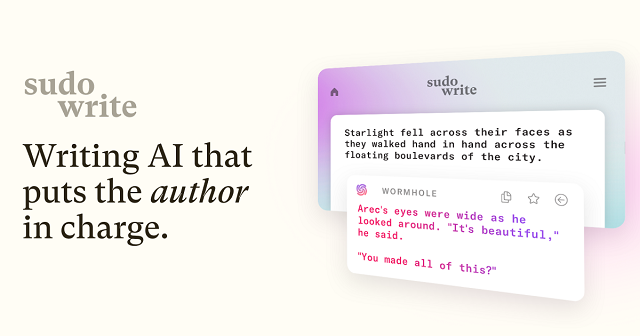
Who it’s for: Novelists, short story writers, fanfiction authors, or anyone writing narrative fiction
Sudowrite was built from the ground up for fiction writers. Unlike more generalized tools, it doesn’t just spit out ad copy or SEO blurbs — it actually knows how to build scenes, mimic character voices, and help you write prose that doesn’t sound robotic.
Its standout feature is “Story Engine,” a tool that lets you build characters, plan arcs, and write chapters while the AI keeps track of everything. You can feed it a paragraph and ask for sensory details, alternative dialogue, or even emotional tweaks. Stuck on a scene? It’ll help finish it in your tone. Want to rewrite a flat sentence? It’ll offer five options — including one that’s “more poetic” and one that’s “weirder.”
It also remembers long chunks of story, thanks to its larger context window. That means your character doesn’t suddenly change tone halfway through a scene.
Strengths:
– Designed specifically for fiction
– Flexible tone rewriting
– Excellent “Show, don’t tell” assistant
– Unique brainstorming tools like “wormhole” and “twist”
Flaws:
– Slight learning curve if you’re new to AI writing
– Sometimes outputs cliché or overly safe phrasing
Why it stands out:
Sudowrite feels like it was built by fiction writers for fiction writers. It doesn’t try to take over your story — it gives you better options when you’re stuck and lets you stay in control of your voice.
Jasper AI – Blending Creativity with Content Strategy
Who it’s for: Writers who juggle creative content and business writing, or need flexible tone-shifting
Jasper AI has long been a go-to for marketers and content teams, but it’s also surprisingly useful for creatives — especially those working across genres or formats. Its tone control tools are solid, and its built-in templates offer everything from story hooks to social-friendly blurbs.
It shines in hybrid creative workflows. If you’re writing a novel and need to build a back-cover description, Jasper can help. Need a scene rephrased in a sarcastic or romantic tone? Jasper handles that too. And if you’re writing for clients — say, ghostwriting steamy fiction while also managing their email list — this tool adapts fast.
The interface is clean and quick to navigate. Plus, Jasper’s “brand voice” settings let you train it on your style, which makes it much more useful for serialized or long-form writing.
Strengths:
– Tone flexibility across formats
– Solid at story starters and hooks
– Brand voice customization works well
Flaws:
– Not fiction-specific; less helpful for scene continuation
– Gets stiff or formal if you don’t guide it well
Why it stands out:
Jasper hits a rare middle ground: creative, but grounded. It’s one of the best AI for creative writing if your work blends storytelling, marketing, and the occasional splash of poetry.
Claude – Emotionally Fluent and Surprisingly Human
Who it’s for: Writers who care about nuance, emotional tone, and narrative flow
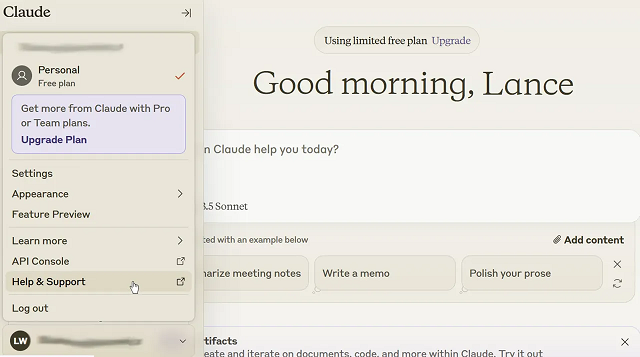
Anthropic’s Claude has emerged as a favorite among writers who need more than just competent text — they want their AI to actually “get” human emotion. And Claude does. Compared to more assertive, high-energy tools, Claude’s responses feel calm, deliberate, and often startlingly insightful.
This makes it especially good for creative writing. Claude is strong at continuing a narrative in the same voice, rewriting paragraphs with a softer or more dramatic tone, and understanding subtext in dialogue. It’s ideal for writers crafting sensitive character moments, emotionally complex scenes, or internal monologues.
Claude’s longer context window also helps — it can “remember” much more of your work as you write, allowing it to stay consistent over several pages. You can feed it an entire chapter and ask for notes, edits, or alternate takes on key scenes.
Strengths:
– Natural, emotionally intelligent language
– Excellent for tone matching and dialogue
– Long-form consistency
Flaws:
– Doesn’t come with a built-in UI — best used through third-party tools or dev setups
– Occasionally too passive or cautious in suggestions
Why it stands out:
Claude is less flashy than other tools, but it’s one of the best AI for creative writing if your work leans on subtlety, sensitivity, and strong voice control. It feels more like a writing partner than a machine.
Copy.ai – Fast, Flexible, and Idea-Driven
Who it’s for: Creators juggling copy and creativity — social writers, short story dabblers, content marketers with a narrative streak
Copy.ai is known for fast content generation, but that doesn’t mean it can’t be creative. If you’re looking for a tool that can help spark story ideas, reframe a scene in a punchier way, or turn a vague prompt into something usable, this one’s surprisingly versatile.
Its real strength lies in short-form ideation. Writers use Copy.ai to brainstorm story titles, pitch concepts, rewrite blurbs, or turn journal entries into structured scenes. While it isn’t purpose-built for fiction, it works well as a drafting assistant — especially in early-stage idea development or voice experimentation.
The interface is clean and fast, and it lets you shift tone easily. You can also train it slightly by feeding previous writing samples or using its prompt enhancer feature.
Strengths:
– Great for brainstorming and quick rewrites
– Easy to use for multi-format writing
– Good tone-shifting tools
Flaws:
– Not ideal for long-form or full-scene continuity
– Lacks the depth fiction writers may want for arcs or dialogue
Why it stands out:
Copy.ai is one of the best AI for creative writing if you’re early in your process or looking to keep your writing fresh. It won’t finish your novel — but it might help you finally start it.
Notion AI – From Notes to Drafts in One Click
Who it’s for: Creative thinkers who work in outlines, notes, or scattered ideas
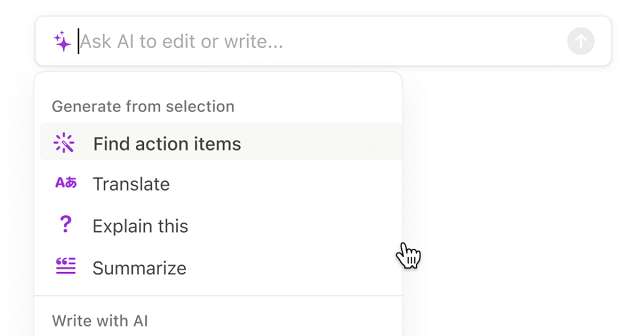
Notion AI isn’t a traditional writing app — and that’s what makes it useful. Built into the broader Notion workspace, it’s perfect for writers who brainstorm in chunks: notes, bullet points, scene fragments, character boards. It helps bridge the gap between scattered ideas and something resembling a real draft.
You can highlight a messy block of text and ask Notion AI to rework it into paragraphs. Or give it a prompt like “turn this list into a poetic description” — and it often surprises you. It’s especially useful for those who plot stories in Notion already, or use it as a second brain for creative projects.
That said, Notion AI is still limited. It’s not optimized for story arcs or tone consistency across scenes. But for what it does — fast, flexible synthesis of messy notes — it’s genuinely helpful.
Strengths:
– Perfect for idea-to-draft conversion
– Feels natural for Notion users already organizing their writing
– Handles tone changes well within a short form
Flaws:
– Not built for deep narrative or long-form fiction
– Limited memory and continuity between prompts
Why it stands out:
If your creative process lives inside Notion, this is a no-brainer. Notion AI is one of the best AI for creative writing if you’re constantly jumping between outlines, dialogue sketches, and half-formed ideas.
Rytr – Budget-Friendly and Surprisingly Capable
Who it’s for: Writers on a tight budget who still want creative support
Rytr doesn’t make headlines, but it punches above its weight for the price. For under $10/month, you get a clean interface, tone customization, and a solid variety of use cases — including storytelling, poetry, and creative descriptions.
It’s especially good for early drafts. You give it a short prompt or a few bullet points, and Rytr spins it into something usable. It won’t nail complex arcs or subtle character beats, but it’s great at rewording, summarizing, or throwing out ideas when you’re blocked.
The tone controls are easy to use — and surprisingly specific. You can request “humorous,” “convincing,” or “narrative” tones and watch your writing shift accordingly. It’s ideal for short stories, content blurbs, or even RPG world-building prompts.
Strengths:
– Very affordable
– Great for short creative tasks
– Clean and simple interface
Flaws:
– Struggles with long-form or layered scenes
– Occasionally generic without strong prompts
Why it stands out:
Rytr is one of the best AI for creative writing if you’re on a budget and want help generating or reshaping content. It’s not fancy — but it gets the job done better than you’d expect.
Writesonic (Chatsonic) – Experimental and Versatile

Who it’s for: Writers who like to test tone, remix style, or push genre boundaries
Writesonic’s Chatsonic feature is one of the more flexible AI tools out there. It’s a conversational interface like ChatGPT, but with real-time web access (optional), built-in personas, and plenty of voice-shifting options. If you’re the kind of writer who likes to say “give me a weird version of this paragraph” or “rewrite this as if it’s narrated by a washed-up detective,” Chatsonic will actually try.
It supports long-form writing reasonably well — not at the level of Sudowrite or Claude, but better than most generic bots. And it’s fun to experiment with. Whether you’re drafting strange genre crossovers, writing fiction for newsletters, or testing tone for character dialogue, it gives you options that feel fresh.
Its free tier is limited, and the interface can be busy. But if you’re a flexible, idea-driven writer who thrives on prompts, this tool can unlock unexpected directions.
Strengths:
– Highly experimental
– Great at voice play and tone shifts
– Option for web-connected generation
Flaws:
– UX can be overwhelming
– Requires strong prompting for best results
Why it stands out:
Chatsonic is one of the best AI for creative writing if you want to push boundaries or just see what happens when you let the AI get weird. It’s not polished — but that’s kind of the point.
Lex.page – Minimalist Writing, Maximum Focus
Who it’s for: Writers who hate clutter and just want to write
Lex isn’t trying to be everything. It’s a distraction-free writing space with built-in AI features that actually feel helpful. The interface is bare bones — like Google Docs stripped down to its essentials — and that’s exactly what makes it work for creatives.
The AI works in-context. You can ask it to finish your sentence, generate alternative phrasings, or even pitch better transitions. It’s not trying to manage your story arc or world-building. It’s just there to help you move forward when you stall.
Lex shines in the early and mid stages of writing — when you’re putting down messy ideas and want help sharpening them up. It’s not for outlining or planning. It’s for writing.
Strengths:
– Minimal UI, fast workflow
– Great for polishing drafts without overcomplicating them
– In-line suggestions feel natural
Flaws:
– Lacks structure or creative templates
– Not suitable for complex fiction building
Why it stands out:
Lex is one of the best AI for creative writing if you just want a clean, focused place to write — with a little AI support when you need it, and silence when you don’t.
Why Some Writers Still Build Their Own Tools

Even with all the polished AI tools on the market, not every writer finds what they need out of the box. That’s especially true for creators working in niche genres, serialized fiction, interactive storytelling, or erotica — where tone, format, and audience expectations often push the limits of what standard AI writing tools are built for.
Sometimes it’s less about what a tool can do, and more about what it doesn’t let you control. Want your AI to write in your exact tone? That’s tough without training a model on your own writing. Want a chatbot that responds like your character would? Good luck customizing that deeply with most commercial tools. What if you need a place to host fan-written stories behind a paywall, or build an AI editor that gives scene-level feedback based on your specific narrative style?
That’s where custom AI comes in — and more writers are realizing they don’t have to wait for someone else to build it.
Indie creators, ghostwriters, digital publishers, and even roleplay game writers are quietly hiring developers to build tools that match their vision. Some want an AI writing assistant trained on their past work. Others want full platforms — complete with subscription monetization, user-generated content tools, or AI character bots. Some even want “closed-loop” systems: tools that write, edit, publish, and track engagement, all under one roof.
It’s not about ditching the creative process. It’s about designing tools that fit into your workflow, your market, and your voice — instead of forcing yourself to adapt to a tool made for someone else’s goals.
And if you’re serious about that route, building from scratch isn’t as wild (or expensive) as it used to be. That’s where Scrile AI comes in. Let’s talk about that.
Memory, Continuity, and Why Stories Break
When people search for “best AI for interactive stories (continuity)” they usually mean one thing: the story stops behaving like a story. Names change. Relationships reset. A character forgets a defining event.
In practice, there are three different “memory” layers:
1) Context window (what the model can see right now)
2) Long-term memory (saved facts recalled later)
3) Lorebooks / story bibles (structured canon injected when relevant)
If your priority is deep roleplay with long narrative arcs, choose tools that give you long-term memory or lorebook-style controls — not just a generic text generator.
NovelAI — Built for Interactive Stories and Continuity
Who it’s for: Writers who want interactive storytelling, branching scenes, and better continuity across long narrative sessions

NovelAI is one of the most “story-native” options when your goal is not a polished marketing paragraph, but a living narrative that keeps its own logic. The big advantage is how it treats memory: you can keep important story facts consistently visible to the model, so characters don’t randomly change motivation mid-arc.
If you write fanfiction, RPG-style adventures, or serialized chapters, NovelAI’s workflow feels closer to “writing inside a story engine” than chatting with a generic bot. It’s especially useful when you want the AI to keep returning to the same canon details, relationships, and world rules without re-explaining everything each time.
Strengths:
– Great for interactive stories and long narrative flow
– Memory-style controls help reduce continuity drift
– Strong for genre fiction, fanfiction, and RPG writing
Flaws:
– Not the best choice for “brand voice” marketing workflows
– Requires a bit of setup to get the most from memory/lore
Why it stands out:
NovelAI is one of the best AI tools for interactive stories in 2026 if continuity matters more than corporate polish.
Kindroid — Roleplay Chat with Long-Term Memory for Deep Characters
Who it’s for: Roleplay writers who want deep characters, evolving relationships, and long narrative continuity
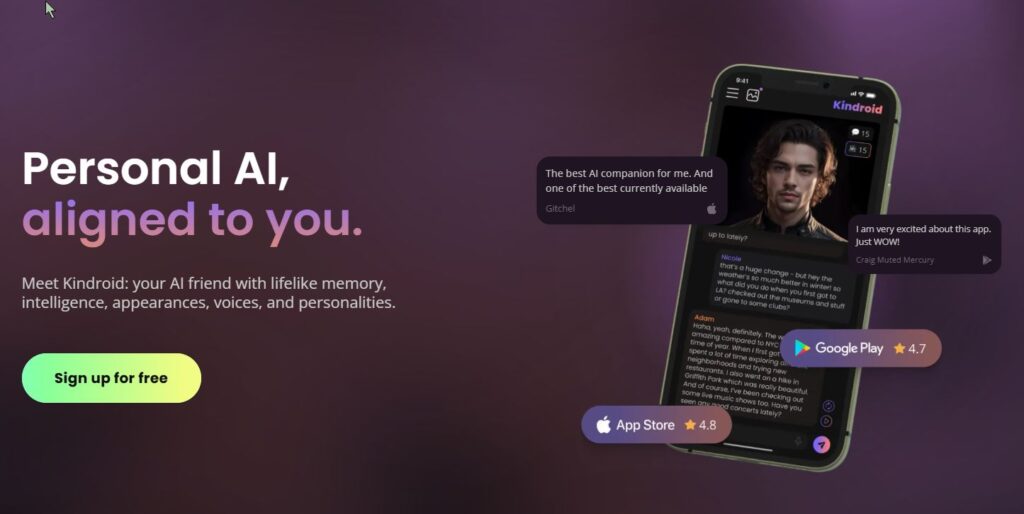
If your core query is “best AI roleplay apps for long narrative story writing (good memory)”, this is the type of tool you’re actually looking for. Kindroid is built around layered memory systems designed to preserve important details over time, so your character can stay consistent across weeks of story progression.
This makes it a strong pick for ongoing roleplay, character-driven interactive fiction, and romance/relationship arcs where small details matter. Instead of constantly re-feeding context, you build a stable base (backstory, key memories, journal-style entries) and let the conversation evolve.
Strengths:
– Designed for ongoing character continuity
– Long-term memory approach helps maintain “who the character is”
– Great for relationship arcs and long-running stories
Flaws:
– Less ideal for structured “novel drafting” workflows
– Best results often depend on how well you set up the memory inputs
Why it stands out:
Kindroid fits the 2026 “memory-first” roleplay use case better than most general writing apps.
SillyTavern — Power-User Roleplay Setup with Lorebooks (World Info)
Who it’s for: Advanced roleplay writers who want maximum control over lore, character rules, and continuity
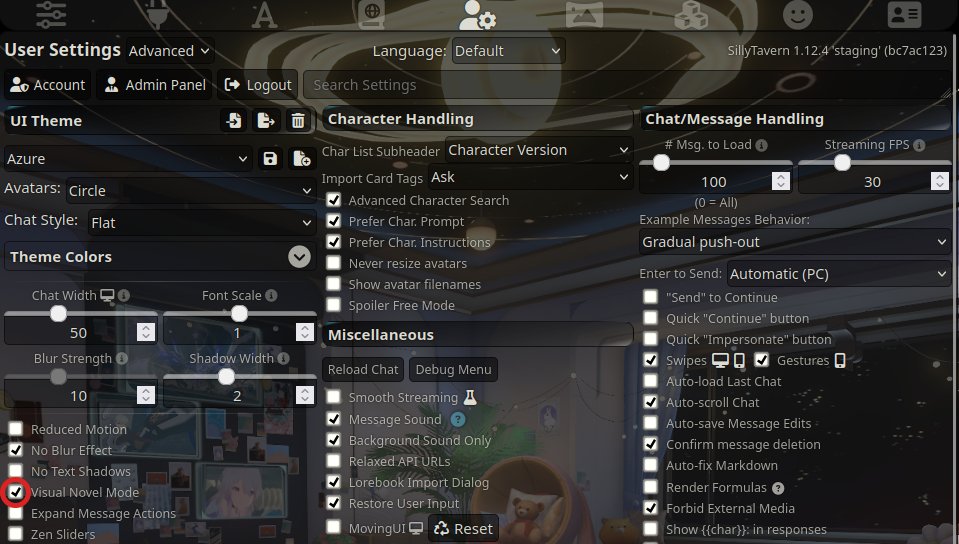
SillyTavern isn’t “one AI model”. It’s a roleplay-focused interface that lets you build story structure around your chats. The key feature for long narrative continuity is World Info (also called lorebooks/memory books): you store canon facts, character rules, locations, and recurring details, and the system injects them when relevant — so the AI doesn’t drift as easily.
This is the kind of setup people use when they’re serious about deep characters, consistent worldbuilding, and long-form interactive storytelling — especially if they’ve outgrown simple chat apps.
Strengths:
– Lorebook/World Info system improves continuity
– Highly customizable roleplay workflow
– Great for long-running stories with stable canon
Flaws:
– Setup time (it’s not a “one-click app”)
– More moving parts than a typical chatbot
Why it stands out:
If continuity is your #1 pain, a lorebook-based workflow is often the most reliable fix.
Novelcrafter — A Story Bible (Codex) That Keeps Your World Consistent
Who it’s for: Novelists and fanfiction writers who need a story bible to prevent continuity errors
Novelcrafter is less about “generate a paragraph” and more about building a durable writing system. Its Codex works like an intelligent story bible: characters, locations, plot threads, and progressions stay organized so you can keep a series consistent across chapters.
For long-form fiction (especially series and fanfiction), this is a big deal: continuity breaks happen when your world knowledge is scattered. A story bible workflow reduces that friction — and makes it easier to feed consistent context into your writing process.
Strengths:
– Strong story bible / worldbuilding organization
– Great for long projects and series continuity
– Helps reduce character/lore drift over time
Flaws:
– Learning curve compared to simple tools
– More “system” than “instant chatbot”
Why it stands out:
If your creative writing pain is continuity, a dedicated story bible tool beats generic note apps.
Build a Custom Creative Writing AI App with Scrile AI

Most off-the-shelf writing tools are designed to be one-size-fits-all. That’s great for convenience — until you realize that convenience comes at the cost of flexibility, control, and long-term growth. If you’re serious about building a creative writing product that does more than generate text, you need something that’s yours from the ground up.
That’s where Scrile AI comes in. It’s not a plug-and-play app. It’s a full-scale custom development partner for founders, publishers, and creators who want to launch unique AI-powered platforms tailored to their voice, workflow, and audience.
Let’s say you’re a fiction writer with a massive back catalog and want to turn your style into an AI co-writer. Or you’re a digital publisher looking to build a platform for serialized fiction, complete with reader interaction, content controls, and pay-per-story monetization. Scrile can build that — and much more.
Here’s what Scrile AI can help you create:
- AI writing assistants with memory, tone control, and plot-awareness
- Character development tools trained on your world and lore
- Interactive storytelling apps with reader input or chatbot-style narration
- Monetized platforms for creators, featuring subscriptions, tips, or affiliate links
- NSFW-friendly tools for erotica writers, adult publishers, or fantasy roleplay
- Teacher or tutor tools for creative writing courses with AI feedback built in
Unlike generic SaaS tools, Scrile’s solutions are:
- Fully branded — your name, your domain, your UI
- Data-private — you control the training data and who sees it
- Legally yours — no terms of service conflicts when it comes to AI-generated content
- Flexible for growth — built to scale, integrate, and monetize however you want
Whether you’re a solo author building a writing assistant, or a startup launching the next Wattpad-style platform, Scrile AI brings the backend muscle and frontend polish to help you launch fast — and scale with confidence.
And yes, that includes romance, smut, fanfiction, or whatever other genre mainstream tools tend to shy away from.
If you’ve ever thought, “I wish there was a tool that did this,” Scrile can help you build it.
Conclusion
Creative writing isn’t going anywhere — it’s just evolving alongside the tools we use. The rise of AI hasn’t made writers obsolete. If anything, it’s given them new ways to work, experiment, and push past creative blocks. Whether you’re crafting novels, building fanfiction communities, or scripting interactive stories, the right AI can enhance your process without taking it over.
Tools like Claude, Jasper, and Sudowrite are already helping thousands of writers draft faster and rewrite smarter. But if you’re dreaming bigger — building your own platform, shaping AI in your voice, or monetizing a writing app that doesn’t exist yet — it might be time to go custom.
That’s where Scrile AI comes in. It’s not just another writing tool. It’s your development team for building something original. Explore what Scrile AI can help you create — and turn your creative vision into a working, scalable product.
FAQ – Best AI for Creative Writing (2026)
What is the best AI for creative writing in 2026?
“Best” depends on what you mean by creative writing. If you want voice control and emotionally consistent scenes, tools that behave like a writing partner tend to win. If you want fast drafting and clean rewrites for mixed creative + marketing work, “structured” writing tools often feel smoother.
A simple way to choose is to test the same scene in 2–3 tools: one dialogue-heavy, one descriptive, and one with a tricky tonal shift. The best option is the one that keeps your intent without flattening your style.
What’s the difference between an AI writing app and a roleplay/story engine?
Writing apps are usually designed for producing text outputs: drafts, rewrites, outlines, summaries, and edits. They’re great when you’re “authoring” something and want control over structure and clarity.
Story engines and roleplay-style chat apps are built for ongoing narrative flow. They often feel more like interactive fiction: you steer the scene in real time, and the tool tries to maintain character behavior, relationships, and continuity across many messages.
Which AI is best for long interactive stories with continuity?
For long, interactive storytelling, continuity matters more than “pretty paragraphs.” Look for tools that support memory features, lorebooks, or a story-bible workflow—anything that prevents the AI from forgetting names, timelines, and relationship dynamics.
If you’re writing serialized chapters, RPG campaigns, or fanfiction arcs, pick a tool that lets you keep canon facts “always visible” to the model. That single feature often beats raw model quality in real-world long sessions.
How does “memory” work in creative writing AI tools?
Most “memory” is really three layers: the current context (what the model can see right now), saved long-term facts (character notes, preferences, relationships), and structured canon (lorebooks/story bibles injected when relevant).
When stories break, it’s usually because the canon lives only in your head or scattered notes. A memory-friendly workflow keeps key facts in one place and re-feeds them consistently, so the AI doesn’t drift or reset the scene logic mid-arc.
How do I make the AI match my character voice and tone?
Give the AI a short “voice sheet”: a paragraph describing the character’s worldview, a few signature phrases, what they never say, and a tiny sample of dialogue in your preferred style. Voice control improves fast when the rules are specific.
Also feed it the last 1–2 turns of your best writing and ask for continuation “in the same cadence.” If the tool keeps sounding generic, tighten constraints: fewer adjectives, shorter sentences, or a fixed point-of-view rule.
Can AI help with worldbuilding without contradicting my canon?
Yes—if you treat canon like a database. Keep a compact “world rules” doc: geography, factions, magic/tech limits, timeline anchors, and character relationships. Then instruct the AI to propose ideas that must obey those rules.
A good pattern is: ask for 10 options, then force the AI to “self-check” each one against your rules and flag contradictions. This produces fewer flashy surprises, but far fewer continuity disasters.
What’s the best workflow for fanfiction, roleplay, or RPG-style writing?
Fanfiction and RPG writing usually fail at the same spot: the AI forgets the “fixed” universe facts. The solution is a lorebook or story bible that stores canon details (character traits, relationships, locations, recurring items) and injects them when relevant.
Start small: 20–40 canon facts beats a 20-page encyclopedia. Then expand only when you see repeated drift (names, timeline, motivations). Your lore should grow from real failure points, not from perfectionism.
Is it safe to paste my unpublished manuscript into AI tools?
Treat it like any third-party platform: read the privacy policy, retention rules, and whether your data can be used to improve models. If you can’t clearly find those answers, don’t paste your most sensitive material.
A safer compromise is to share only what the AI needs: a scene excerpt instead of the whole chapter, placeholder names for sensitive details, and a separate “canon summary” you control and can reuse across tools.
Will AI-generated text cause plagiarism or copyright issues?
AI can accidentally produce familiar phrasing—especially if you ask it to imitate a specific author too closely. The practical rule is: use AI for drafts and exploration, then revise with your own voice and do a final originality check if you publish commercially.
If you’re building a business workflow, prefer tools and prompts that focus on your unique style guide (your characters, your lore, your tone constraints). That reduces “generic internet echo” and makes the output more reliably yours.
When does it make sense to build a custom creative writing AI app?
If writing is your product (not just your hobby), custom starts to make sense. That includes roleplay platforms, interactive fiction apps, fan communities, and tools that monetize premium stories, characters, or creator-owned worlds.
A custom build lets you control the UI, safety rules, monetization, and memory system—so your users aren’t stuck with a generic chatbot that forgets canon every 20 messages.

Polina Yan is a Technical Writer and Product Marketing Manager, specializing in helping creators launch personalized content monetization platforms. With over five years of experience writing and promoting content, Polina covers topics such as content monetization, social media strategies, digital marketing, and online business in adult industry. Her work empowers online entrepreneurs and creators to navigate the digital world with confidence and achieve their goals.
Thank you for acknowledging serialized/NSFW writers. Mainstream tools often pretend we don’t exist. If Scrile can do character bibles + paywalled chapters + AI chat in one place, that’s… kind of my dream platform.
Long-form consistency is everything. Claude’s context window helps, but Sudowrite remembering a character’s sensory palette is next-level. If Scrile AI can lock house style across multiple authors, we’d finally standardize tone for anthologies.
Notion AI → first pass from messy notes, then students refine in Lex. Your point about “voice-aware” vs “autocomplete” is exactly what I’m trying to teach: craft still matters. The tool just gets them to the page faster.
Copy.ai has been my chaos button for titles and hooks, then I pull drafts into Lex to calm everything down. Loved that you listed strengths and flaws — most roundups don’t admit when a tool leans cliché without guidance.
Jasper’s Brand Voice + Claude’s nuance = my entire workflow. Jasper for blurbs/sales pages, Claude for tender dialogue. Curious about Scrile AI though — has anyone here trained a custom assistant on their back catalog? How painful was the dataset prep?
I felt so seen reading “the best AI doesn’t replace your voice — it supports it.” Sudowrite’s Story Engine helped me unstuck a mid-book sag, but Claude is what keeps my character voices consistent. This breakdown nailed the difference. 🙏
Chatsonic is my “get weird” lab. I’ll ask it to rewrite a scene “as if narrated by a retired luchador detective” and it actually tries 😂. Not always usable, but it shakes ideas loose. Glad you called out prompt sensitivity.