

Quick answer
A free scheduling app can work for a cleaning business, but only while your schedule still behaves like a simple calendar. Once the work turns into recurring visits, route order, shared crew ownership, or same-day rescheduling, the free plan usually starts creating manual rework instead of saving time. This guide shows the exact boundary so you can tell whether a solo setup, a small crew, or a multi-location operation can stay free without paying in missed visits and extra admin.
Cleaning businesses do not usually outgrow scheduling software because of bookings alone. They outgrow it when bookings turn into dispatch: one client changes access instructions, another shifts a weekly visit, and a cleaner needs to swap out of a route without throwing the whole day off. That is why a decision-stage article like scheduling app for small business should not stop at “can it book?” and why a more workflow-specific guide, such as appointment scheduling software for service business, matters when the work becomes repetitive and customer-facing.
On the surface, a free plan looks attractive because it removes cost pressure. In practice, the first hidden cost is manual correction: someone rebuilds recurring visits, chases confirmations, and keeps the route readable after a cancellation. Connecteam’s cleaning business review makes that operational point well by focusing on scheduling accuracy, crew coordination, GPS visibility, and proof of work rather than only on bookings. Square’s cleaning-services setup shows the same boundary from another angle: recurring appointments, reminders, staff calendars, and multi-location management are useful because they reduce the amount of office rescue a team needs. If your current tool cannot do those things cleanly, the “free” choice can become the expensive one.
What cleaning work actually asks from a free scheduler
A cleaning schedule has a different shape from a standard appointment book. It has repeat visits, access notes, route pressure, and the occasional same-day change that affects more than one job. A free scheduler only earns its place if it handles those realities with enough clarity that a dispatcher does not need to rebuild the day by hand. If you are still comparing broad categories, the same logic applies in booking app for service business selection, but cleaning is stricter because travel, recurrence, and site-specific instructions all hit the same calendar.
Solo cleaner vs small crew vs growing team
A solo cleaner can often survive on a simple free calendar with reminders and a few client notes. That setup falls apart as soon as a second person needs visibility, because then the schedule is not just a list of times — it is a handoff system. A small crew needs jobs assigned to the right person, and a growing team needs that assignment logic to stay readable even when one cleaner is covering commercial sites and another is handling residential stops.
One-off jobs vs recurring visits
One-off jobs are easy to judge because any tool that can place a booking on a date and time looks good enough. Recurring work is the real test. Weekly, biweekly, and monthly cleanings should survive as patterns, not as a chain of cloned entries that someone has to edit every week. Square’s cleaning-services workflow treats recurring appointments as a core function for a reason: a repeat contract is not just another booking, it is a repeating obligation that should stay stable when the client changes a date or the crew changes a shift.
That difference is easy to miss when you are comparing software by feature lists. A free plan can look complete until you try to move a recurring visit across a month boundary, add a holiday exception, or pause one stop in a route while the others continue. At that point, a calendar-only tool starts behaving like a spreadsheet with notifications, and the office absorbs the complexity instead of the software. If you have ever lost half an afternoon to “just move these three visits,” you have already crossed the line where recurrence matters more than raw booking volume.
Route order is not the same as calendar time
Route efficiency is the biggest reason cleaning businesses outgrow basic free schedulers. A calendar tells you that a visit starts at 2:00. It does not always tell you whether 2:00 belongs before the 1:30 stop across town or after the site that sits five minutes away. Once travel enters the schedule, order matters as much as time. Even a short backtrack between jobs can waste fuel, create late arrivals, and turn a full day into a half-empty one.
Connecteam’s cleaning-business software review is useful here because it evaluates scheduling alongside GPS tracking, team coordination, and proof of work. That combination reflects what route-heavy teams actually need: not only a place to put jobs, but a way to confirm who is where and what happened on site. A free tool that only shows time slots is not wrong; it is simply not enough once the schedule has to function like dispatch. For a cleaning team on the move, that distinction is usually worth more than another reminder feature.

Where free plans are still usable
Free is not automatically useless. It can work if your business volume is low, your routes are simple, and one person can still see the whole week without jumping between screens. The point is not to dismiss free plans; it is to place them in the right operating zone before the schedule starts breaking under its own weight.
Minimum viable setup for a low-volume cleaner
A very small cleaning business can often stay free if it has one calendar, a manageable number of clients, and only a few repeating visits. In that setup, the app mainly needs to accept bookings, send reminders, and keep client notes attached to each job. That is enough when the business is still close to solo work and the schedule changes slowly enough that manual edits do not pile up.
Cases where a free plan is enough
A free plan is usually enough when all of the following are true: the business has one or two users, jobs happen in one service area, recurring visits are simple to manage, and rescheduling is rare. It can also be enough when the schedule is mostly one-off work, such as move-out cleans, deep cleans, or occasional commercial jobs that do not need route sequencing. The moment you start adding more than one dispatcher view, more than one territory, or more than one kind of repeat pattern, the free plan becomes harder to defend.
What “free” should still do for cleaning work
Even a free plan should do more than show a calendar. It should store access notes, let you attach client-specific details, and send reminders that reduce no-shows or forgotten entry windows. Square’s cleaning-services page is a good reference point because it treats reminders, staff calendars, and recurring appointments as part of the same flow. If a free tool cannot keep those basics together, then the plan is free only in price, not in labor.
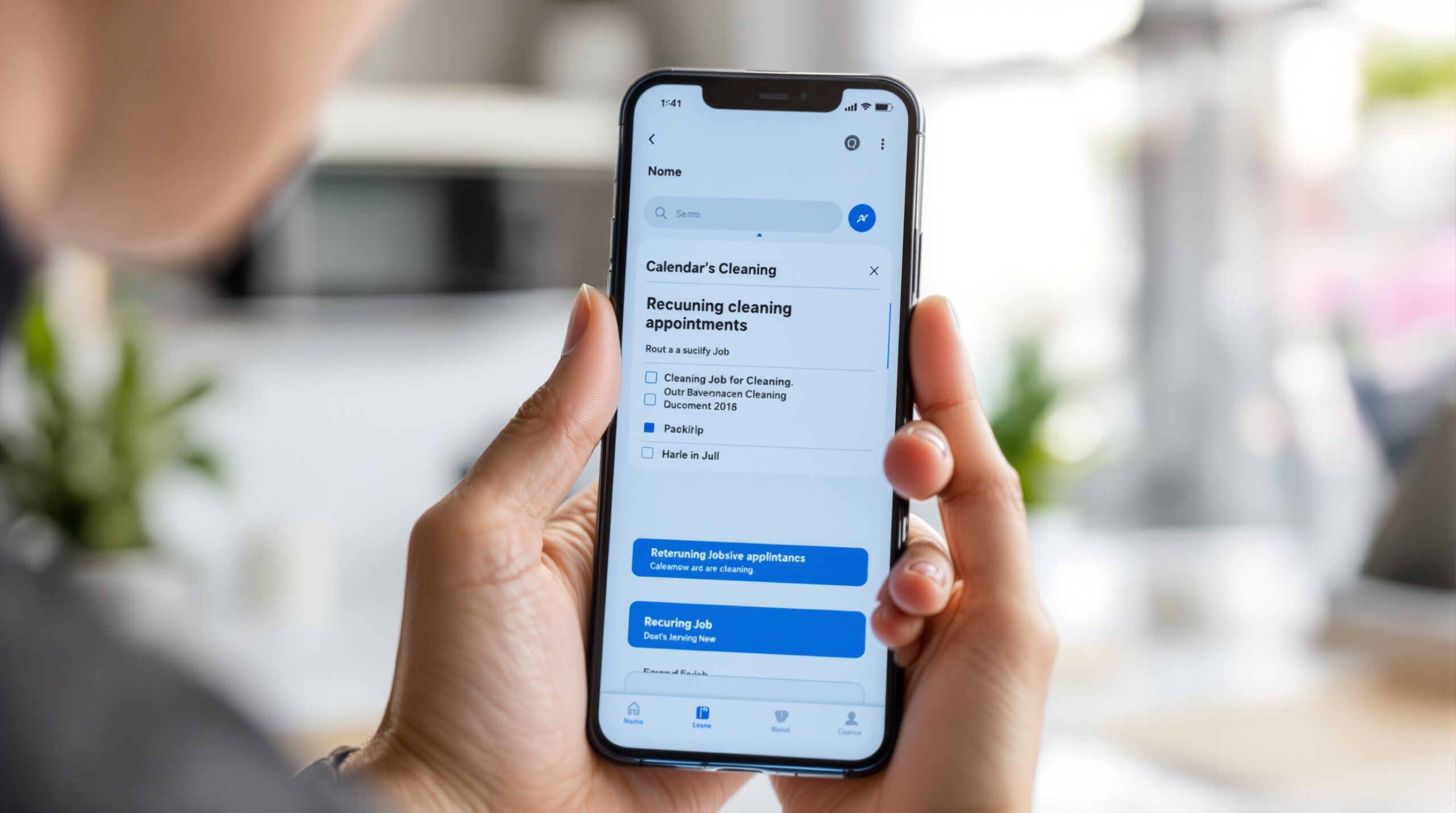
Where free plans break for cleaning operations
Most free schedulers do not fail dramatically. They fail by adding small pieces of friction that become routine: extra clicks, extra calls, extra manual fixes, and extra time spent stitching together a day that the app should have carried on its own. That is why the failure points matter more than the feature list.
Route-heavy work starts to leak time
Once a day includes stops in different neighborhoods or across different buildings, route logic becomes a real cost factor. A free plan that cannot sequence jobs by area forces someone to do that reasoning manually. That creates dead time between visits, and dead time is how a full schedule quietly turns into an underused one. Cleaning teams usually notice the problem not in the app, but in the fuel bill and the late-start complaints.
Crew assignment becomes a management problem
A single cleaner can operate inside a calendar. A crew needs ownership rules. When the same lead handles one contract and an assistant covers another, the scheduler has to make the handoff visible without confusion. If it cannot show who owns what, then the manager becomes the system. That is exactly the point where a free plan stops being a convenience and starts becoming a dependency.
Access notes and job details get lost outside the schedule
Cleaning work lives on small details: lockbox codes, side-door instructions, pets in the home, security desk check-in, or a client asking the team to skip one room. If those details sit in chat threads instead of the job record, the schedule is incomplete. The cleaner arrives on time but still misses the real instruction, which means the visit was scheduled correctly and executed badly. A free scheduler that cannot keep those notes attached to the job is not handling the real work.
Same-day cancellations expose the weak point
Cleaning businesses lose a lot of time to reschedules and access problems. A client forgets to unlock a site, a building manager shifts the entry window, or weather changes the day’s order. Free plans often look fine until that first disruption, then they reveal whether the app can re-slot work fast enough to save the route. If it cannot, the office ends up dispatching by text message and rebuilding the calendar on the fly.
The more often that happens, the more the schedule stops feeling like software and starts feeling like triage. That is also why the same guidance appears in scheduling software for cleaning business discussions: you are not buying a calendar, you are buying the ability to absorb disruptions without losing the day.
Multi-location work makes weak scheduling obvious
A single-site business can hide a lot of problems. A multi-location cleaner cannot. The moment you need to separate territories, compare calendars across buildings, or keep several site rhythms aligned, the limits of a free plan become visible fast. Even if the software still looks usable, the dispatcher may already be spending more time checking for overlaps than actually planning the route.
Reminder gaps show up as no-shows and extra calls
Reminders are not a bonus feature for cleaning businesses; they are a control point. Email-only reminders may work for low-pressure internal work, but customer-facing cleaning often needs faster visibility. When reminders are weak, the result is missed access windows, forgotten appointments, and extra calls from the office. Square’s reminder and cancellation setup highlights this well because the value is not the message itself, it is the work that does not need to happen afterward.

Comparison criteria for choosing a free tool
Do not compare tools by how many features they list. Compare them by whether they survive the week you actually run. A cleaning schedule is tested by repeat work, route changes, and missing access. If a free app cannot hold up there, the price does not matter very much.
Scheduling and recurrence
Look first at how repeat jobs behave. Can the tool create recurring visits cleanly, pause one occurrence without breaking the pattern, and keep the client record connected to the repeating job? If it only creates repeated one-off entries, the free plan will become a maintenance problem as soon as the account grows beyond a handful of clients.
Routing and territory handling
If your crew travels, ask whether the app can at least group work by area. A tool does not need to be a full route optimizer to be useful, but it should make backtracking obvious and help you keep jobs in the right order. Calendar-only tools usually fail here. That failure is expensive because it hides inside travel time, not inside a software error.
Team visibility and role assignment
Cleaning teams need more than a shared login. Managers need to see who owns a site, who can move a booking, and who only needs read access. The tighter the team gets, the more important those permissions become. Connecteam handles that layer explicitly in its cleaning-focused review, while lighter apps often leave it vague until the paid tier.
Client notes, access details, and proof of work
Job notes should live inside the schedule, not beside it. That means access instructions, service preferences, and completion notes should stay attached to the visit record. If the free plan can also support proof of work, that is a bonus for quality-sensitive teams, especially when clients ask for evidence that the job was completed on time and at the right site.
Reminders, cancellations, and rescheduling
Late changes are normal in cleaning. A good free tool should make cancellation and rescheduling obvious instead of hiding them behind several screens. It should also send reminders that reduce client friction before the crew leaves. Square’s cleaning-services workflow is a useful benchmark here because it links reminders, cancellation policy, and recurring bookings instead of treating them as separate tasks.
Upgrade triggers and the real cost of staying free
Do not measure the free plan by its monthly fee alone. Measure it by the first limit that changes your work. If the cap is users, you will feel it in staffing. If the cap is locations, you will feel it in route waste. If the cap is reminders or automations, you will feel it in missed visits and more manual follow-up. That is the real cost of choosing the wrong free tool: not the subscription, but the rework.
For teams that want to compare more than one operational model, the broader overview in booking app for small business helps separate simple intake from real scheduling, and appointment scheduling software for small business is useful when you want to compare cleaning use cases with other service businesses that do not route crews across town. The point is to choose by workload, not by brand name.
| Scenario | What the free plan must do | What usually breaks first | Upgrade signal |
|---|---|---|---|
| Solo cleaner with low volume | Simple booking, reminders, one calendar, client notes | Limited automation and note handling | When repeat visits and reschedules start stacking up |
| Small crew with fixed routes | Assign jobs, share calendars, keep role ownership visible | Routing and permission control become manual | At 3-5 users or when the office is rebuilding the day |
| Multi-location cleaning business | Separate sites, recurring visits, territory clarity | Location caps and weak cross-calendar visibility | When one dispatcher has to check every overlap by hand |
| Route-heavy commercial cleaning | Order jobs by geography and crew load | Calendar-only scheduling creates travel waste | When fuel, gaps, and late starts become weekly problems |
Common mistakes when choosing a free scheduling app
Most bad choices come from confusing a booking tool with an operating tool. That mistake is easy to make because both tools show calendars, and both tools promise control. The difference appears only when the schedule has to survive real work.
Confusing intake with dispatch
A booking app can collect a time slot and send a confirmation. Dispatch has to do more: assign the right cleaner, preserve the route, and recover when the day changes. If the software only handles intake, the team will keep solving dispatch in chat, spreadsheets, or phone calls. That is manageable for a tiny workload and painful for anything larger.
Ignoring recurrence volume
One recurring client does not expose a weak tool. Ten recurring clients will. As repeat visits stack up, a free plan that looked fine at first can become the place where errors accumulate. That is why recurring work deserves more attention than one-off jobs in the first place: it multiplies whatever weakness the tool already has.
Ignoring route and crew complexity
Cleaning businesses often add complexity in layers, not all at once. First there is a second cleaner, then a second area, then a larger contract with separate access rules. By the time the team notices the tool is too thin, it is already carrying too many assumptions. The healthy setup is the opposite: route order, crew ownership, and rescheduling should be visible before the schedule gets busy.
That is also the point where a better fit may be a broader service workflow rather than a narrower calendar. If your operations are starting to look like a mix of booking, reminders, team visibility, and client handoffs, then the sibling guide on appointment booking software for small business can help you compare the category boundaries before you buy into a tool that only solves the front door.
What to do when free is no longer enough
Once the free plan starts forcing manual work, the question is no longer whether the app is good. The question is whether the business has outgrown that operating model. The goal is to move before missed visits, late starts, and route confusion become normal.
Use a short pilot, not a vague trial
Load one week of real recurring jobs, add one one-off booking, and include at least one same-day change. Then watch how much editing it takes to make the schedule usable again. If you need a lot of manual recovery, the app has already failed the test, even if the interface looks clean.
Check the pain point that appears first
Every free plan has a first hard limit. For some cleaning businesses it is users. For others it is locations. For others it is reminder volume or the inability to keep recurring jobs stable. The first pain point tells you more than the marketing page does, because that is the part of the product that will shape your daily work.
Move to a broader workflow only when the schedule says so
If your business has become a sequence of jobs rather than a list of bookings, it is time to look at a broader scheduling solution. That does not mean buying the biggest platform available. It means choosing the smallest tool that can still carry recurrence, route logic, and crew visibility without turning your office into the fallback system.
Scrile Meet: when cleaning scheduling needs a real workflow
A free scheduling app is fine while the job is still mostly “put the booking on the calendar.” Cleaning businesses usually outgrow that stage when recurring visits, route order, client reminders, and team ownership all have to work together. That is the point where a branded workflow matters more than another basic calendar, because the team needs one place to manage the whole process instead of patching together booking, chat, and follow-up tools.
Scrile Meet fits that handoff point: it is relevant when you want scheduling to sit inside a larger client flow instead of behaving like a separate utility. For operators who are already feeling the cost of manual rework, the useful question is not whether the tool looks simple, but whether it reduces the number of times the office has to step in and fix the day.
That makes it a stronger match for cleaning businesses that have outgrown calendar-only scheduling and need a system that can keep recurring jobs, team visibility, and service details in the same place. If your free plan is already breaking on recurrence, routing, or crew ownership, it is probably time to compare a workflow platform instead of stretching the free tier further.
See how Scrile Meet handles scheduling, video, chat, and payments if you want to compare that model against your current setup.
Ready to build the setup behind this?
If this is the operating problem you need to solve, use the product page as the next step. It shows where build your setup fits and what the platform covers beyond a single payment widget.
Frequently asked questions
When is a free scheduling app enough for a cleaning business?
It is usually enough when you are still close to solo work, serve one area, and only have a few recurring jobs. Once route order, crew ownership, or repeated reschedules become normal, free starts costing time instead of saving it.
What breaks first when a free plan is too small?
The first thing to break is usually not the calendar itself. It is the amount of manual recovery around it: moving recurring visits, reordering routes, and chasing confirmations that the tool should have handled.
How is route handling different from reminders?
Reminders reduce no-shows and forgotten access windows. Route handling reduces travel waste and late starts. A tool can do reminders well and still fail badly on route order, which is why cleaning teams should test both separately.
What is the clearest upgrade trigger for a cleaning team?
The clearest trigger is the first limit that changes your daily work, not your monthly bill. If users, locations, reminders, or recurring jobs start forcing manual edits, the free plan has already become a hidden cost.
Can a generic booking app replace dispatch for cleaning work?
Only for very small, simple workloads. Booking apps can take requests, but dispatch needs assignment, route awareness, and recovery from same-day changes. Without those, the app is only the front door.
Should a cleaning business choose free if it already manages multiple locations?
Usually no, unless the locations are tiny and the schedule is very simple. Multi-location work creates overlapping needs: different access notes, different route groups, and more visibility across calendars. That is where free plans tend to run out of room.

Builds SaaS platforms for content creators, agencies, and entrepreneurs. Writes about the business mechanics behind creator-economy products and how custom software actually ships.