
by Polina Yan
The landscape of Chatfuel competitors is expanding fast as brands seek automated conversations without losing control of tone, data, or workflows. When businesses ask what is Chatfuel, they generally mean a Messenger- and Instagram-first bot platform that lets non-developers build branching flows, keyword triggers, and broadcast sequences. Chatfuel handled early growth in chatbot adoption, but many teams now look toward alternatives that offer more flexibility, richer integrations or better ownership.
That shift matters because the global chatbot market is on a steep upward curve—valued at US $7.76 billion in 2024 and projected to reach around US $27.29 billion by 2030, growing at a 23.3 % CAGR through 2026-30.
In this article, we’ll walk you through five leading Chatfuel competitors, compare their features and pricing side-by-side, and then explain when and why a custom development path makes strategic sense.
Chatfuel in Context
Chatfuel grew popular by giving small teams a quick way to design chat flows without touching code. The platform focuses on channels where automated messages matter most—Facebook Messenger, Instagram DM, and, more recently, WhatsApp. Its builder uses blocks, buttons, keyword triggers, and simple logic steps to shape conversations. There’s also AI autofill for short replies and a set of broadcast tools for announcements or promotional pushes. For many early adopters, it functioned as a chafuel chatbot starter kit: fast to launch, easy to maintain, affordable to scale in the beginning.
Pricing stays within a predictable range. Plans typically start around $24 a month for small audiences and grow toward the $400 mark once brands need higher user limits, more channels, or priority features. The platform works well for straightforward automation, and you’ll find plenty of Chatfuel examples across retail, fitness, and small service businesses—FAQ bots that reduce support tickets, lead-capture flows that qualify customers, and simple routing setups that hand off to human agents.
Still, teams run into constraints once the use case becomes more than a linear script. Some limitations show up early:
- restrictions on branding the interface or embedding the bot into custom environments
- rigid workflows that don’t adapt well to unusual sales funnels or niche product logic
- limited control over data storage and how user information is handled
- dependency on Meta’s rules, which can change the behavior of the bot overnight
These friction points explain why businesses often explore Chatfuel competitors before making a long-term commitment. The moment a company needs deeper integrations, multi-language logic, or ownership of its data, the search for alternatives begins.
Chatfuel Competitors
Chatfuel works well for simple flows, but teams often reach a point where they need more channels, deeper logic, or stronger AI. That’s where the leading Chatfuel competitors start to make sense. Below are five options that show how different builders approach automation—each with its own pricing, strengths, and trade-offs.
ManyChat

ManyChat is usually the first name people meet when comparing Chatfuel competitors, mostly because it focuses heavily on growth tools for Instagram and Facebook. The interface leans toward creators and small shops that want automation without drowning in technical steps.
Features and channels
ManyChat supports Instagram DM, Facebook Messenger, WhatsApp, and web chat widgets. It offers a visual flow builder, comment auto-replies, story-triggered workflows, basic AI replies, and tools that turn post engagement into leads. The platform also integrates with Shopify, HubSpot, and Google Sheets, which helps teams sync marketing actions with store activity.
Pricing
ManyChat’s free plan covers basic IG + Messenger tools. Paid plans start around $15/month, but costs rise with WhatsApp usage and higher contact volumes, usually landing between $25–$65/month for active small businesses.
Pros
- growth-friendly automations tied to Instagram posts and comments
- simple visual editor suited for non-technical marketers
- good templates for lead capture and appointment flows
- reliable integrations for e-commerce syncs
Cons
- WhatsApp pricing is tied to Meta’s message fees
- limited control over data portability
- branding depends on platform rules
- more lightweight AI compared to newer builders
ManyChat feels more marketing-driven, while Chatfuel leans on structured logic blocks. For teams wanting IG-centric workflows, ManyChat often solves gaps Chatfuel can’t cover.
Botsonic

Botsonic sits on the AI-first side of Chatfuel competitors, designed for teams that want GPT-powered conversations trained on their own data. It feels less like a classic rule-based builder and more like a lightweight LLM interface that you can deploy without engineering work.
Features and channels
The core feature is data ingestion: you upload PDFs, URLs, or text, and Botsonic trains an internal knowledge layer that shapes replies. It connects to websites through an embeddable widget and supports API access for custom deployments. It’s strong for FAQ bots, support assistants, and any use case where answers must reflect documentation rather than canned flows.
Pricing
Paid plans usually start around $16–$41/month, depending on message volume, data limits, and branding controls.
Pros
- quick setup for AI-driven assistants without writing flows
- supports custom knowledge bases with decent accuracy
- widget branding options for website integration
- strong retrieval quality for documentation-heavy businesses
Cons
- conversation style depends heavily on GPT behavior
- fewer multi-channel options compared to other builders
- not ideal for complex funnels that require branching logic
- costs increase when traffic grows
While Chatfuel relies on structured blocks, Botsonic offers flexible AI responses. It attracts teams who prefer natural-language agents over rigid menu flows.
Tidio
Tidio sits somewhere between live chat, automation, and AI support. Among Chatfuel competitors, it’s one of the strongest for customer service because it blends human agents and bots inside the same panel.
Features and channels
Tidio supports website chat widgets, Instagram, Messenger, email routing, and a growing set of AI features. Lyro—their AI assistant—trains on your help center content and reduces repetitive workload for support teams. The system also includes ticketing, operator dashboards, and simple marketing automations.
Pricing
Paid plans usually start at $24/month for basic automation, while Lyro AI add-ons push total costs into the $49–$749+ range, depending on usage.
Pros
- strong combination of live chat + automation
- Lyro AI reduces support workload for common questions
- ticketing tools included, good for small support teams
- clean, modern interface
Cons
- advanced AI features cost extra
- limited flexibility for multi-step marketing funnels
- branding control depends on plan
- WhatsApp support is still developing
Tidio is better suited for support-heavy teams, while Chatfuel focuses more on predefined sequences. For businesses with active operator teams, Tidio frequently wins.
Landbot
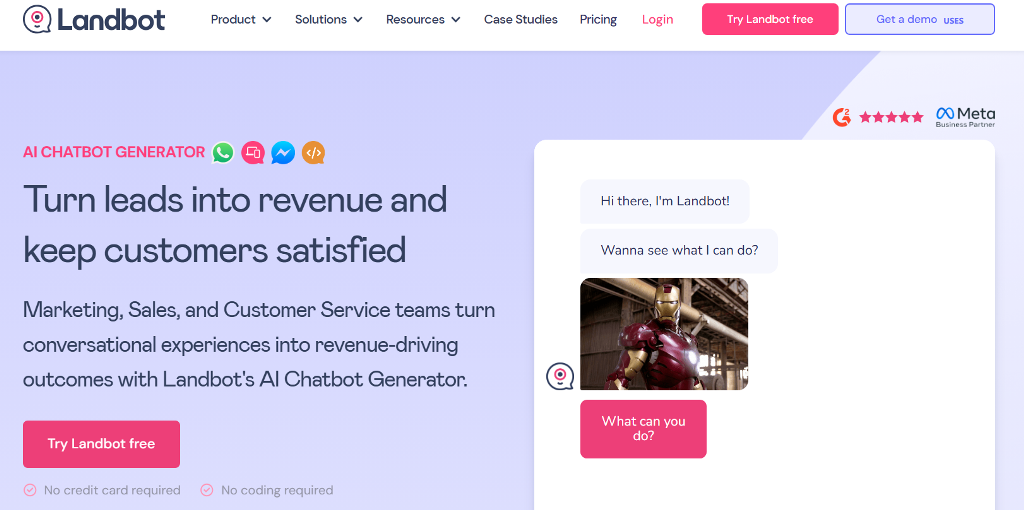
Landbot stands out among Chatfuel competitors because of its visual builder. Everything is laid out as draggable blocks that resemble a mind-map, which makes complex flows easier to reason about. It’s a favorite for teams that want custom logic without writing code.
Features and channels
Landbot supports web chat widgets, WhatsApp, Messenger, and API-based deployments. Its strength is the combination of conditional logic, variables, and integrations with tools like Zapier, Make, HubSpot, and CRMs. It also includes AI modules for semantic intent detection and knowledge-trained responses, but its biggest selling point remains the flexibility of the builder.
Pricing
Landbot starts around $40/month, with WhatsApp consumption fees added on top. More advanced plans for teams and enterprises run into the $200–$400+ range depending on usage and automation volume.
Pros
- one of the best visual flow builders in this category
- strong logic and variable handling for custom experiences
- multi-channel support with reliable WhatsApp integrations
- good fit for companies that need granular funnel control
Cons
- pricing climbs fast for WhatsApp-heavy operations
- AI features are improving but still secondary
- setup takes longer than simpler lightweight tools
- branding options limited on lower tiers
Landbot appeals to teams who need deeper logic than Chatfuel allows—especially when flows go beyond simple branching trees.
Customers.ai (MobileMonkey)
Customers.ai positions itself as a multichannel messaging hub, making it one of the more marketing-focused Chatfuel competitors. It’s built for businesses that want to automate conversations across Instagram, Messenger, SMS, and web chat while keeping all interactions in one inbox.
Features and channels
It includes lead capture tools, drip sequences, omnichannel chat, unified inbox, growth widgets, and automation templates. Customers.ai also offers agency-focused features like client workspaces, white-labeled reports, and team management. AI add-ons include GPT-powered message generation and auto-responses for DM engagement.
Pricing
Customers.ai’s pricing isn’t as transparent as others. Plans typically start at $19–$49/month, but Instagram- and SMS-heavy teams often pay more due to volume-based messaging costs.
Pros
- omnichannel messaging hub with unified inbox
- strong set of tools for agencies and marketers
- Instagram DM automation is reliable
- white-labeling available on higher plans
Cons
- pricing varies depending on channel usage
- fewer native integrations compared to other platforms
- interface can feel cluttered for small teams
- SMS workflows can become expensive
Customers.ai covers more channels than Chatfuel and is better suited for digital agencies or growth marketers managing multiple brands.
Comparison Table
| Feature / Tool | Chatfuel | ManyChat | Botsonic | Tidio | Landbot | Customers.ai |
| Channels | Facebook, Instagram, WhatsApp | Facebook, Instagram, WhatsApp, Web widget | Website widget, API | Website widget, Instagram, Messenger, Email | Website widget, WhatsApp, Messenger, API | Facebook, Instagram, SMS, Web widget |
| AI tools | Basic AI replies, NLP add-ons | Basic AI replies, GPT-style add-ons | GPT-based AI trained on your data | Lyro AI assistant trained on help content | NLP intents, AI modules for semantic routing | GPT-based DM replies, AI prompts for messaging |
| Customization depth | Medium: block-based flows | Medium: visual flows with growth tools | Medium–High: AI behavior plus prompt settings | Medium: flows plus support automation | High: granular visual builder with logic & vars | Medium: omnichannel flows and targeting |
| Branding | Limited to widget + channel styling | Limited on lower tiers, better on higher | Good widget branding, limited host control | Widget styling, basic white-label options | Strong control over widget and experience | White-label and agency branding on higher plans |
| Starting price | ~$24/month | Free tier, paid from ~$15/month | Paid from ~$16–$41/month | Paid from~$24/month | Free tier, paid from ~$39/month | Paid from ~$19–$49/month |
When a Custom Build Outgrows Templates and How Scrile Connect Fills the Gap
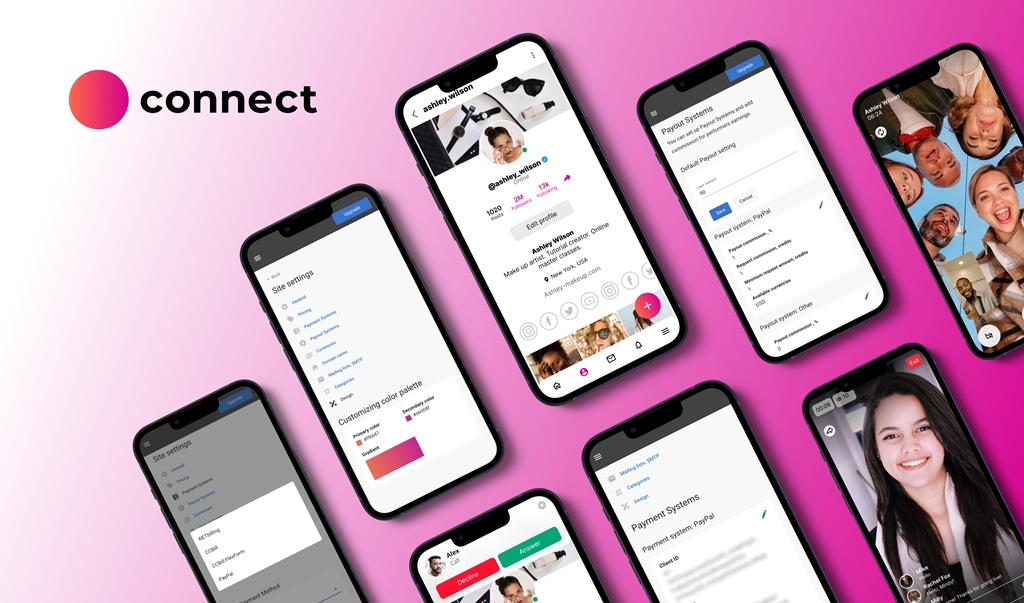
Teams often start with simple chatbot builders, then run into limits the moment their workflows become more specific. Even the strongest Chatfuel competitors cannot support deep branding, custom business logic, or the kind of monetization many platforms rely on. This is usually the point when companies shift from subscription tools to a custom build, and Scrile Connect fits that need because it is not a SaaS product. It is a development service that creates fully owned, private, white-label systems.
Scrile Connect gives companies full control over how their chatbot platform looks, behaves, and integrates. The product is shaped around the client’s business rather than forcing a business to adapt to templates. This includes branded interfaces, unique onboarding flows, payments, gated content, and real-time communication tools that Chatfuel-style builders never support out of the box.
These are the areas where custom development through Scrile Connect becomes practical:
- 100% white-label visual setup with the client’s logo, domain, and design, including custom UI for chat, onboarding, and access levels
- Built-in monetization features, such as subscriptions, tipping, pay-per-view, private video calls, live streams, and content bundles for businesses that need revenue, not just automation
- Flexible payment processing through Stripe, PayPal, CCBill, crypto gateways, PayId19, or custom providers required in specific countries
- Secure data handling with GDPR-ready hosting, moderation tools, and optional age-verification flows for regulated industries
- An admin dashboard for managing users, payouts, analytics, and earnings
- Custom integrations and extended rules, including API-based workflows, CRM syncs, internal systems, and specialized logic that templates cannot support
Scrile Connect has built entire platforms based on these components: multilingual CRM bots, support desks with payments, marketplace onboarding systems, community chat platforms with monetization, and full “Chatfuel-style” builders branded entirely for the client. It becomes a long-term solution that goes beyond what most Chatfuel competitors can deliver.
Conclusion
Comparing different chatbot builders helps teams understand where the limits of template-based systems begin. Many tools handle simple flows well, but businesses eventually need deeper logic, stronger branding control, and ownership of their data. That is where a custom solution becomes more strategic than sticking to presets. Founders who want a scalable, fully branded chatbot experience can work with Scrile Connect to build something shaped around their product rather than a generic framework. Get in touch with the Scrile Connect team to explore your custom build.
FAQ – Chatfuel Competitors (ManyChat, Tidio, Landbot & AI-First Alternatives)
What is Chatfuel, and why do teams look for Chatfuel competitors?
Chatfuel is a Messenger- and Instagram-focused chatbot builder that helps non-developers create automation with blocks, buttons, keyword triggers, and broadcasts. It works well for simple flows and quick launches.
Teams usually start looking for alternatives when they need deeper logic, richer integrations, stronger AI, more channels, or better control over branding and data. At that point, “template-style” builders can feel limiting.
Which Chatfuel alternative is best for Instagram DM growth and lead capture?
If your priority is Instagram-first automation (comment triggers, story-trigger flows, lead capture from engagement), you want a builder that’s designed around social growth mechanics, not only classic “FAQ bot” logic.
In practice, this category is about speed and repeatability: templates, triggers, and fast iteration. The “best” tool is the one that turns engagement into qualified leads with the fewest manual steps.
What’s the best option if I want an AI-first chatbot trained on my content?
AI-first tools are a different approach from classic flow builders. Instead of designing every branch, you feed the assistant your knowledge base (URLs, docs, PDFs, help center content) and let it answer naturally.
This works best for support and FAQ use cases where accuracy depends on documentation. For complex funnels with strict “if/then” business logic, you may still need structured flows or a hybrid setup.
Which Chatfuel competitor is best for customer support (live chat + bot in one inbox)?
Support-heavy teams usually need a shared inbox where agents and automation work together. The key features are handoff to humans, ticketing or conversation history, and tools that reduce repetitive questions.
If you’re measuring success by fewer tickets and faster resolution (not just “more leads”), pick a platform that treats bots and operators as one workflow, not separate products.
What should I choose if I need complex branching logic and variables?
When your bot becomes a real funnel (qualification, routing, conditional offers, multiple languages, edge cases), you need a strong visual builder with variables, conditions, and integrations.
These tools take longer to set up than “lightweight” builders, but they pay off when your flow is not a straight line and you need the bot to behave differently based on user context.
Are WhatsApp chatbots expensive compared to Messenger and Instagram bots?
WhatsApp automation often costs more because pricing can include both the chatbot platform plan and WhatsApp messaging fees that scale with volume. That’s why “cheap per month” can become expensive once messaging grows.
If WhatsApp is your main channel, compare tools specifically on total cost at your expected monthly message volume — not just the entry plan price.
How do I compare pricing between Chatfuel competitors fairly?
Start with your real driver: contacts, conversations, or messages. Different products meter usage differently, so “$19/month” and “$40/month” may not be comparable at all once you scale.
Also include add-ons (AI modules, extra seats, white-label branding, additional channels). The best price is the one that stays predictable when you move from MVP traffic to real demand.
What are the biggest limitations of template-based chatbot builders?
Most template builders struggle with deep branding, custom business logic, and full control over data storage and portability. You can build solid flows, but you still operate inside someone else’s constraints.
If your bot needs unique onboarding, specialized routing rules, or a product-like experience (not just messages), you’ll feel those limits quickly — especially when your team starts asking for “one more custom thing.”
When does it make sense to build a custom chatbot platform instead of using Chatfuel competitors?
Custom development becomes practical when chat is a core business workflow and you need full ownership: custom UI, strict rules, specialized integrations, and a roadmap that isn’t limited by vendor templates.
It’s also the right move when you need monetization, gated access, or regulated compliance flows that generic builders don’t support out of the box.
How can a custom build like Scrile Connect fill gaps that Chatfuel-style tools can’t?
A custom approach lets you build the chatbot experience around your product: branded interfaces, unique onboarding, custom logic, and deep integrations that don’t fit into a template editor.
That’s the main advantage over typical SaaS builders: your workflow doesn’t have to bend to platform limits, and you can control the data model, analytics, and compliance layer as your needs evolve.
Polina Yan is a Technical Writer and Product Marketing Manager, specializing in helping creators launch personalized content monetization platforms. With over five years of experience writing and promoting content, Polina covers topics such as content monetization, social media strategies, digital marketing, and online business in adult industry. Her work empowers online entrepreneurs and creators to navigate the digital world with confidence and achieve their goals.
by Polina Yan
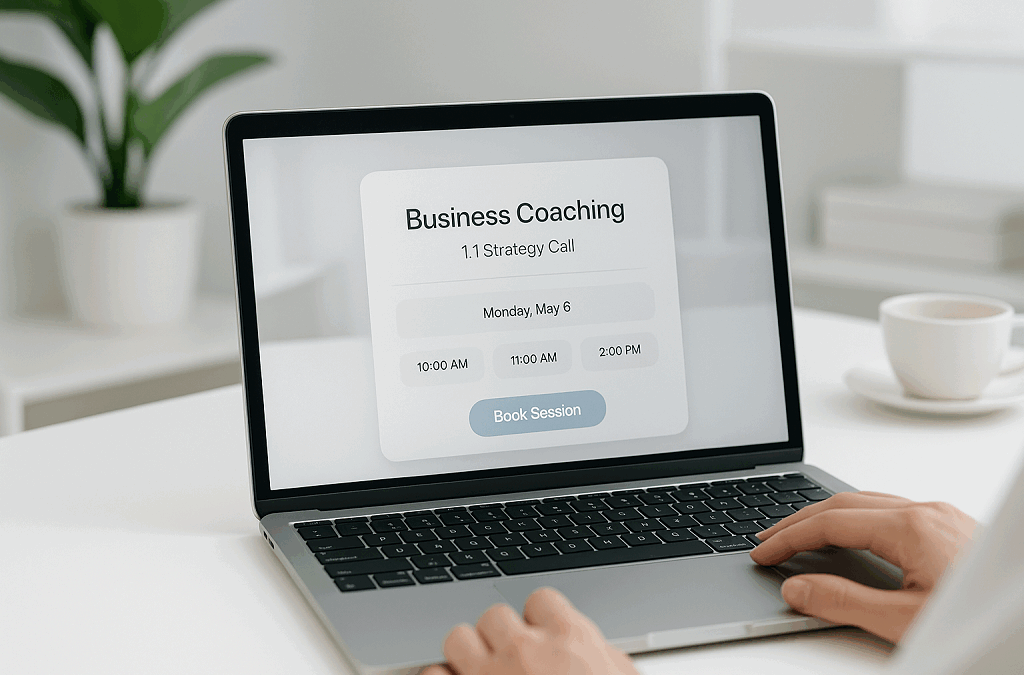
If you run anything that schedules people—haircuts, yoga sessions, tutoring slots, therapy calls, repair visits, church meetings, coaching sessions—you already know the calendar rules the day. It decides who shows up, who pays, and how much time is left to actually work. Tools like Setmore make that easier, which is why so many small and mid-sized teams start there. It does the basics well: online booking pages, reminders, payments, and staff calendars. But as businesses grow, they start hunting for Setmore alternatives because operations don’t all follow the same script.
Some teams need intake forms and recurring sessions. Others want group bookings, custom branding, deposits up front, marketplace-style scheduling, or deeper integration with internal dashboards. That’s where the differences really show.
This article looks at what Setmore does right, where it falls short, and how other scheduling tools compare on features, pricing, and control. We’ll walk through several competitors that fit different use cases, then look at what happens when switching tools still doesn’t solve the deeper workflow issues—and why some teams eventually decide to build something custom instead of hopping between apps.
What Setmore Does Well (and Where It Struggles)
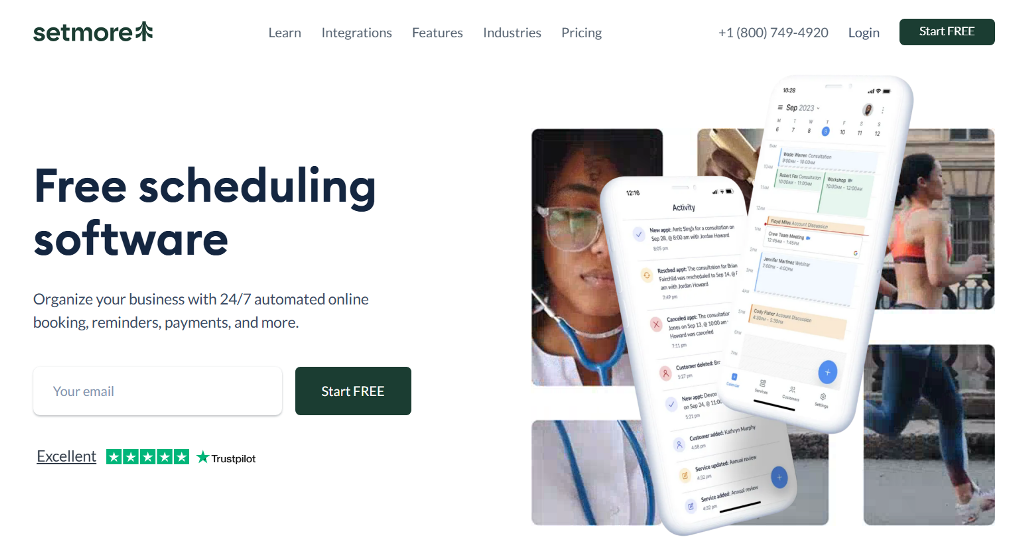
Setmore is a familiar name in scheduling—whether you’re a tutor, therapist, salon, or repair technician. You set services, staff hours, let clients pick slots, and you get reminders. It plugs into Stripe, PayPal or Square so you can take payments when clients book. The dashboard shows calendars for each staff member, and there’s support for video appointments too. According to the Setmore pricing page, they offer a Free plan for up to 4 users at $0/month, and a Pro plan at $5/user/month when billed annually (or $12/user/month billed monthly).
That said, many switch because they hit walls. Here are the friction points:
- Branding feels generic. Even with paid tiers, the booking page branding is minimal and still looks like everyone else’s.
- Payment logic is okay but not highly flexible. You may need workarounds for advanced payment setups such as deposits, split payments or custom revenue flows.
- Heavy dependence on external integrations. When you require deep workflow automation or custom databases, you end up layering multiple tools.
- Backend control is shallow. Reporting exists, but if you want full dataset exports, custom workflows or complete control over the database—you’ll run into constraints.
When you line these up, you start comparing Setmore vs other tools—asking whether you stay, switch, or build from scratch.
Top Setmore Alternatives
Not every booking tool solves the same problem. Some focus on simple scheduling links for one-person businesses; others are built for full-scale teams that need routing, intake forms, payments, or multiple service providers. When people look for Setmore alternatives, they’re usually not “shopping for a new app” — they’re trying to match software to how their business actually works.
Below is a breakdown of five options worth considering, each used by different types of service providers.
Calendly (use case: meetings & sales teams)
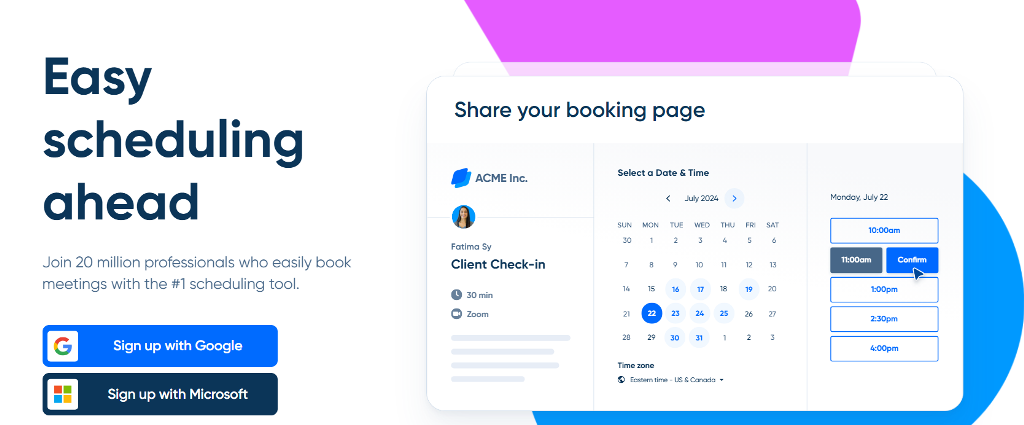
Best for: Teams that book calls across time zones and rely heavily on integrations.
Pros:
- Connects to Google/Outlook calendars instantly
- Routing forms help distribute calls across a team
- Polished booking links for sales, demos, onboarding
Cons:
- Many features locked behind paid tiers (workflows, SMS, routing)
- Limited branding control unless you’re on higher plans
Why pick it: Strong for organizations needing automated scheduling flows, especially when comparing Setmore vs Calendly for sales teams rather than appointment-based services.
Acuity Scheduling (use case: coaching, wellness, sessions with forms)

Best for: Coaches, therapists, and fitness trainers who need complex session logic.
Pros:
- Intake forms + HIPAA-ready options (on higher plans)
- Packages, subscriptions, and recurring sessions
- Strong payment options for paid appointments
Cons:
- More setup work than Setmore
- UI feels utilitarian rather than polished
Why pick it: Great when comparing Setmore vs Acuity for session-based businesses that need forms, subscriptions, or repeat clients.
YouCanBookMe (use case: simple scheduling + email customization)
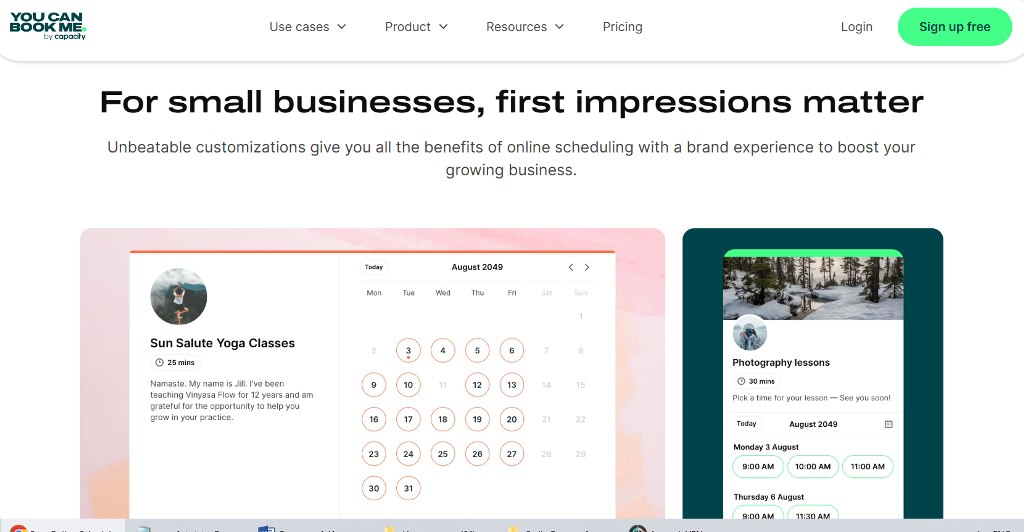
Best for: Teachers, consultants, small teams booking a lot of short calls.
Pros:
- Strong timezone handling
- Very customizable email workflows (reminders, follow-ups)
- Simple scheduling flow, easy onboarding
Cons:
- Limited advanced automation
- Not the best choice for multi-provider businesses
Why pick it: Works well for small organizations, especially those researching YouCanBookMe alternatives to upgrade later to something more robust.
Koalendar (use case: clean booking pages & low-cost upgrades)
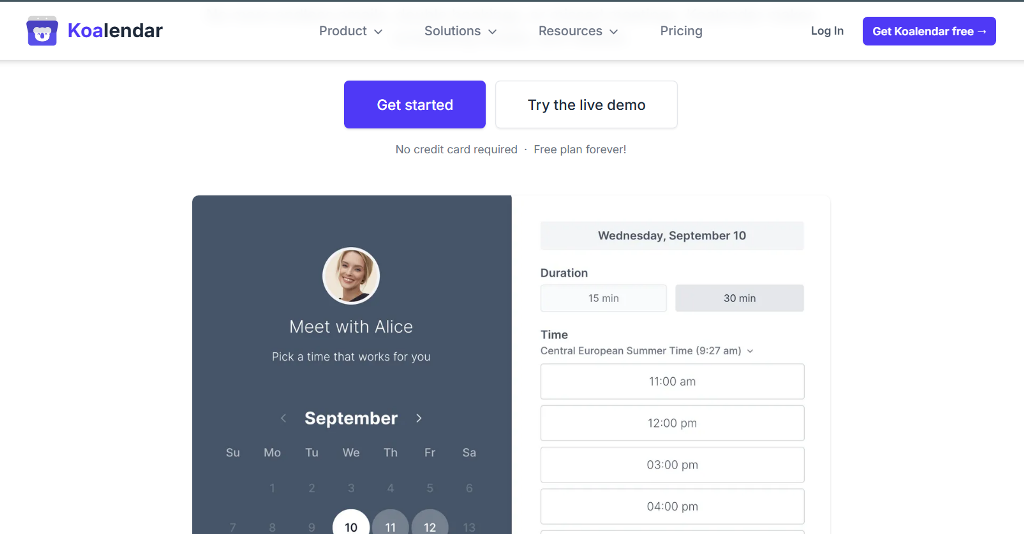
Best for: Solo creators, consultants, and small operations that want a polished booking page without a steep learning curve.
Pros:
- Simple setup, minimal onboarding
- Unlimited bookings on paid plans
- Polished public booking pages that don’t look like generic templates
Cons:
- Fewer advanced workflows for large teams
- Limited monetization features compared to Acuity or SimplyBook.me
Why pick it: A practical choice if you want something visually cleaner than Setmore but still lightweight and affordable.
SimplyBook.me (use case: beauty, wellness, local services)
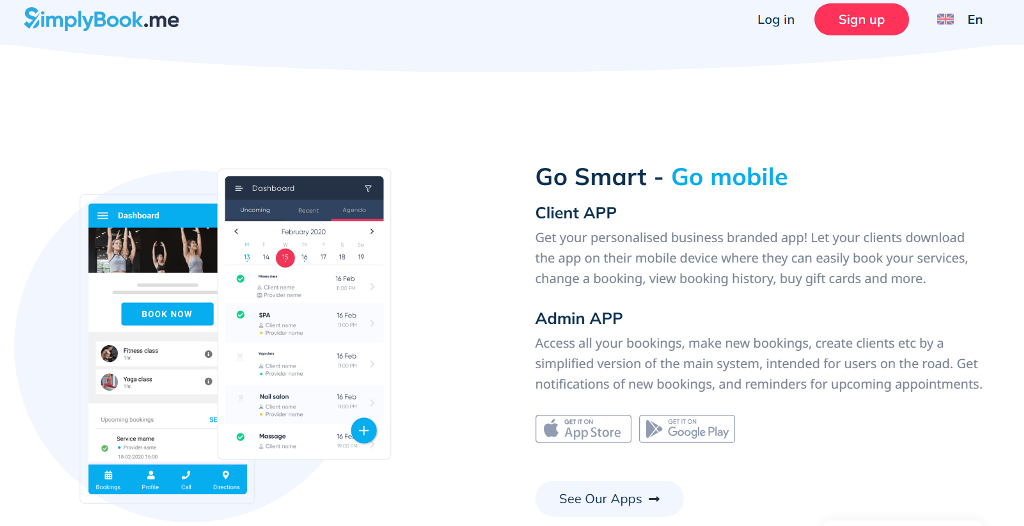
Best for: Salons, spas, trainers, clinics—anyone offering physical appointments tied to inventory and staff roles.
Pros:
- Memberships, coupons, classes, POS, gift cards
- Client app + customer login options
- Good for multi-location or inventory-based businesses
Cons:
- Interface has more menus and takes time to learn
- Feels like overkill if you only need basic scheduling
Why pick it: Ideal for service businesses that need promotional tools and staff roles, not just appointment slots.
When Switching Isn’t Enough
Most teams start comparing tools because a feature is missing—maybe they need intake forms, deposits, or better reminders. But there’s a stage where switching apps doesn’t fix the deeper issue. It happens when scheduling stops being a calendar link and becomes part of how the business actually runs.
A few situations make this obvious:
- A company operates across multiple locations and needs shared calendars, regional staff access, and internal dashboards for managers.
- A platform or mobile app wants booking built directly inside its product, not hosted on a third-party page with someone else’s branding.
- A marketplace needs provider-specific pricing, payouts, and service categories that standard scheduling tools weren’t designed to handle.
- A tutoring network charges per class, tracks attendance, and issues recurring invoices—all from the same system.
When teams hit that stage, the problems shift from missing features to missing control. You’re limited by APIs that only sync a few data fields, templates that won’t match your branding, and integrations that start stacking like patched wiring. Data stays scattered across tools, and reporting never gives a full picture of how clients move through the business.
This is where people look beyond simple Setmore alternatives and start thinking about something shaped around their own workflows. The goal becomes owning the scheduling experience end-to-end, from booking and payments to user roles and analytics, rather than bolting tools together and hoping nothing breaks on a busy week.
Build Your Own Scheduling System with Scrile Connect
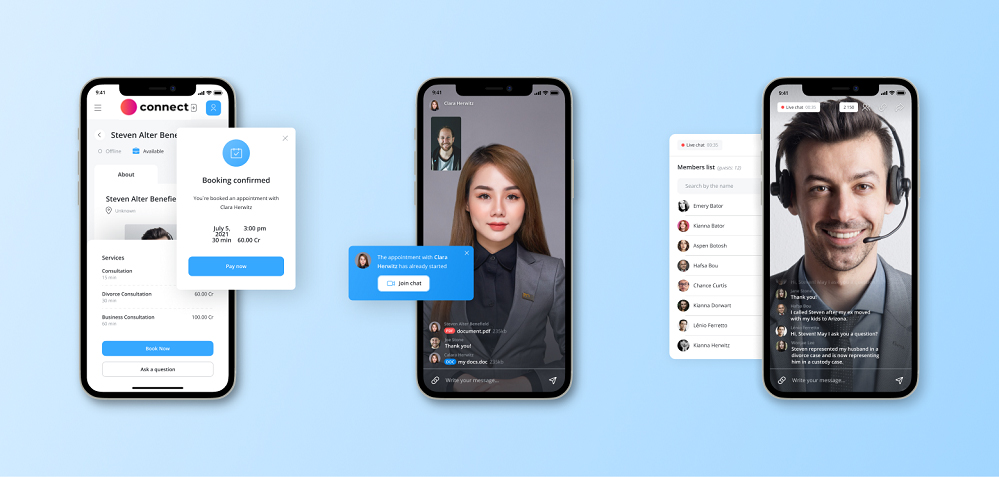
Once scheduling becomes part of how a business operates—not just something attached to it—building a tailored system starts to make sense. Scrile Connect focuses on custom development, meaning you’re not subscribing to another SaaS tool or adapting to someone else’s templates. You’re shaping a platform around your existing workflow, branding, payment structure, and internal roles.
Instead of using a public booking link hosted on a third-party domain, everything lives under your own name. Calendars, sign-ups, reminders, payments, service types, staff roles—every element is configurable. And if you outgrow a feature later, you don’t wait for a vendor’s roadmap; you just extend the system.
Businesses typically choose this route when they want booking to feel integrated, not bolted on. A few common scenarios:
- Internal booking dashboards for large teams with different permissions and reporting access
- White-label client portals for agencies or platforms that onboard multiple companies
- Paid consultation systems with deposits, session credits, or subscriptions
- Multi-vendor marketplaces where each provider sets their own pricing and availability
- Customer portals where booking ties directly into accounts, messaging, and billing
These are the situations where switching between Setmore alternatives isn’t enough, because the product itself depends on scheduling rather than simply using it.
A custom system doesn’t just manage appointments. It can connect to CRMs, payment gateways, learning platforms, chat tools, or staff dashboards—whatever the workflow demands. Scrile Connect can build scheduling into a larger ecosystem: onboarding, messaging, file sharing, recurring payments, even community features. Appointments become one part of a full product, not a standalone utility.
The goal isn’t to replace familiar tools; it’s to build something that grows as your business grows, without fighting software limits along the way.
Conclusion
No single scheduling tool works for every team. Freelancers want something quick to set up. Wellness coaches need sessions, subscriptions, and forms. Larger organizations look for routing, permissions, or revenue tracking. That’s why there are so many Setmore alternatives, each built around a different idea of how booking should work.
The real choice isn’t about which tool “wins.” It’s about how much control you need—your own branding, your own data, and the flexibility to shape scheduling around your business instead of adapting your business to software. For many teams, switching apps is enough. For others, scheduling becomes part of the product itself, and that’s when custom development starts to make sense.
If you’re building something that needs to grow without hitting feature ceilings, explore custom solutions with Scrile Connect and create a booking experience built around your workflow from day one.
FAQ – Setmore Alternatives (Calendly, Acuity, YouCanBookMe, Koalendar, SimplyBook.me)
10 practical answers for choosing the right scheduling tool in 2026 — based on your workflow, not hype.
Why do people look for Setmore alternatives?
▾
Usually it’s not because Setmore “fails.” It’s because the business outgrows the default workflow. Teams start needing intake forms, recurring sessions, group bookings, deposits, marketplace-style scheduling, or deeper internal reporting.
At that stage, the problem shifts from “I need a booking link” to “scheduling is part of how we operate.” That’s why people compare alternatives — to match software to the real process.
What does Setmore do well, and where does it usually struggle?
▾
Setmore is strong at the basics: booking pages, reminders, staff calendars, and payments. It’s a clean starting point for service businesses that just need appointments to work without complexity.
The common friction points are limited branding, payment logic that isn’t flexible enough for advanced flows (deposits, split payments, custom revenue rules), and shallow backend control when you want deeper exports, reporting, and custom workflows.
Setmore vs Calendly: which is better (and for whom)?
▾
Calendly is usually the better match for meetings and sales teams — especially when you need timezone-friendly booking links, routing forms, and lots of integrations.
Setmore often fits appointment-based services with staff calendars and payments. If your “appointment” is closer to a sales demo or onboarding call, Calendly tends to feel more purpose-built.
Setmore vs Acuity: which one is better for coaching and wellness sessions?
▾
Acuity is typically stronger when the session logic is complex: intake forms, packages, subscriptions, recurring appointments, and paid sessions that repeat over time.
The tradeoff is setup and “feel.” It can take longer to configure and may not look as polished by default, but it’s a great fit for coaches, therapists, and trainers who need more than basic scheduling.
Is YouCanBookMe a good Setmore alternative?
▾
Yes, if your workflow is “high volume of short calls” and you care about strong timezone handling and customizable email notifications (reminders, follow-ups, reschedules).
It’s less ideal for multi-provider businesses with complex roles and advanced automation. Think of it as a strong scheduling layer for small teams, not a full operations system.
What is Koalendar best for compared to Setmore?
▾
Koalendar is a solid pick when you want a clean public booking page and an easy setup — especially for solo consultants and small operations that care about visuals.
If you need deep monetization features, complex workflows, or large-team routing, you may hit limits. It’s best as a lightweight, polished alternative rather than an “enterprise scheduling engine.”
When should I choose SimplyBook.me instead of Setmore?
▾
SimplyBook.me shines for local service businesses that want “business features” around booking: memberships, coupons, classes, POS, gift cards, client apps, and staff roles.
It can feel like overkill if you only need basic appointments. But if you’re running a salon/spa/clinic-like operation with promotions and staff complexity, it’s often a better match.
What should I compare when choosing a Setmore alternative?
▾
Compare by workflow: multi-staff support, intake forms, recurring sessions, group bookings, payments (deposits and packages), reminders (SMS/email), and how easy it is to reschedule.
Then compare “control”: branding depth, data export quality, integrations, and reporting. The best tool is the one that matches how your business actually runs on a busy week.
How hard is it to switch from Setmore to another scheduling tool?
▾
Switching is doable, but plan it like a small project. The “hard parts” are services, staff availability rules, client lists, email reminders, and payment flows — not just the booking page.
A low-risk approach is phased: set up the new system, run internal tests, migrate core services, then move live booking links and add redirects if your old booking page was indexed or shared widely.
When is switching tools not enough (and custom scheduling makes sense)?
▾
Switching stops helping when booking becomes part of the product: multi-location permissions, internal dashboards, marketplace pricing and payouts, or deep integration into your app (not a third-party booking page).
That’s where a custom approach like Scrile Connect can fit — you build the booking experience around your workflow, branding, payment logic, roles, and analytics, instead of adapting your business to SaaS limits.
Polina Yan is a Technical Writer and Product Marketing Manager, specializing in helping creators launch personalized content monetization platforms. With over five years of experience writing and promoting content, Polina covers topics such as content monetization, social media strategies, digital marketing, and online business in adult industry. Her work empowers online entrepreneurs and creators to navigate the digital world with confidence and achieve their goals.

by Polina Yan
If you’ve ever wondered how to add chatbot to WordPress website, you’re not the only one. Every business owner who runs a WordPress site eventually hits that moment — when emails pile up, visitors bounce too soon, and you realize you can’t talk to everyone at once. That’s where chatbots come in. They greet your visitors, answer questions instantly, and quietly collect leads while you’re asleep or on vacation.
It’s no surprise this technology exploded. Studies show that by 2026, chatbots will handle around 70% of all customer interactions, saving companies billions in support costs. Meanwhile, WordPress still powers over 43% of the world’s websites, making it the most logical place for these smart assistants to live. If your site is built on WordPress, adding a chatbot isn’t just a trendy upgrade — it’s a direct way to turn passive traffic into conversations that convert.
In this article, we’ll walk through every practical method: WordPress plugins, embedded scripts, and API-based connections. And finally, we’ll explore how to go beyond ready-made tools with a fully custom chatbot built through Scrile Connect, a development service designed for businesses that want something truly their own.
Chatbot Integration Options

When learning how to add chatbot to WordPress website, the first step is understanding how you can actually connect one. WordPress gives you plenty of flexibility — from beginner-friendly plugins to advanced custom integrations. Let’s break down the three main paths you can take.
1. WordPress Plugins — the Quick, No-Code Option
If you want something fast and painless, start here. Plugins like WPBot or Chatling.ai install directly from your WordPress dashboard. Just hit Add New Plugin, activate it, and customize your chatbot inside a simple interface.
- Setup time: a few minutes.
- Control: limited to plugin settings.
- Maintenance: handled by the plugin developer.
It’s perfect for small business owners or bloggers who want a working chatbot without writing code.
2. Embedded Scripts — Add a Chat Widget Anywhere
Some chatbot tools like Botpress or LiveChatAI let you copy a short JavaScript snippet and paste it into your site’s header, footer, or specific pages. This script instantly loads your chatbot widget on the front end.
- Setup time: short but requires access to site code.
- Control: moderate — you can choose design, position, and triggers.
- Maintenance: you manage updates manually.
This option fits creators who want more design control while keeping things simple.
3. APIs & Custom Connections — Advanced and Scalable
For developers or growing companies, connecting through APIs (like OpenAI, Dialogflow, or Social Intents) unlocks deep customization. You can define conversation logic, pull real-time data, or link to your CRM.
- Setup time: longer and technical.
- Control: full — every function and response is yours to design.
- Maintenance: requires ongoing management.
Most businesses begin with plugins, but as they expand, they often upgrade to API or custom chatbot builds that fit their brand and workflow exactly.
WordPress Chatbot Plugins — Practical Examples
If you want to see how to add chatbot to WordPress website without diving into code, plugins are the easiest place to start. The WordPress ecosystem is packed with solid options that let anyone build a chatbot in minutes. Let’s look at four reliable choices — all different, yet equally useful depending on your goals.
WPBot — The All-Rounder for Quick Setup
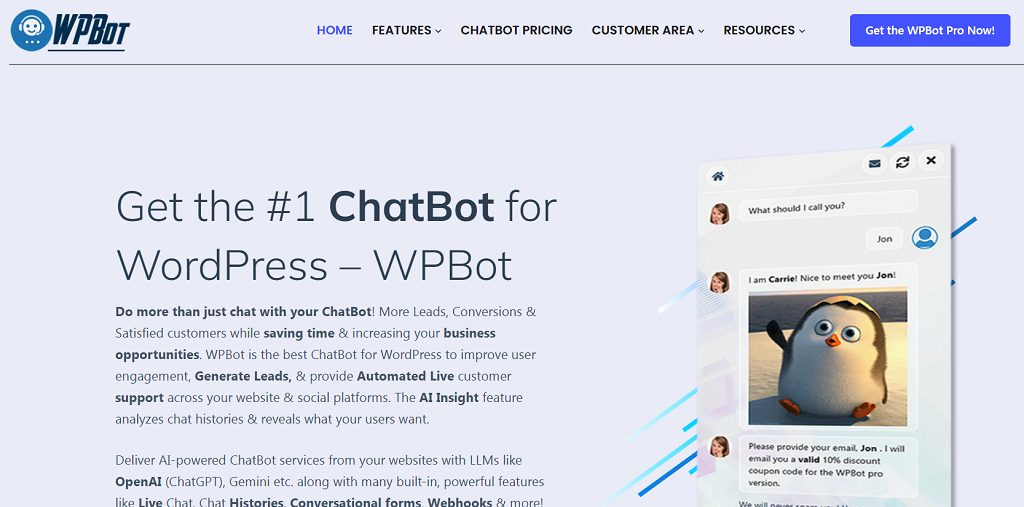
WPBot has been around for years and remains one of the most downloaded chatbot plugins for WordPress. It’s designed for non-technical users: install it directly from your dashboard under Plugins → Add New, activate it, and it’s ready to chat. You can customize its greeting, adjust colors, and add simple conversation flows for FAQs, feedback, or lead capture. WPBot is perfect for small websites that need an instant chat assistant to guide visitors or collect contact info.
Chatling.ai — AI-Powered and Multilingual
Chatling.ai brings a modern twist. Instead of predefined scripts, it learns from your content — FAQs, PDFs, or website text — and answers questions accordingly. You connect it to WordPress using either its plugin or a script snippet. Once installed, Chatling can handle queries in over 85 languages, which makes it ideal for international businesses or multilingual blogs.
ChatBot.com — Designed for Teams and CRM Integration
This plugin focuses on automation and customer relationship management. It lets you create conversation scenarios using a visual drag-and-drop builder. ChatBot.com also connects easily to CRMs like HubSpot or email tools such as Mailchimp. Great for e-commerce or customer service portals that want to automate repetitive chat tasks.
Botpress — Open-Source Flexibility
Botpress is the developer’s favorite. You host it yourself or embed it using a JavaScript snippet. It allows advanced logic, AI training, and integration with databases. It’s not as plug-and-play as WPBot, but it’s incredibly flexible for large or tech-savvy teams.
Across the board, websites using chatbots report up to 30% faster response times and 15% higher user retention. The tradeoff? Plugins are easy to set up but depend on third-party updates and often limit how deeply you can customize the chat experience.
Use Cases & Data Benefits
After figuring out how to add chatbot to WordPress website, it’s worth asking what it really brings to the table. The short answer — a lot more than canned greetings. Picture a small store owner who’s tired of answering the same “Do you ship to Canada?” emails. Or a blogger who wants visitors to stay a little longer instead of bouncing after one post. A chatbot steps in quietly and handles those moments. It doesn’t sleep, it doesn’t take weekends off, and it never forgets to follow up.
For an e-store, it may assist customers in choosing the appropriate size, remind them of items in the cart, or even nudge them toward that ultimate “purchase now” click. On blog pages or service pages, it may ask people to register, respond to brief questions, and recommend related posts. These gentle nudges pay back — research supports sites that deploy chatbots see 10–15% higher conversion rates and significantly fewer support tickets.
The best part is how easy it is to see what’s working. Most chatbots include built-in analytics that show how many people engage, how long they stay in conversation, and whether they end up buying or signing up. Tie that data to Google Analytics, and you’ll see the full picture — proof that those short, friendly messages are doing more than chatting; they’re growing your business quietly in the background.
Limitations of Ready-Made Chatbots
For all their convenience, off-the-shelf chatbot plugins come with a few strings attached. They’re great for getting started, but sooner or later, those limits start to show — especially when your business grows or your workflow gets more complex. Here are the most common drawbacks:
- No deep connections. Most plugins can’t tap into private CRMs, databases, or internal dashboards. They live on the surface of your website and can’t exchange data beyond what the plugin allows.
- Locked-in design. The look and behavior of ready-made bots follow preset templates. You can tweak colors or greetings, but not the full interaction flow or brand personality.
- Scalability headaches. A chatbot that works fine for a few hundred users may slow down or crash under heavy traffic because it depends on shared servers or third-party uptime.
- Data control issues. When your chatbot runs on someone else’s infrastructure, user messages and analytics often sit in their cloud, not yours — which can raise privacy and compliance questions.
At some point, these limits stop being small annoyances and start blocking real growth. That’s when it makes sense to move toward a custom chatbot, one built around your brand, your systems, and your rules.
Build a Custom Chatbot with Scrile Connect

Once plugins and scripts can’t keep up with your workflow or reflect your brand the way you want, custom development becomes the answer. That’s where Scrile Connect steps in — not as another SaaS subscription, but as a white-label development service that builds tailored chatbot systems from the ground up.
Scrile Connect isn’t about giving you a tool to rent. It’s about creating technology that belongs to you — designed, branded, and integrated to fit your exact business model. Every chatbot built through Scrile Connect is unique because it’s made around a company’s specific structure and audience, not squeezed into a generic template.
Here’s what sets it apart:
- Full ownership. You control everything — branding, user data, and logic. Nothing gets stored on someone else’s servers without your say.
- Deep integration. The chatbot connects directly to your CRM, internal databases, payment systems, or scheduling tools. It’s part of your digital ecosystem, not an add-on.
- Flexible design. From tone of voice to button layout, the chatbot mirrors your brand personality.
- Scalability. Built to handle thousands of simultaneous chats with top-level security and reliability.
The Scrile team goes far beyond simple chatbots. They create full ecosystems with features like paid content, private memberships, or client consultations — all seamlessly managed within your own branded environment.
One client example: a coaching platform used Scrile Connect to build an AI assistant that books sessions, collects payments, and answers onboarding questions automatically. That’s something no off-the-shelf plugin could pull off.
Conclusion
There’s no single path when it comes to how to add chatbot to WordPress website. You can start small with quick plugins like WPBot or Chatling, experiment with embedded scripts, or take full control through API integrations. Each method works — it just depends on how far you want to go.
Plugins are fast and convenient, but true flexibility comes from a custom build that fits your brand from the inside out. If you want a chatbot that belongs entirely to your business — secure, scalable, and deeply integrated — reach out to the Scrile Connect team and create a solution built to grow with you.
FAQ
Does WordPress have a chatbot plugin?
Yes — plenty of them. Tools like WPBot or Chatling.ai can be installed straight from the WordPress marketplace. They automate conversations, collect leads, and answer visitor questions. Still, they’re built within fixed templates, so customization remains limited.
How to add chatbot to WordPress website?
Pick the method that fits your needs — a plugin, an embed script, or an API connection. Add the bot’s code or API key, set up its responses or knowledge base, and test how it interacts with users. Adjust tone and flow as you go.
How to add ChatGPT to WordPress?
Create your OpenAI API key, connect it through a service like Social Intents or a custom script, and embed it in your WordPress header or via a chatbot plugin. Once live, monitor performance and refine your prompts for better accuracy.
FAQ – How to Add a Chatbot to a WordPress Website (Plugins, Embed, ChatGPT)
Clear answers for the 3 main integration paths: WordPress plugins, embed widgets, and custom API/ChatGPT bots — plus privacy and lead capture tips.
Does WordPress have a chatbot plugin?
▾
Yes. WordPress has plenty of chatbot plugins you can install from the dashboard. They’re the fastest way to add chat, collect leads, and answer basic questions without writing code.
The tradeoff is control. Most plugins follow fixed templates, so advanced logic, deep integrations, or unique UX often requires an embed widget or a custom build.
What are the main ways to add a chatbot to WordPress?
▾
There are three common paths. First: install a plugin (fast, no-code). Second: paste an embed script from a chatbot provider (more flexible UI and settings). Third: build a custom chatbot via API (maximum control).
Your best choice depends on how far you want to go. If you only need basic support and lead capture, plugins are enough. If chat is part of your product, custom is usually worth it.
How do I add a chatbot using a WordPress plugin (and what are the limits)?
▾
Install the plugin from WordPress (“Plugins → Add New”), activate it, and follow the plugin’s setup wizard. Most plugins let you customize a welcome message, basic flows, and lead capture fields.
Limits usually appear when you need advanced automation: CRM syncing, multilingual logic, complex routing, custom UI/branding, or deep product knowledge. That’s where an embed widget or API integration becomes the better route.
How do I add a chatbot with an embed script (without a plugin)?
▾
Most chatbot providers give you a small JavaScript snippet. You paste it into your WordPress site so it loads on every page (or only on selected pages).
Common placement options are theme header/footer, a site-wide code injection field, or a tag manager. If you want the chatbot only on specific pages, you can add the code to those pages via a custom HTML block.
How do I add a ChatGPT-style chatbot to WordPress?
▾
You typically connect an AI model through an API key, then integrate it via a plugin that supports AI, an external chatbot service, or a custom script that calls your backend.
For best results, don’t rely on “raw ChatGPT.” Add business context: your FAQs, pricing rules, and policies. Also add safety rules: when the bot should ask clarifying questions or route to a human.
Can a WordPress chatbot capture leads and send them to my CRM or email tool?
▾
Yes. Many chatbot tools collect email/phone/name and push it to email marketing or CRM platforms using built-in integrations, webhooks, or Zapier-like connectors.
To make lead capture feel natural, ask for contact details after value is delivered (answer a question first, then offer: “Want the checklist / quote / booking link?”). This usually converts better than “give email” on the first message.
How do I train a chatbot on my website content and FAQs?
▾
Most “AI chat” tools work from a knowledge base: you add your FAQs, links, documents, or scraped pages, then the bot uses that content to answer questions.
Start with your highest-traffic pages: pricing, shipping/returns, services, booking, and onboarding. Keep answers short, factual, and up to date — your bot can only be as good as your source content.
How do I make a chatbot actually increase conversions (not just “sit there”)?
▾
Use clear triggers and CTAs: greet on high-intent pages (pricing, checkout, service pages), offer a quick menu (“Get a quote / Book a call / Ask a question”), and add smart handoff to a human when needed.
Also measure outcomes. Track: chats started, leads captured, bookings created, and top unanswered questions. The data will tell you what the bot should learn next.
Is it safe to add a chatbot to WordPress (privacy and GDPR)?
▾
It can be safe, but you should treat chat data like any other user data. Avoid collecting unnecessary sensitive info, add clear consent if required, and be transparent about what gets stored and why.
If you operate in regulated workflows, choose tools with clear policies and access controls, and consider a custom deployment where you control storage, retention, and security practices.
When should I build a custom chatbot instead of using a plugin?
▾
Go custom when chat is part of your product or revenue model: you need full branding, unique flows, advanced integrations (CRM, payments, membership), and clear ownership of data and roadmap.
Custom also pays off when you’re tired of “plugin limits.” If you want an assistant that books sessions, qualifies leads, and follows your exact rules — a tailor-made bot is usually the long-term move.
Polina Yan is a Technical Writer and Product Marketing Manager, specializing in helping creators launch personalized content monetization platforms. With over five years of experience writing and promoting content, Polina covers topics such as content monetization, social media strategies, digital marketing, and online business in adult industry. Her work empowers online entrepreneurs and creators to navigate the digital world with confidence and achieve their goals.

by Polina Yan
Ever wished for a personal assistant who never needs sleep, never forgets, and always has the right answer? In 2026, the best AI assistants are stepping into this role, offering virtual support that goes far beyond basic automation. These digital helpers manage everything from scheduling meetings and setting reminders to generating creative content and even managing smart home devices.
AI assistants are no longer just for tech enthusiasts. They have become essential tools for businesses, creators, and everyday users who want to save time and boost productivity. Whether you need help organizing your day, interacting with customers, or simply setting the perfect ambiance at home, there’s an AI assistant designed to make life easier.
AI assistants like ChatGPT, Claude or Gemini feel so natural to use that it’s easy to forget how new this technology actually is. Large research firms now describe this moment as a turning point in how people communicate with software.
“ChatGPT and its competitors have captured the imagination of people around the world in a way AlphaGo did not, thanks to their broad utility—…” — McKinsey & Company
When even conservative analysts highlight the “imagination” and broad utility of these tools, it reinforces that AI assistants are not a niche experiment anymore. They’re becoming a standard interface for search, content creation, and everyday problem-solving — which is exactly why choosing the right assistant in 2026 really matters.
In this article, we’ll explore the top AI assistants of 2026. We’ll look at big names like Google Assistant, Amazon Alexa, and Apple Siri, as well as innovative tools like ChatGPT, Motion AI and custom solutions from Scrile AI. Each assistant brings unique features to the table, making it easier to find the perfect fit for your needs—whether for personal tasks or professional productivity. Let’s find out what makes the best AI assistant and discover which one might become your new favorite virtual helper.
Top 7 AI Assistants in 2026 – Quick Comparison
| Assistant | Best For | Strengths | Limitations | Ecosystem Fit |
|---|
| Google Assistant | Everyday + work routines | Google Workspace & smart home integration, proactive suggestions | Best inside Google ecosystem | Google users |
| Amazon Alexa | Smart home + retail tasks | Huge device network, “Skills” marketplace, shopping & automation | Less natural conversation; retail bias | Amazon ecosystem |
| Apple Siri | Apple device owners | Seamless iOS/macOS integration, HomeKit control, messaging | Limited outside Apple hardware | Apple ecosystem |
| Microsoft Cortana | Office productivity | Deep Microsoft 365 integration, meeting scheduling, smart suggestions | Phasing out for consumer use | Windows/Office users |
| Samsung Bixby | Samsung smart devices | Strong SmartThings control, TV/phone integration | Weak app ecosystem, limited global reach | Samsung ecosystem |
| ChatGPT (OpenAI) | Content & communication | Human-like text replies, content creation, chatbot support | No native voice/device control | Cross-platform |
| Motion AI | Productivity & scheduling | Smart auto-scheduling, task priorities, Slack/Calendar integration | Focused on work tasks only | Teams & professionals |
What is an AI Assistant?

An AI assistant is a smart digital helper designed to manage tasks, answer questions, and streamline both personal and professional activities. These virtual assistants use technologies like natural language processing and machine learning to understand voice commands, manage schedules, set reminders, and control smart home devices.
The best AI personal assistants can integrate with apps and services, providing hands-free convenience for busy professionals and everyday users alike. They excel in business environments, helping with tasks like email management, meeting scheduling, and data organization. On creator platforms and social media, they assist with content generation and audience engagement.
The rise of best AI virtual assistants has transformed how we interact with technology, offering tailored solutions for work productivity and simplifying everyday life. Whether managing a to-do list, setting up a smart home, or enhancing business communications, AI assistants bring efficiency and ease to daily routines.
This isn’t just a new label for old productivity tools. Companies that work with virtual assistants every day note that AI has already reshaped how these assistants feel and what they can realistically handle.
“The impact of AI on virtual assistant tools has been transformative, bringing about significant enhancements in user experience, productivity…” — Brickwork India
Thinking about AI assistants as a “transformative” layer helps frame the rest of this guide: you’re not just picking a chat app, you’re choosing infrastructure for how you plan, communicate and work. The tools we review below — from mainstream assistants to custom solutions — only make sense when you see them through this long-term lens.
Benefits of Using an AI Assistant
AI assistants bring many benefits to both personal and professional life. They help users stay organized, manage tasks efficiently, and maintain a consistent communication style in business settings. Here are the top advantages of using an AI personal assistant for business and everyday use:
- Increases Productivity: AI assistants handle repetitive tasks like scheduling meetings, sending reminders, and organizing calendars. This automation frees up time for more important activities.
- Enhances Time Management: These tools provide smart reminders, integrate with calendars, and help manage daily routines smoothly. They reduce the chances of missed appointments or deadlines.
- Ensures Consistency: Businesses often struggle to maintain a uniform brand voice across all communications. An AI assistant helps keep messages consistent, whether it’s in emails, social media posts, or customer support responses.
- Practical Example: A content creator using a best personal assistant AI can manage fan interactions on social media more efficiently. The assistant can generate quick responses to comments, draft messages, and even schedule posts to maintain regular engagement.
- Versatile Uses: With so many AI assistant names available, choosing who is the best AI assistant depends on specific needs. Some excel at managing business tasks, while others focus on personal organization or creative support.
AI assistants are more than just digital helpers. They act as smart partners that enhance productivity, improve communication, and simplify day-to-day tasks. Whether at work or home, these tools adapt to user needs and make life easier.
From a business perspective, the real test for any AI assistant is simple: does it actually give people back meaningful time? Independent analysts emphasize that the biggest gains appear when assistants take over repetitive, low-value work that clogs calendars.
“AI assistants significantly reduce the burden of routine and repetitive tasks, freeing employees to focus on higher-value work.” — Enterprise Management Associates (EMA)
This is exactly the shift you’re aiming for when you roll out AI assistants across a team or build your own: move routine, rules-based tasks to the AI, and let humans focus on strategy, creativity, and relationships. As you compare the tools in this article — including custom options like Scrile AI — keep that productivity test in mind.
Top 7 AI Assistant Tools in 2026
AI assistants are transforming how we manage tasks, automate routines, and enhance productivity. Let’s explore the first set of top AI assistants making waves in 2026:
Google Assistant
Google Assistant is a powerhouse in the AI assistant world. It offers integration to Google Workspace and smart home devices. With voice commands, one can schedule a reminder, schedule a meeting, and manage routine. For instance, one can easily command, “Hey Google, schedule a meeting at 3 PM,” and it will be scheduled to the calendar. It also offers personalized suggestion like an early leave reminder to catch an appointment based on traffic information. Its usage both home and office makes it an option to be considered by the majority.
Amazon Alexa

Amazon Alexa has retail and home automation functions. It connects to various smart devices to control via voice commands lights to home defense systems. Alexa is also an easy tool to use to manage shopping lists, remind one about appointments, and automate office operations. Small businesses employ Alexa to manage stock quantity, orders handling, and office communications automation. Alexa’s “Skills” option offers flexibility to enable users to use the use to suit some specific purposes, be it office or home.
Apple Siri
Siri is an essential AI partner to the user in the Apple ecosystem. It offers seamless integration to the devices manufactured by Apple, thereby making iPhones, iPads, Macs, and smart home devices voice-controlled through the integration through the use of HomeKit. It offers users routine productivity through the sending of messages, reminder creation, and control of smart home devices. It can be used to send a message, play a song, or control the thermostat. The seamless integration that it offers to the other Apple programs and devices makes the usage seamless.
Microsoft Cortana
Microsoft Cortana has been designed specifically to suit office users. It fully supports Windows integration and Microsoft 365. Hence, using it within an office is the best option. Cortana supports the creation of meeting schedules, the creation of reminders, and the organization of the task. Cortana can compose emails and also offer smart suggestions during the meeting. For instance, a professional can instruct Cortana to schedule the day, and it will create a scheduled calendar based on the entries and priority. Its productivity-related functions enable Cortana to be an efficient tool to enhance the productivity of the work.
Samsung Bixby
Samsung Bixby is the most intelligent to be employed by users under the Samsung ecosystem. It offers robust voice control of Samsung devices like smartphones, tablets, smart TVs, and smart home devices. Samsung Bixby can be used to automate the sending of messages, calling, and controlling smart devices through basic voice commands. As an example, one can easily employ the command, “Turn off the lights, Bixby,” and the command will be executed. It supports Samsung’s SmartThings app that offers easier control of devices through one interface.
ChatGPT by OpenAI

who is the best ai assistant
Unlike traditional voice assistants, ChatGPT is a powerful tool for text-based interactions. It excels in content generation, answering questions, and managing online interactions. Many businesses and creators use ChatGPT as a virtual assistant to draft responses, generate content ideas, and engage with audiences. For instance, a social media manager might use ChatGPT to create thoughtful replies to community comments or to brainstorm creative post ideas. It’s also popular for creating automated chatbots that provide human-like customer support.
Motion AI
Motion AI is an efficient tool that supports users to organize schedules, manage work, and be more efficient. It offers the possibility to add smart scheduling, task organization, and reminder automation. As an artificial tool to professional users, Motion AI can help users organize the meeting calendar, assign priority to the tasks, and streamline the workflow. The best way to understand how Motion AI functions is the integration that it offers to use Google Calendar and Slack to automate the routine to allow teams to work strategically.
Which AI Assistant is Right for You?
Choosing the best AI assistant will be a case of one’s specific needs. Google Assistant and Alexa are best used to control the smart home. Siri and Bixby are best used within each respective ecosystem but Cortana is best used within the office. ChatGPT will create sophisticated writing but Motion AI produces the best productivity and task management. Each one has something to bring to the table to create the best pairing to use within the home and the office.. However, there is also another solution if you need something created just for you.
Why Scrile AI is The Best Solution for Building Your Own AI Assistant
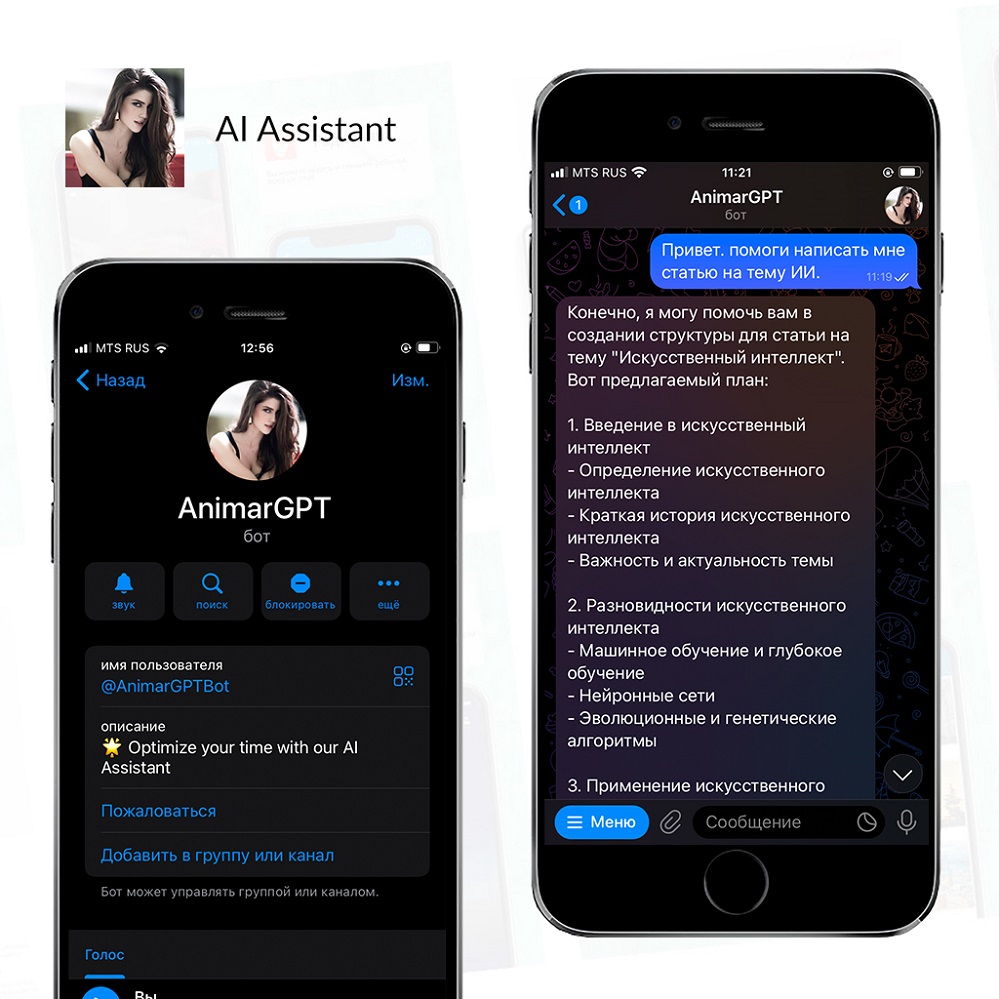
Scrile service offers a robust service for creating customized AI assistants tailored to unique business needs. Unlike generic tools, Scrile AI allows businesses to develop AI personal assistants for business or personal use with features and interactions that align perfectly with their brand and goals.
One of the biggest advantages of Scrile AI is its ability to deliver beyond off-the-shelf tools. Instead of using a standard AI assistant, businesses can design solutions specifically for their industry. Scrile solutions support a wide range of markets, including e-commerce, education, tech services, and niche sectors like creator platforms, influencer accounts, dating sites, social media, and adult websites. This adaptability makes it a versatile choice for businesses aiming to integrate a best personal assistant AI that can handle complex interactions.
Real-world adaptability is another strength of Scrile AI solutions. The AI assistants developed through its platform are not static; they learn from interactions, evolve with the business, and remain relevant over time. For example, a business could create an AI assistant that not only automates communication but also provides personalized responses and enhances user engagement. This assistant might manage customer inquiries, support sales teams, or automate social media interactions—showing why Scrile AI is a top choice for building a dynamic and effective AI assistant.
If you’re looking for the best AI assistant for your business, Scrile offers the tools and flexibility to create an assistant that meets your exact needs. It is the ideal platform for those who want a tailored solution instead of a one-size-fits-all approach. Explore how Scrile can help you develop a personalized AI assistant that keeps your brand ahead of the competition.
Off-the-Shelf AI Assistants vs. Scrile AI
| Option | Branding & Ownership | Flexibility | Monetization | Best Fit |
|---|
| Standard AI Assistants (Google, Alexa, Siri, etc.) | Vendor-controlled | Fixed features, limited customization | None | General users & households |
| Scrile AI (Custom Assistant) | 100% branded & owned | Fully customizable: text, voice, NSFW/SFW, CRM hooks | Built-in: subs, tips, PPV | Businesses, creators, niche platforms |
Conclusion
The best AI assistant can make a real difference in both personal and business life. These digital helpers boost productivity, streamline tasks, and offer valuable support in everyday routines. Whether you’re using Google Assistant for smart home control, Amazon Alexa for managing e-commerce tasks, or ChatGPT for content generation, each tool brings unique benefits to the table.
For businesses looking to go beyond generic solutions, Scrile AI offers a unique opportunity. Instead of settling for a standard AI personal assistant, you can develop a custom assistant tailored to your specific needs. Scrile’s solutions provide all the tools required to build an AI that aligns perfectly with your brand and industry. This flexibility is ideal for companies in niche markets or those with specialized communication needs.
If you’re ready to create a personalized AI assistant that fits your exact needs, explore Scrile AI tools today. It’s the first step towards building a smarter, more efficient digital assistant that can keep your business ahead of the curve.
FAQ – Best AI Assistant in 2026 (Voice Assistants, ChatGPT, Motion AI, Custom Builds)
Quick answers to help you choose the right AI assistant for your life or business — and understand when it’s smarter to build your own.
What is the best AI assistant in 2026?
▾
There isn’t one “best” assistant for everyone. The best choice depends on what you need: smart home control, productivity scheduling, content and communication, or a business assistant that matches your brand and workflow.
A simple way to decide: if you live inside one ecosystem (Google, Apple, Amazon, Samsung), start there. If your work is mostly writing, support, or messaging, go with an LLM-style assistant. If the assistant is part of your product or revenue model, consider a custom assistant you own.
What’s the difference between voice assistants and ChatGPT-style assistants?
▾
Voice assistants (Google Assistant, Alexa, Siri, Bixby) are strongest at device control and routines: lights, timers, reminders, calls, and smart home workflows. They win when “hands-free” matters.
LLM assistants (like ChatGPT) are strongest at language: drafting, summarizing, brainstorming, customer replies, and building chat-based support. They feel more conversational, but they don’t always have the same native device control as ecosystem voice assistants.
Which AI assistant is best for smart home control?
▾
For smart home, the “best” assistant is usually the one that matches your hardware. If your devices lean Google, Google Assistant is a natural fit. If your home is Alexa-first, Alexa wins on device variety and skills. If you’re deep in Apple, Siri + HomeKit stays the smoothest.
Don’t choose based on marketing. Choose based on compatibility: supported devices, routines/automation, and how stable voice recognition is in your environment.
What’s the best AI assistant for work productivity and scheduling?
▾
If you want a “calendar brain” that auto-schedules tasks and protects focus time, productivity assistants like Motion AI are built for that. They’re strongest when your problem is constant replanning and prioritization.
If your work is mostly within Google Workspace or Microsoft 365, ecosystem tools can still be useful for reminders and light task handling. The key is choosing the tool that actually reduces calendar chaos instead of adding another inbox.
Can I use ChatGPT as a personal assistant for business tasks?
▾
Yes — especially for communication and content: emails, support replies, community moderation, social posts, scripts, and internal documentation. It’s also useful for quick research summaries and turning messy notes into structured plans.
To make it feel like a “real assistant,” you need a workflow: templates, tone rules, saved prompts, and boundaries (what it can and can’t do). The assistant becomes powerful when it is consistent, not random.
Is Microsoft Cortana still relevant as an AI assistant?
▾
Cortana historically made sense for people living inside Windows and Microsoft 365 workflows. For many users, the practical value was meeting reminders, calendar handling, and a tight connection to the Microsoft ecosystem.
The bigger point is strategic: if you rely on any ecosystem assistant for business operations, make sure your workflow can evolve. AI tools change quickly, so your process should not depend on one assistant remaining the same forever.
What should I look for when choosing an AI assistant?
▾
Start with “fit”: ecosystem compatibility (devices and apps), core use case (home control, scheduling, content, support), and how fast you can integrate it into daily habits. If it doesn’t become routine, it won’t matter how smart it is.
Then evaluate the business layer: pricing, team features, permission control, integrations, and analytics. The best assistant is the one that gives you back real time — not the one with the most features.
Are AI assistants safe to use (privacy and data)?
▾
They can be safe, but you should treat them like any online platform: the more permissions and integrations you connect (email, calendar, CRM), the more sensitive the data becomes. Safety is not only “encryption,” it’s also what gets stored and who can access it.
Practical hygiene helps: use separate accounts for testing, minimize stored personal data, review retention policies, and avoid sharing secrets in chats. For regulated workflows, a custom deployment where you control storage is often the safer path.
How much do AI assistants cost?
▾
Many consumer voice assistants are “free” in the sense that you don’t pay a subscription just to speak to them — but you pay indirectly through hardware and ecosystem lock-in. Productivity and LLM tools are more often subscription-based.
For business, the real cost is total cost of ownership: subscription + integrations + time saved. If an assistant saves hours weekly across a team, it pays for itself fast. If it creates extra workflow complexity, it’s expensive even at $0.
When should I build a custom AI assistant instead of using off-the-shelf tools?
▾
Build custom when the assistant is part of your product, brand, or monetization. Off-the-shelf tools can’t give you full ownership, unique behavior, deep integrations, and a UI that matches your business.
Custom assistants also make sense for niche workflows (creator platforms, support automation, sales qualification, industry-specific compliance). If your assistant needs to follow your rules and grow with your roadmap, owning the platform (instead of renting a tool) is the long-term move.
Polina Yan is a Technical Writer and Product Marketing Manager, specializing in helping creators launch personalized content monetization platforms. With over five years of experience writing and promoting content, Polina covers topics such as content monetization, social media strategies, digital marketing, and online business in adult industry. Her work empowers online entrepreneurs and creators to navigate the digital world with confidence and achieve their goals.

by Polina Yan
Ask five founders what an app should cost and you will hear five wildly different numbers. Someone says $15,000 because they saw a freelancer offer. Someone else says $500,000 because their investor told them complex apps are “expensive.” In 2026, the realistic app development cost for a serious product usually sits somewhere between $30,000 and $400,000. That range feels huge, and it is.
A simple MVP with login, a few core screens, and a basic backend might land around $40,000. Add payments, user roles, dashboards, analytics, and you are closer to six figures. Bring in AI models, real-time features, or compliance requirements, and budgets move into the $200,000 to $400,000 zone without drama.
People underestimate the price because they count screens. Engineers count architecture, integrations, security, testing hours, and future maintenance. Those details decide the number.
Let’s break down what you are actually paying for.
2026 Market Benchmarks: What the Numbers Actually Say

By 2026, pricing patterns are clearer than they were five years ago. Agencies, product studios, and independent development teams tend to cluster around similar ranges. A lean MVP with login, a few screens, basic backend logic, and API connections usually lands between $30,000 and $60,000. That number assumes focused scope and no experimental features.
Once you add payments, role-based dashboards, admin panels, analytics, or third-party integrations, the budget climbs into the $70,000 to $150,000 zone. This is where most serious startups operate. It is also where many founders realize the initial quote they imagined was unrealistic.
Complex builds shift the conversation entirely. AI-driven platforms, fintech products with compliance requirements, or multi-sided marketplaces often move beyond $200,000 and can stretch past $400,000. The cost of app development at that level reflects architecture depth, security layers, scaling strategy, and testing cycles that go far beyond surface features.
Hourly rates also shape the final number. US teams frequently charge $120 to $200 per hour. Eastern Europe typically sits between $40 and $80 per hour. Those differences explain why two proposals for the same scope can look dramatically different on paper, even before deeper factors are considered.
The app development cost range exists because complexity multiplies effort. It is not only about how many screens an app has. It is about what happens behind those screens.
Cost by Complexity Level
| Level | Typical scope | Estimated cost | Timeline |
| Basic MVP | auth, simple UI, API | $30k–$60k | 3–4 months |
| Mid-level | payments, dashboard, integrations | $70k–$150k | 4–8 months |
| Complex | AI, marketplace logic, scaling | $200k–$400k+ | 8–14 months |
These benchmarks give you a starting frame. They do not answer why one MVP costs $35k and another costs $60k.
Now let’s unpack why these numbers swing so hard.
What Actually Drives App Development Cost in 2026

Benchmarks give you ranges. Real projects blow past those ranges because of decisions made in scope, architecture, and team structure. The app development cost is shaped long before the first line of code is written. If you want to understand why one product costs $50,000 and another $250,000, you have to look under the surface.
Platform Choice
The first major lever is platform strategy. Native iOS and native Android builds require separate codebases, separate QA passes, and often separate developers. That duplication increases both time and risk.
A typical senior iOS or Android engineer in the US charges $120–$180 per hour. If your build takes 1,000 engineering hours per platform, you are already looking at $120,000 to $360,000 just in mobile engineering before backend, design, and QA are included. This is where the Android app development cost and iOS app development cost start to diverge depending on team location and experience level.
Cross-platform tools such as Flutter or React Native reduce duplication. They share part of the codebase and shorten timelines. That can lower the overall mobile app development cost, especially for MVPs. However, complex animations, deep hardware access, or high-performance real-time features can still push teams back toward native builds.
Separate platforms also multiply:
- QA hours, since each release must be tested twice
- Store review preparation, as Apple and Google have different policies
- Maintenance cycles when OS updates introduce breaking changes
That multiplication is often underestimated in early budgeting.
Features, Architecture, and Backend Complexity
A login screen looks simple. Behind it sits token management, password hashing, database storage, and often third-party authentication services. Add user roles and you now manage permissions, audit logs, and data isolation. Each “small” feature expands backend logic.
Payments increase complexity quickly. Subscriptions require recurring billing logic, failed payment handling, refund flows, webhook listeners, and compliance with Apple or Google billing rules. A basic Stripe integration may take 40–80 hours. Subscription management can double that.
Real-time features are even heavier. Chat systems require socket connections, message storage, delivery confirmation, and moderation tools. Push notifications need a backend service and error handling. Even something as common as “typing indicator” requires additional state management.
AI integrations add another layer. Connecting to an external model is the easy part. Production apps need:
- prompt moderation
- rate limiting
- cost tracking
- fallback logic
- data storage for training feedback
Scalable backend patterns also affect cost. Queues, caching layers, load balancers, database replication, and monitoring systems are not optional for apps expecting growth. They demand architecture planning and DevOps time.
At this stage, the app development cost reflects engineering depth, not visual design. A feature list may look short, but backend hours grow fast.
Integrations and External Dependencies
Few apps operate in isolation. Each external service introduces both development effort and recurring expense.
Common integrations include:
- Stripe or Apple/Google billing systems
- Maps APIs for location-based features
- SMS providers such as Twilio
- Email automation tools
- Analytics platforms
- CRM and support systems
Every integration requires API handling, testing, and error recovery. Many also charge usage-based fees. A map service might cost a few cents per thousand requests. At scale, that becomes a real operating expense.
Compliance vendors increase the workload further. If you process payments, you face PCI requirements. Health apps deal with HIPAA standards. Financial tools interact with banking APIs and auditing processes.
Vendor lock-in is another risk. Switching providers later can mean rewriting parts of the backend. That future rework influences architecture decisions at the start.
Team Geography and Pricing Models
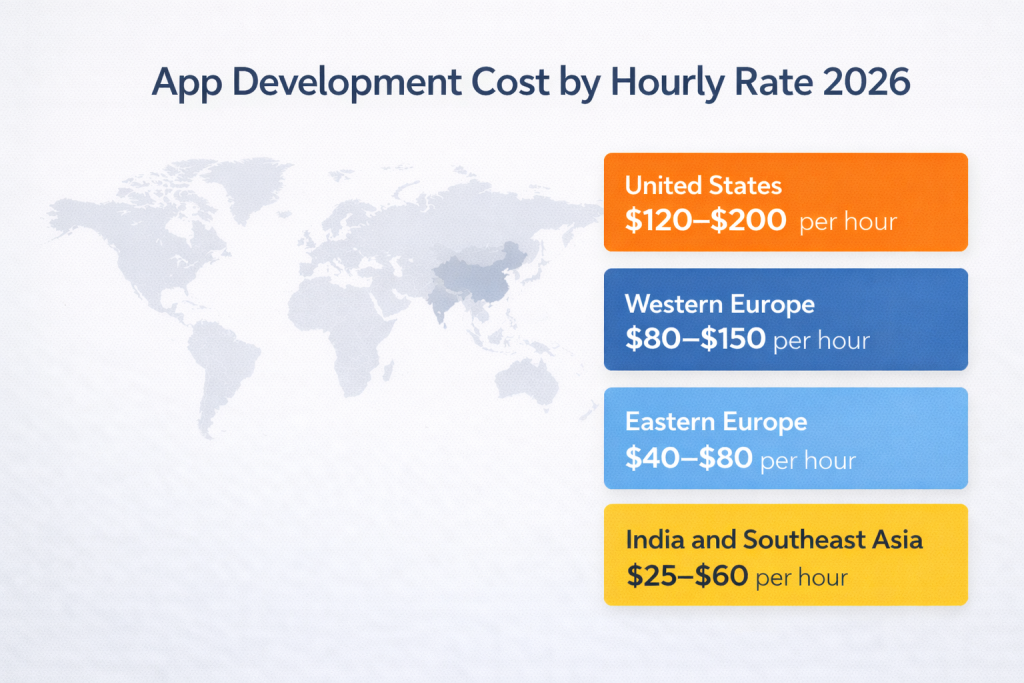
Location changes the final invoice, but it is only one variable. In 2026, typical hourly ranges look like this:
- United States: $120–$200 per hour
- Western Europe: $80–$150 per hour
- Eastern Europe: $40–$80 per hour
- India and Southeast Asia: $25–$60 per hour
Take a 1,200-hour project as a simple comparison. With a $150 hourly rate in the US, the total reaches $180,000. Eastern Europe at around $60 per hour brings the same scope closer to $72,000. In India, where rates often average $40 per hour, the budget drops to roughly $48,000.
Those numbers look straightforward. Reality is less clean. Communication overhead, seniority mix, QA maturity, and project management discipline affect delivery quality. A lower hourly rate can lead to additional revision cycles if architecture is weak or documentation is thin.
Rework is expensive. Fixing poorly structured code can consume hundreds of hours. In that scenario, a cheap start becomes a costly correction.
This is why the app development cost cannot be reduced to a single hourly number. It reflects platform decisions, backend architecture, integrations, and team structure working together.
App Development Cost by App Type in 2026
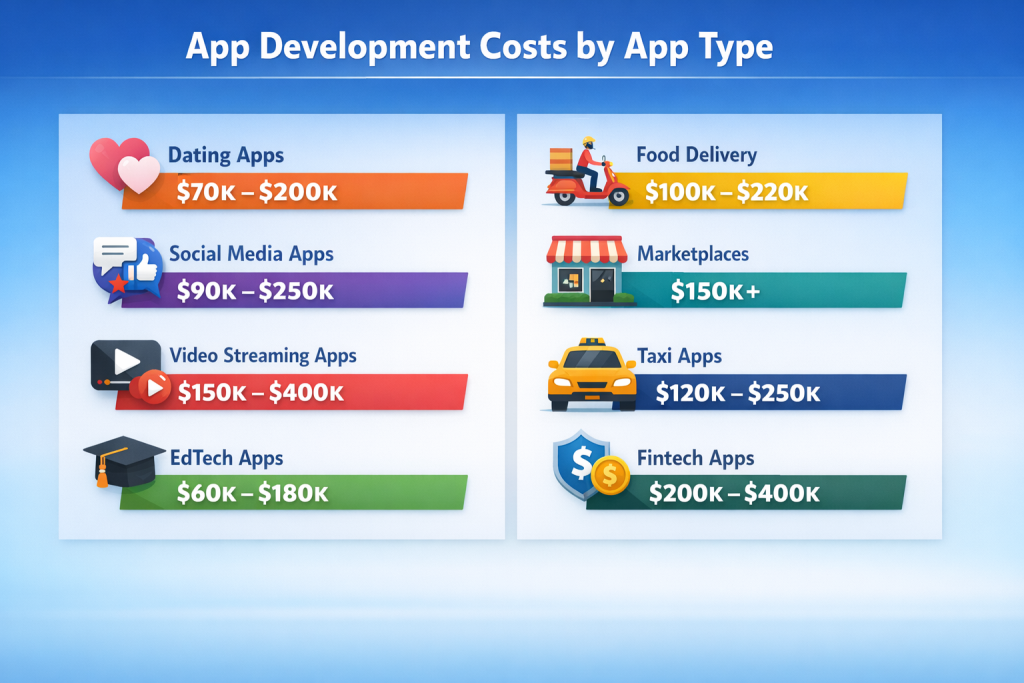
Complexity tiers tell part of the story. Category matters just as much. A dating app and a fintech wallet may both have “login + dashboard,” yet the engineering burden is completely different. The app development cost shifts depending on user roles, compliance rules, and infrastructure needs.
Below is how pricing typically plays out in 2026 across major app categories.
Consumer & Content Platforms
- Dating apps. Entry MVPs with profiles, swipe logic, and basic chat usually fall in the $70,000–$120,000 range. Add real-time messaging, photo moderation, reporting systems, and fraud detection, and budgets move toward $140,000–$200,000. Scale versions introduce recommendation algorithms, geo-matching, AI moderation, and performance tuning, pushing costs beyond $200,000.
- Social media apps. An entry MVP with profiles, feed logic, likes, comments, and basic media upload usually lands in the $90,000–$150,000 range. Once you add real-time notifications, direct messaging, story formats, content moderation pipelines, and recommendation algorithms, budgets shift toward $160,000–$250,000.
- Video streaming or VOD apps. Infrastructure defines the price here. Entry builds with video playback and user accounts may begin around $150,000. Growth versions with CDN integration, adaptive bitrate streaming, and moderation tools typically sit between $220,000 and $300,000. Live streaming with low latency, encoding pipelines, and DRM protection can move the budget toward $300,000–$400,000.
- Learning and EdTech apps. Content delivery and quizzes are manageable at $60,000–$100,000 for MVP scope. Add subscriptions, certificates, gamification, and live sessions, and the number climbs to $120,000–$180,000.
Transactional & Infrastructure-Heavy Apps
- Food delivery apps. Even basic builds require three user roles: customer, courier, restaurant. Entry builds start around $100,000 due to dispatch logic and live tracking. Growth versions with optimized routing and analytics reach $160,000–$220,000.
- Marketplace apps. Listings, search, roles, escrow payments, and admin dashboards usually start at $150,000. Dispute resolution systems and advanced filtering increase engineering time.
- Ride-hailing and taxi apps. Real-time tracking, map integrations, driver matching, and route logic place most builds between $120,000 and $250,000.
- Fintech apps. Security audits, encryption layers, transaction monitoring, and banking APIs push typical builds into the $200,000–$400,000 range quickly.
Why Infrastructure and Compliance Shift Budgets Fast
Streaming and fintech consistently land at the higher end because of infrastructure demands and regulatory oversight. Encryption standards, transaction monitoring, data storage requirements, and uptime guarantees all increase backend hours and testing cycles. Small feature lists in these industries often hide heavy engineering underneath.
Now that category differences are clear, it makes sense to look at how platform strategy further changes the budget.
iOS vs Android vs Cross-Platform in 2026
Platform choice hits the budget immediately, and the gap is visible in real quotes from 2026.
A straightforward native iOS build with login, user flows, API integration, and payment logic usually lands between $45,000 and $110,000. Add custom animations, subscription management, and deeper backend logic, and that number moves closer to $130,000–$160,000. Teams charge more when performance polish and App Store compliance require extra QA cycles.
A comparable native Android app often falls in the $50,000 to $120,000 range. Android can demand more testing time because of device variety. Different screen sizes, chipsets, and OS versions mean additional QA hours. That extra testing shows up in the invoice.
Now consider launching both platforms at the same time. You are funding two mobile engineering tracks, two testing cycles, and two store submission processes. In practice, building iOS and Android natively in parallel pushes the app development cost up by roughly 60 to 80 percent compared to starting with one platform and expanding later.
Cross-platform frameworks shift that equation. Flutter and React Native allow shared logic across both systems. For many MVPs, a dual-platform product can be delivered in the $70,000 to $150,000 range, depending on backend complexity. It works well when the interface is not hardware-heavy.
The decision is rarely about preference. It is about launch speed, testing load, and how much performance headroom the product truly needs.
Real-World Cost Examples

Abstract ranges are useful. Concrete builds are clearer. Here is how the app development cost looks in three realistic 2026 scenarios.
Case 1: Startup MVP
Scope: 5 core screens, user authentication, basic backend, Stripe payments.
Estimated budget: $45,000–$65,000.
Rough breakdown:
- Project management: 80–120 hours
- UX/UI design: 120–160 hours
- Backend engineering: 250–350 hours
- Mobile development: 300–400 hours
- QA testing: 120–180 hours
This kind of build usually fits into 3–4 months with a small focused team.
Case 2: Marketplace Platform
Scope: multi-role accounts, real-time chat, escrow payments, admin dashboard.
Estimated budget: $150,000–$220,000.
Rough hours:
- PM: 150–200
- Design: 200–300
- Backend: 600–900
- Mobile: 700–1,000
- QA: 300–400
Backend complexity drives most of the increase here.
Case 3: AI-Driven Application
Scope: external model integration, recommendation engine, data pipeline, monitoring.
Estimated budget: $250,000–$400,000+.
Rough hours:
- PM: 200+
- Design: 250–350
- Backend: 1,000–1,500
- Mobile: 800–1,200
- QA and testing: 400–600
AI adds infrastructure, logging, rate limiting, and cost tracking layers that expand engineering time fast.
Hidden Costs Most People Ignore
Launch day is not the finish line. It is the beginning of ongoing expenses that quietly reshape the app development cost over time. Many budgets cover the build but forget the lifecycle.
Maintenance and Post-Launch Support
Most professional teams estimate 15 to 25 percent of the initial build cost per year for maintenance. That includes operating system updates, security patches, dependency upgrades, and minor feature improvements. Apple and Google release major OS updates annually. Each update can break UI components or background services, forcing engineering hours that were never in the original estimate.
Infrastructure and Scaling
Hosting is rarely flat. Cloud servers, CDN bandwidth, database storage, and monitoring tools scale with user activity. A small app might run on $300 to $800 per month. After traction, infrastructure bills can move into several thousand per month. DevOps support becomes necessary to manage performance, backups, and uptime guarantees.
Compliance and Security
Apps handling payments or personal data face regulatory standards. GDPR requires data handling transparency. PCI DSS governs payment security. Healthcare apps face HIPAA obligations. Compliance often means audits, legal review, and penetration testing, each costing thousands of dollars.
App Store and Payment Fees
The Apple Developer Program costs $99 per year. Both Apple and Google charge 15 to 30 percent on in-app transactions. Payment processors add 2.5 to 3.5 percent plus transaction fees.
These expenses accumulate quietly.
So how do you keep budget under control?
How to Reduce App Development Cost Without Destroying Quality

Reducing the app development cost does not mean cutting corners. It means structuring decisions so you do not pay twice for the same mistake. Most budget overruns happen because scope expands without control or architecture is rushed.
Here are practical ways teams keep budgets realistic:
- Start with a strict MVP definition. Lock the feature list before development begins. If a feature does not directly support your core value, it waits. Every extra screen adds backend logic, testing time, and UI revisions.
- Design modular architecture from day one. Build systems in blocks so features can be added later without rewriting the foundation. A well-structured backend saves months when scaling.
- Reuse proven patterns instead of reinventing flows. Authentication, subscription handling, notification logic, and admin dashboards follow common structures. Customizing only where it matters keeps engineering hours focused.
- Invest in a strong discovery phase. Clear documentation, wireframes, and technical planning reduce mid-project changes. Rework is one of the fastest ways to inflate budgets.
- Control feature creep. It is easy to add “one more idea” during development. Each change triggers redesign, retesting, and sometimes architectural shifts.
Smart planning lowers risk. Cutting strategy raises it.
In-House vs Agency vs Custom Development Partner
The app development cost changes dramatically depending on how you build the team.
An in-house setup sounds attractive until you calculate the real payroll. In 2026, a senior mobile developer in the US often earns $120,000 to $160,000 per year. A backend engineer sits in a similar range. Add a designer at $90,000+, a QA engineer at $70,000+, and a project manager, and annual payroll easily crosses $400,000 before benefits, taxes, and recruiting fees. Hiring alone can take months. During that time, you are paying without shipping.
Agencies solve the hiring problem, but they build margin into their rates. You gain speed and structured delivery, yet hourly pricing often includes overhead for sales, operations, and account management. Agencies are efficient for defined scopes, but long-term flexibility may cost more.
A dedicated development partner model sits between those extremes. You work with an assigned engineering team that focuses on your product without full in-house payroll burden. Budget forecasting becomes clearer because the scope and delivery milestones are defined upfront. You retain strategic control without building HR infrastructure.
This model is where companies like Scrile operate, offering structured development without forcing you to assemble the entire machine yourself.
Scrile Custom Development Services: Structured Cost, Controlled Scope

When projects run over budget, it is rarely because someone wrote too much code. It happens when scope is unclear, architecture is rushed, or integration details surface too late. Managing app development cost requires structure from the first planning session.
Scrile approaches development as a staged process rather than a quick build. The goal is predictable delivery, not vague estimates that shift halfway through.
From Discovery to Scalable Release
Scrile’s workflow begins with a discovery phase. That includes business analysis, requirement clarification, user flow mapping, and technical planning. Instead of guessing timelines, the team defines architecture and milestones before development starts. That early structure directly stabilizes the app development cost because it reduces mid-project changes.
After discovery, the focus moves into execution:
- UX and UI design that aligns product goals with user behavior, not generic templates.
- Dedicated engineering teams covering backend, mobile, and frontend development.
- Scalable cloud architecture, including infrastructure planning, database strategy, and DevOps support.
- Integration-ready builds, prepared for payment systems, third-party APIs, analytics, and compliance layers.
- Quality assurance and testing, structured across platforms and environments.
- Post-launch maintenance and support, including updates, scaling, and infrastructure monitoring.
Scrile’s services extend beyond initial deployment. Hosting support, cloud optimization, and long-term product iteration are built into the engagement model. That continuity prevents the common problem where a product launches and then struggles without technical oversight.
The objective is not to sell a package. It is to define scope accurately, align technical architecture with business logic, and ensure that your budget matches the complexity of what you are building.
Conclusion
When someone hears a number like $100,000 or $300,000, the first reaction is usually shock. It feels like a lot for “an app.” But the invoice is not about screens. It is about the system behind those screens.
You are paying for backend architecture that can support thousands of users without slowing down or breaking under load. Secure authentication, encrypted payment flows, and carefully structured databases all require engineering time. Thorough testing reduces the risk of crashes once real users arrive. The technical decisions made during development shape what scaling will cost later, whether that means a small upgrade or a major rebuild.
Architecture is invisible when it works. It becomes obvious when it fails. The same applies to security. Cutting corners may save money in the first release cycle. Fixing weak foundations later often costs more than building them correctly at the start.
That is why budget planning should be treated as a strategic move, not a guessing game. The number reflects complexity, traffic expectations, integrations, and long-term product goals.
If you want clarity before committing resources, the practical step is to speak directly with engineers who can evaluate scope and infrastructure requirements. Contact the Scrile team to estimate your project and align technical planning with your business goals.
Polina Yan is a Technical Writer and Product Marketing Manager, specializing in helping creators launch personalized content monetization platforms. With over five years of experience writing and promoting content, Polina covers topics such as content monetization, social media strategies, digital marketing, and online business in adult industry. Her work empowers online entrepreneurs and creators to navigate the digital world with confidence and achieve their goals.
by Polina Yan
Imagine a voice that doesn’t just read your words but actually feels them. That’s where text to speech with emotion has taken us in 2026 — AI voices that sigh in frustration, brighten with excitement, or soften into comfort. This shift isn’t just a neat trick for tech demos. It’s changing how creators build marketing campaigns, how game developers bring NPCs to life, and how virtual assistants connect with users on a personal level.
In this article, we’ll break down five of the most impressive solutions you can use right now. Each one will get a clear, human take — strengths, drawbacks, and where it truly shines. You’ll also see a side-by-side comparison table for quick decision-making, plus a look at a fully customizable route with Scrile AI for teams who need more than off-the-shelf options. By the end, you’ll know exactly which path fits your project’s voice — and its heartbeat.
In this guide we focus on what teams actually search in 2026: TTS API providers with emotion support (expressive speech, laughs, sighs), plus which APIs work best for podcast pipelines and multi-speaker narration. You’ll get a clear shortlist, what each provider can (and can’t) do “natively”, and practical ways to produce reliable laughs/sighs when the API doesn’t support them as explicit controls.
Why Emotional TTS Matters in 2026
The leap from flat, robotic narration to emotion text to speech has made AI voices far more than a convenience — they’ve become a competitive edge. In 2026, brands, educators, and creators are turning to text to speech with emotion to connect with audiences in ways that plain audio never could.
Think of accessibility tools that read aloud with empathy, helping visually impaired users feel tone and context. Or interactive games where NPCs laugh, sigh, or sound genuinely scared. In online education, emotional TTS keeps students engaged for longer sessions. And yes — even in NSFW chat environments, realistic voice tones make interactions feel far more human and personal.
The demand is backed by numbers. According to industry reports, the global TTS market is projected to surpass $7 billion by 2028, with emotional AI voices driving a significant share of that growth. The reason is simple: when speech conveys feelings, people listen longer, trust more, and engage at deeper levels.
TTS API Providers with Emotion Support (Laughs, Sighs) in 2026
Important nuance: most “emotional TTS” APIs control delivery via styles, presets, or SSML. But “laughs / sighs” are often not a dedicated parameter. In practice you get them in three ways:
1) native non-verbal behavior (the model can laugh when it sees “haha”),
2) expressive style control (conversational / emotional inflection),
3) deterministic SFX insertion (you insert a laugh/sigh audio clip via SSML, so it works every time).
How Emotional TTS Works
Think about the last time you heard someone fake an apology. The words were fine, but the voice gave them away. That’s exactly what most robotic voices have sounded like for years — flat, functional, and forgettable. Emotional TTS tries to fix that by making AI talk like a human who actually feels something.
The trick isn’t magic, it’s detail. Developers feed AI thousands of real voice samples — laughter, frustration, hesitation, warmth. The system learns how tiny shifts in:
- Pitch (that lift when you’re excited)
- Pace (rushed when you’re thrilled, slower when you’re serious)
- Tone (soft for comfort, sharp for authority)
- Pauses (because silence can speak louder than words)
…can completely change the meaning of the same sentence.
In 2026, this tech isn’t just reading text. It’s shaping delivery the way a skilled actor would. It can make your AI sound like a friendly tutor, a tense game narrator, or — if you want — the voice in an NSFW chat that knows exactly how to play the part. That’s the real leap: not just speaking, but speaking with intent.
6 Best Text to Speech with Emotion Solutions
If you’ve ever listened to a robotic AI voice and thought, “Yeah… that doesn’t sound human,” you already know why emotional TTS matters. The good news? In 2026, we have more options than ever that don’t just read your words — they perform them. Below are five standout tools, each with its own personality, pricing, and quirks.
Typecast — Best for Creative Media with Diverse Emotional Presets
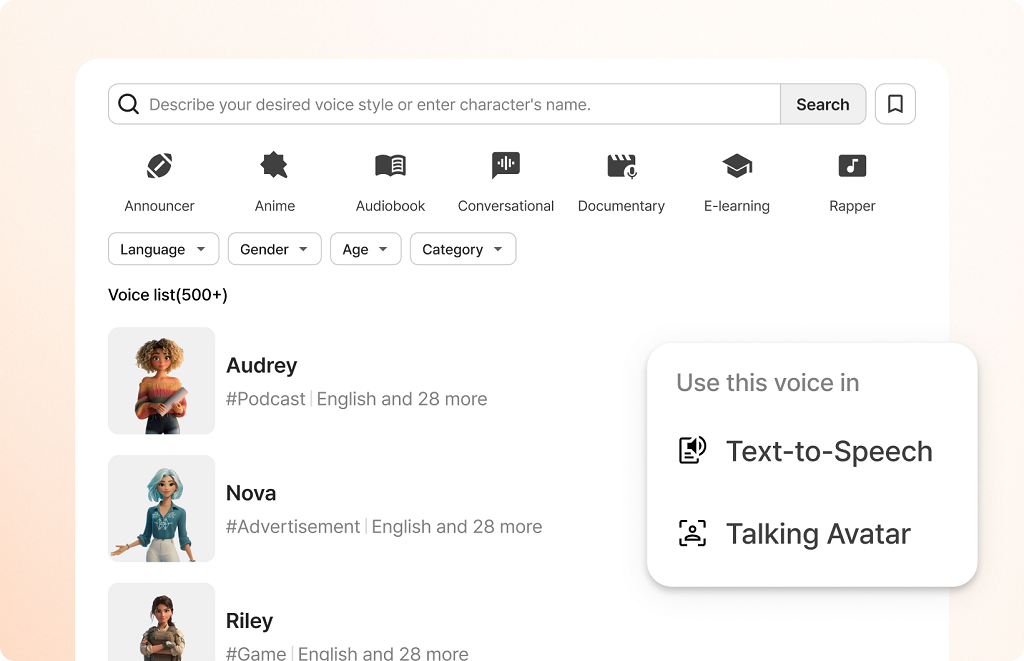
Typecast has carved a spot in the creative industry by giving content makers a toolbox that feels more like a stage than software. With 600+ voices and an advanced SSFM model, it delivers characters that laugh, whisper, or tremble just right. Whether you’re producing an indie game, an animated short, or an audiobook with drama, it’s one of the few platforms where “free text to speech with emotion” isn’t just marketing fluff — you can actually try it without paying first.
Key Features:
- 600+ voices in multiple languages
- Adjustable emotional presets like joy, fear, and sadness
- Real-time previews for instant feedback
- SSFM (Speech Synthesis Fine-tuning Model) for lifelike tone control
Pros:
- Huge library of voice options
- Strong emotional range without sounding artificial
- Works well for storytelling-heavy projects
- Generous free tier
Cons:
- Interface can feel crowded for first-time users
- Some niche languages lack emotional presets
Pricing & Free Plan: Free tier with limited exports; paid plans start around $8.99/month for more voices, faster rendering, and commercial rights.
Murf AI — Best for Professional Voiceovers & Commercial Use
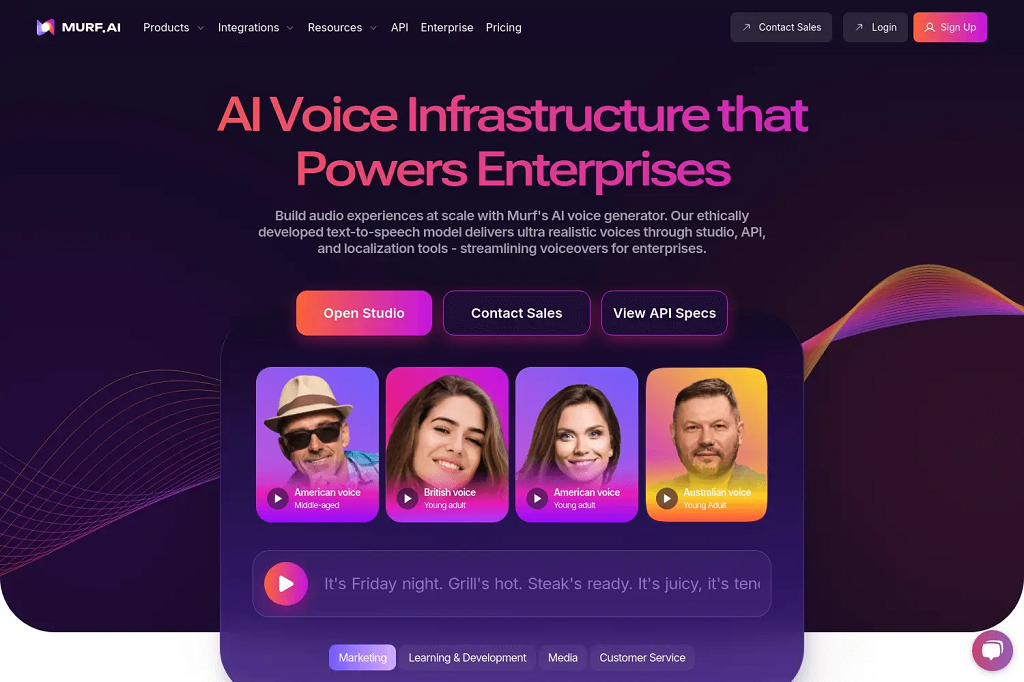
Murf AI is like the clean, polished studio of emotional TTS tools — everything about it feels geared toward serious, professional output. It’s a favorite among ad agencies, corporate trainers, and video producers who need tts with emotion that still sounds sharp and brand-safe. Their Speech Gen 2 engine nails subtle shifts in tone — think “motivated” versus “inspired” — which makes a big difference in scripted work.
Key API features (2026):
– Murf API with voice styles (styles change tone and emotional inflection programmatically)
– Falcon TTS model positioned for fast, expressive, real-time voice agents
– Voice/style selection per use case (conversational, inspirational, newscast, etc.)
– Speech customization controls to fine-tune delivery
Key Features:
- Speech Gen 2 for precise emotion tuning
- Over 150 voices in 20+ languages
- Timeline-based editor for syncing with visuals
- AI-driven script-to-voice matching
Pros:
- Emotion control that feels granular, not generic
- Excellent for explainer videos, ads, and training content
- Built-in tools for pacing and emphasis adjustments
- Professional-grade audio quality
Cons:
- No truly free plan (only a short trial)
- Emotional presets are less exaggerated than in entertainment-focused tools
Pricing & Free Plan: Free trial for a few minutes of voice generation; paid plans start around $19/month, with commercial usage rights included.
LOVO AI — Best for Marketing & E-learning
LOVO AI positions itself as the storytelling partner for brands and educators. With a multilingual voice library and expressive styles designed for teaching, brand videos, and even customer service scripts, it’s built for clarity and engagement. Its ai voice with emotions engine is strong enough to carry enthusiasm in an ad spot and warmth in an onboarding video without sounding forced.
Key Features:
- 100+ languages supported
- Expressive styles for teaching, selling, and narrating
- API access for integration into LMS or marketing platforms
- Emotion sliders to fine-tune delivery
Pros:
- Versatile — works equally well for ads and education
- Wide language support for global campaigns
- Easy integration for large-scale content production
- Offers both pre-set and customizable emotion controls
Cons:
- Some voices feel too “clean” for creative storytelling
- Lower-tier plans limit access to advanced features
Pricing & Free Plan: Free version with watermarked exports; paid plans start around $10/month for high-quality, watermark-free audio and full commercial rights.
ElevenLabs — Best for Expressive Narration (Including Laugh-Like Moments)
ElevenLabs is a strong pick when you want “performed” narration rather than a flat read. In 2026 they explicitly emphasize emotion-aware delivery, and they even highlight laughter-like behavior as part of their progress on expressiveness.
For podcast-style narration, the practical trick is to write like a script: add dialogue tags (“she said, trembling”, “he laughed”) or short interjections so the model has clear cues to act on.
Best for:
– podcasts and story narration where emotion matters
– character dialog and dramatic reads
– teams who want a simple API-driven workflow
Play.ht — Best for Podcasters & Publishers
Play.ht is one of the most integration-friendly picks for publishers because it combines expressive voices with a real streaming TTS API (you can generate audio in real time, not only export files). For “laugh-like” moments, Play.ht publicly described how its model can laugh when it encounters “haha/ahhaha” in the text—useful when you want light non-verbal cues without stitching audio manually.
If you’ve ever tried to convert an article or script into audio and felt the result was… flat, Play.ht is the kind of upgrade you wish you’d found sooner. It’s loaded with a huge voice library and lets you mess with pitch, speed, and pauses until the delivery sounds like a real person telling a story. That’s why it’s a favorite in the podcasting and publishing world. It’s not just a text to speech emotion engine — it’s a full-on audio production sandbox.
Key Features:
- 200+ voices across 30+ languages
- Controls for pitch, speed, and pause placement
- Audio player widgets for websites and blogs
- Batch processing for multiple scripts
Pros:
- Voices that feel less “robot” and more “presenter”
- Flexible enough for news reads, narration, or casual chat tones
- Built-in player makes embedding audio dead simple
- Good for both short posts and long-form content
Cons:
- Free version limits downloads and customization
- Some voices still lean slightly toward the “AI” sound on longer passages
Pricing & Free Plan: Free tier lets you try it out but caps output; paid plans start at about $39/month, with commercial rights and more customization unlocked.
Resemble AI — Best for Voice Cloning with Emotional Nuance
Resemble AI is an API-first option when you need emotional control as a programmable layer (especially in custom apps). Think of it less as a “podcast platform” and more as a developer tool for voice + controllable delivery—useful when you’re building interactive experiences.
Resemble AI takes the idea of emotional tts and adds a wild card: cloning your own voice, complete with emotional shading. This means you could train it to say anything in your voice — calm, angry, excited, even whispering — and it will sound disturbingly close to the real thing. The tool’s custom emotion tags give you frame-by-frame control over delivery, which is rare in this space.
Key Features:
- Real-time API for live emotion control
- Voice cloning from short audio samples
- Emotion tags for ultra-specific tone adjustments
- Support for blending synthetic and human recordings
Pros:
- Scary-good cloning accuracy
- Emotion tags make subtle delivery possible
- Works for games, interactive experiences, and custom assistants
- Real-time capabilities are a huge plus for dynamic content
Cons:
- Steeper learning curve for precise results
- Voice cloning may raise ethical or compliance questions
Pricing & Free Plan: Free plan includes basic TTS with limits; cloning and advanced emotion control start around $19/month.
Comparison Table — Quick Glance at the Top Picks
| Tool | Voices | Languages | Emotional Control | Best For | Free Plan |
| Typecast | 600+ | 60+ | Manual/presets | Creative projects | Yes |
| Murf AI | 150+ | 20+ | Precision sliders | Pro voiceovers | Yes |
| LOVO AI | 500+ | 100+ | Multiple presets | Marketing/e-learning | Yes |
| Play.ht | 200+ | 30+ | Pitch/speed control | Podcasts, publishing | No |
| Resemble AI | 100+ | 100+ | Custom emotion tags | Voice cloning | No |
How to Make Laughs/Sighs Reliable (When the API Doesn’t Support Them as a Parameter)
If you need laughs/sighs to happen exactly in the right place every time, don’t rely only on “emotion”. Use SSML and insert a short prerecorded SFX clip (laugh / sigh / breath) at the exact moment. This approach is boring—but it’s stable and production-safe.
Many TTS stacks support SSML features like breaks, prosody changes, and inserting prerecorded audio to control the final performance.
Scrile AI: Build Your Own Emotional TTS
Off-the-shelf apps are fine when you just need a quick voiceover. But when you want a text to speech with emotion solution that’s truly yours — branded, monetized, and integrated with everything your business runs on — you need a custom build. That’s where Scrile AI steps in.
Scrile AI isn’t a generic SaaS subscription. It’s a custom development service that designs and delivers exactly what your use case demands. Whether you’re building a learning platform with lifelike voices, an NSFW chatbot with emotional nuance, or even a text to speech porn product that blends voice output with AI roleplay, the tools are shaped around your vision.
Here’s what you can have built:
- Real-time emotional TTS with natural tone shifts and contextual delivery
- AI character builder to give every voice a unique persona and backstory
- Group & private chat integration with instant audio generation
- AI-generated responses powered by LLMs for dynamic conversations
- Full moderation control to meet compliance and community guidelines
- Monetization options like subscriptions, pay-per-message, or premium content tiers
- Complete branding — interface, UX, and workflow logic all reflect your identity
Scrile AI also works seamlessly with existing ecosystems. You can integrate it with your CRM, analytics tools, or content library, so the voice output isn’t just realistic — it’s connected to your entire operation.
Instead of adapting your workflow to fit a fixed platform, Scrile AI builds a toolset that fits you. That’s the difference between renting features and owning the whole experience.
How to Choose the Right Emotional TTS
With so many text to speech with emotion tools on the market, picking the right one comes down to knowing what actually matters for your project. Start with variety — does the platform offer a wide range of emotional tones, or are you stuck with “happy,” “sad,” and little else? Voice quality is non-negotiable; if it sounds robotic, your audience will tune out.
Languages can be a deal-breaker if you need global reach, so check both coverage and accent authenticity. API access is another big one — without it, you’re limited to manual use instead of integrating voices into your apps or workflows. And finally, pay attention to licensing. Some services allow full commercial use; others don’t.
If a tool ticks these boxes and still fits your budget, you’re on the right track. The perfect choice should sound great, work anywhere, and fit seamlessly into your ecosystem.
⚖️ Emotional TTS Tools vs. Scrile AI
| Feature | Typecast | Murf AI | LOVO AI | Play.ht | Resemble AI | Scrile AI (Custom Build) |
|---|
| Voices | 600+ | 150+ | 500+ | 200+ | 100+ | Unlimited (custom-trained) |
| Languages | 60+ | 20+ | 100+ | 30+ | 100+ | Any (customizable) |
| Emotional Control | Presets + fine-tuning | Precision sliders | Presets + sliders | Pitch/speed control | Emotion tags | Real-time contextual + persona-driven |
| Best For | Creative projects, games | Ads, training, corporate | Marketing & e-learning | Podcasts, publishing | Voice cloning & interactivity | Branded platforms, monetization, full control |
| Free Plan | Yes | Trial only | Yes | Limited | Basic TTS only | N/A (custom dev) |
| Monetization Options | None | None | None | None | None | Subscriptions, PPV, premium voice chats |
| Branding | Vendor branding | Vendor branding | Vendor branding | Vendor branding | Vendor branding | 100% custom UI/UX, your brand only |
| Integration | Manual export | Editor-based | API | Website widgets | API | Full ecosystem: CRM, chat, analytics |
Conclusion
Text to speech with emotion surpasses machine narration. The world’s best tech puts depth, character, and realism in computer voices — and makes a great tool for content creators, tutors, marketers, game developers, and even NSFW chat. Your use may be to break the ice in a podcast introduction or to add drama to a game scenario or to liven up online lessons, but emotional TTS can radically change the way audiences respond to your content.
The five solutions we explored — Typecast, Murf AI, LOVO AI, Play.ht, and Resemble AI — each bring something unique to the table. From massive voice libraries to hyper-precise emotional control, there’s a fit for every need and budget.
For brands and projects that need more than a ready-made tool, Scrile AI delivers a fully customized, branded emotional TTS system tailored to your workflow — complete with integrations, monetization features, and total control. Contact the Scrile AI team of experts today and start building your solution.
FAQ – Text to Speech with Emotion (Emotional TTS APIs)
Quick answers about emotional TTS, expressive voice controls, SSML, and how teams make laughs/sighs sound consistent in production.
What does “text to speech with emotion” actually mean?
▾
Text to speech with emotion (often called emotional TTS or expressive TTS) is speech synthesis that can change delivery, not just pronunciation. Instead of a flat read, the voice can sound calmer, more excited, more serious, or more conversational—closer to how a human would perform the same line.
In practice, “emotion” is usually delivered through voice styles, speaking presets, or prosody control (pace, pitch, emphasis, pauses). Some tools call it “styles,” others “acting,” “expressiveness,” or “tone.”
How do emotional TTS models create emotion in a voice?
▾
Emotional TTS works by learning performance patterns from expressive speech data—how humans change rhythm, pitch, and emphasis when they’re excited, empathetic, tense, or playful. The model then applies similar patterns to your text.
Most “emotion controls” are really a way to steer prosody. Depending on the provider, you’ll get style presets (like conversational or inspirational), sliders, or SSML controls for pauses, emphasis, and speaking rate.
Which tools are best for emotional TTS—API, creator tools, or both?
▾
It depends on how you’ll use the voice. Creator-first tools are great for fast voiceovers and edits in a browser timeline. API-first tools are better when you need automation: voice generation at scale, in-product narration, or real-time voice agents.
A practical approach is to shortlist by workflow: marketing & e-learning, podcast narration, game dialogue, or live voice agents. Then validate: style control depth, stability (repeatability), language coverage, and licensing for commercial use.
Can emotional TTS generate laughs and sighs reliably?
▾
Sometimes—but “reliable” is the key word. Many models will produce laugh-like or breathy moments when the text strongly hints at it (for example, “haha,” “(laughs),” or short interjections). That can sound great, but it may vary between renders.
If you need the same laugh/sigh in the exact place every time, the safest production method is deterministic insertion: use SSML (where supported) to add a short SFX clip, plus controlled pauses and prosody around it.
What’s the simplest way to “prompt” emotion into TTS text?
▾
Write like a script, not like an essay. Short sentences, clear punctuation, and small performance cues work better than long paragraphs. Dialogue tags (“she said softly,” “he replied, annoyed”) can help the model interpret intent without you touching advanced controls.
Then tighten delivery with structure: add pauses, split lines where you want emphasis, and avoid huge run-on sentences. If your provider supports SSML, use breaks, emphasis, and speaking-rate adjustments for repeatable results.
Is emotional TTS good enough for real-time voice agents?
▾
Yes—if your provider supports streaming output and your product is built for it. Real-time experiences depend on latency, chunking (sending audio in pieces), and how your app handles interruptions (barge-in) and quick re-prompts.
For a smooth feel, teams usually keep responses short, cache common phrases, and reserve “high drama” emotional delivery for moments that matter (welcome lines, confirmations, empathy moments), not every sentence.
Do all languages support the same emotion and style controls?
▾
Not always. A provider may support many languages, but only a subset will have rich style presets or strong expressive delivery. Even when a language is supported, accents and “naturalness” can vary by voice.
The best test is practical: generate the same short script across 2–3 voices in your target language, then evaluate clarity, emotion, and consistency. If you need a specific “brand voice,” confirm it exists before you commit to an API integration.
What should I check in licensing and commercial rights?
▾
Always confirm commercial usage, redistribution rules, and whether you can monetize the generated audio (ads, subscriptions, paid courses, in-app content). Some plans allow broad commercial use; others restrict certain industries or require higher tiers.
If you’re building a platform (not just creating a voiceover), double-check “end-user generation” rights—whether your customers can generate audio inside your product under your license, or if each user must have their own agreement.
Is emotional TTS the same thing as voice cloning?
▾
No. Emotional TTS is about performance (how the voice speaks). Voice cloning is about identity (whose voice it sounds like). Some platforms offer both: you clone a voice, then apply style/emotion controls on top.
If you clone voices, consent matters. Use voices you own or have explicit permission to use, and consider disclosure in user-facing products. Good policy here is not just “nice”—it reduces legal and reputational risk.
When does it make sense to build a custom emotional TTS solution?
▾
Off-the-shelf tools are great for quick production. A custom solution makes sense when voice is a core product feature: you need tight brand control, predictable outputs, deep integrations, usage-based monetization, or a fully branded user experience under your own domain.
That’s also where platforms like Scrile AI can fit: building a branded, integrated system (voices, access rules, subscriptions, and admin control) instead of relying on a generic UI and someone else’s roadmap.
Polina Yan is a Technical Writer and Product Marketing Manager, specializing in helping creators launch personalized content monetization platforms. With over five years of experience writing and promoting content, Polina covers topics such as content monetization, social media strategies, digital marketing, and online business in adult industry. Her work empowers online entrepreneurs and creators to navigate the digital world with confidence and achieve their goals.

by Polina Yan
A local yoga studio once built a polished website with sleek booking forms, yet most inquiries still arrived on WhatsApp. People skipped the forms, opened the green app, and sent quick voice notes instead. That tension sits at the heart of the question: how to integrate WhatsApp in website experiences that people actually want to use. Forms feel slow and formal, while WhatsApp feels personal, instant, and familiar. Customers already live there, so businesses increasingly follow them.
Why Businesses Add WhatsApp to Their Websites

Businesses add WhatsApp to their sites for simple, very human reasons. Email forms feel slow, formal, and one-directional. People hesitate, rewrite, or abandon them altogether. WhatsApp feels the opposite: immediate, conversational, and already part of daily life. That difference alone explains why so many companies now treat WhatsApp for website as a core communication channel rather than a nice extra.
Faster replies than email
Messages land in a space people check constantly. Customers respond in seconds, and businesses can close conversations in minutes instead of hours or days. For service-based companies, that speed often translates directly into more bookings and fewer lost leads.
Familiarity and trust
Users recognize WhatsApp instantly. They know how it works, how to send files, voice notes, or photos, and they feel safer sharing details there than inside an unfamiliar web form. That familiarity lowers psychological barriers that no design tweak can fully remove.
Lower friction for first contact
One tap opens a chat. No required fields, no captchas, no uncertainty about whether the message was sent. For mobile users in particular, this simplicity makes a real difference.
How to Integrate WhatsApp in Website: Four Real Methods
There is no single way to connect WhatsApp to a site. Knowing how to integrate WhatsApp in website really means choosing between three practical approaches that trade speed, control, and data differently.
Click-to-Chat Button
This method relies on a wa.me link that opens a chat with your number when a user taps a button or floating icon.
Pros
- Fastest setup possible.
- Works on any website without extra tools.
- No approvals or technical maintenance needed.
Cons
- Very basic user experience.
- Minimal tracking beyond standard website analytics.
- No automation, routing, or team inbox.
This is the quickest way to add WhatsApp button to website when you just want to test demand or handle small volumes.
Widgets / Plugins
Widgets place a branded chat bubble on your site while still opening WhatsApp underneath. Tools like Elfsight WhatsApp typically let you control appearance and greeting messages.
Pros
- Custom icon, colors, and placement.
- Auto-message that starts the conversation smoothly.
- Cleaner visual experience than a raw link.
Cons
- Limited analytics compared to native tools.
- Little control over workflows or automation.
- Dependence on a third-party service.
This delivers a smoother WhatsApp website integration, but you still operate within someone else’s system.
WhatsApp Business API

This connects your website to WhatsApp through an official provider. The plain flow is: add the WhatsApp product to your app → generate an access token → add a recipient number → send a test message → configure webhooks.
Pros
- Automation and message templates.
- CRM or helpdesk integration.
- Team routing and shared inboxes.
Cons
- More complex setup than buttons or widgets.
- Ongoing platform and per-message fees.
- Requires maintenance and technical coordination.
This is true WhatsApp integration with website rather than a visual shortcut — stronger for scale, heavier to run.
QR Code
A WhatsApp QR code links directly to your chat when someone scans it with their phone. You can place it on your website, posters, printed receipts, product packaging, or dedicated landing pages to bridge offline and online communication.
Pros
- Works smoothly across physical and digital touchpoints.
- Very intuitive for mobile users in stores or events.
- Easy to generate and update without changing the design much.
Cons
- Useless for desktop-only visitors unless paired with a button.
- No built-in analytics beyond basic scan tracking.
- Still redirects users away from your site into WhatsApp.
This method is strongest when you want a simple offline-to-online link that funnels people straight into chat.
Embedding vs Linking WhatsApp
Linking is blunt and effective. A visitor taps a button, your site fades, and WhatsApp takes over. It works on every device, rarely breaks, and keeps things simple. The downside is obvious — the moment the chat starts, your brand disappears from view.
Embedding feels different. A small chat frame sits in the corner of your page, often styled to match your site. The visitor sees your logo, your colors, your tone before the switch to WhatsApp happens. It is still WhatsApp in the end, but the transition feels calmer, more intentional, less like being pushed out of your own website. That is what people mean when they say they want to embed WhatsApp chat in website layouts.
Tracking Engagement: What You Can Actually Measure
Adding WhatsApp to a website feels simple, but what you can measure depends heavily on the method you choose.
With click-to-chat buttons, tracking is basic but still useful. You can attach UTM parameters to your wa.me link and see how many people clicked from different pages, campaigns, or ads inside Google Analytics or your site dashboard. You will know where interest comes from, but you will not see what happens inside the chat itself.
Widgets sit in the middle. Most tools provide lightweight dashboards that show impressions, clicks, and sometimes rough response times. You get a better sense of volume than with a plain button, but conversation data still lives inside WhatsApp, not your system.
The WhatsApp Business API gives you the deepest visibility. You can track message delivery, read status, and response times, and connect conversations to your CRM or helpdesk. This makes it possible to see which leads convert, which campaigns generate real chats, and how your team performs over time. The trade-off is complexity and cost, but the clarity you gain is much higher.
Real-World Use Cases

Case A — Local Yoga Studio
A small neighborhood studio quietly added a floating WhatsApp button to its site one evening. By morning, members were sending quick “Is there space today?” messages instead of scrolling for schedules or filling out forms. The studio team replied the same way they would at the reception desk — casually, in their own voice, sometimes with photos or voice notes. The website started to feel less like a brochure and more like a doorway into the studio’s everyday life.
Case B — E-Commerce Store
An online store selling handmade gear decided to connect its checkout flow to the WhatsApp Business API. Customers began receiving order updates directly in chat, the same place they talked to friends. Many replied with quick thank-yous, questions about sizing, or photos of how they used the product. Instead of pushing people back to email, the brand leaned into this conversational space and treated it as part of the shopping experience, not just support.
Case C — Customer Support Team
A service company started with a simple WhatsApp widget on its website because it was easy. As messages grew, the team slowly shaped their own routines around it — shared inboxes, quick internal notes, and small automation tweaks. They weren’t chasing perfection; they were just trying to make every conversation feel human. Over time, that experiment forced them to rethink how to integrate WhatsApp in website interactions so the channel could scale without losing its personal touch.
What You Gain, What You Lose, and When It Becomes a Bottleneck
Adding WhatsApp to a website usually feels like a win at first. Conversations move faster, people talk more naturally, and fewer potential customers disappear at a form field.
What you gain:
- Faster communication that fits everyday habits.
- A familiar interface users already trust.
- Lower friction for that very first message.
The limits show up quietly, not dramatically. You are still operating inside someone else’s ecosystem. Your brand always plays second to WhatsApp. Data lives in multiple places, and patterns are harder to see.
What you lose:
- Full ownership of the conversation space.
- A fully branded experience from start to finish.
- Clean, unified analytics.
- Simple team workflows as volume grows.
The bottleneck appears when things scale. Messages scatter across phones. Clear roles, routing, and permissions become necessary as volume grows. A single dashboard is far more practical than juggling five separate tools. Ideally, your chat should feel like a natural part of your product, not something rented from another platform.
At that point, figuring out how to integrate WhatsApp in website journeys stops being a technical question and becomes a business one.
Build Your Own Chat Without WhatsApp Limits with Scrile Connect
Scrile Connect is not a platform you sign up for and tweak with a few settings. It is a custom development service that builds your own communication system around how your business actually works.
Instead of adapting to WhatsApp’s rules, you design the experience you want and Scrile Connect engineers it for you. That shift changes everything — from branding to data to day-to-day operations.
What you get:
- Fully branded, native website chat that feels like part of your product, not an add-on.
- Custom routing and automation so messages reach the right person at the right time.
- Clear roles and permissions for teams, contractors, and managers.
- One unified analytics dashboard instead of scattered metrics across tools.
- Full ownership of experience, logic, and customer data, on your terms.
If you have outgrown WhatsApp’s limits, the real question is no longer how to integrate WhatsApp in website workflows — it is how to build something truly yours. Scrile Connect lets you create your own chat system without WhatsApp’s technical and commercial limitations.
Conclusion
WhatsApp is a powerful starting point, not a finished architecture. Simple buttons handle small volumes well, while the Business API supports scale but brings extra cost and complexity. Real control comes from owning your communication layer, your data, and your workflows. If you are rethinking how to integrate WhatsApp in website experiences, do not stop at widgets or APIs. Talk to the Scrile Connect team about designing a fully branded, custom chat system that fits your business.
FAQ
Is WhatsApp API integration free?
You can access the WhatsApp Business API, but businesses still pay platform fees and per-message charges under the template-based pricing model.
How to integrate WhatsApp API?
Add the WhatsApp product to your app, generate an access token, add a recipient number, send a test message, configure webhooks or a sample app, and optionally add a real business number.
Can WhatsApp be used on a website?
Yes, via WhatsApp Web in a browser, but it mirrors the mobile app instead of functioning as a fully native website chat.
Polina Yan is a Technical Writer and Product Marketing Manager, specializing in helping creators launch personalized content monetization platforms. With over five years of experience writing and promoting content, Polina covers topics such as content monetization, social media strategies, digital marketing, and online business in adult industry. Her work empowers online entrepreneurs and creators to navigate the digital world with confidence and achieve their goals.

by Polina Yan
Online buying habits changed quietly but decisively. Shoppers no longer want to browse endless categories just to check a price, confirm availability, or compare options. They expect instant answers, right where the question appears. That expectation is what pushed the best shopping bot from a novelty into a sales tool.
Early chat automation focused on support. It answered delivery questions and return policies. Over time, retailers noticed something else. The same conversational layer could guide product discovery, remove hesitation, and move buyers closer to checkout. Automation stopped being defensive and started generating revenue.
This article looks at how shopping bots actually work, where they perform best, which real tools are used today, what benefits and limits businesses should expect, and how teams can build a sales-focused bot instead of relying on generic solutions.
What Shopping Bots Actually Do in Modern eCommerce

Shopping bots are often described as helpers, but that undersells their role. In practice, they act like a guided layer between the shopper and the catalog. Instead of forcing users to translate intent into filters, the bot does that work for them. A question replaces a search, and the answer moves the session forward.
The best shopping bot focuses on behavior, not buzzwords. It reacts to what a shopper is trying to achieve and adjusts the path in real time. That’s why these systems outperform static interfaces in many stores. Filters wait to be used. Bots engage first.
Most modern shopping bots handle a small set of actions extremely well:
- Product discovery and guided search by narrowing choices through questions about budget, use case, size, or preferences, rather than endless scrolling.
- Recommendations based on intent or history, adjusting suggestions when a shopper hesitates or changes direction mid-conversation.
- Pricing alerts and availability checks that remove friction around stock status, discounts, or timing-sensitive purchases.
- Cart assistance and follow-ups, answering last-minute questions, suggesting add-ons, or recovering abandoned sessions.
This is where shopping chatbots differ from traditional UI elements. They don’t wait for perfect input. They work with partial intent and still move the buyer closer to a decision.
Conversion improves because the path feels shorter. Fewer clicks, fewer dead ends, fewer reasons to leave. Instead of navigating the store, shoppers feel guided through it.
Where the Best Shopping Bots Make the Biggest Impact

Shopping bots tend to get grouped into a single category, but their impact varies a lot depending on where they sit in the buying journey. Some moments benefit from conversation far more than filters or banners. This section breaks down the two areas where automation consistently moves revenue, not just engagement.
Product Discovery and Recommendations
Product discovery is where many stores lose buyers. Too many options create hesitation, and hesitation kills carts. A well-designed bot shortens the path by asking a few targeted questions about budget, size, brand preferences, or the exact use case. That conversation trims thousands of SKUs down to a shortlist that feels manageable.
Retail case studies often point to a 10–30% conversion uplift when guided selling replaces manual filtering. The exact number depends on catalog size and traffic quality, but the pattern is consistent. Shoppers respond better when they feel assisted rather than overwhelmed. The best shopping bot turns browsing into a dialogue, which makes the experience feel curated instead of chaotic.
Pricing, Stock, and Purchase Timing
Price and availability drive urgency. Bots can monitor inventory changes, track discounts, and notify users when a product hits a target price or comes back in stock. That creates a trigger to buy, not just a reminder to revisit.
Speed matters here. In competitive retail categories, popular items sell out in minutes, and price drops disappear fast. Bots act instantly, which shifts buying from passive browsing to event-driven decisions. This is another area where the best shopping bot becomes a revenue tool rather than a support feature.
How Shopping Bots Are Used in Real Sales Scenarios
Most retailers don’t choose a shopping bot because of feature lists. They choose it because it fits into an existing sales flow without forcing the team to change how they work. Looking at real usage makes the differences clearer.
Intercom
In eCommerce, Intercom is rarely treated as a full shopping assistant. It’s used to catch questions at the moment they appear. A shopper asks about sizing, delivery time, or compatibility, and the bot responds immediately. When interest turns serious, the conversation moves to a human. Retailers use it as a gatekeeper that keeps sales teams focused on buyers who are ready to act.
Botpress
Botpress tends to show up in stores with complex products. It’s used where a simple answer isn’t enough and the conversation needs structure. Retailers build logic around product configuration, conditional questions, or guided selection. That control is why Botpress is often discussed as a best shopping bot option for teams that want automation without losing decision logic.
Shopify Messenger
Shopify Messenger is built around conversational commerce inside social platforms. It lets shoppers browse a store’s catalog, get product recommendations, check prices, and even receive order updates through Messenger. Retailers use it to keep customers engaged on channels they already frequent rather than forcing them back to a website. Shopify Messenger also supports abandoned cart nudges directly in the chat environment, and some brands report double-digit lifts in completed purchases after implementing it.
WeChat Shopping Bot
The bot lets customers explore products, add items to a cart, handle payments, and receive order updates—all inside the messaging app. Because WeChat combines social and commerce features, the shopping bot becomes a sales channel rather than just a support tool. Stores use it to push promotions and handle questions in localized contexts, and its open API makes it extensible for loyalty programs or direct payment flows.
Botsonic
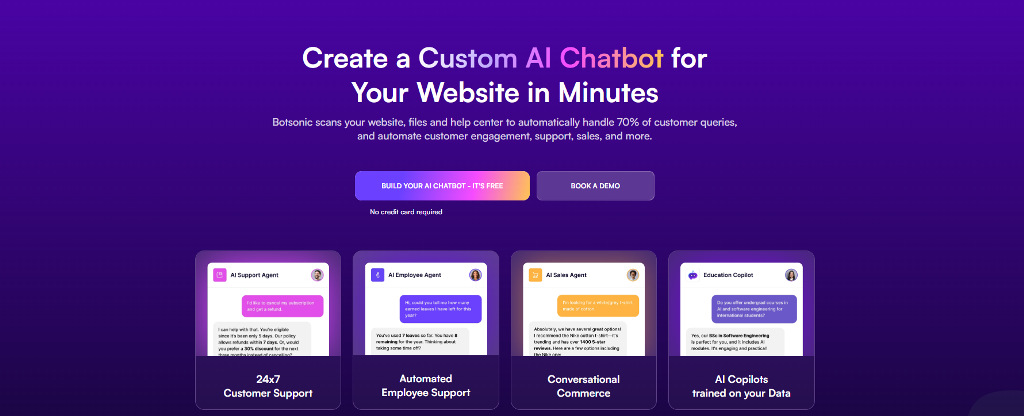
Botsonic is chosen for speed. Teams connect a site, scan product pages, and launch quickly. It’s commonly used to handle repeat questions and basic discovery without deep customization. The appeal is low friction, not flexibility.
InDMShopBot (Telegram)
InDMShopBot reflects a different habit. Some buyers prefer messaging over browsing. Sellers use it to show catalogs, confirm availability, and take orders inside Telegram chats. There’s no storefront experience. The chat is the store.
These examples show why comparisons often miss the point. The best shopping bot isn’t universal. It’s the one that fits how people already buy.
Business Gains That Go Further Than Simple Automation
Most teams start shopping bots to reduce workload. What surprises them is where the real value shows up. A well-implemented best shopping bot doesn’t just answer questions. It changes how people move through a purchase.
Guided conversations reduce hesitation. Instead of dumping filters on a category page, the bot narrows options step by step. That alone lifts conversion, especially on mobile. Support pressure also drops during traffic spikes, because routine questions never reach agents. Coverage matters too. A bot doesn’t clock out, which gives smaller teams round-the-clock sales presence without adding staff.
Retention is the quiet win. Post-purchase follow-ups, delivery checks, and reorder reminders keep the relationship alive after checkout.
A common example comes from fashion retail. A shopper lands late at night looking for a jacket. The bot asks about climate, fit, and budget, suggests two options, confirms stock, and offers sizing help. No browsing spiral. No abandoned cart. The sale happens because the interaction feels guided, not automated.
Are Shopping Bots Legal? Where the Line Actually Is
The legality question usually comes from confusion, not risk. Shopping bots fall into very different categories.
One group covers legitimate use:
- customer service and sales bots that answer questions, recommend products, or assist with checkout
- conversational assistants embedded on websites, apps, or messaging platforms
These are legal and widely used.
The other group causes problems:
- sneaker bots designed to bypass checkout limits
- scalping tools that flood retailers with automated purchases
Those tools often violate terms of service. Retailers respond with bot detection, purchase limits, IP bans, and account closures. In some regions, large-scale abuse can trigger legal action, especially when resale fraud is involved.
The distinction matters. The best shopping bot built for discovery and sales operates in the open. It helps customers decide. It doesn’t exploit infrastructure or bypass safeguards. As long as automation supports the buying process rather than manipulating it, businesses stay on solid ground.
Building Your Own AI Sales Bot with Scrile AI and Scrile Connect
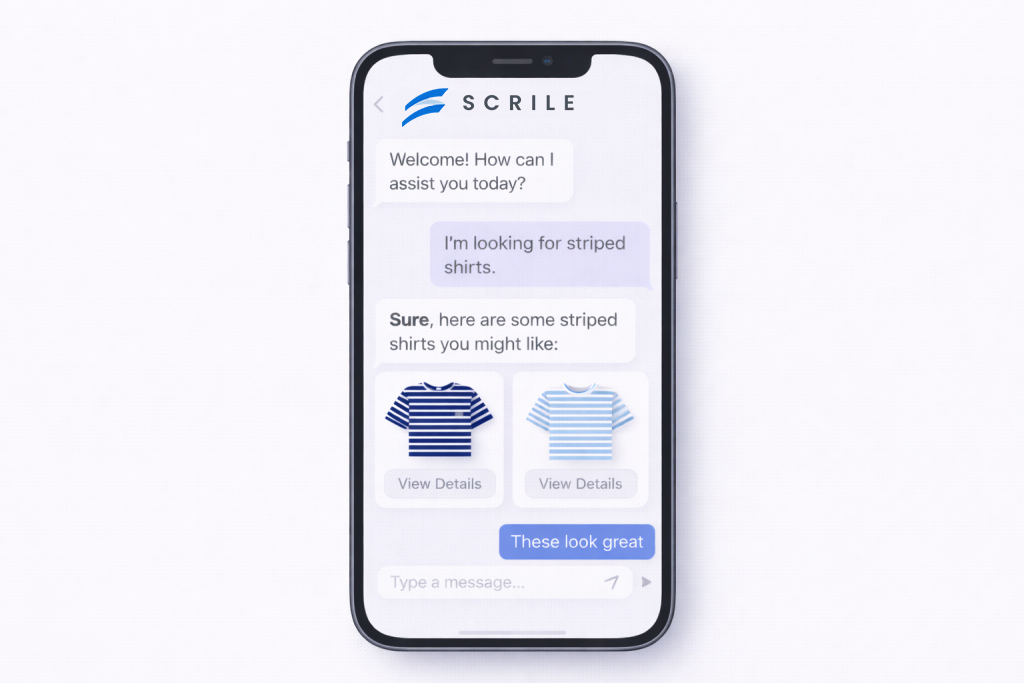
Ready-made shopping bots work until they don’t. The break usually comes when product logic gets messy, personalization starts to matter, or revenue depends on more than answering questions. At that point, teams stop “adding a bot” and start building a system they actually own.
That’s where Scrile AI and Scrile Connect fit. They are not platforms with fixed limits. They are custom development services designed to assemble an AI sales bot around how a business sells, not how a template expects it to.
With a custom build, teams can shape behavior instead of working around it:
- product logic that reflects real buying decisions, not generic filters
- memory that adapts to returning users, not just sessions
- personas tuned to brand voice, audience, or market segment
Scrile AI handles the intelligence layer. It defines how the bot understands intent, reasons through options, and maintains context over time. Scrile Connect covers the commercial side:
- payments and subscriptions
- gated access and user roles
- messaging across web, mobile, and chat platforms
This approach removes platform dependency. Data stays owned. Flows evolve without rebuilding from scratch. Monetization is designed in, not bolted on later.
For growing stores, that’s how a best shopping bot stays effective long after traffic, catalog size, and expectations increase.
Conclusion
Shopping bots didn’t become popular because they were clever. They spread because they removed friction. What started as basic chat support slowly turned into a sales layer that guides decisions, answers doubts, and keeps buyers moving. Used thoughtfully, a shopping bot becomes part of the revenue flow, not a side feature.
The real difference shows up over time. Ready-made tools help teams test ideas quickly. Custom systems define how far those ideas can go. Stores that care about data ownership, deeper logic, and long-term growth eventually outgrow templates.
That’s where building matters more than choosing. Teams exploring scalable conversational commerce can look to Scrile AI and Scrile Connect to design sales bots that fit their business, not the other way around.
FAQ
What is the best shopping bot?
There’s no single answer. Intercom works well for qualifying shoppers and routing conversations. Botpress suits teams needing deeper logic and scalable AI behavior. Botsonic fits quick website-based deployments with minimal setup. The best option depends on sales complexity and control needs.
Are shopping bots illegal?
Shopping bots are legal when used for customer service, discovery, and sales. Problems arise with bots that bypass checkout limits or violate retailer terms. Most enforcement targets misuse, not conversational commerce.
Which is the best shopping bot in Telegram?
InDMShopBot is a common example. It’s used for catalog browsing, order handling, and direct sales inside Telegram chats, where conversation replaces the storefront.
Polina Yan is a Technical Writer and Product Marketing Manager, specializing in helping creators launch personalized content monetization platforms. With over five years of experience writing and promoting content, Polina covers topics such as content monetization, social media strategies, digital marketing, and online business in adult industry. Her work empowers online entrepreneurs and creators to navigate the digital world with confidence and achieve their goals.

by Polina Yan
Anyone searching for telemedicine app development cost quickly notices one thing: there is no single number. Estimates range widely, and that’s not because agencies can’t agree. It’s because “telemedicine app” describes very different products. A basic video consultation tool and a full-scale healthcare platform may share a label, yet their budgets live in different worlds.
You’ll often see figures like $40,000–$200,000+, and that range exists for a reason. At the lower end are focused MVPs with limited roles, standard video calls, and simple scheduling. At the higher end are systems built for clinics, networks of providers, or regulated markets, where compliance, integrations, and reliability drive complexity. Features add cost, but architecture and responsibility add more.
Another reason prices fluctuate is decision-making early in the process. Platform choice, security model, and how data is handled all affect scope. So does geography, team composition, and whether the product is meant to scale beyond its first release.
This article is written for founders, product managers, and healthcare teams who want clarity. We’ll break down real cost tiers used in 2026, explain what pushes budgets up or down, and show where money is usually underestimated. The goal is not to sell a dream, but to help you plan a telemedicine product with realistic expectations and fewer surprises.
What Telemedicine App Actually Means in 2026

Ask ten teams what a telemedicine app is, and you’ll get ten different answers. That’s one reason telemedicine app development cost is so hard to pin down. The label sounds narrow, but the products behind it vary a lot in scope, responsibility, and risk.
Some projects are built around a very direct use case. A patient books a slot, joins a video call, and leaves. Others look more like full healthcare systems, with layers of roles, permissions, and long-term data. The gap between those two ideas has little to do with video technology and everything to do with how the product is used.
Common Telemedicine App Scenarios That Shape Cost
Most telemedicine apps in 2026 fall into a few recognizable scenarios:
- One-to-one doctor consultations
These apps are usually the simplest to launch. A limited number of user roles, clear session boundaries, and straightforward scheduling keep development focused. Costs stay lower because workflows are predictable. - Clinics and multi-provider platforms
As soon as multiple doctors are involved, things change. Calendars overlap. Patients move between providers. Admin panels become necessary. Even without advanced medical integrations, coordination alone adds weeks of work. - Mental health and coaching use cases
These products rely on continuity. Sessions repeat, relationships build, and context matters. Features like private messaging, session history, reminders, and subscriptions often become core, not optional. - Corporate or insurance-backed telehealth
This is where scale and accountability dominate. Access rules are strict, reporting is expected, and downtime is not tolerated. Even small changes need careful review, which affects both timelines and budgets.
What pushes costs up here isn’t cutting-edge tech. Video calls, chat, and notifications are well understood. The real driver is scope. How many people interact? How often? What happens when access changes or data needs to be reviewed?
Compliance plays a quiet role in all of this. Even apps that avoid heavy regulation still need secure storage, encrypted communication, and clear data boundaries. Treating those as afterthoughts almost always leads to revisions later.
In short, the meaning of “telemedicine app” has widened. Defining your version early is the most practical way to control cost.
Key Factors That Shape Telemedicine App Development Cost

When teams ask why telemedicine app development cost varies so widely, the answer usually sits in three areas: what the product does, how it is built, and what responsibilities it carries. These factors interact with each other. Adding one feature often affects architecture, security, and long-term maintenance. That is why budgets grow in layers rather than in neat increments.
Before breaking this down further, it helps to remember one thing. Technology itself is rarely the biggest expense. Decisions about scope, reliability, and compliance are what shape the final number.
Feature Depth and Product Scope
Features are the most visible cost driver, but not in the way many people expect. Video consultations, chat, and file sharing are now well understood. The cost comes from how tightly these features are connected to user workflows and data.
A simple app that offers video calls with basic chat is one thing. Add scheduling logic, automated reminders, and payment handling, and the system starts coordinating time, money, and access. Medical records raise the bar again. Even lightweight records require structured storage, permissions, and clear separation between users.
Feature scope usually expands across several layers:
- Real-time communication such as video, chat, and document sharing
- Operational logic like scheduling, cancellations, reminders, and payments
- Data-heavy components including visit history, notes, and integrations with external systems
Each layer increases the telemedicine app development cost because it adds edge cases. What happens when a payment fails. When a session is rescheduled. When access changes. These scenarios demand careful logic, testing, and ongoing support.
Platform and Architecture Choices
The second major driver is how the app is built and where it lives. A browser-based telemedicine app can be faster to launch and easier to maintain. Native mobile apps often feel smoother for users but require more work across platforms.
Architecture choices also affect future costs. Cross-platform frameworks reduce initial development time, but they may introduce performance limits or dependency risks later. Native builds cost more upfront but offer greater control over device-level features and optimization.
Hosting decisions play a quiet but important role. Telemedicine apps deal with live video traffic, personal data, and unpredictable usage spikes. Building for ten concurrent sessions is different from building for hundreds. Scalability planning often adds backend complexity early, which raises the initial telemedicine app development cost but prevents expensive rewrites later.
Compliance, Security, and Data Handling
Compliance is where many budgets stretch unexpectedly. Regulations like HIPAA and GDPR do not come with fixed price tags. They influence architecture, development processes, and even design decisions.
Security requirements touch nearly every part of the system. Encryption is needed for data in transit and at rest. Storage must be controlled and auditable. Access logs need to exist and be reliable. None of this is optional once personal health information is involved.
What makes compliance expensive is not paperwork. It is the way it multiplies effort:
- More time spent designing data flows and access rules
- Additional testing and validation cycles
- Restrictions on third-party services and shortcuts
Instead of adding a single line item to the budget, compliance reshapes the entire build. This is why two apps with similar features can have very different costs. One may be designed for casual coaching. The other must stand up to regulatory scrutiny.
In the end, telemedicine app development cost reflects responsibility as much as functionality. The more a product promises to handle safely and reliably, the more effort is required to build it right.
Average Telemedicine App Development Cost in 2026
In 2026, the telemedicine app development cost is best understood in tiers rather than a single average. Most credible estimates cluster projects by scope, responsibility, and timeline. This approach reflects reality far better than a flat number, because the difference between a pilot product and a regulated healthcare system is measured in months and hundreds of development hours.
At a high level, current market data shows that telemedicine projects usually fall into three cost brackets. Each bracket is tied not only to features, but also to delivery speed, compliance depth, and how many people rely on the system daily.
Typical Cost Tiers and What They Include
At a high level, current market data shows that telemedicine projects usually fall into three cost brackets. Each bracket is tied not only to features, but also to delivery speed, compliance depth, and how many people rely on the system daily:
- MVP-level telemedicine apps: $30,000–$60,000. These projects are built to validate an idea quickly. They usually include basic video consultations, simple scheduling, user authentication, and limited payments. Development timelines often sit around 3 to 4 months with a small team. Compliance considerations are minimal, often limited to secure communication and basic data storage. These apps work well for pilots, early-stage startups, or internal testing, but they are not designed to scale without refactoring.
- Mid-range custom solutions: $70,000–$150,000. This is the most common range for commercial telemedicine products in 2026. Apps at this level support multiple providers, role-based access, richer scheduling logic, notifications, and more polished user interfaces. Development usually takes 5 to 7 months. Security and data handling are treated seriously, with encryption, audit trails, and structured storage. This tier often represents the real-world cost of telemedicine app development for clinics, mental health platforms, and paid consultation services.
- Complex or enterprise-grade platforms: $180,000–$300,000+. These systems are built for scale and accountability. They may include multi-location clinics, advanced reporting, integrations with EHR or billing systems, and strict compliance requirements. Development timelines stretch to 9–12 months or more, often involving backend-heavy work and extended testing cycles. Budgets rise not because of flashy features, but because reliability, uptime, and data integrity become critical.
How Timelines Influence Cost
Time and cost move together, but not linearly. A 3-month build might involve 2–3 developers working in parallel. A 9-month build often involves backend specialists, mobile developers, QA engineers, and compliance reviews running simultaneously. Longer timelines also mean more iterations, feedback loops, and refinement.
Concrete examples make this clearer. A mental health app offering weekly video sessions, subscriptions, and therapist dashboards rarely stays under $80,000. A corporate telehealth portal with reporting, admin control, and secure data segregation can exceed $200,000 before launch.
In 2026, realistic budgeting means choosing the tier that matches responsibility, not ambition. The more users trust the app with their health and data, the higher the investment required to build it properly.
Where Budgets Often Go Wrong
Most teams don’t blow their budget because they chose the wrong framework or paid too much per hour. The real damage usually happens earlier, when assumptions quietly replace decisions. By the time the problem is visible, the money is already spent.
One of the most common mistakes is treating compliance and security as a box to tick later. Teams assume they can “add HIPAA” or tighten data handling after launch. In practice, security decisions shape architecture from day one. When encryption models, access rules, or audit logs are bolted on late, core parts of the system have to be rebuilt. That rework is expensive, slow, and frustrating.
Another pattern shows up once stakeholders get involved. Features multiply. A calendar becomes three calendars. Chat needs file uploads. Video needs session recording “just in case.” None of these requests sound unreasonable on their own. Together, they stretch timelines and inflate the telemedicine app development cost far beyond the original estimate. The issue isn’t ambition. It’s lack of prioritization.
Early architectural shortcuts cause quieter problems. Some teams choose a stack that works for demos but struggles under real load. Others underestimate how live video traffic affects backend performance. These choices don’t always fail immediately. They fail when users arrive, which is the worst possible moment to rethink foundations.
Post-launch costs are also easy to ignore. Telemedicine apps don’t freeze after release. They need updates, monitoring, server scaling, and support. Video infrastructure changes. Regulations evolve. Devices update. If maintenance isn’t planned, budgets appear “blown” even though the work is normal and necessary.
Budgets go wrong when decisions are delayed. Clear scope, realistic responsibility, and early technical discipline do more to control cost than any spreadsheet ever will.
Ready-Made Solutions vs Custom Telemedicine Apps

At some point, most teams face the same decision: use a ready-made telemedicine solution or invest in a custom build. On paper, the choice looks obvious. Templates promise speed and lower entry cost. Custom development looks slower and more expensive. In practice, the trade-off is more nuanced, and it has a direct impact on telemedicine app development cost over time.
Below is a practical comparison that reflects how these options behave beyond the launch phase.
| Criteria | Ready-made solution | Custom telemedicine app |
| Initial cost | Lower upfront, often subscription-based | Higher upfront investment |
| Time to launch | Very fast (weeks) | Moderate to long (months) |
| Customization level | Limited to platform settings | Fully tailored to product logic |
| Compliance flexibility | Fixed by vendor | Designed around target markets |
| Long-term scalability | Restricted by platform limits | Scales with business needs |
| Ownership and branding | Vendor-controlled | Full ownership and branding |
Choosing Between Speed and Control
The appeal of ready-made tools is easy to understand. They are quick to deploy and require minimal technical effort. For pilots, internal testing, or very small teams, they can be a reasonable starting point. When requirements are simple and unlikely to change, these tools reduce time to market and avoid early engineering risk.
The problem appears later. As usage grows, businesses often discover that workflows don’t quite fit. Access rules are rigid. Integrations are unavailable. Pricing logic can’t be adjusted. Compliance requirements are dictated by the vendor rather than the market you operate in. At that stage, teams start paying not just for the tool, but for workarounds.
This is why “cheaper upfront” often becomes more expensive in the long run. Migration costs, lost flexibility, and technical limits quietly add to the telemedicine app development cost without improving the product.
Custom telemedicine apps make sense when the application is part of the business itself, not just a supporting tool. They become essential when branding, ownership, data control, and scalability matter. In those cases, the higher initial investment buys freedom instead of constraints.
How to Avoid Cost Overruns Without Cutting Quality

Most cost overruns don’t come from bad luck. They come from vague planning and delayed decisions. The first safeguard is a smart MVP definition. An MVP is not a smaller version of the final product. It’s a version that proves the core workflow works. Video, scheduling, and secure access are usually enough. Everything else can wait.
Feature prioritization matters more than people expect. Stakeholders often push for “nice to have” additions early because they feel cheap at the idea stage. They aren’t cheap once design, testing, and compliance are involved. Locking priorities early keeps the telemedicine app development cost predictable instead of reactive.
Iterative development also reduces risk. Big-bang builds look efficient on paper, but they hide problems until late. Smaller releases expose gaps earlier, when fixes are still affordable. This approach protects quality because feedback arrives before the system hardens.
Choosing the right partner is where many teams miscalculate. Regional development rates do matter, but not in isolation. Hourly ranges roughly look like this: North America ($100–$250), Western Europe ($50–$150), Eastern Europe ($30–$100), Asia ($20–$50). Lower rates reduce line items, but coordination, compliance experience, and healthcare familiarity often compress those savings. A cheaper team that needs constant correction quickly stops being cheap.
The most effective cost control strategies usually include:
- Clear MVP boundaries tied to real user journeys, not feature wishlists
- Prioritized roadmaps that separate launch needs from future improvements
- Incremental delivery with early validation and adjustment
- A development partner experienced in healthcare constraints, not just general apps
Cost discipline isn’t about cutting corners. It’s about making fewer assumptions and fewer late changes.
Calculate the Budget for Your Custom Telemedicine App with Scrile Meet
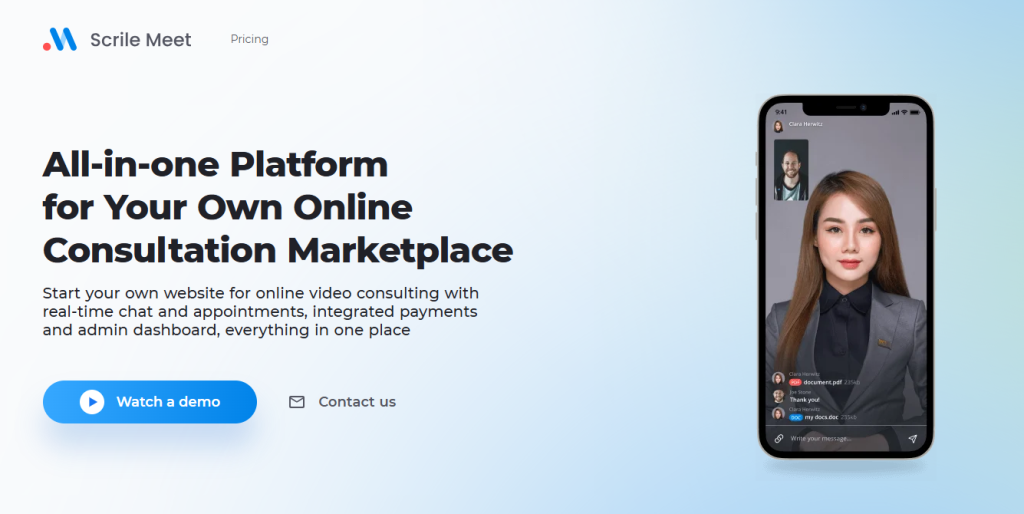
When teams ask for a telemedicine budget, the real challenge is not the number itself. It’s understanding what that number includes. Scrile Meet approaches this differently because it is not a platform and not a ready-made product. It is a custom development service built around your specific use case, market, and regulatory needs.
Instead of starting with a template, Scrile Meet starts with clarification. What exactly will users do in the app. Who accesses what. Which actions trigger payments, sessions, or data storage. This upfront work shapes a realistic telemedicine app development cost rather than an optimistic estimate that collapses later.
How Scrile Meet Builds Cost Clarity
Scrile Meet structures estimation around a few concrete steps:
- Feature mapping
Every feature is mapped to a user flow. Video consultations, chat, scheduling, and payments are defined as behaviors, not checkboxes. This avoids paying for features that look good but add no real value. - Compliance planning
Security and data handling are planned early. Instead of adding compliance later, Scrile Meet designs storage, access rules, and communication layers with regulation in mind from the start. - Phased development
Projects are split into phases with clear outputs. This allows teams to launch faster, validate assumptions, and expand without rewriting the core system.
What Scrile Meet enables goes beyond basic functionality:
- Video consultations with stable real-time communication
- Scheduling systems tied directly to provider availability
- Secure messaging and file exchange
- Payment flows that match your business logic
- Full branding, data ownership, and control
This approach reduces surprises because cost drivers are visible early. Changes don’t cascade unpredictably. When scope evolves, the impact on timeline and budget is clear before work begins.
Scrile Meet fits clinics, independent practitioners, mental health services, coaching platforms, and enterprise telehealth initiatives. In each case, the goal stays the same — build only what the product truly needs, and build it in a way that can grow.
If you need a realistic budget instead of a guess, Scrile Meet calculates it from the inside out. That discipline is what keeps quality high and costs under control.
Conclusion
When people talk about telemedicine app development cost, it’s tempting to focus on the headline number. In reality, that number represents a set of decisions. Reliability, compliance, and scalability all have a price, and they show up whether you plan for them or not. The difference is control. Planned investment feels expensive upfront. Unplanned fixes cost more later.
A telemedicine app is not just a video call with a calendar attached. It carries responsibility. Patients trust it with personal information. Providers rely on it to show up on time and work consistently. As usage grows, the system has to keep up without cutting corners. That’s why cost depends far more on intent than on templates. Two apps can look similar to users and still differ massively in what it takes to build and maintain them.
Choosing features carefully, designing for compliance early, and thinking about scale from day one all shape the final budget. Skipping those steps doesn’t remove their cost. It only delays it. In that sense, development spend is less about buying software and more about building confidence into the product.
If you’re planning a telemedicine product and want clarity instead of guesswork, it makes sense to explore options built around your actual requirements. Explore Scrile Meet solutions to see how a custom approach can turn cost planning into a structured, transparent process rather than a series of surprises.
Polina Yan is a Technical Writer and Product Marketing Manager, specializing in helping creators launch personalized content monetization platforms. With over five years of experience writing and promoting content, Polina covers topics such as content monetization, social media strategies, digital marketing, and online business in adult industry. Her work empowers online entrepreneurs and creators to navigate the digital world with confidence and achieve their goals.
by Polina Yan
An omni channel chatbot is a conversational system designed to follow the customer across platforms while keeping the conversation intact. Instead of treating website chat, social media messages, and messaging apps as separate inboxes, it connects them into a single flow where context carries over naturally.
This matters because people rarely stick to one channel. A customer might start asking a question on a website, continue it later on Instagram, and expect the same answer when they move to WhatsApp. When those channels are disconnected, users repeat themselves and businesses lose momentum. Unified conversations solve that friction.
Real behavior backs this up. Multiple studies show that over 70 percent of customers use more than one channel during a single interaction cycle. They switch based on convenience, not brand preferences. If the conversation resets every time, trust drops fast.
That shift from isolated tools to connected conversations explains why omnichannel chatbots are no longer optional for growing businesses. They match how people actually communicate, not how software menus are organized.
What an Omnichannel Chatbot Really Is

An omnichannel chatbot is not just a chat interface duplicated across platforms. At its core, it’s a system built around continuity. Every message, no matter where it comes from, is tied to the same user profile and the same conversation history. The backend acts as a single source of truth, storing context, intent, and previous actions so the conversation can move freely between channels.
This is where many basic solutions fall short. A simple chat widget on a website may answer questions well, but once the user leaves that page, the context is gone. Social media bots often suffer from the same limitation. They respond inside one platform, but they don’t “know” what happened elsewhere. A true omnichannel chatbot connects all those touchpoints and treats them as parts of one dialogue rather than separate threads.
In practice, the mechanics usually include:
- A shared conversation store that logs messages, user attributes, and intent across all channels
- Channel adapters that translate messages from Facebook, web chat, or messaging apps into a unified format
- Orchestration logic that decides what happens next based on history, not just the latest message
A common real-world example is retail support. A customer messages a brand on Facebook asking about an order delay. Later, they open the website and use live chat to follow up. With a proper omni channel chatbot in place, the agent or bot immediately sees the original Facebook message, the order number, and the earlier response. No repetition. No starting over.
That difference is what separates real omnichannel systems from stitched-together chat tools. It’s not about adding more channels. It’s about making them behave like one continuous conversation.
Where Omnichannel Chatbots Operate — Channels and Flows
Multi-touch conversations behave very differently from basic multichannel setups. In a multichannel model, each platform works in isolation. A message on the website lives there, a DM on social media lives somewhere else, and email becomes a separate thread again. Users don’t see those boundaries, but systems do. That gap is where frustration usually starts.
With an omni channel chatbot, the flow is built around movement. People jump between devices and platforms depending on time, mood, and urgency. A question asked during a lunch break on mobile often continues later on desktop. A conversation that begins in public moves into private messages. The chatbot’s job is to keep pace with that movement without breaking context.
How Channels Connect in Real Workflows
In practice, omnichannel chatbots work by stitching together very different communication environments into a single, continuous conversation.
- Website live chat tied to a CRM, where visitor behavior, past purchases, and support history are immediately visible, allowing the chatbot to respond based on who the user is, not just what they typed.
- Messaging apps like WhatsApp, Telegram, and Messenger, often used for quick follow-ups or confirmations, where customers expect short, informal replies that still reflect earlier conversations started elsewhere.
- Social platforms such as Instagram DMs or X, where conversations may begin casually, then shift into support or sales once the user moves to a private channel.
- Email, SMS, and ticketing systems, which handle longer updates, receipts, or confirmations while staying connected to the same conversation thread instead of creating duplicates.
- Voice assistants and IVR routing, used when users prefer speaking, with chat history passed along so agents or bots don’t start blind.
Real businesses already rely on this flow. A hotel chain may confirm room availability through WhatsApp, then send booking details and invoices by email, all linked to the same conversation. An ecommerce store might remind a shopper about an abandoned cart on the website, then follow up with an SMS offer later the same day. That’s omni channel chat in practice, shaped around how customers actually communicate rather than how software menus are designed.
Business Benefits That Actually Matter

When teams switch to an omni channel chatbot, the first change isn’t some abstract KPI. It’s practical relief. Fewer tabs open. Fewer “can you repeat that?” moments. Conversations stop feeling fragmented, and support work becomes easier to manage during real traffic spikes, not just in demos.
Response time improves almost immediately, mostly because agents no longer hunt for context. A question that started on social media and continued on the website arrives with its history intact. That saves minutes on every interaction. Over a day, that adds up. Over a month, it changes how support teams plan shifts and handle peak hours.
Customer satisfaction usually follows the same pattern. People don’t mind waiting briefly if they feel understood. They do mind explaining the same issue again. Continuous conversations reduce that friction and quietly build trust, even when automation handles part of the exchange.
Operationally, the gains tend to look like this on the ground:
- Support teams work from a single interface, handling web chat, messaging apps, and social requests without jumping between disconnected tools or losing track of active cases.
- Conversation analytics show real movement between channels, revealing where users switch platforms and where responses slow down or drop off.
- Marketing teams use chatbot interaction data to adjust messaging, timing, and segmentation based on what customers actually ask, not assumptions.
- Automation takes over repetitive questions and routine actions, which reduces burnout and lets human agents focus on edge cases.
All of this is coordinated by omnichannel AI, which connects intent, history, and user data behind the scenes. The result isn’t flashy. It’s smoother daily operations and conversations that finally feel continuous.
Solution Examples — What Works and What Doesn’t

Seeing omnichannel systems in action makes the difference clear very quickly. Some implementations feel natural to users. Others expose the limits of basic automation almost immediately.
Good real-world implementations usually share one trait: continuity is treated as a requirement, not a bonus. An airline support bot is a common example. A traveler checks a delay on the website, receives an update later on WhatsApp, and gets a boarding reminder by SMS. The conversation doesn’t reset. The system already knows the flight number, the passenger, and the previous message. That’s where an omni channel chatbot proves its value.
A streaming service offers another solid case. Billing questions often start in public spaces like Discord, then move into private app chat for account-specific details. When the context carries over, users don’t need to explain what subscription they’re on or what went wrong. The handoff feels quiet and intentional.
When basic bots fail, the cracks show fast. A user asks a question on social media, then repeats it on the website, only to get the same opening prompt again. The bot ignores earlier context and asks for information that was already provided. Another common issue is systems limited to web chat only. Agents end up copy-pasting conversation history between tools just to keep up.
These failures usually happen because the setup focuses on channels instead of conversations. True omnichannel chatbots are built around continuity. Anything less starts to feel like automation pretending to be helpful rather than actually supporting users.
When You Need a Custom Omnichannel Chatbot Built for Your Brand
Off-the-shelf chatbot platforms usually cover basic scenarios well. Trouble starts when conversations become part of the business logic itself. Unique workflows, layered user roles, or strict data handling rules don’t translate cleanly into preset templates. Teams end up stacking workarounds, and the chatbot becomes harder to maintain than the conversations it was meant to simplify.
A custom omni channel chatbot takes a different path. Instead of adapting your process to the tool, the system is designed around how your business actually communicates. Scrile Connect and Scrile AI work as custom development services, not ready-made platforms. That means architecture, logic, and integrations are built from scratch to match real requirements, including edge cases many tools ignore.
This approach is especially relevant in complex environments. Real examples include:
- An adult chat platform offering personalized AI characters with persistent memory, where conversation tone, boundaries, and permissions must remain consistent across devices and channels
- A telecom provider combining billing data with social DMs and website chat, without exposing sensitive account details
- An enterprise support operation that requires centralized reporting across channels for compliance and performance tracking
In these scenarios, a second omni channel chatbot built to specification performs better than patched integrations. It also supports omni chat experiences where users move freely between platforms without losing context.
What Scrile Builds Around Omnichannel Chatbots
With Scrile Connect and Scrile AI, features and benefits are delivered as part of a single system:
- Custom conversation flows mapped directly to your business rules and user roles
- Backend orchestration that unifies web, social, and messaging channels
- Smart context carryover so users keep state across every touchpoint
- ML-powered personalization for adaptive responses and routing
- Analytics and dashboards built around metrics your teams actually use
The result is an omnichannel chatbot that fits the brand, scales with growth, and avoids the limitations of generic solutions.
Conclusion
Omnichannel chatbots work when they replace patched systems with a single, coherent conversation layer. Instead of stitching together web chat, social messages, and email, teams manage one flow where context follows the user. The key decision isn’t which tool has more features. It’s whether the solution fits real workflows, data rules, and growth plans.
Businesses that succeed choose based on how conversations actually happen, not on buzzwords or demo screens. When standard tools start to limit flexibility, a custom approach becomes the logical next step. If you’re planning to build or scale an omnichannel chatbot that reflects your brand and operations, it makes sense to reach out to the Scrile Connect and Scrile AI teams and discuss a tailored solution.
FAQ
What is an omnichannel chatbot?
An omnichannel chatbot is a system that keeps conversation context across channels such as websites, social media, email, SMS, and messaging apps. Instead of restarting each time a user switches platforms, it resumes the same conversation and preserves history, intent, and user data.
What is omni channel chat?
Omni channel chat is a unified communication setup where support teams manage all conversations from one workspace. Customers can move between channels freely, while agents see the full conversation history and avoid fragmented threads or repeated questions.
What are the 4 C’s of omnichannel?
The four C’s of omnichannel engagement are customer experience, context preservation, consistent content delivery, and collaboration among systems and agents. Together, they define whether an omnichannel setup feels seamless or disconnected.
Polina Yan is a Technical Writer and Product Marketing Manager, specializing in helping creators launch personalized content monetization platforms. With over five years of experience writing and promoting content, Polina covers topics such as content monetization, social media strategies, digital marketing, and online business in adult industry. Her work empowers online entrepreneurs and creators to navigate the digital world with confidence and achieve their goals.

