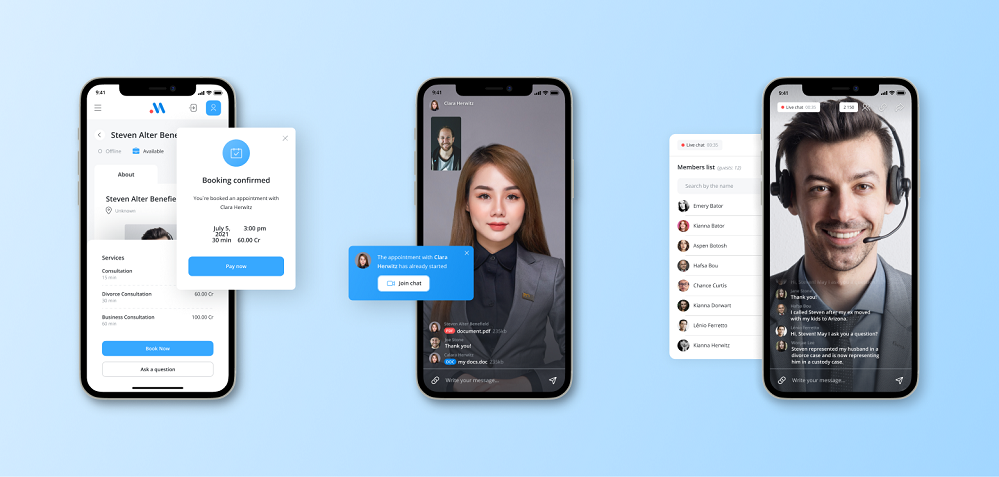
The most useful ecommerce chatbot examples solve a specific point of friction: finding a suitable product, checking compatibility, recovering an interrupted cart, applying an eligible offer, tracking an order, or starting a return. The commercial lesson is simple: connect each conversation to a real store action and measure the result separately. Rule-based flows suit predictable choices; AI helps interpret varied questions and retrieve approved information. Both need current product data, explicit boundaries, and a visible route to human support.
Where an eCommerce chatbot creates real value
An eCommerce chatbot creates value when it shortens a customer decision or completes a repetitive service task. It should move the shopper from uncertainty to a verifiable next step, not add a conversational wrapper to the navigation menu.
Start with intent, not technology. Before purchase, shoppers ask whether an item fits, works with another product, can arrive on time, or has a meaningful difference from a similar option. After purchase, they want order status, return eligibility, or a correction. Each intent requires different data, permissions, and escalation rules. Combining all of them into one vague “shopping assistant” makes testing and ownership needlessly slippery.
Discovery: narrow a catalogue using stated needs, constraints, and available attributes.
Transaction: preserve a selected item, pass the shopper to checkout, or collect details for an agent.
Service: retrieve order information, guide routine returns, and escalate exceptions with context.
Support becomes sales when the answer protects purchase confidence. A precise delivery answer can save an order; a relevant alternative can retain demand when an item is unavailable. This is why an ecommerce live chat strategy should define when automation responds, when an agent joins, and what conversation context follows the handoff. The implication is practical: choose the customer decision first, then choose the channel and bot architecture.
A useful scope test is to write the successful outcome as a verb plus an object: “compare two models,” “locate an order,” or “start a return.” If the team can only describe the outcome as “engage visitors,” it has not found a deployable use case. Engagement is an observation, not a customer job, and occasionally just a polite name for interruption.
ecommerce chatbot examples by customer job
Strong examples are best compared by customer job rather than brand novelty. Product guidance, support, cart recovery, and controlled promotions each require a distinct trigger, data source, success event, and failure boundary.
Pattern
Useful trigger
Required data
Success event
Key boundary
Product adviser
Shopper states a need or constraint
Catalogue attributes and availability
Suitable item viewed or selected
Never invent fit or compatibility
Cart assistant
Checkout pauses after a clear obstacle
Cart state, shipping, payment guidance
Shopper resumes checkout
Do not pressure or expose private data
Order support
Customer requests status or a routine change
Authenticated order and policy data
Status delivered or case created
Require identity checks for changes
Offer assistant
Shopper asks about an eligible promotion
Current campaign and eligibility rules
Valid offer applied
No improvised discounts
Practical chatbot patterns and their operating requirements
A conversational ecommerce chatbot for a skincare shop might ask about product type, preferences, and exclusions, then filter only against maintained catalogue attributes. That is different from diagnosing a condition, which should remain outside scope. A product recommendation app can support richer ranking, but the conversation still needs to explain why a result matches the customer’s stated criteria and what information is missing.
Discount automation deserves equally strict boundaries. A coupon chat bot should validate an existing campaign, eligibility condition, expiry rule, and stacking policy before presenting an offer. It should not generate a concession simply because a shopper sounds hesitant. The next action is to assign every pattern in the table an owner for its source data and an explicit escalation condition.
How to measure whether support is producing sales
Measure an AI chatbot for ecommerce as a set of workflows, not as one blended conversation channel. Product advice, checkout help, and order support have different outcomes; combining them can make a busy bot look commercially useful even when it resolves little.
Give each workflow a primary outcome and a guardrail. Product advice can track qualified product selections while guarding returns and human complaints. Cart assistance can track checkout resumptions while guarding opt-outs. Order support can track completed status requests while guarding repeat contacts and incorrect answers. Conversation volume is context, not victory: a bot can become popular by being difficult to escape.
Record the intent, channel, entry point, and whether the customer was authenticated.
Log the answer source, action attempted, handoff reason, and final workflow status.
Compare outcomes with a defined baseline for the same intent and customer segment.
Review failed and repeated conversations before expanding automation.
Worked example, using planning assumptions rather than a performance forecast: suppose 1,000 monthly product-advice conversations start, 600 reach a product selection, and 90 lead to completed orders. Selection completion is 600 ÷ 1,000 = 60%; conversation-to-order completion is 90 ÷ 1,000 = 9%; and selected-product-to-order completion is 90 ÷ 600 = 15%. If 120 conversations require agents, the handoff rate is 120 ÷ 1,000 = 12%. These figures only describe the assumed funnel; they do not prove incremental sales.
To judge growth, compare like with like: equivalent traffic sources, product categories, customer types, and periods without major campaign changes. The immediate next action is to define the event trail before launch, because reconstructing commercial meaning from generic chat transcripts later is an archaeological project nobody budgeted for.
Rule-based or AI: which chatbot architecture fits?
Use rules for deterministic decisions and AI for language interpretation or retrieval where customer wording varies. Most reliable commerce implementations are hybrid: AI understands the request, approved systems provide facts, rules control sensitive actions, and humans handle ambiguity or exceptions.
Decision factor
Rule-based flow
AI-assisted flow
Best fit
Fixed menus, eligibility checks, status steps
Open questions, intent recognition, document retrieval
Strength
Predictable path and easy acceptance testing
Handles varied wording and broader discovery
Weakness
Becomes cumbersome across many branches
Can misinterpret context or produce unsupported language
Control
Explicit conditions and responses
Grounding, permissions, confidence rules, refusal and review
Maintenance
Update branches when policy changes
Update sources, prompts, evaluations, and model controls
Architecture choices for common eCommerce requirements
For a return request, AI can classify the customer’s intent and extract the order reference after authentication. Deterministic logic should then check the actual order, item category, dates, and approved policy. If an exception appears, the bot should create a structured handoff rather than negotiate. This separates flexible conversation from business authority.
The central AI risk is usually not eloquence but source quality. A knowledge base chatbot needs canonical, current, permissioned documents; clear retrieval boundaries; and rules for refusing when sources conflict or lack the answer. Before adding more generative behavior, remove stale policies, duplicate product facts, and private material from the accessible collection.
Choose architecture intent by intent. Label every required response as deterministic, retrieved, generated within constraints, transactional, or human-only. That inventory exposes where an impressive demo quietly depends on data the business does not maintain.
A useful failure test asks what happens when two sources disagree. If the returns page says one thing and an old support document says another, semantic retrieval may find both; fluent generation does not decide which policy is legally or operationally valid. Name a canonical source, attach an owner and review condition, and make the bot refuse or escalate when authority is unclear. Apply the same approach to product compatibility and promotions. AI can make uncertain material sound settled, so content governance is part of the software architecture, not a clerical task to schedule after launch.
What must be integrated before the bot can act
A chatbot becomes operational only when it can obtain approved data, perform authorized actions, and leave an auditable result. For most stores, that means deliberate integration with catalogue, inventory, order, customer-service, identity, analytics, and messaging systems.
Begin with read and write boundaries. Reading public product attributes is low risk; exposing an order requires authentication; changing an address, cancelling an order, or issuing value needs tighter controls. Define the system of record for every fact and action. The bot should not copy volatile inventory or policy data into a separate conversational database without a synchronization and expiry plan.
Data contract: required fields, source system, freshness rule, permission level, and fallback.
Action contract: validation, idempotency, confirmation, failure response, and audit record.
Quality contract: test questions, expected sources, prohibited actions, refusal cases, and review cadence.
Design help desk triage at the same time as automation. A handoff should carry authenticated identity, detected intent, relevant order or product reference, steps already attempted, and the reason the bot stopped. Otherwise the customer repeats the story and the apparent efficiency is simply work transferred downstream.
When comparing a platform with custom development, inspect data access, exportability, permission controls, evaluation tools, action limits, observability, and total operating ownership. Chatbot pricing models matter, but a low subscription is not economical if every policy change requires fragile manual repair. Build the smallest end-to-end workflow against real systems before signing for broad scope.
How to launch without automating confusion
Launch one bounded workflow with clean source material, measurable outcomes, and a staffed escalation route. Expand only after the team can explain failures, update the underlying content, and verify that the customer’s next step remains correct.
Choose a frequent intent whose answer or action already has a clear owner. Clean the relevant documents and catalogue fields, remove contradictions, and restrict retrieval to approved material. Then create acceptance cases from real customer wording, including misspellings, incomplete requests, policy exceptions, and requests the bot must refuse. A polished happy path is necessary, but it is not evidence of operational readiness.
Confirm source ownership, permissions, freshness, and conflict rules.
Verify authentication, action confirmation, logging, and recovery from dependency failure.
Test refusal and escalation with agents who will receive the conversations.
Release to a controlled audience and review outcomes by intent before widening access.
Teams that build your own chatbot gain control over integrations, workflow logic, data boundaries, and channel behavior, but they also accept responsibility for maintenance and evaluation. A packaged tool may suit a narrow FAQ use case. Custom software is justified when proprietary processes, several systems, channel continuity, or regulated actions make generic connectors the limiting factor.
Accuracy depends on documentation long before it depends on conversational polish. Knowledge Base Chatbots explains how to select canonical material, keep it current and permissioned, define refusal and escalation rules, and prevent stale or conflicting answers. Use that governance work as the foundation for product and policy support, then add transactional actions only where the underlying systems can enforce them safely.
Turn reliable support knowledge into a useful shopping conversation
A sales-capable bot starts with disciplined answers. Establish which product and policy sources are authoritative, what customers may access, when the bot must refuse, and how agents receive unresolved cases.
Once that foundation is sound, custom implementation can connect the conversation to catalogue, order, support, and messaging workflows without letting generative language become business authority.
An eCommerce chatbot is a conversational interface that helps shoppers discover products, obtain approved store information, complete defined actions, or reach a human through a website or messaging channel.
What are the best ecommerce chatbot examples for a small store?
Good starting examples are product filtering, delivery and policy questions, order tracking, return initiation, and promotion eligibility. Choose one frequent workflow supported by reliable data.
Can an eCommerce chatbot increase sales?
It can support sales by resolving purchase uncertainty, recommending suitable products, recovering blocked checkouts, and routing strong intent to an agent. Incremental sales must be measured against a comparable baseline.
Should an online store use a rule-based or AI chatbot?
Use rules for fixed decisions and sensitive actions, and AI for varied language or retrieval from approved content. A hybrid architecture is often the most controllable choice.
What systems should an eCommerce chatbot integrate with?
Common integrations include catalogue, inventory, commerce, order management, identity, help desk, analytics, CRM, and messaging systems. The necessary set depends on the selected workflow.
How should a chatbot hand a customer to a human?
It should transfer verified identity where permitted, detected intent, relevant order or product context, actions already attempted, and a concise reason for escalation.
How do you prevent an AI chatbot from giving incorrect policy answers?
Limit retrieval to canonical, current, permissioned documents; remove conflicts; record sources; test refusal cases; and escalate whenever the available material is missing or ambiguous.
When is custom chatbot development worthwhile?
Custom development is worthwhile when the store needs proprietary workflows, deep integrations, coordinated channels, specific permission controls, or ownership that packaged tools cannot provide cleanly.
A retail chatbot wins on upsells because it can ask what the shopper needs, check the catalog and inventory, and suggest a compatible addition while purchase intent is still active. The real advantage is not relentless promotion; it is relevance at the decision point. Retailers should automate narrow jobs such as product discovery, order status, returns guidance, and accessory recommendations, then measure each job separately. High-risk exceptions, uncertain answers, and emotionally charged cases should move to a human with the conversation context attached.
How a retail chatbot helps without becoming a digital nuisance
A retail chatbot helps by removing small information gaps that delay purchases: finding a suitable item, confirming availability, explaining delivery, or identifying the next sensible product.
Start with the shopper’s job, not the technology. Before purchase, the job may be narrowing a large catalog or checking whether an item fits a specific use. At checkout, it may be resolving a delivery or compatibility concern. After purchase, it may be tracking an order or understanding a return rule. Each job needs different data, permissions, success criteria, and escalation rules. Putting them behind one cheerful chat bubble does not make them one workflow.
Upsells work when the bot reduces decision effort before it introduces another item. A shopper choosing a coffee machine may value compatible filters, but only after the machine’s capacity and delivery date are clear. The bot should therefore collect the minimum useful context, retrieve eligible products, apply inventory and merchandising rules, and explain why a suggestion fits. A recommendation without a reason is merely an advertisement wearing a name badge.
Automate repeatable questions whose answers come from governed catalog, order, inventory, or policy data.
Require human review for discretionary refunds, fraud concerns, unusual warranties, or policy exceptions.
Let shoppers request a person directly; do not make escalation a conversational escape room.
Record the intent, data used, recommendation shown, outcome, and escalation reason for later review.
Consider a homeware retailer receiving “Will this fit?” questions on web chat and messaging channels. The first release should not attempt interior design. It can ask for the relevant dimensions, compare them with structured product measurements, state any uncertainty, and show an in-stock alternative when the original item fails the constraint. If measurements are missing or the shopper’s request depends on judgment, it transfers the case. This narrow boundary improves usefulness while giving the retailer a clean backlog of missing catalog data to fix.
Which retail chatbot scenarios deserve automation first?
Automate scenarios with frequent demand, dependable source data, reversible actions, and an outcome that can be measured without pretending every conversation caused a sale.
Shopper job
Bot action
Escalate when
Primary KPI
Product discovery
Ask constraints and retrieve eligible items
Requirements conflict or catalog data is missing
Qualified product-view rate
Upsell
Suggest a compatible addition with a clear reason
Compatibility cannot be verified
Attach rate among eligible conversations
Order support
Retrieve status and explain the next expected event
Shipment is disputed, stalled, or damaged
Resolved status-request rate
Returns
Explain policy and collect required details
An exception, defect, or high-risk claim appears
Correctly completed return flow
Routine support
Answer from approved material and link the next action
Confidence is low or the shopper requests a person
Contained resolution rate
Retail chatbot jobs, boundaries, and proof
Product recommendations deserve special treatment because they combine conversational context with merchandising logic. The language model may interpret “a light jacket for wet commutes,” but an inventory service must confirm availability, a catalog must supply attributes, and business rules must control excluded or incompatible items. A separate product recommendation app can also serve website modules and email; the chatbot is then one conversational interface to the same governed recommendation layer.
Keep revenue and support jobs distinct in reporting. A bot that answers delivery questions should be judged on correct resolution and escalation quality, not on whether it forced an accessory into the exchange. Likewise, an upsell flow should be evaluated only where a relevant addition exists. This protects customers from indiscriminate prompts and prevents a large volume of simple support conversations from flattering or depressing sales metrics.
How do you prove that retail AI chatbots create revenue?
Prove value by assigning one eligible population, outcome, guardrail, and escalation measure to each automated job, then compare like-for-like shopper groups.
For upsells, define eligibility before looking at results: the shopper selected a qualifying primary product, a compatible addition was available, and the conversation occurred before checkout. Measure attach rate and revenue per eligible session, while watching returns, cancellations, complaints, and human transfers. For support, use correct resolution, repeat contact, transfer quality, and customer satisfaction. A single “engagement” number conveniently hides whether the bot helped, delayed, or merely talked.
Worked example, using assumptions rather than a forecast: a retailer compares two equally sized groups of 1,000 eligible sessions. The control group produces 70 purchases at a $60 average order value, or $4,200. The chatbot group produces 76 purchases at a $66 average order value, or $5,016. In the worked example, the chatbot cohort produces $816 more revenue than the control cohort: $5,016 minus $4,200. The retailer must still inspect product mix, returns, traffic source, and discounting before attributing the difference to the bot.
Segment by use case, channel, device, new versus returning shopper, and product category.
Review recommendation acceptance alongside margin, returns, cancellations, and discount use.
Audit a sample of contained and transferred conversations for factual correctness.
Keep a holdout or staged comparison where traffic and operating conditions allow.
Where do ready-made chatbots for retail break down?
Ready-made chatbots break down when a retailer’s value depends on custom catalog logic, real-time system access, policy exceptions, channel continuity, or strict control over customer data.
A packaged tool can be a sensible fit for FAQs, lead capture, and simple routing. Trouble begins when a template is treated as an operating system. Retail conversations cross product information, inventory, pricing, identity, orders, loyalty, fulfillment, returns, and agent workflows. If the bot cannot retrieve authoritative data or execute a permitted action, fluent language only makes the gap less obvious. The correct architecture separates conversation from business rules and gives each integration explicit permissions.
Decision factor
Configure a platform
Consider custom development
Catalog logic
Simple attributes and filters
Bundles, compatibility, substitutions, or specialist rules
Actions
Answers and basic routing
Authenticated order, loyalty, or return workflows
Channels
Independent standard channels
Shared identity and context across channels
Governance
Standard controls fit policy
Custom retention, access, audit, or approval requirements
Differentiation
Conversation is operational hygiene
Assisted selling is part of the brand proposition
When configuration is enough and when custom work is justified
Knowledge quality remains a constraint in either route. A knowledge base chatbot needs approved sources, ownership, versioning, and a method for withdrawing obsolete answers. Product and policy data also change at different speeds, so retrieval should preserve their source and freshness. When confidence is insufficient, the bot should ask a clarifying question, provide a constrained response, or transfer the conversation—not manufacture certainty for the sake of containment.
How should you launch a custom retail AI chatbot?
Launch one bounded retail job, connect only the systems it requires, test ordinary and hostile cases, and expand after measured evidence shows that the boundary works.
Choose a job with meaningful demand and a named business owner, such as accessory matching for one product category.
Map intents, required facts, permitted actions, failure states, and the exact conditions for human escalation.
Connect authoritative catalog, inventory, customer, order, or policy services through narrowly scoped interfaces.
Build test cases from real anonymized questions, including ambiguity, missing data, conflicting rules, abuse, and unavailable systems.
Release to a limited audience, compare outcomes with an appropriate baseline, and review conversation samples.
Expand categories, actions, or channels only after data quality, agent capacity, and monitoring are ready.
Human handoff is part of the product, not an admission of defeat. The receiving agent should get the shopper’s stated goal, verified identity status, relevant order or product context, recommendations already shown, and the reason for transfer. The shopper should not have to reconstruct the entire exchange. Route by skill when possible: a damaged delivery, product-fit question, and loyalty exception belong to different queues even if they began in the same chat window.
Select channels by customer behavior and operational readiness. Website chat is useful near catalog and checkout decisions; messaging can support longer-lived order conversations. A WhatsApp chat bot example may inspire the interaction, but implementation still depends on consent, identity, channel rules, and continuity with the retailer’s service desk. Begin where the necessary data and human coverage already exist, then reuse the underlying services elsewhere.
When is custom AI development the right retail decision?
Custom development is justified when assisted shopping or service automation is commercially important and the required data, workflows, controls, or customer experience cannot be assembled reliably through configuration.
The business case should name the operating advantage being built. It may be specialist product matching, consistent service across a complex catalog, faster analysis of recurring customer problems, or controlled automation of routine work. Custom code is not automatically better; it creates ownership of integration, testing, monitoring, security, and maintenance. That responsibility makes sense only when the resulting capability matters enough to govern as a product rather than install as a widget.
Softservice’s AI Development service is suited to companies that need AI systems designed around business automation, forecasting, data analysis, customer experience, and operational risk. In a retail chatbot project, the earned starting point is a defined use case, trusted data sources, explicit permissions, measurable outcomes, and a human escalation path. Those decisions allow design and engineering work to focus on a real commercial constraint instead of producing a broad demonstration that nobody owns.
Which source is authoritative for every answer and action?
How are identity, consent, access, retention, and audit requirements enforced?
What happens when an integration is slow, unavailable, or contradictory?
Can business teams change catalog and policy rules without rewriting conversation logic?
How will recommendations, resolutions, transfers, and harmful failures be reviewed?
Who owns the system after launch, including model, prompt, data, and integration changes?
If the first job is already clear, build your own chatbot around that boundary and leave room for additional channels or product categories later. If it is not clear, a discovery phase should produce the intent map, data inventory, integration design, risk register, evaluation set, and KPI definition before implementation begins. The next action is not choosing a model. It is choosing the customer decision or operational task whose improvement would justify owning the system.
Turn one retail conversation into a dependable system
The strongest retail bot starts with a commercial boundary: one shopper job, the data needed to solve it, the exceptions people must own, and the KPI that proves improvement. Softservice can design custom AI around those operating requirements rather than forcing retail logic into a generic template.
Explore a practical route from use-case definition through integration, safeguards, testing, and launch.
A retail chatbot is a conversational software assistant that helps shoppers discover products, check information, complete permitted tasks, and obtain support through connected retail systems.
How do retail chatbots increase upsells?
They collect purchase context and recommend a compatible addition while intent is active. Effective upsells explain the fit, respect inventory and merchandising rules, and appear only for eligible shoppers.
Which retail chatbot use case should be automated first?
Start with a frequent, bounded job supported by reliable data and a measurable outcome. Product filtering, order status, routine policy answers, or accessory matching are common candidates.
What systems does a retail AI chatbot need to integrate with?
The required integrations depend on its job and may include catalog, inventory, pricing, CRM, identity, order management, loyalty, fulfillment, returns, and help-desk systems.
Should a retail chatbot replace human agents?
No. It should absorb suitable routine work and transfer uncertain, discretionary, sensitive, or emotionally charged cases to the right person with context preserved.
How should retailers measure chatbot performance?
Measure each job separately using its outcome, such as attach rate, correct resolution, repeat contact, or completed return flow. Add guardrails for returns, complaints, discounts, and escalation quality.
Is a ready-made or custom retail chatbot better?
A ready-made tool fits standard FAQs and routing. Custom development becomes more defensible when the retailer needs specialist recommendation logic, authenticated actions, unusual integrations, or tailored governance.
What data should retail chatbots use for recommendations?
Use governed catalog attributes, current inventory, applicable pricing and merchandising rules, plus consented customer or session context. Missing or conflicting data should trigger clarification or escalation.
If you start with tools, you usually rebuild. Start by naming the first job, the source set it can trust, and the one owner who takes over when the bot stops being useful. That keeps version 1 small enough to launch, test, and fix without turning the project into a six-month detour. If you want button-by-button setup inside one platform, this is the wrong page; if you want the shortest path to a usable first bot, keep going.
For context on risk, lifecycle checks, and why bot projects fail when teams skip governance, NIST’s AI Risk Management Framework is a useful anchor before you pick a stack.
What “build your own chatbot” should mean for a first version
A first chatbot is not a full conversational platform. It is a narrow tool that solves one job, stays inside one source set, and knows exactly where to send users when it cannot answer. Teams usually break the project when they treat the first release like the final one.
Write the scope in one sentence before you open any builder: what should the bot do on day one, and what should it never try to do? In practice, the cleanest first version has one job, one channel, one trusted source family, and one escape route to a human. That is what keeps the build from turning into a maintenance habit with no owner.
Once the scope becomes loose, the bot turns into a catch-all. Support expects it to solve sales questions, sales expects it to do onboarding, and ops ends up tuning it every week. That is not a chatbot problem; it is a scope problem that shows up as duplicate work, confused prompts, and users who have to ask twice.
The smallest useful chatbot
The smallest useful build usually handles one of four patterns: repeat questions, qualify a lead, route a request, or point users to the right page. Keep version 1 to one pattern, not all four. A bot that does one thing well is easier to test, easier to explain, and easier to improve after launch.
For many teams, the right first version is a site helper with a short knowledge base and a human handoff rule. That is enough to prove value without asking the bot to learn every corner of the business. It also makes the second phase much easier because the team already knows what users actually ask.
What not to build first
Do not start with custom logic for every edge case. Do not start with multi-channel support unless the first channel already works. Do not start with a “smart assistant” that tries to answer everything, because that usually means it answers too much and too poorly.
Rule-based builders, webchat widgets, and custom LLM stacks all look complete in a demo. The mistake is choosing one because it feels polished instead of choosing the one that fits the first job and the first source set. A narrow first build is not a compromise; it is how you avoid rebuilding the same flow after the first week.
When the scope is too broad, the result is predictable: the bot answers part of the routine traffic, but the remaining questions create more noise than the bot removed. In a small team, that means wasted hours. In a busier support queue, it becomes a real operational leak.
First-version pattern
Best fit
What breaks it
Signal it worked
FAQ helper
Site support or internal help
Outdated or scattered content
Fewer repeat tickets within 2-4 weeks
Lead qualifier
Sales teams with clear intake
Too many branching questions
Cleaner handoff and shorter response time
Request router
Ops or support triage
No owner for escalation
Requests land in the right queue on the first pass
Page guide
Content-heavy websites
Weak navigation or weak sitemap
Users reach the right page in fewer clicks
Choose the right build path before choosing tools
The tool decision gets easier once you know whether the first version should be non-technical or custom. Teams often compare platforms before they know whether they need speed, control, or integration depth. Those three constraints lead to very different builds.
One path is about speed and low friction. The other is about control and integration. The first is usually enough for a pilot. The second is justified when the bot must sit inside a wider product, workflow stack, or approval process.
Non-technical starter path
This path fits teams that need a usable bot quickly and can live with a narrower feature set. It usually relies on a no-code or low-code builder, a website scan, a document upload, or a simple conversation tree. That is enough for first validation.
The risk is shallow control. If you need deep routing logic, custom permissions, or strict data handling, the starter path may hit a ceiling fast. Still, for many businesses, that ceiling arrives after they have already proved the bot is worth building.
Technical or custom path
This path fits teams that already know the bot must connect to other systems or enforce business rules. It is slower to launch, but it gives you more control over data, prompts, handoff rules, and integrations. That matters when the chatbot is part of the product, not just the website.
If your first question is “how do we make this fit our process,” custom is worth it. If your first question is “can we prove value in a month,” start simpler and move later. The wrong choice here usually creates one pilot and one rebuild.
That split is the real decision. Teams that ignore it tend to pay twice: once for the fast pilot, then again for the rebuild. The budget pain shows up as 20-40 hours of rework when the first architecture cannot carry the second use case.
Build path
Best for
Setup burden
Data control
When it breaks
Non-technical starter
Fast pilot, simple website bot
Low
Moderate
Deep integrations or strict routing rules
Technical custom build
Product-grade or stack-heavy use
High
High
When the goal is only to test demand quickly
Hybrid
Teams starting simple but expecting growth
Medium
Medium to high
When owners are unclear and scope keeps expanding
Define the minimum viable scope for your chatbot
Version 1 should answer one business question, not the entire business. That sounds obvious until the request list arrives. Then the bot suddenly needs onboarding, support, lead capture, and internal policy answers.
Keep scope as a boundary, not a wish list. A good first scope says what the bot will do, which pages or documents it can use, and what happens when it reaches the edge. That edge is where most first builds fail, and it is where the first few hours of real user traffic expose weak planning.
What belongs in version 1
Version 1 needs a fixed purpose, a small source set, a simple greeting, one fallback path, and a handoff rule. If the bot captures details, define only the fields you will actually use later. A bot that asks for name, email, and issue type is easier to manage than one that asks ten things and never stores them cleanly.
A practical launch plan usually reaches a usable baseline in 2-4 weeks. The real gain is not the bot itself. It is the shared understanding of what the bot can and cannot do, which stops the team from debating features that should never have been in version 1.
What gets deferred to version 2
Defer multi-language support, multi-channel deployment, custom actions, branching campaigns, and advanced analytics until the first version earns its keep. Deferring them is not a delay tactic; it is how you avoid mixing a pilot with a product roadmap.
One rule works well: if a feature does not change the bot’s ability to answer, route, or hand off, it probably belongs in version 2. That rule keeps the build honest and prevents the scope from drifting into a feature bundle.
Where this gets valuable is speed. A team with a narrow first scope can learn from real traffic in days instead of months, then widen only the parts users actually touch. That is a better growth loop than guessing at completeness.
Prepare the inputs your chatbot needs
Most chatbot failures begin before the bot exists. The source set is messy, the owner is vague, and nobody has decided which pages matter most. The bot inherits that mess immediately, which is why source preparation is not optional.
Sort the content, name the owner, and decide what counts as a trusted source. In teams where this step is done late, the bot usually ships with hidden contradictions that users find in the first week. The problem is not that the bot is “wrong”; the problem is that the source set never agreed with itself.
Source readiness checklist
Check whether the content is current, specific, and easy to scan. Old pricing pages, duplicate FAQ pages, half-finished help docs, and mixed policy notes create wrong answers fast. A short source list beats a bloated one every time.
Use this readiness check before training:
Handoff and escalation inputs
Decide who gets the conversation when the bot cannot solve it. A bot without an exit is not useful; it is a dead end with better copy. The cleanest handoff is one owner, one trigger, one destination.
That trigger might be “I need a human,” “I want a quote,” or “this is outside the bot’s scope.” Once that line is written, you can test whether the bot fails safely instead of frustrating the user. The cost of skipping this step is easy to miss until the first hard questions arrive and start bouncing around the queue.
Support teams often underestimate this point. Then the bot looks fine in test chats and collapses in real use because nobody owns the handoff queue. The fix is usually small; the cleanup cost is not. A vague escalation path can waste 10-30% of borderline requests.
Build order that avoids rework in a chatbot project
Build order matters because every later choice depends on the earlier one. If you configure behavior before scope, or handoff before sources, you end up redoing the same work. That is not iteration; it is sequencing error.
Where teams get the order right, the bot is easier to test and easier to explain. The team also stops arguing about features that should never have been in version 1, which saves hours of duplicate discussion.
Scope → sources → behavior → handoff → testing
Start with scope, then connect the source set, then define behavior, then decide the handoff, then test. That sequence keeps the build from drifting into feature creep. It also makes every review shorter because the team can point to the missing dependency instead of debating taste.
Use a simple owner map:
Where website and knowledge-base training fit
Website and knowledge-base training belong after scope, not before it. A bot that scans everything on a site can absorb noise as fast as it absorbs useful answers. Pick the pages first, then train the bot on the pages that support the first job.
That order is why knowledge-base bots work well for narrow, content-rich tasks but fail when the source library is a junk drawer. If your content is scattered, clean it first. If your content is tight, training becomes straightforward. For a structured implementation route, see How to Develop AI Chatbot: Quick Guide 2025, which covers the next layer after this planning pass.
One useful pattern is to start with the most stable pages, not the biggest ones. Teams that do this often cut testing time by 30-40% because they are not chasing contradictions in stale content. If your source pages disagree, the bot will surface that disagreement immediately.
Common first-build mistakes
The first build fails in a few predictable ways. It tries to do too much, it trusts weak sources, or it forgets the human escape hatch. Each one is avoidable if you know what to look for.
These mistakes are not theoretical. They show up as wrong answers, lost leads, and support tickets that users expected the bot to resolve. In a small team, that means wasted hours. In a busy queue, it becomes a real operational leak.
Overbroad intent
If the bot is supposed to answer support, sales, onboarding, and internal policy, the intent is too broad. The user experience gets muddy fast because the bot cannot tell which job matters most. Keep the first intent narrow enough that one answer path dominates.
This is where many teams miss the turning point. They think broader means more useful. In practice, broader usually means slower to learn and harder to trust. A narrower bot is easier to measure because you can see whether it solved the intended job.
Weak source data
Weak source data creates confident wrongness. The bot sounds fluent, but the answer is out of date or stitched from mixed pages. That is the failure mode that makes stakeholders lose faith.
If the source set is weak, fix the content before the bot. No platform can compensate for stale pages, duplicate help articles, or conflicting pricing notes. Teams that skip this step usually end up retraining the same problems after launch.
Missing escalation
When the bot cannot hand off cleanly, every hard question becomes a dead end. That is a user trust problem, not just a support problem. The first version should always know when to stop.
Some teams only discover the missed handoff after users ask for a quote, account help, or something outside the scope. At that point, the bot has already failed its easiest job. The fix is usually small. The cleanup cost is not.
For teams comparing builders and trying to decide how much control they actually need, this is the point where a comparison like Chatfuel Competitors becomes useful. The question is not which tool has the longest feature list; it is which tool can support the first job without forcing a rebuild when the bot needs better handoff, cleaner source handling, or more control over the flow.
When the chatbot is ready to launch
A bot is ready when it can answer the agreed core questions, route the rest, and do both without breaking the source of truth. That is the launch bar. Anything above that is nice to have.
Do not wait for perfection. Do wait for enough consistency that the bot stops creating new work for the team. The difference is usually visible in the first two weeks of testing, when users either move through the flow or start triggering the same fallback over and over.
Readiness criteria
Use a short launch check:
The bot answers the top questions from trusted sources without obvious drift.
The fallback path sends users to a person or a next step.
The owner can update content without rebuilding the whole bot.
At least a small test group has used it in realistic conditions.
No unresolved source conflicts remain in the first scope.
When those boxes are checked, the bot is ready enough. Launching at that point gives you real usage data, which is better than lab confidence. You can only improve what users actually touch, and real traffic is the fastest way to expose the weak spots.
When to stop tuning and ship
Stop tuning when changes are no longer fixing the core job. After that point, you are polishing edges while delaying learning. Teams that ship sooner usually get to a useful second version faster because they are working from actual user behavior, not assumptions.
A good launch threshold is simple: the bot solves the intended problem in a repeatable way, and the open issues are improvements, not blockers. That is the point where the project starts paying back the effort. If the team can explain what the bot does in one sentence and show that it works on live questions, it is ready enough.
Choose tools using decision criteria, not features
Most tool comparisons fail because they compare everything except the real constraint. For one team, the constraint is speed. For another, it is control. For a third, it is whether the bot can hand off cleanly and store captured details.
The useful question is not “which platform has the longest feature list?” It is “which build path matches the first version I actually need?” That lens is more reliable than a demo, because the demo often hides the exact bottleneck that will matter after launch. IBM’s guidance on AI governance and lifecycle control is a good reminder that chatbot quality is not a one-time setup; it is a managed system.
Criteria table
For teams that want a broader implementation route after the planning layer, this is also where a build article such as How to Develop AI Chatbot: Quick Guide 2025 fits into the cluster. It helps once the scope and source rules are clear and you are deciding how to implement them without drifting into vendor instructions.
What to do before you build a chatbot
Waiting until after tool selection usually adds rework. Start with the job, the sources, and the handoff. Then pick the platform that matches that shape. That sequence keeps the pilot honest and cuts the chance that you will rebuild the whole thing after the first month.
If your team is still in the decision stage, use this short path: write the one-sentence job, list the source set, define the handoff owner, choose the build path, and test on real questions before you add extra channels or extra logic. That is enough to get a first version out without overengineering it.
A founder, solo operator, or small team lead usually does not need a huge build map on day one. What they need is a clean starting point that prevents wrong purchases and stops the bot from becoming a vague “AI project” with no launch line. The healthy state is simple: the bot has one job, one owner, and one safe exit.
Why teams settle on Chatfuel Competitors for this
For teams that are comparing chatbot builders, Chatfuel Competitors fits the exact point where this article becomes practical: you need to compare channels, pricing, integrations, and use cases before you commit to a build path. That matters because the first chatbot usually fails not on wording, but on the gap between what the tool can do and what the business actually needs.
What makes that comparison useful is the decision frame. The page is built around the limits of rule-based builders, the moment a custom build starts to make more sense, and the fact that one platform rarely wins on every dimension. That is a better match for teams that want a clear trade-off between convenience and control than a generic feature tour.
This is usually the right fit for teams that have already outgrown a simple no-code bot, or for businesses that know they need stronger data control, more channel coverage, or deeper integrations before launch. The goal is not perfect certainty. It is a cleaner shortlist and fewer false starts. If that is the decision you are making, Chatfuel Competitors belongs on the list.
When should I avoid starting with a knowledge-base chatbot?
Avoid it when your content is scattered, stale, or owned by several teams that disagree with each other. A knowledge-base bot depends on source quality, so weak content turns into weak answers fast. Clean the source set first, or the bot will simply automate confusion.
When does a custom build make more sense than a starter path?
Choose custom when the bot must enforce business rules, connect to other systems, or sit inside a product or workflow stack. If the bot only needs to prove demand quickly, a starter path is usually enough. The wrong choice often creates a pilot now and a rebuild later.
How do I know the first version is too big?
If the scope needs more than one owner, more than one source family, or more than one core job, it is too big. That usually means the bot is carrying roadmap items instead of a first release. Cut it until the answer path is obvious.
What signs mean the chatbot is ready to launch?
It is ready when it answers the agreed core questions, hands off cleanly, and no longer creates new work for the team. A small test group should have used it in realistic conditions, and the source conflicts in version 1 should be resolved. At that point, real traffic is more useful than more theory.
What if I need several systems connected later?
Plan for that later, not first. If the first version cannot prove value without those connections, you may be solving the wrong problem. Build the smallest bot that earns the right to integrate.
Can one bot handle support, sales, and internal use at the same time?
Usually no, not as a first version. That is often three different jobs pretending to be one, and the result is a muddled flow. Start with the highest-value job, then expand once the structure is proven.
If support keeps feeling busy but inconsistent, the problem is often the model, not the inbox. Customer service models decide who owns the work, how requests move, when AI can help, and where control sits. Use this guide to compare centralized, distributed, in-house, outsourced, and hybrid setups before you change channels or add more automation.
What a customer service model actually is
A customer service model is the operating blueprint for support. In practical terms, it combines people, channels, processes, SLAs or KPIs, and technology into one system. That structure decides how a company handles questions, complaints, handoffs, and resolution from the first message to the final answer. As LiveChatAI’s model framework Shows, the model is not a script or a tone guide. It is the system behind the service.
That distinction matters because the same channel can produce very different outcomes in different structures. A company can use the same inbox, live chat, or help desk software and still get clean ownership in one setup and constant bouncing in another. The model is what turns support into a repeatable operating system instead of a series of improvised replies.
Think of the five parts as one chain: people own the work, channels receive it, processes move it, SLAs and KPIs define what “good” means, and technology keeps the whole thing visible. If one part is vague, the rest starts to wobble. A queue can look busy and still be structurally weak.
People, channels, processes, SLAs, and technology
People means roles and ownership boundaries, not just headcount. Channels means where customers reach support, not a checklist of every possible contact method. Processes cover intake, escalation, and closure. SLAs and KPIs show what speed and quality the business expects. Technology is the stack that tracks, routes, stores, and measures the work.
That structure is why a support model can guide how agents respond, handle complaints, and resolve issues across the customer journey, as BoldDesk’s overview of support models Notes. It also explains why some channels are fine for simple requests but poor for complex or sensitive ones. The model should fit the kind of work, not the other way around.
Routing and escalation are part of the model
Routing is the rule that sends a request to the right owner next. When that rule is unclear, tickets bounce, specialists get pulled into the wrong work, and customers repeat the same story more than once. The customer sees confusion; the team feels friction.
For that reason, a good model needs explicit ownership boundaries and clear handoff points. The goal is not to build a workflow for its own sake. The goal is to stop the same issue from being handled three times by three different people.
If you want the mechanics of first response and handoff design, the sibling guide on help desk triage goes deeper. Here, the key point is simpler: a support model and its routing logic belong together.
Where AI-assisted support helps, and where it stops helping
AI-assisted support is useful when the request is repetitive, the answer is known, and the risk of a wrong first pass is low. It can help with first-pass handling, drafting replies, or sorting simple requests into the right lane. It is much less useful when the issue is sensitive, account-specific, or tied to a refund, contract, or exception that depends on judgment.
That boundary matters because not every customer problem should be automated just because it can be classified quickly. If the issue needs nuance, human review stays in the loop. A confident but incomplete answer usually creates more rework than the shortcut saves.
AI should sit inside the model, not replace the model. The same logic shows up in adjacent automation pages such as the product recommendation app article: automation helps most when the decision is narrow enough to systemize safely.
The main customer service model axes
Most companies do not need a hundred model types. They need a small set of structural axes that explain who owns the work, how it is routed, and how much judgment the system can safely automate. The four axes below are the ones that matter most for SMBs and growing teams.
Centralized vs distributed support
Centralized support keeps ownership and routing in one place. Distributed support spreads responsibility across teams, regions, or business units. In a centralized setup, one queue tends to enforce one standard. In a distributed setup, the answer may be closer to the local customer context, but consistency becomes harder to maintain.
Picture one ticket about a billing issue. In a centralized model, it enters one queue and follows one ownership path. In a distributed model, the same issue may be handled by the product team in one region and the account team in another, which can improve context but also produce different answers if standards are weak.
That tradeoff is why the structure matters more than the contact channel. Two teams can use the same email address and still deliver very different support experiences if ownership is organized differently.
In-house vs outsourced support
In-house support keeps the team close to the product, customer history, and internal tools. Outsourced support gives the business a way to add capacity or coverage without building every role internally. The decision comes down to control, complexity, scale, and how much process the business can enforce.
When products change often or the cases need deep context, in-house support usually has the edge because the team can absorb change faster. When issue types are stable and the documentation is clear, outsourced coverage can be a practical way to expand capacity. The wrong fit shows up when the model asks for more product judgment than the team has, or more process discipline than the business can maintain.
If you need the vendor and control side of that choice, the sibling page on how to outsource customer service the right way covers the next layer. This article stays at the model level: in-house and outsourced are structure choices, not just staffing choices.
Human-led, AI-assisted, and hybrid support
Human-led support is the right fit when cases are complex, emotional, or tied to trust and money. AI-assisted support works best when it removes repetitive work before a human has to read the case. Hybrid support splits the work: the machine handles simple, low-risk tasks, and the human handles exceptions, escalations, and reassurance.
Hybrid does not mean “automation everywhere.” It means each layer has a narrow job. If the handoff between the layers is unclear, the model becomes noisy: the bot looks active, but the team still does most of the work manually.
That is why AI is best treated as one part of the operating model, not as a substitute for ownership. Complex or sensitive issues still need direct human handling.
Reactive vs proactive support
Reactive support answers problems after customers raise them. Proactive support tries to reduce repeat questions, confusion, and avoidable tickets before they land in the queue. The proactive side is often hidden inside documentation, product messaging, better defaults, and clearer onboarding.
The difference is easy to miss because proactive work does not always look like support output at first. It looks like fewer repeat questions later. A team that only reacts measures how much pain it can absorb. A team that also prevents repeat issues changes the shape of demand.
Model axis
Fits when
Breaks when
Operational signal
Centralized support
You need one policy, one queue, and consistent answers
Different products or regions need different rules
Standardization is easier, context can be thinner
Distributed support
Teams own distinct products, regions, or customer groups
The same issue gets different answers across teams
More context, more governance needed
In-house support
Product complexity and customer trust are central
Coverage needs spike faster than hiring can keep up
Higher fixed cost, stronger feedback loop
Outsourced support
Issue types are stable and documentation is clear
Cases need product judgment or deep account context
Lower upfront staffing burden, higher control burden
Human-led support
Exceptions, sensitivity, and nuance matter most
Tickets are repetitive and easy to standardize
Slower to scale, stronger on hard cases
AI-assisted support
You need fast first-pass handling and safe deflection
Answers depend on judgment, policy nuance, or risk
Lower handling effort on simple cases, but guardrails are required
Hybrid support
You need both coverage and human escalation
The split between layers is undefined
Better scale balance, higher design effort
Reactive support
Issue volume is low and predictable
The same questions repeat every week
More queue pressure and more firefighting
Proactive support
You can remove repeat confusion upstream
The team has no time to study recurring patterns
Lower repeat-ticket pressure over time
Which model fits which business situation
The right model usually follows the shape of demand. A small business with a steady queue does not need the same structure as a growing ecommerce or SaaS support team. Copying a larger company’s model too early often adds process before the business has enough volume to justify it.
Small team, low volume, tight control
Early teams usually do best with a centralized, human-led setup. It keeps ownership simple and makes every request visible. One inbox, one knowledge base, and one escalation path are often enough at this stage.
The benefit is clarity. The risk of adding structure too early is that the support process becomes more formal than the business itself. If the team starts splitting roles before it needs them, people spend time managing the model instead of serving customers.
Growing ecommerce or SaaS support
Once volume starts climbing, a hybrid model becomes more attractive. AI can clear repetitive requests, while humans handle exceptions, account-specific issues, and sensitive cases. This is also the stage where routing rules become hard to ignore, because weak ownership shows up quickly in a growing queue.
That same “reduce friction before it reaches the queue” logic appears in the cluster’s Product Recommendation App article. Different use case, same principle: narrow avoidable confusion earlier so support does not absorb it later. For ecommerce teams, the support desk is only part of the system; if browsing is confusing, tickets keep arriving no matter how good the agents are.
Multi-channel or high-complexity support
When the product is technical, regulated, or tied to several internal owners, a distributed model can be the better fit. It gives specialists faster access to the context they need. The tradeoff is governance. Without clear standards, the customer gets a different answer depending on who catches the issue.
For this kind of support, the key questions are structural: who owns the record, who can close it, and when must product or billing step in? Those questions matter more than adding another contact method.
When the wrong model is already showing symptoms
A mismatch does not always show up as a budget line. Sometimes it shows up as repeated escalations, duplicate answers across channels, or a team that spends half the day reconstructing context from scratch. By then, the business feels busy but not in control.
The clearest warning sign is inconsistency. One customer gets a fast answer, another gets three transfers, and a third waits because nobody knows which team owns the issue. That is not a channel problem. It is a model problem.
What goes wrong when the model is misaligned
A wrong model does not always fail loudly. It often fails in small ways that pile up: unclear ownership, repeated handoffs, inconsistent answers, and support agents spending time on coordination instead of resolution. Those are the symptoms that matter because they show the structure does not match the work.
When a queue is handled by a low-structure model, the team may still answer quickly at first, but the answers start to drift. One customer gets one policy, another gets another, and a third gets stuck because no one is sure who should take the case. That kind of mismatch is what makes support feel inefficient even when everyone is working hard.
The healthy state is simpler: ownership is visible, the most common cases are handled in a consistent way, AI is limited to low-risk tasks, and escalations have a clear path. The model should reduce confusion, not create a second job for the support team.
What the basic definition leaves out if you stop too early
In plain terms, a customer service model is the way a company combines people, channels, processes, SLAs or KPIs, and technology into one support system. That definition is useful, but it is not enough on its own. A model only works if the parts line up.
People should know what they own. Channels should match where customers actually ask for help. Processes should cover intake, escalation, and closure. SLAs and KPIs should show whether the model is working. Technology should make the work visible instead of scattering it across disconnected tools.
That is also why customer service models evolve as companies grow. A simple inbox can work early on. Later, the same business may need centralized standards, AI-assisted first-pass handling, or a distributed structure that maps to product teams or regions. The model should change before the queue forces the change for you.
If you want to see how adjacent pieces of the support stack are handled in practice, the cluster’s guides on ecommerce live chat and help desk examples show execution patterns without repeating the taxonomy here.
Component
What it answers
Failure when missing
People
Who owns the case
Tickets bounce between teams
Channels
Where the customer reaches out
The team adds channels without a plan
Processes
What happens after intake
Every rep invents a different path
SLAs / KPIs
What speed and quality mean
No one knows whether the model is working
Technology
How work is tracked and handed off
The team lives in disconnected tools
A practical checklist for evaluating your current support structure
Before you change channels, automate more work, or move support outside the company, map the current setup honestly. The fastest way to waste time is to fix the wrong layer while the ownership model stays vague.
Write down who owns a ticket from first reply to closure. If the answer changes mid-flow, the model is already split.
List the three issue types that trigger the most escalations. Those cases usually show whether human-led or AI-assisted handling is safe.
Check whether the same issue gets different answers in more than one channel. If yes, consistency is already broken.
Review whether SLAs are measured weekly or only mentioned in meetings. A model without measurement is a habit, not a system.
Mark which requests are repetitive enough for AI to handle safely and which ones still need direct human review.
Once those answers are visible, the next decision becomes clearer: keep the model simple, split ownership by team, or add automation only where the work is repetitive enough to absorb it.
Where Product Recommendation App fits this picture
Support models and guided discovery solve different parts of the same friction problem. When customers cannot narrow choices before they contact support, the queue absorbs that confusion later. That is where Product Recommendation App fits naturally: it helps users reduce uncertainty earlier, before it turns into a ticket.
For ecommerce, marketplace, and catalog teams, that can lower avoidable back-and-forth and make the support model easier to run. It does not replace the support structure itself, but it can make the structure lighter to operate.
If this is the operating problem you need to solve, use the product page as the next step. It shows where build your setup fits and what the platform covers beyond a single payment widget.
When does a centralized customer service model stop working?
It starts to fail when one queue has to serve very different products, regions, or customer groups. At that point, speed may still look fine, but consistency and context begin to break.
What is the biggest risk in an AI-assisted support model?
The biggest risk is using AI on requests that need judgment, exceptions, or sensitive handling. A fast but wrong first pass creates more rework than the shortcut saves.
How do I know the support model is wrong before customers complain?
Look for repeated escalations, duplicate answers across channels, and tickets that bounce between owners. Those are usually the earliest signs that the structure does not match the work.
Can outsourced support work for complex products?
Sometimes, but only if the issue set is stable and the internal documentation is strong. If the product changes often or the cases depend on deep context, outsourced coverage needs heavy oversight.
When should a business move from reactive to proactive support?
Move when the same questions keep returning and the team can see the pattern. If you keep answering the same problem ticket after ticket, the model is missing an upstream fix.
What should I check before changing ownership or routing rules?
Confirm who owns the record, where escalation starts, and what the handoff looks like in practice. If those three things are vague, a new routing rule will just move confusion around.
If shoppers stall because the catalog feels overwhelming, a product recommendation app is a discovery tool, not a support tool. The right setup depends on catalog similarity, feed quality, traffic, and where the shopper gets stuck, not on app marketing claims. In this guide you’ll see when recommendations beat support-led guidance, how to compare rules, behavior, and hybrid logic, and which metrics show real discovery lift. If your problem is policy, returns, or exception handling, this is the wrong lane.
For ecommerce operators, the real question is usually not “do recommendations work?” It is “can this app help shoppers choose faster without turning the store into a support-heavy experience?” That is the difference between a useful discovery layer and another block that gets impressions but does not reduce hesitation. Competitor guides cover placements and personalization features, but they rarely answer the harder question: what should you do when the catalog is large, similar, or hard to browse?
What problem a product recommendation app actually solves
A recommendation app exists to narrow choice. It helps when the shopper knows the general category but not the exact product, bundle, or variant. In that situation, the app should make the next step obvious by using product data, behavior, or both. That is why the category is more useful for discovery than for generic upsells. The job is to reduce comparison friction, not simply to add more blocks to the page.
If you want to talk through your specific scenario and figure out what fits — book a 30-minute call — no commitment.
That distinction matters because a catalog can look simple to the merchandiser and confusing to the buyer at the same time. A team may see obvious pairings, but shoppers still bounce because the items feel too similar or the differences are not explained well enough. When that happens, the app is not a “nice-to-have personalization layer”; it is part of the browsing system. Used well, it helps buyers move from “I’m not sure” to “this is the one.”
The shopper knows the category, not the SKU
Many stores sell products that begin with a vague buying intent: a charger, a vitamin, a skincare product, a fitting accessory, a home item with several variants. The shopper arrives with a goal, but not with a full product model in mind. In that moment, a recommendation app is useful only if it narrows the field with meaningful signals such as use case, compatibility, price band, or prior browsing behavior. If it only shows “popular products,” it adds noise instead of clarity.
Similarity is a harder problem than size
Raw SKU count is a weak proxy. A store with 500 clearly different products may be easier to guide than a store with 80 lookalike items and thin product attributes. What creates pain is not size alone; it is ambiguity. The more products share the same shape, use case, or styling, the more the app needs to explain the difference instead of repeating the catalog.
When recommendation beats support-led product guidance
Recommendation and support solve different problems. Recommendation answers “which product should I choose?” Support answers “what do I do now?” If the shopper is asking about returns, delivery, billing, policy, installation, or any exception after purchase, the interaction belongs with support. If the shopper is still trying to select the right product, the recommendation layer should own it.
This is the boundary that keeps the ecommerce experience clean. If product-choice uncertainty gets pushed into service workflows, the buyer feels handed off instead of helped. If support questions are forced into recommendation widgets, the experience becomes vague and untrustworthy. The best stores separate the jobs: discovery surfaces for product selection, and service systems for post-sale help and edge cases. That separation also makes the recommendation layer easier to measure because its job stays narrow.
Guided shopping is not the same as service triage
Guided shopping is still about choice. The shopper may need a few product questions, a compatibility check, or a comparison among similar options. Service triage is about handling a problem, resolving an exception, or escalating an issue. Those are not the same interaction, even if both can happen in a chat-like surface or a help-style widget.
When a support flow is the better owner
Use support when the shopper already has the product but needs clarification on terms, returns, delivery, billing, or account-related issues. Those are not recommendation tasks. A product recommendation app should not become a substitute for policy knowledge or agent routing. If it does, the store is using the wrong tool for the wrong question.
When recommendation is the better owner
Use recommendation when the shopper has not yet chosen the product and the catalog itself is the bottleneck. That is common on product detail pages, collection pages, homepage modules for returning visitors, and cart-stage add-ons when the base choice is already made. In those moments, the app should reduce the field, not widen it. A good discovery block makes the next step obvious without sounding like a support script.
What to evaluate before choosing an app for a large or similar catalog
The most useful evaluation criteria are catalog structure, feed quality, data readiness, testability, and integration surface. Generic feature lists are less helpful than the basic question of whether the app fits your catalog shape and your shopper’s decision path. That is also where many teams go wrong: they buy for the marketing page, not for the actual browsing problem.
Catalog similarity
Start by checking whether the catalog is truly large or simply hard to distinguish. Similarity creates more decision friction than size alone. If the products are near-duplicates, the app needs to help the shopper separate them quickly. If the products are clearly different, simpler logic may be enough.
Feed quality and attribute depth
A recommendation app can only work with the product information it receives. Clean feeds with strong attributes. Fit, material, compatibility, category, season, price band, and relationships between products — give the system something useful to work with. Thin feeds force the app to guess. Guessing is not a discovery strategy.
Testing capability and integration surface
No-code vs developer control
Some stores need a visual editor and quick merchandising control. Others need more logic, more data handling, or a deeper integration with the platform. Neither is universally better. The right balance depends on who will maintain the app, how often product rules change, and whether the store can afford manual upkeep. If the team cannot maintain a complex setup, the app will look strong in the demo and weak in production.
Selection criterion
Why it matters
What to check
Red flag
Catalog similarity
Similarity is what creates choice overload
How many products feel interchangeable
SKU count is used as the only input
Feed quality
Better attributes create better product matching
Compatibility, use case, fit, price band, relationships
Thin or inconsistent product data
Testability
You need to know if discovery is improving
A/B tests, layout tests, comparison windows
No baseline and no way to compare outcomes
Integration surface
Discovery has to appear where shoppers stall
PDP, collection page, cart, homepage, email, SMS
The app fits only one placement
Maintenance model
The setup has to survive daily operations
No-code control, rule editing, workflow ownership
Heavy manual cleanup every week
For a large or similar catalog, the right app is the one that matches your product structure and maintenance reality. A store with clear pairings can stay simple longer. A store with repeated variants and muddy attributes usually needs more than static merchandising. Competitor evaluations often mention recommendation options, algorithm sophistication, data sources, testing, usability, and analytics; those are the right categories, but the practical test is whether the system reduces confusion on your pages rather than adding another dashboard to manage.
Rules, behavior, or hybrid: which recommendation logic fits discovery?
The logic choice should follow catalog complexity and data readiness, not fashion. Rule-based systems fit predictable pairings. Behavioral systems fit stores with enough traffic to learn from actual shopper choices. Hybrid systems combine product structure, merchandising rules, and behavior, which is often the best answer when the catalog is similar enough that manual rules alone start to blur the differences.
Logic type
Best fit
Works well when
Breaks when
Rules
Stable pairings and small or tidy catalogs
The merchandiser knows the likely next item and the pairings rarely change
Products are similar, seasonal, or too many to maintain by hand
Behavioral
Traffic-rich stores with enough interaction data
Clicks, purchases, and session patterns are strong enough to learn from
The store is new or traffic is too thin for reliable signals
Hybrid
Large or similar catalogs with usable product data
Rules give structure and behavior improves relevance over time
The feed is thin, the team cannot test, or the setup is too hard to maintain
Rule-based logic fits predictable pairings
Use rules when the pairings are stable: batteries with devices, covers with devices, refills with the original purchase, or accessories that do not change much. In those cases, a merchandiser can keep the logic accurate without constant intervention. The risk is not that rules are bad. The risk is buying more complexity than the catalog actually needs.
Behavioral logic fits stores with enough signal
Behavioral logic makes sense when the store has enough traffic and enough repeated choices to learn from. Clicks, cart actions, and past orders can show what shoppers actually do, not just what merchandisers expect them to do. That is valuable for discovery because behavior can reveal patterns that product data alone does not capture. The limit is simple: thin data produces thin recommendations.
Hybrid logic fits similarity and context
Hybrid setups are often the strongest choice for catalogs that are both large and similar. Product data keeps the system grounded, while behavior helps it adapt to real browsing patterns. This is the mode that tends to work when many products look alike but the right next choice still depends on context. A hybrid model is not automatically better; it is better when the catalog needs both structure and learning.
Where recommendations should appear in the shopping journey
Placement matters because the shopper’s state changes across the journey. A homepage block, a collection page, a product page, and a cart drawer do not all solve the same problem. If the placement does not match the decision stage, the app may still collect impressions without reducing friction. That is why placement should be chosen by shopper state, not by what looks most visible in a demo.
Homepage: early guidance for returning shoppers
The homepage is usually too early for strong assumptions on first visit. It can work for returning visitors or for obvious category entry points, but it should not pretend to know more than the store knows. Use it for light orientation, not for overconfident product selection.
Collection pages: reduce the grid
Collection pages are useful when the visitor is still scanning options. A recommendation block here should help sort the field by relevance, use case, or product relationship. If the grid becomes busier instead of clearer, the placement is failing. Collection pages are especially useful when shoppers need a quick way to narrow a crowded category.
PDPs: help with the next decision
Product pages are the cleanest place for recommendation because the base product is already in view. At this stage, the shopper is deciding between the item they are looking at and the item they might choose instead, or between the base item and the accessory or bundle that completes it. For many stores, this is where choice overload becomes visible and where the app can do the most practical work.
Cart: use recommendation only when the base choice is settled
Cart recommendations should support completion, not restart the buying decision. That means real add-ons, replacements, or accessories — not random products that distract from checkout. A cart block works only when the shopper is already confident about the main purchase. Used too early, it feels pushy.
Email and SMS: only if the discovery intent still exists
Follow-up messages can help bring shoppers back to a category they were comparing, but only when the message reflects the same decision path they started. A generic reminder is weak; a relevant next-product suggestion is useful. The more similar the catalog, the more important it is to keep the message tied to an actual browsing pattern rather than a broad promotional push.
Common mistakes that make recommendation apps underperform
Most underperformance comes from mismatch. The app is not necessarily broken; the store is asking it to solve the wrong problem or is feeding it too little structure. That is why many recommendation setups look active but do not change the shopper’s path.
Choosing by app marketing alone
Marketing pages are designed to make every app sound useful. The real decision should start with your catalog, your data, and the shopper’s friction points. If the app is selected because it looks impressive rather than because it fits the selection problem, the rollout usually becomes decorative.
Using generic upsells for uncertain shoppers
A cart upsell assumes the shopper has already chosen the base product and is open to an add-on. A shopper who still does not know which item to buy needs narrowing, not upsell pressure. When those two jobs are mixed up, the app gets clicks from confident shoppers and frustrates uncertain ones.
Using recommendation when the shopper really needs clarification
If the question is about policy, fit exceptions, delivery, or post-purchase issues, the recommendation app is in the wrong lane. This is where support should own the interaction. Trying to turn every question into a product suggestion makes the store feel evasive instead of helpful.
Choosing by SKU count only
Size alone is misleading. A small but highly similar catalog can be harder to browse than a larger, more distinct one. If the buyer sees many near-identical options, the app needs more than a “popular items” feed. It needs enough product structure to explain the difference.
Ignoring feed quality
Thin attributes lead to weak suggestions. If compatibility, size, use case, seasonality, or related-product data is missing, the app has too little to work with. In that case, the problem is not the algorithm; it is the input. Better data usually improves discovery more than another feature toggle.
What to measure besides clicks and AOV
Clicks and average order value are useful, but they do not prove that the app improved discovery. A recommendation block can earn attention and still fail to help shoppers choose. The better test is whether the block reduces friction on the path to purchase. That means measuring changes in browsing behavior, not just revenue at the end of the funnel.
Browse-to-buy conversion
Browse-to-buy conversion shows whether recommendation placements help shoppers move from interest to order. It is especially important on product pages and collection pages, where the app should reduce comparison friction. If this number does not move, the block may be visible without being useful.
Add-to-cart lift
Add-to-cart lift tells you whether the suggestion is strong enough to create action. That matters most on PDPs, where the shopper already has context and is close to choosing. A lift in add-to-cart can show that the suggestion is relevant even before the full order result appears.
Assisted discovery outcomes
Assisted discovery is the outcome you care about when the catalog is hard to browse. It asks whether the app helped the shopper narrow the field or find the right item faster. This is harder to track than a click, but it is closer to the real job. Define it before launch so you can measure it instead of guessing later.
Repeat purchase signals
Repeat purchase matters when the recommendation logic learns what replenishes, complements, or sequences well. That does not mean every discovery app should be judged on retention first. It does mean the system should not be evaluated only on same-session revenue if it is supposed to improve the next visit too. For some stores, recommendation has value because it makes the next purchase easier, not just the current one.
Metric
What it proves
Best place to check
Weak reading
Browse-to-buy conversion
Discovery is reducing hesitation
PDPs, collection pages
“People clicked, so the app worked”
Add-to-cart lift
The recommendation created intent
PDPs, cart drawer
Counting clicks without downstream action
Assisted discovery outcomes
The app helped shoppers find the right item faster
Defined test window or event logic
Ignoring the shopper’s original uncertainty
Repeat purchase signals
The system learned something useful for future visits
Post-purchase and return visits
Only watching same-session revenue
How to choose by scenario
Different stores need different recommendation setups. A new store should not buy the same logic as a mature store. A low-traffic store should not expect the same behavioral precision as a high-traffic one. And a complex catalog should not be managed the same way as a clean, distinct catalog. The simplest way to decide is to match the app to the store’s current state, not its ideal future state.
New store
Start with product data and simple rules. A new store usually does not have enough behavior to support strong behavioral personalization, so the feed and merchandising logic matter more than advanced automation. The goal is to get the first useful discovery system running, not to solve every edge case on day one.
Mature store
Use behavioral signals more aggressively once the store has enough traffic and order history to support them. Mature stores tend to benefit from systems that learn from real clicks and purchases because manual merchandising becomes harder to keep current. If the catalog has already outgrown hand-maintained rules, the app should learn from behavior instead of freezing the logic in place.
Complex catalog
When the catalog is messy or highly similar, hybrid logic usually deserves the shortlist. Product structure keeps the system accurate, and behavior helps it adapt when shoppers compare near-identical items. This is where many teams feel the value most clearly: the app stops being a generic upsell layer and starts acting like a browsing aid.
Low-traffic store
Low traffic makes behavioral systems less reliable. In that case, product data and rules are safer starting points. A low-traffic store should not buy sophistication it cannot feed yet. Better to launch a simpler system that stays accurate than a smarter one that never gets enough signal.
Scenario
Best fit
Why
Watch-out
New store
Rules or light hybrid
Behavioral data is still thin
Buying automation before the feed is ready
Mature store
Behavioral or hybrid
Enough signal exists to learn from actual choices
Keeping manual rules after the catalog gets complex
Complex catalog
Hybrid
Similarity needs structure plus live relevance
Using generic cross-sells that do not narrow choice
Low-traffic store
Rules first
Behavioral models need more data than the store has
Expecting accurate personalization without enough sessions
If you need a clearer boundary between discovery work and service work, the sister guide how to outsource customer service the right way covers the support side of the decision. That guide belongs after the product-choice problem is already separated from policy, returns, and escalation handling. For discovery-first stores, the recommendation layer should stay in front.
If you want to talk through your specific scenario and figure out what fits — book a 30-minute call — no commitment.
a practical first pass before you buy
Before you shortlist tools, run a quick audit of the shopping problem itself. The most useful move is to map where shoppers hesitate and what kind of question they are asking at that moment. If the answer is product choice, recommendation should be in the frame. If the answer is policy or support, it should not.
Map your top shopper friction points to one of four surfaces: product page, collection page, cart, or guided shopping surface.
Score your catalog on similarity, not just size. Look for near-duplicates, thin attributes, and repeated variants.
Check whether your feed has enough depth to support the logic you want: compatibility, fit, category, price band, and relationships between products.
Decide whether you can test placements before launch or only after. If you cannot test, keep the setup simpler.
Pick one discovery metric that reflects the shopper’s path, such as browse-to-buy conversion or assisted discovery outcome, and define it before implementation.
If your real problem is choice overload, a product recommendation app belongs in the discovery layer, not in support. The strongest setups help shoppers compare faster on product pages and collection pages, then stop once the base decision is made.
That is why the next decision is not “which app is the most advanced?” It is “which setup can use your catalog structure, your feed quality, and your traffic level without turning product selection into a support workflow?”
When you need to keep support and discovery separate, the operating guide on how to outsource customer service the right way is the right companion piece. It helps define the boundary so the recommendation app can do one job well: help shoppers choose.
If this is the operating problem you need to solve, use the product page as the next step. It shows where build your setup fits and what the platform covers beyond a single payment widget.
Can a product recommendation app fix a confusing catalog?
Only partly. It can reduce choice overload and help shoppers narrow options, but it cannot fix thin product data or make unclear differences between items disappear.
When should support own the interaction instead?
When the question is about policy, delivery, returns, billing, installation, or any exception that is not really a product-choice question. That is a support issue, not a recommendation issue.
What goes wrong if I use only upsells?
You end up pushing add-ons to shoppers who have not chosen the base product yet. The block may get clicks, but it does not solve the decision that caused the stall.
How do I know the app is improving discovery, not just clicks?
Measure browse-to-buy conversion, add-to-cart lift, and assisted discovery outcomes in addition to clicks. If the shopper still hesitates after the click, the block is not doing enough work.
What if my traffic is too low for behavioral logic?
Use product data and rule-based logic first. Behavioral systems need enough sessions and purchases to become reliable.
When is a hybrid model worth the extra setup?
When the catalog is similar enough that rules alone blur the differences, but the store still has enough behavior to learn from. That is usually where manual merchandising starts to break first.
Customer success and operations at Scrile. Specializes in corporate administration, project coordination, and the operational mechanics behind B2B retention. Writes about onboarding, retention, and what actually moves customer outcomes.
If your chatbot sounds smart but still gives the wrong policy, the weak point is usually the documentation layer, not the model. A knowledge base chatbot only becomes reliable when the source set is current, canonical, permissioned, and narrow enough to force a clean answer or a clean refusal. This guide shows when the pattern fits, what it should never answer, and how to test it before customers or employees rely on it.
What a knowledge base chatbot really solves
A knowledge base chatbot is useful only when the team already has answers somewhere in writing and needs a way to surface them fast without turning every question into a manual search. That sounds simple, but the real problem is not the language model. It is whether the bot can find the right passage, trust the right version, and stop before it wanders into a policy it should not invent.
In service teams, the failure is easy to recognize. A customer asks about a refund rule, the bot quotes the old version, and an agent spends the next ten minutes cleaning up a mistake that should never have reached the chat. A single stale article can create a small chain reaction: more escalations, more corrections, and less trust in the whole support flow.
That is why the topic is better understood as a documentation system problem than as a chatbot novelty. The cleaner the knowledge base, the less the bot has to guess. The same logic shows up in the grounded-answer model described by LiveChat AI’s explainer on knowledge base chatbots but the practical question for most teams is narrower: which parts of the knowledge base are safe to expose, and which parts should stay behind a human handoff?
When this pattern fits, and when it does not
The pattern fits when your team already has a stable set of support articles, policies, or internal procedures and the main pain is retrieval, not invention. It fits when users mostly ask repeat questions, the answer can be expressed from one approved source, and the cost of a wrong answer is real enough that you want a refusal rule instead of a guess.
It does not fit when the answer depends on live system state, exceptions, or judgment calls that are not written down anywhere. A chatbot can route that kind of request, but it should not improvise. If the docs do not carry the answer, the bot should not fake one.
Support knowledge and internal knowledge are not the same problem
Customer-facing knowledge is about consistency, safety, and low-friction deflection. Internal knowledge is about speed, role-based access, and finding the right process without asking three people in Slack. If you mix them too early, the bot either becomes too vague for customers or too exposed for employees.
That split matters in practice. A support agent can use a public help article to explain how a plan works, but an internal ops bot may need the SOP that shows how exceptions are approved. Those are related sources, not interchangeable ones. The cleanest teams treat them as separate answer domains, even if they live in the same system.
When generic chatbot setup fails
Generic chatbot setups fail when the team assumes the model will “understand” the business from a pile of files. It usually does not fail because the model is weak. It fails because the content is mixed, the titles are vague, and the bot is allowed to answer beyond what the source set actually supports.
That is why a knowledge base chatbot needs a narrower brief than a general-purpose assistant. The bot is not there to be clever. It is there to retrieve, phrase, refuse, and escalate in the right order. The less freedom it has to wander, the more useful it becomes.
What content a chatbot can safely use
Start with sources that already behave like a decision record: help center articles, policy pages, procedures, approved PDFs, onboarding docs, and structured FAQ content. Those sources work because they are supposed to answer something specific. Random slide decks, half-finished notes, and duplicate files usually do the opposite.
The practical rule is simple: one source set should have one job. If the bot needs to answer billing questions, use canonical billing articles, current policy pages, and only the PDFs that are officially maintained. If it needs to help employees, add the relevant SOPs or internal guidance, but keep access labels tight. As Zendesk’s overview of knowledge base chatbots Shows, connected knowledge is valuable; the part that usually gets skipped is the governance around what counts as connected knowledge.
Help center articles work best when each one answers one intent
Help articles perform best when the user can see the question in the title and the answer in the first useful block. A page called “How to change billing email” is retrievable. A page called “Account settings guide” is much less so. When a help center tries to cover three separate intents in one article, the chatbot often retrieves the wrong paragraph and the customer gets a near-match instead of an answer.
That is where a small documentation cleanup can save real time. One support lead cleaning up duplicated articles can remove hours of rework later, because the bot no longer has to choose between competing passages.
Policies, procedures, internal docs, and PDFs need ownership
Policies and procedures are only safe if somebody owns the current version. PDFs can be useful too, but only when they are canonical and not just copies of a page someone exported six months ago. The risk is not theoretical: a bot will happily surface a stale PDF if no one has told it that the PDF is archival.
That is why access controls matter as much as retrieval. Different teams need different source mixes. A support-heavy company may connect product docs, policy pages, and a small set of approved PDFs. An internal helpdesk may add HR procedures, IT steps, onboarding docs, and escalation guides. The mistake is not choosing the wrong file type. The mistake is pretending all file types deserve the same trust level.
Retrieval boundaries: what the bot may answer and what it must not
This is the section that determines whether the chatbot earns trust or burns it. The bot should answer only when the retrieved source clearly supports the claim. It should refuse when the source set is silent. It should escalate when the user needs an exception, a live system action, or a judgment call that no article can settle.
Teams usually learn this the hard way during launch week. A customer asks about a refund exception, the bot finds a nearby paragraph, and the answer sounds polished until billing checks the policy and finds the wording does not apply. One mistake like that can cost a day of cleanup and a week of trust.
Question type
What the bot should do
Source requirement
Escalation target
Password reset
Answer directly
Current help article with exact steps
Support only if the reset flow fails
Refund eligibility
Answer only if the policy is explicit
Approved policy page, current version
Billing or finance queue
Plan comparison
Answer with the canonical pricing text
Single maintained pricing article
Sales if the customer asks for exceptions
Internal process exception
Refuse or narrow the answer
Role-limited SOP with a named owner
Ops owner or manager
Account-specific action
Do not answer from docs alone
None; requires live system access
Authenticated human workflow
A table like this is more useful than a generic “best practices” list because it turns scope into a working rule set. It also shows why the knowledge base chatbot is really a boundary-setting system with a chat layer attached. When the boundary is clear, teams can use the bot without fearing that it will invent policies it never saw. That becomes even more important in custom deployments, which is why control-heavy builds such as Telegram chatbot development with AI matter when the chatbot must follow brand-specific rules and tighter data handling.
What documentation quality the chatbot needs before launch
Good retrieval starts before the bot exists. If the knowledge base is full of duplicate articles, vague titles, and conflicting rules, the chatbot will not magically clean it up. It will only expose the mess faster.
Support teams often see the same pattern: the bot answers correctly for a while, then drifts the moment a policy changes, a new article gets added, or an old page is left live by mistake. That is not a model failure. It is a content governance failure.
Clarity, consistency, ownership, freshness
Each high-value article should answer one question, use one name for one thing, and have one owner. If a policy is copied into three places, the bot may retrieve any of the three. If two versions of the same rule are both live, the bot may surface the wrong one and sound perfectly confident doing it.
Freshness matters most where the cost of being wrong is immediate: pricing, eligibility, access, billing, and workflow rules. Those pages need a review path that is tied to actual change events, not to a vague monthly reminder. If the price changed yesterday and the article still says last quarter’s number, the bot is now a liability.
Signs the knowledge base is not ready
There are a few obvious red flags. The help center has titles like “General information” or “Everything about billing.” The same answer appears in multiple places with slightly different wording. No one can say who owns a policy article. Support agents quote Slack messages because they do not trust the published page.
When those signs show up, the team should not “add AI” first. It should fix the sources. A cleaner source set usually beats a more powerful model, because the model cannot recover meaning that never got written down clearly in the first place.
How to structure knowledge articles so retrieval works
Retrieval works best when the article is easy to label, easy to split, and easy to rank against the user’s question. Long mixed-topic pages are a bad fit. So are vague titles and pages that try to be a general warehouse for everything the team knows.
The simplest structure is also the least glamorous: one intent, one canonical source, one update path. That discipline reduces the number of times the bot has to choose between near-duplicates, which is where many support mistakes begin.
Use titles that match the question people actually ask
Titles should sound like search queries. “How to change the billing email” works because the user can recognize it instantly. “Account settings guide” is too broad to help retrieval. If the title does not narrow the answer, the retrieval layer has to guess which section matters most.
That small change often has a bigger effect than teams expect. A clearer title can be the difference between a bot that finds the right answer in one pass and a bot that keeps surfacing the wrong paragraph from a long article.
Split long pages by intent and mark one canonical source
If one article covers billing, access, and invoice disputes, it should probably be three articles. That is not busywork. It is how you remove ambiguity from the retrieval layer. The bot does better when every page owns one narrow answer and the duplicate pages are archived instead of left to compete.
Mark the live page as canonical and remove or archive the rest. Otherwise the retriever may keep seeing old text as valid. When support teams treat the knowledge base as a versioned source rather than a content dump, answer quality tends to stabilize much faster.
Write retrieval-friendly chunks, not wall-to-wall prose
Each paragraph should hold a complete piece of meaning. If a policy is split across four long sections, the chatbot may retrieve the wrong fragment and lose the condition that makes the answer safe. Short, labeled sections are easier for a retriever to rank and easier for a support lead to audit.
That is also why article structure is not a cosmetic issue. It decides whether the bot can show the right answer or just a close approximation. A close approximation is often the worst outcome because it looks good while still being wrong.
Public and internal knowledge need different permission rules
Customer-facing and employee-facing knowledge should not share the same access shape unless the content is truly safe for both audiences. A customer bot needs approved public material. An internal bot can use more operational detail, but it also needs role checks and clear ownership because it may surface sensitive process content.
When teams blur the line, the support bot becomes too shallow and the internal bot becomes too exposed. Then people stop trusting both. That is why some teams split the experience by audience instead of forcing one hybrid bot to serve everyone.
A public bot should be conservative and safe. An internal bot should be faster and more complete. Those goals can coexist, but not if every user sees every document. The wrong permission model creates the worst kind of support friction: answers that are technically present but practically unusable.
How to keep answers current
Freshness is not a maintenance detail. It is a core part of accuracy. The best knowledge base chatbot will drift if the underlying docs drift. A pricing page, a refund rule, or an onboarding step that changed last week has to be updated in the source set immediately, not when somebody notices a mismatch in a ticket.
The healthy pattern is to tie changes to events. Product release means docs update. Policy change means article update. Access rule change means the public page, the internal SOP, and the fallback rule all get checked together. Without that loop, the bot slowly starts representing last month’s company instead of this week’s.
Assign a named owner to every high-change page
One owner is better than a committee. The owner is the person who knows when the page is stale, who approves edits, and who checks that the new version is what the bot should retrieve. That sounds basic, but it prevents the most common failure: nobody thinks the article is theirs, so nobody updates it.
Teams that do this well usually notice fewer “which version is right?” questions because the source itself stays visible and current. The bot benefits, but so does the support process around it.
Use change triggers, not vague reminders
A change trigger is specific. If the offer changes, update the pricing article. If the workflow changes, update the process page. If access rules change, update the permission labels and the escalation path. That may sound obvious, yet most knowledge bases fail precisely because the trigger was never written down.
For teams that need a more controlled implementation path, it is often useful to look at the broader build logic in the sister guide on how to develop AI chatbot. This page stays focused on the source layer, which is where freshness either protects the bot or breaks it.
How to test answer quality before launch
Do not launch from instinct. Build a small evaluation set before the bot reaches customers or employees. Include easy questions, edge cases, stale-document scenarios, and at least a few prompts that should be refused or escalated. That mix is what reveals whether the system is truly grounded.
One support lead and one knowledge owner can usually catch the worst problems in a single afternoon. The goal is not perfect wording. The goal is source-aligned behavior. If the bot can answer the easy cases, refuse the unsupported ones, and stay current after a known doc change, the rollout is much safer.
Check source alignment, not just fluency
A polished answer is not enough. The test should confirm that the answer matches the source closely enough to be trusted. If the bot paraphrases a policy, the paraphrase still has to preserve the rule and the condition. A helpful shortcut is to sample twenty realistic questions and see how many come back without manual cleanup.
If the bot keeps producing elegant but slightly wrong paraphrases, the problem is usually source structure or boundary rules, not tone. Fix the retrieval layer before you ask for more natural language.
Test refusal and escalation behavior explicitly
Ask questions that should not be answered from the docs alone. The bot should refuse, explain the limit, and route the user to the right human or process. If it starts inventing answers, the scope is too broad or the fallback rule is too weak.
That refusal behavior is not a failure. It is part of trust. In support, a clean “I do not have that in the approved docs” is far better than a confident guess that someone has to undo later.
Verify freshness after a known document change
Change one source page on purpose, ingest it, and check whether the bot follows the new version. If the old answer still appears, the index is stale or the ownership process is broken. That is the test that catches launch-week embarrassment before customers do.
For teams comparing support-only scope with more integrated workflows, the decision often comes down to how tightly the bot must connect to internal systems. If the answer needs a deeper workflow or brand-specific control, it may be worth reviewing the product-fit section below and the implementation path in Telegram chatbot development with AI.
What goes wrong when the knowledge base is weak
Weak documentation creates a predictable set of failures. The bot answers from stale material. It mixes public and internal content. It chooses between duplicates. It falls back to a guess because no one wrote a refusal rule. Each of those failures costs more than the answer itself because it creates cleanup work and trust loss around the bot.
That cost shows up in support the same day. Agents start correcting the bot instead of helping customers. Managers start checking answers manually. Product or ops teams get dragged into disputes about which version is correct. At that point the chatbot is no longer an accelerator; it is another source of noise.
Stale docs create false confidence
A stale article is dangerous because it is often nearly right. The bot sounds polished, the content looks official, and the user assumes the answer is current. Then someone notices that the policy changed two weeks ago and the bot still quotes the old rule.
That kind of error is worse than a visible failure because it creates false confidence. Teams trust the bot until a mistake forces them to rebuild that trust from scratch.
Duplicate or conflicting sources create slow confusion
If two pages disagree, the bot may surface either one. Even when both answers are close, the support team still has to check which page is canonical. That means duplicate work. It also means the bot is now competing with its own documentation instead of using it.
The fix is boring but effective: keep one live source, archive the rest, and make the owner of the live page explicit. The cleaner the knowledge base, the less the bot has to interpret ambiguity.
Over-broad scope turns the bot into a guesser
If the bot is allowed to answer everything that sounds related to the company, it will eventually answer something it should not. That is where many teams make the wrong trade-off. They want the bot to feel helpful, so they give it too much room. Then one bad exception creates a support incident.
The better move is narrower scope with better refusals. A bot that says “I can help with the public policy, but not with account-specific exceptions” is usually more trustworthy than one that tries to cover everything and fails quietly.
How to decide whether to start now
Use the bot now if your team already has a canonical support set, a named owner for the high-change pages, and a clear rule for what the bot must never answer. Wait if the docs are still being rewritten every week, if the team cannot tell which article is canonical, or if internal and customer-facing knowledge are still mixed together.
A good pilot is narrow, measurable, and boring in the right way. Pick one support topic, one set of source articles, and one escalation path. If the bot can reduce repeated questions there without creating cleanup work, the broader case becomes much easier to make.
For teams that want the broader implementation picture later, the next step is usually to compare a support-only setup with a more controlled build. The sister guide on Telegram chatbot development with AI is the better place to evaluate that route once the knowledge layer is stable.
How Scrile Connect fits this use case
A knowledge base chatbot becomes useful only when the system around it can hold the line on sources, permissions, and update rules. That is where Scrile Connect fits best: as a custom chatbot development service for WordPress and other business sites, built for teams that need tighter control over what the bot can see and how it answers. In a setup like this, the hard part is not making the bot sound conversational; it is making sure the answer stays inside the approved knowledge set.
This matters most when the support flow depends on internal documents, changing policies, or brand-specific workflows that off-the-shelf bots do not handle cleanly. A custom build takes more planning than a plug-in, and that is the trade-off. But when the knowledge source is part of your support process, the extra control is often what keeps the bot trustworthy after launch instead of turning it into another surface that people stop believing.
If this is the operating problem you need to solve, use the product page as the next step. It shows where build your setup fits and what the platform covers beyond a single payment widget.
When should a knowledge base chatbot refuse to answer?
It should refuse when the approved source set does not contain a current, explicit answer. That matters most for pricing exceptions, policy edge cases, and account-specific requests. A refusal is better than a confident guess that support has to correct later.
What happens if two articles conflict with each other?
The bot may surface either one unless you mark one page as canonical or archive the duplicate. Conflicting sources are a documentation problem first, not an AI problem. The fix is to keep one live version and make ownership explicit.
How do I know freshness is slipping?
Look for answers that still mention old prices, old workflow steps, or outdated policy language after a change has already shipped. If support agents are correcting the bot more than once a week, freshness is slipping. A weekly audit of high-change pages usually catches it early.
What if permissions are wrong?
Then the bot will either hide useful content from the right audience or expose internal information to the wrong one. Separate public and internal knowledge before launch, and test role-based access with a real user account, not an admin account. Wrong permissions are one of the fastest ways to lose trust.
When should I switch from bot answers to human escalation?
Switch when the answer depends on judgment, live system access, or an exception that is not written in the approved docs. If the bot has to infer, it should escalate. That rule keeps the support flow honest and avoids made-up answers.
Do support and internal knowledge bots need different setups?
Usually yes. Support bots should be stricter, simpler, and more conservative because they answer external users. Internal bots can be broader, but they need tighter permission control and clearer ownership because they often touch sensitive procedures.
Customer success and operations at Scrile. Specializes in corporate administration, project coordination, and the operational mechanics behind B2B retention. Writes about onboarding, retention, and what actually moves customer outcomes.
If a support bot cannot show where its answer came from, it is not a q&a chatbot yet. A real q&a chatbot stays inside a curated source set, answers only what the source can prove, and steps aside when the question is missing, unclear, or out of scope. That makes it useful for repeat support questions and known procedures, and risky for account-specific cases, policy exceptions, or anything that needs judgment.
A q&a chatbot is not a “chatbot that knows things.” It is a support pattern with a narrow contract: take a question, find the approved answer, ground the reply in source content, and escalate when the system cannot answer safely. That contract matters because support teams do not lose trust from one wrong answer alone. They lose it when the bot sounds certain about something the source never verified.
This page is the foundation layer for the cluster. It explains how the answer flow works, where the pattern fits, and where it fails so sister guides can avoid re-defining the same basics. If you need the adjacent concepts, compare it with the knowledge base chatbot guide, the custom ChatGPT chatbot overview, and the retail chatbot use-case page.
What leaders miss about a q&a chatbot
Most pages on this topic start with a soft definition and stop before the real decision is made. That is the mistake. A support bot only becomes reliable when its scope is narrow enough to stay answerable and its source layer is controlled enough to stay current. Once teams try to make one bot cover everything, the first broken answer is usually a source problem, not a model problem.
If you want to talk through your specific scenario and figure out what fits — book a 30-minute call — no commitment.
A working q&a chatbot is closer to a controlled answer pipeline than a chat widget. The user asks, the system retrieves a validated answer, the model rewrites it in plain language, and the bot either shows the source or steps aside. That is why the strongest systems behave less like “AI magic” and more like a documented support workflow with guardrails.
Scope is the product
The bot is only as strong as the question classes it is allowed to touch. Factual product questions, shipping or billing rules, standard procedures, and known troubleshooting paths are good fits because each of them has a stable answer. The moment the bot starts handling exceptions, exceptions start handling the bot.
That is why support teams get better results when they consolidate the answer source instead of scattering it across Slack threads, CMS pages, and old PDFs. The practical question is not “can the bot answer?” It is “can it answer the same thing the same way 200 times in a row without making the support team clean up the mess later?”
Reliability comes from the whole stack, not RAG alone
Retrieval-augmented generation helps, but it is only one layer. A bot can still fail if the content is stale, if the retriever finds the wrong passage, or if the answer exists in the text but is already out of policy. OpenAI’s retrieval guidance points in the same direction: retrieve first, then generate from the retrieved material instead of relying on the model alone. See the OpenAI retrieval guide.
The useful shift is operational. Teams that treat the bot as a source-governed system usually spend more time curating content and less time debugging “hallucinations.” That may feel slower in week one, but it is cheaper than repairing trust after the bot has already answered pricing, refund, or cancellation questions badly.
If you want to talk through your specific scenario and figure out what fits — book a 30-minute call — no commitment.
How Scrile Connect handles this in practice
When a support team needs a q&a chatbot that does more than echo static answers, Scrile Connect is the kind of build path that fits the problem. It is a custom chatbot development service for WordPress and other business websites, so the answer layer can be tied to the site, the workflow, and the source of truth instead of living as a generic overlay. That matters when the bot has to do more than answer FAQs: it may need to check records, respect brand-specific logic, or route cases into the team’s existing stack.
The strongest fit is usually a team that has already outgrown off-the-shelf constraints. If the bot needs deeper CRM, database, or payment integration, a white-label custom build is easier to govern than a loose mix of plugins and disconnected tools. If the source set is simple and the use case is narrow, a lighter FAQ layer may be enough. But once support depends on reliable handoff rules, source ownership, and consistent behavior across channels, the custom route becomes the more honest option.
These terms are often mixed together, but they solve different problems. A FAQ page can hold the truth, yet it cannot manage a dialogue. A rule bot can route fixed paths, but it breaks when the phrasing changes. A generic assistant can chat broadly, but it is the easiest place to drift off source. An agent can take actions, but that is a different job entirely.
Use this comparison to decide which pattern you actually need. If the answer already exists and improvisation is risky, a q&a chatbot is usually the safer default. If the user needs an action, a workflow tool belongs in the loop. If the question is open-ended and low stakes, a broader assistant may be enough. For architecture contrasts in another support context, the ecommerce chatbot examples article shows where chat sits after the answer layer.
Pattern
Answer authority
Flexibility
Failure mode
Best fit
Q&A chatbot
Curated source set with retrieval and citations
Medium
Missing or stale source, low-confidence answer
Support questions with known validated answers
FAQ page
Static published content
Low
User must search manually and may miss context
Simple, high-frequency questions
Rule-based bot
Prewritten decision tree
Low
Breaks on unexpected phrasing or multi-intent queries
Very narrow flows with few branches
Generic assistant
Model knowledge plus connected tools
High
Over-answering, drift, unsupported claims
Broad exploration, not strict support answers
Agentic bot
Model plus tools and actions
Very high
Wrong action, wrong context, higher control risk
Booking, account actions, workflow execution
That distinction matters when the cost of a wrong answer is real. A small support team can save hours every week by automating repeat questions first, but only if the bot is not forced to own exceptions it cannot verify. In product support, one bad answer about pricing or cancellation can cost more trust than twenty correct answers earn back. The same principle applies to the Scrile Connect integration path when a team needs the bot to stay tied to a source of truth instead of becoming a loose overlay.
How reliable answers are produced
Reliable answers do not come from a magic prompt. They come from a controlled path: intake, retrieval, grounding, response, and fallback. Once that path is visible, the team can see where it breaks and what to measure.
Intake and retrieval
The user message is first normalized into a searchable query. The retriever then looks for the best matching source passages, FAQ entries, policy snippets, or product docs. If the source set is clean, the bot usually answers a known question in one pass. If the source set is messy, the bot starts guessing.
That is why teams should not index the entire help center by default. A smaller curated set often performs better than a giant unreviewed library because the answer space is tighter. In support operations, tighter usually means safer, faster, and easier to audit later.
Grounding and citations
Grounding keeps the answer tied to a source passage instead of letting the model drift into a general response. Citations are the visible proof. They let agents, managers, and auditors check the answer without replaying the whole conversation or guessing which document the bot used.
Source proof matters even more once the bot handles policy, billing, or regulated content. If the system cannot show the supporting text, a support lead has to trust the model on faith. That is not a reliable operating model.
Confidence, fallback, and escalation
A strong q&a chatbot needs a low-confidence path. If the retriever finds weak matches, the bot should say so, ask for a narrower question, or hand the case to a human. Hidden uncertainty is what creates the worst support mistakes because the bot appears helpful while actually widening the error.
Teams that add explicit fallback rules usually reduce unresolved loops because the bot stops pretending it knows more than the source does. That is the quiet win: fewer incorrect answers, fewer angry users, and less cleanup for support leads.
What to include in the answer source
Use content with stable ownership: product facts, policy text, step-by-step procedures, shipping rules, approved troubleshooting steps, and support macros that already reflect the current policy. Exclude account-specific data, experimental notes, internal debate threads, and anything that changes without a publication trail.
Where the answer set is spread across WordPress pages, CRM notes, and help desk documents, a custom build is often the cleaner path than stitching random tools together. That becomes more important once the bot needs permissions, payment logic, or CRM lookups instead of a single static knowledge base. The point is not “more AI.” The point is less ambiguity in where the answer comes from.
What question types fit best
Not every question belongs in the bot. The easiest way to set scope is to classify support traffic by answer stability. Once you do that, the right use cases are usually obvious.
Factual questions
These are questions with one approved answer: price, shipping region, account limits, feature availability, or plan differences. They fit well because the bot only needs to retrieve and restate a fixed fact. If the fact changes monthly, the source needs a review schedule, or the bot will answer with yesterday’s truth.
Procedural questions
These are “how do I…” questions with a known sequence: reset a password, export a report, connect a channel, or update a setting. The best answer is often short and step-based. If the steps vary by role or plan, the bot should ask a clarifying question before answering.
Policy questions
These include refunds, cancellations, data handling, and escalation rights. They fit only when the policy is approved and current. In policy-heavy teams, a bad answer is not just inconvenient. It can become a compliance or trust problem.
Troubleshooting questions
Known errors, setup mistakes, and standard fixes are a strong fit when the failure pattern is documented. The bot can guide the user through the first two or three checks and then escalate if the issue survives those steps. That usually beats sending users a long article that asks them to self-diagnose a broken setup alone.
If you need a broader view of how a source-based assistant differs from a conversational product, the custom ChatGPT chatbot article is the next useful layer. It helps separate flexible assistant behavior from source-bound support behavior.
Where q&a chatbots fail
The failures are predictable. Ambiguous questions, conflicting sources, stale policy text, and account-specific requests are the usual break points. Once support teams name those cases openly, escalation gets easier and the bot becomes more honest.
Ambiguous questions
“Why isn’t it working?” can mean billing, permissions, setup, or a broken integration. A bot that answers too early often gives the wrong fix. Better systems ask one clarifying question or hand off when the intent cannot be narrowed with confidence.
Stale or conflicting sources
When two pages say different things, the bot can only pick one unless source governance is tight. That is where many support setups drift. A policy page gets updated, a help article does not, and the bot starts echoing the older version. Teams usually notice only after the same issue has already been escalated several times.
Account-specific requests and policy exceptions
Anything that requires account access, payment status, role permissions, or exception approval is usually out of scope for a pure q&a bot. Those cases belong to a workflow or a human. The bot can still help by collecting the right context before handoff, which saves the agent from asking the user to repeat the same details twice.
There is also a cultural failure mode. Support agents stop trusting the bot if they have to clean up bad answers over and over. By then the problem is no longer technical. It is adoption, and adoption drops fast when the team sees the bot creating more work than it removes.
Fallback and escalation rules
Escalation is not a backup plan. It is part of the answer design. The bot should hand off when the source is missing, the confidence is low, the request touches policy exceptions, or the user clearly wants a person.
Trigger conditions
Good trigger conditions are simple: no source found, source conflict, low confidence, repeated failure after one clarification, or account-specific request. Frustration should count too. If the user repeats the same message twice, they are already telling you the bot is not helping.
That trigger set usually cuts wasted loops because the bot stops pretending it knows more than the source does. It also keeps support from hiding hard cases inside a bot conversation that nobody owns.
Handoff formats
A clean handoff includes the original question, the retrieved source snippets, the clarification question if one was asked, and any known account context. Without that bundle, the human agent starts from zero and the bot saves less than it should. In practice, this is the difference between deflection and delay.
This table is the part many teams wish they had before launch. It turns escalation from a vague promise into routing logic. Once a bot is routed correctly, it stops being blamed for work it was never meant to do.
How to evaluate whether the bot is working
A bot that “feels useful” is not good enough. You need a small set of operational metrics that show whether it is answering, deflecting, and escalating correctly. Anything more becomes dashboard theater.
Coverage
Coverage tells you how many incoming questions can be answered from the source set at all. If coverage is low, the content set is too thin or too fragmented. In support-heavy teams, that is usually the first sign that the bot needs better curation, not a better prompt.
Fallback rate
Fallback rate shows how often the bot chooses to escalate or ask for help. A rate that is too high means the source set is weak or the question scope is too broad. A rate that is too low can be worse because it may hide overconfidence and create bad answers that nobody notices right away.
Unresolved rate
This is the share of conversations that still end without a useful answer. It is the metric that usually exposes the gaps people do not want to talk about. If unresolved cases cluster around the same topic, that topic should become a content task, not a support argument.
Citation hit rate
Citation hit rate measures how often the bot can point to a valid source passage. A low rate means the answer layer is drifting away from the knowledge base. Once that happens, the bot starts looking smart and acting unreliable, which is the wrong trade.
Measure this over a two- to four-week pilot, not a single afternoon. The first week usually shows content gaps. The second shows routing mistakes. By the end of the pilot, you know whether the pattern can scale or whether it needs rework.
Design constraints for source maintenance
A q&a chatbot fails slowly if nobody owns the content. That is the part teams underestimate. The bot does not just need data. It needs a living source list with owners, review cadence, and a rule for when content gets retired.
Ownership
Every answer cluster should have one owner. Not a committee. One owner. Otherwise the “who updates this?” question never lands anywhere useful, and stale answers stay live simply because nobody is clearly responsible for them.
Review cadence
High-change content needs a review rhythm. Product availability, pricing, and policy pages often need monthly or even weekly checks. Stable procedures can be reviewed less often. The key is to match cadence to change rate, not to calendar habit.
Drift control
Drift happens when the bot keeps answering from a source that is technically live but operationally wrong. The fix is housekeeping: retire old pages, label canonical sources, and keep a short list of approved answer texts. That discipline keeps the bot from turning into a polite archive reader.
If the answer layer is spread across multiple systems, the build has to respect that reality instead of hiding it. A custom integration path such as Scrile Connect becomes useful when the bot must follow brand rules, data permissions, and workflow logic at the same time.
Examples of suitable use cases
Support and success teams get the fastest return from repeated, high-confidence questions. A SaaS team can use a q&a chatbot for feature availability, plan limits, setup steps, and standard troubleshooting. Education teams can use it for admissions, deadlines, and course rules. Retail teams can use it for shipping, returns, stock status, and order questions.
What these use cases share is not industry. It is answer stability. If the answer can be approved once and repeated many times, the bot can probably handle it. If the answer depends on judgment, live account data, or exception handling, handoff stays the safer choice.
That is also why the pattern fits support operations better than general lead-gen chat. The bot is strongest where the answer must be consistent, not creative. In the wrong setting, “helpful” turns into “confident and wrong,” which is the worst possible support outcome.
How Scrile Connect fits this pattern
When a support team needs a q&a chatbot that does more than repeat static answers, Scrile Connect is the kind of custom build path that fits the problem. It is a chatbot development service for WordPress and other business websites, so the answer layer can be tied to the site, the workflow, and the source of truth instead of living as a generic overlay. That matters when the bot must do more than answer FAQs: it may need to check records, respect brand-specific logic, or route cases into the team’s existing stack.
The strongest fit is usually a team that has already outgrown off-the-shelf constraints. If the bot needs deeper CRM, database, or payment integration, a white-label custom build is easier to govern than a loose mix of plugins and disconnected tools. If the source set is simple and the use case is narrow, a lighter FAQ layer may be enough. But once support depends on reliable handoff rules, source ownership, and consistent behavior across channels, the custom route becomes the more honest option.
How to validate the pattern before full launch
Start with a small pilot, not a full rollout. Pick 20-30 questions that already repeat in support, group them by factual, procedural, policy, and troubleshooting type, and mark which ones are in scope. Then define the fallback rule before launch, not after the first bad answer. That alone prevents a lot of early rework.
Keep the pilot narrow enough that a support lead can review every failure. Once the pattern is stable, expand the source set in layers instead of dumping in the whole help center. That is how teams move from “bot experiment” to a support system they can actually trust. If you need a broader implementation angle after that, the Telegram chatbot development with AI page shows the deployment stage that comes after the concept layer.
Ready to build the setup behind this?
If this is the operating problem you need to solve, use the product page as the next step. It shows where build your setup fits and what the platform covers beyond a single payment widget.
It stops fitting when the questions depend on account data, live system state, or human approval. At that point the bot should collect context and hand off, not improvise an answer.
What is the biggest risk if the source content is stale?
The bot will answer confidently from old policy or old product text, which creates support friction fast. In regulated or billing-related cases, stale content can also create compliance or trust problems.
How do I know when to switch from a FAQ page to a q&a chatbot?
Switch when users keep asking the same questions in different words and the FAQ page is no longer reducing ticket volume. If the team needs retrieval, clarification, or escalation logic, chat is usually the better pattern.
What happens if the bot cannot find a source?
It should not guess. The right move is to ask one clarifying question, show the user the closest approved resource, or escalate to a human with the original context attached.
Can a q&a chatbot handle policy exceptions?
Only if the exception rules are explicit and approved. If the answer depends on judgment, manager approval, or hidden account context, the bot should route the case instead of pretending the policy is simple.
What metric matters most in the first pilot?
Unresolved rate usually tells the clearest story because it shows where the bot cannot complete the job. Coverage and citation hit rate help explain why, but unresolved cases show whether users actually got help.
Customer success and operations at Scrile. Specializes in corporate administration, project coordination, and the operational mechanics behind B2B retention. Writes about onboarding, retention, and what actually moves customer outcomes.
If your transcript still leaves someone with a wall of text, you do not have notes yet — you have raw material. The best transcript to notes AI is the one that gives you structure you can scan, edit, search, and export with the least cleanup after the summary lands. That matters more than a flashy accuracy claim when the output has to move into Notion, Slack, a CRM, or a task board. If you only need one recap now and then, a light tool may be enough; if you handle meetings, lectures, podcasts, or long recordings every week, the real test is how the tool behaves on messy input, not how polished the demo looks.
What “transcript to notes” actually means in daily work
A transcript is a record. A summary is compression. Notes are the version people can actually use. That sounds obvious until a team buys a tool that produces a neat paragraph and calls the job done. In practice, the output has to separate decisions from discussion, show action items clearly, and survive one more step into the systems where work actually lives.
That gap is where most tools fail. A file can be technically accurate and still waste time if someone has to rename speakers, reorder bullets, or extract next steps by hand. The cost is concrete. On a 60-minute call with overlapping voices, cleanup can eat 15 to 20 minutes before anyone sends the note onward. For a team with several recurring calls a week, that becomes a real admin tax, not a convenience feature.
There is also a workflow risk that review pages usually skip: if the output has to land in Notion, Slack, Jira, Salesforce, or another system, the note must survive the handoff. The more times content moves, the more likely structure gets lost. That is why a strong tool is not just a transcript maker. It is a note factory with an edit path that keeps the result usable after the first export.
For a useful risk lens, NIST’s AI Risk Management Framework is a good reminder that quality is not just model accuracy. It is also how a system behaves with messy input, unclear ownership, and downstream use. That is exactly where transcript-to-notes tools get judged in real teams.
So the better question is not “which app summarizes best?” It is “which app gives me the least cleanup for this source type and this workflow?”
Source type
What usable notes need
Common failure
Best procurement question
Meeting
Decisions, action items, speakers, export to team tools
How to choose the right tool for your transcript source
Source type changes the answer. Meeting notes, lecture notes, podcast notes, and webinar notes are not the same job dressed in different clothes. A tool that feels great on a clean boardroom call can look clumsy on a 75-minute class recording or a podcast with two people talking over each other. The best choice is the one that matches the worst file you actually expect to process, not the cleanest sample in the sales demo.
This is also where a single workflow can beat a patchwork stack. If one app captures, edits, searches, and exports the note in one place, you avoid the download-clean-paste-resend loop that burns time. That loop is easy to miss in a trial and impossible to ignore once the tool is in daily use.
Meetings
Meetings need the fastest path from transcript to decisions and action items. Speaker recognition matters, but it matters because ownership matters. If the note cannot show who agreed to what, the team still has to reconstruct the call later.
The failure mode is familiar: the recap looks polished, yet nobody can tell who owns the next step. That is how follow-up slips, and how a “saved time” tool quietly creates a second round of admin work.
Lectures and classes
Lectures usually need headings, timestamps, and searchable sections more than they need action items. Students, researchers, and training teams care about finding a concept later, not turning every paragraph into a task list. A flat summary is rarely enough.
For this source type, the best output looks closer to a study guide than to meeting minutes. If the tool cannot split content into chunks, the note becomes hard to review after the first read.
Podcasts and interviews
Podcasts need speaker separation, quotable passages, and clean chapter boundaries. Interviews are even less forgiving because one bad speaker label can ruin the line you planned to reuse. That is why transcript-to-notes quality here is not just “did it get the words right?” but “did it preserve attribution and context well enough to use?”
This is where summary quality and note quality diverge. A short recap may be accurate and still be weak for publishing, clipping, or citation. If the tool blurs voices, the output is technically complete and practically annoying.
Webinars and long recordings
Webinars punish tools that look strong on short files. A 75-minute recording can expose timeout issues, weak chaptering, and summaries that compress away the steps people need to act on. The upload can succeed and the output can still be too shallow to trust.
That is why long-input handling is not an edge case. For many teams, it is the main case. If the product cannot stay useful when the file gets long, it will not stay useful after rollout.
Tool
Best fit
Output shape
Editing burden
Long-input behavior
Integration lock-in
Limitation
Notta
Multi-source transcript summarization
Summary, action items, chapters
Low to medium
Strong on audio and video files
Moderate
Can feel broader than a notes-only workflow
Otter
Meeting transcription and recaps
Meeting notes and searchable transcripts
Low to medium
Good for meetings, less oriented to post-edit curation
Moderate
Meeting-centric structure can feel narrow
Fireflies
Meeting capture and call follow-up
Transcript plus summary and action items
Medium
Useful for recurring calls
Strong if your stack is integration-heavy
More workflow tool than clean notes editor
Krisp
External note-taking for meetings
Detailed notes with light AI assistance
Low
Good for live meeting use
Lower than the most integrated stacks
Less deep on cross-app workflow
Circleback
Meeting bots with strong summarization
Detailed recap and speaker-aware notes
Low
Works well, but latency can be noticeable
Strong
Pricing and setup may be heavier for small teams
Granola
Manual note-taking with AI cleanup
Reorganized notes and transcript reference
Medium
Best when a human already takes notes
Moderate
Less ideal if you want fully automatic action-item capture
What to compare before you pick a tool
Do not compare logos first. Compare the work the output creates. A good transcript-to-notes app should turn one transcript into notes, a summary, and action items without forcing you into separate workflows. If those pieces live in different screens or different exports, the product is already asking you to do extra stitching.
Editing speed matters just as much. A lot of tools promise smart notes, but the real test is whether you can fix speaker names, headings, and bullet order in under two minutes. If the output takes longer to repair than to reread, the software has moved work instead of removing it.
Long input is the next filter. Clean 20-minute calls are easy. The 87-minute webinar with crosstalk, jargon, and a few bad mics is where buying decisions get made. Test your worst realistic file, not your nicest one.
Finally, check the export path before you commit. If notes need to land in Notion, Slack, Jira, a CRM, or a project board, the tool should fit that path without creating a second inbox. Switching later is expensive because the lock-in is not only data. It is the team habit built around where notes already live.
Questions that decide the shortlist
Some questions matter more than the rest because they decide whether the output is ready to use or only ready to edit. The first is structure. If the tool cannot separate summary, action items, and references, the reader still has to do that manually. That is the difference between a note and a paragraph with bullet points.
The second is editability. Many apps are accurate enough on a clean file, but the practical test is whether the output can be repaired fast. If you cannot fix the note in under two minutes, the product is not saving time. It is moving the time around.
The third is worst-case behavior. A clean boardroom recording is easy. The 90-minute webinar with crosstalk and jargon is where the real cost shows up. A tool that fails there may still look good in a demo and still be the wrong buy.
What makes notes usable instead of just generated
Some tools produce a paragraph and call it a summary. That may be enough for a personal recap, but it is weak for a team workflow. Busy users need headings, action items, and a place for decisions or next steps. Without that structure, the output does not travel well across people or tools.
That is why structure is not cosmetic. It is the part that determines whether a manager can read the note once and move on, or whether the team can reuse it as a record of what was decided.
How much editing should you expect?
A tool can be accurate and still force too much cleanup. If users spend ten minutes fixing speaker names, bullet order, or key points, the tool has not removed the job. It has just moved it into a different window.
The better systems usually win on that second pass. They are not always the loudest at first glance. They are the least annoying when the note has to be sent in a hurry.
What breaks on long or messy input?
Long files are the easiest place for AI note tools to lose shape. Speaker labels drift. Action items get buried. The summary gets so compressed that nobody wants to trust it. That is especially painful when the file is the only record of the call.
If your recordings are often ninety minutes or more, long-file support should be part of the purchase decision, not a surprise after rollout. The file that looks worst on paper is usually the one that tells you whether the product is real.
Will exports and integrations create lock-in?
If the tool exports only one way, you inherit its workflow. That sounds small until your team wants notes in Notion, tasks in Jira, and follow-ups in a CRM. The more places work moves, the more the export path matters.
In practice, the question is not “does it integrate?” but “does it fit where the team already works without creating another destination to check?” If it does, the tool pays for itself faster. If it does not, it becomes another inbox.
Where AI note tools fail
Every shortlist looks strong on a clean sample file. Real recordings are messier, and that is where the difference between a note tool and a note burden becomes obvious. A product that looks polished in a demo can still cost time once the audio is noisy, the speakers overlap, or the terminology is specialized.
Noisy audio
Background noise does not just lower transcription quality. It also damages note structure because the model starts guessing at sentence boundaries. A 45-minute file with poor audio can take two to three times longer to repair than a clean one.
If you record in open offices, at events, or over weak mic setups, test the file that looks worst on paper. That is the one that will decide the purchase. A tool that survives that file is usually the one worth keeping.
Overlapping speakers
Cross-talk is where speaker recognition starts to matter. If the tool cannot keep people separated, the notes turn into one blended thread. That is fine for a solo recap and poor for a team handoff.
Fast meetings expose this problem quickly. The note may look complete, yet it no longer tells you who committed to what. That is how follow-up slips even when the transcript seems “good enough.”
Long transcripts
Long recordings expose whether the tool is summarizing or just compressing. There is a difference. Compression can erase the steps needed to act, which is why a short-looking summary is not automatically a better summary.
If a 90-minute webinar yields half a screen of notes, ask what disappeared. Usually, it is the detail the team needed most. The healthier state is not a longer summary. It is a shorter summary that still keeps ownership, timing, and next steps visible.
Domain jargon
Industry-specific language is a quiet failure mode. Medical, legal, technical, and revenue-team vocabulary can all get flattened if the model has no context. Then the summary looks clean while the meaning shifts.
That is why notes should be editable at the point of capture. The faster you can correct jargon, the less damage spreads downstream. In a shared workflow, one wrong term can become several wrong actions.
When a transcript-to-notes tool is the wrong choice
Sometimes the right answer is not another AI tool. If your workflow depends on strict confidentiality, manual approval, or subject-matter review before anyone sees the notes, automation can create more risk than value. In that case, the tool should stay behind the review step, not ahead of it.
It is also the wrong choice when the problem is really meeting design. If three people talk over each other because the agenda is broken, a better summary will not fix the process. It will just archive the mess faster. The healthy state is a clean transcript with clear ownership, not a polished record of a bad meeting.
Teams with highly specialized terminology may also need a hybrid approach. AI can draft the note, but a domain owner has to normalize the terms before the output is shared. Without that step, the summary can feel polished and still be misleading.
And if your volume is tiny, the setup cost may not be worth it. A solo operator who needs two summaries a month may not benefit from a full stack. The break-even arrives faster once the same transcript has to serve sales, operations, and delivery at the same time.
How this connects to voice workflows
Transcript-to-notes workflows sit close to voice tooling because the source is often a recording or a live conversation. Once a team treats voice as reusable input, it starts caring about capture quality, naming, and downstream use in the same breath. That is why note workflow often becomes the bridge to broader voice automation.
If your next step is not note cleanup but voice creation or voice setup, the adjacent guide on How to Train AI Voice: Easy Solutions for 2026 covers that side of the cluster. Different job, same logic: make spoken content useful without burying the team in manual work.
That connection matters most when a team wants one workflow for both input and output. A recording should not only exist as a file. It should become a note people can search, route, and act on. That is the common thread between transcript tools and voice tools, and it is why the wrong stack usually fails in the handoff rather than in the capture.
A practical way to test candidates without wasting a week
Do not buy on a polished demo alone. A short test with the wrong file type tells you more than a sales call. The point is not to benchmark the model in the abstract. It is to see how much cleanup the output creates in your own workflow.
Pick one meeting, one podcast, and one long recording from your own work, then run all three through the same tool and compare cleanup time, not just transcript quality.
Give the output to the person who would actually use it and ask them to fix it in under five minutes; if they cannot, the tool is too slow for daily work.
Check whether the notes can land where work already happens — Slack, Notion, CRM, or a task tool, so you do not create a second inbox.
Test the worst audio file you have, because that is where long-file support and speaker recognition either hold up or fail.
If you want to go deeper on voice-adjacent setup rather than note output, follow the cluster path to How to Train AI Voice: Easy Solutions for 2026 after you separate capture quality from note quality.
Why teams map this workflow to Scrile AI
Once a team starts caring about transcript-to-notes output as a workflow, the real question becomes whether the system can hold capture, structure, and follow-up in one place. That is where Scrile AI fits the same logic from a different angle: it is a white-label platform for launching an AI companion or chatbot product without building the software from scratch, with user management, content controls, payments, and moderation in one dashboard. For businesses testing a transcript-driven product idea, that matters because the hardest part is rarely the model itself; it is shipping a usable system around it. Scrile AI is the product layer that lets teams move faster than a custom build when they need structure, monetization, and admin control from day one.
What makes that relevant to this article is the same criterion used above: post-output usefulness. A transcript tool is only valuable when the output is editable, searchable, and easy to route into the next step. Scrile AI’s main advantage is that it avoids the stitched-together workflow many teams end up with when they try to bolt one AI piece onto several separate tools. That lowers launch time, but it also lowers the number of places where notes, characters, payments, or moderation can drift apart.
The fit is strongest for founders, agencies, and adult-oriented or companion-product businesses that want fast launch, subscription or token monetization, AI character management, and a branded experience instead of a plain internal utility. It is less relevant if all you need is a lightweight meeting summarizer for a small team. In the first two to four weeks, the early win is usually obvious: a working product shell, a clear monetization path, and one admin view for users, content, and analytics instead of a pile of scripts and manual handoffs.
If this is the operating problem you need to solve, use the product page as the next step. It shows where build your setup fits and what the platform covers beyond a single payment widget.
When is transcript to notes AI not worth the setup?
If you only need a few summaries a month, the setup time can outweigh the gain. It also makes less sense when every note must be manually reviewed anyway. In that case, a lighter workflow is usually cheaper.
What is the biggest risk if the transcript looks accurate but the notes feel wrong?
The risk is false trust. People assume the summary is safe because the transcript is close enough, but the structure or action items may still be off. That is how errors spread into task tracking.
How do I know when to switch from a simple summarizer to a fuller workflow?
Switch when the same note has to serve more than one team or more than one tool. If the summary needs to become a task, a CRM update, and a searchable record, you have outgrown a one-click recap.
What happens if the recording is long and noisy?
Expect more cleanup, weaker chaptering, and more speaker confusion. A tool that handles clean 20-minute calls can fail badly on a 90-minute file with cross-talk. Test with your messiest input before you buy.
When should I avoid using AI notes for confidential meetings?
Avoid it when policy requires strict review, retention control, or limited sharing. AI notes are not a substitute for a security decision. They are only useful if the governance step is already defined.
How do I compare tools without getting trapped by feature lists?
Use three tests: how much editing is needed, what breaks on long input, and where the output has to go next. If a tool loses on one of those, the feature list does not matter much.
Product designer at Scrile. Focused on user value and business outcomes. Writes about interface decisions, design-system economics, and where UX investment actually pays back.
If your plan to train ai voice starts with software instead of recordings, the project is upside down. You need a clear voice goal, enough clean audio, and a method that matches the outcome: same-language clone, multilingual voice, multi-style voice, or expressive singing data. This page shows when the project is viable, what data is actually enough, and where training usually fails. If you only need transcription or notes, this is the wrong path. If you are choosing a platform, the real question is which option survives your rights, data, and quality limits.
Most people ask whether AI can copy a voice. The better question is whether your recordings can support the voice you want. That difference decides whether the project becomes a usable model or a pile of re-trains and cleanup. Microsoft’s professional voice docs make that reality obvious: method choice, region limits, and training time all depend on what the data can actually carry, not on what the demo promise sounds like.
That is why the page starts with feasibility, not with “how AI voice works.” A marketing team may want a branded narrator, while a creator wants a clone of their own voice, and those are different jobs. One needs consistency. The other needs coverage. A singer dataset has its own rules again: Kits.AI recommends 30 to 60 minutes of dry, monophonic vocals, no reverb, no delay, no chorus, no harmonies, and no stereo effects. If you ignore those limits, the model learns the mess as well as the voice.
The useful way to think about this category is simple: what voice output do you need, what evidence do you have that the dataset can support it, and what will break first if you guess wrong? That is where weak projects fail. They fail because the audio is wrong, the consent is unclear, or the method does not match the target use case. They do not fail because the idea of custom voice is “too advanced.”
Goal
Best-fit path
What you need
What breaks first
Decision note
Personal voice clone
Same-language neural training
Clean speech from one speaker
Accent drift, unstable pronunciation
Good when you want a recognizable voice, not extra styles
Brand narrator
Professional fine-tuning
Controlled recordings with transcripts
Pacing or tone inconsistency
Better for product explainers, onboarding, and support flows
Multilingual output
Multilingual or cross-lingual training
A supported language pair
Secondary language sounds forced
Useful when one voice must work across markets
Expressive character voice
Multi-style training
General data plus style coverage
Style flattening into one neutral delivery
Good for games, chatbots, or audiobooks with tone shifts
Singing or performance voice
Dataset built for vocal style
Dry, monophonic, consistent takes
Harmony bleed, room tone, or over-processing
Use only when the platform supports this use case
When a custom voice project is actually viable
A project is viable when the voice goal, the dataset, and the method line up. That sounds obvious after the fact. In real teams, it is the step people skip because they want to ship a demo, not a feasibility check. The result is predictable: the product lead wants “one voice for every market,” while the recordings only support one language and one tone.
Personal voice clone
This works when the speaker is available, the recordings are theirs, and the goal is continuity rather than theatrical range. It fits a creator who wants the same voice in scripts, summaries, and short narration. It fails fast if the dataset jumps between whispering, shouting, room noise, and clipped phone audio. The model will not politely ignore that variation; it will average it into instability.
Brand or professional voice
This is the safer option when you need a polished narrator for product explainers, onboarding, or support. It suits controlled recordings and transcript-ready scripts. Microsoft Foundry’s professional voice fine-tuning is also tied to supported regions, so the platform matters as much as the audio. If your launch team is planning around a region you cannot use, you do not have a voice project yet; you have a blocked project.
Multilingual or multi-style voice
Use this when the voice must speak more than one language or move between tones without retraining from zero. Microsoft documents separate neural, multilingual, multi-style, and cross-lingual paths, and those are not interchangeable. Multilingual training can use single-language source data, but only if the language pair is supported. Multi-style training needs enough utterances to actually show the style difference. If you only have one emotional register, the model cannot invent the rest.
Singing, character, or expressive voice data
Singing is its own data class. Kits.AI recommends 30 to 60 total minutes of dry, monophonic vocals, with no reverb, no delay, no chorus, no harmonies, no layering, and no stereo widening. That may sound strict, but strict is what keeps the model from learning room tone instead of timbre. For a singer or creator, this is the difference between a demo that sounds usable and a model that falls apart when you ask it to generalize.
When not to train a voice model at all
Do not train if the real need is transcription, summarization, or note-taking. A voice model is the wrong tool for that job. It is also the wrong move if the rights are unclear, the speaker did not consent, or the source audio is so contaminated that cleanup would take longer than a re-record. If any of those are true, stop and change the workflow instead of trying to rescue a weak dataset.
That is why sister content should stay separate. If your project is actually about turning speech into a usable written record, the better next step is the Transcript to Notes AI: 10 Best Solutions for 2026 guide, not deeper voice training. The two problems look related, but they solve different jobs.
How to choose a training method without wasting data
The method is not a technical detail. It determines what the model is trying to learn, and that choice decides what kind of mistakes you can recover from later. The same dataset can work in one method and fail in another. Teams often discover that only after upload, validation, and a wasted training cycle.
Microsoft Foundry makes the decision tree explicit: neural, HD voice, multilingual, multi-style, and cross-lingual each solve a different problem. That framework is useful even if you train elsewhere, because the logic stays the same. Pick the method after the goal, not before it.
Method
Fits when
Needs
Breaks first
Practical note
Neural, same language
You want a voice in the language you recorded
Clean speech from one speaker
Pronunciation drift
Best default for simple clones and straightforward narration
HD voice fine-tuning
You need higher conversational quality
More disciplined recordings and review
Overfit pacing or delivery
Useful for premium narration or chat-style speech
Multilingual
You want several languages from one primary dataset
A supported language pair
Secondary language sounds copied, not native
No need to record every target language if the platform supports it
Multi-style
You need emotional or stylistic variation
General data plus enough style samples
Style flattening
Good for games, roleplay, and interactive product voices
Cross-lingual
You want the voice to speak a different language
Supported source and target languages
Accent or rhythm mismatch
Test script must be in the target language
The choice is less about “advanced” versus “simple” and more about damage control. If the voice only needs one language, do not force multilingual complexity into the build. If the voice needs style shifts, do not expect a plain speaking dataset to magically cover emotion. And if the goal is a creator workflow, a practical guide like Kits.AI’s dataset prep article is often more useful than a generic TTS explainer because it shows where file hygiene matters.
AI voice data requirements that actually matter
Audio quality is not a vague “make it sound good” instruction. It is a set of failure conditions. One bad room, one noisy mic, or one inconsistent speaker setup can teach the model the wrong patterns. By the time the output sounds hollow, the damage is already in the dataset. That is why dataset review is a decision gate, not a cleanup task for later.
Kits.AI gives the most practical baseline: 30 to 60 minutes of dry, monophonic vocals, no reverb, no delay, no chorus, no harmonies, no stereo widening, and no style mixing in the same set. For speech work, the exact threshold will vary by platform, but the logic does not. Consistency beats quantity when you are still below production scale.
What “clean audio” means in practice
Clean means one speaker, one channel, stable volume, and minimal room bounce. It means no background music, no double-tracking, and no effects that blur the speaker’s own timbre. If you can hear the room more than the person, the model will learn the room too. That is rarely the outcome a team wants when it says “custom voice.”
Minimum viable dataset thresholds
For a quick prototype, a small dataset may be enough to test whether the direction is worth pursuing. For a usable model, many teams need much more. Microsoft says training duration varies with data volume and that professional voice fine-tuning averages about 10 compute hours. That matters because it sets expectations: more data can improve fit, but only when the recordings stay clean enough to support the pattern the model is supposed to learn.
Transcript and alignment rules
Training data is stronger when the spoken words and the text line up exactly. If the transcript is sloppy, the model learns uncertainty. If the speaker skips words, repeats phrases, or improvises too much, the alignment gets noisy. Microsoft also notes that some methods require a test script in the target language, which is useful because it shows whether the model can hold rhythm after training, not just during upload.
Rights, consent, and ownership checks
This is the most overlooked gate. Do you have the right to train on the voice? Did the speaker consent to model use? Who owns the output? These are not side questions. If they are unresolved, the project should pause. No feature is worth rebuilding trust after a bad rights decision.
What to delete before training
Remove silence only when it is accidental, not when it creates a breathless file that sounds chopped. Delete clips with music bleed, clipping, or obvious room echo. Drop takes that mix styles unless the platform specifically supports separate styles. And if duplicate audio names or repeated clips are hiding in different zip files, clean them out before upload. Microsoft calls out duplicate audio handling because repeated material can distort the training set and waste training time.
Common mistakes that make train ai voice outputs weak
Most bad outputs do not come from “bad AI.” They come from mixed data and lazy preparation. Teams upload a grab bag of clips, assume the model will sort it out, and then blame the platform when the result is unstable. The model is not a cleanup crew. It will reflect whatever pattern you feed it, including the bad ones.
A second mistake is trying to get expressive variety without defining styles. Another is recording in stereo or with effects because the raw track sounds nicer. That prettier track is often worse training material because it hides the speaker under polish. A third mistake is using friendly test lines and then shipping harder production text without checking names, numbers, and unusual words. The first demo can sound good and still fail on real text three days later.
Mixed styles in one dataset
If one set contains singing, rapping, whispering, and spoken narration, the model may average them into a compromise voice that sounds weak in every mode. That is especially common in creator datasets. It can take a week to discover the problem and one upload session to create it.
Stereo, effects, and inconsistent loudness
Stereo files and heavy processing make the model chase artifacts instead of voice identity. Kits.AI explicitly recommends true mono, 16-bit lossless files, and consistent volume. That advice is not only for music. It also protects speech models from unnecessary texture and uneven gain.
Too little coverage of phonemes or speaking range
A voice can sound fine on simple sentences and then fail on names, acronyms, or fast speech. That is a coverage problem. If the dataset never touches certain sounds, the model has to guess. Guessing sounds synthetic because it is synthetic.
Skipping a test script or quality review
Training is not done when the model finishes. It is done when it survives real text. Microsoft’s workflow includes test scripts and sample audio for a reason: they expose issues before the voice ships. A team that skips that stage usually finds the bug in front of users instead, when the fix costs more and the first impression is already broken.
What results are realistic after training
A good model can sound custom, consistent, and far more natural than a generic TTS voice. It can also preserve brand tone or a creator’s speech identity well enough to support real production use. But custom does not mean perfect. The output still depends on how far the dataset covered the voice range, how clean the recordings were, and how ambitious the method choice was.
Expect the strongest results when the use case is narrow and the recordings are controlled. Expect weaker results when you ask one model to cover every language, every mood, and every content type. That is where the boundary shows. Teams usually hit the limit first on rare names, emotional shifts, numbers, abbreviations, and out-of-domain text. The model may still be usable, but the rough edges show up where the script becomes less predictable.
Training time varies for the same reason. Microsoft says professional voice fine-tuning averages about 10 compute hours and that four voices can run simultaneously on a standard S0 resource. In practice, the bottleneck is not always the model. Sometimes it is queueing, review, or the time your team needs to clean the files properly. If the build is urgent, that schedule risk matters as much as the sound quality.
A healthy result looks like this: the voice stays recognizably consistent, handles the planned script type without strain, and does not fall apart when the text gets slightly harder. A weak result is not just “robotic.” It is a voice that sounds close on easy lines and then wobbles on the phrases people actually use. That is why a prototype is not proof of readiness.
Minimal workflow overview for train ai voice
The cleanest workflow is simple: prepare data, choose the method, train, test, then decide whether the voice is good enough to ship. The trap is assuming the steps are equal. They are not. Data prep does more damage or more good than the model switch. If the files are wrong, the rest of the workflow mostly becomes expensive confirmation.
Prepare data
Remove accidental silence, normalize the format, check that the voice is consistent, and delete clips that add noise. If the platform expects mono WAV files, use them. If the dataset contains duplicate names or repeated clips, clean that too. Microsoft notes that duplicate audio names are removed during training, which means sloppy packaging can still waste review time even when the platform catches the duplicate later.
Choose method and train
Select the method that matches your goal, not the one that sounds advanced. Same-language neural, multilingual, multi-style, and cross-lingual each solve a different problem. If the voice needs to speak only one language, a simpler method may be the better fit. More complexity is not a quality guarantee, and in some cases it is only a slower way to expose the same weak dataset.
Test against real scripts
Run text that looks like production use, not just a handful of friendly samples. Include names, numbers, and sentences with different cadence. That is how you catch rhythm drift. If the sample only sounds good on short, plain lines, you do not yet know whether the voice works in the wild.
Decide whether to iterate or stop
When the voice misses the mark, do not immediately blame the method. Check whether the dataset is the weak link. If the same problem shows up across multiple test scripts, you likely need better input, not another training attempt. Teams that stop early save days. Teams that keep retraining bad data usually just get a faster way to fail.
Step
Owner
Output
Failure signal
Prepare data
Audio owner or content lead
Clean, consistent files
Noise, stereo, mismatched style
Choose method
Product or AI lead
Fit between goal and recipe
Wrong language or style path
Train
Platform owner
Model artifact
Queue delay, validation errors
Test
QA or voice owner
Sample clips and evaluation
Odd stress, flat emotion, bad names
Five checks before you commit to a voice project
Waiting usually costs more than people think. The first lost week is often the cheapest one, because the second week is when the team starts patching bad assumptions. A project that should have been stopped early turns into a half-built asset that nobody trusts.
Confirm you have at least one clean speaker set and remove anything with room noise or music.
Write the voice outcome in one sentence, then test whether the dataset actually supports that sentence.
Choose the method before uploading files, and reject any path that asks for data you do not have.
Run one test script with names, numbers, and fast speech so you catch weak spots before launch.
If the project is really about transcription or summarization, skip voice training and move to the sister workflow instead.
If you want the adjacent workflow piece next, the sister guide on Transcript to Notes AI: 10 Best Solutions for 2026 is the practical follow-on once speech generation is no longer the main question. It is the better fit when the business problem is documentation, not synthesis.
Why teams still choose Scrile AI
Once the decision is stripped down to its real parts, the commercial question is not “do we want AI?” It is whether you need a ready-made product layer that launches quickly and keeps the brand under your control without asking the team to build every user, billing, and moderation component from scratch. That is where Scrile AI fits: a white-label platform for teams that want to ship an AI companion or NSFW chatbot service with chat, roleplay, image generation, monetization, and moderation in one place.
The useful part is consolidation. Instead of stitching together separate systems for users, characters, payments, content controls, and analytics, the platform is built around one operating path. That matters when the main bottleneck is launch speed and day-to-day control, not model research. Teams exploring AI companion products, Candy AI-style alternatives, or monetized character experiences often care more about that operating burden than about one more layer of custom engineering.
For founders and small teams, the fit is usually clearest when the project needs subscription or token revenue from day one, multiple AI personalities, or branded control without hiring a full development squad. If your project is only a voice experiment, this is not the right tool. If your real goal is to launch and run an AI entertainment service, the path is simpler: lower build cost, faster launch, and a cleaner route to monetization than a ground-up stack.
If this is the operating problem you need to solve, use the product page as the next step. It shows where build your setup fits and what the platform covers beyond a single payment widget.
That is usually enough only for a prototype, not a reliable production voice. Short datasets can show whether the direction is promising, but they rarely cover enough variation for stable output. If the sample is noisy or heavily edited, treat it as a test, not a final training set.
Can I train a voice if the recordings are noisy?
You can try, but the model will learn the noise along with the voice. If the noise is constant and mild, cleanup may be enough. If the clips have music, echo, or room reflections, the safer move is to rebuild the dataset.
What happens if the dataset mixes styles?
The result often flattens into a compromise voice that sounds less convincing in every style. Mixed singing, speaking, and whispering can work only when the platform supports separate styles and the data is organized that way. Otherwise the model guesses, and guesswork sounds synthetic.
How do I know cross-lingual training is a bad fit?
If the target language is not well supported, or your test script sounds unnatural when read aloud, cross-lingual is probably the wrong route. It also becomes risky when you need native-level pronunciation rather than understandable output. In those cases, a language-specific model usually performs better.
What should I do if the voice sounds good in testing but fails in production?
Check the text first, then the dataset. Production often uses harder inputs: names, numbers, abbreviations, and longer sentences. If those inputs were not part of testing, the gap is in coverage, not necessarily in the model itself.
When is it better not to train a custom voice at all?
When the real goal is transcription, notes, or summary output, voice training is the wrong tool. It is also the wrong move when consent is unclear or the audio is too inconsistent to clean up efficiently. In those cases, the project should shift to a different workflow instead of forcing a weak voice model.
Product designer at Scrile. Focused on user value and business outcomes. Writes about interface decisions, design-system economics, and where UX investment actually pays back.
Imagine this: Your inbox is overflowing, chat notifications are piling up, and you’re still staring at the blinking cursor, wondering how to craft the perfect response. Now, picture an AI response generator that instantly transforms your raw thoughts into polished messages—for emails, chats, or any text-based communication.
AI response generators are not all about convenience. They are powerful tools that help businesses maintain their brand voice, speed up customer support, and turn everyday communication into a breeze for individuals. Whether you are handling business emails or juggling multiple chat conversations, these AI generators can be a game-changer in 2025.
In this article, we will look at the top AI response generators, with a focus on those that perform best in chat, email, and text applications. Get ready to discover how the right AI text response generator can streamline your workflow and elevate your communication.
What is an AI Response Generator?
An AI response generator is a smart tool designed to create quick, relevant, and context-aware replies for emails, chat messages, and other text-based communications. Think of it as a virtual assistant that doesn’t just autocomplete your thoughts but crafts entire responses, saving you time and mental energy.
These technologies work by looking at your input—a customer inquiry, an internal email, or just a plain text message—and generating a response based on advanced algorithms and machine learning algorithms. They draw on vast language pattern libraries and previous interactions to create responses not only accurate but also in tone and context you desire.
From AI chat response generators to enhance customer service chatbots to AI email response generators that compose professional emails in seconds, the uses are varied. Whether you are a company seeking to boost efficiency or an individual seeking to automate everyday communication, AI text response generators can be a game-changer for productivity.
The Benefits of Using AI Response Generators
An AI response generator can significantly boost productivity by removing guesswork in communication. Instead of spending valuable time composing emails, responding to chat messages, or typing text responses, individuals and businesses can utilize AI tools to generate professional, context-based, and relevant responses in seconds.
For companies, the benefits are clear. Imagine a customer service department using an AI chat response generator that offers appropriate replies instantly. Not only does it accelerate replies, but it also encourages response consistency. A case study illustrated a company increasing customer support effectiveness by 30% when it implemented an AI text reply generator. The AI handled repetitive questions, allowing human representatives to work on more challenging issues.
At a personal level, an AI email response generator can help deal with full inboxes, with smart recommendations making it faster and easier to reply to emails. For business or private use, text response generators offer the perfect mix of speed, precision, and simplicity, and introduce communication into everyday life rather than a hassle.
How to Choose the Best AI Response Generator
When you select an AI response generator, it’s not necessarily about getting something that spews up text. It’s about getting a solution that actually works for your workflow and communications. The proper solution can comfortably handle everything from instant chat responses to crafting beautiful email responses. Here’s what to search for:
Accuracy. The generator should create context-specific and appropriate responses. Advanced tools utilize natural language processing (NLP) to understand not just words, but the meaning of words. This ensures that whether you’re using an AI chat response generator or an email response generator, the replies make sense and align with your messaging.
Customization. It is critical aspect, as each brand or person has a unique voice. A good AI text response generator should allow for tone, style, and even vocabulary changes. For companies, this feature is critical to maintain brand consistency on all platforms.
Integration. The best tools are not isolated; they integrate perfectly with your current tech stack. Whether you need an AI email response generator that works with Gmail or a message response generator for your CRM, the integration features add much value to the AI.
Ease of Use. Sophisticated AI is great, but it shouldn’t require a PhD to operate. The interface should be intuitive, offering features like one-click response generation and the ability to tweak outputs quickly.
Affordability. Whether you’re an enterprise with a large budget or an individual looking for a free tool, the cost-to-benefit ratio matters. Usage-based scalable pricing is offered in some tools, which can be a perfect option for growing businesses.
Tips for Different Users:
Businesses. Look for analytics, response templates, and multi-user capabilities. These can help increase productivity, allow monitoring of communication metrics, and offer consistency across the company.
Individuals. If you’re focused on personal productivity, a lightweight text response generator with pre-made suggestions and a straightforward interface might be ideal.
By weighing these factors carefully, you’ll find an AI response tool that not only meets but exceeds your expectations, making your communication smoother, faster, and more effective.
Top 7 AI Response Generator Tools in 2025: The Best of the Best
When it comes to AI response generators, the market is brimming with tools that promise to streamline your communication. But not all are created equal. Here’s a look at some of the best options available in 2025, offering everything from smart chat replies to polished email responses.
ChatGPT is a name that has become synonymous for a reason. Powered by OpenAI’s advanced GPT-4 architecture, this is no run-of-the-mill chatbot. It can do more than just have a casual conversation. It is especially adept at writing email replies, creating social media updates, and even assisting with creative writing. ChatGPT offers a cross-platform AI chat response generator that can seamlessly integrate into various platforms, from business communication software to personal messaging apps.
Businesses typically use ChatGPT to provide automated customer support. Imagine this: immediate replies to customer inquiries, 24/7, in human-sounding responses. This application of AI reduces wait times and increases customer satisfaction. For personal use, it can help you write well-thought-out emails or provide instant replies when you’re away from your desk. The app’s ability to adapt its tone and style based on context makes it a leading contender in the AI response market.
Jasper AI
Jasper AI has held its own, particularly in content creation and marketing. While it’s perhaps most well-known for creating lengthy content, Jasper is also a great AI text response generator. That it can maintain a brand voice and create consistent messaging makes it a favorite among businesses that need fast turnaround on messaging.
Jasper AI is particularly useful for drafting email responses. For example, if a business receives repetitive queries, Jasper can generate personalized replies that save time while keeping the tone professional. The tool’s customization features allow users to fine-tune responses, which is crucial for maintaining brand identity. Jasper also supports integration with CRM and email platforms, adding a layer of convenience for business users.
Writesonic
For those who need a message response generator that blends creativity with practicality, Writesonic is a solid pick. It is designed to generate everything from witty social media replies to formal email responses. It has an exceptional ability to generate contextually relevant replies, allowing businesses to engage more deeply with their audience.
Perhaps the most impressive feature of Writesonic is its commitment to understanding user intent. Whether you’re responding to a customer complaint or writing a promotional message, Writesonic carefully examines the tone of your message and generates a response that is perfectly suited to the right tone.
Scrile AI Response Generator Solutions
Scrile offers a unique approach to AI-generated responses by providing fully customizable solutions. Unlike other tools that offer generic automation, Scrile collaborates with businesses to create AI response generators tailored to specific needs. This could mean anything from a text response generator for customer service to a bespoke AI email response generator for sales teams.
What sets Scrile apart is its adaptability. The AI doesn’t just generate responses—it learns and evolves with your brand. For instance, a business can set specific guidelines for tone and style, ensuring every message aligns perfectly with brand values. Scrile’s solution is particularly beneficial for companies needing more than just a cookie-cutter response tool. It offers a partnership approach, where businesses and Scrile’s team work together to build a system that feels like a natural extension of the brand’s voice.
Zoho Desk
Zoho Desk is a brand that is popular in customer support, and its AI chat response generator is one of the reasons it has been successful. The software is designed to integrate easily with customer support procedures, giving auto-responses that enhance efficiency and consistency. Organizations can automate routine questions, allowing human representatives to deal with more complex issues.
One of the most useful things about Zoho Desk is how well it is integrated with other Zoho tools and third-party tools, so it is a great solution for businesses that already have Zoho’s suite of tools. The AI not only generates responses but also learns from past conversations to improve accuracy over time. This is a great solution for businesses that want to build a smarter, more effective customer support system.
Drift AI
Drift AI is carefully designed for the sales and customer interaction spaces. Its AI response generator is used to help companies reach out to potential customers through chatbots and automated emails. Not a simple automation tool, Drift’s AI uses conversational marketing strategies to create leads and boost conversion rates.
For example, when a prospect comes to a website, Drift AI can initiate a conversation, provide relevant information, and guide the prospect toward a purchase. As a virtual sales assistant, it helps businesses capitalize on every chance to connect with their audience. This proactive approach sets Drift apart, particularly for businesses with a strong focus on sales-driven communication.
Tidio AI
Tidio AI is an excellent choice for small businesses that need an affordable but effective text response solution. The software is primarily chatbot-based, and that is why it is perfect for businesses that need to respond to simple customer queries without a support team.
Tidio has a very simple setup process with seamless integration with popular e-commerce platforms like Shopify and WordPress. It enables businesses to provide instant responses to customer inquiries, significantly enhancing customer experience and driving sales. While it is not as customizable as some of its competitors, its ease of use and low price make it a good option for small businesses and start-ups.
Why Scrile’s AI Response Generator Stands Out
When it comes to AI response generators, Scrile takes a unique approach that goes far beyond standard automation. Instead of offering a one-size-fits-all solution, Scrile specializes in creating custom-built AI tools that match the specific communication style and needs of your business. Whether your goal is to automate customer service responses, improve sales conversations, or facilitate internal messaging, Scrile presents solutions that genuinely reflect the character of your company’s voice.
Perhaps the most impressive thing about Scrile’s AI solutions is their focus on going beyond simple automation. While other AI response generators can only generate boilerplate responses, Scrile’s technology is designed to understand the context and nuance of each conversation. As a result, your messages not only eschew the stiff tone that automation is so often criticized for—they have a personal and thoughtful feel, so that every response captures your business’s tone and values.
Scrile’s real-world adaptability is another major advantage. Unlike many static tools, Scrile’s AI evolves alongside your business. Each update or added feature enhances its response quality, keeping your communication strategies fresh and relevant. It’s like having an AI that learns and improves with every interaction, offering a dynamic experience rather than a fixed set of responses.
What truly sets Scrile apart is its personalized collaboration approach. Instead of simply providing a tool and walking away, Scrile works closely with businesses to develop AI solutions that fit like a glove. This partnership ensures that the response generator isn’t just an off-the-shelf product but a carefully crafted extension of your brand’s communication strategy.
If you’re looking for an AI text response generator that offers more than just automated replies, Scrile’s solution is worth exploring. It transforms AI-driven interactions from robotic to dynamic, providing a real competitive edge in today’s fast-paced digital landscape.
Generic Response Generators vs. Scrile AI
Option
Voice & Branding
Adaptability
Integration
Best Fit
Generic Tools (ChatGPT, Jasper, etc.)
Fixed templates & tones
Limited evolution beyond updates
Broad but shallow integrations
Individuals & SMBs
Scrile AI (Custom Build)
Fully aligned with your brand
Learns & evolves with each interaction
Custom integrations (CRM, sales, support)
Businesses & platforms
Conclusion
Selecting the right AI response generator can make a significant difference in productivity, communication efficiency, and brand consistency. With so many tools at your disposal, you need to pick a solution that not only provides automatic responses but also adapts to your specific needs, whether for chat, email, or overall text communication.
Of the contenders being considered, Scrile stands out as a top choice. Unlike traditional tools, Scrile offers customized AI solutions that reflect your brand’s voice and evolve as your business expands. It goes beyond simple automation; it is about creating genuine interactions that appeal to both humanity and thoughtfulness.
Are you ready to take your communication to the next level? Explore how Scrile’s AI response generator can help you save time, maintain a professional tone, and improve your interactions with customers. Discover the many ways Scrile can transform your business’s communication strategy, adding a lively and personalized touch to every message.
FAQ – AI Response Generator (Email, Chat, Support, Brand Voice)
Practical answers for choosing and using AI response generators in 2025–2026: accuracy, tone control, integrations, privacy, and when a custom solution makes more sense.
What is an AI response generator? ▾
An AI response generator is a tool that drafts context-aware replies for emails, chats, and messages. Instead of only suggesting words, it generates full responses that you can edit and send.
The best ones don’t just “write fast.” They keep your tone consistent, reduce overthinking, and help teams reply at scale without sounding robotic.
AI response generator vs chatbot: what’s the difference? ▾
A response generator helps a human reply faster (suggested drafts you approve). A chatbot tries to reply automatically to users without a human in the loop.
If you need quality control and brand safety, response generators are often the safer first step. Full automation makes sense later—after you’ve validated tone rules, edge cases, and escalation paths.
When should I use an AI email response generator vs templates? ▾
Templates are perfect for standard replies that rarely change. AI becomes valuable when context matters: a customer complaint, a nuanced negotiation, or a message that needs empathy and personalization.
A practical workflow is “template + AI polish.” Keep your structure, then let AI adapt wording, tone, and length to each specific message.
How do I make AI replies match my brand voice? ▾
Give the AI clear rules: tone (friendly / formal), length, words to avoid, and examples of “good replies.” This is better than vague instructions like “sound professional.”
If you’re a team, create a small “voice guide” with 5–10 sample replies. Consistency comes from constraints, not from hoping the model guesses your style.
What integrations should I look for (Gmail, helpdesk, CRM, live chat)? ▾
Pick integrations that remove copy-paste. For email teams: Gmail/Outlook. For support: helpdesk tools, ticket context, macros, and tags. For sales: CRM fields and pipeline stages.
The best AI replies are “context-fed.” If the tool can see order status, plan type, and past messages (with proper permissions), the drafts become faster and more accurate.
How do I prevent wrong answers and “confident nonsense” in replies? ▾
Treat AI drafts as suggestions, not truth. For anything factual (pricing, policies, refunds, legal terms), require the reply to reference your internal source (FAQ, docs, CRM fields) before sending.
Build a rule: if the AI isn’t sure, it should ask a clarifying question or escalate. This single constraint reduces risky replies dramatically.
Is it safe to paste customer messages into an AI response generator? ▾
It can be, but only if you treat privacy as a product requirement. Avoid sending secrets, passwords, payment details, or anything you wouldn’t want stored or logged.
For businesses, minimize exposure: redact sensitive fields, restrict who can access AI tools, and define retention rules. If you operate in regulated spaces, a custom/on-prem approach may be a better fit.
Which AI response generator tools are good for different use cases? ▾
Some tools are best for general writing (quick replies across platforms), others are best for marketing tone control, and others are built specifically for support or sales workflows.
A fast way to choose: decide where replies happen most (email, chat, helpdesk, CRM), then test drafts on your real conversations. The “best tool” is the one that saves time without damaging trust.
Are AI response generators free, and what does pricing usually depend on? ▾
Many tools offer free trials or limited tiers, then charge via subscription or usage (messages, seats, tokens). Price usually increases when you need team features, analytics, deeper integrations, or stronger customization.
For businesses, compare total cost: tool fee + time saved + support quality + risk reduction. Cheap is not cheap if it creates mistakes or inconsistent brand communication.
Generic tools vs custom build: when should I go custom? ▾
Go with generic tools when you need speed and your replies are fairly standard. Go custom when messaging is part of your competitive advantage: strict brand voice, unique workflows, sensitive data constraints, or deep CRM/helpdesk integrations.
Custom also makes sense when you want ownership: your own rules, your own analytics, your own roadmap. That’s how an AI response generator becomes a business asset instead of a rented feature.
Polina Yan is a Technical Writer and Product Marketing Manager, specializing in helping creators launch personalized content monetization platforms. With over five years of experience writing and promoting content, Polina covers topics such as content monetization, social media strategies, digital marketing, and online business in adult industry. Her work empowers online entrepreneurs and creators to navigate the digital world with confidence and achieve their goals.