

How to create a social media app? Define a specific audience and use case. Choose the right app model (content, community, or interaction-based). Build a focused MVP with one strong core loop. Validate retention before adding features. Select the right development approach (no-code, template, or custom). Launch, measure behavior, and iterate.
Social apps didn’t disappear. They just stopped looking the same.
A few years ago, launching another “network” sounded pointless. Everything was already taken — users, attention, habits. But then smaller products started breaking through. Private communities, creator-led platforms, niche apps where people actually know why they’re there. That’s where growth moved.
At the same time, expectations got sharper. People don’t tolerate empty feeds, confusing onboarding, or features that feel half-baked. If the first few minutes don’t make sense, they leave.
So the real question is no longer whether you can launch something. It’s how to create a social media app that people don’t abandon after day one.
This guide stays grounded. No fantasy features, no “build the next Facebook” talk. Just the decisions that matter: who the app is for, what happens inside it, how it makes money, what it costs, and when a custom approach actually makes sense.
Why Social Media Apps Still Make Money in 2026
The market is crowded, but it is still huge. DataReportal reported 5.24 billion social media user identities worldwide at the start of 2025, up 4.1% year over year. That means the audience is still growing in absolute numbers, even if the era of easy broad-platform launches is over. On the revenue side, one 2026 market report values the global social media market at $234.34 billion in 2026, with further growth projected through 2030.
That is why founders still keep entering this space. The logic just changed. Broad networks are brutally hard to launch because they compete with habits people already have. Niche products have a better starting point. They can offer a clear reason to join, a clear identity, and a much stronger retention loop from the first week.
The money is usually not in “another platform for everyone.” It shows up in tighter products:
- creator communities with paid access
- private interest groups
- professional niche networks
- local or brand-owned communities
A simple example makes the economics clearer. If an app has 10,000 active users and 4% of them pay $12 per month, that is $4,800 in monthly recurring revenue before ads, upsells, or community partnerships. A smaller, more committed audience can be worth far more than a large passive one.
This is the real answer to how to create a social media app that has a chance to work. Don’t start with scale. Start with relevance.
“But there is lots of opportunity to focus on one user niche or one specific form factor.”
— The Founder’s Dilemma: To Compete or Unbundle, Andreessen Horowitz (major Silicon Valley venture capital firm)
Start With the Right Audience, Not the Right Feature

Most mistakes happen before development even begins. The idea sounds reasonable, the features look familiar, but the audience is vague. When that happens, the product has no center. People don’t know why they’re there, so they don’t stay.
What actually matters is defining a group with a shared reason to interact. Not “users,” but a specific context where people need each other. That context shapes everything: what gets posted, how people respond, and what keeps them coming back.
A simple way to pressure-test the idea is to ask a few direct questions. Who is this built for, in one clear sentence? Why would they choose this instead of existing platforms? What brings them back the next day? And what is the first thing they actually do after signing up?
The difference becomes obvious when you compare directions.
“An app where people post content” leads nowhere.
A private space for local fitness coaches and clients already suggests clear behavior. A paid creator community implies ongoing interaction. A small regional hobby network has built-in conversation. A brand-owned app for existing customers gives people a reason to return.
That shift — from abstract idea to specific audience — is where how to create a new social media app actually starts working. In practice, this decision naturally leads to the next step: choosing the product format that fits this audience.
Types of Social Media Apps That Actually Work
Once the audience is clear, the next question is not what features to build, but what type of social product structure to use.
Social Network Platforms (Broad + Hybrid)
Examples: Facebook, LinkedIn, X
These products are built around connections between people. The more relationships exist inside the system, the more useful it becomes. Early growth is difficult because value depends on network density, not just features. This model requires long-term scaling strategy and strong user acquisition.
Content and Media Platforms
Examples: Instagram, TikTok, YouTube
Users don’t need connections to get value. They open the app and immediately see content. Growth is driven by distribution and discovery rather than social graphs. The product lives or dies based on how well it surfaces relevant content early.
Messaging and Interaction Apps
Examples: WhatsApp, Telegram, Discord
These apps revolve around direct communication. Users return because conversations continue. They often become part of daily routine faster than other formats, especially when tied to real relationships or active groups.
Community and Forum-Based Apps
Examples: Reddit, niche forums, Amino
The focus here is discussion around shared interests. People participate because of the topic, not because of personal connections. Activity depends on how alive and responsive the community feels.
Creator Monetization Platforms
Examples: OnlyFans, Patreon
These products are structured around access to creators. Users pay for content, interaction, or exclusivity. The relationship is more direct, and monetization is built into the core experience from the beginning.
Most founders start by thinking about how to create a social media app like Facebook, but large-scale networks require massive user density. In practice, choosing one clear model and building around it leads to a much stronger product.
Comparison: Choosing the Right Social Media App Model
| App Type | Core User Behavior | Revenue Timing | Growth Pattern | Product Risk Level | Best Use Case |
| Social network | Connect → post → interact | Slow (ads later) | Network-driven | Very high | Large-scale platforms |
| Content platforms | Consume → engage → share | Medium → High | Algorithm-driven | High | Media-focused apps |
| Messaging apps | Chat → reply → repeat | Delayed | Relationship-driven | Medium | Daily-use communication |
| Community apps | Discuss → respond → return | Medium | Topic-driven | Medium | Niche audiences |
| Creator monetization | Pay → consume → repeat | Fast | Audience-driven | Low → Medium | Creator ecosystems |
What Features Your MVP Really Needs

At this stage, the question is simple: what do you actually build first so the product works, not just exists? Most early mistakes come from overbuilding. Founders try to launch with everything, instead of focusing on what people will actually use in the first few sessions.
The Core Stack Most Social Apps Start With
There’s a baseline that shows up in almost every working MVP. Not because it’s trendy, but because it supports the basic interaction loop:
- registration and login
- user profiles
- content publishing
- a feed or timeline
- likes, comments, or reactions
- search or simple discovery
- basic moderation tools
- notifications
This is enough to create movement inside the app. People join, see something, respond, and come back. That loop matters more than how many features you include.
What to Delay Until Version Two
A lot of features sound essential but usually slow things down early on. They add complexity without improving the first experience:
- advanced recommendation engines
- live streaming and real-time video
- creator payouts and complex monetization logic
- voice rooms or audio layers
- AI moderation systems
- marketplace features
- heavy gamification systems
These can work later — once there is real activity to support them.
The key point is simple. Users don’t leave because the MVP is too minimal. They leave when nothing meaningful happens after they join. That’s why how to create a social media app is less about feature count and more about whether the core interaction makes sense.
A small example makes it clearer. A coaching community can work with just profiles, private posts, comments, group chat, and paid access. No reels, no stories, no overloaded interface. Just a space where people actually interact.
In practice, MVP scope should be prioritized like this:
- Must-have: features required for the core interaction loop to work
- Nice-to-have: features that improve engagement but are not critical
- Delay: anything that does not directly impact first-session or second-session retention
Feed, Profiles, Chats: How the Core Experience Should Work

Features don’t create engagement on their own — the way they connect does. Feed, profiles, and chat form the core experience in most social apps, but each one needs to work with a clear purpose from the start.
Feed
The feed is where users decide whether the app is worth their time. A chronological feed is easier to launch and predictable — users see what’s new. An algorithmic feed can improve relevance, but only if there is enough activity to support it.
Early on, the biggest problem is not ranking — it’s emptiness. An empty feed kills activation instantly. That’s why onboarding needs content seeding — either from initial users, curated posts, or pre-filled activity. People should never land in a blank space.
Profiles
Profiles define identity and trust. In some products, real identity matters — in others, anonymity works better. The key is consistency. If users don’t understand who they are interacting with, engagement drops.
Profile structure also depends on the niche. A professional network may require detailed fields — experience, skills, location. A hobby-based app might only need a name and interest tags. Too much friction early on slows everything down.
Chats
Chat adds a different layer — direct interaction. Messages and group conversations increase retention because they create ongoing context. People return not just for content, but for responses.
At the same time, chat introduces complexity — moderation becomes harder, conversations can drift, and real-time behavior needs control. It’s powerful, but it needs structure.
A simple example shows the difference. A hobby network can work with just feed and profiles. A paid expert community often needs chat from day one — because conversation is the product.
“We often say that a small group of customers who love you is better than a large group who kind of like you.”
— YC’s Essential Startup Advice, Y Combinator
Competitor Research Without Copying Competitors

Looking at competitors is necessary, but copying them is where most ideas break. The goal is not to list features. It’s to understand what actually works — and why.
Start with how the product behaves in the first few minutes. Open the app and go through onboarding, not as a developer, but as a user. What happens in the first session? Is there something to do immediately, or do you hit an empty screen? That first experience often explains retention better than any feature list.
Then look deeper:
- how posting works and how easy it feels
- what brings users back — notifications, replies, content loops
- how monetization is introduced and at what stage
- how moderation and reporting are handled
- what people complain about in app store reviews
The key shift is simple. Don’t ask, “What features does Instagram have?” That leads to copying. Ask, “What behavior keeps users coming back in this specific product?” That gives you direction.
A practical way to do this is to review 5–7 apps in your niche and write down four things for each: who they target, what users do first, where friction appears, and what negative reviews mention repeatedly.
This is where how to make a social media app becomes clearer. Not by copying interfaces, but by understanding what actually keeps people inside the product.
Monetization: How Social Apps Actually Earn
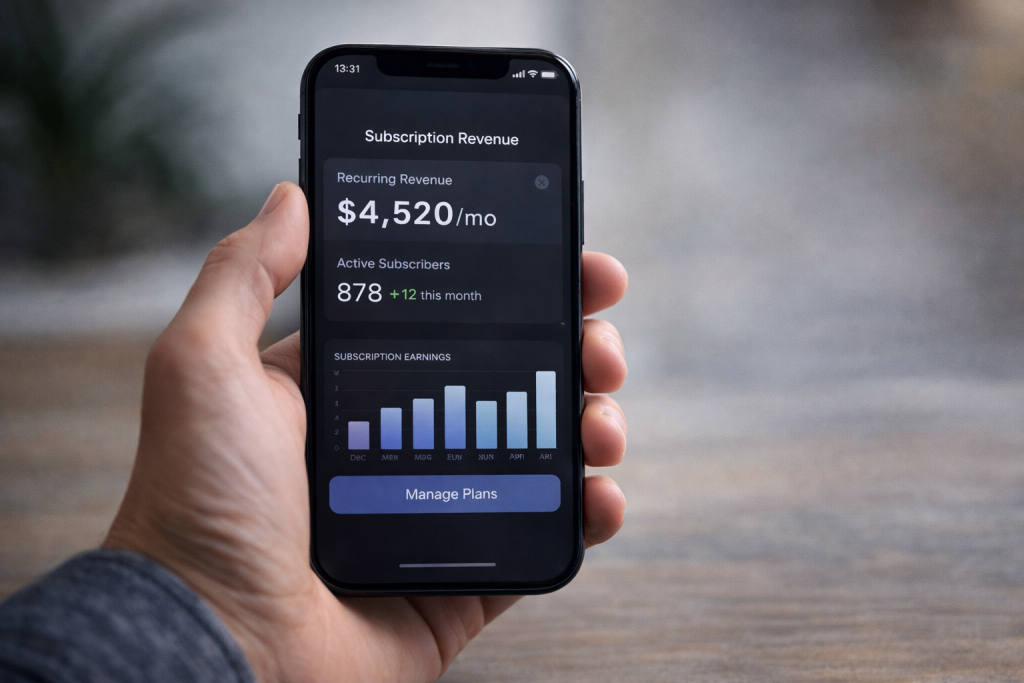
Monetization is not something you “add later.” It shapes how the product works from the start. If the revenue model doesn’t match user behavior, growth stalls even with good engagement.
The Main Monetization Models
- Subscriptions — users pay monthly or yearly for access to content, features, or communities. This works well when there is clear ongoing value, such as expert content, private groups, or tools people use regularly.
- Advertising — revenue comes from impressions and clicks. It requires scale to work properly. With a small audience, ad income is usually too low to matter, which is why early-stage apps struggle with this model.
- Freemium upgrades — the core product is free, but certain features are locked behind a paywall. This works when there is a natural upgrade path — for example, advanced tools, visibility boosts, or customization.
- Digital goods — users buy virtual items, content access, or perks. This is common in communities and creator platforms where users want to support or enhance their experience.
- Paid communities — access itself is the product. Users pay to join a space with specific value — knowledge, networking, or exclusive interaction.
- Commissions on creator earnings — the platform takes a percentage from transactions between creators and their audience. This model scales well when creators actively earn inside the system.
- Brand partnerships — revenue comes from collaborations, sponsored content, or integrations. This usually appears after the platform builds a stable audience.
Choose the Model That Matches the Product
Monetization should follow the way people use the app — not the other way around. If the product is built around passive scrolling, ads can work later, once there is enough volume. If interaction is tighter — small groups, direct communication, or creator-led spaces — users are more likely to pay for access or additional value.
A simple example:
- 25,000 monthly active users
- 3% convert to premium
- $9/month subscription
- revenue = $6,750/month
Compare that with ads on the same audience — the return is often significantly lower at this stage.
This is where many early decisions go wrong. Founders often default to ads because that’s what large platforms use. But those platforms operate at a completely different scale. Without millions of active users, ads tend to add friction without producing meaningful revenue.
A better approach is to map the monetization model to the core behavior:
- content-driven apps → ads or creator tools once distribution works
- community-based products → memberships or paid access
- creator platforms → subscriptions, tips, or commissions
- utility or niche tools → freemium upgrades tied to real usage
When thinking about how to create a social media app, the key is to decide early how value is exchanged. That decision shapes onboarding, features, and even what users expect from the product.
If monetization is unclear at the start, it usually leads to awkward changes later — adding paywalls, pushing ads, or introducing features that don’t fit the original experience.
At early stages, direct monetization models like subscriptions or paid access are usually easier to validate than advertising.
Ads typically require scale, while smaller communities can generate revenue earlier through focused value.
Retention Is the Real Business Model
Getting installs is not the hard part anymore. Keeping people is. A download does not mean a user. And a user who never returns is not part of a product.
Most social apps lose people between the first and second session. The first visit may feel interesting, but if nothing meaningful happens next, there is no reason to come back. That is why retention starts with early experience. Onboarding should lead to action, not just setup. People need to see activity, connect with someone, or get a response quickly.
What keeps users is not one feature, but a combination of signals. Relevant notifications bring them back. Ongoing conversations give them context. New content creates movement. Most importantly, there must be a reason to participate, not just observe.
A simple comparison shows the difference. A private network with 2,000 active users who return regularly can be more valuable than an app with 50,000 installs and weak engagement.
When planning how to create a social media app, retention should be designed from the start. It is not something to fix later.
How Much Does It Cost to Create a Social Media App in 2026
Cost depends on what you are actually building. Two apps can look similar on the surface but require very different budgets under the hood. That is why the question “how much does it cost to create a social media app” never has one fixed answer. It depends on scope, complexity, and how the product is expected to scale.
Typical Cost Ranges
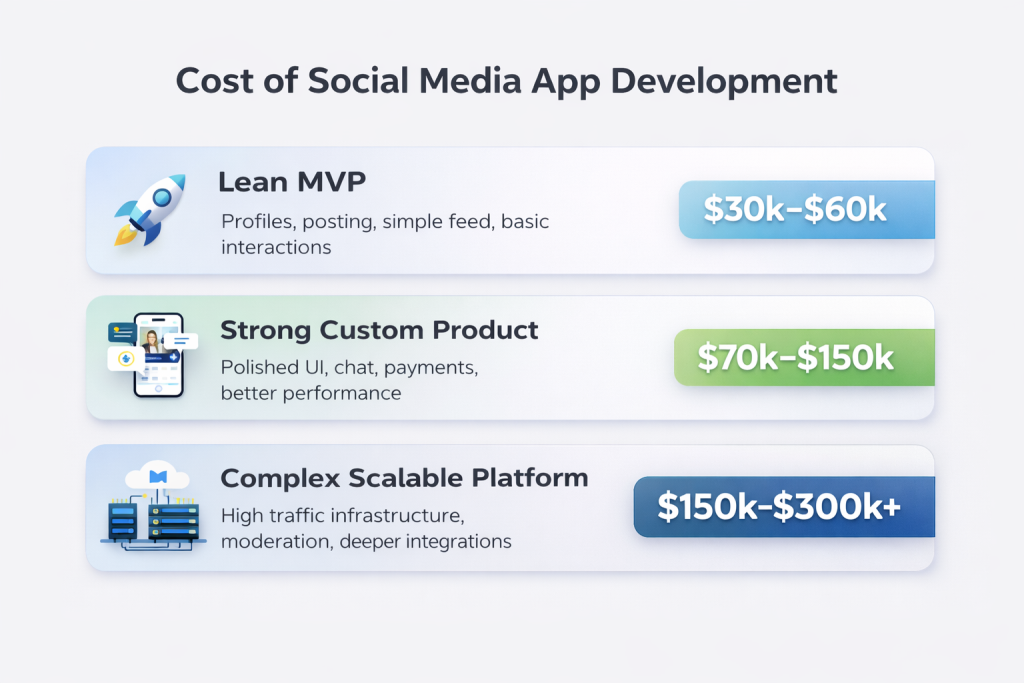
A lean MVP with basic functionality usually falls into the $30,000–$60,000 range. This covers essential features such as profiles, posting, a simple feed, and basic interaction.
A stronger custom product with more polished design, better performance, and additional features like chat or payments typically lands between $70,000–$150,000. At this stage, the app is usable for real audiences and can support early growth.
A more complex, scalable social platform can easily reach $150,000–$300,000+. This includes infrastructure for high traffic, advanced feed logic, moderation systems, and deeper integrations.
What Changes the Final Cost
Several decisions push the budget up or down. Platform choice matters. Building for iOS only is cheaper than launching on both iOS and Android at the same time. Real-time features like chat or live updates increase backend complexity. Feed logic also plays a role. A simple chronological feed is much easier to build than a system driven by recommendations.
Moderation systems, integrations with external tools, and payment functionality all add development time. Custom design and a well-built admin panel also increase the total cost, but they make the product easier to manage later.
When thinking about how to create a social media app, these trade-offs define both the timeline and the budget.
Practical Cost Scenario
A niche community app with profiles, a post feed, comments, private chat, subscriptions, and an admin panel can realistically fall in the $60,000–$90,000 range.
Once you move toward content-heavy platforms with live features, advanced discovery, and scaling infrastructure, the cost rises quickly.
In practice, cost is driven less by the idea itself and more by product structure.
A content-driven app, a chat-heavy community, and a creator monetization platform can have similar audiences but very different development costs due to infrastructure and feature complexity.
Build From Scratch, Use a Builder, or Hire a Development Team?

At some point, the question becomes practical. How do you actually build it? There are three common paths, and the difference between them shows up quickly once real users arrive.
No-code and low-code tools are the fastest way to test an idea. You can launch something basic in a few weeks with a budget as low as $5,000–$15,000. The trade-off is control. Custom logic, monetization, and scaling options are limited, which becomes a problem once the product grows.
Template-based builds sit in the middle. They reduce development time and cost, often landing in the $15,000–$40,000 range. They work for simple communities or content apps, but adapting them later can be difficult. You inherit someone else’s structure.
Custom development is the most flexible route. It takes longer and typically starts from $60,000 and goes well beyond $150,000 depending on complexity. In return, you get full control over features, monetization, and infrastructure. This matters once you need to scale or introduce specific business logic.
In practice, early testing can start simple. But once the product needs to grow, limitations appear quickly. The decision is less about tools and more about how far you plan to take the product.
Create a Social Media App for Your Brand with Scrile Connect
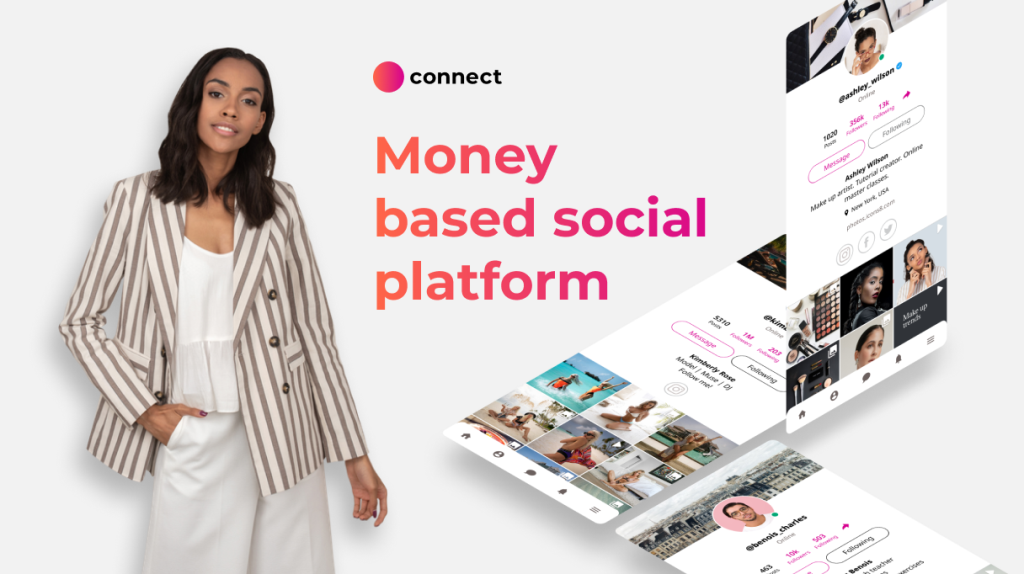
At some point, standard tools stop fitting the idea. Templates and builders are fine for testing, but they come with limits. Features are fixed, monetization options are restricted, and scaling often requires workarounds. This is where custom development becomes relevant.
Scrile Connect is not a plug-and-play platform. It is a development service that builds social and community products around a specific business model. The goal is not to adapt your idea to a tool, but to build the product around how it should actually work.
This approach makes sense in many scenarios. A creator launching a paid content platform similar to OnlyFans needs full control over subscriptions and payouts. A brand building a social layer around its audience wants to keep users inside its own ecosystem. A team working on a content-driven app like Instagram requires flexibility in feed logic and discovery. The same applies to dating platforms, professional networks, or niche communities where interaction rules matter.
With custom development, the product is shaped by real requirements:
- custom social media app features built around specific user behavior
- flexible monetization models including subscriptions, tips, or commissions
- white-label ownership with full control over branding
- scalable infrastructure that grows with user activity
- control over UX, moderation, and data handling
- architecture designed around niche goals, not generic templates
This is often the turning point in how to create a social media app that can actually scale. When the idea depends on control, not just launch speed, custom development becomes the more reliable path.
What’s Right for You?
| Path | Speed | Cost | Flexibility | Best for |
| Lean MVP (no-code / simple build) | Fast (2–6 weeks) | $5K–$30K | Low | Testing niche ideas |
| Subscription-first product | Medium (1–3 months) | $20K–$60K | Medium | Creator communities |
| Custom community app | Medium–Slow (2–5 months) | $50K–$120K | High | Brands building owned platforms |
| Scalable custom platform | Slow (4–9+ months) | $120K–$300K+ | Very high | Startups aiming for scale |
Conclusion
Social platforms still generate strong revenue, but only when the positioning is clear from the start. The audience defines the product. Features follow, not the other way around. Retention and monetization need to be part of the initial plan, not something added later. Cost depends on scope, product logic, and long-term goals, not just development hours.
Understanding how to create a social media app comes down to making the right structural decisions early. If the goal is a branded, scalable, monetizable product, the custom route is the stronger option — explore Scrile Connect solutions to build a platform that fully matches your business model.
FAQ
How long does it take to build a social media app?
The timeline depends on scope. A basic MVP with profiles, posting, comments, and a simple feed can take around two to four months. A stronger custom product with chat, subscriptions, moderation tools, and admin controls usually takes longer. More complex apps with live features, advanced discovery, and scaling requirements can take six months or more.
How much does it cost to create a social media app?
The answer depends on what you are building. A lean MVP often starts around $30,000–$60,000. A stronger custom product can land in the $70,000–$150,000 range. A larger social platform with advanced feed logic, real-time communication, moderation layers, and scalable infrastructure can cost much more. The biggest cost drivers are scope, complexity, and custom workflows.
What features should a social media MVP include?
Most MVPs need only the core loop: registration, profiles, content publishing, a feed or timeline, comments or reactions, notifications, and basic moderation. That is usually enough to test whether people actually want to return. Things like live streaming, creator payouts, complex discovery logic, and AI moderation are often better left for later.
Can one person create a social media app?
One person can absolutely start the process, define the concept, validate demand, and even launch a very small version with simple tools. But building a serious product that supports growth, monetization, and retention usually requires a team. Social apps are not hard only because of code. They are hard because they combine community logic, content flow, moderation, and product design.
How do social media apps make money?
Different products use different models. The most common are subscriptions, paid communities, freemium upgrades, advertising, creator commissions, and brand partnerships. The right model depends on how users behave inside the app. A creator platform may earn through subscriptions and tips, while a broad content product may lean toward ads later.
What is the hardest part of building a social media app?
The hardest part is not building the feature list. It is getting people to return. Many apps launch with working feeds and profiles, but the core loop is weak. If users do not find relevant content, interaction, or value early, retention drops fast. That is why product logic matters more than copying big platforms.
Do I need a niche to launch a new social app?
In most cases, yes. Broad social networks are expensive and difficult to grow because they compete with platforms people already use every day. A niche app has a stronger reason to exist. It can speak to a specific group, solve a specific problem, and build stronger engagement from the start.
Should I use no-code or custom development?
That depends on the goal. No-code or template tools are useful for testing an idea quickly and cheaply. They work well at the validation stage. But once the product needs custom monetization, more control over UX, or room to scale, custom development becomes the stronger route. The decision is less about trends and more about how serious the product needs to become.
How do you validate a social media app idea before building?
Start with behavior, not assumptions. Launch a small closed group, test the core interaction manually if needed, and track whether users return after the first session. If people don’t come back, the idea needs adjustment before any serious development.
What is the cheapest way to launch a social media MVP?
Focus on a narrow use case and build only the core interaction. Use no-code tools or lightweight development, skip advanced features, and validate engagement first. A simple version with profiles, posting, and basic interaction is usually enough to test demand without large upfront costs.

Polina Yan is a Technical Writer and Product Marketing Manager, specializing in helping creators launch personalized content monetization platforms. With over five years of experience writing and promoting content, Polina covers topics such as content monetization, social media strategies, digital marketing, and online business in adult industry. Her work empowers online entrepreneurs and creators to navigate the digital world with confidence and achieve their goals.