

Call centre appointment booking systems now sit at the heart of how many call centres run their day-to-day work. Scheduling used to be something agents squeezed in between calls. That reality has shifted as more companies rely on remote consultations, hybrid teams, and omni-channel customer service.
In 2026, most centres handle more appointments with leaner staffing and stricter SLAs. The pressure is visible in the numbers. No-show rates commonly land between 8 and 20 percent. Automated reminders typically reduce those missed appointments by 20 to 30 percent. Smart booking automation can cut manual scheduling tasks by roughly the same amount. When booking processes are clumsy or disorganized, agents lose time, operating costs rise, and customers feel the friction immediately.
How Call Centres Use Online Scheduling

In busy call centres, scheduling rarely looks like a neat process on paper. It feels more like a constant stream of micro-decisions, and call centre appointment booking has to fit naturally into that flow. Modern teams don’t treat booking as a separate task. It happens inside the conversation, in real time, while the customer is still on the line. Good systems fade into the background instead of interrupting the call.
From Call to Calendar
When an agent identifies the right moment to book, they open a shared calendar that everyone in the team can see. This live visibility prevents double-booking and removes the need for back-and-forth messages in Slack or email. The agent picks a slot that matches both the customer’s availability and internal capacity, then confirms it instantly. The customer receives a message or email with the details without the agent having to chase approvals or send manual follow-ups.
Behind the scenes, call center appointment scheduling software usually syncs with internal tools so nothing exists in isolation. A new booking can automatically create or update a record in the CRM, attach notes from the call, and notify the relevant specialist. This reduces repetitive data entry and keeps information consistent across systems.
Routing, SLAs, and Availability
Scheduling at scale is rarely about one agent and one calendar. It is about matching the right person to the right customer at the right time. Most mature call centres structure this around a few practical rules:
- skill-based routing that directs complex cases to specialists instead of general agents
- protected time windows for VIP or urgent customers so they can be seen faster
- built-in time-zone logic that adjusts availability for global clients automatically
When these elements work together, booking stops being a bottleneck and becomes a smooth extension of customer service rather than an administrative burden.
Key Features That Actually Matter

Call centre appointment booking works best when the system feels invisible to agents and obvious to customers. The point is not to pile on tools, but to connect the few that truly shape outcomes. Below is a compact set of core capabilities, written as a single, coherent block of longer bullets rather than short, fragmented lists.
- Two-way CRM synchronization keeps every appointment tied to a real customer record, so when an agent books a slot, the case is created or updated automatically and all call notes travel with it instead of living in scattered tabs. This reduces mistakes, shortens after-call work, and makes handoffs between agents far smoother when cases change hands mid-process.
- Smart availability logic mirrors real operational constraints, meaning priority customers automatically see faster slots while specialists only receive bookings that match their expertise. Agents spend less mental energy checking exceptions, because the system quietly enforces rules in the background.
- Automated SMS and email reminders are sent at carefully chosen moments before the appointment, not just once but in a cadence that actually reduces forgetfulness. Well-timed reminders consistently cut missed appointments and prevent last-minute chaos inside the centre.
- One-click rescheduling links let customers change plans without calling back, which protects agent time and keeps calendars cleaner. Instead of reactive firefighting, teams gain predictable schedules that are easier to manage.
- Shared team calendars give every agent real-time visibility of capacity, preventing double-booking and awkward internal conflicts. This transparency makes it possible to balance workloads without constant manual coordination.
- Built-in analytics track no-shows, cancellations, and booking patterns so managers can adjust slot lengths, reminder timing, and routing rules based on real behavior rather than guesswork.
Best Practices for Call-Centre Booking in 2026
Most centres make booking harder than it needs to be. The best teams do the opposite. They cut steps, trim questions, and keep the path from “yes” to “confirmed” short enough that the customer never loses momentum.
Time slots should feel intentional, not overwhelming. Offering a small, well-chosen set of windows usually works better than showing an entire calendar. It keeps things clear for customers and easier to manage for agents.
Slot length has to match reality. Routine requests can be tight. Technical cases, escalations, or high-value clients need more space so conversations don’t feel rushed and rushed work doesn’t create follow-ups.
Automation should handle the boring parts. Reminders, calendar syncing, and routing rules can run quietly in the background. Agents still need room to adjust when a case doesn’t fit the standard script. That balance keeps things efficient without making interactions feel mechanical.
Successful teams watch four numbers closely. Booking conversion rate shows whether the flow actually works. No-show rate reflects reminder quality and timing. Average handle time reveals how much scheduling slows agents down. First available slot shows how accessible the service really is. When these improve together, call centre appointment booking becomes a dependable part of operations rather than a constant headache.
Best Solutions 2026 — What Real Teams Use
Teams rarely pick tools because of glossy marketing. They choose systems that are already working inside real call centres, have transparent pricing, and stay reliable when volumes spike. The platforms below are common in day-to-day operations, not vendor slides. Each one solves a slightly different problem, so the “best” choice depends on workflow, scale, and how tightly booking needs to connect to the rest of the stack. Call centre appointment booking looks different in every environment, and these tools reflect that reality.
Acuity Scheduling
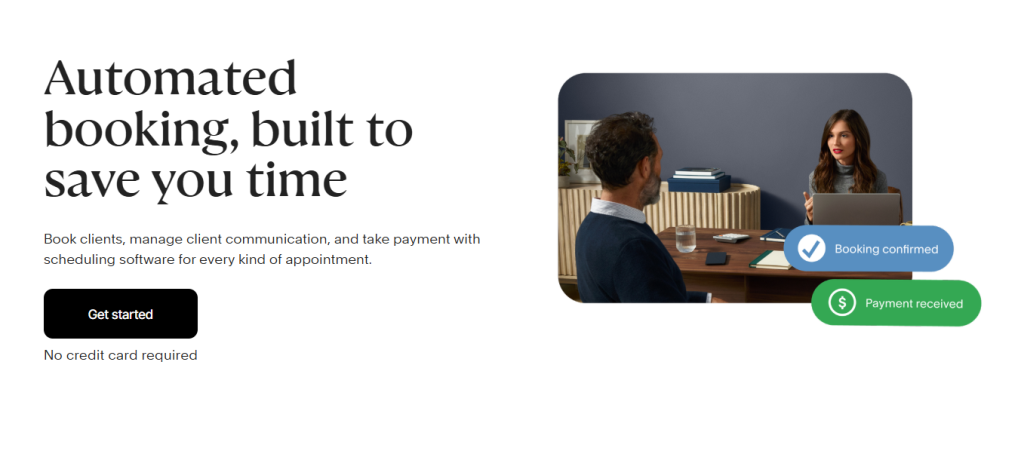
Acuity is popular because it gets out of the way. Setup is fast, the interface is clean, and integrations with calendars and basic CRMs are solid. Agents can book slots with minimal friction, which matters in high-volume environments. The trade-off shows up when routing becomes complex. Deep skill-based matching or multi-team logic often requires external workarounds.
Setmore
Setmore appeals to centres that care about branding and flexible booking pages. Visual customization is stronger than many competitors, and basic workflows are easy to adapt. It handles everyday scheduling well for small to mid-size teams. Reporting depth can feel uneven for larger operations that rely heavily on analytics.
Square Appointments
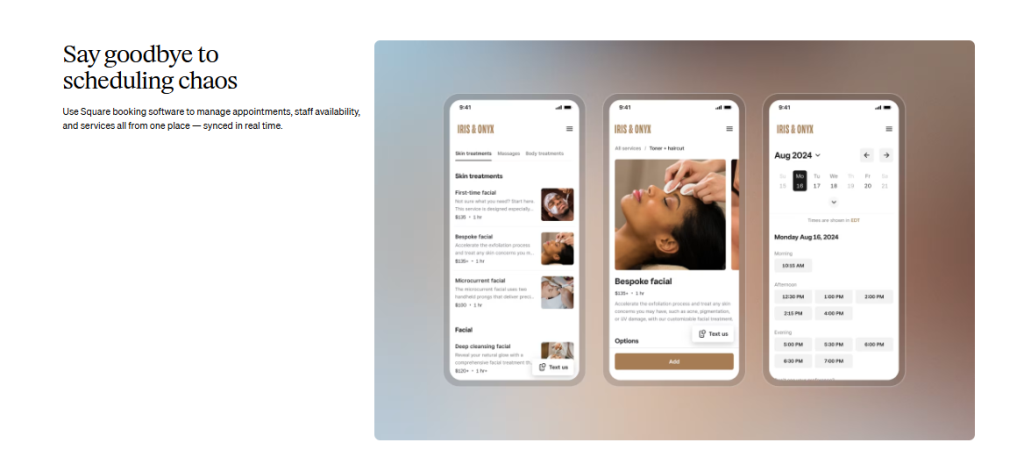
Square Appointments fits hybrid teams that mix in-office and field work. Mobile booking and built-in payments make it practical for agents on the move. It works smoothly for mixed service models that combine calls with in-person visits. Very large, multi-department call centres may outgrow its structure.
SimplyBook.me
SimplyBook.me is built for distributed operations. Multi-language and multi-currency support make it suitable for global customers. It covers a wide range of use cases in one system. The interface can feel heavier than simpler tools, which sometimes slows agents down.
YouCanBookMe
YouCanBookMe keeps things minimal. It is quick to deploy and inexpensive, which makes it attractive for smaller centres or pilot projects. It handles straightforward booking reliably. It is not designed for complex routing, SLA logic, or enterprise-scale call-centre workflows.
Process Automation That Saves Real Time
In mature operations, a call centre appointment booking system proves its value through quiet automation rather than extra features. The goal is simple: fewer clicks for agents and fewer handoffs between tools.
When a case is created or updated in the CRM, available slots should appear automatically without manual calendar searches. Urgent tickets need faster windows, while routine requests follow standard availability rules. Reminders should run in scheduled batches instead of being typed one by one. Every step that removes admin work gives agents more time for real conversations.
What actually delivers those gains in practice:
- slots auto-generated from CRM events so booking follows the workflow, not the other way around
- clear priority rules that separate urgent and standard cases in real time
- bulk SMS and email reminders sent on a fixed cadence
- calendars that update themselves instead of requiring agent intervention
When this is in place, scheduling stops competing with customer work and starts supporting it.
Build Your Own Consultant Booking System with Scrile Meet & Scrile Connect
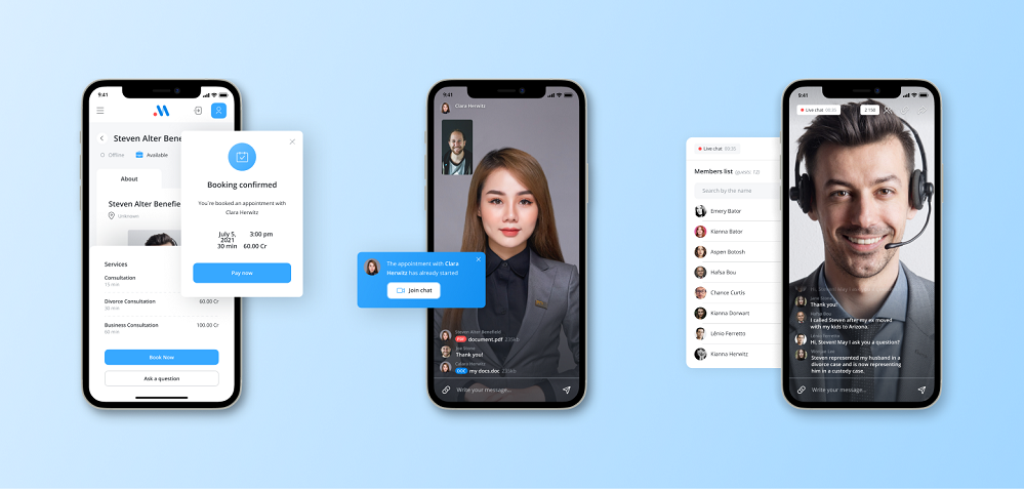
At scale, call centre appointment booking system begins to outgrow generic tools. Workflows become more specific, SLAs tighten, and branding starts to influence trust as much as speed. This is usually the point where centres stop shopping for apps and start thinking about building something that fits their reality. Scrile sits here because Scrile is not a platform. Scrile provides custom development services, and every system is shaped around your workflow instead of pre-set templates.
Scrile Meet provides the front-end experience your customers and consultants actually use:
- Branded video consultations that sit under your own identity.
- Native appointment booking embedded directly into your flow.
- Calendar synchronization, virtual waiting rooms, and stable real-time sessions.
- Client dashboards with clear session analytics that reduce support noise.
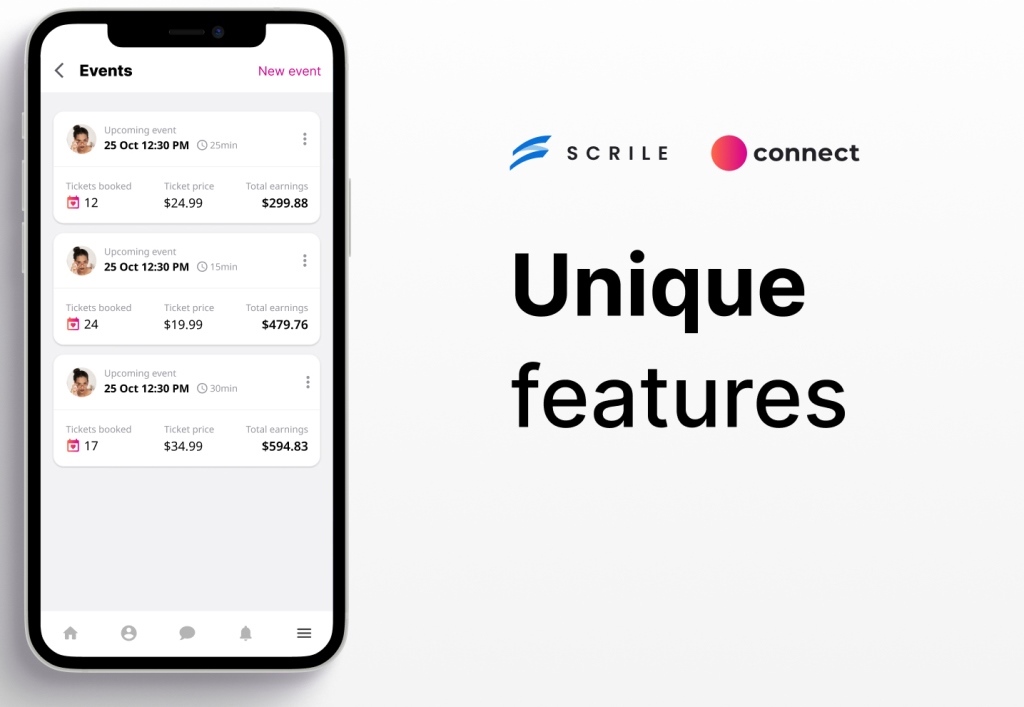
Scrile Connect provides the backend and logic that most off-the-shelf tools lock down:
- Custom user roles and permissions for agents, managers, and specialists.
- Flexible payments and monetization flows that follow your business model.
- Deep CRM integrations with secure, long-term data ownership.
- An API layer that supports routing rules, SLA logic, and automation.
Together, Scrile Meet and Connect make it possible to run a fully branded booking experience on your own domain, apply routing and SLA rules that match real priorities, and handle reminders and no-shows in a way that fits your communication style. The architecture scales as your centre grows instead of forcing you to rebuild around someone else’s constraints.
Conclusion
Appointment systems are no longer a support tool tucked behind the scenes. They are core infrastructure that shapes reliability, customer trust, and how confidently a call centre can scale. When scheduling logic, payments, and data sit in your control, operations feel steadier and growth becomes easier to manage. If you want a system built around your workflow instead of someone else’s limits, contact the Scrile team and start designing a custom booking setup that grows with you.
FAQ
What is the best appointment scheduling system?
Acuity Scheduling works well for ease of use. Setmore suits teams that want more customization. Square Appointments is strong for mobile-first and POS-based operations. SimplyBook.me fits international teams with multi-language needs. YouCanBookMe is a simple, low-cost option for basic booking.
How to book an appointment with a client?
Introduce yourself clearly, explain why you are contacting them, and check their interest. Describe what you need, ask any necessary questions, and confirm the date and time before ending the conversation.
Which is correct: call center or call centre?
“Call center” is American English. “Call centre” is British English. Both terms describe the same type of operation.

Polina Yan is a Technical Writer and Product Marketing Manager, specializing in helping creators launch personalized content monetization platforms. With over five years of experience writing and promoting content, Polina covers topics such as content monetization, social media strategies, digital marketing, and online business in adult industry. Her work empowers online entrepreneurs and creators to navigate the digital world with confidence and achieve their goals.