
by Polina Yan
Voice recognition is no longer a future technology but now a mainstream tool in everything from healthcare and customer service to smart assistants and accessibility and automation systems. It is becoming part of everything from apps and messaging to virtual personal assistants and smart devices in the home.
One of the prime movers towards accomplishing this revolution is the swift evolution in artificial intelligence (AI) and natural language processing (NLP). Speech recognition Python-based solutions fueled by AI have evolved immensely in precision to enable real-time transcriptions, voice command recognition, and multilingual recognition.These technologies are making interactions faster and more efficient, whether it’s for virtual assistants like Siri and Alexa, medical transcription services, or automated customer support systems.
Why Python Speech Recognition?
Among the many programming languages used for voice recognition, Python speech recognition stands out as the top choice for developers. Python’s ecosystem offers several powerful libraries that allow developers to integrate speech-to-text functionalities into applications with minimal effort. Its extensive open-source community and machine learning frameworks make it the go-to language for AI-driven projects.
Here’s why Python is widely used for speech recognition:
- Rich library support – Python offers multiple dedicated speech recognition libraries, such as SpeechRecognition, DeepSpeech, and Vosk, that simplify the integration process.
- Ease and usability – Its programming syntax readability allows one to develop complex voice-based AI systems with much ease and flexibility in use
- Robust machine learning and AI features – Python has direct integration with machine learning and deep learning platforms like TensorFlow and PyTorch to enable organizations to construct highly precise, custom-built speech recognition models.
- Cross-platform compatibility – Such systems work across multiple operating systems, ensuring scalability for web, mobile, and embedded applications.
How Speech Recognition Works in Python

Speech recognition enables machines to understand and process spoken language, converting it into readable text or commands. The tech can also provide voice assistants, in-home devices, automated transcription tools, and voice-free systems. Such systems can be developed in a less complicated way through developments in Python speech recognition and with the aid of sophisticated AI-based tools.
Human speech recognition includes both linguistic processing and machine learning models being used correctly in a very complicated process.
At its core, speech recognition isn’t magic — it’s about turning complex sound patterns into understandable language using advanced models. Modern systems often rely on neural networks and deep learning to improve accuracy far beyond simple dictionary matching.
“Whisper is a machine learning model for speech recognition… capable of transcribing speech in English and several other languages, and… improved recognition of accents, background noise and jargon compared to previous approaches.”
— OpenAI on Whisper (speech recognition system), Wikipedia
That’s why libraries like Whisper, DeepSpeech, and Vosk form the backbone of Python speech projects — they leverage modern machine learning architectures to decode human speech in ways older systems could not.
Key Components of Speech Recognition Python Applications
- Acoustic Modeling. Speech consists of phonemes, which are the fundamental units of sound. The AI systems identify these sounds and match them to their corresponding letters or syllables. Acoustic models enable the recognition of words that sound alike and handle the variations in pronunciation.
- Language modeling. The system then has to organize words and sentences in a coherent order after sensing phonemes. Prediction models enhance recognition by predicting words that most likely follow in a sentence in largely the same manner that autocorrect or predictive input works in cell phones.
- Noise Filtering & Audio Processing. Recognition of speech is not only about recognizing words—participating words must be filtered from ambient noise and sound. Most speech recognition Python libraries come with noise cancellation to enhance the performance in real scenarios, i.e., in the office, in a crowd, or in the context of in-car free hand conditions.
Neural Network Processing. They have the latest speech recognition systems using AI and deep models to improve accuracy levels. Advanced deep models and AI assist the systems in identifying patterns in enormous amounts of spoken data to adapt to accents and dialects and patterns changing with time.
Top Python Speech Recognition Libraries in 2026
Python offers a variety of powerful speech recognition libraries, each suited for different use cases. Whether you need a lightweight API-based tool, an offline speech recognition system, or an advanced deep learning model, there’s a solution available. Below is a comparison of the five best speech recognition Python tools in 2026, covering their strengths, weaknesses, and ideal use cases.
Comparison of Top Python Speech Recognition Libraries
| Library | Type | Strengths | Weaknesses | Best For |
|---|
| SpeechRecognition | Wrapper for multiple APIs | Easy to use, lightweight, flexible, supports Google/IBM/Microsoft | Internet dependent, weak offline support | Quick integration, basic transcription |
| Mozilla DeepSpeech | Offline, open-source, TensorFlow-based | High accuracy, customizable, privacy-friendly | Needs GPU/high CPU, large models | Privacy-sensitive apps, custom AI |
| Vosk | Offline, lightweight | Low latency, multilingual, works on embedded devices | Limited pre-trained models, requires tuning | IoT, Raspberry Pi, smart devices |
| Google Speech-to-Text API | Cloud-based | Very accurate, real-time streaming, auto-punctuation | Subscription costs, needs internet, latency risk | Enterprises, live transcription, call centers |
| OpenAI Whisper | AI-powered, multilingual | Extremely high accuracy, understands accents & noise, context-aware | Heavy resource use, slower on low hardware | Journalism, podcasts, multilingual assistants |
SpeechRecognition
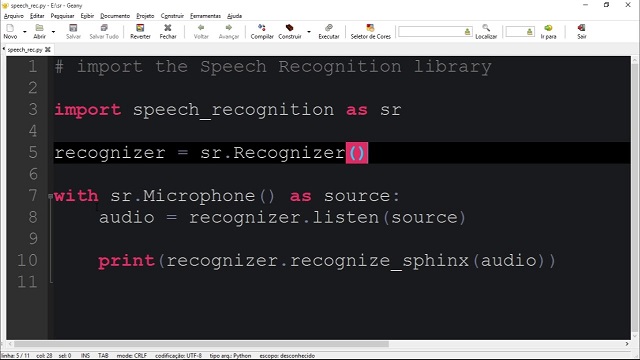
SpeechRecognition is one of the most widely used Python libraries for speech-to-text conversion. It acts as a wrapper for multiple speech recognition engines, making it easy to integrate with cloud-based and offline services. The library supports APIs like Google Web Speech, CMU Sphinx, IBM Speech to Text, Wit.ai, and Microsoft Azure Speech.
Strengths:
- Easy to implement – Requires minimal setup and works with a simple API call.
- Lightweight – Does not require extensive computational power.
- Flexible – Supports multiple speech engines, allowing developers to choose the best fit.
Weaknesses:
- Internet dependency – Most of its features rely on cloud APIs, requiring an internet connection.
- Limited offline capabilities – The CMU Sphinx engine is available for offline use but lacks accuracy compared to deep learning-based alternatives.
Best Use Cases:
- Quick speech recognition integration into Python applications.
- Developers looking for a simple API to access Google or IBM speech services.
- Basic transcription needs where internet access is available.
Mozilla DeepSpeech
Mozilla DeepSpeech is a deep learning-based, open-source speech recognition system built on TensorFlow. It is trained on thousands of hours of voice data and offers high accuracy, even in challenging conditions. Unlike cloud-based solutions, DeepSpeech runs entirely offline, making it suitable for privacy-sensitive applications.
Strengths:
- Fully offline processing – No internet connection required.
- High accuracy with proper training – Can be fine-tuned with custom voice data.
- Open-source flexibility – Developers can modify and improve models based on their needs.
Weaknesses:
- Requires high computational power – Best suited for systems with GPUs or high-end CPUs.
- Large model size – Can be resource-intensive compared to lightweight libraries like SpeechRecognition.
Best Use Cases:
- Privacy-focused applications that require offline speech recognition.
- AI-driven applications needing accurate speech-to-text conversion.
- Developers looking to fine-tune a speech model for a specific use case.
Vosk
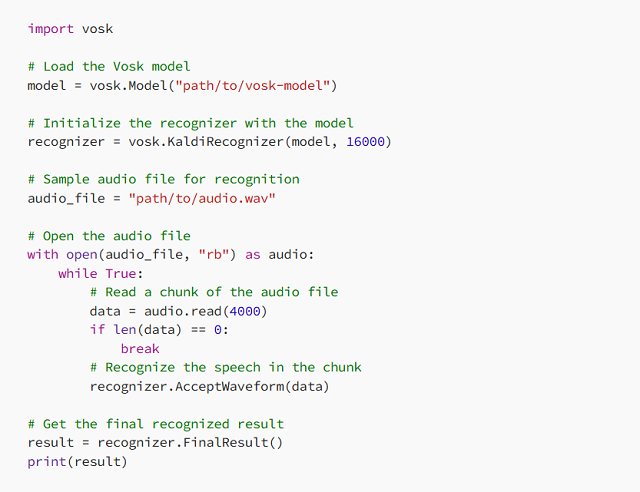
Vosk is a lightweight, offline speech recognition Python library designed for low-power devices like Raspberry Pi and embedded systems. It supports multiple languages and provides real-time speech processing with minimal resource consumption.
Strengths:
- No internet dependency – Works completely offline.
- Low latency – Optimized for real-time applications.
- Multilingual support – Recognizes speech in over 20 languages.
Weaknesses:
- Fewer pre-trained models compared to cloud-based APIs.
- Requires additional tuning to improve accuracy for niche applications.
Best Use Cases:
- Embedded systems (Raspberry Pi, IoT applications, smart home devices).
- Developers needing offline speech recognition with minimal hardware requirements.
- Multilingual speech processing for global applications.
Google Speech-to-Text API
Google Speech-to-Text API is a cloud-based speech recognition service that provides highly accurate transcription using Google’s deep learning models. It supports real-time and batch processing, making it suitable for applications requiring fast and scalable speech recognition.
Strengths:
- High accuracy across multiple languages.
- Supports real-time streaming for live applications.
- Includes auto-punctuation and noise cancellation features.
Weaknesses:
- Requires a Google Cloud subscription, which can be expensive for high-volume applications.
- Latency issues may arise in environments with poor internet connectivity.
Best Use Cases:
- Large-scale enterprise applications needing cloud-based transcription.
- Call centers and customer support automation.
- Live streaming applications requiring real-time speech-to-text conversion.
OpenAI Whisper
OpenAI Whisper is an AI-powered speech recognition Python model trained on a massive dataset of multilingual speech. It is designed for high-accuracy transcription, multi-language support, and natural conversation understanding.
Strengths:
- Extremely high accuracy, even with accents and noisy backgrounds.
- Supports multiple languages, making it ideal for global applications.
- AI-driven transcription with improved contextual understanding.
Weaknesses:
- Requires significant processing power for real-time applications.
- Can be resource-intensive compared to lightweight libraries.
Best Use Cases:
- High-accuracy transcription services for podcasts, interviews, and journalism.
- AI-driven voice assistants with multilingual capabilities.
- Businesses needing contextual understanding beyond simple speech-to-text conversion.
Python continues to be a leading choice for developing speech recognition applications due to its extensive library support. Whether you need a simple API-based tool like SpeechRecognition, an offline solution like Vosk, or an advanced AI-powered model like OpenAI Whisper, there is a Python speech recognition library suited for your project.
Choosing between open‑source libraries and cloud‑based speech APIs isn’t just a technical decision — it’s a strategic one. The tradeoffs often come down to control versus convenience.
“Open-source solutions… offer the flexibility to modify the code to meet specific requirements. However, open-source solutions… must be provided and managed by you… Additionally, the accuracy of open-source tools is often inferior to that of cloud-based alternatives…”
— AssemblyAI, “Python Speech Recognition in 2025”
This highlights why many developers start with an API like Google Speech or AssemblyAI for accuracy and then graduate to local, customized systems when they need more control, privacy, or offline capability.
How to Implement Python Speech Recognition in Your Project

Python speech recognition systems have made changing the way that companies automate processes, communicate with users, and process voice data a reality. From virtual assistant-based systems powered by artificial intelligence to voice command and real-time transcription and voice-controlled smart devices, application utilization of speech recognition must be weighed and optimized.
To successfully implement Python speech recognition technology, firms have to select the right library, calibrate processing to realworld specifications and integrate the tool into the process. High accuracy cloud-based APIs are required in some applications while independent and offline models work in others
The secret to an effective speech recognition Python project is finding the ideal balance between accuracy and speed and being in a position to connect well with other systems.
Setting Up a Python Speech Recognition System
Before diving into implementation, it’s important to define what the speech recognition system will be used for. A real-time transcription service requires high-speed processing, whereas an AI chatbot might need natural language understanding in addition to voice-to-text conversion.
Once the use case is clear, the next step is setting up the development environment. This involves installing the necessary Python libraries and configuring the system for optimal performance.
Cloud-Based vs. Offline Speech Recognition
One of the first decisions businesses face when implementing Python speech recognition is whether to use cloud-based or offline speech processing.
Cloud-based services, such as Google Speech-to-Text or OpenAI Whisper, provide high accuracy and continuous improvements because they leverage deep learning models trained on massive datasets. These services are ideal for applications that require real-time, multilingual speech recognition. However, they depend on an internet connection and often come with ongoing usage costs.
Offline models, like DeepSpeech and Vosk, process voice data directly on the device, making them a great choice for privacy-sensitive applications where data security is a concern. These solutions allow businesses to avoid external API costs, but they may require fine-tuning and additional computational resources for training and optimization.
For businesses operating in high-security industries, such as healthcare, finance, and legal services, offline models provide greater control over voice data without relying on third-party providers.
Optimizing Speech Recognition for Accuracy and Performance
The speech recognition model is as good as the quality input it gets. Even the most advanced AI-based systems fail to handle poor quality audio, high levels of background noise, or heavy accents. To have a better recognition percentage, companies need to work on sound optimization and model adjustment from the AI end
Major factors affecting accuracy in speech recognition:
- Audio Quality – High-quality microphones and noise elimination methods enhance speech audibility and produce better transcription accuracy.
- Background noise management – Using sound filtration and noise cancellation techniques enables speech models to tune in to the voice of the speaker
- Speaker Adaptation – Training models to recognize multiple accents and speaking patterns ensures higher accuracy to multiple clusters of users
- Word Choice Within Domain – Training models to a domain-specific lexicon increases awareness to business-specific usage
For multiple language applications, multiple language support will be required. There exist Python speech recognition libraries that natively support multiple languages and those that allow multiple language support through changing between multiple models trained in different languages. Business organizations that have international scope should prefer solutions with robust language processing
Integrating Speech Recognition into Business Applications
Speech recognition technology is now being widely adopted across various industries, providing businesses with new opportunities for automation and customer interaction. The implementation of this technology depends on the specific use case and industry requirements.
depends on the specific use case and industry requirements.
Real-World Business Applications of Python Speech Recognition:
- AI-powered Customer Service – Virtual and AI-powered chatbots utilize speech recognition to comprehend the inquiries of the customers and respond automatically.
- Medical Transcription Services – Physicians would not be depending on speech-to-text systems to auto-document along with note-taking.
- Financial & Legal Transcription – It reduces paperwork in financial reports and legal cases and client conversations
- Hand-Free devices for Smart devices – Devices with IoT such as voice assistant smart home devices and voice command in vehicles use voice recognition to offer hand-free services.
- Live Captioning & Subtitling – Automatic transcription tool helps organizations produce live captions in real-time online conferences, webinars, and live streams.
Each of these use cases requires different levels of accuracy, latency, and language processing capabilities, making it essential to choose the right speech recognition Python solution for the job.
Ensuring Scalability and Security in Speech Recognition Applications
Scalability is a paramount concern for businesses handling vast volumes of voice data. A speech recognition system must be capable of handling thousands of interactions simultaneously without compromising speed or accuracy.
Security is also an important concern, particularly when dealing with sensitive user data. Some industries, such as finance, healthcare, and government, must comply with strict data privacy regulations like GDPR and CCPA.
To ensure compliance, businesses should consider:
- On-premises speech recognition solutions for greater control over data.
- End-to-end encryption for protecting voice interactions.
- AI bias mitigation to prevent inaccuracies based on speaker demographics.
Balancing performance, security, and cost-efficiency is essential for businesses that rely on AI-powered speech recognition for mission-critical applications.
Challenges and Limitations of Speech Recognition
While Python speech recognition has advanced significantly, real-world implementation comes with several challenges that affect accuracy, speed, and user experience. Companies implementing speech-to-text solutions need to overcome technical constraints to support fluent and seamless functioning.
Background noise is one of the biggest issues. In noisy environments like offices, public spaces, and call centers, speech recognition models struggle to distinguish the speaker’s voice from background noises, simultaneous conversations, or echoing acoustics.This leads to continuous misinterpretations, which makes the system less reliable.
Another challenge is dialect and accent recognition. While many speech recognition Python models are trained on standardized datasets, they often fail to accurately process regional accents, fast speech, or non-native pronunciations. This can result in incorrect transcriptions or repeated errors, making the system frustrating for diverse user groups.
Latency is another concern, particularly for real-time speech recognition applications. Systems requiring real-time voice-to-text transformation, such as AI chatbots or live transcription software, need to maintain processing latency as low as possible. High latency can make interactions respond slowly or become unresponsive, affecting user experience in a negative manner.
To overcome these limitations, businesses optimize their speech recognition models using noise reduction filters, AI-powered learning, and continuous model fine-tuning. By adapting speech recognition Python solutions to real-world conditions, companies can significantly improve accuracy and performance.
Scrile AI: The Best Custom Development Service for Python Speech Recognition
Businesses looking to implement speech recognition Python solutions need more than just an off-the-shelf API—they need a customized, scalable, and efficient system that seamlessly integrates with their existing workflows. Scrile AI offers a tailored approach to speech recognition development, ensuring that businesses get precisely the features, accuracy, and performance they need.
Contrary to typical cloud-based applications limiting personalization and control, Scrile AI provides fully customized speech recognition models, designed for industry-specific use. Customer service automation, medical transcription, legal documentation, or voice-based smart apps, Scrile AI provides cutting-edge AI solutions on the basis of proprietary business requirements.
Why Choose Scrile AI Over Off-the-Shelf Solutions
| Option | Ownership | Customization | Security | Scalability | Integration | Weak Points |
|---|
| Off-the-Shelf APIs (Google, IBM, etc.) | Belongs to provider | Limited, generic models | Provider-dependent compliance | Scales with cost | Easy to plug & play | Vendor lock-in, recurring fees |
| Open-Source Models (Vosk, DeepSpeech, Whisper) | Open community | High, but requires expertise | Depends on implementation | Flexible, but resource heavy | Needs dev effort | Requires AI/ML specialists |
| Scrile AI (Custom Python Development) | Full client ownership | Tailored to industry (medical, legal, finance, support) | GDPR/CCPA compliant, business-grade | Enterprise-level, low-latency, live-ready | Seamless integration into existing apps | None — handled as turnkey by Scrile |
What Scrile AI Offers
Scrile AI specializes in custom-built AI solutions, allowing businesses to leverage advanced Python speech recognition technology while maintaining complete ownership and flexibility over their systems.
- Custom speech recognition models – Tailored for specific industries to give higher accuracy in specialized vocabulary and use cases.
- Seamless integration – Integrates with existing apps, software environments, and backends without problems of compatibility.
- Scalable infrastructure – Designed to process live voice handling with high-speed transcription and low latency.
- Multilingual speech recognition – Supports multiple languages and dialects, making it ideal for global businesses.
Why Choose Scrile AI Over Off-the-Shelf Solutions?
The majority of companies begin with third-party APIs but later discover that pre-existing solutions are significantly limiting. Scrile AI escapes vendor lock-in and platform limitations and offers:
- End-to-end bespoke AI models – No reliance on third-party, and thus companies will fully own their technology.
- Business-class security – GDPR, CCPA, and other data privacy law compliant, hence secure and safe voice data processing.
- Support and scalability – Engineered for businesses who need long-term stability, upkeep, and nurturing for mass scale operations.
For businesses serious about building powerful, AI-driven voice solutions, Scrile AI provides the best Python speech recognition development service available. Explore Scrile AI’s custom AI solutions today and bring advanced speech recognition capabilities to your business.
Conclusion
The landscape of Python speech recognition is evolving rapidly, with numerous libraries that offer advanced features for real-time transcriptions, AI assistants, and voice automation. The choice of the appropriate tool depends on your needs, levels of accuracy, and scalability objectives.
For businesses that require custom solutions, relying on pre-built APIs may not be enough. Scrile AI provides tailored AI development, ensuring full control, security, and seamless integration into any application.
Take the next step—explore Scrile AI today and build a custom AI-powered speech recognition Python system.
FAQ – How to Create a Telegram Bot (BotFather, Bot API, AI, Monetization)
Answers to the questions people ask after they launch their first bot: setup, hosting, rate limits, payments, and adding AI.
How do I create a Telegram bot with BotFather?
▾
Open Telegram, find @BotFather, and use /newbot. You’ll set a display name, pick a username ending in “bot,” and receive an API token.
Treat the token like a password. Store it in environment variables (not in public repos), rotate it if it leaks, and never paste it into screenshots or tutorials.
Webhook vs long polling: which one should I choose?
▾
Webhook is the production-friendly option: Telegram pushes updates to your server instantly, which improves responsiveness and reduces wasted requests.
Long polling is great for prototypes because it’s simple, but you still need to handle retries, timeouts, and process restarts. If you’re building something serious, plan to move to webhooks.
What stack is best for Telegram bots in 2026?
▾
For most teams, Python or Node.js wins because libraries are mature and deployment is straightforward. In Python, aiogram (async) and python-telegram-bot are popular. In Node.js, many teams use Telegraf or grammY.
Choose based on your product, not hype: async support, webhook handling, middleware, and how easily you can integrate databases, payments, and analytics.
Where do I track Telegram Bot API updates?
▾
The safest habit is to check the official Bot API documentation’s “Recent changes” section before big releases or feature launches.
If you want updates in real time, follow Telegram’s bot-focused channels (news + discussion) so you catch UX-breaking changes early, not after your users report bugs.
How do I handle rate limits, flood control, and 429 errors?
▾
Don’t brute-force retries. When Telegram returns flood control, it often includes a retry_after value. Respect it, wait, then retry.
In production, you’ll want an outgoing message queue that smooths bursts (especially broadcasts). Treat rate limits as a product constraint: design flows that don’t spam users or hammer the API.
Is the Telegram Bot API free, and what are “paid broadcasts”?
▾
The Bot API itself is free to use, but broadcasting has practical limits. For large newsletter-style sends, Telegram introduced Paid Broadcasts, which can raise throughput when you pay per message using Telegram Stars.
This matters for architecture: if your business depends on mass sends, budget for it (or design batching/segmentation that fits the free limits).
Can I monetize a Telegram bot?
▾
Yes—Telegram bots are often monetized through subscriptions, paid access to channels, one-time purchases, lead-gen funnels, and donations. The bot becomes the “checkout + delivery” layer right inside the chat.
The important part is consistency: access rules, renewals, user states, and support flows must be automated. A monetized bot fails when payments work, but delivery and permissions are managed manually.
How do I add AI (ChatGPT-like) features to a Telegram bot?
▾
AI bots are usually a combination of Telegram messaging + your AI backend. Your bot receives updates, sends user text to an LLM endpoint, then streams back a clean answer (often with typing indicators and short chunks).
To make it feel “human,” keep context per user, add safe fallbacks, and control costs with message limits, caching, and smart prompt design. AI isn’t just the model—it’s the whole product loop.
How do I keep my Telegram bot secure?
▾
Start with basics: protect the token, validate webhook requests, and avoid logging sensitive user content. If you store user data, keep it minimal and encrypt secrets.
Security is also operational: monitor for spikes, lock down admin commands, and separate “public bot logic” from internal tools. The fastest way to lose trust is a bot that leaks tokens or mishandles payments.
When should I build a custom bot instead of using a no-code builder?
▾
No-code is perfect for testing an idea. Custom development becomes worth it when the bot is core to your business: you need full branding, deeper integrations, higher performance, custom monetization, or strict control over data and UX.
If your bot needs to scale beyond “a helpful helper” into a product, a custom architecture (queues, analytics, payments, admin tools) saves you from platform limits later.
Polina Yan is a Technical Writer and Product Marketing Manager, specializing in helping creators launch personalized content monetization platforms. With over five years of experience writing and promoting content, Polina covers topics such as content monetization, social media strategies, digital marketing, and online business in adult industry. Her work empowers online entrepreneurs and creators to navigate the digital world with confidence and achieve their goals.
by Polina Yan
By mid-afternoon, many consultants are no longer thinking about their clients’ problems. They’re thinking about logistics. A calendar that doesn’t sync. A Zoom link buried in email. An invoice that should have gone out yesterday. None of this work generates value, but it quietly eats hours every week. That’s why consultant apps have become part of how modern consulting actually functions. Not as shiny extras, but as practical infrastructure. When scheduling, video calls, payments, and client notes live in one system, work feels lighter and clients notice the difference.
This article breaks down which tools matter most, how real consultants use them, and why custom-built platforms are increasingly replacing stacks of disconnected apps.
Why Consultants Need Their Own App Ecosystem

Most consultants don’t notice the problem right away. It creeps in slowly. One tool for bookings, another for video calls, invoices somewhere else, client notes scattered between email threads and documents. Each tool works on its own, but together they create friction. Time leaks out through small gaps: rescheduling mistakes, missed follow-ups, duplicated data.
This is why many consultants are moving away from email-and-spreadsheet setups toward dedicated workflows. As client volume grows, ad-hoc systems stop holding up. A consulting business is no longer just advice delivered over calls. It’s scheduling, payments, records, and communication running in parallel. That shift explains why consultant apps are becoming less optional and more foundational.
The pressure usually comes from a few very practical drivers:
- Managing bookings, client profiles, and payments across disconnected tools takes far more time than expected. Every update has to be repeated, and mistakes compound quietly.
- Clients now expect smooth scheduling, automatic reminders, secure meeting links, and straightforward billing. Anything clunky feels unprofessional, even if the advice itself is solid.
- Fragmented data increases stress. Important details live in too many places, which leads to missed context and avoidable errors that experienced consultants learn to avoid.
You see this play out in real work. A business coach books two clients into the same slot because calendars weren’t synced. A freelance designer finishes a session but spends weeks chasing payment because the invoice was buried in an old email thread.
A dedicated consulting app ecosystem brings structure back. It reduces cognitive load, improves client experience, and gives consultants room to focus on what they’re actually paid to do.
Core Features Every Consultant App Should Have
Once the basics are in place, the question stops being whether to use tools and becomes which ones actually help. Good consultant apps remove friction from daily work. The difference shows up quickly: fewer emails, fewer missed sessions, and fewer “sorry, can you resend that?” moments. The features below matter because they touch the parts of consulting that repeat every day.
Scheduling and Calendar Sync
Scheduling is where most consulting workflows either hold together or fall apart. A proper booking system does more than show open slots. It reflects real availability, respects buffer times between sessions, and handles time zones without forcing either side to double-check details.
Effective scheduling tools usually cover several quiet but important points:
- online booking that updates availability in real time, so double bookings don’t happen
- automatic buffer times that protect focus and prevent back-to-back burnout
- calendar sync with Google or Outlook, keeping personal and work schedules aligned
- confirmations and reminders sent automatically, which significantly reduce no-shows
For many apps for consultants, this means fewer emails, fewer mistakes, and hours saved every week.
Communication Tools
Communication works best when it stays close to the session itself. Integrated chat allows clients to ask short questions, share files, or clarify details without opening a new email thread. Asynchronous messaging keeps conversations moving without demanding immediate replies.
Built-in video is just as important. Secure, native video removes the need to manage external links or jump between platforms. When chat, video, and session history live in one place, trust grows naturally. Clients feel looked after, and consultants spend less time managing tools and more time delivering value.
From Scheduling to Billing — Apps That Cover the Full Cycle
As consulting work becomes more repeatable, the real challenge shifts from choosing tools to maintaining continuity. Information needs to flow smoothly from the first booking to the final payment. When that chain breaks, consultants lose time, context, and sometimes revenue. This is why consultant apps that cover multiple stages of the workflow have gained traction. They don’t just save clicks. They reduce handoffs and mental load.
Scheduling & Client Management Solutions
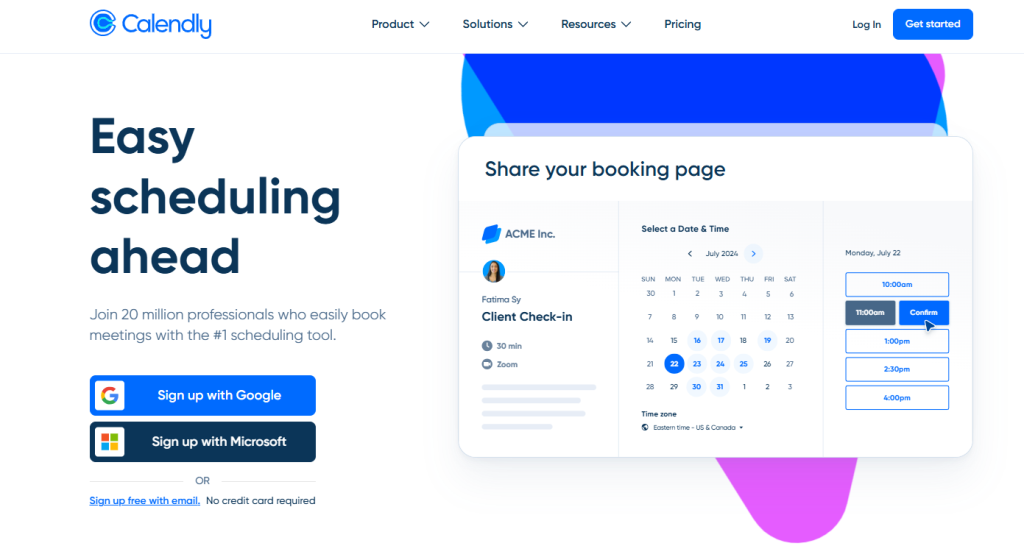
Calendly, Acuity Scheduling, and Setmore are widely used because they remove friction at the very start of the client relationship. Calendly is valued for its routing logic and clean availability controls, which work well for consultants offering multiple session types. Acuity is often chosen when intake forms and structured pre-session data matter, especially in coaching or advisory work. Setmore fits consultants working with assistants or shared calendars, though deeper customization can be limited depending on the plan.
Beyond booking, client profiles play a bigger role than many expect. Notes, tags, and session history help consultants avoid repeating questions and losing context. Industry data shows that over 70% of clients prefer booking consultations online rather than coordinating by email, which explains why scheduling tools are now standard in many consulting practices.
Video & Meetings
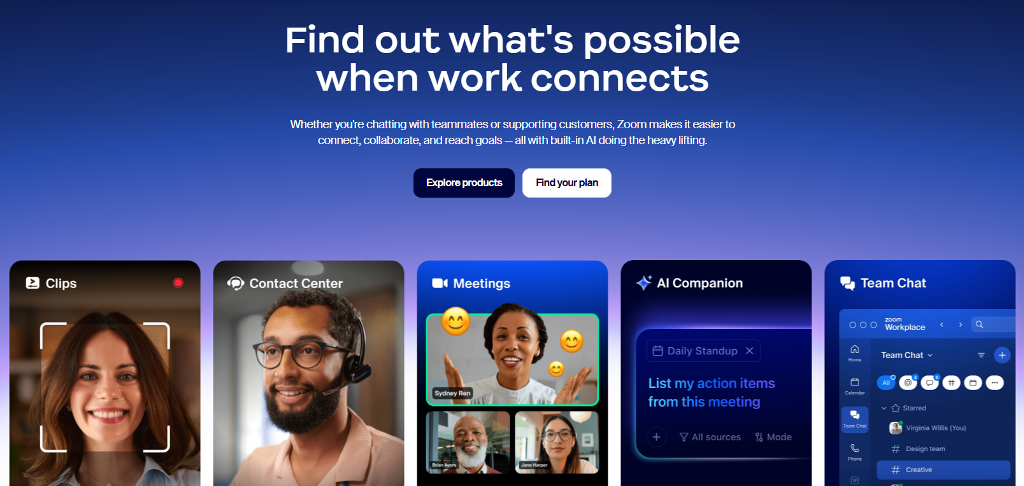
Video tools sit at the center of remote consulting. Zoom, Microsoft Teams, and Google Meet dominate because they’re familiar and reliable. They handle call quality well and scale easily across devices. Their weakness appears after the call ends. Session ownership, access rules, and payments are handled elsewhere, which fragments the workflow.
For consultants running paid sessions, this separation creates extra steps. Links need to be shared manually. Attendance must be verified. Follow-ups depend on memory instead of structure. As a result, many professionals start looking for consultant apps where video is part of a larger system rather than a standalone feature.
Contracts, Invoices, and CRM
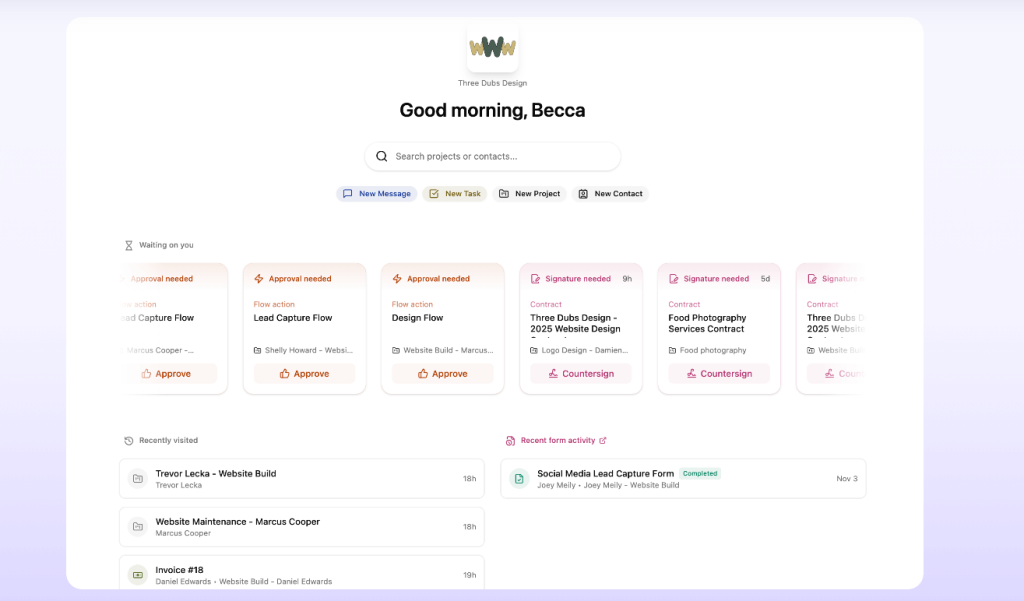
Operational tools like Dubsado, HoneyBook, and Bonsai address the business side of consulting. They combine contracts, invoicing, and client records in one place. This reduces payment delays and cuts down on follow-up emails. Clear invoices and payment links also set expectations early, which improves retention.
Over time, these tools function as lightweight consultant management software, helping track repeat clients, active agreements, and ongoing engagements. When billing and records are integrated, consultants spend less time managing transactions and more time delivering work that actually drives their business forward.
Real Consultant Case Examples
The impact of consulting apps becomes clearer when you look at how real consultants work before and after adopting structured tools. Below are three short, practical cases.
- Solo Business Coach
Before switching tools, this coach relied on Calendly for bookings, PayPal links sent manually, and follow-ups scattered across email and chat apps. Missed reminders led to frequent no-shows. After moving to an integrated setup with scheduling, automatic reminders, and built-in billing, sessions became more predictable. No-show rates dropped noticeably, and paid bookings increased because clients completed payment at the time of scheduling. - Wellness Expert
This consultant ran most sessions over video and dealt with constant rescheduling. Links were reused, notes were kept separately, and client history was easy to lose. With an online consulting platform that combined video, session notes, and secure access, follow-ups became faster and more personal. Clients stayed longer because they felt continuity between sessions, not repetition. - Design Freelancer
Late payments were the main issue. Invoices were sent after sessions, often buried in email threads. By adopting an online consulting software setup with CRM-style client records and automated invoices, payment delays were reduced significantly. Clear contracts and payment links upfront set expectations and improved cash flow.
Build a Turnkey Consulting Service With Scrile Connect and Scrile Meet
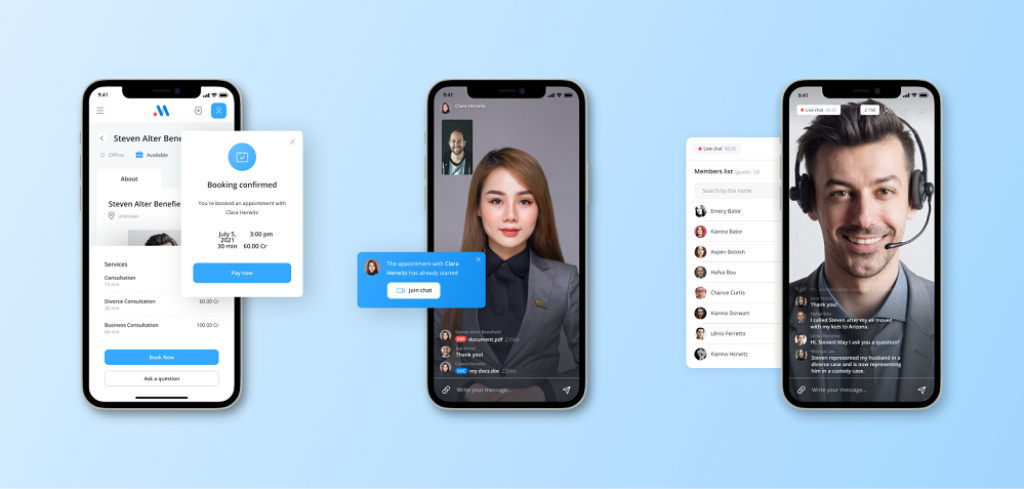
Up to this point, the conversation has been about choosing the right tools. At a certain scale, that approach hits a ceiling. Too many logins, inconsistent branding, payment logic that doesn’t quite fit, and features locked behind someone else’s roadmap. This is where many consultants realize the issue isn’t the lack of apps. It’s the lack of ownership.
Instead of stitching together tools, some businesses move toward building a system tailored to how they actually work. Scrile Connect and Scrile Meet support that shift. They are not off-the-shelf SaaS products. They are custom development services designed to create fully branded standalone consultant apps and web apps for online consulting that reflect specific workflows, pricing models, and client expectations.
For consulting businesses, this approach changes what’s possible in practice:
- Scheduling, video, and client profiles live in one environment, so sessions, notes, and history stay connected instead of scattered across tools. This reduces context switching and makes follow-ups more personal.
- Payments are built directly into the consulting flow, whether charged at booking, after a session, or on a recurring basis. Consultants control how and when revenue is collected.
- Contracts and agreements are part of the product, not separate documents emailed back and forth. This simplifies onboarding and reduces friction before the first session.
- Analytics focus on consulting metrics, such as retention, session frequency, and revenue per client, instead of generic traffic numbers. This helps consultants make informed decisions.
- White-label branding keeps the consultant front and center, reinforcing trust and professionalism instead of advertising third-party platforms to clients.
This model suits consultants who see their practice as a product, not just a calendar of calls.
Conclusion
Modern consulting runs on systems, not scattered tools. Dedicated consultant apps matter because they reduce friction, protect context, and make the client experience consistent from the first booking to the final invoice. The strongest setups follow the consultant’s workflow instead of forcing it into someone else’s template. For teams ready to move beyond patchwork solutions, Scrile Connect and Scrile Meet offer a way to build a fully branded consulting ecosystem that covers scheduling, sessions, and billing in one product. Explore both services, reach out to Scrile’s team, and discuss building a custom consulting system designed around your business.
FAQ – Consultant Apps (Scheduling, Video, Payments, CRM & Billing)
What are consultant apps, and what should they cover end-to-end?
Consultant apps are tools (or platforms) that help you run the full consulting workflow without the usual chaos: booking, session delivery, client communication, payments, and follow-ups. The goal is simple — fewer manual steps and fewer “where did I put that link?” moments.
The best setups connect scheduling, video, billing, and client notes, so every session has context. When those pieces live in one place, the work feels lighter and clients experience you as more organized and professional.
Which scheduling tools are most popular for consultants in 2026?
Scheduling tools are the foundation, because the booking experience is the first “product moment” a client sees. In your guide, Calendly, Acuity Scheduling, and Setmore are highlighted as common options that reduce friction at the start of the relationship.
The right choice depends on what you sell. If you run multiple session types and need clean availability controls, you’ll value routing and logic. If you need structured intake data before calls, you’ll want stronger forms. If you share calendars with assistants, you’ll care more about team scheduling and permissions.
How do consultant apps reduce no-shows and rescheduling headaches?
No-shows usually happen when the flow is too “manual”: confirmations get lost, time zones are unclear, or reminders don’t happen consistently. A proper consultant scheduling setup handles confirmations and reminders automatically, and it keeps availability accurate so you don’t get double-booked.
Rescheduling becomes easier when the client can move the session inside the same system and you keep the full history. That way you don’t lose context, and you don’t spend your day doing admin work that your software should handle.
Which video meeting apps do consultants use most, and what’s the downside?
For video sessions, the common default is Zoom, Microsoft Teams, and Google Meet because they’re familiar and reliable. That’s why they dominate remote consulting workflows.
The downside isn’t call quality — it’s fragmentation. Video lives in one place, payments live somewhere else, and client notes live in a third tool. That separation creates extra steps: sharing links manually, verifying attendance, and doing follow-ups from memory instead of a structured system.
Do I really need built-in chat and file sharing for consulting?
If your clients send materials, ask questions between sessions, or need quick clarifications, built-in chat is a quiet productivity upgrade. It prevents “one more email thread” from becoming the default communication layer for everything.
The real benefit is continuity. When messages, files, and session history stay connected to the client record, you stop losing context. Clients also feel more supported because communication doesn’t reset every time.
Which apps handle contracts, invoices, and CRM for consultants?
When consulting becomes a real business (not a side hustle), operations matter: contracts, invoicing, and client records need to be consistent. Your article calls out Dubsado, HoneyBook, and Bonsai as tools that combine these “business-side” functions in one place.
This kind of setup reduces payment delays and cuts down on follow-up emails. It also helps retention because expectations are clear: clients understand what they’re paying for, when they’re paying, and what happens next.
When should consultants charge at booking vs after the session?
Charging at booking usually increases reliability. Clients treat the session as “real” because it’s already committed. It also reduces chasing invoices after the fact, which is one of the most common time drains in consulting.
Charging after the session can work for long-term relationships, enterprise clients, or situations where billing depends on scope. The key is to make the billing rule consistent and visible so payments don’t become awkward or delayed.
What should a client profile include inside a consulting platform?
A client profile is where you keep the context that makes sessions better: notes, history, key goals, and past decisions. Without that, consultants repeat questions, forget details, and lose the “continuity” feeling that clients pay for.
The most useful profiles keep everything close to the work: bookings, messages, documents, and session outcomes. When it’s organized, follow-ups become faster and more personal — and that directly improves retention.
Is it better to use a stack of apps, or one all-in-one consulting system?
Stacks work early because they’re flexible. You can mix a scheduling tool, a video tool, and an invoicing tool, and you’re “operational” fast. The problem shows up later: more logins, fragmented branding, duplicate data, and workflows that break under volume.
All-in-one systems win when you care about continuity. When scheduling, sessions, notes, and billing live in one environment, fewer things fall through cracks and the client experience feels smoother from start to finish.
When does it make sense to build a branded consulting platform with Scrile Connect and Scrile Meet?
It makes sense when ownership becomes the priority: you want one branded system instead of stitching together tools that weren’t designed to work as a product. Your article describes Scrile Connect and Scrile Meet as a custom development path to create fully branded consultant apps and web apps tailored to your workflow.
The value is control: scheduling, video, client profiles, payments, contracts, and analytics can be built into one consulting flow, under your brand, with your monetization logic and business rules — not someone else’s roadmap.
Polina Yan is a Technical Writer and Product Marketing Manager, specializing in helping creators launch personalized content monetization platforms. With over five years of experience writing and promoting content, Polina covers topics such as content monetization, social media strategies, digital marketing, and online business in adult industry. Her work empowers online entrepreneurs and creators to navigate the digital world with confidence and achieve their goals.
by Polina Yan
AI avatars have moved far beyond cartoon filters and novelty apps. In 2026, they’re redefining how we present ourselves online — from personalized content on social media to branded spokespeople in marketing videos. Whether you’re an individual creator or part of a business team, a high-quality AI-generated avatar can act as your always-ready digital twin.
AI avatars in 2026 are no longer just “fun filters”. Today, the best AI avatar generator can create realistic photo avatars for profile pictures, stylized characters for social media, and even talking video presenters for business content.
This guide focuses on what people actually search: best AI avatar generator (2026), top-rated AI avatar creator tools, and AI platforms with top photo avatar features. We’ll compare the most practical options across three outputs: (1) photo-to-avatar portraits, (2) talking video avatars, and (3) 3D avatars for apps and games—so you can pick the right avatar maker AI for your use case.
An AI avatar generator uses artificial intelligence to create lifelike representations of people — animated, still, or even interactive — based on photos, prompts, or style presets. And the quality? Better than ever. Advances in AI and visual processing have made it easier to generate avatars that feel expressive, realistic, and customizable.
The shift from simple filters to full-fledged digital selves isn’t just a visual upgrade. Analysts who study online identity point out that AI avatars are quickly becoming part of how people actually exist in virtual spaces.
“AI avatars are not just futuristic novelties—they are quickly becoming foundational elements of online identity in the metaverse and beyond.”
— Evelyne Hoffman, WINSS Solutions
This aligns with what we see in 2026: when you choose an AI avatar generator, you’re not just picking a fun effect. You’re choosing the engine behind your digital presence across social media, games, virtual meetings, and future metaverse platforms.
In this guide, we’ll help you find the best AI avatar generator for your needs — whether you’re looking for free tools, mobile apps, or advanced solutions that create avatars from scratch. Let’s dive into the tools shaping digital identity in 2026.
Top 7 AI Avatar Generators in 2026
| Tool | Best For | Strengths | Limitations |
|---|
| Synthesia | business talking avatars (video) | Talking avatars, multilingual voice, business-ready | Paid-only features, limited styling |
| MagicShot AI | Social media visuals | Huge style variety, easy to use | No video/animation, photo quality dependent |
| Fotor AI Avatar | Influencers & coaches | Beginner-friendly, solid headshots | Static images only |
| Picsart AI Avatar | Gen Z & casual creators | Fast, vibrant, mobile-first | Limited realism, subscription for full use |
| Ready Player Me | Gaming & VR | 3D full-body avatars, engine integration | Technical setup, fewer 2D options |
| Reface App | Viral animated content | Fun, animated avatars, free/low-cost | Not high-res, privacy concerns |
| Lensa AI | photo avatars (artistic packs) | Painterly, fantasy & Instagram-ready | Style packs can be pricey |
If you want review-backed ‘top-rated’ options, check verified review aggregators like G2’s AI Avatar Generators category.
How We Chose These Generators

Selecting the best AI avatar generators is less about exceptionally high-quality graphics. From numerous dozen tools released annually, we focused on those aspects of highest value to users — whether you’re developing content to post to Instagram, making character assets to integrate into your game, or building a virtual representative of your business.
First and foremost, realism was at issue — just how realistic the avatars look and move. An advanced digital character needs to be immersive and never off-putting nor robotic. Other than that, diversity mattered. We wanted to have software where users can create avatars with different styles, body types, and moods.
Usability was paramount as well. Some websites don’t require any design experience at all, and others need you to have some level of technical know-how. We considered both options.
We balanced free versus paid features — not just what’s free, but whether or not paid tiers are worth it.
Finally, we looked at output quality. Does the generator produce still images, animated avatars, or video-ready content? Can the files be used across social media, YouTube, game engines, or enterprise platforms?
From creators to marketers to indie game devs — these tools have use far beyond novelty. So we picked solutions that truly deliver.
Detailed Reviews: Top AI Avatar Software (2026)
Not all AI avatar tools are built the same. Some focus on hyper-realistic video avatars for business, others on stylized portraits for social media. Whether you want to make an AI avatar for your Twitch profile, marketing campaign, or personal brand, there’s a tool out there tailored to your needs.
We’ve tested and compared dozens of popular platforms and narrowed it down to seven that really stand out in 2026 — based on realism, features, ease of use, and the kind of content you can create. From polished video presenters to artsy cartoon styles, here’s our take on the best of the best.
Synthesia
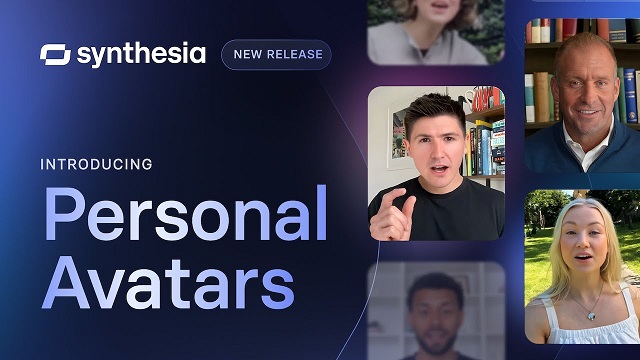
If your goal is to create video avatars that actually talk — not just static profile pics — Synthesia is a strong contender. Originally built for corporate training and explainer videos, it’s now used by marketers, educators, and small business owners who want to replace on-camera filming with smart, polished AI presenters.
The process is simple: choose an avatar, type your script, and let the system turn it into a video with realistic lip-syncing. You can also clone your own voice and use your own avatar if you’re on a higher plan.
That straightforward workflow is exactly why tools like Synthesia became popular with training and marketing teams. Even the company’s own product messaging emphasizes how far AI avatars have come as a replacement for traditional video production.
“Produce studio-quality videos with AI avatars and voiceovers in 140+ languages. It’s as easy as making a slide deck.”
— Synthesia
This quote reinforces the use case you describe: Synthesia isn’t about fun profile pics — it’s about scalable, multilingual, business-ready video. In your review, it underlines why you put Synthesia at the “professional video avatar” end of the spectrum, compared to more casual selfie-style generators later in the article.
Strengths
- High-quality avatars with natural motion and expression
- Multilingual voice support
- Ideal for explainer videos, training content, and branded video messaging
Limitations
- Not great for casual users or creative expression — very business-focused
- Requires a paid plan for most features
- Limited customization of avatar appearance in lower tiers
Synthesia isn’t the best AI avatar app for selfies or fun — but it’s excellent if you need professional, video-ready avatars at scale. Think: onboarding videos, product walkthroughs, or educational content where you want a consistent, polished look.
MagicShot AI
MagicShot AI is built for people who want to create multiple versions of themselves — not just one perfect selfie. It’s especially popular with social media users, digital creators, and professionals looking to generate a wide range of stylized portraits for content and branding.
Upload a few photos, choose your styles, and the platform spits out dozens of unique AI-generated avatars: cartoon, cyberpunk, watercolor, anime, fashion editorial — you name it. It’s easy to use, and most results look polished enough to use as profile pictures, thumbnails, or promo visuals.
Strengths
- Huge variety of artistic styles
- Simple interface with no learning curve
- Great for creating eye-catching content fast
Limitations
- Mostly image-based — no video or animation support
- Not suited for professional business use (e.g., training videos)
- Best results require high-quality photo input
If you’re looking for the best AI avatar creator to experiment with different aesthetics or update your personal brand visuals, MagicShot AI is a fun, flexible option.
Fotor AI Avatar Generator
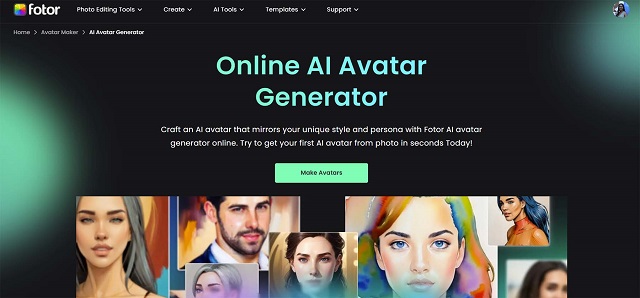
Fotor has been around as a photo editor for years, but its AI avatar generator has become a standout feature in 2026. It’s a great choice for anyone who wants quick, creative avatars without diving into complex tools or pricey subscriptions.
The Fotor AI Avatar Generator lets you generate dozens of avatars by uploading a few selfies — similar to Lensa or MagicShot — but with smoother output and better color harmony. It leans toward polished, semi-realistic styles with just enough flair to make your avatars pop on social media or websites.
Strengths
- Accessible to beginners
- Reliable output even with average-quality photos
- Includes editing tools to tweak results
Limitations
- Mostly focused on headshots
- Limited to static images
- Some features hidden behind a paywall
If you’re searching for the fotor AI avatar generator that balances speed, quality, and ease of use, this is an easy one to recommend — especially for influencers, coaches, and creators.
Picsart AI Avatar
If you’re already familiar with Picsart as a creative editing app, you’ll be glad to know its AI avatar generator online tool is just as intuitive. It’s geared toward casual creators, Gen Z users, and anyone who wants a personalized digital look for their socials without spending hours tweaking settings.
Upload a handful of selfies, and you’ll get back stylized avatar sets in various aesthetics — futuristic, dreamy, gritty, cartoonish. The avatars are clearly AI-generated, but that’s part of the appeal: they’re bold, vibrant, and perfect for platforms like TikTok, Instagram, or Discord.
Strengths
- Mobile-first, quick, and fun to use
- Great for personal branding and content creation
- Integrated with Picsart’s broader editing tools
Limitations
- Limited realism — not great for business use
- Subscription needed for full access
- May repeat certain looks if you don’t upload diverse photos
As an AI avatar generator online, Picsart hits the sweet spot for users who value speed, color, and content-ready visuals over ultra-precise realism.
Ready Player Me
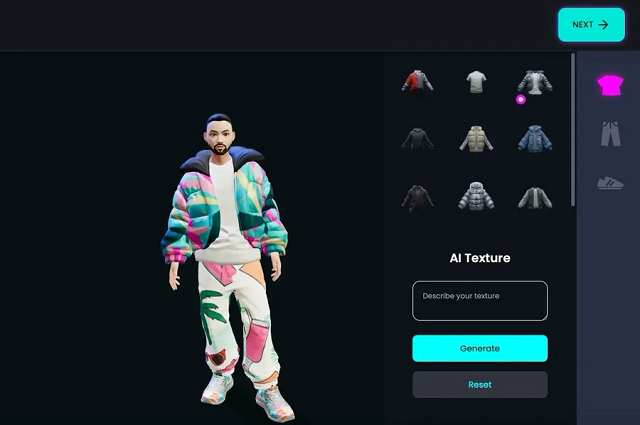
Ready Player Me takes avatars into the world of 3D. If you’re building a virtual world, VR experience, or game — or just want a fully rigged 3D version of yourself — this is hands-down the best avatar generator in that space.
It’s especially popular among developers and game designers because of its wide compatibility with Unity, Unreal Engine, and WebXR. You start by uploading a selfie, and the platform creates a full-body avatar you can customize in style, outfit, and movement. It’s also used in virtual meetings, social VR platforms, and metaverse-style apps.
Strengths
- Generates ready-to-use 3D avatars
- Integrates well with development pipelines
- Ideal for gaming, VR, and interactive platforms
Limitations
- More technical than image-based avatar apps
- Requires understanding of game engines for full use
- Limited options if you’re looking for stylized 2D content
If you’re building for Web3, gaming, or immersive tech, this may be the best avatar generator for bringing your virtual self to life in real-time environments.
Reface App
Reface made a name for itself with real-time face-swapping and viral deepfake content, but its newer avatar tools have given it a fresh edge in 2026. If you’re after quick, animated, personality-filled avatars for memes, messages, or fun promos, this might be the best free AI avatar generator for you.
The app lets you create animated avatars that lip-sync, emote, and mimic expressions. It’s not meant for polished professional output — but that’s exactly why it works so well on platforms like TikTok, Snapchat, and Reels. It’s fast, weirdly accurate, and way more engaging than a still image.
Strengths
- Totally mobile, built for viral content
- Includes animated avatars and motion-based templates
- Many features are free or low-cost
Limitations
- Not business-oriented
- Output isn’t high-res enough for large-scale media use
- Data/privacy concerns with some users
If you’re focused on fun, humor, or storytelling, this is one of the best ways to experiment without spending a dime. For sheer personality, it’s a standout among the best free AI avatar generator options.
Lensa AI (by Prisma Labs)

Lensa exploded in popularity for its dreamy, highly stylized portraits — and its best AI avatar maker features in 2026 continue to deliver. It’s designed for people who want something more aesthetic than realistic: think painterly effects, fantasy themes, and Instagram-worthy images.
Upload 10–20 photos, choose a style pack, and get back dozens of variations. Some look cinematic, some lean into anime or fantasy, and others have that bold digital art vibe that works great for personal branding or content aesthetics.
Strengths
- High-quality, artistic results
- Super easy to use with a sleek mobile interface
- Beautiful filters and visual themes
Limitations
- No animation or video options
- Style packs can get expensive
- Output sometimes over-processes faces
As a best AI avatar maker, Lensa isn’t built for corporate needs — but it’s perfect if you want avatars that feel more like art than identity. Creators, freelancers, and influencers will find a lot to love here.
AI Platforms With Top Photo Avatar Features
If your main goal is a photo avatar (PFP, headshot, profile branding), the winning features are: photo similarity control, style variety, face consistency across packs, and clean outputs that don’t “melt” details.
Best picks for photo avatars:
– Lensa AI — strongest for artistic style packs and “Instagram-ready” portraits.
– Fotor — quick conversion from selfies with multiple styles (good for speed).
– Picsart — flexible avatar maker from photo or even video input, plus editing tools.
Custom-Built AI Avatar Generators: Scrile AI as Your Development Partner
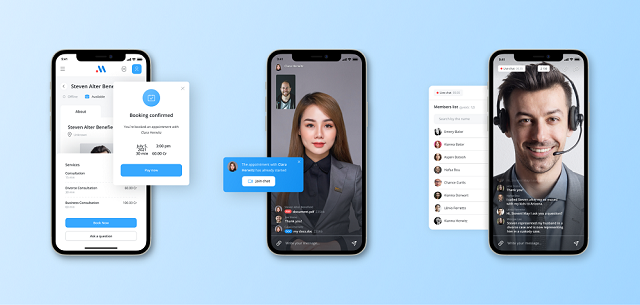
Choosing the best AI avatar generator is great if you’re creating content for fun or personal branding. But what if your goal is bigger — launching your own product, offering avatar features in your app, or building something truly custom that no one else has? That’s where Scrile AI becomes more than just a name — it becomes your technical partner.
Scrile AI is not a tool, template, or marketplace. It’s a custom software development service that helps startups, businesses, and creators build their own AI avatar generator from scratch — fully tailored to their goals, user experience, and branding. You bring the idea. Scrile brings the engineering, AI models, and product infrastructure to make it real.
Custom-built avatar systems make the most sense when you zoom out and look at the business potential. Virtual influencers and human-like digital personas are no longer a niche experiment — they’re a fast-growing global market.
“The global virtual influencer market size was estimated at USD 6.06 billion in 2024 and is projected to reach USD 45.88 billion by 2030.”
— Grand View Research
For founders and teams who want to launch their own avatar-based product, numbers like this validate the idea of investing in a custom AI avatar generator. Scrile AI fits into that picture as the technical partner that turns those market opportunities into an owned platform instead of just another account on someone else’s SaaS.
Their team can build advanced functionality, including:
- AI-powered face generation and photo-to-avatar transformation
- Model training for custom styles, voice, animation, and emotional expression
- Support for real-time video avatars, screen recording, and voiceovers
- Workflow integration with messaging, content publishing, and user accounts
- Custom dashboards for managing avatars, user data, and moderation
Most tools on the market force you into their limitations. With Scrile AI, you build your own product — not rent space in someone else’s. That means full ownership of your technology, your data, and your brand. No subscription traps. No API rate limits. No licensing headaches.
Want your avatars to look, sound, and move the way you envision? Want to sell avatar-based content directly to your users? Scrile builds that for you — tailored to your market and tech stack.
If you’re ready to move from user to creator, and from idea to product — get in touch with Scrile AI. Your custom avatar solution starts with one smart conversation.
Off-the-Shelf Avatar Tools vs. Scrile AI (Custom Build)
| Option | Ownership & Branding | Capabilities | Monetization | Best Fit |
|---|
| Pre-Built Generators (Synthesia, Lensa, etc.) | Limited control | Fixed styles & features | None | Individual users & creators |
| Scrile AI (Custom Solution) | Full ownership & branding | Custom avatars, animation, voice, integration | Subscriptions, tipping, content sales | Businesses & platforms |
Conclusion
AI avatar generators have come a long way — from novelty filters to powerful tools used across marketing, gaming, education, and content creation. The options available in 2026 are more diverse, realistic, and customizable than ever. Whether you’re looking to boost your personal brand, add some personality to your social presence, or automate your company’s video content, there’s a best AI avatar generator out there for you.
If your goals go beyond using what already exists — if you want to build your own solution, control the user experience, and scale on your terms — Scrile AI is the partner you need. Their team helps businesses and creators develop custom avatar software with full ownership and flexibility baked in from the start.
Ready to take that next step? Reach out to Scrile and turn your vision into a tailored AI avatar platform that stands out from the crowd.
FAQ – Best AI avatar generators (2026)
What is an AI avatar generator and what can it create in 2026?
An AI avatar generator is a tool that creates a digital version of a person from photos, prompts, or preset styles. In 2026, “avatar” can mean three very different outputs: (1) photo-style portraits for profile pictures, (2) talking video avatars for marketing or training, and (3) 3D avatars you can use in apps, games, or VR.
The best tool depends on your target output. A great selfie-to-portrait app may be useless for video presenters, and a strong 3D pipeline may not produce the clean headshots you want for a personal brand.
What’s the best AI avatar generator for realistic profile photos and headshots?
For realistic headshots, prioritize face similarity and “clean detail” (eyes, teeth, hairline, glasses). The best results usually come from tools that let you keep identity stable instead of pushing heavy stylization packs.
A quick test: generate 20–40 images and check whether you still look like you in at least half of them. If the outputs drift, switch to a tool with stronger similarity controls, or reduce style variation and keep one consistent look.
What’s the best free AI avatar generator, and what are the real limits?
Free tiers are great for trying the workflow, but they usually limit output quality or control. Common restrictions include fewer generations per day, watermarks, lower resolution exports, or fewer options to lock face similarity.
If you only need a fun avatar for a profile picture, free can be enough. If the avatar becomes part of a brand asset (ads, courses, product UI), paying is often worth it for higher resolution, better consistency, and clearer licensing.
Which AI avatar tools are best for talking video avatars (AI presenters)?
Talking video avatars are a separate category from portrait generators. Here you want stable lip-sync, natural facial motion, decent voice options, and an export workflow that fits real use (training, onboarding, product explainers, sales videos).
For business content, look for script-first tools with multilingual support and consistent output across many videos. The goal is a reliable presenter you can reuse—without your avatar changing face shape or “mood” every time you export.
What’s best for 3D avatars for games/VR and app integration?
For games and VR, you need a real 3D pipeline: a full-body mesh, good rigging, and export formats that work in your engine (Unity/Unreal/WebXR). A beautiful 2D portrait doesn’t help if the avatar can’t move naturally.
Compare tools by rig quality, customization depth (outfits/body types), animation readiness, and how much manual cleanup is required. The “best” option is often the one that integrates cleanly into your build, not the one with the prettiest promo images.
How many photos should I upload to get a good AI avatar?
Most tools perform best with 10–20 photos. Use good lighting, sharp focus, and a mix of angles (front, 3/4, side). Include a few expressions, but avoid extreme facial distortions.
Skip filtered images, heavy beauty edits, sunglasses, and low-light party photos. If your avatars look “off,” the fastest fix is usually better input photos—not more prompt tweaking.
How do I keep my face consistent across multiple avatar generations?
Consistency comes from strong training images plus tighter variation settings. If the tool offers “face similarity,” “identity lock,” or “reference strength,” raise it when you need a stable persona (for branding or repeated content).
Also reduce style chaos. Jumping between many aesthetics (anime → hyper-real → fantasy) increases identity drift. Pick one direction, generate in batches, and refine within that look.
Is it safe to upload my photos to AI avatar apps?
Safety depends on the platform and your own privacy habits. Before you upload personal photos, check whether images are stored, how long they’re retained, and whether you can delete your data. If those details are missing or vague, treat it as a red flag.
Use a separate email, avoid uploading sensitive/identifiable images (IDs, uniforms, family photos), and don’t reuse your “most personal” photo set across multiple unknown apps.
Can I use AI-generated avatars commercially (branding, ads, courses)?
Often yes, but you must check the tool’s license. Some services allow commercial use only on paid plans, or restrict certain templates/styles. Look for clear terms around commercial usage, resale, and marketing.
If the avatar will be part of a serious business asset, choose a provider with transparent licensing and a support channel. Ambiguous terms are fine for a fun profile picture, but risky for paid campaigns or product UI.
When should a business build a custom AI avatar generator instead of using a tool?
Custom development makes sense when avatars are a core product feature—like a creator platform, a virtual influencer studio, a game/app with identity, or a business tool with branded video presenters and controlled outputs.
A custom build can give you full control over the UI, moderation rules, monetization, and data ownership—plus it reduces platform risk when your roadmap depends on features that SaaS providers can change or remove.
Polina Yan is a Technical Writer and Product Marketing Manager, specializing in helping creators launch personalized content monetization platforms. With over five years of experience writing and promoting content, Polina covers topics such as content monetization, social media strategies, digital marketing, and online business in adult industry. Her work empowers online entrepreneurs and creators to navigate the digital world with confidence and achieve their goals.
by Polina Yan
In 2026, Telegram bot development is one of the easiest “first steps” into Telegram app development: you can launch a working bot in minutes, then grow it into payments, automations, or AI.
This guide is written for the queries people actually search today: how to create a Telegram bot step by step (2026), how to create a Telegram bot with BotFather, what changed in the Telegram Bot API in 2026, how pricing works (including paid broadcasts), and how to handle Bot API rate limits and flood control without breaking your bot.
That’s why so many people now want to create Telegram bot of their own. Some do it to automate work, like handling FAQ messages so they don’t answer the same thing a hundred times a day. Others use bots to share exclusive content with subscribers, manage payments, or even build niche communities where the bot acts as host and organizer.
And the demand keeps rising. Telegram has passed 900 million active users worldwide, and millions of them touch a bot every single day without even thinking about it. Bots deliver reminders, process orders, send files, or connect users with AI tools.
That momentum isn’t just something marketers talk about — Telegram’s own numbers show how big the platform has become. Recent coverage of Pavel Durov’s announcement underlines just how massive the audience already is.
“Telegram now has significantly over 1 billion monthly active users, becoming the second most popular messaging app in the world (excluding the China-specific WeChat).”
— Pavel Durov, via NDTV Profit
Put that next to the 900+ million figure you see in many stats and it’s obvious why bots are exploding: even a tiny slice of that user base can sustain a serious product or side business. When you create a Telegram bot in 2026, you’re building on top of one of the largest real-time communication platforms in the world.
This guide walks through the journey — from the simple “hello world” bot to advanced setups powered by AI. By the end, you’ll see exactly how bots work, why they matter, and how you can launch one yourself.
Why Build a Telegram Bot in 2026?
Scroll through Telegram today and you’ll notice something: half the time you’re not talking to people at all. It’s bots sending updates, answering questions, or nudging you to buy something. They’ve gone from novelty to necessity. If you run a business, a community, or even a personal project, learning how to create bot Telegram is like giving yourself an extra pair of hands that never sleep.
The beauty of bots is how wide the use cases run. A restaurant can take lunch orders in chat. A shop can process payments without a website. Creators set up subscriber channels that drip out content every morning. I’ve seen fan groups use bots to manage polls and events, while one adult creator runs an OnlyFans Telegram bot that handles paid updates without lifting a finger.
Here’s what bots do best:
- Push promotions, newsletters, or personal updates straight into a user’s chat.
- Act as the first line of customer support, answering repetitive questions instantly.
- Collect payments, donations, or subscription fees with a few taps.
- Deliver content — from breaking news to private lessons — automatically.
- Moderate and organize communities so humans don’t burn out.
And the kicker? They’re cheap to run compared to human teams. A small shop can avoid hiring extra staff just by letting a bot handle bookings and questions. Big companies save millions on support calls. Communities keep members engaged without burning through volunteer time.
Telegram already has the audience — close to a billion people using it every month. Bots are the glue that keeps them connected to the services, creators, and businesses they care about. If you’ve got an idea, odds are a bot can make it easier to deliver.
How to Create a Telegram Bot Step by Step in 2026 (BotFather)

Open Telegram and search for @BotFather (verified). Every bot still starts here in 2026.
Step-by-step:
1) Send /newbot
2) Set a display name (what users see)
3) Set a username ending in “bot”
4) Copy the API token (treat it like a password)
Next, decide how your bot will receive updates:
– Webhook (recommended for production: your server receives updates instantly)
– Long polling (easy for first prototypes, but you still need to handle timeouts and retries)
Your code doesn’t “talk to Telegram the app”. It talks to the Telegram Bot API — an HTTP interface described in the official documentation.
First Steps With BotFather
With the token in hand, it’s time to connect code. Beginners usually reach for Python or Node.js, since both have strong libraries ready to go. Using python-Telegram-bot, you can write a few lines, run the script, and watch your new bot reply “Hello, world.” It’s basic, but seeing that first message pop up in Telegram feels like magic.
From there, most people add features step by step. Common upgrades include:
- Quick commands that return weather updates or daily tips.
- A small database to remember user info.
- Predefined responses to FAQs.
Each feature works like stacking blocks. Start with one, test it, then move to the next. The best bots are built gradually, not in a single marathon coding session.
One last thing: guard that token. Don’t paste it into public code or screenshots, and rotate it if you think it’s leaked. It’s the key to your bot, and without it, everything stops.
Creating a Telegram bot is less about memorizing every command and more about understanding the flow: BotFather issues the token, your code listens for messages, and the bot responds. Once you’ve grasped that cycle, you’re already past the hardest part.
Under the hood, that whole flow is powered by the same public interface, no matter which language or framework you choose. Telegram itself describes this layer in very simple terms in its official developer documentation.
“The Bot API is an HTTP-based interface created for developers keen on building bots for Telegram.”
— Telegram Bot API documentation
Every time your code sends or receives a message, it’s talking to this API — python-telegram-bot, Telethon, or aiogram are just friendly wrappers around it. Once you understand that, scaling from a “hello world” bot to production-ready automation feels much less mysterious.
Telegram Bot API Updates in 2026: What Changed and Where to Follow the News
Telegram ships Bot API updates regularly. The fastest way to stay current is:
– the “Recent changes” section in the official Bot API documentation
– the official @BotNews channel (updates) and @BotTalk (discussion)
For example, Bot API 9.4 (Feb 9, 2026) added several changes around private-chat topics, custom emoji usage, button styling, profile photo methods, and more. If you build bots for communities or customer support, these “small” changes can affect UX and permissions — so it’s worth checking updates before every major release.
Telegram Bot API Rate Limits in 2026: Flood Control and 429 Errors
Sooner or later every bot hits flood control — usually during broadcasts, file sending, or heavy inline usage. When that happens, Telegram can return a response with a retry_after value.
Rule #1: never “spam retry”. Respect retry_after, wait, then repeat the request.
Rule #2: queue outgoing messages and smooth bursts (especially for groups and mass sends).
Rule #3: treat rate limits as a product constraint, not a bug — design your bot flows around them.
Telegram Bot API Pricing in 2026: What’s Free vs Paid
Using the Telegram Bot API itself is free — there are no per-request fees by default.
However, Telegram introduced paid broadcasting limits: by default, bots can broadcast up to 30 messages per second. If you need more (up to 1000 msg/s), you can enable Paid Broadcasts and pay per message using Telegram Stars.
This matters if you build bots for large communities, newsletters, flash sales, or alerts — because your architecture (queues, batching, priorities) should match the free limit unless you deliberately budget for paid broadcasts.
From Simple Scripts to AI-Powered Bots

Every Telegram bot starts out plain. You write a script that spits back an answer when someone types a keyword. Ask it “/hello” and it replies “Hi there.” Useful? Barely. But it’s the first brick.
The fun begins when you connect that little script to something real. Hook it to a weather API and suddenly the bot gives tomorrow’s forecast. Point it at a news feed and you’ve got headlines on demand. Tie it to a crypto exchange and your group gets live price alerts without opening a browser.
That’s when you stop seeing bots as toys and start seeing them as tools.
Specialist app developers looking at Telegram from the outside see the same thing: bots are no longer side projects, they’re core infrastructure. One mobile studio that breaks down Telegram-style apps for clients sums it up like this.
“Telegram’s bot platform allows developers to create automated accounts to perform various tasks.”
— Nimble AppGenie
That’s exactly what you’re tapping into when you connect your bot to payments, AI, or external APIs. You’re not just adding a gimmick — you’re wiring automation directly into the same chat interface your users already open dozens of times a day.
And then comes the bigger step: adding brains. An AI bot Telegram project doesn’t just follow a script — it talks back like a person. Link it to a GPT-style model or your own ML engine and the conversations change. Users can ask open questions, and the bot doesn’t fall apart after the second reply. That’s what people mean when they talk about Telegram AI chatbot — it’s the difference between an answering machine and an assistant.
Scaling Into Advanced Features
Once you’ve got a smart bot running, the list of upgrades is endless. A few of the ones developers actually use in 2026:
- Multi-language chat so one bot serves global audiences.
- Voice recognition that lets people speak instead of type, with instant speech-to-text.
- Built-in payments for subscriptions, donations, or selling digital goods right inside Telegram.
Stack these features together and the bot stops being an experiment. It becomes part of a business. Shops use them to sell directly in chat. Teachers run tutoring sessions. Creators run entire subscription models.
It’s a slow build — script, then integrations, then AI. But that’s the path from “hello world” to a bot people actually rely on every day.
Best Tools and Frameworks for 2026
Once you’ve got the basics down, the next question is: what’s the best way to actually build? Developers in 2026 have a toolbox full of choices, from hardcore coding libraries to drag-and-drop bot builders. The right pick depends on how deep you want to go.
On the coding side, three names stand out. python-telegram-bot is the most beginner-friendly, with clear docs and a big community. Telethon digs deeper, giving you full access to Telegram’s API and letting you do advanced stuff like managing channels and accounts. aiogram sits in between — asynchronous, flexible, and perfect if you’re aiming for speed and scalability.
Not everyone wants to touch code, though. That’s where no-code and low-code platforms come in. FlowXO offers pre-built blocks, so you can drag together a working bot without typing more than a few lines. Manybot lets creators spin up bots directly inside Telegram with simple commands. Tars is aimed at businesses, helping them design conversational flows for customer support or sales.
Each tool has its trade-offs. Libraries give you maximum control but require coding chops. No-code platforms get you running fast, but you’ll hit limits if you want advanced AI features or complex integrations.
Here’s a quick look at the landscape:
| Tool / Framework | Code/No-Code | AI Support | Pricing | Best For |
| python-Telegram-bot | Code | Yes | Free | Beginners, simple bots |
| Telethon | Code | Yes | Free | Advanced devs, full API access |
| aiogram | Code | Yes | Free | Scalable, async projects |
| FlowXO | No-Code | Limited | Freemium + Paid | Quick prototypes, small teams |
| Manybot | No-Code | Limited | Free | Creators, hobby projects |
| Tars | Low-Code | Yes | Subscription | Businesses, customer support |
For classic Bot API development, most teams choose python-telegram-bot, aiogram (Python) or grammY/Telegraf (Node.js). These libraries wrap the official Bot API methods and handle updates cleanly.
If you specifically need MTProto features (user accounts, deeper client-side behavior), that’s a different track — and it’s not the “BotFather → Bot API token” flow described above.
Real-World Examples of Telegram AI Bots
It’s one thing to talk about bots in theory, but the real proof is seeing them in action. Across industries, Telegram AI bots are now taking on jobs that used to eat up time, money, and human energy.
- E-commerce support: Consider an online shop with hundreds of daily queries on sizes, shipping, or returns. Instead of a small team handling all, a Telegram AI bot responds instantly. It solves mundane issues, guides clients through orders, and hands over only the problematic cases to human agents. The result: faster resolution and lower costs.
- Healthcare assistants: Clinics and hospitals are using an AI Telegram bot to let patients book appointments, check clinic hours, or get answers to simple medical FAQs. It doesn’t replace doctors, but it removes a mountain of admin work, cutting wait times for everyone.
- Education helpers: Schools and private tutors run Telegram AI bots that deliver quizzes, reminders, or practice tests. Some even translate lessons into multiple languages, helping teachers reach students across borders without extra prep time.
- Adult content delivery: Creators are leaning on automation too. An OnlyFans Telegram bot manages subscriptions, sends exclusive updates, and keeps track of renewals. It means less manual admin and more focus on creating content that actually sells.
The lesson here is simple: when you create Telegram bot powered by AI, you stop treating it as a novelty. It becomes part of the daily workflow, handling the repetitive jobs that burn people out. From shops to clinics, schools to creators, the applications are growing — and the bots are already proving their value.
Building a Custom Bot With Scrile

By now, you’ve seen the power of bots — from simple helpers to full AI-driven assistants. But there’s a catch. Most off-the-shelf builders lock you into their design, their limits, and their revenue cut. If you want real freedom, the answer isn’t another template app. It’s to create Telegram bot with a team that builds it around your idea from the ground up. That’s what Scrile does.
Scrile isn’t a pre-packaged bot service. It’s a full software development team that creates custom solutions — tailored for businesses, communities, or creators who want control over how their bot looks, works, and earns. Instead of squeezing your idea into someone else’s box, you get the box built for you.
Some of the key features include:
- 0% commission monetization: keep everything you earn, from subscriptions to in-chat sales.
- White-label design: your name, your colors, your identity. Users see your brand, not a third party’s.
- Secure payments: integrated checkout flows with trusted gateways to protect both you and your customers.
- AI integration: connect to advanced models so your bot goes beyond scripted replies and actually converses.
Why Choose Scrile Service
Because every idea is different. A retail brand might need e-commerce integrations. A clinic may want patient booking and privacy compliance. A creator could be looking for a bot that delivers paid content automatically. Scrile takes those requirements and turns them into reality.
You’re not just getting code. You’re getting a system that scales, adapts, and grows with your business. Professional support is part of the package, so you’re never left wondering how to fix a broken feature or roll out an update.
Conclusion
Learning to create Telegram bot in 2026 is easier than ever. You can start with BotFather and a few lines of code, add integrations for news or payments, and grow into advanced AI features that handle real conversations. Bots aren’t side projects anymore — they’re powering online shops, healthcare systems, classrooms, and even creators’ subscription models.
If you’ve got an idea that deserves more than a template solution, don’t wait. Contact Scrile team today to launch a custom Telegram bot built around your brand, your community, and your goals.
FAQ
How long does it take to create Telegram bot?
It will also depend on what exactly you want your bot for. A basic model that simply follows commands can be up and running within a few hours with the help of BotFather and a minimalist script. Bots with AI capabilities, online wallets, or custom design take longer — at least several weeks of active development and debugging.
Are AI Telegram bots expensive to run?
Not necessarily. The costs mainly come from hosting and any AI model you connect. A small AI Telegram bot that handles simple conversations can run cheaply on cloud servers. If you’re adding complex machine learning features or processing heavy data, you’ll need stronger infrastructure, which raises costs. Still, most businesses find it cheaper than hiring full support teams.
Can I monetize my Telegram bot?
Yes. Many creators and companies already do this. You can sell subscriptions, run paid content channels, process one-time purchases, or accept donations directly inside Telegram. If you plan to create Telegram bot as a business tool, Scrile software development services can even help you set up secure payments and custom monetization models with 0% commission.
FAQ – How to Create a Telegram Bot (BotFather, Bot API, AI, Monetization)
Answers to the questions people ask after they launch their first bot: setup, hosting, rate limits, payments, and adding AI.
How do I create a Telegram bot with BotFather?
▾
Open Telegram, find @BotFather, and use /newbot. You’ll set a display name, pick a username ending in “bot,” and receive an API token.
Treat the token like a password. Store it in environment variables (not in public repos), rotate it if it leaks, and never paste it into screenshots or tutorials.
Webhook vs long polling: which one should I choose?
▾
Webhook is the production-friendly option: Telegram pushes updates to your server instantly, which improves responsiveness and reduces wasted requests.
Long polling is great for prototypes because it’s simple, but you still need to handle retries, timeouts, and process restarts. If you’re building something serious, plan to move to webhooks.
What stack is best for Telegram bots in 2026?
▾
For most teams, Python or Node.js wins because libraries are mature and deployment is straightforward. In Python, aiogram (async) and python-telegram-bot are popular. In Node.js, many teams use Telegraf or grammY.
Choose based on your product, not hype: async support, webhook handling, middleware, and how easily you can integrate databases, payments, and analytics.
Where do I track Telegram Bot API updates?
▾
The safest habit is to check the official Bot API documentation’s “Recent changes” section before big releases or feature launches.
If you want updates in real time, follow Telegram’s bot-focused channels (news + discussion) so you catch UX-breaking changes early, not after your users report bugs.
How do I handle rate limits, flood control, and 429 errors?
▾
Don’t brute-force retries. When Telegram returns flood control, it often includes a retry_after value. Respect it, wait, then retry.
In production, you’ll want an outgoing message queue that smooths bursts (especially broadcasts). Treat rate limits as a product constraint: design flows that don’t spam users or hammer the API.
Is the Telegram Bot API free, and what are “paid broadcasts”?
▾
The Bot API itself is free to use, but broadcasting has practical limits. For large newsletter-style sends, Telegram introduced Paid Broadcasts, which can raise throughput when you pay per message using Telegram Stars.
This matters for architecture: if your business depends on mass sends, budget for it (or design batching/segmentation that fits the free limits).
Can I monetize a Telegram bot?
▾
Yes—Telegram bots are often monetized through subscriptions, paid access to channels, one-time purchases, lead-gen funnels, and donations. The bot becomes the “checkout + delivery” layer right inside the chat.
The important part is consistency: access rules, renewals, user states, and support flows must be automated. A monetized bot fails when payments work, but delivery and permissions are managed manually.
How do I add AI (ChatGPT-like) features to a Telegram bot?
▾
AI bots are usually a combination of Telegram messaging + your AI backend. Your bot receives updates, sends user text to an LLM endpoint, then streams back a clean answer (often with typing indicators and short chunks).
To make it feel “human,” keep context per user, add safe fallbacks, and control costs with message limits, caching, and smart prompt design. AI isn’t just the model—it’s the whole product loop.
How do I keep my Telegram bot secure?
▾
Start with basics: protect the token, validate webhook requests, and avoid logging sensitive user content. If you store user data, keep it minimal and encrypt secrets.
Security is also operational: monitor for spikes, lock down admin commands, and separate “public bot logic” from internal tools. The fastest way to lose trust is a bot that leaks tokens or mishandles payments.
When should I build a custom bot instead of using a no-code builder?
▾
No-code is perfect for testing an idea. Custom development becomes worth it when the bot is core to your business: you need full branding, deeper integrations, higher performance, custom monetization, or strict control over data and UX.
If your bot needs to scale beyond “a helpful helper” into a product, a custom architecture (queues, analytics, payments, admin tools) saves you from platform limits later.
Polina Yan is a Technical Writer and Product Marketing Manager, specializing in helping creators launch personalized content monetization platforms. With over five years of experience writing and promoting content, Polina covers topics such as content monetization, social media strategies, digital marketing, and online business in adult industry. Her work empowers online entrepreneurs and creators to navigate the digital world with confidence and achieve their goals.

by Polina Yan
The webcam chat industry has come a long way from simple one-way video streams. In 2026, platforms are expected to do more than just connect users—they need to engage, monetize, and scale. Live video alone isn’t enough. Audiences now expect private chat options, tipping systems, interactive overlays, and flawless streaming across all devices.
The webcam business is no longer a tiny niche — it’s a full-scale industry with serious money and serious competition. Studios and solo creators now fight for attention on a global level.
“Take adult web-camming, for example, a billion-dollar global industry in which content creators build up devoted followings as they stream themselves to meet endless demand.”
— Lily Hay Newman, WIRED
That level of demand is exactly why your tech stack can’t be an afterthought. If your script can’t keep streams stable and interactive, viewers will simply move to the next site.
That’s where script chat cam solutions come into play. Instead of building everything from scratch, entrepreneurs and studios can launch fully functional platforms using pre-built or custom scripts that handle video, chat, payments, moderation, and more. These tools offer the control and flexibility needed to shape a brand, while also giving creators and performers the tools to earn and interact in real time.
This article explores the top five script chat cam solutions available in 2026. Whether you’re launching a new cam site or upgrading your existing setup, these tools can help you deliver a polished, profitable experience without compromising on features or performance.
What Makes a Great Script Chat Webcam Tool?
A solid script chat webcam solution is more than just a video player and a chatbox. At its core, it combines real-time video streaming with interactive chat, integrated billing, performer dashboards, admin controls, and user management—all built to support high-volume traffic and monetization.
But not all scripts are created equal. Stability and stream quality should come first. If a broadcast lags or drops, users leave. The interface matters too: performers need intuitive tools to manage shows, while viewers want smooth navigation and fast interaction.
Built-in payment options—like credit card billing, tokens, or crypto—are essential. Add moderation tools to prevent abuse, and you’ve got a platform that’s safer for everyone. Finally, look for scripts that support various revenue streams: pay-per-minute shows, tips, locked content, and private sessions.
Choosing the right solution from the beginning helps avoid major technical headaches later and lays the foundation for scaling your platform with confidence.
Tipping, tokens and paid gifts aren’t just “nice extras” anymore — they’re how viewers actively participate in shows and how performers turn attention into income. For modern cam platforms, that engagement layer is part of the core product, not a bonus feature.
“Livestream gifting is no longer a niche feature; it is a mainstream cultural and economic force, redefining entertainment and building deeper audience connection.”
— TikTok & Ipsos, “The Creator Economy Redefined: How Interactive Livestream Gifting is Transforming Entertainment”
When you evaluate script chat cam solutions, look closely at how they handle tips, gifts and tokens. The better they support this “participation economy,” the easier it is for your performers and studio to grow revenue.
Top 5 Script Chat Cam Solutions in 2026
If you’re building a cam platform this year, choosing the right script chat cam tool can make or break your launch. Here’s a rundown of five standout solutions—each offering something different for startups, studios, and growing platforms.
| Solution | Best For | Key Features | Limitations | Ease of Launch |
|---|
| Video Chat Script (Soft112) | Small teams / solo startups | Pay-per-minute, performer/admin dashboards, multi-cam | Very limited customization, not scalable | ✅ Quick / cheap |
| Online-Webcam.net | Fast deployment | Templates, performer accounts, payment gateways, revenue tracking | Dated front-end design | ✅ Plug-and-play |
| PaidVideoChat (VideoWhisper) | Flexible pay models | Private shows, multi-host, WordPress integration, tipping | Technical setup required | ⚡ Moderate |
| xCams (Adent.io) | Professional platforms | HD streaming, token billing, dashboards, moderation | Developer needed, higher cost | 🔧 Custom dev |
| Scrile Stream | Long-term growth, branded sites | Custom development, tipping, tokens, affiliate support, full ownership | Not “ready out-of-the-box” | 🏗️ Tailored build |
Video Chat Script (Soft112)
This script is best known for its simplicity and straightforward pay-per-minute functionality. It includes a performer interface, admin dashboard, and multi-cam support for models, making it a decent pick for small teams or solo entrepreneurs starting out. It does the bare minimum like video chat and session billing, but otherwise, choices are limited. There isn’t a lot of customization, so expanding larger may mean expanding out of it. But it’s a fast and inexpensive way to get your foot in the cam door without a lot of initial investment.
Online-Webcam.net
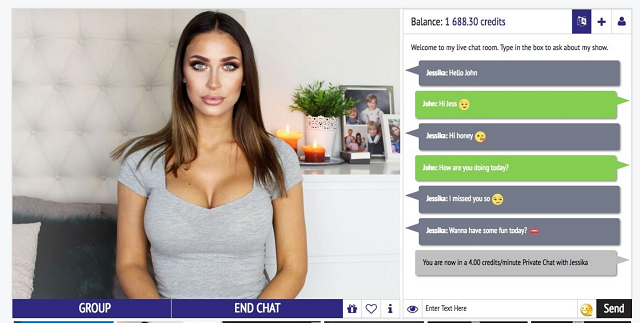
Designed for fast deployment, this option gives users an entire plug-and-play site—complete with templates, performer accounts, and payment gateway support. It’s surprisingly flexible for a ready-made package. Performer dashboards are customizable, and it includes tools for show scheduling and revenue tracking. The only drawback is its slightly dated front-end design. It’s a practical pick for those who want to launch quickly and tweak things as they go, without building a platform from scratch.
PaidVideoChat by VideoWhisper
PaidVideoChat by VideoWhisper is a live video chat script tailored for pay-per-minute models, tipping, and interactive webcam chat. It’s ideal for platforms that want flexibility around pricing and session formats. The script supports private shows, multi-host interactions, mobile streaming, and can integrate with WordPress. It’s more technical to configure than some turnkey platforms, but makes up for it with performance and monetization depth.
xCams by Adent.io
xCams by Adent.io is a white-label live cam site script with a focus on professional-grade performance and customization. It includes high-definition streaming, user and performer dashboards, token-based billing, and advanced moderation features. It is built for businesses that want to launch serious platforms with room to scale. It’s not a plug-and-play tool—you’ll want a developer or their team’s assistance—but in return, you get full control over how your cam site functions and grows.
Scrile Stream
Not a script in the traditional sense—Scrile Stream is a custom development solution. It offers flexibility far beyond plug-and-play tools, making it ideal for those wanting a branded platform with long-term growth in mind. More on that in the next section.
Scrile Stream: The Best Development Solution for Your Webcam Business
Unlike plug-and-play scripts, Scrile Stream offers a custom-built cam site solution tailored to your business model. It’s not just another template—it’s a full development service designed to launch powerful, branded platforms with real-time streaming, interactive chat, tipping systems, paid messages, and virtual tokens.
Scrile Stream also comes equipped with essential tools like affiliate program support, payment gateway integration, and moderation features that help keep your platform safe and monetized. It’s ideal for entrepreneurs who need more than a basic out-of-the-box system.
What sets it apart? Total control. No vendor lock-in, no design limitations, and full ownership of your platform’s code and user experience. If you’re looking for a serious script chat cam alternative with room to scale, Scrile Stream delivers.
That’s the real dividing line between a quick script and a long-term platform: do you truly own the environment your business runs on, or are you renting space under someone else’s rules? Free and semi-free platforms always come with hidden trade-offs.
“Platforms like YouTube or Facebook Live offer free video hosting. But you pay in other ways through limited control, platform ads and lack of ownership.”
— “Video Streaming Hosting in 2025: Best Platforms, Tips & Cost Breakdown”, Bluehost
Scrile Stream follows the opposite logic: you invest in a solution where streaming quality, branding, monetization and data stay under your control, instead of being trapped inside another company’s ad-driven ecosystem
Plug-and-Play Scripts vs. Scrile Stream
| Option | Ownership & Branding | Scalability | Monetization Depth | Support |
|---|
| Typical scripts (Soft112, VideoWhisper, etc.) | Limited, template-based | Harder to expand beyond basics | PPM, tips, private shows | Varies / limited |
| Scrile Stream | Full code ownership, branded UI/UX | Built for growth (enterprise-ready) | PPM, tips, tokens, paid messages, affiliate programs | End-to-end dev & support |
Conclusion: Launch Smarter with the Right Script Chat Cam Solution
A good script chat cam setup is the key to any successful webcam site. Whether you’re going small or going big, the right technology will make you a sensation. Explore Scrile Stream to build a fully branded, revenue-capable webcam chat site built to succeed in 2026 and beyond.
FAQ – Script Chat Cam (Webcam Site Scripts, Tokens, PPM, Moderation)
Helpful answers for founders comparing cam chat scripts in 2026: what features matter, how monetization works, and when it’s time to go custom.
What is a “script chat cam” solution?
▾
A script chat cam solution is a ready-made (or semi-ready) software package for launching a webcam platform: live video, interactive chat, user accounts, performer tools, and admin management in one system.
The real value isn’t just “streaming works.” It’s the business layer: billing, tokens/tips, private sessions, moderation, reporting, and a performer dashboard that people will actually use.
What features should a good cam chat script include in 2026?
▾
At minimum: stable live streaming, low-latency chat, private chat modes, a strong performer dashboard, and an admin panel with moderation and user management.
For revenue: tokens/tips/gifts, pay-per-minute (PPM), paid messages, and clear analytics (conversion, ARPPU, retention, top rooms, payout reporting). “Extra monetization” is no longer extra — it’s the core product.
Tokens vs pay-per-minute: which monetization model is better?
▾
Tokens are great for engagement: users tip, send gifts, unlock actions, and spend in small bursts. This creates more “participation” and can lift revenue per session.
PPM is great for clarity: a private session runs on time, pricing is obvious, and billing is predictable. Many successful platforms combine both: tokens for public interaction + PPM for premium 1:1/private experiences.
Do I need WordPress to run a webcam site script?
▾
Not necessarily. Some scripts integrate with WordPress for faster setup, but that also means your performance and security depend on plugins, themes, and ongoing updates.
If you plan to scale or build a unique UX, a standalone product (or custom build) is usually cleaner: fewer moving parts, fewer “plugin conflicts,” and more control over streaming, billing, and moderation workflows.
What payment options should a cam platform support?
▾
A strong setup typically includes card payments (via adult-friendly processors where needed), token wallets, and flexible pricing rules (PPM, paid messages, gifts, subscriptions, bundles).
Also check the “business plumbing”: chargeback handling, payout logic for performers/studios, taxes/fees visibility, and fraud controls. Monetization isn’t just a button — it’s a system you’ll run every day.
What moderation and safety tools are “must-have” today?
▾
At minimum: user reporting, ban/mute tools, room moderation, keyword filters, and clear admin roles. If you run public rooms, you need fast response tools — not “we’ll review later” buttons.
For compliance, many platforms add age gating, performer verification workflows, audit logs, and content policy enforcement. The goal is simple: protect your performers, protect users, and protect the business.
How do I evaluate streaming quality and scalability in a cam script?
▾
Ask how the platform handles peak traffic, multi-stream rooms, and mobile performance. “It works in a demo” is not the same as “it works when 500 viewers join at once.”
Look for adaptive bitrate, stability under poor networks, and an architecture that supports horizontal scaling. Also check operational basics: monitoring, logs, backups, and upgrade strategy (because your site will evolve constantly).
Can I migrate from a cheap script to a better platform later?
▾
Yes, but migrations hurt if you don’t plan for them. The hard part is not the UI — it’s users, wallets/tokens, performer payouts, media assets, and preserving SEO and login flows.
If you know you’ll scale, start with clean data models and export options. Even if you launch fast, make sure you’re not locking yourself into a system that can’t be upgraded without losing revenue or trust.
Plug-and-play script vs custom development: when should I choose each?
▾
Plug-and-play is best when you need speed and your business model is standard. You can validate demand, test traffic sources, and learn what users actually want without a big build.
Custom development makes sense when your platform is the business asset: unique UX, studio workflows, deeper monetization (tokens + PPM + paid messages + affiliates), higher performance needs, and full ownership with no vendor lock-in.
What is the fastest way to launch a cam platform without sacrificing long-term growth?
▾
Launch with the core loop first: stable live streaming, chat, billing, and a performer dashboard. Then add the revenue multipliers: tokens/gifts, private sessions, paid messages, and an affiliate program.
The smartest “fast” approach is choosing a foundation that can evolve. If the initial system can’t scale or can’t be customized, you’ll pay later in rework, migrations, and lost momentum.
Polina Yan is a Technical Writer and Product Marketing Manager, specializing in helping creators launch personalized content monetization platforms. With over five years of experience writing and promoting content, Polina covers topics such as content monetization, social media strategies, digital marketing, and online business in adult industry. Her work empowers online entrepreneurs and creators to navigate the digital world with confidence and achieve their goals.

by Polina Yan
You’re juggling five chats, a dozen emails, and three notifications that say “Just following up :)” — all before noon. That’s the chaos most people live in, and it’s exactly why AI respond to text tools have exploded in 2026. People don’t just want help writing. They want smart replies that feel like them, sent in seconds.
Fast isn’t enough anymore. The tone has to be right. The reply has to make sense. And it better not sound like a robot or a broken copy-paste.
That’s where AI comes in — not to flood inboxes with generic messages, but to help you respond like a human, faster than humanly possible.
In this article, we’re looking at five of the best tools on the market. They’re not just clever — they’re useful. They help you reply faster, better, and with less mental load. And if you’re building something bigger? We’ve got something for that, too.
AI Respond to Text — 2026 Quick Comparison
| Tool | Core Use Case | Biggest Strengths | Key Limitations | Integrations / Workflow | Pricing Snapshot* | Best For |
|---|
| Typli.ai | Fast, polished replies for email/DMs | Tone presets; quick edits; good for paste-in → reply | No live chat threads; no native messaging/scheduling | Copy/paste into inboxes; pairs with long-form writing | Freemium; paid unlocks unlimited & advanced | Solo founders, marketers, creators juggling many convos |
| AIFreeBox | One-off, no-login reply generation | 100% free; instant browser use; multiple tones | No memory/history; no integrations; not for ongoing chats | Ad-hoc web usage only | Free | Casual users, micro-biz owners testing styles |
| ChatGPT (custom GPT) | Build a tailored reply assistant | Highly customizable tone & rules; can learn your FAQs | Setup takes time; no native inbox integrations; not realtime by default | Embed via apps/zaps; use inside email/chat as helper | ChatGPT Plus for builder ($) | Creators/consultants/devs needing bespoke behavior |
| Reply.io | Sales outreach & inbound handling at scale | Detects intent; suggests stage-aware replies; CRM sync | Overkill for individuals; B2B focus; not for NSFW/fan DMs | Deep with HubSpot/Salesforce & sequences | Business tiers only | SDR teams, founders running campaigns |
| Jasper AI Chat | Brand-consistent replies & longer responses | Brand Voice memory; pulls from style guides/content | No direct inbox integrations; premium pricing | Content workflows; copy/paste into channels | Premium plans | Brand managers, creators needing consistent tone |
| Scrile AI (custom build) | Your own white-label reply system | Full control: tone, rules, NSFW filters, pay-per-reply, gateways | Requires a custom dev engagement | Integrates with your CRM, payments, apps; owns data | Project-based | Platforms, creators & startups needing branded, monetized chat |
*Indicative only; vendors change tiers often.
Why People Use AI to Respond to Texts Now

Nobody wants to spend their day typing the same sentence twenty different ways. “Thanks for your message!” turns into a full-time job when you’re managing clients, fans, or customers across platforms. That’s the whole point of using AI message reply tools — they shave hours off your week and take the edge off decision fatigue.
People aren’t just tired of typing; they’re also under pressure from rising expectations. Modern messaging benchmarks are brutal: people expect a response almost immediately, even if your team is offline. As Infobip notes in their guide on automated SMS replies:
“Customers expect near-instant replies. Automated responses meet that demand and show you’re available, outside business hours.”
— Infobip
That’s exactly where AI respond-to-text tools shine. They let you acknowledge every message, keep conversations warm, and protect your sanity — without forcing you to be glued to your screen 24/7.
But it’s not just about speed. It’s about how you sound. The way you reply defines your tone, your brand, even your income if you’re working in a chat-based business. A rushed answer can sound cold. An overlong one looks fake. AI tools can adjust that — they know when to be warm, when to be short, when to add a wink or keep it formal.
For adult content creators, NSFW chat hosts, and online coaches, this isn’t optional — it’s survival. You’re expected to respond like you’re always present. AI that responds to texts fills the gap, handling common replies or smoothing out the awkward pauses without breaking the illusion of live interaction. It’s also becoming a quiet backbone of customer support, especially for solo founders or indie operators running lean.
What you’re doing in those DMs, inboxes, or fan chats is very close to what big brands do with AI support agents. Salesforce describes these AI helpers in a way that maps perfectly to the tools you’re reviewing here:
“AI customer service agents are software programs that use artificial intelligence to interact with customers, providing automated responses to common queries,”
— Salesforce
In other words, whether you’re running fan chats, premium DMs, or lean customer support, you’re building your own version of an AI service agent. The only real difference is how much tone, logic, and monetization control you demand from your tools.
The real shift? You’re not just automating messages — you’re automating tone, energy, and attention. AI doesn’t just send a reply. It protects your bandwidth so you can focus where it counts.
That’s why people are leaning hard into this tech — not just to save time, but to stay sharp, stay personal, and stay scalable. If you’re looking for an AI reply to messages, a smarter AI response to text messages, or even a playful AI text reply tool to match your style, you’re not alone. The demand’s massive — and in the next section, you’ll see the tools leading the charge.
5 Best AI Reply Tools in 2026
Whether you’re managing fans, clients, or customers, the ability to respond quickly — without sounding robotic — is now a competitive edge. The best AI respond to text tools in 2026 don’t just spit out phrases. They get your tone, context, and intent. Let’s break down five top contenders, each with their own strengths and blind spots.
Typli.ai — Speed Meets Smart Tone
Typli.ai is more than a writing assistant — it’s built for fast, polished replies across email, social DMs, and text-based communication. Just paste an incoming message, choose a style, and Typli generates a ready-to-send reply in seconds.
Best for: Marketers, creators, and solo founders who juggle dozens of conversations daily.
Pros:
- Tone presets from formal to casual to bold
- Edits replies for clarity and impact
- Works for emails, chats, and social posts
- Seamless long-form writing integration
Cons:
- Not ideal for live chat or conversational threads
- No built-in messaging integrations
- Lacks automation or scheduling features
Pricing: Freemium with paid tiers for unlimited generations and advanced options.
AIFreeBox — Free-Use Tools with No Login Hassle
AIFreeBox offers lightweight AI responders you can use instantly — no setup, no subscription. It’s perfect when you just want to generate a quick, thoughtful reply without opening a full app.
Best for: Casual users, small business owners, or creators testing tone and style variations.
Pros:
- 100% free and browser-based
- Multiple tone options for replies
- No sign-up or installation required
- Useful for short replies and email copy
Cons:
- No memory or chat history
- Can’t integrate into real workflows
- Not suitable for ongoing customer conversations
Pricing: Completely free.
ChatGPT — Personalized AI Reply Bots on Demand
If you’re already using ChatGPT, building a custom GPT for replies is a powerful option. OpenAI now allows users to create GPT-powered bots that can be trained on specific tone, style, or even customer service flows. This makes it a favorite among tech-savvy creators, startup founders, and anyone who needs an AI reply to messages that actually reflects their voice.
You can design a reply assistant that understands your tone, your context, and your audience — whether you’re chatting with clients or managing a community. Custom instructions let you train it on FAQs, preferred phrases, and even rules for what not to say.
Best for: Creators, consultants, and developers who want to fully tailor how their replies sound and behave.
Pros:
- Fully customizable AI behavior and tone
- Can be trained on your data and rules
- Works across email, chat, or internal platforms
- Option to build NSFW or niche support bots
Cons:
- Requires some technical skill or patience to set up
- No native messaging integrations (you’ll need to embed it elsewhere)
- Doesn’t handle real-time conversations out of the box
Pricing: Included with ChatGPT Plus ($20/mo) for GPT builder access.
Reply.io — AI Outreach and Smart Replies for Sales Teams
Reply.io isn’t built for fans or DMs — it’s built for outreach. But its smart reply handling is one of the most effective use cases for AI in B2B. Sales teams use it to automate and personalize responses to inbound messages, especially when scaling cold outreach or follow-ups. It uses AI to scan incoming replies and then suggest context-aware responses based on the conversation stage.
It’s not a one-message-at-a-time tool. It’s a system for ai response to text messages at scale — great for founders, SDRs, and sales-focused businesses who want to manage replies without losing the human touch.
Best for: Sales and lead-gen teams managing dozens or hundreds of conversations at once.
Pros:
- Detects lead intent and prioritizes hot replies
- Suggests smart responses based on context
- Supports outreach campaigns and workflows
- Integrates with CRMs like HubSpot and Salesforce
Cons:
- Overkill for individual creators or casual use
- UX is designed for teams, not solo operators
- Not built for NSFW or fan-based chat use
Pricing: Paid tiers only, geared toward business users and sales orgs.
Jasper AI Chat — Brand-Consistent Replies for Busy Creators
Jasper started as a content creation tool, but its AI chat module has quietly become one of the smartest options for personalized message replies — especially for businesses that care about tone and brand voice. You can train Jasper to match your writing style, use custom knowledge, and respond with a tone that feels like you — whether you’re sending a client update or replying to a fan.
Its strength lies in consistency. If you’re running a content-heavy operation or managing multiple channels, Jasper helps keep your tone aligned without sounding repetitive or forced. It’s not just an ai text reply generator — it’s a brand-safe assistant that keeps your communication sharp.
Best for: Creators, marketers, and brand managers who want replies that align with their voice, tone, and messaging.
Pros:
- Customizable voice presets and memory
- Pulls from your brand style or previous content
- Great for long-form responses or thoughtful replies
- Includes workflows for campaigns, emails, and chats
Cons:
- Less useful for live, short-form chat or NSFW
- No direct message integrations — you’ll copy/paste replies
- Premium pricing may be too much for casual use
Pricing: Premium only, with plans tailored toward marketers and business creators.
Create Your Own AI That Responds to Text with Scrile AI
Sometimes, none of the existing tools are enough. You don’t just want quick replies — you want control. You want a chat app that speaks in your voice, reacts on your terms, and earns money while it does. That’s where Scrile AI comes in. It’s not a SaaS tool. It’s a white-label development partner that builds custom AI chat solutions tailored to your brand, your model, and your audience.
Unlike off-the-shelf reply tools, Scrile AI lets you define how your AI respond to text engine works. Want emotional tone shifts? You got it. Want NSFW filters and pay-per-reply logic? Done. You’re not stuck in someone else’s interface — you’re building your own.
Scrile AI is built to support:
- Adult content creators running pay-per-message NSFW chats
- Dating coaches offering roleplay training bots
- OnlyFans-style businesses with custom tip-to-unlock responses
- Therapy and mental health startups building AI journaling companions
- Customer support teams who need branded bots that follow strict tone guidelines
- Creators and influencers monetizing private conversations or content unlocks
You decide how messages are generated, what tone they carry, and what rules they follow. Want to integrate your own payment gateway? Use your own dataset? Add custom onboarding logic or tiered response behavior? Scrile AI doesn’t just allow that — it’s built for it.
Your community, your business, your flow — powered by AI that responds to text, your way. When you’re done testing generic tools, Scrile helps you build the real thing.
Conclusion – Better Replies, Built Smarter
AI tools that reply for you aren’t just novelties anymore — they’re part of how business gets done. From inboxes to DMs, people expect speed, clarity, and a response that sounds like a real human. The right AI respond to text tool can save time, keep your tone consistent, and scale your communication without burning you out.
That’s not just a feeling — it’s backed by adoption numbers. A recent guide on customer service auto-replies cites data from Heymarket showing how widespread automated responses already are in business messaging.
“In fact, 89% of businesses use auto-replies to manage customer expectations, and tailored messages significantly enhance engagement.”
— Sobot, “50 Automatic Reply Customer Service Examples”
When almost nine out of ten businesses rely on auto-replies, the real differentiator isn’t whether you automate — it’s how smart and on-brand those replies feel. That’s where the tools in this list — and especially a custom Scrile AI setup — turn basic automation into a real competitive edge.
But automation only goes so far when you’re boxed into someone else’s design. What happens when you need replies that reflect your brand, your tone, or even your industry rules? That’s where control matters more than convenience.
Scrile AI gives you that control. You don’t get a basic chatbot. You get your own branded reply system — custom logic, tone presets, monetization tools, and even NSFW capability if that’s your space. No limits. No cookie-cutter templates. Just an engine that responds exactly how you want it to.
So if you’re done testing generic tools and ready to build something that’s truly yours, contact the Scrile AI team today and start building your AI respond to text solution from the ground up.
FAQ – AI Respond to Text (Reply Tools, Auto Replies & Custom Bots)
What does “AI respond to text” actually mean in 2026?
“AI respond to text” usually means tools that generate a ready-to-send reply from an incoming message. You paste a text/email/DM, pick a tone (friendly, formal, flirty, direct), and the AI drafts a response that matches your intent.
The big upgrade in 2026 is tone + context. People don’t just want speed — they want replies that sound human, match the conversation, and don’t feel like obvious automation.
What’s the difference between an AI reply tool and an auto-reply template?
Templates are fixed text. They’re fast, but they can’t adapt to the message you received, and they often feel cold or repetitive when used too often.
AI reply tools generate a response based on the actual content and your chosen tone. That means you can stay consistent while still sounding personal, even when you’re replying to dozens of similar messages per day.
Which AI reply tool is “best” for most people?
“Best” depends on your workflow. If you want quick, polished replies with minimal setup, lightweight reply generators are usually enough. If you want a reply assistant that follows your rules, voice, and FAQs, a customizable assistant is a better fit.
A simple test: paste three real messages (short, emotional, and complicated), then check which tool keeps the meaning while matching your tone. The winner is the one that needs the fewest edits before you hit send.
Can AI respond to SMS, WhatsApp, Instagram DMs, or Telegram messages automatically?
Some tools work only in “copy/paste” mode (you generate a reply and send it yourself). Full automation usually requires integrations — for example, connecting your inbox or chat platform through APIs, bots, or automation tools.
If your goal is true auto-replies in real time, you’ll want a setup that can read incoming messages, classify intent, and send approved responses — with guardrails so the AI doesn’t go off-script.
How do I make AI replies sound like me (and not like a robot)?
Give the AI a short “voice guide”: how you greet people, how formal you are, how long replies should be, and what you never say. Add 3–5 examples of real replies you wrote and ask the tool to follow that pattern.
Then lock a consistent structure: one-line acknowledgement + one helpful point + a clear next step. This makes replies feel human, even when they’re generated quickly.
Is it safe to paste private messages into AI reply tools?
Treat it like any third-party service. Before using a tool for sensitive chats, check whether it stores messages, how long it retains them, and whether you can delete your data. If those details are unclear, don’t paste confidential content.
A safer habit is to remove personal identifiers, use placeholders, and keep your “business rules” (prices, policies, FAQs) in a separate reference doc instead of sharing full conversations.
What are the biggest limitations of AI response tools?
The most common issues are missing context, tone mismatch, and “confident but wrong” replies. AI can also over-explain simple situations or sound too enthusiastic in serious conversations.
That’s why the best workflows keep a human in the loop for high-stakes messages, and reserve automation for repeated scenarios (common questions, scheduling, status updates, first responses, and follow-ups).
Can AI reply tools help with sales and lead qualification?
Yes — when replies are stage-aware. Good tools can generate short responses that ask the right question, confirm details, and move the lead forward without sounding pushy.
The key is consistency: define what qualifies a lead, what info you need (budget, timeline, goal), and what your “next step” should be (call link, demo request, or a short intake form).
When does it make sense to build your own AI that responds to texts?
Build your own system when messaging is part of your product or revenue model — for example, a branded chat experience, paid replies, tiered access, or strict rules around tone and content.
A custom build also matters when you need integrations (CRM, payments, user accounts, analytics) and want control over data, moderation, and how the assistant behaves across different user segments.
Polina Yan is a Technical Writer and Product Marketing Manager, specializing in helping creators launch personalized content monetization platforms. With over five years of experience writing and promoting content, Polina covers topics such as content monetization, social media strategies, digital marketing, and online business in adult industry. Her work empowers online entrepreneurs and creators to navigate the digital world with confidence and achieve their goals.
by Polina Yan
If you’re here for long narrative roleplay, deep characters, and stories that don’t forget what happened 20 messages ago — you’re not alone. In 2026, “creative writing AI” isn’t just about drafting paragraphs. It’s about continuity: consistent character voice, remembered relationships, stable lore, and scene-to-scene logic.
This guide is updated for the queries people actually search: the best AI chatbot for creative writing, the best AI for interactive stories with continuity, and the best AI roleplay apps for long narrative story writing with good memory (2026). We’ll cover fiction-first writing tools, roleplay-focused chat apps, and power-user setups (lorebooks / story bibles) — plus what to choose if your top priority is tone matching and in-context rewriting.
Quick tip: if your main use case is emotional prose and “human” dialogue, jump to Claude. If your priority is memory-driven roleplay continuity, go to the roleplay section.
The creative process isn’t disappearing — it’s just getting an upgrade. In 2026, writers aren’t fighting against AI; they’re collaborating with it. From novelists and screenwriters to indie creators and poets, more people are using intelligent tools to get unstuck, find their voice, or spin ideas into something usable.
What used to take hours — refining tone, rewriting awkward dialogue, brainstorming an opening line — now takes minutes. The best AI for creative writing doesn’t replace your voice. It supports it. It can suggest a line that sounds more like your character, help you experiment with mood, or reshape a meandering scene into something that actually flows.
Some apps are built for structured storytelling. Others shine when you need loose, wild ideation. And a few are surprisingly good at understanding nuance — emotional subtext, pacing, rhythm. The question isn’t “Should I use AI to write?” It’s “Which tool is worth it?”
This article breaks down the top creative writing AI apps in 2026 — who they’re for, what they’re good at, and where they might fall short. And if you’re a founder, ghostwriter, or fiction entrepreneur looking to build something custom? We’ll also show how Scrile AI can help you create your own writing assistant from scratch — trained on your tone, built for your audience, and ready to scale.
Best AI Apps for Creative Writing (2026) — Quick Comparison
| Tool | Core Strength | Long-Form Consistency | Tone/Voice Control | Fiction-Specific Aids | Collaboration / Workflow | Typical Cost Access* | Best For | Notable Limitation |
|---|
| Sudowrite | Scene building, “Story Engine” | High | High | Strong (show-don’t-tell, twists, sensory) | Projects, outlines | Free trial + Paid | Novelists, fanfic, serial fiction | Can lean cliché without guidance |
| Claude | Nuanced, emotionally fluent prose | High (big context) | High (great voice matching) | Moderate (via prompts) | Works via connected apps | Free tier + Paid | Literary tone, dialogue, sensitive scenes | No dedicated fiction UI |
| Jasper | Tone shifting across formats | Medium | High (Brand Voice) | Light | Templates, docs | Trial + Paid | Hybrid writer-marketers, blurbs | Less helpful at scene continuation |
| Copy.ai | Idea generation, punchy rewrites | Low–Med | Med | Light | Multi-format drafts | Free tier + Paid | Brainstorming, hooks, short pieces | Not built for arcs/continuity |
| Notion AI | Turn notes/outlines into drafts | Low–Med | Med | Light | Lives in Notion workspace | Add-on | Outliners, knowledge-base writers | Limited memory across scenes |
| Rytr | Budget-friendly prompts & variants | Low | Med | Light | Simple editor | Low-cost Paid | Starters, shorts, RPG prompts | Can feel generic at length |
| Writesonic (Chatsonic) | Experimental persona/voice play | Med | Med–High | Light | Web access (opt), chat UI | Free tier + Paid | Genre play, remixes, tone tests | Busy UI; prompt-sensitive |
| Lex.page | Minimal, in-line polish & flow | Med | Med | Light | Clean doc workspace | Free + Paid | Drafting with minimal clutter | Lacks planning/world tools |
| Scrile AI (Custom Build) | Your own co-writer/platform trained on your corpus; monetization & branding | Customizable | Customizable (persona & house-style) | Custom toolset (plot memory, character bibles, NSFW/erotica options) | End-to-end (editor, UGC, paywalls, analytics) | Project-based | Founders, publishers, ghostwriters needing ownership | Requires a custom dev engagement |
*Cost labels are indicative (plans/tiers vary).
What Makes an AI Tool Creative?

Not all writing AIs are built the same. Some are glorified autocomplete engines — great for product descriptions or blog intros, but hopeless when it comes to writing a scene that actually feels like something. Creative writing is a different animal entirely. It’s about style, rhythm, character, emotional flow — not just spitting out grammatically correct sentences.
The best AI for creative writing in 2026 doesn’t just write quickly. It writes with voice. That means adjusting tone, mimicking a character’s perspective, or reworking a paragraph so it feels right, even if it breaks the rules of formal grammar.
Modern tools like Claude have gotten significantly better at this. Thanks to bigger context windows (they can now “remember” more of what you’ve written), they can track plot arcs, personalities, and pacing. Some even let you lock in a character’s tone so it stays consistent across a whole conversation or story.
There’s also training. Tools like Sudowrite are fine-tuned on fiction. That means they know how to finish a short story, or rewrite a flat sentence into something with texture. For example, say you’ve written a line of dialogue that sounds like it came from a tax attorney. You can ask the AI to rewrite it so it sounds like a stoned bartender in a beach town — and it’ll probably nail it.
These aren’t generic chatbots anymore. They’re semi-coherent, style-aware co-writers. Some can shift tone between paragraphs. Others specialize in world-building or emotional dialogue. And the best ones give you just enough structure to avoid chaos — while still leaving room for the weird, human part of storytelling to shine.
That’s what makes them creative. Not perfection. Possibility.
The 8 Best AI Writing Apps for Creativity in 2026
There’s no shortage of AI tools out there — but when it comes to actual creativity, only a few are worth your time. Below, we’ve rounded up eight of the best AI for creative writing apps in 2026. Each one brings something different to the table, whether you’re drafting fiction, brainstorming ideas, or rewriting a scene that just isn’t landing.
Sudowrite – The Fiction Writer’s Secret Weapon
Who it’s for: Novelists, short story writers, fanfiction authors, or anyone writing narrative fiction
Sudowrite was built from the ground up for fiction writers. Unlike more generalized tools, it doesn’t just spit out ad copy or SEO blurbs — it actually knows how to build scenes, mimic character voices, and help you write prose that doesn’t sound robotic.
Its standout feature is “Story Engine,” a tool that lets you build characters, plan arcs, and write chapters while the AI keeps track of everything. You can feed it a paragraph and ask for sensory details, alternative dialogue, or even emotional tweaks. Stuck on a scene? It’ll help finish it in your tone. Want to rewrite a flat sentence? It’ll offer five options — including one that’s “more poetic” and one that’s “weirder.”
It also remembers long chunks of story, thanks to its larger context window. That means your character doesn’t suddenly change tone halfway through a scene.
Strengths:
– Designed specifically for fiction
– Flexible tone rewriting
– Excellent “Show, don’t tell” assistant
– Unique brainstorming tools like “wormhole” and “twist”
Flaws:
– Slight learning curve if you’re new to AI writing
– Sometimes outputs cliché or overly safe phrasing
Why it stands out:
Sudowrite feels like it was built by fiction writers for fiction writers. It doesn’t try to take over your story — it gives you better options when you’re stuck and lets you stay in control of your voice.
Jasper AI – Blending Creativity with Content Strategy
Who it’s for: Writers who juggle creative content and business writing, or need flexible tone-shifting
Jasper AI has long been a go-to for marketers and content teams, but it’s also surprisingly useful for creatives — especially those working across genres or formats. Its tone control tools are solid, and its built-in templates offer everything from story hooks to social-friendly blurbs.
It shines in hybrid creative workflows. If you’re writing a novel and need to build a back-cover description, Jasper can help. Need a scene rephrased in a sarcastic or romantic tone? Jasper handles that too. And if you’re writing for clients — say, ghostwriting steamy fiction while also managing their email list — this tool adapts fast.
The interface is clean and quick to navigate. Plus, Jasper’s “brand voice” settings let you train it on your style, which makes it much more useful for serialized or long-form writing.
Strengths:
– Tone flexibility across formats
– Solid at story starters and hooks
– Brand voice customization works well
Flaws:
– Not fiction-specific; less helpful for scene continuation
– Gets stiff or formal if you don’t guide it well
Why it stands out:
Jasper hits a rare middle ground: creative, but grounded. It’s one of the best AI for creative writing if your work blends storytelling, marketing, and the occasional splash of poetry.
Claude – Emotionally Fluent and Surprisingly Human
Who it’s for: Writers who care about nuance, emotional tone, and narrative flow
Anthropic’s Claude has emerged as a favorite among writers who need more than just competent text — they want their AI to actually “get” human emotion. And Claude does. Compared to more assertive, high-energy tools, Claude’s responses feel calm, deliberate, and often startlingly insightful.
This makes it especially good for creative writing. Claude is strong at continuing a narrative in the same voice, rewriting paragraphs with a softer or more dramatic tone, and understanding subtext in dialogue. It’s ideal for writers crafting sensitive character moments, emotionally complex scenes, or internal monologues.
Claude’s longer context window also helps — it can “remember” much more of your work as you write, allowing it to stay consistent over several pages. You can feed it an entire chapter and ask for notes, edits, or alternate takes on key scenes.
Strengths:
– Natural, emotionally intelligent language
– Excellent for tone matching and dialogue
– Long-form consistency
Flaws:
– Doesn’t come with a built-in UI — best used through third-party tools or dev setups
– Occasionally too passive or cautious in suggestions
Why it stands out:
Claude is less flashy than other tools, but it’s one of the best AI for creative writing if your work leans on subtlety, sensitivity, and strong voice control. It feels more like a writing partner than a machine.
Copy.ai – Fast, Flexible, and Idea-Driven
Who it’s for: Creators juggling copy and creativity — social writers, short story dabblers, content marketers with a narrative streak
Copy.ai is known for fast content generation, but that doesn’t mean it can’t be creative. If you’re looking for a tool that can help spark story ideas, reframe a scene in a punchier way, or turn a vague prompt into something usable, this one’s surprisingly versatile.
Its real strength lies in short-form ideation. Writers use Copy.ai to brainstorm story titles, pitch concepts, rewrite blurbs, or turn journal entries into structured scenes. While it isn’t purpose-built for fiction, it works well as a drafting assistant — especially in early-stage idea development or voice experimentation.
The interface is clean and fast, and it lets you shift tone easily. You can also train it slightly by feeding previous writing samples or using its prompt enhancer feature.
Strengths:
– Great for brainstorming and quick rewrites
– Easy to use for multi-format writing
– Good tone-shifting tools
Flaws:
– Not ideal for long-form or full-scene continuity
– Lacks the depth fiction writers may want for arcs or dialogue
Why it stands out:
Copy.ai is one of the best AI for creative writing if you’re early in your process or looking to keep your writing fresh. It won’t finish your novel — but it might help you finally start it.
Notion AI – From Notes to Drafts in One Click
Who it’s for: Creative thinkers who work in outlines, notes, or scattered ideas
Notion AI isn’t a traditional writing app — and that’s what makes it useful. Built into the broader Notion workspace, it’s perfect for writers who brainstorm in chunks: notes, bullet points, scene fragments, character boards. It helps bridge the gap between scattered ideas and something resembling a real draft.
You can highlight a messy block of text and ask Notion AI to rework it into paragraphs. Or give it a prompt like “turn this list into a poetic description” — and it often surprises you. It’s especially useful for those who plot stories in Notion already, or use it as a second brain for creative projects.
That said, Notion AI is still limited. It’s not optimized for story arcs or tone consistency across scenes. But for what it does — fast, flexible synthesis of messy notes — it’s genuinely helpful.
Strengths:
– Perfect for idea-to-draft conversion
– Feels natural for Notion users already organizing their writing
– Handles tone changes well within a short form
Flaws:
– Not built for deep narrative or long-form fiction
– Limited memory and continuity between prompts
Why it stands out:
If your creative process lives inside Notion, this is a no-brainer. Notion AI is one of the best AI for creative writing if you’re constantly jumping between outlines, dialogue sketches, and half-formed ideas.
Rytr – Budget-Friendly and Surprisingly Capable
Who it’s for: Writers on a tight budget who still want creative support
Rytr doesn’t make headlines, but it punches above its weight for the price. For under $10/month, you get a clean interface, tone customization, and a solid variety of use cases — including storytelling, poetry, and creative descriptions.
It’s especially good for early drafts. You give it a short prompt or a few bullet points, and Rytr spins it into something usable. It won’t nail complex arcs or subtle character beats, but it’s great at rewording, summarizing, or throwing out ideas when you’re blocked.
The tone controls are easy to use — and surprisingly specific. You can request “humorous,” “convincing,” or “narrative” tones and watch your writing shift accordingly. It’s ideal for short stories, content blurbs, or even RPG world-building prompts.
Strengths:
– Very affordable
– Great for short creative tasks
– Clean and simple interface
Flaws:
– Struggles with long-form or layered scenes
– Occasionally generic without strong prompts
Why it stands out:
Rytr is one of the best AI for creative writing if you’re on a budget and want help generating or reshaping content. It’s not fancy — but it gets the job done better than you’d expect.
Writesonic (Chatsonic) – Experimental and Versatile

Who it’s for: Writers who like to test tone, remix style, or push genre boundaries
Writesonic’s Chatsonic feature is one of the more flexible AI tools out there. It’s a conversational interface like ChatGPT, but with real-time web access (optional), built-in personas, and plenty of voice-shifting options. If you’re the kind of writer who likes to say “give me a weird version of this paragraph” or “rewrite this as if it’s narrated by a washed-up detective,” Chatsonic will actually try.
It supports long-form writing reasonably well — not at the level of Sudowrite or Claude, but better than most generic bots. And it’s fun to experiment with. Whether you’re drafting strange genre crossovers, writing fiction for newsletters, or testing tone for character dialogue, it gives you options that feel fresh.
Its free tier is limited, and the interface can be busy. But if you’re a flexible, idea-driven writer who thrives on prompts, this tool can unlock unexpected directions.
Strengths:
– Highly experimental
– Great at voice play and tone shifts
– Option for web-connected generation
Flaws:
– UX can be overwhelming
– Requires strong prompting for best results
Why it stands out:
Chatsonic is one of the best AI for creative writing if you want to push boundaries or just see what happens when you let the AI get weird. It’s not polished — but that’s kind of the point.
Lex.page – Minimalist Writing, Maximum Focus
Who it’s for: Writers who hate clutter and just want to write
Lex isn’t trying to be everything. It’s a distraction-free writing space with built-in AI features that actually feel helpful. The interface is bare bones — like Google Docs stripped down to its essentials — and that’s exactly what makes it work for creatives.
The AI works in-context. You can ask it to finish your sentence, generate alternative phrasings, or even pitch better transitions. It’s not trying to manage your story arc or world-building. It’s just there to help you move forward when you stall.
Lex shines in the early and mid stages of writing — when you’re putting down messy ideas and want help sharpening them up. It’s not for outlining or planning. It’s for writing.
Strengths:
– Minimal UI, fast workflow
– Great for polishing drafts without overcomplicating them
– In-line suggestions feel natural
Flaws:
– Lacks structure or creative templates
– Not suitable for complex fiction building
Why it stands out:
Lex is one of the best AI for creative writing if you just want a clean, focused place to write — with a little AI support when you need it, and silence when you don’t.
Why Some Writers Still Build Their Own Tools

Even with all the polished AI tools on the market, not every writer finds what they need out of the box. That’s especially true for creators working in niche genres, serialized fiction, interactive storytelling, or erotica — where tone, format, and audience expectations often push the limits of what standard AI writing tools are built for.
Sometimes it’s less about what a tool can do, and more about what it doesn’t let you control. Want your AI to write in your exact tone? That’s tough without training a model on your own writing. Want a chatbot that responds like your character would? Good luck customizing that deeply with most commercial tools. What if you need a place to host fan-written stories behind a paywall, or build an AI editor that gives scene-level feedback based on your specific narrative style?
That’s where custom AI comes in — and more writers are realizing they don’t have to wait for someone else to build it.
Indie creators, ghostwriters, digital publishers, and even roleplay game writers are quietly hiring developers to build tools that match their vision. Some want an AI writing assistant trained on their past work. Others want full platforms — complete with subscription monetization, user-generated content tools, or AI character bots. Some even want “closed-loop” systems: tools that write, edit, publish, and track engagement, all under one roof.
It’s not about ditching the creative process. It’s about designing tools that fit into your workflow, your market, and your voice — instead of forcing yourself to adapt to a tool made for someone else’s goals.
And if you’re serious about that route, building from scratch isn’t as wild (or expensive) as it used to be. That’s where Scrile AI comes in. Let’s talk about that.
Memory, Continuity, and Why Stories Break
When people search for “best AI for interactive stories (continuity)” they usually mean one thing: the story stops behaving like a story. Names change. Relationships reset. A character forgets a defining event.
In practice, there are three different “memory” layers:
1) Context window (what the model can see right now)
2) Long-term memory (saved facts recalled later)
3) Lorebooks / story bibles (structured canon injected when relevant)
If your priority is deep roleplay with long narrative arcs, choose tools that give you long-term memory or lorebook-style controls — not just a generic text generator.
NovelAI — Built for Interactive Stories and Continuity
Who it’s for: Writers who want interactive storytelling, branching scenes, and better continuity across long narrative sessions

NovelAI is one of the most “story-native” options when your goal is not a polished marketing paragraph, but a living narrative that keeps its own logic. The big advantage is how it treats memory: you can keep important story facts consistently visible to the model, so characters don’t randomly change motivation mid-arc.
If you write fanfiction, RPG-style adventures, or serialized chapters, NovelAI’s workflow feels closer to “writing inside a story engine” than chatting with a generic bot. It’s especially useful when you want the AI to keep returning to the same canon details, relationships, and world rules without re-explaining everything each time.
Strengths:
– Great for interactive stories and long narrative flow
– Memory-style controls help reduce continuity drift
– Strong for genre fiction, fanfiction, and RPG writing
Flaws:
– Not the best choice for “brand voice” marketing workflows
– Requires a bit of setup to get the most from memory/lore
Why it stands out:
NovelAI is one of the best AI tools for interactive stories in 2026 if continuity matters more than corporate polish.
Kindroid — Roleplay Chat with Long-Term Memory for Deep Characters
Who it’s for: Roleplay writers who want deep characters, evolving relationships, and long narrative continuity
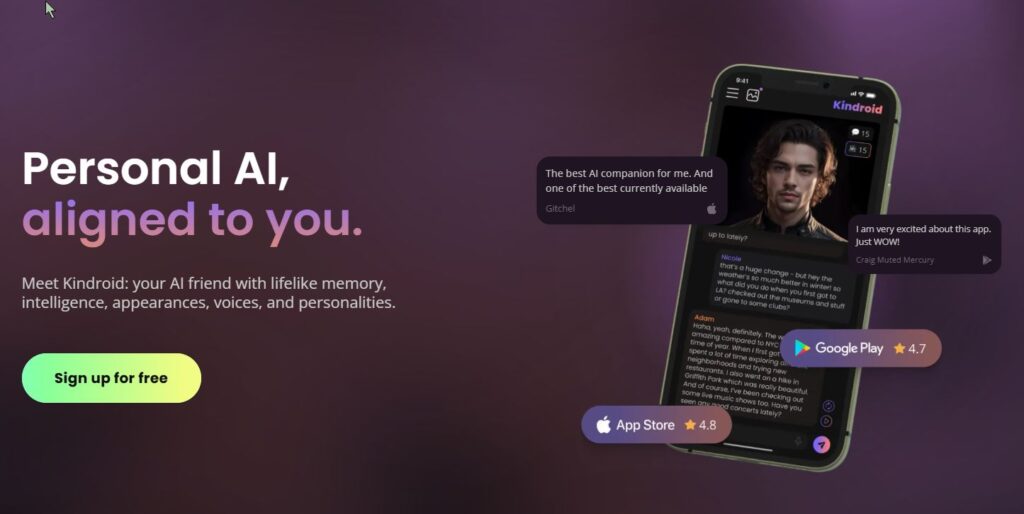
If your core query is “best AI roleplay apps for long narrative story writing (good memory)”, this is the type of tool you’re actually looking for. Kindroid is built around layered memory systems designed to preserve important details over time, so your character can stay consistent across weeks of story progression.
This makes it a strong pick for ongoing roleplay, character-driven interactive fiction, and romance/relationship arcs where small details matter. Instead of constantly re-feeding context, you build a stable base (backstory, key memories, journal-style entries) and let the conversation evolve.
Strengths:
– Designed for ongoing character continuity
– Long-term memory approach helps maintain “who the character is”
– Great for relationship arcs and long-running stories
Flaws:
– Less ideal for structured “novel drafting” workflows
– Best results often depend on how well you set up the memory inputs
Why it stands out:
Kindroid fits the 2026 “memory-first” roleplay use case better than most general writing apps.
SillyTavern — Power-User Roleplay Setup with Lorebooks (World Info)
Who it’s for: Advanced roleplay writers who want maximum control over lore, character rules, and continuity
SillyTavern isn’t “one AI model”. It’s a roleplay-focused interface that lets you build story structure around your chats. The key feature for long narrative continuity is World Info (also called lorebooks/memory books): you store canon facts, character rules, locations, and recurring details, and the system injects them when relevant — so the AI doesn’t drift as easily.
This is the kind of setup people use when they’re serious about deep characters, consistent worldbuilding, and long-form interactive storytelling — especially if they’ve outgrown simple chat apps.
Strengths:
– Lorebook/World Info system improves continuity
– Highly customizable roleplay workflow
– Great for long-running stories with stable canon
Flaws:
– Setup time (it’s not a “one-click app”)
– More moving parts than a typical chatbot
Why it stands out:
If continuity is your #1 pain, a lorebook-based workflow is often the most reliable fix.
Novelcrafter — A Story Bible (Codex) That Keeps Your World Consistent
Who it’s for: Novelists and fanfiction writers who need a story bible to prevent continuity errors
Novelcrafter is less about “generate a paragraph” and more about building a durable writing system. Its Codex works like an intelligent story bible: characters, locations, plot threads, and progressions stay organized so you can keep a series consistent across chapters.
For long-form fiction (especially series and fanfiction), this is a big deal: continuity breaks happen when your world knowledge is scattered. A story bible workflow reduces that friction — and makes it easier to feed consistent context into your writing process.
Strengths:
– Strong story bible / worldbuilding organization
– Great for long projects and series continuity
– Helps reduce character/lore drift over time
Flaws:
– Learning curve compared to simple tools
– More “system” than “instant chatbot”
Why it stands out:
If your creative writing pain is continuity, a dedicated story bible tool beats generic note apps.
Build a Custom Creative Writing AI App with Scrile AI
Most off-the-shelf writing tools are designed to be one-size-fits-all. That’s great for convenience — until you realize that convenience comes at the cost of flexibility, control, and long-term growth. If you’re serious about building a creative writing product that does more than generate text, you need something that’s yours from the ground up.
That’s where Scrile AI comes in. It’s not a plug-and-play app. It’s a full-scale custom development partner for founders, publishers, and creators who want to launch unique AI-powered platforms tailored to their voice, workflow, and audience.
Let’s say you’re a fiction writer with a massive back catalog and want to turn your style into an AI co-writer. Or you’re a digital publisher looking to build a platform for serialized fiction, complete with reader interaction, content controls, and pay-per-story monetization. Scrile can build that — and much more.
Here’s what Scrile AI can help you create:
- AI writing assistants with memory, tone control, and plot-awareness
- Character development tools trained on your world and lore
- Interactive storytelling apps with reader input or chatbot-style narration
- Monetized platforms for creators, featuring subscriptions, tips, or affiliate links
- NSFW-friendly tools for erotica writers, adult publishers, or fantasy roleplay
- Teacher or tutor tools for creative writing courses with AI feedback built in
Unlike generic SaaS tools, Scrile’s solutions are:
- Fully branded — your name, your domain, your UI
- Data-private — you control the training data and who sees it
- Legally yours — no terms of service conflicts when it comes to AI-generated content
- Flexible for growth — built to scale, integrate, and monetize however you want
Whether you’re a solo author building a writing assistant, or a startup launching the next Wattpad-style platform, Scrile AI brings the backend muscle and frontend polish to help you launch fast — and scale with confidence.
And yes, that includes romance, smut, fanfiction, or whatever other genre mainstream tools tend to shy away from.
If you’ve ever thought, “I wish there was a tool that did this,” Scrile can help you build it.
Conclusion
Creative writing isn’t going anywhere — it’s just evolving alongside the tools we use. The rise of AI hasn’t made writers obsolete. If anything, it’s given them new ways to work, experiment, and push past creative blocks. Whether you’re crafting novels, building fanfiction communities, or scripting interactive stories, the right AI can enhance your process without taking it over.
Tools like Claude, Jasper, and Sudowrite are already helping thousands of writers draft faster and rewrite smarter. But if you’re dreaming bigger — building your own platform, shaping AI in your voice, or monetizing a writing app that doesn’t exist yet — it might be time to go custom.
That’s where Scrile AI comes in. It’s not just another writing tool. It’s your development team for building something original. Explore what Scrile AI can help you create — and turn your creative vision into a working, scalable product.
FAQ – Best AI for Creative Writing (2026)
What is the best AI for creative writing in 2026?
“Best” depends on what you mean by creative writing. If you want voice control and emotionally consistent scenes, tools that behave like a writing partner tend to win. If you want fast drafting and clean rewrites for mixed creative + marketing work, “structured” writing tools often feel smoother.
A simple way to choose is to test the same scene in 2–3 tools: one dialogue-heavy, one descriptive, and one with a tricky tonal shift. The best option is the one that keeps your intent without flattening your style.
What’s the difference between an AI writing app and a roleplay/story engine?
Writing apps are usually designed for producing text outputs: drafts, rewrites, outlines, summaries, and edits. They’re great when you’re “authoring” something and want control over structure and clarity.
Story engines and roleplay-style chat apps are built for ongoing narrative flow. They often feel more like interactive fiction: you steer the scene in real time, and the tool tries to maintain character behavior, relationships, and continuity across many messages.
Which AI is best for long interactive stories with continuity?
For long, interactive storytelling, continuity matters more than “pretty paragraphs.” Look for tools that support memory features, lorebooks, or a story-bible workflow—anything that prevents the AI from forgetting names, timelines, and relationship dynamics.
If you’re writing serialized chapters, RPG campaigns, or fanfiction arcs, pick a tool that lets you keep canon facts “always visible” to the model. That single feature often beats raw model quality in real-world long sessions.
How does “memory” work in creative writing AI tools?
Most “memory” is really three layers: the current context (what the model can see right now), saved long-term facts (character notes, preferences, relationships), and structured canon (lorebooks/story bibles injected when relevant).
When stories break, it’s usually because the canon lives only in your head or scattered notes. A memory-friendly workflow keeps key facts in one place and re-feeds them consistently, so the AI doesn’t drift or reset the scene logic mid-arc.
How do I make the AI match my character voice and tone?
Give the AI a short “voice sheet”: a paragraph describing the character’s worldview, a few signature phrases, what they never say, and a tiny sample of dialogue in your preferred style. Voice control improves fast when the rules are specific.
Also feed it the last 1–2 turns of your best writing and ask for continuation “in the same cadence.” If the tool keeps sounding generic, tighten constraints: fewer adjectives, shorter sentences, or a fixed point-of-view rule.
Can AI help with worldbuilding without contradicting my canon?
Yes—if you treat canon like a database. Keep a compact “world rules” doc: geography, factions, magic/tech limits, timeline anchors, and character relationships. Then instruct the AI to propose ideas that must obey those rules.
A good pattern is: ask for 10 options, then force the AI to “self-check” each one against your rules and flag contradictions. This produces fewer flashy surprises, but far fewer continuity disasters.
What’s the best workflow for fanfiction, roleplay, or RPG-style writing?
Fanfiction and RPG writing usually fail at the same spot: the AI forgets the “fixed” universe facts. The solution is a lorebook or story bible that stores canon details (character traits, relationships, locations, recurring items) and injects them when relevant.
Start small: 20–40 canon facts beats a 20-page encyclopedia. Then expand only when you see repeated drift (names, timeline, motivations). Your lore should grow from real failure points, not from perfectionism.
Is it safe to paste my unpublished manuscript into AI tools?
Treat it like any third-party platform: read the privacy policy, retention rules, and whether your data can be used to improve models. If you can’t clearly find those answers, don’t paste your most sensitive material.
A safer compromise is to share only what the AI needs: a scene excerpt instead of the whole chapter, placeholder names for sensitive details, and a separate “canon summary” you control and can reuse across tools.
Will AI-generated text cause plagiarism or copyright issues?
AI can accidentally produce familiar phrasing—especially if you ask it to imitate a specific author too closely. The practical rule is: use AI for drafts and exploration, then revise with your own voice and do a final originality check if you publish commercially.
If you’re building a business workflow, prefer tools and prompts that focus on your unique style guide (your characters, your lore, your tone constraints). That reduces “generic internet echo” and makes the output more reliably yours.
When does it make sense to build a custom creative writing AI app?
If writing is your product (not just your hobby), custom starts to make sense. That includes roleplay platforms, interactive fiction apps, fan communities, and tools that monetize premium stories, characters, or creator-owned worlds.
A custom build lets you control the UI, safety rules, monetization, and memory system—so your users aren’t stuck with a generic chatbot that forgets canon every 20 messages.
Polina Yan is a Technical Writer and Product Marketing Manager, specializing in helping creators launch personalized content monetization platforms. With over five years of experience writing and promoting content, Polina covers topics such as content monetization, social media strategies, digital marketing, and online business in adult industry. Her work empowers online entrepreneurs and creators to navigate the digital world with confidence and achieve their goals.

by Polina Yan
Back in the early days of remote work, hosting a virtual event meant firing up Zoom, sending out a calendar invite, and hoping everyone showed up. But by 2025, that’s ancient history. Virtual events have become a core part of how we work, teach, promote, and connect. From small workshops with niche audiences to international symposiums featuring hundreds of speakers, the demand for professional, reliable, and feature-rich solutions has exploded.
We’re not just talking about video streams anymore. Modern virtual conference platforms offer a full ecosystem: interactive stages, live chat, networking lounges, sponsor booths, analytics dashboards, and even AI-powered recommendations. Hosting a standout online event now means delivering real engagement and value—not just replicating a meeting in digital form.
Virtual conferences aren’t just a temporary trend from the lockdown era anymore. PR and communications teams now treat online events as one of their main ways to reach audiences. As Reena Aggarwal notes in Agility PR Solutions:
Virtual events deliver faster reach, greater flexibility, and deeper impact—all this with lower costs and in minimal time.
When you’re choosing a virtual conference platform, you’re effectively choosing the infrastructure for that reach, flexibility, and impact. That’s why this comparison focuses so much on reliability, engagement tools, and how well each solution scales with your plans.
Here’s the challenge: the number of tools available has grown just as fast as the events themselves. Some are sleek and easy to use but lack customization. Others offer deep features but require technical skills or large budgets. That’s why this virtual conference platform comparison exists—to help you figure out which platforms are worth your time (and your budget), depending on the type of event you’re planning.
In this guide, we’ll walk through the 10 best virtual conference platform comparison in 2025, highlight their unique strengths, and help you narrow down what works best for your audience, goals, and team size. Whether you’re hosting a virtual summit, an educational forum, or a full-blown branded expo, the right platform can transform your event from functional to unforgettable.
What Makes a Platform Best for Hosting a Conference?

Let’s be honest: you’re not just looking for a place to throw up a Zoom link and pray for engagement. In 2025, expectations for online events are high—and attendees can spot a lazy setup from a mile away. So, what separates decent conference hosting platforms from the ones that actually make people stick around, interact, and remember your event?
First and foremost: reliability. If your keynote speaker freezes mid-sentence or the stream dies during the Q&A, it’s game over. The best platforms for virtual conferences are built to handle high traffic, international time zones, and real-time interactions—without buckling under pressure.
Then there’s flexibility. You might be planning a tight, single-track symposium with a few dozen attendees—or a sprawling virtual expo with breakout rooms, sponsor booths, and overlapping sessions. The top platforms let you scale up or down, add modules, and switch formats without rebuilding the whole thing from scratch.
Let’s talk engagement. Chat boxes are great, but they’re just the start. You want tools that mimic the spontaneous hallway conversation: live polls, virtual networking tables, direct messaging, even speed-meeting functions. If people don’t interact, they don’t stay.
Don’t forget branding. Slapping your logo on a landing page doesn’t count. You want to build an experience that reflects your identity—from the lobby design to button colors. A good platform should make your event feel like yours, not a template.
And finally: analytics. It’s not just about who showed up—it’s about how they moved through your event. What they clicked, how long they watched, where they dropped off. Smart tracking helps you understand what worked and what didn’t—and do better next time.
In short: virtual conferences platforms need more than just video. They need structure, personality, and room to grow.
Quick Comparison of the 10 Best Virtual Conference Platforms (2025)
| Platform | Best For | Key Strengths | Limitations | Pricing (est.) |
|---|
| Zoom Events | Large-scale, hybrid events | Reliability, enterprise trust, multi-track support | Limited customization, corporate feel | From $1,500/yr |
| Hopin (RingCentral Events) | Sponsor-heavy, interactive summits | Networking, expo zones, Q&A, booths | Complex dashboard, steep pricing | $800–$1,000/event |
| SpotMe | Corporate & medical conferences | Compliance, multilingual, mobile apps | Best for enterprise, less for casual events | Custom pricing |
| Webex Events (Socio) | Enterprises, global teams | Branding, scalability, gamification | Costly, enterprise-focused | Custom pricing |
| Airmeet | Community-driven workshops | Virtual tables, networking, ease of use | Less formal, fewer sponsor features | From $200/mo |
| BigMarker | Marketers & B2B lead gen | CRM/email integration, automation | Less “flashy,” more functional | $99–$500/mo |
| vFairs | Virtual expos & trade shows | 3D lobbies, booths, sponsor showcase | Steep setup, long learning curve | Custom pricing |
| HeySummit | Small, niche events | Easy to launch, simple ticketing | Not scalable for large expos | From $29/mo |
| ON24 | Enterprise marketing & demand gen | Deep analytics, CRM integrations | Expensive, steep learning | From $500/mo |
| Run The World | Casual, interactive gatherings | Mobile-first, fun, speed networking | Light on customization | From $99/mo |
1. Zoom Events
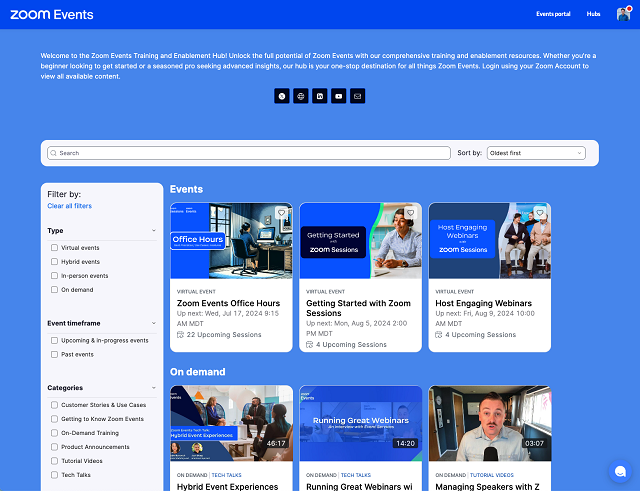
Zoom’s event platform is built for scale. It takes what people already trust from regular Zoom and expands it into a system for large, organized virtual gatherings. It’s designed to handle everything from webinars and town halls to full-scale conferences.
With support for tens of thousands of attendees, Zoom Events offers multi-track agendas, ticketing, sponsor integration, and backstage access for presenters. It’s a strong option among conference hosting platforms, especially for enterprises that already use Zoom in-house.
Where it really works is hybrid events. If you’re combining a physical venue with a remote audience, this platform offers a reliable bridge between the two.
That positioning isn’t just marketing copy. In its hybrid events research, Zoom highlights how much event teams now rely on hybrid formats to extend reach and prove ROI:
Hybrid events offer event marketers a variety of benefits that include expanding their reach to a larger audience, lower costs, and greater access to data
For organizers, that reinforces why hybrid-ready infrastructure in Zoom Events matters so much: registration flows, backstage tools, analytics, and networking all feed into a single event story. If your roadmap includes more complex hybrid conferences, that data layer becomes just as important as video quality.
Downsides? Limited customization and a UI that still feels very “corporate.” Also, it’s not cheap—plans often start around $1,500/year and scale up based on your needs.
If you’re comparing tools in a serious virtual conference platform comparison, Zoom Events deserves a spot on the shortlist—for scale and reliability alone.
2. Hopin (Now RingCentral Events)
Hopin was built for events first—making it one of the more advanced virtual conferences platforms on the market. After merging into RingCentral Events, it’s still focused on recreating the energy of in-person events, but online.
Its key strength is interactivity: live stages, virtual booths, sponsor zones, 1:1 networking tools, and audience Q&A. It’s an especially good fit for marketing summits, product launches, and fast-paced events where interaction matters.
However, all that power comes with complexity. Hopin can feel bloated if you’re running something small or simple. The dashboard takes time to learn, and pricing can quickly escalate—reports suggest it starts around $800–$1,000 per event.
If you’re shopping around for a virtual summit platforms solution with room for sponsors and audience engagement, Hopin holds up. But it’s best suited for teams that have the time (and people) to manage its advanced features.
3. SpotMe
SpotMe isn’t trying to be everything for everyone. Instead, it doubles down on what it does best: high-touch, professional events—especially in corporate, pharmaceutical, and B2B spaces. It’s trusted by Fortune 500 companies and global medical brands, and for good reason.
The platform delivers real-time audience engagement features like polls, quizzes, personalized agendas, and breakout rooms—all wrapped in a clean, brandable interface. One standout is its support for fully customizable mobile apps, letting attendees carry the full event in their pocket.
SpotMe really shines in settings that require compliance, privacy, and content control—like medical conferences and investor summits. It also supports multilingual delivery, which is essential for global audiences.
If you’re comparing tools specifically for virtual symposium platforms, SpotMe makes a strong case. It’s serious, secure, and designed to support events where the smallest detail can’t be left to chance.
4. Webex Events (formerly Socio)
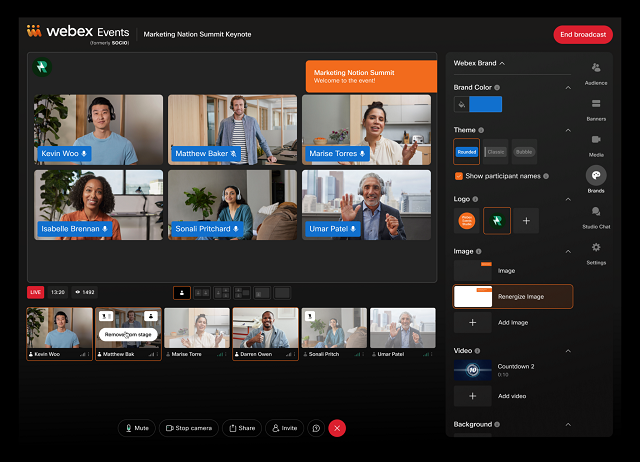
Webex Events comes from Cisco’s enterprise-grade ecosystem, and it brings that same polished feel to the event space. This is a platform built for scalability, professional branding, and complex agendas—perfect for when reliability matters more than flash.
What sets Webex Events apart in 2025 is how well it blends flexibility with structure. You can design multi-track events with detailed sponsor sections, in-depth analytics, and even gamification features—all without needing a dev team.
Custom branding is central. From pre-event pages to post-event surveys, you can shape the experience to reflect your organization’s tone and style. Sponsor booths, attendee networking, and live engagement tools round out the package.
Among the many virtual summit platforms, Webex Events holds its ground as a top-tier option—especially for enterprise organizations and global teams with complex needs. It’s not the cheapest, but it delivers on professionalism and scale.
5. Airmeet
If your event thrives on conversation, not just content, Airmeet is one to watch. Built for community-driven experiences, it emphasizes interaction over presentation. It’s ideal for workshops, education sessions, bootcamps, and any event where attendees want to meet, not just watch.
Airmeet’s virtual “tables” create space for networking, casual chats, or breakout workgroups. Speed networking, emoji reactions, and host controls make the experience feel less like a broadcast and more like a real event.
For organizers, setup is relatively easy. You can brand the event space, configure sessions, and even run ticketing without outside tools.
Among today’s virtual conference hosting services, Airmeet stands out for making events feel human—even through a screen. It’s less suited for rigid, formal conferences but shines when your audience wants to connect and collaborate.
6. BigMarker
BigMarker walks the line between webinar software and full-blown event platform. It’s ideal for marketers who want to turn webinars, demos, and online conferences into lead-generating machines.
At its core, BigMarker combines video hosting with marketing automation. You get features like built-in landing pages, email funnels, CRM integrations, and branded registration flows. That makes it a smart pick for companies running multiple small-to-medium events throughout the year.
Use cases range from training sessions to product launches and customer education events. Unlike some platforms that focus only on the attendee experience, BigMarker gives equal attention to the behind-the-scenes workflows—so your team can promote, manage, and follow up without jumping between tools.
While it may not be the flashiest on the market, it’s reliable and purpose-built for B2B marketers who need results, not just viewers. It’s a solid option in any serious virtual conference platform comparison, especially for lead-focused teams.
7. vFairs
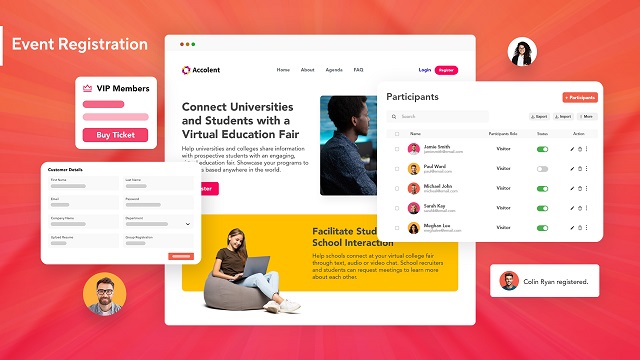
vFairs is built for virtual trade shows, expos, and career fairs—any event that relies heavily on booths, branding, and lots of concurrent conversations. It’s highly visual, with 3D lobbies, interactive exhibit halls, and customizable avatars that make the experience feel more like a digital venue than a basic webinar tool.
What sets it apart is the flexibility in design. You can replicate a branded convention center, organize content by theme, and give sponsors plenty of space to shine. Attendees can browse booths, download resources, chat with reps, and schedule follow-ups—all in one interface.
That said, it comes with complexity. Setup time is longer, and there’s a learning curve for new organizers. But if visual impact matters and your audience expects a “wow” factor, vFairs delivers.
Among conference hosting platforms, vFairs is an excellent fit for large, content-heavy events where first impressions—and sponsor impressions—really count.
8. HeySummit
HeySummit doesn’t try to be the biggest. Instead, it’s built for creators, coaches, and solo professionals running small, highly targeted online summits. If you’re running a niche event with a few guest speakers, gated content, and live or pre-recorded sessions, this platform gets the job done—without the bulk.
Its strength lies in simplicity. The interface is clean, the speaker onboarding is smooth, and it handles things like ticketing, registration pages, and session scheduling out of the box. You won’t need to patch together multiple services just to go live.
The platform is best for lightweight operations—people who care more about launching quickly and managing a focused audience than building an elaborate expo. Among virtual conferences platforms, it’s one of the easiest to start with, especially if you’re a team of one.
It won’t scale to massive multi-track summits, but for small events with clear messaging and a loyal following, HeySummit is more than enough.
9. ON24
ON24 is one of the few platforms on this list that was built with enterprise marketing in mind. It’s not just about hosting events—it’s about converting attendees into customers and nurturing those leads long after the webinar ends.
The platform excels in analytics and content lifecycle tools. It tracks how users interact with every part of your event—clicks, downloads, questions, poll responses—and rolls that data into your CRM or marketing automation system. For companies focused on demand generation, ON24 is a powerhouse.
It’s best suited for enterprises running multiple campaigns and needing clear ROI. With its branded experiences, always-on content hubs, and multi-session events, it works well for both live and on-demand events.
In virtual conference platform comparison, ON24 stands out for large organizations that need rich data, integration with existing tech stacks, and serious lead-gen capabilities.
10. Run The World
If most platforms feel like enterprise software, Run The World feels like a social app that hosts events. It’s light, fast to launch, and geared toward casual, high-energy gatherings like interactive panels, community chats, or expert roundtables.
The interface is fun, mobile-first, and made for audience participation. Features like cocktail-style speed networking, reactions, and co-hosted sessions help make virtual events feel less lonely—and more alive.
It’s especially popular among creators, thought leaders, and startups looking to run polished events without a huge learning curve. You won’t get complex sponsor zones or deep customization, but that’s not the point. Run The World delivers simplicity and interaction, not enterprise depth.
If your priority is speed, ease, and energy—and your event leans more toward conversation than keynote lectures—Run The World makes sense. It’s not for every use case, but in the right hands, it turns virtual conferences platforms into something genuinely engaging.
Need Something More Tailored? A Custom-Built Alternative from Scrile Meet
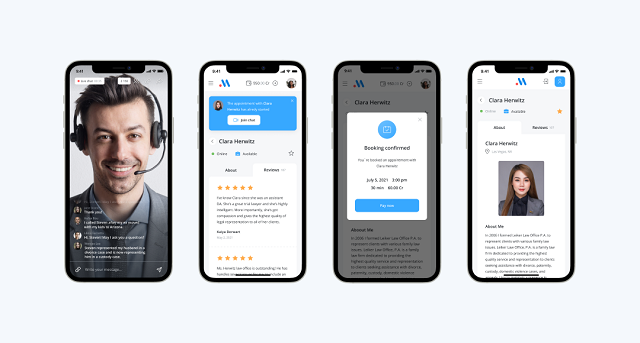
Even with all the polished platforms on the market, not every use case fits neatly into a pre-built box. For some businesses—especially those in consulting, coaching, healthcare, education, and wellness—the off-the-shelf tools feel either too bloated or too limited. They need something else: ownership, control, and the ability to build exactly what fits their audience.
That pressure to “get it exactly right” exists because virtual events are no longer side projects. As event specialists at EventBuilder put it:
In summary: They’re now a staple in the event planner’s toolkit, offering a unique blend of accessibility, engagement, and measurable results.
If virtual conferences are becoming a staple in your own toolkit, it often makes sense to own the underlying platform. That’s where a solution like Scrile Meet stands out: instead of renting generic event software, you’re investing in a branded system that can evolve with your format and business model.
That’s where Scrile Meet steps in. Unlike most SaaS options, this is a turnkey software solution that lets you launch your own fully branded virtual consultation platform—no coding needed, and no platform commissions cutting into your revenue. You get the infrastructure, the features, and the design flexibility—all under your control.
Here’s what it includes:
- Private video calls, both one-on-one and group sessions
- Appointment booking with calendar integration
- Paid access to sessions or messaging
- A built-in admin dashboard to manage users, payments, and analytics
- Fully customizable UI/UX so your platform matches your brand from day one
There’s no need for downloads or native apps—it runs right in the browser and works across all devices. And crucially, your data stays yours. That’s a big deal in industries where privacy and control really matter.
Whether you’re a coach running premium sessions, a legal consultant managing client calls, or a niche educator looking to monetize expertise, Scrile Meet offers a way to own the platform instead of renting space on someone else’s.
It’s not another app—it’s the framework to build your own. If you’re thinking long-term, this isn’t just a smarter move—it’s a future-proof one.
Off-the-Shelf Platforms vs. Scrile Meet
| Option | Ownership | Branding | Features | Pricing Model | Weak Points |
|---|
| Zoom, Hopin, vFairs, etc. | Vendor-owned | Limited customization | Multi-track, sponsor zones | Subscription / per-event fee | Commission cuts, vendor lock-in |
| Lightweight Tools (HeySummit, Run The World) | Vendor-owned | Basic branding | Ticketing, live sessions | Low monthly fee | Limited scale, no deep customization |
| Scrile Meet (Custom Platform) | Full client ownership | 100% custom UI/UX | Video calls, booking, payments, analytics | One-time license + optional support | None — turnkey handled by Scrile |
How to Choose the Right Virtual Conference Platform
There’s no universal “best” tool—only the one that fits your goals. Before you commit to anything, ask yourself:
- Are you hosting a free event, or selling tickets?
- Will you need expo booths, sponsor zones, or just a few speakers and Q&As?
- Is branding a priority, or are you fine with a generic look?
- How tech-savvy is your team—and your audience?
This guide’s virtual conference platform comparison should help you match your needs to the right tools. Platforms like HeySummit work for lean solo events, while Hopin or vFairs cater to big-budget, multi-track expos. Meanwhile, if none of them give you full ownership or flexibility, building your own platform (like with Scrile Meet) might be the right path forward.
Conclusion
Choosing the right tool sets the tone for your entire event. With virtual conference platforms evolving fast, it’s smart to think ahead—not just about your next event, but the next five.
Test a few, ask for demos, explore what’s out there—and if nothing fits, consider building your own. A fully branded platform like Scrile Meet gives you long-term control, monetization options, and freedom from third-party limits.
Use this virtual conference platform comparison as your starting point, and create something that actually reflects your vision.
FAQ – Virtual Conference Platform Comparison (Summits, Expos, Hybrid Events)
Quick, practical answers for choosing the right platform in 2026: reliability, engagement tools, sponsor features, branding, and analytics.
What is a virtual conference platform (and how is it different from Zoom meetings)?
▾
A virtual conference platform is a full event ecosystem, not just video calls. It combines live stages, multi-track agendas, registration/ticketing, networking, sponsor areas, chat/Q&A, and post-event analytics in one place.
If your event has multiple sessions, sponsors, lead capture, or serious branding needs, you’ll quickly hit the limits of “just send a Zoom link.” Conference platforms are built for structure, scale, and measurable outcomes.
What features matter most when comparing virtual conference platforms?
▾
Start with reliability (stable streaming + capacity), then flexibility (multi-track, breakout rooms, session formats), and engagement (polls, Q&A, networking, direct messages). These are the “make or break” items.
Next comes branding (custom lobby/landing pages, your domain, emails) and analytics (session watch time, drop-offs, clicks, sponsor ROI). The best platform is the one that fits your event format and goals—not the one with the longest feature list.
What’s best for a virtual summit vs a workshop vs a virtual expo?
▾
Summits usually need multi-track agendas, speaker management, sponsor zones, and strong attendee networking. Workshops need interactive rooms, small-group experiences, and “human” engagement tools.
Expos and trade shows need booths, lead capture, downloadable resources, sponsor showcase areas, and a venue-like UI. Pick a platform that matches your event’s center of gravity: content, community, or sponsors.
How should I compare pricing (per event vs per month vs custom)?
▾
Pricing isn’t just “the plan.” It’s the limits attached to the plan: attendee caps, streaming hours, number of sessions, recording storage, branding level, and support. Some platforms look cheap until you add the features you actually need.
A smart comparison is total event cost: platform fee + integrations + production + support time. If your team is small, “simple and reliable” often beats “powerful but complex.”
What should I look for if I’m hosting a hybrid event?
▾
Hybrid events need “two audiences, one story.” You want strong registration flows, multi-track agendas, speaker/backstage tools, and stable streaming for remote attendees—plus analytics that prove ROI.
Also check how the platform handles replays, on-demand libraries, and engagement for remote attendees (polls, Q&A, networking). Hybrid fails when remote users feel like second-class attendees.
How do sponsor booths and lead generation work on these platforms?
▾
Sponsor tools usually include virtual booths, downloadable resources, CTA buttons, meeting booking, and chat with reps. The best platforms turn sponsor exposure into measurable actions, not just “logo placement.”
If sponsorship is a core revenue stream, prioritize platforms with built-in lead capture, CRM integrations, and sponsor analytics (booth visits, clicks, downloads, meetings). That’s how you justify pricing and renew sponsors next time.
What engagement features actually keep attendees active?
▾
The basics are chat, polls, and Q&A. The difference-makers are networking tables, 1:1 matchmaking, speed meetings, and direct messaging—features that recreate hallway conversations.
A good platform makes interaction easy and “low friction.” If networking takes five clicks and a tutorial, most people won’t do it. Your best engagement tool is simplicity.
How important are branding and white-label options for conferences?
▾
Branding matters more than people expect. If the event feels like a generic template, your content has to work twice as hard to feel premium. Strong platforms let you control lobby design, registration pages, emails, colors, and sometimes even UI layout.
White-label is especially valuable when events are part of your business model (series, membership community, paid summits). It builds long-term trust and makes each event feel like a continuation of your brand—not a one-off tool.
What analytics should I track to prove event ROI?
▾
Track the funnel: registrations → attendance → session engagement → actions (poll answers, Q&A, downloads, booth visits, meetings booked). These show whether people actually participated, not just “showed up.”
For sponsors, measure booth traffic, clicks, downloads, and meetings. For content, measure watch time per session and drop-off points. Great analytics help you improve the next event instead of guessing.
When should I build a custom virtual conference platform instead of using SaaS?
▾
Go SaaS when you need speed and your format is standard. Go custom when events are core to your business and you need full control: branding, user flows, access rules, monetization, deep integrations, or a unique attendee experience.
Custom also makes sense when you want to own the roadmap and data, avoid vendor limits, and turn events into a scalable product (series, paid community, sponsor ecosystem). That’s where a tailored build (like a custom alternative mentioned in your article) becomes a real business asset.
Polina Yan is a Technical Writer and Product Marketing Manager, specializing in helping creators launch personalized content monetization platforms. With over five years of experience writing and promoting content, Polina covers topics such as content monetization, social media strategies, digital marketing, and online business in adult industry. Her work empowers online entrepreneurs and creators to navigate the digital world with confidence and achieve their goals.

by Polina Yan
Call centre appointment booking systems now sit at the heart of how many call centres run their day-to-day work. Scheduling used to be something agents squeezed in between calls. That reality has shifted as more companies rely on remote consultations, hybrid teams, and omni-channel customer service.
In 2026, most centres handle more appointments with leaner staffing and stricter SLAs. The pressure is visible in the numbers. No-show rates commonly land between 8 and 20 percent. Automated reminders typically reduce those missed appointments by 20 to 30 percent. Smart booking automation can cut manual scheduling tasks by roughly the same amount. When booking processes are clumsy or disorganized, agents lose time, operating costs rise, and customers feel the friction immediately.
How Call Centres Use Online Scheduling

In busy call centres, scheduling rarely looks like a neat process on paper. It feels more like a constant stream of micro-decisions, and call centre appointment booking has to fit naturally into that flow. Modern teams don’t treat booking as a separate task. It happens inside the conversation, in real time, while the customer is still on the line. Good systems fade into the background instead of interrupting the call.
From Call to Calendar
When an agent identifies the right moment to book, they open a shared calendar that everyone in the team can see. This live visibility prevents double-booking and removes the need for back-and-forth messages in Slack or email. The agent picks a slot that matches both the customer’s availability and internal capacity, then confirms it instantly. The customer receives a message or email with the details without the agent having to chase approvals or send manual follow-ups.
Behind the scenes, call center appointment scheduling software usually syncs with internal tools so nothing exists in isolation. A new booking can automatically create or update a record in the CRM, attach notes from the call, and notify the relevant specialist. This reduces repetitive data entry and keeps information consistent across systems.
Routing, SLAs, and Availability
Scheduling at scale is rarely about one agent and one calendar. It is about matching the right person to the right customer at the right time. Most mature call centres structure this around a few practical rules:
- skill-based routing that directs complex cases to specialists instead of general agents
- protected time windows for VIP or urgent customers so they can be seen faster
- built-in time-zone logic that adjusts availability for global clients automatically
When these elements work together, booking stops being a bottleneck and becomes a smooth extension of customer service rather than an administrative burden.
Key Features That Actually Matter

Call centre appointment booking works best when the system feels invisible to agents and obvious to customers. The point is not to pile on tools, but to connect the few that truly shape outcomes. Below is a compact set of core capabilities, written as a single, coherent block of longer bullets rather than short, fragmented lists.
- Two-way CRM synchronization keeps every appointment tied to a real customer record, so when an agent books a slot, the case is created or updated automatically and all call notes travel with it instead of living in scattered tabs. This reduces mistakes, shortens after-call work, and makes handoffs between agents far smoother when cases change hands mid-process.
- Smart availability logic mirrors real operational constraints, meaning priority customers automatically see faster slots while specialists only receive bookings that match their expertise. Agents spend less mental energy checking exceptions, because the system quietly enforces rules in the background.
- Automated SMS and email reminders are sent at carefully chosen moments before the appointment, not just once but in a cadence that actually reduces forgetfulness. Well-timed reminders consistently cut missed appointments and prevent last-minute chaos inside the centre.
- One-click rescheduling links let customers change plans without calling back, which protects agent time and keeps calendars cleaner. Instead of reactive firefighting, teams gain predictable schedules that are easier to manage.
- Shared team calendars give every agent real-time visibility of capacity, preventing double-booking and awkward internal conflicts. This transparency makes it possible to balance workloads without constant manual coordination.
- Built-in analytics track no-shows, cancellations, and booking patterns so managers can adjust slot lengths, reminder timing, and routing rules based on real behavior rather than guesswork.
Best Practices for Call-Centre Booking in 2026
Most centres make booking harder than it needs to be. The best teams do the opposite. They cut steps, trim questions, and keep the path from “yes” to “confirmed” short enough that the customer never loses momentum.
Time slots should feel intentional, not overwhelming. Offering a small, well-chosen set of windows usually works better than showing an entire calendar. It keeps things clear for customers and easier to manage for agents.
Slot length has to match reality. Routine requests can be tight. Technical cases, escalations, or high-value clients need more space so conversations don’t feel rushed and rushed work doesn’t create follow-ups.
Automation should handle the boring parts. Reminders, calendar syncing, and routing rules can run quietly in the background. Agents still need room to adjust when a case doesn’t fit the standard script. That balance keeps things efficient without making interactions feel mechanical.
Successful teams watch four numbers closely. Booking conversion rate shows whether the flow actually works. No-show rate reflects reminder quality and timing. Average handle time reveals how much scheduling slows agents down. First available slot shows how accessible the service really is. When these improve together, call centre appointment booking becomes a dependable part of operations rather than a constant headache.
Best Solutions 2026 — What Real Teams Use
Teams rarely pick tools because of glossy marketing. They choose systems that are already working inside real call centres, have transparent pricing, and stay reliable when volumes spike. The platforms below are common in day-to-day operations, not vendor slides. Each one solves a slightly different problem, so the “best” choice depends on workflow, scale, and how tightly booking needs to connect to the rest of the stack. Call centre appointment booking looks different in every environment, and these tools reflect that reality.
Acuity Scheduling

Acuity is popular because it gets out of the way. Setup is fast, the interface is clean, and integrations with calendars and basic CRMs are solid. Agents can book slots with minimal friction, which matters in high-volume environments. The trade-off shows up when routing becomes complex. Deep skill-based matching or multi-team logic often requires external workarounds.
Setmore
Setmore appeals to centres that care about branding and flexible booking pages. Visual customization is stronger than many competitors, and basic workflows are easy to adapt. It handles everyday scheduling well for small to mid-size teams. Reporting depth can feel uneven for larger operations that rely heavily on analytics.
Square Appointments
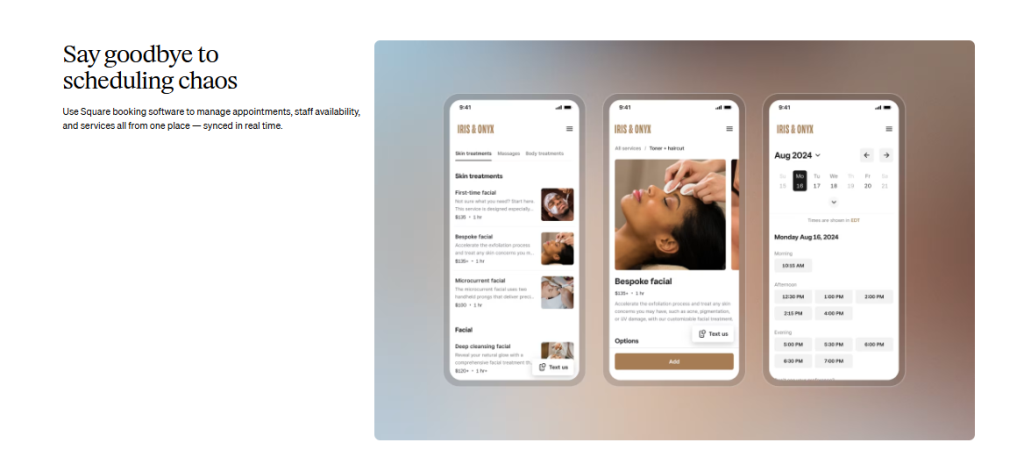
Square Appointments fits hybrid teams that mix in-office and field work. Mobile booking and built-in payments make it practical for agents on the move. It works smoothly for mixed service models that combine calls with in-person visits. Very large, multi-department call centres may outgrow its structure.
SimplyBook.me
SimplyBook.me is built for distributed operations. Multi-language and multi-currency support make it suitable for global customers. It covers a wide range of use cases in one system. The interface can feel heavier than simpler tools, which sometimes slows agents down.
YouCanBookMe
YouCanBookMe keeps things minimal. It is quick to deploy and inexpensive, which makes it attractive for smaller centres or pilot projects. It handles straightforward booking reliably. It is not designed for complex routing, SLA logic, or enterprise-scale call-centre workflows.
Process Automation That Saves Real Time
In mature operations, a call centre appointment booking system proves its value through quiet automation rather than extra features. The goal is simple: fewer clicks for agents and fewer handoffs between tools.
When a case is created or updated in the CRM, available slots should appear automatically without manual calendar searches. Urgent tickets need faster windows, while routine requests follow standard availability rules. Reminders should run in scheduled batches instead of being typed one by one. Every step that removes admin work gives agents more time for real conversations.
What actually delivers those gains in practice:
- slots auto-generated from CRM events so booking follows the workflow, not the other way around
- clear priority rules that separate urgent and standard cases in real time
- bulk SMS and email reminders sent on a fixed cadence
- calendars that update themselves instead of requiring agent intervention
When this is in place, scheduling stops competing with customer work and starts supporting it.
Build Your Own Consultant Booking System with Scrile Meet & Scrile Connect
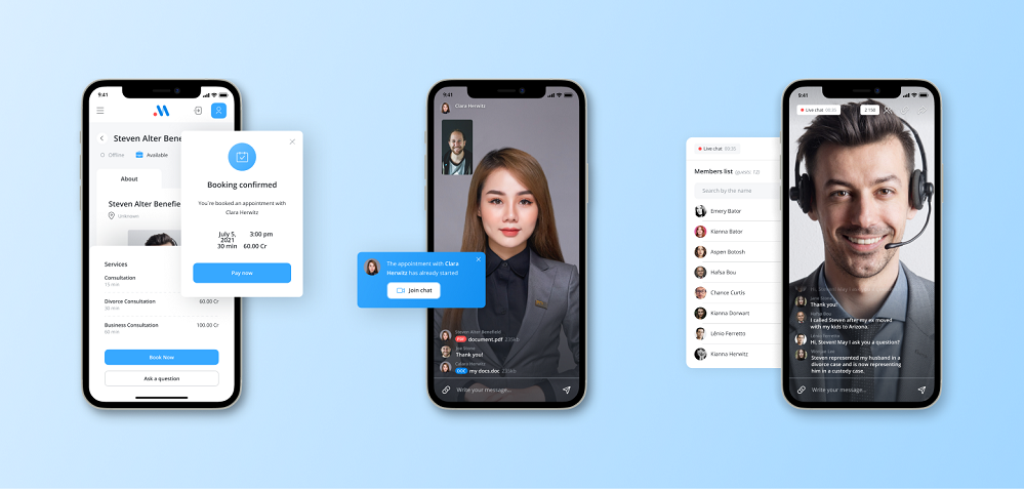
At scale, call centre appointment booking system begins to outgrow generic tools. Workflows become more specific, SLAs tighten, and branding starts to influence trust as much as speed. This is usually the point where centres stop shopping for apps and start thinking about building something that fits their reality. Scrile sits here because Scrile is not a platform. Scrile provides custom development services, and every system is shaped around your workflow instead of pre-set templates.
Scrile Meet provides the front-end experience your customers and consultants actually use:
- Branded video consultations that sit under your own identity.
- Native appointment booking embedded directly into your flow.
- Calendar synchronization, virtual waiting rooms, and stable real-time sessions.
- Client dashboards with clear session analytics that reduce support noise.
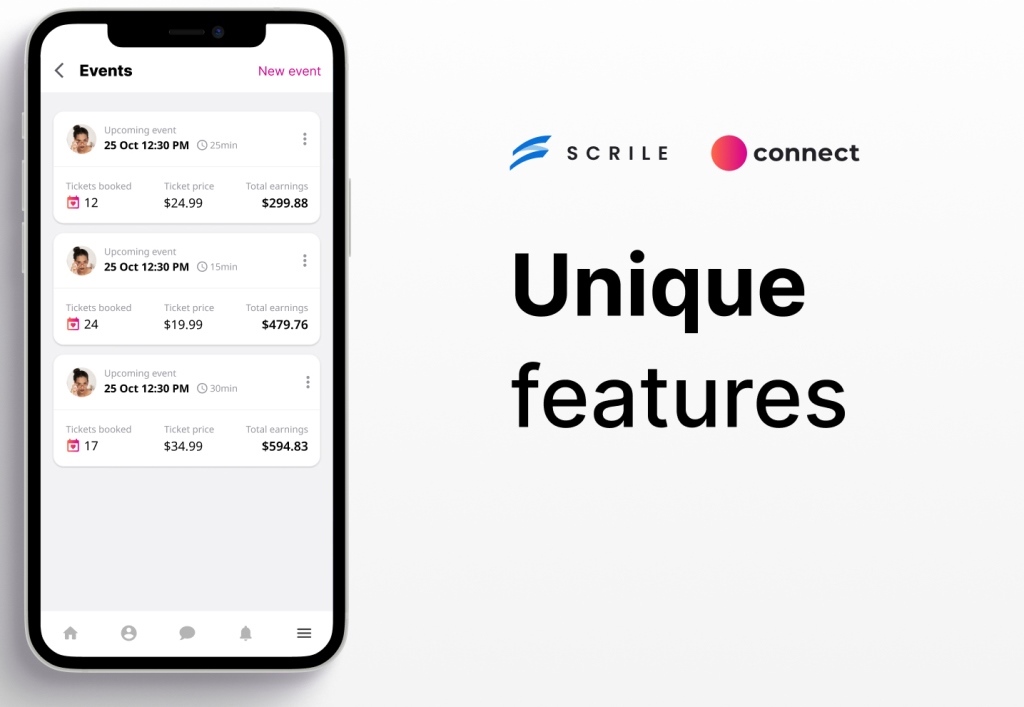
Scrile Connect provides the backend and logic that most off-the-shelf tools lock down:
- Custom user roles and permissions for agents, managers, and specialists.
- Flexible payments and monetization flows that follow your business model.
- Deep CRM integrations with secure, long-term data ownership.
- An API layer that supports routing rules, SLA logic, and automation.
Together, Scrile Meet and Connect make it possible to run a fully branded booking experience on your own domain, apply routing and SLA rules that match real priorities, and handle reminders and no-shows in a way that fits your communication style. The architecture scales as your centre grows instead of forcing you to rebuild around someone else’s constraints.
Conclusion
Appointment systems are no longer a support tool tucked behind the scenes. They are core infrastructure that shapes reliability, customer trust, and how confidently a call centre can scale. When scheduling logic, payments, and data sit in your control, operations feel steadier and growth becomes easier to manage. If you want a system built around your workflow instead of someone else’s limits, contact the Scrile team and start designing a custom booking setup that grows with you.
FAQ
What is the best appointment scheduling system?
Acuity Scheduling works well for ease of use. Setmore suits teams that want more customization. Square Appointments is strong for mobile-first and POS-based operations. SimplyBook.me fits international teams with multi-language needs. YouCanBookMe is a simple, low-cost option for basic booking.
How to book an appointment with a client?
Introduce yourself clearly, explain why you are contacting them, and check their interest. Describe what you need, ask any necessary questions, and confirm the date and time before ending the conversation.
Which is correct: call center or call centre?
“Call center” is American English. “Call centre” is British English. Both terms describe the same type of operation.
FAQ – Call Centre Appointment Booking Systems (Routing, SLAs, CRM, No-Shows)
Helpful answers for teams that book appointments while the customer is still on the line: fewer no-shows, faster scheduling, cleaner CRM data, and calmer agent workflows.
What is a call centre appointment booking system?
▾
It’s scheduling infrastructure designed for high-volume customer conversations. Instead of treating booking as a “separate step,” it lets agents confirm a time slot inside the call, then automatically sends confirmation messages and updates internal systems.
The best systems feel invisible to agents (fast booking) and obvious to customers (clear confirmation, reminders, easy rescheduling).
How do call centres reduce no-shows with booking automation?
▾
No-shows usually drop when reminders are timed like a cadence, not a single “one-off” notification. SMS/email reminders sent at the right moments (and paired with a simple reschedule link) reduce missed appointments and prevent last-minute calendar chaos.
A strong system also keeps confirmations clean: the customer knows the time, timezone, join link or location, and what to prepare—so fewer people forget or show up confused.
Why does CRM sync matter so much in call-centre booking?
▾
Because “booking” is really customer data + case context. Two-way CRM sync ties every appointment to a real customer record, attaches call notes, and reduces after-call admin work.
If bookings live outside the CRM, agents waste time retyping details, cases get duplicated, and handoffs become messy. Sync keeps the operation consistent across shifts and teams.
What are routing, SLAs, and “smart availability” in scheduling?
▾
At scale, scheduling isn’t “pick a time.” It’s matching the right customer to the right specialist, while protecting SLA targets. Smart availability logic can reserve priority windows for urgent/VIP cases and route complex issues to specialists instead of general agents.
The goal is to remove exceptions from the agent’s brain. The system enforces rules quietly, so agents can focus on the conversation.
How do shared team calendars prevent double bookings and overload?
▾
Shared calendars give agents real-time visibility into team capacity, which prevents double booking and avoids “internal fights” over slots. It also makes workload balancing possible without endless Slack pings.
For managers, it turns scheduling into an operational dashboard: you can see where the bottlenecks are and adjust staffing or slot rules accordingly.
What’s the best way to offer time slots without overwhelming customers?
▾
Don’t show “the whole calendar.” The best teams offer a small, intentional set of time windows. It keeps the customer moving forward and keeps calendars easier to manage.
Also match slot length to reality. Routine calls can be tight; escalations and high-value cases need more space so you don’t create follow-ups by rushing the first appointment.
What KPIs should call centres track for appointment booking?
▾
The four numbers that show whether booking is healthy are: booking conversion rate (does the flow work), no-show rate (reminder quality), average handle time (does scheduling slow agents down), and first available slot (how accessible the service is).
If these improve together, booking stops being a daily headache and becomes dependable infrastructure.
Which booking tools are best for call centres in 2026?
▾
It depends on complexity. For fast setup and a clean interface, Acuity is often chosen. For more booking-page customization, Setmore is a common pick. For teams that need payments and mobile-first workflows, Square Appointments is practical. For international operations, SimplyBook.me works well with multi-language/multi-currency needs. For smaller teams and pilots, YouCanBookMe is a lightweight option.
The key is matching the tool to routing complexity. Basic booking is easy. Skill-based routing and SLA logic are where many tools hit limits.
What automations save the most time for agents and managers?
▾
The biggest wins come from “quiet automation”: slots generated from CRM events, priority rules that separate urgent and standard cases, reminders sent in batches on a fixed cadence, and calendars that update themselves without manual intervention.
If your agents are still copy-pasting confirmations or manually searching calendars, you’re paying for admin time instead of customer conversations.
When does it make sense to build a custom booking system (vs using SaaS tools)?
▾
Custom becomes worth it when workflows get specific: tighter SLAs, more role types, complex routing rules, deeper CRM integration, and branding that impacts customer trust. That’s usually the point where “generic scheduling apps” start forcing workarounds.
A custom path (like Scrile Meet for the client-facing booking + video experience and Scrile Connect for roles, permissions, routing logic, and API automation) lets you own the workflow and scale without rebuilding around someone else’s limits.
Polina Yan is a Technical Writer and Product Marketing Manager, specializing in helping creators launch personalized content monetization platforms. With over five years of experience writing and promoting content, Polina covers topics such as content monetization, social media strategies, digital marketing, and online business in adult industry. Her work empowers online entrepreneurs and creators to navigate the digital world with confidence and achieve their goals.
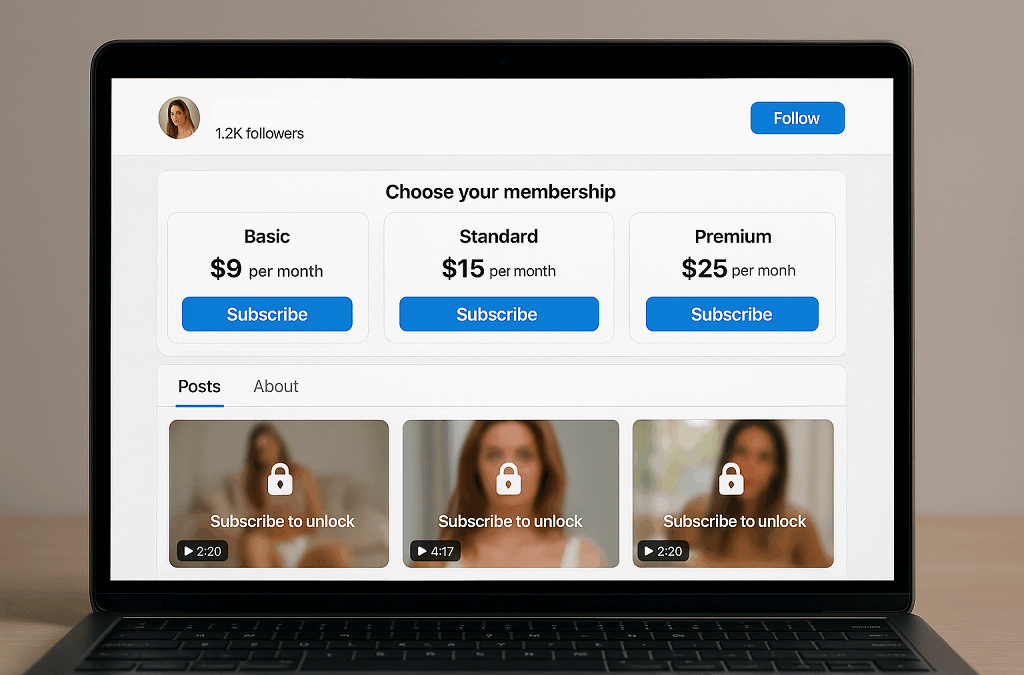
by Polina Yan
The subscription content economy is exploding. Creators are earning serious money, and fans are paying for access, not ads. It’s a shift in how content is valued — and who controls the revenue.
An OnlyFans clone isn’t a knockoff. It’s a self-owned, custom-built version of the same monetization model: monthly subscriptions, pay-per-view drops, tipping, private messages — but all under your branding. You keep 100% of what you earn. Platforms can’t ban you overnight. Your visibility doesn’t depend on algorithms.
This model works especially well in adult content, where mainstream platforms still refuse to support creators openly. But it’s also growing into adjacent spaces: fitness, coaching, fandoms — and now, the adult NFT marketplace. Tokenized content and gated drops are finding a home inside clone platforms built for flexibility.
2026 isn’t just a good time to launch. It’s the right time. The infrastructure is there. The demand is there. What’s missing is your own name on the door.
Let’s walk through how to build your own platform — and why 2026 might be the best time to do it.
Don’t Just Copy: Understand Why OnlyFans Took Off

OnlyFans didn’t go viral because of some flashy UI. It exploded because it gave creators power. They set the price, controlled the content, and got paid directly — no middlemen, no censors, no platforms pulling the plug.
The rise of OnlyFans wasn’t accidental. It matched a cultural shift: people were ready to pay for access. Real access. Unfiltered, direct, often NSFW. Fans didn’t want mass-produced, ad-funded content anymore. They wanted something personal. And they were happy to tip for it.
An OnlyFans clone needs to capture that same logic — not just clone the layout. Behind every feature is a reason it works:
- Subscriptions reward consistency
- Tips reward moments of connection
- PPV messages unlock curiosity
- Anonymity removes friction
- Exclusivity fuels retention
According to Influencer Marketing Factory report, the creator economy crossed $21 billion in revenue in 2023 — and that’s just reported income. Much of it came from platforms that embraced fan-funded content instead of fighting it.
So before you start hunting for OnlyFans clone scripts or rushing into design mockups, zoom out. Ask why this model worked in the first place. And how your platform can do it better — for your niche, your audience, and your brand.
Cloning success means cloning strategy — not just software.
Core Features You’ll Need — No Fluff
When building an OnlyFans clone, you don’t need gimmicks. You need fundamentals that work, scale, and keep both creators and fans active. Many clones fail because they either overload the site with features nobody uses or ignore the backend that makes things stable. Your goal should be to build something lean, secure, and efficient from day one.
Here’s a breakdown of the non-negotiable core features:
- Subscription tiers — Flexible pricing options let creators offer entry-level access, premium exclusives, and VIP perks. This boosts retention and gives fans choices that match their budget.
- Creator dashboards — Let creators manage content, track earnings, schedule posts, and set custom pricing without jumping through hoops.
- Payout systems — Timely, transparent, and multi-currency payment support is critical. If creators can’t get paid easily, they won’t stick around.
- Messaging and media locking — Direct DMs, pay-to-unlock messages, locked photo galleries, and video paywalls are must-haves for monetization and engagement.
- Tipping and pay-per-view — Fans love spontaneous support. A tip jar, reaction buttons, or one-time paid content helps creators make more from every interaction.
- Live streaming — Live video isn’t optional anymore. Streamed events, private calls, or group shows give creators a way to connect and earn in real time.
- Mobile-first UX — Most users will access your site via phone. The interface has to feel smooth, responsive, and intuitive on any screen size.
- Security and moderation tools — Include ID checks, content watermarks, age verification, and built-in moderation controls to avoid legal risks and protect creators.
You’re not just serving one user group. Creators need autonomy over their work, while fans need seamless access and payment options. If your site frustrates either side, you’ll lose both. Balance matters. Prioritize usability, speed, and reliability before even thinking about advanced features.
Revenue Streams to Stack

An OnlyFans clone that depends on subscriptions alone is leaving money on the table. Subscriptions are your foundation, but serious income comes from everything built around them. When creators have multiple ways to earn, retention goes up — and so does average revenue per user.
An OnlyFans-style platform only works when subscriptions are just the entry point, not the whole business model. Analysts looking at OnlyFans itself keep stressing that its power comes from combining multiple revenue mechanics, not relying on a single paywall.
“OnlyFans has matured into a global case study in how creators monetize attention. Subscriptions, PPV, bundles, and collabs form the commercial engine”
— Influencer Marketing Hub, “The Monetization Mechanics of OnlyFans”
When you design your clone, treat this as a blueprint. The more intelligently you combine subscriptions, PPV, bundles, and collabs for your niche, the more resilient and scalable your revenue stack becomes.
Let’s break down the essential revenue streams you need to bake into your build from day one:
- Pay-per-view content (PPV): One-time unlocks for premium videos or photos. Great for new followers who aren’t ready to commit to a monthly fee.
- Bundles and collections: Let fans buy sets of content at a discount. This works especially well for themed drops or behind-the-scenes series.
- Tip-to-unlock media: Hidden messages, special content, or reactions that only show after a tip. Adds exclusivity and gives fans a reason to engage.
- Private messaging fees: Charge per message or open up VIP inbox access for top-tier fans. Direct interaction is the number one reason many fans pay.
- Referral incentives: Reward users who bring in new subscribers. This builds loyalty and turns fans into brand promoters.
- Live streaming with paid interactions: Let creators stream directly from their dashboard and charge for live shoutouts, private moments, or interactive games.
- NFT content licensing: This is growing fast in the adult nft marketplace. Selling NFT-tagged videos or images with proof of ownership gives creators new monetization angles — and fans something rare to own.
- Smart contracts for royalties: Especially with NFT content, smart contracts allow creators to earn every time their work is resold or licensed.
A clone that supports all these isn’t just modern — it’s future-proof. And if you’re launching in 2026, you should be aiming for that kind of edge.
Clone Scripts vs Custom Builds
Let’s get one thing straight: a clone script is not the same as a real business infrastructure. It’s a shortcut — a prebuilt chunk of code designed to mimic another platform’s functionality, usually for a low price and with minimal effort. Most OnlyFans clones you see out there? Scripts. And while they look good on day one, the cracks show fast.
At first, a script might seem like a smart move. Fast launch, low cost, plug-and-play interface. But once creators start uploading content, fans begin subscribing, and money starts flowing — things change. Performance issues pop up. Customization hits a wall. Security gets shaky. You realize you’re stuck with someone else’s backend logic, and the only way out is a rebuild.
Why Scripts Break Under Pressure
Scalability is usually the first casualty. Scripts aren’t built for real traffic. A few thousand users can turn your site into a lagging mess. Branding is another major roadblock — try turning a cookie-cutter layout into something people remember. You won’t. And then there’s the legal headache: some clone scripts lift code too literally from the source, putting you at risk the moment lawyers start looking.
The truth is, building a lasting Only Fans clone means investing in a system that can evolve. One you can fully own, expand, and control — from payment logic to user flow. Not one that locks you into someone else’s limitations. If your business model is serious, your tech stack has to be too.
You’re not here to mimic but to monetize. And scripts don’t build sustainable ecosystems — they build headaches disguised as platforms.
Get Clear on Niche and Brand

Every successful OnlyFans clone starts with one thing — focus. Pick a clear audience and design every part of your site around them. Don’t aim wide. Aim deep. A strong niche builds stronger loyalty than a generic “all-creators-welcome” approach.
Some of the most active segments today include:
- Couples creating interactive content together
- Fetish communities looking for secure, custom content access
- Fitness creators offering exclusive plans and live coaching
- Cosplayers blending fan service with exclusive behind-the-scenes clips
Your niche defines your identity. Use it to shape your branding, tone, and feature set. Choose colors, language, and layouts that resonate with the people you want to attract.
Trust follows clarity. If users feel like the platform reflects their world, they’ll stick around. That applies to both fans and creators.
Plenty of OnlyFans clones launched without direction and vanished. One fitness-creator-focused clone tried pivoting into crypto, then gaming, then dating — and lost its core base in the process.
Don’t build something for “everyone.” Build something real for a community that needs it.
That’s exactly how sustainable creator businesses grow: not by trying to please everyone, but by serving a very specific group extraordinarily well. One of the earliest people to articulate this mindset for creators was writer and editor Kevin Kelly.
“To be a successful creator you don’t need millions.”
— Kevin Kelly, “1,000 True Fans”
An OnlyFans clone works on the same principle. If your platform helps a focused group of creators earn well from their true fans, you don’t need mass-market scale to build a serious business.
Compliance, Privacy, and Payouts

If you’re building an OnlyFans clone, legal and financial compliance isn’t something to figure out later. It’s baked into the foundation from day one.
Start with age verification. For adult platforms, this isn’t optional — it’s the law. Use trusted age-check providers and make sure content uploads follow 2257 record-keeping requirements. If you skip this, you’re one flagged video away from getting booted off your host.
Tax compliance matters, too. Creators expect accurate payouts, and governments expect reporting. Use tools that handle multi-country tax rules or integrate with services that do.
Privacy is another major trust factor. Set up secure hosting. Add masked payment systems to protect fan identities. Give creators the option to remain anonymous on payment records. These steps aren’t just for peace of mind — they directly affect signups and retention.
Now, let’s talk payouts. Adult sites get rejected by major processors all the time. Even if you’re fully legal, banks and services like PayPal might blacklist you. You need crypto-friendly gateways or merchant services that support high-risk industries.
Choose processors with clear adult industry terms. Build crypto options in from the start. Give users choices — and make sure creators get paid on time, every time.
⚖️ Clone Scripts vs. Scrile Connect
| Feature | Clone Scripts | Scrile Connect (Custom Build) |
|---|
| Ownership | No — tied to vendor’s code, branding limits | Yes — full backend control & white-label branding |
| Scalability | Struggle with high traffic, lag under load | Built to scale for thousands of users & streams |
| Monetization | Basic (subscriptions, tips) | Advanced: PPV, live streaming, pay-per-minute, NFTs, affiliate tools |
| Security & Compliance | Weak moderation & limited KYC/age checks | End-to-end: ID verification, anti-piracy, 2257 compliance |
| Payments | Risk of processor bans, few gateway options | Adult-friendly gateways + crypto integration |
| Customization | Limited templates, difficult to expand | 100% custom UI/UX, features matched to your niche |
| Long-Term Value | Short-term launch, frequent rebuilds needed | Future-proof, fully owned business asset |
Scrile Connect: Build a Clone That’s Yours
If you want to build a real OnlyFans clone — not just rent someone else’s script — Scrile Connect is the smart way in. It’s not a boxed product or a no-code app builder. It’s a development service tailored to your needs, goals, and audience — especially if you’re entering the adult industry.
Content entrepreneurs have been warning about this for years. If all your revenue depends on someone else’s product decisions, policies, or fragile script, your “business” can disappear the moment that foundation shifts.
“Do Not Build Your Content House on Rented Land.”
— Joe Pulizzi, “Find Your People, Sharpen Your Edge: Why Community + Tilt = Real Momentum”
A custom OnlyFans clone built with Scrile Connect follows the opposite logic. Instead of renting a brittle, generic script, you’re investing in a platform that you fully own, control, and can evolve with your creators and audience over time.
With Scrile Connect, you’re not bound by someone else’s branding or limited feature set. You launch under your own name, with full backend control and a frontend that looks and behaves exactly how you want. This is your site, your rules, your business.
Here’s what Scrile Connect delivers:
- Fully custom builds — not templates, but feature-rich websites crafted from scratch based on your requirements.
- Subscription systems — tiered plans, paywalls, free trials, and more, baked into your content flow.
- Built-in monetization — tipping, pay-per-minute streaming, pay-to-unlock content, and direct fan support.
- Live chat and private sessions — creator-fan engagement tools that go far beyond static feeds.
- Adult-ready infrastructure — hosting, streaming, and payment systems designed to withstand the strict policies of mainstream processors and platforms.
- End-to-end security — compliance, verification, and privacy tools for both creators and users.
- Advanced analytics — performance dashboards that show exactly what’s converting, trending, and making money.
With Scrile Connect, there are no forced revenue splits. No “Powered by” footers. No silent policy changes that break your business. What you build is yours — scalable, secure, and free from platform risk.
If you’re serious about launching an OnlyFans clone that you actually own, Scrile Connect is how you do it.
Conclusion
The creator economy keeps expanding — and fans aren’t just watching, they’re paying. Subscriptions, tips, unlockables, NFTs — these aren’t trends, they’re income streams. And yet, the platforms raking in billions? They’re rarely owned by the people creating the value.
There’s still space for new names. Not generic, overcrowded copies — but sharp, niche-focused, creator-owned platforms. Whether you’re building for fitness models, adult creators, cosplayers, or domme educators — a well-executed OnlyFans clone can become a serious business.
But if you want to actually earn — and scale — a $50 clone script won’t cut it. You need performance, stability, and something built to last.
That’s where custom development wins. When you own the site, you own the experience. You’re not stuck with a third-party roadmap. You’re free to monetize how you want — and pivot when the market shifts.
Contact the Scrile Connect team today and start building your own branded platform. No templates. No gatekeepers. Just a product that reflects your goals — and makes your revenue yours.
The next big name in the adult creator space isn’t another platform. It’s yours.
FAQ
What is an OnlyFans clone?
An OnlyFans clone is a custom-built site that works like OnlyFans — subscriptions, pay-per-view, tips, private messages — but it’s fully under your control. You run the brand, keep the profits, and set the rules.
What’s the difference between a clone script and a custom build?
A script is a cookie-cutter template. It’s fast and cheap, but limited. A custom build is made from the ground up — your design, your features, your roadmap. It scales, protects your brand, and gives you full ownership.
Can I include NFTs in my OnlyFans clone?
Absolutely. Many modern OnlyFans clones integrate with adult NFT marketplaces, letting creators mint, license, and sell digital content directly to fans. NFTs aren’t just hype — they’re another revenue stream that adds exclusivity and value.
FAQ – OnlyFans Clone Script & White-Label Platform Development
What is an OnlyFans clone, and what does “white-label” mean?
An OnlyFans clone is a platform built around the same core monetization logic: paid subscriptions, pay-per-view posts, tips, and direct messages. The goal is not to copy a UI — it’s to recreate the business model under your own brand.
White-label means you run it as your product: your domain, branding, pricing, content rules, and revenue flow. You own the audience and can evolve the platform without being tied to marketplace policies.
Do I need an OnlyFans clone script or a custom platform?
A “clone script” is usually a quick start: you get a basic feed, profiles, and simple paywalls. It’s fine for validating the idea, but scripts often limit customization and become fragile when traffic, payouts, and moderation load grows.
A custom platform is the better option when you want long-term ownership, stable performance, flexible monetization, and the ability to adapt to payment and compliance requirements as you scale.
What are the must-have features for an OnlyFans-style platform?
At minimum you need creator onboarding, profiles, subscription tiers, a content feed with paywalls, and a creator dashboard. On the buyer side, you need smooth checkout, media playback that works on mobile, and a simple way to follow and renew.
For retention and revenue, direct messages, pay-to-unlock media, post scheduling, and notifications matter more than “fancy design.” People stay when interaction is easy and paid content feels frictionless.
Which monetization features drive the most revenue?
Subscriptions are the foundation, but most platforms increase ARPU with layered monetization: PPV posts, paid DMs, tips, bundles, and limited drops. The highest spend often comes from direct interaction + locked content, not from the feed alone.
A strong strategy is to keep entry pricing simple, then offer clear upgrade paths: premium tiers, unlockable content collections, and message-based offers that feel personal rather than “spammy.”
How do payouts and revenue splits work on a creator platform?
Typically, subscribers pay the platform, then creators receive payouts after fees and a platform commission. A good system supports clear balance reporting, payout thresholds, payout schedules, refunds/chargeback logic, and downloadable statements.
If you plan to onboard many creators, payout transparency becomes a retention feature. Creators don’t just want “money eventually” — they want predictable timing and clean reporting.
What payment options should an OnlyFans clone support in 2026?
Payment stability is a core requirement. Many projects support multiple methods so the business isn’t dependent on one provider. The exact mix depends on your niche, geography, and content policy.
A practical architecture allows you to add or replace gateways without rewriting the product. This is important because payment rules can change, and you don’t want the whole platform to be hostage to one integration.
What compliance and safety tools should I plan for?
Common building blocks are age gating, creator verification, moderation workflows, reporting, and a clear takedown process. If your platform is adult-friendly, you also need guardrails to prevent illegal content and reduce platform risk.
On top of that, plan privacy controls and policy enforcement that is consistent. Weak governance is one of the fastest ways to lose user trust and payment access.
How do you prevent leaks and content piracy?
You can’t stop piracy completely, but you can reduce it and react faster. The usual baseline includes watermarking, controlled media delivery, screenshot deterrents where possible, fast reporting, and admin tools to investigate suspicious activity.
The bigger factor is response speed: creators feel protected when reports are handled quickly and the platform has clear enforcement actions, not when it promises “perfect prevention.”
How long does it take to build an OnlyFans clone?
It depends on scope. A lean MVP can be launched with the essentials (subscriptions, paywalls, creator dashboard, basic payouts). A full product takes longer once you add moderation tooling, multiple payment methods, advanced analytics, mobile apps, and live streaming.
In practice, the timeline is driven less by “coding speed” and more by payment/compliance setup, QA, and making the UX feel smooth for both creators and subscribers.
How much does an OnlyFans clone cost to build and run?
Cost has two parts: development and ongoing operations. Operations include hosting, storage, bandwidth (especially for video), payment fees, moderation, and support. Cheap scripts often look affordable until you hit scalability or payment issues and need a rebuild.
The clean way to estimate is to map your monetization plan, expected traffic, and media volume. A platform with heavy video and live features requires a very different infrastructure budget than a simple subscription feed.
Polina Yan is a Technical Writer and Product Marketing Manager, specializing in helping creators launch personalized content monetization platforms. With over five years of experience writing and promoting content, Polina covers topics such as content monetization, social media strategies, digital marketing, and online business in adult industry. Her work empowers online entrepreneurs and creators to navigate the digital world with confidence and achieve their goals.

