
Ever wished for a personal assistant who never needs sleep, never forgets, and always has the right answer? In 2026, the best AI assistants are stepping into this role, offering virtual support that goes far beyond basic automation. These digital helpers manage everything from scheduling meetings and setting reminders to generating creative content and even managing smart home devices.
AI assistants are no longer just for tech enthusiasts. They have become essential tools for businesses, creators, and everyday users who want to save time and boost productivity. Whether you need help organizing your day, interacting with customers, or simply setting the perfect ambiance at home, there’s an AI assistant designed to make life easier.
AI assistants like ChatGPT, Claude or Gemini feel so natural to use that it’s easy to forget how new this technology actually is. Large research firms now describe this moment as a turning point in how people communicate with software.
“ChatGPT and its competitors have captured the imagination of people around the world in a way AlphaGo did not, thanks to their broad utility—…” — McKinsey & Company
When even conservative analysts highlight the “imagination” and broad utility of these tools, it reinforces that AI assistants are not a niche experiment anymore. They’re becoming a standard interface for search, content creation, and everyday problem-solving — which is exactly why choosing the right assistant in 2026 really matters.
In this article, we’ll explore the top AI assistants of 2026. We’ll look at big names like Google Assistant, Amazon Alexa, and Apple Siri, as well as innovative tools like ChatGPT, Motion AI and custom solutions from Scrile AI. Each assistant brings unique features to the table, making it easier to find the perfect fit for your needs—whether for personal tasks or professional productivity. Let’s find out what makes the best AI assistant and discover which one might become your new favorite virtual helper.
Top 7 AI Assistants in 2026 – Quick Comparison
| Assistant | Best For | Strengths | Limitations | Ecosystem Fit |
|---|---|---|---|---|
| Google Assistant | Everyday + work routines | Google Workspace & smart home integration, proactive suggestions | Best inside Google ecosystem | Google users |
| Amazon Alexa | Smart home + retail tasks | Huge device network, “Skills” marketplace, shopping & automation | Less natural conversation; retail bias | Amazon ecosystem |
| Apple Siri | Apple device owners | Seamless iOS/macOS integration, HomeKit control, messaging | Limited outside Apple hardware | Apple ecosystem |
| Microsoft Cortana | Office productivity | Deep Microsoft 365 integration, meeting scheduling, smart suggestions | Phasing out for consumer use | Windows/Office users |
| Samsung Bixby | Samsung smart devices | Strong SmartThings control, TV/phone integration | Weak app ecosystem, limited global reach | Samsung ecosystem |
| ChatGPT (OpenAI) | Content & communication | Human-like text replies, content creation, chatbot support | No native voice/device control | Cross-platform |
| Motion AI | Productivity & scheduling | Smart auto-scheduling, task priorities, Slack/Calendar integration | Focused on work tasks only | Teams & professionals |
What is an AI Assistant?

An AI assistant is a smart digital helper designed to manage tasks, answer questions, and streamline both personal and professional activities. These virtual assistants use technologies like natural language processing and machine learning to understand voice commands, manage schedules, set reminders, and control smart home devices.
The best AI personal assistants can integrate with apps and services, providing hands-free convenience for busy professionals and everyday users alike. They excel in business environments, helping with tasks like email management, meeting scheduling, and data organization. On creator platforms and social media, they assist with content generation and audience engagement.
The rise of best AI virtual assistants has transformed how we interact with technology, offering tailored solutions for work productivity and simplifying everyday life. Whether managing a to-do list, setting up a smart home, or enhancing business communications, AI assistants bring efficiency and ease to daily routines.
This isn’t just a new label for old productivity tools. Companies that work with virtual assistants every day note that AI has already reshaped how these assistants feel and what they can realistically handle.
“The impact of AI on virtual assistant tools has been transformative, bringing about significant enhancements in user experience, productivity…” — Brickwork India
Thinking about AI assistants as a “transformative” layer helps frame the rest of this guide: you’re not just picking a chat app, you’re choosing infrastructure for how you plan, communicate and work. The tools we review below — from mainstream assistants to custom solutions — only make sense when you see them through this long-term lens.
Benefits of Using an AI Assistant
AI assistants bring many benefits to both personal and professional life. They help users stay organized, manage tasks efficiently, and maintain a consistent communication style in business settings. Here are the top advantages of using an AI personal assistant for business and everyday use:
- Increases Productivity: AI assistants handle repetitive tasks like scheduling meetings, sending reminders, and organizing calendars. This automation frees up time for more important activities.
- Enhances Time Management: These tools provide smart reminders, integrate with calendars, and help manage daily routines smoothly. They reduce the chances of missed appointments or deadlines.
- Ensures Consistency: Businesses often struggle to maintain a uniform brand voice across all communications. An AI assistant helps keep messages consistent, whether it’s in emails, social media posts, or customer support responses.
- Practical Example: A content creator using a best personal assistant AI can manage fan interactions on social media more efficiently. The assistant can generate quick responses to comments, draft messages, and even schedule posts to maintain regular engagement.
- Versatile Uses: With so many AI assistant names available, choosing who is the best AI assistant depends on specific needs. Some excel at managing business tasks, while others focus on personal organization or creative support.
AI assistants are more than just digital helpers. They act as smart partners that enhance productivity, improve communication, and simplify day-to-day tasks. Whether at work or home, these tools adapt to user needs and make life easier.
From a business perspective, the real test for any AI assistant is simple: does it actually give people back meaningful time? Independent analysts emphasize that the biggest gains appear when assistants take over repetitive, low-value work that clogs calendars.
“AI assistants significantly reduce the burden of routine and repetitive tasks, freeing employees to focus on higher-value work.” — Enterprise Management Associates (EMA)
This is exactly the shift you’re aiming for when you roll out AI assistants across a team or build your own: move routine, rules-based tasks to the AI, and let humans focus on strategy, creativity, and relationships. As you compare the tools in this article — including custom options like Scrile AI — keep that productivity test in mind.
Top 7 AI Assistant Tools in 2026
AI assistants are transforming how we manage tasks, automate routines, and enhance productivity. Let’s explore the first set of top AI assistants making waves in 2026:
Google Assistant
Google Assistant is a powerhouse in the AI assistant world. It offers integration to Google Workspace and smart home devices. With voice commands, one can schedule a reminder, schedule a meeting, and manage routine. For instance, one can easily command, “Hey Google, schedule a meeting at 3 PM,” and it will be scheduled to the calendar. It also offers personalized suggestion like an early leave reminder to catch an appointment based on traffic information. Its usage both home and office makes it an option to be considered by the majority.
Amazon Alexa
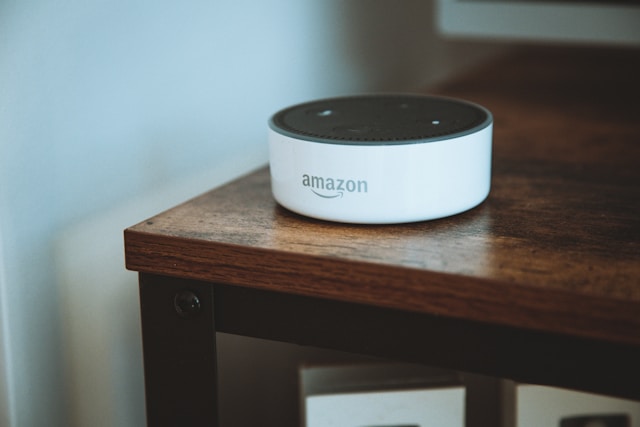
Amazon Alexa has retail and home automation functions. It connects to various smart devices to control via voice commands lights to home defense systems. Alexa is also an easy tool to use to manage shopping lists, remind one about appointments, and automate office operations. Small businesses employ Alexa to manage stock quantity, orders handling, and office communications automation. Alexa’s “Skills” option offers flexibility to enable users to use the use to suit some specific purposes, be it office or home.
Apple Siri
Siri is an essential AI partner to the user in the Apple ecosystem. It offers seamless integration to the devices manufactured by Apple, thereby making iPhones, iPads, Macs, and smart home devices voice-controlled through the integration through the use of HomeKit. It offers users routine productivity through the sending of messages, reminder creation, and control of smart home devices. It can be used to send a message, play a song, or control the thermostat. The seamless integration that it offers to the other Apple programs and devices makes the usage seamless.
Microsoft Cortana
Microsoft Cortana has been designed specifically to suit office users. It fully supports Windows integration and Microsoft 365. Hence, using it within an office is the best option. Cortana supports the creation of meeting schedules, the creation of reminders, and the organization of the task. Cortana can compose emails and also offer smart suggestions during the meeting. For instance, a professional can instruct Cortana to schedule the day, and it will create a scheduled calendar based on the entries and priority. Its productivity-related functions enable Cortana to be an efficient tool to enhance the productivity of the work.
Samsung Bixby
Samsung Bixby is the most intelligent to be employed by users under the Samsung ecosystem. It offers robust voice control of Samsung devices like smartphones, tablets, smart TVs, and smart home devices. Samsung Bixby can be used to automate the sending of messages, calling, and controlling smart devices through basic voice commands. As an example, one can easily employ the command, “Turn off the lights, Bixby,” and the command will be executed. It supports Samsung’s SmartThings app that offers easier control of devices through one interface.
ChatGPT by OpenAI
who is the best ai assistant
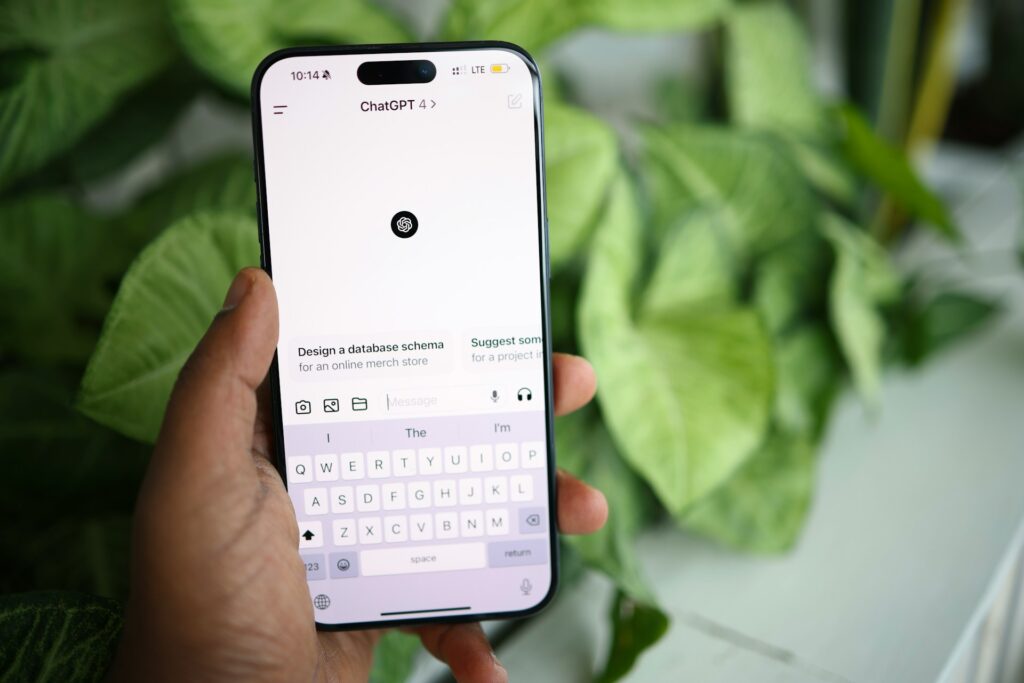
Unlike traditional voice assistants, ChatGPT is a powerful tool for text-based interactions. It excels in content generation, answering questions, and managing online interactions. Many businesses and creators use ChatGPT as a virtual assistant to draft responses, generate content ideas, and engage with audiences. For instance, a social media manager might use ChatGPT to create thoughtful replies to community comments or to brainstorm creative post ideas. It’s also popular for creating automated chatbots that provide human-like customer support.
Motion AI
Motion AI is an efficient tool that supports users to organize schedules, manage work, and be more efficient. It offers the possibility to add smart scheduling, task organization, and reminder automation. As an artificial tool to professional users, Motion AI can help users organize the meeting calendar, assign priority to the tasks, and streamline the workflow. The best way to understand how Motion AI functions is the integration that it offers to use Google Calendar and Slack to automate the routine to allow teams to work strategically.
Which AI Assistant is Right for You?
Choosing the best AI assistant will be a case of one’s specific needs. Google Assistant and Alexa are best used to control the smart home. Siri and Bixby are best used within each respective ecosystem but Cortana is best used within the office. ChatGPT will create sophisticated writing but Motion AI produces the best productivity and task management. Each one has something to bring to the table to create the best pairing to use within the home and the office.. However, there is also another solution if you need something created just for you.
Why Scrile AI is The Best Solution for Building Your Own AI Assistant
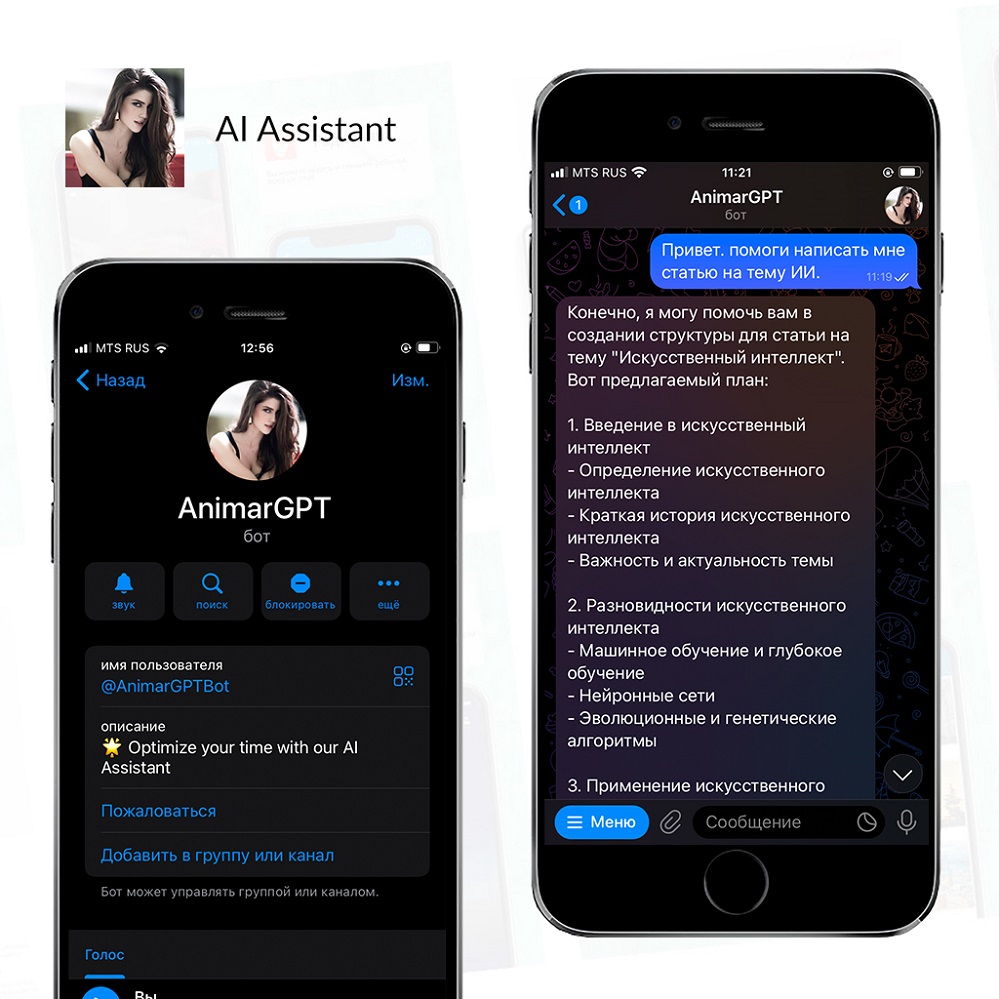
Scrile service offers a robust service for creating customized AI assistants tailored to unique business needs. Unlike generic tools, Scrile AI allows businesses to develop AI personal assistants for business or personal use with features and interactions that align perfectly with their brand and goals.
One of the biggest advantages of Scrile AI is its ability to deliver beyond off-the-shelf tools. Instead of using a standard AI assistant, businesses can design solutions specifically for their industry. Scrile solutions support a wide range of markets, including e-commerce, education, tech services, and niche sectors like creator platforms, influencer accounts, dating sites, social media, and adult websites. This adaptability makes it a versatile choice for businesses aiming to integrate a best personal assistant AI that can handle complex interactions.
Real-world adaptability is another strength of Scrile AI solutions. The AI assistants developed through its platform are not static; they learn from interactions, evolve with the business, and remain relevant over time. For example, a business could create an AI assistant that not only automates communication but also provides personalized responses and enhances user engagement. This assistant might manage customer inquiries, support sales teams, or automate social media interactions—showing why Scrile AI is a top choice for building a dynamic and effective AI assistant.
If you’re looking for the best AI assistant for your business, Scrile offers the tools and flexibility to create an assistant that meets your exact needs. It is the ideal platform for those who want a tailored solution instead of a one-size-fits-all approach. Explore how Scrile can help you develop a personalized AI assistant that keeps your brand ahead of the competition.
Off-the-Shelf AI Assistants vs. Scrile AI
| Option | Branding & Ownership | Flexibility | Monetization | Best Fit |
|---|---|---|---|---|
| Standard AI Assistants (Google, Alexa, Siri, etc.) | Vendor-controlled | Fixed features, limited customization | None | General users & households |
| Scrile AI (Custom Assistant) | 100% branded & owned | Fully customizable: text, voice, NSFW/SFW, CRM hooks | Built-in: subs, tips, PPV | Businesses, creators, niche platforms |
Conclusion
The best AI assistant can make a real difference in both personal and business life. These digital helpers boost productivity, streamline tasks, and offer valuable support in everyday routines. Whether you’re using Google Assistant for smart home control, Amazon Alexa for managing e-commerce tasks, or ChatGPT for content generation, each tool brings unique benefits to the table.
For businesses looking to go beyond generic solutions, Scrile AI offers a unique opportunity. Instead of settling for a standard AI personal assistant, you can develop a custom assistant tailored to your specific needs. Scrile’s solutions provide all the tools required to build an AI that aligns perfectly with your brand and industry. This flexibility is ideal for companies in niche markets or those with specialized communication needs.
If you’re ready to create a personalized AI assistant that fits your exact needs, explore Scrile AI tools today. It’s the first step towards building a smarter, more efficient digital assistant that can keep your business ahead of the curve.
FAQ – Best AI Assistant in 2026 (Voice Assistants, ChatGPT, Motion AI, Custom Builds)
Quick answers to help you choose the right AI assistant for your life or business — and understand when it’s smarter to build your own.
What is the best AI assistant in 2026?
There isn’t one “best” assistant for everyone. The best choice depends on what you need: smart home control, productivity scheduling, content and communication, or a business assistant that matches your brand and workflow.
A simple way to decide: if you live inside one ecosystem (Google, Apple, Amazon, Samsung), start there. If your work is mostly writing, support, or messaging, go with an LLM-style assistant. If the assistant is part of your product or revenue model, consider a custom assistant you own.
What’s the difference between voice assistants and ChatGPT-style assistants?
Voice assistants (Google Assistant, Alexa, Siri, Bixby) are strongest at device control and routines: lights, timers, reminders, calls, and smart home workflows. They win when “hands-free” matters.
LLM assistants (like ChatGPT) are strongest at language: drafting, summarizing, brainstorming, customer replies, and building chat-based support. They feel more conversational, but they don’t always have the same native device control as ecosystem voice assistants.
Which AI assistant is best for smart home control?
For smart home, the “best” assistant is usually the one that matches your hardware. If your devices lean Google, Google Assistant is a natural fit. If your home is Alexa-first, Alexa wins on device variety and skills. If you’re deep in Apple, Siri + HomeKit stays the smoothest.
Don’t choose based on marketing. Choose based on compatibility: supported devices, routines/automation, and how stable voice recognition is in your environment.
What’s the best AI assistant for work productivity and scheduling?
If you want a “calendar brain” that auto-schedules tasks and protects focus time, productivity assistants like Motion AI are built for that. They’re strongest when your problem is constant replanning and prioritization.
If your work is mostly within Google Workspace or Microsoft 365, ecosystem tools can still be useful for reminders and light task handling. The key is choosing the tool that actually reduces calendar chaos instead of adding another inbox.
Can I use ChatGPT as a personal assistant for business tasks?
Yes — especially for communication and content: emails, support replies, community moderation, social posts, scripts, and internal documentation. It’s also useful for quick research summaries and turning messy notes into structured plans.
To make it feel like a “real assistant,” you need a workflow: templates, tone rules, saved prompts, and boundaries (what it can and can’t do). The assistant becomes powerful when it is consistent, not random.
Is Microsoft Cortana still relevant as an AI assistant?
Cortana historically made sense for people living inside Windows and Microsoft 365 workflows. For many users, the practical value was meeting reminders, calendar handling, and a tight connection to the Microsoft ecosystem.
The bigger point is strategic: if you rely on any ecosystem assistant for business operations, make sure your workflow can evolve. AI tools change quickly, so your process should not depend on one assistant remaining the same forever.
What should I look for when choosing an AI assistant?
Start with “fit”: ecosystem compatibility (devices and apps), core use case (home control, scheduling, content, support), and how fast you can integrate it into daily habits. If it doesn’t become routine, it won’t matter how smart it is.
Then evaluate the business layer: pricing, team features, permission control, integrations, and analytics. The best assistant is the one that gives you back real time — not the one with the most features.
Are AI assistants safe to use (privacy and data)?
They can be safe, but you should treat them like any online platform: the more permissions and integrations you connect (email, calendar, CRM), the more sensitive the data becomes. Safety is not only “encryption,” it’s also what gets stored and who can access it.
Practical hygiene helps: use separate accounts for testing, minimize stored personal data, review retention policies, and avoid sharing secrets in chats. For regulated workflows, a custom deployment where you control storage is often the safer path.
How much do AI assistants cost?
Many consumer voice assistants are “free” in the sense that you don’t pay a subscription just to speak to them — but you pay indirectly through hardware and ecosystem lock-in. Productivity and LLM tools are more often subscription-based.
For business, the real cost is total cost of ownership: subscription + integrations + time saved. If an assistant saves hours weekly across a team, it pays for itself fast. If it creates extra workflow complexity, it’s expensive even at $0.
When should I build a custom AI assistant instead of using off-the-shelf tools?
Build custom when the assistant is part of your product, brand, or monetization. Off-the-shelf tools can’t give you full ownership, unique behavior, deep integrations, and a UI that matches your business.
Custom assistants also make sense for niche workflows (creator platforms, support automation, sales qualification, industry-specific compliance). If your assistant needs to follow your rules and grow with your roadmap, owning the platform (instead of renting a tool) is the long-term move.

Polina Yan is a Technical Writer and Product Marketing Manager, specializing in helping creators launch personalized content monetization platforms. With over five years of experience writing and promoting content, Polina covers topics such as content monetization, social media strategies, digital marketing, and online business in adult industry. Her work empowers online entrepreneurs and creators to navigate the digital world with confidence and achieve their goals.
We built our internal assistant using Scrile AI, and I can confirm the flexibility part is 100% true. We trained it to handle client chats and automate small billing tasks. Way better than juggling three SaaS tools.
Finally, a 2025 list that’s actually current! Most sites still recycle old reviews from 2022. I like that you included Motion AI — no one talks about it, but it’s genuinely underrated for productivity.
I live inside the Alexa ecosystem 😅 but lately I’ve been tempted to switch to Google Assistant. The way it syncs with Gmail and Maps is unreal. Curious if Scrile AI could ever integrate with smart home tools like that?
Loved that you highlighted how assistants are now ecosystem-specific. People forget that the “best” one depends on your workflow. As someone juggling Apple + Google + OpenAI tools, that hybrid setup is real.
I still think Bixby gets too much hate. On Samsung devices it’s actually smooth now. But I agree — the weak app ecosystem hurts it. Would love to see a custom version powered by something like Scrile AI in the future.
Motion AI is such a hidden gem. It basically replaced my project management app. Integration with Slack + auto task prioritization is next level. I’m curious if Scrile AI offers similar task automation features for teams?
Google Assistant still wins for everyday life, but for business, ChatGPT is unbeatable. I use it for writing emails, drafting contracts, even idea brainstorming. Surprised you didn’t include Perplexity or Pi AI, though — they’re rising fast this year!
This made me rethink how much I rely on Siri. It’s great for quick reminders, but it’s falling behind compared to what ChatGPT or Google can do now. Apple really needs to catch up in 2025.
купить диплом педагога купить диплом педагога .
The “Consistency” section really resonated. I use ChatGPT daily for brand replies, and it’s been a lifesaver. We’re exploring Scrile AI for a branded assistant — love the idea of owning the data instead of feeding it into third-party systems.