
An AI personal assistant app in 2026 is no longer just a smarter to-do list. The best AI assistant apps can auto-plan your day, protect focus time, coordinate meetings, and reduce the constant back-and-forth that usually forces people to hire a human assistant.
In this guide, we review five practical picks across the most searched use cases: personal assistant app for planning, personal assistant AI app for calendar + tasks, AI executive assistant app / AI secretary app for scheduling and coordination, and AI assistant software for teams. We’ll also explain when it makes sense to use a best AI assistant service (done-for-you automation) vs building your own AI personal assistant software.
There’s a limit to how many tabs we can juggle, how many tasks we can track in our heads, and how many calendar invites we can answer before something drops. Between back-to-back meetings, inbox chaos, and constant notifications, many people — from solo entrepreneurs to mid-sized teams — are burning time just trying to stay organized. It’s no surprise that interest in the AI personal assistant app category has exploded. These aren’t just smart to-do lists anymore. The best tools in 2026 actually think ahead — auto-scheduling your day, handling email threads, flagging potential conflicts, and learning from your habits over time.
While the tech itself is impressive, what makes these assistants so compelling is how specific they’ve become. There are AI tools built just for freelancers managing client work, apps designed for overwhelmed team leads, and others crafted for creators who want to streamline production without losing their voice.
And with large language models becoming more accessible, these assistants are no longer locked behind enterprise software. Anyone with a browser and a need for structure can try one — or build one.
In this article, we’ll walk through five of the most effective AI personal assistants available in 2026. We’ll cover what they do best, how they handle real-world tasks, and how you can use them to free up your time and focus on the work that actually matters.
Quick Snapshot: 5 Best AI Personal Assistants
| App | Best For | Standout Abilities | Where It Falls Short | Ideal Team Size |
|---|---|---|---|---|
| Motion | Dynamic schedules & shifting priorities | Real-time auto-scheduling, focus blocks, deadline-aware replanning | Limited email help; interface feels “calendar-first” to some | Solo → SMB teams |
| Clara | Email scheduling & client coordination | Natural-language email replies, timezone handling, hands-free rescheduling | Narrow scope (emails/meetings); relies on inbox workflows | Execs, client-facing roles |
| Reclaim.ai | Protecting focus time & habits | Smart time-blocking for routines, adaptive priorities, shared visibility | Not an email assistant; requires calendar buy-in from team | Individuals → small teams |
| Trevor AI | Minimalist task→calendar flow | Drag-and-drop time-blocking, simple UI, priority-based suggestions | Fewer “enterprise” features; lean reporting | Freelancers, creators, consultants |
| Taskade AI | Creative planning & real-time collab | AI outlines/mind maps, templates, multi-user editing, NL commands | Less specialized in scheduling/email | Creative teams, remote squads |
Why AI Personal Assistants Are Evolving So Fast
Five years ago, most digital assistants were glorified reminder apps — they could ping you at 9 AM, maybe reschedule a meeting, and that was about it. Fast forward to 2026, and we’re looking at a completely different category of tools. Today’s AI personal assistants aren’t just reactive. They’re proactive, adaptive, and increasingly personalized.
This leap comes from a few major shifts in the tech behind the scenes. First, the rise of powerful large language models like GPT-4, Claude, and others has allowed assistants to hold natural conversations, understand nuance, and summarize complex threads of information. The best ones don’t just listen — they learn. They start to understand your priorities, your work rhythms, and even how you write.
Second, modern AI task assistant systems are built on smarter automation stacks. They connect with your calendar, Slack, project tools, email, and files — and then take action based on real-time data. It’s not just about scheduling anymore. It’s about doing things for you.
And finally, privacy and personalization have improved. The most advanced AI personal assistant app can now run in secure environments, giving users more control over what’s stored, shared, or deleted.
If you’re wondering how to use AI as a personal assistant, the answer is increasingly: however you want. The tools are catching up to your needs — and in many cases, anticipating them.
AI Assistant App vs Personal Assistant Software vs Best AI Assistant Service
People search “ai assistant app” and “ai assistant software” as if they’re the same thing — but they’re not.
AI assistant app = you use it yourself (calendar, tasks, planning).
Personal assistant software = your team uses it (shared visibility, workflows, templates, collaboration).
Best AI assistant service = the assistant “acts” for you (automation + inbox/calendar actions, sometimes with human oversight).
If you only need daily planning, an app is enough. If you sell or operate operations for many users/clients, you’re looking at software. If you want outcomes (meetings booked, email handled), you’re looking at a service layer.
5 Best AI Personal Assistant Apps in 2026
There’s no shortage of tools claiming to make your life easier, but not all of them actually do anything for you. The apps below aren’t just organized interfaces — they function like real assistants. They schedule your meetings, sort your day, and anticipate your next move. Whether you’re running a solo business or managing a remote team, these five picks represent the strongest options on the market right now.
Feature Matrix (What Each App Actually Does)
| Capability | Motion | Clara | Reclaim.ai | Trevor AI | Taskade AI |
|---|---|---|---|---|---|
| AI auto-scheduling | ✅ | ➖ | ✅ | ✅ | ➖ |
| Email handling / scheduling by email | ➖ | ✅ | ➖ | ➖ | ➖ |
| Task management | ✅ | ➖ | ✅ (habits/routines) | ✅ | ✅ |
| Deep-work / focus blocks | ✅ | ➖ | ✅ | ✅ | ➖ |
| Team collaboration (live docs/boards) | ➖ | ➖ | ✅ (calendar visibility) | ➖ | ✅ |
| Templates / AI brainstorming | ➖ | ➖ | ➖ | ➖ | ✅ |
| Calendar integrations (Google/Outlook) | ✅ | ✅ | ✅ | ✅ (Google) | ➖ |
| Mobile apps | ✅ | ✅ | ✅ | ✅ | ✅ |
| Typical pricing model | Subscription | Per-seat / usage | Subscription | Freemium / subscription | Freemium / subscription |
Legend: ✅ = native strength · ➖ = limited/indirect
Motion — Real-Time Planning That Adjusts Around You
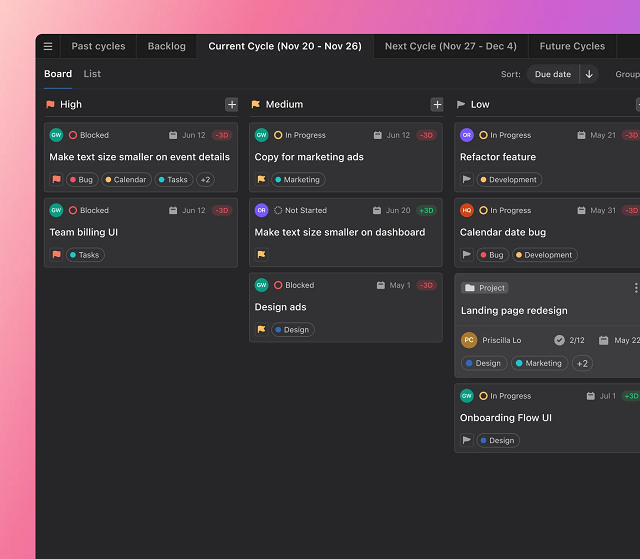
If your calendar is a mess, your tasks are scattered across apps, and you’re constantly re-planning your day, Motion steps in like a calm, invisible assistant. This tool blends calendar management, task planning, and prioritization — then uses AI to automate the rest.
What sets Motion apart is that it doesn’t just remind you what to do. It actively reschedules tasks based on shifting deadlines, meeting changes, and how long you actually need to finish something.
Key features include:
- AI-powered daily auto-scheduling
- Integration with Google and Outlook calendars
- Real-time updates when meetings shift or cancel
- Prioritization based on deadlines and task weight
- Smart focus time blocks for deep work
It’s built for people who need to defend their schedule without constantly managing it — remote workers, team leads, or solo professionals with unpredictable days.
Instead of building a routine around a tool, Motion builds your routine around you. It keeps things moving without the mental load.
For anyone looking to gain back hours without hiring a human assistant, Motion is easily one of the best AI personal assistant app options available in 2026.
Clara — Email Scheduling Without the Awkward Ping-Pong
Clara is an AI personal assistant app built for one thing: handling meeting coordination over email, so you never have to go back and forth again. But what sets it apart is its human touch. Instead of sending generic booking links, Clara actually reads the conversation, interprets tone, and replies like a real assistant.
It integrates directly with your calendar and jumps in when you CC it on an email. From there, it handles the rest — confirming time zones, checking availability, following up, and even rescheduling if needed. The emails are clean, professional, and surprisingly human.
Key features include:
- Email-based meeting scheduling with natural language
- Full calendar integration with Google and Outlook
- Support for multi-participant and recurring meetings
- Customizable tone and communication style
- Hands-free rescheduling and reminders
Clara is ideal for executives, client-facing professionals, or anyone who wants to skip the hassle of manual coordination — without sacrificing personal touch.
It may not be the flashiest tool, but as far as personal assistant software goes, it’s one of the smoothest experiences on the market in 2026.
Reclaim.ai — Protect Your Focus Without Losing Flexibility
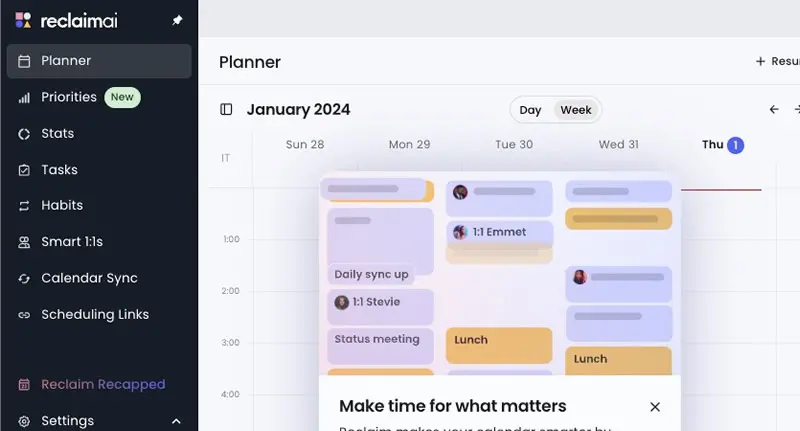
If you constantly feel like your calendar is working against you, Reclaim.ai might be the smartest fix. This tool acts like an invisible layer over your schedule — automatically blocking time for deep work, habits, and recurring tasks, while still adjusting when meetings come up. It’s designed for people who want more control over their day without micro-managing every hour.
The real value of Reclaim lies in how well it protects your priorities. You set goals for how often you want to work out, catch up on email, or prep for meetings — and Reclaim makes it happen by finding space for it in your calendar. When new meetings appear, it shifts things intelligently so you don’t lose momentum.
Key features include:
- AI time blocking for habits, tasks, and routines
- Automatic calendar syncing across platforms
- Real-time adjustments based on new events or conflicts
- Priority settings that align with personal and team goals
- Shared calendar visibility for teams
Reclaim.ai is one of the best AI assistants for work because it doesn’t just help you get things done — it helps you make space for what matters most. Especially valuable for remote workers, creatives, or anyone balancing project work and meetings.
Trevor AI — Calendar Meets To-Do List With Zero Clutter
Trevor is a hidden gem that marries a robust to-do list to scheduling in real-time, and it’s an excellent choice for someone who wants complete control of their day — but no unnecessary burden. Where more weighty productivity systems are heavy, Trevor is light and simple: it puts your items directly onto your calendar and uses artificial intelligence to inform you of when you should be doing what.
Where it shines is simplicity. You create your task list, choose some of the options, and Trevor provides you time blocks that actually work. No distractions, no unnecessary menus. It’s the kind of assistant that helps you create habits rather than reacting to chaos.
Key features include:
- Task-to-calendar syncing with drag-and-drop ease
- AI suggestions based on priority and availability
- Simple interface designed for solo users
- Integrates with Google Calendar
- Real-time time-blocking that updates as you go
Trevor AI is perfect for freelancers, consultants, and solo creators who want to manage time better without overloading on features. It’s clean, fast, and surprisingly good at keeping you on track.
Among the more focused tools on the names of AI assistants lists in 2026, Trevor earns its place for doing exactly what it promises — and doing it well.
Taskade AI — A Creative Workspace Powered by Collaboration
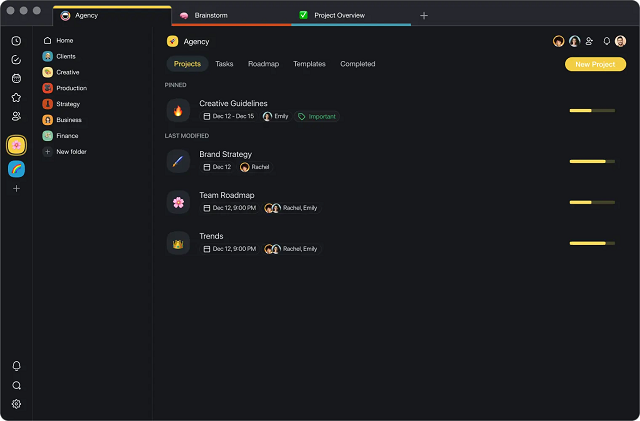
Taskade stands out in the manner in which it achieves the balance of productivity and creativity. It is not a helper that lets you do, but lets you think, co-create, and collaborate in projects in real-time. Designed specifically for remote teams, virtual creatives, and solo operators who don many hats, Taskade uses AI to automatically outline, structure ideas, and task manage in a single versatile workspace.
Unlike traditional assistants that focus only on scheduling or email, Taskade leans into structure and brainstorming. Whether you’re writing a content plan, mapping out a product launch, or just managing your weekly goals, it gives you smart suggestions and automates your repetitive workflows.
Key features include:
- AI-generated task lists, outlines, and mind maps
- Collaborative editing across devices
- Templates for marketing, content, and planning
- Natural language commands for creating or reformatting tasks
- Real-time sync with team members
If you want an assistant that feels more like a creative partner than a scheduler, Taskade AI delivers. It’s versatile, visual, and surprisingly intuitive.
As more tools flood the list of AI assistants in 2026, Taskade keeps its edge by balancing functionality with a playful, flexible interface — and that’s what makes it stick.
“Pick-By-Use-Case” Decision Guide
| Your Situation | Pick This | Why |
|---|---|---|
| Day changes hourly; need automatic replans | Motion | Rebuilds your day around shifting meetings/deadlines |
| Endless back-and-forth to book meetings | Clara | Handles email threads like a human assistant |
| Need to protect habits & deep work | Reclaim.ai | Locks important routines without sacrificing flexibility |
| Want the lightest task→time workflow | Trevor AI | Zero-clutter time-blocking that actually sticks |
| Creative planning with real-time collaboration | Taskade AI | AI outlines + shared workspaces keep teams moving |
Scrile AI: Building a Custom AI Assistant for Your Business
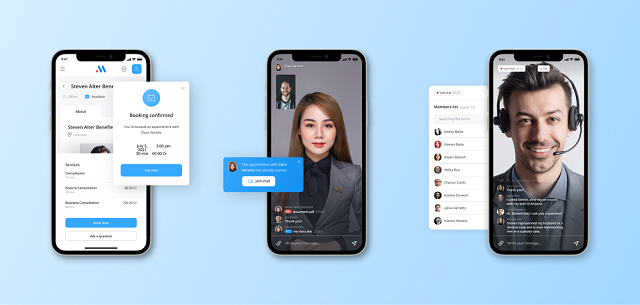
Even the smartest tools on the market come with limits. Off-the-shelf solutions often force you to adapt your workflow to their features — not the other way around. You’re stuck with pre-set templates, limited branding options, and feature caps that eventually slow you down. If you’ve ever tried scaling a service around an app you don’t control, you know how frustrating that can be.
Scrile AI offers an alternative: a way to build your own AI assistant from the ground up. Not another tool — a fully customized platform tailored to your business, your users, and your growth strategy. Whether you need a productivity-focused AI, a chatbot with personality, or something completely unique, Scrile AI gives you full control over how it works and how it looks.
What Scrile AI can deliver:
- Custom-branded UI/UX to match your voice and audience
- Safe-for-work or NSFW conversational logic
- Built-in monetization: subscriptions, tipping, PPV
- Admin dashboard with analytics, CRM, and user controls
Use cases include:
- Adult creators launching AI companions (Candy AI-style)
- Influencers building interactive AI personas
- Businesses needing scheduling, customer support, or sales automation agents
The result isn’t just an app — it’s a business. One that doesn’t rely on third-party rules, algorithms, or app store restrictions. If you’re serious about building the best personal AI assistant for your brand or audience, Scrile AI helps you own every part of it — from backend logic to user experience.
Off-the-Shelf Assistants vs. a Custom One (Scrile AI)
| Option | Ownership & Branding | Flexibility | Monetization | Data Control | Good Fit For |
|---|---|---|---|---|---|
| Off-the-shelf apps (Motion/Clara/Reclaim/Trevor/Taskade) | Vendor-controlled; light branding | Feature set fixed to roadmap | Usually none (tooling only) | Provider policies apply | Individuals & teams adopting standard workflows |
| Scrile AI (Custom Assistant) | 100% yours (UI/UX, domain, persona) | Build exactly what you need: scheduling, inbox, CRM hooks, voice/NSFW modes, etc. | Built-in: subscriptions, tips, PPV | Full control (deployment & retention) | Brands/creators/companies needing a owned, scalable assistant |
SoftService x Scrile AI: we can help you design, build, and launch a custom AI assistant that matches your stack (calendar, email, project tools), your brand voice, and your revenue model—without vendor lock-in.
Conclusion
AI personal assistants in 2026aren’t just helpful — they’re becoming essential. Whether you’re managing a packed schedule, coordinating a remote team, or building your own AI product, the right tool can save hours and reduce stress. Off-the-shelf apps are a great starting point, but if you need full control, customization, and revenue potential, building your own assistant makes more sense.
Curious what that could look like? Get in touch with the Scrile AI team to explore how you can launch your own custom AI personal assistant app — exactly how you want it.
FAQ – AI Personal Assistant Apps (Scheduling, Email, Teams, Custom Assistants)
The practical questions people ask after trying tools like Motion, Clara, Reclaim.ai, Trevor AI, and Taskade — plus when it’s smarter to build your own assistant.
What is an AI personal assistant app (and what does it do beyond a to-do list)?
An AI personal assistant app is a productivity tool that can plan and execute work, not just remind you about it. Modern assistants connect to your calendar, tasks, and sometimes email, then help schedule focus time, move tasks around when priorities shift, and reduce the “constant replanning” problem.
In 2026, the best assistants feel proactive: they protect deep-work blocks, suggest the next best action, and keep your day realistic when meetings change.
Which AI personal assistant app is best for automatic scheduling and shifting priorities?
If your day changes hourly, pick a calendar-first assistant that actively re-plans around deadlines and meeting changes. These tools are strongest when they can rebuild your schedule automatically instead of forcing you to drag blocks all day.
To choose quickly, test one messy week: import tasks, add deadlines, then watch how the assistant reacts to real meeting chaos. The winner is the one that keeps your plan usable without constant babysitting.
Which app is best for scheduling meetings through email (no booking-link ping-pong)?
Email-first assistants are built for one job: reading email context, proposing times, handling time zones, and confirming meetings without you chasing threads. They’re ideal for executives and client-facing roles where “professional tone” matters.
If most of your scheduling happens inside email conversations, pick a tool that integrates directly with your inbox and calendar instead of one that only generates suggestions in a separate UI.
What integrations should I look for in a personal assistant software?
Start with the core stack: Google Calendar or Outlook, then tasks (your to-do source), and only then “nice-to-haves” like Slack, project tools, and docs. If the assistant can’t reliably read and write your calendar, everything else is cosmetic.
For teams, check shared calendar visibility, permission control, and how conflicts are handled. A great assistant reduces coordination load — it doesn’t create a new workflow nobody follows.
How do AI assistants protect focus time and routines without breaking flexibility?
Focus-oriented assistants use time blocking plus priority rules. You define what matters (deep work, habits, prep time), and the tool automatically finds space on the calendar — then intelligently shifts blocks when meetings appear.
The key is “rules you control.” Look for priority levels, buffer time, and conflict resolution settings so the assistant doesn’t reschedule your life into nonsense.
Are AI personal assistant apps safe and private to use?
They can be, but privacy depends on the exact permissions you grant and what the vendor stores. The risk usually comes from connecting email and calendars: those integrations expose sensitive content even if the app feels “just productivity.”
Before adopting any assistant, check: data retention, admin access controls, export/delete options, and whether you can limit what the tool can read. For regulated workflows, consider custom deployment where you control storage and policies.
Can an AI assistant help a team, or is it only for solo users?
Teams benefit most when the assistant improves coordination: shared visibility, fewer scheduling conflicts, and clearer priorities. Collaboration-first tools also help by turning ideas into structured plans and keeping documentation organized.
If you’re rolling this out to a team, start with a small pilot group and measure outcomes: fewer meetings, faster turnaround, and less “calendar chaos.” Adoption is the real feature.
How much do AI personal assistant apps cost, and how are they priced?
Most assistants use subscriptions. Some are solo-friendly monthly plans, while others are per-seat pricing for teams. You may also see usage-based components for advanced AI features or heavier automation.
When comparing pricing, don’t look only at the monthly number. Ask what you’re buying: time saved, fewer missed deadlines, less coordination overhead, and whether the tool becomes a “system” your team can actually stick to.
When does it make sense to build a custom AI assistant instead of using off-the-shelf apps?
Build a custom assistant when the assistant is part of your product or revenue model — not just an internal tool. Off-the-shelf apps are great for standard workflows, but they can’t give you full branding, unique assistant behavior, deep integrations, or full control over data and user experience.
Custom assistants also make sense when you need specific modes (business support, scheduling, sales automation, creator engagement, safe-for-work or NSFW logic), and you don’t want your roadmap to depend on a vendor.
Can I monetize my own AI assistant app (subscriptions, tips, PPV)?
Yes. If you’re building a custom assistant as a product, monetization can be native: subscriptions, pay-per-feature access, tipping, and premium content/workflows. The assistant becomes a business asset you control instead of a tool you rent.
This is where a custom platform approach (like Scrile AI + SoftService implementation) is useful: you can ship branded UI/UX, define assistant behavior, add analytics/admin tools, and connect the assistant to your own billing and growth loops.

Polina Yan is a Technical Writer and Product Marketing Manager, specializing in helping creators launch personalized content monetization platforms. With over five years of experience writing and promoting content, Polina covers topics such as content monetization, social media strategies, digital marketing, and online business in adult industry. Her work empowers online entrepreneurs and creators to navigate the digital world with confidence and achieve their goals.
Scrile AI caught my eye. I’m exploring building an internal assistant for our coaching app — with billing, chat, and content generation under one brand. The “own your data” angle is 🔥. Any example use cases you can share?
Trevor AI is underrated. It’s like Todoist and Google Calendar had a minimalist baby. For indie developers, that simplicity is gold. No fluff, no AI overload — just clean focus.
Clara is a game-changer for inbox coordination. I manage three executives, and it handles 70% of our meeting requests without sounding robotic. But yeah, the per-seat pricing gets steep fast.
We run Taskade for collaborative campaign planning. The AI templates for content outlines and brainstorms are scary good. I’d call it “Notion + ChatGPT + real-time docs” in one.
Motion honestly changed how I work. It’s the first app that actually fixes my day when a client moves a meeting. No more juggling five calendars. Only wish the mobile app had better offline handling.
Been using Reclaim.ai for about a year. The “smart habits” feature is the secret weapon — I finally stopped missing workouts and deep-work blocks. Surprised more people don’t talk about it.