
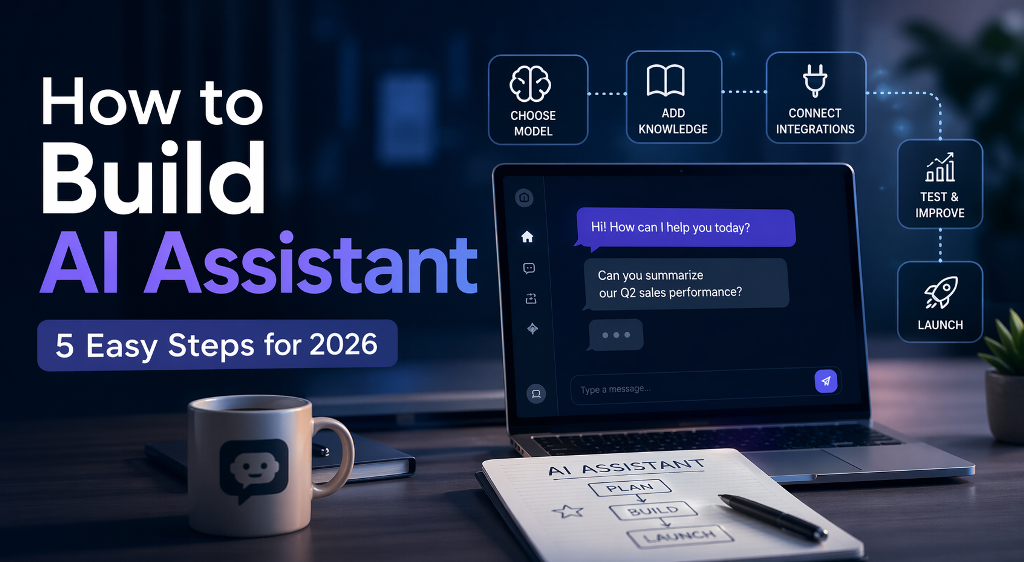
To build AI assistant solutions today, you don’t start with code, you start with clarity. Define exactly what the assistant should do, pick a model that fits the task, connect it to real data, and give it the ability to act, not just respond. A basic version can be up and running in a few days using APIs and existing tools. A scalable product takes longer, because you’ll need iteration, testing, and real user feedback.
If you want to build AI assistant solutions in 2026, you’re no longer dealing with simple chatbots that answer a few scripted questions. An AI assistant today is closer to a working digital operator. It can read data, remember context, trigger actions, and plug into real business tools. That shift changes everything. You’re not just building a feature, you’re creating something that can actually take work off your plate.
This guide is for founders testing new ideas, product teams adding automation, and solo builders looking to launch something profitable. AI assistants now power customer support, qualify leads, manage internal workflows, and even run paid subscription services.
The goal here is simple. No theory overload. No vague advice. You’ll get a clear, practical breakdown of how to go from idea to working assistant using a structured five-step approach that reflects how real products are built today.
Why Businesses Are Investing in AI Assistants
Companies didn’t suddenly decide to experiment with AI for fun. The shift is happening because the numbers finally make sense.
Take Klarna. The company rolled out an AI assistant for customer support and reported that it now handles the majority of incoming chats. That’s not a small improvement. It directly reduces operational load and response time at scale.
“The AI assistant is now doing the work of 700 full-time agents.”
Then there’s Duolingo, which took a different angle. Instead of cutting costs, they turned AI into a paid feature. Their conversational assistant became part of a premium subscription, giving users a more interactive way to practice language skills.
Across different industries, the pattern is consistent:
- support teams handle higher volumes without expanding headcount
- products gain new paid features powered by AI
- internal workflows move faster with less manual input
That’s why building an AI assistant has shifted from experimentation to execution. Companies use it to cut costs, increase output, or unlock new income streams, depending on where the pressure is in their business model.
What Kind of AI Assistant Are You Actually Building?
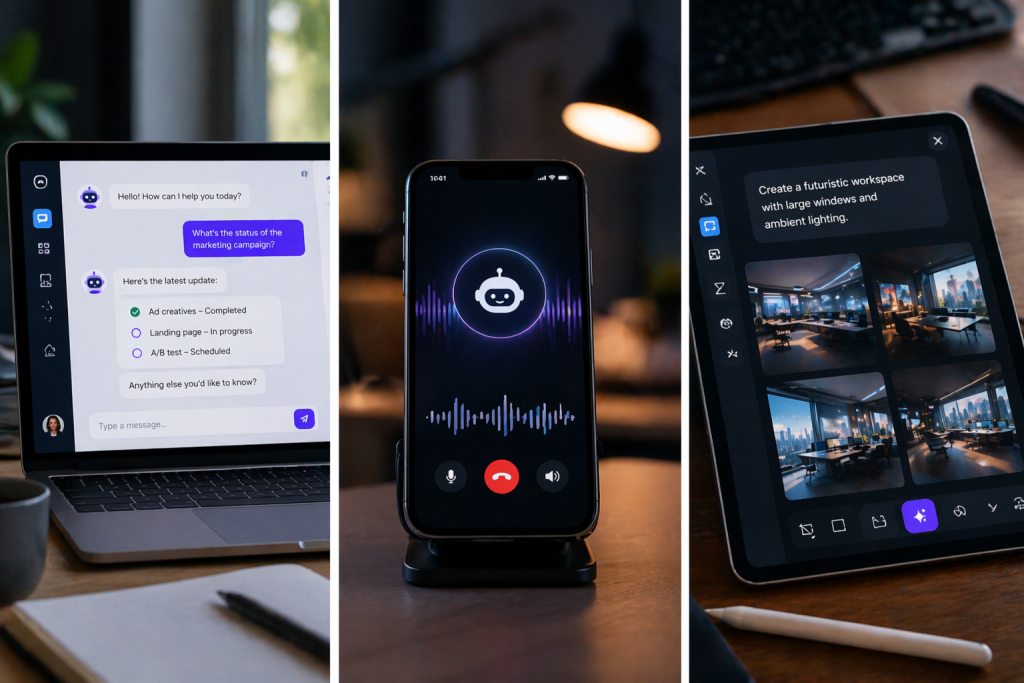
Before you move into development, it helps to be clear about the format. The way your assistant communicates defines the tools you’ll need, the cost of building it, and how users interact with it. This is where many teams lose time. They start building first and only later realize they chose the wrong format for their use case.
- Chat assistants
These are the most common starting point when you build virtual assistant products. They live inside websites, apps, or internal dashboards and focus on text-based interaction. A good chat assistant can handle customer support, guide users through onboarding, or even act as a lightweight internal tool for searching documents and answering team questions. They are faster to launch and easier to iterate, which is why most MVPs start here. - Voice assistants
If you’re figuring out how to make an AI voice assistant, you’re entering a more complex setup. Voice requires speech recognition, response timing, and natural-sounding output. These assistants are used in call centers, booking systems, and smart devices. The payoff is higher engagement, especially in scenarios where typing is inconvenient, but development and testing take more effort. - Multimodal assistants
These combine text, voice, and sometimes images or video. You’ll see them in advanced products like AI tutors, fitness coaches, or creative tools. They can analyze inputs across different formats and respond in a more dynamic way. This is where assistants start to feel less like tools and more like interactive systems, but the complexity and cost increase quickly.
Comparison Table
| Type | Best Use Case | Tech Stack Example | Time to MVP | Realistic Starting Cost | Monetization Model |
| Chat | Website support, SaaS tools, internal assistants | OpenAI API + simple frontend (chat UI) | 3–7 days | $50–$300/month (API + hosting) | Subscriptions, SaaS features |
| Voice | Call automation, booking systems, service lines | Speech-to-text + LLM + text-to-speech (e.g. Whisper + TTS APIs) | 2–4 weeks | $300–$1,500/month | Per-call fees, service automation |
| Multimodal | AI tutors, coaches, premium apps | LLM + voice + image processing + custom backend | 1–3 months | $1,000+ / month | Paid products, subscriptions, high-ticket services |
The difference isn’t just technical. It directly affects how fast you can launch and how you make money.
Chat assistants are the fastest way to validate an idea. Voice assistants take more effort but open service-based use cases. Multimodal products sit closer to full businesses and usually require a longer runway.
The 5-Step Framework to Build AI Assistant
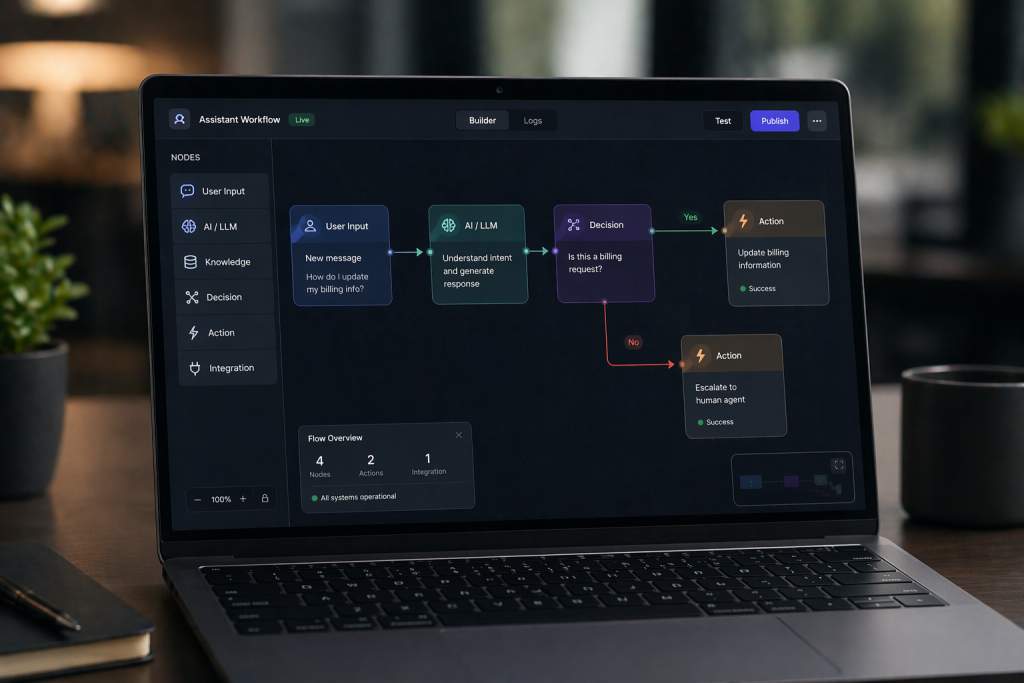
If you’re figuring out how to build an AI assistant, the tricky part isn’t getting it to respond. It’s getting it to behave in a predictable way once real users start interacting with it. You can build AI assistant features quickly now, but stability comes from how you structure the system behind it.
Step 1 — Define the Job
Start with a clear role. Not “help users,” but something you could explain in one sentence.
For example, “answer refund-related questions and escalate edge cases” is something you can build around. It has boundaries. It has a purpose. Once you define that, everything else becomes easier to design, from prompts to integrations.
Step 2 — Choose Model and Logic
Most projects rely on APIs from providers like OpenAI. The choice of model matters, but not as much as how you structure its behavior.
A simple assistant can run on a single prompt. That works for basic tasks. As soon as you expect it to complete actions or follow a sequence, you need a workflow. The assistant starts making decisions step by step instead of just replying.
Step 3 — Add Knowledge (RAG)
This is where many assistants break.
If your assistant only relies on a fixed prompt, it quickly runs into outdated or missing information. Connecting it to a live knowledge source changes that. Instead of guessing, it retrieves relevant data when needed.
A common setup looks like this:
- documents are stored and indexed
- the assistant searches them at runtime
- responses are generated based on retrieved content
That shift alone improves accuracy and makes the system usable in real scenarios.
Step 4 — Connect Tools
At this stage, the assistant stops being just conversational.
It starts doing things. Booking a call, updating a CRM record, triggering a payment. That’s when it becomes part of the workflow instead of sitting next to it.
This step is usually where teams begin to see actual business impact, because tasks are no longer just discussed — they’re completed.
Step 5 — Test and Launch
This part always takes longer than expected.
The assistant works fine in clean scenarios. Then users show up and start asking things in ways you didn’t predict. That’s where issues appear.
You need to actively look for those situations. Push the assistant with messy inputs, unclear questions, and incomplete data. Adjust how it responds and where it stops.
Launching doesn’t mean the system is finished. It means you now have real data to improve it.
Real Business Cases That Actually Generate Revenue
Once you look beyond demos, the value of AI assistants becomes easier to measure. Companies are already using them in very specific ways, and the results show up either in revenue or cost structure.
- Intercom focuses on frontline support. Their AI handles repetitive questions before a human ever gets involved. That reduces ticket volume and lets support teams focus on complex issues instead of answering the same requests all day.
- Shopify approaches it from a different angle. Their AI tools help merchants write product descriptions, respond to customers, and launch stores faster. That has a direct effect on conversion rates and time to market. When products go live faster, revenue starts earlier.
- Salesforce integrates AI into daily workflows. Their assistants summarize deals, generate emails, and guide sales reps during conversations. It reduces time spent on routine tasks and keeps pipelines moving without delays.
- Replika shows the monetization side more clearly. The assistant itself is the product. Users pay a subscription for deeper interaction and personalization, which turns engagement directly into recurring revenue.
Mini ROI Example (Support Automation)
Incoming tickets: 18,000/month
Avg handling time: 6 min
Total workload: 1,800 hours
Before AI:
- 12 agents × $2,500
$30,000/month
After AI (55% automated):
- Remaining workload: 810 hours → 5 agents
5 × $2,500 = $12,500 - AI cost: ~$2,000
Total: $14,500/month
Result
Savings: $15,500/month
~$186,000/year
Create Your Own AI Assistant with Scrile AI
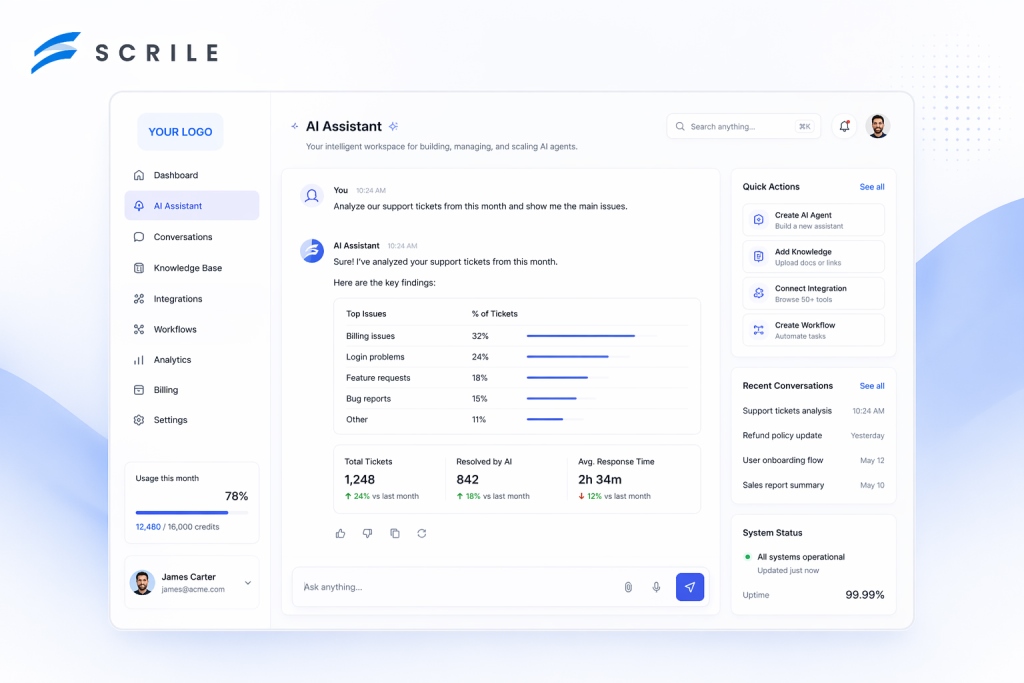
At some point, standard tools stop being enough. If you want to launch a real product, not just test an idea, you need control over how the assistant works, how users interact with it, and how it generates revenue.
Scrile AI provides a white-label foundation for teams that want to build AI assistant solutions as full-scale products. According to its official product materials, the system is designed to launch AI-driven platforms with built-in monetization, user management, and customizable assistant logic.
Here’s what the platform actually includes:
- Custom assistant logic and AI characters
You can define how assistants behave, create characters with specific personalities, and manage interactions through an admin dashboard. - Built-in monetization system
Subscriptions, token-based access, and paid content are supported out of the box, allowing products to generate revenue from the start. - AI-generated content and interaction
The platform supports chat-based interaction and AI image generation, which increases engagement and retention. - User roles and platform structure
You can manage users, access levels, and content inside a single system, which is essential for launching a scalable product. - Privacy, compliance, and scalability
Features like GDPR-compliant data handling, content controls, and scalable infrastructure are built into the platform.
This approach works best when you’re building something you plan to grow and monetize over time. Instead of adapting your idea to a third-party tool, you control the product, the data, and the revenue model from the start.
Which Approach Actually Fits You?
| Situation | Best Approach | Ownership | Customization Depth | Vendor Lock-in Risk | Compliance & Data Control | When It Breaks |
| Testing idea | No-code tools | None | Very limited | Very high | Minimal control | When you need custom logic or integrations |
| MVP launch | API-based assistant | Partial | Moderate | Medium | Depends on setup | When workflows become complex |
| Monetized product | Custom development | Full | High | Low | Full control (GDPR, data, access) | When architecture isn’t designed for scale |
| Internal tool | Lightweight assistant | Internal | Moderate | Low | Internal-only control | When usage expands beyond internal scope |
Conclusion
The tools to build AI assistant solutions are already accessible. You can get something working quickly. The real difference shows up in execution — how well the assistant fits your use case, how reliably it works, and how easily it scales.
If you’re serious about launching a product, not just testing an idea, you need a setup that supports growth, monetization, and full control over the logic. Contact the Scrile AI team today and start building your own AI assistant with a custom solution designed for your business.
FAQ
How to build an AI assistant without coding?
You can use no-code platforms or automation tools that connect to AI APIs. They allow you to launch simple assistants without writing backend logic.
How much does it cost to build AI assistant?
A basic version can cost $50–$300 per month using APIs and hosting. More advanced assistants with integrations and monetization require higher budgets.
What tools are needed to build AI assistant?
You need a language model API, a user interface, backend logic, and a data source. Additional tools depend on features like payments or integrations.
How to make an AI voice assistant?
You combine speech-to-text, a language model, and text-to-speech into one pipeline. The key challenge is keeping response time fast and natural.
Can I monetize an AI assistant?
Yes, through subscriptions, paid features, token systems, or usage-based pricing. The model depends on your product and audience.
What industries benefit most from AI assistants?
Customer support, ecommerce, SaaS, education, and finance benefit the most. Any workflow with repetitive communication is a good fit.
How long does it take to build an AI assistant?
A simple version can be ready in days or weeks. A production-ready system with scaling and integrations takes longer.
What’s the difference between chatbot and assistant?
A chatbot handles basic conversations. An AI assistant can access data, remember context, and perform real actions.

Polina Yan is a Technical Writer and Product Marketing Manager, specializing in helping creators launch personalized content monetization platforms. With over five years of experience writing and promoting content, Polina covers topics such as content monetization, social media strategies, digital marketing, and online business in adult industry. Her work empowers online entrepreneurs and creators to navigate the digital world with confidence and achieve their goals.