
By mid-afternoon, many consultants are no longer thinking about their clients’ problems. They’re thinking about logistics. A calendar that doesn’t sync. A Zoom link buried in email. An invoice that should have gone out yesterday. None of this work generates value, but it quietly eats hours every week. That’s why consultant apps have become part of how modern consulting actually functions. Not as shiny extras, but as practical infrastructure. When scheduling, video calls, payments, and client notes live in one system, work feels lighter and clients notice the difference.
This article breaks down which tools matter most, how real consultants use them, and why custom-built platforms are increasingly replacing stacks of disconnected apps.
Why Consultants Need Their Own App Ecosystem

Most consultants don’t notice the problem right away. It creeps in slowly. One tool for bookings, another for video calls, invoices somewhere else, client notes scattered between email threads and documents. Each tool works on its own, but together they create friction. Time leaks out through small gaps: rescheduling mistakes, missed follow-ups, duplicated data.
This is why many consultants are moving away from email-and-spreadsheet setups toward dedicated workflows. As client volume grows, ad-hoc systems stop holding up. A consulting business is no longer just advice delivered over calls. It’s scheduling, payments, records, and communication running in parallel. That shift explains why consultant apps are becoming less optional and more foundational.
The pressure usually comes from a few very practical drivers:
- Managing bookings, client profiles, and payments across disconnected tools takes far more time than expected. Every update has to be repeated, and mistakes compound quietly.
- Clients now expect smooth scheduling, automatic reminders, secure meeting links, and straightforward billing. Anything clunky feels unprofessional, even if the advice itself is solid.
- Fragmented data increases stress. Important details live in too many places, which leads to missed context and avoidable errors that experienced consultants learn to avoid.
You see this play out in real work. A business coach books two clients into the same slot because calendars weren’t synced. A freelance designer finishes a session but spends weeks chasing payment because the invoice was buried in an old email thread.
A dedicated consulting app ecosystem brings structure back. It reduces cognitive load, improves client experience, and gives consultants room to focus on what they’re actually paid to do.
Core Features Every Consultant App Should Have
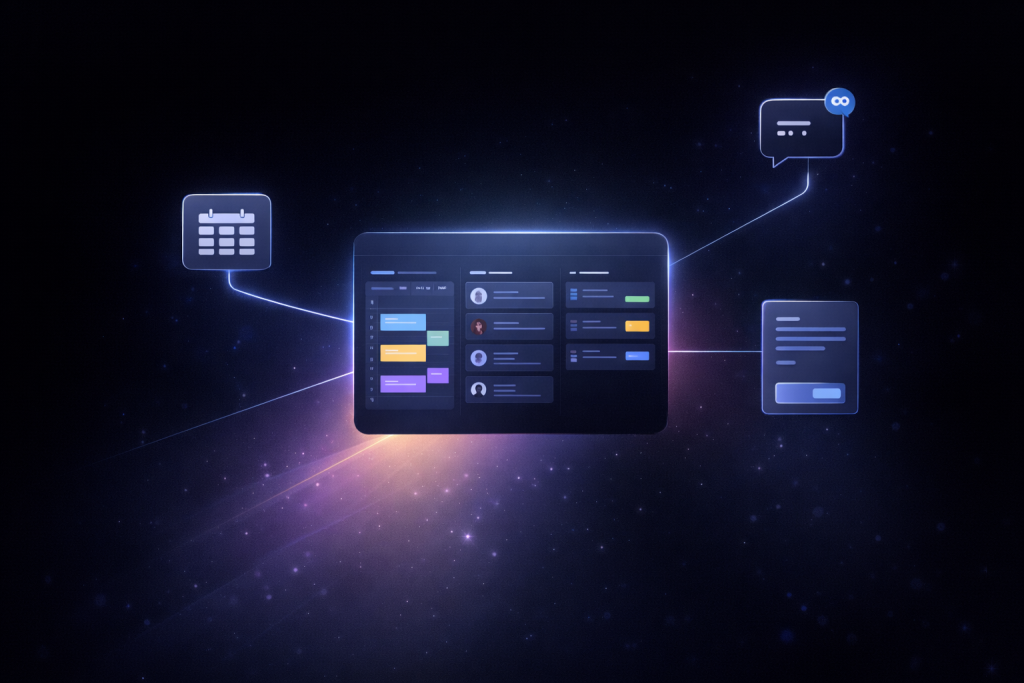
Once the basics are in place, the question stops being whether to use tools and becomes which ones actually help. Good consultant apps remove friction from daily work. The difference shows up quickly: fewer emails, fewer missed sessions, and fewer “sorry, can you resend that?” moments. The features below matter because they touch the parts of consulting that repeat every day.
Scheduling and Calendar Sync
Scheduling is where most consulting workflows either hold together or fall apart. A proper booking system does more than show open slots. It reflects real availability, respects buffer times between sessions, and handles time zones without forcing either side to double-check details.
Effective scheduling tools usually cover several quiet but important points:
- online booking that updates availability in real time, so double bookings don’t happen
- automatic buffer times that protect focus and prevent back-to-back burnout
- calendar sync with Google or Outlook, keeping personal and work schedules aligned
- confirmations and reminders sent automatically, which significantly reduce no-shows
For many apps for consultants, this means fewer emails, fewer mistakes, and hours saved every week.
Communication Tools
Communication works best when it stays close to the session itself. Integrated chat allows clients to ask short questions, share files, or clarify details without opening a new email thread. Asynchronous messaging keeps conversations moving without demanding immediate replies.
Built-in video is just as important. Secure, native video removes the need to manage external links or jump between platforms. When chat, video, and session history live in one place, trust grows naturally. Clients feel looked after, and consultants spend less time managing tools and more time delivering value.
From Scheduling to Billing — Apps That Cover the Full Cycle
As consulting work becomes more repeatable, the real challenge shifts from choosing tools to maintaining continuity. Information needs to flow smoothly from the first booking to the final payment. When that chain breaks, consultants lose time, context, and sometimes revenue. This is why consultant apps that cover multiple stages of the workflow have gained traction. They don’t just save clicks. They reduce handoffs and mental load.
Scheduling & Client Management Solutions
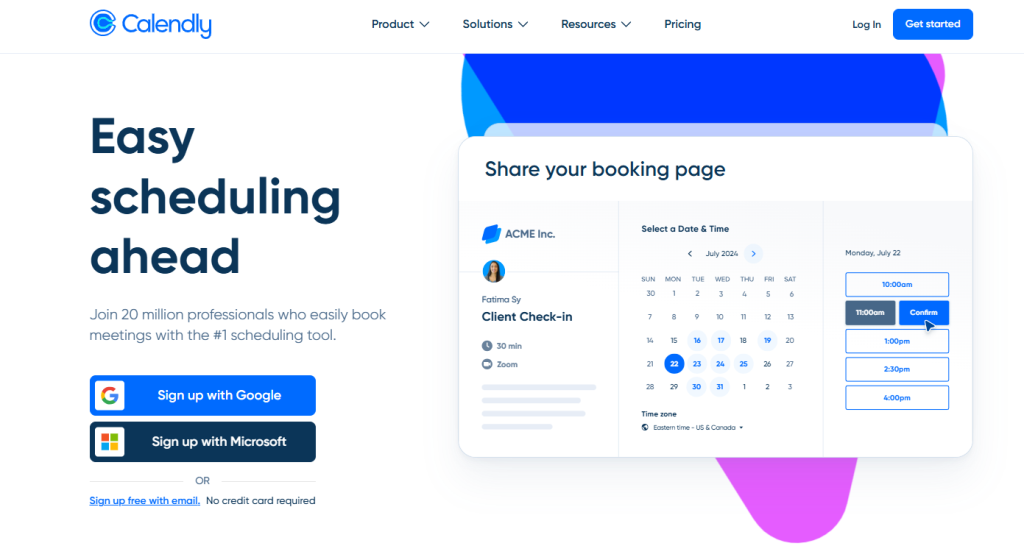
Calendly, Acuity Scheduling, and Setmore are widely used because they remove friction at the very start of the client relationship. Calendly is valued for its routing logic and clean availability controls, which work well for consultants offering multiple session types. Acuity is often chosen when intake forms and structured pre-session data matter, especially in coaching or advisory work. Setmore fits consultants working with assistants or shared calendars, though deeper customization can be limited depending on the plan.
Beyond booking, client profiles play a bigger role than many expect. Notes, tags, and session history help consultants avoid repeating questions and losing context. Industry data shows that over 70% of clients prefer booking consultations online rather than coordinating by email, which explains why scheduling tools are now standard in many consulting practices.
Video & Meetings
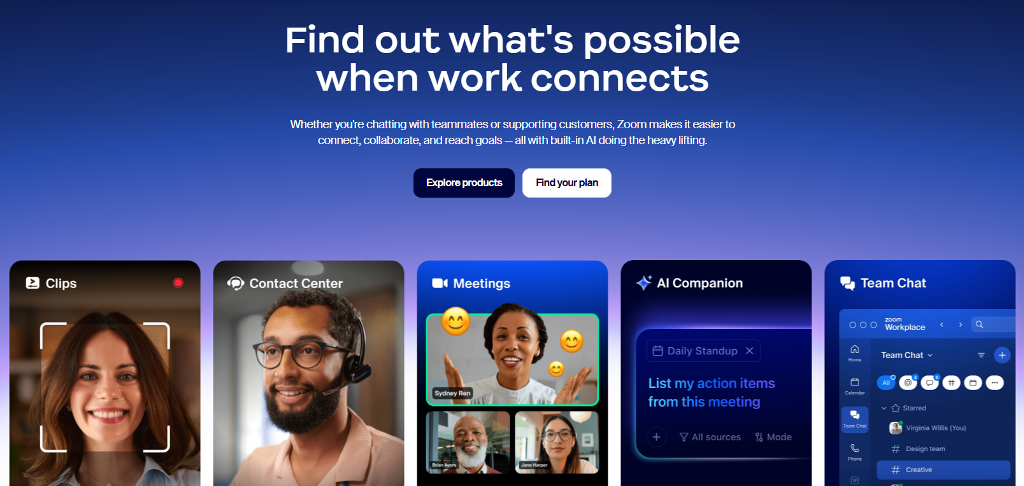
Video tools sit at the center of remote consulting. Zoom, Microsoft Teams, and Google Meet dominate because they’re familiar and reliable. They handle call quality well and scale easily across devices. Their weakness appears after the call ends. Session ownership, access rules, and payments are handled elsewhere, which fragments the workflow.
For consultants running paid sessions, this separation creates extra steps. Links need to be shared manually. Attendance must be verified. Follow-ups depend on memory instead of structure. As a result, many professionals start looking for consultant apps where video is part of a larger system rather than a standalone feature.
Contracts, Invoices, and CRM
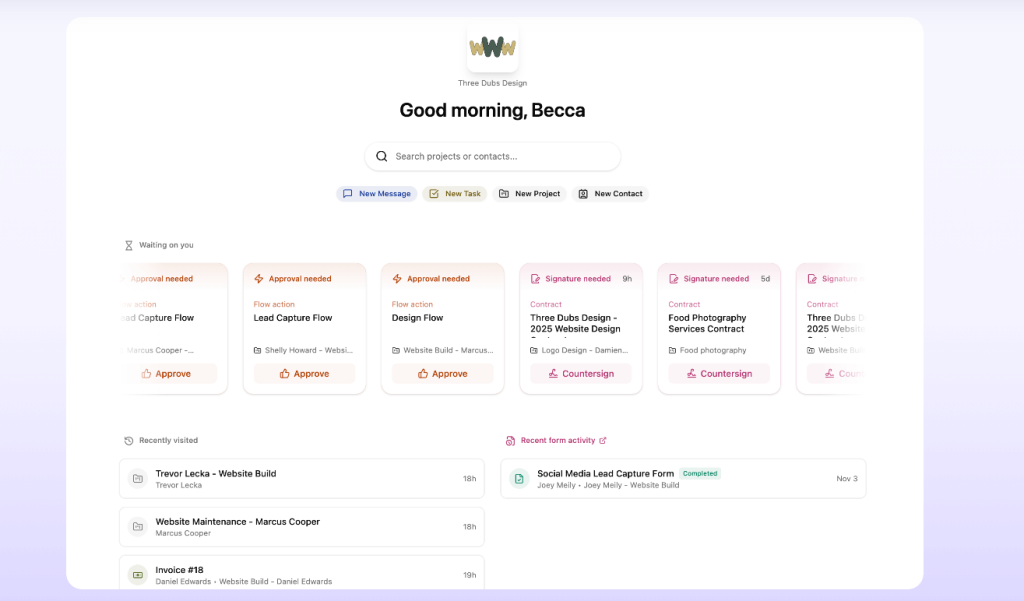
Operational tools like Dubsado, HoneyBook, and Bonsai address the business side of consulting. They combine contracts, invoicing, and client records in one place. This reduces payment delays and cuts down on follow-up emails. Clear invoices and payment links also set expectations early, which improves retention.
Over time, these tools function as lightweight consultant management software, helping track repeat clients, active agreements, and ongoing engagements. When billing and records are integrated, consultants spend less time managing transactions and more time delivering work that actually drives their business forward.
Real Consultant Case Examples
The impact of consulting apps becomes clearer when you look at how real consultants work before and after adopting structured tools. Below are three short, practical cases.
- Solo Business Coach
Before switching tools, this coach relied on Calendly for bookings, PayPal links sent manually, and follow-ups scattered across email and chat apps. Missed reminders led to frequent no-shows. After moving to an integrated setup with scheduling, automatic reminders, and built-in billing, sessions became more predictable. No-show rates dropped noticeably, and paid bookings increased because clients completed payment at the time of scheduling. - Wellness Expert
This consultant ran most sessions over video and dealt with constant rescheduling. Links were reused, notes were kept separately, and client history was easy to lose. With an online consulting platform that combined video, session notes, and secure access, follow-ups became faster and more personal. Clients stayed longer because they felt continuity between sessions, not repetition. - Design Freelancer
Late payments were the main issue. Invoices were sent after sessions, often buried in email threads. By adopting an online consulting software setup with CRM-style client records and automated invoices, payment delays were reduced significantly. Clear contracts and payment links upfront set expectations and improved cash flow.
Build a Turnkey Consulting Service With Scrile Connect and Scrile Meet
Up to this point, the conversation has been about choosing the right tools. At a certain scale, that approach hits a ceiling. Too many logins, inconsistent branding, payment logic that doesn’t quite fit, and features locked behind someone else’s roadmap. This is where many consultants realize the issue isn’t the lack of apps. It’s the lack of ownership.
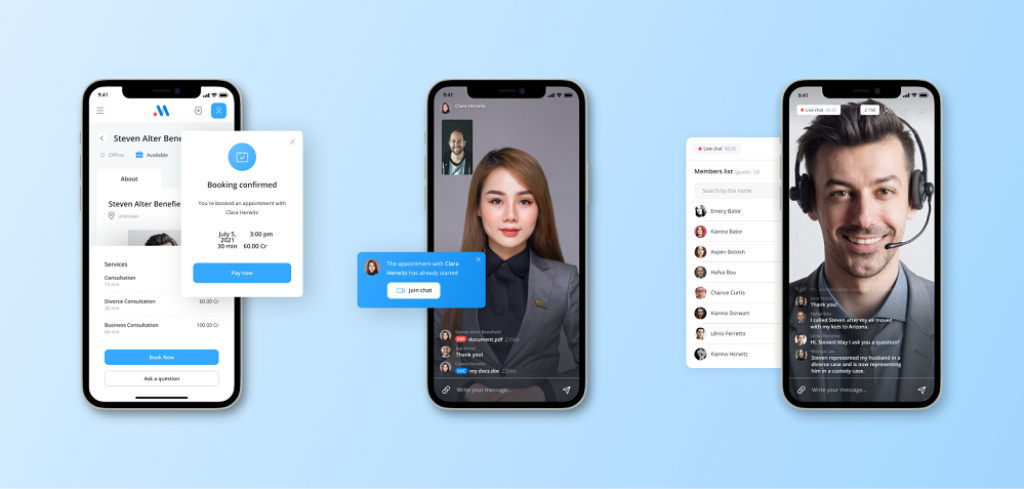
Instead of stitching together tools, some businesses move toward building a system tailored to how they actually work. Scrile Connect and Scrile Meet support that shift. They are not off-the-shelf SaaS products. They are custom development services designed to create fully branded standalone consultant apps and web apps for online consulting that reflect specific workflows, pricing models, and client expectations.
For consulting businesses, this approach changes what’s possible in practice:
- Scheduling, video, and client profiles live in one environment, so sessions, notes, and history stay connected instead of scattered across tools. This reduces context switching and makes follow-ups more personal.
- Payments are built directly into the consulting flow, whether charged at booking, after a session, or on a recurring basis. Consultants control how and when revenue is collected.
- Contracts and agreements are part of the product, not separate documents emailed back and forth. This simplifies onboarding and reduces friction before the first session.
- Analytics focus on consulting metrics, such as retention, session frequency, and revenue per client, instead of generic traffic numbers. This helps consultants make informed decisions.
- White-label branding keeps the consultant front and center, reinforcing trust and professionalism instead of advertising third-party platforms to clients.
This model suits consultants who see their practice as a product, not just a calendar of calls.
Conclusion
Modern consulting runs on systems, not scattered tools. Dedicated consultant apps matter because they reduce friction, protect context, and make the client experience consistent from the first booking to the final invoice. The strongest setups follow the consultant’s workflow instead of forcing it into someone else’s template. For teams ready to move beyond patchwork solutions, Scrile Connect and Scrile Meet offer a way to build a fully branded consulting ecosystem that covers scheduling, sessions, and billing in one product. Explore both services, reach out to Scrile’s team, and discuss building a custom consulting system designed around your business.
FAQ – Consultant Apps (Scheduling, Video, Payments, CRM & Billing)
What are consultant apps, and what should they cover end-to-end?
Consultant apps are tools (or platforms) that help you run the full consulting workflow without the usual chaos: booking, session delivery, client communication, payments, and follow-ups. The goal is simple — fewer manual steps and fewer “where did I put that link?” moments.
The best setups connect scheduling, video, billing, and client notes, so every session has context. When those pieces live in one place, the work feels lighter and clients experience you as more organized and professional.
Which scheduling tools are most popular for consultants in 2026?
Scheduling tools are the foundation, because the booking experience is the first “product moment” a client sees. In your guide, Calendly, Acuity Scheduling, and Setmore are highlighted as common options that reduce friction at the start of the relationship.
The right choice depends on what you sell. If you run multiple session types and need clean availability controls, you’ll value routing and logic. If you need structured intake data before calls, you’ll want stronger forms. If you share calendars with assistants, you’ll care more about team scheduling and permissions.
How do consultant apps reduce no-shows and rescheduling headaches?
No-shows usually happen when the flow is too “manual”: confirmations get lost, time zones are unclear, or reminders don’t happen consistently. A proper consultant scheduling setup handles confirmations and reminders automatically, and it keeps availability accurate so you don’t get double-booked.
Rescheduling becomes easier when the client can move the session inside the same system and you keep the full history. That way you don’t lose context, and you don’t spend your day doing admin work that your software should handle.
Which video meeting apps do consultants use most, and what’s the downside?
For video sessions, the common default is Zoom, Microsoft Teams, and Google Meet because they’re familiar and reliable. That’s why they dominate remote consulting workflows.
The downside isn’t call quality — it’s fragmentation. Video lives in one place, payments live somewhere else, and client notes live in a third tool. That separation creates extra steps: sharing links manually, verifying attendance, and doing follow-ups from memory instead of a structured system.
Do I really need built-in chat and file sharing for consulting?
If your clients send materials, ask questions between sessions, or need quick clarifications, built-in chat is a quiet productivity upgrade. It prevents “one more email thread” from becoming the default communication layer for everything.
The real benefit is continuity. When messages, files, and session history stay connected to the client record, you stop losing context. Clients also feel more supported because communication doesn’t reset every time.
Which apps handle contracts, invoices, and CRM for consultants?
When consulting becomes a real business (not a side hustle), operations matter: contracts, invoicing, and client records need to be consistent. Your article calls out Dubsado, HoneyBook, and Bonsai as tools that combine these “business-side” functions in one place.
This kind of setup reduces payment delays and cuts down on follow-up emails. It also helps retention because expectations are clear: clients understand what they’re paying for, when they’re paying, and what happens next.
When should consultants charge at booking vs after the session?
Charging at booking usually increases reliability. Clients treat the session as “real” because it’s already committed. It also reduces chasing invoices after the fact, which is one of the most common time drains in consulting.
Charging after the session can work for long-term relationships, enterprise clients, or situations where billing depends on scope. The key is to make the billing rule consistent and visible so payments don’t become awkward or delayed.
What should a client profile include inside a consulting platform?
A client profile is where you keep the context that makes sessions better: notes, history, key goals, and past decisions. Without that, consultants repeat questions, forget details, and lose the “continuity” feeling that clients pay for.
The most useful profiles keep everything close to the work: bookings, messages, documents, and session outcomes. When it’s organized, follow-ups become faster and more personal — and that directly improves retention.
Is it better to use a stack of apps, or one all-in-one consulting system?
Stacks work early because they’re flexible. You can mix a scheduling tool, a video tool, and an invoicing tool, and you’re “operational” fast. The problem shows up later: more logins, fragmented branding, duplicate data, and workflows that break under volume.
All-in-one systems win when you care about continuity. When scheduling, sessions, notes, and billing live in one environment, fewer things fall through cracks and the client experience feels smoother from start to finish.
When does it make sense to build a branded consulting platform with Scrile Connect and Scrile Meet?
It makes sense when ownership becomes the priority: you want one branded system instead of stitching together tools that weren’t designed to work as a product. Your article describes Scrile Connect and Scrile Meet as a custom development path to create fully branded consultant apps and web apps tailored to your workflow.
The value is control: scheduling, video, client profiles, payments, contracts, and analytics can be built into one consulting flow, under your brand, with your monetization logic and business rules — not someone else’s roadmap.

Polina Yan is a Technical Writer and Product Marketing Manager, specializing in helping creators launch personalized content monetization platforms. With over five years of experience writing and promoting content, Polina covers topics such as content monetization, social media strategies, digital marketing, and online business in adult industry. Her work empowers online entrepreneurs and creators to navigate the digital world with confidence and achieve their goals.